Website Accessibility
It’s the Right Thing to do
Thursday, November 17th

php[world] 2016


Stephen Pashby @DH_Stephen
David Minton @DH_David
@DesignHammer
Overview
• Introduction
• What is accessibility
• Federal regulations
• Disabilities
• Automated accessibility testing
• Court cases
2
Introduction
3
Stephen
Pashby
Account Manager
@DH_Stephen
Over five years

industry experience
Stephen Pashby
Account Manager
5
David
Minton
Managing Partner
@DH_David
Over twenty years

industry experience
Disclaimer
Let’s get this out of the way first!
6
Disclaimer
We are not lawyers
• Don’t take any of this as legal advice
We won’t tell you how to fix your website
• But we will point you in the right direction
7
Scope
What we’ll cover and what we won’t.
8
What we will cover
• What is accessibility?
• Why should I bother?
• How can I test my site?
9
What we won’t cover
• Legal responsibilities regarding accessibility
• How to make a website accessible
10
The what, where, and
when: web accessibility
11
What is accessibility?
It’s more than just screen readers.
12
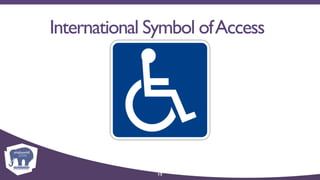
International Symbol ofAccess
13
International Symbol ofAccess
14
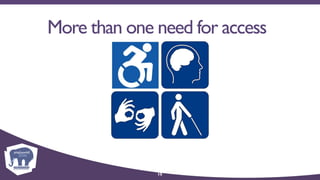
More than one need for access
15
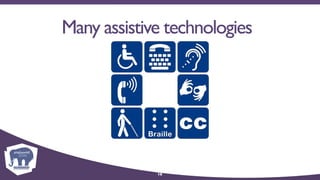
Many assistive technologies
16
What is accessibility?
“Web accessibility means that people with
disabilities can use the Web. More specifically,
Web accessibility means that people with
disabilities can perceive, understand, navigate,
and interact with the Web, and that they can
contribute to the Web.”
Web Accessibility Initiative (WAI)

WorldWideWeb Consortium (W3C)
17
Why accessibility?
Would you, could you, should you?
18
Why accessibility?
“The web is not a barrier to people with
disabilities, it is the solution.The web has the
potential to revolutionize the day-to-day lives
of millions of people with disabilities by
increasing their ability to independently access
information…and other aspects of life that
most people take for granted.”
Center for Persons with Disabilities
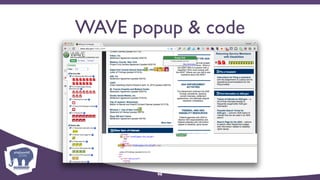
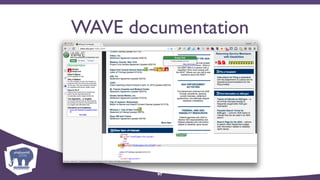
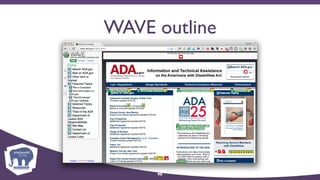
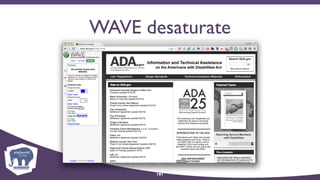
19
Why accessibility?
• Help others: it is the right thing to do
• Help ourselves: we are all getting older
• Attracts new/retains existing customers
• Generally leads to improved usability for all
• It’s the law (does it apply to you?)
20
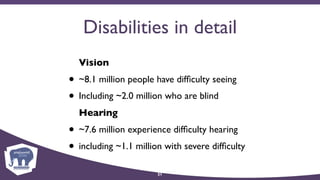
Disabilities in detail
Vision
• ~8.1 million people have difficulty seeing
• Including ~2.0 million who are blind
Hearing
• ~7.6 million experience difficulty hearing
• including ~1.1 million with severe difficulty
21
Accessibility Principles
(POUR)
Accessibility is more than checking off boxes.
22
Accessibility Principles
• Perceivable
• Operable
• Understandable
• Robust
23
Perceivable
• Users need to be aware of web content
24
Operable
• Users need to be able to navigate, find, and
interact with web content
25
Understandable
• Users need to be able to comprehend all
navigation, interaction, and content
26
Robust
• Enable users to choose technologies to meet
their accessibility needs
27
Types of disabilities
We’re not all created equal.
28
Types of disabilities
• Visual
• Auditory
• Motor
• Cognitive
• Seizure
29
Visual disabilities
• Blindness
• Low vision
• Color-blindness
30
Auditory disabilities
• Deafness
• Hard of hearing
31
Motor impairments
• Inability to use a mouse
• Poor fine motor control
• Slow reaction time
32
Cognitive disabilities
• Learning disability
• ADD
33
Seizure Disorders
• Photoepileptic seizures
34
Regulations &
Guidelines:
Section 508,Title II,
Title III, and WCAG 2.0
35
What is Section 508?
• Amendment to Rehabilitation Act of 1973
• Approved 1998
• Compliance by 2001
• Notice of proposed rule-making announced
February 2015
• New rule currently expected no earlier than
April 2016
36
Current status of 508
• Proposed Information and Communication
Technology (ICT) Standards and Guidelines
• Would incorporate Web Content
Accessibility Guidelines (WCAG) 2.0
• Currently under review
• When and how will it be authorized ???
37
Section 508 Standards
• Only 16 paragraphs specific to websites
• Has not been updated in years
• Some refer to obsolete techniques
• Some very specific, some vague
• Many open to interpretation
38
Section 508 Resources
• Section 508 Standards Guide

(http://www.section508.gov/section-508-standards-guide)
• About the ICT Refresh

(http://www.access-board.gov/guidelines-and-standards/
communications-and-it/about-the-ict-refresh)
39
What is Title II?
• Americans with Disabilities Act of 1990
• “No qualified individual with a disability shall,
on the basis of disability, be excluded from
participation in or be denied the benefits of
the services, programs, or activities of a public
entity (e.g. any department, agency, or other
instrumentality of a State or States or local
government).”
40
What is Title III?
• Americans with Disabilities Act of 1990
• “No individual shall be discriminated against on
the basis of disability in the full and equal
enjoyment of the goods,services,facilities,
privileges,advantages,or accommodations of
any place of public accommodation by any
person who owns,leases (or leases to),or
operates a place of public accommodation.”
41
What is WCAG 2.0?
• Web Content Accessibility Guidelines
• Developed by Web Accessibility Initiative
• Part of World Wide Web Consortium
• Published in 2008
• Basis for many nation’s accessibility laws
42
WCAG 2.0
• Web Accessibility Initiative (WAI)

(http://www.w3.org/WAI/)
• Web Content Accessibility Guidelines 2.0

(http://www.w3.org/TR/WCAG20/)
• How to Meet WCAG 2.0

(http://www.w3.org/WAI/WCAG20/quickref/)
43
Current status WCAG
• Currently a guideline
• Success based
• Does not require specific techniques
• Provides numerous scenarios with
acceptable solutions
44
Web Content
Accessibility Guidelines
What exactly do I need to do?
45
1. Perceivable
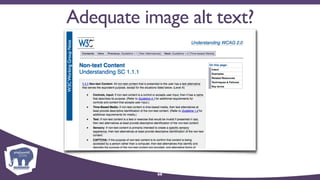
• Provide text alternatives for non-text content.
• Provide captions & other alts.for multimedia.
• Create content that can be presented in
different ways, including by assistive
technologies, without losing meaning.
• Make it easier for users to see and hear
content.
46
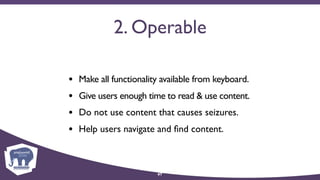
2. Operable
• Make all functionality available from keyboard.
• Give users enough time to read & use content.
• Do not use content that causes seizures.
• Help users navigate and find content.
47
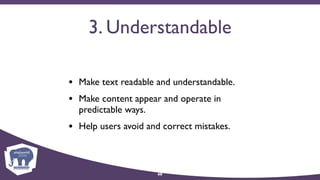
3. Understandable
• Make text readable and understandable.
• Make content appear and operate in
predictable ways.
• Help users avoid and correct mistakes.
48
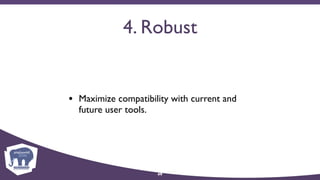
4. Robust
• Maximize compatibility with current and
future user tools.
49
Automated accessibility
compliance testing
50
Automated testing
“Accessibility testers are like spelling and
grammar checkers, for your website. If you are a
competent writer they can help you find errors
and make improvements. If you run one on
foreign language text, you’ll clear all of the
errors, but will likely wind up with gibberish.”
David Minton

DesignHammer
51
Testing expectations
What the testers will tell you, and what they won’t.
52
Testing expectations
• Pass
• Conditional Pass (manual check)
• Fail
• False positives and negatives
53
Section 508 § 1194.22 (a)
“A text equivalent for every non-text element
shall be provided (e.g., via "alt", "longdesc", or in
element content).”
Web-based intranet & internet information & applications.

Section 508 Standards Guide
54
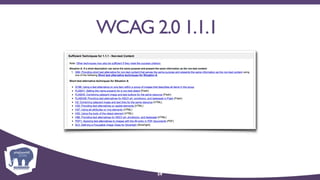
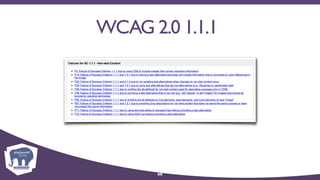
WCAG 2.0 1.1.1
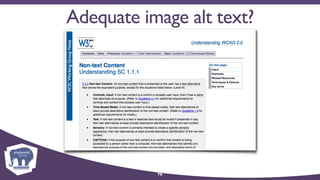
“All non-text content that is presented to the
user has a text alternative that serves the
equivalent purpose, except for the situations
listed below. (Level A)”
How to Meet WCAG 2.0

Web Content Accessibility Guidelines Working Group
55
WCAG 2.0 1.1.1
A. If a short description can serve the same
purpose and present the same information
as the non-text content.
B. If a short description can not serve the same
purpose and present the same information
as the non-text content (e.g., a chart or
diagram):
56
WCAG 2.0 1.1.1
C.If non-text content is a control or accepts
user input:
D. If non-text content is time-based media
(including live video-only and live audio-only);
a test or exercise that would be invalid if
presented in text; or primarily intended to
create a specific sensory experience:
57
WCAG 2.0 1.1.1
E. If non-text content is a CAPTCHA:
F. If the non-text content should be ignored by
assistive technology:
58
WCAG 2.0 1.1.1
59
WCAG 2.0 1.1.1
60
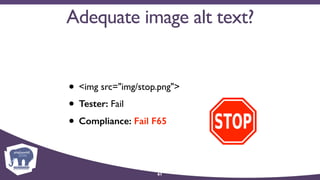
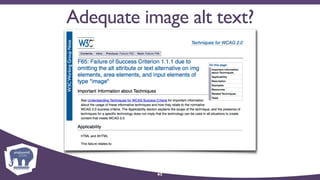
Adequate image alt text?
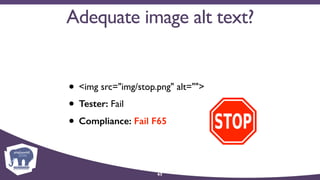
• <img src="img/stop.png">
• Tester: Fail
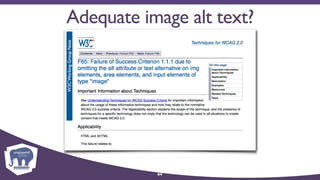
• Compliance: Fail F65
61
Adequate image alt text?
62
Adequate image alt text?
• <img src="img/stop.png" alt="">
• Tester: Fail
• Compliance: Fail F65
63
Adequate image alt text?
64
Adequate image alt text?
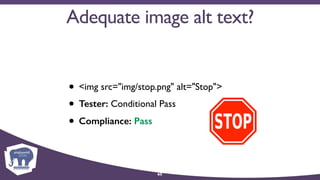
• <img src="img/stop.png" alt="Stop">
• Tester: Conditional Pass
• Compliance: Pass
65
Adequate image alt text?
66
Adequate image alt text?
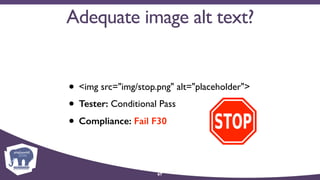
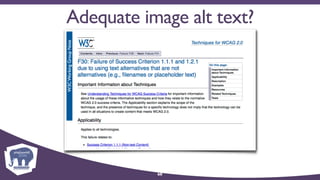
• <img src="img/stop.png" alt="placeholder">
• Tester: Conditional Pass
• Compliance: Fail F30
67
Adequate image alt text?
68
Adequate image alt text?
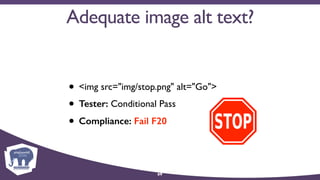
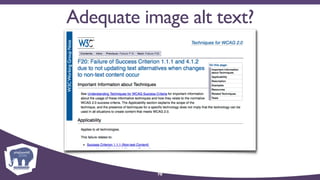
• <img src="img/stop.png" alt="Go">
• Tester: Conditional Pass
• Compliance: Fail F20
69
Adequate image alt text?
70
71
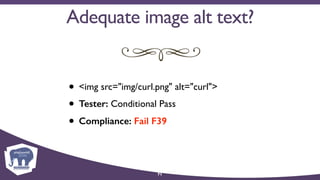
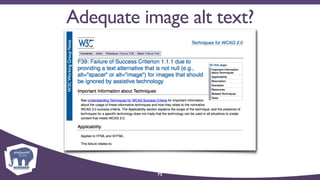
• <img src="img/curl.png" alt="curl">
• Tester: Conditional Pass
• Compliance: Fail F39
Adequate image alt text?
72
73
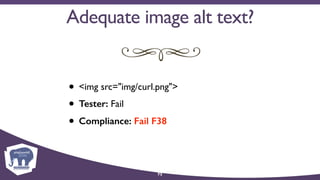
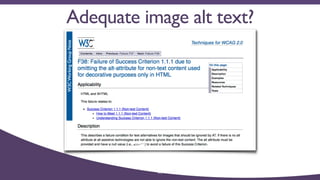
• <img src="img/curl.png">
• Tester: Fail
• Compliance: Fail F38
Adequate image alt text?
74
75
• <img src="img/curl.png" alt="">
• Tester: Conditional Pass/Fail?
• Compliance: Pass
Adequate image alt text?
76
Types of testing software
• SaaS hosted
• Browser plug-in
• Desktop application
77
Samples
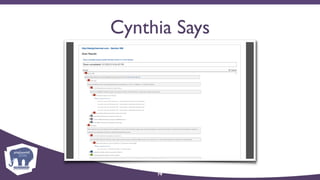
• SaaS hosted: Cynthia Says

http://www.cynthiasays.com
• Browser plug-in:WAVE for Firefox/Chrome

(http://wave.webaim.org)
• Desktop application:TotalValidator

(https://www.totalvalidator.com)
78
Cynthia Says
79
Cynthia Says
Pros
• Provides feedback by requirement (e.g.
Section 508 statute)
• Can test Section 508,WACG 2.0 A,WACG
2.0 AA, and WACG 2.0 AAA compliance
80
Cynthia Says
Cons
• Tests one page a time
• Cannot test password protected
environments
81
WAVE plugin
82
WAVE plugin
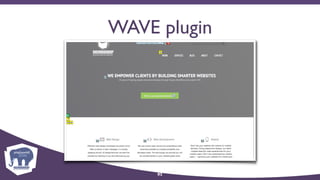
Pros
• Free
• Displays webpage with embedded icons
• Can test password protected websites
83
WAVE plugin
Cons
• Tests one page a time
• Tests based on both Section 508 and
WACG, can’t test for full 508 or WACG
compliance
84
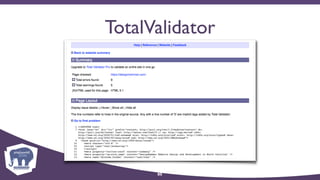
TotalValidator
85
TotalValidator
Pros
• Free basic version
• Provides line-by-line analysis of code
• Can test Section 508,WACG 2.0 A,WACG
2.0 AA, and WACG 2.0 AAA compliance
• Can crawl multiple pages on a site
86
TotalValidator
Cons
• Basic only tests one page a time
• Assumes user understands code
87
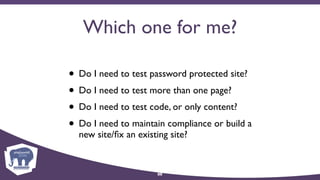
Which one for me?
• Do I need to test password protected site?
• Do I need to test more than one page?
• Do I need to test code, or only content?
• Do I need to maintain compliance or build a
new site/fix an existing site?
88
Where should I start?
Try the free WAVE extension for Chrome.
89
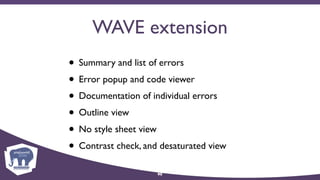
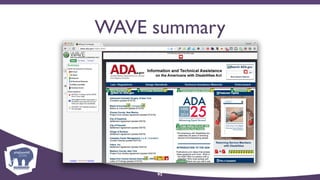
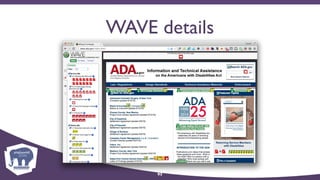
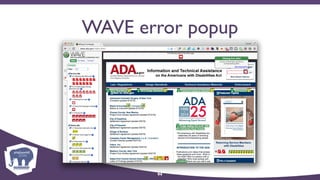
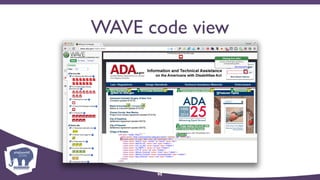
WAVE extension
• Summary and list of errors
• Error popup and code viewer
• Documentation of individual errors
• Outline view
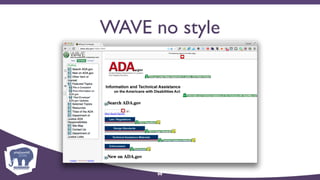
• No style sheet view
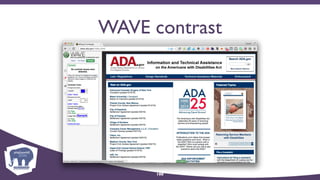
• Contrast check, and desaturated view
90
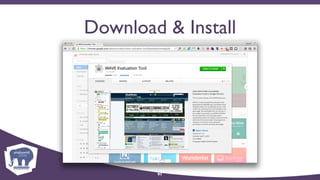
Download & Install
91
WAVE summary
92
WAVE details
93
WAVE error popup
94
WAVE code view
95
WAVE popup & code
96
WAVE documentation
97
WAVE outline
98
WAVE no style
99
WAVE contrast
100
WAVE desaturate
101
Legislation,
legal settlements,
and court decisions
102
Enforcement options
• Legislative action
• Justice Department settlement agreements
• Court cases
103
Federal legislation
• Federal agency websites covered by
amendment to Rehabilitation Act 1973
• Most airline websites covered by

amendment to Air Carrier Access Act 1986
104
Federal Agencies
U. S. General Services Administration
• Rehabilitation Act of 1973
• Approved 1998
• Compliance by 2001
• Section 508 § 1194
105
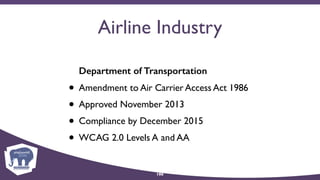
Airline Industry
Department of Transportation
• Amendment to Air Carrier Access Act 1986
• Approved November 2013
• Compliance by December 2015
• WCAG 2.0 Levels A and AA
106
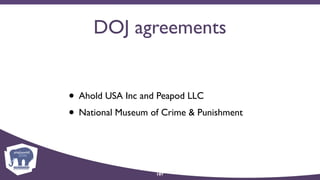
DOJ agreements
• Ahold USA Inc and Peapod LLC
• National Museum of Crime & Punishment
107
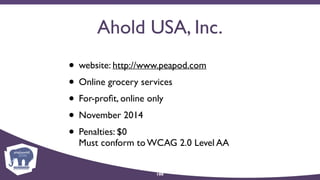
Ahold USA, Inc.
• website: http://www.peapod.com
• Online grocery services
• For-profit, online only
• November 2014
• Penalties: $0

Must conform to WCAG 2.0 Level AA
108
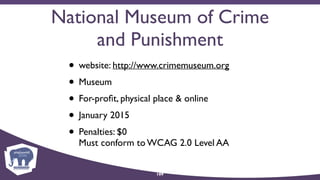
National Museum of Crime
and Punishment
• website: http://www.crimemuseum.org
• Museum
• For-profit, physical place & online
• January 2015
• Penalties: $0

Must conform to WCAG 2.0 Level AA
109
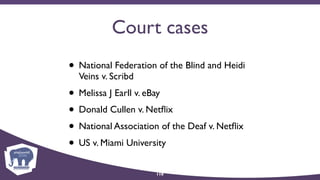
Court cases
• National Federation of the Blind and Heidi
Veins v. Scribd
• Melissa J Earll v. eBay
• Donald Cullen v. Netflix
• National Association of the Deaf v. Netflix
• US v. Miami University
110
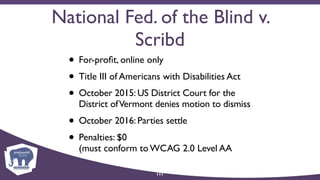
National Fed. of the Blind v.
Scribd
• For-profit, online only
• Title III of Americans with Disabilities Act
• October 2015: US District Court for the
District ofVermont denies motion to dismiss
• October 2016: Parties settle
• Penalties: $0 

(must conform to WCAG 2.0 Level AA
111
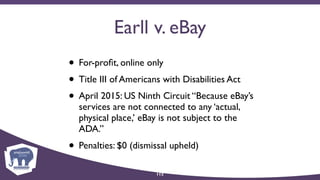
Earll v. eBay
• For-profit, online only
• Title III of Americans with Disabilities Act
• April 2015: US Ninth Circuit “Because eBay’s
services are not connected to any ‘actual,
physical place,’ eBay is not subject to the
ADA.”
• Penalties: $0 (dismissal upheld)
112
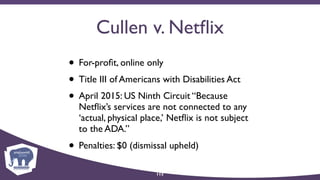
Cullen v. Netflix
• For-profit, online only
• Title III of Americans with Disabilities Act
• April 2015: US Ninth Circuit “Because
Netflix’s services are not connected to any
‘actual, physical place,’ Netflix is not subject
to the ADA.”
• Penalties: $0 (dismissal upheld)
113
National Assoc. of the Deaf
v. Netflix
• For-profit, online only
• Title III of Americans with Disabilities Act
• Oct.2012:US District Court for Massachusetts
rules that the ADA applies to web-only
businesses
• Penalties: ~$800,000
114
Dudley v. Miami University
• Public University, physical and online
• Title II of Americans with Disabilities Act
• January 2016: US District Court for the
Southern District of Ohio, parties settle
• Penalties: In progress
115
Dudley v. Miami University
“Education is said to be the great equalizer of
American society, and educational technologies
hold great promise to make this a reality.
However, students with disabilities continue to
encounter an impenetrable glass ceiling of
opportunity when schools fail to comply with
the ADA.”
Vanita Gupta

Principal Deputy Asst.Attorney General 

Civil Rights Division, Department of Justice
116
Courts split on rulings
• Are web-only businesses places of “public
accommodation” under Title III of Americans
with Disabilities Act?
• Is the website a “public accommodation”
only as an extension of businesses with
actual, physical places?
• Does Title III even apply to websites at all?
117
Schedule for regulations
• Expect Title II regulations in 2017
• Expect Title III regulations in 2018
118
But wait!
Is there a giant elephant in the room?
119
November 2016
120
121
What does the future hold?
• Continue as planned? Probably?
• Limit further regulations? Possibly?
• Dismantle ADA or DOJ CRD? Unlikely?
• Accelerate regulations? Hmmmm?
122
Why we need regulations
• Current situation provides uncertainty

(Business hates uncertainty)
• Wave of “nuisance” suits is increasing
• Regulations could/would curtail lawsuits
123
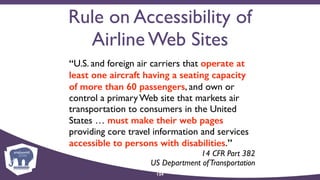
Rule on Accessibility of
Airline Web Sites
“U.S. and foreign air carriers that operate at
least one aircraft having a seating capacity
of more than 60 passengers, and own or
control a primary Web site that markets air
transportation to consumers in the United
States … must make their web pages
providing core travel information and services
accessible to persons with disabilities.”
14 CFR Part 382 

US Department ofTransportation
124
Airline regulations a model?
• Tiered system based on size or industry?
• Reduced requirements for small business?
• Excuse small business entirely?
• Consider factors such as annual revenue?
125
Conclusion and
resources
126
Conclusion
• No silver bullet to make sites accessible
• Accessibility is a never-ending process
• The legal landscape is in flux; look for new
rulings, and regulations in 2017–18!
127
Resources
• https://designhammer.com/blog/website-
accessibility-its-not-just-good-idea-its-law


or
• http://bit.ly/dhaccess
128
20162016
129
130
Follow us! @DesignHammer

facebook.com/DesignHammer
www.designhammer.com/blog
Feedback: https://legacy.joind.in/18718

Website Accessibility: It’s the Right Thing to do

  • 1.
    Website Accessibility It’s theRight Thing to do Thursday, November 17th
 php[world] 2016 
 Stephen Pashby @DH_Stephen David Minton @DH_David @DesignHammer
  • 2.
    Overview • Introduction • Whatis accessibility • Federal regulations • Disabilities • Automated accessibility testing • Court cases 2
  • 3.
  • 4.
  • 5.
    Stephen Pashby Account Manager 5 David Minton ManagingPartner @DH_David Over twenty years
 industry experience
  • 6.
    Disclaimer Let’s get thisout of the way first! 6
  • 7.
    Disclaimer We are notlawyers • Don’t take any of this as legal advice We won’t tell you how to fix your website • But we will point you in the right direction 7
  • 8.
    Scope What we’ll coverand what we won’t. 8
  • 9.
    What we willcover • What is accessibility? • Why should I bother? • How can I test my site? 9
  • 10.
    What we won’tcover • Legal responsibilities regarding accessibility • How to make a website accessible 10
  • 11.
    The what, where,and when: web accessibility 11
  • 12.
    What is accessibility? It’smore than just screen readers. 12
  • 13.
  • 14.
  • 15.
    More than oneneed for access 15
  • 16.
  • 17.
    What is accessibility? “Webaccessibility means that people with disabilities can use the Web. More specifically, Web accessibility means that people with disabilities can perceive, understand, navigate, and interact with the Web, and that they can contribute to the Web.” Web Accessibility Initiative (WAI)
 WorldWideWeb Consortium (W3C) 17
  • 18.
    Why accessibility? Would you,could you, should you? 18
  • 19.
    Why accessibility? “The webis not a barrier to people with disabilities, it is the solution.The web has the potential to revolutionize the day-to-day lives of millions of people with disabilities by increasing their ability to independently access information…and other aspects of life that most people take for granted.” Center for Persons with Disabilities 19
  • 20.
    Why accessibility? • Helpothers: it is the right thing to do • Help ourselves: we are all getting older • Attracts new/retains existing customers • Generally leads to improved usability for all • It’s the law (does it apply to you?) 20
  • 21.
    Disabilities in detail Vision •~8.1 million people have difficulty seeing • Including ~2.0 million who are blind Hearing • ~7.6 million experience difficulty hearing • including ~1.1 million with severe difficulty 21
  • 22.
    Accessibility Principles (POUR) Accessibility ismore than checking off boxes. 22
  • 23.
    Accessibility Principles • Perceivable •Operable • Understandable • Robust 23
  • 24.
    Perceivable • Users needto be aware of web content 24
  • 25.
    Operable • Users needto be able to navigate, find, and interact with web content 25
  • 26.
    Understandable • Users needto be able to comprehend all navigation, interaction, and content 26
  • 27.
    Robust • Enable usersto choose technologies to meet their accessibility needs 27
  • 28.
    Types of disabilities We’renot all created equal. 28
  • 29.
    Types of disabilities •Visual • Auditory • Motor • Cognitive • Seizure 29
  • 30.
    Visual disabilities • Blindness •Low vision • Color-blindness 30
  • 31.
  • 32.
    Motor impairments • Inabilityto use a mouse • Poor fine motor control • Slow reaction time 32
  • 33.
  • 34.
  • 35.
    Regulations & Guidelines: Section 508,TitleII, Title III, and WCAG 2.0 35
  • 36.
    What is Section508? • Amendment to Rehabilitation Act of 1973 • Approved 1998 • Compliance by 2001 • Notice of proposed rule-making announced February 2015 • New rule currently expected no earlier than April 2016 36
  • 37.
    Current status of508 • Proposed Information and Communication Technology (ICT) Standards and Guidelines • Would incorporate Web Content Accessibility Guidelines (WCAG) 2.0 • Currently under review • When and how will it be authorized ??? 37
  • 38.
    Section 508 Standards •Only 16 paragraphs specific to websites • Has not been updated in years • Some refer to obsolete techniques • Some very specific, some vague • Many open to interpretation 38
  • 39.
    Section 508 Resources •Section 508 Standards Guide
 (http://www.section508.gov/section-508-standards-guide) • About the ICT Refresh
 (http://www.access-board.gov/guidelines-and-standards/ communications-and-it/about-the-ict-refresh) 39
  • 40.
    What is TitleII? • Americans with Disabilities Act of 1990 • “No qualified individual with a disability shall, on the basis of disability, be excluded from participation in or be denied the benefits of the services, programs, or activities of a public entity (e.g. any department, agency, or other instrumentality of a State or States or local government).” 40
  • 41.
    What is TitleIII? • Americans with Disabilities Act of 1990 • “No individual shall be discriminated against on the basis of disability in the full and equal enjoyment of the goods,services,facilities, privileges,advantages,or accommodations of any place of public accommodation by any person who owns,leases (or leases to),or operates a place of public accommodation.” 41
  • 42.
    What is WCAG2.0? • Web Content Accessibility Guidelines • Developed by Web Accessibility Initiative • Part of World Wide Web Consortium • Published in 2008 • Basis for many nation’s accessibility laws 42
  • 43.
    WCAG 2.0 • WebAccessibility Initiative (WAI)
 (http://www.w3.org/WAI/) • Web Content Accessibility Guidelines 2.0
 (http://www.w3.org/TR/WCAG20/) • How to Meet WCAG 2.0
 (http://www.w3.org/WAI/WCAG20/quickref/) 43
  • 44.
    Current status WCAG •Currently a guideline • Success based • Does not require specific techniques • Provides numerous scenarios with acceptable solutions 44
  • 45.
    Web Content Accessibility Guidelines Whatexactly do I need to do? 45
  • 46.
    1. Perceivable • Providetext alternatives for non-text content. • Provide captions & other alts.for multimedia. • Create content that can be presented in different ways, including by assistive technologies, without losing meaning. • Make it easier for users to see and hear content. 46
  • 47.
    2. Operable • Makeall functionality available from keyboard. • Give users enough time to read & use content. • Do not use content that causes seizures. • Help users navigate and find content. 47
  • 48.
    3. Understandable • Maketext readable and understandable. • Make content appear and operate in predictable ways. • Help users avoid and correct mistakes. 48
  • 49.
    4. Robust • Maximizecompatibility with current and future user tools. 49
  • 50.
  • 51.
    Automated testing “Accessibility testersare like spelling and grammar checkers, for your website. If you are a competent writer they can help you find errors and make improvements. If you run one on foreign language text, you’ll clear all of the errors, but will likely wind up with gibberish.” David Minton
 DesignHammer 51
  • 52.
    Testing expectations What thetesters will tell you, and what they won’t. 52
  • 53.
    Testing expectations • Pass •Conditional Pass (manual check) • Fail • False positives and negatives 53
  • 54.
    Section 508 §1194.22 (a) “A text equivalent for every non-text element shall be provided (e.g., via "alt", "longdesc", or in element content).” Web-based intranet & internet information & applications.
 Section 508 Standards Guide 54
  • 55.
    WCAG 2.0 1.1.1 “Allnon-text content that is presented to the user has a text alternative that serves the equivalent purpose, except for the situations listed below. (Level A)” How to Meet WCAG 2.0
 Web Content Accessibility Guidelines Working Group 55
  • 56.
    WCAG 2.0 1.1.1 A.If a short description can serve the same purpose and present the same information as the non-text content. B. If a short description can not serve the same purpose and present the same information as the non-text content (e.g., a chart or diagram): 56
  • 57.
    WCAG 2.0 1.1.1 C.Ifnon-text content is a control or accepts user input: D. If non-text content is time-based media (including live video-only and live audio-only); a test or exercise that would be invalid if presented in text; or primarily intended to create a specific sensory experience: 57
  • 58.
    WCAG 2.0 1.1.1 E.If non-text content is a CAPTCHA: F. If the non-text content should be ignored by assistive technology: 58
  • 59.
  • 60.
  • 61.
    Adequate image alttext? • <img src="img/stop.png"> • Tester: Fail • Compliance: Fail F65 61
  • 62.
  • 63.
    Adequate image alttext? • <img src="img/stop.png" alt=""> • Tester: Fail • Compliance: Fail F65 63
  • 64.
  • 65.
    Adequate image alttext? • <img src="img/stop.png" alt="Stop"> • Tester: Conditional Pass • Compliance: Pass 65
  • 66.
  • 67.
    Adequate image alttext? • <img src="img/stop.png" alt="placeholder"> • Tester: Conditional Pass • Compliance: Fail F30 67
  • 68.
  • 69.
    Adequate image alttext? • <img src="img/stop.png" alt="Go"> • Tester: Conditional Pass • Compliance: Fail F20 69
  • 70.
  • 71.
    71 • <img src="img/curl.png"alt="curl"> • Tester: Conditional Pass • Compliance: Fail F39 Adequate image alt text?
  • 72.
  • 73.
    73 • <img src="img/curl.png"> •Tester: Fail • Compliance: Fail F38 Adequate image alt text?
  • 74.
  • 75.
    75 • <img src="img/curl.png"alt=""> • Tester: Conditional Pass/Fail? • Compliance: Pass Adequate image alt text?
  • 76.
  • 77.
    Types of testingsoftware • SaaS hosted • Browser plug-in • Desktop application 77
  • 78.
    Samples • SaaS hosted:Cynthia Says
 http://www.cynthiasays.com • Browser plug-in:WAVE for Firefox/Chrome
 (http://wave.webaim.org) • Desktop application:TotalValidator
 (https://www.totalvalidator.com) 78
  • 79.
  • 80.
    Cynthia Says Pros • Providesfeedback by requirement (e.g. Section 508 statute) • Can test Section 508,WACG 2.0 A,WACG 2.0 AA, and WACG 2.0 AAA compliance 80
  • 81.
    Cynthia Says Cons • Testsone page a time • Cannot test password protected environments 81
  • 82.
  • 83.
    WAVE plugin Pros • Free •Displays webpage with embedded icons • Can test password protected websites 83
  • 84.
    WAVE plugin Cons • Testsone page a time • Tests based on both Section 508 and WACG, can’t test for full 508 or WACG compliance 84
  • 85.
  • 86.
    TotalValidator Pros • Free basicversion • Provides line-by-line analysis of code • Can test Section 508,WACG 2.0 A,WACG 2.0 AA, and WACG 2.0 AAA compliance • Can crawl multiple pages on a site 86
  • 87.
    TotalValidator Cons • Basic onlytests one page a time • Assumes user understands code 87
  • 88.
    Which one forme? • Do I need to test password protected site? • Do I need to test more than one page? • Do I need to test code, or only content? • Do I need to maintain compliance or build a new site/fix an existing site? 88
  • 89.
    Where should Istart? Try the free WAVE extension for Chrome. 89
  • 90.
    WAVE extension • Summaryand list of errors • Error popup and code viewer • Documentation of individual errors • Outline view • No style sheet view • Contrast check, and desaturated view 90
  • 91.
  • 92.
  • 93.
  • 94.
  • 95.
  • 96.
    WAVE popup &code 96
  • 97.
  • 98.
  • 99.
  • 100.
  • 101.
  • 102.
  • 103.
    Enforcement options • Legislativeaction • Justice Department settlement agreements • Court cases 103
  • 104.
    Federal legislation • Federalagency websites covered by amendment to Rehabilitation Act 1973 • Most airline websites covered by
 amendment to Air Carrier Access Act 1986 104
  • 105.
    Federal Agencies U. S.General Services Administration • Rehabilitation Act of 1973 • Approved 1998 • Compliance by 2001 • Section 508 § 1194 105
  • 106.
    Airline Industry Department ofTransportation • Amendment to Air Carrier Access Act 1986 • Approved November 2013 • Compliance by December 2015 • WCAG 2.0 Levels A and AA 106
  • 107.
    DOJ agreements • AholdUSA Inc and Peapod LLC • National Museum of Crime & Punishment 107
  • 108.
    Ahold USA, Inc. •website: http://www.peapod.com • Online grocery services • For-profit, online only • November 2014 • Penalties: $0
 Must conform to WCAG 2.0 Level AA 108
  • 109.
    National Museum ofCrime and Punishment • website: http://www.crimemuseum.org • Museum • For-profit, physical place & online • January 2015 • Penalties: $0
 Must conform to WCAG 2.0 Level AA 109
  • 110.
    Court cases • NationalFederation of the Blind and Heidi Veins v. Scribd • Melissa J Earll v. eBay • Donald Cullen v. Netflix • National Association of the Deaf v. Netflix • US v. Miami University 110
  • 111.
    National Fed. ofthe Blind v. Scribd • For-profit, online only • Title III of Americans with Disabilities Act • October 2015: US District Court for the District ofVermont denies motion to dismiss • October 2016: Parties settle • Penalties: $0 
 (must conform to WCAG 2.0 Level AA 111
  • 112.
    Earll v. eBay •For-profit, online only • Title III of Americans with Disabilities Act • April 2015: US Ninth Circuit “Because eBay’s services are not connected to any ‘actual, physical place,’ eBay is not subject to the ADA.” • Penalties: $0 (dismissal upheld) 112
  • 113.
    Cullen v. Netflix •For-profit, online only • Title III of Americans with Disabilities Act • April 2015: US Ninth Circuit “Because Netflix’s services are not connected to any ‘actual, physical place,’ Netflix is not subject to the ADA.” • Penalties: $0 (dismissal upheld) 113
  • 114.
    National Assoc. ofthe Deaf v. Netflix • For-profit, online only • Title III of Americans with Disabilities Act • Oct.2012:US District Court for Massachusetts rules that the ADA applies to web-only businesses • Penalties: ~$800,000 114
  • 115.
    Dudley v. MiamiUniversity • Public University, physical and online • Title II of Americans with Disabilities Act • January 2016: US District Court for the Southern District of Ohio, parties settle • Penalties: In progress 115
  • 116.
    Dudley v. MiamiUniversity “Education is said to be the great equalizer of American society, and educational technologies hold great promise to make this a reality. However, students with disabilities continue to encounter an impenetrable glass ceiling of opportunity when schools fail to comply with the ADA.” Vanita Gupta
 Principal Deputy Asst.Attorney General 
 Civil Rights Division, Department of Justice 116
  • 117.
    Courts split onrulings • Are web-only businesses places of “public accommodation” under Title III of Americans with Disabilities Act? • Is the website a “public accommodation” only as an extension of businesses with actual, physical places? • Does Title III even apply to websites at all? 117
  • 118.
    Schedule for regulations •Expect Title II regulations in 2017 • Expect Title III regulations in 2018 118
  • 119.
    But wait! Is therea giant elephant in the room? 119
  • 120.
  • 121.
  • 122.
    What does thefuture hold? • Continue as planned? Probably? • Limit further regulations? Possibly? • Dismantle ADA or DOJ CRD? Unlikely? • Accelerate regulations? Hmmmm? 122
  • 123.
    Why we needregulations • Current situation provides uncertainty
 (Business hates uncertainty) • Wave of “nuisance” suits is increasing • Regulations could/would curtail lawsuits 123
  • 124.
    Rule on Accessibilityof Airline Web Sites “U.S. and foreign air carriers that operate at least one aircraft having a seating capacity of more than 60 passengers, and own or control a primary Web site that markets air transportation to consumers in the United States … must make their web pages providing core travel information and services accessible to persons with disabilities.” 14 CFR Part 382 
 US Department ofTransportation 124
  • 125.
    Airline regulations amodel? • Tiered system based on size or industry? • Reduced requirements for small business? • Excuse small business entirely? • Consider factors such as annual revenue? 125
  • 126.
  • 127.
    Conclusion • No silverbullet to make sites accessible • Accessibility is a never-ending process • The legal landscape is in flux; look for new rulings, and regulations in 2017–18! 127
  • 128.
  • 129.
  • 130.