An overview of OpenVZ
virtualization technology
Kir Kolyshkin <kir@openvz.org>
OpenVZ project manager
Gelato ICE
17 Apr 2007
2
What is virtualization?
Virtualization is a technique for deploying technologies. Virtualization
creates a level of indirection or an abstraction layer between a physical
object and the managing or using application.
http://www.aarohi.net/info/glossary.html
Virtualization is a framework or methodology of dividing the resources of
a computer into multiple execution environments...
http://www.kernelthread.com/publications/virtualization/
A key benefit of the virtualization is the ability to run multiple operating
systems on a single physical server and share the underlying hardware
resources – known as partitioning.
http://www.vmware.com/pdf/virtualization.pdf
3
Ways to Virtualize

Hardware Emulation

Para-Virtualization

Virtualization on the OS level

Multi-server virtualization
4
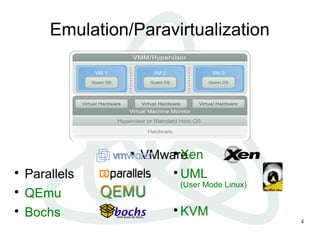
Emulation/Paravirtualization

VMware

Parallels

QEmu

Bochs

Xen

UML
(User Mode Linux)

KVM
5
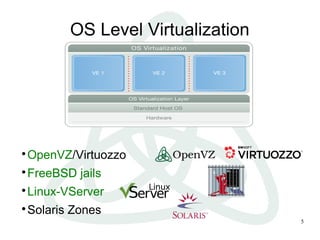
OS Level Virtualization

OpenVZ/Virtuozzo

FreeBSD jails

Linux-VServer

Solaris Zones
Comparison

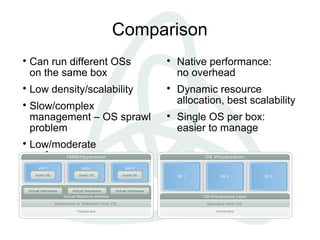
Can run different OSs
on the same box

Low density/scalability

Slow/complex
management – OS sprawl
problem

Low/moderate
performance

Native performance:
no overhead

Dynamic resource
allocation, best scalability

Single OS per box:
easier to manage
7
Evolution of Operating Systems

Multitask
many processes

Multiuser
many users

Multiple execution environments
many virtual environments (VEs, VPSs, containers, guests,
partitions...)
8
OpenVZ: components

Kernel
− Virtualization and Isolation
− Resource Management
− Checkpointing

Tools
− vzctl: Virtual Environment (VE) control utility
− vzpkg: VE software package management

Templates
− precreated VE images for fast VE creation
9
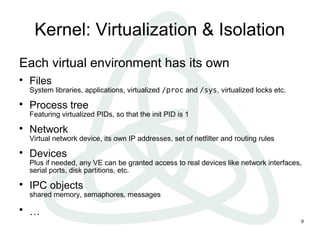
Kernel: Virtualization & Isolation
Each virtual environment has its own

Files
System libraries, applications, virtualized /proc and /sys, virtualized locks etc.

Process tree
Featuring virtualized PIDs, so that the init PID is 1

Network
Virtual network device, its own IP addresses, set of netfilter and routing rules

Devices
Plus if needed, any VE can be granted access to real devices like network interfaces,
serial ports, disk partitions, etc.

IPC objects
shared memory, semaphores, messages

…
10
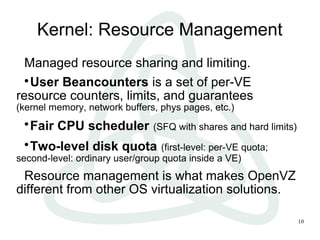
Kernel: Resource Management
Managed resource sharing and limiting.

User Beancounters is a set of per-VE
resource counters, limits, and guarantees
(kernel memory, network buffers, phys pages, etc.)

Fair CPU scheduler (SFQ with shares and hard limits)

Two-level disk quota (first-level: per-VE quota;
second-level: ordinary user/group quota inside a VE)
Resource management is what makes OpenVZ
different from other OS virtualization solutions.
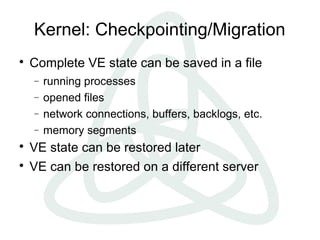
Kernel: Checkpointing/Migration

Complete VE state can be saved in a file
− running processes
− opened files
− network connections, buffers, backlogs, etc.
− memory segments

VE state can be restored later

VE can be restored on a different server
12
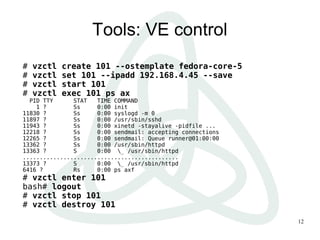
Tools: VE control
# vzctl create 101 --ostemplate fedora-core-5
# vzctl set 101 --ipadd 192.168.4.45 --save
# vzctl start 101
# vzctl exec 101 ps ax
PID TTY STAT TIME COMMAND
1 ? Ss 0:00 init
11830 ? Ss 0:00 syslogd -m 0
11897 ? Ss 0:00 /usr/sbin/sshd
11943 ? Ss 0:00 xinetd -stayalive -pidfile ...
12218 ? Ss 0:00 sendmail: accepting connections
12265 ? Ss 0:00 sendmail: Queue runner@01:00:00
13362 ? Ss 0:00 /usr/sbin/httpd
13363 ? S 0:00 _ /usr/sbin/httpd
..............................................
13373 ? S 0:00 _ /usr/sbin/httpd
6416 ? Rs 0:00 ps axf
# vzctl enter 101
bash# logout
# vzctl stop 101
# vzctl destroy 101
13
Tools: Templates
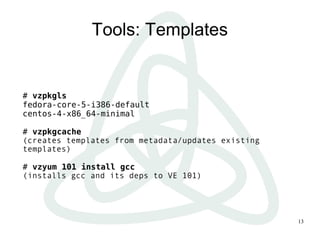
# vzpkgls
fedora-core-5-i386-default
centos-4-x86_64-minimal
# vzpkgcache
(creates templates from metadata/updates existing
templates)
# vzyum 101 install gcc
(installs gcc and its deps to VE 101)
14
Density
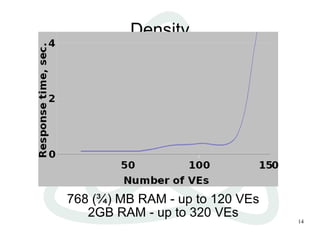
768 (¾) MB RAM - up to 120 VEs
2GB RAM - up to 320 VEs
15
Users Feedback
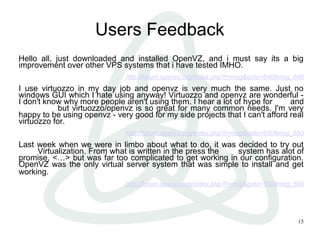
Hello all, just downloaded and installed OpenVZ, and i must say its a big
improvement over other VPS systems that i have tested IMHO.
http://forum.openvz.org/index.php?t=msg&goto=646#msg_646
I use virtuozzo in my day job and openvz is very much the same. Just no
windows GUI which I hate using anyway! Virtuozzo and openvz are wonderful -
I don't know why more people aren't using them. I hear a lot of hype for xen and
usermode but virtuozzo/openvz is so great for many common needs. I'm very
happy to be using openvz - very good for my side projects that I can't afford real
virtuozzo for.
http://forum.openvz.org/index.php?t=msg&goto=650#msg_650
Last week when we were in limbo about what to do, it was decided to try out
XEN Virtualization. From what is written in the press the Xen system has alot of
promise, <…> but was far too complicated to get working in our configuration.
OpenVZ was the only virtual server system that was simple to install and get
working.
http://forum.openvz.org/index.php?t=msg&goto=568#msg_568
16
Usage Scenarios

Server Consolidation

Hosting

Development and Testing

Security

Educational
17
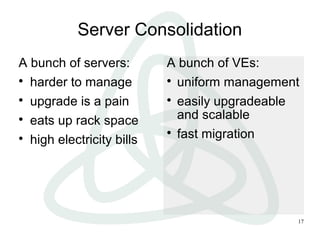
Server Consolidation
A bunch of servers:

harder to manage

upgrade is a pain

eats up rack space

high electricity bills
A bunch of VEs:

uniform management

easily upgradeable
and scalable

fast migration
18
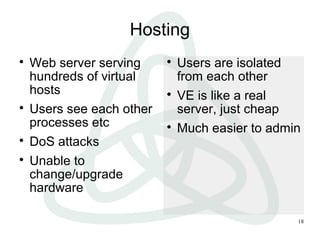
Hosting

Web server serving
hundreds of virtual
hosts

Users see each other
processes etc

DoS attacks

Unable to
change/upgrade
hardware

Users are isolated
from each other

VE is like a real
server, just cheap

Much easier to admin
19
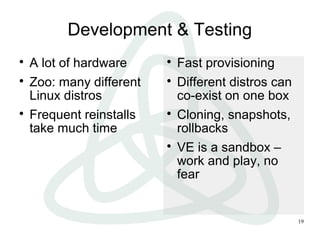
Development & Testing

A lot of hardware

Zoo: many different
Linux distros

Frequent reinstalls
take much time

Fast provisioning

Different distros can
co-exist on one box

Cloning, snapshots,
rollbacks

VE is a sandbox –
work and play, no
fear
20
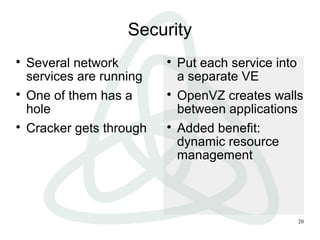
Security

Several network
services are running

One of them has a
hole

Cracker gets through

Put each service into
a separate VE

OpenVZ creates walls
between applications

Added benefit:
dynamic resource
management
21
Educational

No root access

Frequent reinstalls

DoS attacks

Everybody and his
dog can have a root
access

Different Linux distros

No need for a lot of
hardware
22
Recent achievments

NFS and FUSE in VE

VE I/O accounting and scheduling

Checkpointing/live migration for IA64

Port to RHEL5 kernel

Port to vanilla 2.6.20
Mainstream kernel integration

Collaborative community effort:
− OpenVZ
− IBM (Metacluster)
− Linux-VServer
− Eric Biederman (namespaces)
− Google (Paul Menage, containers)

Current progress (as of linux-2.6.20):
− IPC namespaces/virtualization
− utsname() virtualization
− preliminary support for PID namespaces

More to come soon (networking, beancounters)
24
How can you help?

Use OpenVZ

Contribute to OpenVZ, be a part of community:
− Programmer

fixes

enhancements

new functionality
− Non-programmer

bug reports

work with wiki

answer support questions
What about Itanium?

OpenVZ is platform-independent
− as long as Linux support it, we support it

The only arch-dependent piece is CPT
− recently added checkpointing for IA64

We support and care for Itanium for years
− production quality, first released in Mar 2003

No problems with scalability or disk IO
− lots of memory, lots of CPUs no prob
− native I/O speed
26
Project Links

Main site: http://openvz.org/

Downloads: http://download.openvz.org/

Wiki: http://wiki.openvz.org/

Sources: http://git.openvz.org/

Forum: http://forum.openvz.org/

Bug Tracking: http://bugzilla.openvz.org/

Blog: http://blog.openvz.org/

Mailing lists: users@openvz.org
devel@openvz.org
announce@openvz.org

An overview of OpenVZ virtualization technology

  • 1.
    An overview ofOpenVZ virtualization technology Kir Kolyshkin <kir@openvz.org> OpenVZ project manager Gelato ICE 17 Apr 2007
  • 2.
    2 What is virtualization? Virtualizationis a technique for deploying technologies. Virtualization creates a level of indirection or an abstraction layer between a physical object and the managing or using application. http://www.aarohi.net/info/glossary.html Virtualization is a framework or methodology of dividing the resources of a computer into multiple execution environments... http://www.kernelthread.com/publications/virtualization/ A key benefit of the virtualization is the ability to run multiple operating systems on a single physical server and share the underlying hardware resources – known as partitioning. http://www.vmware.com/pdf/virtualization.pdf
  • 3.
    3 Ways to Virtualize  HardwareEmulation  Para-Virtualization  Virtualization on the OS level  Multi-server virtualization
  • 4.
  • 5.
    5 OS Level Virtualization  OpenVZ/Virtuozzo  FreeBSDjails  Linux-VServer  Solaris Zones
  • 6.
    Comparison  Can run differentOSs on the same box  Low density/scalability  Slow/complex management – OS sprawl problem  Low/moderate performance  Native performance: no overhead  Dynamic resource allocation, best scalability  Single OS per box: easier to manage
  • 7.
    7 Evolution of OperatingSystems  Multitask many processes  Multiuser many users  Multiple execution environments many virtual environments (VEs, VPSs, containers, guests, partitions...)
  • 8.
    8 OpenVZ: components  Kernel − Virtualizationand Isolation − Resource Management − Checkpointing  Tools − vzctl: Virtual Environment (VE) control utility − vzpkg: VE software package management  Templates − precreated VE images for fast VE creation
  • 9.
    9 Kernel: Virtualization &Isolation Each virtual environment has its own  Files System libraries, applications, virtualized /proc and /sys, virtualized locks etc.  Process tree Featuring virtualized PIDs, so that the init PID is 1  Network Virtual network device, its own IP addresses, set of netfilter and routing rules  Devices Plus if needed, any VE can be granted access to real devices like network interfaces, serial ports, disk partitions, etc.  IPC objects shared memory, semaphores, messages  …
  • 10.
    10 Kernel: Resource Management Managedresource sharing and limiting.  User Beancounters is a set of per-VE resource counters, limits, and guarantees (kernel memory, network buffers, phys pages, etc.)  Fair CPU scheduler (SFQ with shares and hard limits)  Two-level disk quota (first-level: per-VE quota; second-level: ordinary user/group quota inside a VE) Resource management is what makes OpenVZ different from other OS virtualization solutions.
  • 11.
    Kernel: Checkpointing/Migration  Complete VEstate can be saved in a file − running processes − opened files − network connections, buffers, backlogs, etc. − memory segments  VE state can be restored later  VE can be restored on a different server
  • 12.
    12 Tools: VE control #vzctl create 101 --ostemplate fedora-core-5 # vzctl set 101 --ipadd 192.168.4.45 --save # vzctl start 101 # vzctl exec 101 ps ax PID TTY STAT TIME COMMAND 1 ? Ss 0:00 init 11830 ? Ss 0:00 syslogd -m 0 11897 ? Ss 0:00 /usr/sbin/sshd 11943 ? Ss 0:00 xinetd -stayalive -pidfile ... 12218 ? Ss 0:00 sendmail: accepting connections 12265 ? Ss 0:00 sendmail: Queue runner@01:00:00 13362 ? Ss 0:00 /usr/sbin/httpd 13363 ? S 0:00 _ /usr/sbin/httpd .............................................. 13373 ? S 0:00 _ /usr/sbin/httpd 6416 ? Rs 0:00 ps axf # vzctl enter 101 bash# logout # vzctl stop 101 # vzctl destroy 101
  • 13.
    13 Tools: Templates # vzpkgls fedora-core-5-i386-default centos-4-x86_64-minimal #vzpkgcache (creates templates from metadata/updates existing templates) # vzyum 101 install gcc (installs gcc and its deps to VE 101)
  • 14.
    14 Density 768 (¾) MBRAM - up to 120 VEs 2GB RAM - up to 320 VEs
  • 15.
    15 Users Feedback Hello all,just downloaded and installed OpenVZ, and i must say its a big improvement over other VPS systems that i have tested IMHO. http://forum.openvz.org/index.php?t=msg&goto=646#msg_646 I use virtuozzo in my day job and openvz is very much the same. Just no windows GUI which I hate using anyway! Virtuozzo and openvz are wonderful - I don't know why more people aren't using them. I hear a lot of hype for xen and usermode but virtuozzo/openvz is so great for many common needs. I'm very happy to be using openvz - very good for my side projects that I can't afford real virtuozzo for. http://forum.openvz.org/index.php?t=msg&goto=650#msg_650 Last week when we were in limbo about what to do, it was decided to try out XEN Virtualization. From what is written in the press the Xen system has alot of promise, <…> but was far too complicated to get working in our configuration. OpenVZ was the only virtual server system that was simple to install and get working. http://forum.openvz.org/index.php?t=msg&goto=568#msg_568
  • 16.
  • 17.
    17 Server Consolidation A bunchof servers:  harder to manage  upgrade is a pain  eats up rack space  high electricity bills A bunch of VEs:  uniform management  easily upgradeable and scalable  fast migration
  • 18.
    18 Hosting  Web server serving hundredsof virtual hosts  Users see each other processes etc  DoS attacks  Unable to change/upgrade hardware  Users are isolated from each other  VE is like a real server, just cheap  Much easier to admin
  • 19.
    19 Development & Testing  Alot of hardware  Zoo: many different Linux distros  Frequent reinstalls take much time  Fast provisioning  Different distros can co-exist on one box  Cloning, snapshots, rollbacks  VE is a sandbox – work and play, no fear
  • 20.
    20 Security  Several network services arerunning  One of them has a hole  Cracker gets through  Put each service into a separate VE  OpenVZ creates walls between applications  Added benefit: dynamic resource management
  • 21.
    21 Educational  No root access  Frequentreinstalls  DoS attacks  Everybody and his dog can have a root access  Different Linux distros  No need for a lot of hardware
  • 22.
    22 Recent achievments  NFS andFUSE in VE  VE I/O accounting and scheduling  Checkpointing/live migration for IA64  Port to RHEL5 kernel  Port to vanilla 2.6.20
  • 23.
    Mainstream kernel integration  Collaborativecommunity effort: − OpenVZ − IBM (Metacluster) − Linux-VServer − Eric Biederman (namespaces) − Google (Paul Menage, containers)  Current progress (as of linux-2.6.20): − IPC namespaces/virtualization − utsname() virtualization − preliminary support for PID namespaces  More to come soon (networking, beancounters)
  • 24.
    24 How can youhelp?  Use OpenVZ  Contribute to OpenVZ, be a part of community: − Programmer  fixes  enhancements  new functionality − Non-programmer  bug reports  work with wiki  answer support questions
  • 25.
    What about Itanium?  OpenVZis platform-independent − as long as Linux support it, we support it  The only arch-dependent piece is CPT − recently added checkpointing for IA64  We support and care for Itanium for years − production quality, first released in Mar 2003  No problems with scalability or disk IO − lots of memory, lots of CPUs no prob − native I/O speed
  • 26.
    26 Project Links  Main site:http://openvz.org/  Downloads: http://download.openvz.org/  Wiki: http://wiki.openvz.org/  Sources: http://git.openvz.org/  Forum: http://forum.openvz.org/  Bug Tracking: http://bugzilla.openvz.org/  Blog: http://blog.openvz.org/  Mailing lists: users@openvz.org devel@openvz.org announce@openvz.org

Editor's Notes

  • #4 multi-server virtualization is actually not about virtualization; it&amp;apos;s rather more about grid and clustering, so I&amp;apos;m not going to cover that.
  • #5 Low manageability: many os to manage, must login to each, mass management is equally difficult to multiple physical. Low performance is/will be mitigated by Intel VT and AMD V, so it&amp;apos;s not really an issue. After all, emulation approach looks strange: why do we run OS on top of another OS? OS is designed to be run on hardware, not something virtual.
  • #8 This is a natural step in evolution of the Operating Systems, and Linux is the first one. Virtualization is really needed by everyone, and will be a part of any OS kernel.
  • #11 Resource management is a very important and very complex thing. Consider the story of CPU scheduler development: (1) Need for CPU shares – to balance CPU power between VEs. So every VE have a guaranteed minimum share but can use up to all CPU power if available. (1a) BUT as number of VEs per server grow, guaranteed minimum remains but power decreases, thus ppl complain, thus (2) Need for upper CPU limit. Hard limits the max CPU power, even if it&amp;apos;s available. It solves 1a problem, but introduces another problem – power is not used even if available. Thus (3) Need for burstable CPU limit (not yet implemented). VE can have up to all CPU power but not always – say, limited per month or so.
  • #13 I will actually show a two-minute live demo in a green-on-black terminal instead of this page.
  • #15 Test used is «dynamic latency» test. Apaches were serving dynamically generated web pages (a simple CGI Perl script is run for each request).