High Performant Virtualization
        with OpenVZ


   Nilesh Bairagi
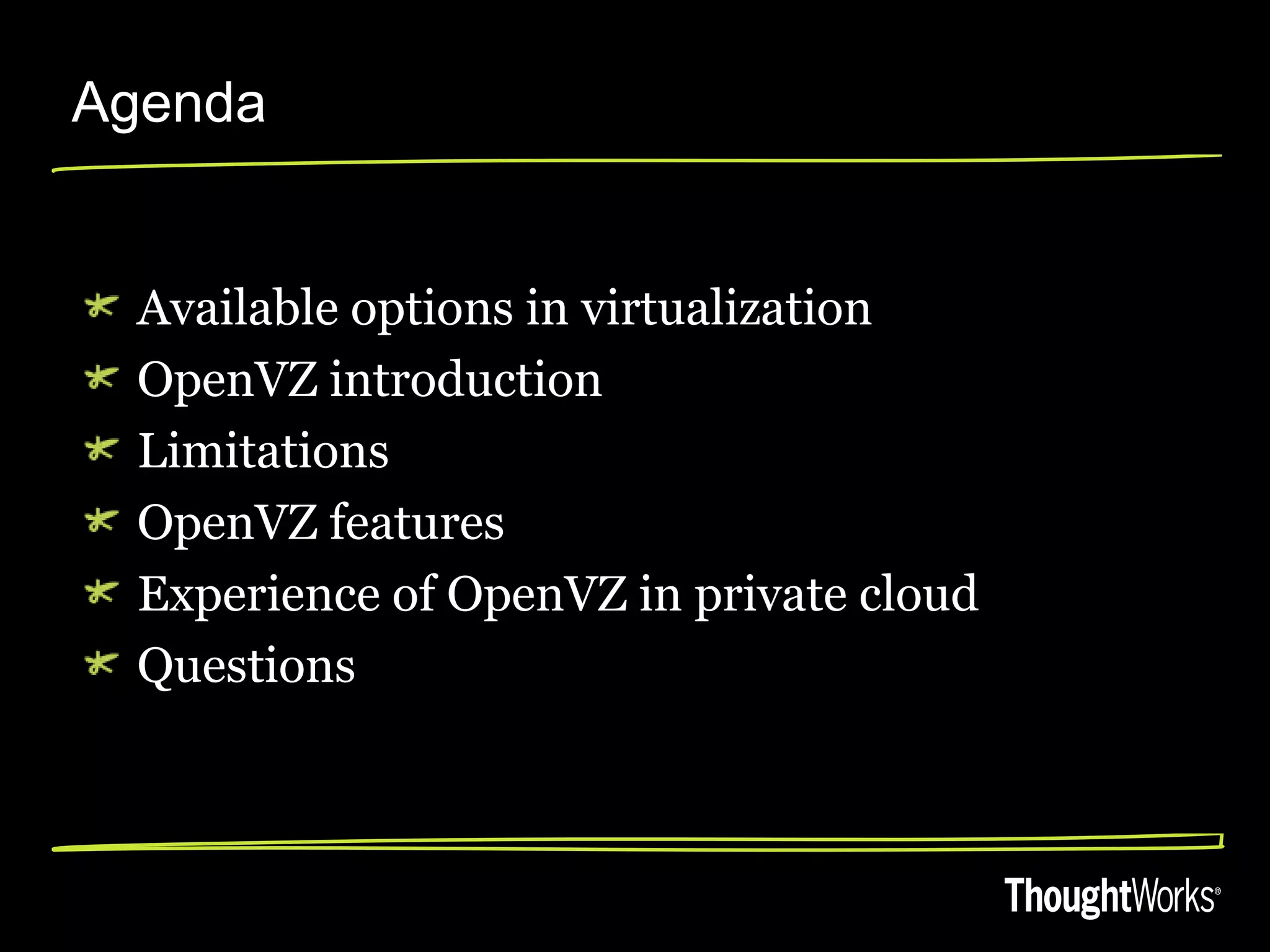
Agenda


  Available options in virtualization
  OpenVZ introduction
  Limitations
  OpenVZ features
  Experience of OpenVZ in private cloud
  Questions
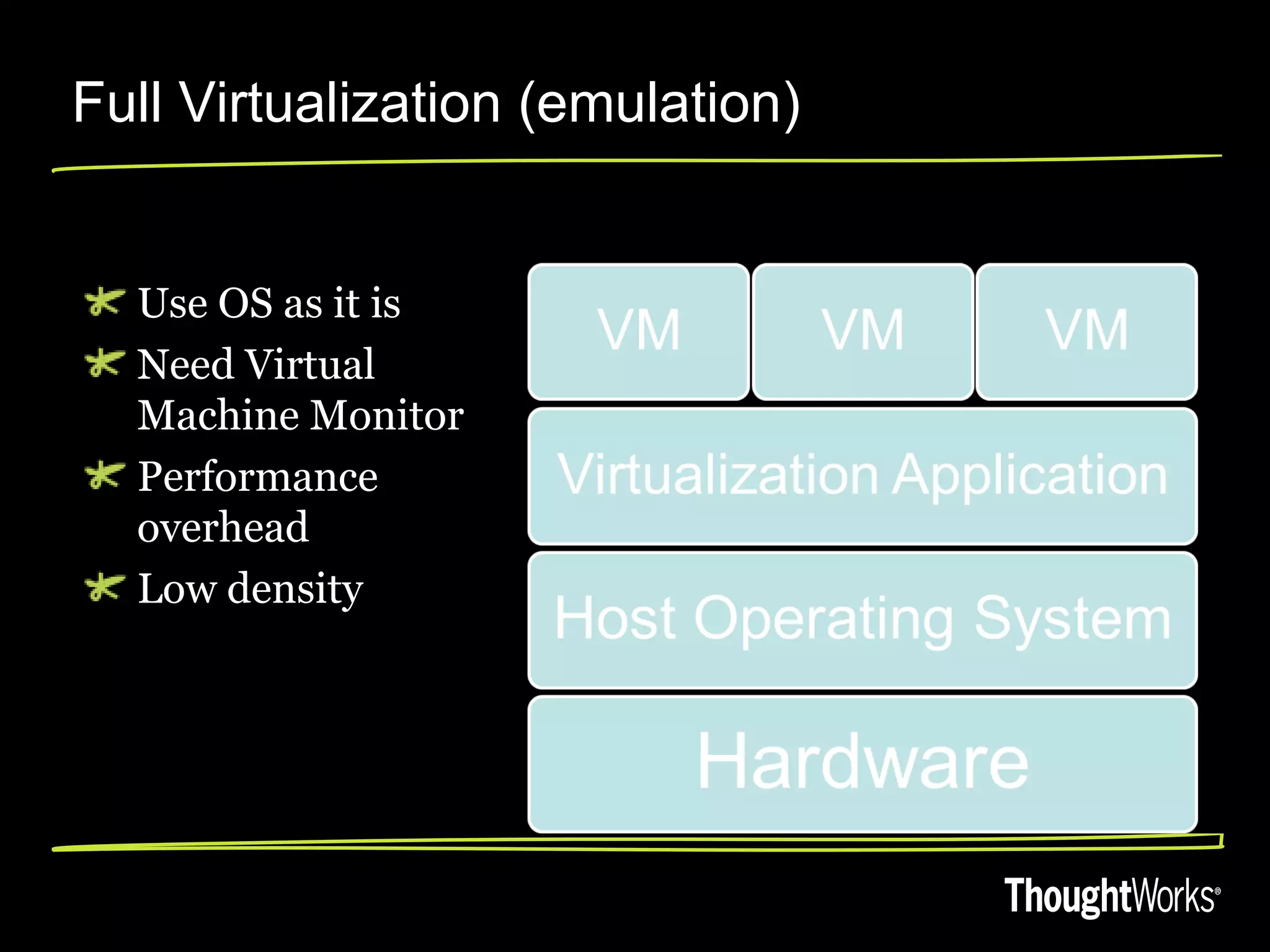
Full Virtualization (emulation)


  Use OS as it is
  Need Virtual
  Machine Monitor
  Performance
  overhead
  Low density
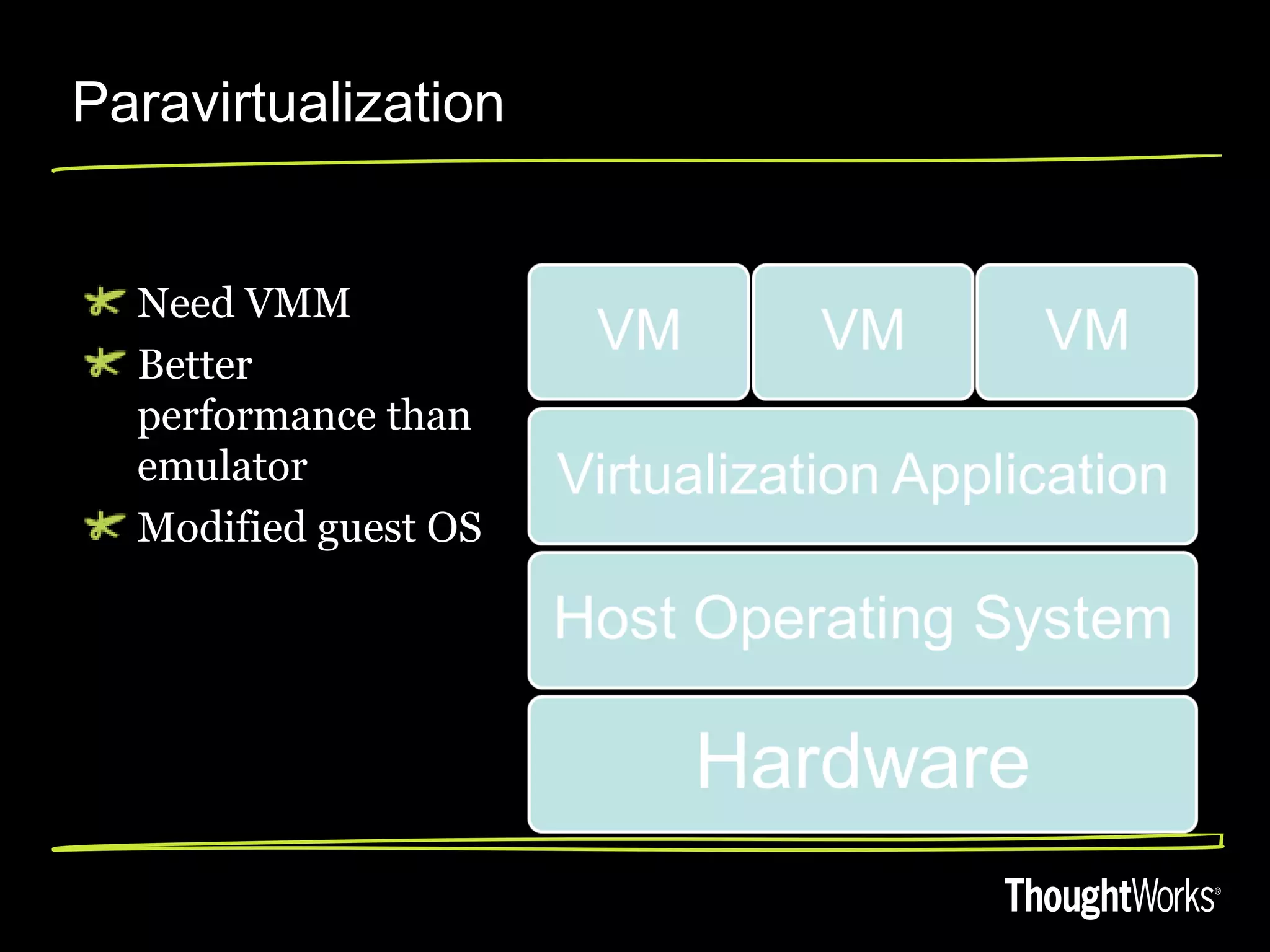
Paravirtualization


  Need VMM
  Better
  performance than
  emulator
  Modified guest OS
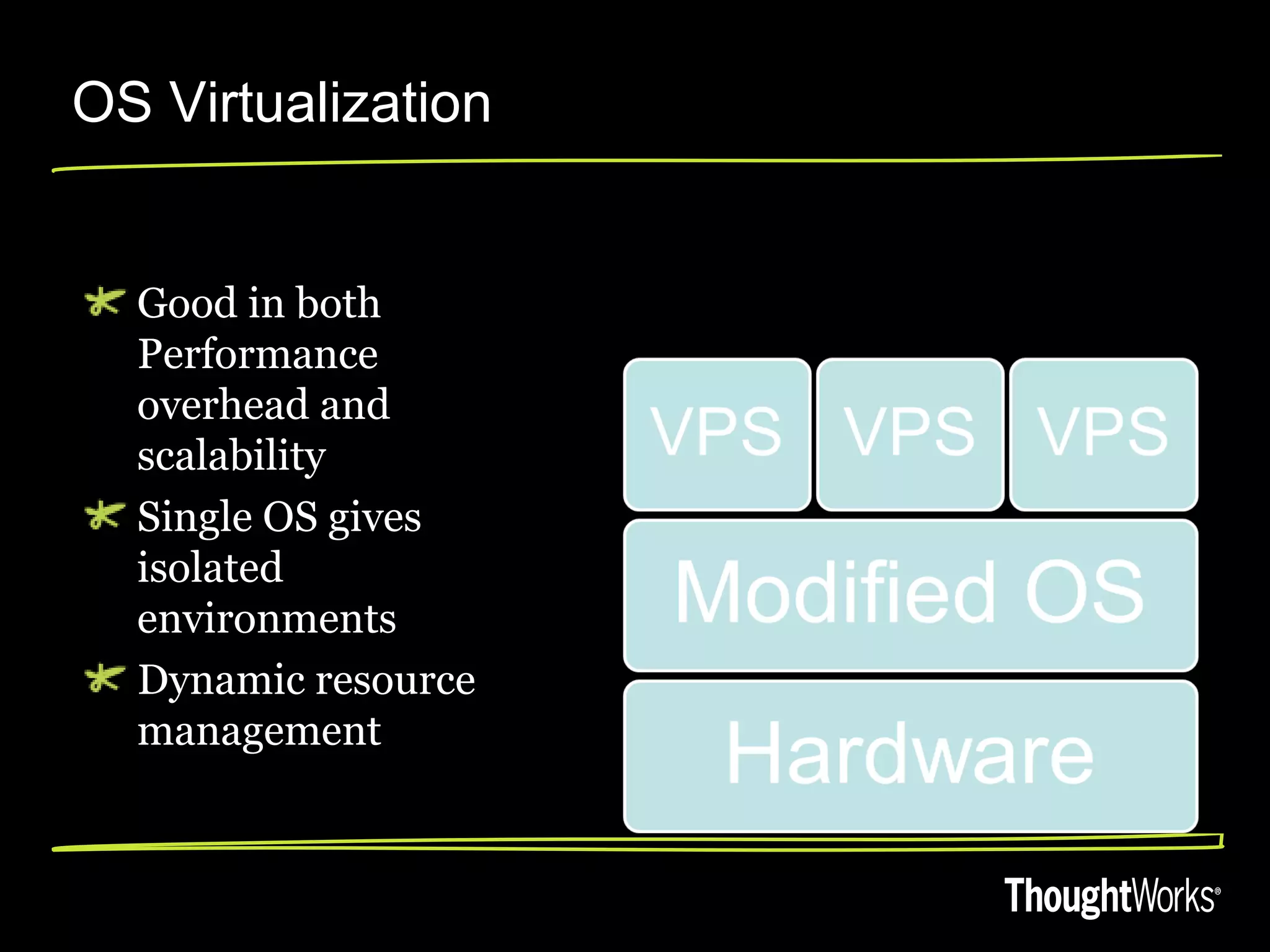
OS Virtualization


  Good in both
  Performance
  overhead and
  scalability
  Single OS gives
  isolated
  environments
  Dynamic resource
  management
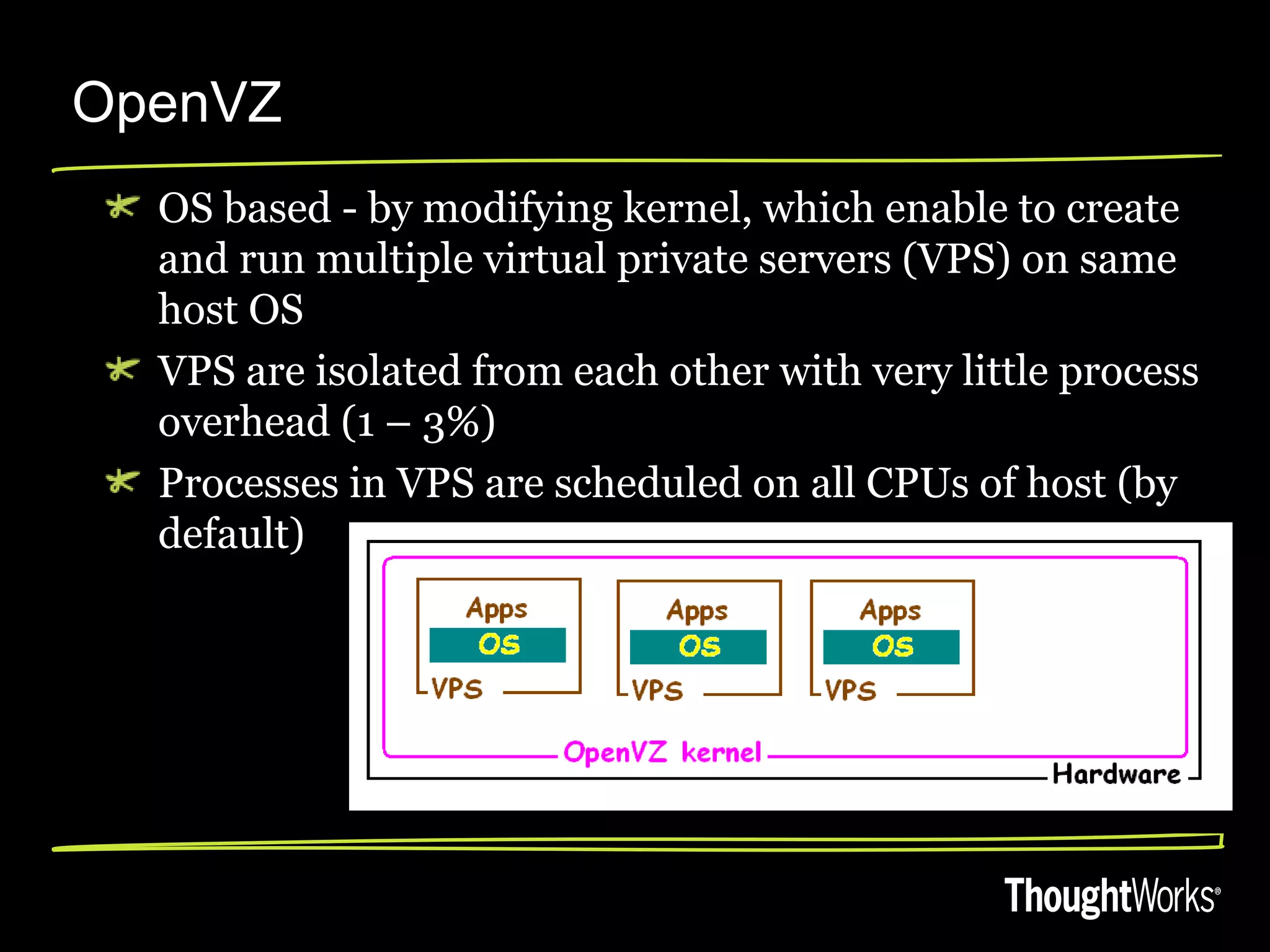
OpenVZ
  OS based - by modifying kernel, which enable to create
  and run multiple virtual private servers (VPS) on same
  host OS
  VPS are isolated from each other with very little process
  overhead (1 – 3%)
  Processes in VPS are scheduled on all CPUs of host (by
  default)
Limits in OpenVZ


  Mandates similar kernel
   But allows multiple distributions
  Limited VPN capabilities
  Host is single point of failure
OpenVZ features

  Installation has very low system requirements
   Intel Celeron, Pentium II, Pentium III, Pentium 4,
    Xeon or AMD Athlon CPU, 128MB RAM, 4G free
    space
  Dynamic resource management
  VPS – Own users & groups, process tree, ip,
  network & routing, firewall etc.
  VPS are efficient in utilizing resources,
  therefore can exceed than actual allocated
  resources
Features cont…

    Creation of VPS in few seconds
•   Use of templates enables to use pre-configured
    servers (template cache)
    Scaling
Private cloud with OpenVZ


  Less number of physical servers (also reduce
  cost, space and subsequent maintenance)
  Capacity planning for HW
   With monitoring and trending
  Resource management is dynamic, immediately
  becomes effective (no reboot)
   Using packages like vzctl
  Wide range of parameters to config
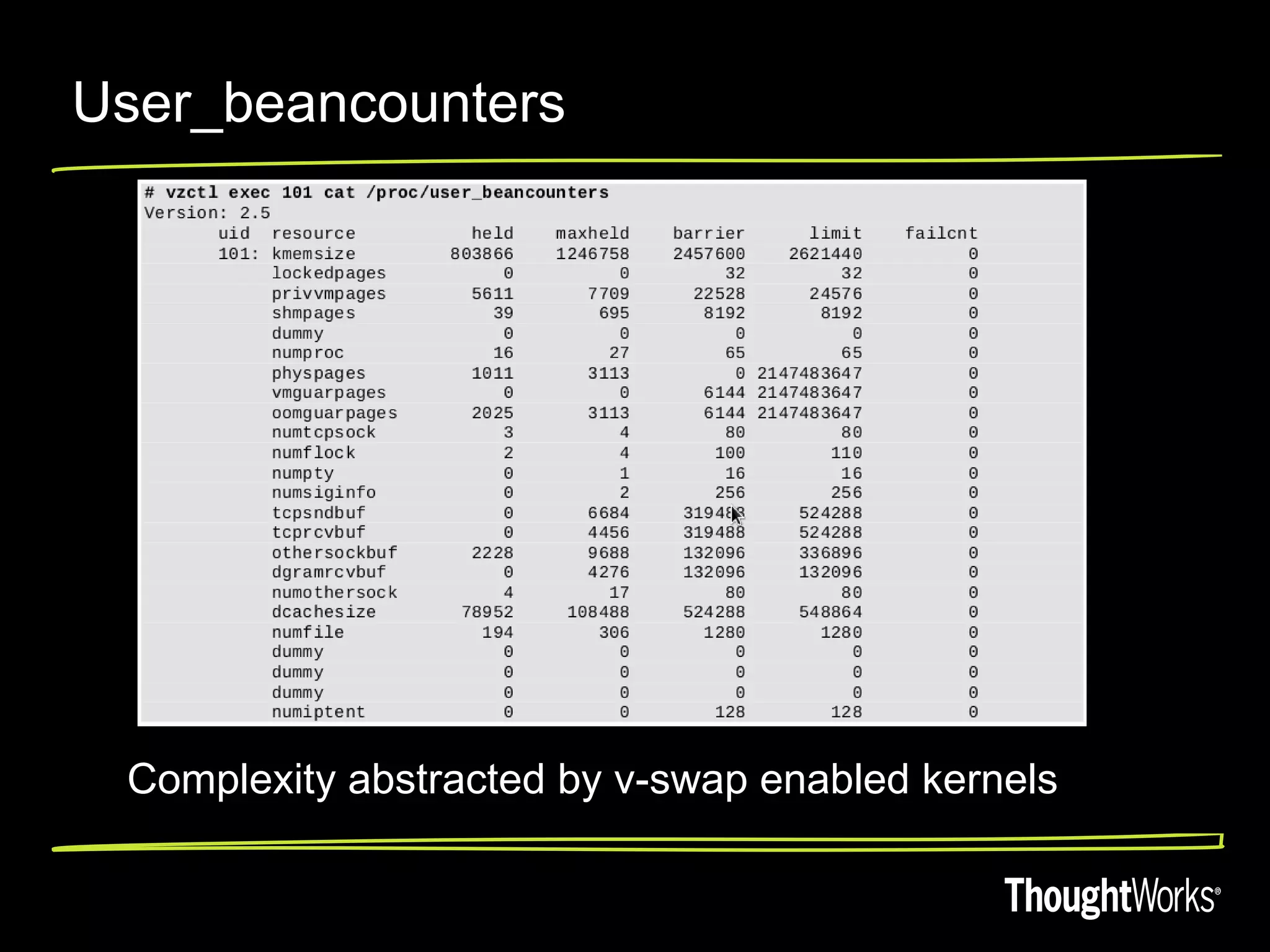
User_beancounters


 Complexity abstracted by v-swap enabled kernels
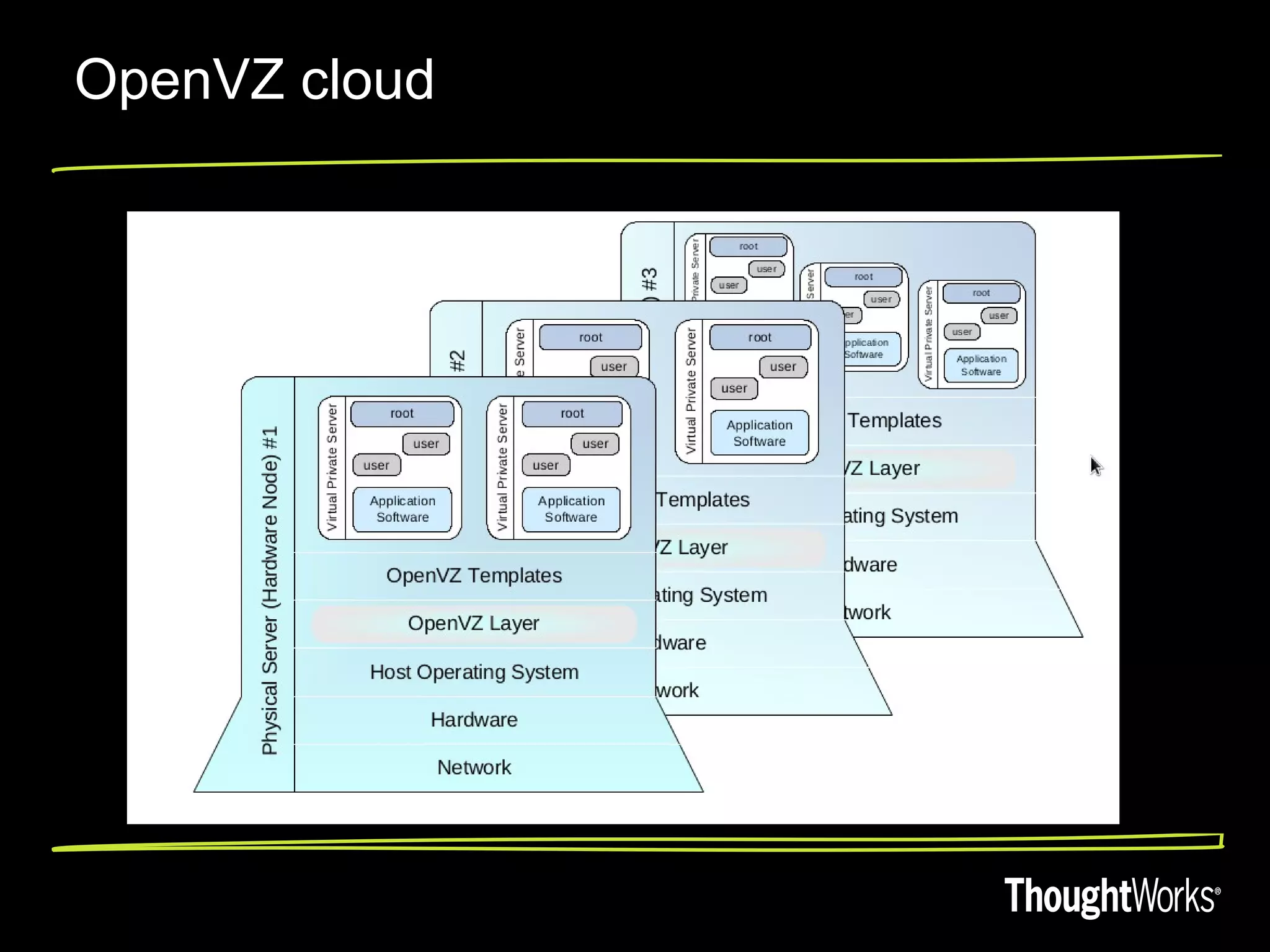
OpenVZ cloud
Resource Management


  Disk, CPU and memory customization
   Mounting VPS on SSD (fast read/write)
   SAN
  Sharing host resources amongst CT is easy
  Live migration is easy with checkpoint
  Redudant VPS cost only disk space
  Reproducible infrastructure
Questions??

Rootconf nilesh2012

  • 1.
    High Performant Virtualization with OpenVZ Nilesh Bairagi
  • 2.
    Agenda Availableoptions in virtualization OpenVZ introduction Limitations OpenVZ features Experience of OpenVZ in private cloud Questions
  • 3.
    Full Virtualization (emulation) Use OS as it is Need Virtual Machine Monitor Performance overhead Low density
  • 4.
    Paravirtualization NeedVMM Better performance than emulator Modified guest OS
  • 5.
    OS Virtualization Good in both Performance overhead and scalability Single OS gives isolated environments Dynamic resource management
  • 6.
    OpenVZ OSbased - by modifying kernel, which enable to create and run multiple virtual private servers (VPS) on same host OS VPS are isolated from each other with very little process overhead (1 – 3%) Processes in VPS are scheduled on all CPUs of host (by default)
  • 7.
    Limits in OpenVZ Mandates similar kernel  But allows multiple distributions Limited VPN capabilities Host is single point of failure
  • 8.
    OpenVZ features Installation has very low system requirements  Intel Celeron, Pentium II, Pentium III, Pentium 4, Xeon or AMD Athlon CPU, 128MB RAM, 4G free space Dynamic resource management VPS – Own users & groups, process tree, ip, network & routing, firewall etc. VPS are efficient in utilizing resources, therefore can exceed than actual allocated resources
  • 9.
    Features cont… Creation of VPS in few seconds • Use of templates enables to use pre-configured servers (template cache) Scaling
  • 10.
    Private cloud withOpenVZ Less number of physical servers (also reduce cost, space and subsequent maintenance) Capacity planning for HW  With monitoring and trending Resource management is dynamic, immediately becomes effective (no reboot)  Using packages like vzctl Wide range of parameters to config
  • 11.
    User_beancounters Complexity abstractedby v-swap enabled kernels
  • 12.
  • 13.
    Resource Management Disk, CPU and memory customization  Mounting VPS on SSD (fast read/write)  SAN Sharing host resources amongst CT is easy Live migration is easy with checkpoint Redudant VPS cost only disk space Reproducible infrastructure
  • 14.