Deep dive into
Docker storage drivers
*
Jérôme Petazzoni - @jpetazzo
Docker - @docker
1 / 71
Not so deep dive into
Docker storage drivers
*
Jérôme Petazzoni - @jpetazzo
Docker - @docker
2 / 71
Who am I?
@jpetazzo
Tamer of Unicorns and Tinkerer Extraordinaire¹
Grumpy French DevOps person who loves Shell scripts
Go Away Or I Will Replace You Wiz Le Very Small Shell Script
Some experience with containers
(built and operated the dotCloud PaaS)
¹ At least one of those is actually on my business card
3 / 71
Outline
Extremely short intro to Docker
Short intro to copy-on-write
History of Docker storage drivers
AUFS, BTRFS, Device Mapper, Overlayfs, VFS
Conclusions
4 / 71
Extremely short intro to Docker
5 / 71
What's Docker?
A platform made of the Docker Engine and the Docker Hub
The Docker Engine is a runtime for containers
It's Open Source, and written in Go
http://www.slideshare.net/jpetazzo/docker-and-go-why-did-we-decide-to-write-docker-in-go
It's a daemon, controlled by a REST-ish API
What is this, I don't even?!?
Check the recording of this online "Docker 101" session:
https://www.youtube.com/watch?v=pYZPd78F4q4
6 / 71
If you've never seen Docker in action ...
This will help!
jpetazzo@tarrasque:~$dockerrun-tipythonbash
root@75d4bf28c8a5:/#pipinstallIPython
Downloading/unpackingIPython
Downloadingipython-2.3.1-py3-none-any.whl(2.8MB):2.8MBdownloaded
Installingcollectedpackages:IPython
SuccessfullyinstalledIPython
Cleaningup...
root@75d4bf28c8a5:/#ipython
Python3.4.2(default,Jan222015,07:33:45)
Type"copyright","credits"or"license"formoreinformation.
IPython2.3.1--AnenhancedInteractivePython.
? ->IntroductionandoverviewofIPython'sfeatures.
%quickref->Quickreference.
help ->Python'sownhelpsystem.
object? ->Detailsabout'object',use'object??'forextradetails.
In[1]:
7 / 71
What happened here?
We created a container (~lightweight virtual machine),
with its own:
filesystem (based initially on a pythonimage)
network stack
process space
We started with a bashprocess
(no init, no systemd, no problem)
We installed IPython with pip, and ran it
8 / 71
What did not happen here?
We did not make a full copy of the pythonimage
The installation was done in the container, not the image:
We did not modify the pythonimage itself
We did not affect any other container
(currently using this image or any other image)
9 / 71
How is this important?
We used a copy-on-write mechanism
(Well, Docker took care of it for us)
Instead of making a full copy of the pythonimage, keep
track of changes between this image and our container
Huge disk space savings (1 container = less than 1 MB)
Huge time savings (1 container = less than 0.1s to start)
10 / 71
Short intro to copy-on-write
11 / 71
History
Warning: I'm not a computer historian.
Those random bits are not exhaustive.
12 / 71
Copy-on-write for memory (RAM)
fork()(process creation)
Create a new process quickly
... even if it's using many GBs of RAM
Actively used by e.g. Redis SAVE,
to obtain consistent snapshots
mmap()(mapped files) with MAP_PRIVATE
Changes are visible only to current process
Private maps are fast, even on huge files
Granularity: 1 page at a time (generally 4 KB)
13 / 71
Copy-on-write for memory (RAM)
How does it work?
Thanks to the MMU! (Memory Management Unit)
Each memory access goes through it
Translates memory accesses (location¹ + operation²) into:
actual physical location
or, alternatively, a page fault
¹ Location = address = pointer
² Operation = read, write, or exec
14 / 71
Page faults
When a page faults occurs, the MMU notifies the OS.
Then what?
Access to non-existent memory area = SIGSEGV
(a.k.a. "Segmentation fault" a.k.a. "Go and learn to use pointers")
Access to swapped-out memory area = load it from disk
(a.k.a. "My program is now 1000x slower")
Write attempt to code area = seg fault (sometimes)
Write attempt to copy area = deduplication operation
Then resume the initial operation as if nothing happened
Can also catch execution attempt in no-exec area
(e.g. stack, to protect against some exploits)
15 / 71
Copy-on-write for storage (disk)
Initially used (I think) for snapshots
(E.g. to take a consistent backup of a busy database,
making sure that nothing was modified between the
beginning and the end of the backup)
Initially available (I think) on external storage (NAS, SAN)
(Because It's Complicated)
16 / 71
Copy-on-write for storage (disk)
Initially used (I think) for snapshots
(E.g. to take a consistent backup of a busy database,
making sure that nothing was modified between the
beginning and the end of the backup)
Initially available (I think) on external storage (NAS, SAN)
(Because It's Complicated)
Suddenly,
Wild CLOUD appeared!
17 / 71
Thin provisioning for VMs¹
Put system image on copy-on-write storage
For each machine¹, create copy-on-write instance
If the system image contains a lot of useful software,
people will almost never need to install extra stuff
Each extra machine will only need disk space for data!
WIN $$$ (And performance, too, because of caching)
¹ Not only VMs, but also physical machines with netboot, and containers!
18 / 71
Modern copy-on-write on your desktop
(In no specific order; non-exhaustive list)
LVM (Logical Volume Manager) on Linux
ZFS on Solaris, then FreeBSD, Linux ...
BTRFS on Linux
AUFS, UnionMount, overlayfs ...
Virtual disks in VM hypervisors
19 / 71
Copy-on-write and Docker: a love story
Without copy-on-write...
it would take forever to start a container
containers would use up a lot of space
Without copy-on-write "on your desktop"...
Docker would not be usable on your Linux machine
There would be no Docker at all.
And no meet-up here tonight.
And we would all be shaving yaks instead.
☹
20 / 71
Thank you:
Junjiro R. Okajima (and other AUFS contributors)
Chris Mason (and other BTRFS contributors)
Jeff Bonwick, Matt Ahrens (and other ZFS contributors)
Miklos Szeredi (and other overlayfs contributors)
The many contributors to Linux device mapper, thinp target,
etc.
... And all the other giants whose shoulders we're sitting on top of, basically
21 / 71
History of Docker storage drivers
22 / 71
First came AUFS
Docker used to be dotCloud
(PaaS, like Heroku, Cloud Foundry, OpenShift...)
dotCloud started using AUFS in 2008
(with vserver, then OpenVZ, then LXC)
Great fit for high density, PaaS applications
(More on this later!)
23 / 71
AUFS is not perfect
Not in mainline kernel
Applying the patches used to be exciting
... especially in combination with GRSEC
... and other custom fancery like setns()
24 / 71
But some people believe in AUFS!
dotCloud, obviously
Debian and Ubuntu use it in their default kernels,
for Live CD and similar use cases:
Your root filesystem is a copy-on-write between
- the read-only media (CD, DVD...)
- and a read-write media (disk, USB stick...)
As it happens, we also ♥ Debian and Ubuntu very much
First version of Docker is targeted at Ubuntu (and Debian)
25 / 71
Then, some people started to believe in Docker
Red Hat users demanded Docker on their favorite distro
Red Hat Inc. wanted to make it happen
... and contributed support for the Device Mapper driver
... then the BTRFS driver
... then the overlayfs driver
Note: other contributors also helped tremendously!
26 / 71
Special thanks:
Alexander Larsson
Vincent Batts
+ all the other contributors and maintainers, of course
(But those two guys have played an important role in the initial support, then
maintenance, of the BTRFS, Device Mapper, and overlay drivers. Thanks again!)
27 / 71
Let's see each
storage driver
in action
28 / 71
AUFS
29 / 71
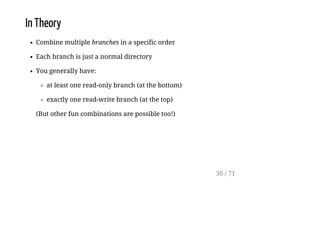
In Theory
Combine multiple branches in a specific order
Each branch is just a normal directory
You generally have:
at least one read-only branch (at the bottom)
exactly one read-write branch (at the top)
(But other fun combinations are possible too!)
30 / 71
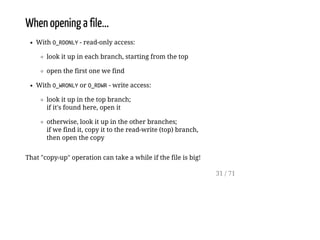
When opening a file...
With O_RDONLY- read-only access:
look it up in each branch, starting from the top
open the first one we find
With O_WRONLYor O_RDWR- write access:
look it up in the top branch;
if it's found here, open it
otherwise, look it up in the other branches;
if we find it, copy it to the read-write (top) branch,
then open the copy
That "copy-up" operation can take a while if the file is big!
31 / 71
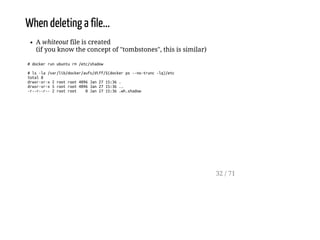
When deleting a file...
A whiteout file is created
(if you know the concept of "tombstones", this is similar)
#dockerrunubunturm/etc/shadow
#ls-la/var/lib/docker/aufs/diff/$(dockerps--no-trunc-lq)/etc
total8
drwxr-xr-x2rootroot4096Jan2715:36.
drwxr-xr-x5rootroot4096Jan2715:36..
-r--r--r--2rootroot 0Jan2715:36.wh.shadow
32 / 71
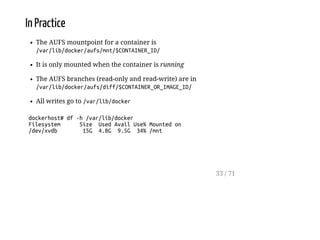
In Practice
The AUFS mountpoint for a container is
/var/lib/docker/aufs/mnt/$CONTAINER_ID/
It is only mounted when the container is running
The AUFS branches (read-only and read-write) are in
/var/lib/docker/aufs/diff/$CONTAINER_OR_IMAGE_ID/
All writes go to /var/lib/docker
dockerhost#df-h/var/lib/docker
Filesystem Size UsedAvailUse%Mountedon
/dev/xvdb 15G 4.8G 9.5G 34%/mnt
33 / 71
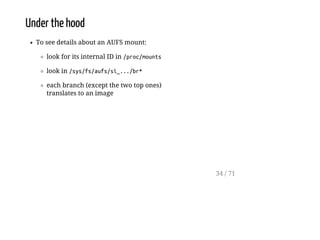
Under the hood
To see details about an AUFS mount:
look for its internal ID in /proc/mounts
look in /sys/fs/aufs/si_.../br*
each branch (except the two top ones)
translates to an image
34 / 71
Example
dockerhost#grepc7af/proc/mounts
none/mnt/.../c7af...a63daufsrw,relatime,si=2344a8ac4c6c6e5500
dockerhost#grep./sys/fs/aufs/si_2344a8ac4c6c6e55/br[0-9]*
/sys/fs/aufs/si_2344a8ac4c6c6e55/br0:/mnt/c7af...a63d=rw
/sys/fs/aufs/si_2344a8ac4c6c6e55/br1:/mnt/c7af...a63d-init=ro+wh
/sys/fs/aufs/si_2344a8ac4c6c6e55/br2:/mnt/b39b...a462=ro+wh
/sys/fs/aufs/si_2344a8ac4c6c6e55/br3:/mnt/615c...520e=ro+wh
/sys/fs/aufs/si_2344a8ac4c6c6e55/br4:/mnt/8373...cea2=ro+wh
/sys/fs/aufs/si_2344a8ac4c6c6e55/br5:/mnt/53f8...076f=ro+wh
/sys/fs/aufs/si_2344a8ac4c6c6e55/br6:/mnt/5111...c158=ro+wh
dockerhost#dockerinspect--format{{.Image}}c7af
b39b81afc8cae27d6fc7ea89584bad5e0ba792127597d02425eaee9f3aaaa462
dockerhost#dockerhistory-qb39b
b39b81afc8ca
615c102e2290
837339b91538
53f858aaaf03
511136ea3c5a
35 / 71
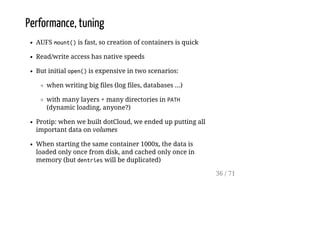
Performance, tuning
AUFS mount()is fast, so creation of containers is quick
Read/write access has native speeds
But initial open()is expensive in two scenarios:
when writing big files (log files, databases ...)
with many layers + many directories in PATH
(dynamic loading, anyone?)
Protip: when we built dotCloud, we ended up putting all
important data on volumes
When starting the same container 1000x, the data is
loaded only once from disk, and cached only once in
memory (but dentrieswill be duplicated)
36 / 71
Device Mapper
37 / 71
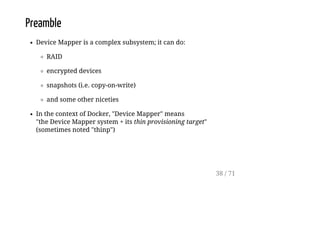
Preamble
Device Mapper is a complex subsystem; it can do:
RAID
encrypted devices
snapshots (i.e. copy-on-write)
and some other niceties
In the context of Docker, "Device Mapper" means
"the Device Mapper system + its thin provisioning target"
(sometimes noted "thinp")
38 / 71
In theory
Copy-on-write happens on the block level
(instead of the file level)
Each container and each image gets its own block device
At any given time, it is possible to take a snapshot:
of an existing container (to create a frozen image)
of an existing image (to create a container from it)
If a block has never been written to:
it's assumed to be all zeros
it's not allocated on disk
(hence "thin" provisioning)
39 / 71
In practice
The mountpoint for a container is
/var/lib/docker/devicemapper/mnt/$CONTAINER_ID/
It is only mounted when the container is running
The data is stored in two files, "data" and "metadata"
(More on this later)
Since we are working on the block level, there is not much
visibility on the diffs between images and containers
40 / 71
Under the hood
dockerinfowill tell you about the state of the pool
(used/available space)
List devices with dmsetupls
Device names are prefixed with docker-MAJ:MIN-INO
MAJ, MIN, and INO are derived from the block major, block minor, and inode number
where the Docker data is located (to avoid conflict when running multiple Docker
instances, e.g. with Docker-in-Docker)
Get more info about them with dmsetupinfo, dmsetupstatus
(you shouldn't need this, unless the system is badly borked)
Snapshots have an internal numeric ID
/var/lib/docker/devicemapper/metadata/$CONTAINER_OR_IMAGE_ID
is a small JSON file tracking the snapshot ID and its size
41 / 71
Extra details
Two storage areas are needed:
one for data, another for metadata
"data" is also called the "pool"; it's just a big pool of blocks
(Docker uses the smallest possible block size, 64 KB)
"metadata" contains the mappings between virtual offsets
(in the snapshots) and physical offsets (in the pool)
Each time a new block (or a copy-on-write block) is
written, a block is allocated from the pool
When there are no more blocks in the pool, attempts to
write will stall until the pool is increased (or the write
operation aborted)
42 / 71
Performance
By default, Docker puts data and metadata on a loop
device backed by a sparse file
This is great from a usability point of view
(zero configuration needed)
But terrible from a performance point of view:
each time a container writes to a new block,
a block has to be allocated from the pool,
and when it's written to,
a block has to be allocated from the sparse file,
and sparse file performance isn't great anyway
43 / 71
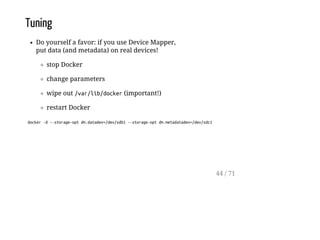
Tuning
Do yourself a favor: if you use Device Mapper,
put data (and metadata) on real devices!
stop Docker
change parameters
wipe out /var/lib/docker(important!)
restart Docker
docker-d--storage-optdm.datadev=/dev/sdb1--storage-optdm.metadatadev=/dev/sdc1
44 / 71
More tuning
Each container gets its own block device
with a real FS on it
So you can also adjust (with --storage-opt):
filesystem type
filesystem size
discard(more on this later)
Caveat: when you start 1000x containers,
the files will be loaded 1000x from disk!
45 / 71
See also
https://www.kernel.org/doc/Documentation/device-mapper/thin-provisioning.txt
https://github.com/docker/docker/tree/master/daemon/graphdriver/devmapper
http://en.wikipedia.org/wiki/Sparse_file
http://en.wikipedia.org/wiki/Trim_%28computing%29
46 / 71
BTRFS
47 / 71
In theory
Do the whole "copy-on-write" thing at the filesystem level
Create¹ a "subvolume" (imagine mkdirwith Super Powers)
Snapshot¹ any subvolume at any given time
BTRFS integrates the snapshot and block pool
management features at the filesystem level, instead of the
block device level
¹ This can be done with the btrfstool.
48 / 71
In practice
/var/lib/dockerhas to be on a BTRFS filesystem!
The BTRFS mountpoint for a container or an image is
/var/lib/docker/btrfs/subvolumes/$CONTAINER_OR_IMAGE_ID/
It should be present even if the container is not running
Data is not written directly, it goes to the journal first
(in some circumstances¹, this will affect performance)
¹ E.g. uninterrupted streams of writes.
The performance will be half of the "native" performance.
49 / 71
Under the hood
BTRFS works by dividing its storage in chunks
A chunk can contain meta or metadata
You can run out of chunks (and get Nospacelefton
device)
even though dfshows space available
(because the chunks are not full)
Quick fix:
#btrfsfilesysbalancestart-dusage=1/var/lib/docker
50 / 71
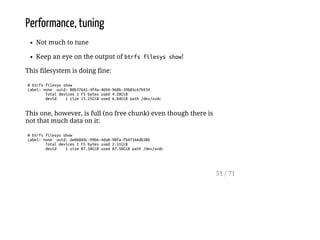
Performance, tuning
Not much to tune
Keep an eye on the output of btrfsfilesysshow!
This filesystem is doing fine:
#btrfsfilesysshow
Label:none uuid:80b37641-4f4a-4694-968b-39b85c67b934
Totaldevices1FSbytesused4.20GiB
devid 1size15.25GiBused6.04GiBpath/dev/xvdc
This one, however, is full (no free chunk) even though there is
not that much data on it:
#btrfsfilesysshow
Label:none uuid:de060d4c-99b6-4da0-90fa-fb47166db38b
Totaldevices1FSbytesused2.51GiB
devid 1size87.50GiBused87.50GiBpath/dev/xvdc
51 / 71
Overlayfs
52 / 71
Preamble
What with the grayed fs?
It used to be called (and have filesystem type) overlayfs
When it was merged in 3.18, this was changed to overlay
53 / 71
In theory
This is just like AUFS, with minor differences:
only two branches (called "layers")
but branches can be overlays themselves
54 / 71
In practice
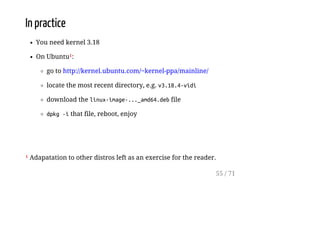
You need kernel 3.18
On Ubuntu¹:
go to http://kernel.ubuntu.com/~kernel-ppa/mainline/
locate the most recent directory, e.g. v3.18.4-vidi
download the linux-image-..._amd64.debfile
dpkg-ithat file, reboot, enjoy
¹ Adapatation to other distros left as an exercise for the reader.
55 / 71
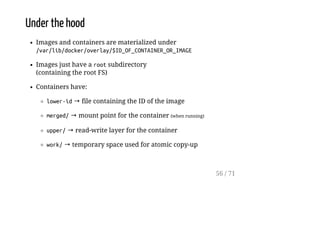
Under the hood
Images and containers are materialized under
/var/lib/docker/overlay/$ID_OF_CONTAINER_OR_IMAGE
Images just have a rootsubdirectory
(containing the root FS)
Containers have:
lower-id→ file containing the ID of the image
merged/→ mount point for the container (when running)
upper/→ read-write layer for the container
work/→ temporary space used for atomic copy-up
56 / 71
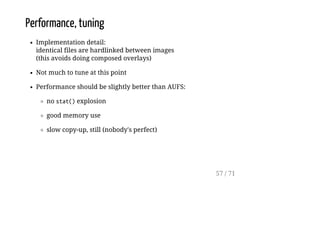
Performance, tuning
Implementation detail:
identical files are hardlinked between images
(this avoids doing composed overlays)
Not much to tune at this point
Performance should be slightly better than AUFS:
no stat()explosion
good memory use
slow copy-up, still (nobody's perfect)
57 / 71
VFS
58 / 71
In theory
No copy on write. Docker does a full copy each time!
Doesn't rely on those fancy-pesky kernel features
Good candidate when porting Docker to new platforms
(think FreeBSD, Solaris...)
Space inefficient, slow
59 / 71
In practice
Might be useful for production setups
(If you don't want / cannot use volumes, and don't want /
cannot use any of the copy-on-write mechanisms!)
60 / 71
Conclusions
61 / 71
The nice thing about Docker storage drivers,
is that there are so many of them to choose from.
62 / 71
What do, what do?
If you do PaaS or other high-density environment:
AUFS (if available on your kernel)
overlayfs (otherwise)
If you put big writable files on the CoW filesystem:
BTRFS or Device Mapper (pick the one you know best)
Wait, really, you want me to pick one!?!
63 / 71
Bottom line
64 / 71
The best storage driver to run your production
will be the one with which you and your team
have the most extensive operational experience.
65 / 71
Bonus track
discardand TRIM
66 / 71
TRIM
Command sent to a SSD disk, to tell it:
"that block is not in use anymore"
Useful because on SSD, erase is very expensive (slow)
Allows the SSD to pre-erase cells in advance
(rather than on-the-fly, just before a write)
Also meaningful on copy-on-write storage
(if/when every snapshots as trimmed a block, it can be
freed)
67 / 71
discard
Filesystem option meaning:
"can I has TRIMon this pls"
Can be enabled/disabled at any time
Filesystem can also be trimmed manually with fstrim
(even while mounted)
68 / 71
The discardquandary
discardworks on Device Mapper + loopback devices
... but is particularly slow on loopback devices
(the loopback file needs to be "re-sparsified" after
container or image deletion, and this is a slow operation)
You can turn it on or off depending on your preference
69 / 71
That's all folks!
70 / 71
Questions?
To get those slides, follow me on twitter: @jpetazzo
Yes, this is a particularly evil scheme to increase my follower count
Also WE ARE HIRING!
infrastructure (servers, metal, and stuff)
QA (get paid to break things!)
Python (Docker Hub and more)
Go (Docker Engine and more)
Rumor says Docker UK office might be hiring but what do I know!
(I know nothing, except that you should send your resume to jobs@docker.com)
71 / 71

Docker storage drivers by Jérôme Petazzoni

  • 1.
    Deep dive into Dockerstorage drivers * Jérôme Petazzoni - @jpetazzo Docker - @docker 1 / 71
  • 2.
    Not so deepdive into Docker storage drivers * Jérôme Petazzoni - @jpetazzo Docker - @docker 2 / 71
  • 3.
    Who am I? @jpetazzo Tamerof Unicorns and Tinkerer Extraordinaire¹ Grumpy French DevOps person who loves Shell scripts Go Away Or I Will Replace You Wiz Le Very Small Shell Script Some experience with containers (built and operated the dotCloud PaaS) ¹ At least one of those is actually on my business card 3 / 71
  • 4.
    Outline Extremely short introto Docker Short intro to copy-on-write History of Docker storage drivers AUFS, BTRFS, Device Mapper, Overlayfs, VFS Conclusions 4 / 71
  • 5.
    Extremely short introto Docker 5 / 71
  • 6.
    What's Docker? A platformmade of the Docker Engine and the Docker Hub The Docker Engine is a runtime for containers It's Open Source, and written in Go http://www.slideshare.net/jpetazzo/docker-and-go-why-did-we-decide-to-write-docker-in-go It's a daemon, controlled by a REST-ish API What is this, I don't even?!? Check the recording of this online "Docker 101" session: https://www.youtube.com/watch?v=pYZPd78F4q4 6 / 71
  • 7.
    If you've neverseen Docker in action ... This will help! jpetazzo@tarrasque:~$dockerrun-tipythonbash root@75d4bf28c8a5:/#pipinstallIPython Downloading/unpackingIPython Downloadingipython-2.3.1-py3-none-any.whl(2.8MB):2.8MBdownloaded Installingcollectedpackages:IPython SuccessfullyinstalledIPython Cleaningup... root@75d4bf28c8a5:/#ipython Python3.4.2(default,Jan222015,07:33:45) Type"copyright","credits"or"license"formoreinformation. IPython2.3.1--AnenhancedInteractivePython. ? ->IntroductionandoverviewofIPython'sfeatures. %quickref->Quickreference. help ->Python'sownhelpsystem. object? ->Detailsabout'object',use'object??'forextradetails. In[1]: 7 / 71
  • 8.
    What happened here? Wecreated a container (~lightweight virtual machine), with its own: filesystem (based initially on a pythonimage) network stack process space We started with a bashprocess (no init, no systemd, no problem) We installed IPython with pip, and ran it 8 / 71
  • 9.
    What did nothappen here? We did not make a full copy of the pythonimage The installation was done in the container, not the image: We did not modify the pythonimage itself We did not affect any other container (currently using this image or any other image) 9 / 71
  • 10.
    How is thisimportant? We used a copy-on-write mechanism (Well, Docker took care of it for us) Instead of making a full copy of the pythonimage, keep track of changes between this image and our container Huge disk space savings (1 container = less than 1 MB) Huge time savings (1 container = less than 0.1s to start) 10 / 71
  • 11.
    Short intro tocopy-on-write 11 / 71
  • 12.
    History Warning: I'm nota computer historian. Those random bits are not exhaustive. 12 / 71
  • 13.
    Copy-on-write for memory(RAM) fork()(process creation) Create a new process quickly ... even if it's using many GBs of RAM Actively used by e.g. Redis SAVE, to obtain consistent snapshots mmap()(mapped files) with MAP_PRIVATE Changes are visible only to current process Private maps are fast, even on huge files Granularity: 1 page at a time (generally 4 KB) 13 / 71
  • 14.
    Copy-on-write for memory(RAM) How does it work? Thanks to the MMU! (Memory Management Unit) Each memory access goes through it Translates memory accesses (location¹ + operation²) into: actual physical location or, alternatively, a page fault ¹ Location = address = pointer ² Operation = read, write, or exec 14 / 71
  • 15.
    Page faults When apage faults occurs, the MMU notifies the OS. Then what? Access to non-existent memory area = SIGSEGV (a.k.a. "Segmentation fault" a.k.a. "Go and learn to use pointers") Access to swapped-out memory area = load it from disk (a.k.a. "My program is now 1000x slower") Write attempt to code area = seg fault (sometimes) Write attempt to copy area = deduplication operation Then resume the initial operation as if nothing happened Can also catch execution attempt in no-exec area (e.g. stack, to protect against some exploits) 15 / 71
  • 16.
    Copy-on-write for storage(disk) Initially used (I think) for snapshots (E.g. to take a consistent backup of a busy database, making sure that nothing was modified between the beginning and the end of the backup) Initially available (I think) on external storage (NAS, SAN) (Because It's Complicated) 16 / 71
  • 17.
    Copy-on-write for storage(disk) Initially used (I think) for snapshots (E.g. to take a consistent backup of a busy database, making sure that nothing was modified between the beginning and the end of the backup) Initially available (I think) on external storage (NAS, SAN) (Because It's Complicated) Suddenly, Wild CLOUD appeared! 17 / 71
  • 18.
    Thin provisioning forVMs¹ Put system image on copy-on-write storage For each machine¹, create copy-on-write instance If the system image contains a lot of useful software, people will almost never need to install extra stuff Each extra machine will only need disk space for data! WIN $$$ (And performance, too, because of caching) ¹ Not only VMs, but also physical machines with netboot, and containers! 18 / 71
  • 19.
    Modern copy-on-write onyour desktop (In no specific order; non-exhaustive list) LVM (Logical Volume Manager) on Linux ZFS on Solaris, then FreeBSD, Linux ... BTRFS on Linux AUFS, UnionMount, overlayfs ... Virtual disks in VM hypervisors 19 / 71
  • 20.
    Copy-on-write and Docker:a love story Without copy-on-write... it would take forever to start a container containers would use up a lot of space Without copy-on-write "on your desktop"... Docker would not be usable on your Linux machine There would be no Docker at all. And no meet-up here tonight. And we would all be shaving yaks instead. ☹ 20 / 71
  • 21.
    Thank you: Junjiro R.Okajima (and other AUFS contributors) Chris Mason (and other BTRFS contributors) Jeff Bonwick, Matt Ahrens (and other ZFS contributors) Miklos Szeredi (and other overlayfs contributors) The many contributors to Linux device mapper, thinp target, etc. ... And all the other giants whose shoulders we're sitting on top of, basically 21 / 71
  • 22.
    History of Dockerstorage drivers 22 / 71
  • 23.
    First came AUFS Dockerused to be dotCloud (PaaS, like Heroku, Cloud Foundry, OpenShift...) dotCloud started using AUFS in 2008 (with vserver, then OpenVZ, then LXC) Great fit for high density, PaaS applications (More on this later!) 23 / 71
  • 24.
    AUFS is notperfect Not in mainline kernel Applying the patches used to be exciting ... especially in combination with GRSEC ... and other custom fancery like setns() 24 / 71
  • 25.
    But some peoplebelieve in AUFS! dotCloud, obviously Debian and Ubuntu use it in their default kernels, for Live CD and similar use cases: Your root filesystem is a copy-on-write between - the read-only media (CD, DVD...) - and a read-write media (disk, USB stick...) As it happens, we also ♥ Debian and Ubuntu very much First version of Docker is targeted at Ubuntu (and Debian) 25 / 71
  • 26.
    Then, some peoplestarted to believe in Docker Red Hat users demanded Docker on their favorite distro Red Hat Inc. wanted to make it happen ... and contributed support for the Device Mapper driver ... then the BTRFS driver ... then the overlayfs driver Note: other contributors also helped tremendously! 26 / 71
  • 27.
    Special thanks: Alexander Larsson VincentBatts + all the other contributors and maintainers, of course (But those two guys have played an important role in the initial support, then maintenance, of the BTRFS, Device Mapper, and overlay drivers. Thanks again!) 27 / 71
  • 28.
    Let's see each storagedriver in action 28 / 71
  • 29.
  • 30.
    In Theory Combine multiplebranches in a specific order Each branch is just a normal directory You generally have: at least one read-only branch (at the bottom) exactly one read-write branch (at the top) (But other fun combinations are possible too!) 30 / 71
  • 31.
    When opening afile... With O_RDONLY- read-only access: look it up in each branch, starting from the top open the first one we find With O_WRONLYor O_RDWR- write access: look it up in the top branch; if it's found here, open it otherwise, look it up in the other branches; if we find it, copy it to the read-write (top) branch, then open the copy That "copy-up" operation can take a while if the file is big! 31 / 71
  • 32.
    When deleting afile... A whiteout file is created (if you know the concept of "tombstones", this is similar) #dockerrunubunturm/etc/shadow #ls-la/var/lib/docker/aufs/diff/$(dockerps--no-trunc-lq)/etc total8 drwxr-xr-x2rootroot4096Jan2715:36. drwxr-xr-x5rootroot4096Jan2715:36.. -r--r--r--2rootroot 0Jan2715:36.wh.shadow 32 / 71
  • 33.
    In Practice The AUFSmountpoint for a container is /var/lib/docker/aufs/mnt/$CONTAINER_ID/ It is only mounted when the container is running The AUFS branches (read-only and read-write) are in /var/lib/docker/aufs/diff/$CONTAINER_OR_IMAGE_ID/ All writes go to /var/lib/docker dockerhost#df-h/var/lib/docker Filesystem Size UsedAvailUse%Mountedon /dev/xvdb 15G 4.8G 9.5G 34%/mnt 33 / 71
  • 34.
    Under the hood Tosee details about an AUFS mount: look for its internal ID in /proc/mounts look in /sys/fs/aufs/si_.../br* each branch (except the two top ones) translates to an image 34 / 71
  • 35.
  • 36.
    Performance, tuning AUFS mount()isfast, so creation of containers is quick Read/write access has native speeds But initial open()is expensive in two scenarios: when writing big files (log files, databases ...) with many layers + many directories in PATH (dynamic loading, anyone?) Protip: when we built dotCloud, we ended up putting all important data on volumes When starting the same container 1000x, the data is loaded only once from disk, and cached only once in memory (but dentrieswill be duplicated) 36 / 71
  • 37.
  • 38.
    Preamble Device Mapper isa complex subsystem; it can do: RAID encrypted devices snapshots (i.e. copy-on-write) and some other niceties In the context of Docker, "Device Mapper" means "the Device Mapper system + its thin provisioning target" (sometimes noted "thinp") 38 / 71
  • 39.
    In theory Copy-on-write happenson the block level (instead of the file level) Each container and each image gets its own block device At any given time, it is possible to take a snapshot: of an existing container (to create a frozen image) of an existing image (to create a container from it) If a block has never been written to: it's assumed to be all zeros it's not allocated on disk (hence "thin" provisioning) 39 / 71
  • 40.
    In practice The mountpointfor a container is /var/lib/docker/devicemapper/mnt/$CONTAINER_ID/ It is only mounted when the container is running The data is stored in two files, "data" and "metadata" (More on this later) Since we are working on the block level, there is not much visibility on the diffs between images and containers 40 / 71
  • 41.
    Under the hood dockerinfowilltell you about the state of the pool (used/available space) List devices with dmsetupls Device names are prefixed with docker-MAJ:MIN-INO MAJ, MIN, and INO are derived from the block major, block minor, and inode number where the Docker data is located (to avoid conflict when running multiple Docker instances, e.g. with Docker-in-Docker) Get more info about them with dmsetupinfo, dmsetupstatus (you shouldn't need this, unless the system is badly borked) Snapshots have an internal numeric ID /var/lib/docker/devicemapper/metadata/$CONTAINER_OR_IMAGE_ID is a small JSON file tracking the snapshot ID and its size 41 / 71
  • 42.
    Extra details Two storageareas are needed: one for data, another for metadata "data" is also called the "pool"; it's just a big pool of blocks (Docker uses the smallest possible block size, 64 KB) "metadata" contains the mappings between virtual offsets (in the snapshots) and physical offsets (in the pool) Each time a new block (or a copy-on-write block) is written, a block is allocated from the pool When there are no more blocks in the pool, attempts to write will stall until the pool is increased (or the write operation aborted) 42 / 71
  • 43.
    Performance By default, Dockerputs data and metadata on a loop device backed by a sparse file This is great from a usability point of view (zero configuration needed) But terrible from a performance point of view: each time a container writes to a new block, a block has to be allocated from the pool, and when it's written to, a block has to be allocated from the sparse file, and sparse file performance isn't great anyway 43 / 71
  • 44.
    Tuning Do yourself afavor: if you use Device Mapper, put data (and metadata) on real devices! stop Docker change parameters wipe out /var/lib/docker(important!) restart Docker docker-d--storage-optdm.datadev=/dev/sdb1--storage-optdm.metadatadev=/dev/sdc1 44 / 71
  • 45.
    More tuning Each containergets its own block device with a real FS on it So you can also adjust (with --storage-opt): filesystem type filesystem size discard(more on this later) Caveat: when you start 1000x containers, the files will be loaded 1000x from disk! 45 / 71
  • 46.
  • 47.
  • 48.
    In theory Do thewhole "copy-on-write" thing at the filesystem level Create¹ a "subvolume" (imagine mkdirwith Super Powers) Snapshot¹ any subvolume at any given time BTRFS integrates the snapshot and block pool management features at the filesystem level, instead of the block device level ¹ This can be done with the btrfstool. 48 / 71
  • 49.
    In practice /var/lib/dockerhas tobe on a BTRFS filesystem! The BTRFS mountpoint for a container or an image is /var/lib/docker/btrfs/subvolumes/$CONTAINER_OR_IMAGE_ID/ It should be present even if the container is not running Data is not written directly, it goes to the journal first (in some circumstances¹, this will affect performance) ¹ E.g. uninterrupted streams of writes. The performance will be half of the "native" performance. 49 / 71
  • 50.
    Under the hood BTRFSworks by dividing its storage in chunks A chunk can contain meta or metadata You can run out of chunks (and get Nospacelefton device) even though dfshows space available (because the chunks are not full) Quick fix: #btrfsfilesysbalancestart-dusage=1/var/lib/docker 50 / 71
  • 51.
    Performance, tuning Not muchto tune Keep an eye on the output of btrfsfilesysshow! This filesystem is doing fine: #btrfsfilesysshow Label:none uuid:80b37641-4f4a-4694-968b-39b85c67b934 Totaldevices1FSbytesused4.20GiB devid 1size15.25GiBused6.04GiBpath/dev/xvdc This one, however, is full (no free chunk) even though there is not that much data on it: #btrfsfilesysshow Label:none uuid:de060d4c-99b6-4da0-90fa-fb47166db38b Totaldevices1FSbytesused2.51GiB devid 1size87.50GiBused87.50GiBpath/dev/xvdc 51 / 71
  • 52.
  • 53.
    Preamble What with thegrayed fs? It used to be called (and have filesystem type) overlayfs When it was merged in 3.18, this was changed to overlay 53 / 71
  • 54.
    In theory This isjust like AUFS, with minor differences: only two branches (called "layers") but branches can be overlays themselves 54 / 71
  • 55.
    In practice You needkernel 3.18 On Ubuntu¹: go to http://kernel.ubuntu.com/~kernel-ppa/mainline/ locate the most recent directory, e.g. v3.18.4-vidi download the linux-image-..._amd64.debfile dpkg-ithat file, reboot, enjoy ¹ Adapatation to other distros left as an exercise for the reader. 55 / 71
  • 56.
    Under the hood Imagesand containers are materialized under /var/lib/docker/overlay/$ID_OF_CONTAINER_OR_IMAGE Images just have a rootsubdirectory (containing the root FS) Containers have: lower-id→ file containing the ID of the image merged/→ mount point for the container (when running) upper/→ read-write layer for the container work/→ temporary space used for atomic copy-up 56 / 71
  • 57.
    Performance, tuning Implementation detail: identicalfiles are hardlinked between images (this avoids doing composed overlays) Not much to tune at this point Performance should be slightly better than AUFS: no stat()explosion good memory use slow copy-up, still (nobody's perfect) 57 / 71
  • 58.
  • 59.
    In theory No copyon write. Docker does a full copy each time! Doesn't rely on those fancy-pesky kernel features Good candidate when porting Docker to new platforms (think FreeBSD, Solaris...) Space inefficient, slow 59 / 71
  • 60.
    In practice Might beuseful for production setups (If you don't want / cannot use volumes, and don't want / cannot use any of the copy-on-write mechanisms!) 60 / 71
  • 61.
  • 62.
    The nice thingabout Docker storage drivers, is that there are so many of them to choose from. 62 / 71
  • 63.
    What do, whatdo? If you do PaaS or other high-density environment: AUFS (if available on your kernel) overlayfs (otherwise) If you put big writable files on the CoW filesystem: BTRFS or Device Mapper (pick the one you know best) Wait, really, you want me to pick one!?! 63 / 71
  • 64.
  • 65.
    The best storagedriver to run your production will be the one with which you and your team have the most extensive operational experience. 65 / 71
  • 66.
  • 67.
    TRIM Command sent toa SSD disk, to tell it: "that block is not in use anymore" Useful because on SSD, erase is very expensive (slow) Allows the SSD to pre-erase cells in advance (rather than on-the-fly, just before a write) Also meaningful on copy-on-write storage (if/when every snapshots as trimmed a block, it can be freed) 67 / 71
  • 68.
    discard Filesystem option meaning: "canI has TRIMon this pls" Can be enabled/disabled at any time Filesystem can also be trimmed manually with fstrim (even while mounted) 68 / 71
  • 69.
    The discardquandary discardworks onDevice Mapper + loopback devices ... but is particularly slow on loopback devices (the loopback file needs to be "re-sparsified" after container or image deletion, and this is a slow operation) You can turn it on or off depending on your preference 69 / 71
  • 70.
  • 71.
    Questions? To get thoseslides, follow me on twitter: @jpetazzo Yes, this is a particularly evil scheme to increase my follower count Also WE ARE HIRING! infrastructure (servers, metal, and stuff) QA (get paid to break things!) Python (Docker Hub and more) Go (Docker Engine and more) Rumor says Docker UK office might be hiring but what do I know! (I know nothing, except that you should send your resume to jobs@docker.com) 71 / 71