Containers are the future of
Cloud
Pavel Odintsov
CTO, FastVPS Eesti OU
odintsov@fastvps.ee
Open source virtualization platforms
KVM
Main developer: RedHat
Kernel integration state: in kernel since 2007
Status: production ready
Hardware support: same as Linux
Virtualization type: full virtualization
Supported client OS: Linux, FreeBSD, Windows
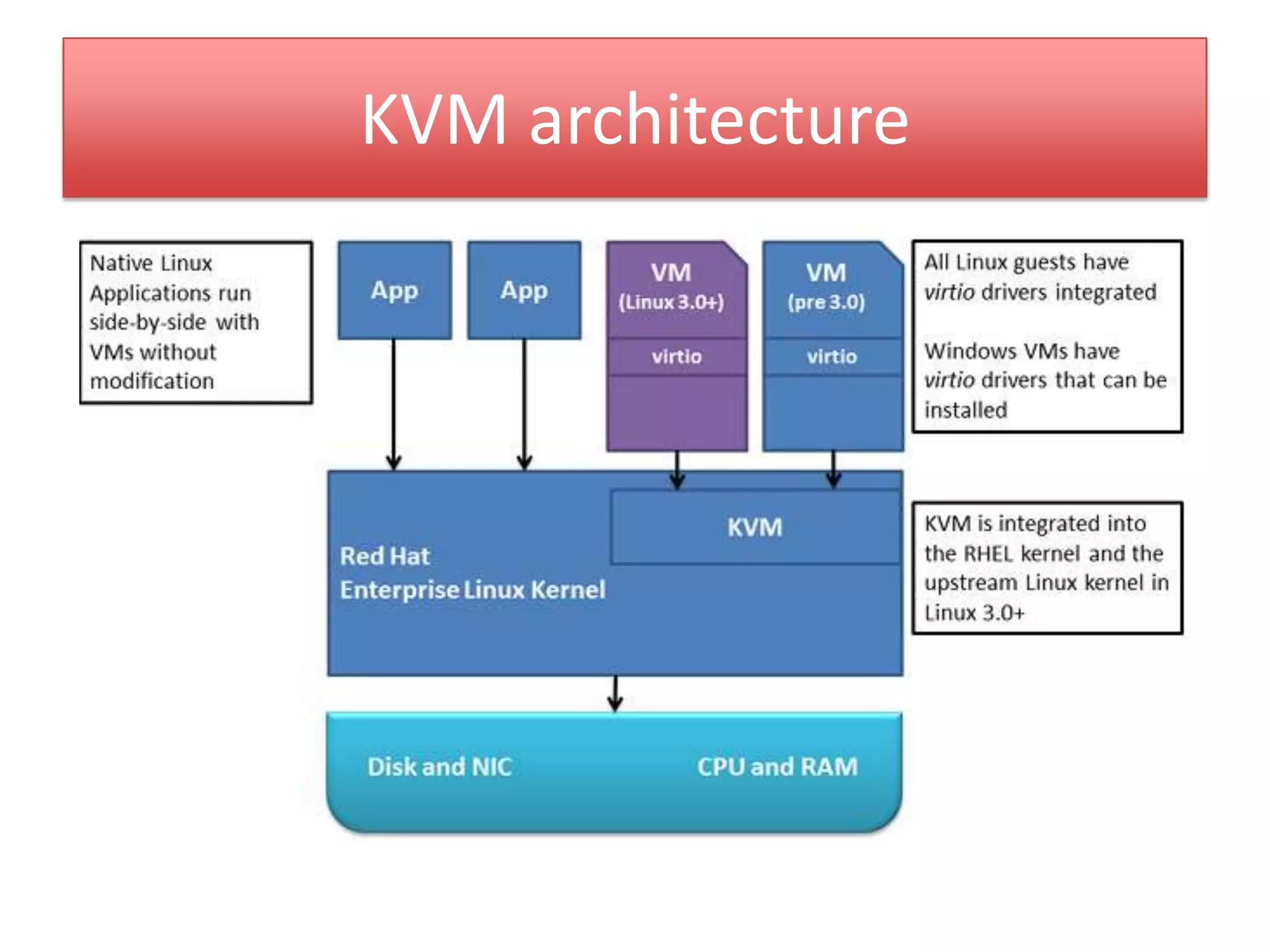
KVM architecture
Xen
Main developer: Citrix, XenSource
Kernel integration state: partially in kernel since 2012
(client), no plans about the server
Status: production ready
Hardware support: only fixed number of hardware, see
HCL
Virtualization type: full virtualization, paravirtualization
Supported client OS: Linux, FreeBSD, Windows
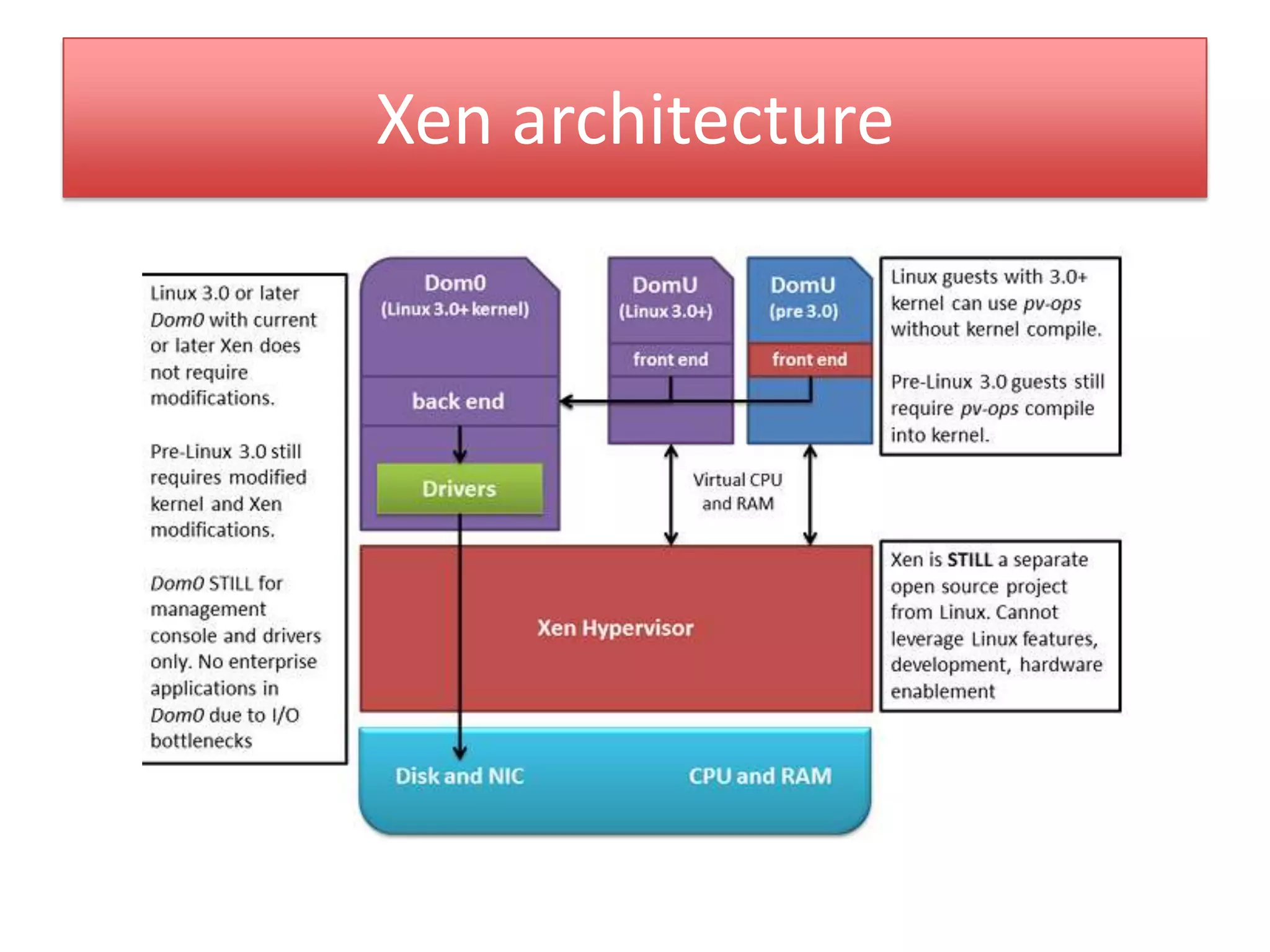
Xen architecture
OpenVZ
Main developer: Parallels (ex. SwSoft)
Kernel integration state: partially in kernel and work in
progress
Status: production ready
Hardware support: same as Linux
Virtualization type: os level
virtualization, containerization
Supported client OS: Linux
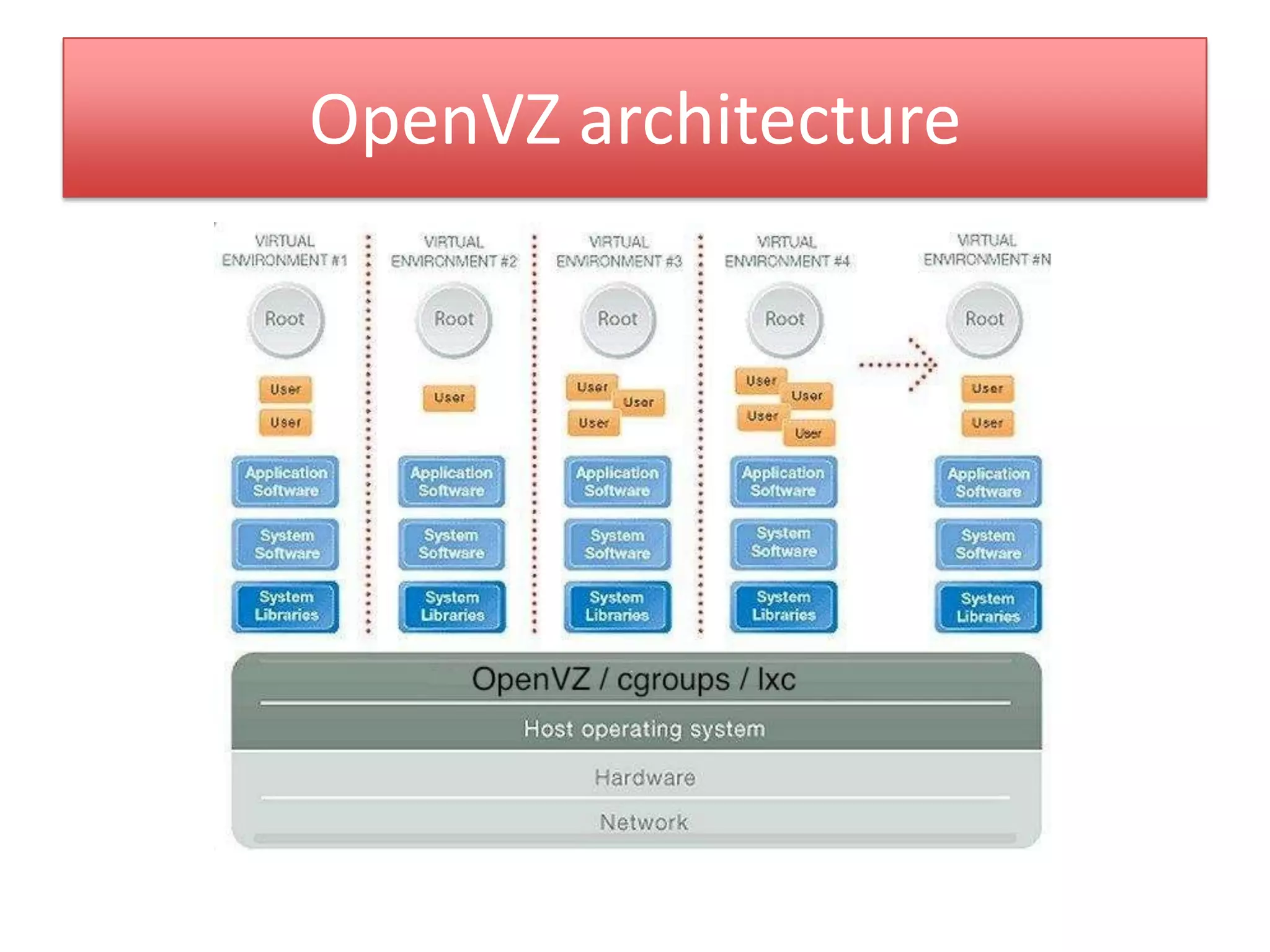
OpenVZ architecture
LinuX Containers, LXC
Main developer: same as kernel (Intel, IBM, Parallels)
Kernel integration state: partially in kernel and work in
progress
Status: not ready for production (issues in
network, disk)
Hardware support: same as Linux
Virtualization type: os level
virtualization, containerization
Supported client OS: Linux
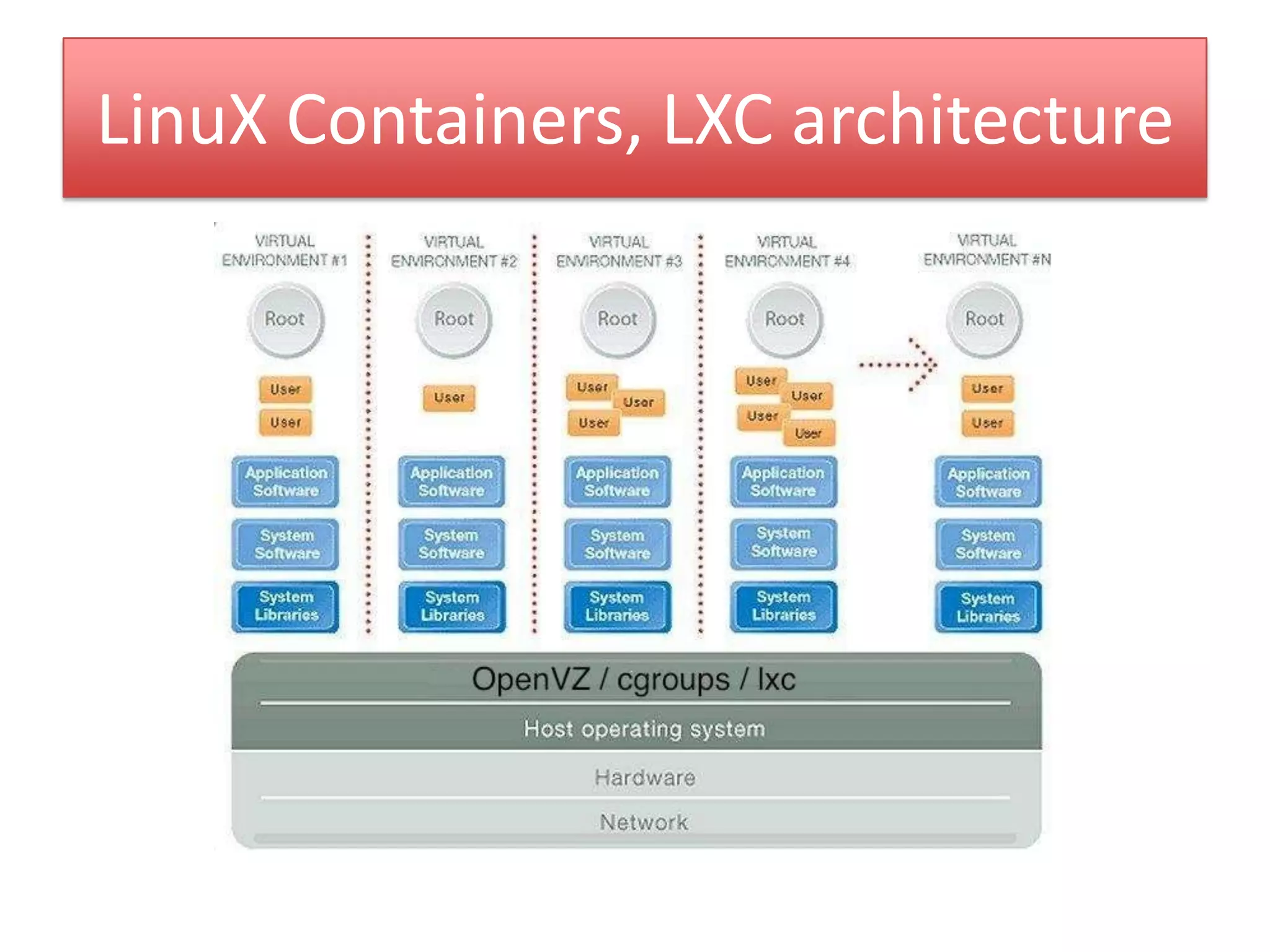
LinuX Containers, LXC architecture
Why OpenVZ?
• Production ready since 2006
• Extremely low overhead (in compare with
Xen/KVM is about 20%)
• Simple integration into Linux stack
• Many successful projects (LXC): Heorku,
CloudLinux, Docker (dot.cloud)
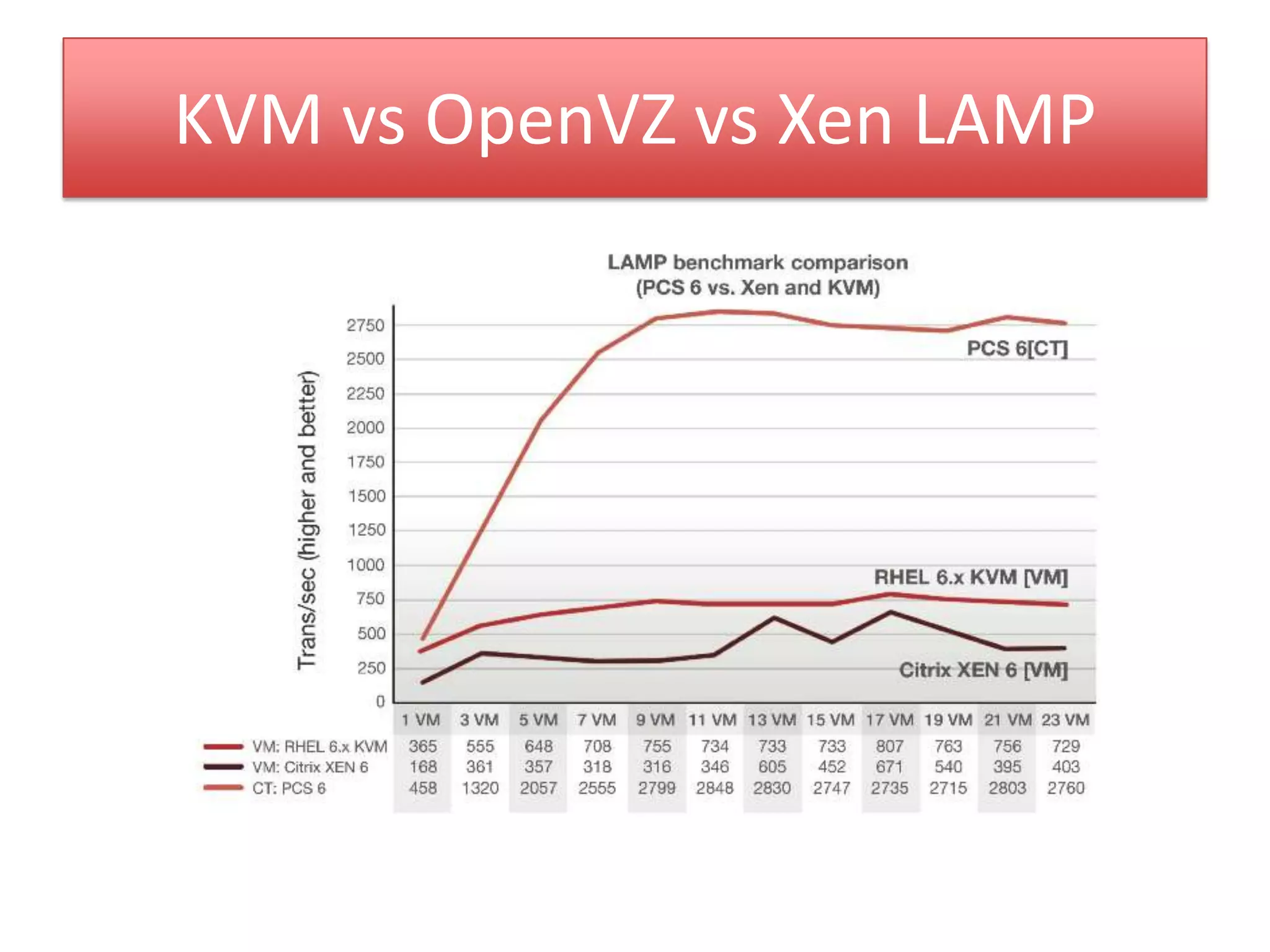
KVM vs OpenVZ vs Xen LAMP
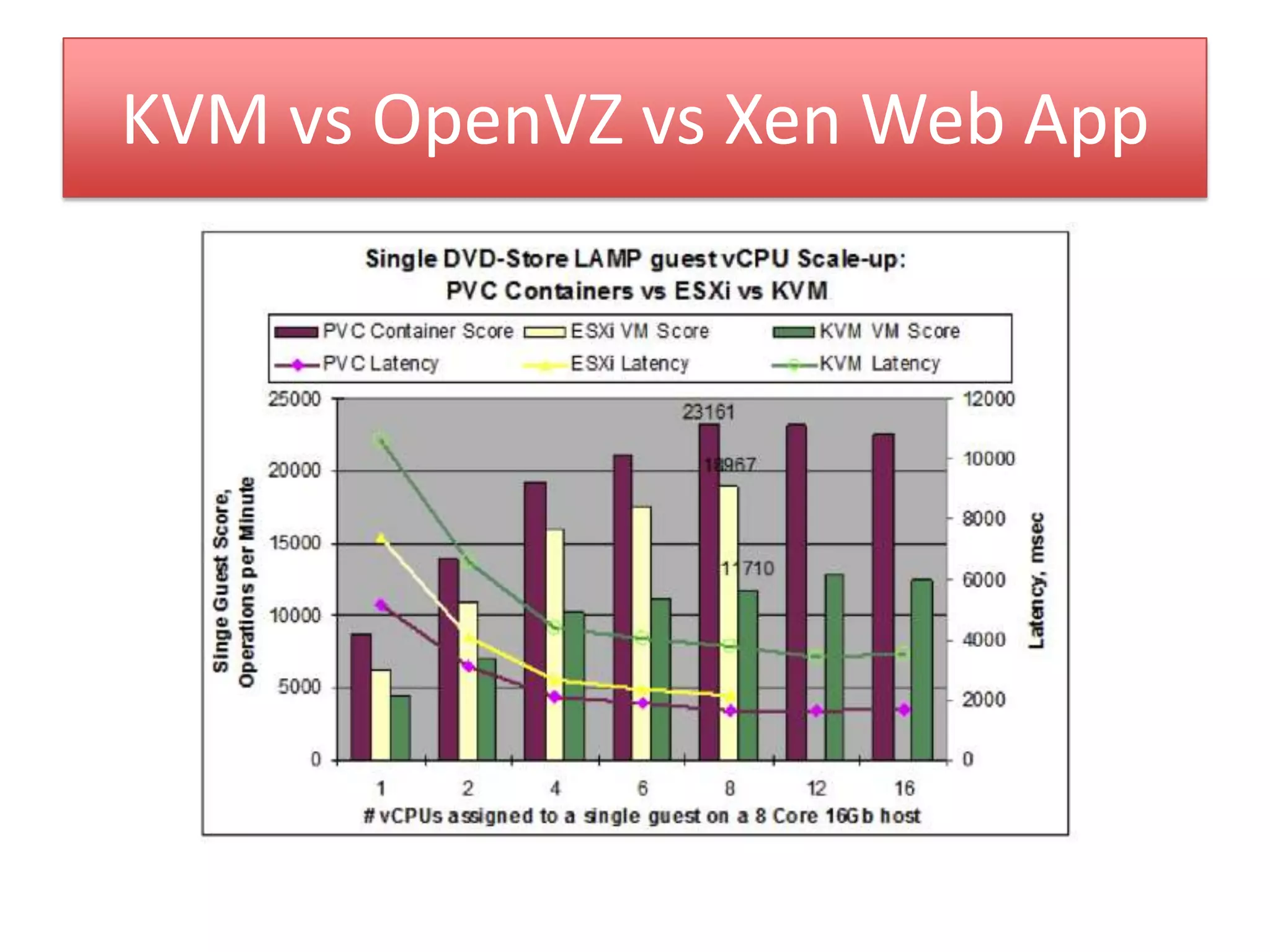
KVM vs OpenVZ vs Xen Web App
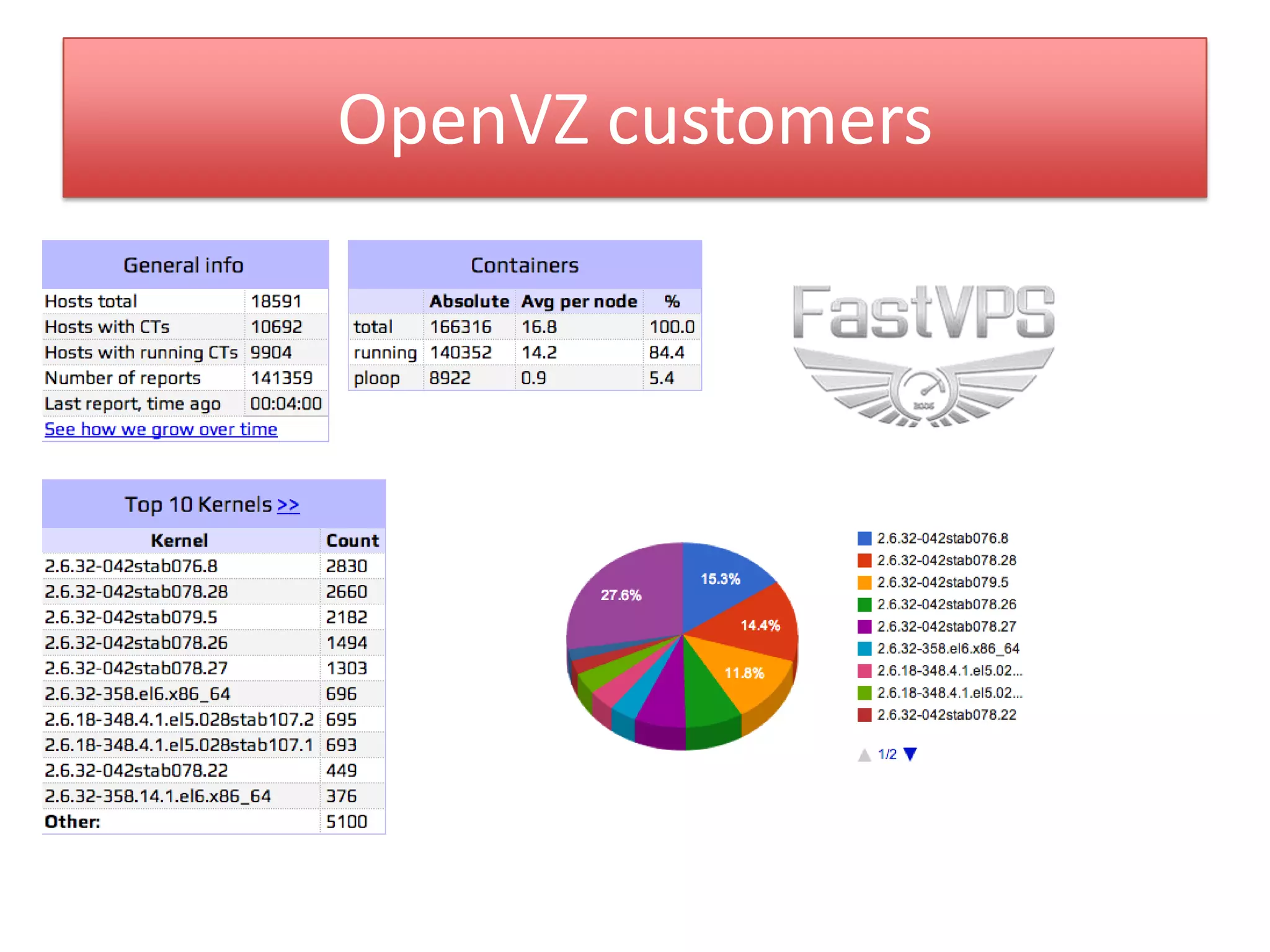
OpenVZ customers
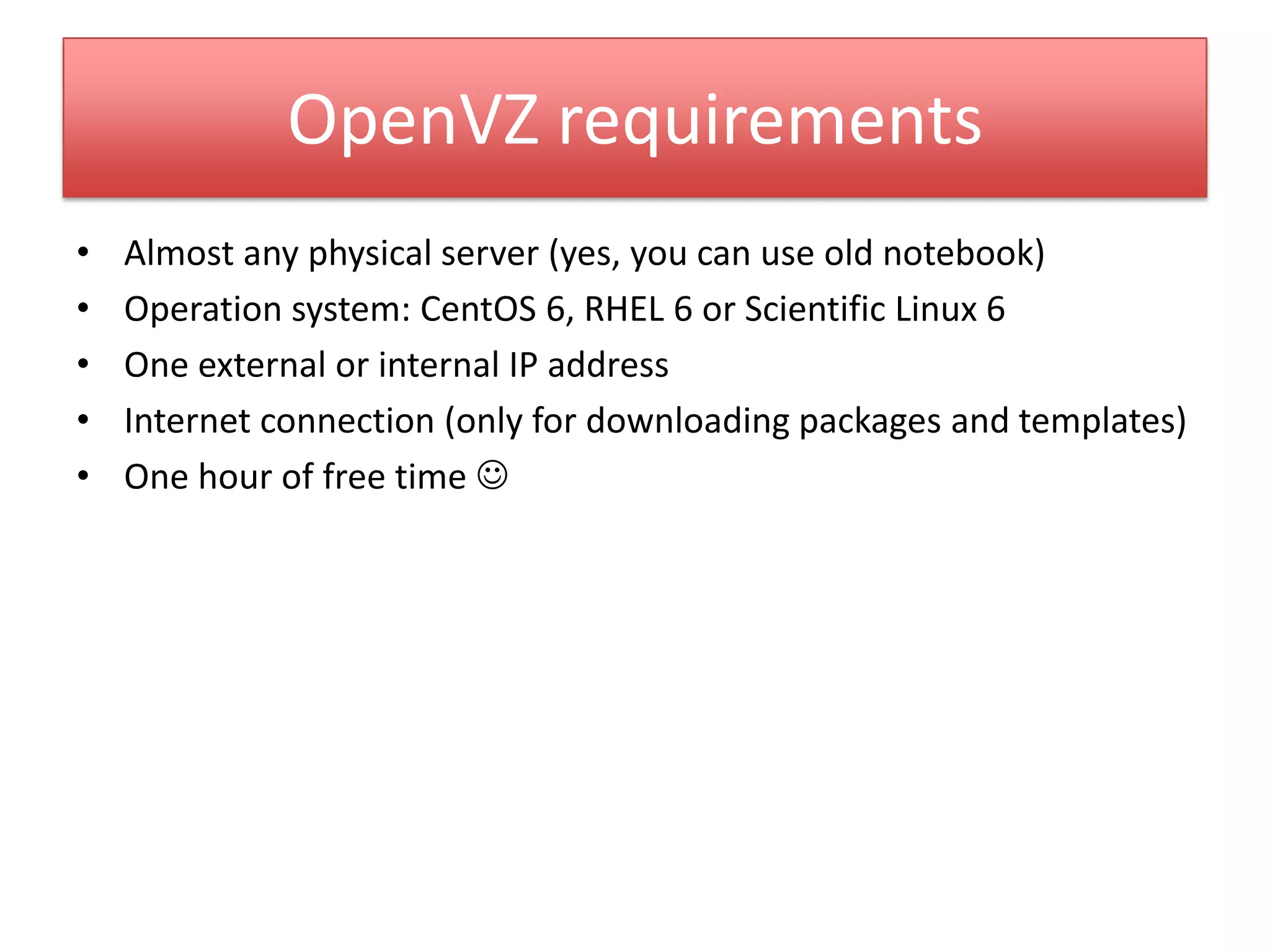
OpenVZ requirements
• Almost any physical server (yes, you can use old notebook)
• Operation system: CentOS 6, RHEL 6 or Scientific Linux 6
• One external or internal IP address
• Internet connection (only for downloading packages and templates)
• One hour of free time 
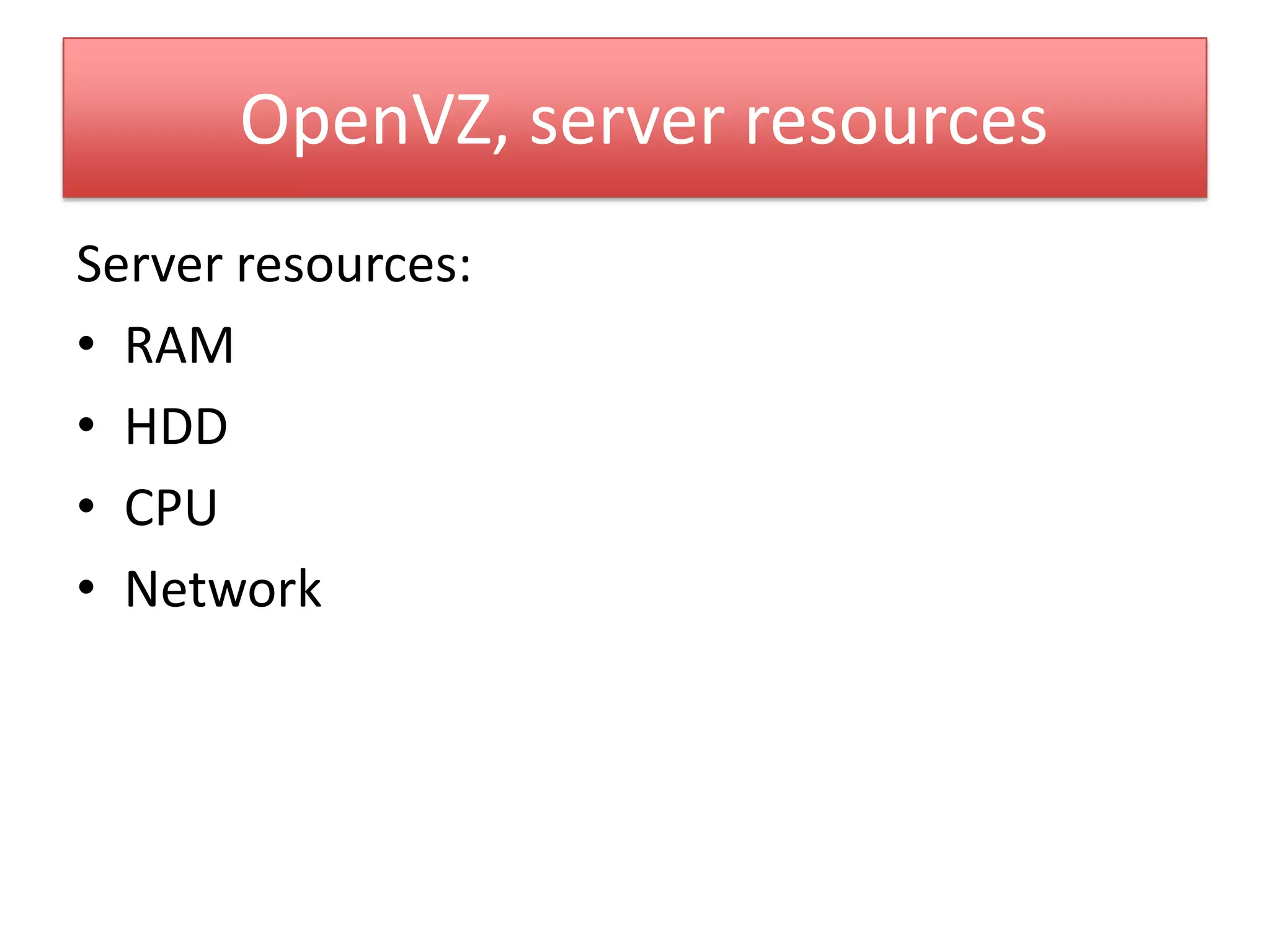
OpenVZ, server resources
Server resources:
• RAM
• HDD
• CPU
• Network
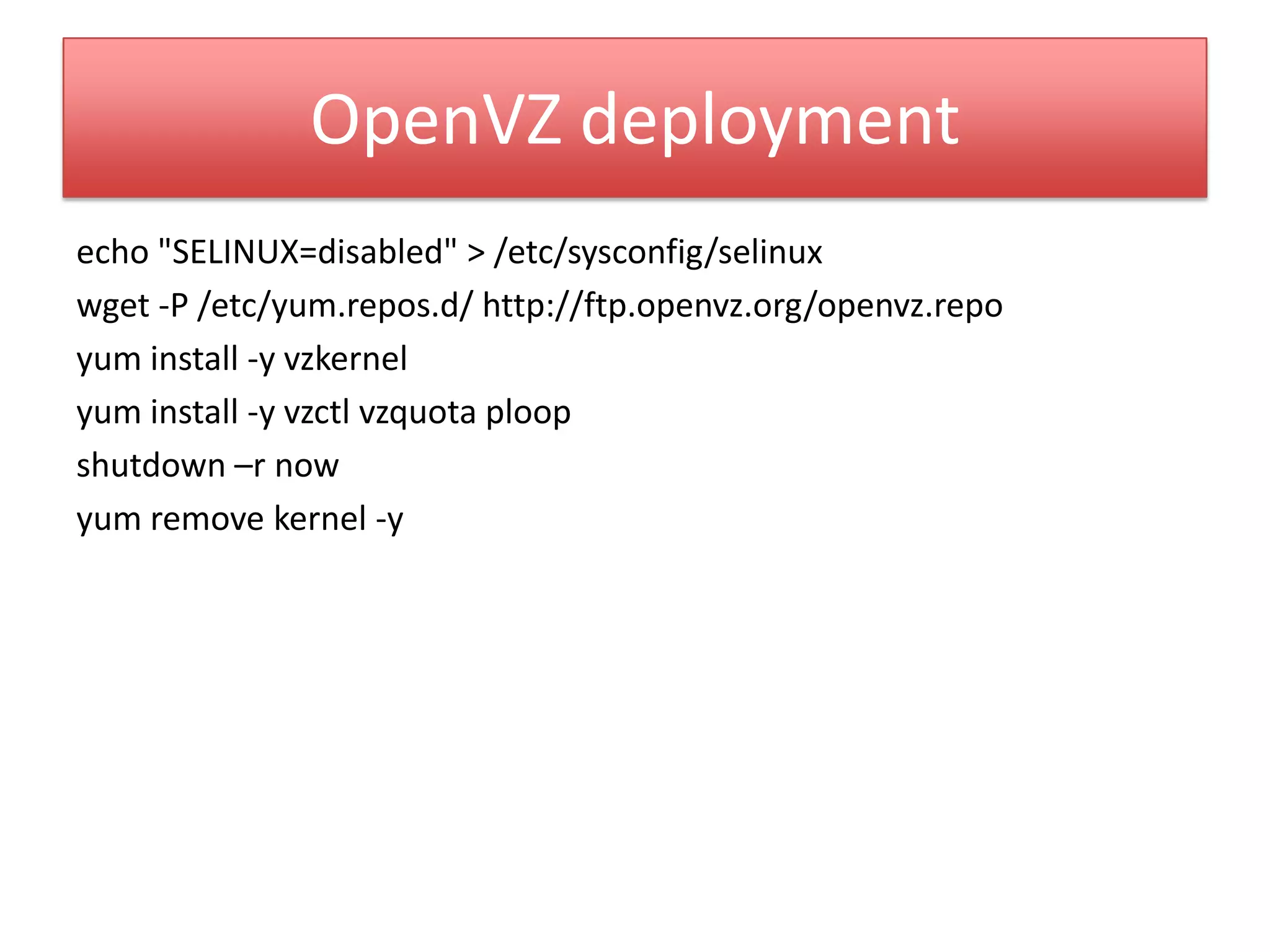
OpenVZ deployment
echo "SELINUX=disabled" > /etc/sysconfig/selinux
wget -P /etc/yum.repos.d/ http://ftp.openvz.org/openvz.repo
yum install -y vzkernel
yum install -y vzctl vzquota ploop
shutdown –r now
yum remove kernel -y
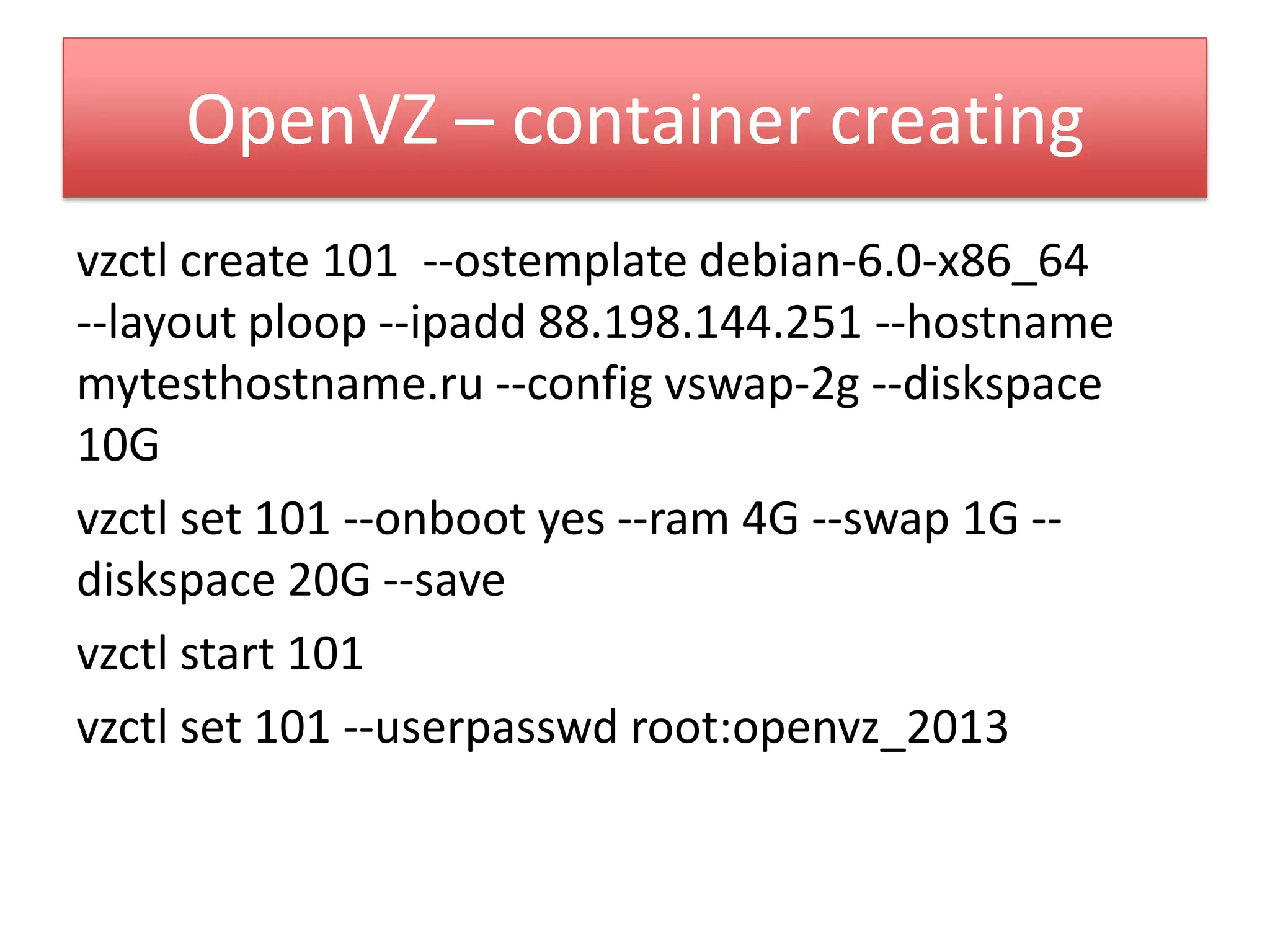
OpenVZ – container creating
vzctl create 101 --ostemplate debian-6.0-x86_64
--layout ploop --ipadd 88.198.144.251 --hostname
mytesthostname.ru --config vswap-2g --diskspace
10G
vzctl set 101 --onboot yes --ram 4G --swap 1G --
diskspace 20G --save
vzctl start 101
vzctl set 101 --userpasswd root:openvz_2013
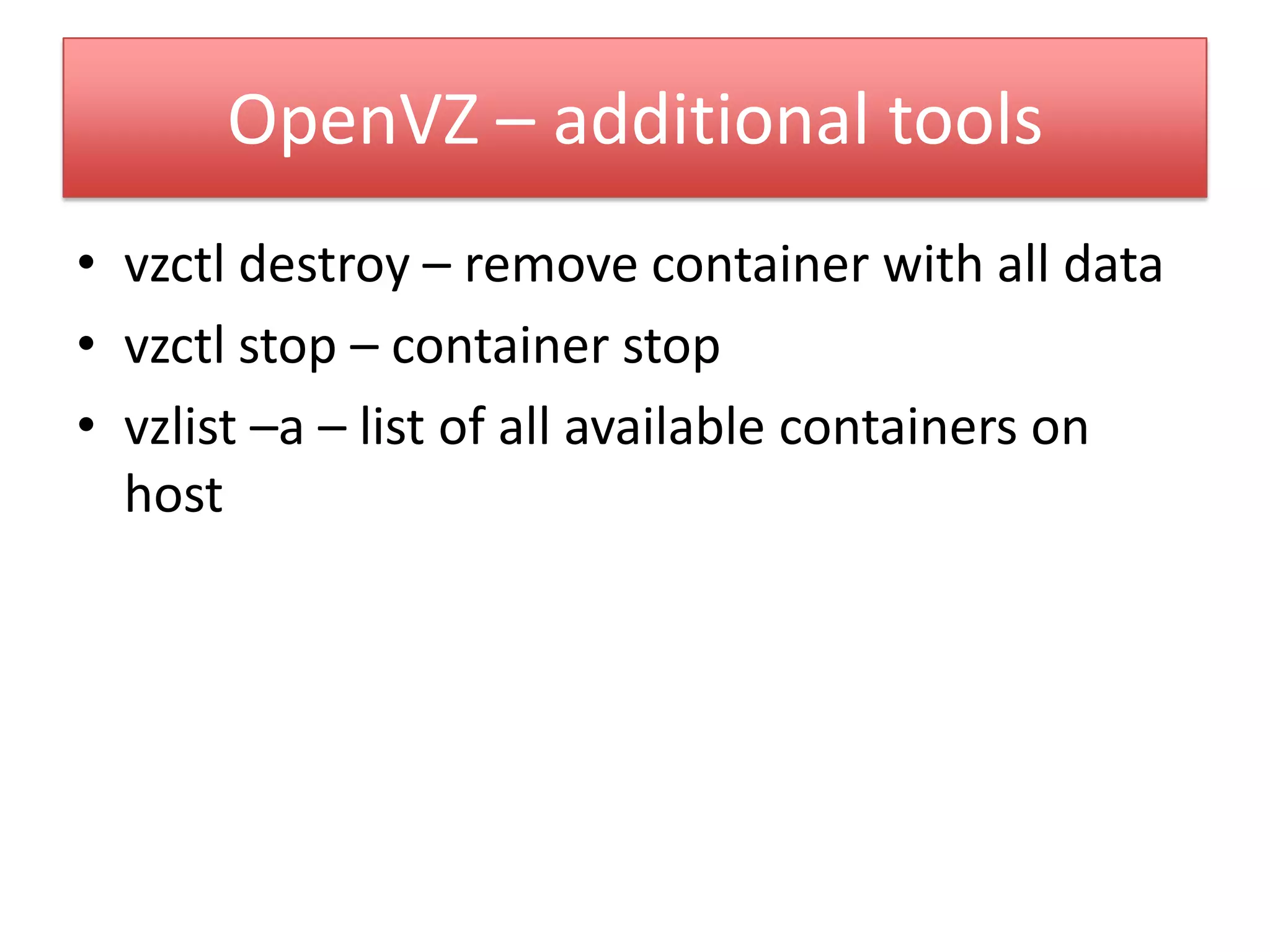
OpenVZ – additional tools
• vzctl destroy – remove container with all data
• vzctl stop – container stop
• vzlist –a – list of all available containers on
host
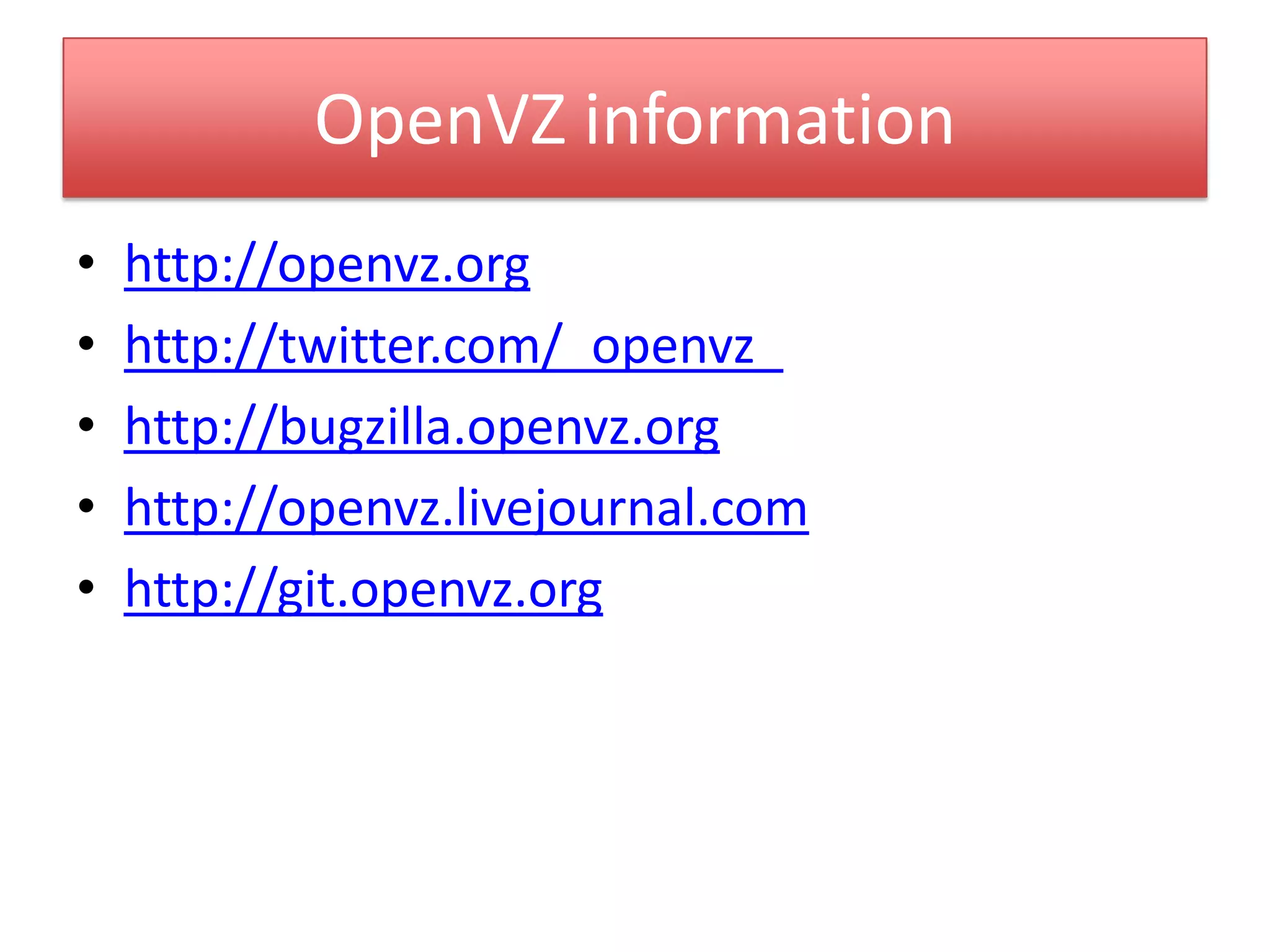
OpenVZ information
• http://openvz.org
• http://twitter.com/_openvz_
• http://bugzilla.openvz.org
• http://openvz.livejournal.com
• http://git.openvz.org
Thank you! :)
Pavel Odintsov
CTO, FastVPS Eesti OU
odintsov@fastvps.ee

Containers are the future of the Cloud

  • 1.
    Containers are thefuture of Cloud Pavel Odintsov CTO, FastVPS Eesti OU odintsov@fastvps.ee
  • 2.
  • 3.
    KVM Main developer: RedHat Kernelintegration state: in kernel since 2007 Status: production ready Hardware support: same as Linux Virtualization type: full virtualization Supported client OS: Linux, FreeBSD, Windows
  • 4.
  • 5.
    Xen Main developer: Citrix,XenSource Kernel integration state: partially in kernel since 2012 (client), no plans about the server Status: production ready Hardware support: only fixed number of hardware, see HCL Virtualization type: full virtualization, paravirtualization Supported client OS: Linux, FreeBSD, Windows
  • 6.
  • 7.
    OpenVZ Main developer: Parallels(ex. SwSoft) Kernel integration state: partially in kernel and work in progress Status: production ready Hardware support: same as Linux Virtualization type: os level virtualization, containerization Supported client OS: Linux
  • 8.
  • 9.
    LinuX Containers, LXC Maindeveloper: same as kernel (Intel, IBM, Parallels) Kernel integration state: partially in kernel and work in progress Status: not ready for production (issues in network, disk) Hardware support: same as Linux Virtualization type: os level virtualization, containerization Supported client OS: Linux
  • 10.
  • 11.
    Why OpenVZ? • Productionready since 2006 • Extremely low overhead (in compare with Xen/KVM is about 20%) • Simple integration into Linux stack • Many successful projects (LXC): Heorku, CloudLinux, Docker (dot.cloud)
  • 12.
    KVM vs OpenVZvs Xen LAMP
  • 13.
    KVM vs OpenVZvs Xen Web App
  • 14.
  • 15.
    OpenVZ requirements • Almostany physical server (yes, you can use old notebook) • Operation system: CentOS 6, RHEL 6 or Scientific Linux 6 • One external or internal IP address • Internet connection (only for downloading packages and templates) • One hour of free time 
  • 16.
    OpenVZ, server resources Serverresources: • RAM • HDD • CPU • Network
  • 17.
    OpenVZ deployment echo "SELINUX=disabled"> /etc/sysconfig/selinux wget -P /etc/yum.repos.d/ http://ftp.openvz.org/openvz.repo yum install -y vzkernel yum install -y vzctl vzquota ploop shutdown –r now yum remove kernel -y
  • 18.
    OpenVZ – containercreating vzctl create 101 --ostemplate debian-6.0-x86_64 --layout ploop --ipadd 88.198.144.251 --hostname mytesthostname.ru --config vswap-2g --diskspace 10G vzctl set 101 --onboot yes --ram 4G --swap 1G -- diskspace 20G --save vzctl start 101 vzctl set 101 --userpasswd root:openvz_2013
  • 19.
    OpenVZ – additionaltools • vzctl destroy – remove container with all data • vzctl stop – container stop • vzlist –a – list of all available containers on host
  • 20.
    OpenVZ information • http://openvz.org •http://twitter.com/_openvz_ • http://bugzilla.openvz.org • http://openvz.livejournal.com • http://git.openvz.org
  • 21.
    Thank you! :) PavelOdintsov CTO, FastVPS Eesti OU odintsov@fastvps.ee