Virtualization Assessment Matt Behrens Information Technology Enterprise Department of Administrative Services State of Iowa [email_address] (515)281-5481
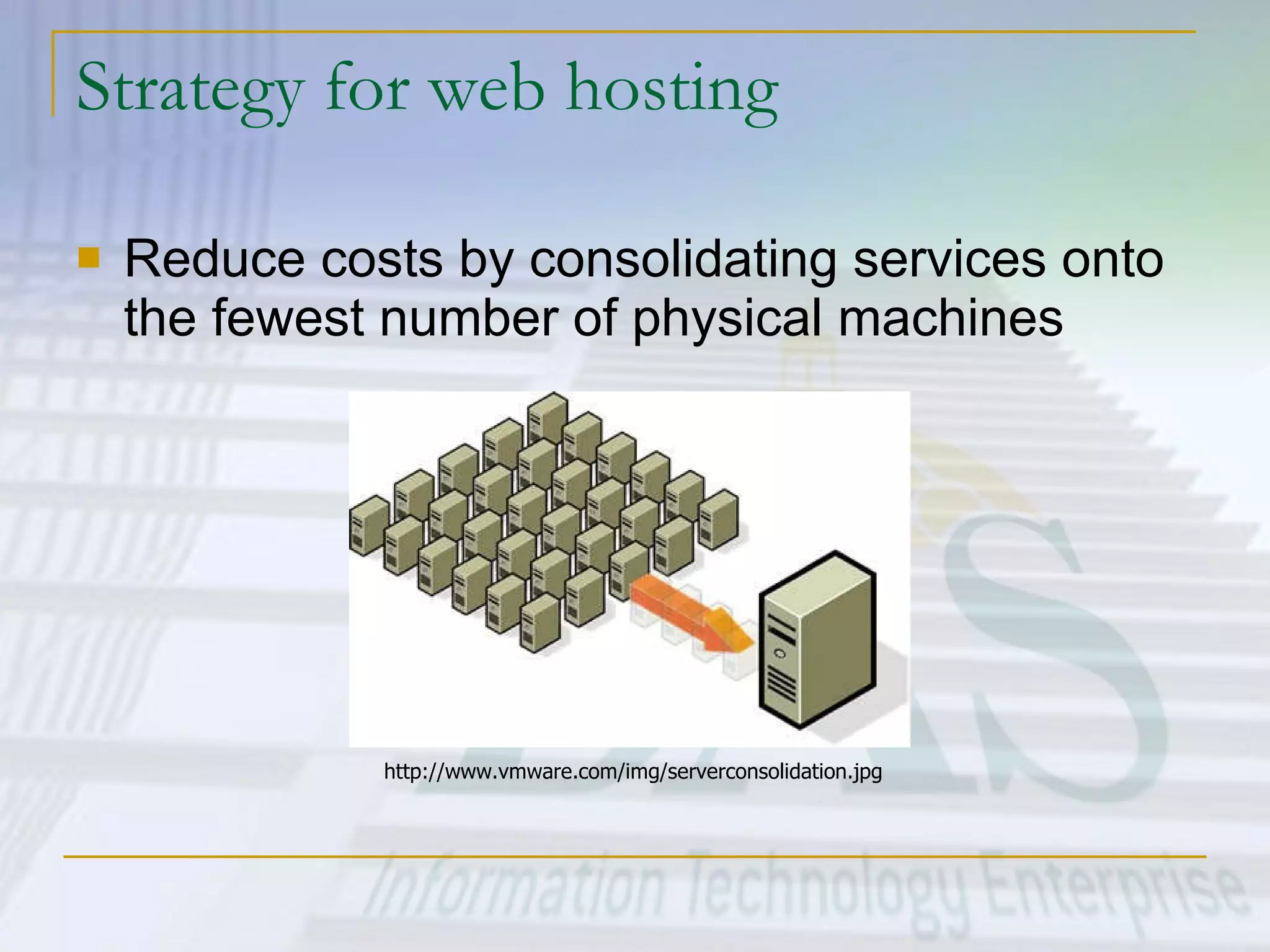
Strategy for web hosting Reduce costs by consolidating services onto the fewest number of physical machines http://www.vmware.com/img/serverconsolidation.jpg
Tactics Consolidate shared environments (WebSphere, PHP, HTML, ASP) onto fewer boxes configured with one OS each. Still a large number of physical servers to support Investigate options for virtualization to consolidate Windows and Linux hosting offerings onto one or two machines. Investigate options for virtualization to lower costs for “co-location” services for customers.
Virtualization Defined Virtualization is a broad term that refers to the abstraction of resources across many aspects of computing  For our purposes - One physical machine to support multiple virtual machines that run in parallel.
Problem Assessment –  Why Virtualization? Too many servers for too little work Aging hardware reaching end of usable life  High infrastructure requirements Limited flexibility in shared environments
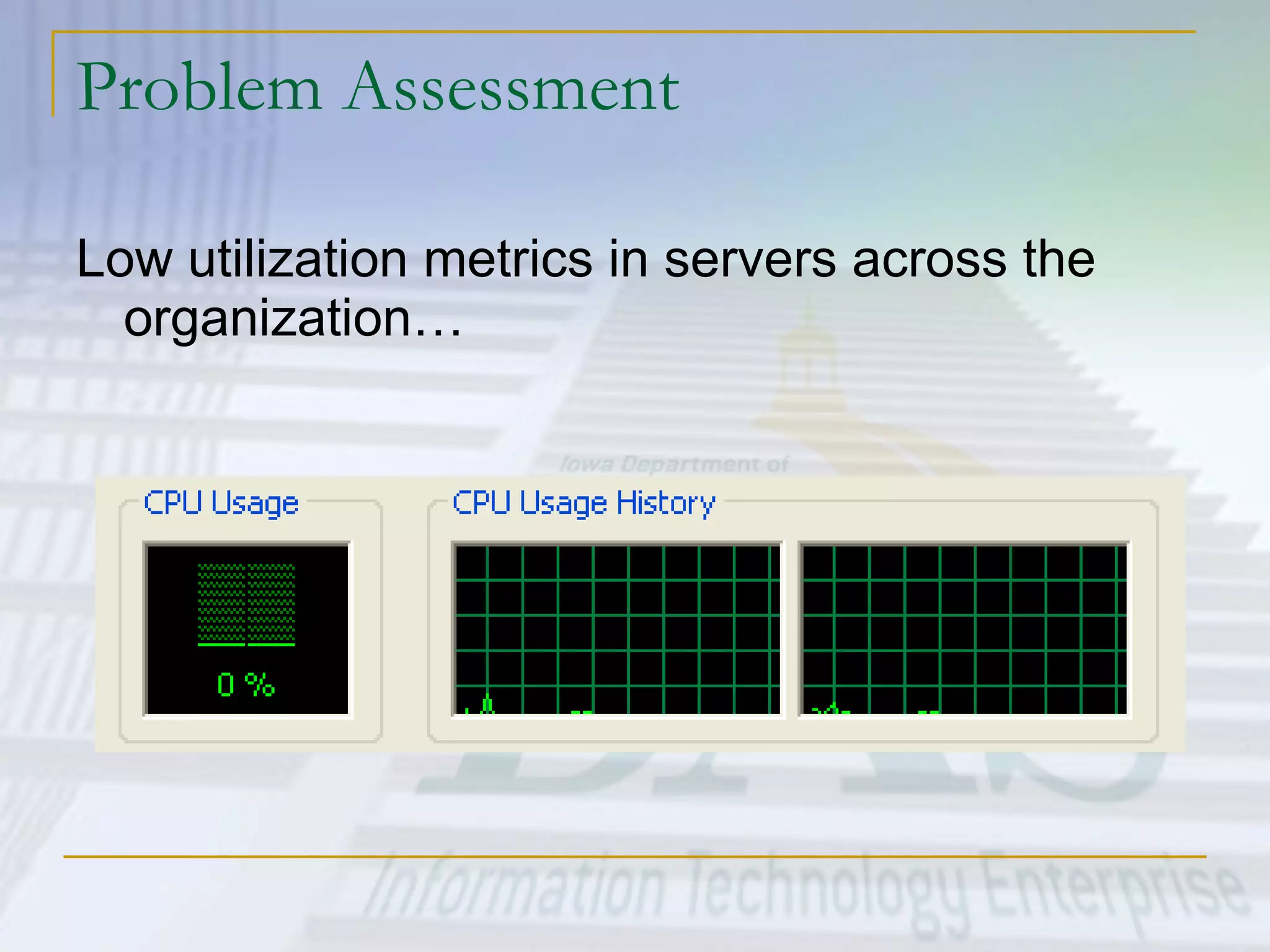
Problem Assessment Low utilization metrics in servers across the organization…
Problem Assessment High costs and infrastructure needs Maintenance Leases Networking Floor space Cooling Power Disaster Recovery
Problem Assessment Heterogeneous Environments
Research into Virtualization at ITE Reduce the number of physical machines Isolate environments but share hardware Make better use of existing capacity Virtualize Network and SAN interfaces to reduce infrastructure needs Ultimately save on maintenance and leases More options available today than ever before…
More Software Options Wide array of virtualization products now available in the marketplace Partnerships with Operating System vendors (i.e. SuSE, RedHat, Sun) yield tighter integration and better performance.
More Hardware Options Larger Intel/AMD machines with more CPU and memory 16, 32, 64-way Intel machines now available with up to 1 TB RAM X86 Hardware Virtualization Intel VT AMD Pacifica
Virtualization Scenarios Hardware Virtualization Software Virtualization Full Virtualization Para-Virtualization
Core Technology The Hypervisor A computing layer which allows multiple operating systems to run on a host computer at the same time.  Originally developed in the 1970s as part of the IBM S/360 Many modern day variants from different developers
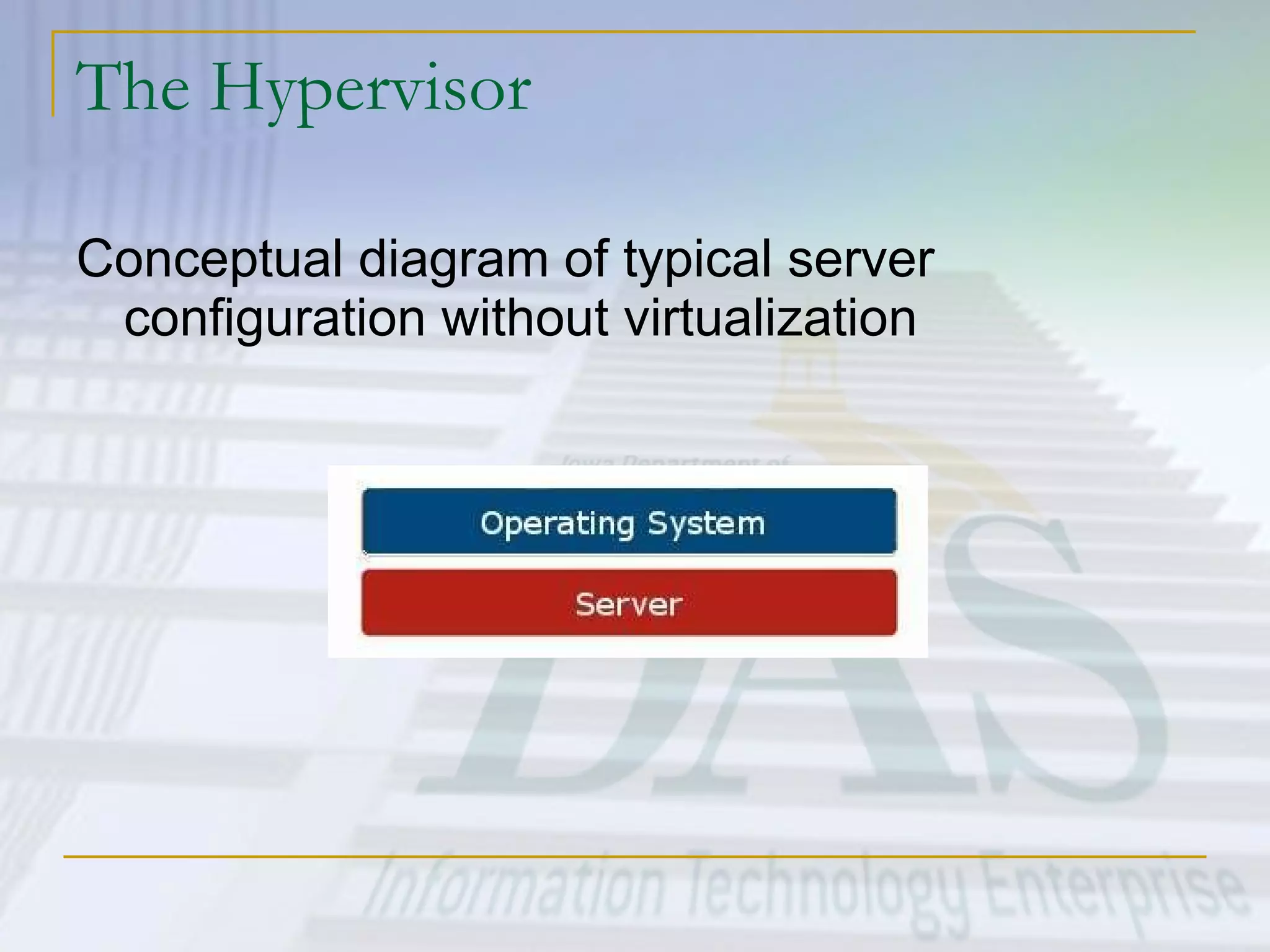
The Hypervisor Conceptual diagram of typical server configuration without virtualization
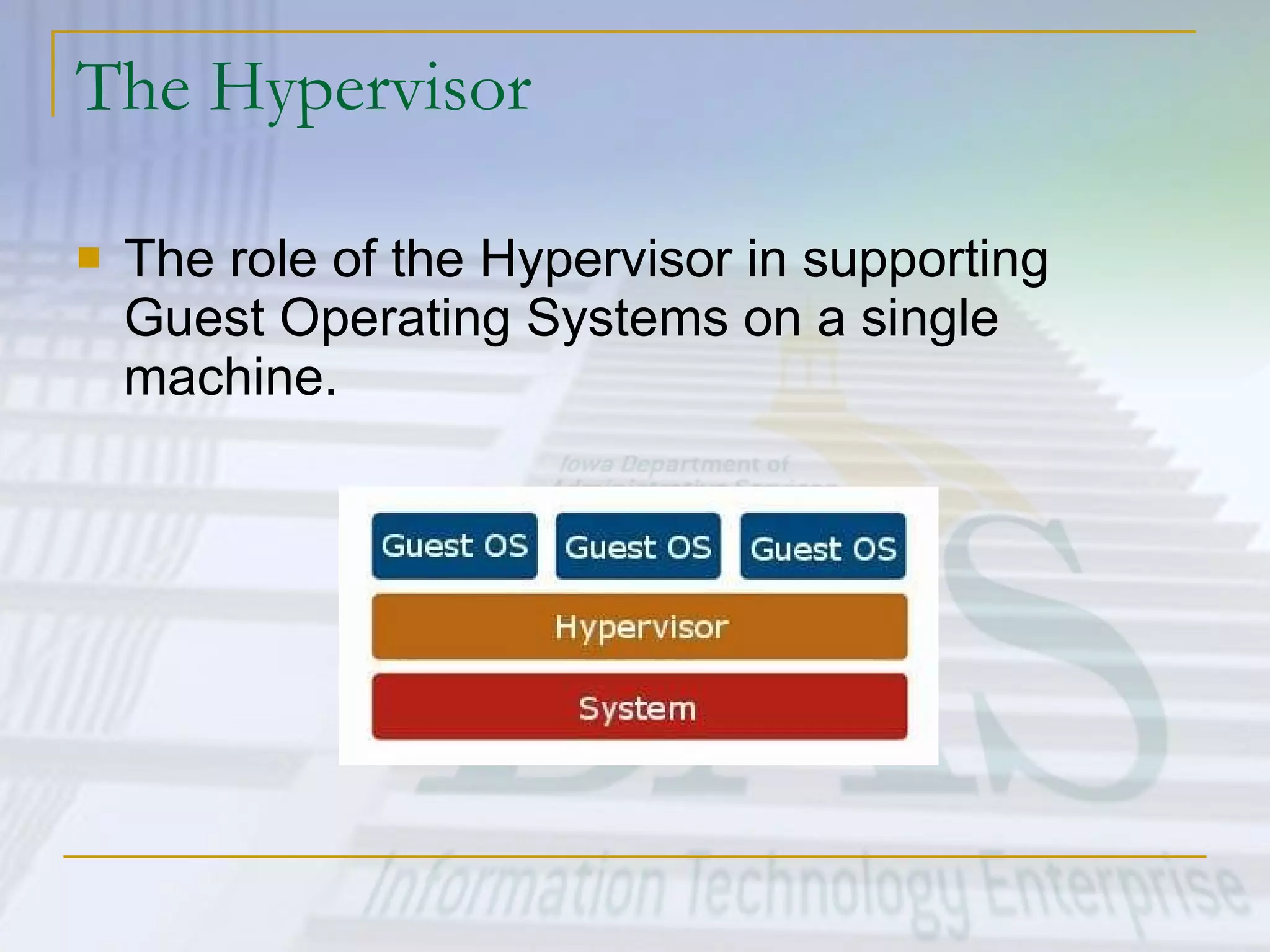
The Hypervisor The role of the Hypervisor in supporting Guest Operating Systems on a single machine.
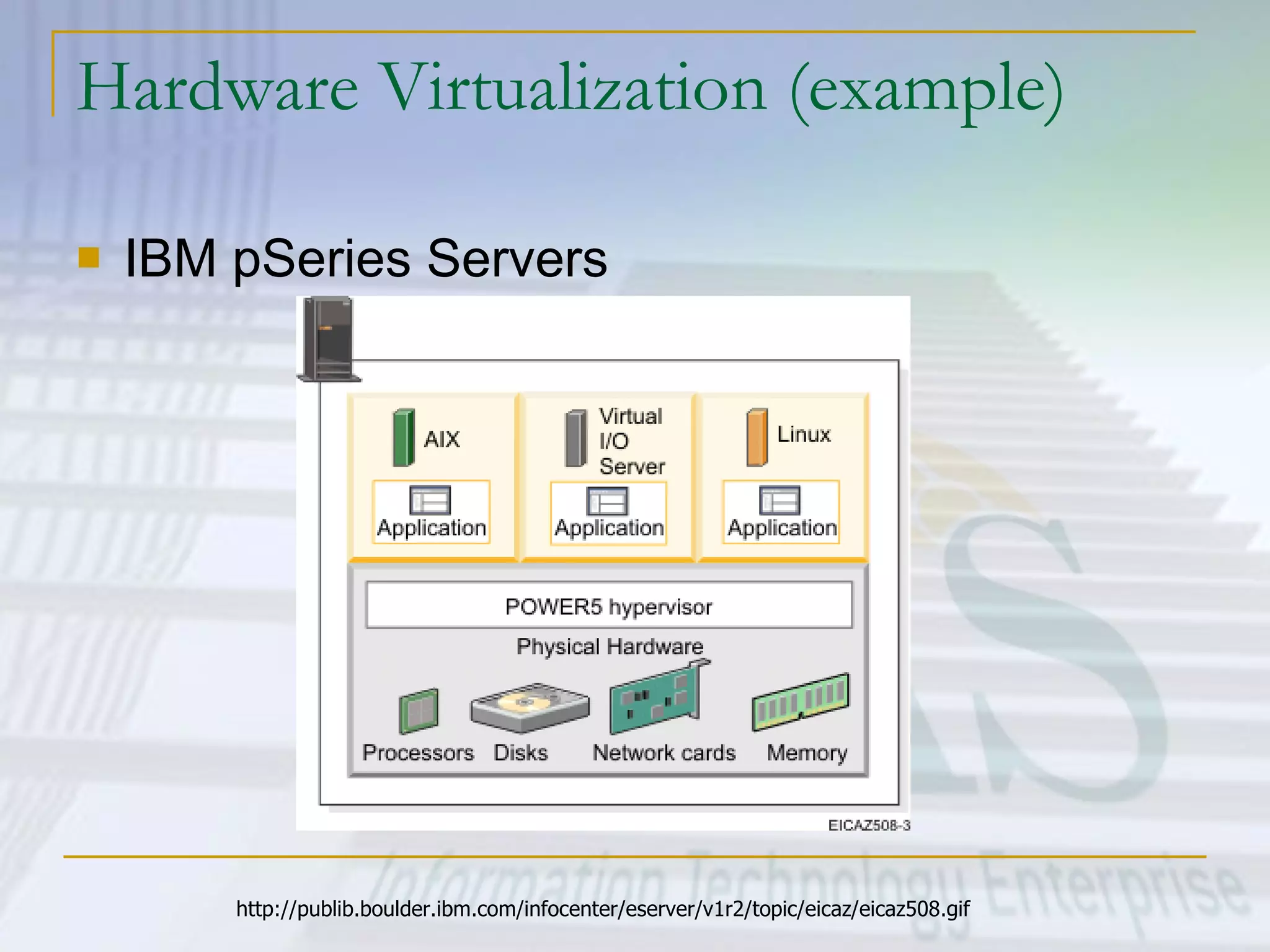
Hardware Virtualization (example) IBM pSeries Servers http://publib.boulder.ibm.com/infocenter/eserver/v1r2/topic/eicaz/eicaz508.gif
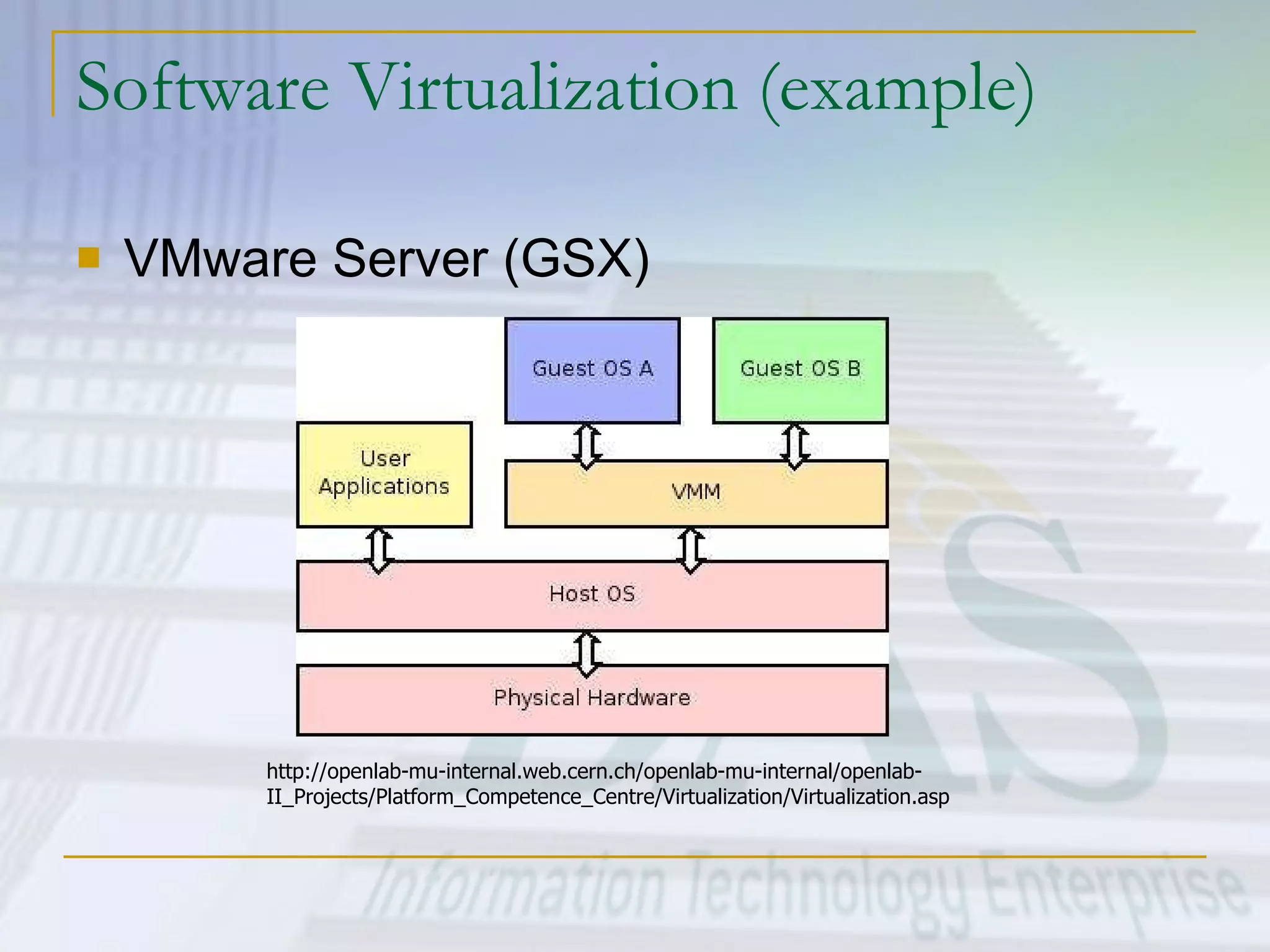
Software Virtualization (example) VMware Server (GSX) http://openlab-mu-internal.web.cern.ch/openlab-mu-internal/openlab-II_Projects/Platform_Competence_Centre/Virtualization/Virtualization.asp
Marketplace Offerings Freely Available OpenVZ (Open Source) VMWare Server (GSX) Xen 3.0 (Open Source) Commercial Virtuozzo VMWare ESX Xen Enterprise Microsoft Virtual Server Virtual Iron
OpenVZ Maintained by SWsoft, Inc  (http://www.swsoft.com/) Branch from their commercial Virtuozzo product Supports 64-Bit Guest Operating Systems Linux only, Open Source Product $ - Free http://openvz.org/
VMWare Server (formerly GSX) Maintained by VMWare  ( http://www.vmware.com/ ) Est. 1999 - More mature than many competitors Supports 64-Bit Guest Operating Systems Some limitations for clustering and HA imposed by vendor Windows and Linux Host/Guest OS Support $ - Free http://www.vmware.com/products/gsx/ http:// www.vmware.com/products/server_comp.html
Xen 3.0 Available from Xen Source  ( http:// www.xensource.com ) In association with University of Cambridge  ( http:// www.cl.cam.ac.uk/Research/SRG/netos/xen / ) Support for 64-Bit and 32-way machines Supports IntelVT Linux support only, Windows expected later this year Open Source Product – One of the most actively maintained projects in the open source community $ - Free
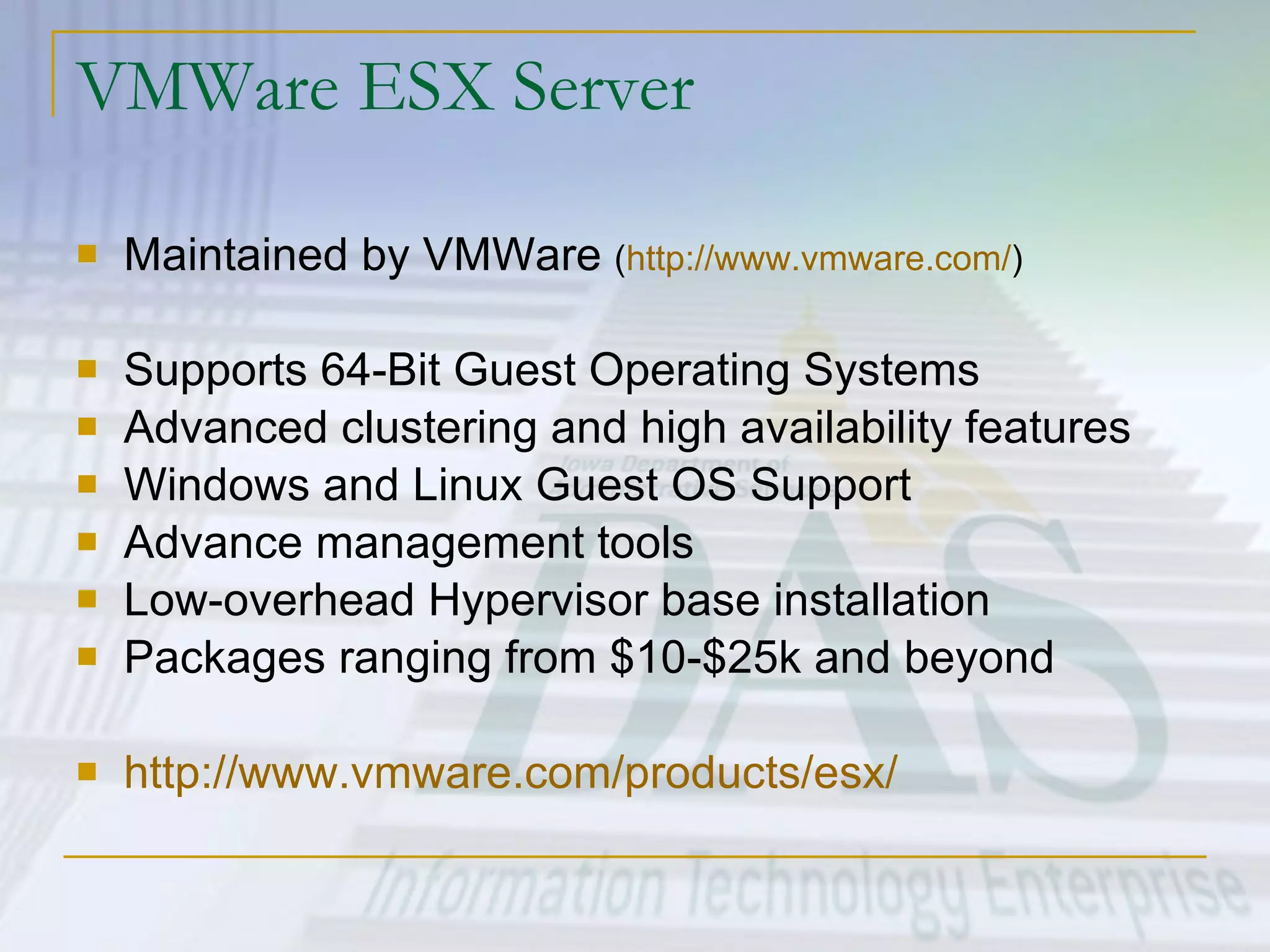
VMWare ESX Server Maintained by VMWare  ( http://www.vmware.com/ ) Supports 64-Bit Guest Operating Systems Advanced clustering and high availability features Windows and Linux Guest OS Support Advance management tools Low-overhead Hypervisor base installation Packages ranging from $10-$25k and beyond http:// www.vmware.com/products/esx /
Virtual Server Enterprise Edition By Microsoft Support for 64-bit and 32-way machines Linux and Windows support for Guest OS’s $ - Licensing varies.  One listing found for $594.29 - $1,069.58 ,  not including extra Windows licenses for Guest OS’s
Next Steps at ITE Complete testing and functionality assessments Finalize architecture plans Proceed with recommendations for implementation
ITE Web Services Test Plan Installation and configuration OpenVZ VMWare Xen To date, we have installations running OpenVZ and Xen for testing purposes
ITE Web Services Test Plan Ability to start/stop partitions Ability to copy and replicate partitions Assess functionality of required software installations (Apache, JBoss, PHP, etc). Performance testing – hdparm, Apache JMeter, etc
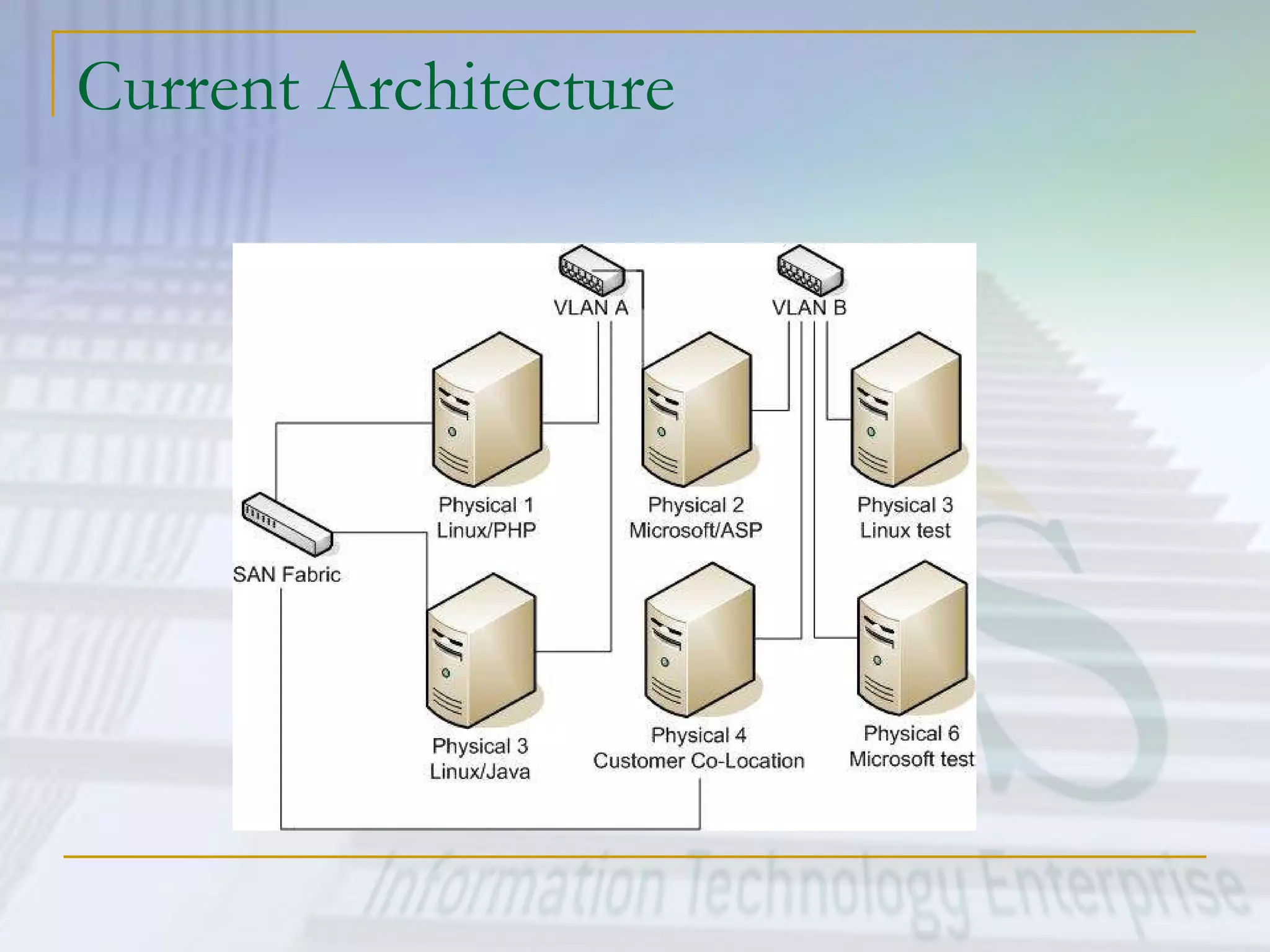
Current Architecture
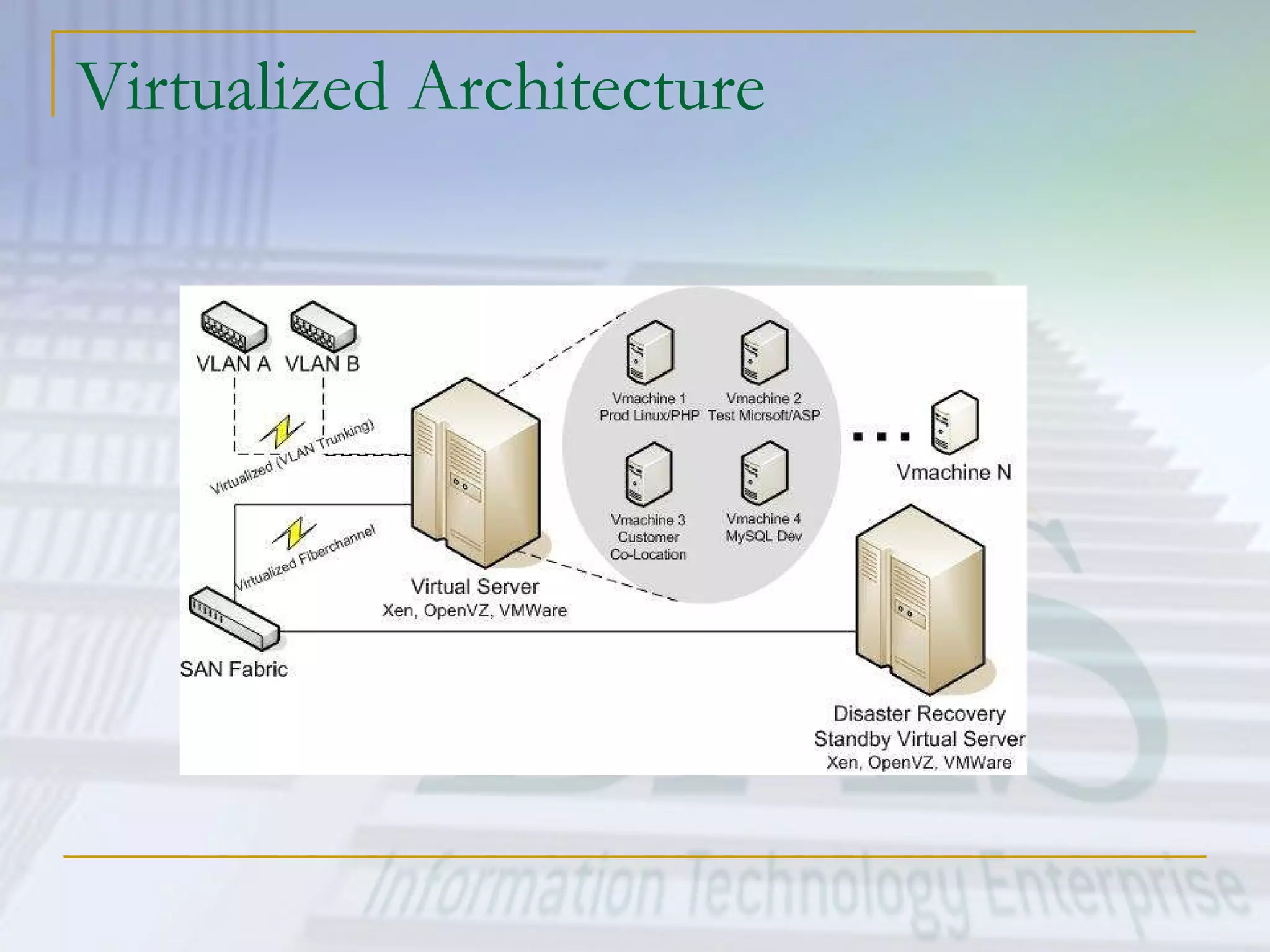
Virtualized Architecture
Issues and concerns Supportability of Microsoft Server products running as Guest Operating Systems on a non-certified virtualization engine. Managing load on virtualized systems can be more art than science.
Virtualization Assessment Matt Behrens Information Technology Enterprise Department of Administrative Services State of Iowa [email_address] (515)281-5481

Virtualization

  • 1.
    Virtualization Assessment MattBehrens Information Technology Enterprise Department of Administrative Services State of Iowa [email_address] (515)281-5481
  • 2.
    Strategy for webhosting Reduce costs by consolidating services onto the fewest number of physical machines http://www.vmware.com/img/serverconsolidation.jpg
  • 3.
    Tactics Consolidate sharedenvironments (WebSphere, PHP, HTML, ASP) onto fewer boxes configured with one OS each. Still a large number of physical servers to support Investigate options for virtualization to consolidate Windows and Linux hosting offerings onto one or two machines. Investigate options for virtualization to lower costs for “co-location” services for customers.
  • 4.
    Virtualization Defined Virtualizationis a broad term that refers to the abstraction of resources across many aspects of computing For our purposes - One physical machine to support multiple virtual machines that run in parallel.
  • 5.
    Problem Assessment – Why Virtualization? Too many servers for too little work Aging hardware reaching end of usable life High infrastructure requirements Limited flexibility in shared environments
  • 6.
    Problem Assessment Lowutilization metrics in servers across the organization…
  • 7.
    Problem Assessment Highcosts and infrastructure needs Maintenance Leases Networking Floor space Cooling Power Disaster Recovery
  • 8.
  • 9.
    Research into Virtualizationat ITE Reduce the number of physical machines Isolate environments but share hardware Make better use of existing capacity Virtualize Network and SAN interfaces to reduce infrastructure needs Ultimately save on maintenance and leases More options available today than ever before…
  • 10.
    More Software OptionsWide array of virtualization products now available in the marketplace Partnerships with Operating System vendors (i.e. SuSE, RedHat, Sun) yield tighter integration and better performance.
  • 11.
    More Hardware OptionsLarger Intel/AMD machines with more CPU and memory 16, 32, 64-way Intel machines now available with up to 1 TB RAM X86 Hardware Virtualization Intel VT AMD Pacifica
  • 12.
    Virtualization Scenarios HardwareVirtualization Software Virtualization Full Virtualization Para-Virtualization
  • 13.
    Core Technology TheHypervisor A computing layer which allows multiple operating systems to run on a host computer at the same time. Originally developed in the 1970s as part of the IBM S/360 Many modern day variants from different developers
  • 14.
    The Hypervisor Conceptualdiagram of typical server configuration without virtualization
  • 15.
    The Hypervisor Therole of the Hypervisor in supporting Guest Operating Systems on a single machine.
  • 16.
    Hardware Virtualization (example)IBM pSeries Servers http://publib.boulder.ibm.com/infocenter/eserver/v1r2/topic/eicaz/eicaz508.gif
  • 17.
    Software Virtualization (example)VMware Server (GSX) http://openlab-mu-internal.web.cern.ch/openlab-mu-internal/openlab-II_Projects/Platform_Competence_Centre/Virtualization/Virtualization.asp
  • 18.
    Marketplace Offerings FreelyAvailable OpenVZ (Open Source) VMWare Server (GSX) Xen 3.0 (Open Source) Commercial Virtuozzo VMWare ESX Xen Enterprise Microsoft Virtual Server Virtual Iron
  • 19.
    OpenVZ Maintained bySWsoft, Inc (http://www.swsoft.com/) Branch from their commercial Virtuozzo product Supports 64-Bit Guest Operating Systems Linux only, Open Source Product $ - Free http://openvz.org/
  • 20.
    VMWare Server (formerlyGSX) Maintained by VMWare ( http://www.vmware.com/ ) Est. 1999 - More mature than many competitors Supports 64-Bit Guest Operating Systems Some limitations for clustering and HA imposed by vendor Windows and Linux Host/Guest OS Support $ - Free http://www.vmware.com/products/gsx/ http:// www.vmware.com/products/server_comp.html
  • 21.
    Xen 3.0 Availablefrom Xen Source ( http:// www.xensource.com ) In association with University of Cambridge ( http:// www.cl.cam.ac.uk/Research/SRG/netos/xen / ) Support for 64-Bit and 32-way machines Supports IntelVT Linux support only, Windows expected later this year Open Source Product – One of the most actively maintained projects in the open source community $ - Free
  • 22.
    VMWare ESX ServerMaintained by VMWare ( http://www.vmware.com/ ) Supports 64-Bit Guest Operating Systems Advanced clustering and high availability features Windows and Linux Guest OS Support Advance management tools Low-overhead Hypervisor base installation Packages ranging from $10-$25k and beyond http:// www.vmware.com/products/esx /
  • 23.
    Virtual Server EnterpriseEdition By Microsoft Support for 64-bit and 32-way machines Linux and Windows support for Guest OS’s $ - Licensing varies. One listing found for $594.29 - $1,069.58 , not including extra Windows licenses for Guest OS’s
  • 24.
    Next Steps atITE Complete testing and functionality assessments Finalize architecture plans Proceed with recommendations for implementation
  • 25.
    ITE Web ServicesTest Plan Installation and configuration OpenVZ VMWare Xen To date, we have installations running OpenVZ and Xen for testing purposes
  • 26.
    ITE Web ServicesTest Plan Ability to start/stop partitions Ability to copy and replicate partitions Assess functionality of required software installations (Apache, JBoss, PHP, etc). Performance testing – hdparm, Apache JMeter, etc
  • 27.
  • 28.
  • 29.
    Issues and concernsSupportability of Microsoft Server products running as Guest Operating Systems on a non-certified virtualization engine. Managing load on virtualized systems can be more art than science.
  • 30.
    Virtualization Assessment MattBehrens Information Technology Enterprise Department of Administrative Services State of Iowa [email_address] (515)281-5481