SUBMITTED BY:
SUMANT GARG

2909012

CSE 1 (A1)
RH253 arms students with
                                                                      in-depth knowledge needed
                                                                      to configure common Red
                                                                      Hat     Enterprise      Linux
                                   RH133 focuses on skills in         network services. Network
                                   systems administration on Red
                                   Hat Linux, to a level where you    and local security tasks are
                                   can attach and configure a         also topics of this course
The first course for both RHCT
                                   workstation on an existing
and RHCE certification tracks,     network. This course provides
RH033 is for who have never        intensive hands-on training on
used Linux or UNIX, and who        Red Hat Enterprise Linux, and it
have no prior command line         prepare      for   the    RHCT
experience     in   any    other   Certification .
operating system. You are
taught the basics of a Red Hat
Enterprise Linux environment,
and it prepares you for your
future role as a system
administrator.
Linux Distribution

Project

RPM

YUM

DHCP

NFS

SAMBA

FTP

APACHE (HTTP)
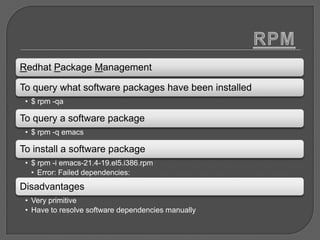
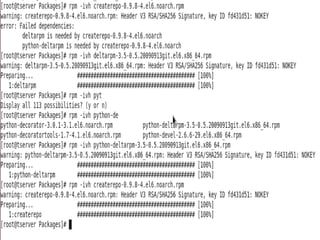
Redhat Package Management

To query what software packages have been installed
 • $ rpm -qa

To query a software package
 • $ rpm -q emacs

To install a software package
 • $ rpm -i emacs-21.4-19.el5.i386.rpm
   • Error: Failed dependencies:
Disadvantages
 • Very primitive
 • Have to resolve software dependencies manually
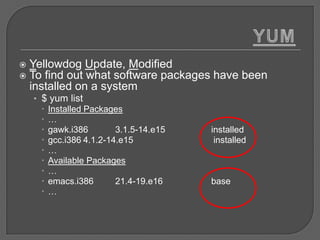
   Yellowdog Update, Modified
   To find out what software packages have been
    installed on a system
    • $ yum list
       Installed Packages
      …
       gawk.i386        3.1.5-14.e15   installed
       gcc.i386 4.1.2-14.e15            installed
      …
       Available Packages
      …
       emacs.i386       21.4-19.e16    base
      …
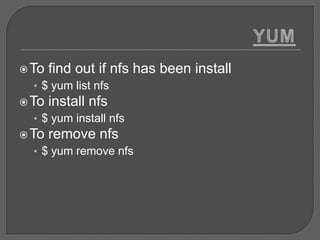
 To   find out if nfs has been install
  • $ yum list nfs
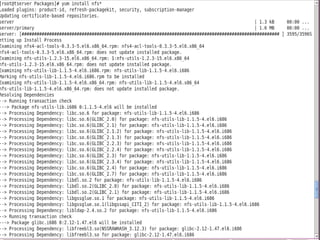
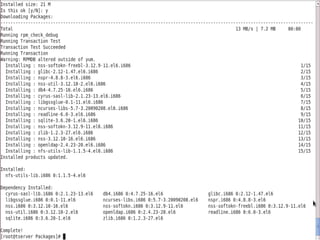
 To   install nfs
  • $ yum install nfs
 To   remove nfs
  • $ yum remove nfs
Class-full addressing
• Class A(1-127)
• Class B(128-191)      Class-less addressing
• Class C(192-223)
                        • CIDR(Classless Inter-Domain
• Class D(224-239)        Routing)
• Class E(240-255)      • FLSM(Fixed Length Subnet Masking)
                        • VLSM(Variable Length Subnet
                          Masking)
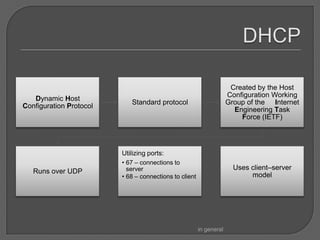
Created by the Host
                                                                     Configuration Working
   Dynamic Host
                            Standard protocol                        Group of the Internet
Configuration Protocol
                                                                       Engineering Task
                                                                         Force (IETF)


                         Utilizing ports:
                         • 67 – connections to
                           server                                      Uses client–server
   Runs over UDP
                         • 68 – connections to client                       model


                                                        in general
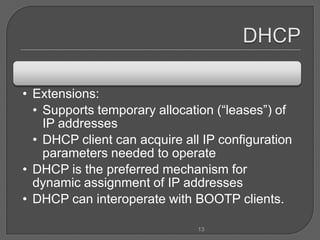
• Extensions:
  • Supports temporary allocation (“leases”) of
    IP addresses
  • DHCP client can acquire all IP configuration
    parameters needed to operate
• DHCP is the preferred mechanism for
  dynamic assignment of IP addresses
• DHCP can interoperate with BOOTP clients.

                               13
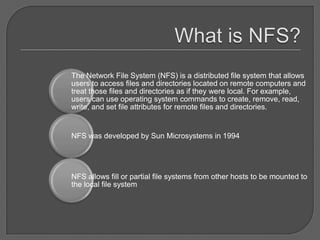
The Network File System (NFS) is a distributed file system that allows
users to access files and directories located on remote computers and
treat those files and directories as if they were local. For example,
users can use operating system commands to create, remove, read,
write, and set file attributes for remote files and directories.


NFS was developed by Sun Microsystems in 1994


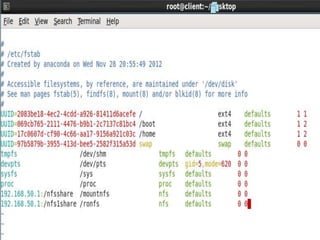
NFS allows fill or partial file systems from other hosts to be mounted to
the local file system
NFS makes files on a remote host appear as part of the local
host’s file system

NFS allows you to centralize administration of disks instead of
duplicating directories on every system

Only the servers need to be backed up if clients do not store
data locally

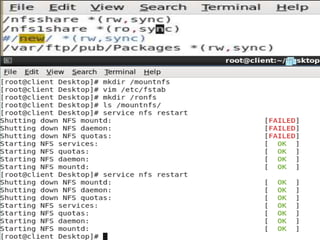
Resources that need to be shared must be exported by the
server

Any file system or subset may be exported
Limited security


  Clients and servers trust each other
  unconditionally

Host names can be spoofed (a machine
claiming to be another)
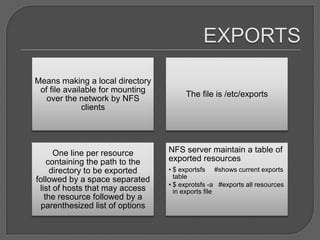
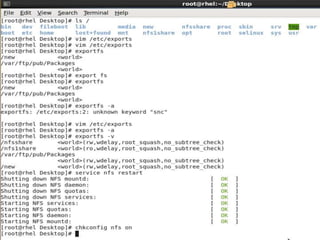
Means making a local directory
 of file available for mounting
                                       The file is /etc/exports
   over the network by NFS
              clients


      One line per resource       NFS server maintain a table of
    containing the path to the    exported resources
     directory to be exported     • $ exportsfs #shows current exports
followed by a space separated       table
                                  • $ exprotsfs -a #exports all resources
 list of hosts that may access      in exports file
   the resource followed by a
  parenthesized list of options
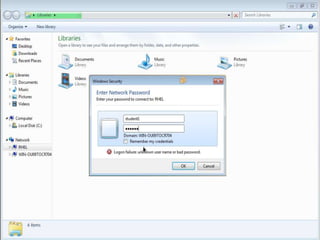
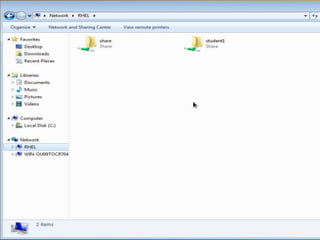
Samba is an Open Source Suite, that provides seamless file and print
services to SMB/CIFS clients.


    Samba is freely available.


     With Samba, you can share a Linux file system with Windows and
     vice versa.

    You can also share printers connected to either Linux or a system
    with Windows.

Samba enables a Linux or Unix server to function as a file server for
client PCs running Windows software.
•What is SMB?
•SMB stands for – Server Message Block.
•It is a protocol by which a lot of PC-related machines share
files and printers and other information such as lists of
available files and printers.
•Operating systems that support this natively include
Windows NT, OS/2, and Linux.

•What is CIFS?
•CIFS – Common Internet File System is a protocol that is
basically an updated SMB.
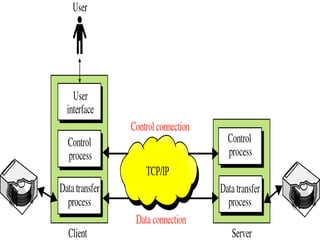
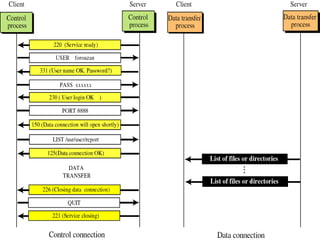
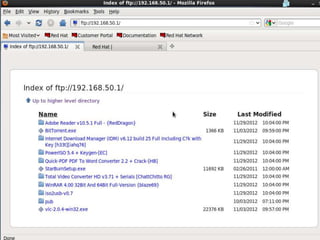
The File Transfer Protocol (FTP) is used as one of the most
     common file server, which used to download/upload files
from/to web server over the Internet. Most web based download
    sites use the built in FTP capabilities of web browsers and
    therefore most server oriented operating systems usually
 include an FTP server application as part of the software suite.
                        Linux is no exception.


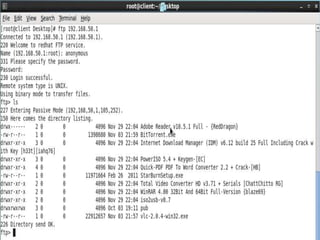
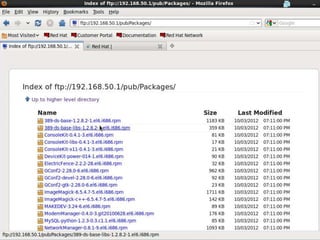
This will show you how to make your Linux server into an FTP
server using the default Very Secure FTP Daemon (VSFTPD)
                 package included in RHEL 6.
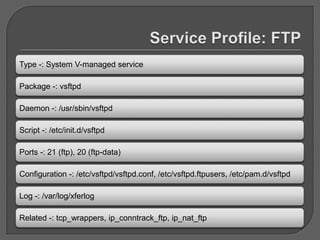
Type -: System V-managed service

Package -: vsftpd

Daemon -: /usr/sbin/vsftpd

Script -: /etc/init.d/vsftpd

Ports -: 21 (ftp), 20 (ftp-data)

Configuration -: /etc/vsftpd/vsftpd.conf, /etc/vsftpd.ftpusers, /etc/pam.d/vsftpd

Log -: /var/log/xferlog

Related -: tcp_wrappers, ip_conntrack_ftp, ip_nat_ftp
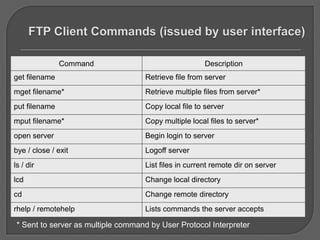
Command                                 Description
get filename                        Retrieve file from server
mget filename*                      Retrieve multiple files from server*
put filename                        Copy local file to server
mput filename*                      Copy multiple local files to server*
open server                         Begin login to server
bye / close / exit                  Logoff server
ls / dir                            List files in current remote dir on server
lcd                                 Change local directory
cd                                  Change remote directory
rhelp / remotehelp                  Lists commands the server accepts

 * Sent to server as multiple command by User Protocol Interpreter
1. Limit network traffic and increase network performance.
2. Provide traffic flow control.
3. Provide a basic level of security for network access.
4. Decide which types of traffic are forwarded or blocked at      the
router interfaces. For example: Permit e-mail traffic to be routed, but
block all telnet traffic.
5. Allow an administrator to control what areas a client can access on
a network.
6. If ACLs are not configured on the router, all packets passing through
the router will be allowed onto all parts of the network.
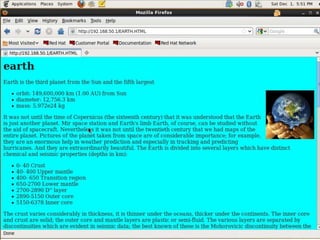
The Apache HTTP Server Project is an effort to
  develop and maintain an open-source HTTP
 server for modern operating systems including
UNIX and Windows NT. The goal of this project
 is to provide a secure, efficient and extensible
server that provides HTTP services in sync with
           the current HTTP standards.

 HTTP (Hypertext Transfer Protocol) server, or
 a web server, is a network service that serves
 content to a client over the web. This typically
means web pages, but any other documents can
               be served as well.
Caching modules, that
is, mod_cache and mod_disk_cache.

Support for proxy load balancing, that is,
the mod_proxy_balancer module.

Support for large files on 32-bit architectures, allowing
the web server to handle files greater than 2GB.

Authentication and authorization support,
RHCE (RED HAT CERTIFIED ENGINEERING)

RHCE (RED HAT CERTIFIED ENGINEERING)

  • 1.
  • 2.
    RH253 arms studentswith in-depth knowledge needed to configure common Red Hat Enterprise Linux RH133 focuses on skills in network services. Network systems administration on Red Hat Linux, to a level where you and local security tasks are can attach and configure a also topics of this course The first course for both RHCT workstation on an existing and RHCE certification tracks, network. This course provides RH033 is for who have never intensive hands-on training on used Linux or UNIX, and who Red Hat Enterprise Linux, and it have no prior command line prepare for the RHCT experience in any other Certification . operating system. You are taught the basics of a Red Hat Enterprise Linux environment, and it prepares you for your future role as a system administrator.
  • 3.
  • 6.
    Redhat Package Management Toquery what software packages have been installed • $ rpm -qa To query a software package • $ rpm -q emacs To install a software package • $ rpm -i emacs-21.4-19.el5.i386.rpm • Error: Failed dependencies: Disadvantages • Very primitive • Have to resolve software dependencies manually
  • 8.
    Yellowdog Update, Modified  To find out what software packages have been installed on a system • $ yum list  Installed Packages …  gawk.i386 3.1.5-14.e15 installed  gcc.i386 4.1.2-14.e15 installed …  Available Packages …  emacs.i386 21.4-19.e16 base …
  • 9.
     To find out if nfs has been install • $ yum list nfs  To install nfs • $ yum install nfs  To remove nfs • $ yum remove nfs
  • 10.
    Class-full addressing • ClassA(1-127) • Class B(128-191) Class-less addressing • Class C(192-223) • CIDR(Classless Inter-Domain • Class D(224-239) Routing) • Class E(240-255) • FLSM(Fixed Length Subnet Masking) • VLSM(Variable Length Subnet Masking)
  • 12.
    Created by theHost Configuration Working Dynamic Host Standard protocol Group of the Internet Configuration Protocol Engineering Task Force (IETF) Utilizing ports: • 67 – connections to server Uses client–server Runs over UDP • 68 – connections to client model in general
  • 13.
    • Extensions: • Supports temporary allocation (“leases”) of IP addresses • DHCP client can acquire all IP configuration parameters needed to operate • DHCP is the preferred mechanism for dynamic assignment of IP addresses • DHCP can interoperate with BOOTP clients. 13
  • 17.
    The Network FileSystem (NFS) is a distributed file system that allows users to access files and directories located on remote computers and treat those files and directories as if they were local. For example, users can use operating system commands to create, remove, read, write, and set file attributes for remote files and directories. NFS was developed by Sun Microsystems in 1994 NFS allows fill or partial file systems from other hosts to be mounted to the local file system
  • 18.
    NFS makes fileson a remote host appear as part of the local host’s file system NFS allows you to centralize administration of disks instead of duplicating directories on every system Only the servers need to be backed up if clients do not store data locally Resources that need to be shared must be exported by the server Any file system or subset may be exported
  • 19.
    Limited security Clients and servers trust each other unconditionally Host names can be spoofed (a machine claiming to be another)
  • 20.
    Means making alocal directory of file available for mounting The file is /etc/exports over the network by NFS clients One line per resource NFS server maintain a table of containing the path to the exported resources directory to be exported • $ exportsfs #shows current exports followed by a space separated table • $ exprotsfs -a #exports all resources list of hosts that may access in exports file the resource followed by a parenthesized list of options
  • 24.
    Samba is anOpen Source Suite, that provides seamless file and print services to SMB/CIFS clients. Samba is freely available. With Samba, you can share a Linux file system with Windows and vice versa. You can also share printers connected to either Linux or a system with Windows. Samba enables a Linux or Unix server to function as a file server for client PCs running Windows software.
  • 25.
    •What is SMB? •SMBstands for – Server Message Block. •It is a protocol by which a lot of PC-related machines share files and printers and other information such as lists of available files and printers. •Operating systems that support this natively include Windows NT, OS/2, and Linux. •What is CIFS? •CIFS – Common Internet File System is a protocol that is basically an updated SMB.
  • 30.
    The File TransferProtocol (FTP) is used as one of the most common file server, which used to download/upload files from/to web server over the Internet. Most web based download sites use the built in FTP capabilities of web browsers and therefore most server oriented operating systems usually include an FTP server application as part of the software suite. Linux is no exception. This will show you how to make your Linux server into an FTP server using the default Very Secure FTP Daemon (VSFTPD) package included in RHEL 6.
  • 31.
    Type -: SystemV-managed service Package -: vsftpd Daemon -: /usr/sbin/vsftpd Script -: /etc/init.d/vsftpd Ports -: 21 (ftp), 20 (ftp-data) Configuration -: /etc/vsftpd/vsftpd.conf, /etc/vsftpd.ftpusers, /etc/pam.d/vsftpd Log -: /var/log/xferlog Related -: tcp_wrappers, ip_conntrack_ftp, ip_nat_ftp
  • 33.
    Command Description get filename Retrieve file from server mget filename* Retrieve multiple files from server* put filename Copy local file to server mput filename* Copy multiple local files to server* open server Begin login to server bye / close / exit Logoff server ls / dir List files in current remote dir on server lcd Change local directory cd Change remote directory rhelp / remotehelp Lists commands the server accepts * Sent to server as multiple command by User Protocol Interpreter
  • 35.
    1. Limit networktraffic and increase network performance. 2. Provide traffic flow control. 3. Provide a basic level of security for network access. 4. Decide which types of traffic are forwarded or blocked at the router interfaces. For example: Permit e-mail traffic to be routed, but block all telnet traffic. 5. Allow an administrator to control what areas a client can access on a network. 6. If ACLs are not configured on the router, all packets passing through the router will be allowed onto all parts of the network.
  • 38.
    The Apache HTTPServer Project is an effort to develop and maintain an open-source HTTP server for modern operating systems including UNIX and Windows NT. The goal of this project is to provide a secure, efficient and extensible server that provides HTTP services in sync with the current HTTP standards. HTTP (Hypertext Transfer Protocol) server, or a web server, is a network service that serves content to a client over the web. This typically means web pages, but any other documents can be served as well.
  • 39.
    Caching modules, that is,mod_cache and mod_disk_cache. Support for proxy load balancing, that is, the mod_proxy_balancer module. Support for large files on 32-bit architectures, allowing the web server to handle files greater than 2GB. Authentication and authorization support,