FUSE:
Being where you aren't, seeing what I can't.
Steven Lembark
Workhorse Computing
lembark@wrkhors.com
In the beginning was System7
And it was good... enough.
One big innovation: mount points.
No device names, just "absolute paths"
One "filesystem" to rule them all.
I nodes, you nodes, we all need...
Another innovation: "node" vs "link".
Directory is a flat file of inodes + names.
"Inode" has ownership, mods, allocation.
Allows for symlinks.
Directory as indirection.
One aside...
Directory as indirection.
DirectoriesDirectories
areare
notnot
FoldersFolders
Directory as indirection.
Mount-point requires kernel support.
Indirection across physical devices.
Hey, what about remote devices?
NFS extended "inode" to "vnode".
"V" as in "Virtual".
"vnode" abstracts device
Replace single "filesystem".
More OO-ish: vnode has "handler".
Allows for multiple filesystem types.
Semantics for handling type are in the
handler.
One thing didn't change
Q: What do: LVM, NFS, XFS, BTRFS,
F2FS, ext2, ext3, ext4, proc, sysfs, tmpfs
have in common?
One thing didn't change
Q: What do: LVM, NFS, XFS, BTRFS, F2FS,
ext2, ext3, ext4, proc, sysfs, tmpfs have in
common?
A: /etc/fstab
The only way to get there from here.
/etc/fstab makes mounts SU-only
Only SU can "mount" or "umount".
"users" allows mounting by non-SU UID's.
Only at locations defined by /etc/fstab.
Defined by SU.
Getting personal
Some filesystems are personal:
Only make sense to one UID at a time.
Possibly only one process.
Examples:
Encryption.
Access via ssh.
Breaking the tyranny: FUSE
"fusermount" allows non-SU mounts.
May be private to process or UID mounting.
May be invisible to other proc's or UIDS.
A bit of indirection
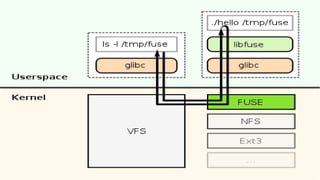
"Normal" mounts go into the kernel.
FUSE mounts come back out again:
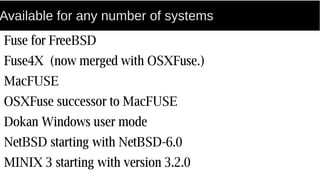
Available for any number of systems
Fuse for FreeBSD
Fuse4X (now merged with OSXFuse.)
MacFUSE
OSXFuse successor to MacFUSE
Dokan Windows user mode
NetBSD starting with NetBSD-6.0
MINIX 3 starting with version 3.2.0
Example: sshfs
Replace NFS with ssh.
Secure.
Less chatty: single mountpoint.
User mounts in their own space.
Example: sshfs
ssh connection is specific to a process.
Or process group.
sshfs not well suited to general mounts.
Mounting sshfs
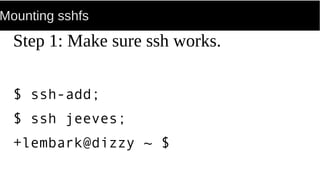
Step 1: Make sure ssh works.
$ ssh-add;
$ ssh jeeves;
+lembark@dizzy ~ $
Executing sshfs mount
One approach: /etc/fstab.
Saves remembering it all.
Fine for a desktop: only one user.
/etc/fstab entry for sshfs
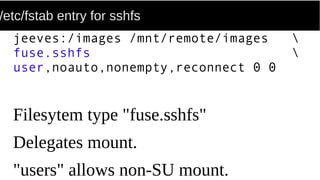
jeeves:/images /mnt/remote/images 
fuse.sshfs 
user,noauto,nonempty,reconnect 0 0
Filesytem type "fuse.sshfs"
Delegates mount.
"users" allows non-SU mount.
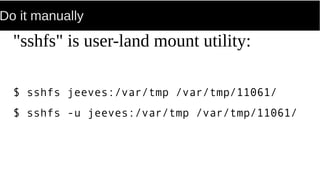
Do it manually
"sshfs" is user-land mount utility:
$ sshfs jeeves:/var/tmp /var/tmp/11061/
$ sshfs -u jeeves:/var/tmp /var/tmp/11061/
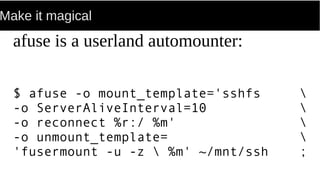
Make it magical
afuse is a userland automounter:
$ afuse -o mount_template='sshfs 
-o ServerAliveInterval=10 
-o reconnect %r:/ %m' 
-o unmount_template= 
'fusermount -u -z  %m' ~/mnt/ssh ;
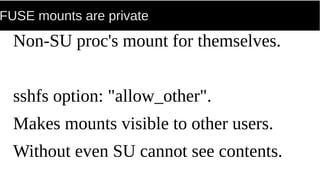
FUSE mounts are private
Non-SU proc's mount for themselves.
sshfs option: "allow_other".
Makes mounts visible to other users.
Without even SU cannot see contents.
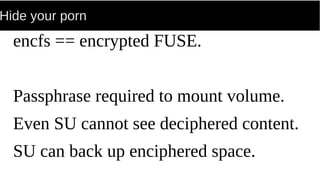
Hide your porn
encfs == encrypted FUSE.
Passphrase required to mount volume.
Even SU cannot see deciphered content.
SU can back up enciphered space.
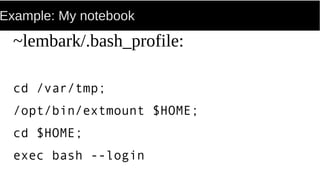
Example: My notebook
~lembark/.bash_profile:
cd /var/tmp;
/opt/bin/extmount $HOME;
cd $HOME;
exec bash --login
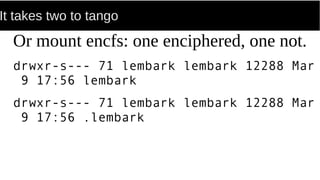
It takes two to tango
Or mount encfs: one enciphered, one not.
drwxr-s--- 71 lembark lembark 12288 Mar
9 17:56 lembark
drwxr-s--- 71 lembark lembark 12288 Mar
9 17:56 .lembark
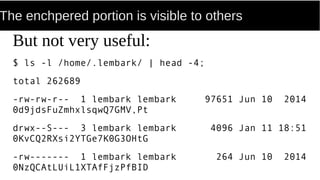
The enchpered portion is visible to others
But not very useful:
$ ls -l /home/.lembark/ | head -4;
total 262689
-rw-rw-r-- 1 lembark lembark 97651 Jun 10 2014
0d9jdsFuZmhxlsqwQ7GMV,Pt
drwx--S--- 3 lembark lembark 4096 Jan 11 18:51
0KvCQ2RXsi2YTGe7K0G3OHtG
-rw------- 1 lembark lembark 264 Jun 10 2014
0NzQCAtLUiL1XTAfFjzPfBID
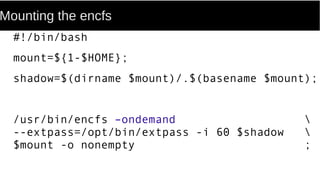
Mounting the encfs
#!/bin/bash
mount=${1-$HOME};
shadow=$(dirname $mount)/.$(basename $mount);
/usr/bin/encfs –ondemand 
--extpass=/opt/bin/extpass -i 60 $shadow 
$mount -o nonempty ;
Getting the password
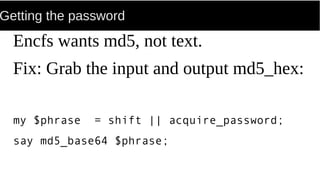
Encfs wants md5, not text.
Fix: Grab the input and output md5_hex:
my $phrase = shift || acquire_password;
say md5_base64 $phrase;
Backing up
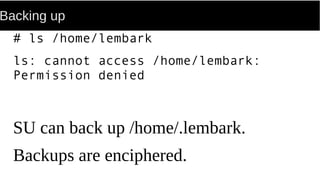
# ls /home/lembark
ls: cannot access /home/lembark:
Permission denied
SU can back up /home/.lembark.
Backups are enciphered.
Example: My notebook
...
Bedside Reading
The Design and Implementation of the
4.3BSD UNIX Operating System
Sam Leffler, Kirk McKusick, Michael
Karels & John Quartermann.
1989, Addison-Wesley. ISBN 0-201-06196-1.
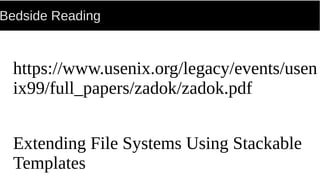
Bedside Reading
https://www.usenix.org/legacy/events/usen
ix99/full_papers/zadok/zadok.pdf
Extending File Systems Using Stackable
Templates
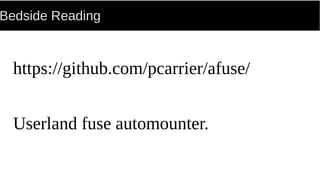
Bedside Reading
https://github.com/pcarrier/afuse/
Userland fuse automounter.
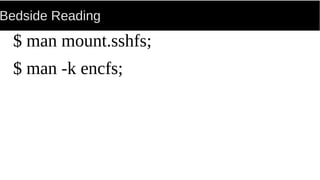
Bedside Reading
$ man mount.sshfs;
$ man -k encfs;

Light my-fuse