© 2000 Prentice Hall, Inc.
All rights reserved.
Chapter 5 - Functions
Outline
5.1 Introduction
5.2 Program Modules in C
5.3 Math Library Functions
5.4 Functions
5.5 Function Definitions
5.6 Function Prototypes
5.7 Header Files
5.8 Calling Functions: Call by Value and Call by Reference
5.9 Random Number Generation
5.10 Example: A Game of Chance
5.11 Storage Classes
5.12 Scope Rules
5.13 Recursion
5.14 Example Using Recursion: The Fibonacci Series
5.15 Recursion vs. Iteration
© 2000 Prentice Hall, Inc.
All rights reserved.
5.1 Introduction
• Divide and conquer
– Construct a program from smaller pieces or components
• These smaller pieces are called modules
– Each piece more manageable than the original program
© 2000 Prentice Hall, Inc.
All rights reserved.
5.2 Program Modules in C
• Functions
– Modules in C
– Programs combine user-defined functions with library functions
• C standard library has a wide variety of functions
• Function calls
– Invoking functions
• Provide function name and arguments (data)
• Function performs operations or manipulations
• Function returns results
– Function call analogy:
• Boss asks worker to complete task
– Worker gets information, does task, returns result
– Information hiding: boss does not know details
© 2000 Prentice Hall, Inc.
All rights reserved.
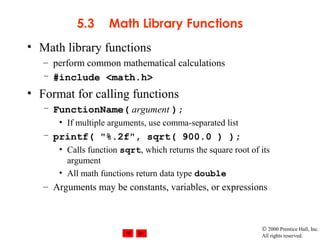
5.3 Math Library Functions
• Math library functions
– perform common mathematical calculations
– #include <math.h>
• Format for calling functions
– FunctionName( argument );
• If multiple arguments, use comma-separated list
– printf( "%.2f", sqrt( 900.0 ) );
• Calls function sqrt, which returns the square root of its
argument
• All math functions return data type double
– Arguments may be constants, variables, or expressions
© 2000 Prentice Hall, Inc.
All rights reserved.
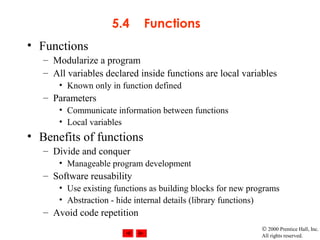
5.4 Functions
• Functions
– Modularize a program
– All variables declared inside functions are local variables
• Known only in function defined
– Parameters
• Communicate information between functions
• Local variables
• Benefits of functions
– Divide and conquer
• Manageable program development
– Software reusability
• Use existing functions as building blocks for new programs
• Abstraction - hide internal details (library functions)
– Avoid code repetition
© 2000 Prentice Hall, Inc.
All rights reserved.
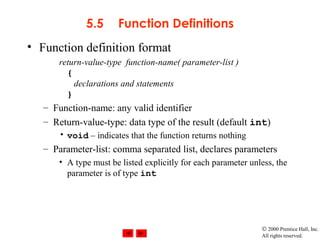
5.5 Function Definitions
• Function definition format
return-value-type function-name( parameter-list )
{
declarations and statements
}
– Function-name: any valid identifier
– Return-value-type: data type of the result (default int)
• void – indicates that the function returns nothing
– Parameter-list: comma separated list, declares parameters
• A type must be listed explicitly for each parameter unless, the
parameter is of type int
© 2000 Prentice Hall, Inc.
All rights reserved.
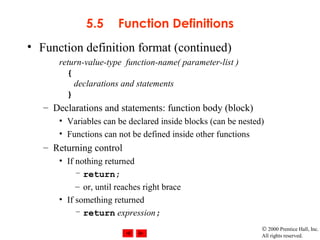
5.5 Function Definitions
• Function definition format (continued)
return-value-type function-name( parameter-list )
{
declarations and statements
}
– Declarations and statements: function body (block)
• Variables can be declared inside blocks (can be nested)
• Functions can not be defined inside other functions
– Returning control
• If nothing returned
– return;
– or, until reaches right brace
• If something returned
– return expression;
© 2000 Prentice Hall, Inc.
All rights reserved.
OutlineOutline
1. Function prototype
(3 parameters)
2. Input values
2.1 Call function
3. Function definition
Program Output
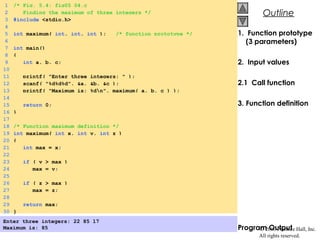
1 /* Fig. 5.4: fig05_04.c
2 Finding the maximum of three integers */
3 #include <stdio.h>
4
5 int maximum( int, int, int ); /* function prototype */
6
7 int main()
8 {
9 int a, b, c;
10
11 printf( "Enter three integers: " );
12 scanf( "%d%d%d", &a, &b, &c );
13 printf( "Maximum is: %dn", maximum( a, b, c ) );
14
15 return 0;
16 }
17
18 /* Function maximum definition */
19 int maximum( int x, int y, int z )
20 {
21 int max = x;
22
23 if ( y > max )
24 max = y;
25
26 if ( z > max )
27 max = z;
28
29 return max;
30 }
Enter three integers: 22 85 17
Maximum is: 85
© 2000 Prentice Hall, Inc.
All rights reserved.
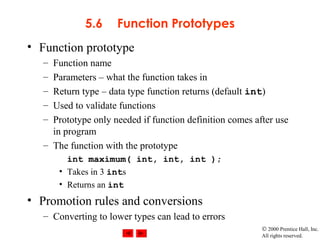
5.6 Function Prototypes
• Function prototype
– Function name
– Parameters – what the function takes in
– Return type – data type function returns (default int)
– Used to validate functions
– Prototype only needed if function definition comes after use
in program
– The function with the prototype
int maximum( int, int, int );
• Takes in 3 ints
• Returns an int
• Promotion rules and conversions
– Converting to lower types can lead to errors
© 2000 Prentice Hall, Inc.
All rights reserved.
5.7 Header Files
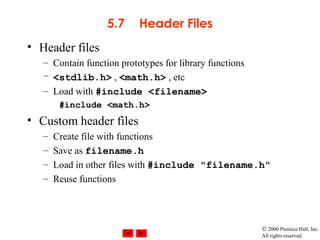
• Header files
– Contain function prototypes for library functions
– <stdlib.h> , <math.h> , etc
– Load with #include <filename>
#include <math.h>
• Custom header files
– Create file with functions
– Save as filename.h
– Load in other files with #include "filename.h"
– Reuse functions
© 2000 Prentice Hall, Inc.
All rights reserved.
5.8 Calling Functions: Call by Value and
Call by Reference
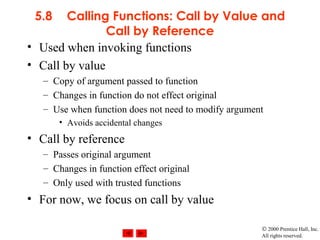
• Used when invoking functions
• Call by value
– Copy of argument passed to function
– Changes in function do not effect original
– Use when function does not need to modify argument
• Avoids accidental changes
• Call by reference
– Passes original argument
– Changes in function effect original
– Only used with trusted functions
• For now, we focus on call by value
© 2000 Prentice Hall, Inc.
All rights reserved.
5.9 Random Number Generation
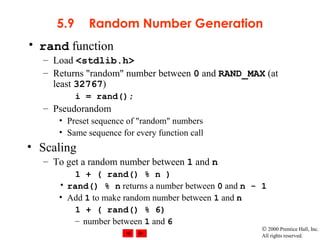
• rand function
– Load <stdlib.h>
– Returns "random" number between 0 and RAND_MAX (at
least 32767)
i = rand();
– Pseudorandom
• Preset sequence of "random" numbers
• Same sequence for every function call
• Scaling
– To get a random number between 1 and n
1 + ( rand() % n )
• rand() % n returns a number between 0 and n - 1
• Add 1 to make random number between 1 and n
1 + ( rand() % 6)
– number between 1 and 6
© 2000 Prentice Hall, Inc.
All rights reserved.
5.9 Random Number Generation
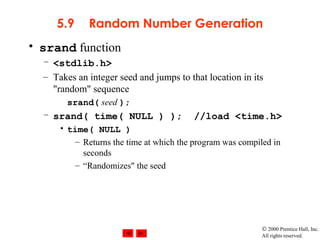
• srand function
– <stdlib.h>
– Takes an integer seed and jumps to that location in its
"random" sequence
srand( seed );
– srand( time( NULL ) ); //load <time.h>
• time( NULL )
– Returns the time at which the program was compiled in
seconds
– “Randomizes" the seed
© 2000 Prentice Hall, Inc.
All rights reserved.
OutlineOutline
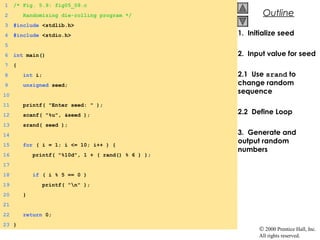
1. Initialize seed
2. Input value for seed
2.1 Use srand to
change random
sequence
2.2 Define Loop
3. Generate and
output random
numbers
1 /* Fig. 5.9: fig05_09.c
2 Randomizing die-rolling program */
3 #include <stdlib.h>
4 #include <stdio.h>
5
6 int main()
7 {
8 int i;
9 unsigned seed;
10
11 printf( "Enter seed: " );
12 scanf( "%u", &seed );
13 srand( seed );
14
15 for ( i = 1; i <= 10; i++ ) {
16 printf( "%10d", 1 + ( rand() % 6 ) );
17
18 if ( i % 5 == 0 )
19 printf( "n" );
20 }
21
22 return 0;
23 }
© 2000 Prentice Hall, Inc.
All rights reserved.
OutlineOutline
Program Output
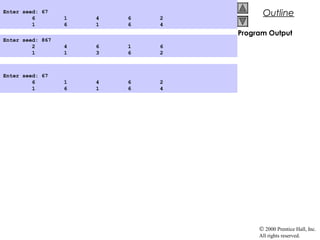
Enter seed: 867
2 4 6 1 6
1 1 3 6 2
Enter seed: 67
6 1 4 6 2
1 6 1 6 4
Enter seed: 67
6 1 4 6 2
1 6 1 6 4
© 2000 Prentice Hall, Inc.
All rights reserved.
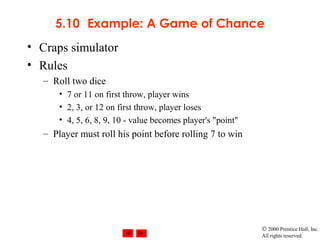
5.10 Example: A Game of Chance
• Craps simulator
• Rules
– Roll two dice
• 7 or 11 on first throw, player wins
• 2, 3, or 12 on first throw, player loses
• 4, 5, 6, 8, 9, 10 - value becomes player's "point"
– Player must roll his point before rolling 7 to win
© 2000 Prentice Hall, Inc.
All rights reserved.
OutlineOutline
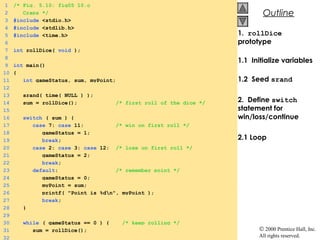
1. rollDice
prototype
1.1 Initialize variables
1.2 Seed srand
2. Define switch
statement for
win/loss/continue
2.1 Loop
1 /* Fig. 5.10: fig05_10.c
2 Craps */
3 #include <stdio.h>
4 #include <stdlib.h>
5 #include <time.h>
6
7 int rollDice( void );
8
9 int main()
10 {
11 int gameStatus, sum, myPoint;
12
13 srand( time( NULL ) );
14 sum = rollDice(); /* first roll of the dice */
15
16 switch ( sum ) {
17 case 7: case 11: /* win on first roll */
18 gameStatus = 1;
19 break;
20 case 2: case 3: case 12: /* lose on first roll */
21 gameStatus = 2;
22 break;
23 default: /* remember point */
24 gameStatus = 0;
25 myPoint = sum;
26 printf( "Point is %dn", myPoint );
27 break;
28 }
29
30 while ( gameStatus == 0 ) { /* keep rolling */
31 sum = rollDice();
32
© 2000 Prentice Hall, Inc.
All rights reserved.
OutlineOutline
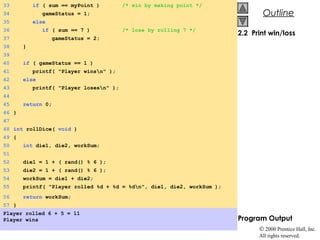
2.2 Print win/loss
Program Output
33 if ( sum == myPoint ) /* win by making point */
34 gameStatus = 1;
35 else
36 if ( sum == 7 ) /* lose by rolling 7 */
37 gameStatus = 2;
38 }
39
40 if ( gameStatus == 1 )
41 printf( "Player winsn" );
42 else
43 printf( "Player losesn" );
44
45 return 0;
46 }
47
48 int rollDice( void )
49 {
50 int die1, die2, workSum;
51
52 die1 = 1 + ( rand() % 6 );
53 die2 = 1 + ( rand() % 6 );
54 workSum = die1 + die2;
55 printf( "Player rolled %d + %d = %dn", die1, die2, workSum );
56 return workSum;
57 }
Player rolled 6 + 5 = 11
Player wins
© 2000 Prentice Hall, Inc.
All rights reserved.
OutlineOutline
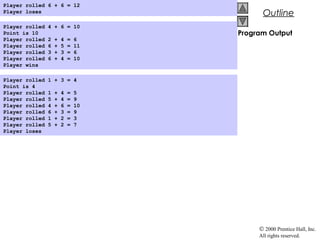
Program Output
Player rolled 6 + 6 = 12
Player loses
Player rolled 4 + 6 = 10
Point is 10
Player rolled 2 + 4 = 6
Player rolled 6 + 5 = 11
Player rolled 3 + 3 = 6
Player rolled 6 + 4 = 10
Player wins
Player rolled 1 + 3 = 4
Point is 4
Player rolled 1 + 4 = 5
Player rolled 5 + 4 = 9
Player rolled 4 + 6 = 10
Player rolled 6 + 3 = 9
Player rolled 1 + 2 = 3
Player rolled 5 + 2 = 7
Player loses
© 2000 Prentice Hall, Inc.
All rights reserved.
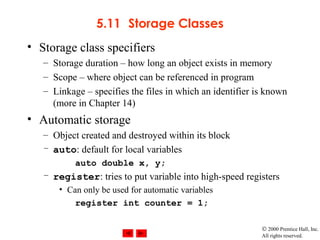
5.11 Storage Classes
• Storage class specifiers
– Storage duration – how long an object exists in memory
– Scope – where object can be referenced in program
– Linkage – specifies the files in which an identifier is known
(more in Chapter 14)
• Automatic storage
– Object created and destroyed within its block
– auto: default for local variables
auto double x, y;
– register: tries to put variable into high-speed registers
• Can only be used for automatic variables
register int counter = 1;
© 2000 Prentice Hall, Inc.
All rights reserved.
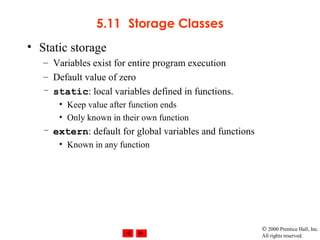
5.11 Storage Classes
• Static storage
– Variables exist for entire program execution
– Default value of zero
– static: local variables defined in functions.
• Keep value after function ends
• Only known in their own function
– extern: default for global variables and functions
• Known in any function
© 2000 Prentice Hall, Inc.
All rights reserved.
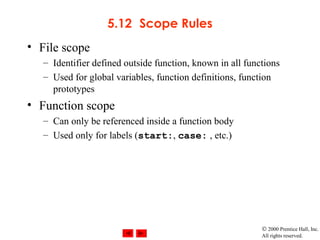
5.12 Scope Rules
• File scope
– Identifier defined outside function, known in all functions
– Used for global variables, function definitions, function
prototypes
• Function scope
– Can only be referenced inside a function body
– Used only for labels (start:, case: , etc.)
© 2000 Prentice Hall, Inc.
All rights reserved.
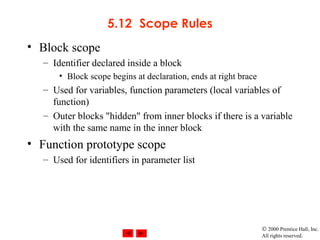
5.12 Scope Rules
• Block scope
– Identifier declared inside a block
• Block scope begins at declaration, ends at right brace
– Used for variables, function parameters (local variables of
function)
– Outer blocks "hidden" from inner blocks if there is a variable
with the same name in the inner block
• Function prototype scope
– Used for identifiers in parameter list
© 2000 Prentice Hall, Inc.
All rights reserved.
OutlineOutline
1. Function prototypes
1.1 Initialize global
variable
1.2 Initialize local
variable
1.3 Initialize local
variable in block
2. Call functions
3. Output results
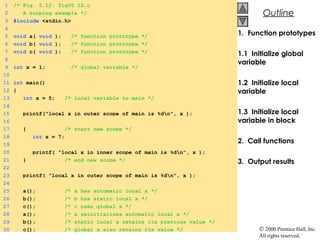
1 /* Fig. 5.12: fig05_12.c
2 A scoping example */
3 #include <stdio.h>
4
5 void a( void ); /* function prototype */
6 void b( void ); /* function prototype */
7 void c( void ); /* function prototype */
8
9 int x = 1; /* global variable */
10
11 int main()
12 {
13 int x = 5; /* local variable to main */
14
15 printf("local x in outer scope of main is %dn", x );
16
17 { /* start new scope */
18 int x = 7;
19
20 printf( "local x in inner scope of main is %dn", x );
21 } /* end new scope */
22
23 printf( "local x in outer scope of main is %dn", x );
24
25 a(); /* a has automatic local x */
26 b(); /* b has static local x */
27 c(); /* c uses global x */
28 a(); /* a reinitializes automatic local x */
29 b(); /* static local x retains its previous value */
30 c(); /* global x also retains its value */
© 2000 Prentice Hall, Inc.
All rights reserved.
OutlineOutline
3.1 Function definitions
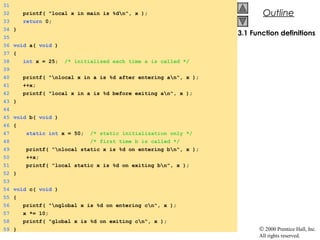
31
32 printf( "local x in main is %dn", x );
33 return 0;
34 }
35
36 void a( void )
37 {
38 int x = 25; /* initialized each time a is called */
39
40 printf( "nlocal x in a is %d after entering an", x );
41 ++x;
42 printf( "local x in a is %d before exiting an", x );
43 }
44
45 void b( void )
46 {
47 static int x = 50; /* static initialization only */
48 /* first time b is called */
49 printf( "nlocal static x is %d on entering bn", x );
50 ++x;
51 printf( "local static x is %d on exiting bn", x );
52 }
53
54 void c( void )
55 {
56 printf( "nglobal x is %d on entering cn", x );
57 x *= 10;
58 printf( "global x is %d on exiting cn", x );
59 }
© 2000 Prentice Hall, Inc.
All rights reserved.
OutlineOutline
Program Output
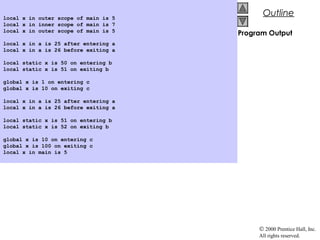
local x in outer scope of main is 5
local x in inner scope of main is 7
local x in outer scope of main is 5
local x in a is 25 after entering a
local x in a is 26 before exiting a
local static x is 50 on entering b
local static x is 51 on exiting b
global x is 1 on entering c
global x is 10 on exiting c
local x in a is 25 after entering a
local x in a is 26 before exiting a
local static x is 51 on entering b
local static x is 52 on exiting b
global x is 10 on entering c
global x is 100 on exiting c
local x in main is 5
© 2000 Prentice Hall, Inc.
All rights reserved.
5.13 Recursion
• Recursive functions
– Functions that call themselves
– Can only solve a base case
– Divide a problem up into
• What it can do
• What it cannot do
– What it cannot do resembles original problem
– The function launches a new copy of itself (recursion
step) to solve what it cannot do
– Eventually base case gets solved
• Gets plugged in, works its way up and solves whole problem
© 2000 Prentice Hall, Inc.
All rights reserved.
5.13 Recursion
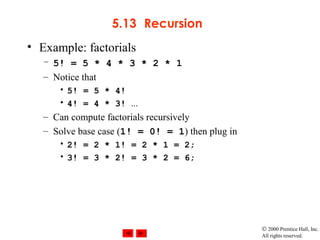
• Example: factorials
– 5! = 5 * 4 * 3 * 2 * 1
– Notice that
• 5! = 5 * 4!
• 4! = 4 * 3! ...
– Can compute factorials recursively
– Solve base case (1! = 0! = 1) then plug in
• 2! = 2 * 1! = 2 * 1 = 2;
• 3! = 3 * 2! = 3 * 2 = 6;
© 2000 Prentice Hall, Inc.
All rights reserved.
5.14 Example Using Recursion: The
Fibonacci Series
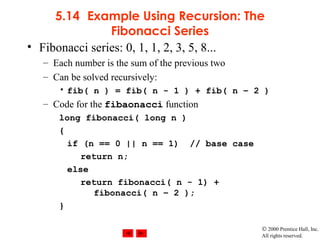
• Fibonacci series: 0, 1, 1, 2, 3, 5, 8...
– Each number is the sum of the previous two
– Can be solved recursively:
• fib( n ) = fib( n - 1 ) + fib( n – 2 )
– Code for the fibaonacci function
long fibonacci( long n )
{
if (n == 0 || n == 1) // base case
return n;
else
return fibonacci( n - 1) +
fibonacci( n – 2 );
}
© 2000 Prentice Hall, Inc.
All rights reserved.
5.14 Example Using Recursion: The
Fibonacci Series
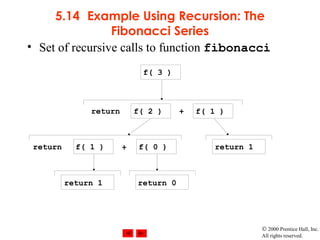
• Set of recursive calls to function fibonacci
f( 3 )
f( 1 )f( 2 )
f( 1 ) f( 0 ) return 1
return 1 return 0
return +
+return
© 2000 Prentice Hall, Inc.
All rights reserved.
OutlineOutline
1. Function prototype
1.1 Initialize variables
2. Input an integer
2.1 Call function
fibonacci
2.2 Output results.
3. Define fibonacci
recursively
Program Output
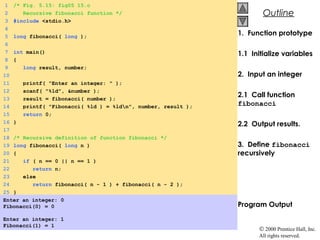
1 /* Fig. 5.15: fig05_15.c
2 Recursive fibonacci function */
3 #include <stdio.h>
4
5 long fibonacci( long );
6
7 int main()
8 {
9 long result, number;
10
11 printf( "Enter an integer: " );
12 scanf( "%ld", &number );
13 result = fibonacci( number );
14 printf( "Fibonacci( %ld ) = %ldn", number, result );
15 return 0;
16 }
17
18 /* Recursive definition of function fibonacci */
19 long fibonacci( long n )
20 {
21 if ( n == 0 || n == 1 )
22 return n;
23 else
24 return fibonacci( n - 1 ) + fibonacci( n - 2 );
25 }
Enter an integer: 0
Fibonacci(0) = 0
Enter an integer: 1
Fibonacci(1) = 1
© 2000 Prentice Hall, Inc.
All rights reserved.
OutlineOutline
Program Output
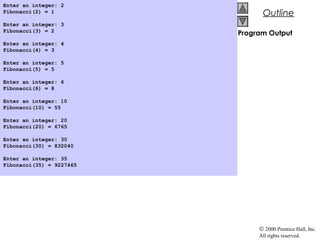
Enter an integer: 2
Fibonacci(2) = 1
Enter an integer: 3
Fibonacci(3) = 2
Enter an integer: 4
Fibonacci(4) = 3
Enter an integer: 5
Fibonacci(5) = 5
Enter an integer: 6
Fibonacci(6) = 8
Enter an integer: 10
Fibonacci(10) = 55
Enter an integer: 20
Fibonacci(20) = 6765
Enter an integer: 30
Fibonacci(30) = 832040
Enter an integer: 35
Fibonacci(35) = 9227465
© 2000 Prentice Hall, Inc.
All rights reserved.
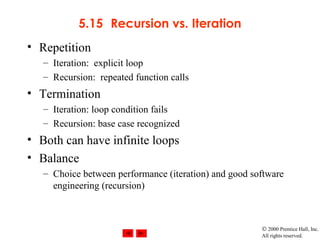
5.15 Recursion vs. Iteration
• Repetition
– Iteration: explicit loop
– Recursion: repeated function calls
• Termination
– Iteration: loop condition fails
– Recursion: base case recognized
• Both can have infinite loops
• Balance
– Choice between performance (iteration) and good software
engineering (recursion)

Function in cpu 1

  • 1.
    © 2000 PrenticeHall, Inc. All rights reserved. Chapter 5 - Functions Outline 5.1 Introduction 5.2 Program Modules in C 5.3 Math Library Functions 5.4 Functions 5.5 Function Definitions 5.6 Function Prototypes 5.7 Header Files 5.8 Calling Functions: Call by Value and Call by Reference 5.9 Random Number Generation 5.10 Example: A Game of Chance 5.11 Storage Classes 5.12 Scope Rules 5.13 Recursion 5.14 Example Using Recursion: The Fibonacci Series 5.15 Recursion vs. Iteration
  • 2.
    © 2000 PrenticeHall, Inc. All rights reserved. 5.1 Introduction • Divide and conquer – Construct a program from smaller pieces or components • These smaller pieces are called modules – Each piece more manageable than the original program
  • 3.
    © 2000 PrenticeHall, Inc. All rights reserved. 5.2 Program Modules in C • Functions – Modules in C – Programs combine user-defined functions with library functions • C standard library has a wide variety of functions • Function calls – Invoking functions • Provide function name and arguments (data) • Function performs operations or manipulations • Function returns results – Function call analogy: • Boss asks worker to complete task – Worker gets information, does task, returns result – Information hiding: boss does not know details
  • 4.
    © 2000 PrenticeHall, Inc. All rights reserved. 5.3 Math Library Functions • Math library functions – perform common mathematical calculations – #include <math.h> • Format for calling functions – FunctionName( argument ); • If multiple arguments, use comma-separated list – printf( "%.2f", sqrt( 900.0 ) ); • Calls function sqrt, which returns the square root of its argument • All math functions return data type double – Arguments may be constants, variables, or expressions
  • 5.
    © 2000 PrenticeHall, Inc. All rights reserved. 5.4 Functions • Functions – Modularize a program – All variables declared inside functions are local variables • Known only in function defined – Parameters • Communicate information between functions • Local variables • Benefits of functions – Divide and conquer • Manageable program development – Software reusability • Use existing functions as building blocks for new programs • Abstraction - hide internal details (library functions) – Avoid code repetition
  • 6.
    © 2000 PrenticeHall, Inc. All rights reserved. 5.5 Function Definitions • Function definition format return-value-type function-name( parameter-list ) { declarations and statements } – Function-name: any valid identifier – Return-value-type: data type of the result (default int) • void – indicates that the function returns nothing – Parameter-list: comma separated list, declares parameters • A type must be listed explicitly for each parameter unless, the parameter is of type int
  • 7.
    © 2000 PrenticeHall, Inc. All rights reserved. 5.5 Function Definitions • Function definition format (continued) return-value-type function-name( parameter-list ) { declarations and statements } – Declarations and statements: function body (block) • Variables can be declared inside blocks (can be nested) • Functions can not be defined inside other functions – Returning control • If nothing returned – return; – or, until reaches right brace • If something returned – return expression;
  • 8.
    © 2000 PrenticeHall, Inc. All rights reserved. OutlineOutline 1. Function prototype (3 parameters) 2. Input values 2.1 Call function 3. Function definition Program Output 1 /* Fig. 5.4: fig05_04.c 2 Finding the maximum of three integers */ 3 #include <stdio.h> 4 5 int maximum( int, int, int ); /* function prototype */ 6 7 int main() 8 { 9 int a, b, c; 10 11 printf( "Enter three integers: " ); 12 scanf( "%d%d%d", &a, &b, &c ); 13 printf( "Maximum is: %dn", maximum( a, b, c ) ); 14 15 return 0; 16 } 17 18 /* Function maximum definition */ 19 int maximum( int x, int y, int z ) 20 { 21 int max = x; 22 23 if ( y > max ) 24 max = y; 25 26 if ( z > max ) 27 max = z; 28 29 return max; 30 } Enter three integers: 22 85 17 Maximum is: 85
  • 9.
    © 2000 PrenticeHall, Inc. All rights reserved. 5.6 Function Prototypes • Function prototype – Function name – Parameters – what the function takes in – Return type – data type function returns (default int) – Used to validate functions – Prototype only needed if function definition comes after use in program – The function with the prototype int maximum( int, int, int ); • Takes in 3 ints • Returns an int • Promotion rules and conversions – Converting to lower types can lead to errors
  • 10.
    © 2000 PrenticeHall, Inc. All rights reserved. 5.7 Header Files • Header files – Contain function prototypes for library functions – <stdlib.h> , <math.h> , etc – Load with #include <filename> #include <math.h> • Custom header files – Create file with functions – Save as filename.h – Load in other files with #include "filename.h" – Reuse functions
  • 11.
    © 2000 PrenticeHall, Inc. All rights reserved. 5.8 Calling Functions: Call by Value and Call by Reference • Used when invoking functions • Call by value – Copy of argument passed to function – Changes in function do not effect original – Use when function does not need to modify argument • Avoids accidental changes • Call by reference – Passes original argument – Changes in function effect original – Only used with trusted functions • For now, we focus on call by value
  • 12.
    © 2000 PrenticeHall, Inc. All rights reserved. 5.9 Random Number Generation • rand function – Load <stdlib.h> – Returns "random" number between 0 and RAND_MAX (at least 32767) i = rand(); – Pseudorandom • Preset sequence of "random" numbers • Same sequence for every function call • Scaling – To get a random number between 1 and n 1 + ( rand() % n ) • rand() % n returns a number between 0 and n - 1 • Add 1 to make random number between 1 and n 1 + ( rand() % 6) – number between 1 and 6
  • 13.
    © 2000 PrenticeHall, Inc. All rights reserved. 5.9 Random Number Generation • srand function – <stdlib.h> – Takes an integer seed and jumps to that location in its "random" sequence srand( seed ); – srand( time( NULL ) ); //load <time.h> • time( NULL ) – Returns the time at which the program was compiled in seconds – “Randomizes" the seed
  • 14.
    © 2000 PrenticeHall, Inc. All rights reserved. OutlineOutline 1. Initialize seed 2. Input value for seed 2.1 Use srand to change random sequence 2.2 Define Loop 3. Generate and output random numbers 1 /* Fig. 5.9: fig05_09.c 2 Randomizing die-rolling program */ 3 #include <stdlib.h> 4 #include <stdio.h> 5 6 int main() 7 { 8 int i; 9 unsigned seed; 10 11 printf( "Enter seed: " ); 12 scanf( "%u", &seed ); 13 srand( seed ); 14 15 for ( i = 1; i <= 10; i++ ) { 16 printf( "%10d", 1 + ( rand() % 6 ) ); 17 18 if ( i % 5 == 0 ) 19 printf( "n" ); 20 } 21 22 return 0; 23 }
  • 15.
    © 2000 PrenticeHall, Inc. All rights reserved. OutlineOutline Program Output Enter seed: 867 2 4 6 1 6 1 1 3 6 2 Enter seed: 67 6 1 4 6 2 1 6 1 6 4 Enter seed: 67 6 1 4 6 2 1 6 1 6 4
  • 16.
    © 2000 PrenticeHall, Inc. All rights reserved. 5.10 Example: A Game of Chance • Craps simulator • Rules – Roll two dice • 7 or 11 on first throw, player wins • 2, 3, or 12 on first throw, player loses • 4, 5, 6, 8, 9, 10 - value becomes player's "point" – Player must roll his point before rolling 7 to win
  • 17.
    © 2000 PrenticeHall, Inc. All rights reserved. OutlineOutline 1. rollDice prototype 1.1 Initialize variables 1.2 Seed srand 2. Define switch statement for win/loss/continue 2.1 Loop 1 /* Fig. 5.10: fig05_10.c 2 Craps */ 3 #include <stdio.h> 4 #include <stdlib.h> 5 #include <time.h> 6 7 int rollDice( void ); 8 9 int main() 10 { 11 int gameStatus, sum, myPoint; 12 13 srand( time( NULL ) ); 14 sum = rollDice(); /* first roll of the dice */ 15 16 switch ( sum ) { 17 case 7: case 11: /* win on first roll */ 18 gameStatus = 1; 19 break; 20 case 2: case 3: case 12: /* lose on first roll */ 21 gameStatus = 2; 22 break; 23 default: /* remember point */ 24 gameStatus = 0; 25 myPoint = sum; 26 printf( "Point is %dn", myPoint ); 27 break; 28 } 29 30 while ( gameStatus == 0 ) { /* keep rolling */ 31 sum = rollDice(); 32
  • 18.
    © 2000 PrenticeHall, Inc. All rights reserved. OutlineOutline 2.2 Print win/loss Program Output 33 if ( sum == myPoint ) /* win by making point */ 34 gameStatus = 1; 35 else 36 if ( sum == 7 ) /* lose by rolling 7 */ 37 gameStatus = 2; 38 } 39 40 if ( gameStatus == 1 ) 41 printf( "Player winsn" ); 42 else 43 printf( "Player losesn" ); 44 45 return 0; 46 } 47 48 int rollDice( void ) 49 { 50 int die1, die2, workSum; 51 52 die1 = 1 + ( rand() % 6 ); 53 die2 = 1 + ( rand() % 6 ); 54 workSum = die1 + die2; 55 printf( "Player rolled %d + %d = %dn", die1, die2, workSum ); 56 return workSum; 57 } Player rolled 6 + 5 = 11 Player wins
  • 19.
    © 2000 PrenticeHall, Inc. All rights reserved. OutlineOutline Program Output Player rolled 6 + 6 = 12 Player loses Player rolled 4 + 6 = 10 Point is 10 Player rolled 2 + 4 = 6 Player rolled 6 + 5 = 11 Player rolled 3 + 3 = 6 Player rolled 6 + 4 = 10 Player wins Player rolled 1 + 3 = 4 Point is 4 Player rolled 1 + 4 = 5 Player rolled 5 + 4 = 9 Player rolled 4 + 6 = 10 Player rolled 6 + 3 = 9 Player rolled 1 + 2 = 3 Player rolled 5 + 2 = 7 Player loses
  • 20.
    © 2000 PrenticeHall, Inc. All rights reserved. 5.11 Storage Classes • Storage class specifiers – Storage duration – how long an object exists in memory – Scope – where object can be referenced in program – Linkage – specifies the files in which an identifier is known (more in Chapter 14) • Automatic storage – Object created and destroyed within its block – auto: default for local variables auto double x, y; – register: tries to put variable into high-speed registers • Can only be used for automatic variables register int counter = 1;
  • 21.
    © 2000 PrenticeHall, Inc. All rights reserved. 5.11 Storage Classes • Static storage – Variables exist for entire program execution – Default value of zero – static: local variables defined in functions. • Keep value after function ends • Only known in their own function – extern: default for global variables and functions • Known in any function
  • 22.
    © 2000 PrenticeHall, Inc. All rights reserved. 5.12 Scope Rules • File scope – Identifier defined outside function, known in all functions – Used for global variables, function definitions, function prototypes • Function scope – Can only be referenced inside a function body – Used only for labels (start:, case: , etc.)
  • 23.
    © 2000 PrenticeHall, Inc. All rights reserved. 5.12 Scope Rules • Block scope – Identifier declared inside a block • Block scope begins at declaration, ends at right brace – Used for variables, function parameters (local variables of function) – Outer blocks "hidden" from inner blocks if there is a variable with the same name in the inner block • Function prototype scope – Used for identifiers in parameter list
  • 24.
    © 2000 PrenticeHall, Inc. All rights reserved. OutlineOutline 1. Function prototypes 1.1 Initialize global variable 1.2 Initialize local variable 1.3 Initialize local variable in block 2. Call functions 3. Output results 1 /* Fig. 5.12: fig05_12.c 2 A scoping example */ 3 #include <stdio.h> 4 5 void a( void ); /* function prototype */ 6 void b( void ); /* function prototype */ 7 void c( void ); /* function prototype */ 8 9 int x = 1; /* global variable */ 10 11 int main() 12 { 13 int x = 5; /* local variable to main */ 14 15 printf("local x in outer scope of main is %dn", x ); 16 17 { /* start new scope */ 18 int x = 7; 19 20 printf( "local x in inner scope of main is %dn", x ); 21 } /* end new scope */ 22 23 printf( "local x in outer scope of main is %dn", x ); 24 25 a(); /* a has automatic local x */ 26 b(); /* b has static local x */ 27 c(); /* c uses global x */ 28 a(); /* a reinitializes automatic local x */ 29 b(); /* static local x retains its previous value */ 30 c(); /* global x also retains its value */
  • 25.
    © 2000 PrenticeHall, Inc. All rights reserved. OutlineOutline 3.1 Function definitions 31 32 printf( "local x in main is %dn", x ); 33 return 0; 34 } 35 36 void a( void ) 37 { 38 int x = 25; /* initialized each time a is called */ 39 40 printf( "nlocal x in a is %d after entering an", x ); 41 ++x; 42 printf( "local x in a is %d before exiting an", x ); 43 } 44 45 void b( void ) 46 { 47 static int x = 50; /* static initialization only */ 48 /* first time b is called */ 49 printf( "nlocal static x is %d on entering bn", x ); 50 ++x; 51 printf( "local static x is %d on exiting bn", x ); 52 } 53 54 void c( void ) 55 { 56 printf( "nglobal x is %d on entering cn", x ); 57 x *= 10; 58 printf( "global x is %d on exiting cn", x ); 59 }
  • 26.
    © 2000 PrenticeHall, Inc. All rights reserved. OutlineOutline Program Output local x in outer scope of main is 5 local x in inner scope of main is 7 local x in outer scope of main is 5 local x in a is 25 after entering a local x in a is 26 before exiting a local static x is 50 on entering b local static x is 51 on exiting b global x is 1 on entering c global x is 10 on exiting c local x in a is 25 after entering a local x in a is 26 before exiting a local static x is 51 on entering b local static x is 52 on exiting b global x is 10 on entering c global x is 100 on exiting c local x in main is 5
  • 27.
    © 2000 PrenticeHall, Inc. All rights reserved. 5.13 Recursion • Recursive functions – Functions that call themselves – Can only solve a base case – Divide a problem up into • What it can do • What it cannot do – What it cannot do resembles original problem – The function launches a new copy of itself (recursion step) to solve what it cannot do – Eventually base case gets solved • Gets plugged in, works its way up and solves whole problem
  • 28.
    © 2000 PrenticeHall, Inc. All rights reserved. 5.13 Recursion • Example: factorials – 5! = 5 * 4 * 3 * 2 * 1 – Notice that • 5! = 5 * 4! • 4! = 4 * 3! ... – Can compute factorials recursively – Solve base case (1! = 0! = 1) then plug in • 2! = 2 * 1! = 2 * 1 = 2; • 3! = 3 * 2! = 3 * 2 = 6;
  • 29.
    © 2000 PrenticeHall, Inc. All rights reserved. 5.14 Example Using Recursion: The Fibonacci Series • Fibonacci series: 0, 1, 1, 2, 3, 5, 8... – Each number is the sum of the previous two – Can be solved recursively: • fib( n ) = fib( n - 1 ) + fib( n – 2 ) – Code for the fibaonacci function long fibonacci( long n ) { if (n == 0 || n == 1) // base case return n; else return fibonacci( n - 1) + fibonacci( n – 2 ); }
  • 30.
    © 2000 PrenticeHall, Inc. All rights reserved. 5.14 Example Using Recursion: The Fibonacci Series • Set of recursive calls to function fibonacci f( 3 ) f( 1 )f( 2 ) f( 1 ) f( 0 ) return 1 return 1 return 0 return + +return
  • 31.
    © 2000 PrenticeHall, Inc. All rights reserved. OutlineOutline 1. Function prototype 1.1 Initialize variables 2. Input an integer 2.1 Call function fibonacci 2.2 Output results. 3. Define fibonacci recursively Program Output 1 /* Fig. 5.15: fig05_15.c 2 Recursive fibonacci function */ 3 #include <stdio.h> 4 5 long fibonacci( long ); 6 7 int main() 8 { 9 long result, number; 10 11 printf( "Enter an integer: " ); 12 scanf( "%ld", &number ); 13 result = fibonacci( number ); 14 printf( "Fibonacci( %ld ) = %ldn", number, result ); 15 return 0; 16 } 17 18 /* Recursive definition of function fibonacci */ 19 long fibonacci( long n ) 20 { 21 if ( n == 0 || n == 1 ) 22 return n; 23 else 24 return fibonacci( n - 1 ) + fibonacci( n - 2 ); 25 } Enter an integer: 0 Fibonacci(0) = 0 Enter an integer: 1 Fibonacci(1) = 1
  • 32.
    © 2000 PrenticeHall, Inc. All rights reserved. OutlineOutline Program Output Enter an integer: 2 Fibonacci(2) = 1 Enter an integer: 3 Fibonacci(3) = 2 Enter an integer: 4 Fibonacci(4) = 3 Enter an integer: 5 Fibonacci(5) = 5 Enter an integer: 6 Fibonacci(6) = 8 Enter an integer: 10 Fibonacci(10) = 55 Enter an integer: 20 Fibonacci(20) = 6765 Enter an integer: 30 Fibonacci(30) = 832040 Enter an integer: 35 Fibonacci(35) = 9227465
  • 33.
    © 2000 PrenticeHall, Inc. All rights reserved. 5.15 Recursion vs. Iteration • Repetition – Iteration: explicit loop – Recursion: repeated function calls • Termination – Iteration: loop condition fails – Recursion: base case recognized • Both can have infinite loops • Balance – Choice between performance (iteration) and good software engineering (recursion)