Java	
  5	
  &	
  6	
  Features	
  

            Jussi	
  Pohjolainen	
  
Tampere	
  University	
  of	
  Applied	
  Sciences	
  
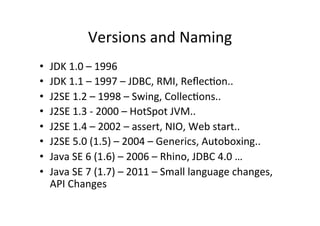
Versions	
  and	
  Naming	
  
•    JDK	
  1.0	
  –	
  1996	
  	
  
•    JDK	
  1.1	
  –	
  1997	
  –	
  JDBC,	
  RMI,	
  ReflecQon..	
  
•    J2SE	
  1.2	
  –	
  1998	
  –	
  Swing,	
  CollecQons..	
  
•    J2SE	
  1.3	
  -­‐	
  2000	
  –	
  HotSpot	
  JVM..	
  
•    J2SE	
  1.4	
  –	
  2002	
  –	
  assert,	
  NIO,	
  Web	
  start..	
  
•    J2SE	
  5.0	
  (1.5)	
  –	
  2004	
  –	
  Generics,	
  Autoboxing..	
  
•    Java	
  SE	
  6	
  (1.6)	
  –	
  2006	
  –	
  Rhino,	
  JDBC	
  4.0	
  …	
  
•    Java	
  SE	
  7	
  (1.7)	
  –	
  2011	
  –	
  Small	
  language	
  changes,	
  
     API	
  Changes	
  
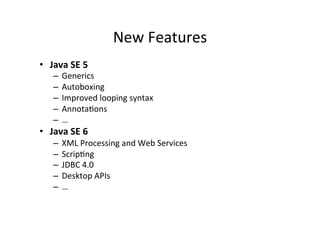
New	
  Features	
  
•  Java	
  SE	
  5	
  
     –  Generics	
  
     –  Autoboxing	
  
     –  Improved	
  looping	
  syntax	
  
     –  AnnotaQons	
  
     –  …	
  
•  Java	
  SE	
  6	
  
     –  XML	
  Processing	
  and	
  Web	
  Services	
  
     –  ScripQng	
  
     –  JDBC	
  4.0	
  
     –  Desktop	
  APIs	
  
     –  …	


Generics	
  
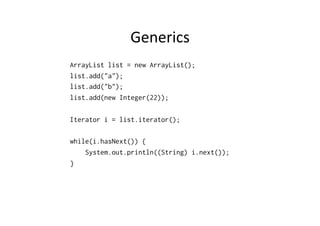
ArrayList list = new ArrayList();
list.add("a");
list.add("b");
list.add(new Integer(22));

Iterator i = list.iterator();

while(i.hasNext()) {
    System.out.println((String) i.next());
}
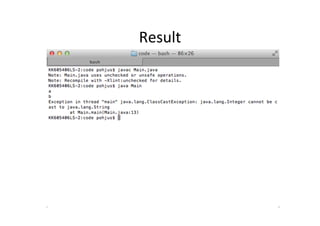
Result	
  
Using	
  Generics	
  
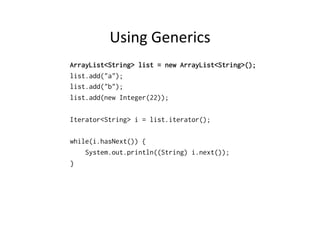
ArrayList<String> list = new ArrayList<String>();
list.add("a");
list.add("b");
list.add(new Integer(22));

Iterator<String> i = list.iterator();

while(i.hasNext()) {
    System.out.println((String) i.next());
}
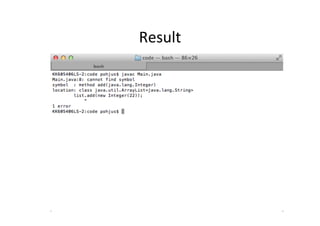
Result	
  
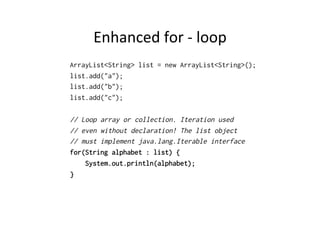
Enhanced	
  for	
  -­‐	
  loop	
  
ArrayList<String> list = new ArrayList<String>();
list.add("a");
list.add("b");
list.add("c");

// Loop array or collection. Iteration used
// even without declaration! The list object
// must implement java.lang.Iterable interface
for(String alphabet : list) {
    System.out.println(alphabet);
}
Java	
  1.4	
  
import java.util.*;

class Main {
    public static void main(String [] args) {
        // Does not work, 5 is not a Object type!
        someMethod(5);
    }

    public static void someMethod(Object a) {
        System.out.println(a.toString());
    }
}
Java	
  1.4:	
  SoluQon	
  
import java.util.*;

class Main {
    public static void main(String [] args) {
         Integer temp = new Integer(5);
         someMethod(temp);
    }

    public static void someMethod(Object a) {
        System.out.println(a.toString());
    }
}
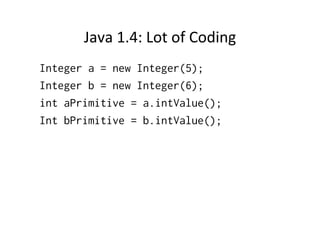
Java	
  1.4:	
  Lot	
  of	
  Coding	
  
Integer a = new Integer(5);
Integer b = new Integer(6);
int aPrimitive = a.intValue();
Int bPrimitive = b.intValue();
Autoboxing	
  Comes	
  to	
  Rescue!	
  
class Main {
    public static void main(String [] args) {
        // Boxing
        Integer a = 2;

        // UnBoxing
        int s = 5 + a;
    }
}
Java	
  1.5	
  
class Main {
    public static void main(String [] args) {
        // Works!
        someMethod(5);
    }

    public static void someMethod(Object a) {
        System.out.println(a.toString());
    }
}
Java	
  1.5	
  
import java.util.*;

class Main {
    public static void main(String [] args) {
        ArrayList<Integer> list = new ArrayList<Integer>();
        list.add(5);
        list.add(new Integer(6));
        list.add(7);

        for(int number : list) {
            System.out.println(number);
        }
    }
}
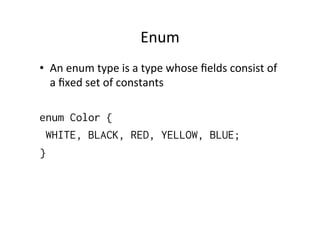
Enum	
  
•  An	
  enum	
  type	
  is	
  a	
  type	
  whose	
  fields	
  consist	
  of	
  
      a	
  fixed	
  set	
  of	
  constants	


enum Color {
     WHITE, BLACK, RED, YELLOW, BLUE;
}
Usage	
  
enum Color {
    WHITE, BLACK, RED, YELLOW, BLUE;
}

class Main {
    public static void main(String [] args) {
        System.out.println(Color.WHITE);

        Color c1 = Color.RED;
        System.out.println(c1);
}
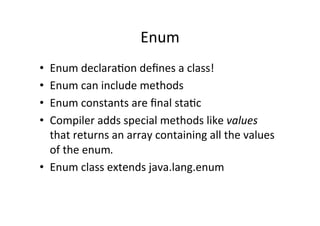
Enum	
  
•  Enum	
  declaraQon	
  defines	
  a	
  class!	
  
•  Enum	
  can	
  include	
  methods	
  
•  Enum	
  constants	
  are	
  final	
  staQc	
  
•  Compiler	
  adds	
  special	
  methods	
  like	
  values	
  
   that	
  returns	
  an	
  array	
  containing	
  all	
  the	
  values	
  
   of	
  the	
  enum.	
  
•  Enum	
  class	
  extends	
  java.lang.enum	
  
Enum	
  
enum Color {
      WHITE, BLACK, RED, YELLOW, BLUE;
}

class Main {
    public static void main(String [] args) {
        for (Color c : Color.values()) {
             System.out.println(c);
        }
    }
}
StaQc	
  Import	
  (1/2)	
  
class Main {
    public static void main(String [] args) {
        int x = Integer.parseInt("55");
        int y = Integer.parseInt("56");
        int x = Integer.parseInt("57");
    }
}
StaQc	
  Import	
  (2/2)	
  
import static java.lang.Integer.parseInt;

class Main {
    public static void main(String [] args) {
        int x = parseInt("55");
        int y = parseInt("56");
        int z = parseInt("57");
    }
}
Metadata	
  
•  With	
  Java	
  5	
  it’s	
  possible	
  to	
  add	
  metadata	
  to	
  
   methods,	
  parameters,	
  fields,	
  variables..	
  
•  Metadata	
  is	
  given	
  by	
  using	
  annota,ons	
  
•  Many	
  annota.ons	
  replace	
  what	
  would	
  
   otherwise	
  have	
  been	
  comments	
  in	
  code.	
  
•  Java	
  5	
  has	
  built-­‐in	
  annotaQons	
  
Override:	
  Does	
  not	
  Compile!	
  
class Human {
    public void eat() {
        System.out.println("Eats food");
    }
}

class Programmer extends Human {
    @Override
    public void eatSomeTypo() {
        System.out.println("Eats pizza");
    }
}

class Main {
    public static void main(String [] args) {
        Programmer jack = new Programmer();
        jack.eat();
    }
}
Other	
  AnnotaQons	
  used	
  By	
  Compiler	
  
•  @Depricated	
  –	
  Gives	
  warning	
  if	
  when	
  
   depricated	
  method	
  or	
  class	
  is	
  used	
  
•  @SuppressWarnings	
  –	
  Suppress	
  all	
  warnings	
  
   that	
  would	
  normally	
  generate	
  
System.out.format	
  
import java.util.Date;

class Main {
    public static void main(String [] args) {
        Date d = new Date();
        // Lot of format characters available!
        System.out.format("Today is %TF", d);
    }
}
Variable	
  Argument	
  List	
  
class Main {
    public static void printGreeting(String... names) {
          for (String n : names) {
              System.out.println("Hello " + n + ". ");
          }
    }

    public static void main(String[] args) {
          String [] names = {"Jack", "Paul"};

          printGreeting("Jack", "Paul");
          printGreeting(names);
    }
}
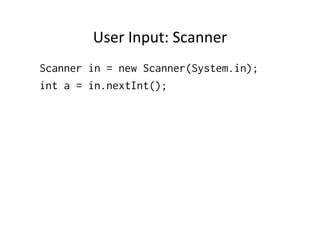
User	
  Input:	
  Scanner	
  
Scanner in = new Scanner(System.in);
int a = in.nextInt();
Java	
  6:	
  XML	
  &	
  Web	
  Services	
  
•  Easy	
  way	
  of	
  creaQng	
  Web	
  Services	
  
•  Expose	
  web	
  service	
  with	
  a	
  simple	
  annotaQon	


Web	
  Service	
  
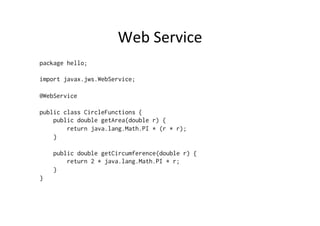
package hello;

import javax.jws.WebService;

@WebService

public class CircleFunctions {
    public double getArea(double r) {
        return java.lang.Math.PI * (r * r);
    }

    public double getCircumference(double r) {
        return 2 * java.lang.Math.PI * r;
    }
}
Server	
  
import javax.xml.ws.Endpoint;

class Publish {
    public static void main(String[] args) {

   Endpoint.publish(
            "http://localhost:8080/circlefunctions",
            new CircleFunctions());

    }
Generate	
  Stub	
  Files	
  
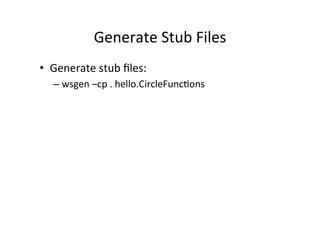
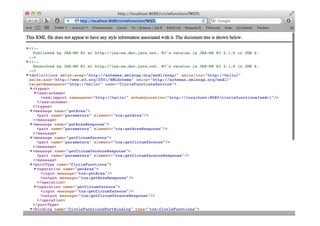
•  Generate	
  stub	
  files:	
  
   –  wsgen	
  –cp	
  .	
  hello.CircleFuncQons	
  
Java	
  6:	
  Rhino	
  
•  Framework	
  to	
  connect	
  to	
  Java	
  programs	
  to	
  
   scripQng-­‐language	
  interpreters.	
  
•  Rhino	
  JS	
  Engine	
  comes	
  with	
  Java	
  6	
  
•  To	
  ability	
  to	
  run	
  JS	
  from	
  Java	
  and	
  JS	
  from	
  
   command	
  line	
  
•  Rhino	
  is	
  wriken	
  in	
  Java	
  
Example	
  
import javax.script.ScriptEngine;
import javax.script.ScriptEngineManager;
import javax.script.ScriptException;

public class Main {
    public static void main(String[] args) {
        ScriptEngineManager mgr = new ScriptEngineManager();
        ScriptEngine engine = mgr.getEngineByName("JavaScript");

        // Now we have a script engine instance that
        // can execute some JavaScript
        try {
            engine.eval("print('Hello')");
        } catch (ScriptException ex) {
            ex.printStackTrace();
        }
    }
}
Java	
  6:	
  GUI	
  
•    Faster	
  Splash	
  Screens	
  
•    System	
  tray	
  support	
  
•    Improved	
  Drag	
  and	
  Drop	
  
•    Improved	
  Layout	
  
•    WriQng	
  of	
  Gif	
  -­‐	
  files	
  
Java	
  6:	
  DB	
  Support	
  
•  Java	
  6	
  comes	
  with	
  preinstalled	
  relaQonal	
  
   database,	
  Oracle	
  release	
  of	
  Apache	
  Derby	
  
   Project	
  
•  Java	
  DB	
  is	
  installed	
  automaQcally	
  as	
  part	
  of	
  
   the	
  Java	
  SE	
  Development	
  Kit	
  (JDK).	
  
•  For	
  a	
  Java	
  DB	
  installaQon,	
  set	
  the	
  
   DERBY_HOME	
  environment	
  variable	
  
Java	
  7	
  
•      Using	
  Strings	
  in	
  switch	
  statements	
  
•      Syntax	
  for	
  automaQc	
  cleaning	
  of	
  streams	
  
•      Numeric	
  literals	
  with	
  underscores	
  
•      OR	
  in	
  excepQon	
  catches	


Java 5 and 6 New Features

  • 1.
    Java  5  &  6  Features   Jussi  Pohjolainen   Tampere  University  of  Applied  Sciences  
  • 2.
    Versions  and  Naming   •  JDK  1.0  –  1996     •  JDK  1.1  –  1997  –  JDBC,  RMI,  ReflecQon..   •  J2SE  1.2  –  1998  –  Swing,  CollecQons..   •  J2SE  1.3  -­‐  2000  –  HotSpot  JVM..   •  J2SE  1.4  –  2002  –  assert,  NIO,  Web  start..   •  J2SE  5.0  (1.5)  –  2004  –  Generics,  Autoboxing..   •  Java  SE  6  (1.6)  –  2006  –  Rhino,  JDBC  4.0  …   •  Java  SE  7  (1.7)  –  2011  –  Small  language  changes,   API  Changes  
  • 3.
    New  Features   • Java  SE  5   –  Generics   –  Autoboxing   –  Improved  looping  syntax   –  AnnotaQons   –  …   •  Java  SE  6   –  XML  Processing  and  Web  Services   –  ScripQng   –  JDBC  4.0   –  Desktop  APIs   –  …    
  • 4.
    Generics   ArrayList list= new ArrayList(); list.add("a"); list.add("b"); list.add(new Integer(22)); Iterator i = list.iterator(); while(i.hasNext()) { System.out.println((String) i.next()); }
  • 5.
  • 6.
    Using  Generics   ArrayList<String>list = new ArrayList<String>(); list.add("a"); list.add("b"); list.add(new Integer(22)); Iterator<String> i = list.iterator(); while(i.hasNext()) { System.out.println((String) i.next()); }
  • 7.
  • 8.
    Enhanced  for  -­‐  loop   ArrayList<String> list = new ArrayList<String>(); list.add("a"); list.add("b"); list.add("c"); // Loop array or collection. Iteration used // even without declaration! The list object // must implement java.lang.Iterable interface for(String alphabet : list) { System.out.println(alphabet); }
  • 9.
    Java  1.4   importjava.util.*; class Main { public static void main(String [] args) { // Does not work, 5 is not a Object type! someMethod(5); } public static void someMethod(Object a) { System.out.println(a.toString()); } }
  • 10.
    Java  1.4:  SoluQon   import java.util.*; class Main { public static void main(String [] args) { Integer temp = new Integer(5); someMethod(temp); } public static void someMethod(Object a) { System.out.println(a.toString()); } }
  • 11.
    Java  1.4:  Lot  of  Coding   Integer a = new Integer(5); Integer b = new Integer(6); int aPrimitive = a.intValue(); Int bPrimitive = b.intValue();
  • 12.
    Autoboxing  Comes  to  Rescue!   class Main { public static void main(String [] args) { // Boxing Integer a = 2; // UnBoxing int s = 5 + a; } }
  • 13.
    Java  1.5   classMain { public static void main(String [] args) { // Works! someMethod(5); } public static void someMethod(Object a) { System.out.println(a.toString()); } }
  • 14.
    Java  1.5   importjava.util.*; class Main { public static void main(String [] args) { ArrayList<Integer> list = new ArrayList<Integer>(); list.add(5); list.add(new Integer(6)); list.add(7); for(int number : list) { System.out.println(number); } } }
  • 15.
    Enum   •  An  enum  type  is  a  type  whose  fields  consist  of   a  fixed  set  of  constants     enum Color { WHITE, BLACK, RED, YELLOW, BLUE; }
  • 16.
    Usage   enum Color{ WHITE, BLACK, RED, YELLOW, BLUE; } class Main { public static void main(String [] args) { System.out.println(Color.WHITE); Color c1 = Color.RED; System.out.println(c1); }
  • 17.
    Enum   •  Enum  declaraQon  defines  a  class!   •  Enum  can  include  methods   •  Enum  constants  are  final  staQc   •  Compiler  adds  special  methods  like  values   that  returns  an  array  containing  all  the  values   of  the  enum.   •  Enum  class  extends  java.lang.enum  
  • 18.
    Enum   enum Color{ WHITE, BLACK, RED, YELLOW, BLUE; } class Main { public static void main(String [] args) { for (Color c : Color.values()) { System.out.println(c); } } }
  • 19.
    StaQc  Import  (1/2)   class Main { public static void main(String [] args) { int x = Integer.parseInt("55"); int y = Integer.parseInt("56"); int x = Integer.parseInt("57"); } }
  • 20.
    StaQc  Import  (2/2)   import static java.lang.Integer.parseInt; class Main { public static void main(String [] args) { int x = parseInt("55"); int y = parseInt("56"); int z = parseInt("57"); } }
  • 21.
    Metadata   •  With  Java  5  it’s  possible  to  add  metadata  to   methods,  parameters,  fields,  variables..   •  Metadata  is  given  by  using  annota,ons   •  Many  annota.ons  replace  what  would   otherwise  have  been  comments  in  code.   •  Java  5  has  built-­‐in  annotaQons  
  • 22.
    Override:  Does  not  Compile!   class Human { public void eat() { System.out.println("Eats food"); } } class Programmer extends Human { @Override public void eatSomeTypo() { System.out.println("Eats pizza"); } } class Main { public static void main(String [] args) { Programmer jack = new Programmer(); jack.eat(); } }
  • 23.
    Other  AnnotaQons  used  By  Compiler   •  @Depricated  –  Gives  warning  if  when   depricated  method  or  class  is  used   •  @SuppressWarnings  –  Suppress  all  warnings   that  would  normally  generate  
  • 24.
    System.out.format   import java.util.Date; classMain { public static void main(String [] args) { Date d = new Date(); // Lot of format characters available! System.out.format("Today is %TF", d); } }
  • 25.
    Variable  Argument  List   class Main { public static void printGreeting(String... names) { for (String n : names) { System.out.println("Hello " + n + ". "); } } public static void main(String[] args) { String [] names = {"Jack", "Paul"}; printGreeting("Jack", "Paul"); printGreeting(names); } }
  • 26.
    User  Input:  Scanner   Scanner in = new Scanner(System.in); int a = in.nextInt();
  • 27.
    Java  6:  XML  &  Web  Services   •  Easy  way  of  creaQng  Web  Services   •  Expose  web  service  with  a  simple  annotaQon      
  • 28.
    Web  Service   packagehello; import javax.jws.WebService; @WebService public class CircleFunctions { public double getArea(double r) { return java.lang.Math.PI * (r * r); } public double getCircumference(double r) { return 2 * java.lang.Math.PI * r; } }
  • 29.
    Server   import javax.xml.ws.Endpoint; classPublish { public static void main(String[] args) { Endpoint.publish( "http://localhost:8080/circlefunctions", new CircleFunctions()); }
  • 30.
    Generate  Stub  Files   •  Generate  stub  files:   –  wsgen  –cp  .  hello.CircleFuncQons  
  • 32.
    Java  6:  Rhino   •  Framework  to  connect  to  Java  programs  to   scripQng-­‐language  interpreters.   •  Rhino  JS  Engine  comes  with  Java  6   •  To  ability  to  run  JS  from  Java  and  JS  from   command  line   •  Rhino  is  wriken  in  Java  
  • 33.
    Example   import javax.script.ScriptEngine; importjavax.script.ScriptEngineManager; import javax.script.ScriptException; public class Main { public static void main(String[] args) { ScriptEngineManager mgr = new ScriptEngineManager(); ScriptEngine engine = mgr.getEngineByName("JavaScript"); // Now we have a script engine instance that // can execute some JavaScript try { engine.eval("print('Hello')"); } catch (ScriptException ex) { ex.printStackTrace(); } } }
  • 34.
    Java  6:  GUI   •  Faster  Splash  Screens   •  System  tray  support   •  Improved  Drag  and  Drop   •  Improved  Layout   •  WriQng  of  Gif  -­‐  files  
  • 35.
    Java  6:  DB  Support   •  Java  6  comes  with  preinstalled  relaQonal   database,  Oracle  release  of  Apache  Derby   Project   •  Java  DB  is  installed  automaQcally  as  part  of   the  Java  SE  Development  Kit  (JDK).   •  For  a  Java  DB  installaQon,  set  the   DERBY_HOME  environment  variable  
  • 36.
    Java  7   •  Using  Strings  in  switch  statements   •  Syntax  for  automaQc  cleaning  of  streams   •  Numeric  literals  with  underscores   •  OR  in  excepQon  catches