WEB 2.0 CONCEPTS AND
APPLICATIONS


            @checkmark
Agenda

 1 – What is Web 2.0 ?
 2 – Social Media and Collaboration
 3 – Google!
 4- Cool Stuff for your classroom
1 – What is Web 2.0 ?
The Machine is Us(ing Us)


       How did I get the video to play within PowerPoint 2007?
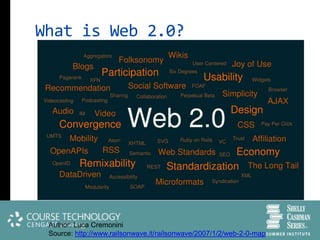
What is Web 2.0?


 Author: Luca Cremonini
 Source: http://www.railsonwave.it/railsonwave/2007/1/2/web-2-0-map
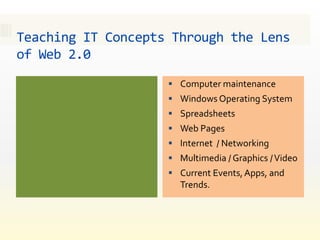
Teaching IT Concepts Through the Lens
of Web 2.0
                     Computer maintenance
                     Windows Operating System
                     Spreadsheets
                     Web Pages
                     Internet / Networking
                     Multimedia / Graphics / Video
                     Current Events, Apps, and
                      Trends.
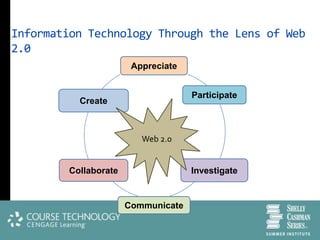
Information Technology Through the Lens of Web
2.0
                        Appreciate


                                     Participate
           Create


                          Web 2.0


         Collaborate                 Investigate


                       Communicate
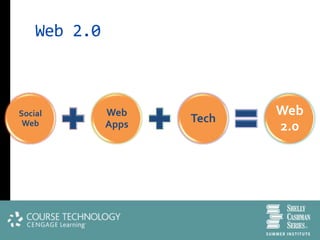
Web 2.0


Social        Web           Web
 Web          Apps
                     Tech
                            2.0
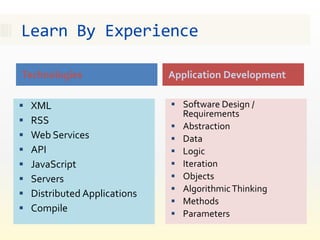
Learn By Experience

Technologies                   Application Development

   XML                         Software Design /
                                   Requirements
   RSS
                                  Abstraction
   Web Services                  Data
   API                           Logic
   JavaScript                    Iteration
   Servers                       Objects
                                  Algorithmic Thinking
   Distributed Applications
                                  Methods
   Compile                       Parameters
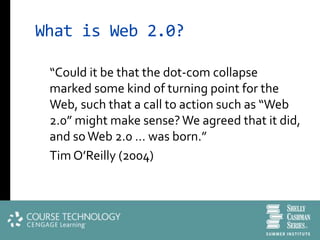
What is Web 2.0?

 “Could it be that the dot-com collapse
 marked some kind of turning point for the
 Web, such that a call to action such as “Web
 2.0” might make sense? We agreed that it did,
 and so Web 2.0 … was born.”
 Tim O’Reilly (2004)
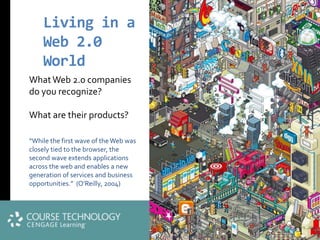
Living in a
    Web 2.0
    World
What Web 2.0 companies
do you recognize?

What are their products?

“While the first wave of the Web was
closely tied to the browser, the
second wave extends applications
across the web and enables a new
generation of services and business
opportunities.” (O’Reilly, 2004)
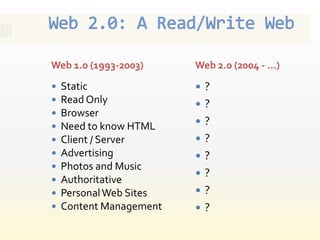
Web 1.0 (1993-2003)      Web 2.0 (2004 - …)
   Static               ?
   Read Only            ?
   Browser
   Need to know HTML    ?
   Client / Server      ?
   Advertising          ?
   Photos and Music
                         ?
   Authoritative
   Personal Web Sites   ?
   Content Management   ?
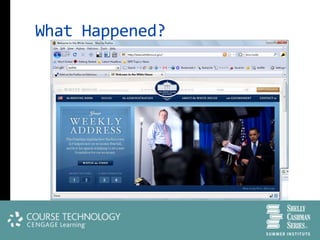
What Happened?
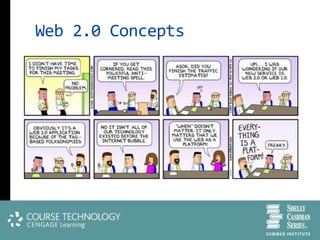
Web 2.0 Concepts
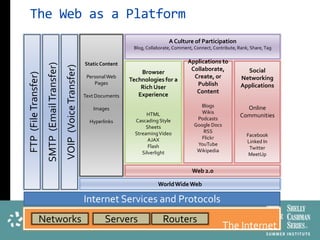
The Web as a Platform
                                                                                                        A Culture of Participation
                                                                                        Blog, Collaborate, Comment, Connect, Contribute, Rank, Share, Tag


                                                                      Static Content                             Applications to
                      SMTP (Email Transfer)
                                              VOIP (Voice Transfer)                        Browser
                                                                                                                  Collaborate,              Social
FTP (File Transfer)


                                                                       Personal Web                                Create, or             Networking
                                                                                       Technologies for a
                                                                          Pages                                     Publish               Applications
                                                                                           Rich User
                                                                                                                    Content
                                                                      Text Documents      Experience
                                                                                                                       Blogs                Online
                                                                         Images
                                                                                              HTML                     Wikis
                                                                                                                     Podcasts
                                                                                                                                          Communities
                                                                        Hyperlinks       Cascading Style
                                                                                              Sheets                Google Docs
                                                                                         Streaming Video                RSS
                                                                                                                       Flickr                Facebook
                                                                                               AJAX                                          Linked In
                                                                                               Flash                 YouTube
                                                                                                                                              Twitter
                                                                                            Silverlight              Wikipedia
                                                                                                                                              MeetUp


                                                                                                                   Web 2.0

                                                                                                   World Wide Web

                                                                      Internet Services and Protocols
                Networks                                                      Servers                Routers
                                                                                                                                  The Internet
O’Reilly’s Seven Principles of
Web 2.0
1. Web as platform
2. Harnessing collective intelligence
3. Data is the next “Intel inside”
4. End of software release cycle – “perpetual
   beta”
5. Lightweight programming models
6. Software above the level of a single device
7. Rich user experiences
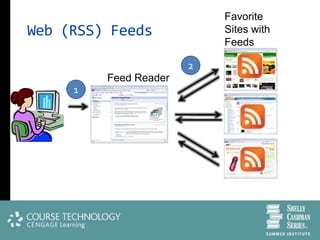
Favorite
Web (RSS) Feeds            Sites with
                           Feeds

                       2
         Feed Reader
     1
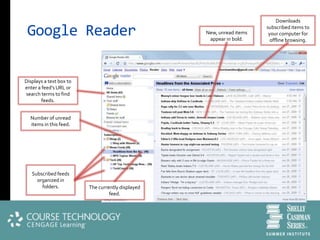
Downloads

 Google Reader                                     New, unread items
                                                    appear in bold.
                                                                       subscribed items to
                                                                        your computer for
                                                                         offline browsing.


Displays a text box to
enter a feed’s URL or
search terms to find
        feeds.


  Number of unread
  items in this feed.


   Subscribed feeds
     organized in
       folders.          The currently displayed
                                  feed.
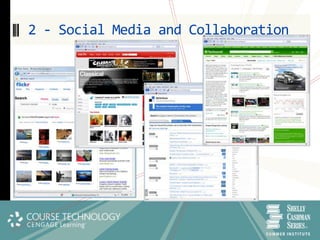
2 - Social Media and Collaboration
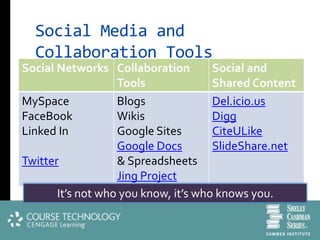
Social Media and
  Collaboration Tools
Social Networks Collaboration         Social and
                   Tools              Shared Content
MySpace            Blogs              Del.icio.us
FaceBook           Wikis              Digg
Linked In          Google Sites       CiteULike
                   Google Docs        SlideShare.net
Twitter            & Spreadsheets
                   Jing Project
       It’s not who you know, it’s who knows you.
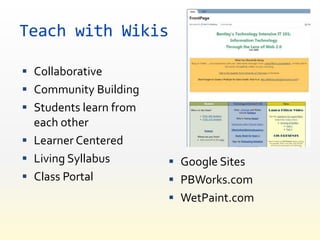
Teach with Wikis

 Collaborative
 Community Building
 Students learn from
  each other
 Learner Centered
 Living Syllabus        Google Sites
 Class Portal           PBWorks.com
                         WetPaint.com
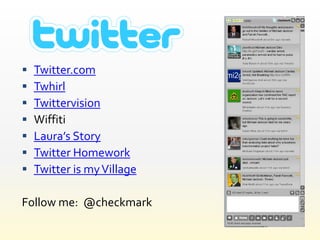
   Twitter.com
   Twhirl
   Twittervision
   Wiffiti
   Laura’s Story
   Twitter Homework
   Twitter is my Village

Follow me: @checkmark
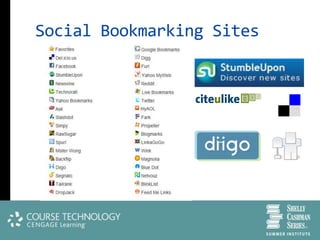
Social Bookmarking Sites
Physical World
   One book, one shelf

Digital World

   Now, for the first time in history, we are able to
   arrange our concepts without the silent limitations
   of the physical. How might our ideas, organizations,
   and knowledge itself change?

   David Weinberger, Harvard University
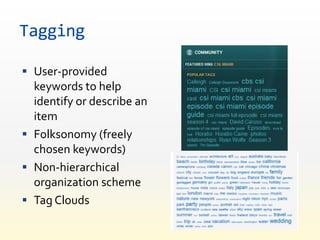
Tagging

 User-provided
  keywords to help
  identify or describe an
  item
 Folksonomy (freely
  chosen keywords)
 Non-hierarchical
  organization scheme
 Tag Clouds
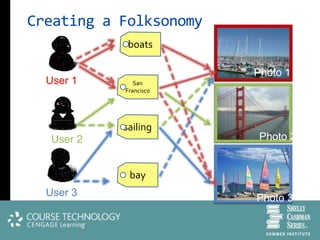
Creating a Folksonomy
             boats

                        Photo 1 1
  User 1       San
            Francisco


            sailing
   User 2                Photo 2


             bay
  User 3                Photo 3
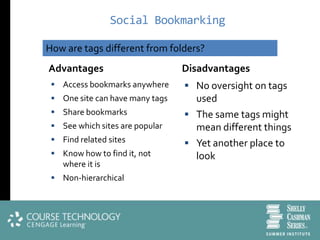
Social Bookmarking

How are tags different from folders?
Advantages                       Disadvantages
  Access bookmarks anywhere      No oversight on tags
  One site can have many tags     used
  Share bookmarks                The same tags might
  See which sites are popular     mean different things
  Find related sites             Yet another place to
  Know how to find it, not        look
    where it is
  Non-hierarchical
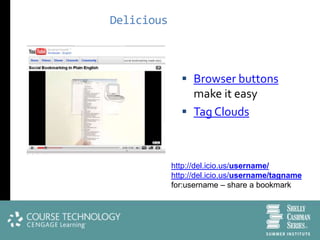
Delicious


               Browser buttons
                make it easy
               Tag Clouds


            http://del.icio.us/username/
            http://del.icio.us/username/tagname
            for:username – share a bookmark
Other Social Bookmarking Sites


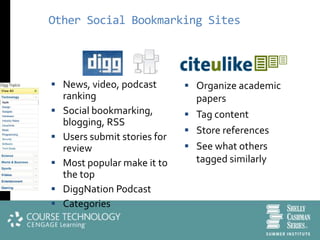
 News, video, podcast          Organize academic
    ranking                      papers
   Social bookmarking,         Tag content
    blogging, RSS
                                Store references
   Users submit stories for
    review                      See what others
   Most popular make it to      tagged similarly
    the top
   DiggNation Podcast
   Categories
Flickr

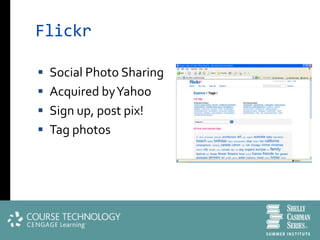
 Social Photo Sharing
 Acquired by Yahoo
 Sign up, post pix!
 Tag photos
4 – Collaboration and Cool Stuff
3 - All Things
Teaching with Google Docs
and Spreadsheets
 Collaborative lab reports, assignments, final
  exams!
 Simple online forms
 Very cool
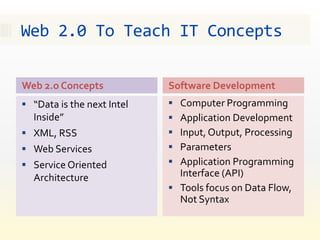
Web 2.0 To Teach IT Concepts

Web 2.o Concepts            Software Development
 “Data is the next Intel    Computer Programming
  Inside”                    Application Development
 XML, RSS                   Input, Output, Processing
 Web Services               Parameters
 Service Oriented           Application Programming
  Architecture                Interface (API)
                             Tools focus on Data Flow,
                              Not Syntax
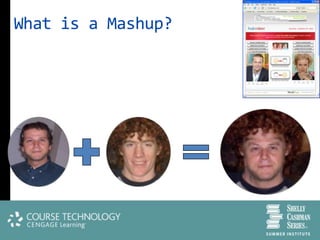
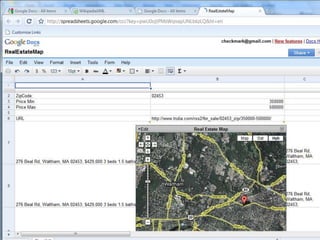
What is a Mashup?
Data Mashups with Google
    Spreadsheets
      Google Sets (ctrl and drag)
      =GoogleFinance(“symbol”, “attribute”)
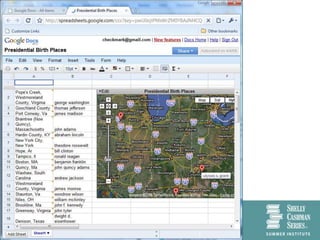
      =GoogleLookup(“entity”, “value”)
      =ImportFeed(“url”, paramters)
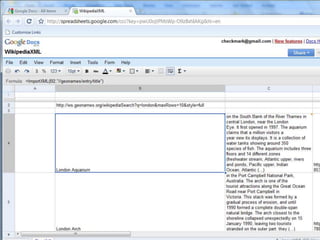
      =ImportXML(url, Xpath expression)
      =ImportHTML(“url”)
      =ImportData(“url”)


http://googlesystem.blogspot.com/2007/09/google-spreadsheets-lets-y
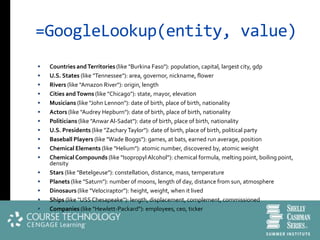
=GoogleLookup(entity, value)
   Countries and Territories (like "Burkina Faso"): population, capital, largest city, gdp
   U.S. States (like "Tennessee"): area, governor, nickname, flower
   Rivers (like "Amazon River"): origin, length
   Cities and Towns (like "Chicago"): state, mayor, elevation
   Musicians (like "John Lennon"): date of birth, place of birth, nationality
   Actors (like "Audrey Hepburn"): date of birth, place of birth, nationality
   Politicians (like "Anwar Al-Sadat"): date of birth, place of birth, nationality
   U.S. Presidents (like "Zachary Taylor"): date of birth, place of birth, political party
   Baseball Players (like "Wade Boggs"): games, at bats, earned run average, position
   Chemical Elements (like "Helium"): atomic number, discovered by, atomic weight
   Chemical Compounds (like "Isopropyl Alcohol"): chemical formula, melting point, boiling point,
    density
   Stars (like "Betelgeuse"): constellation, distance, mass, temperature
   Planets (like "Saturn"): number of moons, length of day, distance from sun, atmosphere
   Dinosaurs (like "Velociraptor"): height, weight, when it lived
   Ships (like "USS Chesapeake"): length, displacement, complement, commissioned
   Companies (like "Hewlett-Packard"): employees, ceo, ticker
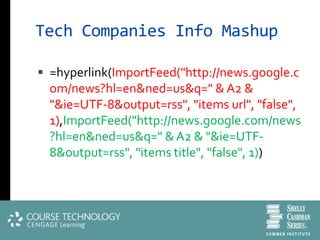
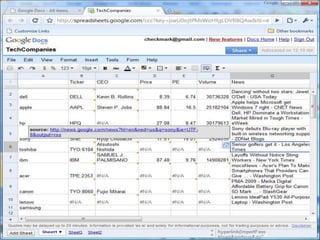
Tech Companies Info Mashup

 =hyperlink(ImportFeed("http://news.google.c
  om/news?hl=en&ned=us&q=" & A2 &
  "&ie=UTF-8&output=rss", "items url", "false",
  1),ImportFeed("http://news.google.com/news
  ?hl=en&ned=us&q=" & A2 & "&ie=UTF-
  8&output=rss", "items title", "false", 1))
More Collaboration Tools

 Live Blogging (CoverItLive)
 Desktop Sharing (YuuGuu or Crossloop)
 Conferencing (DimDim)
Questions?


  Install the plugin http://skp.mvps.org/liveweb.htm to include Live Web content in your PowerPoint   .

Frydenberg Web20 Scu09

  • 1.
    WEB 2.0 CONCEPTSAND APPLICATIONS @checkmark
  • 2.
    Agenda 1 –What is Web 2.0 ? 2 – Social Media and Collaboration 3 – Google! 4- Cool Stuff for your classroom
  • 3.
    1 – Whatis Web 2.0 ?
  • 4.
    The Machine isUs(ing Us) How did I get the video to play within PowerPoint 2007?
  • 5.
    What is Web2.0? Author: Luca Cremonini Source: http://www.railsonwave.it/railsonwave/2007/1/2/web-2-0-map
  • 6.
    Teaching IT ConceptsThrough the Lens of Web 2.0  Computer maintenance  Windows Operating System  Spreadsheets  Web Pages  Internet / Networking  Multimedia / Graphics / Video  Current Events, Apps, and Trends.
  • 7.
    Information Technology Throughthe Lens of Web 2.0 Appreciate Participate Create Web 2.0 Collaborate Investigate Communicate
  • 8.
    Web 2.0 Social Web Web Web Apps Tech 2.0
  • 9.
    Learn By Experience Technologies Application Development  XML  Software Design / Requirements  RSS  Abstraction  Web Services  Data  API  Logic  JavaScript  Iteration  Servers  Objects  Algorithmic Thinking  Distributed Applications  Methods  Compile  Parameters
  • 10.
    What is Web2.0? “Could it be that the dot-com collapse marked some kind of turning point for the Web, such that a call to action such as “Web 2.0” might make sense? We agreed that it did, and so Web 2.0 … was born.” Tim O’Reilly (2004)
  • 11.
    Living in a Web 2.0 World What Web 2.0 companies do you recognize? What are their products? “While the first wave of the Web was closely tied to the browser, the second wave extends applications across the web and enables a new generation of services and business opportunities.” (O’Reilly, 2004)
  • 12.
    Web 1.0 (1993-2003) Web 2.0 (2004 - …)  Static ?  Read Only ?  Browser  Need to know HTML ?  Client / Server ?  Advertising ?  Photos and Music ?  Authoritative  Personal Web Sites ?  Content Management ?
  • 13.
  • 14.
  • 15.
    The Web asa Platform A Culture of Participation Blog, Collaborate, Comment, Connect, Contribute, Rank, Share, Tag Static Content Applications to SMTP (Email Transfer) VOIP (Voice Transfer) Browser Collaborate, Social FTP (File Transfer) Personal Web Create, or Networking Technologies for a Pages Publish Applications Rich User Content Text Documents Experience Blogs Online Images HTML Wikis Podcasts Communities Hyperlinks Cascading Style Sheets Google Docs Streaming Video RSS Flickr Facebook AJAX Linked In Flash YouTube Twitter Silverlight Wikipedia MeetUp Web 2.0 World Wide Web Internet Services and Protocols Networks Servers Routers The Internet
  • 16.
    O’Reilly’s Seven Principlesof Web 2.0 1. Web as platform 2. Harnessing collective intelligence 3. Data is the next “Intel inside” 4. End of software release cycle – “perpetual beta” 5. Lightweight programming models 6. Software above the level of a single device 7. Rich user experiences
  • 17.
    Favorite Web (RSS) Feeds Sites with Feeds 2 Feed Reader 1
  • 18.
    Downloads Google Reader New, unread items appear in bold. subscribed items to your computer for offline browsing. Displays a text box to enter a feed’s URL or search terms to find feeds. Number of unread items in this feed. Subscribed feeds organized in folders. The currently displayed feed.
  • 19.
    2 - SocialMedia and Collaboration
  • 20.
    Social Media and Collaboration Tools Social Networks Collaboration Social and Tools Shared Content MySpace Blogs Del.icio.us FaceBook Wikis Digg Linked In Google Sites CiteULike Google Docs SlideShare.net Twitter & Spreadsheets Jing Project It’s not who you know, it’s who knows you.
  • 21.
    Teach with Wikis Collaborative  Community Building  Students learn from each other  Learner Centered  Living Syllabus  Google Sites  Class Portal  PBWorks.com  WetPaint.com
  • 22.
    Twitter.com  Twhirl  Twittervision  Wiffiti  Laura’s Story  Twitter Homework  Twitter is my Village Follow me: @checkmark
  • 23.
  • 24.
    Physical World One book, one shelf Digital World Now, for the first time in history, we are able to arrange our concepts without the silent limitations of the physical. How might our ideas, organizations, and knowledge itself change? David Weinberger, Harvard University
  • 25.
    Tagging  User-provided keywords to help identify or describe an item  Folksonomy (freely chosen keywords)  Non-hierarchical organization scheme  Tag Clouds
  • 26.
    Creating a Folksonomy boats Photo 1 1 User 1 San Francisco sailing User 2 Photo 2 bay User 3 Photo 3
  • 27.
    Social Bookmarking How aretags different from folders? Advantages Disadvantages  Access bookmarks anywhere  No oversight on tags  One site can have many tags used  Share bookmarks  The same tags might  See which sites are popular mean different things  Find related sites  Yet another place to  Know how to find it, not look where it is  Non-hierarchical
  • 28.
    Delicious  Browser buttons make it easy  Tag Clouds http://del.icio.us/username/ http://del.icio.us/username/tagname for:username – share a bookmark
  • 29.
    Other Social BookmarkingSites  News, video, podcast  Organize academic ranking papers  Social bookmarking,  Tag content blogging, RSS  Store references  Users submit stories for review  See what others  Most popular make it to tagged similarly the top  DiggNation Podcast  Categories
  • 30.
    Flickr  Social PhotoSharing  Acquired by Yahoo  Sign up, post pix!  Tag photos
  • 31.
    4 – Collaborationand Cool Stuff
  • 32.
    3 - AllThings
  • 33.
    Teaching with GoogleDocs and Spreadsheets  Collaborative lab reports, assignments, final exams!  Simple online forms  Very cool
  • 34.
    Web 2.0 ToTeach IT Concepts Web 2.o Concepts Software Development  “Data is the next Intel  Computer Programming Inside”  Application Development  XML, RSS  Input, Output, Processing  Web Services  Parameters  Service Oriented  Application Programming Architecture Interface (API)  Tools focus on Data Flow, Not Syntax
  • 35.
    What is aMashup?
  • 36.
    Data Mashups withGoogle Spreadsheets  Google Sets (ctrl and drag)  =GoogleFinance(“symbol”, “attribute”)  =GoogleLookup(“entity”, “value”)  =ImportFeed(“url”, paramters)  =ImportXML(url, Xpath expression)  =ImportHTML(“url”)  =ImportData(“url”) http://googlesystem.blogspot.com/2007/09/google-spreadsheets-lets-y
  • 37.
    =GoogleLookup(entity, value)  Countries and Territories (like "Burkina Faso"): population, capital, largest city, gdp  U.S. States (like "Tennessee"): area, governor, nickname, flower  Rivers (like "Amazon River"): origin, length  Cities and Towns (like "Chicago"): state, mayor, elevation  Musicians (like "John Lennon"): date of birth, place of birth, nationality  Actors (like "Audrey Hepburn"): date of birth, place of birth, nationality  Politicians (like "Anwar Al-Sadat"): date of birth, place of birth, nationality  U.S. Presidents (like "Zachary Taylor"): date of birth, place of birth, political party  Baseball Players (like "Wade Boggs"): games, at bats, earned run average, position  Chemical Elements (like "Helium"): atomic number, discovered by, atomic weight  Chemical Compounds (like "Isopropyl Alcohol"): chemical formula, melting point, boiling point, density  Stars (like "Betelgeuse"): constellation, distance, mass, temperature  Planets (like "Saturn"): number of moons, length of day, distance from sun, atmosphere  Dinosaurs (like "Velociraptor"): height, weight, when it lived  Ships (like "USS Chesapeake"): length, displacement, complement, commissioned  Companies (like "Hewlett-Packard"): employees, ceo, ticker
  • 39.
    Tech Companies InfoMashup  =hyperlink(ImportFeed("http://news.google.c om/news?hl=en&ned=us&q=" & A2 & "&ie=UTF-8&output=rss", "items url", "false", 1),ImportFeed("http://news.google.com/news ?hl=en&ned=us&q=" & A2 & "&ie=UTF- 8&output=rss", "items title", "false", 1))
  • 43.
    More Collaboration Tools Live Blogging (CoverItLive)  Desktop Sharing (YuuGuu or Crossloop)  Conferencing (DimDim)
  • 44.
    Questions? Installthe plugin http://skp.mvps.org/liveweb.htm to include Live Web content in your PowerPoint .