FLOATING POINT ARITHMETIC
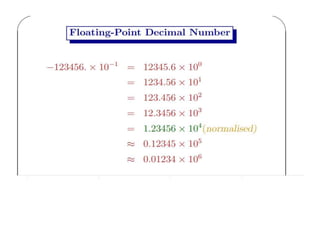
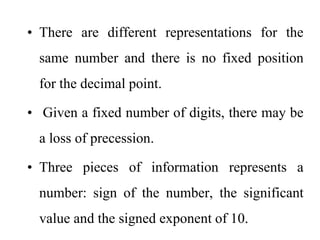
• There are different representations for the
same number and there is no fixed position
for the decimal point.
• Given a fixed number of digits, there may be
a loss of precession.
• Three pieces of information represents a
number: sign of the number, the significant
value and the signed exponent of 10.
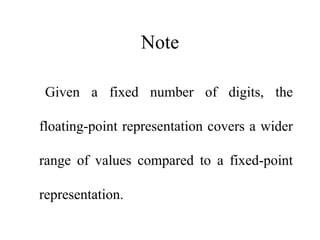
Note
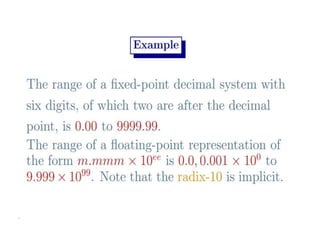
Given a fixed number of digits, the
floating-point representation covers a wider
range of values compared to a fixed-point
representation.
BINARY REPRESENTATION OF
FLOATING POINT NUMBERS
Converting decimal fractions into binary
representation.
Consider a decimal fraction of the form: 0.d1d2...dn
We want to convert this to a binary fraction of the
form:
0.b1b2...bn (using binary digits instead of decimal
digits)
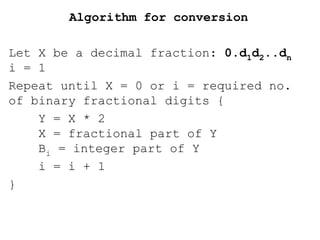
Algorithm for conversion
Let X be a decimal fraction: 0.d1d2..dn
i = 1
Repeat until X = 0 or i = required no.
of binary fractional digits {
Y = X * 2
X = fractional part of Y
Bi = integer part of Y
i = i + 1
}
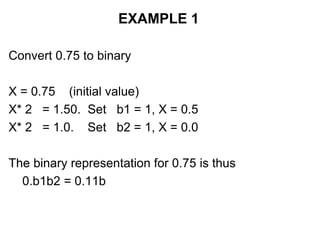
EXAMPLE 1
Convert 0.75 to binary
X = 0.75 (initial value)
X* 2 = 1.50. Set b1 = 1, X = 0.5
X* 2 = 1.0. Set b2 = 1, X = 0.0
The binary representation for 0.75 is thus
0.b1b2 = 0.11b
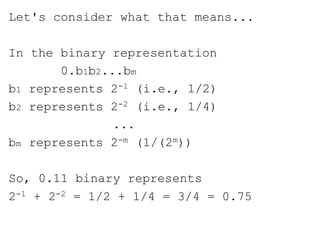
Let's consider what that means...
In the binary representation
0.b1b2...bm
b1 represents 2-1 (i.e., 1/2)
b2 represents 2-2 (i.e., 1/4)
...
bm represents 2-m (1/(2m))
So, 0.11 binary represents
2-1 + 2-2 = 1/2 + 1/4 = 3/4 = 0.75
EXAMPLE 2
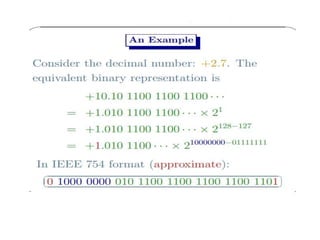
Convert the decimal value 4.9 into
binary
Part 1: convert the integer part into
binary: 4 = 100b
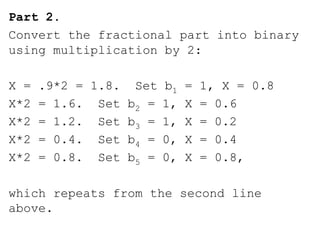
Part 2.
Convert the fractional part into binary
using multiplication by 2:
X = .9*2 = 1.8. Set b1 = 1, X = 0.8
X*2 = 1.6. Set b2 = 1, X = 0.6
X*2 = 1.2. Set b3 = 1, X = 0.2
X*2 = 0.4. Set b4 = 0, X = 0.4
X*2 = 0.8. Set b5 = 0, X = 0.8,
which repeats from the second line
above.
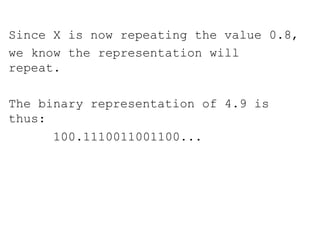
Since X is now repeating the value 0.8,
we know the representation will
repeat.
The binary representation of 4.9 is
thus:
100.1110011001100...
COMPUTER REPRESENTATION OF
FLOATING POINT NUMBERS
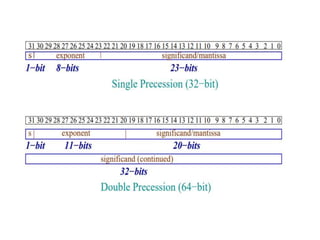
In the CPU, a 32-bit floating point
number is represented using IEEE
standard format as follows:
S | EXPONENT | MANTISSA
where S is one bit, the EXPONENT is 8
bits, and the MANTISSA is 23 bits.
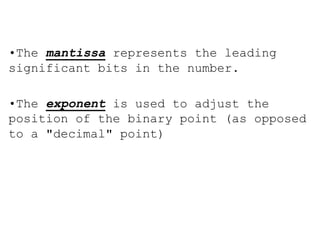
•The mantissa represents the leading
significant bits in the number.
•The exponent is used to adjust the
position of the binary point (as opposed
to a "decimal" point)
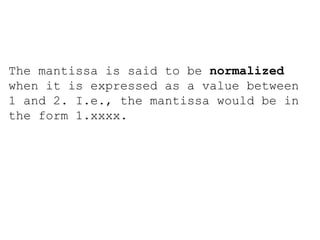
The mantissa is said to be normalized
when it is expressed as a value between
1 and 2. I.e., the mantissa would be in
the form 1.xxxx.
The leading integer of the binary
representation is not stored. Since it
is always a 1, it can be easily
restored.
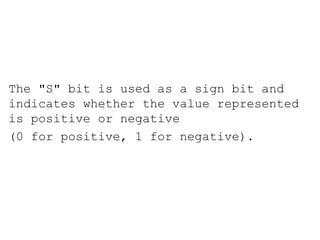
The "S" bit is used as a sign bit and
indicates whether the value represented
is positive or negative
(0 for positive, 1 for negative).
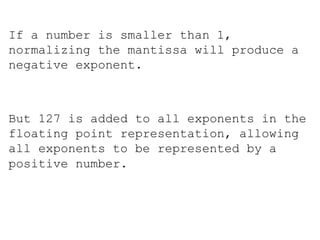
If a number is smaller than 1,
normalizing the mantissa will produce a
negative exponent.
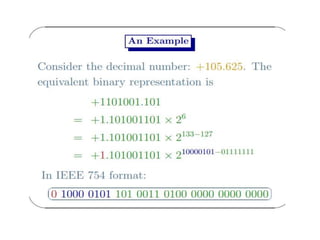
But 127 is added to all exponents in the
floating point representation, allowing
all exponents to be represented by a
positive number.
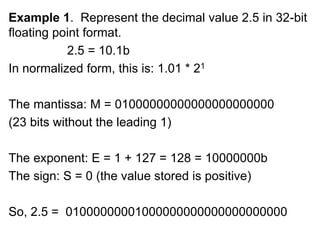
Example 1. Represent the decimal value 2.5 in 32-bit
floating point format.
2.5 = 10.1b
In normalized form, this is: 1.01 * 21
The mantissa: M = 01000000000000000000000
(23 bits without the leading 1)
The exponent: E = 1 + 127 = 128 = 10000000b
The sign: S = 0 (the value stored is positive)
So, 2.5 = 01000000001000000000000000000000
Example 2: Represent the number -0.00010011b in
floating point form.
0.00010011b = 1.0011 * 2-4
Mantissa: M = 00110000000000000000000 (23 bits
with the integral 1 not represented)
Exponent: E = -4 + 127 = 01111011b
S = 1 (as the number is negative)
Result: 1 01111011 00110000000000000000000
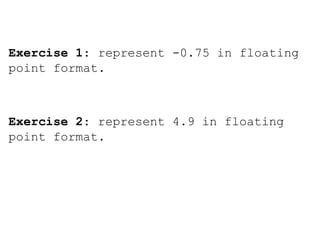
Exercise 1: represent -0.75 in floating
point format.
Exercise 2: represent 4.9 in floating
point format.

Floating point arithmetic

  • 1.
  • 3.
    • There aredifferent representations for the same number and there is no fixed position for the decimal point. • Given a fixed number of digits, there may be a loss of precession. • Three pieces of information represents a number: sign of the number, the significant value and the signed exponent of 10.
  • 4.
    Note Given a fixednumber of digits, the floating-point representation covers a wider range of values compared to a fixed-point representation.
  • 11.
    BINARY REPRESENTATION OF FLOATINGPOINT NUMBERS Converting decimal fractions into binary representation. Consider a decimal fraction of the form: 0.d1d2...dn We want to convert this to a binary fraction of the form: 0.b1b2...bn (using binary digits instead of decimal digits)
  • 12.
    Algorithm for conversion LetX be a decimal fraction: 0.d1d2..dn i = 1 Repeat until X = 0 or i = required no. of binary fractional digits { Y = X * 2 X = fractional part of Y Bi = integer part of Y i = i + 1 }
  • 13.
    EXAMPLE 1 Convert 0.75to binary X = 0.75 (initial value) X* 2 = 1.50. Set b1 = 1, X = 0.5 X* 2 = 1.0. Set b2 = 1, X = 0.0 The binary representation for 0.75 is thus 0.b1b2 = 0.11b
  • 14.
    Let's consider whatthat means... In the binary representation 0.b1b2...bm b1 represents 2-1 (i.e., 1/2) b2 represents 2-2 (i.e., 1/4) ... bm represents 2-m (1/(2m)) So, 0.11 binary represents 2-1 + 2-2 = 1/2 + 1/4 = 3/4 = 0.75
  • 15.
    EXAMPLE 2 Convert thedecimal value 4.9 into binary Part 1: convert the integer part into binary: 4 = 100b
  • 16.
    Part 2. Convert thefractional part into binary using multiplication by 2: X = .9*2 = 1.8. Set b1 = 1, X = 0.8 X*2 = 1.6. Set b2 = 1, X = 0.6 X*2 = 1.2. Set b3 = 1, X = 0.2 X*2 = 0.4. Set b4 = 0, X = 0.4 X*2 = 0.8. Set b5 = 0, X = 0.8, which repeats from the second line above.
  • 17.
    Since X isnow repeating the value 0.8, we know the representation will repeat. The binary representation of 4.9 is thus: 100.1110011001100...
  • 18.
    COMPUTER REPRESENTATION OF FLOATINGPOINT NUMBERS In the CPU, a 32-bit floating point number is represented using IEEE standard format as follows: S | EXPONENT | MANTISSA where S is one bit, the EXPONENT is 8 bits, and the MANTISSA is 23 bits.
  • 19.
    •The mantissa representsthe leading significant bits in the number. •The exponent is used to adjust the position of the binary point (as opposed to a "decimal" point)
  • 20.
    The mantissa issaid to be normalized when it is expressed as a value between 1 and 2. I.e., the mantissa would be in the form 1.xxxx.
  • 21.
    The leading integerof the binary representation is not stored. Since it is always a 1, it can be easily restored.
  • 22.
    The "S" bitis used as a sign bit and indicates whether the value represented is positive or negative (0 for positive, 1 for negative).
  • 23.
    If a numberis smaller than 1, normalizing the mantissa will produce a negative exponent. But 127 is added to all exponents in the floating point representation, allowing all exponents to be represented by a positive number.
  • 24.
    Example 1. Representthe decimal value 2.5 in 32-bit floating point format. 2.5 = 10.1b In normalized form, this is: 1.01 * 21 The mantissa: M = 01000000000000000000000 (23 bits without the leading 1) The exponent: E = 1 + 127 = 128 = 10000000b The sign: S = 0 (the value stored is positive) So, 2.5 = 01000000001000000000000000000000
  • 25.
    Example 2: Representthe number -0.00010011b in floating point form. 0.00010011b = 1.0011 * 2-4 Mantissa: M = 00110000000000000000000 (23 bits with the integral 1 not represented) Exponent: E = -4 + 127 = 01111011b S = 1 (as the number is negative) Result: 1 01111011 00110000000000000000000
  • 26.
    Exercise 1: represent-0.75 in floating point format. Exercise 2: represent 4.9 in floating point format.