SQL is astandard language for accessing and manipulating
databases.
Introduction to SQL
•SQL stands for Structured Query Language
•SQL lets you access and manipulate databases
•SQL became a standard of the American National Standards Institute
(ANSI) in 1986, and of the International Organization for Standardization
(ISO) in 1987
3.
What Can SQLdo?
•SQL can execute queries against a database
•SQL can retrieve data from a database
•SQL can insert records in a database
•SQL can update records in a database
•SQL can delete records from a database
•SQL can create new databases
•SQL can create new tables in a database
•SQL can create stored procedures in a database
•SQL can create views in a database
•SQL can set permissions on tables, procedures, and views
4.
Using SQL inYour Web Site
To build a web site that shows data from a database, you will
need:
•An RDBMS database program (i.e. MS Access, SQL Server,
MySQL)
•To use a server-side scripting language, like PHP or ASP
•To use SQL to get the data you want
•To use HTML / CSS to style the page
5.
RDBMS
• RDBMS standsfor Relational Database Management System.
• RDBMS is the basis for SQL, and for all modern database systems such as MS SQL Server,
IBM DB2, Oracle, MySQL, and Microsoft Access.
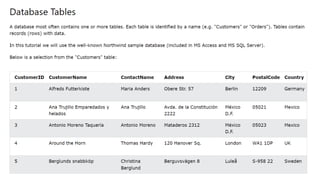
• The data in RDBMS is stored in database objects called tables. A table is a collection of
related data entries and it consists of columns and rows.
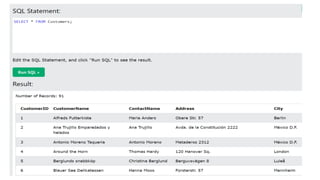
• Look at the "Customers" table:
8.
PHP Connect toMySQL
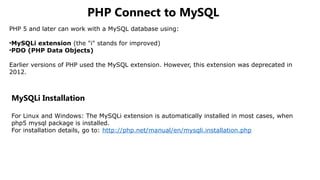
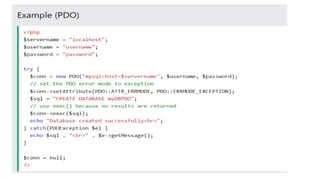
PHP 5 and later can work with a MySQL database using:
•MySQLi extension (the "i" stands for improved)
•PDO (PHP Data Objects)
Earlier versions of PHP used the MySQL extension. However, this extension was deprecated in
2012.
MySQLi Installation
For Linux and Windows: The MySQLi extension is automatically installed in most cases, when
php5 mysql package is installed.
For installation details, go to: http://php.net/manual/en/mysqli.installation.php
9.
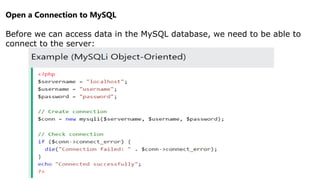
Open a Connectionto MySQL
Before we can access data in the MySQL database, we need to be able to
connect to the server:
11.
PHP MySQL CreateTable
A database table has its own unique name and consists of columns and
rows.
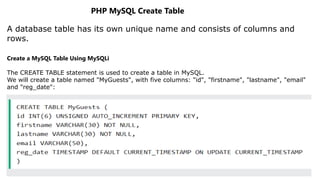
Create a MySQL Table Using MySQLi
The CREATE TABLE statement is used to create a table in MySQL.
We will create a table named "MyGuests", with five columns: "id", "firstname", "lastname", "email"
and "reg_date":
12.
PHP MySQL InsertData
Insert Data Into MySQL
After a database and a table have been created, we can start adding data in them.
Here are some syntax rules to follow:
•The SQL query must be quoted in PHP
•String values inside the SQL query must be quoted
•Numeric values must not be quoted
•The word NULL must not be quoted
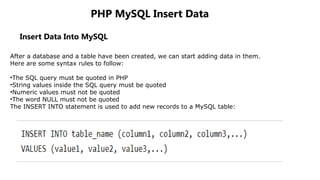
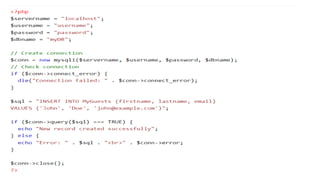
The INSERT INTO statement is used to add new records to a MySQL table:
14.
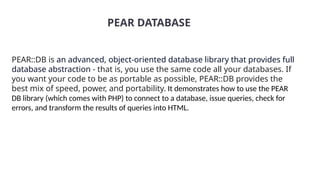
PEAR::DB is anadvanced, object-oriented database library that provides full
database abstraction - that is, you use the same code all your databases. If
you want your code to be as portable as possible, PEAR::DB provides the
best mix of speed, power, and portability. It demonstrates how to use the PEAR
DB library (which comes with PHP) to connect to a database, issue queries, check for
errors, and transform the results of queries into HTML.
PEAR DATABASE