



1
Kostas Kloudas
@KLOUBEN_K
Flink Forward San Francisco
April 11, 2017
Extending Flink’s Streaming APIs
2
Original creators of Apache
Flink®
Providers of the
dA Platform, a supported
Flink distribution
Extensions to the DataStream API
3
Extensions to the DataStream API
4
 ProcessFunction for Low-level Operations
 Support for Asynchronous I/O
ProcessFunction
5
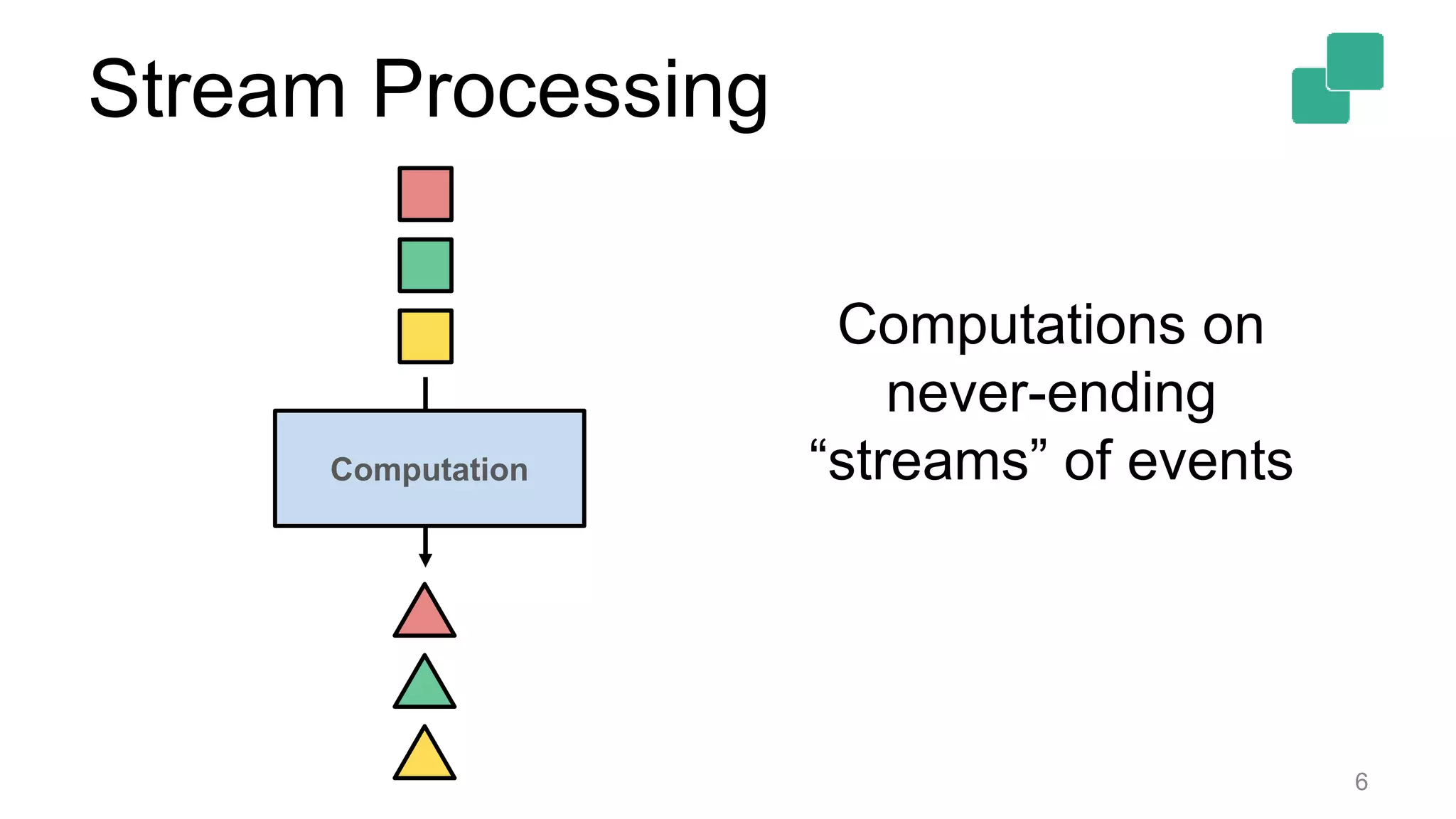
Stream Processing
6
Computation
Computations on
never-ending
“streams” of events
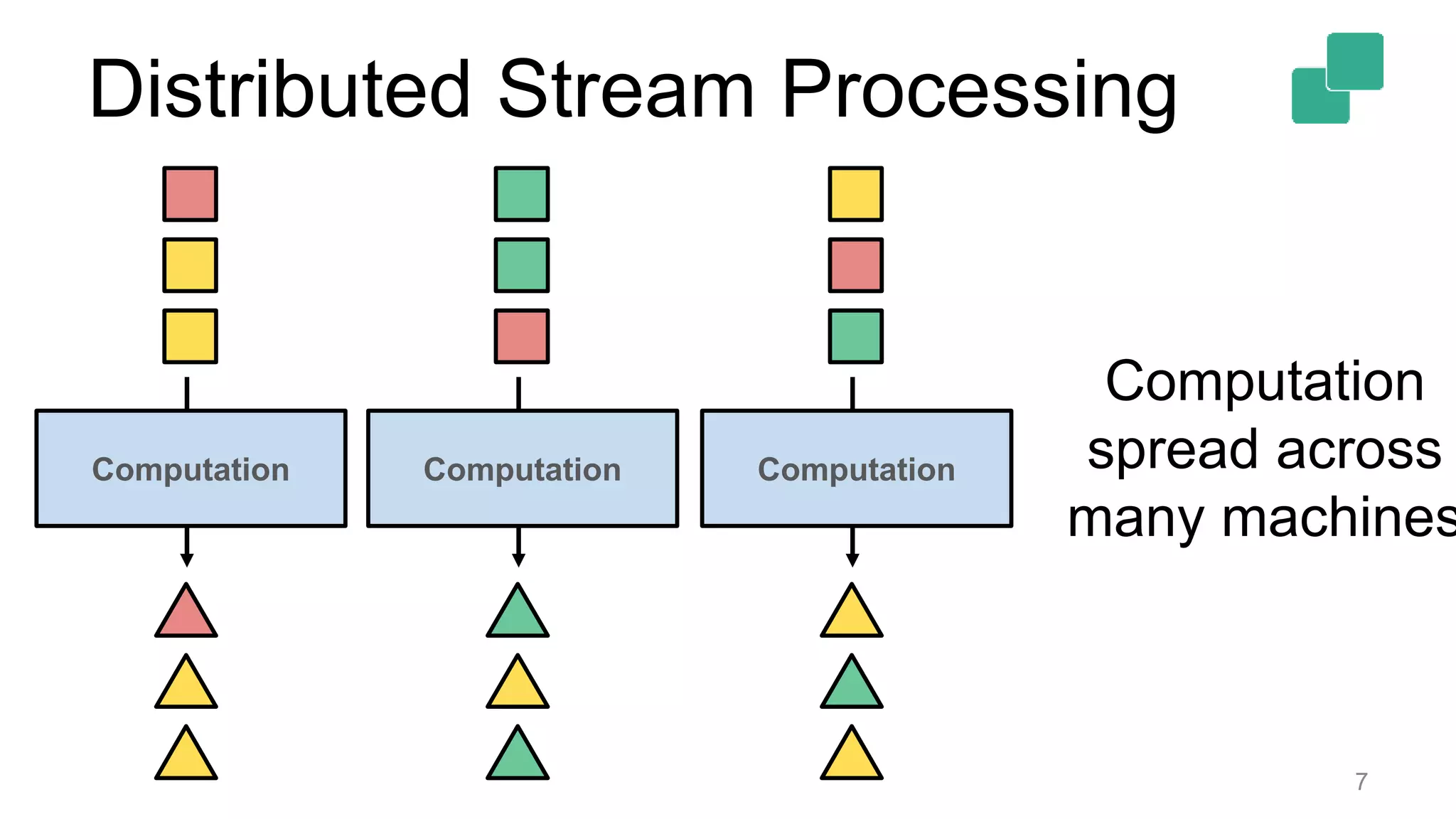
Distributed Stream Processing
7
Computation
Computation
spread across
many machines
Computation Computation
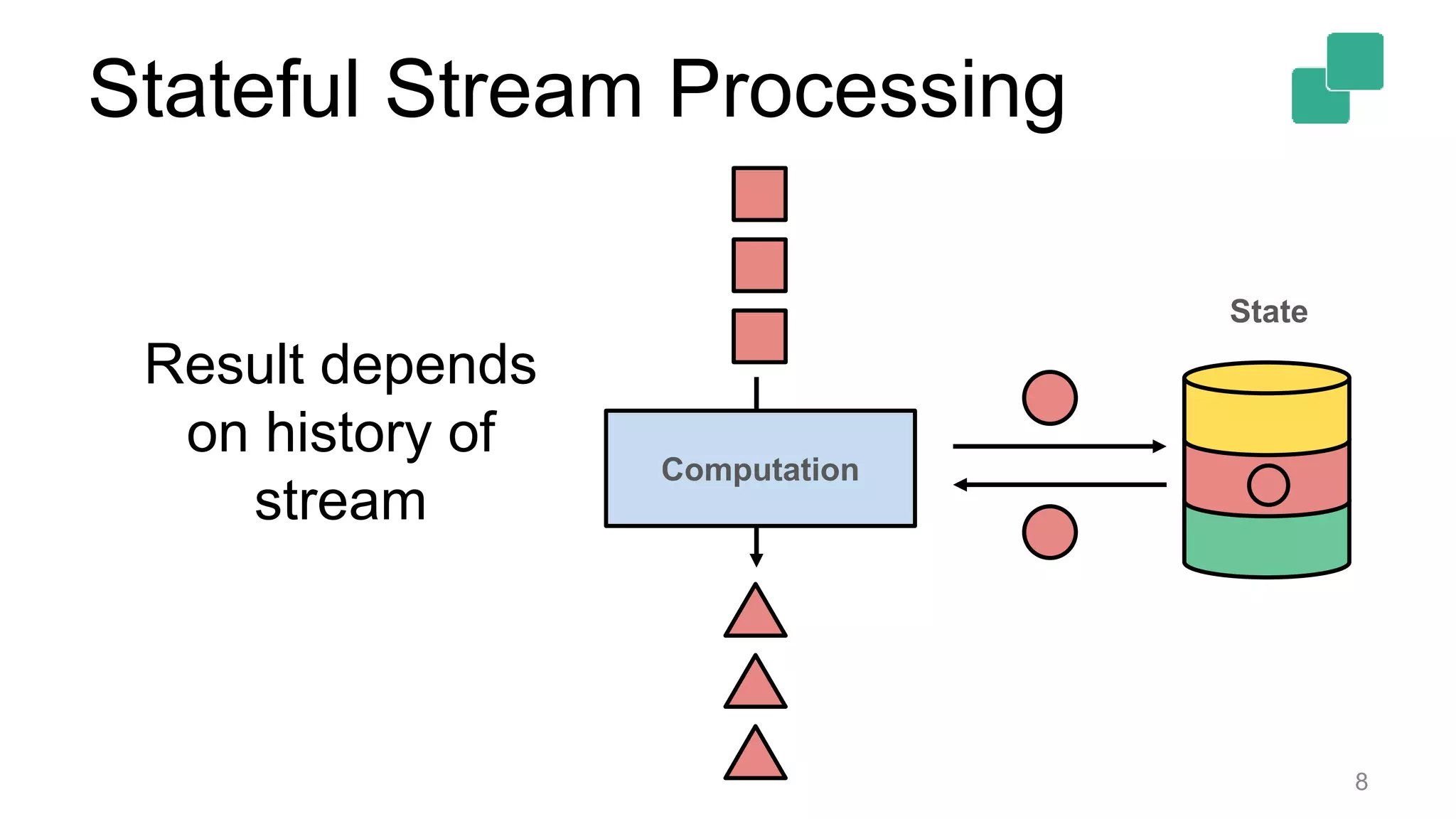
Stateful Stream Processing
8
Computation
State
Result depends
on history of
stream
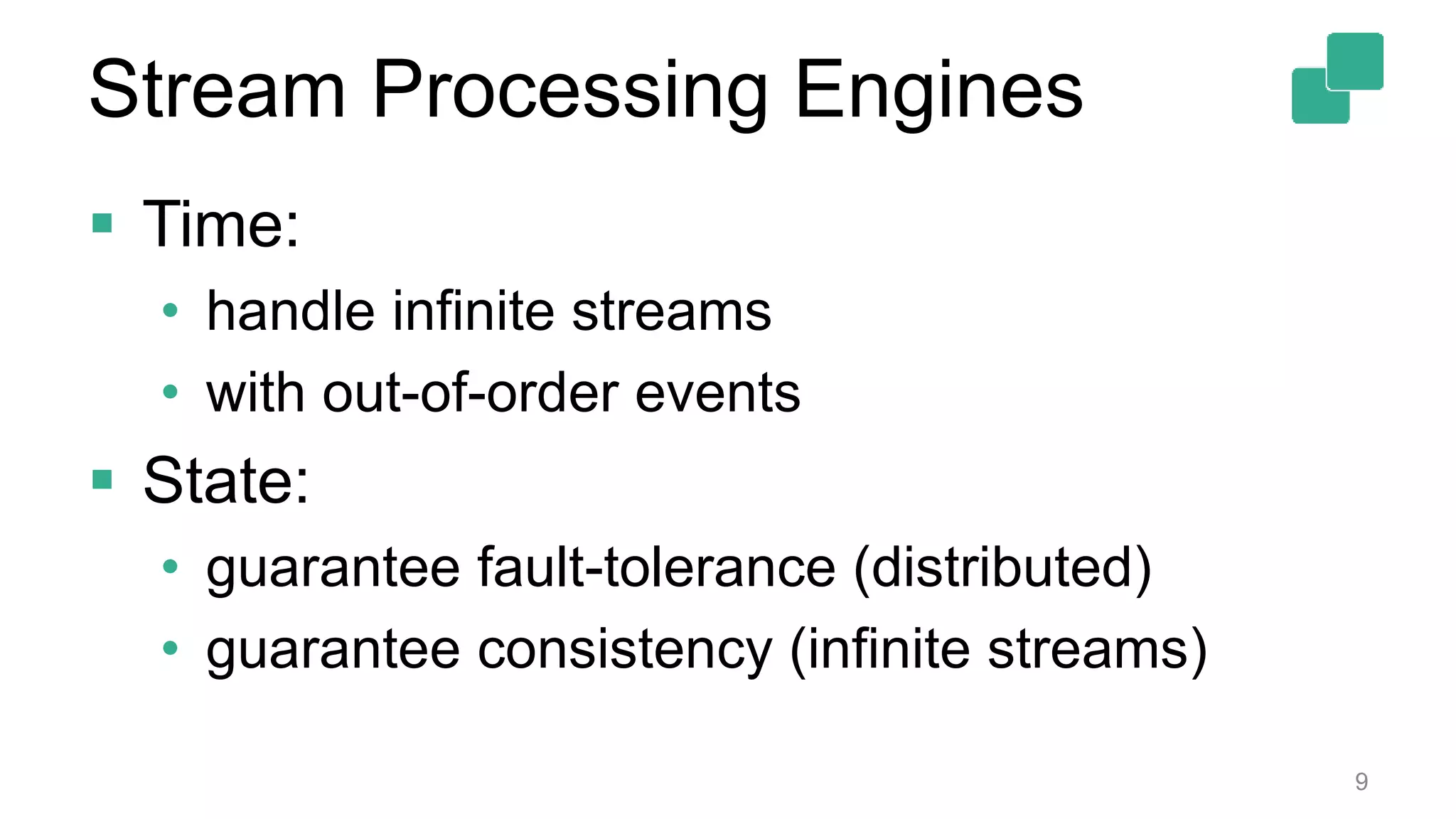
Stream Processing Engines
 Time:
• handle infinite streams
• with out-of-order events
 State:
• guarantee fault-tolerance (distributed)
• guarantee consistency (infinite streams)
9
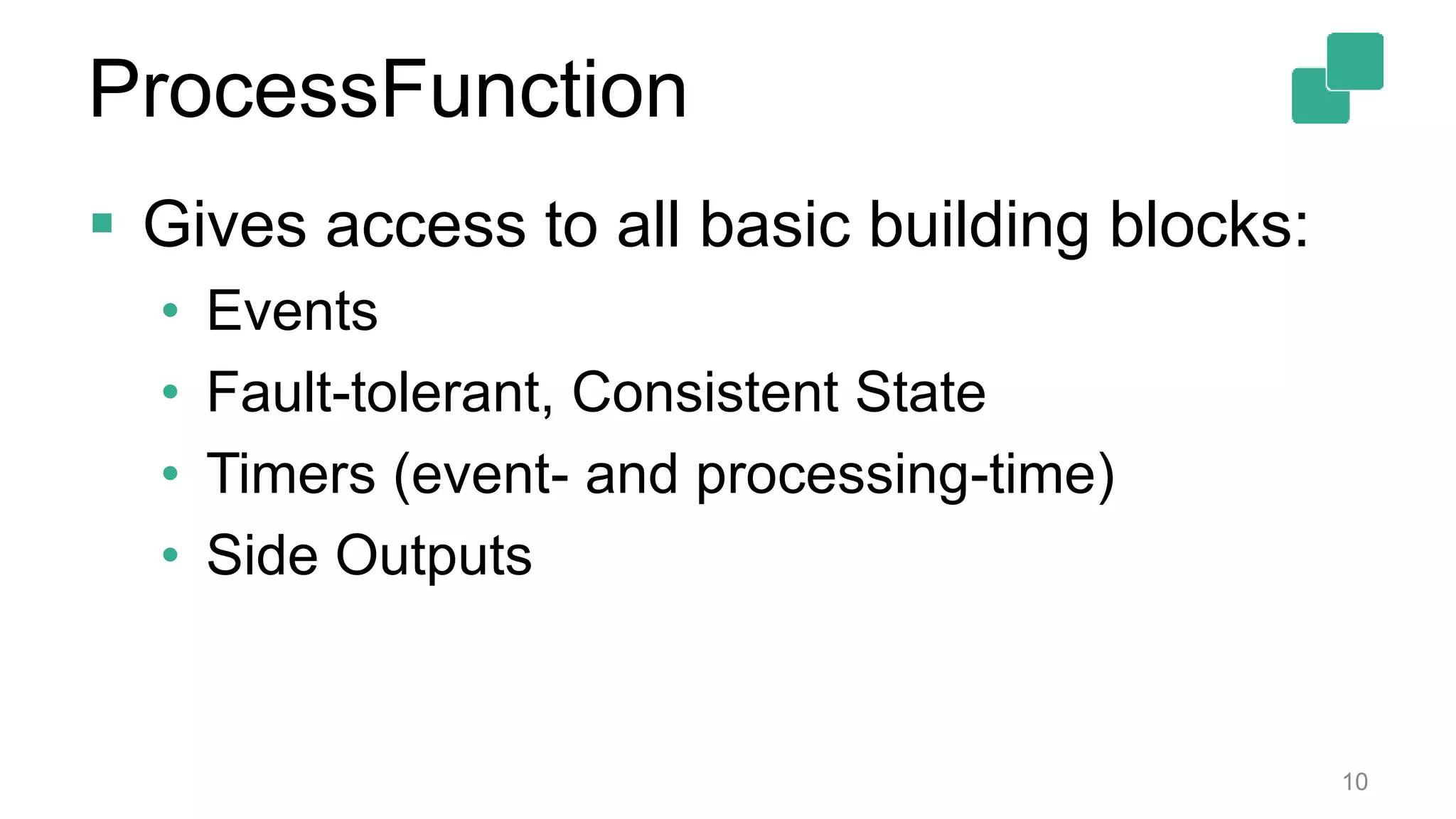
 Gives access to all basic building blocks:
• Events
• Fault-tolerant, Consistent State
• Timers (event- and processing-time)
• Side Outputs
10
ProcessFunction
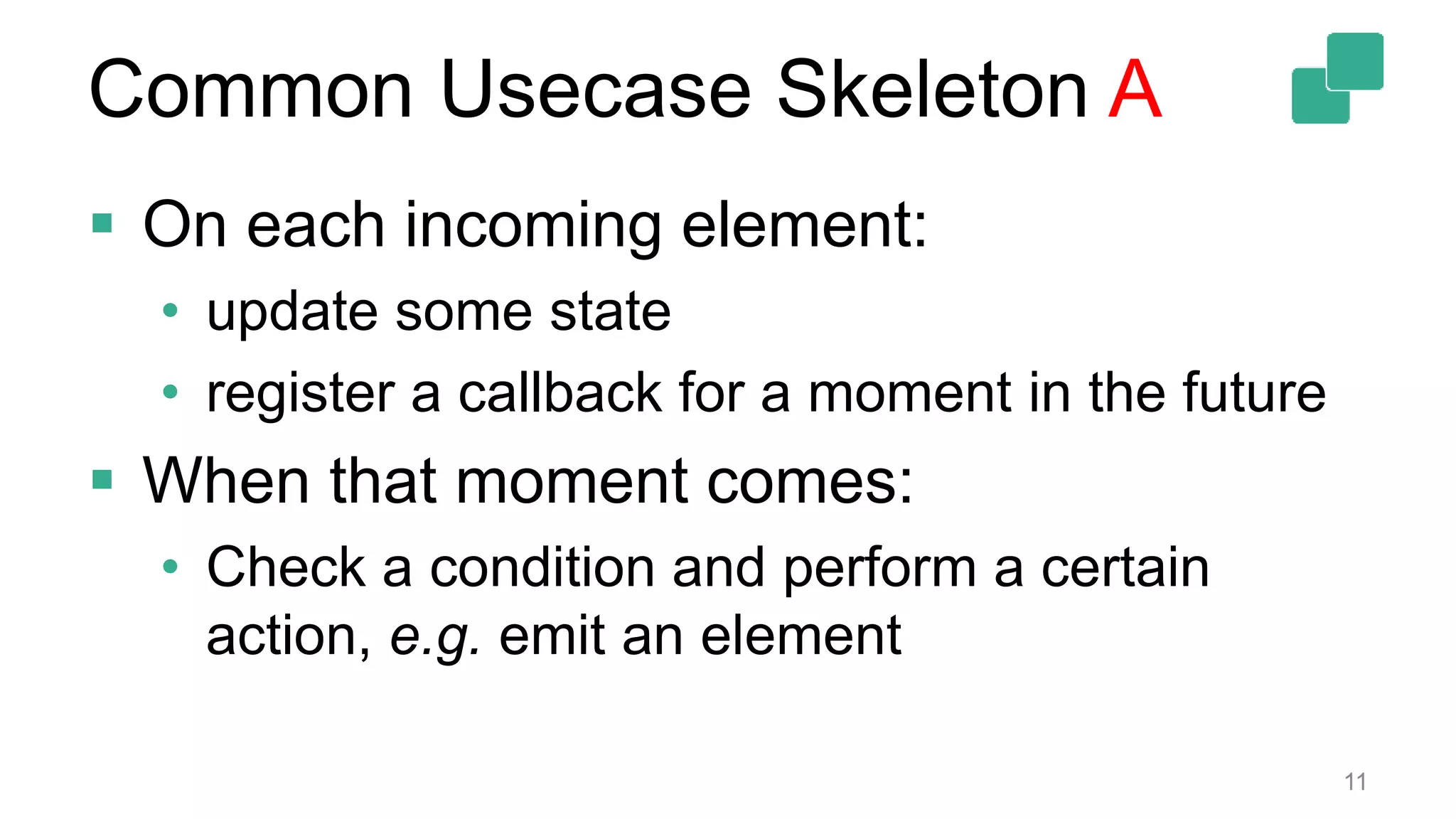
Common Usecase Skeleton A
 On each incoming element:
• update some state
• register a callback for a moment in the future
 When that moment comes:
• Check a condition and perform a certain
action, e.g. emit an element
11
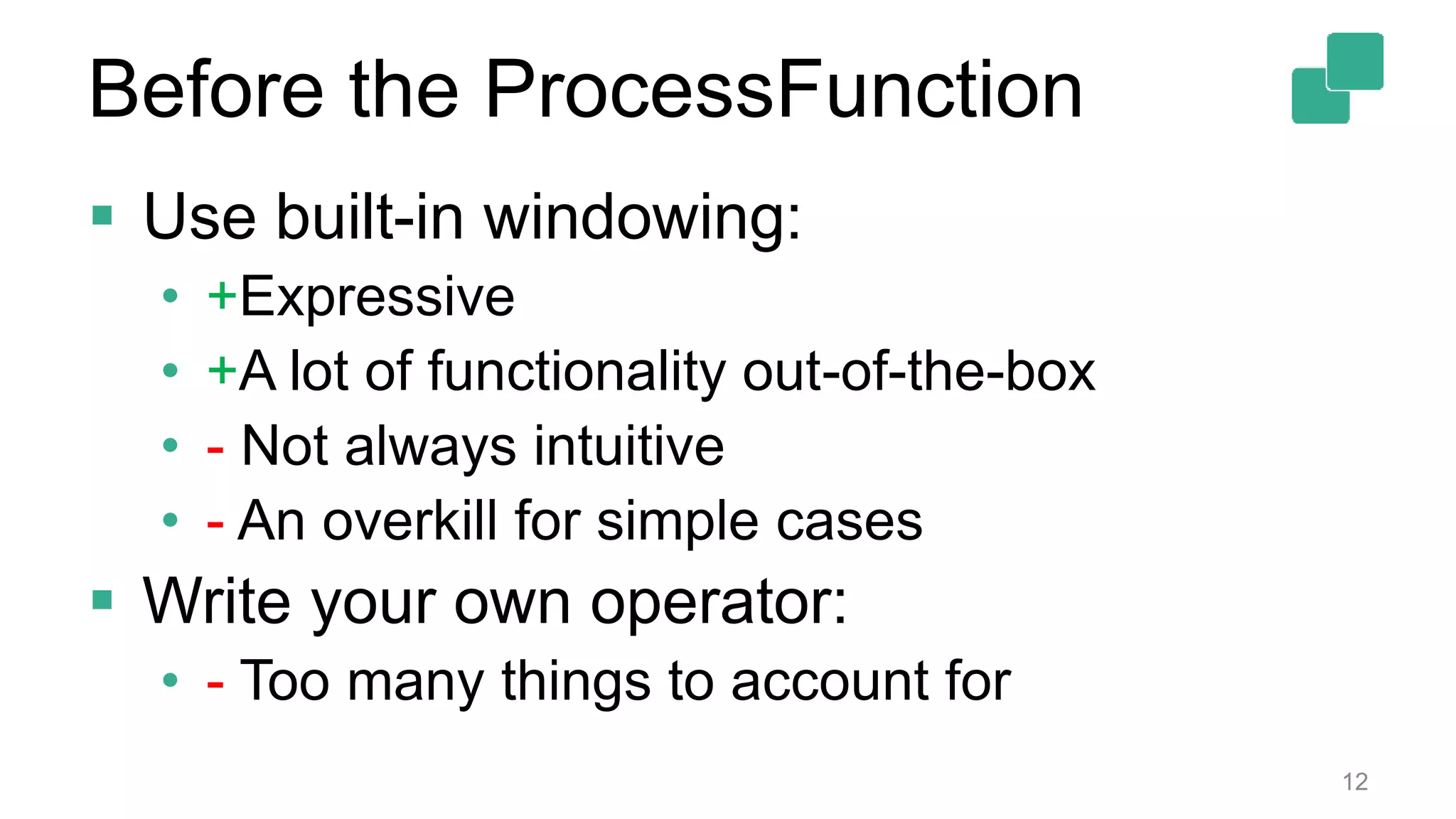
 Use built-in windowing:
• +Expressive
• +A lot of functionality out-of-the-box
• - Not always intuitive
• - An overkill for simple cases
 Write your own operator:
• - Too many things to account for
12
Before the ProcessFunction
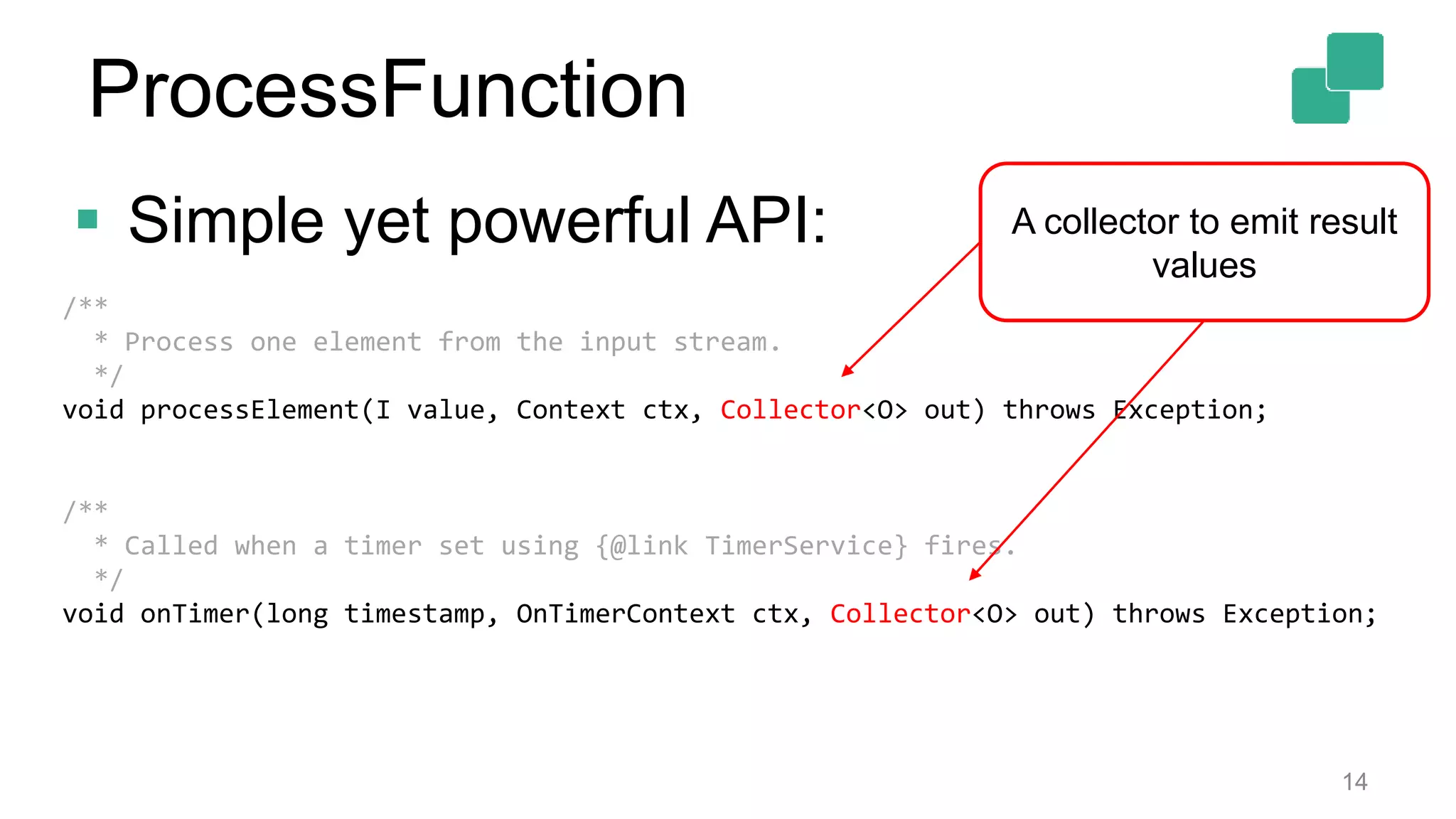
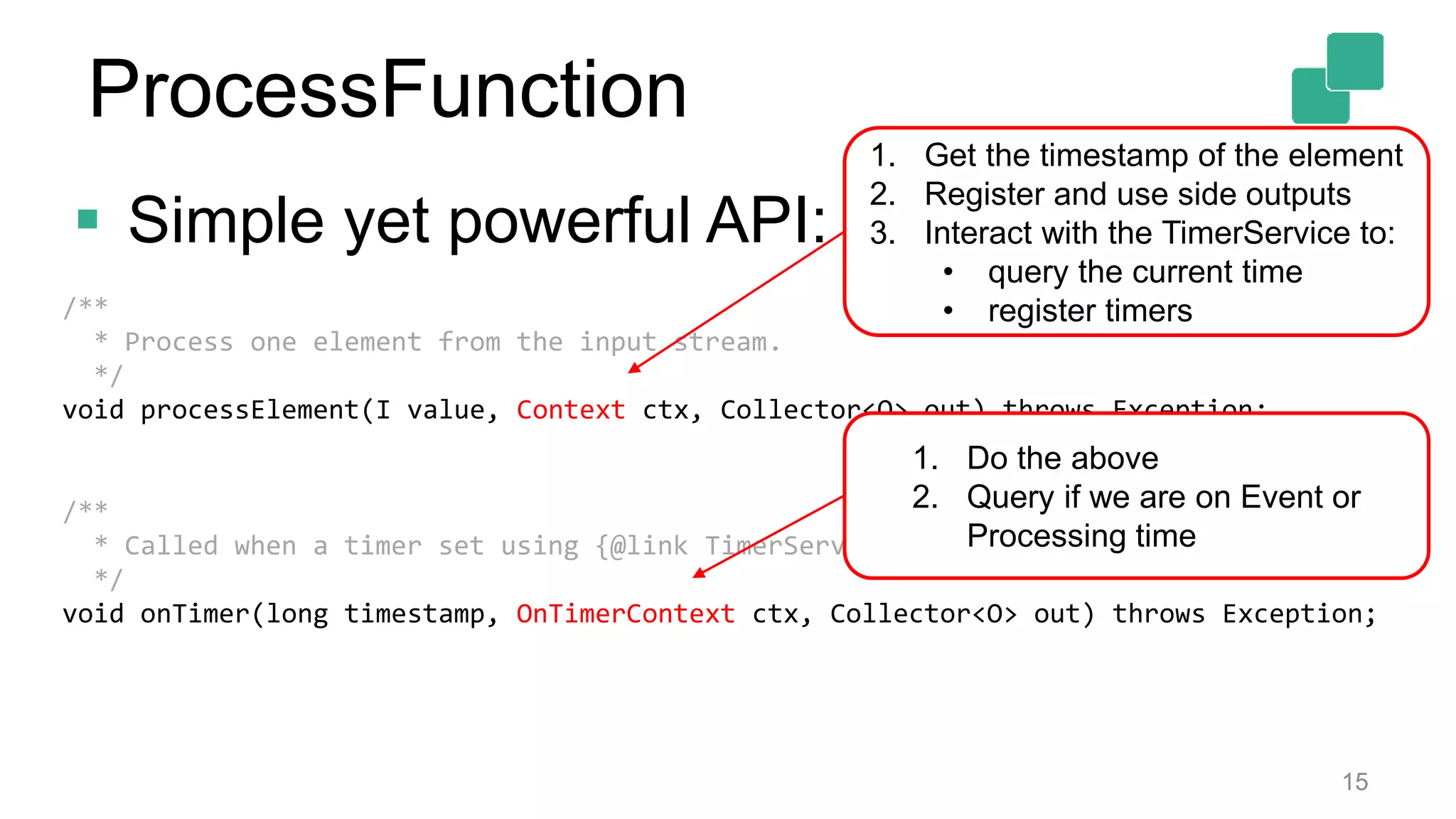
 Simple yet powerful API:
13
/**
* Process one element from the input stream.
*/
void processElement(I value, Context ctx, Collector<O> out) throws Exception;
/**
* Called when a timer set using {@link TimerService} fires.
*/
void onTimer(long timestamp, OnTimerContext ctx, Collector<O> out) throws Exception;
ProcessFunction
 Simple yet powerful API:
14
/**
* Process one element from the input stream.
*/
void processElement(I value, Context ctx, Collector<O> out) throws Exception;
/**
* Called when a timer set using {@link TimerService} fires.
*/
void onTimer(long timestamp, OnTimerContext ctx, Collector<O> out) throws Exception;
A collector to emit result
values
ProcessFunction
 Simple yet powerful API:
15
/**
* Process one element from the input stream.
*/
void processElement(I value, Context ctx, Collector<O> out) throws Exception;
/**
* Called when a timer set using {@link TimerService} fires.
*/
void onTimer(long timestamp, OnTimerContext ctx, Collector<O> out) throws Exception;
1. Get the timestamp of the element
2. Register and use side outputs
3. Interact with the TimerService to:
• query the current time
• register timers
1. Do the above
2. Query if we are on Event or
Processing time
ProcessFunction
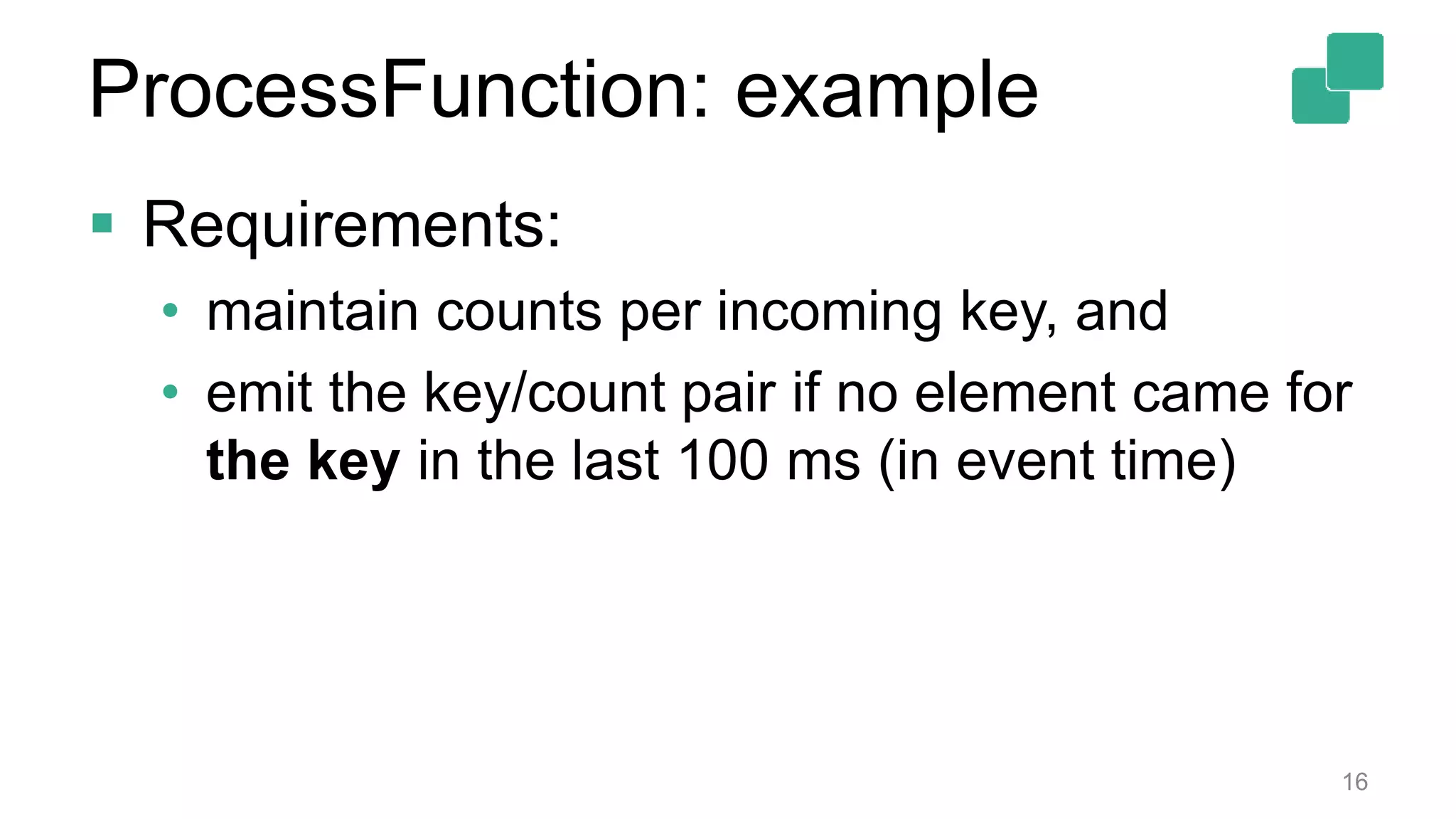
 Requirements:
• maintain counts per incoming key, and
• emit the key/count pair if no element came for
the key in the last 100 ms (in event time)
16
ProcessFunction: example
17
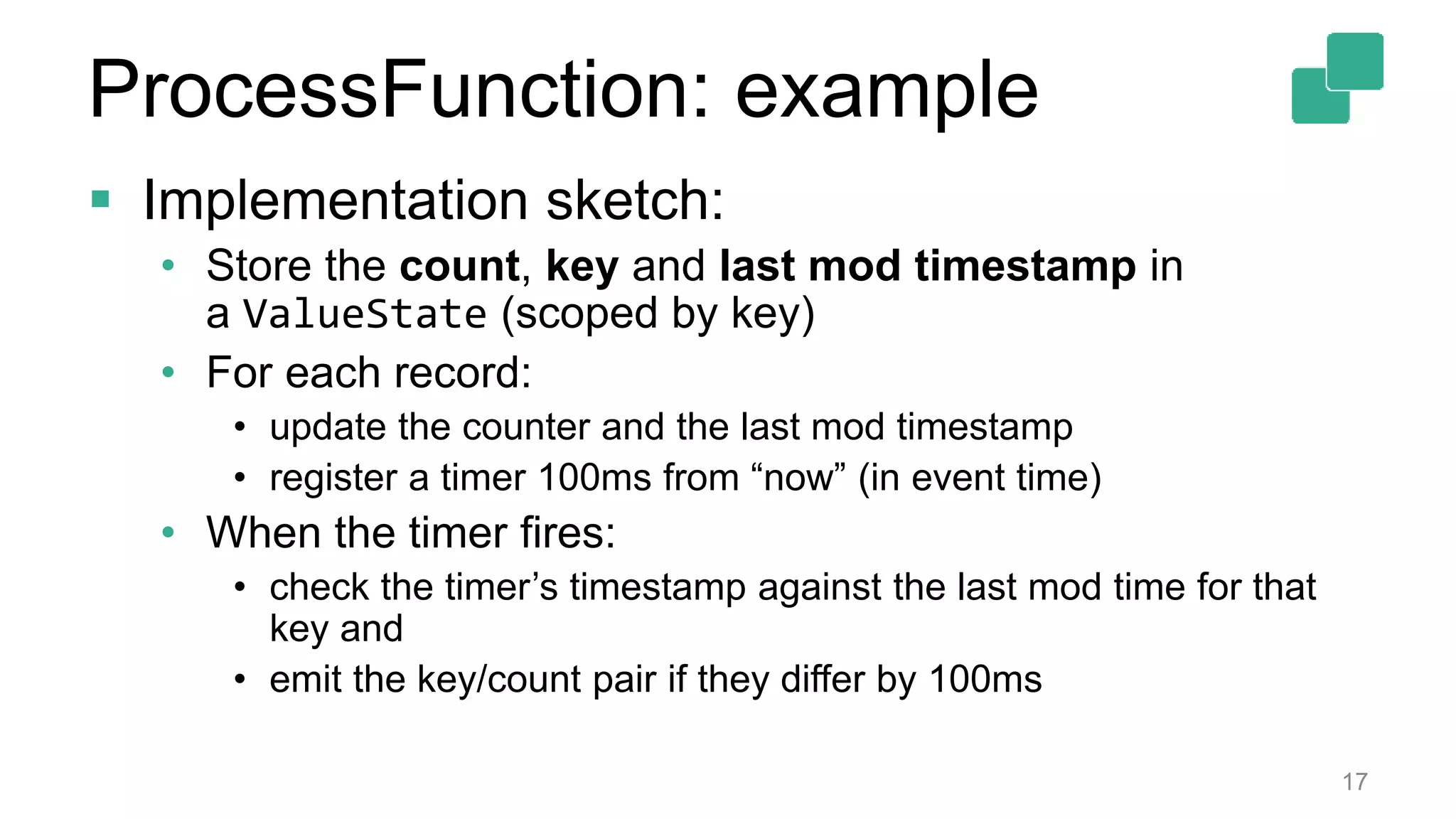
 Implementation sketch:
• Store the count, key and last mod timestamp in
a ValueState (scoped by key)
• For each record:
• update the counter and the last mod timestamp
• register a timer 100ms from “now” (in event time)
• When the timer fires:
• check the timer’s timestamp against the last mod time for that
key and
• emit the key/count pair if they differ by 100ms
ProcessFunction: example
18
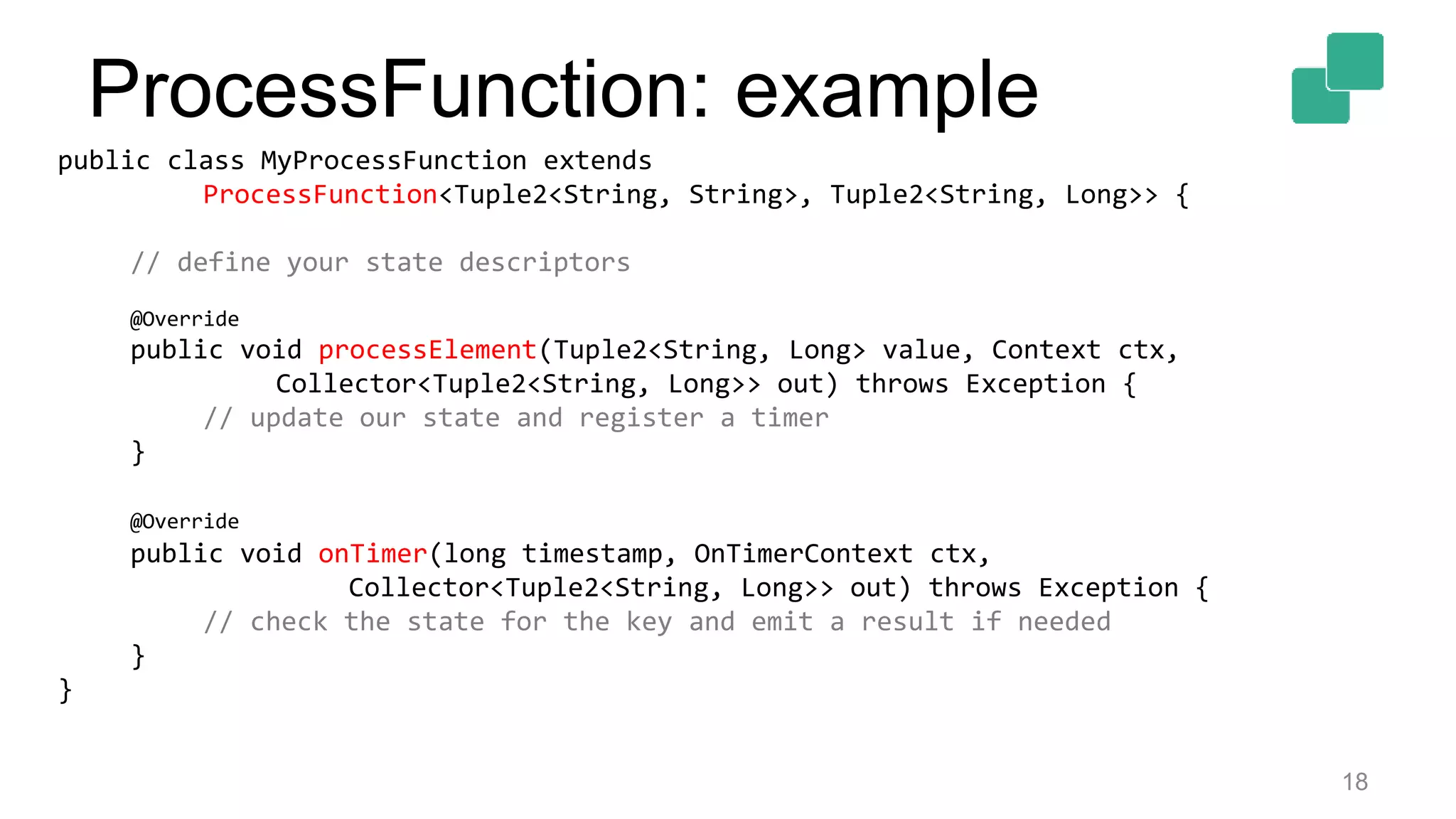
public class MyProcessFunction extends
ProcessFunction<Tuple2<String, String>, Tuple2<String, Long>> {
// define your state descriptors
@Override
public void processElement(Tuple2<String, Long> value, Context ctx,
Collector<Tuple2<String, Long>> out) throws Exception {
// update our state and register a timer
}
@Override
public void onTimer(long timestamp, OnTimerContext ctx,
Collector<Tuple2<String, Long>> out) throws Exception {
// check the state for the key and emit a result if needed
}
}
ProcessFunction: example
19
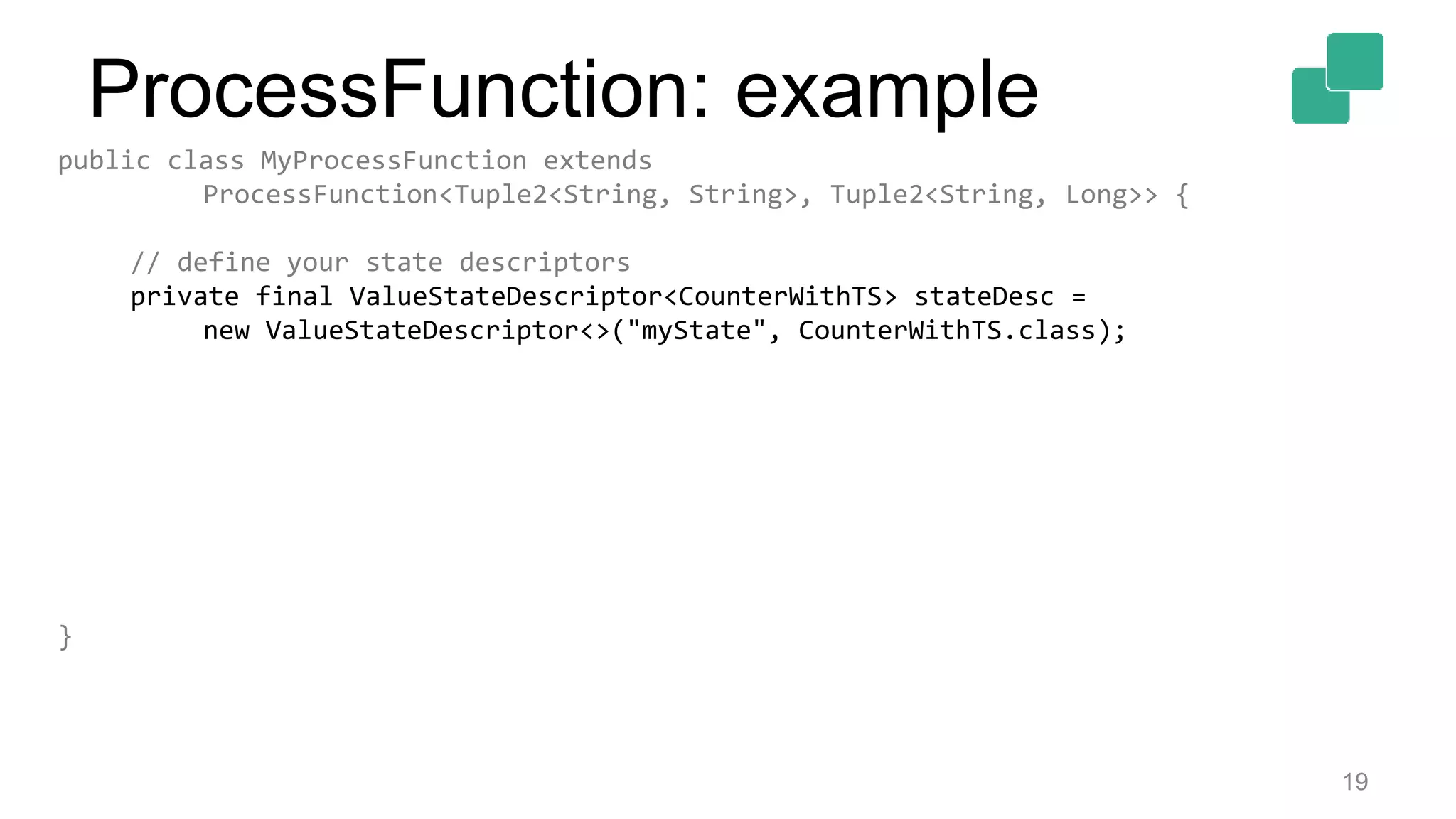
public class MyProcessFunction extends
ProcessFunction<Tuple2<String, String>, Tuple2<String, Long>> {
// define your state descriptors
private final ValueStateDescriptor<CounterWithTS> stateDesc =
new ValueStateDescriptor<>("myState", CounterWithTS.class);
}
ProcessFunction: example
20
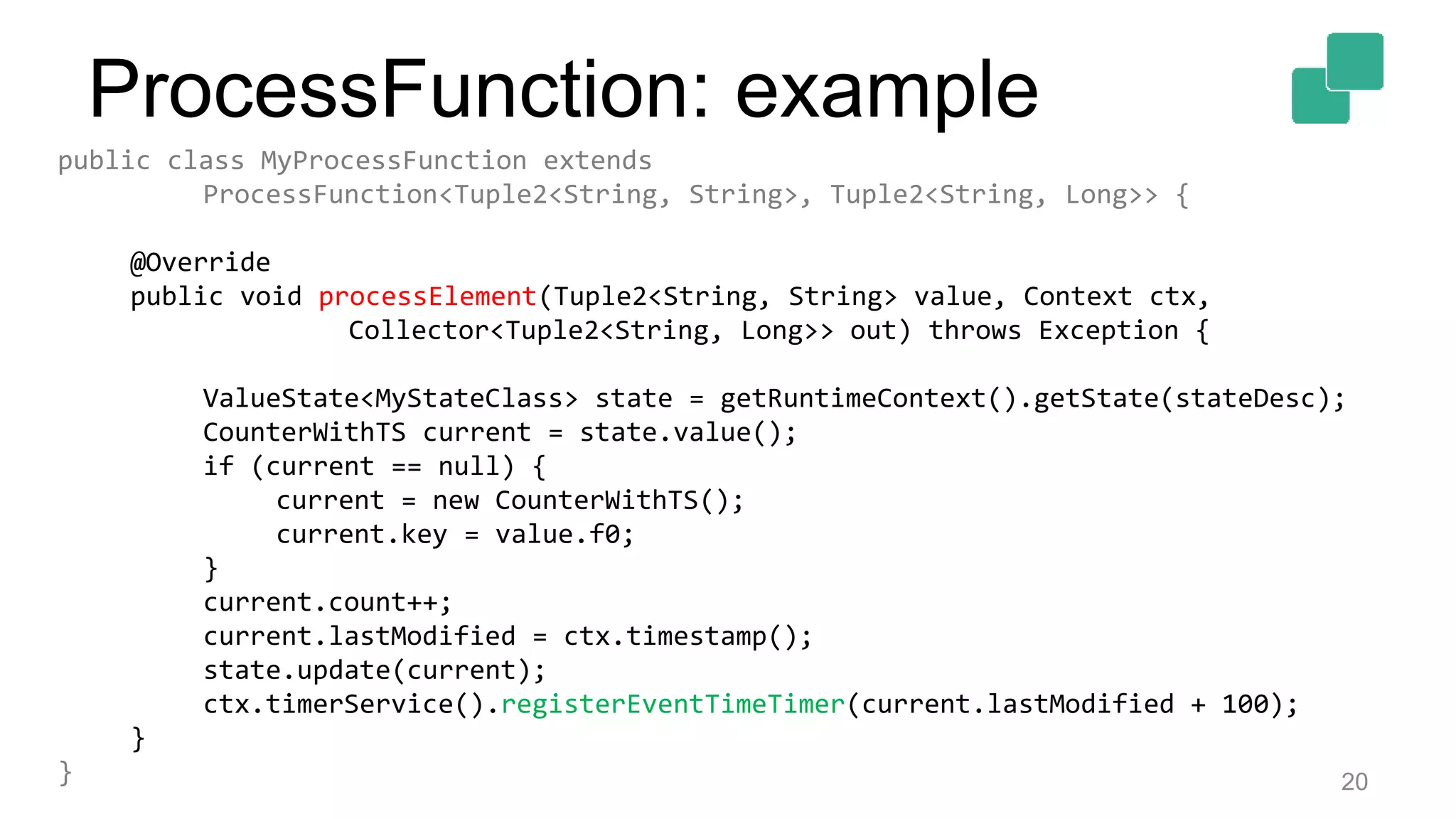
public class MyProcessFunction extends
ProcessFunction<Tuple2<String, String>, Tuple2<String, Long>> {
@Override
public void processElement(Tuple2<String, String> value, Context ctx,
Collector<Tuple2<String, Long>> out) throws Exception {
ValueState<MyStateClass> state = getRuntimeContext().getState(stateDesc);
CounterWithTS current = state.value();
if (current == null) {
current = new CounterWithTS();
current.key = value.f0;
}
current.count++;
current.lastModified = ctx.timestamp();
state.update(current);
ctx.timerService().registerEventTimeTimer(current.lastModified + 100);
}
}
ProcessFunction: example
21
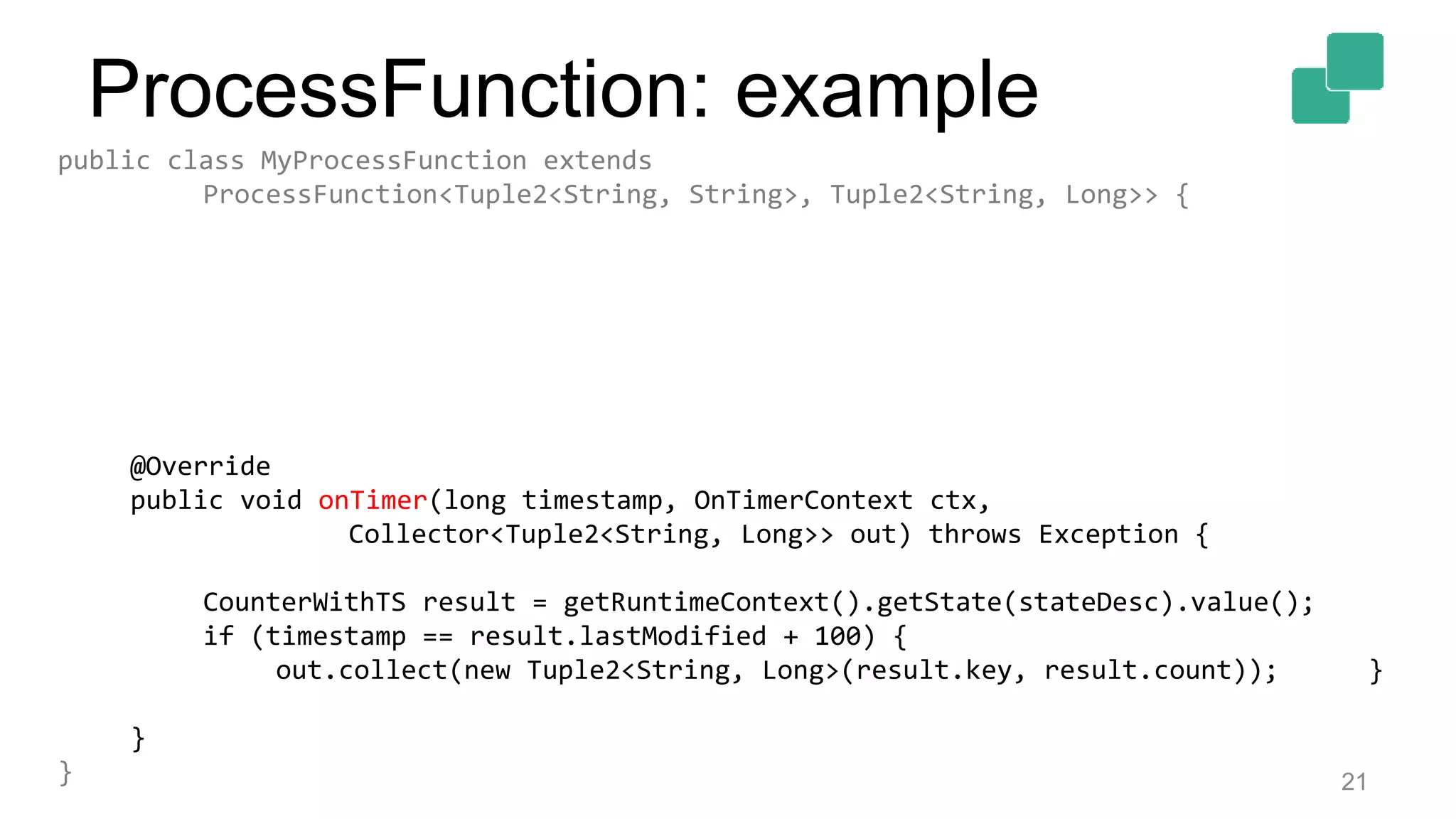
public class MyProcessFunction extends
ProcessFunction<Tuple2<String, String>, Tuple2<String, Long>> {
@Override
public void onTimer(long timestamp, OnTimerContext ctx,
Collector<Tuple2<String, Long>> out) throws Exception {
CounterWithTS result = getRuntimeContext().getState(stateDesc).value();
if (timestamp == result.lastModified + 100) {
out.collect(new Tuple2<String, Long>(result.key, result.count)); }
}
}
ProcessFunction: example
22
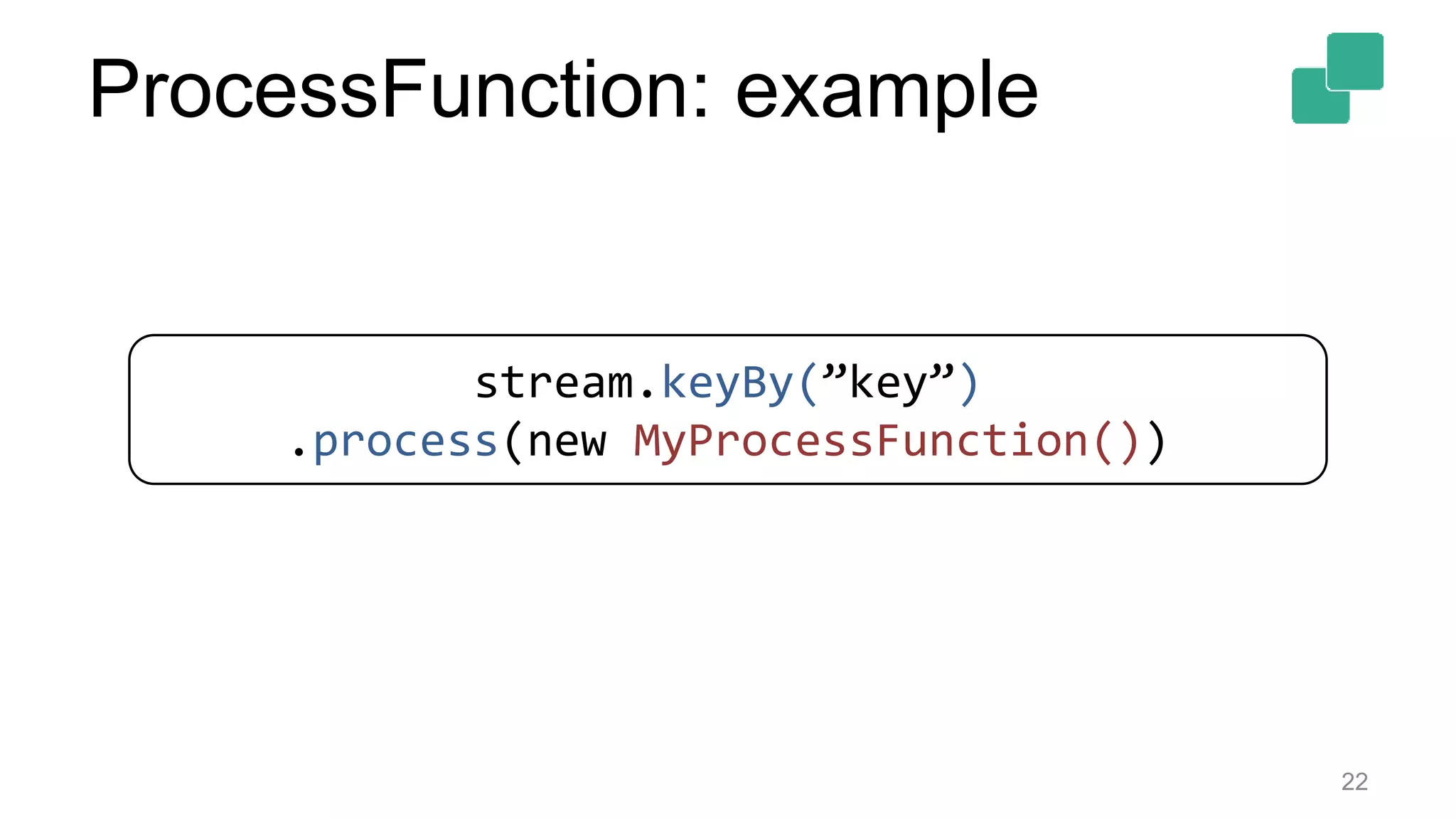
stream.keyBy(”key”)
.process(new MyProcessFunction())
ProcessFunction: example
ProcessFunction: Side Outputs
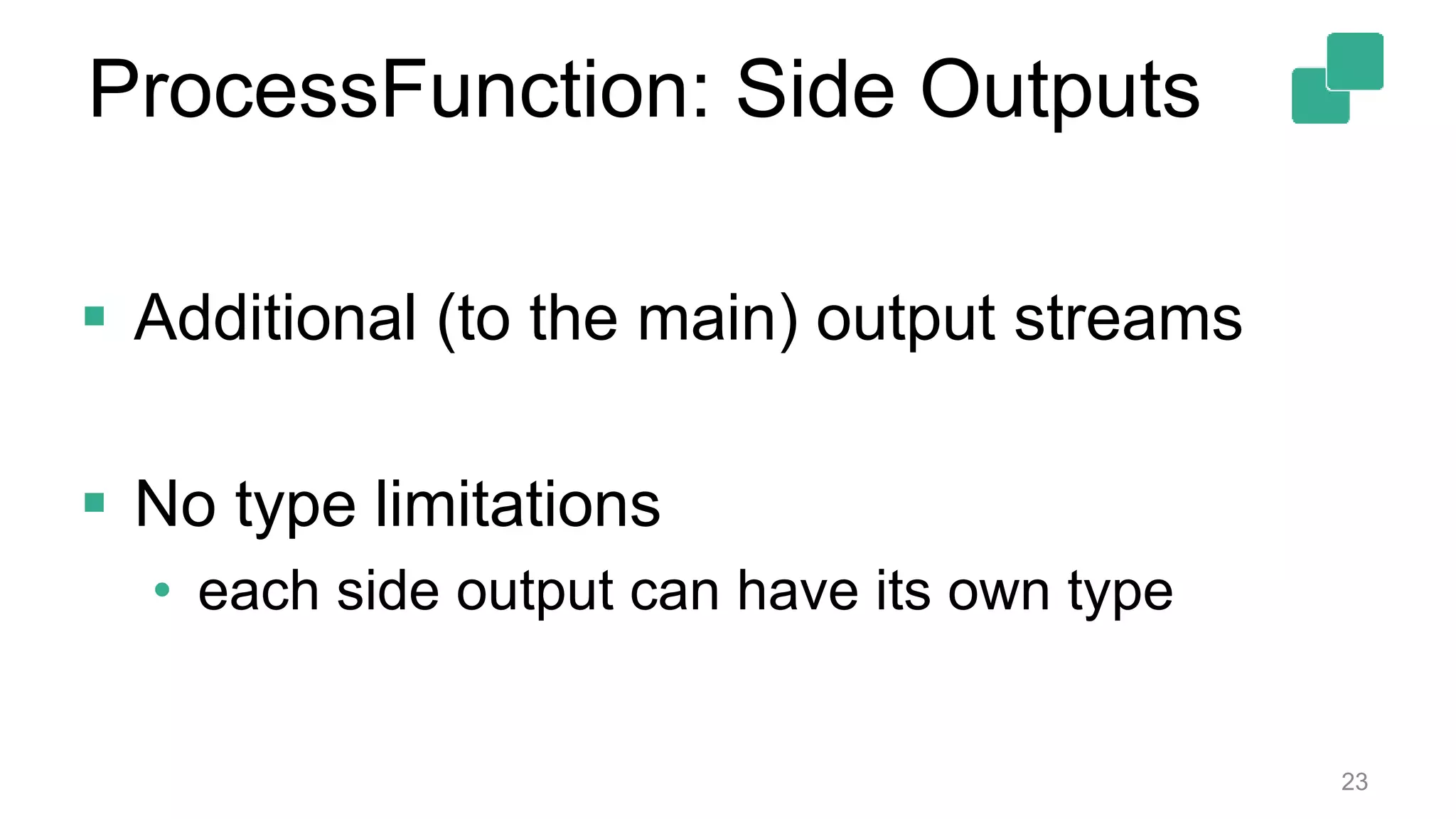
 Additional (to the main) output streams
 No type limitations
• each side output can have its own type
23
 Requirements:
• maintain counts per incoming key, and
• emit the key/count pair if no element came for
the key in the last 100 ms (in event time)
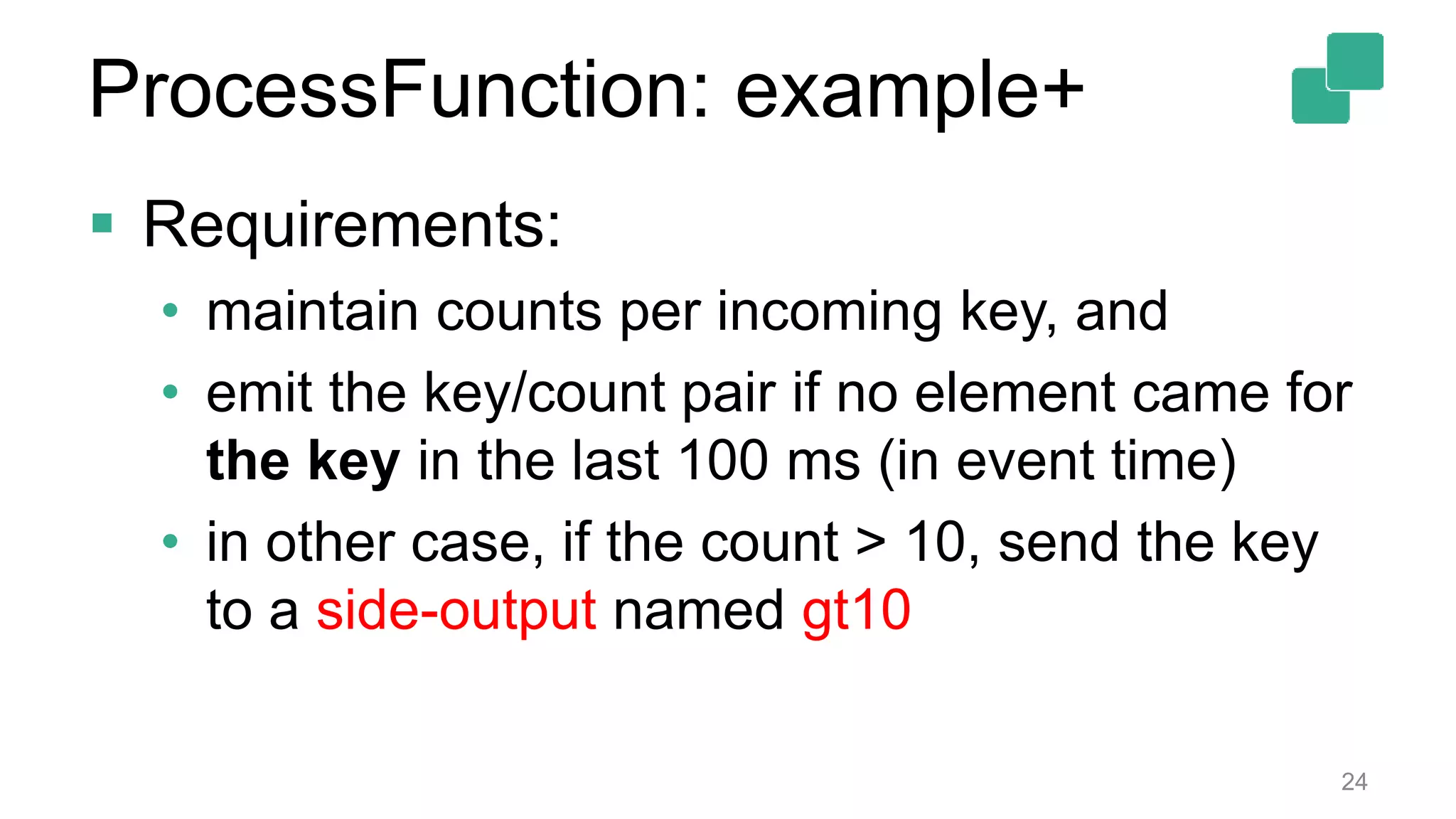
• in other case, if the count > 10, send the key
to a side-output named gt10
24
ProcessFunction: example+
25
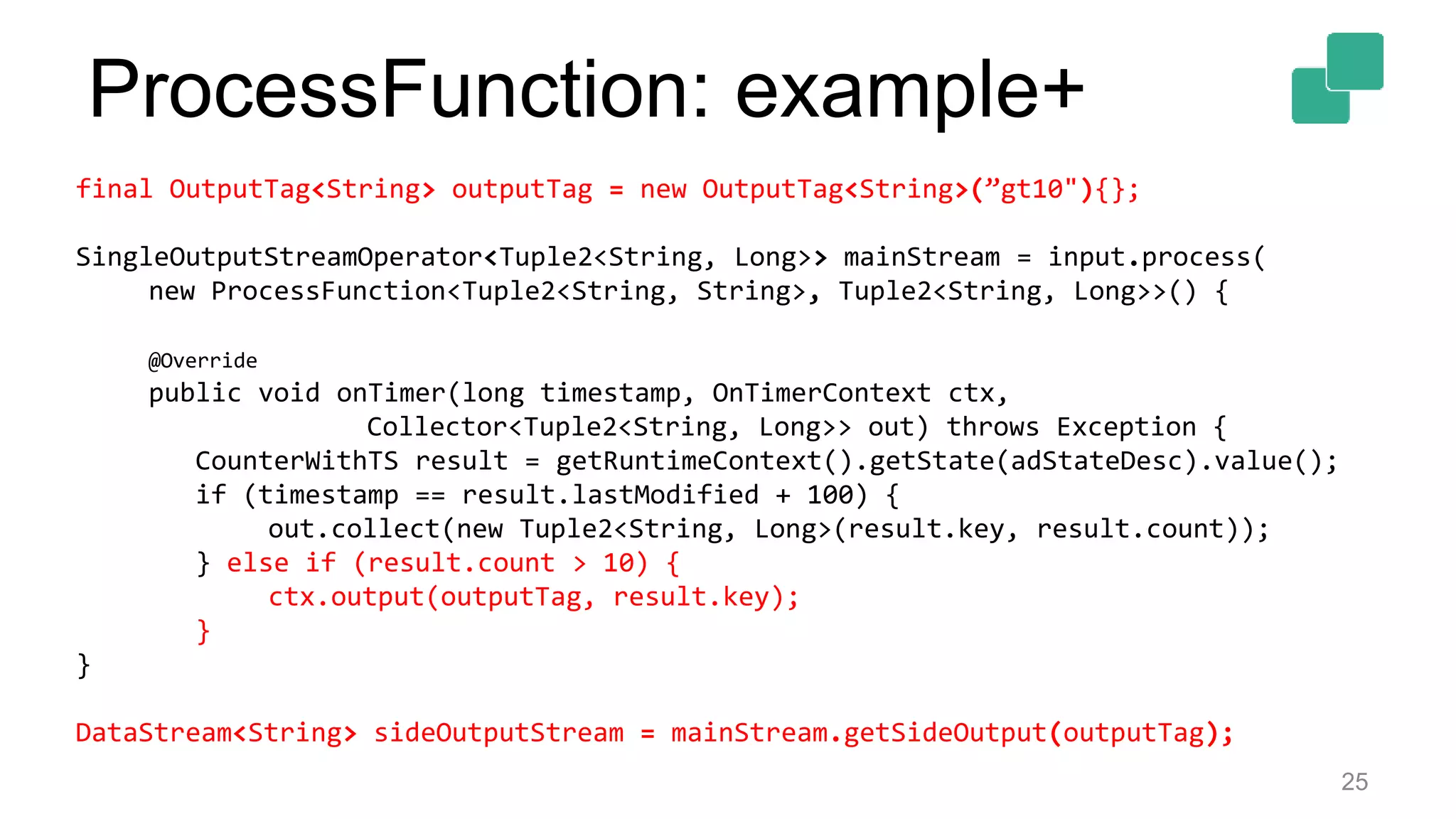
final OutputTag<String> outputTag = new OutputTag<String>(”gt10"){};
SingleOutputStreamOperator<Tuple2<String, Long>> mainStream = input.process(
new ProcessFunction<Tuple2<String, String>, Tuple2<String, Long>>() {
@Override
public void onTimer(long timestamp, OnTimerContext ctx,
Collector<Tuple2<String, Long>> out) throws Exception {
CounterWithTS result = getRuntimeContext().getState(adStateDesc).value();
if (timestamp == result.lastModified + 100) {
out.collect(new Tuple2<String, Long>(result.key, result.count));
} else if (result.count > 10) {
ctx.output(outputTag, result.key);
}
}
DataStream<String> sideOutputStream = mainStream.getSideOutput(outputTag);
ProcessFunction: example+
26
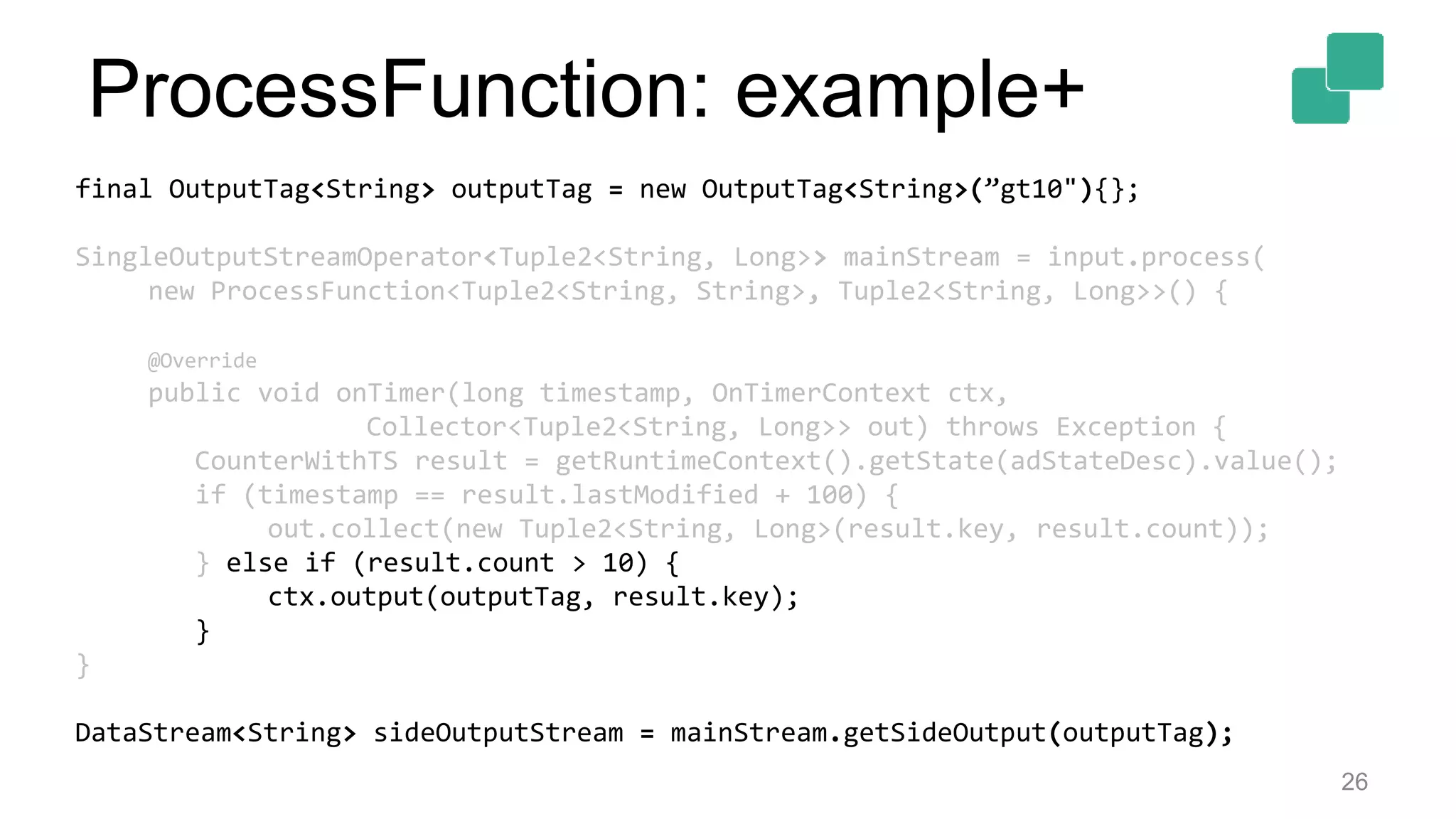
final OutputTag<String> outputTag = new OutputTag<String>(”gt10"){};
SingleOutputStreamOperator<Tuple2<String, Long>> mainStream = input.process(
new ProcessFunction<Tuple2<String, String>, Tuple2<String, Long>>() {
@Override
public void onTimer(long timestamp, OnTimerContext ctx,
Collector<Tuple2<String, Long>> out) throws Exception {
CounterWithTS result = getRuntimeContext().getState(adStateDesc).value();
if (timestamp == result.lastModified + 100) {
out.collect(new Tuple2<String, Long>(result.key, result.count));
} else if (result.count > 10) {
ctx.output(outputTag, result.key);
}
}
DataStream<String> sideOutputStream = mainStream.getSideOutput(outputTag);
ProcessFunction: example+
27
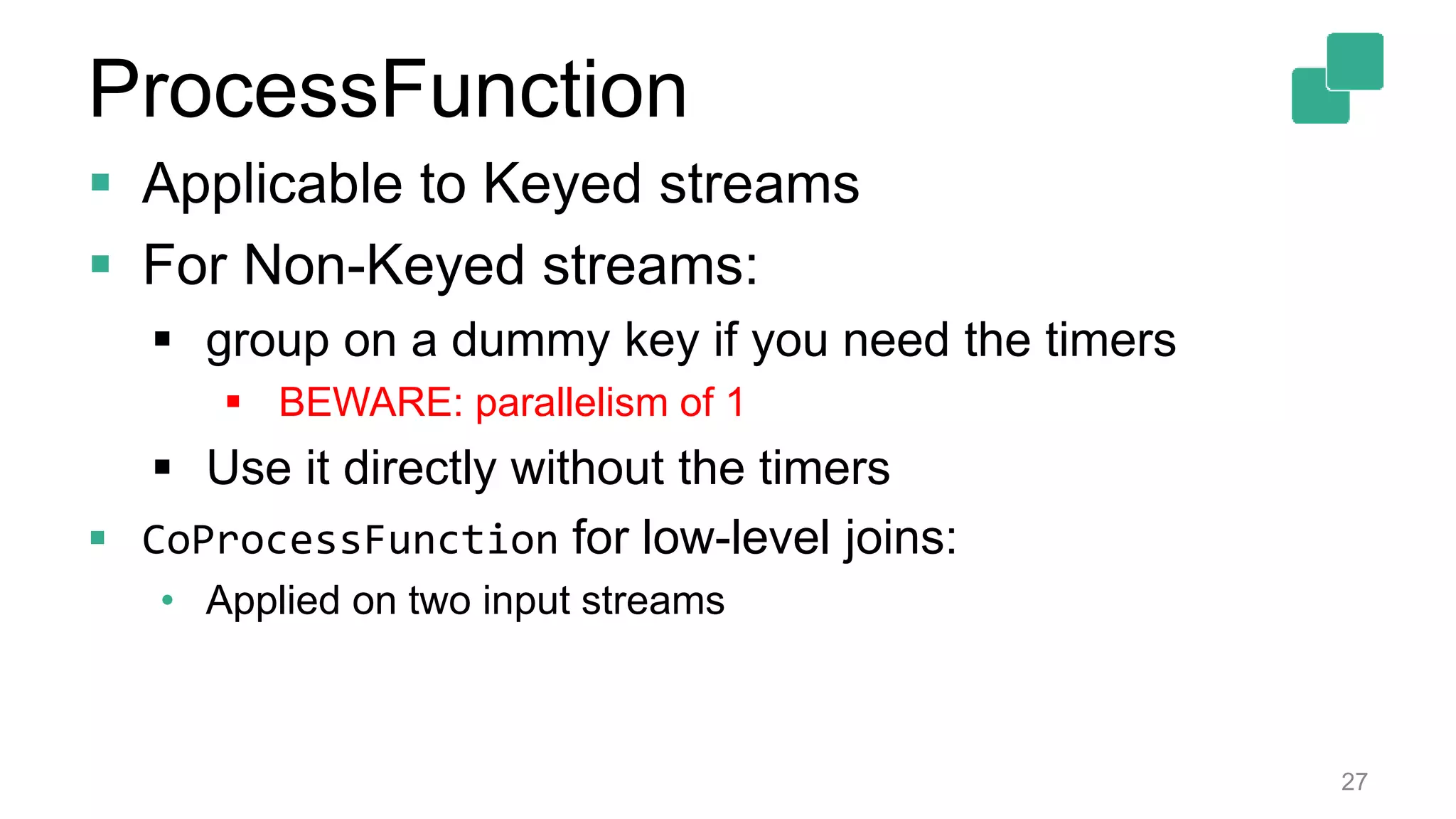
 Applicable to Keyed streams
 For Non-Keyed streams:
 group on a dummy key if you need the timers
 BEWARE: parallelism of 1
 Use it directly without the timers
 CoProcessFunction for low-level joins:
• Applied on two input streams
ProcessFunction
Asynchronous I/O
28
Common Usecase Skeleton B
29
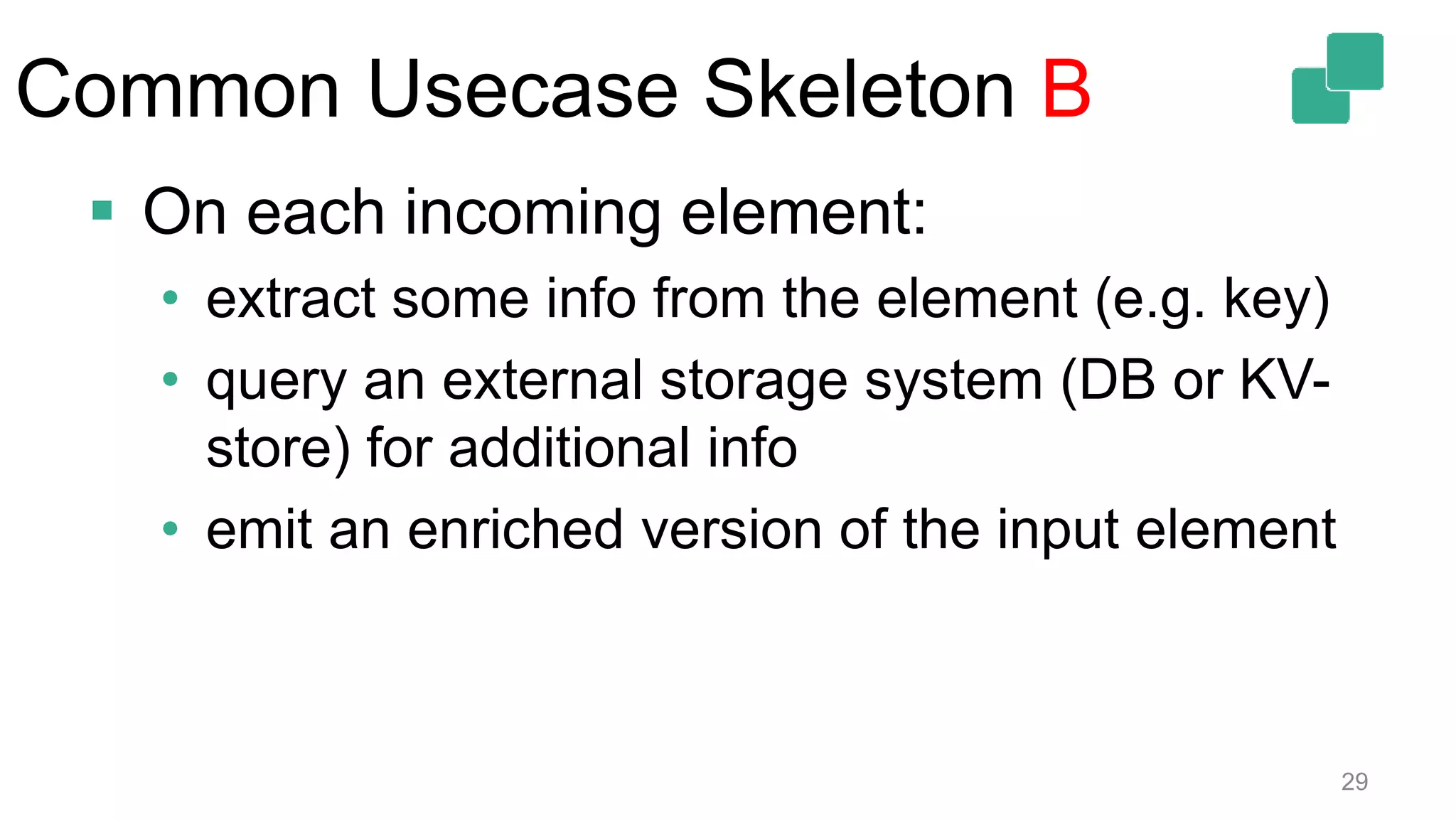
 On each incoming element:
• extract some info from the element (e.g. key)
• query an external storage system (DB or KV-
store) for additional info
• emit an enriched version of the input element
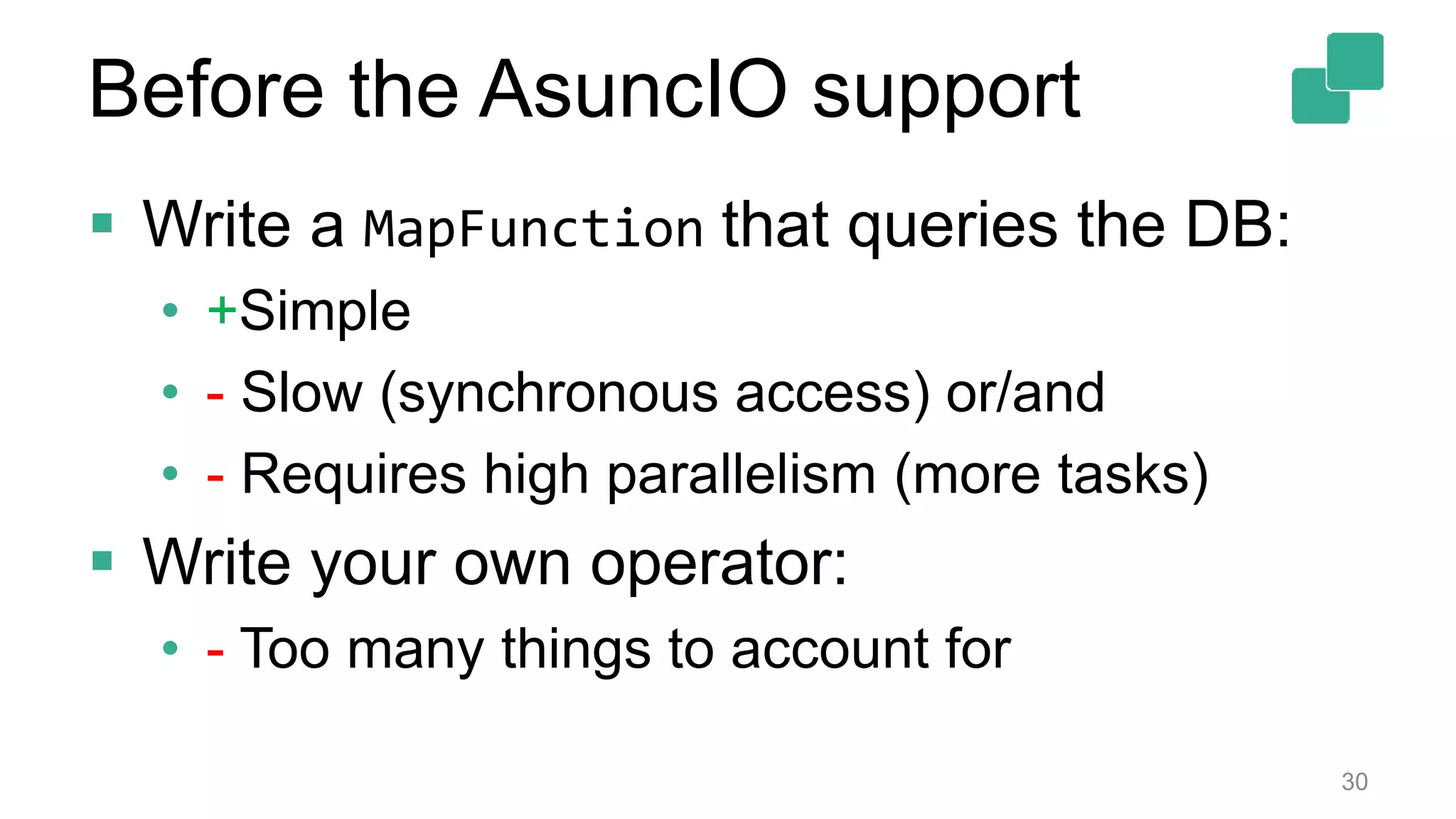
 Write a MapFunction that queries the DB:
• +Simple
• - Slow (synchronous access) or/and
• - Requires high parallelism (more tasks)
 Write your own operator:
• - Too many things to account for
30
Before the AsuncIO support
 Write a MapFunction that queries the DB:
• +Simple
• - Slow (synchronous access) or/and
• - Requires high parallelism (more tasks)
 Write your own operator:
• - Too many things to account for
31
Before the AsyncIO support
32
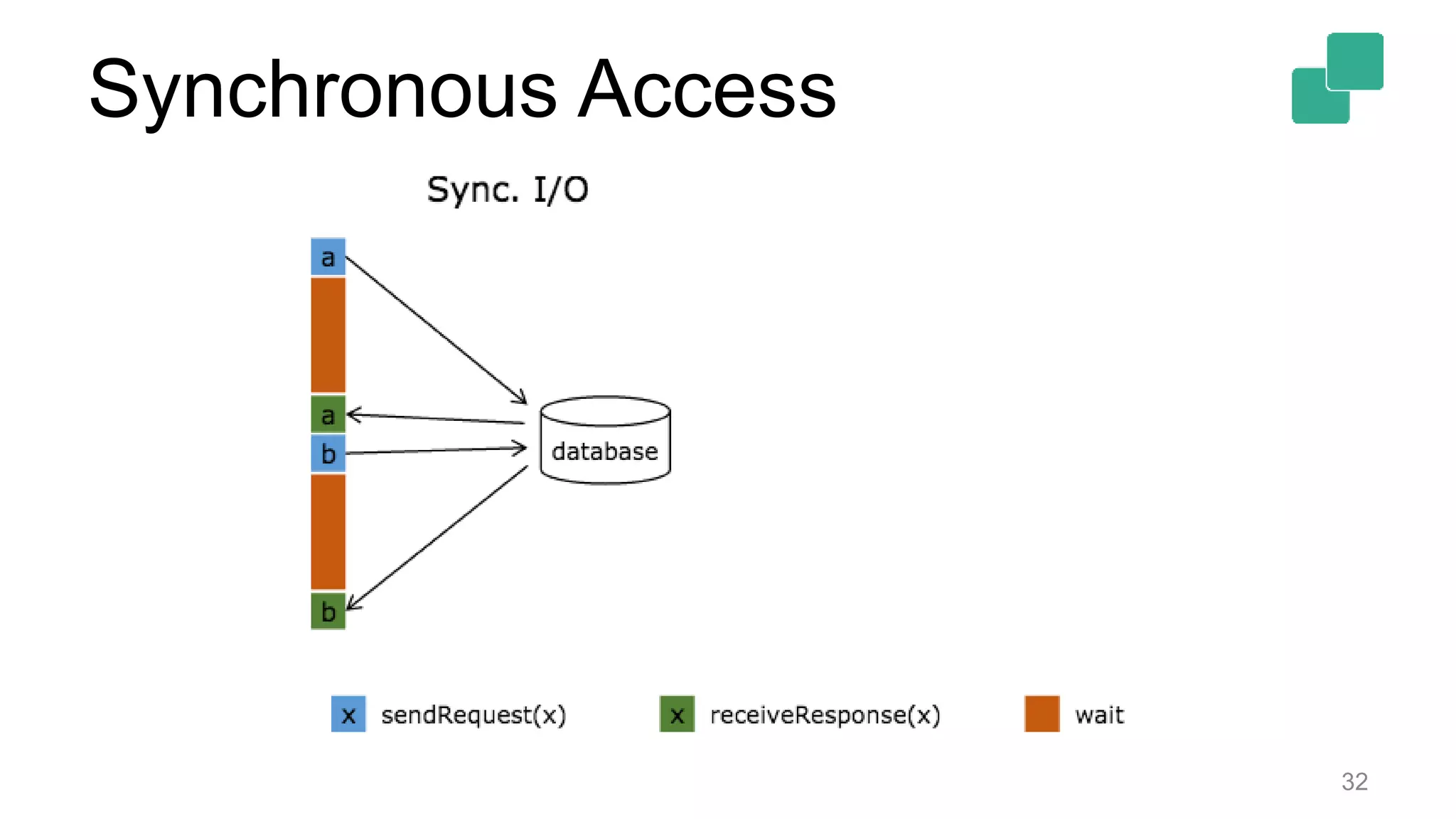
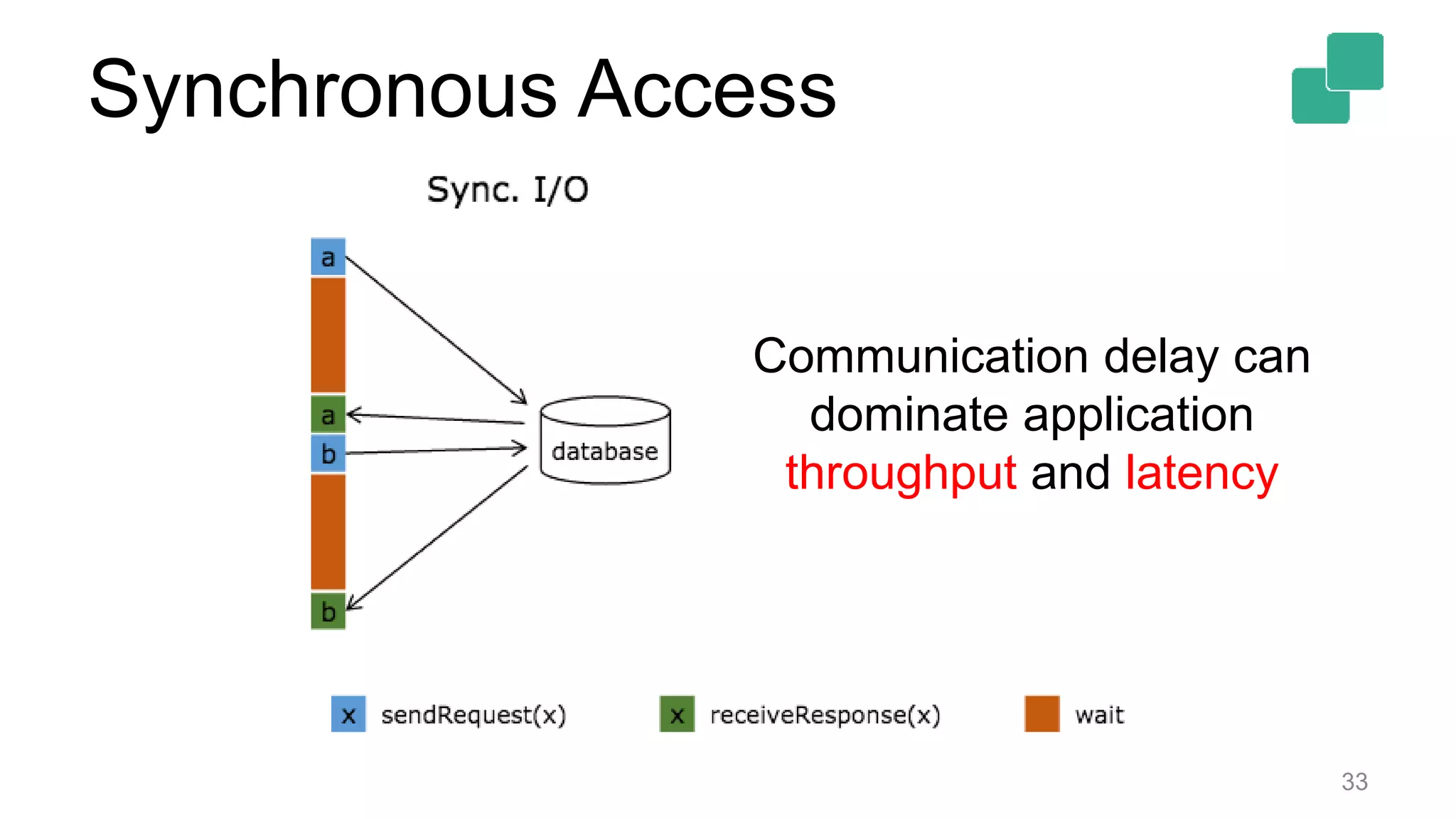
Synchronous Access
33
Communication delay can
dominate application
throughput and latency
Synchronous Access
34
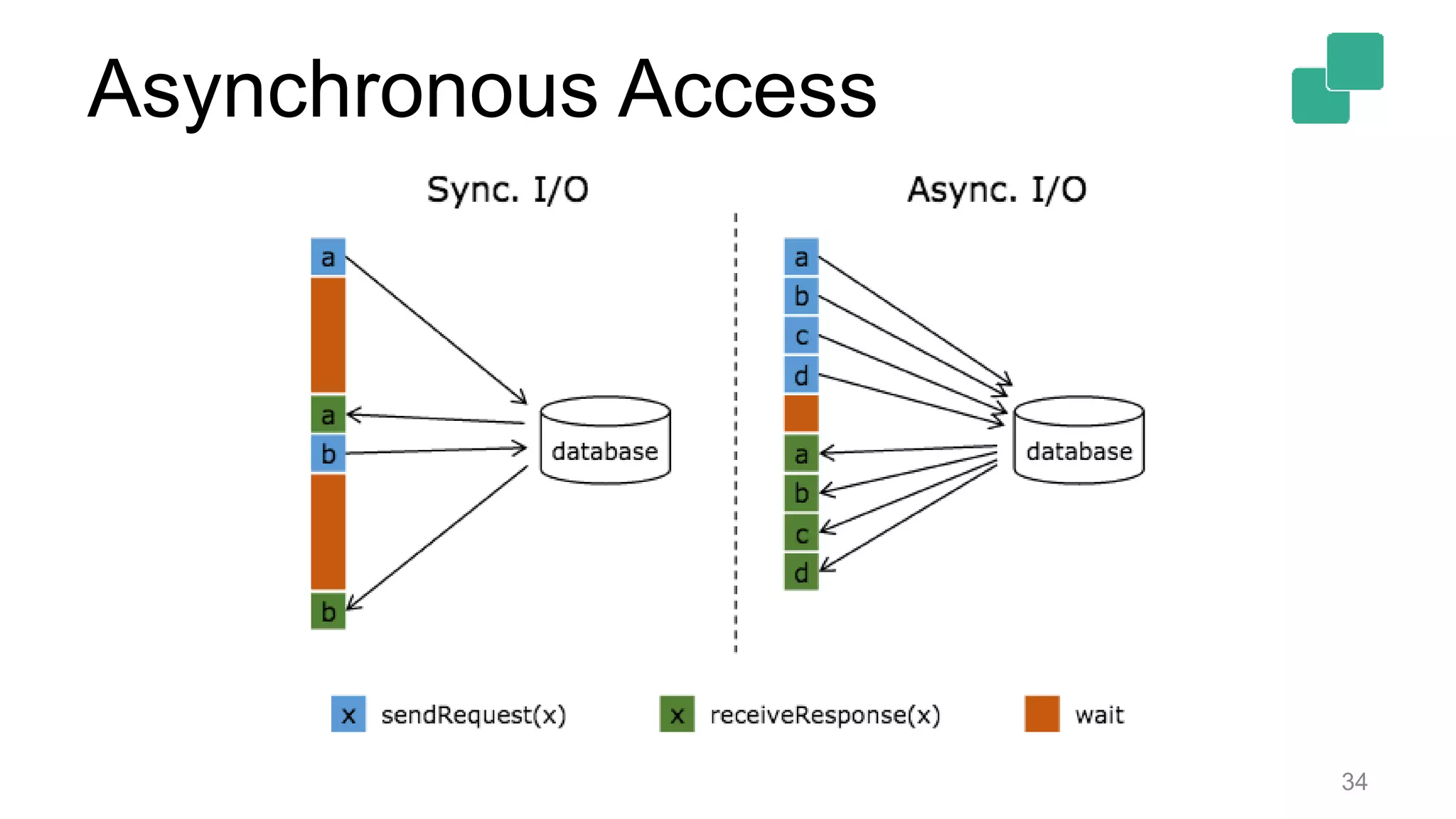
Asynchronous Access
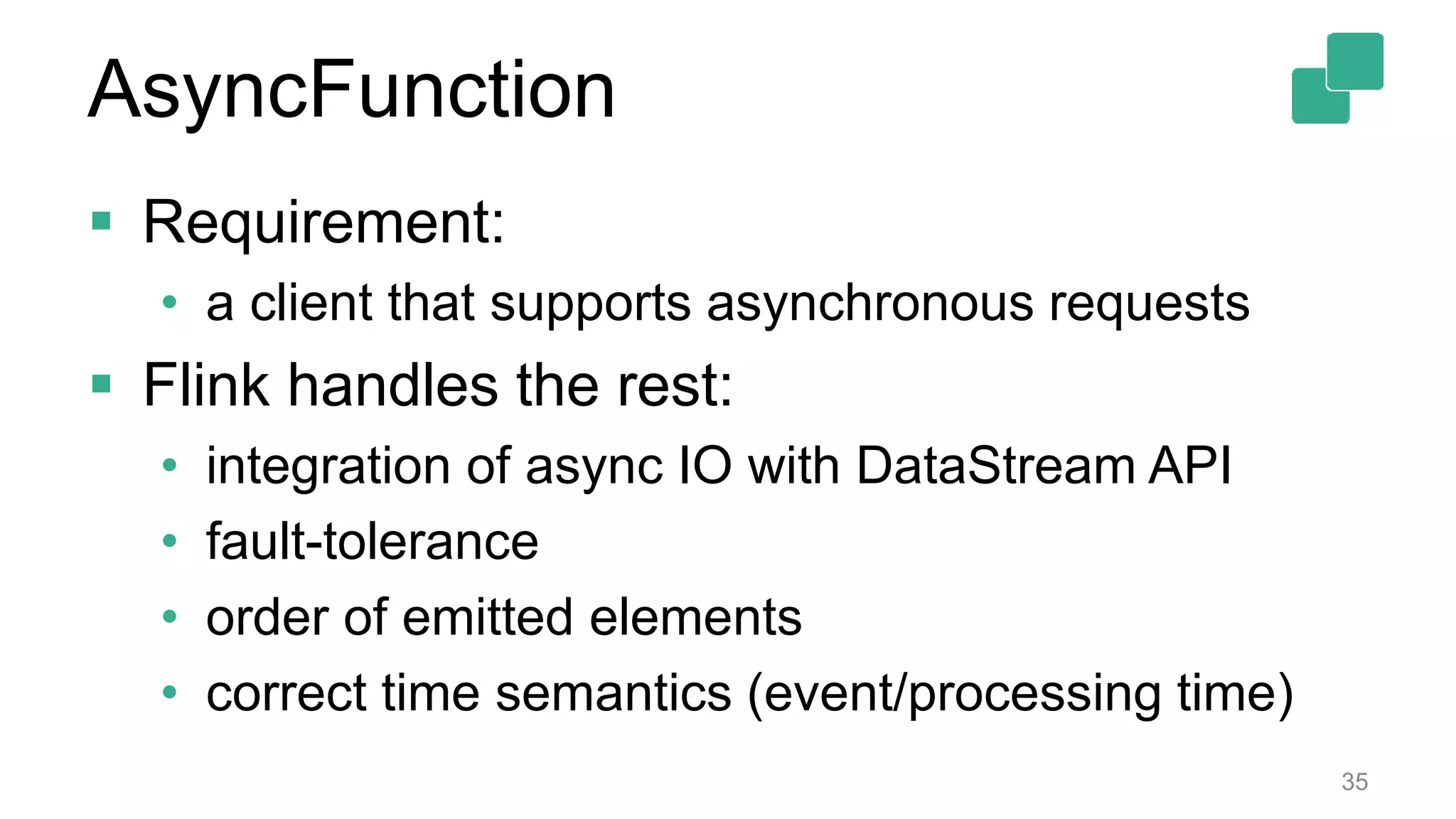
 Requirement:
• a client that supports asynchronous requests
 Flink handles the rest:
• integration of async IO with DataStream API
• fault-tolerance
• order of emitted elements
• correct time semantics (event/processing time)
35
AsyncFunction
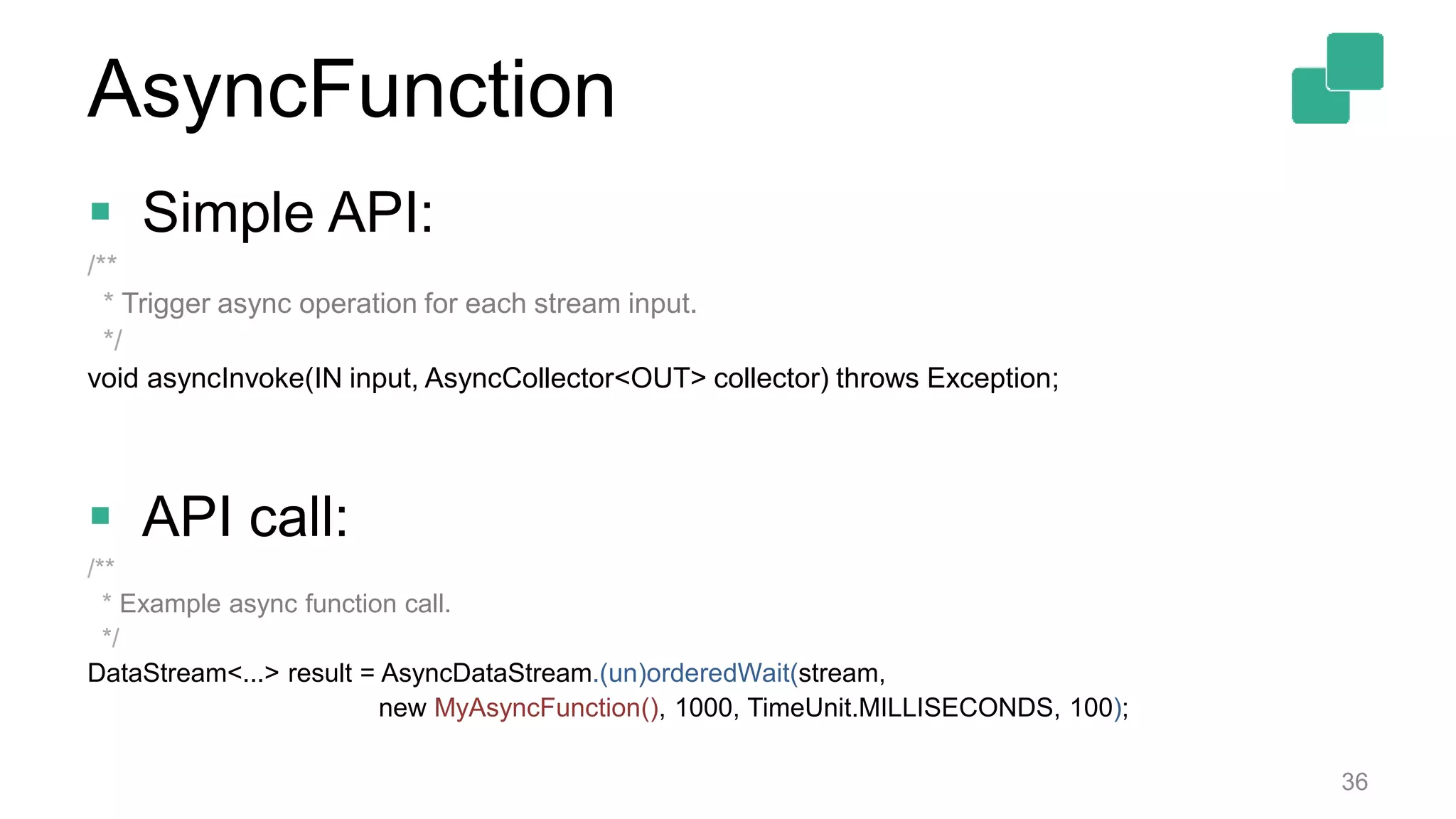
 Simple API:
/**
* Trigger async operation for each stream input.
*/
void asyncInvoke(IN input, AsyncCollector<OUT> collector) throws Exception;
 API call:
/**
* Example async function call.
*/
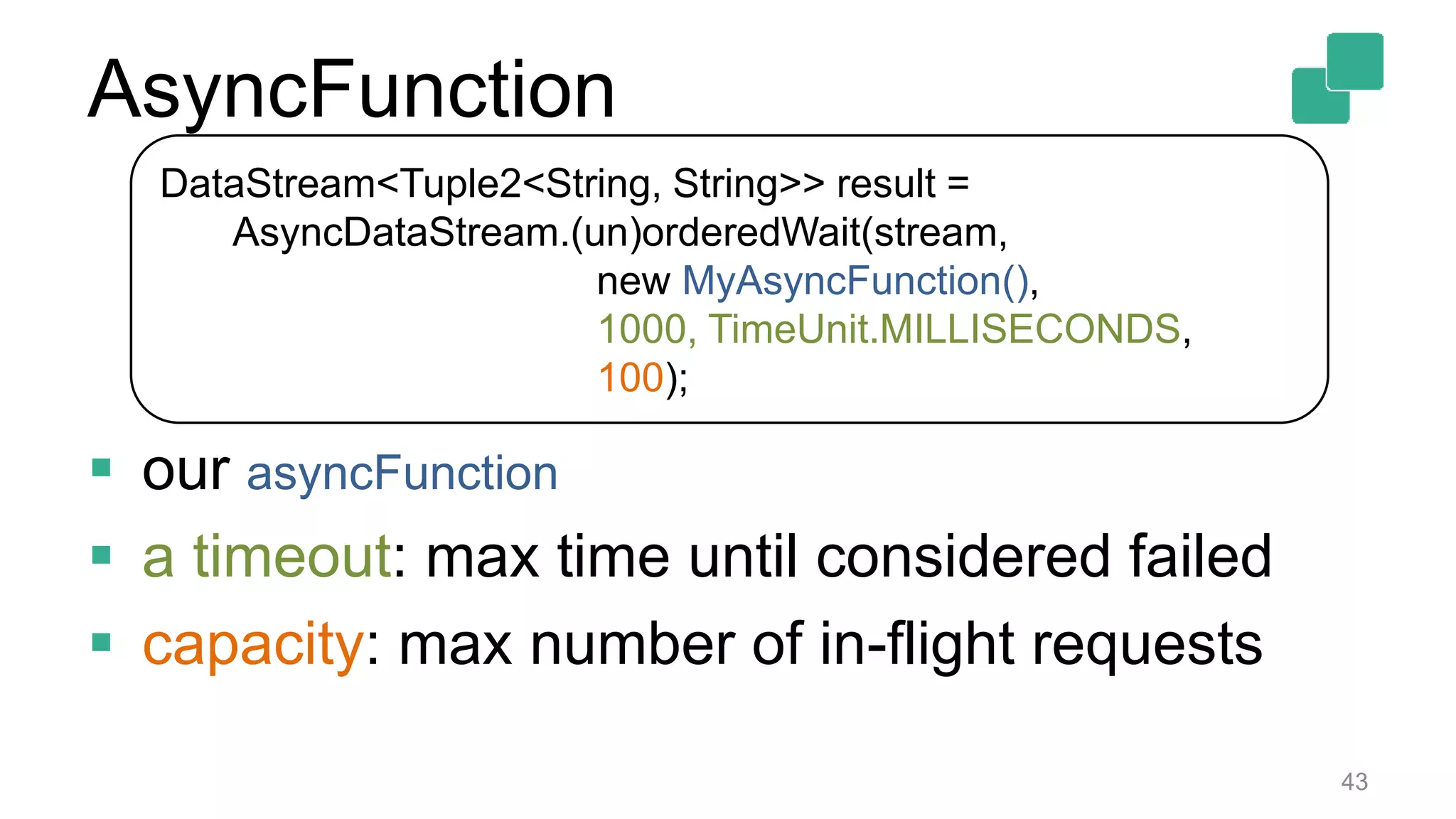
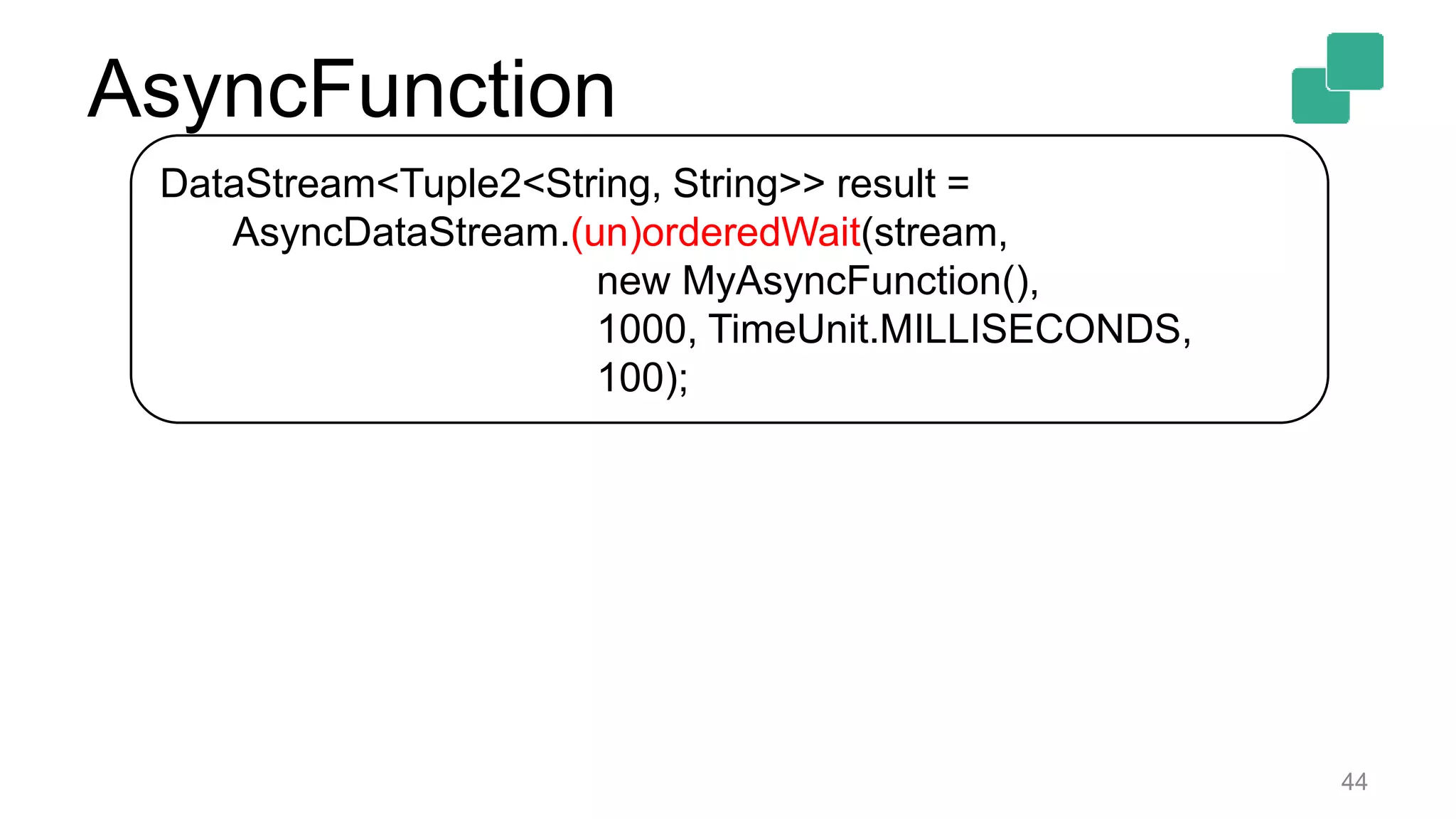
DataStream<...> result = AsyncDataStream.(un)orderedWait(stream,
new MyAsyncFunction(), 1000, TimeUnit.MILLISECONDS, 100);
36
AsyncFunction
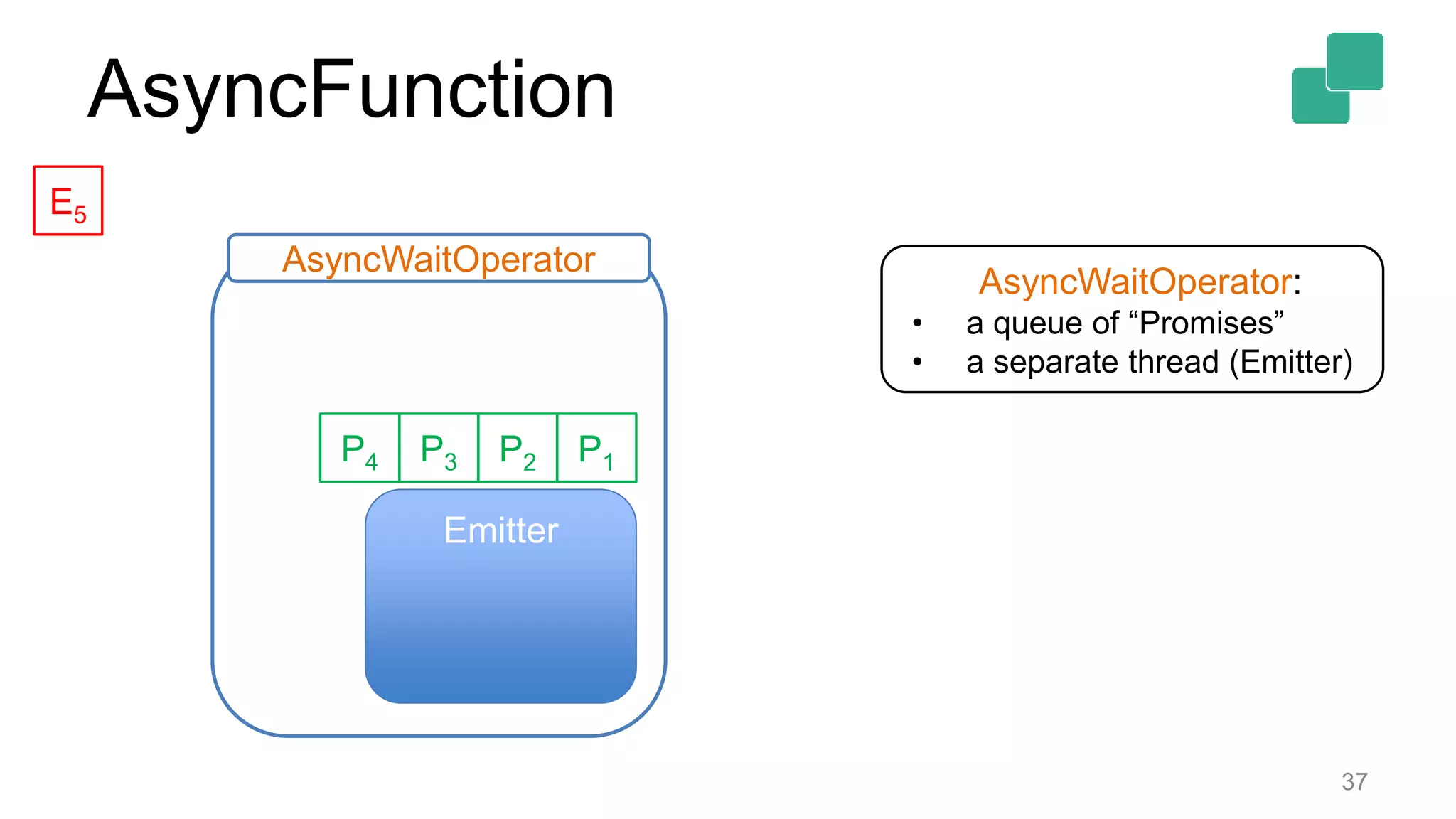
37
Emitter
P2P3 P1P4
AsyncWaitOperator
E5
AsyncWaitOperator:
• a queue of “Promises”
• a separate thread (Emitter)
AsyncFunction
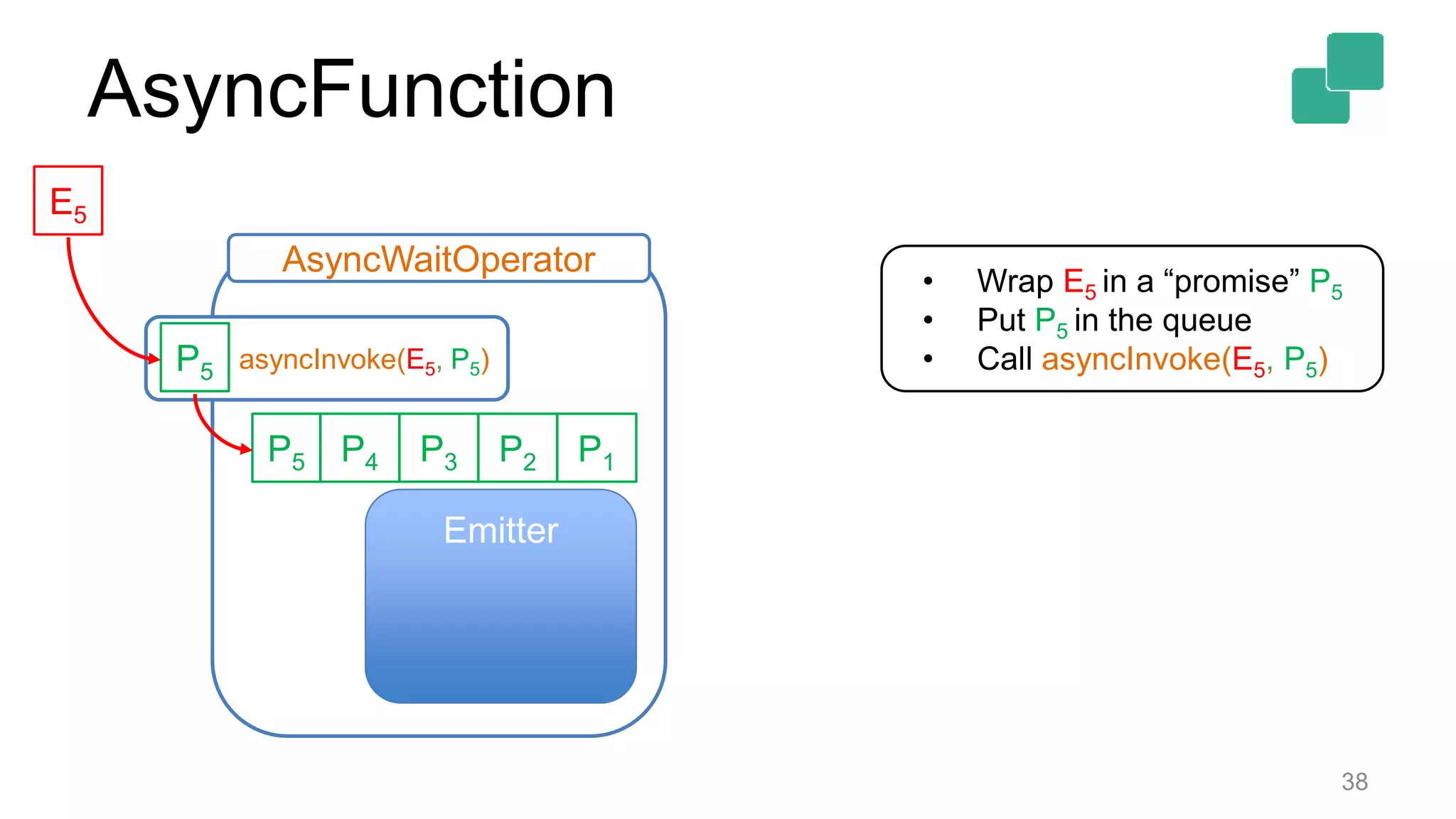
38
Emitter
P2P3 P1P4
AsyncWaitOperator
• Wrap E5 in a “promise” P5
• Put P5 in the queue
• Call asyncInvoke(E5, P5)
E5
P5
asyncInvoke(E5, P5)P5
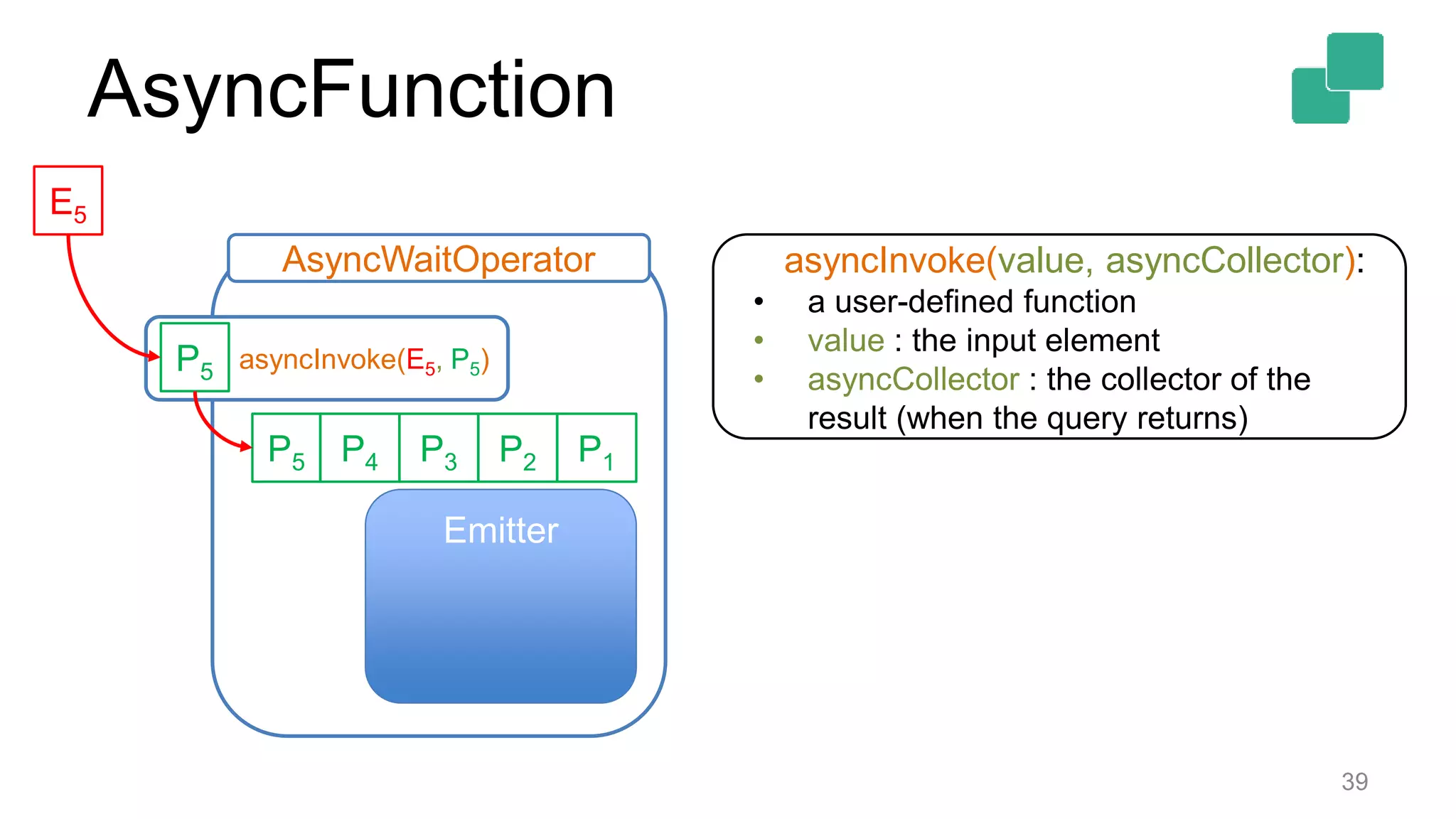
AsyncFunction
39
Emitter
P2P3 P1P4
AsyncWaitOperator
E5
P5
asyncInvoke(E5, P5)P5
asyncInvoke(value, asyncCollector):
• a user-defined function
• value : the input element
• asyncCollector : the collector of the
result (when the query returns)
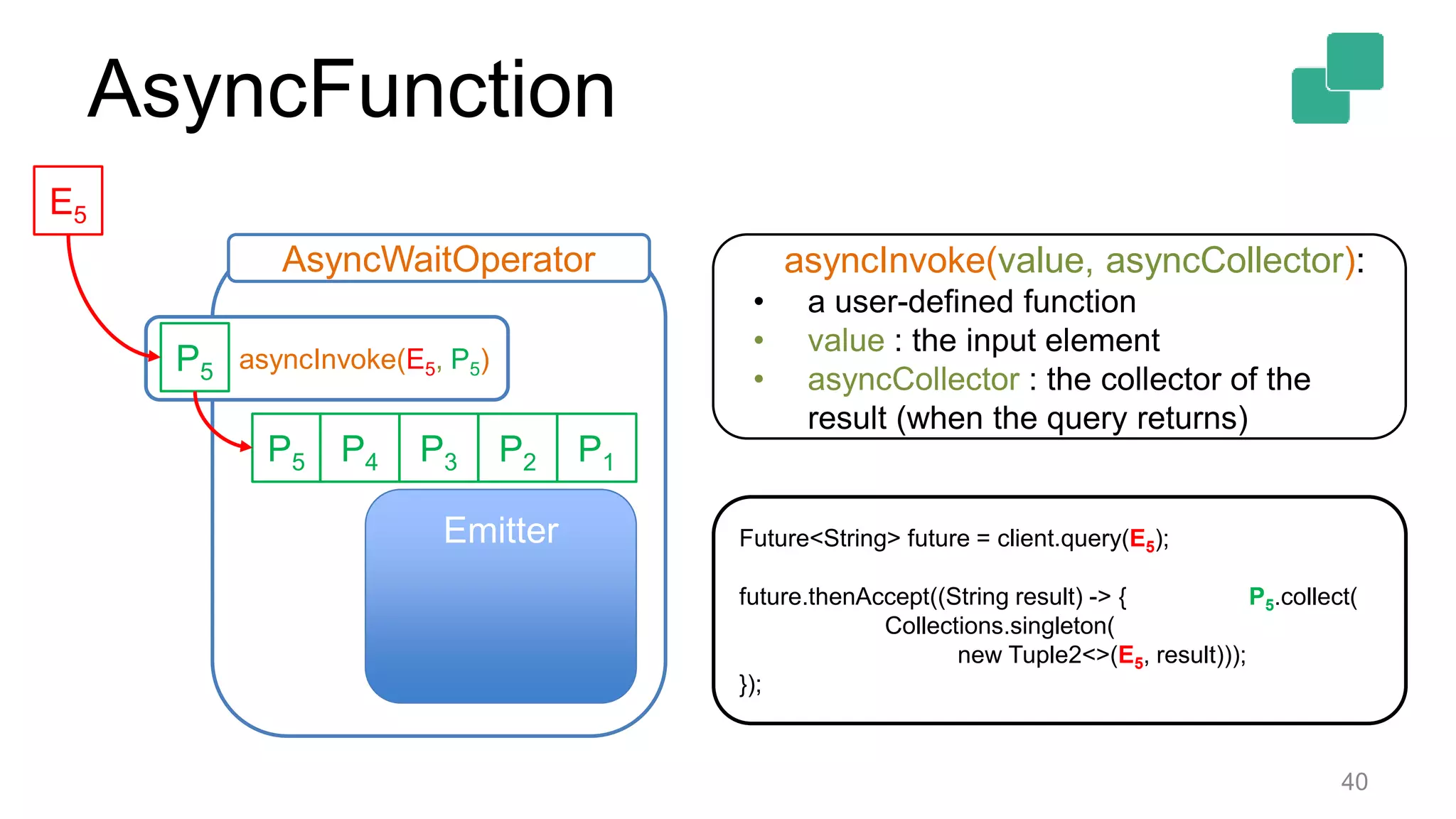
AsyncFunction
40
Emitter
P2P3 P1P4
AsyncWaitOperator
E5
P5
asyncInvoke(E5, P5)P5
asyncInvoke(value, asyncCollector):
• a user-defined function
• value : the input element
• asyncCollector : the collector of the
result (when the query returns)
Future<String> future = client.query(E5);
future.thenAccept((String result) -> { P5.collect(
Collections.singleton(
new Tuple2<>(E5, result)));
});
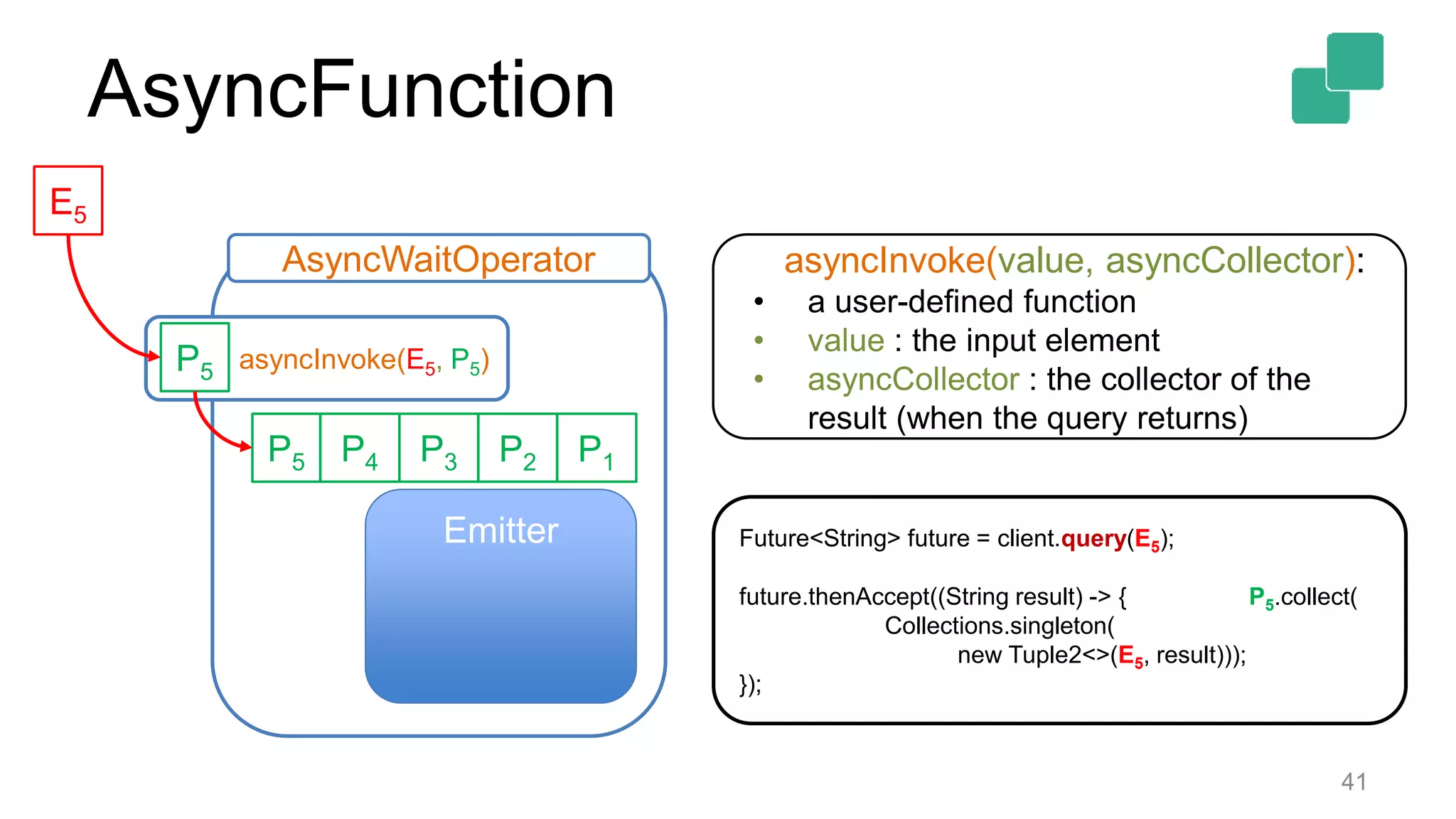
AsyncFunction
41
Emitter
P2P3 P1P4
AsyncWaitOperator
E5
P5
asyncInvoke(E5, P5)P5
asyncInvoke(value, asyncCollector):
• a user-defined function
• value : the input element
• asyncCollector : the collector of the
result (when the query returns)
Future<String> future = client.query(E5);
future.thenAccept((String result) -> { P5.collect(
Collections.singleton(
new Tuple2<>(E5, result)));
});
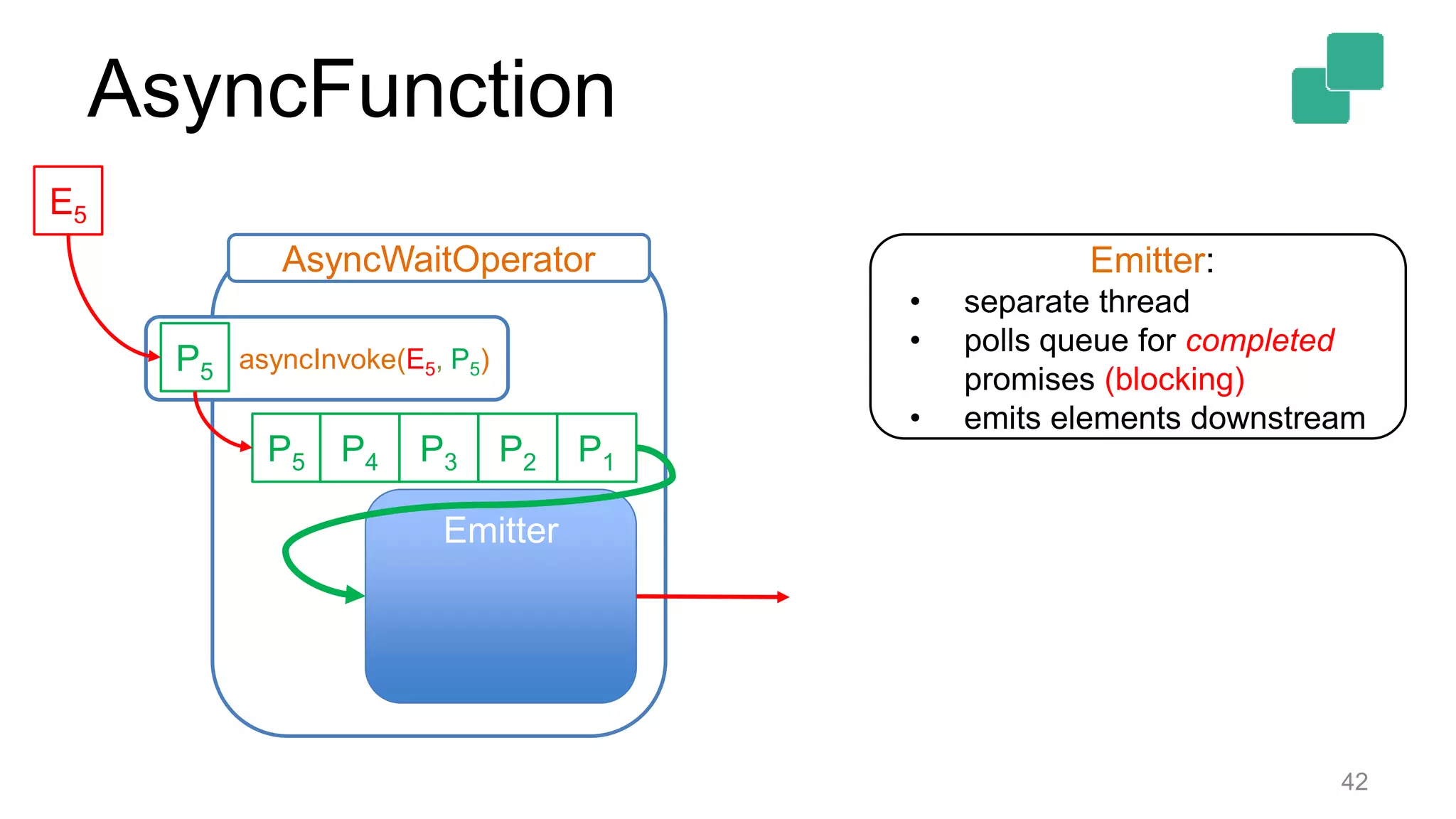
AsyncFunction
42
Emitter
P2P3 P1P4
AsyncWaitOperator
E5
P5
asyncInvoke(E5, P5)P5
Emitter:
• separate thread
• polls queue for completed
promises (blocking)
• emits elements downstream
AsyncFunction
43
DataStream<Tuple2<String, String>> result =
AsyncDataStream.(un)orderedWait(stream,
new MyAsyncFunction(),
1000, TimeUnit.MILLISECONDS,
100);
 our asyncFunction
 a timeout: max time until considered failed
 capacity: max number of in-flight requests
AsyncFunction
44
DataStream<Tuple2<String, String>> result =
AsyncDataStream.(un)orderedWait(stream,
new MyAsyncFunction(),
1000, TimeUnit.MILLISECONDS,
100);
AsyncFunction
45
DataStream<Tuple2<String, String>> result =
AsyncDataStream.(un)orderedWait(stream,
new MyAsyncFunction(),
1000, TimeUnit.MILLISECONDS,
100);
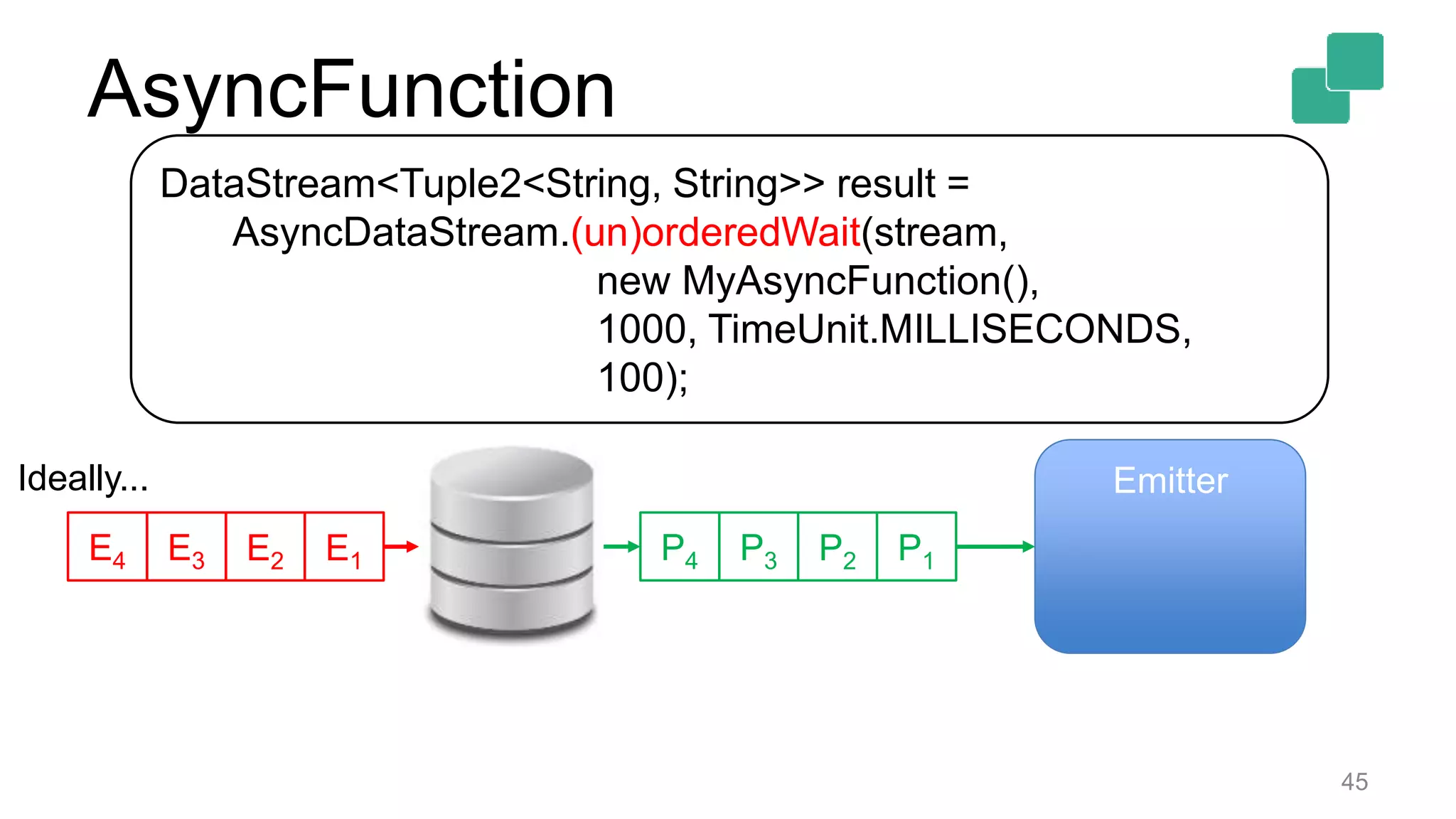
P2P3 P1P4E2E3 E1E4
Ideally... Emitter
AsyncFunction
46
DataStream<Tuple2<String, String>> result =
AsyncDataStream.unorderedWait(stream,
new MyAsyncFunction(),
1000, TimeUnit.MILLISECONDS,
100);
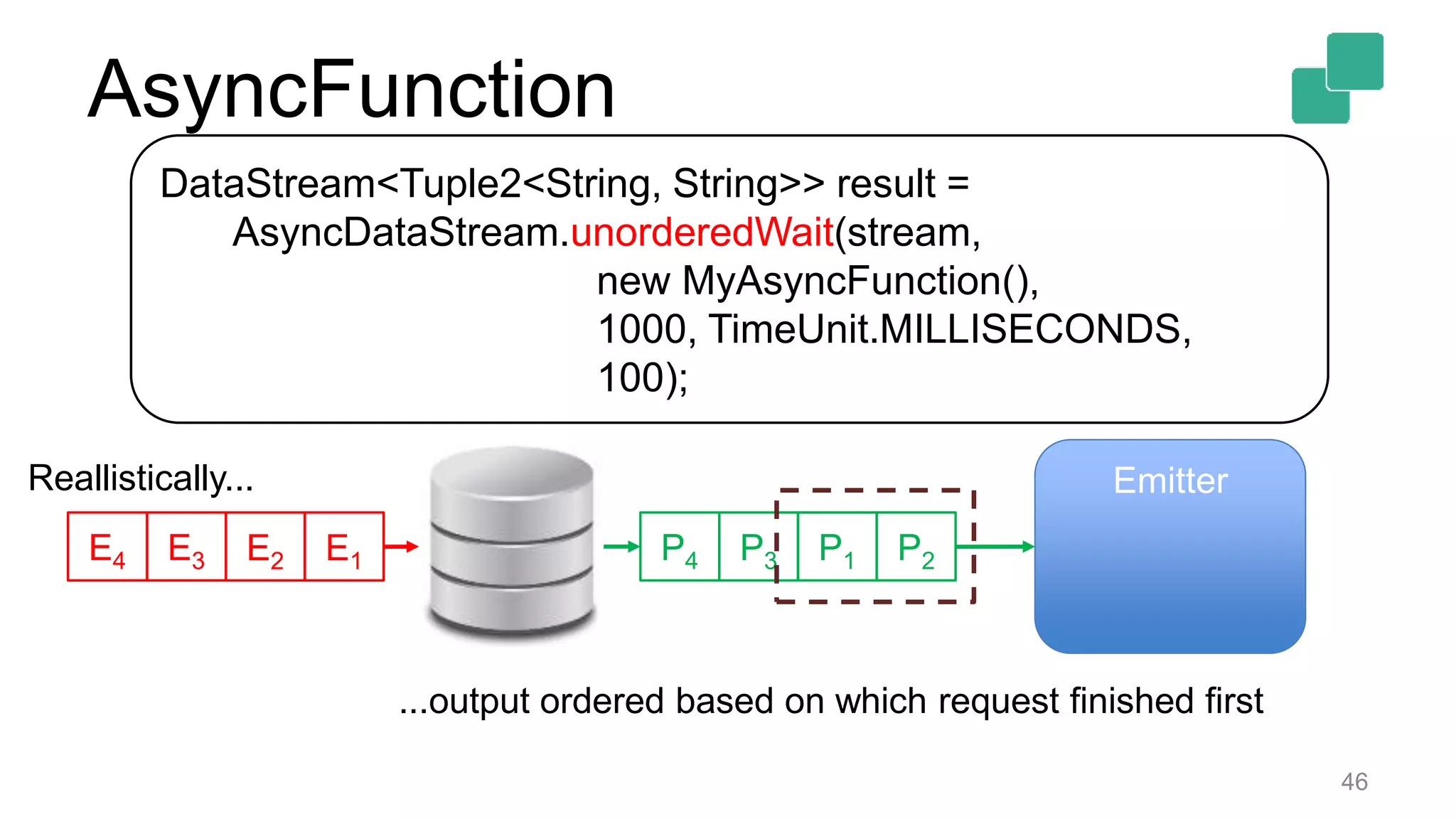
P2P3 P1P4E2E3 E1E4
Reallistically... Emitter
...output ordered based on which request finished first
AsyncFunction
47
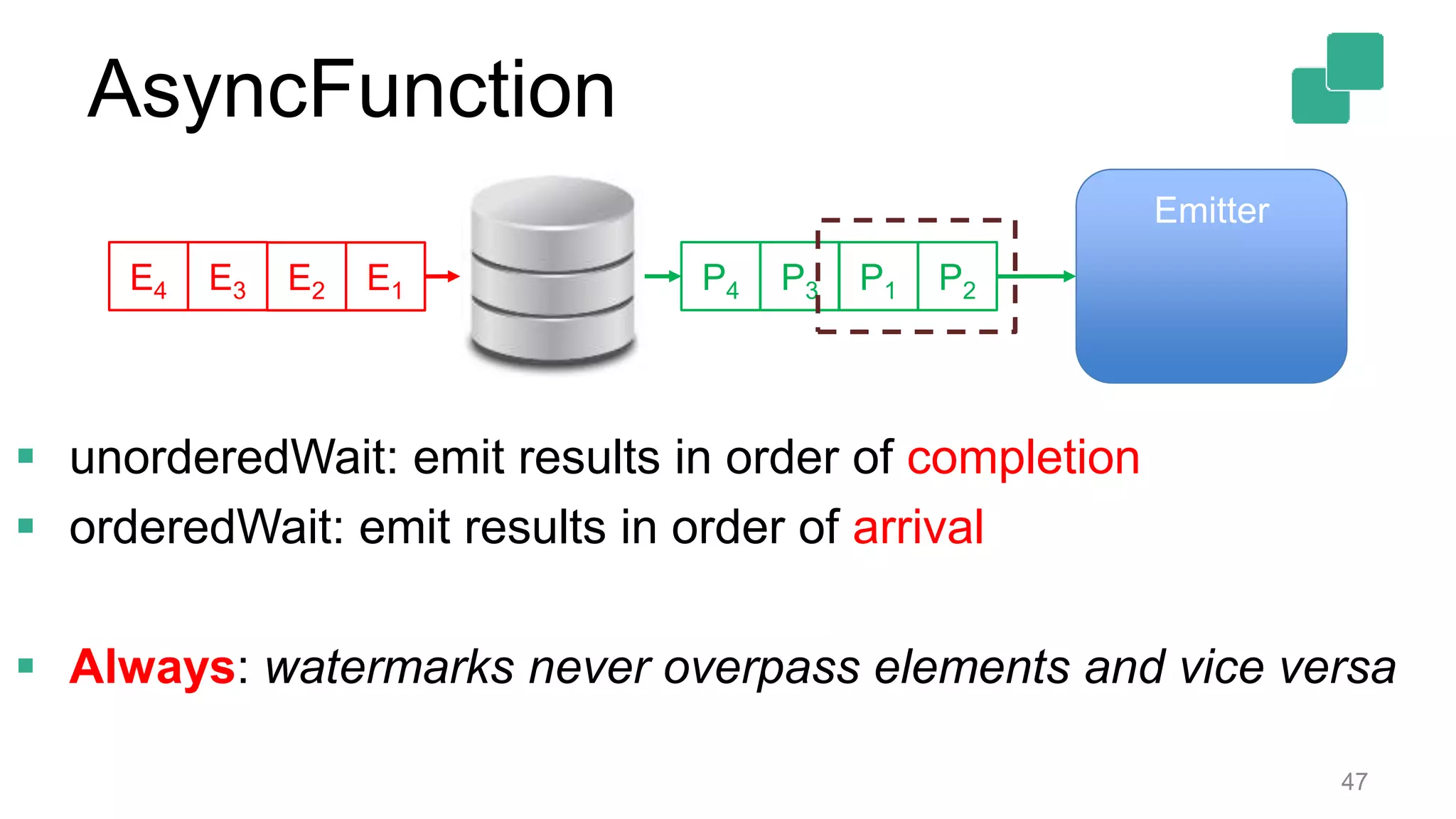
P2P3 P1P4E2E3 E1E4
Emitter
 unorderedWait: emit results in order of completion
 orderedWait: emit results in order of arrival
 Always: watermarks never overpass elements and vice versa
AsyncFunction
Documentation
 ProcessFunction:
https://ci.apache.org/projects/flink/flink-docs-release-
1.2/dev/stream/process_function.html
https://ci.apache.org/projects/flink/flink-docs-release-
1.3/dev/stream/process_function.html
 AsyncIO:
https://ci.apache.org/projects/flink/flink-docs-release-1.2/dev/stream/asyncio.html
48
4
Thank you!
@KLOUBEN_K
@ApacheFlink
@dataArtisans
50
Stream Processing
and Apache Flink®'s
approach to it
@StephanEwen
Apache Flink PMC
CTO @ data ArtisansFLINKFORWARD IS COMING BACKTO BERLIN
SEPTEMBER11-13, 2017
BERLIN.FLINK-FORWARD.ORG -
We are hiring!
data-artisans.com/careers

Flink Forward SF 2017: Konstantinos Kloudas - Extending Flink’s Streaming APIs

  • 1.
    1 Kostas Kloudas @KLOUBEN_K Flink ForwardSan Francisco April 11, 2017 Extending Flink’s Streaming APIs
  • 2.
    2 Original creators ofApache Flink® Providers of the dA Platform, a supported Flink distribution
  • 3.
    Extensions to theDataStream API 3
  • 4.
    Extensions to theDataStream API 4  ProcessFunction for Low-level Operations  Support for Asynchronous I/O
  • 5.
  • 6.
  • 7.
    Distributed Stream Processing 7 Computation Computation spreadacross many machines Computation Computation
  • 8.
  • 9.
    Stream Processing Engines Time: • handle infinite streams • with out-of-order events  State: • guarantee fault-tolerance (distributed) • guarantee consistency (infinite streams) 9
  • 10.
     Gives accessto all basic building blocks: • Events • Fault-tolerant, Consistent State • Timers (event- and processing-time) • Side Outputs 10 ProcessFunction
  • 11.
    Common Usecase SkeletonA  On each incoming element: • update some state • register a callback for a moment in the future  When that moment comes: • Check a condition and perform a certain action, e.g. emit an element 11
  • 12.
     Use built-inwindowing: • +Expressive • +A lot of functionality out-of-the-box • - Not always intuitive • - An overkill for simple cases  Write your own operator: • - Too many things to account for 12 Before the ProcessFunction
  • 13.
     Simple yetpowerful API: 13 /** * Process one element from the input stream. */ void processElement(I value, Context ctx, Collector<O> out) throws Exception; /** * Called when a timer set using {@link TimerService} fires. */ void onTimer(long timestamp, OnTimerContext ctx, Collector<O> out) throws Exception; ProcessFunction
  • 14.
     Simple yetpowerful API: 14 /** * Process one element from the input stream. */ void processElement(I value, Context ctx, Collector<O> out) throws Exception; /** * Called when a timer set using {@link TimerService} fires. */ void onTimer(long timestamp, OnTimerContext ctx, Collector<O> out) throws Exception; A collector to emit result values ProcessFunction
  • 15.
     Simple yetpowerful API: 15 /** * Process one element from the input stream. */ void processElement(I value, Context ctx, Collector<O> out) throws Exception; /** * Called when a timer set using {@link TimerService} fires. */ void onTimer(long timestamp, OnTimerContext ctx, Collector<O> out) throws Exception; 1. Get the timestamp of the element 2. Register and use side outputs 3. Interact with the TimerService to: • query the current time • register timers 1. Do the above 2. Query if we are on Event or Processing time ProcessFunction
  • 16.
     Requirements: • maintaincounts per incoming key, and • emit the key/count pair if no element came for the key in the last 100 ms (in event time) 16 ProcessFunction: example
  • 17.
    17  Implementation sketch: •Store the count, key and last mod timestamp in a ValueState (scoped by key) • For each record: • update the counter and the last mod timestamp • register a timer 100ms from “now” (in event time) • When the timer fires: • check the timer’s timestamp against the last mod time for that key and • emit the key/count pair if they differ by 100ms ProcessFunction: example
  • 18.
    18 public class MyProcessFunctionextends ProcessFunction<Tuple2<String, String>, Tuple2<String, Long>> { // define your state descriptors @Override public void processElement(Tuple2<String, Long> value, Context ctx, Collector<Tuple2<String, Long>> out) throws Exception { // update our state and register a timer } @Override public void onTimer(long timestamp, OnTimerContext ctx, Collector<Tuple2<String, Long>> out) throws Exception { // check the state for the key and emit a result if needed } } ProcessFunction: example
  • 19.
    19 public class MyProcessFunctionextends ProcessFunction<Tuple2<String, String>, Tuple2<String, Long>> { // define your state descriptors private final ValueStateDescriptor<CounterWithTS> stateDesc = new ValueStateDescriptor<>("myState", CounterWithTS.class); } ProcessFunction: example
  • 20.
    20 public class MyProcessFunctionextends ProcessFunction<Tuple2<String, String>, Tuple2<String, Long>> { @Override public void processElement(Tuple2<String, String> value, Context ctx, Collector<Tuple2<String, Long>> out) throws Exception { ValueState<MyStateClass> state = getRuntimeContext().getState(stateDesc); CounterWithTS current = state.value(); if (current == null) { current = new CounterWithTS(); current.key = value.f0; } current.count++; current.lastModified = ctx.timestamp(); state.update(current); ctx.timerService().registerEventTimeTimer(current.lastModified + 100); } } ProcessFunction: example
  • 21.
    21 public class MyProcessFunctionextends ProcessFunction<Tuple2<String, String>, Tuple2<String, Long>> { @Override public void onTimer(long timestamp, OnTimerContext ctx, Collector<Tuple2<String, Long>> out) throws Exception { CounterWithTS result = getRuntimeContext().getState(stateDesc).value(); if (timestamp == result.lastModified + 100) { out.collect(new Tuple2<String, Long>(result.key, result.count)); } } } ProcessFunction: example
  • 22.
  • 23.
    ProcessFunction: Side Outputs Additional (to the main) output streams  No type limitations • each side output can have its own type 23
  • 24.
     Requirements: • maintaincounts per incoming key, and • emit the key/count pair if no element came for the key in the last 100 ms (in event time) • in other case, if the count > 10, send the key to a side-output named gt10 24 ProcessFunction: example+
  • 25.
    25 final OutputTag<String> outputTag= new OutputTag<String>(”gt10"){}; SingleOutputStreamOperator<Tuple2<String, Long>> mainStream = input.process( new ProcessFunction<Tuple2<String, String>, Tuple2<String, Long>>() { @Override public void onTimer(long timestamp, OnTimerContext ctx, Collector<Tuple2<String, Long>> out) throws Exception { CounterWithTS result = getRuntimeContext().getState(adStateDesc).value(); if (timestamp == result.lastModified + 100) { out.collect(new Tuple2<String, Long>(result.key, result.count)); } else if (result.count > 10) { ctx.output(outputTag, result.key); } } DataStream<String> sideOutputStream = mainStream.getSideOutput(outputTag); ProcessFunction: example+
  • 26.
    26 final OutputTag<String> outputTag= new OutputTag<String>(”gt10"){}; SingleOutputStreamOperator<Tuple2<String, Long>> mainStream = input.process( new ProcessFunction<Tuple2<String, String>, Tuple2<String, Long>>() { @Override public void onTimer(long timestamp, OnTimerContext ctx, Collector<Tuple2<String, Long>> out) throws Exception { CounterWithTS result = getRuntimeContext().getState(adStateDesc).value(); if (timestamp == result.lastModified + 100) { out.collect(new Tuple2<String, Long>(result.key, result.count)); } else if (result.count > 10) { ctx.output(outputTag, result.key); } } DataStream<String> sideOutputStream = mainStream.getSideOutput(outputTag); ProcessFunction: example+
  • 27.
    27  Applicable toKeyed streams  For Non-Keyed streams:  group on a dummy key if you need the timers  BEWARE: parallelism of 1  Use it directly without the timers  CoProcessFunction for low-level joins: • Applied on two input streams ProcessFunction
  • 28.
  • 29.
    Common Usecase SkeletonB 29  On each incoming element: • extract some info from the element (e.g. key) • query an external storage system (DB or KV- store) for additional info • emit an enriched version of the input element
  • 30.
     Write aMapFunction that queries the DB: • +Simple • - Slow (synchronous access) or/and • - Requires high parallelism (more tasks)  Write your own operator: • - Too many things to account for 30 Before the AsuncIO support
  • 31.
     Write aMapFunction that queries the DB: • +Simple • - Slow (synchronous access) or/and • - Requires high parallelism (more tasks)  Write your own operator: • - Too many things to account for 31 Before the AsyncIO support
  • 32.
  • 33.
    33 Communication delay can dominateapplication throughput and latency Synchronous Access
  • 34.
  • 35.
     Requirement: • aclient that supports asynchronous requests  Flink handles the rest: • integration of async IO with DataStream API • fault-tolerance • order of emitted elements • correct time semantics (event/processing time) 35 AsyncFunction
  • 36.
     Simple API: /** *Trigger async operation for each stream input. */ void asyncInvoke(IN input, AsyncCollector<OUT> collector) throws Exception;  API call: /** * Example async function call. */ DataStream<...> result = AsyncDataStream.(un)orderedWait(stream, new MyAsyncFunction(), 1000, TimeUnit.MILLISECONDS, 100); 36 AsyncFunction
  • 37.
    37 Emitter P2P3 P1P4 AsyncWaitOperator E5 AsyncWaitOperator: • aqueue of “Promises” • a separate thread (Emitter) AsyncFunction
  • 38.
    38 Emitter P2P3 P1P4 AsyncWaitOperator • WrapE5 in a “promise” P5 • Put P5 in the queue • Call asyncInvoke(E5, P5) E5 P5 asyncInvoke(E5, P5)P5 AsyncFunction
  • 39.
    39 Emitter P2P3 P1P4 AsyncWaitOperator E5 P5 asyncInvoke(E5, P5)P5 asyncInvoke(value,asyncCollector): • a user-defined function • value : the input element • asyncCollector : the collector of the result (when the query returns) AsyncFunction
  • 40.
    40 Emitter P2P3 P1P4 AsyncWaitOperator E5 P5 asyncInvoke(E5, P5)P5 asyncInvoke(value,asyncCollector): • a user-defined function • value : the input element • asyncCollector : the collector of the result (when the query returns) Future<String> future = client.query(E5); future.thenAccept((String result) -> { P5.collect( Collections.singleton( new Tuple2<>(E5, result))); }); AsyncFunction
  • 41.
    41 Emitter P2P3 P1P4 AsyncWaitOperator E5 P5 asyncInvoke(E5, P5)P5 asyncInvoke(value,asyncCollector): • a user-defined function • value : the input element • asyncCollector : the collector of the result (when the query returns) Future<String> future = client.query(E5); future.thenAccept((String result) -> { P5.collect( Collections.singleton( new Tuple2<>(E5, result))); }); AsyncFunction
  • 42.
    42 Emitter P2P3 P1P4 AsyncWaitOperator E5 P5 asyncInvoke(E5, P5)P5 Emitter: •separate thread • polls queue for completed promises (blocking) • emits elements downstream AsyncFunction
  • 43.
    43 DataStream<Tuple2<String, String>> result= AsyncDataStream.(un)orderedWait(stream, new MyAsyncFunction(), 1000, TimeUnit.MILLISECONDS, 100);  our asyncFunction  a timeout: max time until considered failed  capacity: max number of in-flight requests AsyncFunction
  • 44.
    44 DataStream<Tuple2<String, String>> result= AsyncDataStream.(un)orderedWait(stream, new MyAsyncFunction(), 1000, TimeUnit.MILLISECONDS, 100); AsyncFunction
  • 45.
    45 DataStream<Tuple2<String, String>> result= AsyncDataStream.(un)orderedWait(stream, new MyAsyncFunction(), 1000, TimeUnit.MILLISECONDS, 100); P2P3 P1P4E2E3 E1E4 Ideally... Emitter AsyncFunction
  • 46.
    46 DataStream<Tuple2<String, String>> result= AsyncDataStream.unorderedWait(stream, new MyAsyncFunction(), 1000, TimeUnit.MILLISECONDS, 100); P2P3 P1P4E2E3 E1E4 Reallistically... Emitter ...output ordered based on which request finished first AsyncFunction
  • 47.
    47 P2P3 P1P4E2E3 E1E4 Emitter unorderedWait: emit results in order of completion  orderedWait: emit results in order of arrival  Always: watermarks never overpass elements and vice versa AsyncFunction
  • 48.
  • 49.
  • 50.
    50 Stream Processing and ApacheFlink®'s approach to it @StephanEwen Apache Flink PMC CTO @ data ArtisansFLINKFORWARD IS COMING BACKTO BERLIN SEPTEMBER11-13, 2017 BERLIN.FLINK-FORWARD.ORG -
  • 51.

Editor's Notes

  • #2 My name is Kostas Kloudas and I am here to talk to you about some of the latest extensions of Flink’s streaming APIs. I bit about me, I am a Flink committer and a software engineer at data Artisans...
  • #3 So far you have heard about: Large state handling and rescaling with Apache Flink Queriable State Architecture redesign to support different deployment scenarios Table API and SQL support ... And many more cool new enhancements of Flink This talk will focus a bit on the APIs, change slide
  • #4 In this talk, I would like to talk about extensions to the DataStream API in Flink1.2 and the upcoming Flink 1.3 and more specifically I will focus on:
  • #5 Process Function, an abstraction for low level stream operations, and Support for asynchronous IO operations
  • #6 So ....low level stream operations with the ProcessFunction:
  • #7 For the rest couple of slides, the color code implies events belonging to different keys
  • #10 Given the above, stream processing engines that target distributed, stateful stream processing have to be good at 2 things: time, as they ... And state... And the latter means that they have to ... I will not go into details on how Flink handles these two, but I will focus on how users can leverage Flink’s capabilities, and this is where the ProcessFunction comes into play:
  • #11 So, the process function is an abstraction introduced in Flink 1.2 and gives you access to the basic building blocks of all streaming applications, namely: ... The reason why it was introduced was to make the translation of common usecases to Flink programs. Such a common usecase is the following:
  • #12 An example could be that you have your recommendation system, and you want to have a “rule” that says if the user does not purchase the recommended Item within X sec, send a message to the recommendation system that its suggestion was not good. For those of you familiar with the Flink APIs, you can imagine this as a flatMap with the ability to register and react to timers.
  • #13 Not always intuitive and can be an overkill for cases like the above, as you do not want to think about assigners, triggers, and window functions when all you need is a simple flatmap with a timer The other alternative would be to write your own operator but in this case there are even more things to consider.
  • #14 As I said earlier, ProcessFunction focuses on simplicity. To this end, it only requires the implementation of 2 methods, namely the ... Which is invoked when ... And the ... Each of these methods comes with a set of arguments:
  • #15 Focusing on the arguments of each of the calls:...
  • #16 Emphasize that time stands for both event and processing time.
  • #18 This example is copied from our documentation for which I will provide a link at the end of the slides (but you can always use your favorite search engine to look for ProcessFunction in Flink). Currently you will find the 1.2 documentation, which does not have big difference with the 1.3.
  • #24 Each Datastream operation in Flink has its main output stream. Side outputs allow you to add more output streams, in addition to the main one, without any type restrictions. This means that each side output can have its own type which differs from that of the main output and from that of other side outputs.
  • #26 Emphasize that time stands for both event and processing time.
  • #27 Emphasize that time stands for both event and processing time.
  • #29 Enough for the ProcessFunction, now let’s move on to the second addition that I want to touch, which is the support of Asynchronous IO.
  • #32 Let’s focus a bit on the “synchronous access” part and see what this stands for.
  • #33 As shown in the figure, synchronous access means that after sending a request for key a, you have to wait for the response, before being able to send the next request for key b. In the figure, with brown we show the waiting time, and we can see that this can easily dominate throughput and latency.
  • #34 Let’s focus a bit on the “synchronous access” part and see what this stands for. As shown in the figure, synchronous access means that after sending a request for key a, you have to wait for the response, before being able to send the next request for key b. In the figure, with brown we show the waiting time, and we can see that this can easily dominate throughput and latency.
  • #35 To face the problems of synchronous access, the asynchronous pattern allows for multiplexing requests and responses so that you send a request for a, b, c, etc and, in the same time, you receive the responses as they arrive, without waiting between consecutive requests. This is exactly the pattern that AsyncIO implements. And in order to leverage its capabilities, the only requirement it imposes is:
  • #36 If you have this, then Flink will provide the rest, such as...
  • #37 The API of the async function requires the implementation of a single method ... Which is the one that triggers an async operation for each input element. And to integrate it into your program, you will have to write something like the following: We will see more about the details of these methods in the following slides. So now that we have the 10000 feet view of the async io, let’s see a little bit how this works:
  • #38 This is the diagram of our AsyncWaitOperator, the operator that runs our asyncFunction. As we can see, it is composed of a queue of ”Promises” and a separate Thread, the “Emitter”, which is responsible for sending Elements (e.g. the received responses) downstream. A ”promise” is an asynchronous abstraction which “promises” to have a value in the future. This queue is the queue of PENDING promises, e.g. our pending requests.
  • #40 A ”promise” is an asynchronous abstraction which “promises” to have a value in the future. On this promise, we can attach a callback, which will be triggered upon completion of the requested action, i.e. When the promise has a concrete value (or completes with an exception)
  • #41 CLIENT should be asynchronous. If not, then the call will block in the query() and we will have the same synchronous pattern as before.
  • #42 CLIENT should be asynchronous. If not, then the call will block in the query() and we will have the same synchronous pattern as before.
  • #43 A ”promise” is an asynchronous abstraction which “promises” to have a value in the future. On this promise, we can attach a callback, which will be triggered upon completion of the requested action, i.e. When the promise has a concrete value (or completes with an exception)
  • #44 Let’s focus a bit on the “synchronous access” part and see what this stands for...
  • #45 As operations are served asynchronously, the order of the output elements will not be the same as the one of their respective input elements. This in fact depends on how fast the storage system serves each of the individual requests. To control the order of the emitted events, Flink can operate on 2 modes:
  • #46 As operations are served asynchronously, the order of the output elements will not be the same as the one of their respective input elements. This in fact depends on how fast the storage system serves each of the individual requests. To control the order of the emitted events, Flink can operate on 2 modes:
  • #47 As operations are served asynchronously, the order of the output elements will not be the same as the one of their respective input elements. This in fact depends on how fast the storage system serves each of the individual requests. To control the order of the emitted events, Flink can operate on 2 modes: