1
Kostas Kloudas
@kkloudas
Flink Forward Berlin
SEPTEMBER 12, 2017
Complex Event Processing with
Flink The state of FlinkCEP
2
Original creators of Apache
Flink®
Providers of
dA Platform 2, including
open source Apache Flink +
dA Application Manager
What is CEP?
3
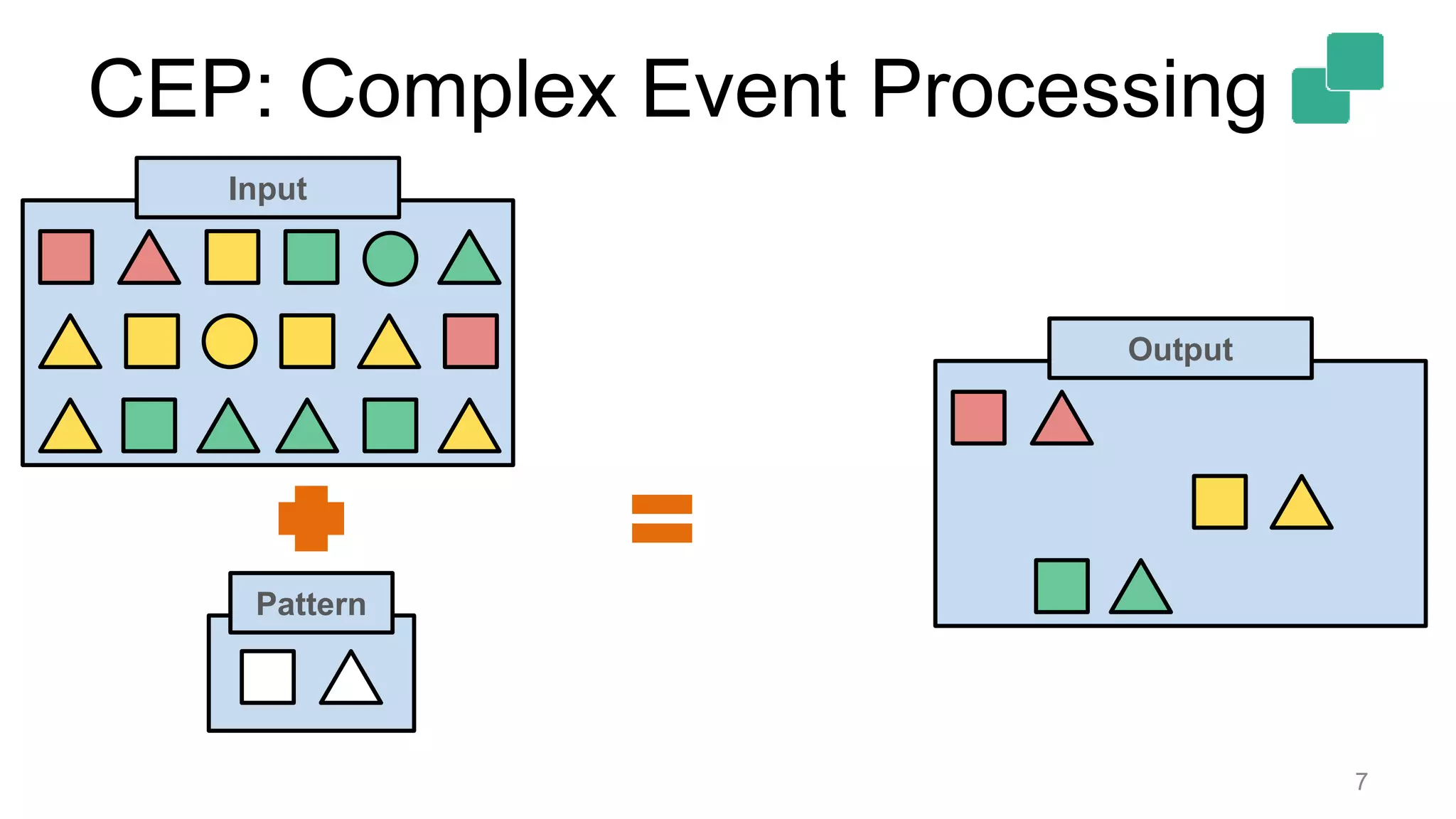
CEP: Complex Event Processing
 Detecting event patterns
 Over continuous streams of events
 Often arriving out-of-order
4
CEP: Complex Event Processing
5
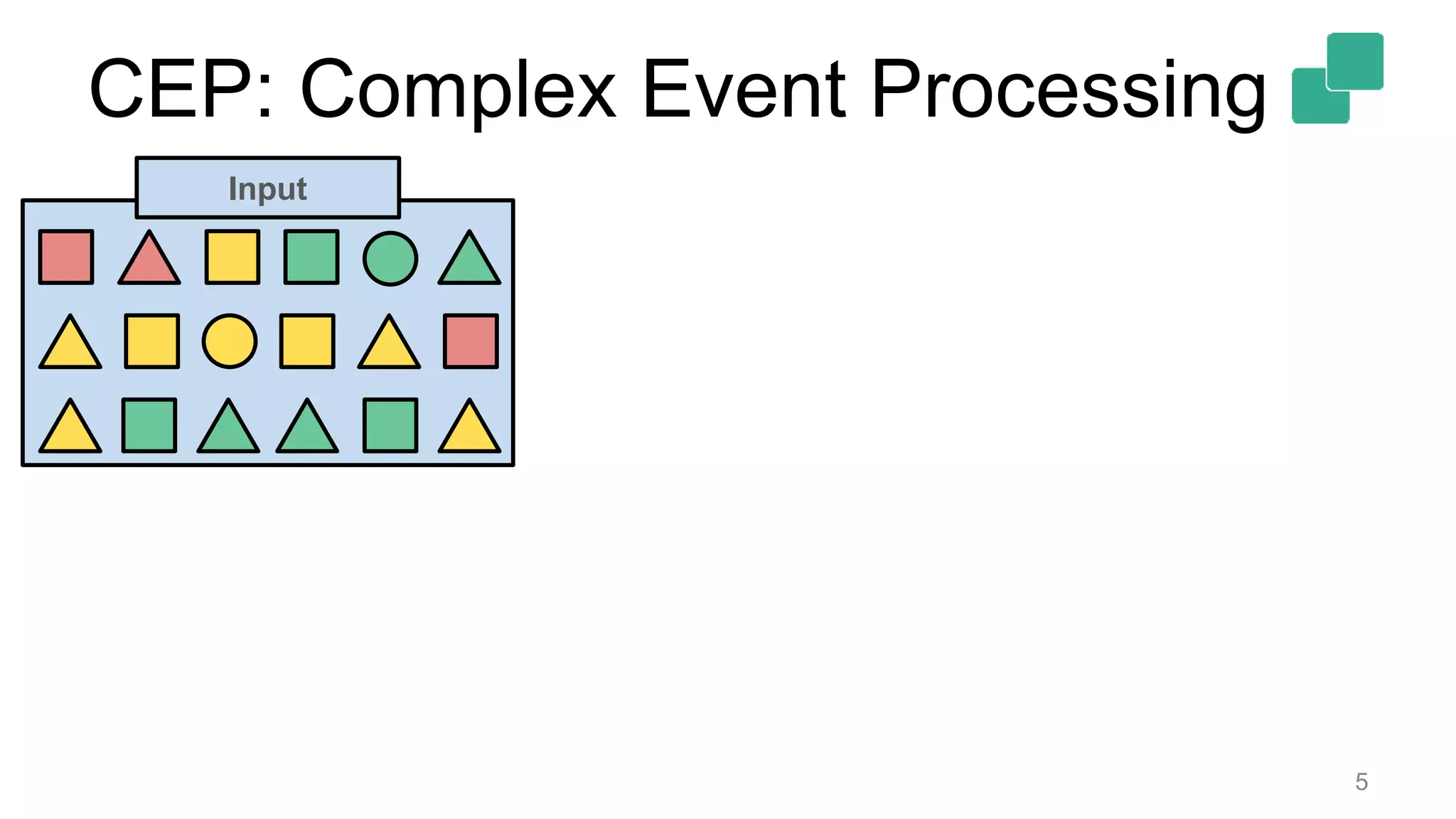
Input
CEP: Complex Event Processing
6
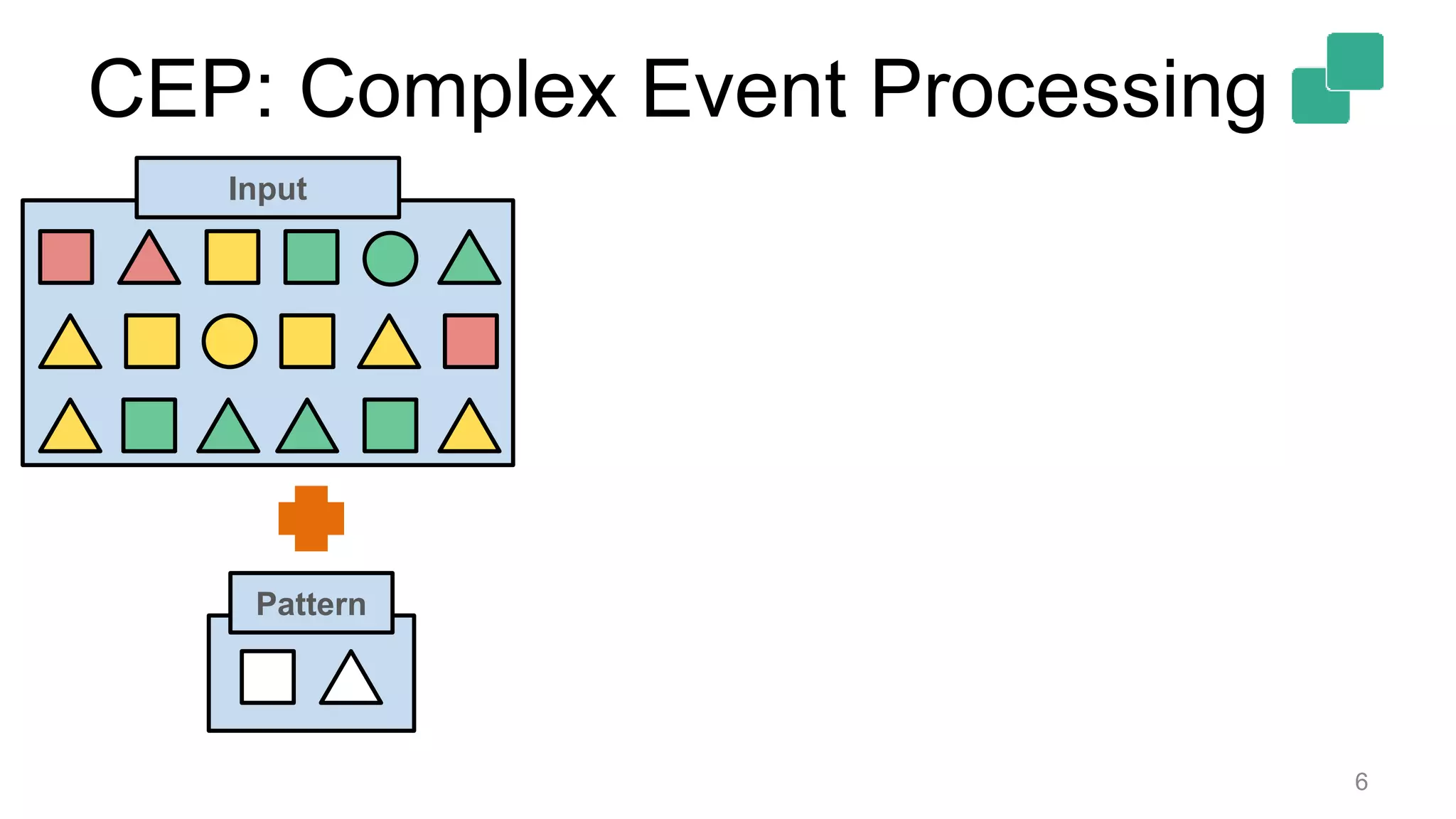
Pattern
Input
CEP: Complex Event Processing
7
Pattern
Output
Input
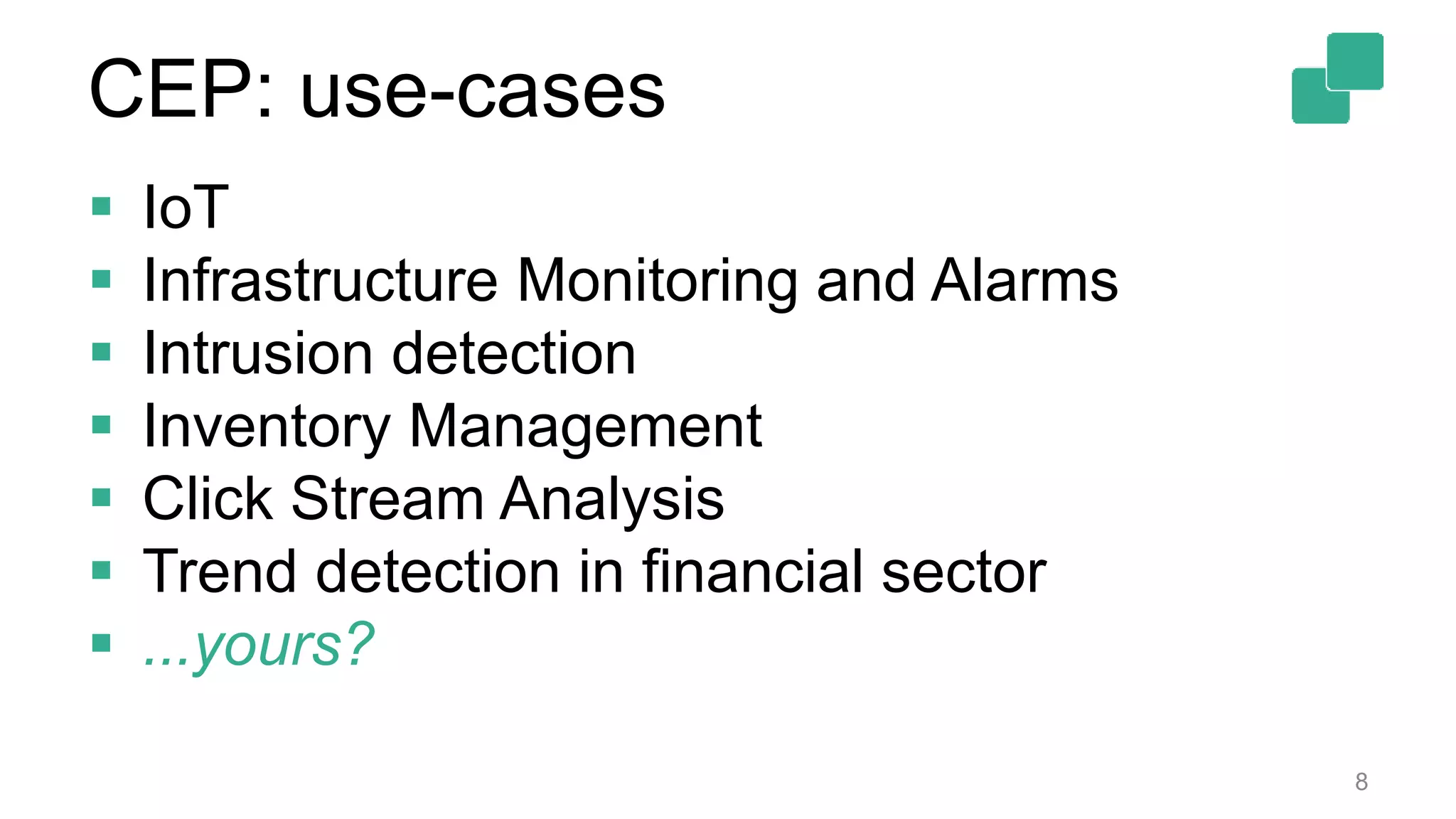
CEP: use-cases
 IoT
 Infrastructure Monitoring and Alarms
 Intrusion detection
 Inventory Management
 Click Stream Analysis
 Trend detection in financial sector
 ...yours?
8
What is Stream Processing?
9
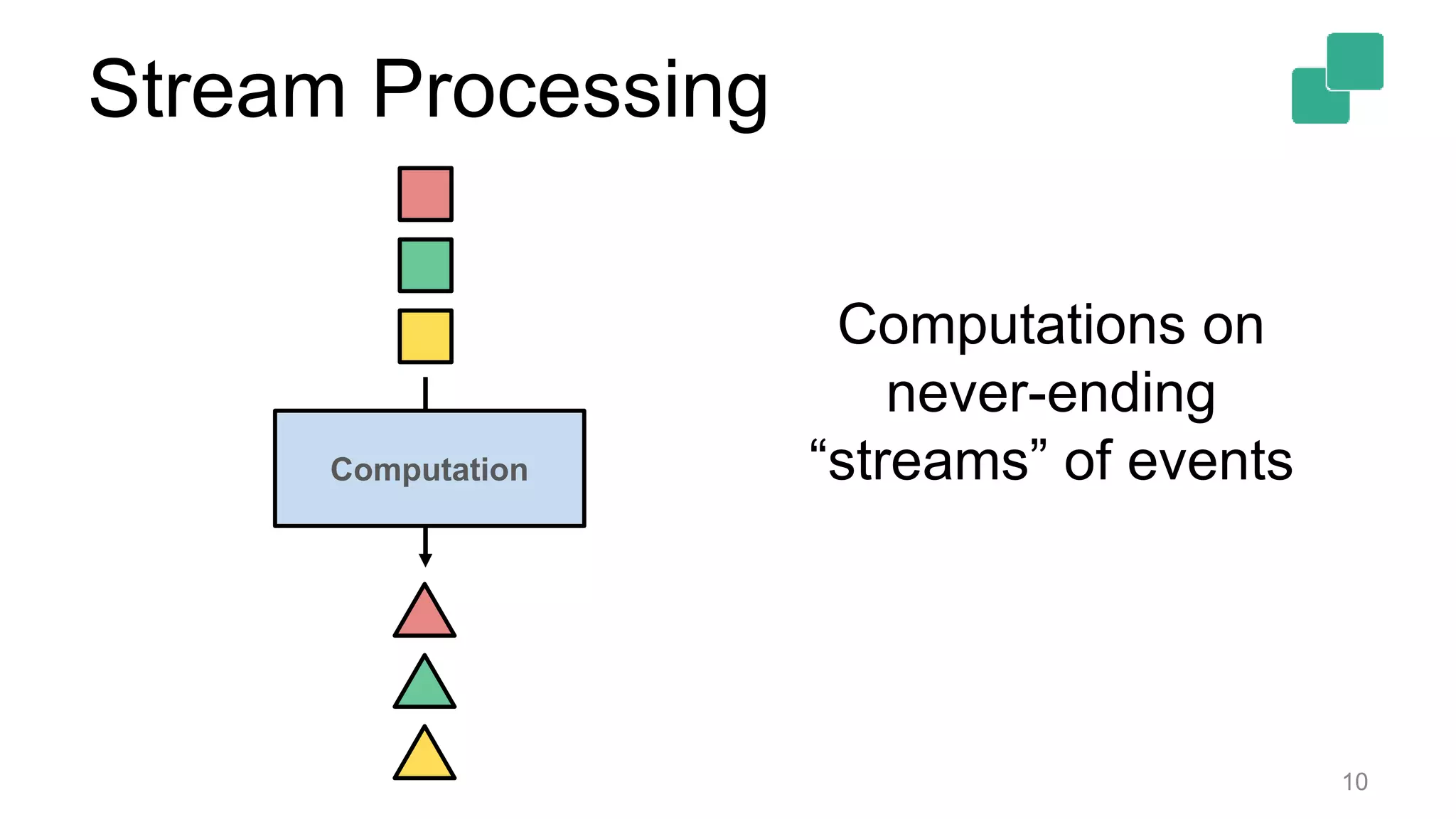
Stream Processing
10
Computation
Computations on
never-ending
“streams” of events
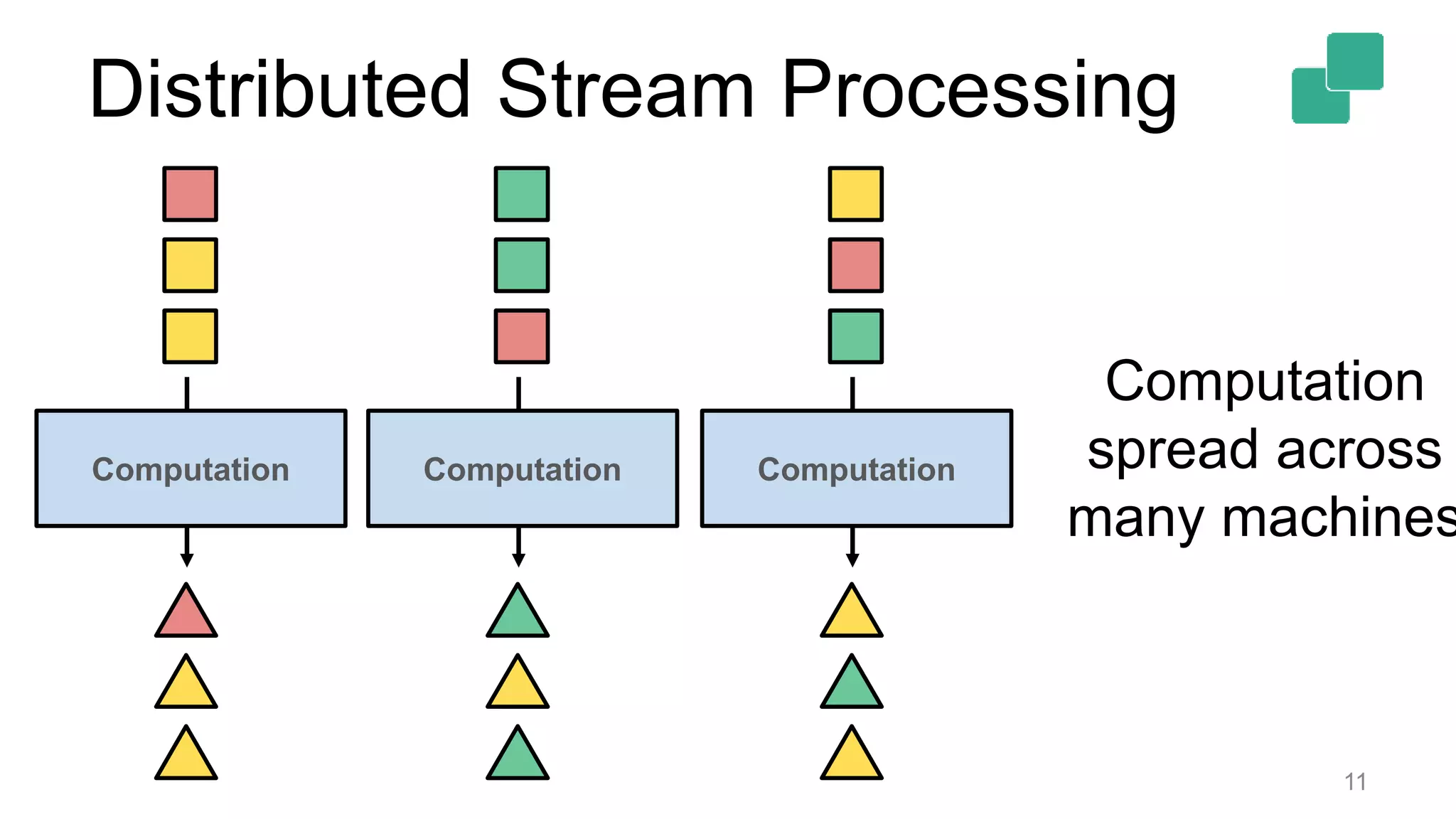
Distributed Stream Processing
11
Computation
Computation
spread across
many machines
Computation Computation
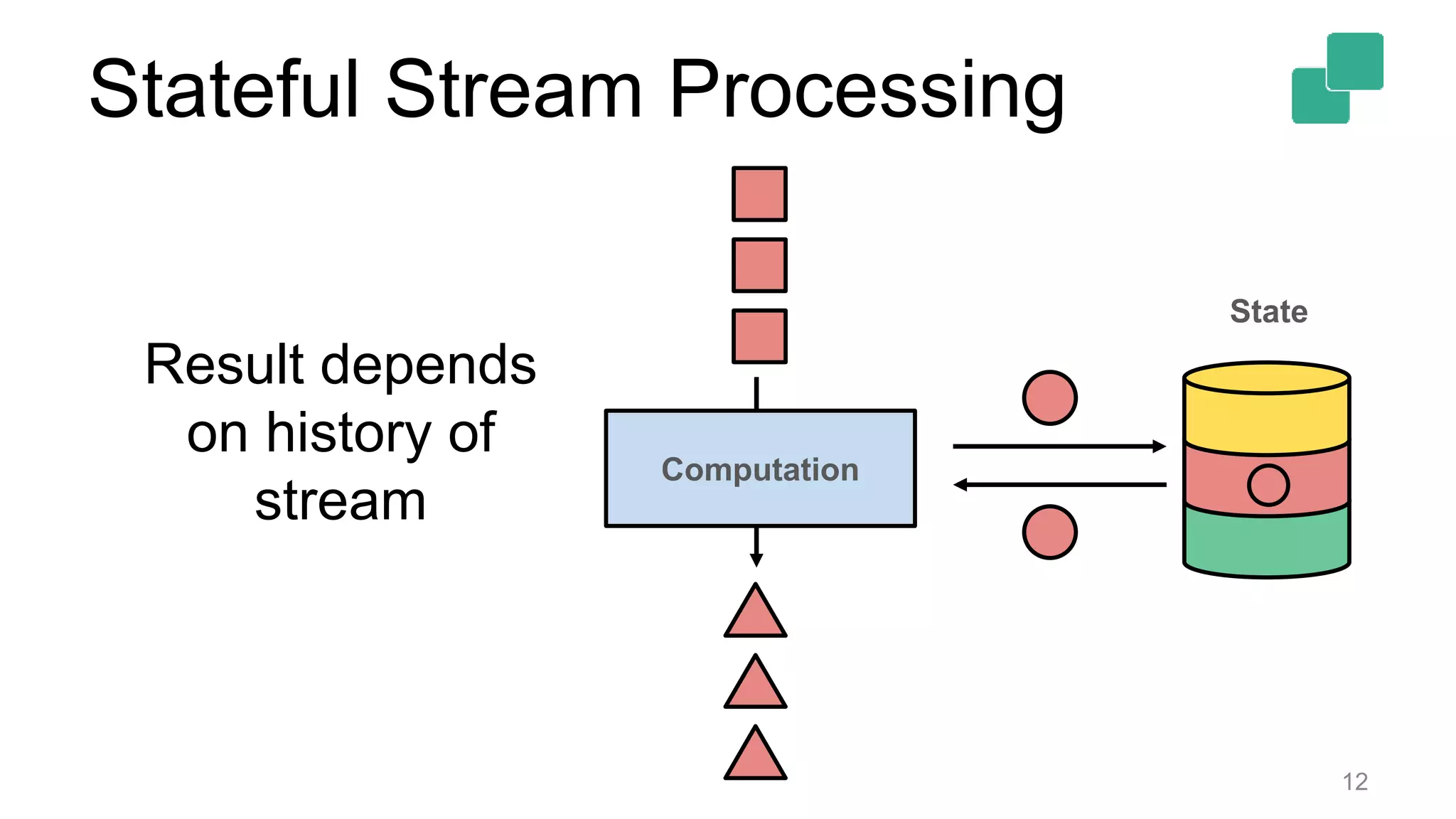
Stateful Stream Processing
12
Computation
State
Result depends
on history of
stream
13
Stream Processors are a natural fit
for CEP
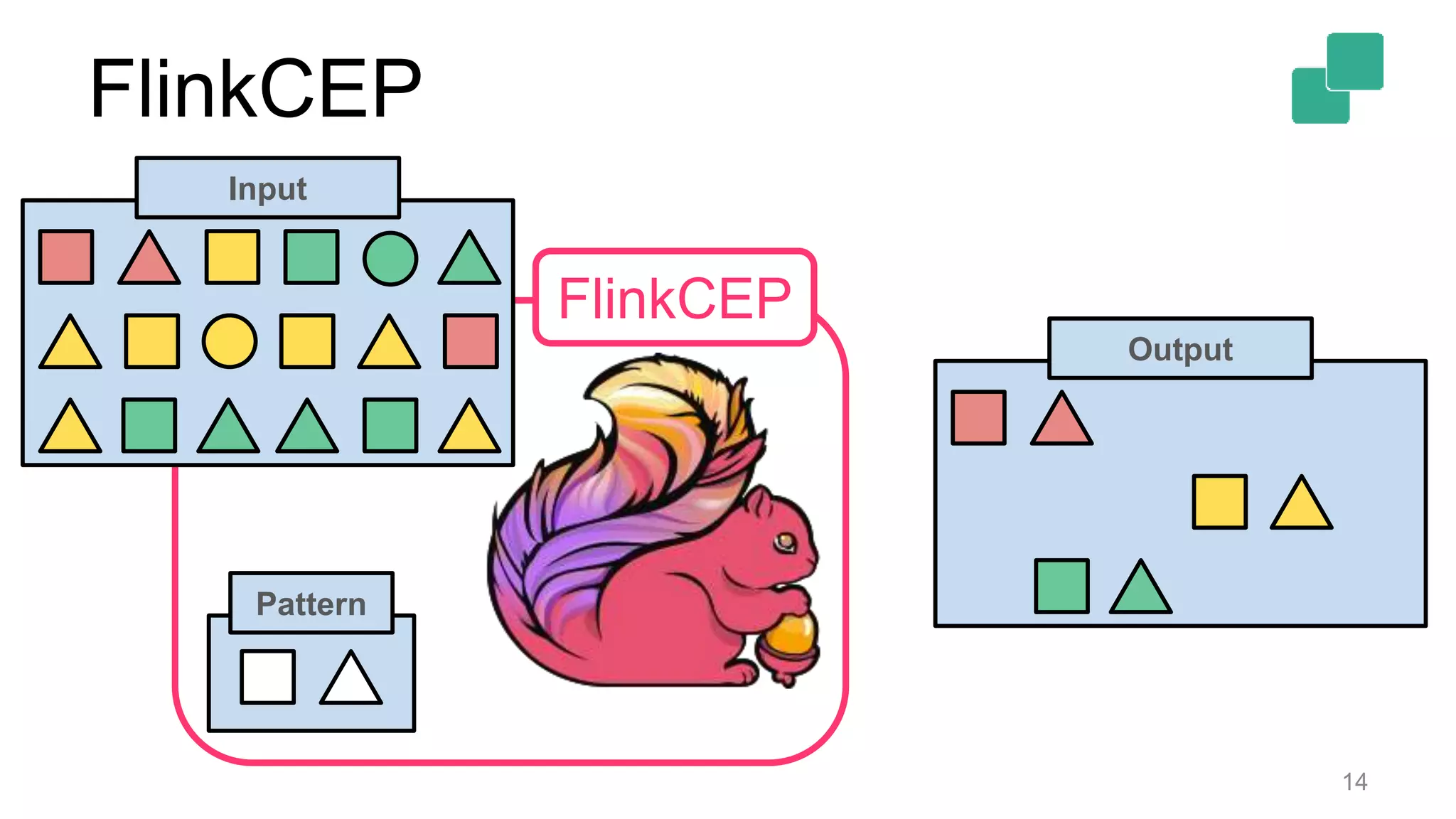
FlinkCEP
14
Pattern
Output
FlinkCEP
Input
What does FlinkCEP offer?
15
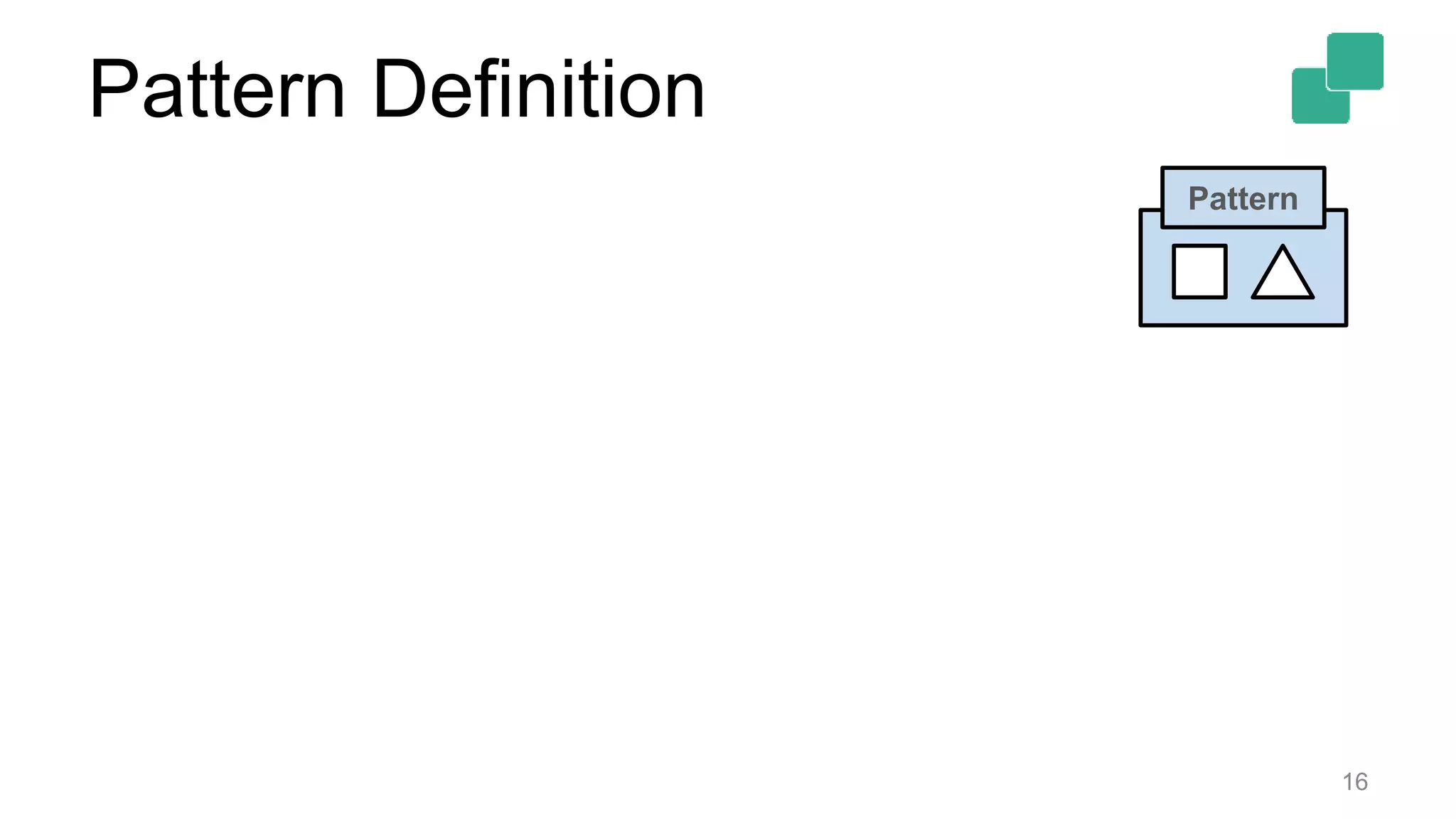
Pattern Definition
16
Pattern
Pattern Definition
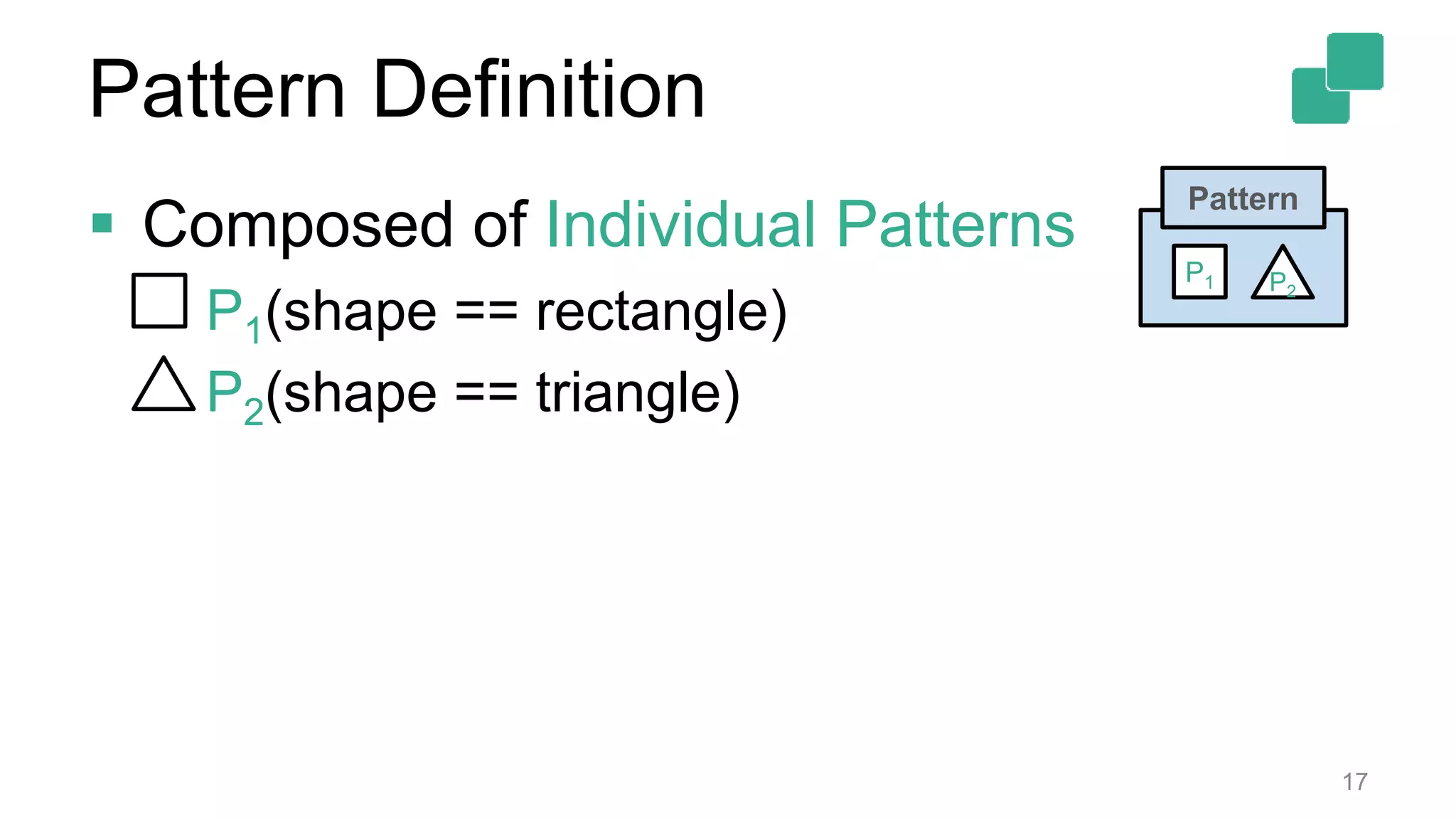
 Composed of Individual Patterns
• P1(shape == rectangle)
• P2(shape == triangle)
17
Pattern
P2
P1
Pattern Definition
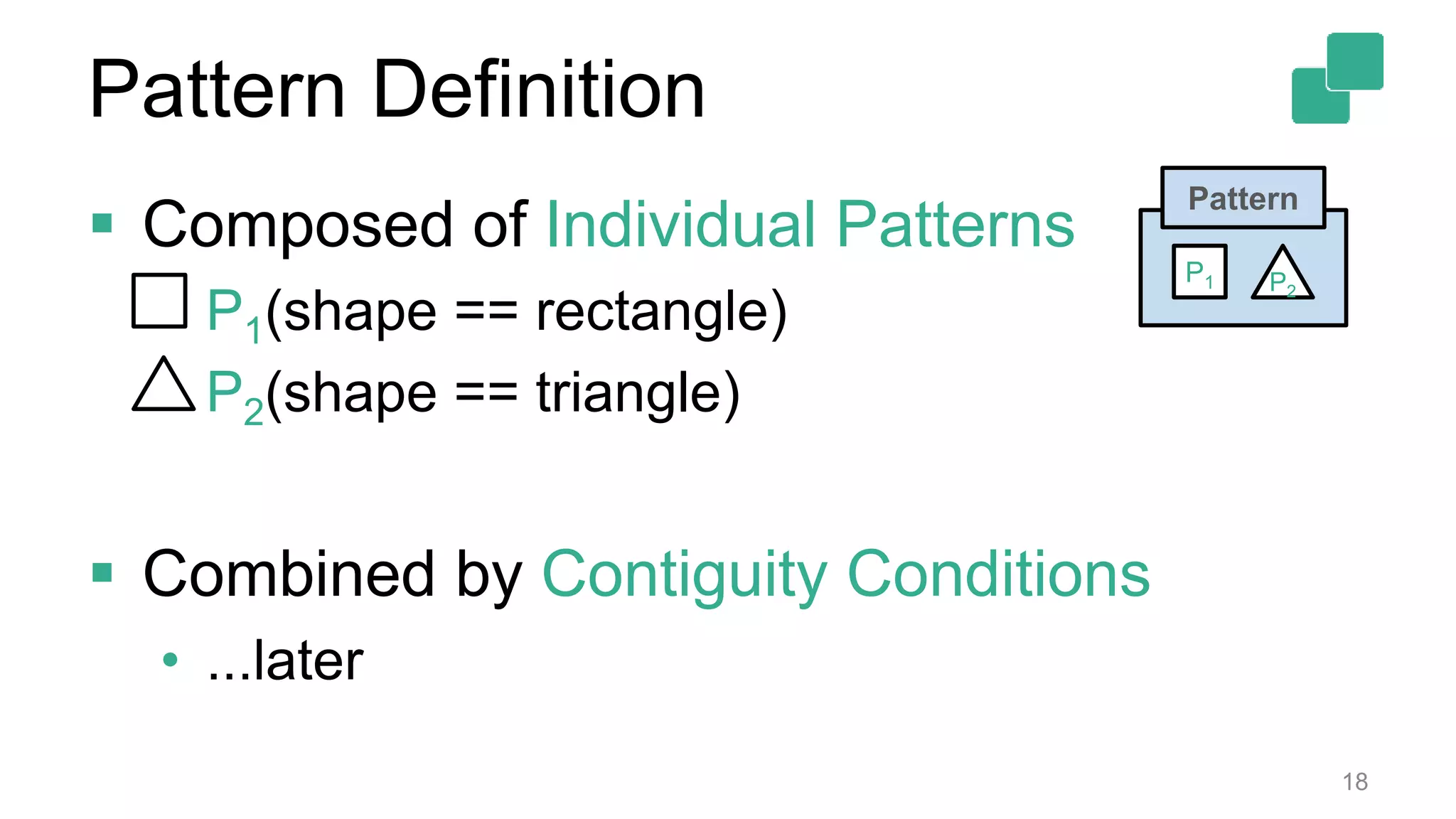
 Composed of Individual Patterns
• P1(shape == rectangle)
• P2(shape == triangle)
 Combined by Contiguity Conditions
• ...later
18
Pattern
P2
P1
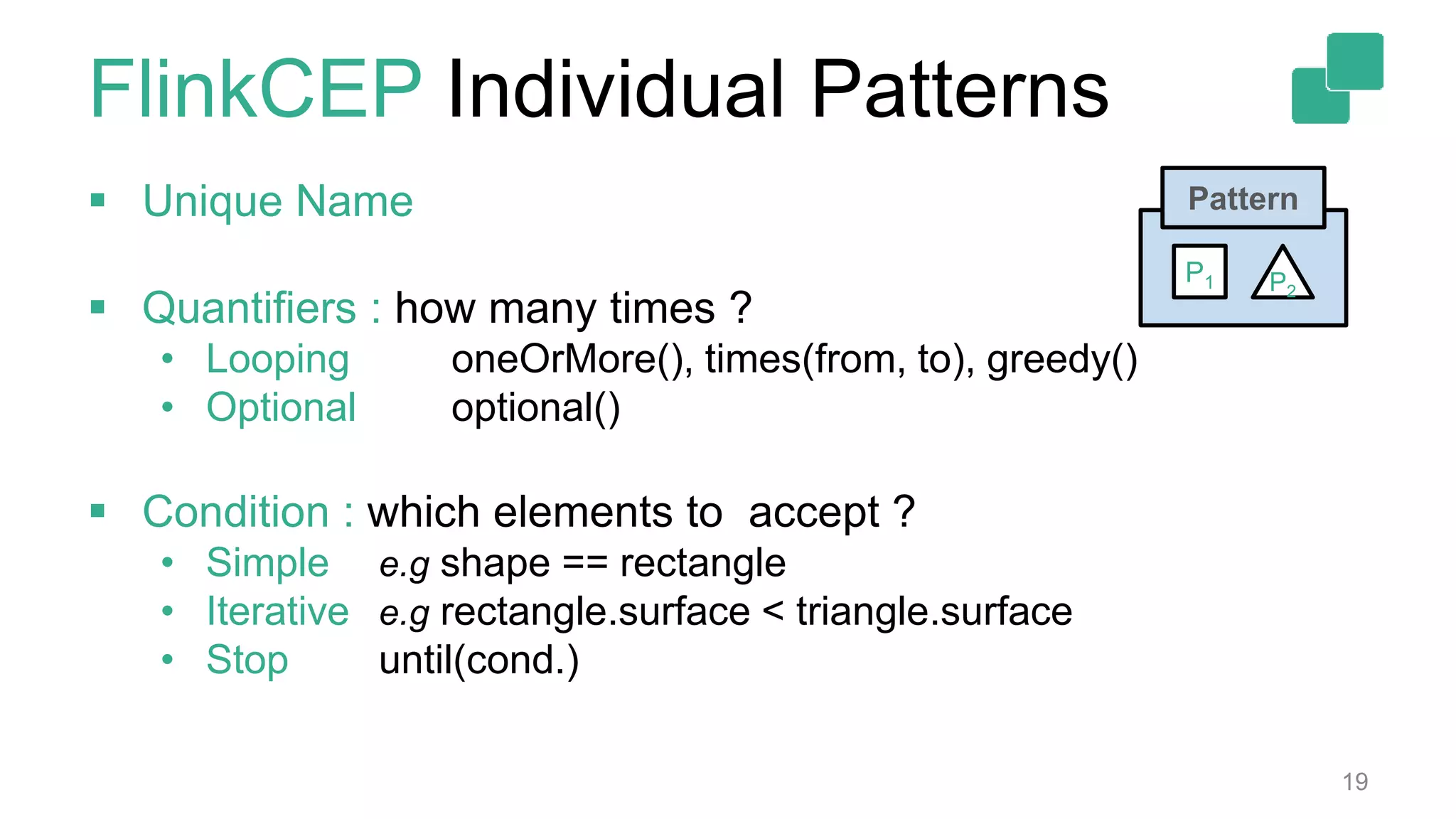
FlinkCEP Individual Patterns
 Unique Name
 Quantifiers : how many times ?
• Looping oneOrMore(), times(from, to), greedy()
• Optional optional()
 Condition : which elements to accept ?
• Simple e.g shape == rectangle
• Iterative e.g rectangle.surface < triangle.surface
• Stop until(cond.)
19
Pattern
P2
P1
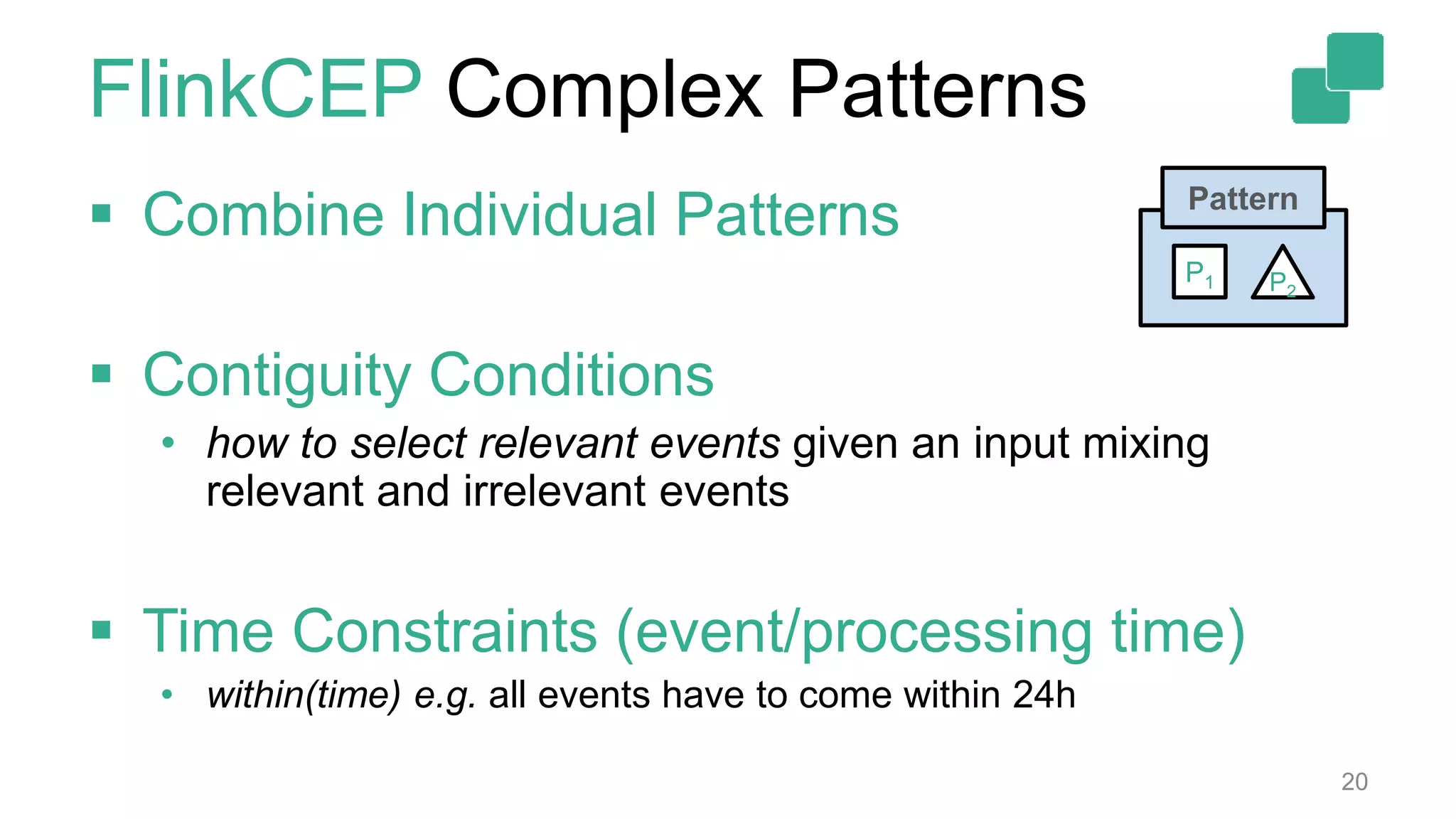
FlinkCEP Complex Patterns
 Combine Individual Patterns
 Contiguity Conditions
• how to select relevant events given an input mixing
relevant and irrelevant events
 Time Constraints (event/processing time)
• within(time) e.g. all events have to come within 24h
20
Pattern
P2
P1
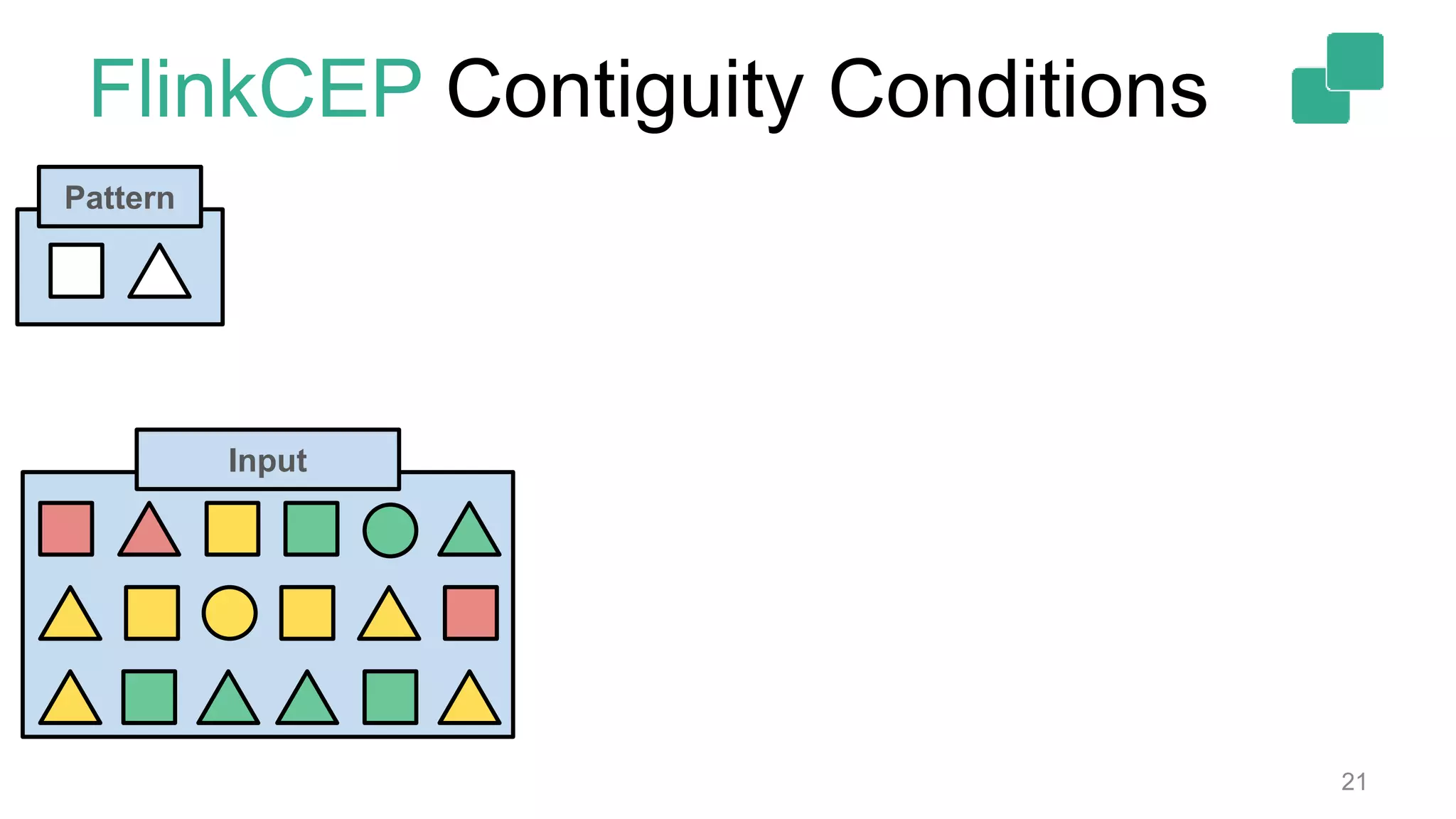
FlinkCEP Contiguity Conditions
21
Pattern
Input
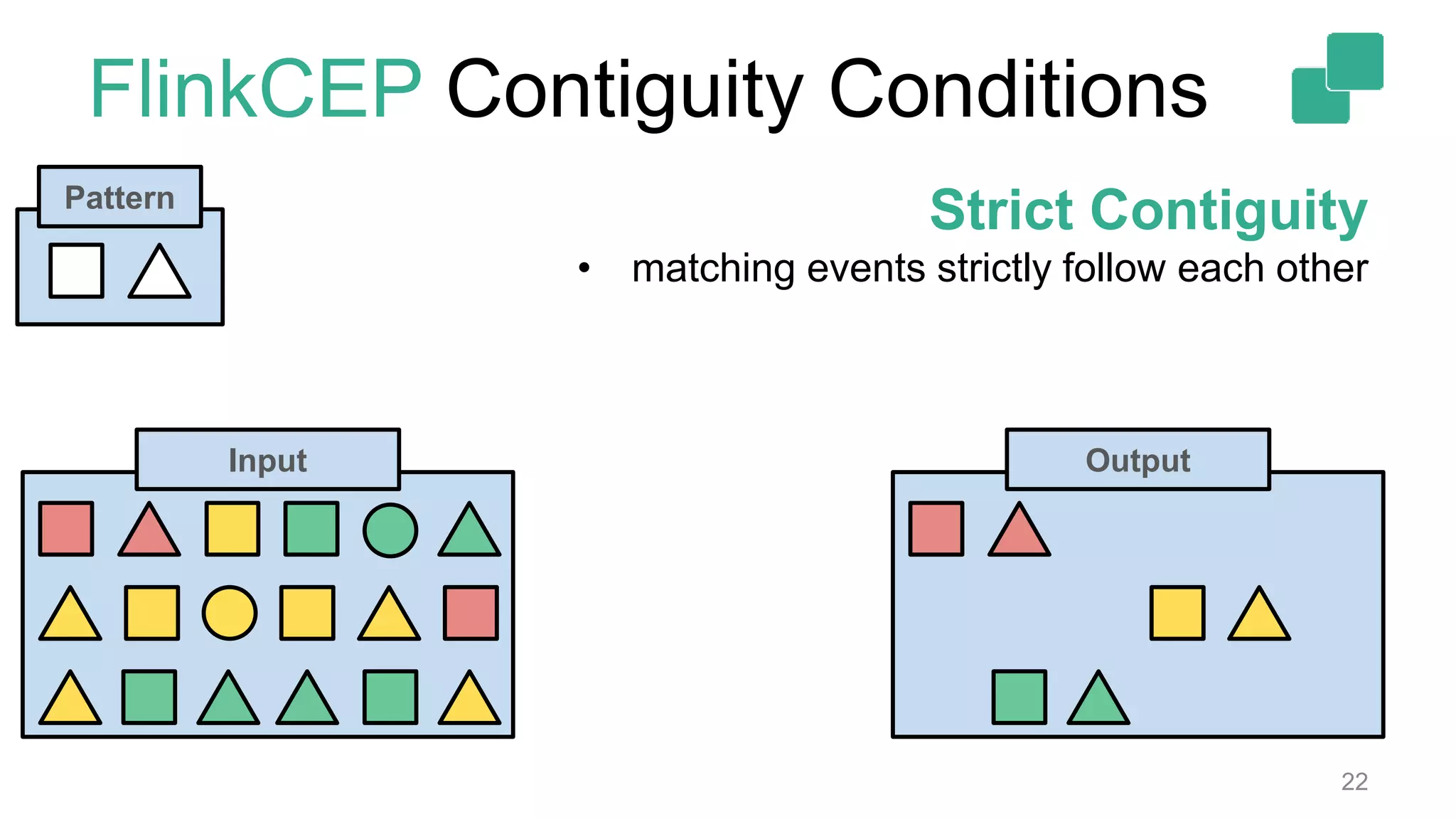
FlinkCEP Contiguity Conditions
22
Pattern
OutputInput
Strict Contiguity
• matching events strictly follow each other
FlinkCEP Contiguity Conditions
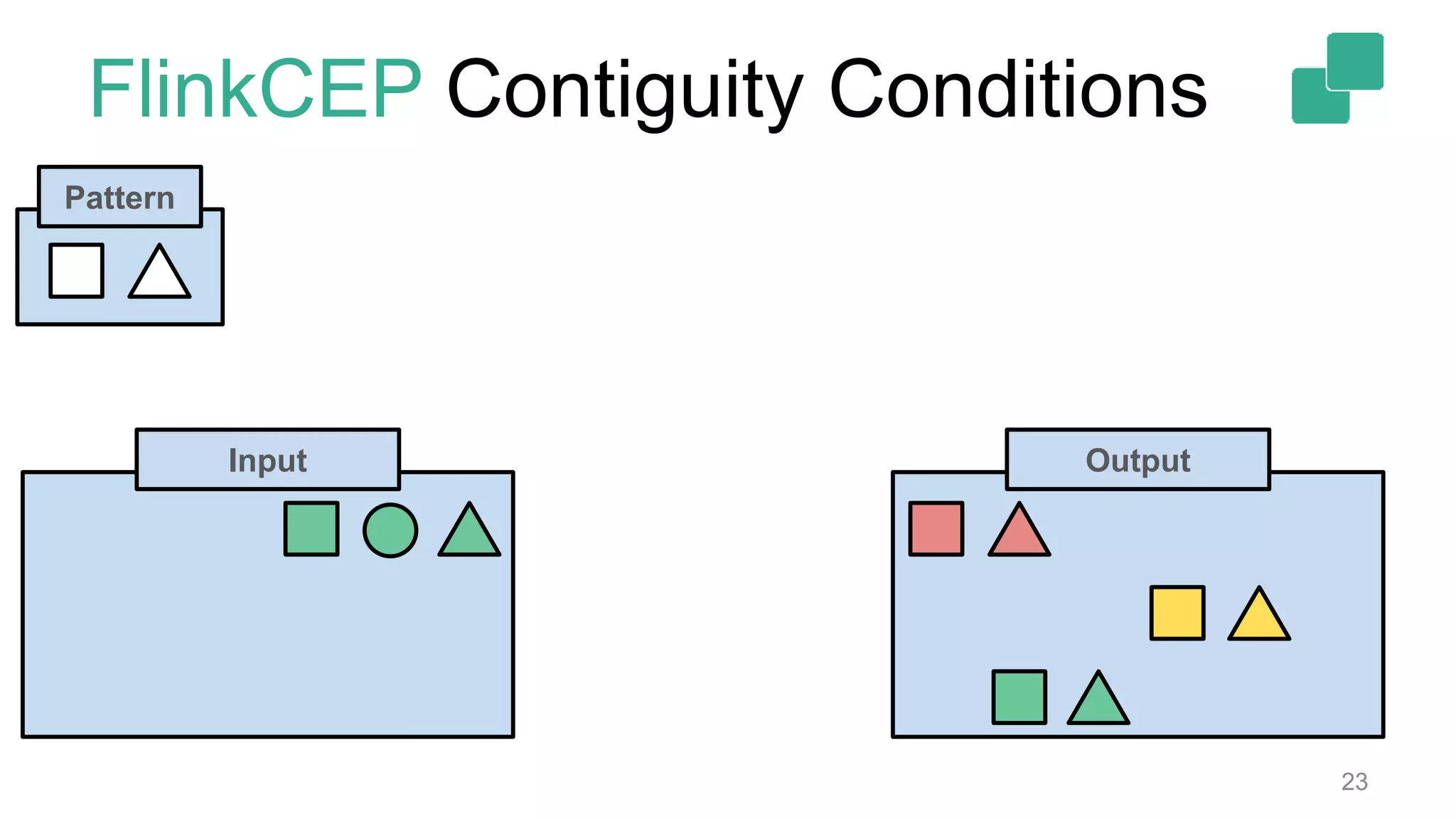
23
Pattern
OutputInput
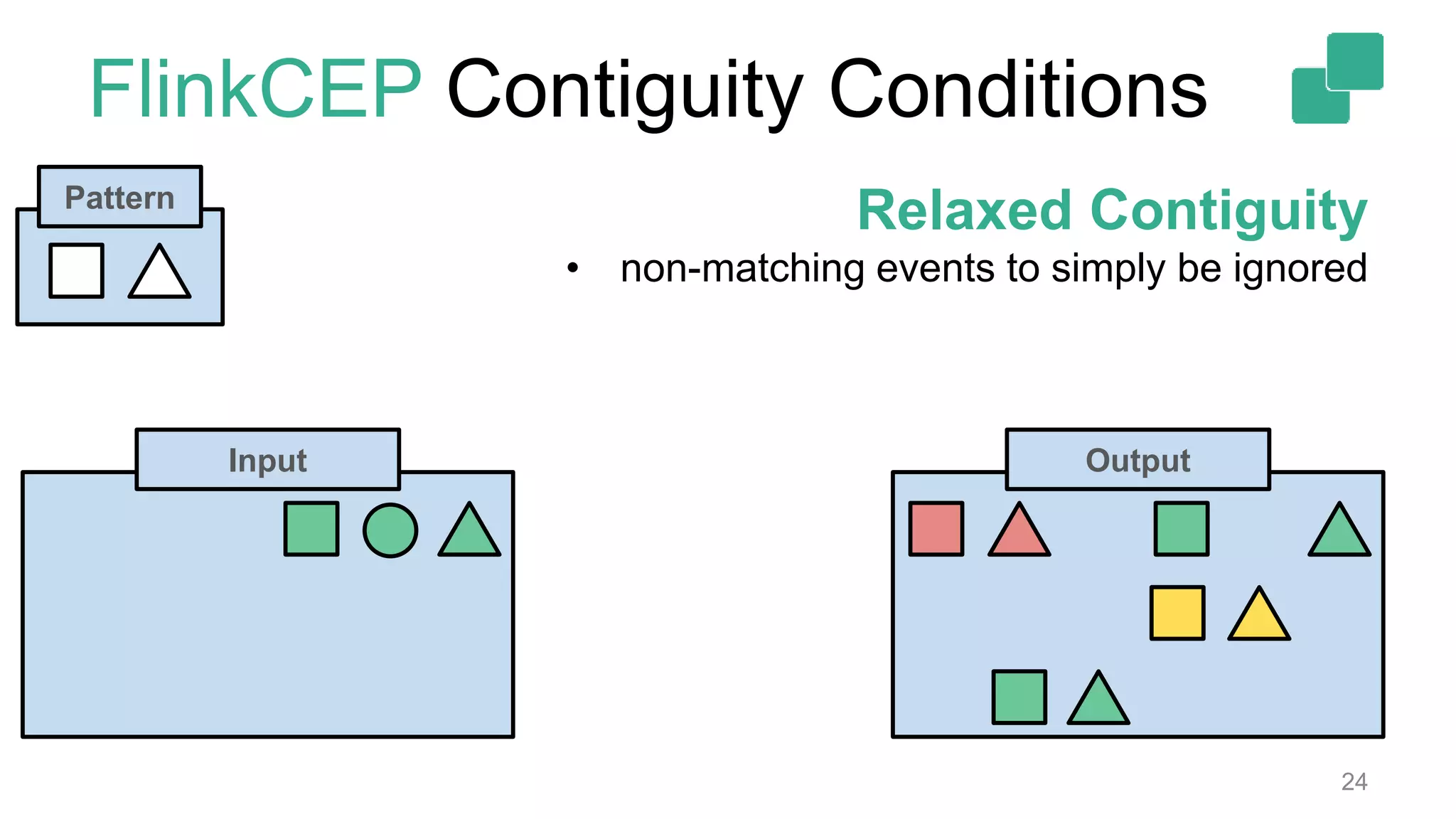
FlinkCEP Contiguity Conditions
24
Pattern
Relaxed Contiguity
• non-matching events to simply be ignored
Input Output
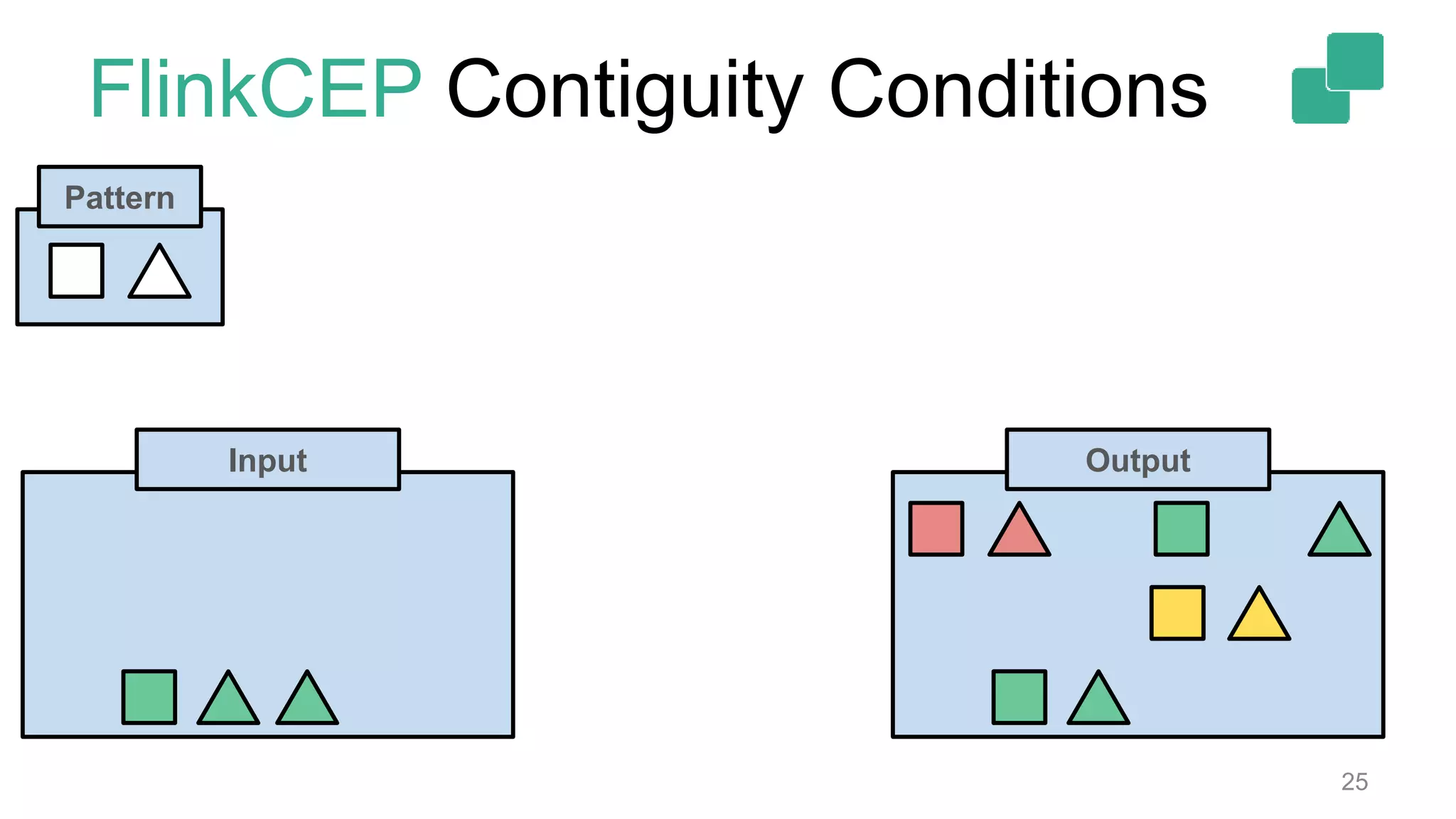
FlinkCEP Contiguity Conditions
25
Pattern
Input Output
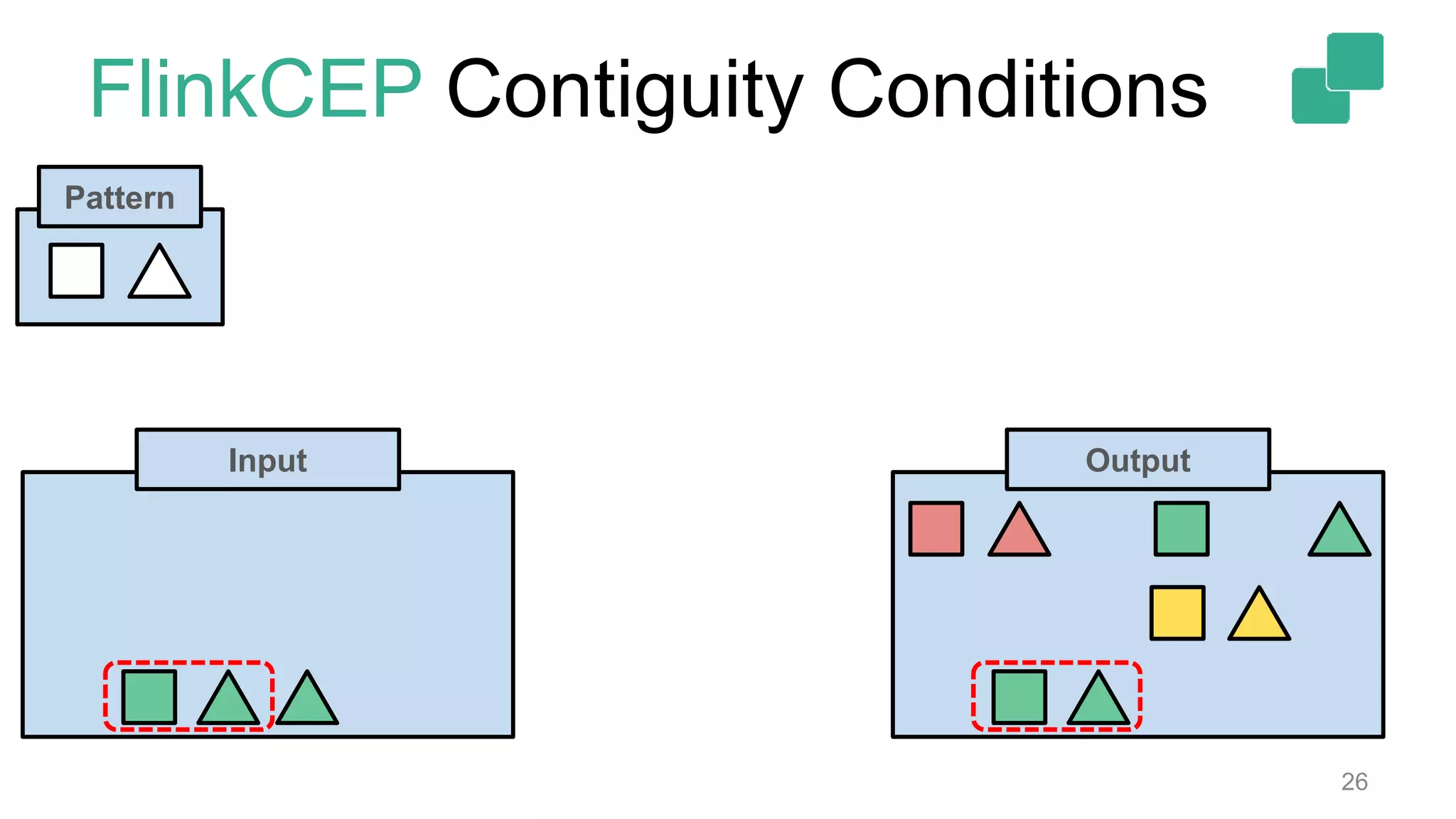
FlinkCEP Contiguity Conditions
26
Pattern
Input Output
FlinkCEP Contiguity Conditions
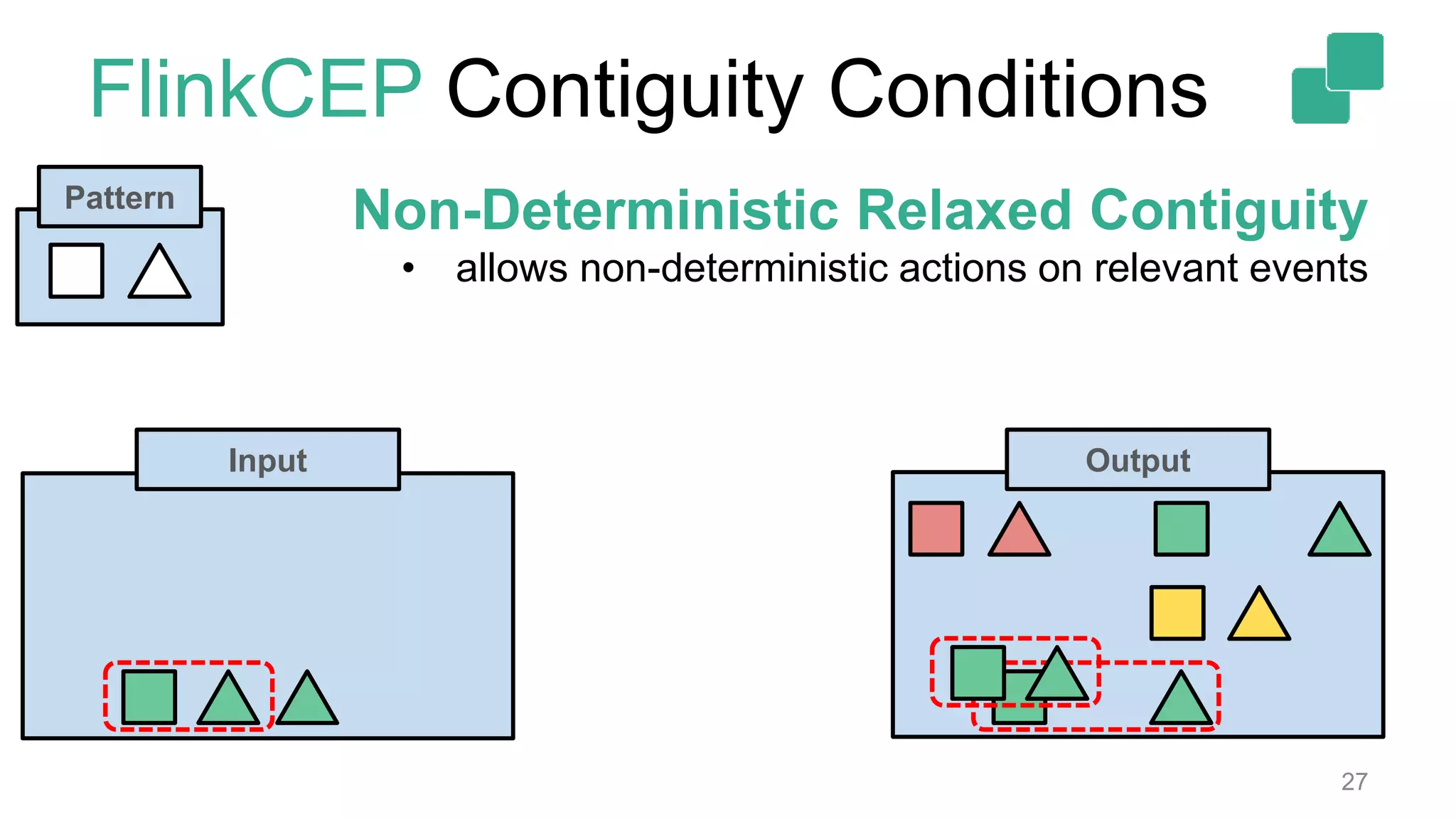
27
Pattern
Input Output
Non-Deterministic Relaxed Contiguity
• allows non-deterministic actions on relevant events
FlinkCEP Contiguity Conditions
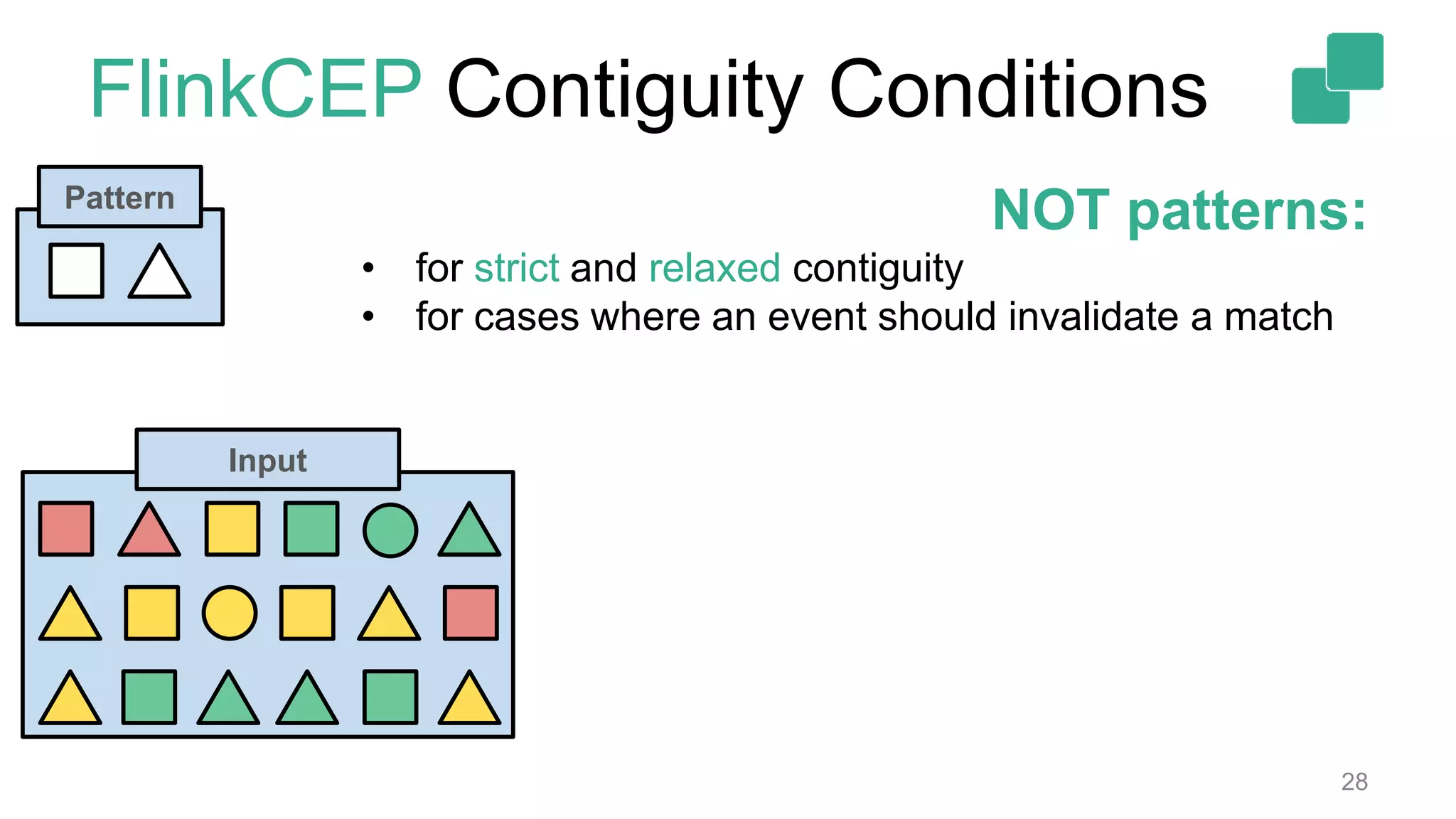
28
Pattern
NOT patterns:
• for strict and relaxed contiguity
• for cases where an event should invalidate a match
Input
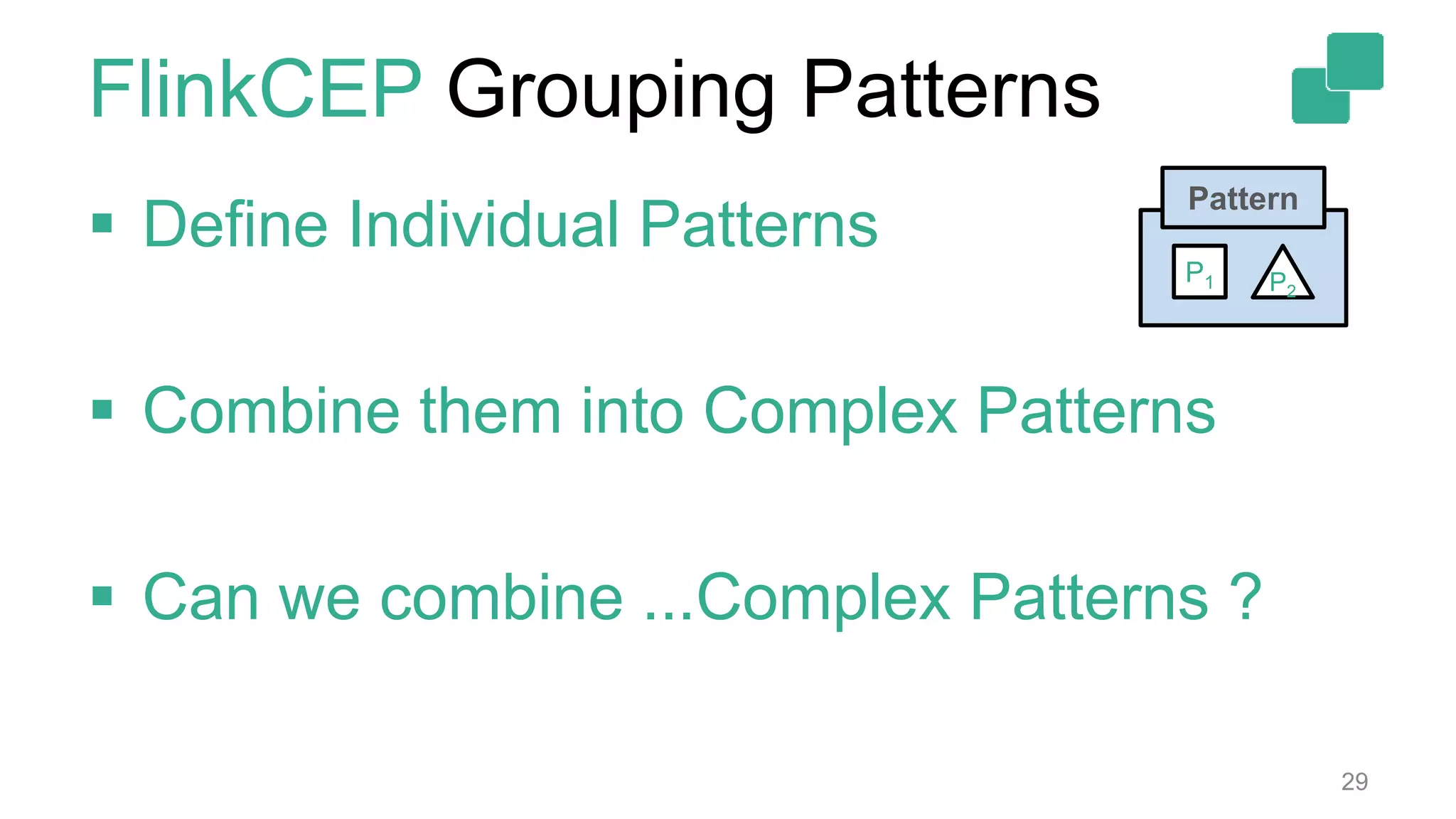
FlinkCEP Grouping Patterns
29
Pattern
P2
P1
 Define Individual Patterns
 Combine them into Complex Patterns
 Can we combine ...Complex Patterns ?
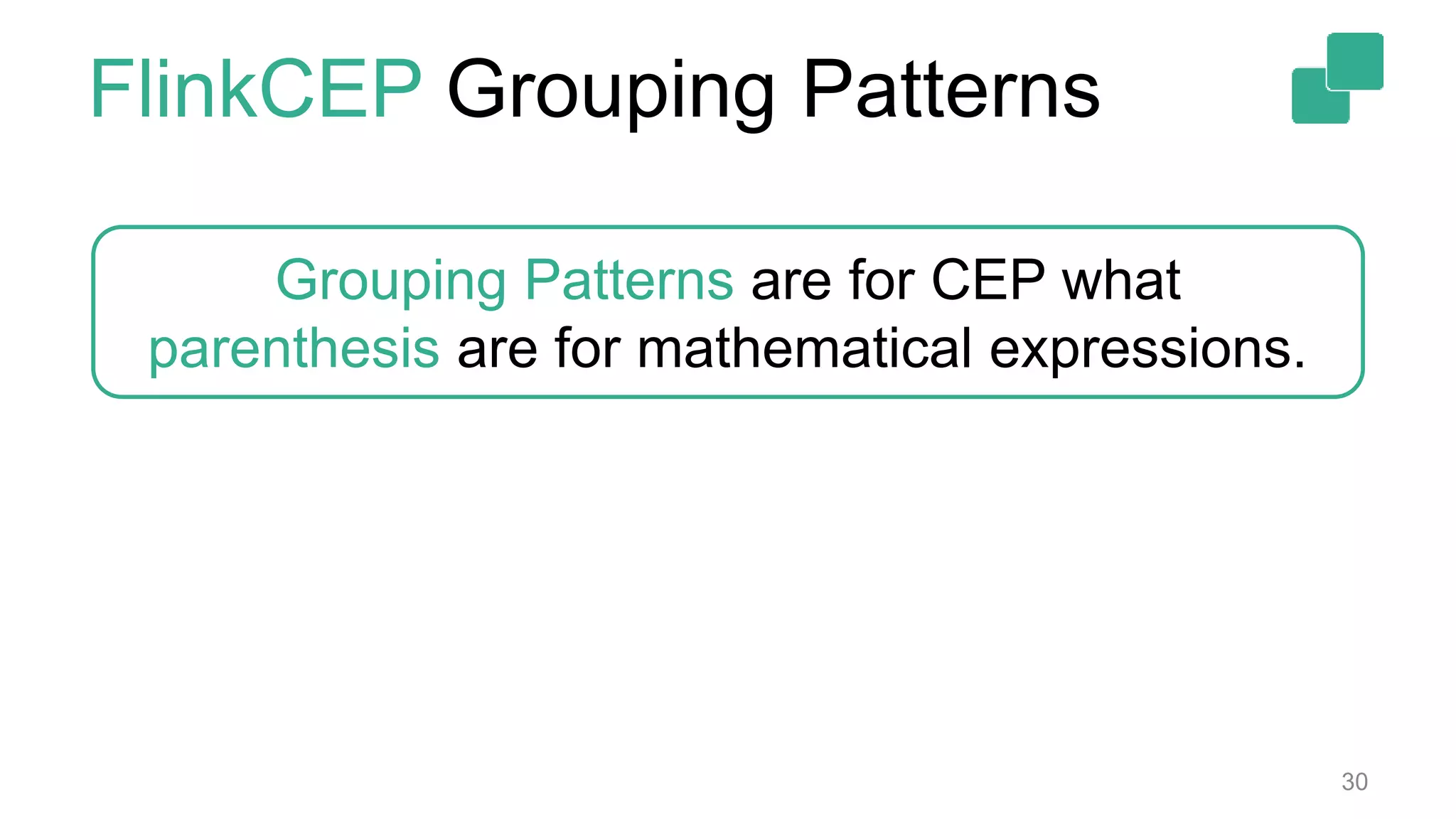
FlinkCEP Grouping Patterns
30
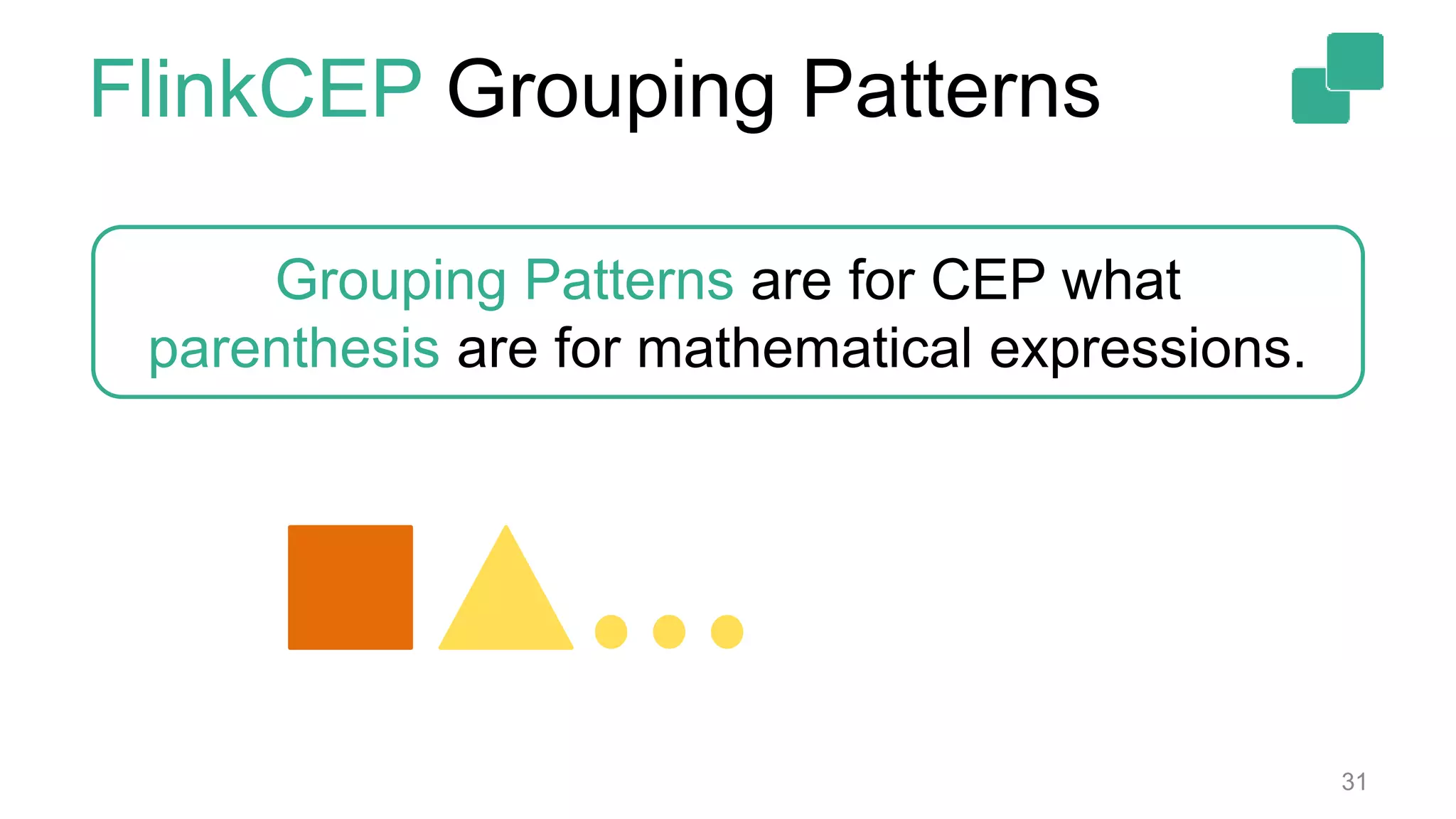
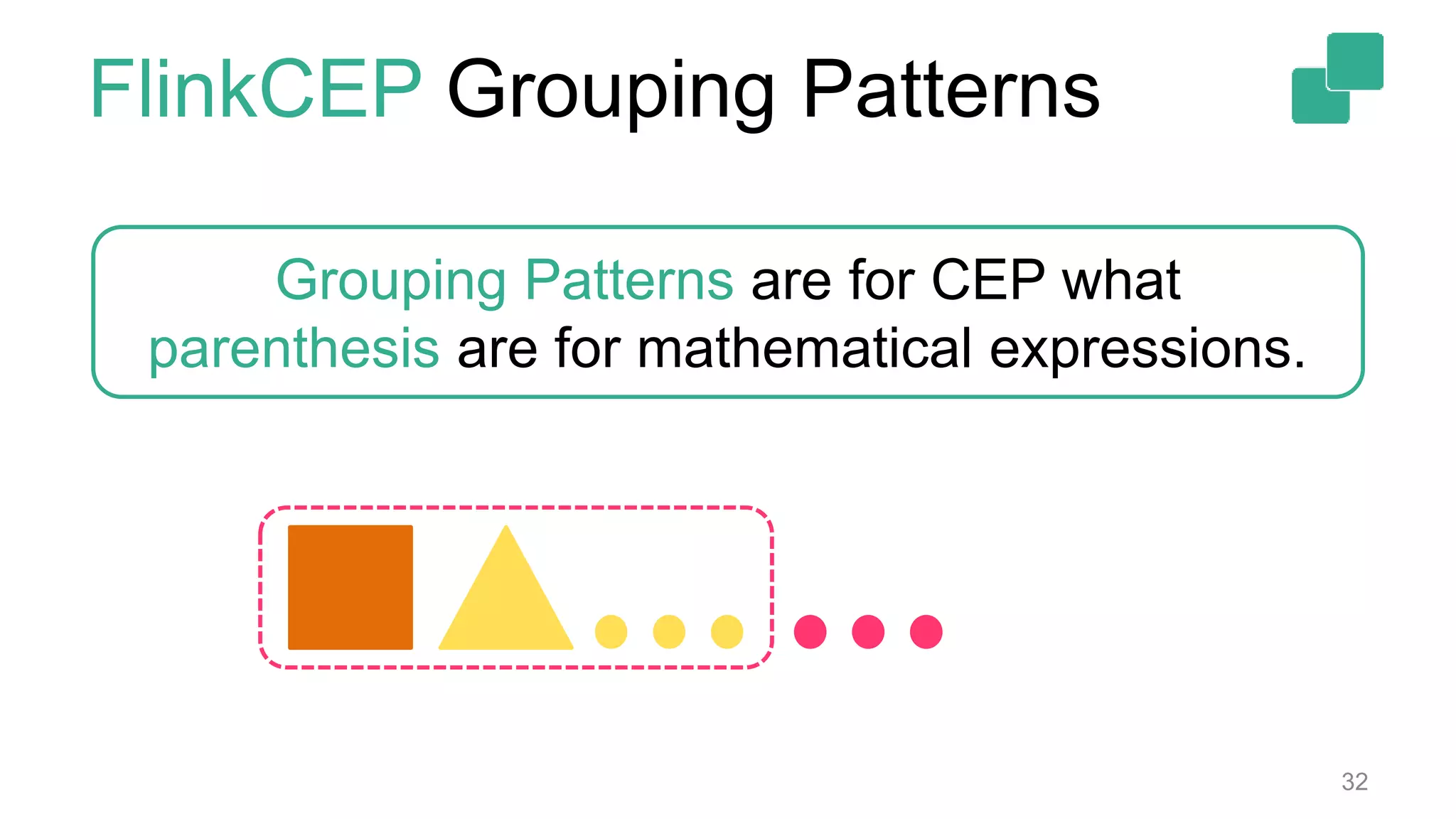
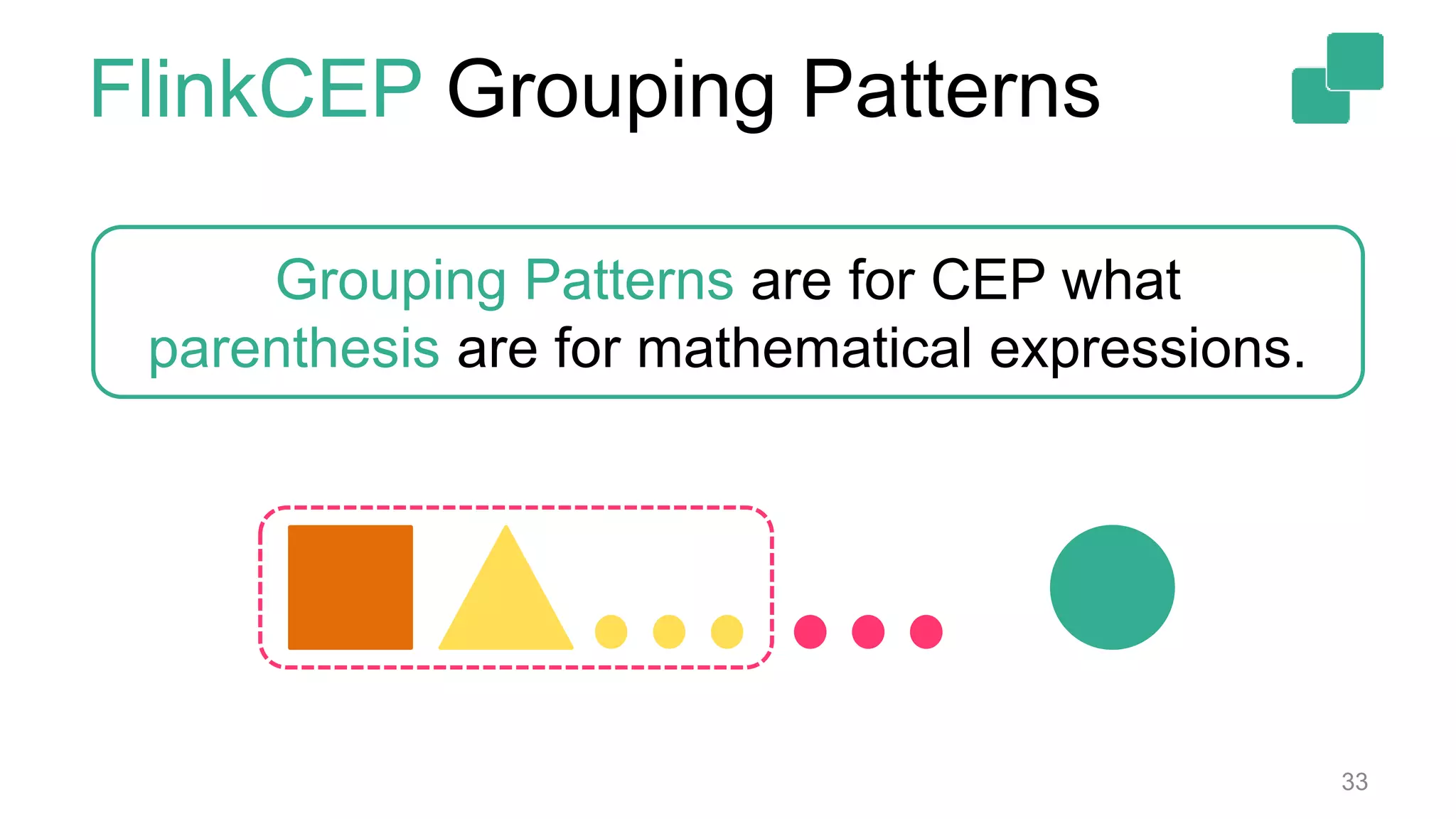
Grouping Patterns are for CEP what
parenthesis are for mathematical expressions.
FlinkCEP Grouping Patterns
31
Grouping Patterns are for CEP what
parenthesis are for mathematical expressions.
FlinkCEP Grouping Patterns
32
Grouping Patterns are for CEP what
parenthesis are for mathematical expressions.
FlinkCEP Grouping Patterns
33
Grouping Patterns are for CEP what
parenthesis are for mathematical expressions.
FlinkCEP Summary
34
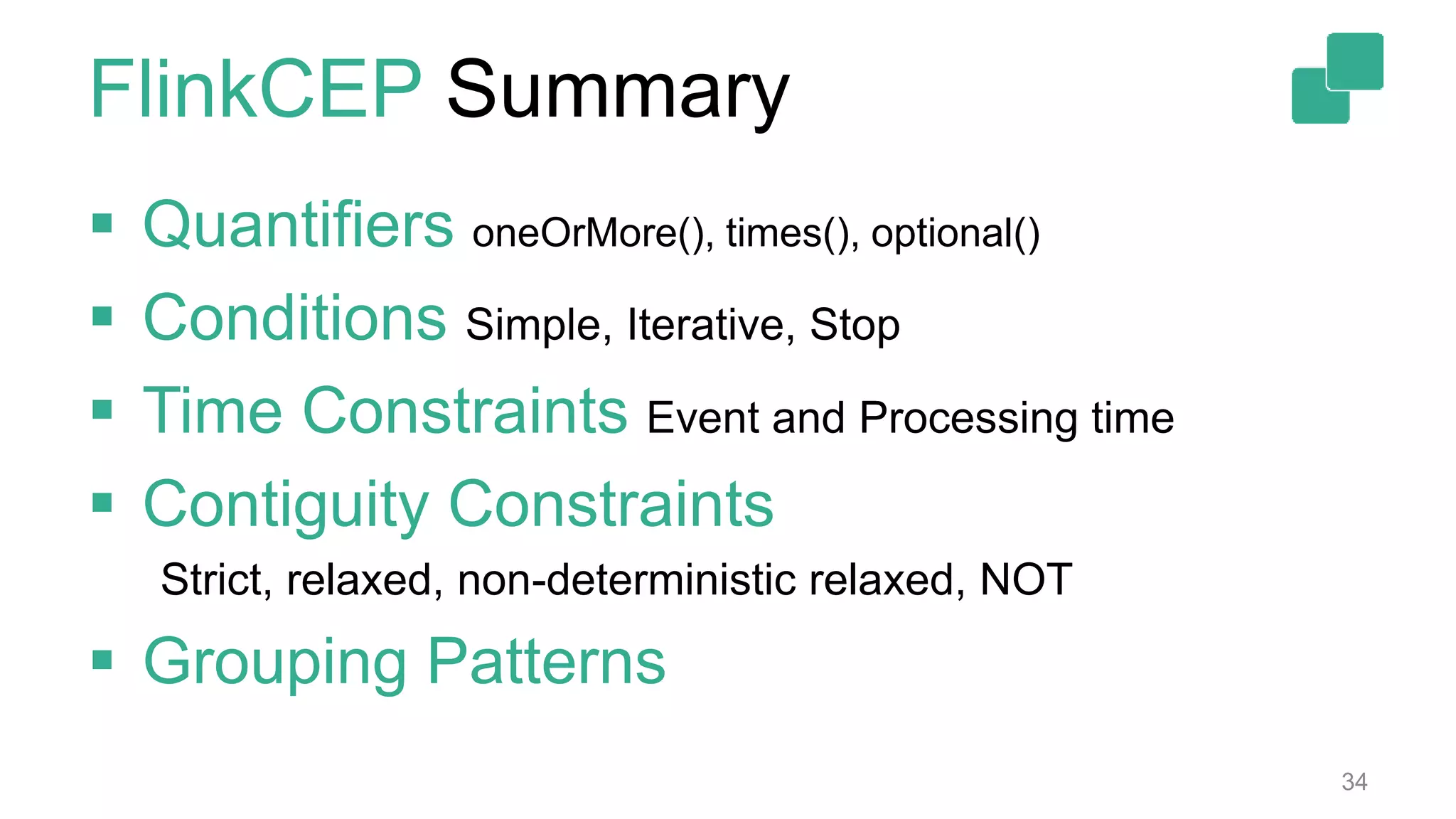
 Quantifiers oneOrMore(), times(), optional()
 Conditions Simple, Iterative, Stop
 Time Constraints Event and Processing time
 Contiguity Constraints
Strict, relaxed, non-deterministic relaxed, NOT
 Grouping Patterns
 Flink already supports SQL:
• match_recognize clause in SQL:2016
• ongoing effort with a lot of interest from the
community
35
FlinkCEP Integration with SQL
Example
36
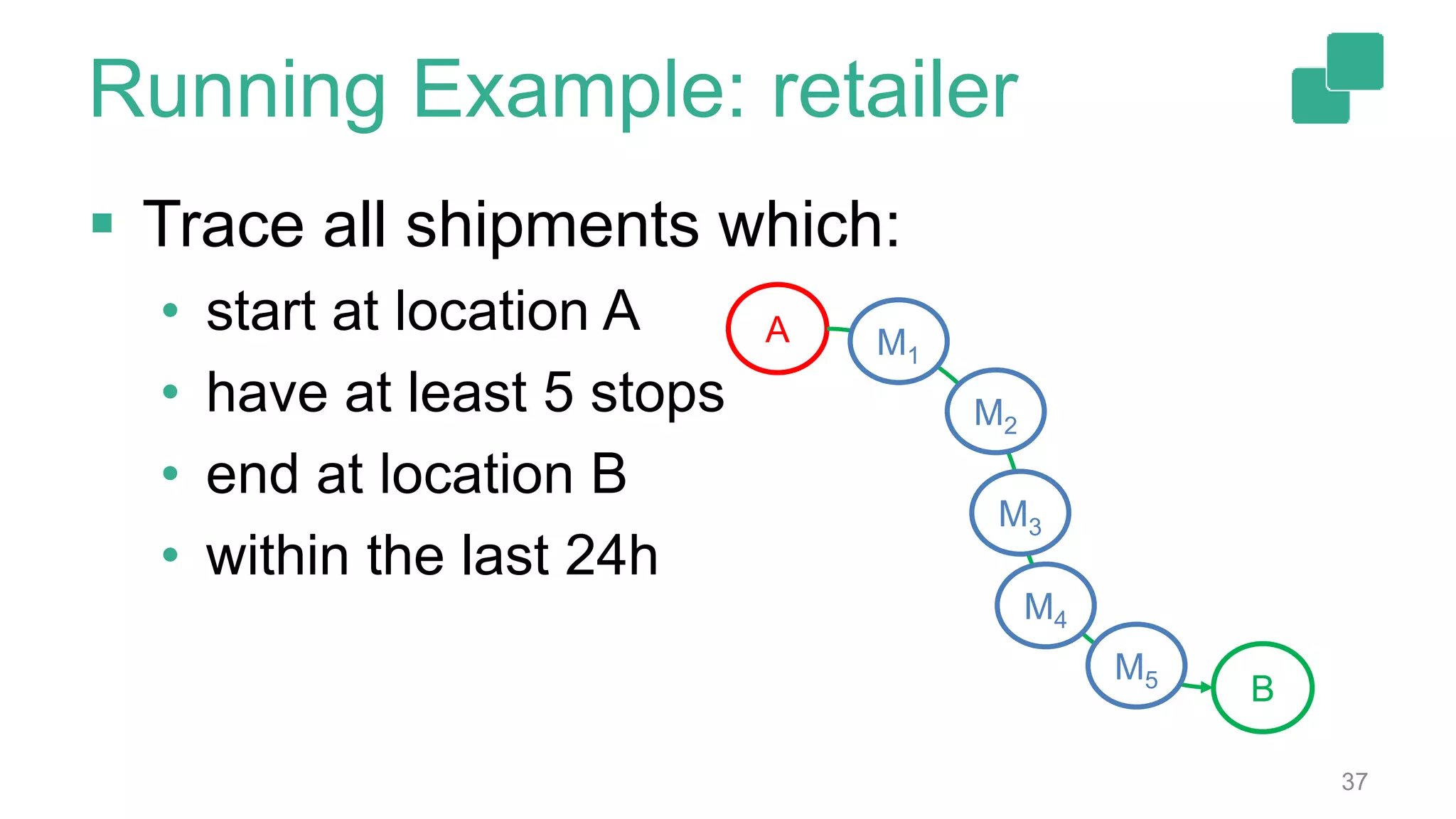
 Trace all shipments which:
• start at location A
• have at least 5 stops
• end at location B
• within the last 24h
37
Running Example: retailer
A
B
M1
M2
M3
M4
M5
 Trace all shipments which:
• start at location A
• have at least 5 stops
• end at location B
• within the last 24h
38
Observation A Individual Patterns
Start
End
Mid
ev.from == A
ev[i].from
==
ev[i-1].to
ev.to == B
&&
size(“mid”) >= 5
39
Observation B Quantifiers
 Start/End: single event
 Middle: multiple events
• .oneOrMore()
Start
End
Mid
ev.from == A
ev[i].from
==
ev[i-1].to
ev.to == B
&&
size(“mid”) >= 5
40
Observation C Conditions
 Start -> Simple
• properties of the event
 Middle/End -> Iterative
• Depend on previous events
Start
End
Mid
ev.from == A
ev[i].from
==
ev[i-1].to
ev.to == B
&&
size(“mid”) >= 5
41
 Trace all shipments which:
• start at location A
• have at least 5 stops
• end at location B
• within the last 24h
Observation D Time Constraints
Start
End
Mid
ev.from == A
ev[i].from
==
ev[i-1].to
ev.to == B
&&
size(“mid”) >= 5
42
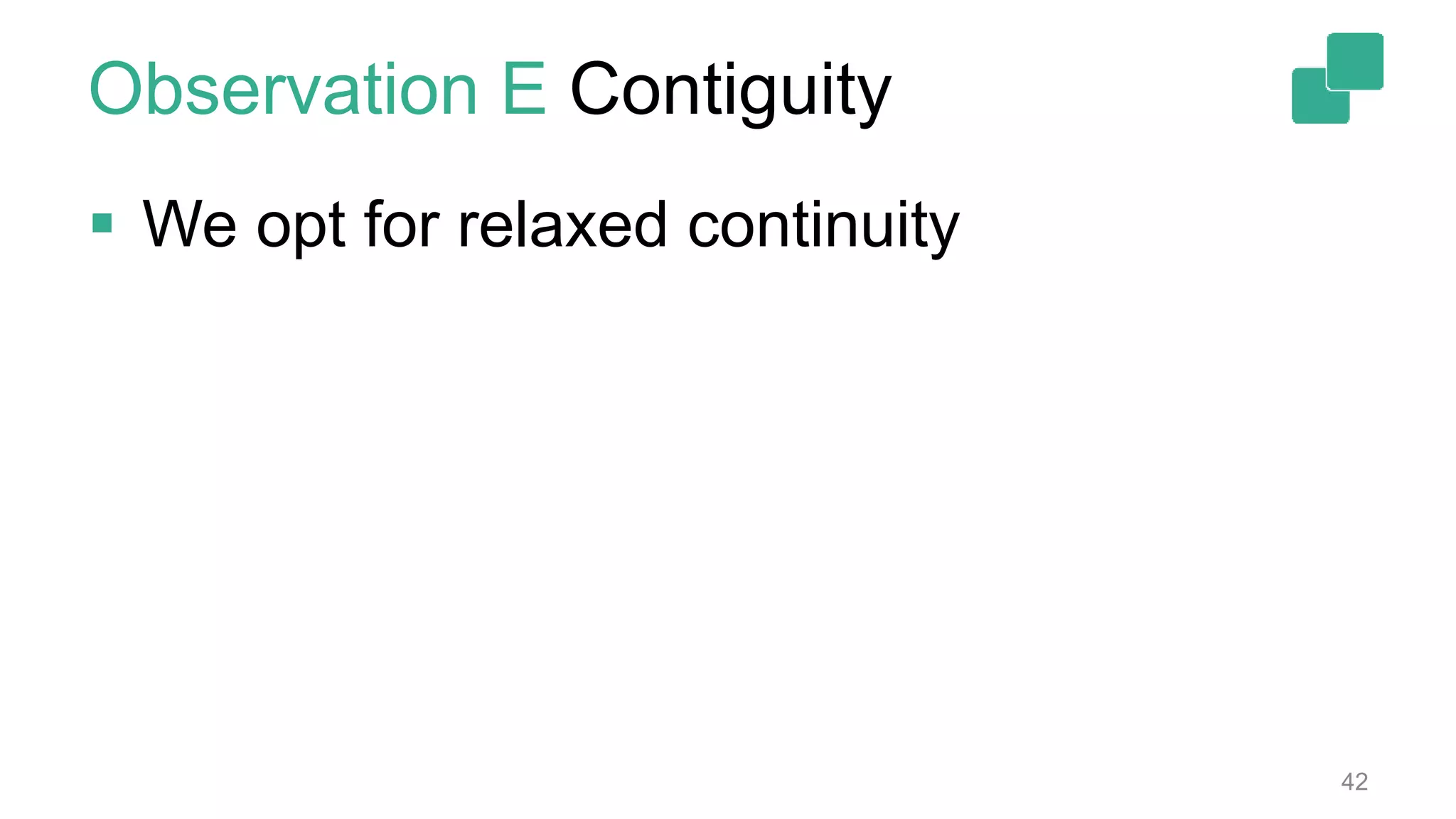
 We opt for relaxed continuity
Observation E Contiguity
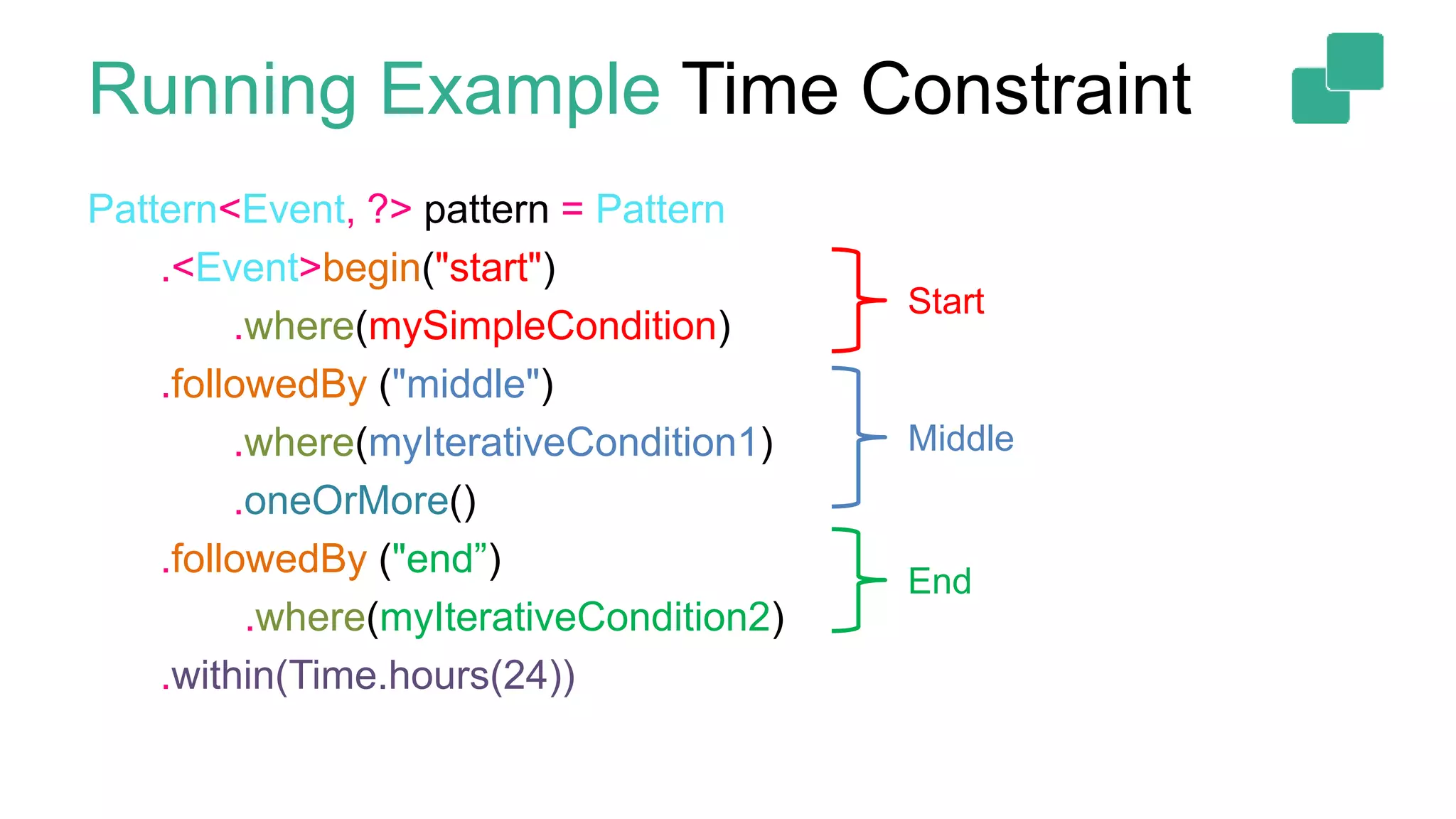
Pattern<Event, ?> pattern = Pattern
.<Event>begin("start")
.where(mySimpleCondition)
.followedBy ("middle")
.where(myIterativeCondition1)
.oneOrMore()
.followedBy ("end”)
.where(myIterativeCondition2)
.within(Time.hours(24))
Start
Middle
End
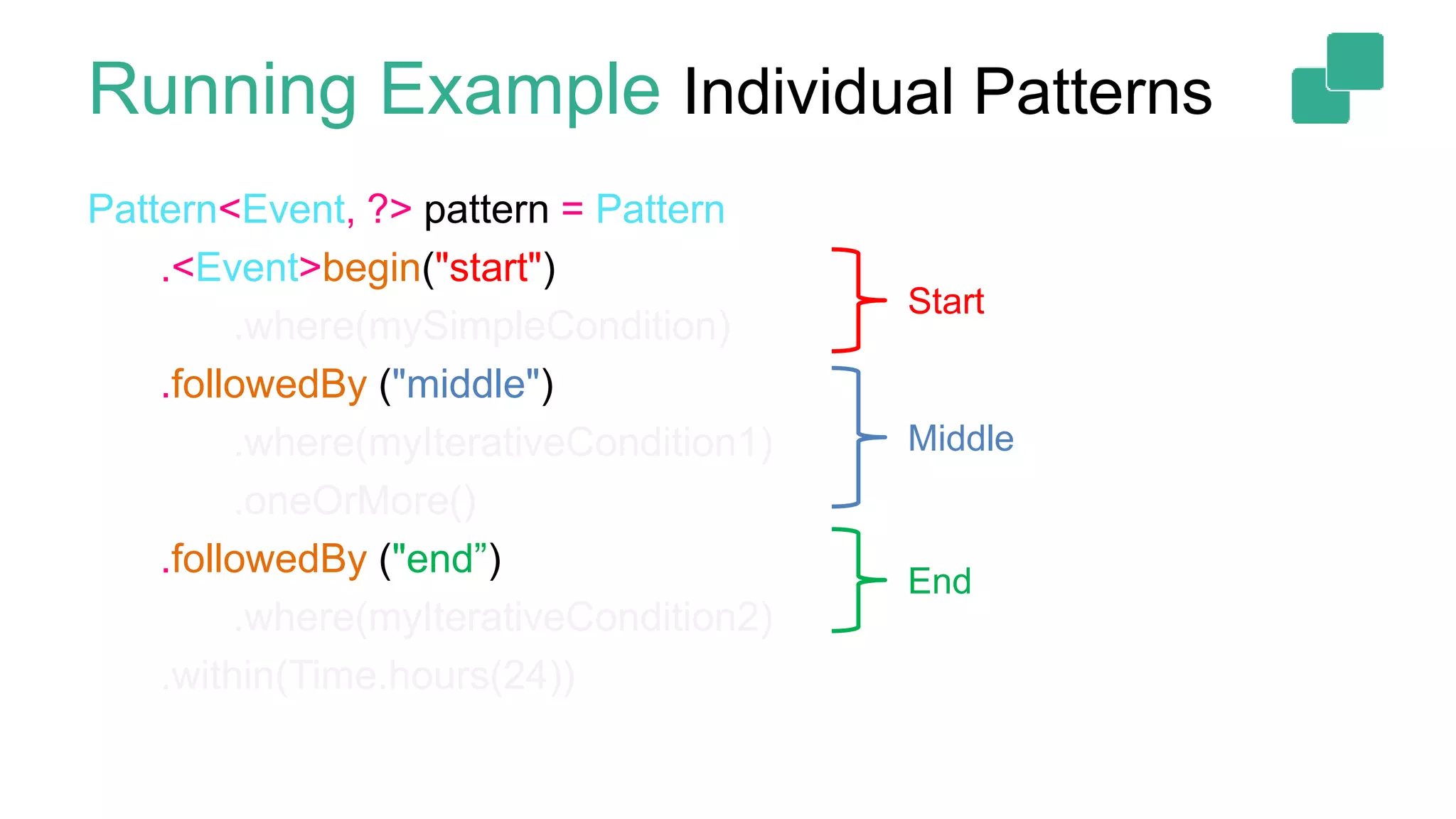
Running Example Individual Patterns
Pattern<Event, ?> pattern = Pattern
.<Event>begin("start")
.where(mySimpleCondition)
.followedBy ("middle")
.where(myIterativeCondition1)
.oneOrMore()
.followedBy ("end”)
.where(myIterativeCondition2)
.within(Time.hours(24))
Start
Middle
End
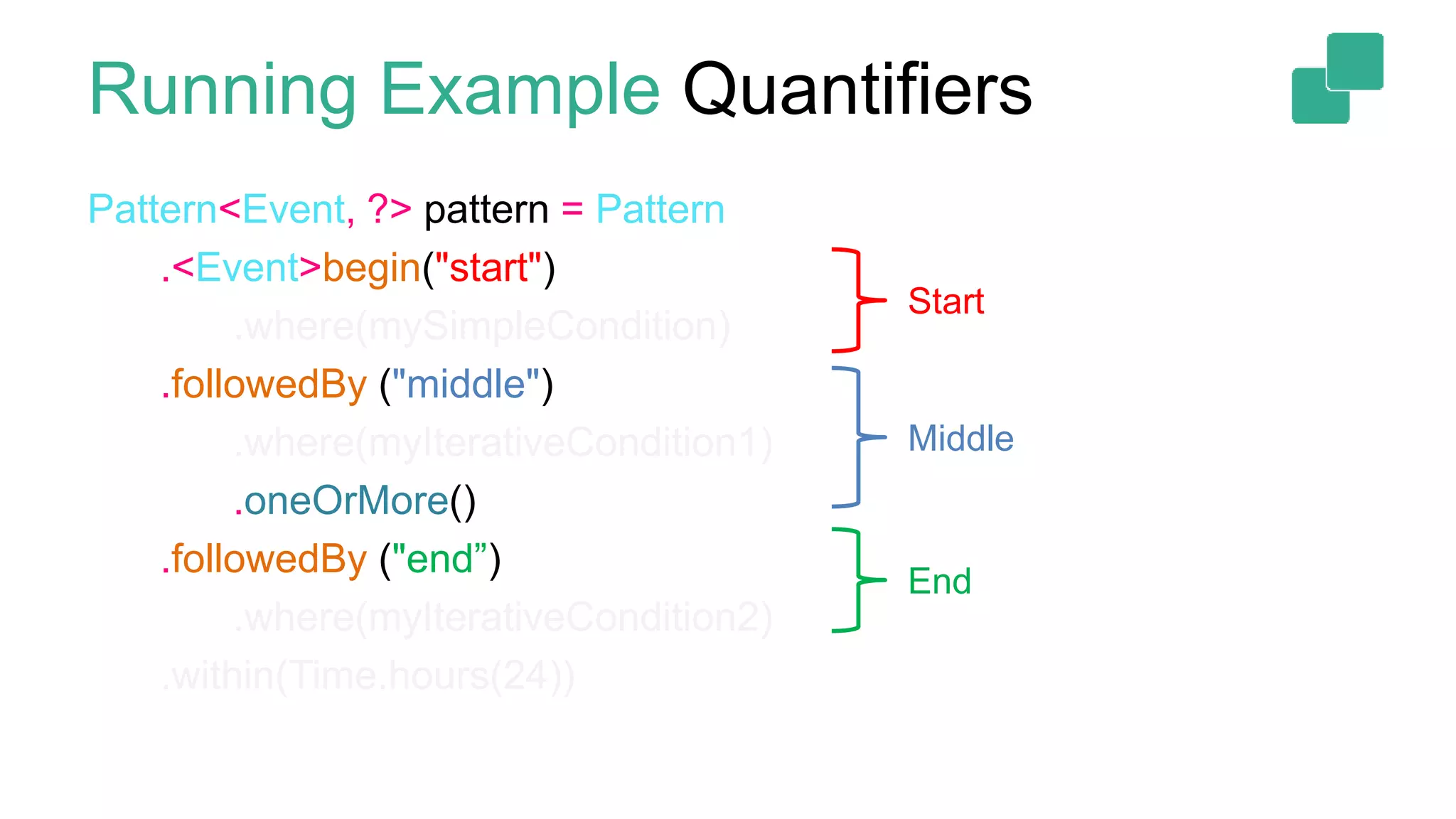
Running Example Quantifiers
Pattern<Event, ?> pattern = Pattern
.<Event>begin("start")
.where(mySimpleCondition)
.followedBy ("middle")
.where(myIterativeCondition1)
.oneOrMore()
.followedBy ("end”)
.where(myIterativeCondition2)
.within(Time.hours(24))
Start
Middle
End
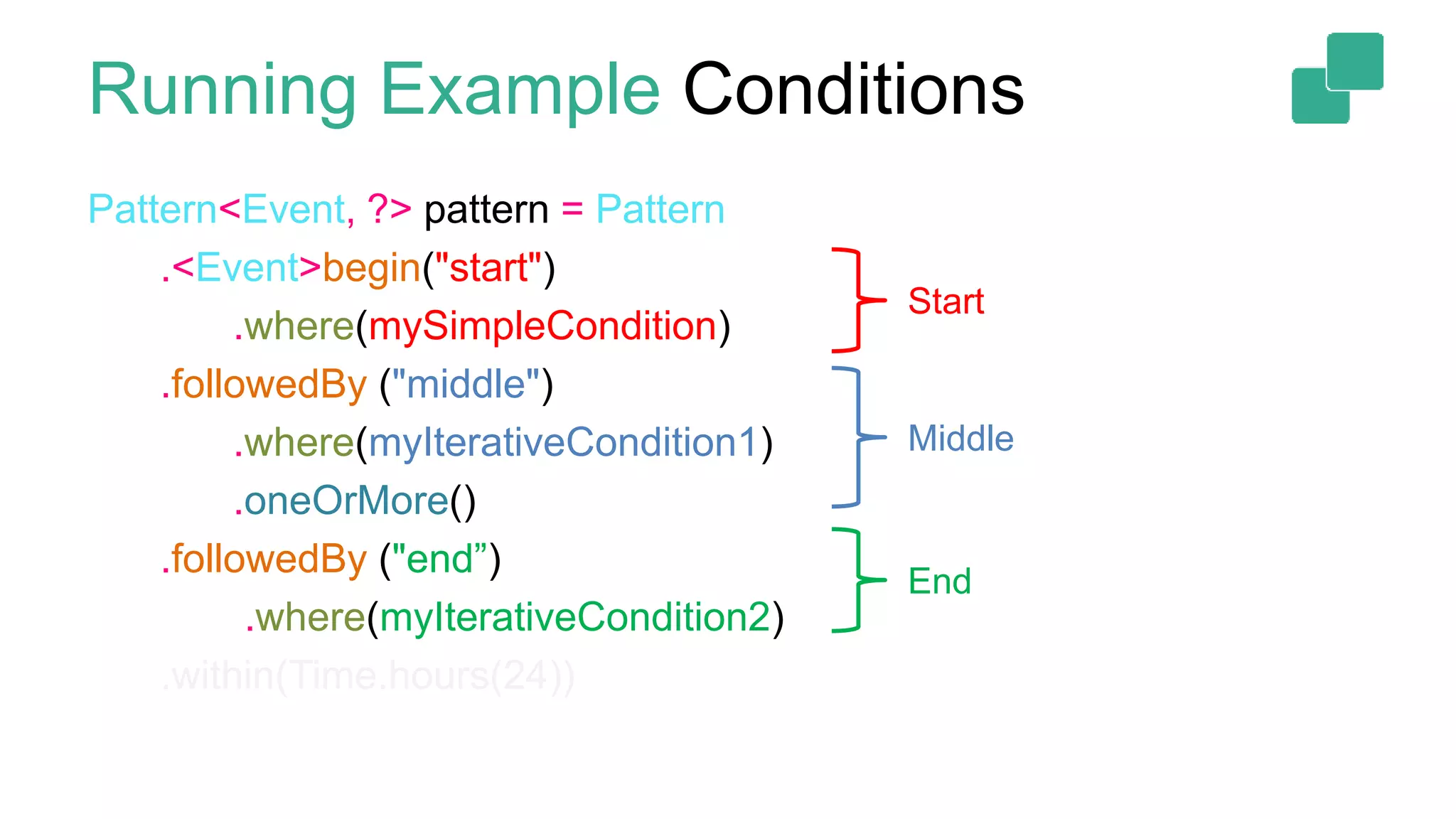
Running Example Conditions
Pattern<Event, ?> pattern = Pattern
.<Event>begin("start")
.where(mySimpleCondition)
.followedBy ("middle")
.where(myIterativeCondition1)
.oneOrMore()
.followedBy ("end”)
.where(myIterativeCondition2)
.within(Time.hours(24))
Start
Middle
End
Running Example Time Constraint
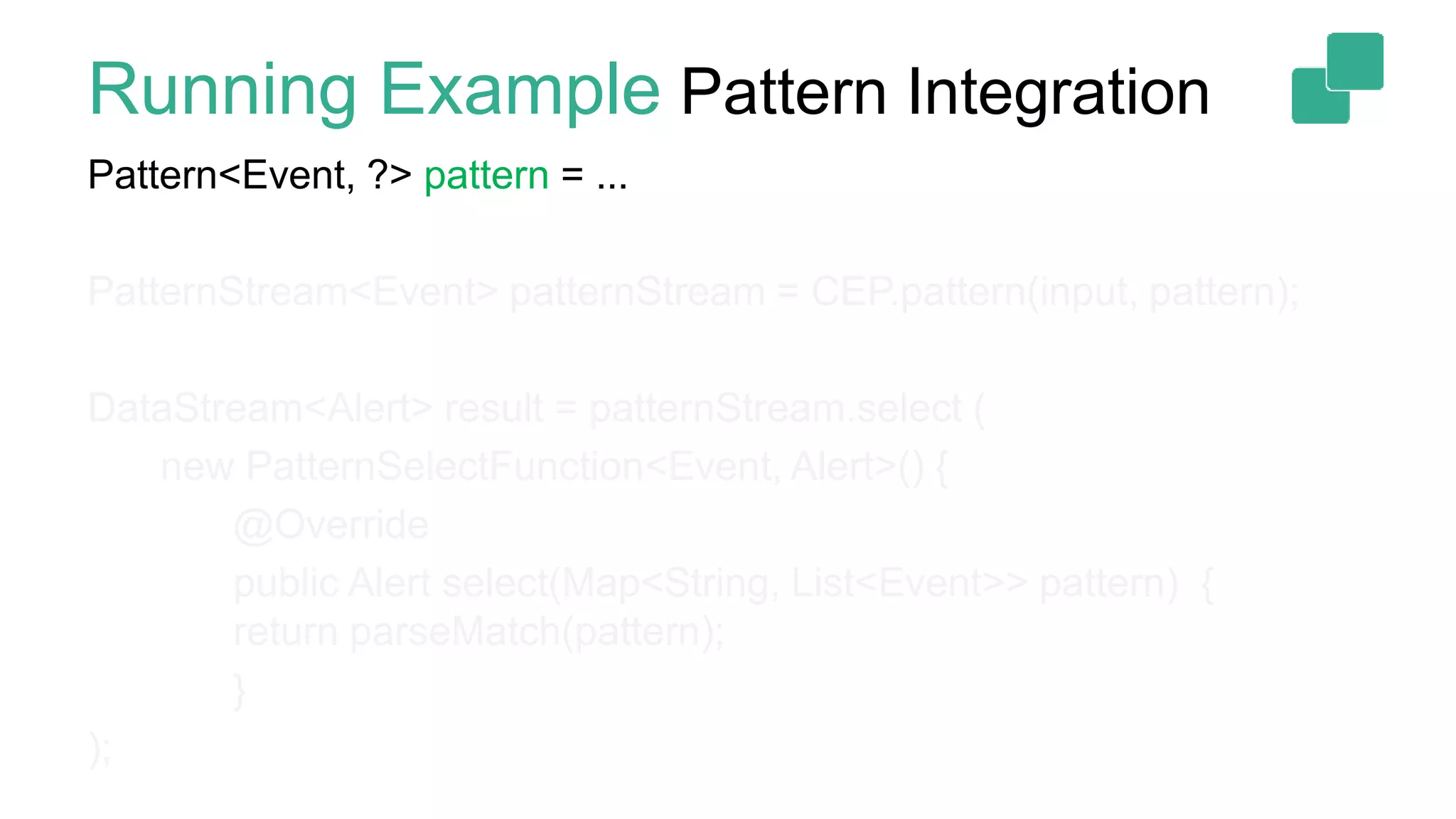
Running Example Pattern Integration
Pattern<Event, ?> pattern = ...
PatternStream<Event> patternStream = CEP.pattern(input, pattern);
DataStream<Alert> result = patternStream.select (
new PatternSelectFunction<Event, Alert>() {
@Override
public Alert select(Map<String, List<Event>> pattern) {
return parseMatch(pattern);
}
);
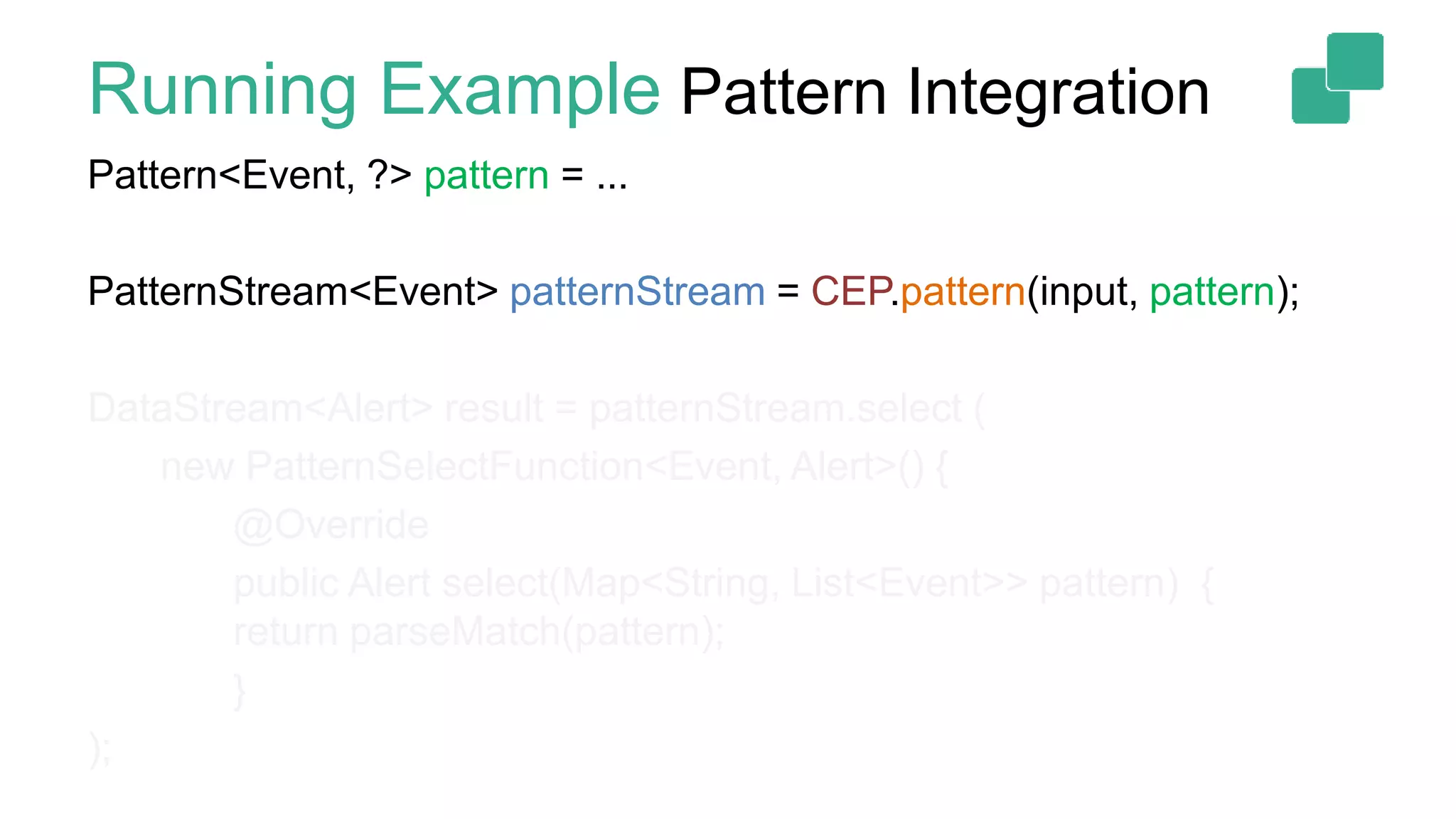
Running Example Pattern Integration
Pattern<Event, ?> pattern = ...
PatternStream<Event> patternStream = CEP.pattern(input, pattern);
DataStream<Alert> result = patternStream.select (
new PatternSelectFunction<Event, Alert>() {
@Override
public Alert select(Map<String, List<Event>> pattern) {
return parseMatch(pattern);
}
);
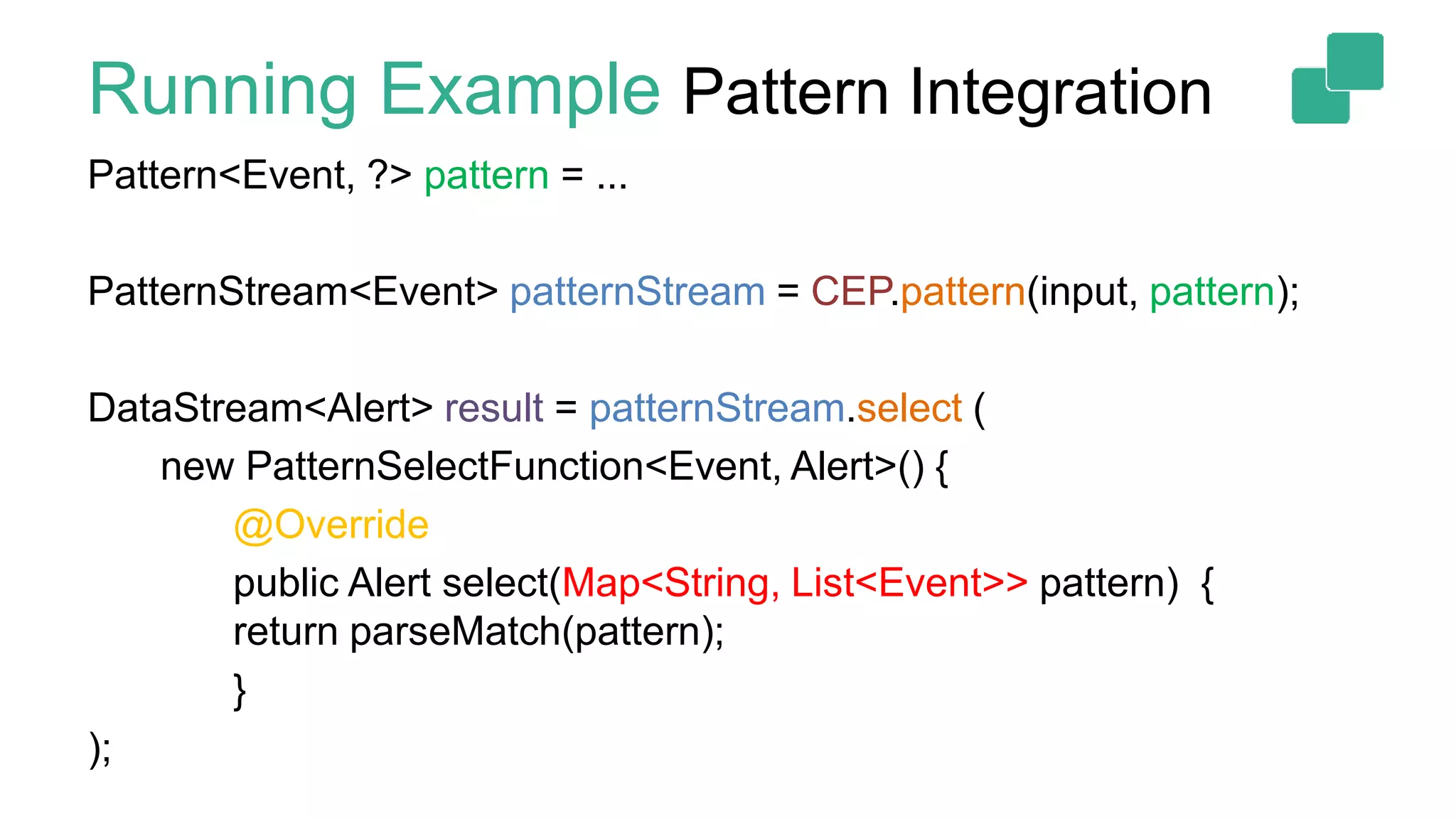
Running Example Pattern Integration
Pattern<Event, ?> pattern = ...
PatternStream<Event> patternStream = CEP.pattern(input, pattern);
DataStream<Alert> result = patternStream.select (
new PatternSelectFunction<Event, Alert>() {
@Override
public Alert select(Map<String, List<Event>> pattern) {
return parseMatch(pattern);
}
);
Documentation
 FlinkCEP documentation:
FlinkCEP 1.3: https://ci.apache.org/projects/flink/flink-docs-release-1.3/dev/libs/cep.html
FlinkCEP 1.4: https://ci.apache.org/projects/flink/flink-docs-release-1.4/dev/libs/cep.html
50
5
Thank you!
@kkloudas
@ApacheFlink
@dataArtisans
We are hiring!
data-artisans.com/careers

Flink Forward Berlin 2017: Kostas Kloudas - Complex Event Processing with Flink: The state of FlinkCEP

Editor's Notes

  • #2 Hello everyone and thanks for coming! My name is Kostas Kloudas and I am here to talk to you about FlinkCEP, a library for complex event processing built atop Apache Flink.
  • #3 A little bit about myself, I am a committer for Apache Flink and a software engineer for data Artisans, the original creators of Apache Flink and the providers of the dA Platform.
  • #4 So without further ado, let’s start by seeing what is CEP or Complex Event Processing?
  • #5 Complex Event Processing is the “art” of detecting event patterns, over continuous streams of data, often arriving out of order. To visualize it....
  • #6 Imagine that you have a stream containing elements of different shapes and colors, as shown in the figure...
  • #7 And you want to detect sequences of events where a triangle, follows after a rectangle of the SAME color. A CEP library, would take the input and the pattern, and it will return the matching patterns, ...
  • #8 As shown in the figure.
  • #9 Many interesting usecases fall into the category of complex event processing problems. To name a few, we have usecases from IoT....
  • #10 We saw what is the basic idea behind CEP, now let’s see what is stream processing, and why a stream processor provides a good substrate for building a CEP library.
  • #11 Stream processing, in its simplest form, stands for computations on never-ending streams of events.
  • #12 Distributed stream processing, implies that the aforementioned computation is spread across many machines.
  • #13 While stateful distributed stream processing, has the additional property of the result depending on the history of the stream. To do this the stream processor must be able to keep state in a fault-tolerant and consistent manner. Most of the interesting computations are stateful, in fact even a simple event counter needs to keep state. Stateful Stream Processing is where Flink shines.
  • #14 From the above, it is not difficult to see that stream processors are a natural fit for CEP. This was the main motivation behind the first implementation of FlinkCEP, more than a year ago, and this talk focuses on what the current capabilities of FlinkCEP, (slide)
  • #15 ... a library that takes your input stream and your desired pattern and returns you the matching event sequences.
  • #16 So what does FlinkCEP in the current stable Flink version (1.3) offer? We will start by describing the building blocks the library offers for defining a complex pattern, before describing how to integrate it in your program.
  • #17 Pattern definition: taking our previous pattern, where we wanted to find all rectangles followed by triangles, we see that (slide)
  • #18 A complex pattern, is composed of individual patterns, or simply patterns, which search for a specific type of event. In our case, we have two individual patterns, one searching for rectangles and another searching for triangles.
  • #19 These individual patterns are combined into a complex one by specifying the contiguity condition between them. We will come back to this later, but in a nutshell, contiguity describes how to select relevant events given an input mixing relevant and irrelevant events. In our example, we say that the triangle should strictly follow the rectangle. Given that complex patterns are composed of individual patterns, we start by describing them first, before showing how to combine them together.
  • #20 REVERSE THIS: Individual Patterns must have a unique name and for each one of them we can define a condition based on which it accepts relevant events. This condition can depend on properties of the event itself, in which case it is a SIMPLE condition, or on properties or statistics over a subset of previously accepted events, in which case it is an ITERATIVE Condition. In addition to the condition, a pattern can also have quantifiers. By default, when an individual pattern appears in a complex pattern, FlinkCEP expects the described type of event to appear exactly once, in order to have a match. This is a singleton pattern. In our case, we expect exactly one rectangle, followed by exactly one triangle. FlinkCEP also supports quantifiers. In 1.3, these are oneOrMore() for usecases where a specific type of event is expected “at-least once”, times() when we want it to appear a specified amount of times, and optional() if the event is optional. The above are the possibilities offered when defining individual Patterns. These patterns can be combined into complex patterns (slide)
  • #21 ...by specifying the “contiguity conditions” between individual patterns, and, potentially a time constraint using the within() clause. The time constraint allows you to express usecases where, for example, “I want all my event to happen within 24h”. To understand contiguity, let’s take our pattern as shown on the left-hand side, and our previous input... (slide)
  • #23 Previously we only accepted event sequences where the triangle strictly followed the rectangle without any non-matching events in-between. This is the first form of supported contiguity, called STRICT CONTIGUITY. FlinkCEP supports 2 more modes, namely RELAXED and NON-DETERMINISTIC RELAXED contiguity.
  • #24 To understand relaxed contiguity, let’s focus on the green highlighted sequence in the input box. We see that with strict contiguity, this sequence is rejected, because between the green rectangle and triangle there is a circle. In many use-cases, we want the non-matching events to simply be ignored, without invalidating previous partial matches. EXAMPLE user interaction
  • #25 For these use-cases, FlinkCEP supports Relaxed Continuity, where non-matching events are simply ignored. EXAMPLE user interaction
  • #26 Finally, non-deterministic relaxed contiguity further relaxes contiguity by allowing non-deterministic actions on relevant events. To illustrate this, let’s focus on the new highlighted green sequence in the input box. For this, we see that only the sequence containing the rectangle and the first triangle was accepted (slide)
  • #27 In some cases, we want this pair to be accepted, but also to have a match containing the rectangle and the second triangle. For these cases, we have the non-deterministic relaxed continuity. (slide)
  • #29 Finally, for cases where we want a specific event to invalidate a match, FlinkCEP also supports NOT patterns. More on this in the documentation. NOT patterns allow to express usecases like SHOPLIFTING
  • #30 So far we described how to define an individual pattern (orange rectangle), ...
  • #31 So far we described how to define an individual pattern (orange rectangle), ...
  • #32 ...and combine it with another indiv. pattern (yellow triangle) potentially with a quantifier (one or more) in a pattern sequence. This is enough for many usecases, but in some cases you may need to COMPOSE multiple complex patterns into one or apply a quantifier on a full complex pattern. This is where grouping patterns come into play! In this example, ...
  • #33 With grouping patterns, you can take your previous complex pattern as a whole, and add the quantifier zero or more, (as shown in the figure).... And not only that...
  • #34 And then take another pattern sequence written by another colleague that in our case is searching for green circles and combine them together. This shows how grouping patterns allow you to COMPOSE complex patterns together. In terms of code, essentially wherever before you could put individual patterns, now you can put pattern sequences, and the expression is still valid (except for greedy()).
  • #36 Finally, sth I did not mention before because it is an ongoing process and we do not know if it will make it into 1.4, is that we are planning to integrate CEP with SQL. Flink already supports SQL, and the 2016 SQL spec contains the MATCH_RECOGNIZE clause for pattern matching. The semantics of the clause are pretty similar to our semantics, so the community is actively working to expose FlinkCEP through Flink’s SQL API.
  • #37 So what does FlinkCEP offer? We will start by describing the building blocks the library offers for defining a complex pattern, before describing how to integrate it in your program.
  • #40 For now we intentionally ignore the “marked as fragile condition”.
  • #41 For now we intentionally ignore the “marked as fragile condition”.
  • #42 For now we intentionally ignore the “marked as fragile condition”.
  • #43 For now we intentionally ignore the “marked as fragile condition”.
  • #44 For now we intentionally ignore the “marked as fragile condition”.
  • #45 For now we intentionally ignore the “marked as fragile condition”.
  • #46 For now we intentionally ignore the “marked as fragile condition”.
  • #47 For now we intentionally ignore the “marked as fragile condition”.