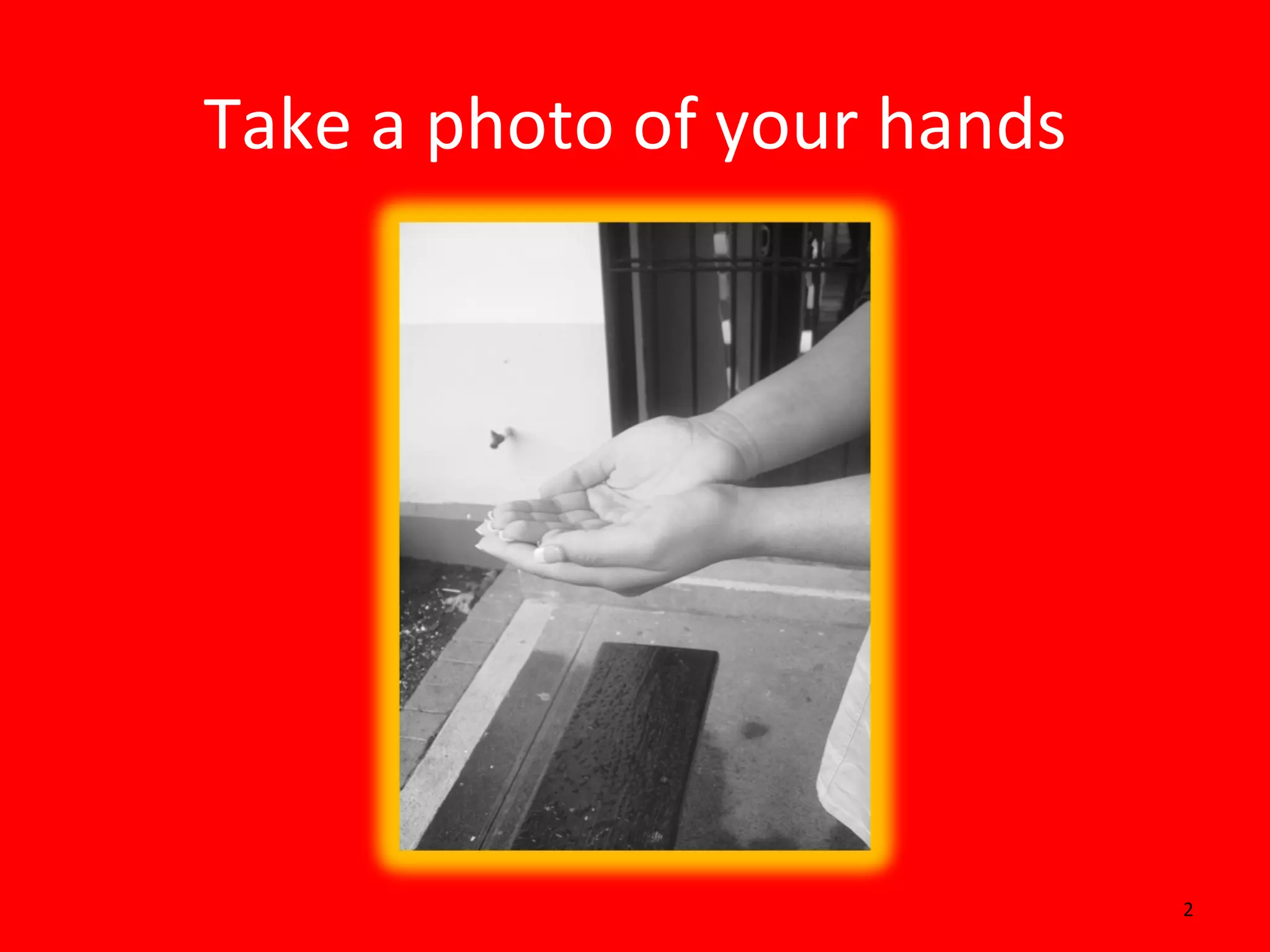
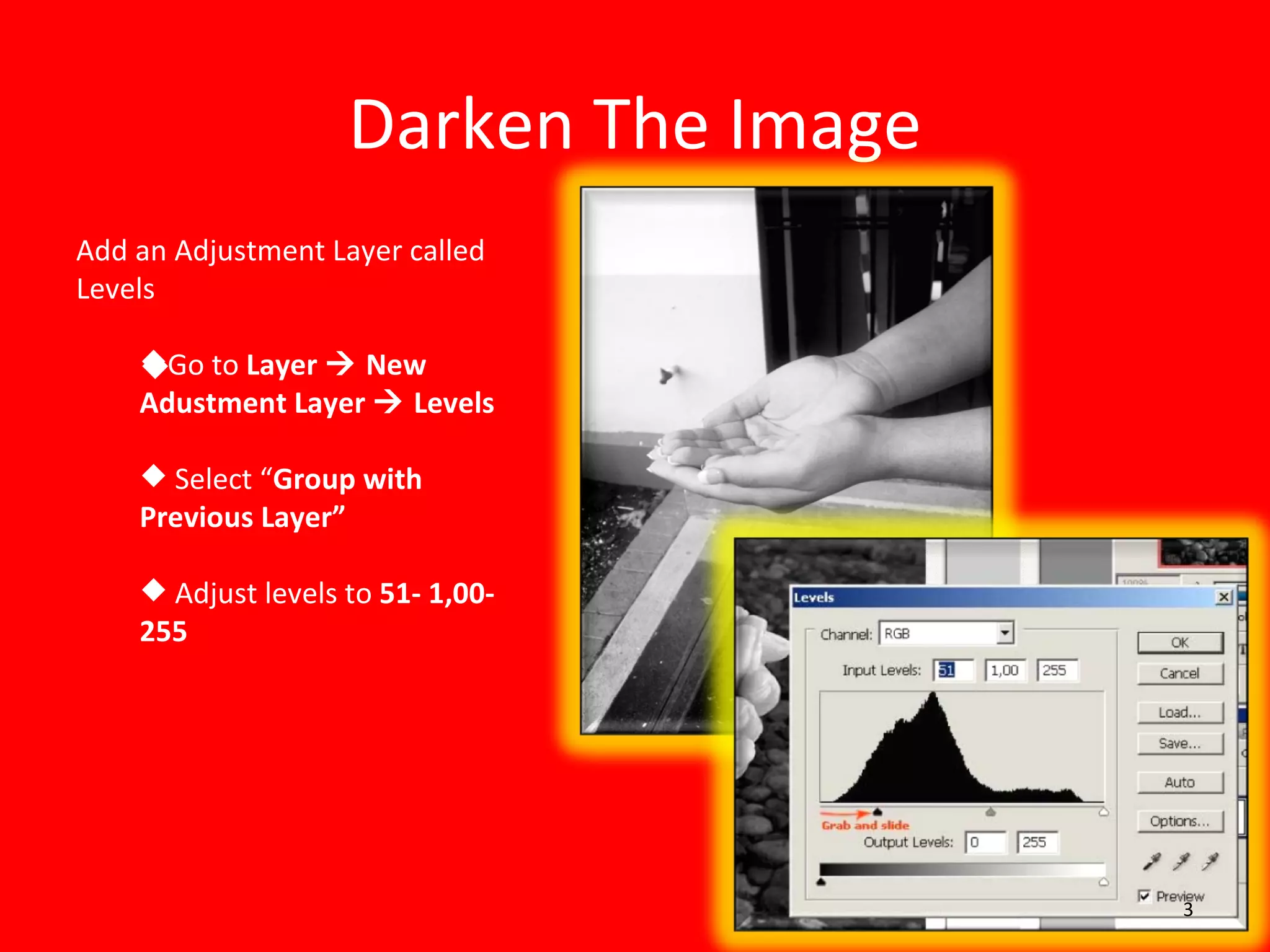
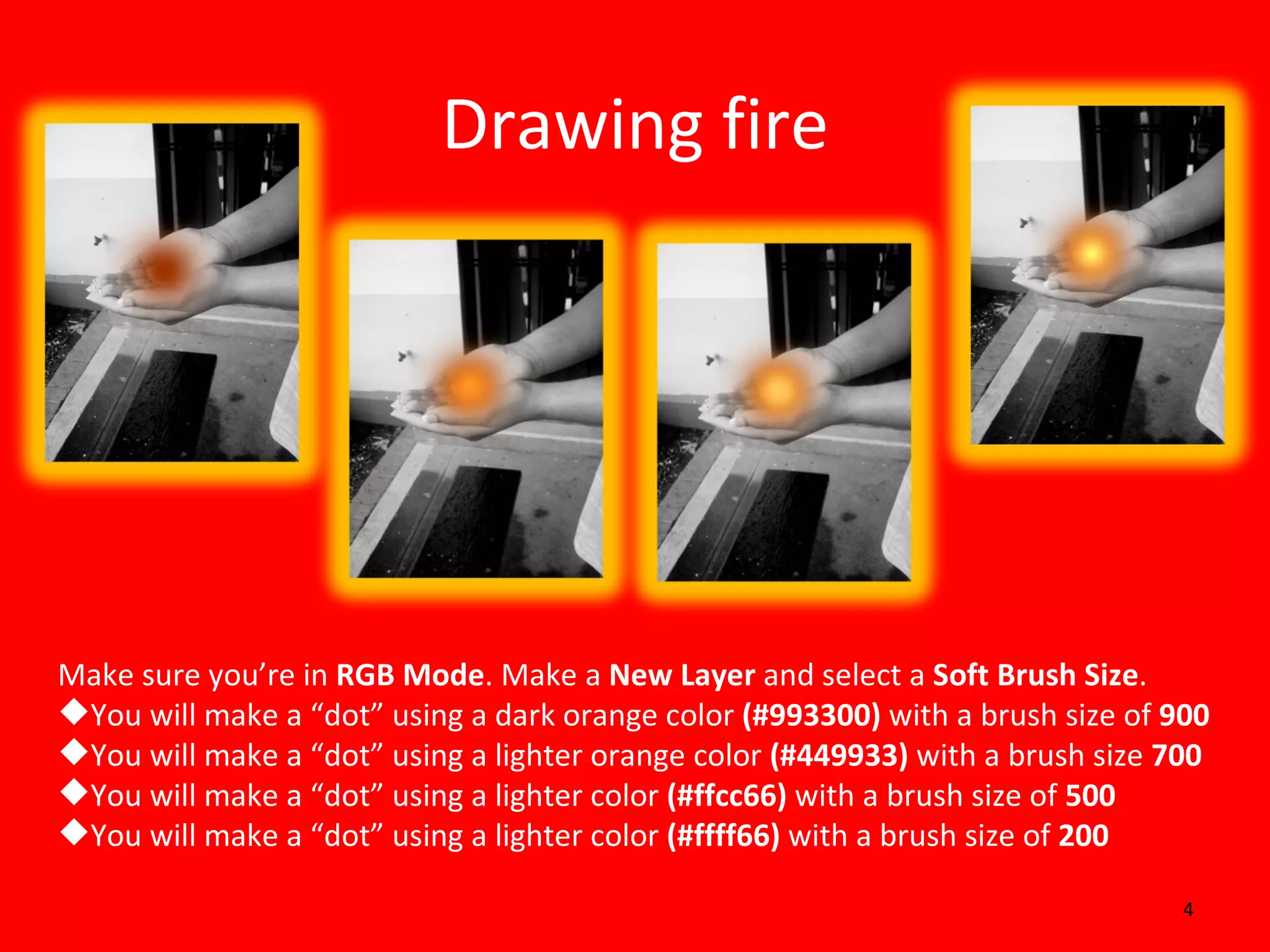
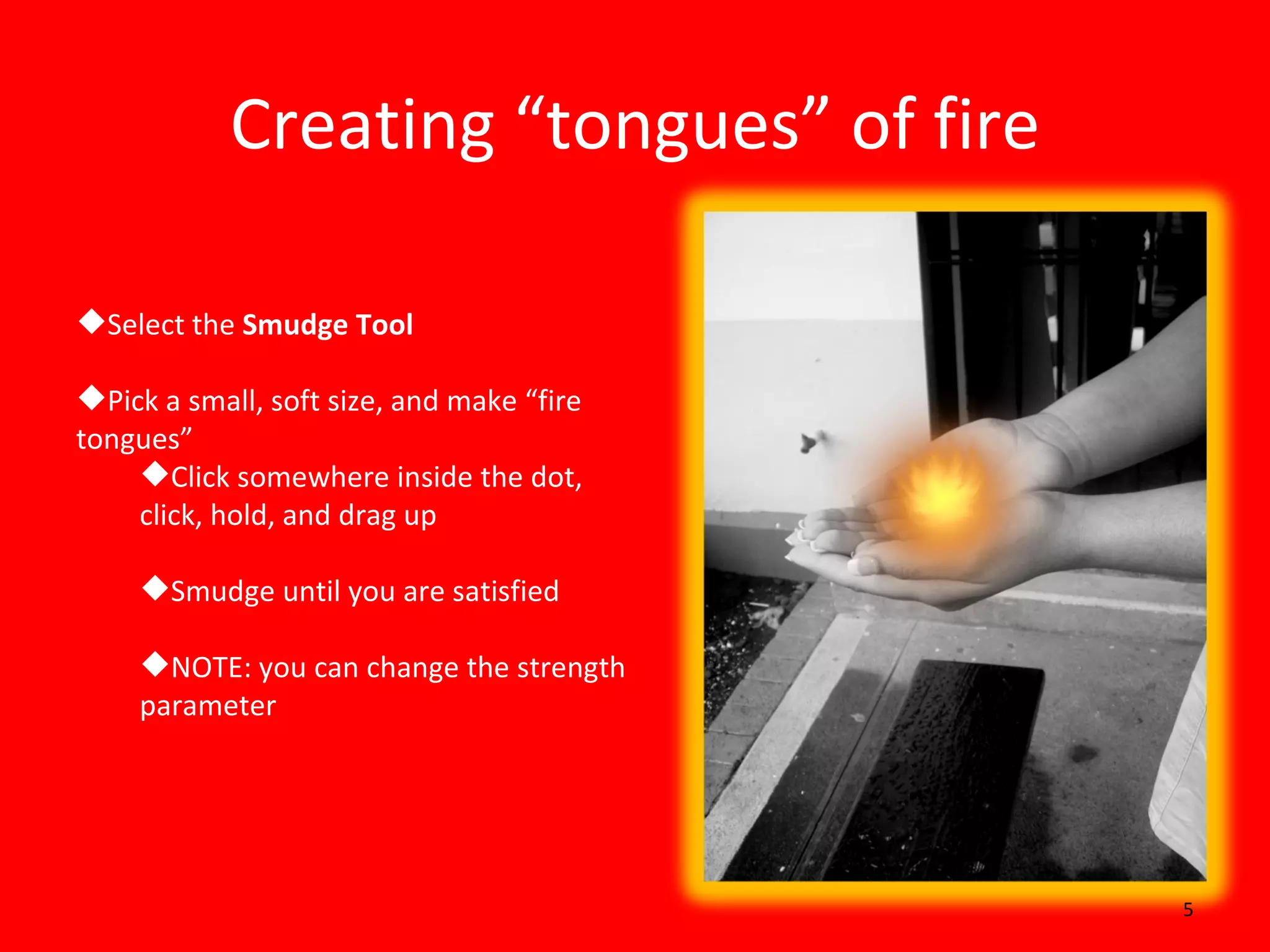
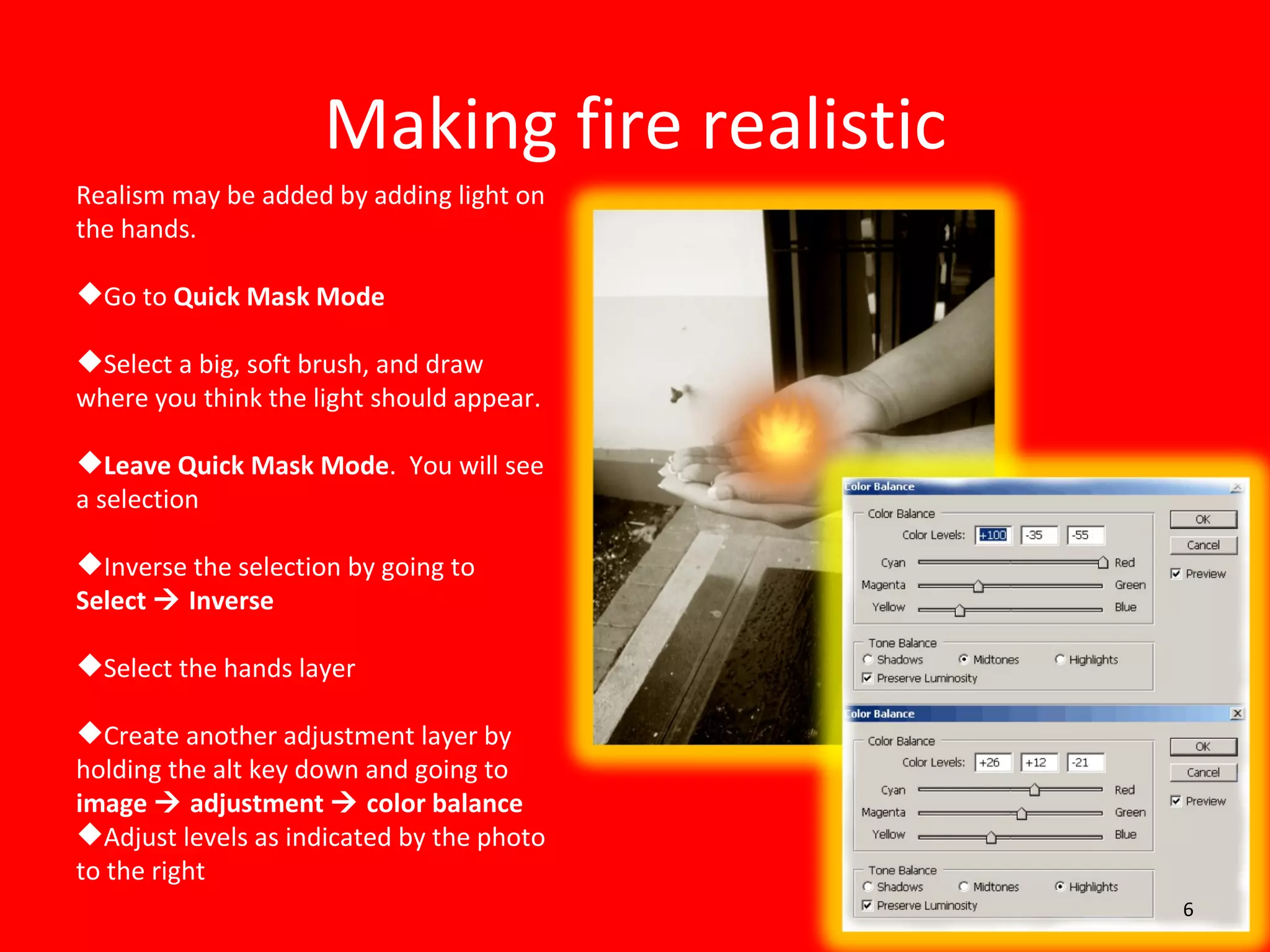
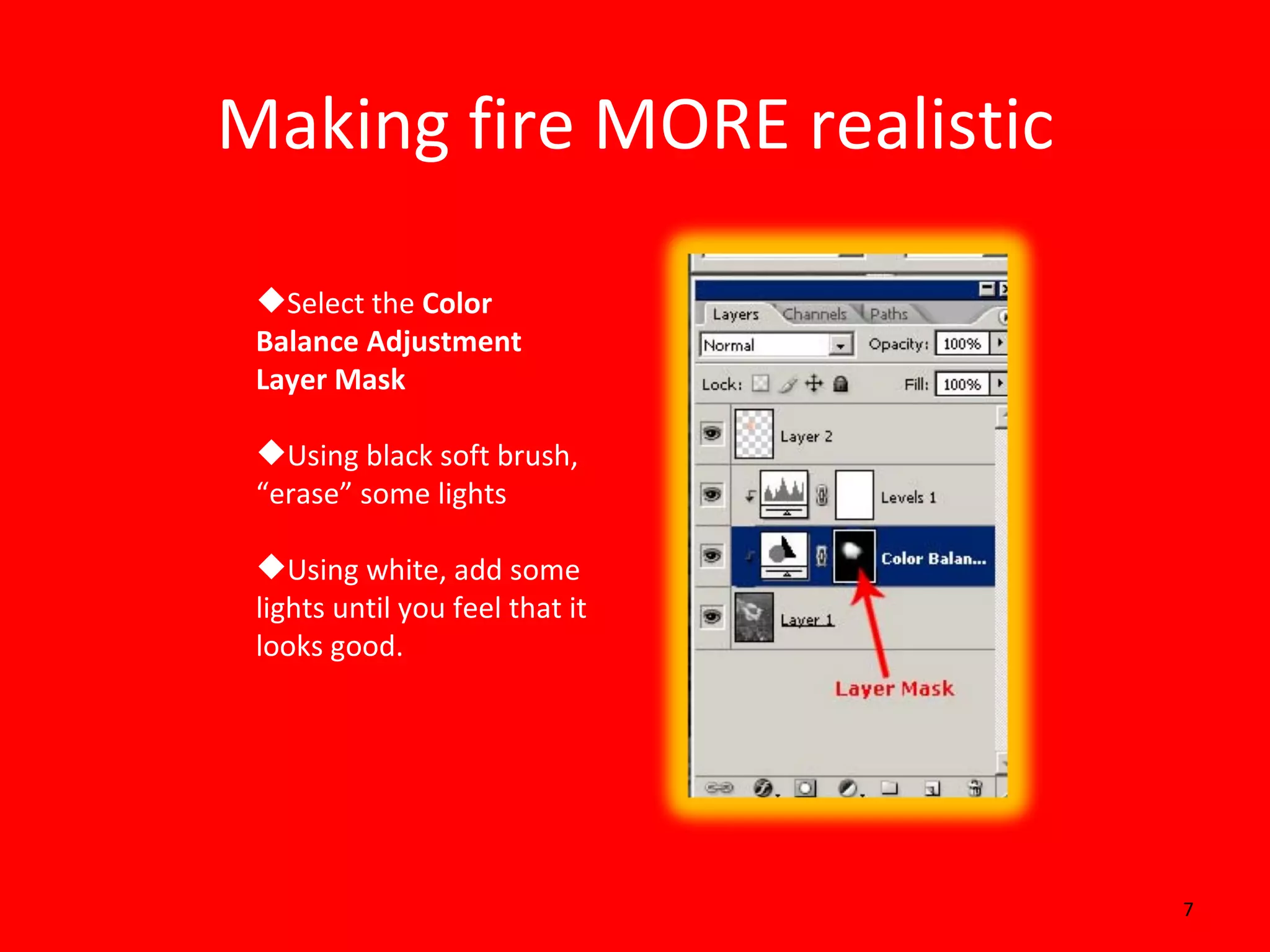
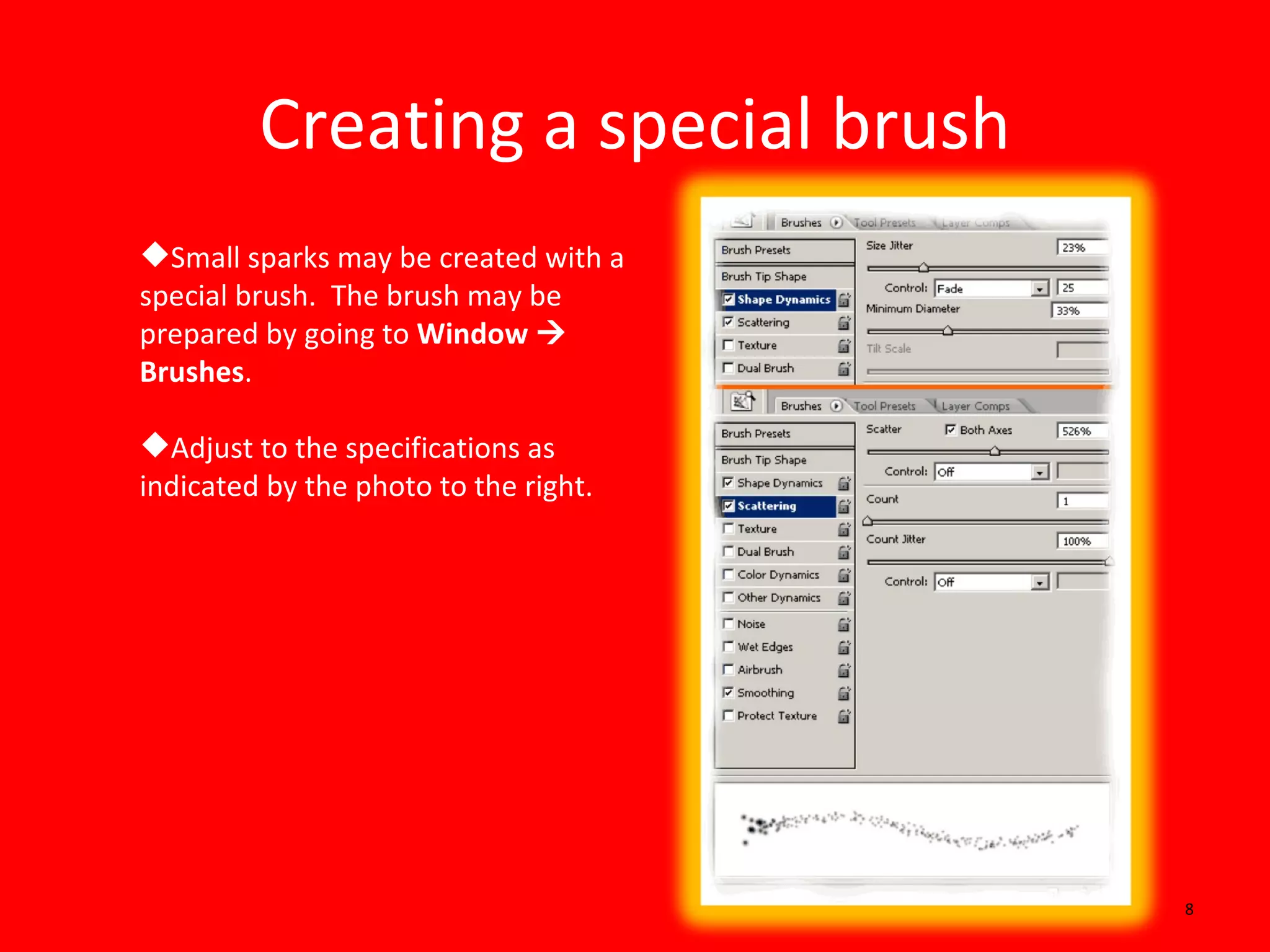
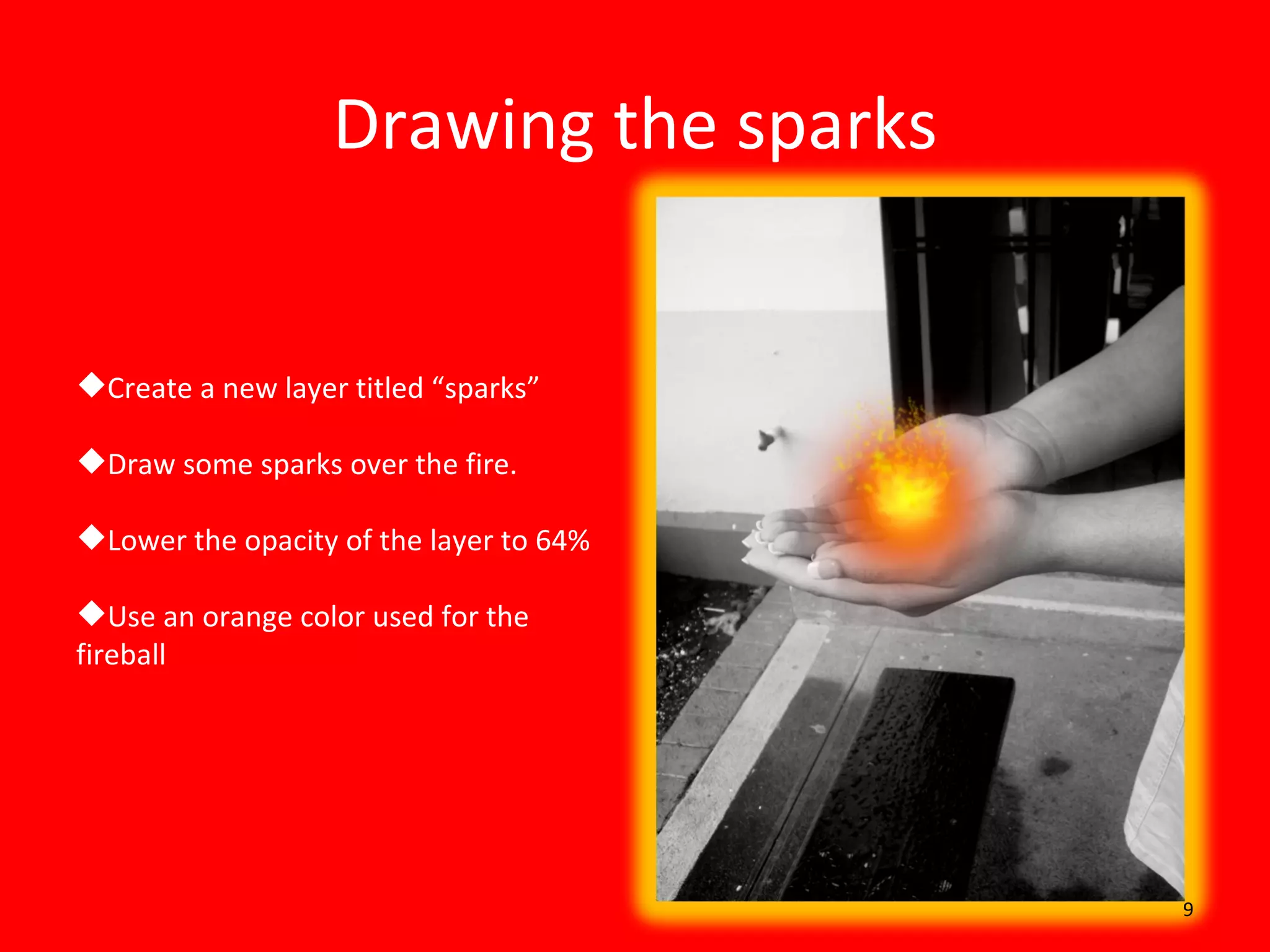
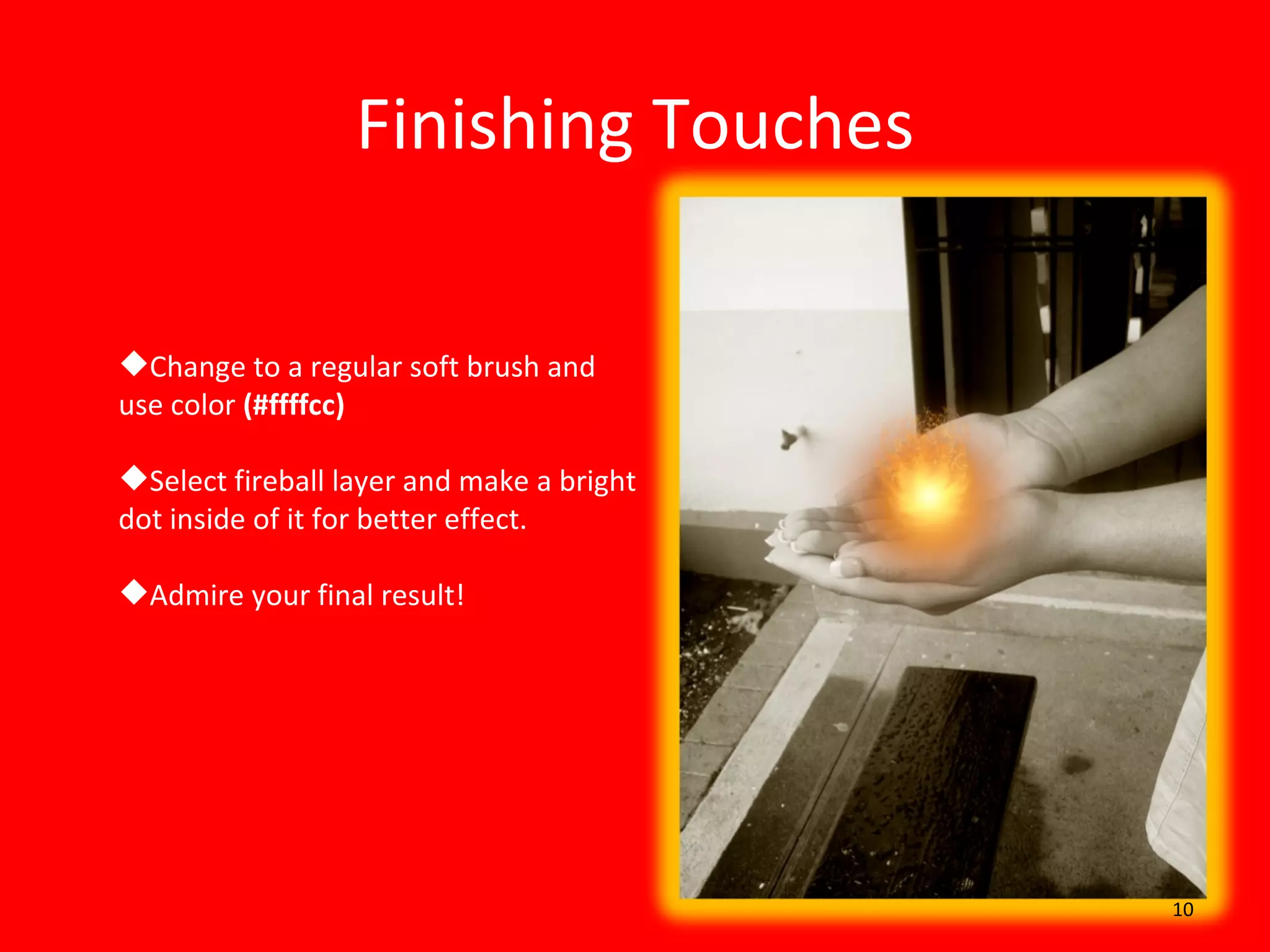
This document provides instructions for creating a photorealistic image of hands on fire in Photoshop using layers, brushes, and adjustments. The tutorial guides the user to darken an image of hands, create orange dots to represent fireballs using different sized brushes, use the smudge tool to make tongues of fire, add light effects with masks and adjustments, create sparks with a custom brush, and finish with highlights to make the image more realistic.

![Steps to work_on_photoshop[1]](https://cdn.slidesharecdn.com/ss_thumbnails/stepstoworkonphotoshop1-110902192646-phpapp02-thumbnail.jpg?width=640&height=640&fit=bounds)


