Passing the Torch:
Old School Red
Teaming, New
School Tactics?
Dave McGuire, Will Schroeder
Veris Group’s Adaptive Threat Division
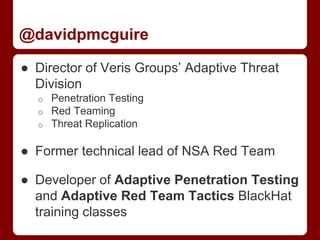
@davidpmcguire
● Director of Veris Groups’ Adaptive Threat
Division
o Penetration Testing
o Red Teaming
o Threat Replication
● Former technical lead of NSA Red Team
● Developer of Adaptive Penetration Testing
and Adaptive Red Team Tactics BlackHat
training classes
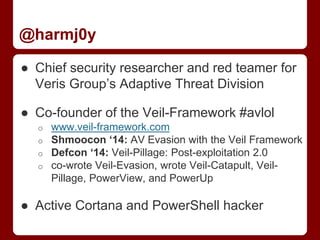
@harmj0y
● Chief security researcher and red teamer for
Veris Group’s Adaptive Threat Division
● Co-founder of the Veil-Framework #avlol
o www.veil-framework.com
o Shmoocon ‘14: AV Evasion with the Veil Framework
o Defcon ‘14: Veil-Pillage: Post-exploitation 2.0
o co-wrote Veil-Evasion, wrote Veil-Catapult, Veil-
Pillage, PowerView, and PowerUp
● Active Cortana and PowerShell hacker
tl;dr
● Pentesting vs. Red Teaming
● Red Teaming vs Red Team Operations
● Tactic 1: Situational Awareness
● Tactic 2: Domain Trusts
● Tactic 3: Escalation and Pivoting
● Tactic 4: Persistence
● Tactic 5: Files Files Files
● Demo: FIGHT!
Pentesting
● Definition ranges anywhere from a single
person running a (slightly)-glorified vuln
scan, to a full on multi-person assault for
several weeks
● Reasonable Balance: breadth vs. depth,
find as many holes as you can and see how
far you can get in a limited timeframe
Red Teaming vs.
Red Team Operations
● Red teaming means different things to
different people
● Some focus on physical ops, some focus on
in-depth social engineering, some focus on
custom exploit dev, some focus on pure
network based operations, etc.
● Common thread of increased time frame and
more permissive scope
Red Teaming Operations
● An operation organized to emulate a
potential adversary’s exploitation or attack
effectiveness against a targeted mission or
capability
● Military concept of adversarial thinking that
evolved into adversary emulation
● General idea: simulate an “advanced”
attacker
Our Take
● We focus on operational risk posed by
advanced attackers
● From our perspective, red team operations
primarily involve analysis and actions
that happen after the initial access
● A vast majority of corporate deployments in
the US consist of Windows environments, so
that’s where we focus
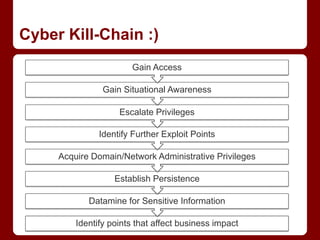
Cyber Kill-Chain :)
Identify points that affect business impact
Datamine for Sensitive Information
Establish Persistence
Acquire Domain/Network Administrative Privileges
Identify Further Exploit Points
Escalate Privileges
Gain Situational Awareness
Gain Access
Bridging the Gap
● Red Teaming is historically defined by:
o The use of specialized toolsets
o Expanded timeframe
o Large team size
o Lots of $$$
● Our interpretation is really more about
emulation of techniques, independent of
toolsets
o Newer tools provide many previously specialized
capabilities
Nothing New?
● These techniques are public but lesser
known
● Admins need to admin, users wanna use
o Always going to be a way to abuse ‘normal’
functionality for unintended purposes
● Everything here is possible through multiple
means
o VBscript, PowerShell, C/WinAPI or native/CLI
o Good to have alternative ways to accomplish the
same goal
Tactic 1
Situational Awareness
Landing on the Beachhead
● Orient yourself after the initial compromise
● Gain situational awareness to plan your next
attack steps
● Nothing revolutionary here:
o the more information you can gather, the better you
can map out your next phase
o and active directory is a gold mine of information
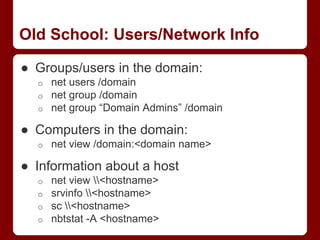
Old School: Users/Network Info
● Groups/users in the domain:
o net users /domain
o net group /domain
o net group “Domain Admins” /domain
● Computers in the domain:
o net view /domain:<domain name>
● Information about a host
o net view <hostname>
o srvinfo <hostname>
o sc <hostname>
o nbtstat -A <hostname>
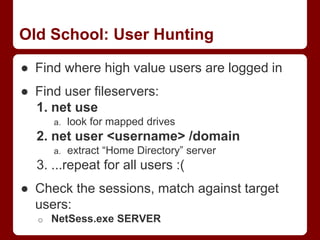
Old School: User Hunting
● Find where high value users are logged in
● Find user fileservers:
1. net use
a. look for mapped drives
2. net user <username> /domain
a. extract “Home Directory” server
3. ...repeat for all users :(
● Check the sessions, match against target
users:
o NetSess.exe SERVER
New School
● Rob Fuller (@mubix’s) netview.exe project,
presented at Derbycon 2012, is a tool to
“enumerate systems using WinAPI calls”
● Finds all machines on the network,
enumerates shares, sessions, and logged in
users for each host
o And now can check share access, highlight high
value users, and use a delay/jitter :)
New(est) School: PowerShell
● PowerShell has some great AD hooks and
access to the Windows API as well
● PowerView implements a ton of this
functionality without having to remember all
the syntax
● Full replacement for “net *” commands, as
well as a full netview.exe implementation,
Invoke-Netview
New(est) School: PowerShell
● Invoke-UserHunter
o queries AD for all machines
o queries for a target user group (“Domain Admins”)
o uses the same API calls as netview.exe to
enumerate sessions and logged in users, matching
against the target user list
● Invoke-StealthUserHunter
o queries AD for all users, extracts all home
directories
o queries for a target user group
o runs the equivalent to “net session” against each file
server, matching against target user list
Tactic 2
Domain Trusts
Domain Trusts
Windows Domain Trusts 101
● Trusts allow separate domains/directories to
form inter-domain relationships
● A trust simply allows for the possibility of
access between domains
o Administrators must go the extra mile and actually
enable access
● Trusts can be a method for an attacker to
jump from one network to another
Domain Trusts 101
● Trusts come in 3 varieties
o One way - Only one domain trusts the other
o Two way - Both domains trust each other
o Transitive - Domain A trusts Domain B and Domain
B trusts Domain C, so Domain A trusts Domain C
● Each domain in a forest has a two-way
transitive trust with both its parent and each
of its children
● More information:
o http://www.harmj0y.net/blog/redteaming/trusts-you-
might-have-missed/
So What?
● Why does this matter?
● Red teams often compromise
accounts/machines in a domain trusted by
their actual target
o Allows operators to exploit these existing trust
relationships to achieve their end goal
● And Enterprise Admin = pwnership over
everything below
Old School: nltest
● Some Microsoft administrative tools can give
you lots of interesting information concerning
domain trusts:
o nltest /domain_trusts - identify all current domain
trusts
o nltest /dcname:<domain name> - identify primary
domain controller for a target domain
● Other tools grant some of this functionality
as well:
o netdom to verify two-way trusts
o dsquery/dsget to enumerate additional information
Old School: dsquery/dsget
● Retrieve users from a specific domain:
o dsquery user
“cn=users,dc=dev,dc=test,dc=local”
● Grab “Domain Admins” for a specific domain:
o dsget group "cn=Domain
Admins,cn=users,dc=dev,dc=test,dc=local" -
members
● See what groups a user is a member of:
o dsget user
"cn=john,cn=users,dc=dev,dc=test,dc=local" -
memberof
New School: Trusts and PowerShell
● Of course you can do this (and with greater
ease) using PowerShell:
o ([System.DirectoryServices.ActiveDirecto
ry.Forest]::GetCurrentForest()).Domains
o ([System.DirectoryServices.ActiveDirecto
ry.Domain]::GetCurrentDomain()).GetAllTr
ustRelationships()
● PowerShell AD functionality can easily
operate on domains to which there's an
existing trust
o finding domain controllers, querying users,
enumerating domain groups, etc.
New(est) School: PowerView
● Domain/forest trust relationships can be
enumerated through several PowerView
functions:
o Get-NetForest: information about the current
domain forest
o Get-NetForestTrusts: grab all forest trusts
o Get-NetForestDomains: enumerate all domains in
the current forest
o Get-NetDomainTrusts: find all current domain
trusts, á la nltest
New(est) School: PowerView
● If a trust exists, most functions in
PowerView can accept a
“-Domain <name>” flag to operate across a
trust:
o Get-NetDomainControllers
o Get-NetUser/Get-NetUsers
o Get-NetComputers/Get-NetFileServers
o Get-NetGroup/Get-NetGroups
o Invoke-UserFieldSearch
o Invoke-Netview
o Invoke-UserHunter, etc.
Tactic 3
Escalation and Pivoting
Moving Beyond the Beachhead
● Now that you’ve mapped out the network,
active directory structure and trust
relationships, time to see what mischief you
can cause
● First step often involves escalating to
SYSTEM on your target
● Then grab tokens/passwords/etc. and start
your lateral movement
Old School: Escalation
● One of the most effective escalation vectors
was (and still is) vulnerable Windows
services
● Specifically, many organizations overlook
the permissions for service binaries :)
● After gaining SYSTEM on a box, makes it a
lot easier to snarf up all active user tokens
o File servers are great places to look
Old School: Tokens
● Impersonation tokens
o for “non-interactive” logons, i.e. drive mapping
o allows a process/thread to carry out actions as the
identified user on the current system
● Delegation tokens
o for “interactive” logons (we want these!!)
o allows a process/thread to carry out actions as the
identified user on remote systems
● Impersonate/steal tokens with your agent of
choice
o Can also just migrate to a user-owned process!
New School: Escalation
● PowerUp: a PowerShell tool to automate the
discovery and abuse of Windows privilege
escalation vectors. Checks for:
o vulnerable services
o service binaries
o unquoted paths
o AlwaysInstallElevated, and more
● Invoke-AllChecks will run all current
checks, and will tell you what function will
abuse whatever vulns are found
New School: Token Manipulation
● PowerSploit / Exfiltration / Invoke-
TokenManipulation.ps1
● Equivalent to Incognito’s functionality, but
purely in PowerShell
● Allows you to enumerate tokens,
steal/impersonate what you find, create
processes, etc.
New School: Mimikatz FTW
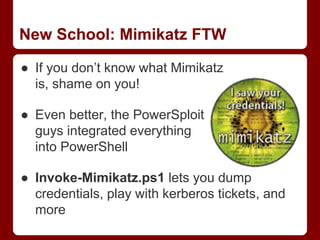
● If you don’t know what Mimikatz
is, shame on you!
● Even better, the PowerSploit
guys integrated everything
into PowerShell
● Invoke-Mimikatz.ps1 lets you dump
credentials, play with kerberos tickets, and
more
Tactic 4
Persistence
Persistence
Keeping the Door Open
● You don’t want to have to regain access for
each new engagement
o Attackers don’t leave, why should you
o Long term assessments require stable access
● Two main approaches:
o local machine level persistence
o domain level persistence
● Credentials are always a great persistence
method
Old School
● Keep a low and slow C2 agent running on
the machine
o In case of reboot, drop an obfuscated binary to disk
● Try to stay off of main servers
o Find privileged users with access to those servers,
then target their workstations
● Dump domain hashes
o Pay attention to privileged accounts with an
infrequent password change policy
● For low-and-slow agent persistence, a few
specialized tools are available:
o Cobalt Strike’s Beacon
o Immunity’s Innuendo
o Silentbreak’s Throwback
● For on-disk local persistence, some
(newer?) techniques:
o schtasks + PowerShell through a one-liner
o permanent WMI + PowerShell through PowerSploit
o obfuscated binary + SC
New School: Local Persistence
New(est) School:
Domain Persistence
● There’s nothing better than...
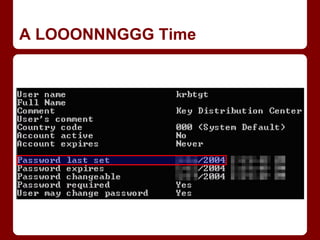
The Golden Ticket
● If you can knock over a domain controller
and grab the krbtgt hash, you can forge your
own kerberos tickets
o For any user. And put them in any group. For as
long as that hash isn't changed. Which isn't often.
o Think years.
● Long story short: if you can pwn a domain
once, you can pwn it for a LONG time
● Go see Chris’ “Et tu – Kerberos?” at 6pm!
A LOOONNNGGG Time
Tactic 5
Files Files Files
Files on Files
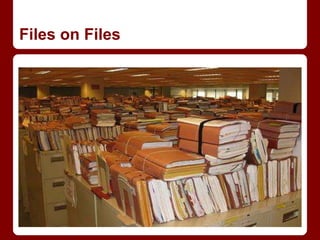
Files on Files
● The end goal isn’t domain admin, the end
goal is data
● Even when you don’t own everything, every
organization has file shares with improper
access controls
● Goal:
o Locate and triage every single file we can access
over the network (hunt for sensitive data)
o Gain sensitive information (potentially for
escalation), choose possible files to trojanize
Old School: Finding Shares
● Finding shares manually:
o net view /domain:<domain name>
o net view <hostname>
● Make new people triage every network share
and file found
o Great morale booster :)
● Once readable shares are located, triage the
possible thousands to millions of files on
remote servers
o New people like doing this :)
Old School: Finding Files
● Nothing more old school that straight
recursive directory listings with dir /s
o dir /s <hostname>SHARE > listing.txt
o dir /s /Q /O:-D /T:A <hostname>SHARE >
listing.txt
● Then grep file listings for sensitive names,
as well as office docs/.exe’s that have been
recently accessed :)
New School: Finding Shares
● Search for open shares and sensitive files
with PowerShell and PowerView
● Invoke-ShareFinder -CheckAccess will:
o Find all machines on the network
o Enumerate all shares on each machine
o Check if the current user has read access to any
found shares
● Spits out a “HOSTSHARE - comment” list
of all shares on the network you can read
New School: Finding Files
● Once you have shares, PowerShell helps
you triage for files, nicely sortable:
o PS> get-childitem MACHINEPATH -rec -
ErrorAction SilentlyContinue | where
{!$_.PSIsContainer} | select-object
FullName,@{Name='Owner';Expression={(Ge
t-Acl $_.FullName).Owner}},
LastAccessTime, LastWriteTime, Length |
export-csv -notypeinformation -path
files.csv
● The -include @(‘*term*’) argument lets you
find files by wildcard terms
New School: Targeted Trojanation
● Invoke-SearchFiles and Invoke-FileFinder
both accept the “-FreshEXEs” flag
o this will find .exe’s accessed within the last week
● We can then use Joshua Pitts’ The
Backdoor Factory to easily trojanate these
binaries
● Then can use PowerView’s Invoke-
CopyFile to copy the trojanated file in,
matching MAC attributes
Demo
Recap
● Newer tools and techniques can greatly
facilitate red team engagements
● Always have a backup plan- if one
implementation fails, you always need to
have options
● Moral of the story: the underlying tactics
rarely change, but the specific
implementations often do
Questions?
● Offensive PowerShell blogs:
o http://obscuresecurity.blogspot.com/
o http://www.exploit-monday.com/
o http://www.darkoperator.com/blog/
o http://blog.harmj0y.net
● Offensive PowerShell Toolsets:
o PowerSploit:
 https://github.com/mattifestation/PowerSploit/
o PowerView:
 https://github.com/veil-framework/Veil-PowerView
o PowerUp:
 https://github.com/HarmJ0y/PowerUp

Derbycon - Passing the Torch

  • 1.
    Passing the Torch: OldSchool Red Teaming, New School Tactics? Dave McGuire, Will Schroeder Veris Group’s Adaptive Threat Division
  • 2.
    @davidpmcguire ● Director ofVeris Groups’ Adaptive Threat Division o Penetration Testing o Red Teaming o Threat Replication ● Former technical lead of NSA Red Team ● Developer of Adaptive Penetration Testing and Adaptive Red Team Tactics BlackHat training classes
  • 3.
    @harmj0y ● Chief securityresearcher and red teamer for Veris Group’s Adaptive Threat Division ● Co-founder of the Veil-Framework #avlol o www.veil-framework.com o Shmoocon ‘14: AV Evasion with the Veil Framework o Defcon ‘14: Veil-Pillage: Post-exploitation 2.0 o co-wrote Veil-Evasion, wrote Veil-Catapult, Veil- Pillage, PowerView, and PowerUp ● Active Cortana and PowerShell hacker
  • 4.
    tl;dr ● Pentesting vs.Red Teaming ● Red Teaming vs Red Team Operations ● Tactic 1: Situational Awareness ● Tactic 2: Domain Trusts ● Tactic 3: Escalation and Pivoting ● Tactic 4: Persistence ● Tactic 5: Files Files Files ● Demo: FIGHT!
  • 5.
    Pentesting ● Definition rangesanywhere from a single person running a (slightly)-glorified vuln scan, to a full on multi-person assault for several weeks ● Reasonable Balance: breadth vs. depth, find as many holes as you can and see how far you can get in a limited timeframe
  • 6.
    Red Teaming vs. RedTeam Operations ● Red teaming means different things to different people ● Some focus on physical ops, some focus on in-depth social engineering, some focus on custom exploit dev, some focus on pure network based operations, etc. ● Common thread of increased time frame and more permissive scope
  • 7.
    Red Teaming Operations ●An operation organized to emulate a potential adversary’s exploitation or attack effectiveness against a targeted mission or capability ● Military concept of adversarial thinking that evolved into adversary emulation ● General idea: simulate an “advanced” attacker
  • 8.
    Our Take ● Wefocus on operational risk posed by advanced attackers ● From our perspective, red team operations primarily involve analysis and actions that happen after the initial access ● A vast majority of corporate deployments in the US consist of Windows environments, so that’s where we focus
  • 9.
    Cyber Kill-Chain :) Identifypoints that affect business impact Datamine for Sensitive Information Establish Persistence Acquire Domain/Network Administrative Privileges Identify Further Exploit Points Escalate Privileges Gain Situational Awareness Gain Access
  • 10.
    Bridging the Gap ●Red Teaming is historically defined by: o The use of specialized toolsets o Expanded timeframe o Large team size o Lots of $$$ ● Our interpretation is really more about emulation of techniques, independent of toolsets o Newer tools provide many previously specialized capabilities
  • 11.
    Nothing New? ● Thesetechniques are public but lesser known ● Admins need to admin, users wanna use o Always going to be a way to abuse ‘normal’ functionality for unintended purposes ● Everything here is possible through multiple means o VBscript, PowerShell, C/WinAPI or native/CLI o Good to have alternative ways to accomplish the same goal
  • 12.
  • 13.
    Landing on theBeachhead
  • 14.
    Landing on theBeachhead ● Orient yourself after the initial compromise ● Gain situational awareness to plan your next attack steps ● Nothing revolutionary here: o the more information you can gather, the better you can map out your next phase o and active directory is a gold mine of information
  • 15.
    Old School: Users/NetworkInfo ● Groups/users in the domain: o net users /domain o net group /domain o net group “Domain Admins” /domain ● Computers in the domain: o net view /domain:<domain name> ● Information about a host o net view <hostname> o srvinfo <hostname> o sc <hostname> o nbtstat -A <hostname>
  • 16.
    Old School: UserHunting ● Find where high value users are logged in ● Find user fileservers: 1. net use a. look for mapped drives 2. net user <username> /domain a. extract “Home Directory” server 3. ...repeat for all users :( ● Check the sessions, match against target users: o NetSess.exe SERVER
  • 17.
    New School ● RobFuller (@mubix’s) netview.exe project, presented at Derbycon 2012, is a tool to “enumerate systems using WinAPI calls” ● Finds all machines on the network, enumerates shares, sessions, and logged in users for each host o And now can check share access, highlight high value users, and use a delay/jitter :)
  • 18.
    New(est) School: PowerShell ●PowerShell has some great AD hooks and access to the Windows API as well ● PowerView implements a ton of this functionality without having to remember all the syntax ● Full replacement for “net *” commands, as well as a full netview.exe implementation, Invoke-Netview
  • 19.
    New(est) School: PowerShell ●Invoke-UserHunter o queries AD for all machines o queries for a target user group (“Domain Admins”) o uses the same API calls as netview.exe to enumerate sessions and logged in users, matching against the target user list ● Invoke-StealthUserHunter o queries AD for all users, extracts all home directories o queries for a target user group o runs the equivalent to “net session” against each file server, matching against target user list
  • 20.
  • 21.
  • 22.
    Windows Domain Trusts101 ● Trusts allow separate domains/directories to form inter-domain relationships ● A trust simply allows for the possibility of access between domains o Administrators must go the extra mile and actually enable access ● Trusts can be a method for an attacker to jump from one network to another
  • 23.
    Domain Trusts 101 ●Trusts come in 3 varieties o One way - Only one domain trusts the other o Two way - Both domains trust each other o Transitive - Domain A trusts Domain B and Domain B trusts Domain C, so Domain A trusts Domain C ● Each domain in a forest has a two-way transitive trust with both its parent and each of its children ● More information: o http://www.harmj0y.net/blog/redteaming/trusts-you- might-have-missed/
  • 24.
    So What? ● Whydoes this matter? ● Red teams often compromise accounts/machines in a domain trusted by their actual target o Allows operators to exploit these existing trust relationships to achieve their end goal ● And Enterprise Admin = pwnership over everything below
  • 25.
    Old School: nltest ●Some Microsoft administrative tools can give you lots of interesting information concerning domain trusts: o nltest /domain_trusts - identify all current domain trusts o nltest /dcname:<domain name> - identify primary domain controller for a target domain ● Other tools grant some of this functionality as well: o netdom to verify two-way trusts o dsquery/dsget to enumerate additional information
  • 26.
    Old School: dsquery/dsget ●Retrieve users from a specific domain: o dsquery user “cn=users,dc=dev,dc=test,dc=local” ● Grab “Domain Admins” for a specific domain: o dsget group "cn=Domain Admins,cn=users,dc=dev,dc=test,dc=local" - members ● See what groups a user is a member of: o dsget user "cn=john,cn=users,dc=dev,dc=test,dc=local" - memberof
  • 27.
    New School: Trustsand PowerShell ● Of course you can do this (and with greater ease) using PowerShell: o ([System.DirectoryServices.ActiveDirecto ry.Forest]::GetCurrentForest()).Domains o ([System.DirectoryServices.ActiveDirecto ry.Domain]::GetCurrentDomain()).GetAllTr ustRelationships() ● PowerShell AD functionality can easily operate on domains to which there's an existing trust o finding domain controllers, querying users, enumerating domain groups, etc.
  • 28.
    New(est) School: PowerView ●Domain/forest trust relationships can be enumerated through several PowerView functions: o Get-NetForest: information about the current domain forest o Get-NetForestTrusts: grab all forest trusts o Get-NetForestDomains: enumerate all domains in the current forest o Get-NetDomainTrusts: find all current domain trusts, á la nltest
  • 29.
    New(est) School: PowerView ●If a trust exists, most functions in PowerView can accept a “-Domain <name>” flag to operate across a trust: o Get-NetDomainControllers o Get-NetUser/Get-NetUsers o Get-NetComputers/Get-NetFileServers o Get-NetGroup/Get-NetGroups o Invoke-UserFieldSearch o Invoke-Netview o Invoke-UserHunter, etc.
  • 30.
  • 31.
  • 32.
    Moving Beyond theBeachhead ● Now that you’ve mapped out the network, active directory structure and trust relationships, time to see what mischief you can cause ● First step often involves escalating to SYSTEM on your target ● Then grab tokens/passwords/etc. and start your lateral movement
  • 33.
    Old School: Escalation ●One of the most effective escalation vectors was (and still is) vulnerable Windows services ● Specifically, many organizations overlook the permissions for service binaries :) ● After gaining SYSTEM on a box, makes it a lot easier to snarf up all active user tokens o File servers are great places to look
  • 34.
    Old School: Tokens ●Impersonation tokens o for “non-interactive” logons, i.e. drive mapping o allows a process/thread to carry out actions as the identified user on the current system ● Delegation tokens o for “interactive” logons (we want these!!) o allows a process/thread to carry out actions as the identified user on remote systems ● Impersonate/steal tokens with your agent of choice o Can also just migrate to a user-owned process!
  • 35.
    New School: Escalation ●PowerUp: a PowerShell tool to automate the discovery and abuse of Windows privilege escalation vectors. Checks for: o vulnerable services o service binaries o unquoted paths o AlwaysInstallElevated, and more ● Invoke-AllChecks will run all current checks, and will tell you what function will abuse whatever vulns are found
  • 36.
    New School: TokenManipulation ● PowerSploit / Exfiltration / Invoke- TokenManipulation.ps1 ● Equivalent to Incognito’s functionality, but purely in PowerShell ● Allows you to enumerate tokens, steal/impersonate what you find, create processes, etc.
  • 37.
    New School: MimikatzFTW ● If you don’t know what Mimikatz is, shame on you! ● Even better, the PowerSploit guys integrated everything into PowerShell ● Invoke-Mimikatz.ps1 lets you dump credentials, play with kerberos tickets, and more
  • 38.
  • 39.
  • 40.
    Keeping the DoorOpen ● You don’t want to have to regain access for each new engagement o Attackers don’t leave, why should you o Long term assessments require stable access ● Two main approaches: o local machine level persistence o domain level persistence ● Credentials are always a great persistence method
  • 41.
    Old School ● Keepa low and slow C2 agent running on the machine o In case of reboot, drop an obfuscated binary to disk ● Try to stay off of main servers o Find privileged users with access to those servers, then target their workstations ● Dump domain hashes o Pay attention to privileged accounts with an infrequent password change policy
  • 42.
    ● For low-and-slowagent persistence, a few specialized tools are available: o Cobalt Strike’s Beacon o Immunity’s Innuendo o Silentbreak’s Throwback ● For on-disk local persistence, some (newer?) techniques: o schtasks + PowerShell through a one-liner o permanent WMI + PowerShell through PowerSploit o obfuscated binary + SC New School: Local Persistence
  • 43.
    New(est) School: Domain Persistence ●There’s nothing better than...
  • 44.
    The Golden Ticket ●If you can knock over a domain controller and grab the krbtgt hash, you can forge your own kerberos tickets o For any user. And put them in any group. For as long as that hash isn't changed. Which isn't often. o Think years. ● Long story short: if you can pwn a domain once, you can pwn it for a LONG time ● Go see Chris’ “Et tu – Kerberos?” at 6pm!
  • 45.
  • 46.
  • 47.
  • 48.
    Files on Files ●The end goal isn’t domain admin, the end goal is data ● Even when you don’t own everything, every organization has file shares with improper access controls ● Goal: o Locate and triage every single file we can access over the network (hunt for sensitive data) o Gain sensitive information (potentially for escalation), choose possible files to trojanize
  • 49.
    Old School: FindingShares ● Finding shares manually: o net view /domain:<domain name> o net view <hostname> ● Make new people triage every network share and file found o Great morale booster :) ● Once readable shares are located, triage the possible thousands to millions of files on remote servers o New people like doing this :)
  • 50.
    Old School: FindingFiles ● Nothing more old school that straight recursive directory listings with dir /s o dir /s <hostname>SHARE > listing.txt o dir /s /Q /O:-D /T:A <hostname>SHARE > listing.txt ● Then grep file listings for sensitive names, as well as office docs/.exe’s that have been recently accessed :)
  • 51.
    New School: FindingShares ● Search for open shares and sensitive files with PowerShell and PowerView ● Invoke-ShareFinder -CheckAccess will: o Find all machines on the network o Enumerate all shares on each machine o Check if the current user has read access to any found shares ● Spits out a “HOSTSHARE - comment” list of all shares on the network you can read
  • 52.
    New School: FindingFiles ● Once you have shares, PowerShell helps you triage for files, nicely sortable: o PS> get-childitem MACHINEPATH -rec - ErrorAction SilentlyContinue | where {!$_.PSIsContainer} | select-object FullName,@{Name='Owner';Expression={(Ge t-Acl $_.FullName).Owner}}, LastAccessTime, LastWriteTime, Length | export-csv -notypeinformation -path files.csv ● The -include @(‘*term*’) argument lets you find files by wildcard terms
  • 53.
    New School: TargetedTrojanation ● Invoke-SearchFiles and Invoke-FileFinder both accept the “-FreshEXEs” flag o this will find .exe’s accessed within the last week ● We can then use Joshua Pitts’ The Backdoor Factory to easily trojanate these binaries ● Then can use PowerView’s Invoke- CopyFile to copy the trojanated file in, matching MAC attributes
  • 54.
  • 55.
    Recap ● Newer toolsand techniques can greatly facilitate red team engagements ● Always have a backup plan- if one implementation fails, you always need to have options ● Moral of the story: the underlying tactics rarely change, but the specific implementations often do
  • 56.
    Questions? ● Offensive PowerShellblogs: o http://obscuresecurity.blogspot.com/ o http://www.exploit-monday.com/ o http://www.darkoperator.com/blog/ o http://blog.harmj0y.net ● Offensive PowerShell Toolsets: o PowerSploit:  https://github.com/mattifestation/PowerSploit/ o PowerView:  https://github.com/veil-framework/Veil-PowerView o PowerUp:  https://github.com/HarmJ0y/PowerUp

Editor's Notes