Event Handling in
Android
• Events are the actions performed by the user in order to interact with
the application, for e.g. pressing a button or touching the screen.
• The events are managed by the android framework in the FIFO
manner i.e. First In – First Out.
• Handling such actions or events by performing the desired task is
called Event Handling.
Input event management
• Event Listeners: It is an interface in the View class. It contains a single
callback method. Once the view to which the listener is associated is
triggered due to user interaction, the callback methods are called.
• Event Handlers: It is responsible for dealing with the event that the
event listeners registered for and performing the desired action for
that respective event.
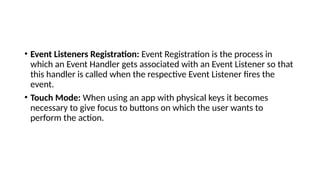
• Event Listeners Registration: Event Registration is the process in
which an Event Handler gets associated with an Event Listener so that
this handler is called when the respective Event Listener fires the
event.
• Touch Mode: When using an app with physical keys it becomes
necessary to give focus to buttons on which the user wants to
perform the action.
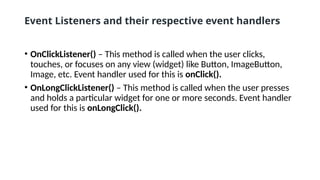
Event Listeners and their respective event handlers
• OnClickListener() – This method is called when the user clicks,
touches, or focuses on any view (widget) like Button, ImageButton,
Image, etc. Event handler used for this is onClick().
• OnLongClickListener() – This method is called when the user presses
and holds a particular widget for one or more seconds. Event handler
used for this is onLongClick().
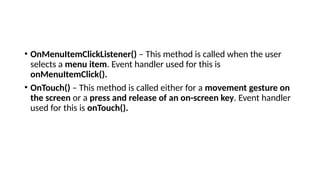
• OnMenuItemClickListener() – This method is called when the user
selects a menu item. Event handler used for this is
onMenuItemClick().
• OnTouch() – This method is called either for a movement gesture on
the screen or a press and release of an on-screen key. Event handler
used for this is onTouch().

Event Handling in Mobile Application Development.pptx

  • 1.
  • 2.
    • Events arethe actions performed by the user in order to interact with the application, for e.g. pressing a button or touching the screen. • The events are managed by the android framework in the FIFO manner i.e. First In – First Out. • Handling such actions or events by performing the desired task is called Event Handling.
  • 3.
    Input event management •Event Listeners: It is an interface in the View class. It contains a single callback method. Once the view to which the listener is associated is triggered due to user interaction, the callback methods are called. • Event Handlers: It is responsible for dealing with the event that the event listeners registered for and performing the desired action for that respective event.
  • 4.
    • Event ListenersRegistration: Event Registration is the process in which an Event Handler gets associated with an Event Listener so that this handler is called when the respective Event Listener fires the event. • Touch Mode: When using an app with physical keys it becomes necessary to give focus to buttons on which the user wants to perform the action.
  • 5.
    Event Listeners andtheir respective event handlers • OnClickListener() – This method is called when the user clicks, touches, or focuses on any view (widget) like Button, ImageButton, Image, etc. Event handler used for this is onClick(). • OnLongClickListener() – This method is called when the user presses and holds a particular widget for one or more seconds. Event handler used for this is onLongClick().
  • 6.
    • OnMenuItemClickListener() –This method is called when the user selects a menu item. Event handler used for this is onMenuItemClick(). • OnTouch() – This method is called either for a movement gesture on the screen or a press and release of an on-screen key. Event handler used for this is onTouch().