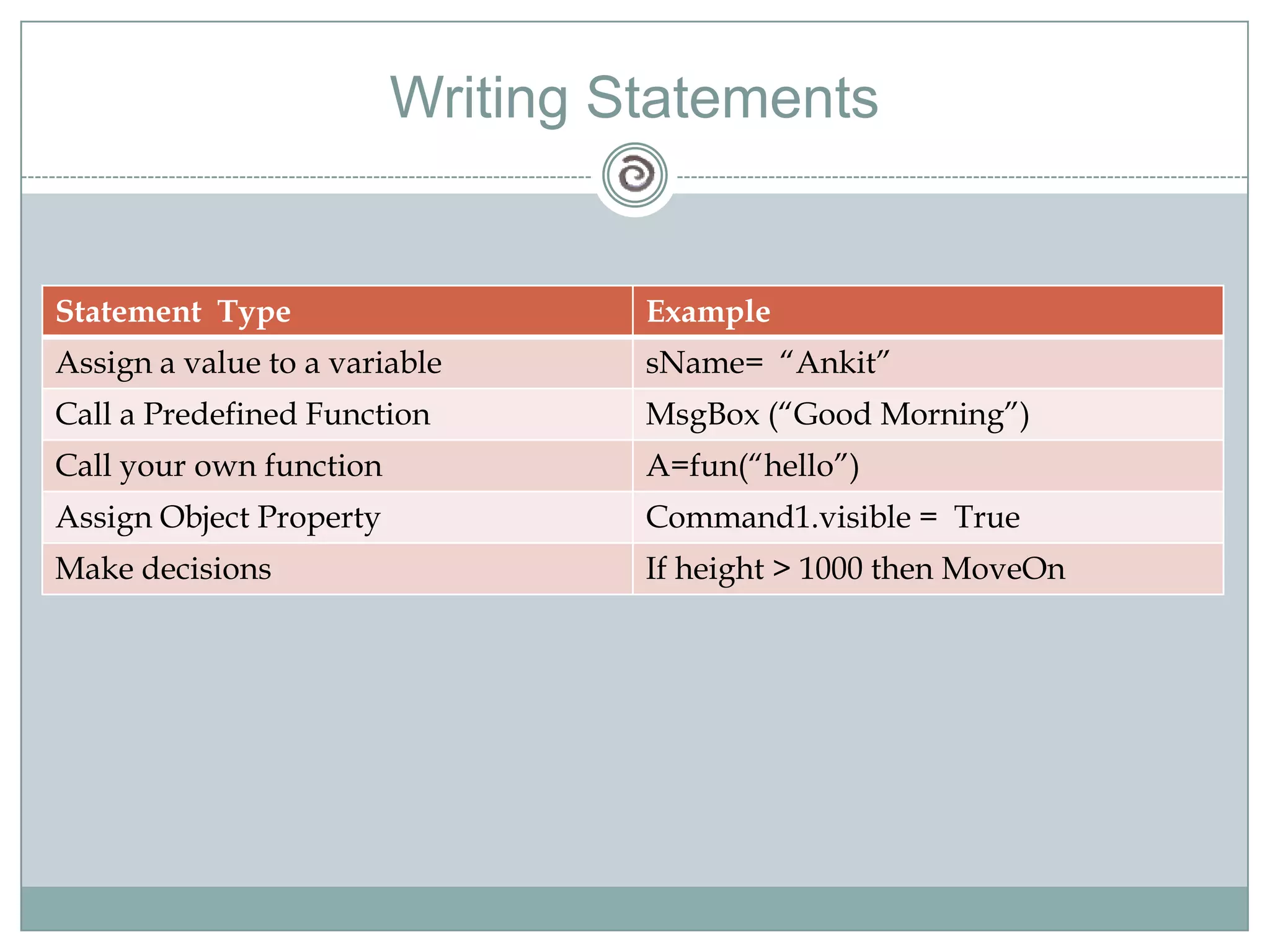
Visual Basic 6Basics of Visual Basic 6 Programming
Design and develop Information Systems with the help of Visual Basic as front-end and MS Access as backend. What is Visual Basic?It is an “Event Driven Programming Language”The "Visual" part refers to the method used to create the graphical user interface (GUI). Rather than writing numerous lines of code to describe the appearance and location of interface elements, you simply add prebuilt objects into place on screen. If you've ever used a drawing program such as Paint, you already have most of the skills necessary to create an effective user interface.The "Basic" part refers to the BASIC (Beginners All-Purpose Symbolic Instruction Code) Visual Basic has evolved from the original BASIC language and now contains several hundred statements, functions, and keywords, many of which relate directly to the Windows GUI. Beginners can create useful applications by learning just a few of the keywords, yet the power of the language allows professionals to accomplish anything that can be accomplished using any other Windows programming language
Why Visual Basic??Data access features allow you to create databases, front-end applications, and scalable server-side components for most popular database formats, including Microsoft SQL Server and other enterprise-level databases.ActiveX™ technologies allow you to use the functionality provided by other applications, such as Microsoft Word word processor, Microsoft Excel spreadsheet, and other Windows applications. You can even automate applications and objects created using the Professional or Enterprise editions of Visual Basic.Internet capabilities make it easy to provide access to documents and applications across the Internet or intranet from within your application, or to create Internet server applications.Your finished application is a true .exe file that uses a Visual Basic Virtual Machine that you can freely distribute.
Interpreting and CompilingThe traditional application development process :writing compilingtesting codeVisual Basic uses an interactive approach to development, blurring the distinction between the three steps. Visual Basic interprets your code as you enter it, catching and highlighting most syntax or spelling errors on the fly. It's almost like having an expert watching over your shoulder as you enter your code.In addition to catching errors on the fly, Visual Basic also partially compiles the code as it is entered. When you are ready to run and test your application, there is only a brief delay to finish compiling.Compilation also possible to generate faster applications
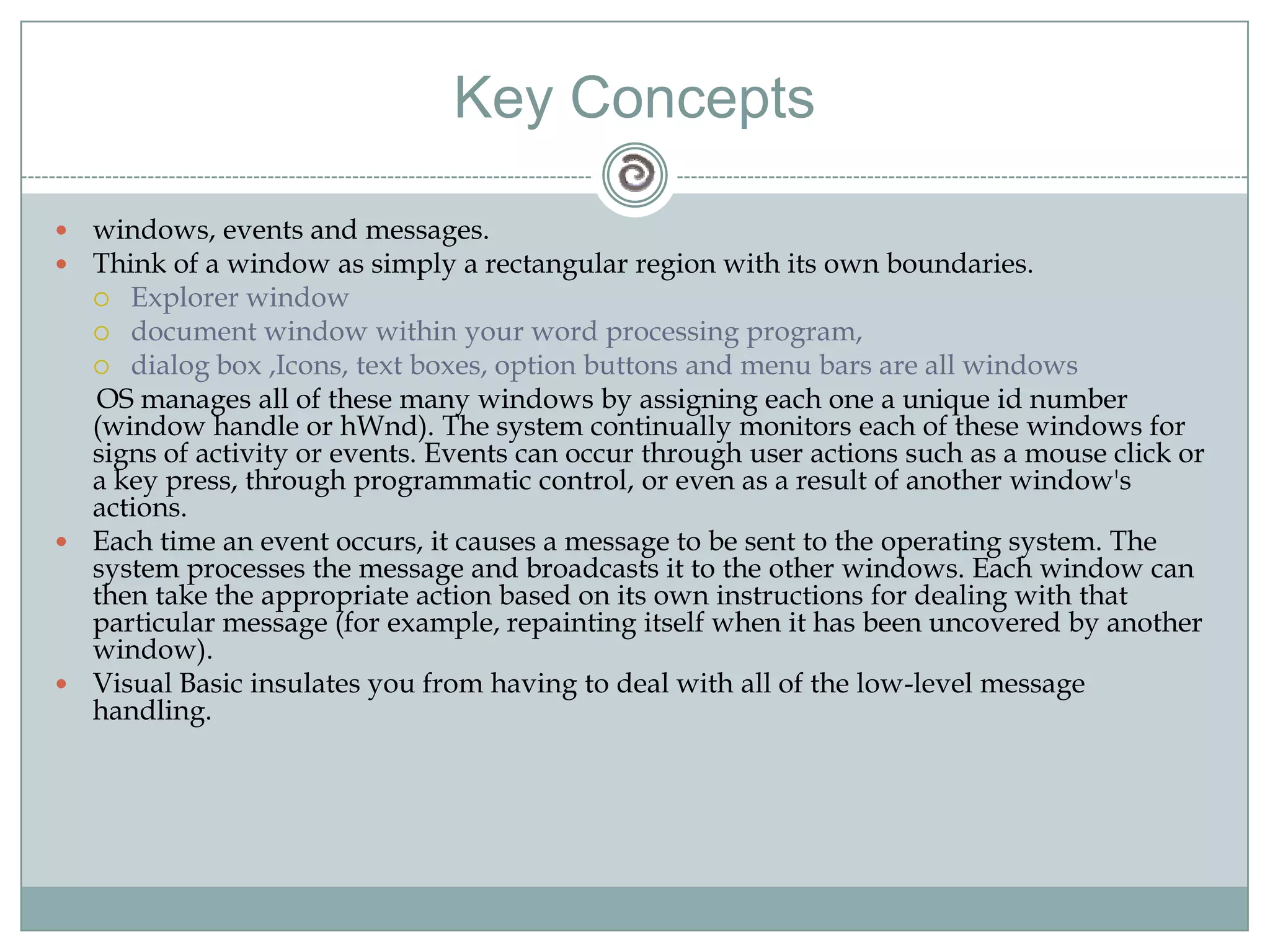
Key Conceptswindows, events and messages.Think of a window as simply a rectangular region with its own boundaries. Explorer window document window within your word processing program, dialog box ,Icons, text boxes, option buttons and menu bars are all windows      OS manages all of these many windows by assigning each one a unique id number (window handle or hWnd). The system continually monitors each of these windows for signs of activity or events. Events can occur through user actions such as a mouse click or a key press, through programmatic control, or even as a result of another window's actions.Each time an event occurs, it causes a message to be sent to the operating system. The system processes the message and broadcasts it to the other windows. Each window can then take the appropriate action based on its own instructions for dealing with that particular message (for example, repainting itself when it has been uncovered by another window).Visual Basic insulates you from having to deal with all of the low-level message handling.
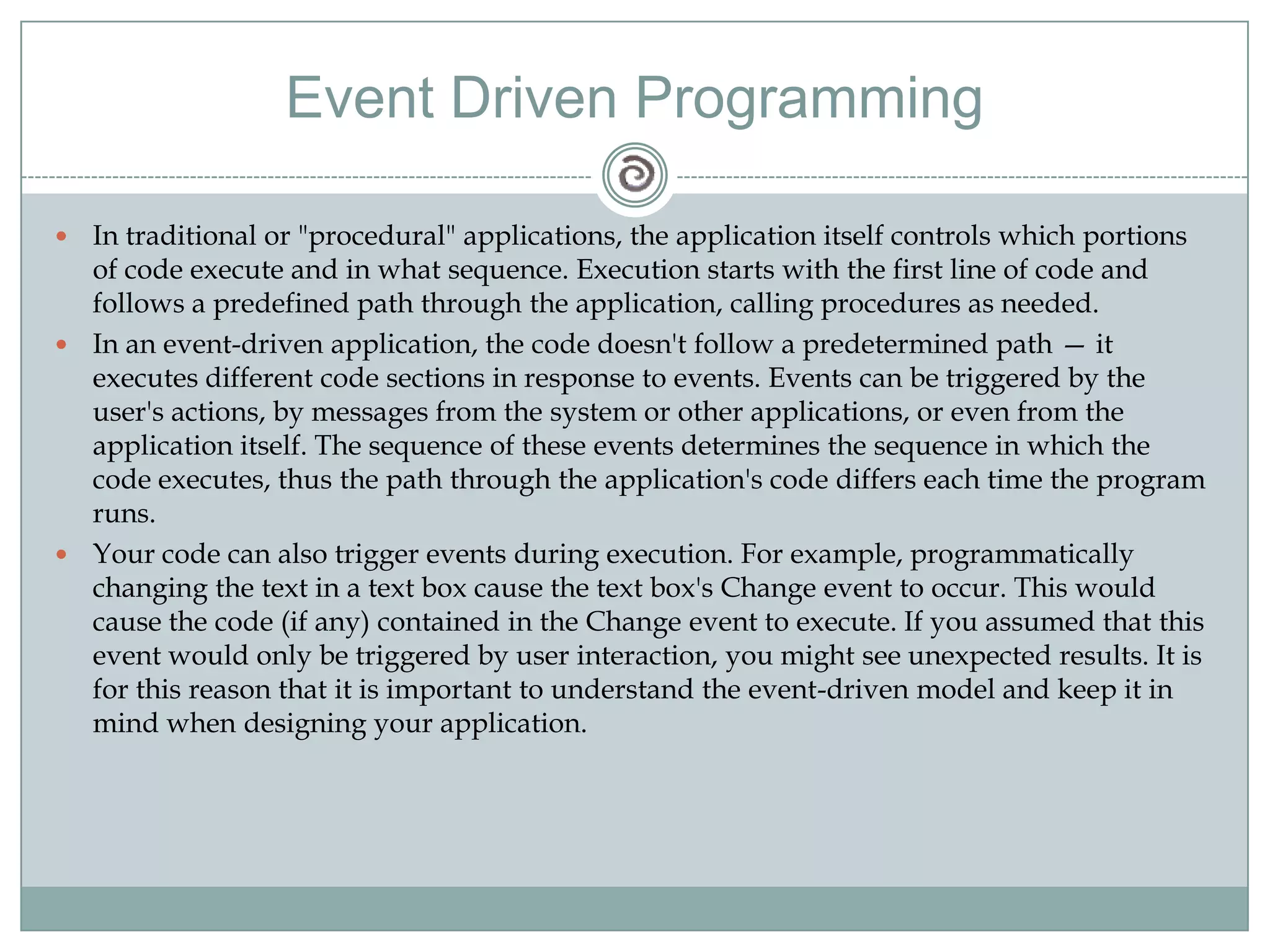
Event Driven ProgrammingIn traditional or "procedural" applications, the application itself controls which portions of code execute and in what sequence. Execution starts with the first line of code and follows a predefined path through the application, calling procedures as needed.In an event-driven application, the code doesn't follow a predetermined path — it executes different code sections in response to events. Events can be triggered by the user's actions, by messages from the system or other applications, or even from the application itself. The sequence of these events determines the sequence in which the code executes, thus the path through the application's code differs each time the program runs.Your code can also trigger events during execution. For example, programmatically changing the text in a text box cause the text box's Change event to occur. This would cause the code (if any) contained in the Change event to execute. If you assumed that this event would only be triggered by user interaction, you might see unexpected results. It is for this reason that it is important to understand the event-driven model and keep it in mind when designing your application.
DEMO
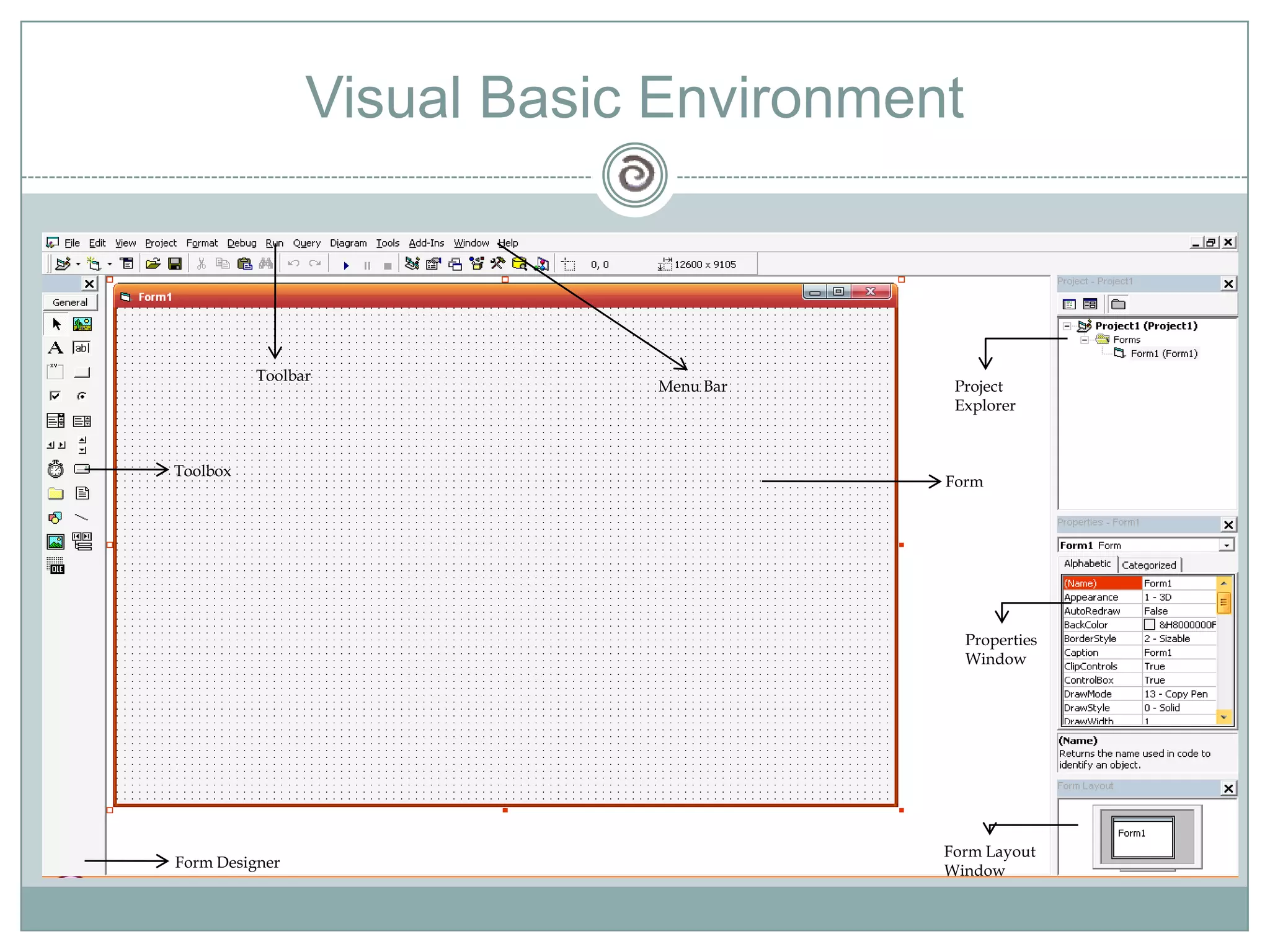
Visual Basic EnvironmentMenu BarToolbarProject ExplorerToolboxFormPropertiesWindowForm LayoutWindowForm Designer
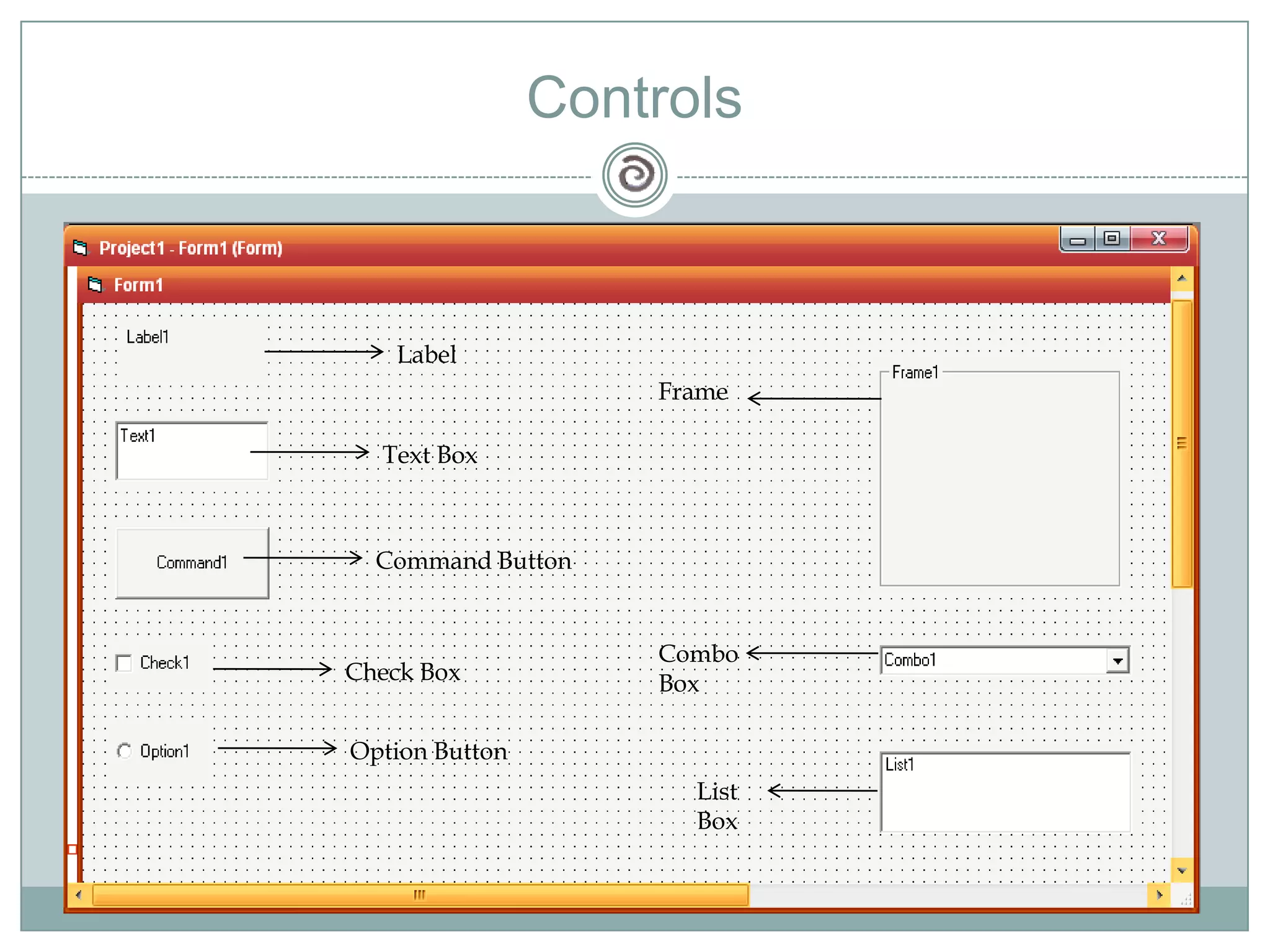
ControlsLabelFrameCombo BoxList BoxText BoxCommand ButtonCheck BoxOption Button
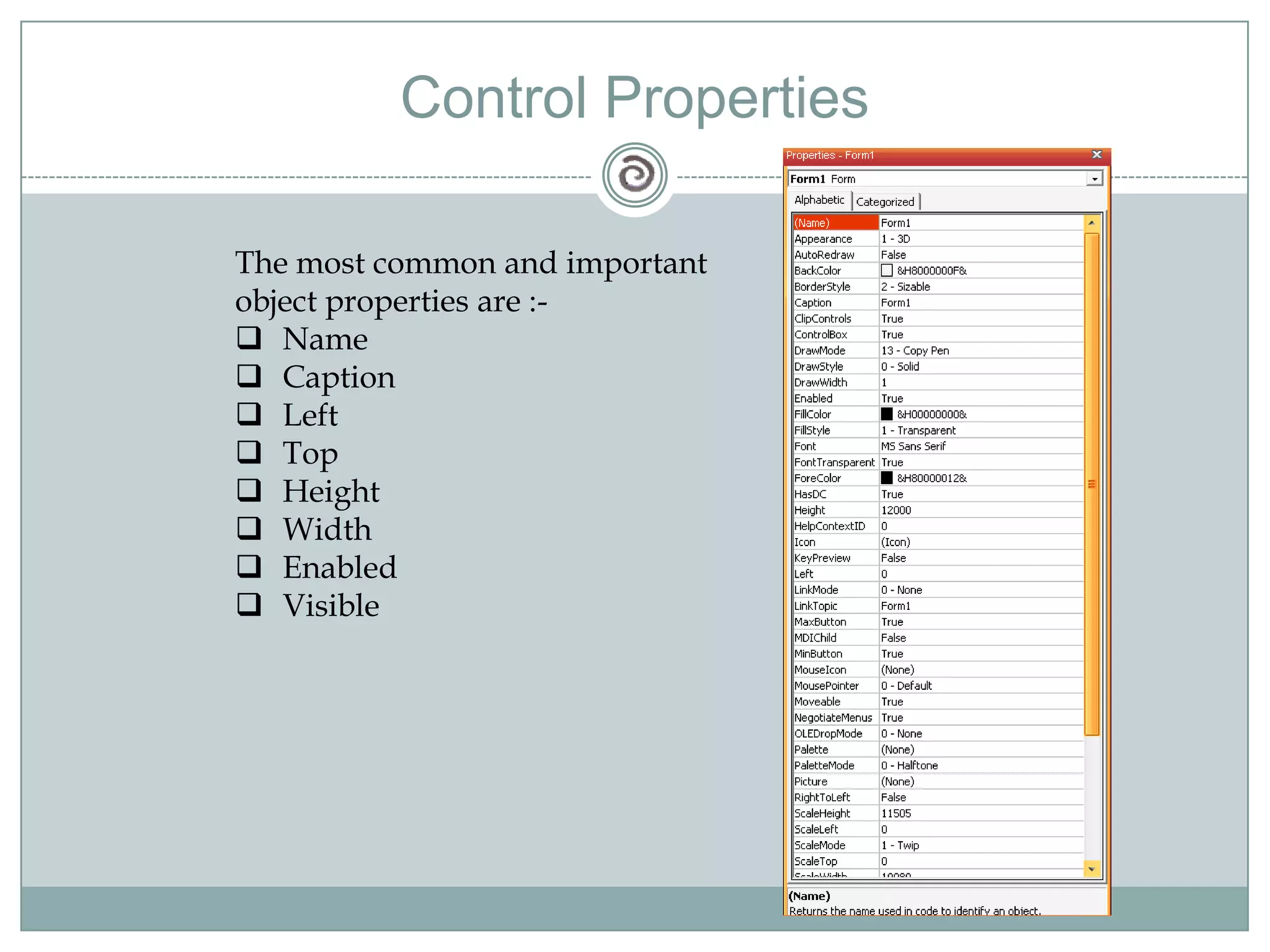
Control PropertiesThe most common and important object properties are :-Name
Caption
Left
Top
Height
Width
Enabled
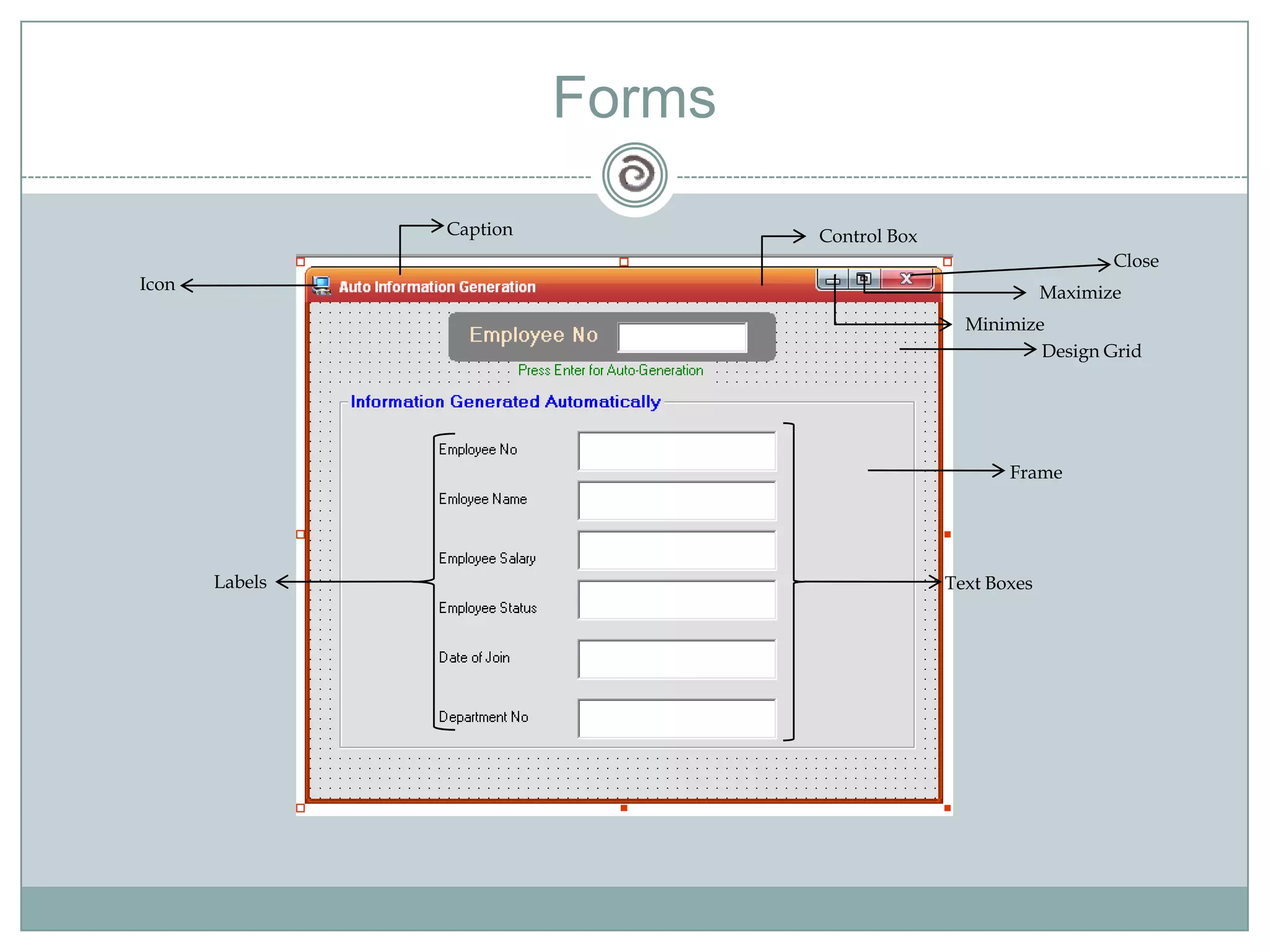
VisibleFormsCaptionControl BoxCloseIconMaximizeMinimizeDesign GridFrameLabelsText Boxes
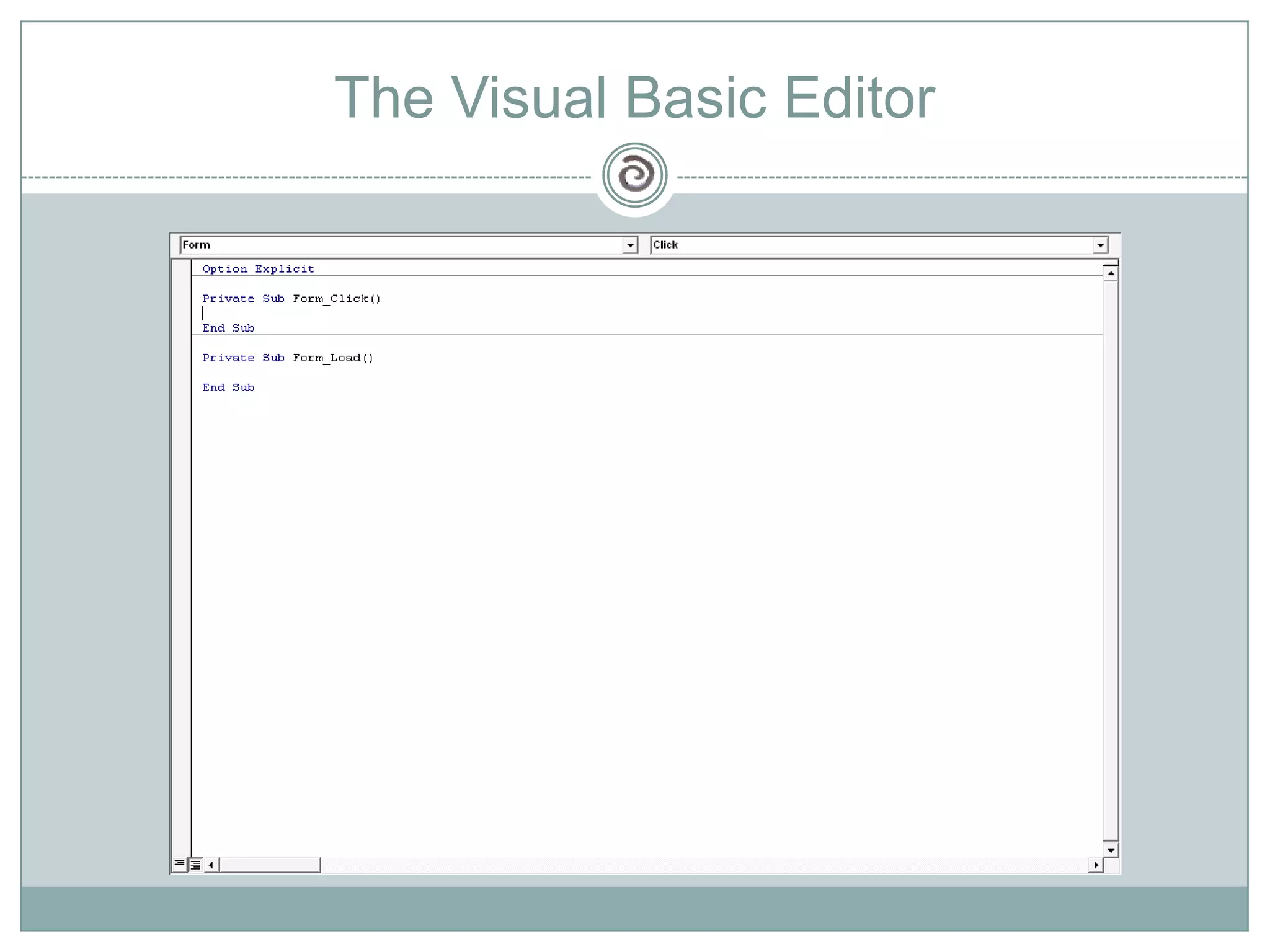
The Visual Basic Editor
DEMO
Data Types and VariablesWriting StatementsMath OperationsControl StatementsFunctionsLanguage Basics
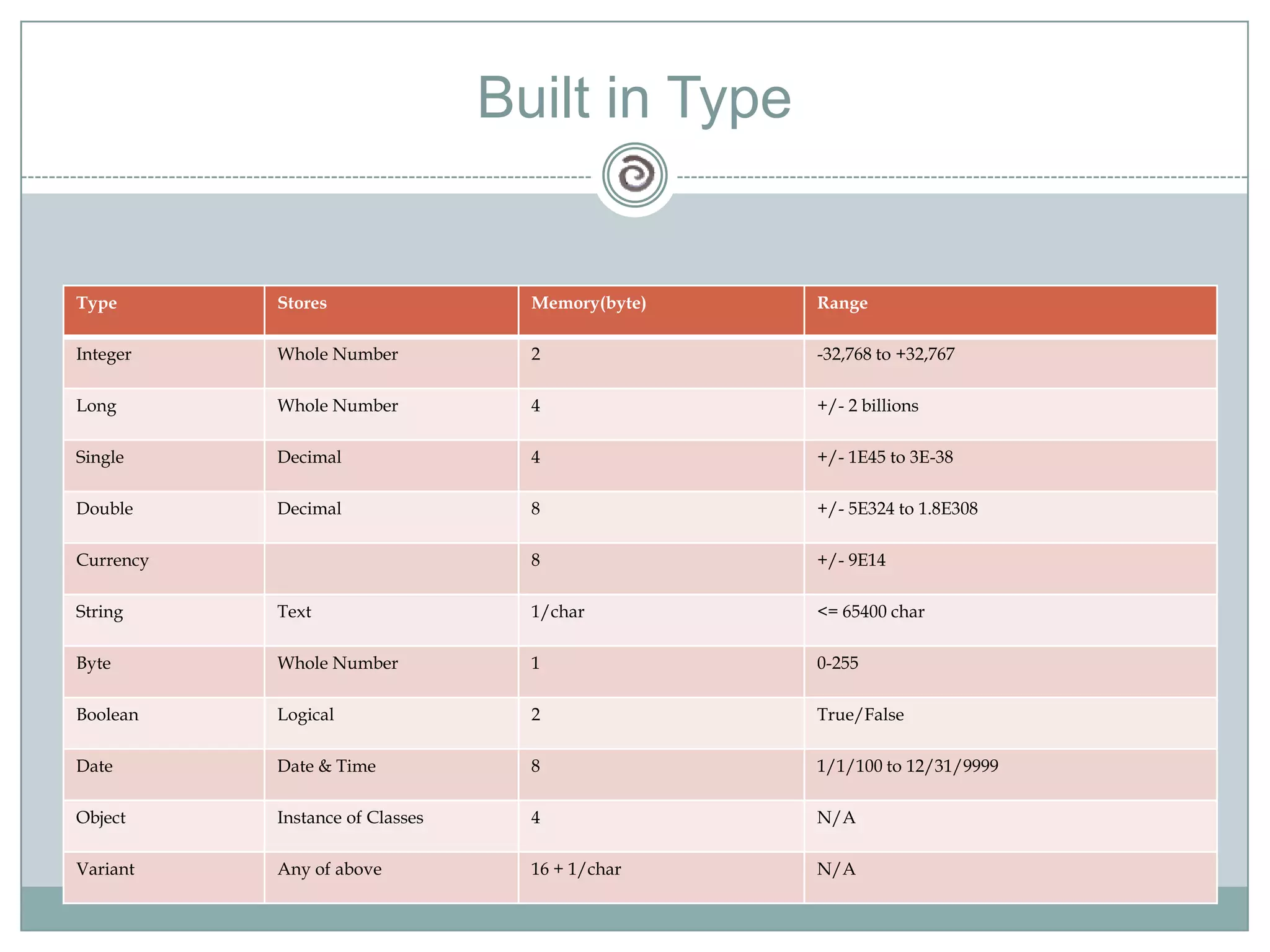
Data TypesA Data Type is a set of values ,together with a set of operations on those values having certain properties.Built in TypeUser Defined Types
Built in Type
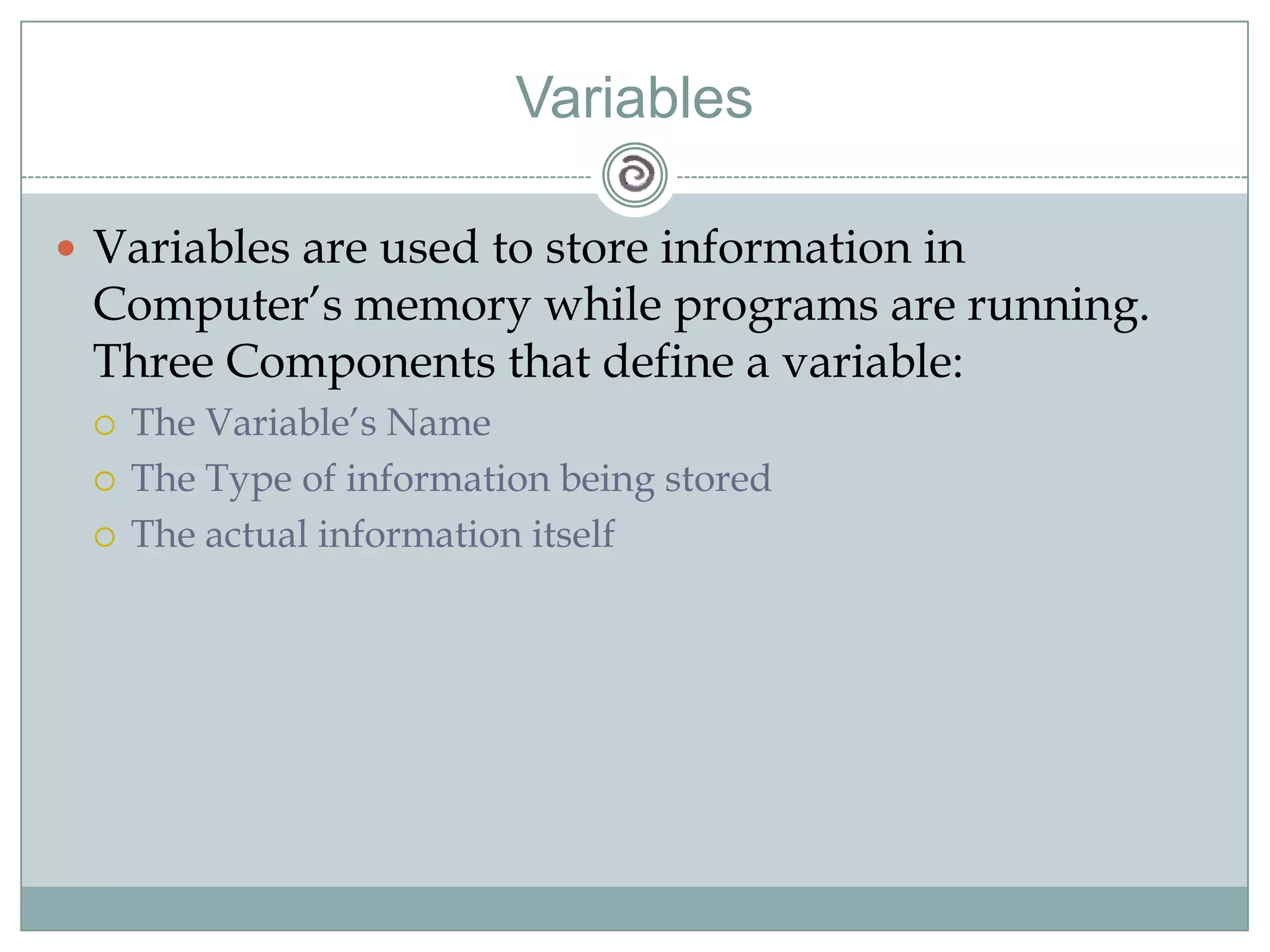
VariablesVariables are used to store information in Computer’s memory while programs are running.  Three Components that define a variable:The Variable’s NameThe Type of information being storedThe actual information itself
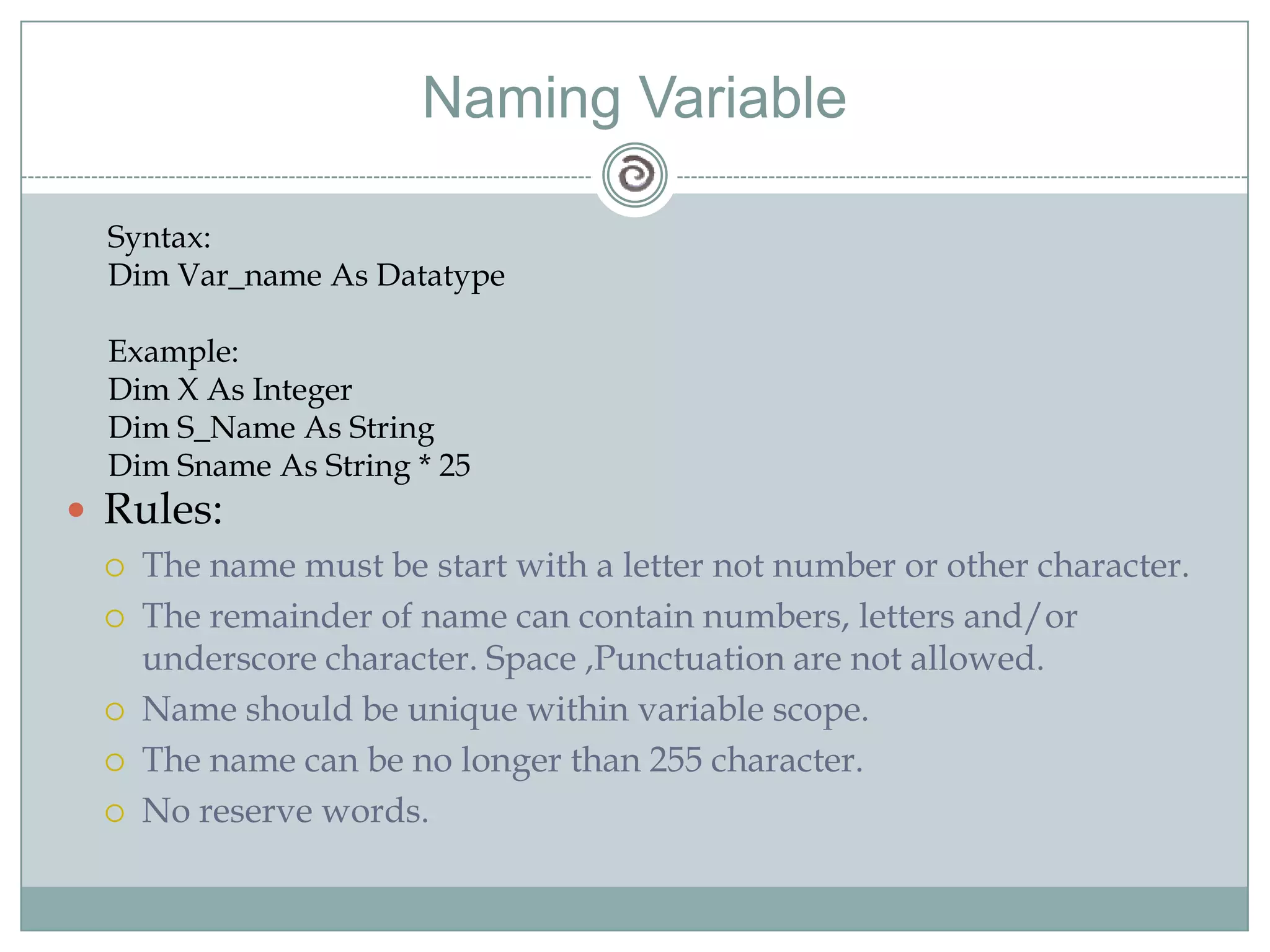
Naming VariableSyntax:Dim Var_name As DatatypeExample:Dim X As IntegerDim S_Name As StringDim Sname As String * 25Rules:The name must be start with a letter not number or other character.The remainder of name can contain numbers, letters and/or underscore character. Space ,Punctuation are not allowed.Name should be unique within variable scope.The name can be no longer than 255 character.No reserve words.
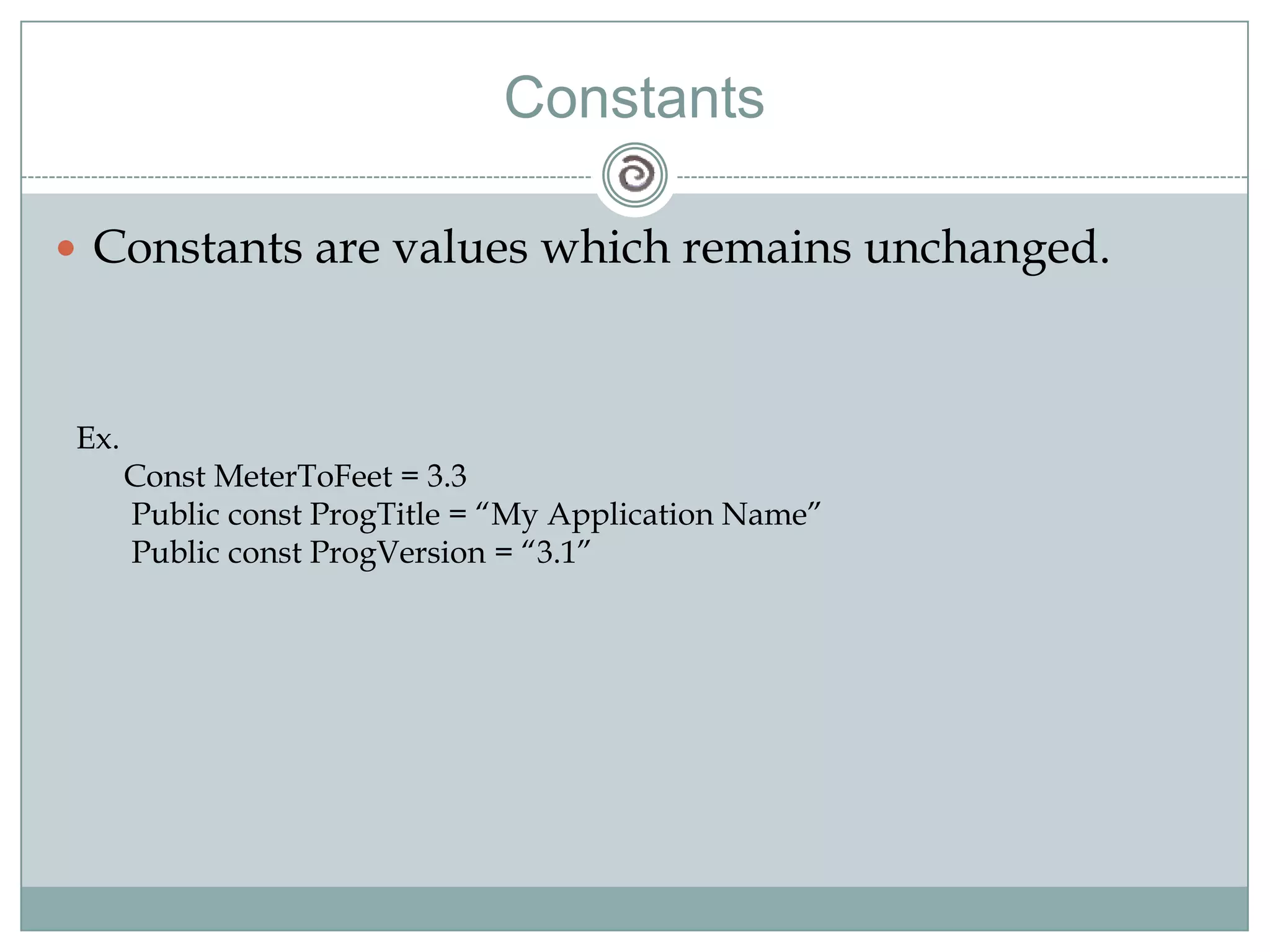
ConstantsConstants are values which remains unchanged.Ex.      Const MeterToFeet = 3.3       Public const ProgTitle = “My Application Name”       Public const ProgVersion = “3.1”
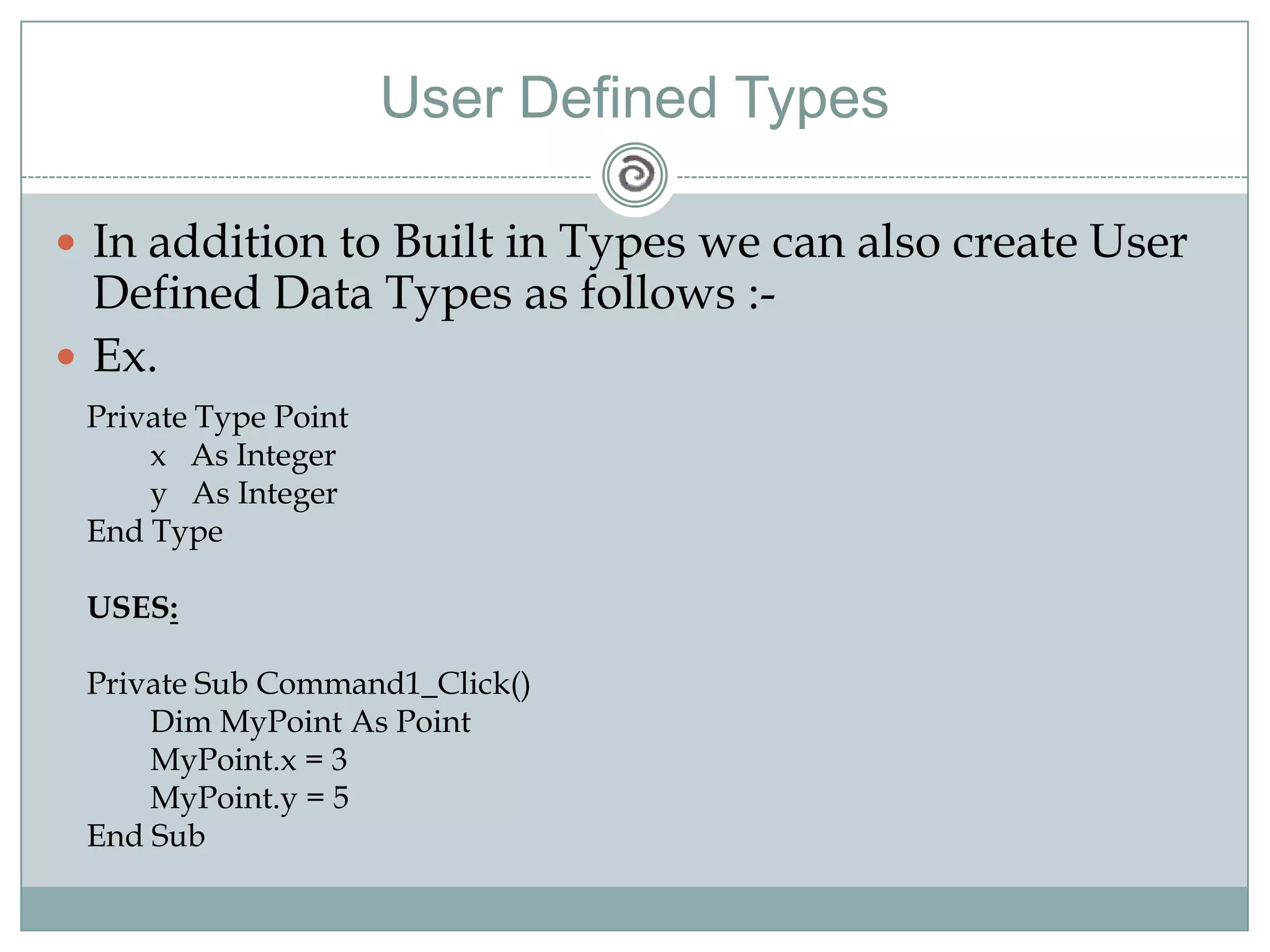
User Defined TypesIn addition to Built in Types we can also create User Defined Data Types as follows :-Ex.Private Type Point        x   As Integer        y   As IntegerEnd TypeUSES:Private Sub Command1_Click()        Dim MyPoint As PointMyPoint.x = 3MyPoint.y = 5End Sub
Writing Statements
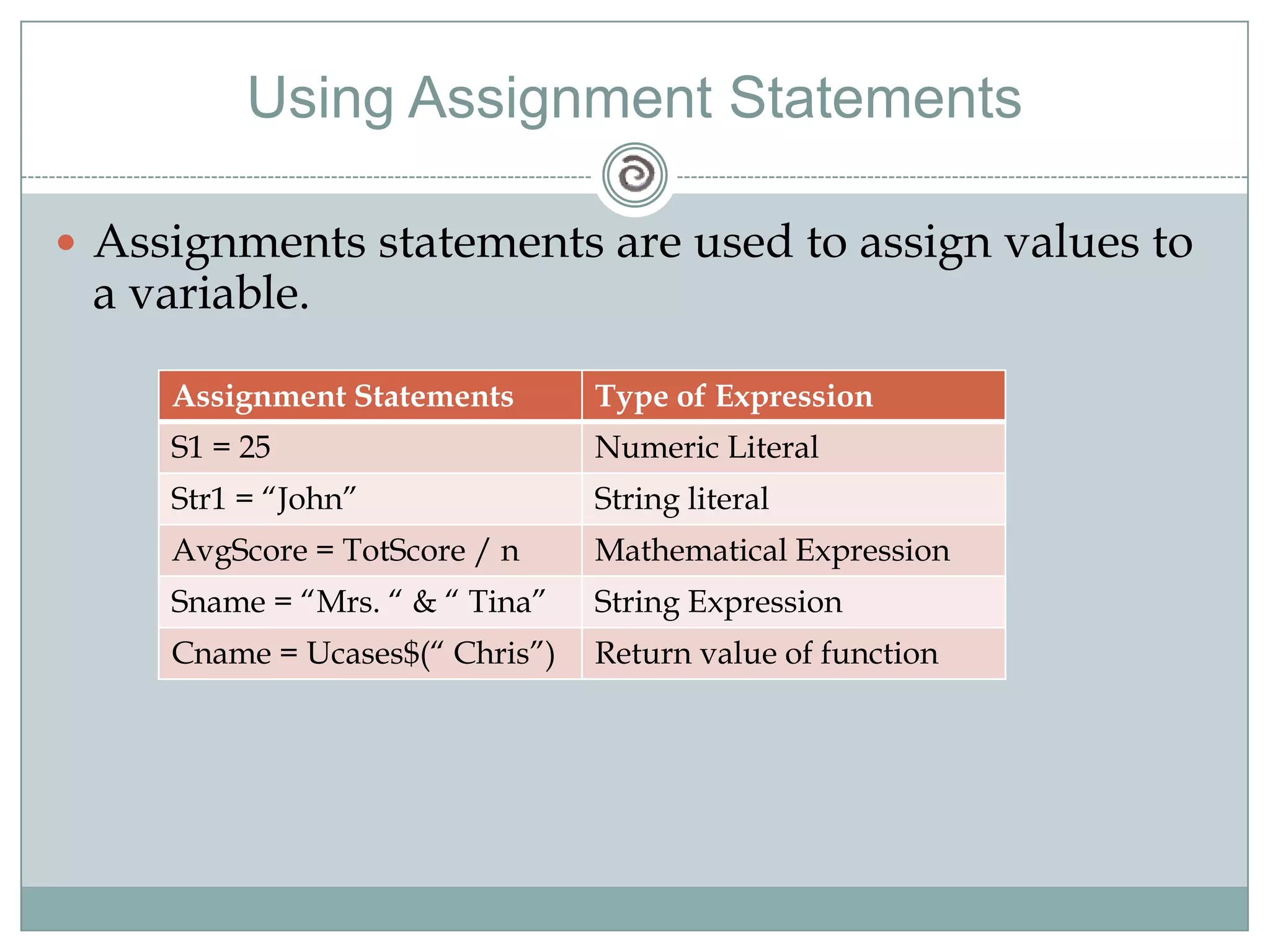
Using Assignment StatementsAssignments statements are used to assign values to a variable.
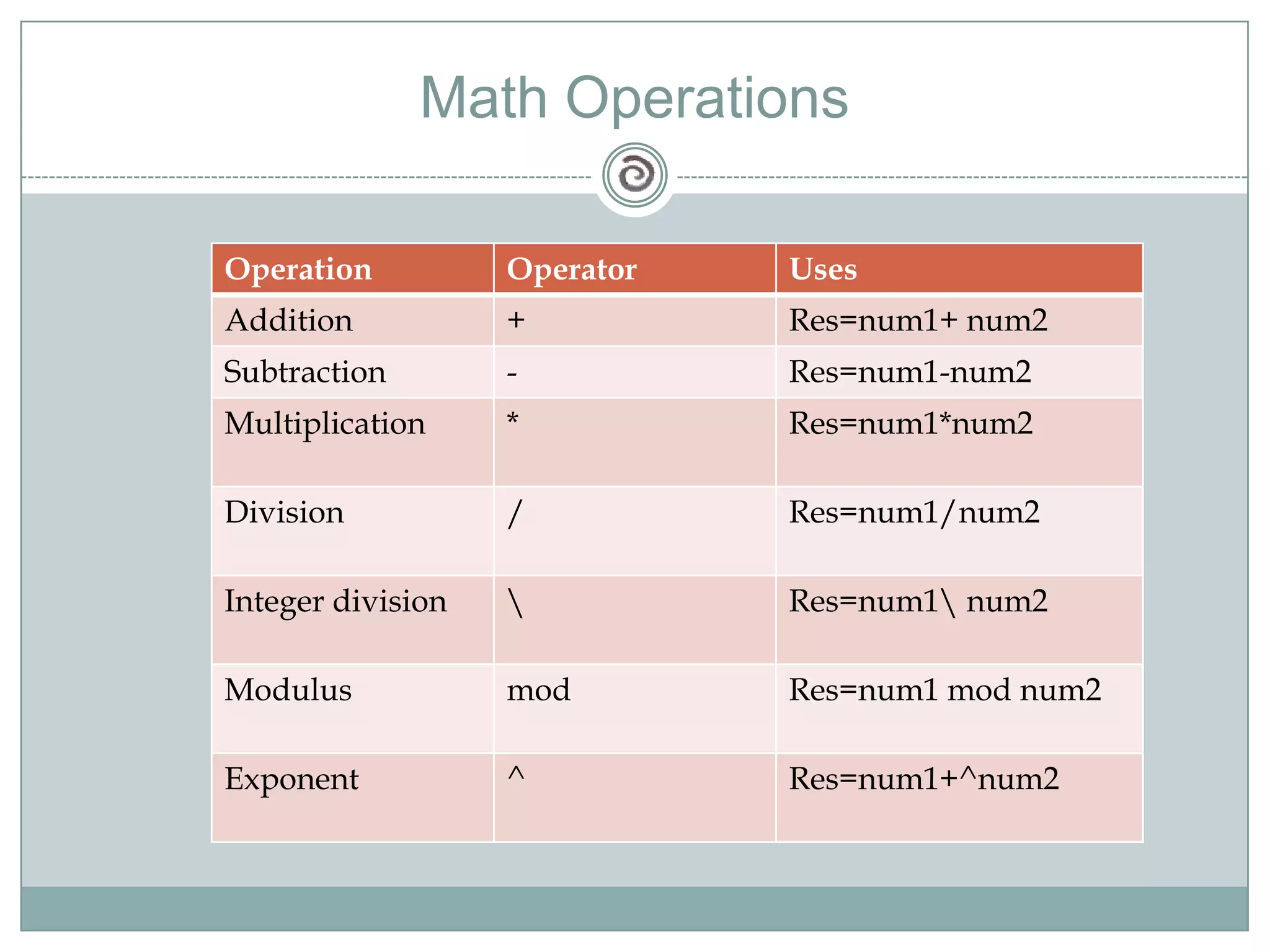
Math Operations
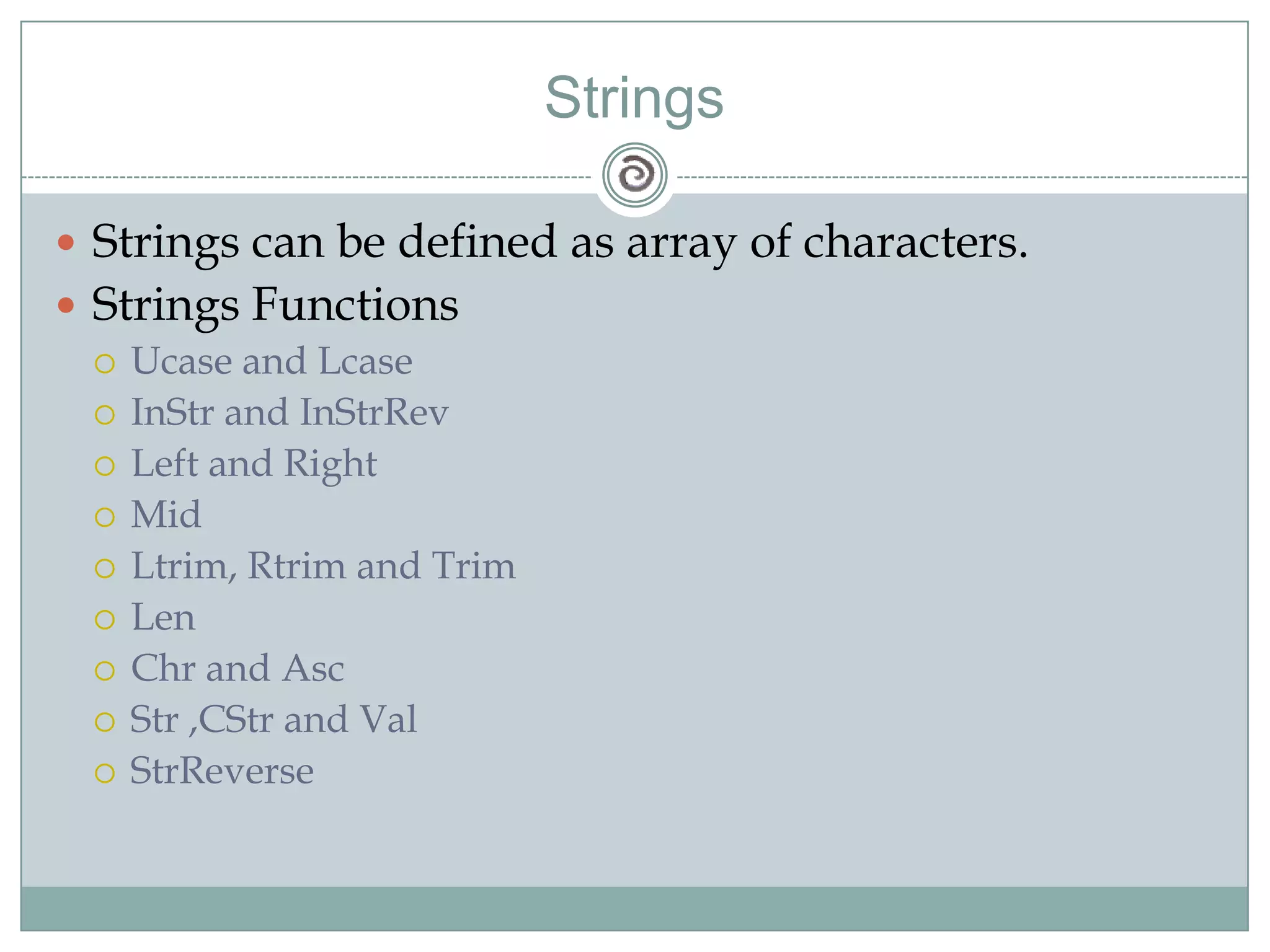
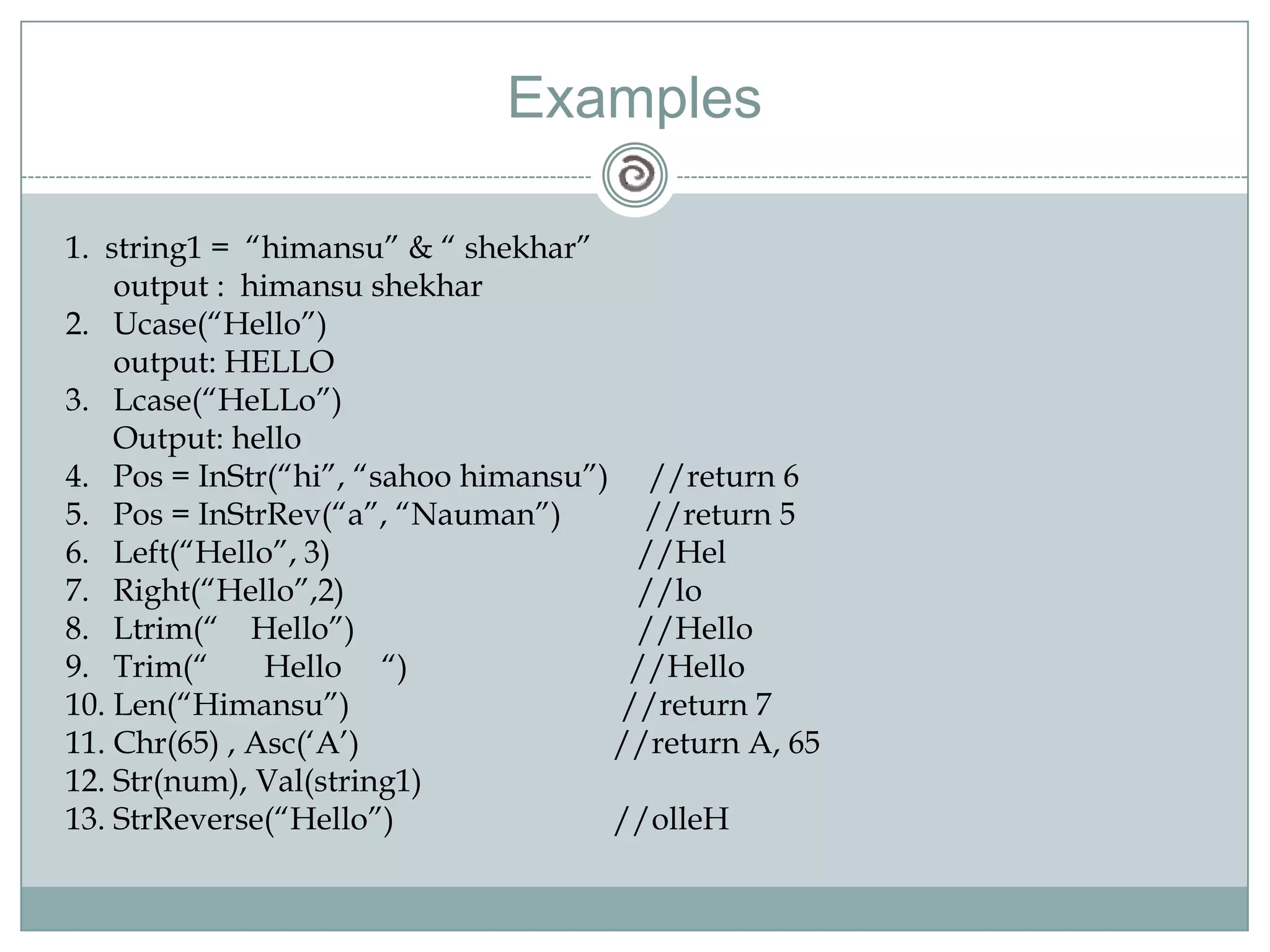
StringsStrings can be defined as array of characters.Strings FunctionsUcase and LcaseInStr and InStrRevLeft and RightMidLtrim, Rtrim and TrimLenChr and AscStr ,CStr and ValStrReverse
Examples1.  string1 =  “himansu” & “ shekhar”	output :  himansushekharUcase(“Hello”)	output: HELLOLcase(“HeLLo”)      Output: helloPos = InStr(“hi”, “sahoohimansu”)     //return 6Pos = InStrRev(“a”, “Nauman”)	         //return 5    	         Left(“Hello”, 3)		        //HelRight(“Hello”,2)		        //loLtrim(“    Hello”)		        //HelloTrim(“       Hello     “)		       //HelloLen(“Himansu”)	     	      //return 7Chr(65) , Asc(‘A’)		     //return A, 65Str(num), Val(string1)StrReverse(“Hello”)		     //olleH
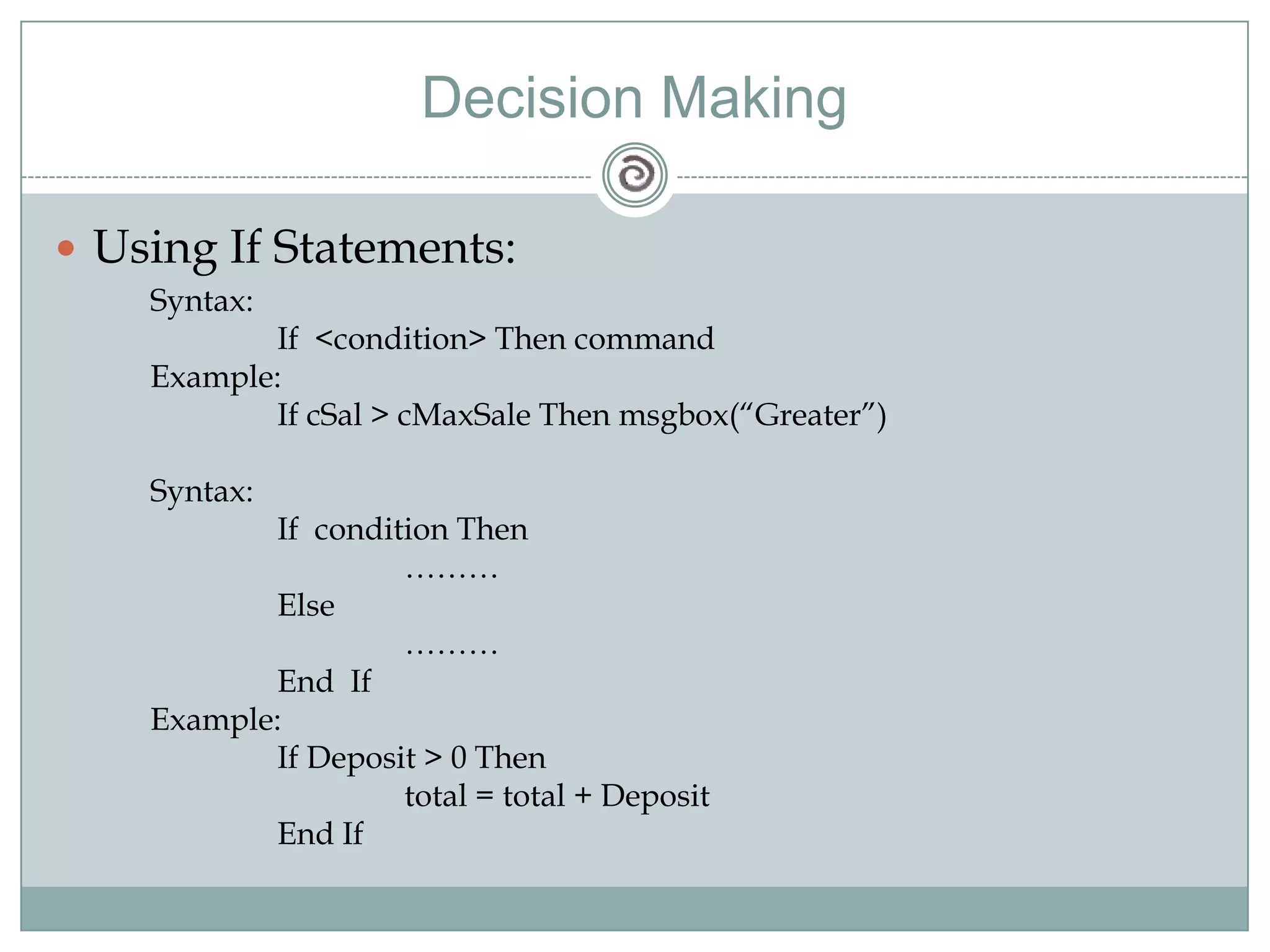
Decision MakingUsing If Statements:Syntax:	If  <condition> Then commandExample:	If cSal > cMaxSale Then msgbox(“Greater”)Syntax:	If  condition Then		………	Else		………	End  IfExample:	If Deposit > 0 Then 		total = total + Deposit	End If
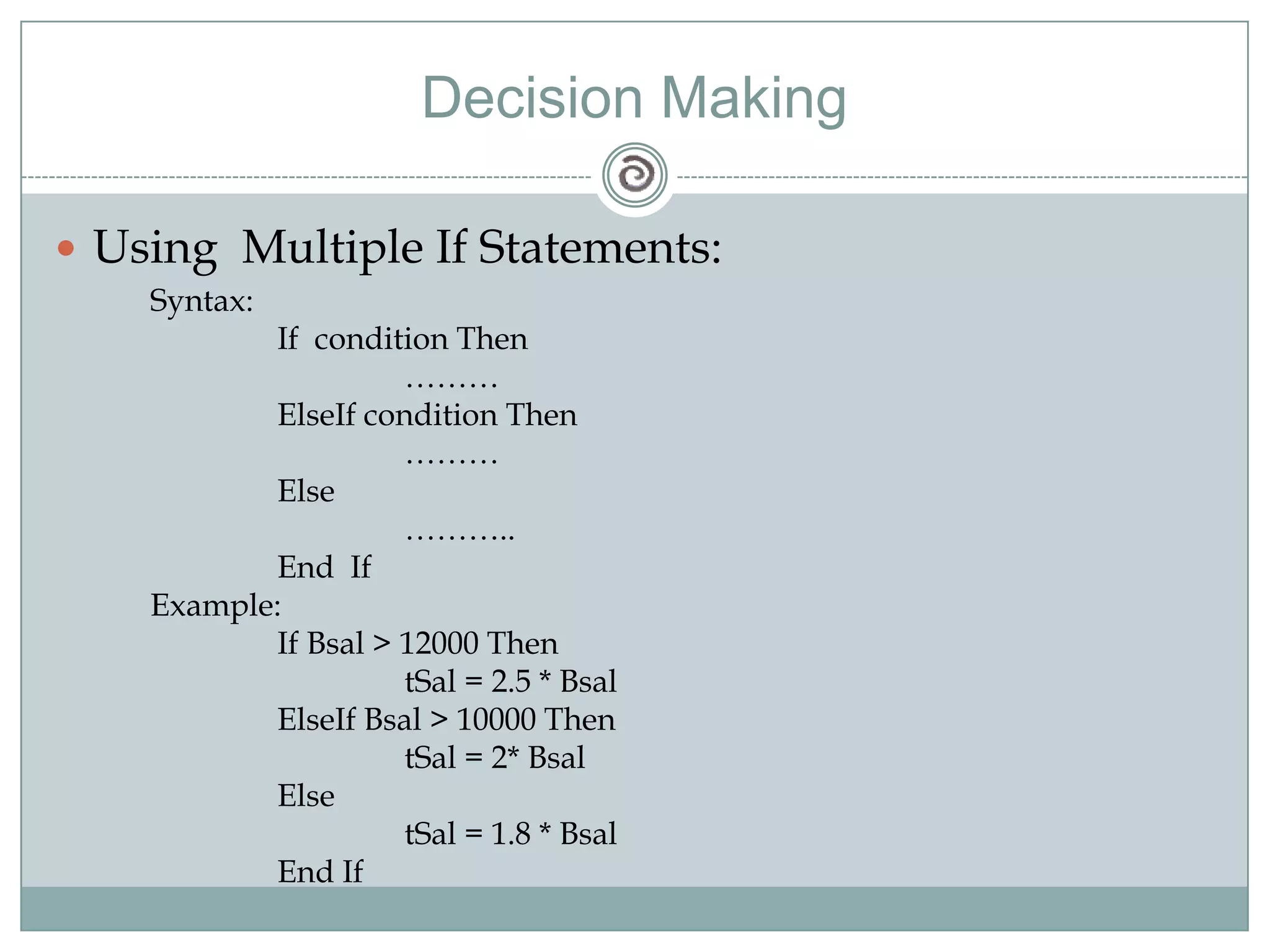
Decision MakingUsing  Multiple If Statements:Syntax:	If  condition Then		………ElseIf condition Then		………	Else		………..		End  IfExample:	If Bsal > 12000 Then tSal = 2.5 * BsalElseIfBsal > 10000 ThentSal = 2* Bsal	ElsetSal = 1.8 * Bsal	End If
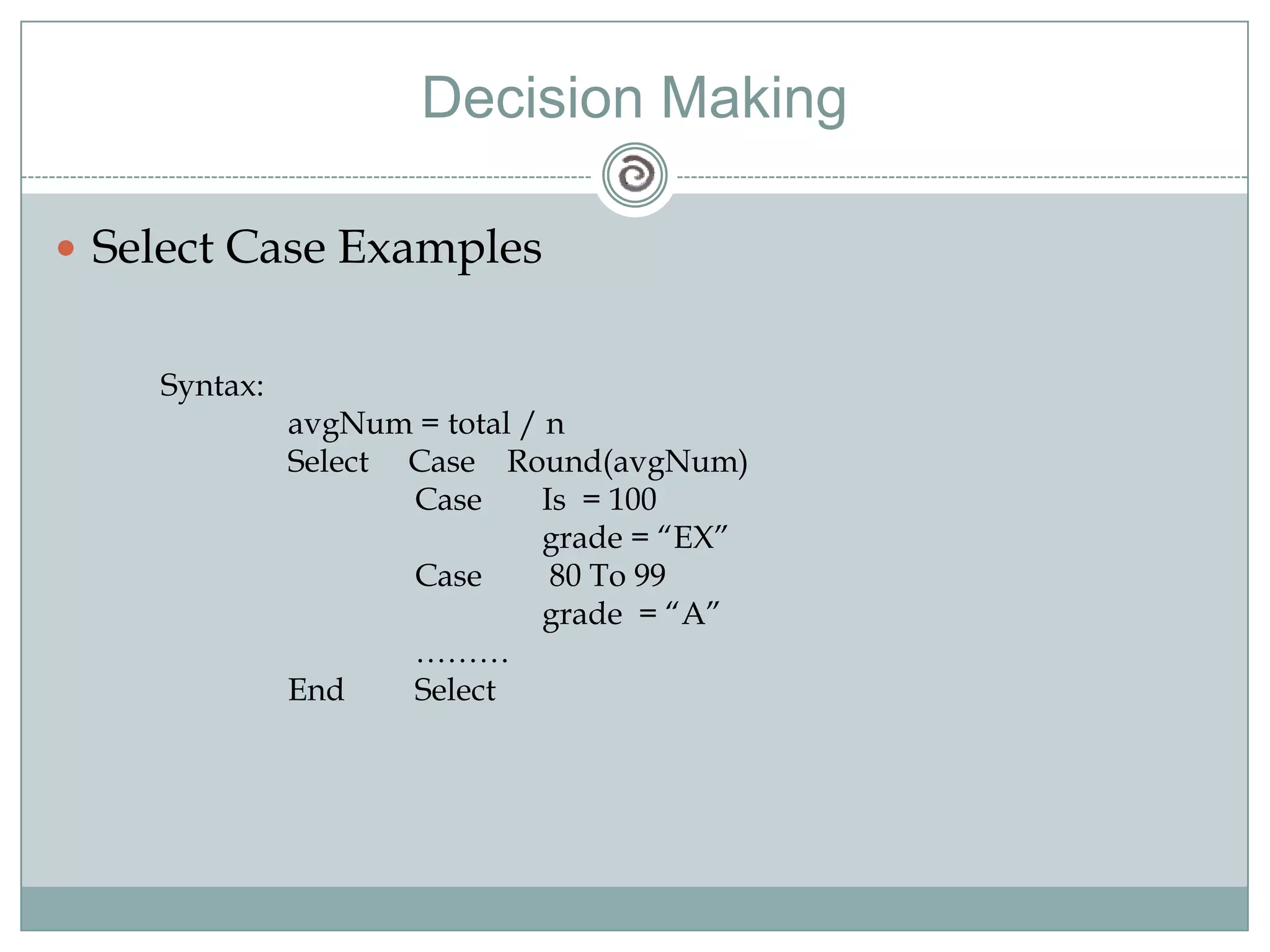
Decision MakingSelect Case ExamplesSyntax:avgNum = total / n	Select     Case    Round(avgNum)		Case	Is  = 100			grade = “EX”		Case	 80 To 99			grade  = “A”		………	End	Select
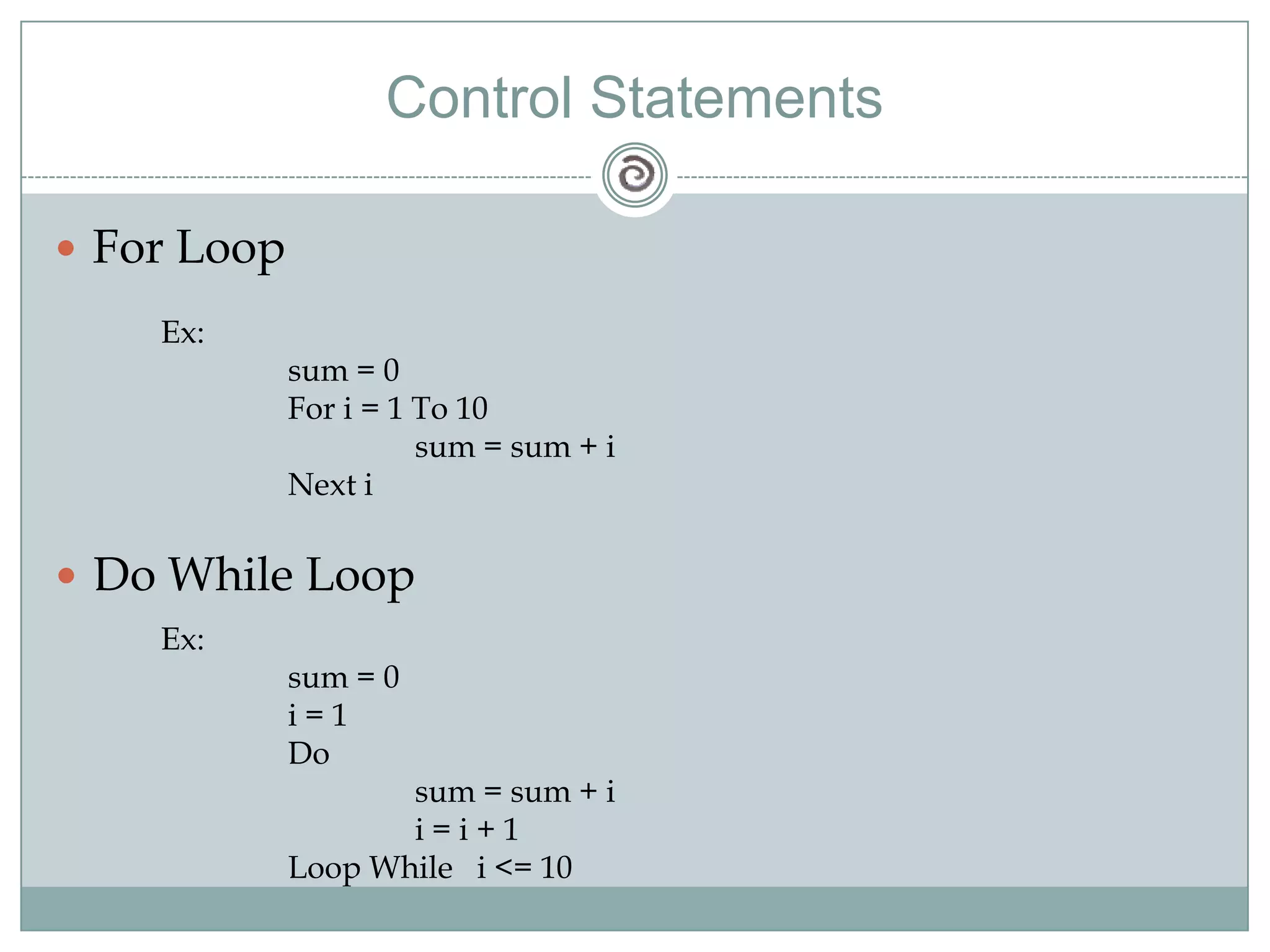
Control StatementsFor LoopEx:	sum = 0	For i = 1 To 10		sum = sum + i	Next iDo While LoopEx:	sum = 0i = 1	Do		sum = sum + ii = i + 1	Loop While   i <= 10
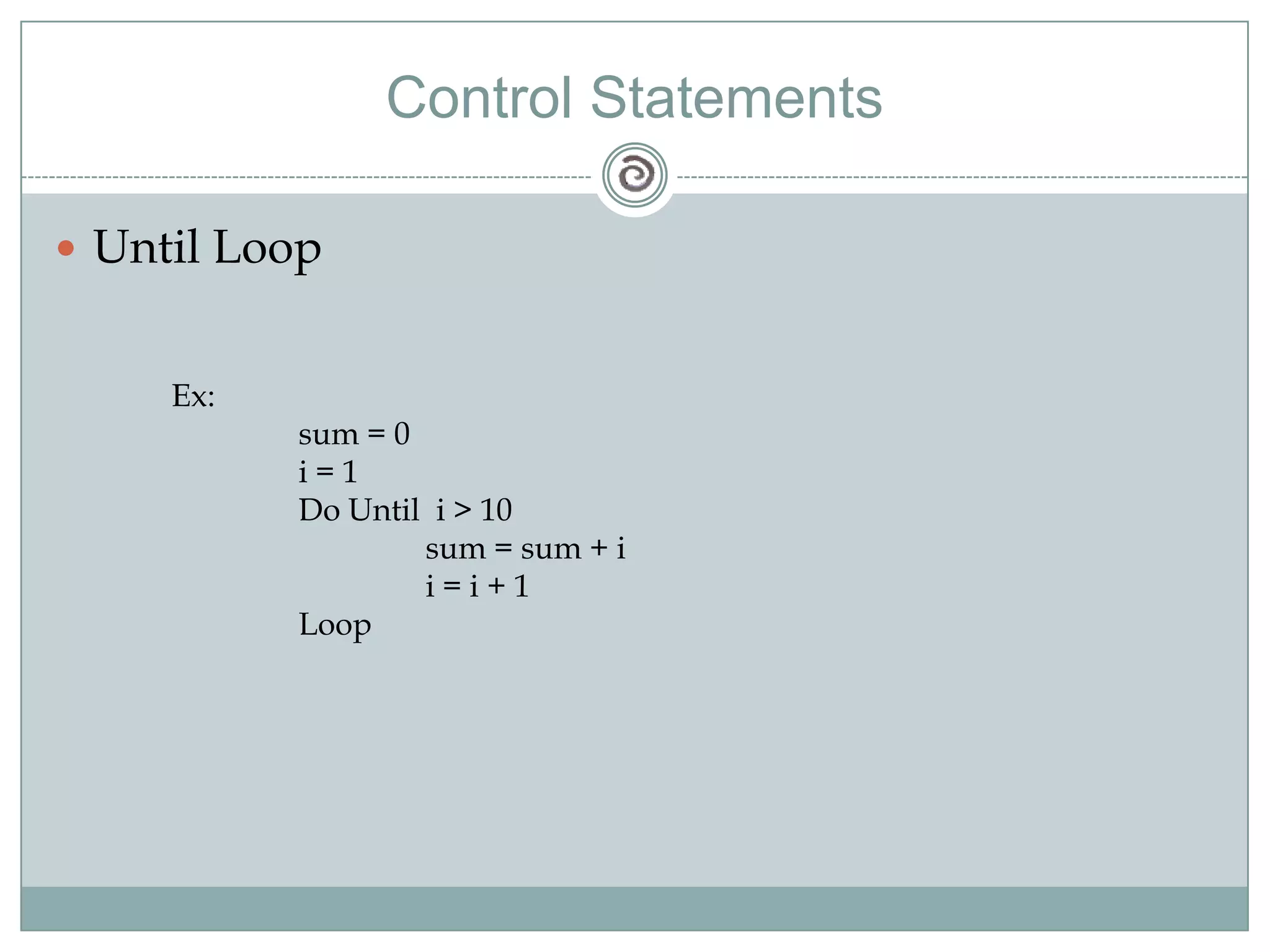
Control StatementsUntil LoopEx:	sum = 0i = 1	Do Until  i > 10		sum = sum + ii = i + 1	Loop
FunctionsBuilt in FunctionsUser Defined FunctionsSub Procedures
Built in FunctionsThese are the functions that are the provided with the Visual Basic Package. Some Examples are:Abs(num)Left(string, n)Val(Text1.Text)Combo1.AddItemCombo1.ClearDate
User Defined FunctionsVisual Basic allows to create user defined functions. User defined functions that are created by the users for specific operations.Ex 1:	Public Function Fun()		msgBox(“Hello”)	End FunctionEx 2:	Public Function AddNum(num1 As Integer, num2 As Integer) As Integer   		 AddNum = num1 + num2	End Function
ProceduresProcedures can be defined in either of two ways.Public proceduresPrivate procedureThese two keywords ( Public and Private ) determines which other programs or procedures have access to your procedures.Procedures are by default Private.
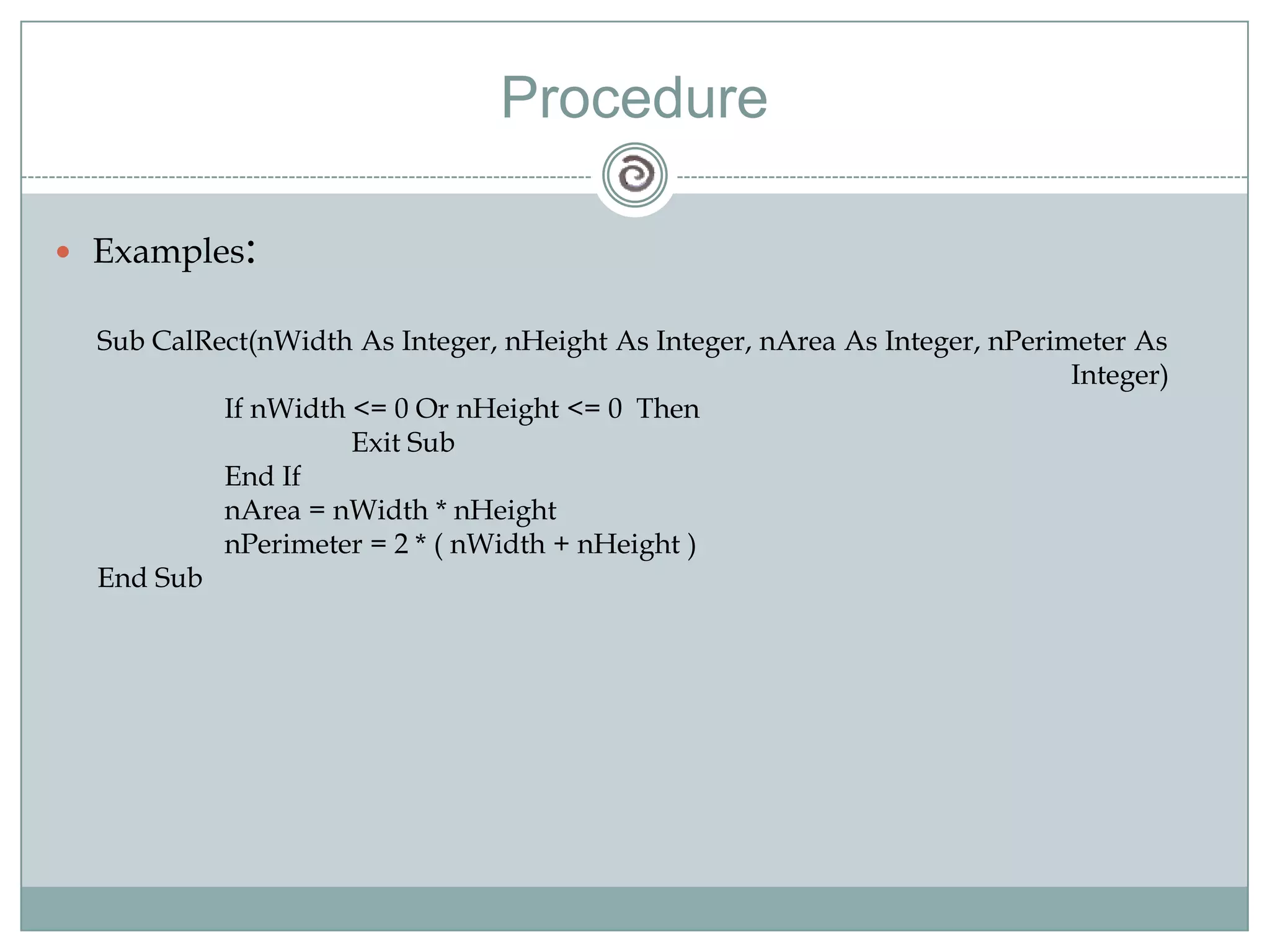
ProcedureExamples:Sub CalRect(nWidth As Integer, nHeight As Integer, nArea As Integer, nPerimeter As 							            Integer)	If nWidth <= 0 Or nHeight <= 0  Then		Exit Sub	End IfnArea = nWidth * nHeightnPerimeter = 2 * ( nWidth + nHeight )End Sub
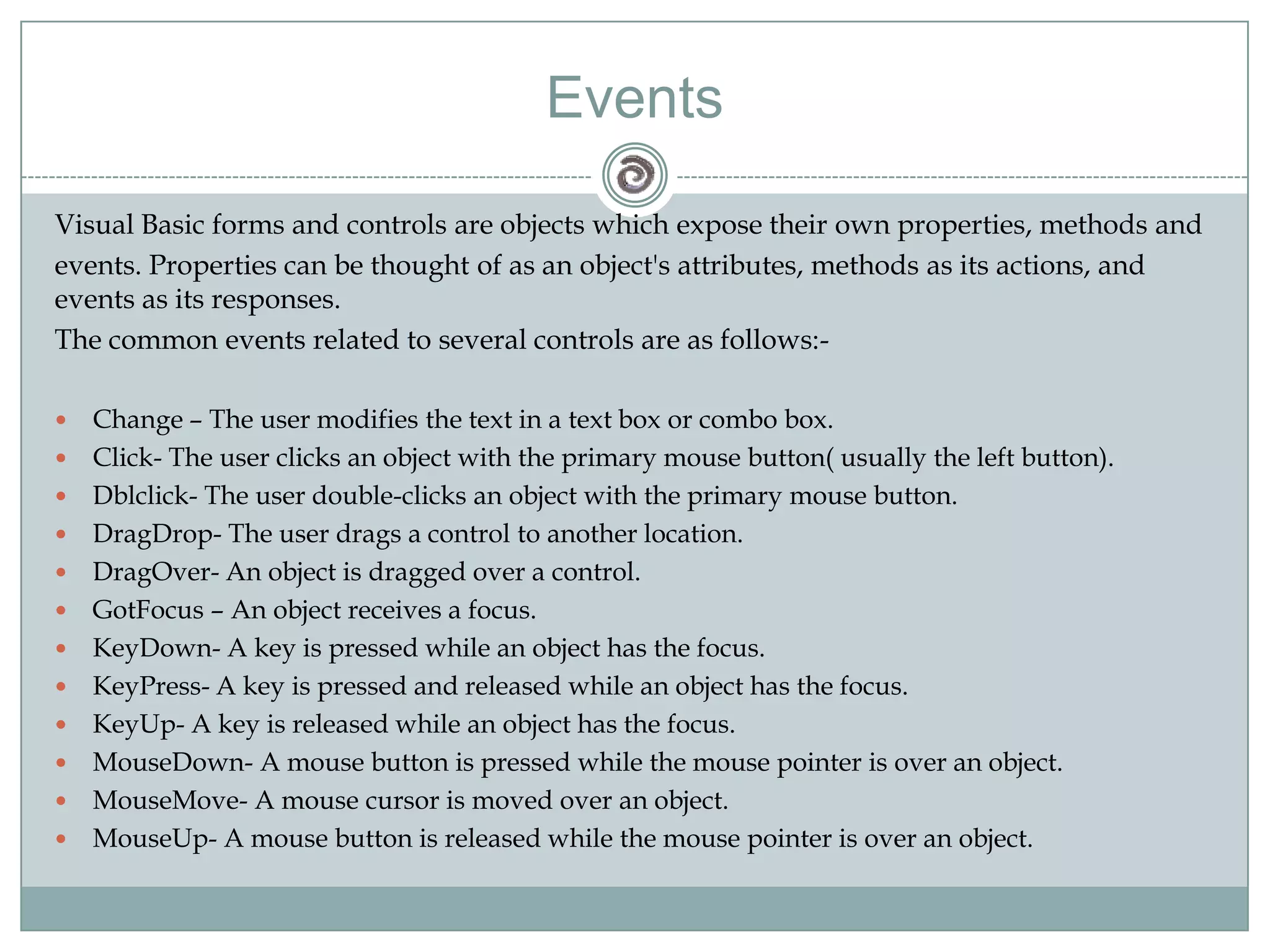
Visual Basic forms and controls are objects which expose their own properties, methods andevents. Properties can be thought of as an object's attributes, methods as its actions, and events as its responses.The common events related to several controls are as follows:-Change – The user modifies the text in a text box or combo box.Click- The user clicks an object with the primary mouse button( usually the left button).Dblclick- The user double-clicks an object with the primary mouse button.DragDrop- The user drags a control to another location.DragOver- An object is dragged over a control.GotFocus – An object receives a focus.KeyDown- A key is pressed while an object has the focus.KeyPress- A key is pressed and released while an object has the focus.KeyUp- A key is released while an object has the focus.MouseDown- A mouse button is pressed while the mouse pointer is over an object.MouseMove- A mouse cursor is moved over an object.MouseUp- A mouse button is released while the mouse pointer is over an object.Events
DEMO
This part explains what is a database and how can it be connected to our vb application.Database connectivity
DatabaseA database is a structured collection of meaningful information stored over a period of time in machine-readable form for subsequent retrieval.

Presentation on visual basic 6 (vb6)

  • 1.
    Visual Basic 6Basicsof Visual Basic 6 Programming
  • 2.
    Design and developInformation Systems with the help of Visual Basic as front-end and MS Access as backend. What is Visual Basic?It is an “Event Driven Programming Language”The "Visual" part refers to the method used to create the graphical user interface (GUI). Rather than writing numerous lines of code to describe the appearance and location of interface elements, you simply add prebuilt objects into place on screen. If you've ever used a drawing program such as Paint, you already have most of the skills necessary to create an effective user interface.The "Basic" part refers to the BASIC (Beginners All-Purpose Symbolic Instruction Code) Visual Basic has evolved from the original BASIC language and now contains several hundred statements, functions, and keywords, many of which relate directly to the Windows GUI. Beginners can create useful applications by learning just a few of the keywords, yet the power of the language allows professionals to accomplish anything that can be accomplished using any other Windows programming language
  • 3.
    Why Visual Basic??Dataaccess features allow you to create databases, front-end applications, and scalable server-side components for most popular database formats, including Microsoft SQL Server and other enterprise-level databases.ActiveX™ technologies allow you to use the functionality provided by other applications, such as Microsoft Word word processor, Microsoft Excel spreadsheet, and other Windows applications. You can even automate applications and objects created using the Professional or Enterprise editions of Visual Basic.Internet capabilities make it easy to provide access to documents and applications across the Internet or intranet from within your application, or to create Internet server applications.Your finished application is a true .exe file that uses a Visual Basic Virtual Machine that you can freely distribute.
  • 4.
    Interpreting and CompilingThetraditional application development process :writing compilingtesting codeVisual Basic uses an interactive approach to development, blurring the distinction between the three steps. Visual Basic interprets your code as you enter it, catching and highlighting most syntax or spelling errors on the fly. It's almost like having an expert watching over your shoulder as you enter your code.In addition to catching errors on the fly, Visual Basic also partially compiles the code as it is entered. When you are ready to run and test your application, there is only a brief delay to finish compiling.Compilation also possible to generate faster applications
  • 5.
    Key Conceptswindows, eventsand messages.Think of a window as simply a rectangular region with its own boundaries. Explorer window document window within your word processing program, dialog box ,Icons, text boxes, option buttons and menu bars are all windows OS manages all of these many windows by assigning each one a unique id number (window handle or hWnd). The system continually monitors each of these windows for signs of activity or events. Events can occur through user actions such as a mouse click or a key press, through programmatic control, or even as a result of another window's actions.Each time an event occurs, it causes a message to be sent to the operating system. The system processes the message and broadcasts it to the other windows. Each window can then take the appropriate action based on its own instructions for dealing with that particular message (for example, repainting itself when it has been uncovered by another window).Visual Basic insulates you from having to deal with all of the low-level message handling.
  • 6.
    Event Driven ProgrammingIntraditional or "procedural" applications, the application itself controls which portions of code execute and in what sequence. Execution starts with the first line of code and follows a predefined path through the application, calling procedures as needed.In an event-driven application, the code doesn't follow a predetermined path — it executes different code sections in response to events. Events can be triggered by the user's actions, by messages from the system or other applications, or even from the application itself. The sequence of these events determines the sequence in which the code executes, thus the path through the application's code differs each time the program runs.Your code can also trigger events during execution. For example, programmatically changing the text in a text box cause the text box's Change event to occur. This would cause the code (if any) contained in the Change event to execute. If you assumed that this event would only be triggered by user interaction, you might see unexpected results. It is for this reason that it is important to understand the event-driven model and keep it in mind when designing your application.
  • 7.
  • 8.
    Visual Basic EnvironmentMenuBarToolbarProject ExplorerToolboxFormPropertiesWindowForm LayoutWindowForm Designer
  • 9.
    ControlsLabelFrameCombo BoxList BoxTextBoxCommand ButtonCheck BoxOption Button
  • 10.
    Control PropertiesThe mostcommon and important object properties are :-Name
  • 11.
  • 12.
  • 13.
  • 14.
  • 15.
  • 16.
  • 17.
  • 18.
  • 19.
  • 20.
    Data Types andVariablesWriting StatementsMath OperationsControl StatementsFunctionsLanguage Basics
  • 21.
    Data TypesA DataType is a set of values ,together with a set of operations on those values having certain properties.Built in TypeUser Defined Types
  • 22.
  • 23.
    VariablesVariables are usedto store information in Computer’s memory while programs are running. Three Components that define a variable:The Variable’s NameThe Type of information being storedThe actual information itself
  • 24.
    Naming VariableSyntax:Dim Var_nameAs DatatypeExample:Dim X As IntegerDim S_Name As StringDim Sname As String * 25Rules:The name must be start with a letter not number or other character.The remainder of name can contain numbers, letters and/or underscore character. Space ,Punctuation are not allowed.Name should be unique within variable scope.The name can be no longer than 255 character.No reserve words.
  • 25.
    ConstantsConstants are valueswhich remains unchanged.Ex. Const MeterToFeet = 3.3 Public const ProgTitle = “My Application Name” Public const ProgVersion = “3.1”
  • 26.
    User Defined TypesInaddition to Built in Types we can also create User Defined Data Types as follows :-Ex.Private Type Point x As Integer y As IntegerEnd TypeUSES:Private Sub Command1_Click() Dim MyPoint As PointMyPoint.x = 3MyPoint.y = 5End Sub
  • 27.
  • 28.
    Using Assignment StatementsAssignmentsstatements are used to assign values to a variable.
  • 29.
  • 30.
    StringsStrings can bedefined as array of characters.Strings FunctionsUcase and LcaseInStr and InStrRevLeft and RightMidLtrim, Rtrim and TrimLenChr and AscStr ,CStr and ValStrReverse
  • 31.
    Examples1. string1= “himansu” & “ shekhar” output : himansushekharUcase(“Hello”) output: HELLOLcase(“HeLLo”) Output: helloPos = InStr(“hi”, “sahoohimansu”) //return 6Pos = InStrRev(“a”, “Nauman”) //return 5 Left(“Hello”, 3) //HelRight(“Hello”,2) //loLtrim(“ Hello”) //HelloTrim(“ Hello “) //HelloLen(“Himansu”) //return 7Chr(65) , Asc(‘A’) //return A, 65Str(num), Val(string1)StrReverse(“Hello”) //olleH
  • 32.
    Decision MakingUsing IfStatements:Syntax: If <condition> Then commandExample: If cSal > cMaxSale Then msgbox(“Greater”)Syntax: If condition Then ……… Else ……… End IfExample: If Deposit > 0 Then total = total + Deposit End If
  • 33.
    Decision MakingUsing Multiple If Statements:Syntax: If condition Then ………ElseIf condition Then ……… Else ……….. End IfExample: If Bsal > 12000 Then tSal = 2.5 * BsalElseIfBsal > 10000 ThentSal = 2* Bsal ElsetSal = 1.8 * Bsal End If
  • 34.
    Decision MakingSelect CaseExamplesSyntax:avgNum = total / n Select Case Round(avgNum) Case Is = 100 grade = “EX” Case 80 To 99 grade = “A” ……… End Select
  • 35.
    Control StatementsFor LoopEx: sum= 0 For i = 1 To 10 sum = sum + i Next iDo While LoopEx: sum = 0i = 1 Do sum = sum + ii = i + 1 Loop While i <= 10
  • 36.
    Control StatementsUntil LoopEx: sum= 0i = 1 Do Until i > 10 sum = sum + ii = i + 1 Loop
  • 37.
    FunctionsBuilt in FunctionsUserDefined FunctionsSub Procedures
  • 38.
    Built in FunctionsTheseare the functions that are the provided with the Visual Basic Package. Some Examples are:Abs(num)Left(string, n)Val(Text1.Text)Combo1.AddItemCombo1.ClearDate
  • 39.
    User Defined FunctionsVisualBasic allows to create user defined functions. User defined functions that are created by the users for specific operations.Ex 1: Public Function Fun() msgBox(“Hello”) End FunctionEx 2: Public Function AddNum(num1 As Integer, num2 As Integer) As Integer AddNum = num1 + num2 End Function
  • 40.
    ProceduresProcedures can bedefined in either of two ways.Public proceduresPrivate procedureThese two keywords ( Public and Private ) determines which other programs or procedures have access to your procedures.Procedures are by default Private.
  • 41.
    ProcedureExamples:Sub CalRect(nWidth AsInteger, nHeight As Integer, nArea As Integer, nPerimeter As Integer) If nWidth <= 0 Or nHeight <= 0 Then Exit Sub End IfnArea = nWidth * nHeightnPerimeter = 2 * ( nWidth + nHeight )End Sub
  • 42.
    Visual Basic formsand controls are objects which expose their own properties, methods andevents. Properties can be thought of as an object's attributes, methods as its actions, and events as its responses.The common events related to several controls are as follows:-Change – The user modifies the text in a text box or combo box.Click- The user clicks an object with the primary mouse button( usually the left button).Dblclick- The user double-clicks an object with the primary mouse button.DragDrop- The user drags a control to another location.DragOver- An object is dragged over a control.GotFocus – An object receives a focus.KeyDown- A key is pressed while an object has the focus.KeyPress- A key is pressed and released while an object has the focus.KeyUp- A key is released while an object has the focus.MouseDown- A mouse button is pressed while the mouse pointer is over an object.MouseMove- A mouse cursor is moved over an object.MouseUp- A mouse button is released while the mouse pointer is over an object.Events
  • 43.
  • 44.
    This part explainswhat is a database and how can it be connected to our vb application.Database connectivity
  • 45.
    DatabaseA database isa structured collection of meaningful information stored over a period of time in machine-readable form for subsequent retrieval.
  • 46.
    Tables(Tuples or relations)are used to represent collections of objects or events in the real world.
  • 47.
    A row ina table represents a record consisting of values relative to an entity by its attribute field.
  • 48.
    A column ,alsoknown as field represents an attribute of the entity.
  • 49.
    A primary keyis defined as a field or a group of fields which uniquely defines a single row or record in a table. Ways to connect DAO(Data Access Objects)RDO(Remote Data Objects)ADODC(ActiveX Data Objects Data Control)
  • 50.
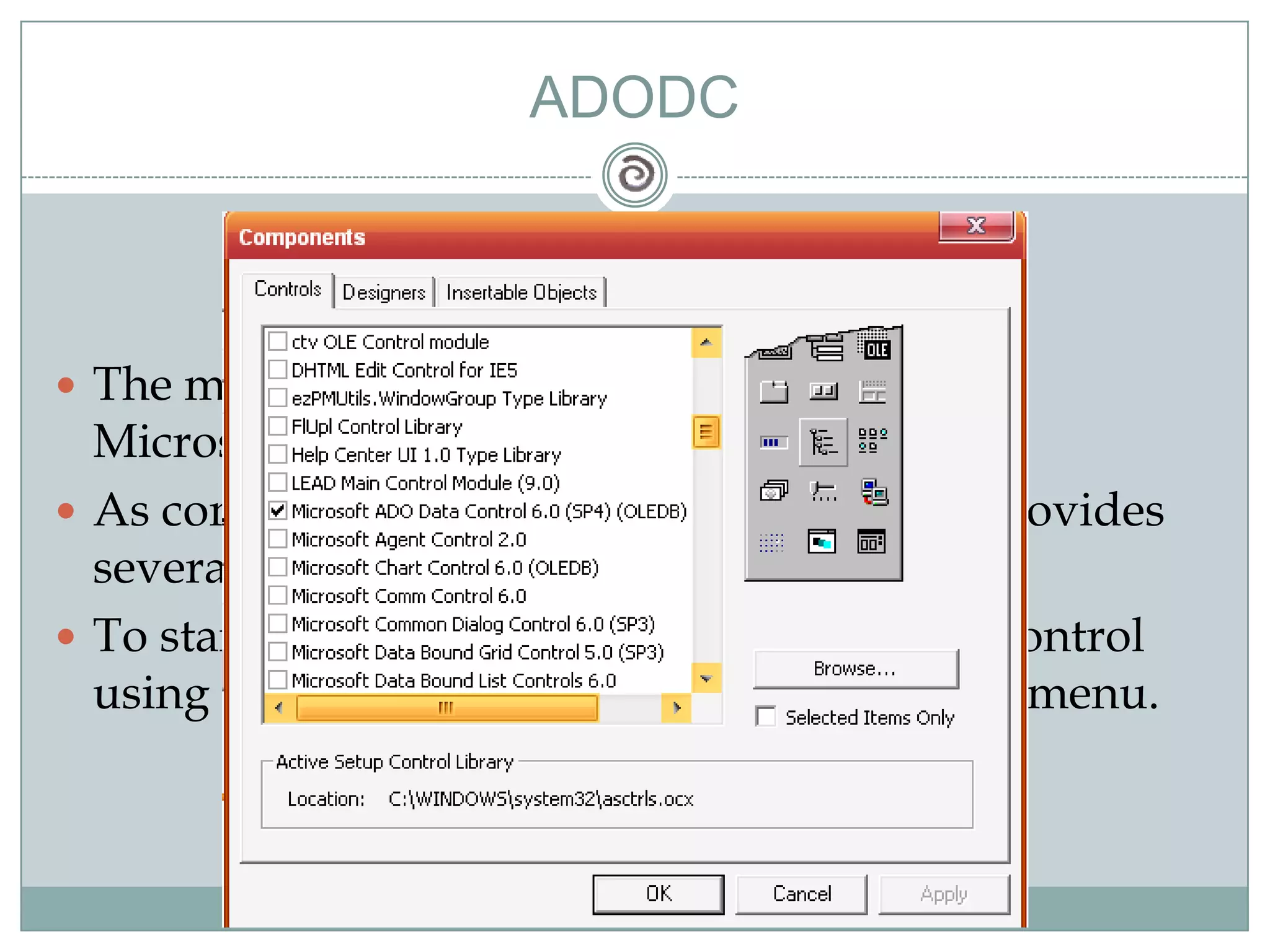
    ADODCThe most recentmethod of data access that Microsoft has introduced.As compared to RDO and DAO ,ADODC provides several options to access data.To start using ADODC ,we have to add its control using the components options in the project menu.
  • 51.
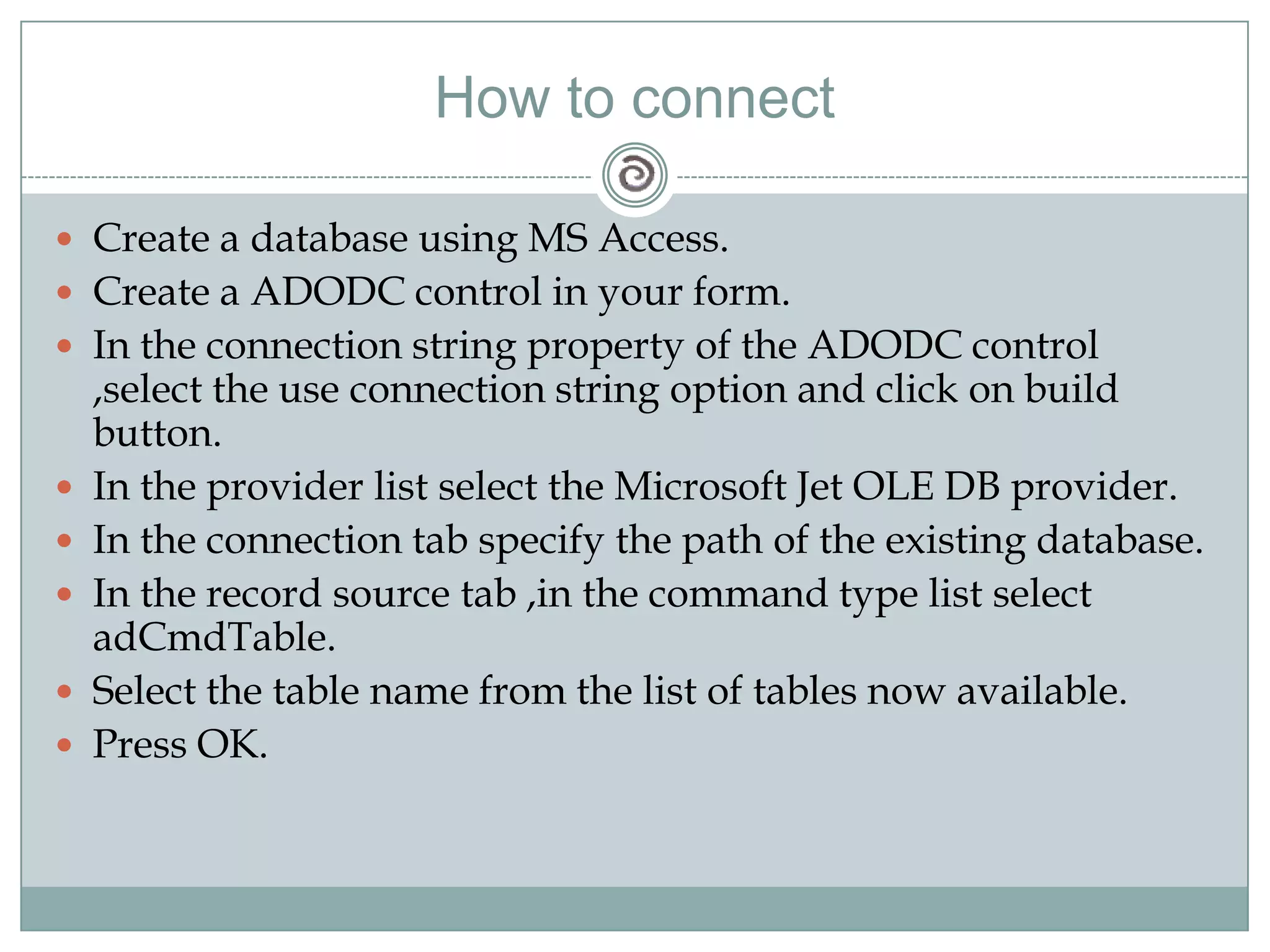
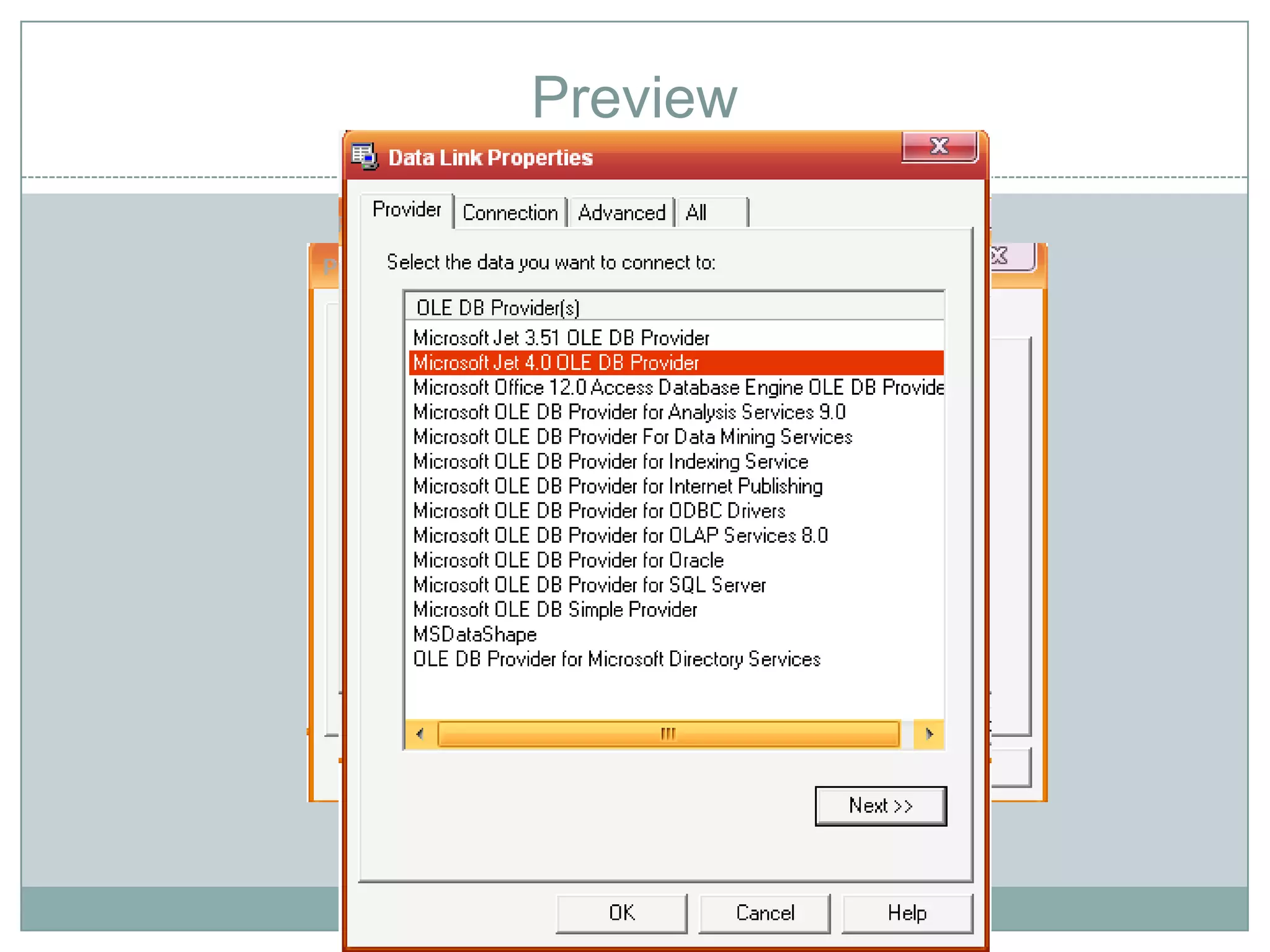
    How to connectCreatea database using MS Access.Create a ADODC control in your form.In the connection string property of the ADODC control ,select the use connection string option and click on build button.In the provider list select the Microsoft Jet OLE DB provider.In the connection tab specify the path of the existing database.In the record source tab ,in the command type list select adCmdTable.Select the table name from the list of tables now available.Press OK.
  • 52.
  • 53.
  • 54.
    Thank YouPresented by:-HimansuShekharSahooManish SethiNarender Singh ThakurPratikBarasia