Q4. How did you use media technologies
in the construction and research,
planning and evaluation stages?
Research
When conducting my research, I mainly used the internet and
various different websites.
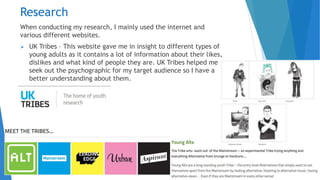
 UK Tribes – This website gave me in insight to different types of
young adults as it contains a lot of information about their likes,
dislikes and what kind of people they are. UK Tribes helped me
seek out the psychographic for my target audience so I have a
better understanding about them.
Research
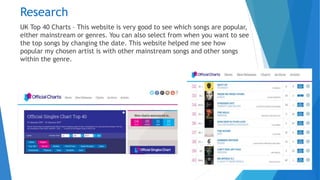
UK Top 40 Charts – This website is very good to see which songs are popular,
either mainstream or genres. You can also select from when you want to see
the top songs by changing the date. This website helped me see how
popular my chosen artist is with other mainstream songs and other songs
within the genre.
Research
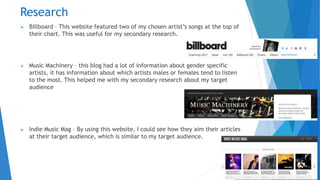
 Billboard – This website featured two of my chosen artist’s songs at the top of
their chart. This was useful for my secondary research.
 Music Machinery – this blog had a lot of information about gender specific
artists, it has information about which artists males or females tend to listen
to the most. This helped me with my secondary research about my target
audience
 Indie Music Mag – By using this website, I could see how they aim their articles
at their target audience, which is similar to my target audience.
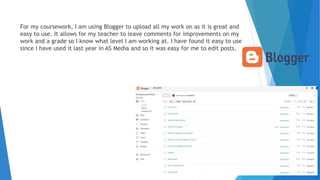
For my coursework, I am using Blogger to upload all my work on as it is great and
easy to use. It allows for my teacher to leave comments for improvements on my
work and a grade so I know what level I am working at. I have found it easy to use
since I have used it last year in AS Media and so it was easy for me to edit posts.
Research & Planning
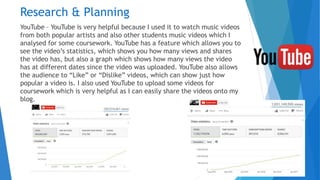
YouTube – YouTube is very helpful because I used it to watch music videos
from both popular artists and also other students music videos which I
analysed for some coursework. YouTube has a feature which allows you to
see the video’s statistics, which shows you how many views and shares
the video has, but also a graph which shows how many views the video
has at different dates since the video was uploaded. YouTube also allows
the audience to “Like” or “Dislike” videos, which can show just how
popular a video is. I also used YouTube to upload some videos for
coursework which is very helpful as I can easily share the videos onto my
blog.
Planning
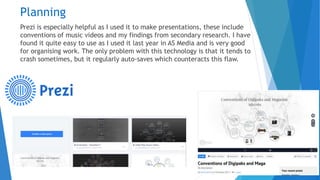
Prezi is especially helpful as I used it to make presentations, these include
conventions of music videos and my findings from secondary research. I have
found it quite easy to use as I used it last year in AS Media and is very good
for organising work. The only problem with this technology is that it tends to
crash sometimes, but it regularly auto-saves which counteracts this flaw.
Planning
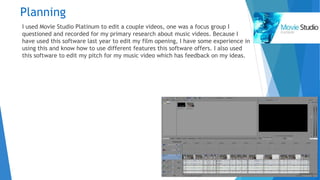
I used Movie Studio Platinum to edit a couple videos, one was a focus group I
questioned and recorded for my primary research about music videos. Because I
have used this software last year to edit my film opening, I have some experience in
using this and know how to use different features this software offers. I also used
this software to edit my pitch for my music video which has feedback on my ideas.
Planning
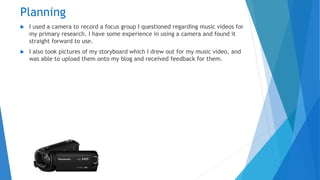
 I used a camera to record a focus group I questioned regarding music videos for
my primary research. I have some experience in using a camera and found it
straight forward to use.
 I also took pictures of my storyboard which I drew out for my music video, and
was able to upload them onto my blog and received feedback for them.
Planning
 For my risk assessment, shot list, shooting schedule, I used Microsoft Word as you
can make tables to lay work out.
 I used Microsoft PowerPoint to present my student digipak and mag advert
analyses, generic conventions of digipaks and magazine adverts and my Mise-en-
scene for my music video.
I find both of these software easy to use as I have being using them for years and
they both are good for setting work out in a specific ways.
Construction – Video
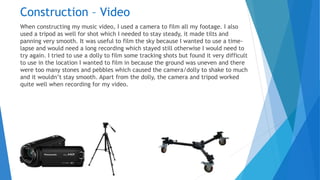
When constructing my music video, I used a camera to film all my footage. I also
used a tripod as well for shot which I needed to stay steady, it made tilts and
panning very smooth. It was useful to film the sky because I wanted to use a time-
lapse and would need a long recording which stayed still otherwise I would need to
try again. I tried to use a dolly to film some tracking shots but found it very difficult
to use in the location I wanted to film in because the ground was uneven and there
were too many stones and pebbles which caused the camera/dolly to shake to much
and it wouldn’t stay smooth. Apart from the dolly, the camera and tripod worked
quite well when recording for my video.
Construction – Video
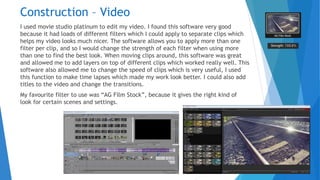
I used movie studio platinum to edit my video. I found this software very good
because it had loads of different filters which I could apply to separate clips which
helps my video looks much nicer. The software allows you to apply more than one
filter per clip, and so I would change the strength of each filter when using more
than one to find the best look. When moving clips around, this software was great
and allowed me to add layers on top of different clips which worked really well. This
software also allowed me to change the speed of clips which is very useful, I used
this function to make time lapses which made my work look better. I could also add
titles to the video and change the transitions.
My favourite filter to use was “AG Film Stock”, because it gives the right kind of
look for certain scenes and settings.
Construction – Ancillaries
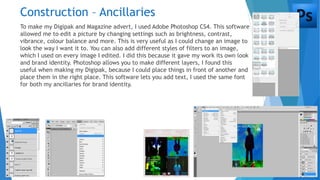
To make my Digipak and Magazine advert, I used Adobe Photoshop CS4. This software
allowed me to edit a picture by changing settings such as brightness, contrast,
vibrance, colour balance and more. This is very useful as I could change an image to
look the way I want it to. You can also add different styles of filters to an image,
which I used on every image I edited. I did this because it gave my work its own look
and brand identity. Photoshop allows you to make different layers, I found this
useful when making my Digipak, because I could place things in front of another and
place them in the right place. This software lets you add text, I used the same font
for both my ancillaries for brand identity.
Evaluation
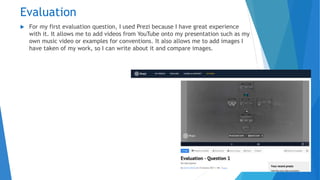
 For my first evaluation question, I used Prezi because I have great experience
with it. It allows me to add videos from YouTube onto my presentation such as my
own music video or examples for conventions. It also allows me to add images I
have taken of my work, so I can write about it and compare images.
Evaluation Questions
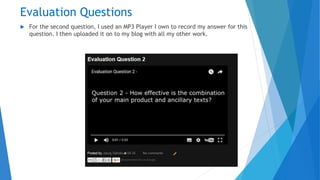
 For the second question, I used an MP3 Player I own to record my answer for this
question. I then uploaded it on to my blog with all my other work.
Evaluation Questions
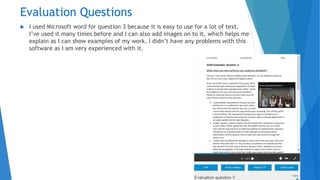
 I used Microsoft word for question 3 because it is easy to use for a lot of text.
I’ve used it many times before and I can also add images on to it, which helps me
explain as I can show examples of my work. I didn’t have any problems with this
software as I am very experienced with it.
Evaluation Questions
 For question 4, I used Microsoft PowerPoint to complete this question. Because I
have used this software for many years, I am very comfortable with it and know
about different functions this software offers. I had no problems with this and as
able to add images for examples of my work.
Conclusion
 My knowledge of technologies has improved with softwares such as Movie Studio
Platinum and Photoshop when constructing my music video, magazine advert and
Digipak. I feel very confident with the technologies I have used this year as I
have needed to use them on my own and not in a group like last year and so I’ve
had only myself to rely on.

Evaluation Question 4

  • 1.
    Q4. How didyou use media technologies in the construction and research, planning and evaluation stages?
  • 2.
    Research When conducting myresearch, I mainly used the internet and various different websites.  UK Tribes – This website gave me in insight to different types of young adults as it contains a lot of information about their likes, dislikes and what kind of people they are. UK Tribes helped me seek out the psychographic for my target audience so I have a better understanding about them.
  • 3.
    Research UK Top 40Charts – This website is very good to see which songs are popular, either mainstream or genres. You can also select from when you want to see the top songs by changing the date. This website helped me see how popular my chosen artist is with other mainstream songs and other songs within the genre.
  • 4.
    Research  Billboard –This website featured two of my chosen artist’s songs at the top of their chart. This was useful for my secondary research.  Music Machinery – this blog had a lot of information about gender specific artists, it has information about which artists males or females tend to listen to the most. This helped me with my secondary research about my target audience  Indie Music Mag – By using this website, I could see how they aim their articles at their target audience, which is similar to my target audience.
  • 5.
    For my coursework,I am using Blogger to upload all my work on as it is great and easy to use. It allows for my teacher to leave comments for improvements on my work and a grade so I know what level I am working at. I have found it easy to use since I have used it last year in AS Media and so it was easy for me to edit posts.
  • 6.
    Research & Planning YouTube– YouTube is very helpful because I used it to watch music videos from both popular artists and also other students music videos which I analysed for some coursework. YouTube has a feature which allows you to see the video’s statistics, which shows you how many views and shares the video has, but also a graph which shows how many views the video has at different dates since the video was uploaded. YouTube also allows the audience to “Like” or “Dislike” videos, which can show just how popular a video is. I also used YouTube to upload some videos for coursework which is very helpful as I can easily share the videos onto my blog.
  • 7.
    Planning Prezi is especiallyhelpful as I used it to make presentations, these include conventions of music videos and my findings from secondary research. I have found it quite easy to use as I used it last year in AS Media and is very good for organising work. The only problem with this technology is that it tends to crash sometimes, but it regularly auto-saves which counteracts this flaw.
  • 8.
    Planning I used MovieStudio Platinum to edit a couple videos, one was a focus group I questioned and recorded for my primary research about music videos. Because I have used this software last year to edit my film opening, I have some experience in using this and know how to use different features this software offers. I also used this software to edit my pitch for my music video which has feedback on my ideas.
  • 9.
    Planning  I useda camera to record a focus group I questioned regarding music videos for my primary research. I have some experience in using a camera and found it straight forward to use.  I also took pictures of my storyboard which I drew out for my music video, and was able to upload them onto my blog and received feedback for them.
  • 10.
    Planning  For myrisk assessment, shot list, shooting schedule, I used Microsoft Word as you can make tables to lay work out.  I used Microsoft PowerPoint to present my student digipak and mag advert analyses, generic conventions of digipaks and magazine adverts and my Mise-en- scene for my music video. I find both of these software easy to use as I have being using them for years and they both are good for setting work out in a specific ways.
  • 11.
    Construction – Video Whenconstructing my music video, I used a camera to film all my footage. I also used a tripod as well for shot which I needed to stay steady, it made tilts and panning very smooth. It was useful to film the sky because I wanted to use a time- lapse and would need a long recording which stayed still otherwise I would need to try again. I tried to use a dolly to film some tracking shots but found it very difficult to use in the location I wanted to film in because the ground was uneven and there were too many stones and pebbles which caused the camera/dolly to shake to much and it wouldn’t stay smooth. Apart from the dolly, the camera and tripod worked quite well when recording for my video.
  • 12.
    Construction – Video Iused movie studio platinum to edit my video. I found this software very good because it had loads of different filters which I could apply to separate clips which helps my video looks much nicer. The software allows you to apply more than one filter per clip, and so I would change the strength of each filter when using more than one to find the best look. When moving clips around, this software was great and allowed me to add layers on top of different clips which worked really well. This software also allowed me to change the speed of clips which is very useful, I used this function to make time lapses which made my work look better. I could also add titles to the video and change the transitions. My favourite filter to use was “AG Film Stock”, because it gives the right kind of look for certain scenes and settings.
  • 13.
    Construction – Ancillaries Tomake my Digipak and Magazine advert, I used Adobe Photoshop CS4. This software allowed me to edit a picture by changing settings such as brightness, contrast, vibrance, colour balance and more. This is very useful as I could change an image to look the way I want it to. You can also add different styles of filters to an image, which I used on every image I edited. I did this because it gave my work its own look and brand identity. Photoshop allows you to make different layers, I found this useful when making my Digipak, because I could place things in front of another and place them in the right place. This software lets you add text, I used the same font for both my ancillaries for brand identity.
  • 14.
    Evaluation  For myfirst evaluation question, I used Prezi because I have great experience with it. It allows me to add videos from YouTube onto my presentation such as my own music video or examples for conventions. It also allows me to add images I have taken of my work, so I can write about it and compare images.
  • 15.
    Evaluation Questions  Forthe second question, I used an MP3 Player I own to record my answer for this question. I then uploaded it on to my blog with all my other work.
  • 16.
    Evaluation Questions  Iused Microsoft word for question 3 because it is easy to use for a lot of text. I’ve used it many times before and I can also add images on to it, which helps me explain as I can show examples of my work. I didn’t have any problems with this software as I am very experienced with it.
  • 17.
    Evaluation Questions  Forquestion 4, I used Microsoft PowerPoint to complete this question. Because I have used this software for many years, I am very comfortable with it and know about different functions this software offers. I had no problems with this and as able to add images for examples of my work.
  • 18.
    Conclusion  My knowledgeof technologies has improved with softwares such as Movie Studio Platinum and Photoshop when constructing my music video, magazine advert and Digipak. I feel very confident with the technologies I have used this year as I have needed to use them on my own and not in a group like last year and so I’ve had only myself to rely on.