QUESTION 4
HOW DID YOU USE NEW MEDIA
TECHNOLOGIES IN THE
CONSTRUCTION AND
RESEARCH , PLANNING AND
EVALUATION STAGES?
BY ROMZAN ALI
INTRO
■ During the research, planning and evaluation stages of my advanced media
portfolio, I used several forms of technology to gather research and information
in order to produce my final products which included a magazine advert, digipak
and music video.
■ I have used a variety of different programmes, equipment's and websites that
helped me create the products I have created without these I wouldn't have
been able to create these products.
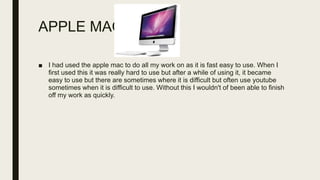
APPLE MAC
■ I had used the apple mac to do all my work on as it is fast easy to use. When I
first used this it was really hard to use but after a while of using it, it became
easy to use but there are sometimes where it is difficult but often use youtube
sometimes when it is difficult to use. Without this I wouldn't of been able to finish
off my work as quickly.
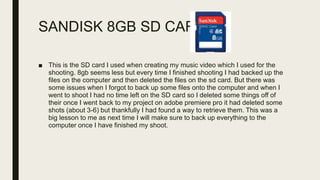
SANDISK 8GB SD CARD
■ This is the SD card I used when creating my music video which I used for the
shooting. 8gb seems less but every time I finished shooting I had backed up the
files on the computer and then deleted the files on the sd card. But there was
some issues when I forgot to back up some files onto the computer and when I
went to shoot I had no time left on the SD card so I deleted some things off of
their once I went back to my project on adobe premiere pro it had deleted some
shots (about 3-6) but thankfully I had found a way to retrieve them. This was a
big lesson to me as next time I will make sure to back up everything to the
computer once I have finished my shoot.
QUICKTIME PLAYER
■ I had used quicktime player to edit audio from my focus group mp3 becuase
when I was recording the focus group interview there was some laughing and
inappropriate words used so I had to cut them out. Quicktime player is a really
easy software to use as to trim audio all you do is you go on the top and click
the edit tab and then click trim this is where you have control over what to trim.
SURVEYMONKEY
■ This is the site I used to create a questionnaire for my focus group so they can
give their opinion on their taste in music. This site is really easy to use as it
gives you the option to create your own survey but you can use an existing
survey. You can also embed the survey into your post on your blog which makes
it really accessible when you put it on your blog. One bad thing is that you can’t
put more than 10 questions into your questionnaire as you have to pay for the
upgrade. When using the site for the first time it is kind of tricky but you get used
to it after a while. I think this site was really helpful as it was really quick and
simple to use.
YOUTUBE
■ Youtube is a video uploading and sharing website. I made use of this website a
lot for research. Firstly, I used it to research different music videos so I could
choose which one I would make for my final product. As well I needed youtube
to research on the different camera shots and styles used in a music video
which helped me in creating my final music video. I needed youtube for
analyzing music video for my weebly page so I could show the research I had
done to the examiners.
■ Youtube helped me a lot for my research and planning as it guided me to create
my music video, it is accessibly for use any time and quck which made it even
better to use this website.
POWERPOINT AND WORD
■ For this evaluation I used powerpoint to map out all the visual presentation and
then in order to post it on the blog, it had to be converted into slideshare. Both
were easy to use.
■ I had used powerpoint and word many times during my research to type up my
work on my music video. Powerpoint is a really easy to use and is a easily
accessible software the same goes with word as it is really simple to use and
easy,
■ Microsoft powerpoint was the most utilized of all the software as I made
presentations on there to convert onto slideshare like this one. It also provided
more themes and features to work with and it made my research and
presentation more engaging.
EXCEL
■ I have used excel for my shot list post where I write all the shots I will use in my
music video. This software was really easy to use and really accessible. As I
downloaded a template for my shot list from the internet I didn’t really create a
table as it was already made but when using the cells it was really easy to use
as you can write on the cell on the box or at the top where there is another cell
box so I found it really simple to use.
PREZI
■ I had used prezi frequently to present my work as I thought that it was a very
creative way of to present my work. The best thing about this is that you can
embed this onto your weebly page which was really useful and simple. The bad
thing about this is that you need the internet to work on your prezi without it you
can’t use it.
SLIDESHARE
■ I had used slideshare to upload some of my work onto their so that I have a
variety of different media in my weebly page. It is really easy to use as all you
have to do is just upload your PowerPoint file onto the slideshare and it creates
a slideshare presentation for you. I think this was the easiest out of all the media
I used and it was really helpful.
CANVA
■ Canva is a free graphic-design tool website. I had used this to create my
magazine advert and digipak as I used it to create a font for my products and the
filter I used for my digipak was also done by using this website. I found that this
was a really simple and easy way to create a digipak and advert. I had chosen
to use this over Photoshop when creating the font, style and filter for my
products as I find Photoshop hard to use and really time consuming but I have
used Photoshop for when I edited, cropped and resized the digipak and advert.
GOOGLE
■ Google is a search engine and is the most popular search engine in the world.
Google is very quick and straightforward to use. I used the search engine to
research about different aspects of music videos like codes and conventions of
music videos.
■ Without accessibility to google , I believe that my project and research may have
not been as wonderful as I may have wanted to achieve.
■ Overall, google has allowed me to gain a wide use of knowledge on information
that strengthened my coursework even more further.
WEEBLY
■ I had used weebly a lot in my project and also have used it last year also in
media. This is where I upload all my work so it is easy to keep track of our
progress. I blogged every time I had finished typing up work related to the
research of music videos.
■ Weebly was useful as I could embed videos and pictures to show where I was
getting these ideas from.
■ Weebly is easy to use and access, you can access it on your phone, tablet or
computer on the go which is very useful when you have work to upload.
WEEBLY
SMARTPHONE
■ I used my smartphone a lot during the coursework. My smartphone was used for
different things like taking pictures of location shots whilst filming and planning so
that I could include them on my weebly page.
■ I also used my phone to take pictures for the digipak and magazine advert which
because I had the iphone 7 it had a lot of good quality pictures.
■ I used my smartphone to email my teacher if there was any work I needed to do and
to email my work.
■ Without my smartphone I wouldn't of been able to finish off my coursework as my
phone is easy to use are really quick which made doing work or anything more
quicker.
■ I had also used my phone to play the music 7 years on my phone so I could lip sync
with it.
ADOBE PREMIER PRO
■ To edit my video, I used premier pro. Adobe premier pro is a timeline – based
video editing application. Premiere pro was the program I used to edit all on my
shots together in hope to create a professional video. In comparison to last
years (in AS) I found this years use of premiere pro to be very user friendly as I
had researched tutorials on youtube on how to use it this made me more
knowledgeable on premier pro as last year I didn’t learn how to use it but once I
did learn it everything was really easy and simple. I used a lot of dissolve and
fade to black transitions so my scenes could integrate better, adding continuity
to my music video.
PHOTOSHOP
■ In order to create my digipak and magazine advert, I used the software
Photoshop. This software provided features that enabled my ancillary task look
more professional. As without the features of cropping, and editing I would have
not been able make a advert or digipak. I think that Photoshop was really hard
as when I first tried I could not use it and I was really frustrated but I then went
on YouTube tutorials which helped me learn the basics and the more difficult
stuff in the end I felt that it was easy and was able to create a wonderful digipak
and magazine advert.
Sony HXR-NX5
■ I had used this hd Sony video camera to film my music video. It was really hard
when I first used it in AS but going into A2 I had forgotten how to use it but after
using it I got the hang of it and started remembering the what each buttons does
for example the while balance button on the bottom on the camera which is the
process of removing unrealistic color casts, so that objects which
appear white in person are rendered white in your photo which makes the
quality as well colour neat and good quality. I had also had some trouble with
setting the camera onto the tripod and how to attach it but after Dermot (media
tech) showed me how to do it the first time I got the hang of it.

Media evaluation question 4

  • 1.
    QUESTION 4 HOW DIDYOU USE NEW MEDIA TECHNOLOGIES IN THE CONSTRUCTION AND RESEARCH , PLANNING AND EVALUATION STAGES? BY ROMZAN ALI
  • 2.
    INTRO ■ During theresearch, planning and evaluation stages of my advanced media portfolio, I used several forms of technology to gather research and information in order to produce my final products which included a magazine advert, digipak and music video. ■ I have used a variety of different programmes, equipment's and websites that helped me create the products I have created without these I wouldn't have been able to create these products.
  • 3.
    APPLE MAC ■ Ihad used the apple mac to do all my work on as it is fast easy to use. When I first used this it was really hard to use but after a while of using it, it became easy to use but there are sometimes where it is difficult but often use youtube sometimes when it is difficult to use. Without this I wouldn't of been able to finish off my work as quickly.
  • 4.
    SANDISK 8GB SDCARD ■ This is the SD card I used when creating my music video which I used for the shooting. 8gb seems less but every time I finished shooting I had backed up the files on the computer and then deleted the files on the sd card. But there was some issues when I forgot to back up some files onto the computer and when I went to shoot I had no time left on the SD card so I deleted some things off of their once I went back to my project on adobe premiere pro it had deleted some shots (about 3-6) but thankfully I had found a way to retrieve them. This was a big lesson to me as next time I will make sure to back up everything to the computer once I have finished my shoot.
  • 5.
    QUICKTIME PLAYER ■ Ihad used quicktime player to edit audio from my focus group mp3 becuase when I was recording the focus group interview there was some laughing and inappropriate words used so I had to cut them out. Quicktime player is a really easy software to use as to trim audio all you do is you go on the top and click the edit tab and then click trim this is where you have control over what to trim.
  • 6.
    SURVEYMONKEY ■ This isthe site I used to create a questionnaire for my focus group so they can give their opinion on their taste in music. This site is really easy to use as it gives you the option to create your own survey but you can use an existing survey. You can also embed the survey into your post on your blog which makes it really accessible when you put it on your blog. One bad thing is that you can’t put more than 10 questions into your questionnaire as you have to pay for the upgrade. When using the site for the first time it is kind of tricky but you get used to it after a while. I think this site was really helpful as it was really quick and simple to use.
  • 7.
    YOUTUBE ■ Youtube isa video uploading and sharing website. I made use of this website a lot for research. Firstly, I used it to research different music videos so I could choose which one I would make for my final product. As well I needed youtube to research on the different camera shots and styles used in a music video which helped me in creating my final music video. I needed youtube for analyzing music video for my weebly page so I could show the research I had done to the examiners. ■ Youtube helped me a lot for my research and planning as it guided me to create my music video, it is accessibly for use any time and quck which made it even better to use this website.
  • 8.
    POWERPOINT AND WORD ■For this evaluation I used powerpoint to map out all the visual presentation and then in order to post it on the blog, it had to be converted into slideshare. Both were easy to use. ■ I had used powerpoint and word many times during my research to type up my work on my music video. Powerpoint is a really easy to use and is a easily accessible software the same goes with word as it is really simple to use and easy, ■ Microsoft powerpoint was the most utilized of all the software as I made presentations on there to convert onto slideshare like this one. It also provided more themes and features to work with and it made my research and presentation more engaging.
  • 9.
    EXCEL ■ I haveused excel for my shot list post where I write all the shots I will use in my music video. This software was really easy to use and really accessible. As I downloaded a template for my shot list from the internet I didn’t really create a table as it was already made but when using the cells it was really easy to use as you can write on the cell on the box or at the top where there is another cell box so I found it really simple to use.
  • 10.
    PREZI ■ I hadused prezi frequently to present my work as I thought that it was a very creative way of to present my work. The best thing about this is that you can embed this onto your weebly page which was really useful and simple. The bad thing about this is that you need the internet to work on your prezi without it you can’t use it.
  • 11.
    SLIDESHARE ■ I hadused slideshare to upload some of my work onto their so that I have a variety of different media in my weebly page. It is really easy to use as all you have to do is just upload your PowerPoint file onto the slideshare and it creates a slideshare presentation for you. I think this was the easiest out of all the media I used and it was really helpful.
  • 12.
    CANVA ■ Canva isa free graphic-design tool website. I had used this to create my magazine advert and digipak as I used it to create a font for my products and the filter I used for my digipak was also done by using this website. I found that this was a really simple and easy way to create a digipak and advert. I had chosen to use this over Photoshop when creating the font, style and filter for my products as I find Photoshop hard to use and really time consuming but I have used Photoshop for when I edited, cropped and resized the digipak and advert.
  • 13.
    GOOGLE ■ Google isa search engine and is the most popular search engine in the world. Google is very quick and straightforward to use. I used the search engine to research about different aspects of music videos like codes and conventions of music videos. ■ Without accessibility to google , I believe that my project and research may have not been as wonderful as I may have wanted to achieve. ■ Overall, google has allowed me to gain a wide use of knowledge on information that strengthened my coursework even more further.
  • 14.
    WEEBLY ■ I hadused weebly a lot in my project and also have used it last year also in media. This is where I upload all my work so it is easy to keep track of our progress. I blogged every time I had finished typing up work related to the research of music videos. ■ Weebly was useful as I could embed videos and pictures to show where I was getting these ideas from. ■ Weebly is easy to use and access, you can access it on your phone, tablet or computer on the go which is very useful when you have work to upload. WEEBLY
  • 15.
    SMARTPHONE ■ I usedmy smartphone a lot during the coursework. My smartphone was used for different things like taking pictures of location shots whilst filming and planning so that I could include them on my weebly page. ■ I also used my phone to take pictures for the digipak and magazine advert which because I had the iphone 7 it had a lot of good quality pictures. ■ I used my smartphone to email my teacher if there was any work I needed to do and to email my work. ■ Without my smartphone I wouldn't of been able to finish off my coursework as my phone is easy to use are really quick which made doing work or anything more quicker. ■ I had also used my phone to play the music 7 years on my phone so I could lip sync with it.
  • 16.
    ADOBE PREMIER PRO ■To edit my video, I used premier pro. Adobe premier pro is a timeline – based video editing application. Premiere pro was the program I used to edit all on my shots together in hope to create a professional video. In comparison to last years (in AS) I found this years use of premiere pro to be very user friendly as I had researched tutorials on youtube on how to use it this made me more knowledgeable on premier pro as last year I didn’t learn how to use it but once I did learn it everything was really easy and simple. I used a lot of dissolve and fade to black transitions so my scenes could integrate better, adding continuity to my music video.
  • 17.
    PHOTOSHOP ■ In orderto create my digipak and magazine advert, I used the software Photoshop. This software provided features that enabled my ancillary task look more professional. As without the features of cropping, and editing I would have not been able make a advert or digipak. I think that Photoshop was really hard as when I first tried I could not use it and I was really frustrated but I then went on YouTube tutorials which helped me learn the basics and the more difficult stuff in the end I felt that it was easy and was able to create a wonderful digipak and magazine advert.
  • 18.
    Sony HXR-NX5 ■ Ihad used this hd Sony video camera to film my music video. It was really hard when I first used it in AS but going into A2 I had forgotten how to use it but after using it I got the hang of it and started remembering the what each buttons does for example the while balance button on the bottom on the camera which is the process of removing unrealistic color casts, so that objects which appear white in person are rendered white in your photo which makes the quality as well colour neat and good quality. I had also had some trouble with setting the camera onto the tripod and how to attach it but after Dermot (media tech) showed me how to do it the first time I got the hang of it.