






EVALUATING 1:1 INSTRUCTIONAL PROGRAMS
ADMINISTRATIVE ACADEMY #1447
PRESENTED AT ILLINOIS COMPUTING EDUCATORS (ICE)
CONFERENCE, FEB. 2016
@JasonSmithCSBO
@DrBaule_MCS or
@Baule_S
PRESENTERS
PRESENTER
@jasonsmithcsbo
Director of Business Services and
Technology, Food Service Director,
Treasurer, FOIA Officer, HR, Gender
Equity Officer, Safety Officer, Open
Meetings Act Officer, Complaint
Manager
PRESENTERS
PRESENTER
@DrBaule_MCS
Steve Baule
765-747-5205
sbaule@muncie.k12.in.
us
Superintendent
Former IT director, HS
principal, media specialist,
teacher
OUR GOAL TODAY
Help participants gain the necessary skills and
understanding to properly develop and
implement an effective evaluation program for a
1:1 program.
Education is the only business still
debating the usefulness of technology.
Schools remain unchanged for the
most part, despite numerous reforms
and increased investments in
computers and networks.
• U.S. Secretary of Education Rod Paige,
quoted in National Educational Technology Plan, 2004
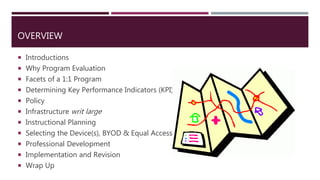
OVERVIEW
 Introductions
 Why Program Evaluation
 Facets of a 1:1 Program
 Determining Key Performance Indicators (KPI)
 Policy
 Infrastructure writ large
 Instructional Planning
 Selecting the Device(s), BYOD & Equal Access
 Professional Development
 Implementation and Revision
 Wrap Up
INTRODUCTIONS
Please Share
Name
School/Organization and your role
Current 1:1 Situation
Primary reason for attending today
Any specific questions you have
PROGRAM EVALUATION
Collect and
Analyze
Data
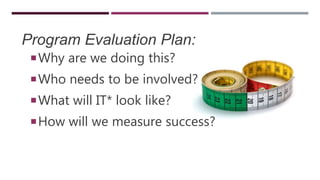
Program Evaluation Plan:
Why are we doing this?
Who needs to be involved?
What will IT* look like?
How will we measure success?
WHY PROGRAM EVALUATION?
• Demonstrate program effectiveness to administration and Board of
Education
• Improve the implementation and effectiveness of programs
• Better manage limited resources
• Document program accomplishments
• Justify current program funding or support the need for increased levels
of funding
• Demonstrate positive and negative effects of program participation
• Document program development and activities to help ensure
successful replication
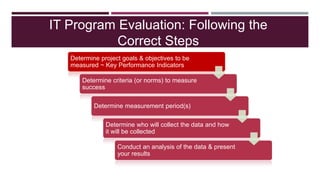
IT Program Evaluation: Following the
Correct Steps
Determine project goals & objectives to be
measured ~ Key Performance Indicators
Determine criteria (or norms) to measure
success
Determine measurement period(s)
Determine who will collect the data and how
it will be collected
Conduct an analysis of the data & present
your results
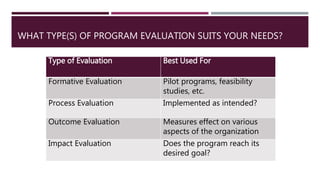
WHAT TYPE(S) OF PROGRAM EVALUATION SUITS YOUR NEEDS?
Type of Evaluation Best Used For
Formative Evaluation Pilot programs, feasibility
studies, etc.
Process Evaluation Implemented as intended?
Outcome Evaluation Measures effect on various
aspects of the organization
Impact Evaluation Does the program reach its
desired goal?
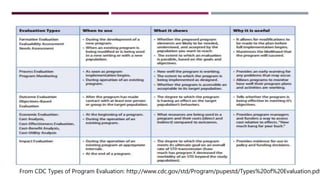
From CDC Types of Program Evaluation: http://www.cdc.gov/std/Program/pupestd/Types%20of%20Evaluation.pdf
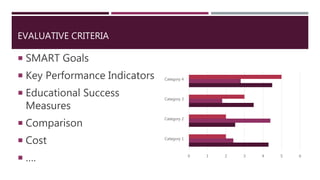
EVALUATIVE CRITERIA
 SMART Goals
 Key Performance Indicators
 Educational Success
Measures
 Comparison
 Cost
 …. 0 1 2 3 4 5 6
Category 1
Category 2
Category 3
Category 4
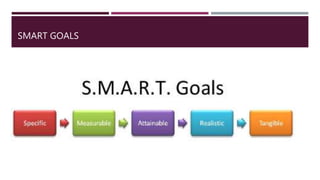
SMART GOALS
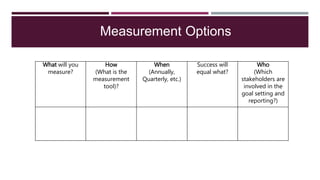
Measurement Options
What will you
measure?
How
(What is the
measurement
tool)?
When
(Annually,
Quarterly, etc.)
Success will
equal what?
Who
(Which
stakeholders are
involved in the
goal setting and
reporting?)
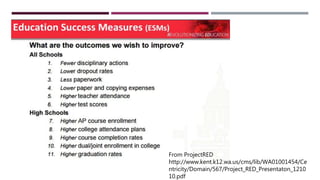
From ProjectRED
http://www.kent.k12.wa.us/cms/lib/WA01001454/Ce
ntricity/Domain/567/Project_RED_Presentaton_1210
10.pdf
FACETS OF A 1:1 PROGRAM
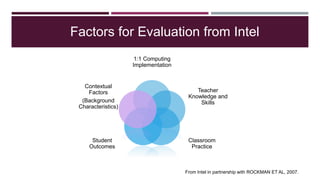
Factors for Evaluation from Intel
1:1 Computing
Implementation
Teacher
Knowledge and
Skills
Classroom
Practice
Student
Outcomes
Contextual
Factors
(Background
Characteristics)
From Intel in partnership with ROCKMAN ET AL, 2007.
CoSN’s Elements
•Devices
•Networks
•Systems
•IT Spending
•Support
•Online Learning
From CoSN, KPI, 2014.
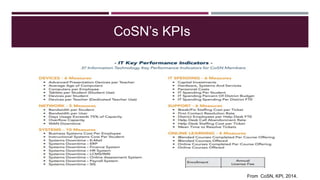
CoSN’s KPIs
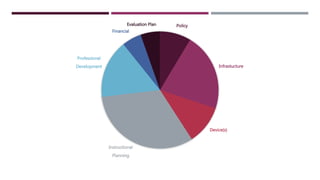
Policy
Infrastucture
Device(s)
Instructional
Planning
Professional
Development
Financial
Evaluation Plan
POLICY ASPECTS
 This is one of the Board’s most direct roles in the process
 Board’s set policy and direction with guidance from the
administrative team
BUILDING POLICY
 Board Policy
 AUP & Social Media
 Administrative Procedures
 Student Handbooks
 Progressive Discipline
 Communicating it to Parents
Privacy
Safety
Security
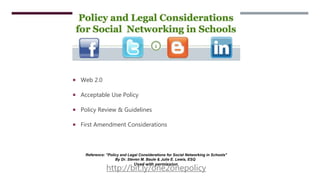
 Web 2.0
 Acceptable Use Policy
 Policy Review & Guidelines
 First Amendment Considerations
Reference: "Policy and Legal Considerations for Social Networking in Schools"
By Dr. Steven M. Baule & Julie E. Lewis, ESQ
Used with permission.
http://bit.ly/one2onepolicy
TICE
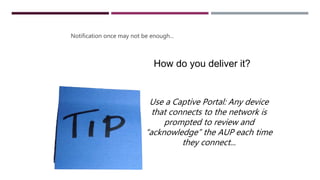
Notification once may not be enough...
Use a Captive Portal: Any device
that connects to the network is
prompted to review and
“acknowledge” the AUP each time
they connect...
How do you deliver it?
SOCIAL
NETWORKING
POLICY
What is the purpose?
Be responsible for your content
Be authentic
Address your audience
Use good judgment
Respect copyright
Protect confidential information
Bring value to the organization
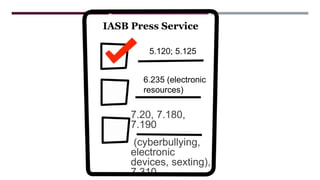
POLICIES TO
CHECK
7.20, 7.180,
7.190
(cyberbullying,
electronic
devices, sexting),
7.310
IASB Press Service
5.120; 5.125
6.235 (electronic
resources)
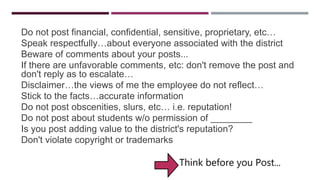
GUIDELINES
Do not post financial, confidential, sensitive, proprietary, etc…
Speak respectfully…about everyone associated with the district
Beware of comments about your posts...
If there are unfavorable comments, etc: don't remove the post and
don't reply as to escalate…
Disclaimer…the views of me the employee do not reflect…
Stick to the facts…accurate information
Do not post obscenities, slurs, etc… i.e. reputation!
Do not post about students w/o permission of ________
Is you post adding value to the district's reputation?
Don't violate copyright or trademarks
Think before you Post...
What about Facebook?
Public Forum?
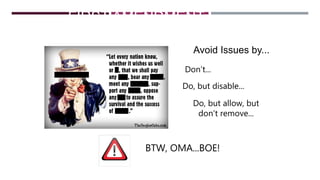
FIRST AMENDMENT
CONSIDERATIONS
Avoid Issues by...
Don’t...
Do, but disable...
Do, but allow, but
don’t remove...
BTW, OMA...BOE!
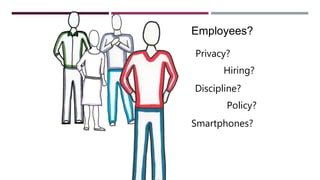
Employees?
Privacy?
Hiring?
Discipline?
Policy?
Smartphones?
Time to Think and Plan...
Check the Agenda for links to more resources...
One2One Program
Evaluation Form
What does your current policy allow? Revisions?
Social Media Acceptable Use
Policy
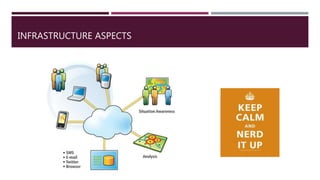
INFRASTRUCTURE ASPECTS
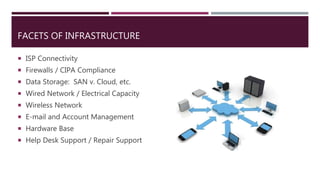
FACETS OF INFRASTRUCTURE
 ISP Connectivity
 Firewalls / CIPA Compliance
 Data Storage: SAN v. Cloud, etc.
 Wired Network / Electrical Capacity
 Wireless Network
 E-mail and Account Management
 Hardware Base
 Help Desk Support / Repair Support
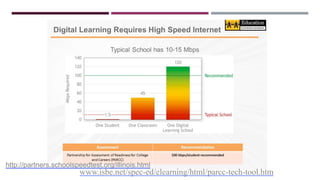
Bandwidth
WIFI Access to It
www.isbe.net/spec-ed/elearning/html/parcc-tech-tool.htm
http://partners.schoolspeedtest.org/illinois.html
BUT REMEMBER…
JUST BECAUSE YOU ARE PAYING COMCAST FOR 500 MBPS
DOESN'T MEAN YOU ARE GETTING 500 MBPS TO THE INTERNET…
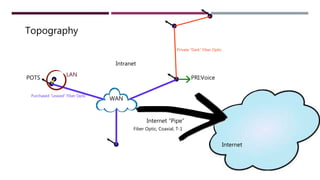
An Internal Truth Too…
Topography
Internet “Pipe”
WAN
PRI:VoicePOTS
Private “Dark” Fiber Optic
Purchased “Leased” Fiber Optic
Fiber Optic, Coaxial, T-1
Internet
LAN
Intranet
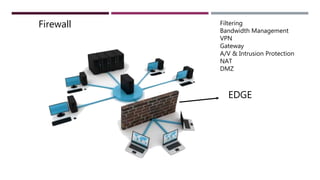
EDGE
Filtering
Bandwidth Management
VPN
Gateway
A/V & Intrusion Protection
NAT
DMZ
Firewall
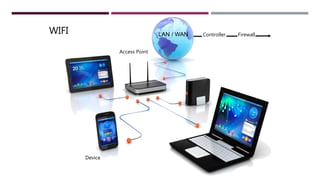
WIFI
Access Point
Device
ControllerLAN / WAN Firewall
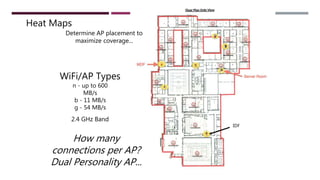
Heat Maps
IDF
Determine AP placement to
maximize coverage...
n - up to 600
MB/s
b - 11 MB/s
g - 54 MB/s
WiFi/AP Types
2.4 GHz Band
How many
connections per AP?
Dual Personality AP...
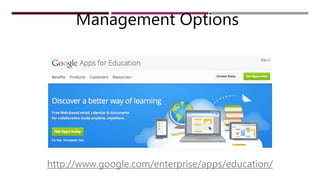
http://www.google.com/enterprise/apps/education/
Management Options
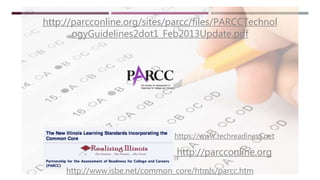
http://www.isbe.net/common_core/htmls/parcc.htm
https://www.techreadiness.net
http://parcconline.org
http://parcconline.org/sites/parcc/files/PARCCTechnol
ogyGuidelines2dot1_Feb2013Update.pdf
HARDWARE BASE
Don’t forget the need for non- 1:1devices
 Rotation plan
 Reduce the number of
labs?
 Loaner equipment
 Loaner mice, keyboards,
headphones?
HELP DESK ORGANIZATION
 Help desk process for 1:1
devices
 Repair staff
 Updates for devices
 Summer and breaks
 Metrics used to determine
effectiveness
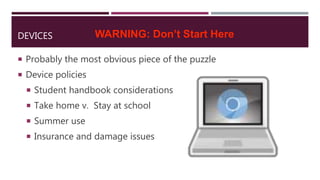
DEVICES
 Probably the most obvious piece of the puzzle
 Device policies
 Student handbook considerations
 Take home v. Stay at school
 Summer use
 Insurance and damage issues
WARNING: Don’t Start Here
 One size doesn’t necessarily fit all...
 Ratios and Levels
 Price and Features
 PARCC Compliance
 Pilots!
iPad/iPod
Android
Chromebook
Laptop
Phablet
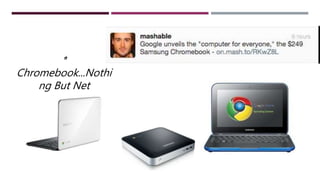
*
Chromebook...Nothi
ng But Net
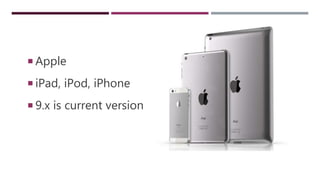
 Apple
 iPad, iPod, iPhone
 9.x is current version
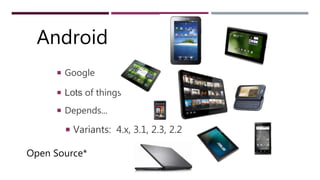
ANDROID
 Google
 Lots of things
 Depends...
 Variants: 4.x, 3.1, 2.3, 2.2
Open Source*
Android
WINDOWS DEVICES
 Most Mainline Option
 Laptops
 Tablets
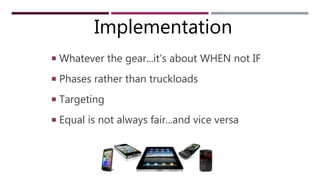
ONE TO ONE
 Whatever the gear...it’s about WHEN not IF
 Phases rather than truckloads
 Targeting
 Equal is not always fair...and vice versa
Implementation
BYOD & EQUAL ACCESS
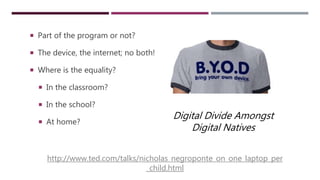
 Part of the program or not?
 The device, the internet; no both!
 Where is the equality?
 In the classroom?
 In the school?
 At home?
Digital Divide Amongst
Digital Natives
http://www.ted.com/talks/nicholas_negroponte_on_one_laptop_per
_child.html
Time to Think and Plan...
Check the Agenda for links to more resources...
One2One Program
Evaluation Form
Device(s)
What is the right device for US?
BYOD?
INSTRUCTIONAL PROGRAM
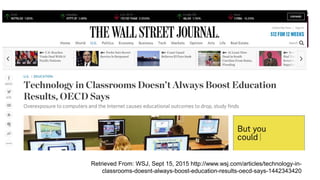
 1:1 Programs have the potential to transform the
instructional process.
 Differentiation, Modifications and Accommodations like
no other
 Potential to implement the ideas of the 1930s Progressives
Retrieved From: WSJ, Sept 15, 2015 http://www.wsj.com/articles/technology-in-
classrooms-doesnt-always-boost-education-results-oecd-says-1442343420
FACETS OF THE INSTRUCTIONAL PROGRAM
 Curriculum
 Instructional Methods
 Instructional Resources: traditional, electronic, and OER
 Learning Management System (LMS)
 Assessment Tools
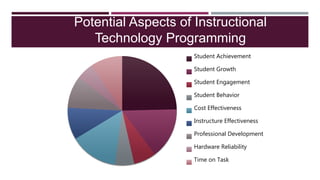
Potential Aspects of Instructional
Technology Programming
Student Achievement
Student Growth
Student Engagement
Student Behavior
Cost Effectiveness
Instructure Effectiveness
Professional Development
Hardware Reliability
Time on Task
PROCESS CHANGE NOT A PROGRAM CHANGE
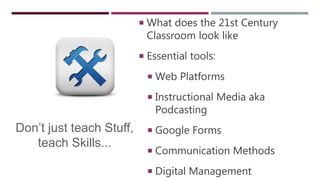
 What does the 21st Century
Classroom look like
 Essential tools:
 Web Platforms
 Instructional Media aka
Podcasting
 Google Forms
 Communication Methods
 Digital Management
Don’t just teach Stuff,
teach Skills...
SHIFTING
GEARS...
http://www.youtube.com/watch?v=y0cqrhvgBB0&feature=youtube_gdata_player
Getting from here to the Global One Room
Schoolhouse
http://vimeo.com/49645115
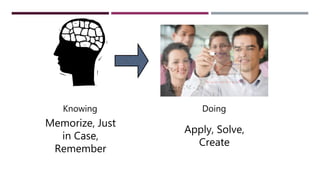
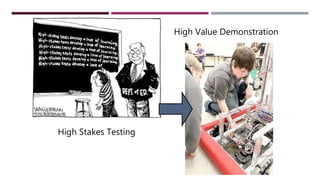
Knowing Doing
Memorize, Just
in Case,
Remember
Apply, Solve,
Create
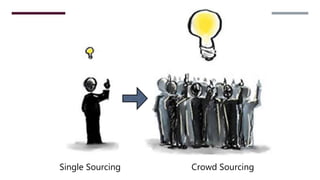
Single Sourcing Crowd Sourcing
High Stakes Testing
High Value Demonstration
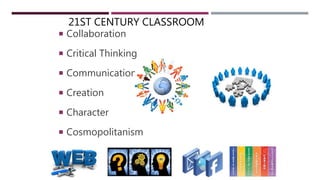
21ST CENTURY CLASSROOM
 Collaboration
 Critical Thinking
 Communication
 Creation
 Character
 Cosmopolitanism
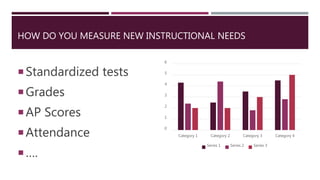
HOW DO YOU MEASURE NEW INSTRUCTIONAL NEEDS
Standardized tests
Grades
AP Scores
Attendance
….
0
1
2
3
4
5
6
Category 1 Category 2 Category 3 Category 4
Series 1 Series 2 Series 3
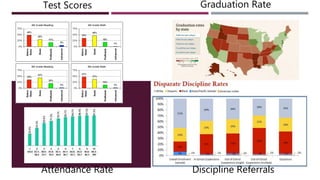
Test Scores
Attendance Rate
Graduation Rate
Discipline Referrals
OTHER EXAMPLES OF MEASUREMENT CRITERIA
 Discipline Rates
 Homework Completion
 Social Media Followers
 …..
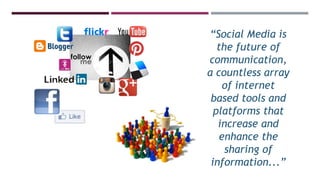
“Social Media is
the future of
communication,
a countless array
of internet
based tools and
platforms that
increase and
enhance the
sharing of
information...”
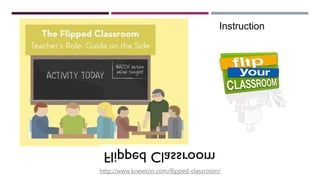
http://www.knewton.com/flipped-classroom/
Instruction
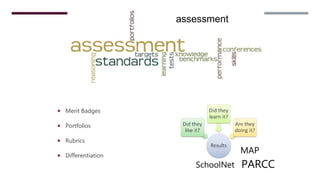
 Merit Badges
 Portfolios
 Rubrics
 Differentiation
assessment
PARCC
MAP
SchoolNet
LEARNING MANAGEMENT SYSTEMS
 What type of data can you gather from the system?
 How often do teachers post content?
 How often are the assessment tools used?
 …
PROFESSIONAL DEVELOPMENT
 Conduct a needs assessment annually
 Evaluate each PD activity
 Determine multiple ways to train staff
 Application training, pedagogical methods, new content
 …
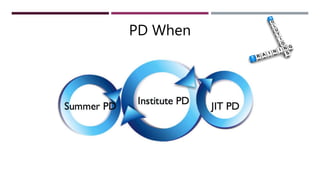
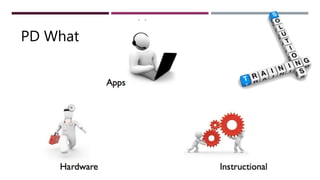
PD When
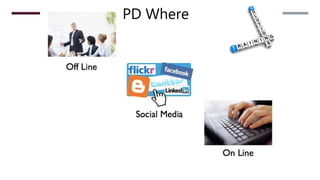
PD Where
PD What
FIDELITY OF IMPLEMENTATION
 Do the teachers utilize the devices
each day?
 Do students remember to bring the
devices fully charged?
 Are online resources used
appropriately?
 ….
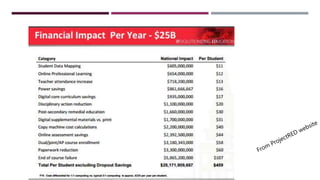
FINANCIAL IMPACT OF 1:1 PROGRAMING
 Total Cost of Ownership per Device
 Reduction in Operating Costs
 Reduction in Instructional Supply Costs
 Change in GSA via Attendance
 ….
YOUR EVALUATION TEAM
 Who should be involved in the evaluation process?
 Internal Evaluators or External Evaluators?
 Administrators, Staff, Board Members, Students, Parents,
Community Members?
 …
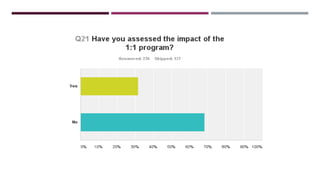
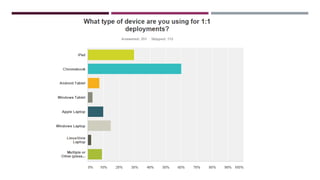
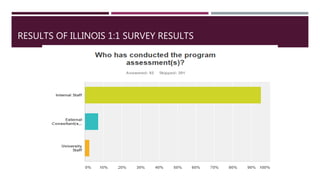
RESULTS OF ILLINOIS 1:1 SURVEY RESULTS
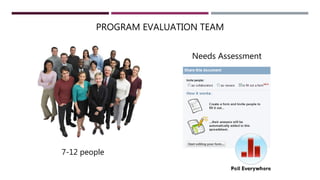
PROGRAM EVALUATION TEAM
Needs Assessment
7-12 people
WRAP UP
APPLICATION & DISSEMINATION
 Please complete the following Google Doc
 Due March 21, 2016

Evaluating 1 to 1 Workshop