1:1 Computing for K-12 Institutions Luke Uetrecht Business Development 1:1 Computing and 21 st  Century Classrooms  by
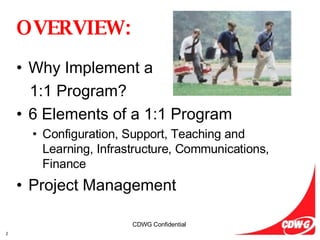
OVERVIEW: Why Implement a  1:1 Program? 6 Elements of a 1:1 Program Configuration, Support, Teaching and Learning, Infrastructure, Communications, Finance Project Management
Why Implement a 1:1 Program?
The United States needs to  close the K12 education gap   with the rest of the industrialized world.  Workforce and, therefore, economic development are both dependent   on closing this performance gap. Students need and want  real-world application of skills.   Student engagement   needs to be increased.  Real-World relevance needs to be  proven   to our students. Schools need to  attract and retain the best teachers.   Teachers need the tools, training and skills   to teach in  new and innovative   ways. This  New World   demands  New Thinking.
Digital Age Literacy Basic, scientific, economic and technological literacy  Visual literacy and information literacy  Multicultural literacy and global awareness Inventive Thinking  Adaptability and managing complexity  Self-direction  Curiosity, creativity, and risk taking  Higher-order thinking and sound reasoning Effective Communication   Teaming, collaboration, and interpersonal skills  Personal, social, and civic responsibility  Interactive communication High Productivity  Prioritizing, planning, and managing for results  Effective use of real-world tools  Ability to produce relevant, high-quality products  21st Century Learning Skills Critical Thinking/Problem Solving Oral Communications Written Communications Teamwork/Collaboration Diversity Information Technology Application Leadership Creativity/Innovation Lifelong Learning/Self Direction Professionalism/Work Ethic Ethics/Social Responsibility
Enabling 21 st  Century Skills 1:1 Computing Initiatives Dynamic, Collaborative Environments Real-World Skills Real-World Applications New Teaching and Learning Techniques New Measures of Assessment
1:1 Computing Goals Foster Development of 21 st  Century Skills Increase Positive Student Outcomes Higher Order Skills Collaboration Attract, Hire and Retain the Best Teachers Improve Community Relations Achieve Student Readiness Higher Education/Workforce
Academic Freedom and Student Equity Equal Access to Resources and Technology Level the Playing Field  Eliminate the “Digital Divide” 24 x 7 x 365 Access to Community, Services, Curricula Equal Access to Vast Library and Reference Material Legacy Free, Open Source Works References Encyclopedia Britannica Oxford American Dictionary Web 2.0
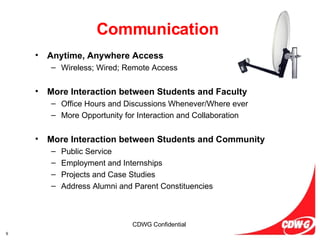
Communication Anytime, Anywhere Access Wireless; Wired; Remote Access More Interaction between Students and Faculty Office Hours and Discussions Whenever/Where ever More Opportunity for Interaction and Collaboration More Interaction between Students and Community Public Service Employment and Internships Projects and Case Studies Address Alumni and Parent Constituencies
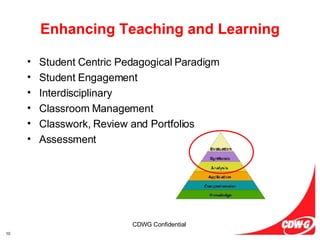
Enhancing Teaching and Learning Student Centric Pedagogical Paradigm Student Engagement Interdisciplinary Classroom Management Classwork, Review and Portfolios Assessment
Elements of a 1:1  Program
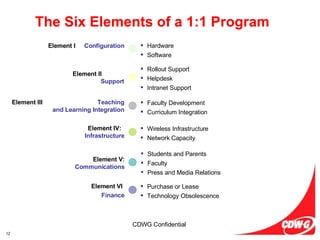
The Six Elements of a 1:1 Program Rollout Support Helpdesk Intranet Support Faculty Development Curriculum Integration Hardware Software Wireless Infrastructure Network Capacity Students and Parents Faculty Press and Media Relations Purchase or Lease Technology Obsolescence Element I :   Configuration Element II :   Support Element III :   Teaching and Learning Integration Element IV:   Infrastructure Element V:  Communications Element VI : Finance
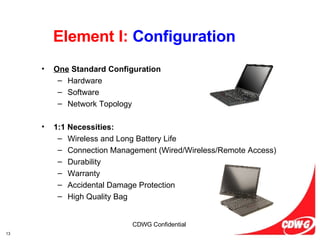
Element I:  Configuration One  Standard Configuration Hardware Software Network Topology 1:1 Necessities: Wireless and Long Battery Life Connection Management (Wired/Wireless/Remote Access) Durability Warranty Accidental Damage Protection High Quality Bag
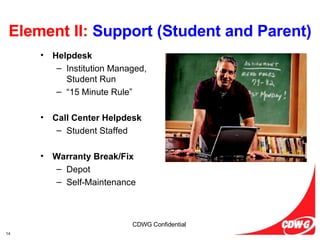
Element II:  Support (Student and Parent) Helpdesk Institution Managed, Student Run “ 15 Minute Rule” Call Center Helpdesk Student Staffed Warranty Break/Fix Depot Self-Maintenance
Element II:  Support (IT Staff) Manufacturer Level II Support Enhanced Support Services Project Management, single point of contact for all elements  Imaging & Deployment Strategies Security and Asset Protection Strategies
Element III:  Teaching and Learning Integration Curriculum Support  SchoolKiT FutureKids Vital Source Adobe  Photoshop Elements 4.0 – edit, organize, show photos Premiere Elements 2.0 – easily create video Digital Kids Club – online resource of digital photography,  imaging and video for teachers, students and parents Professional Development SchoolKiT FutureKids Sharing Best Practices Teaching and Learning Events (AAL & ThinkTank) Round Tables Forums, ListServs
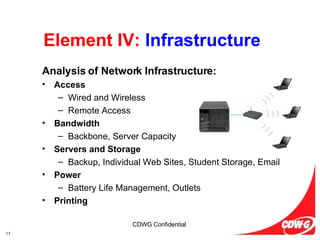
Element IV:  Infrastructure Analysis of Network Infrastructure: Access Wired and Wireless Remote Access Bandwidth Backbone, Server Capacity Servers and Storage Backup, Individual Web Sites, Student Storage, Email Power Battery Life Management, Outlets Printing ) ) ) ) ) ) ) ) )
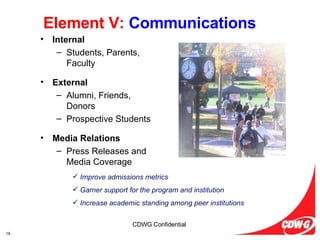
Element V:  Communications Internal Students, Parents, Faculty External Alumni, Friends, Donors Prospective Students Media Relations Press Releases and Media Coverage Improve admissions metrics Garner support for the program and institution Increase academic standing among peer institutions
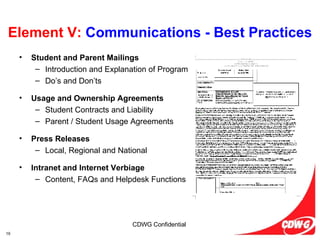
Element V:  Communications - Best Practices Student and Parent Mailings Introduction and Explanation of Program Do’s and Don’ts Usage and Ownership Agreements Student Contracts and Liability Parent / Student Usage Agreements Press Releases Local, Regional and National Intranet and Internet Verbiage Content, FAQs and Helpdesk Functions
Element VI:  Finance Purchase Technology Obsolescence a Possibility Less Expensive Excellent Initial Strategy Lease Technology Refresh - Standardization Easily Upgrade Client Network Topology Best Practice for Seasoned Programs
Project Management
1:1 Critical Success Factors Communication and Expectation Setting Strategic, Long Term Commitment to the Program Student/Parent/Faculty Satisfaction Development of a Technology-Enabled Learning Environment Financial commitment Standardization Experienced Project Management Infrastructure Development and Testing
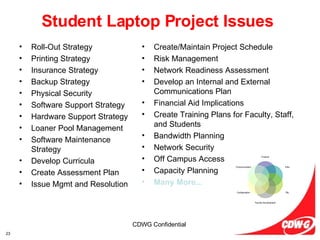
Student Laptop Project Issues Roll-Out Strategy Printing Strategy Insurance Strategy Backup Strategy Physical Security Software Support Strategy Hardware Support Strategy Loaner Pool Management Software Maintenance Strategy Develop Curricula Create Assessment Plan Issue Mgmt and Resolution Create/Maintain Project Schedule Risk Management Network Readiness Assessment Develop an Internal and External Communications Plan Financial Aid Implications Create Training Plans for Faculty, Staff, and Students Bandwidth Planning Network Security Off Campus Access Capacity Planning Many More... Finance Infra T&L Faculty Development Configuration Communication
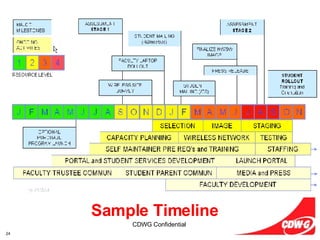
Sample Timeline
Leadership in Student Mobile Computing Best Practices from Mandatory Programs Experience and Proven Methodologies   Partnership, not a Transaction Consultative and Collaborative Relationship Rather than  a Simple Hardware Transaction Assistance in Planning & Implementation Marketing and Sales Support Excellent Track Record and References CDW-G Project Management “ A Trusted Partner”
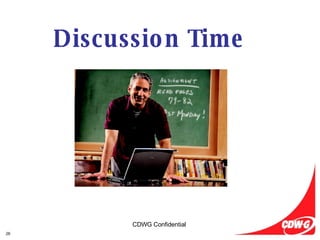
Discussion Time

1 to 1 Presentation - CDW-G

  • 1.
    1:1 Computing forK-12 Institutions Luke Uetrecht Business Development 1:1 Computing and 21 st Century Classrooms by
  • 2.
    OVERVIEW: Why Implementa 1:1 Program? 6 Elements of a 1:1 Program Configuration, Support, Teaching and Learning, Infrastructure, Communications, Finance Project Management
  • 3.
    Why Implement a1:1 Program?
  • 4.
    The United Statesneeds to close the K12 education gap with the rest of the industrialized world. Workforce and, therefore, economic development are both dependent on closing this performance gap. Students need and want real-world application of skills. Student engagement needs to be increased. Real-World relevance needs to be proven to our students. Schools need to attract and retain the best teachers. Teachers need the tools, training and skills to teach in new and innovative ways. This New World demands New Thinking.
  • 5.
    Digital Age LiteracyBasic, scientific, economic and technological literacy Visual literacy and information literacy Multicultural literacy and global awareness Inventive Thinking Adaptability and managing complexity Self-direction Curiosity, creativity, and risk taking Higher-order thinking and sound reasoning Effective Communication Teaming, collaboration, and interpersonal skills Personal, social, and civic responsibility Interactive communication High Productivity Prioritizing, planning, and managing for results Effective use of real-world tools Ability to produce relevant, high-quality products 21st Century Learning Skills Critical Thinking/Problem Solving Oral Communications Written Communications Teamwork/Collaboration Diversity Information Technology Application Leadership Creativity/Innovation Lifelong Learning/Self Direction Professionalism/Work Ethic Ethics/Social Responsibility
  • 6.
    Enabling 21 st Century Skills 1:1 Computing Initiatives Dynamic, Collaborative Environments Real-World Skills Real-World Applications New Teaching and Learning Techniques New Measures of Assessment
  • 7.
    1:1 Computing GoalsFoster Development of 21 st Century Skills Increase Positive Student Outcomes Higher Order Skills Collaboration Attract, Hire and Retain the Best Teachers Improve Community Relations Achieve Student Readiness Higher Education/Workforce
  • 8.
    Academic Freedom andStudent Equity Equal Access to Resources and Technology Level the Playing Field Eliminate the “Digital Divide” 24 x 7 x 365 Access to Community, Services, Curricula Equal Access to Vast Library and Reference Material Legacy Free, Open Source Works References Encyclopedia Britannica Oxford American Dictionary Web 2.0
  • 9.
    Communication Anytime, AnywhereAccess Wireless; Wired; Remote Access More Interaction between Students and Faculty Office Hours and Discussions Whenever/Where ever More Opportunity for Interaction and Collaboration More Interaction between Students and Community Public Service Employment and Internships Projects and Case Studies Address Alumni and Parent Constituencies
  • 10.
    Enhancing Teaching andLearning Student Centric Pedagogical Paradigm Student Engagement Interdisciplinary Classroom Management Classwork, Review and Portfolios Assessment
  • 11.
    Elements of a1:1 Program
  • 12.
    The Six Elementsof a 1:1 Program Rollout Support Helpdesk Intranet Support Faculty Development Curriculum Integration Hardware Software Wireless Infrastructure Network Capacity Students and Parents Faculty Press and Media Relations Purchase or Lease Technology Obsolescence Element I : Configuration Element II : Support Element III : Teaching and Learning Integration Element IV: Infrastructure Element V: Communications Element VI : Finance
  • 13.
    Element I: Configuration One Standard Configuration Hardware Software Network Topology 1:1 Necessities: Wireless and Long Battery Life Connection Management (Wired/Wireless/Remote Access) Durability Warranty Accidental Damage Protection High Quality Bag
  • 14.
    Element II: Support (Student and Parent) Helpdesk Institution Managed, Student Run “ 15 Minute Rule” Call Center Helpdesk Student Staffed Warranty Break/Fix Depot Self-Maintenance
  • 15.
    Element II: Support (IT Staff) Manufacturer Level II Support Enhanced Support Services Project Management, single point of contact for all elements Imaging & Deployment Strategies Security and Asset Protection Strategies
  • 16.
    Element III: Teaching and Learning Integration Curriculum Support SchoolKiT FutureKids Vital Source Adobe Photoshop Elements 4.0 – edit, organize, show photos Premiere Elements 2.0 – easily create video Digital Kids Club – online resource of digital photography, imaging and video for teachers, students and parents Professional Development SchoolKiT FutureKids Sharing Best Practices Teaching and Learning Events (AAL & ThinkTank) Round Tables Forums, ListServs
  • 17.
    Element IV: Infrastructure Analysis of Network Infrastructure: Access Wired and Wireless Remote Access Bandwidth Backbone, Server Capacity Servers and Storage Backup, Individual Web Sites, Student Storage, Email Power Battery Life Management, Outlets Printing ) ) ) ) ) ) ) ) )
  • 18.
    Element V: Communications Internal Students, Parents, Faculty External Alumni, Friends, Donors Prospective Students Media Relations Press Releases and Media Coverage Improve admissions metrics Garner support for the program and institution Increase academic standing among peer institutions
  • 19.
    Element V: Communications - Best Practices Student and Parent Mailings Introduction and Explanation of Program Do’s and Don’ts Usage and Ownership Agreements Student Contracts and Liability Parent / Student Usage Agreements Press Releases Local, Regional and National Intranet and Internet Verbiage Content, FAQs and Helpdesk Functions
  • 20.
    Element VI: Finance Purchase Technology Obsolescence a Possibility Less Expensive Excellent Initial Strategy Lease Technology Refresh - Standardization Easily Upgrade Client Network Topology Best Practice for Seasoned Programs
  • 21.
  • 22.
    1:1 Critical SuccessFactors Communication and Expectation Setting Strategic, Long Term Commitment to the Program Student/Parent/Faculty Satisfaction Development of a Technology-Enabled Learning Environment Financial commitment Standardization Experienced Project Management Infrastructure Development and Testing
  • 23.
    Student Laptop ProjectIssues Roll-Out Strategy Printing Strategy Insurance Strategy Backup Strategy Physical Security Software Support Strategy Hardware Support Strategy Loaner Pool Management Software Maintenance Strategy Develop Curricula Create Assessment Plan Issue Mgmt and Resolution Create/Maintain Project Schedule Risk Management Network Readiness Assessment Develop an Internal and External Communications Plan Financial Aid Implications Create Training Plans for Faculty, Staff, and Students Bandwidth Planning Network Security Off Campus Access Capacity Planning Many More... Finance Infra T&L Faculty Development Configuration Communication
  • 24.
  • 25.
    Leadership in StudentMobile Computing Best Practices from Mandatory Programs Experience and Proven Methodologies Partnership, not a Transaction Consultative and Collaborative Relationship Rather than a Simple Hardware Transaction Assistance in Planning & Implementation Marketing and Sales Support Excellent Track Record and References CDW-G Project Management “ A Trusted Partner”
  • 26.