Enterprise Architect UML Modeling
with codeBeamer ALM
Mai-Lan Tran & Kristof Horvath
27 May 2015
2
Agenda
1. Unified Modeling Language in a nutshell
2. How UML is used
3. UML + Application Lifecycle Management
4. Enterprise Architect + codeBeamer
5. Live demo
3
Intland Software
Webinar info
• Live demonstration will be followed
by a Q&A session
• Webinar recording will be
• available at
http://intland.com/webinars/
• Sign up for our upcoming webinars
4
o Founded in 1998
o Headquarters in Stuttgart, Germany
o Office in Silicon Valley, USA
o Our ALM solution includes:
• Requirements Management
• Software Development Management
• QA & Test Management
• Demand Management
• IT Operations (DevOps)
Intland Software
Introduction
5
Intland Software
Automotive
High Technology
Defense
Finance
Medical
Other
Our clients
6
• UML: industry standard object-oriented modeling language
• Visualize components, processes, data flows etc.
• Used to model complex system architectures
• Diagram != model
• Static and dynamic
Enterprise Architect UML Modeling with codeBeamer ALM
Unified Modeling Language in a nutshell
7
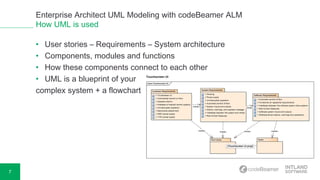
• User stories – Requirements – System architecture
• Components, modules and functions
• How these components connect to each other
• UML is a blueprint of your
complex system + a flowchart
Enterprise Architect UML Modeling with codeBeamer ALM
How UML is used
8
• UML integrated into ALM = executable blueprint
• Traceability: establish links between requirements and work items
• Guides the development process
Enterprise Architect UML Modeling with codeBeamer ALM
UML + Application Lifecycle Management
9
Enterprise Architect UML Modeling with codeBeamer ALM
Enterprise Architect + codeBeamer
• Draw UML diagrams with Enterprise Architect
• Sync with codeBeamer, import data with a single click
• Diagrams synced
• Full traceability ensured from requirements to testing/release
10
Watch our live demo now!
Thank you for your attention!
Any questions?
sales@intland.com

Enterprise Architect UML Modeling with codeBeamer ALM

  • 1.
    Enterprise Architect UMLModeling with codeBeamer ALM Mai-Lan Tran & Kristof Horvath 27 May 2015
  • 2.
    2 Agenda 1. Unified ModelingLanguage in a nutshell 2. How UML is used 3. UML + Application Lifecycle Management 4. Enterprise Architect + codeBeamer 5. Live demo
  • 3.
    3 Intland Software Webinar info •Live demonstration will be followed by a Q&A session • Webinar recording will be • available at http://intland.com/webinars/ • Sign up for our upcoming webinars
  • 4.
    4 o Founded in1998 o Headquarters in Stuttgart, Germany o Office in Silicon Valley, USA o Our ALM solution includes: • Requirements Management • Software Development Management • QA & Test Management • Demand Management • IT Operations (DevOps) Intland Software Introduction
  • 5.
  • 6.
    6 • UML: industrystandard object-oriented modeling language • Visualize components, processes, data flows etc. • Used to model complex system architectures • Diagram != model • Static and dynamic Enterprise Architect UML Modeling with codeBeamer ALM Unified Modeling Language in a nutshell
  • 7.
    7 • User stories– Requirements – System architecture • Components, modules and functions • How these components connect to each other • UML is a blueprint of your complex system + a flowchart Enterprise Architect UML Modeling with codeBeamer ALM How UML is used
  • 8.
    8 • UML integratedinto ALM = executable blueprint • Traceability: establish links between requirements and work items • Guides the development process Enterprise Architect UML Modeling with codeBeamer ALM UML + Application Lifecycle Management
  • 9.
    9 Enterprise Architect UMLModeling with codeBeamer ALM Enterprise Architect + codeBeamer • Draw UML diagrams with Enterprise Architect • Sync with codeBeamer, import data with a single click • Diagrams synced • Full traceability ensured from requirements to testing/release
  • 10.
  • 11.
    Thank you foryour attention! Any questions? sales@intland.com

Editor's Notes

  • #7 After discussing the brief history of this approach, let us talk about the fundamentals of DevOps. DevOps relies mainly on the 1) alignment of goals, 2) collaboration, and 3) automation. In order to achieve these goals, DevOps employs various methods, practices and tools. Now, we are going to really quickly go through some of the mains points of DevOps, and we’ll also mention the relevant codeBeamer features and functions that help you implement this approach. Let me remind you that we will show how all this works in practice via a live demonstration right after this presentation. So there’s no need to go into the details. For now, we’re just going to go through these points real fast to help you better understand how DevOps works. For planning, tracking and monitoring processes, DevOps is supported by release planner tools. These are used to plan sprints and releases, assign tasks to each of these, and monitor the progress made against these plans. As you’ll see, codeBeamer’s release planner is an advanced tool that helps you plan and monitor as many releases as you need – Sándor will talk about release management in detail a little bit later. Our next topic is also an important one: collaboration. This necessitates communication between your team members, assigning tasks to members of your team, and the complete transparency of all processes so that all team members always know how the project is progressing. In codeBeamer, you have real-time collaboration, supported by comments, Wikis and Documents as well as team member activity feeds, e-mail notifications, and complete task management functionality. Next up, it’s automation and integration. Among the many tools and solutions usually mentioned in relation to DevOps, some of the most popular are Chef, Maven, JUnit, Ansible, Puppet and of course Jenkins. codeBeamer offers REST API to allow integration with other tools including Jenkins. codeBeamer’s own QA & Testing functionality includes test cases and test sets, which are all reusable through a library. This means you can simply save all your test-related information in a library (both test cases and test sets), you can browse this library any time, and just simply reuse the test cases you need in further projects. codeBeamer also offers manual test management and staging functionality. Also related to release management that we’ll talk about later, we have baselining. codeBeamer offers advanced baselining functionality which allows you to take a snapshot of the current state of all your artifacts, all your work items. These baselines contain all the relevant information as well as complete change history on all artifacts, and may be browsed any time later. What’s more, e-signatures may be added to them, helping you comply with industry regulations. Issue management is another important process of the Operations aspect of DevOps. codeBeamer comes with fully customizable Kanban boards that allow you to manage issues and escalations – Sándor will be talking about this in detail.