Online Safety,
Security,Ethics,
and Etiquette
Online Safety,
Security,Ethics,
and Etiquette:
INTERNET THREATS
At the end of the lesson you areexpected to:
Name and Identify the different internet threats
(malware) that are common in internet flat
forms.
Considering one's safety when sharing
information in the internet.
Be responsible in the use of social networking
sites.
 Create a Digital and Non-digital poster which promotes
awareness on online safety,security,ethics ,and etiquette
standards
This picture shows the
speed at which The Internet
is changing the world.
The sites we visit are so
overwhelmingly popular to
both adults and children.
The online world is
increasingly integrated into
our daily lives.
The internet like the
physical world,maybe safe
or unsafe depending on our
habits.
Sometimes, we do not
pay much attention
about the information
that we share.
SAFETY FIRST!
Being safe and secured online depends on how
we protect ourselves.
Analyze the following statements
Guess the correct answer by giving
a thumbs-up if You agree and
thumbs –down if not.
Without
worries,
download
anything from
untrusted
websites.
It is fine to log-in
to a public
networks/Wi-Fi
Install and update
an antivirus
software on your
computer.
Reply or click links
from suspicious
e-mail
Be mindful of what
you share in the
internet and what
site you share it to.
Visit website that
are in your most
interest without
checking its privacy
polices.
Buy the
software; do
not use pirated
ones
Do not talk to
strangers
whether online
or face-to-face
Let’s Check
your groups
scores!
TIKTOK
Vibe
FACEBOOK
VIBE
The internet is define as the
information superhighway. This
means that anyone has access to
this highway, can place information
and can grab that Information.
The more information you
share online the higher the
risks such as:
Identity theft
phishing
Malware infections
The threats in the internet is real.
After all, it become a public place
especially billions of people have
an excess of knowledge about
internet
malicious
software
It is a malicious program
that usually transfer from
one device to another
with the aid of the local
networks , but commonly
through data storage
such as flash drives and
hard drive.
This Malware
replicates itself and
can transfer by any
type of means,but
more often through
computer network.
This malicious program
disguise as a useful
program, however left
your device unprotected
and became vulnerable
to other malwares once
you accessed or
download.
A malicious program
that monitors the
device, and the actions
of the users without its
knowledge.
Keyloggers
-Used to record the keystroke
done by the users. This is done
to steal their password or any
information.
A program
designed to send
you
advertisements
mostly popups
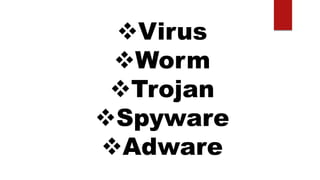
 VIRUS
WORM
TROJAN
SPYWARE
 ADWARE
What are the different internet
threats?
Identity Theft
Phishing
Malware
Infections
What are the 5 types of malwares?
Virus
Worm
Trojan
Spyware
Adware
This Malware replicates itself and can transfer by any
type of means, but more often through computer
network.
Can you give one example of malware and its
harmful effects on your computer.
1.Why do we have to be aware on the
different MALWARES or threats in the
internet?
Is uploading and downloading of software in
the internet are safe? Why?
As a student, fun of online games, what
will be your steps before uploading a
game app to avoid malwares in your
computer/cellphone?
TEST I : TECH. ASSISTANCE
Can you help her? Name at least five malwares you see in the picture
 VIRUS
WORM
TROJAN
SPYWARE
 ADWARE
TEST II. TRUE OR FALSE
Direction: Write True if you agree or False if you do not agree with the
statements below.
______ 1. Read the terms and conditions before accepting it.
______ 2. Only download music or video from a trusted website.
______ 3. You can use a pirated software for personal use only.
______ 4. There is a danger for posting future vacation.
______ 5. Avoid logging in to free WIFI.
TEST II. TRUE OR FALSE
Direction: Write True if you agree or False if you do not agree with the
statements below.
TRUE1. Read the terms and conditions before accepting it.
TRUE 2. Only download music or video from a trusted website.
FALSE 3. You can use a pirated software for personal use only.
TRUE 4. There is a danger for posting future vacation.
TRUE 5. Avoid logging in to free WIFI.
TEST II. Match Column A with Column B.
DIRECTION: Read Column A and Identify the correct answer by choosing
answers in Column B. Write the LETTER of the correct answer at the
space provided before the number.
Answers A B
________1. It is a malicious program that
usually transfer from one device to
another with the aid of the local
networks , but commonly through
data storage such as flash drives
and hard drive.
a. Worm
b. Virus
c. Trojan
d. Hacking
e. Spyware
f. Adware
g. Spam
________2. This malicious program disguise as
a useful program, however left
your device unprotected and
became vulnerable to other
malwares once you accessed or
download.
________3. A program designed to send you
advertisements mostly popups
________4. A malicious program that monitors
the device, and the actions of the
users without its knowledge.
________5. This Malware replicates itself and
can transfer by any type of means,
but more often through computer
network.
I
1.VIRUS
2. TROJAN
3.ADWARE
4.SPYWARE
5.WORM
OUTSIDE WORLD POSTER MAKING
“Think before you click”.
At this stay at home season, ICTs keep us entertained and informed.
DIRECTION: Create a digital poster promoting “Think before you click”.
Post it in your social media site as an awareness program for your
friends and family. Pass/share to your subject teacher for checking.
 If internet connection is not available or have no FB account
a. Create your poster on a bond paper
b. Make use of materials present in your place/community to design and
upgrade your work (design with dry leaves,shells,beads,seeds )
c. Submit it to your teacher.
As a responsible digital citizen,
we must be aware about these internet
threats, how to avoid it, and practice our
digital citizenship.
To make a difference in the world of ICT.
THANK YOU! AND GOOD MORNING!
Is criminal activity that either targets or uses
a computer, a computer network or a
networked device. Most, but not
all, cybercrime is committed by
cybercriminals or hackers who want to
make money. Cybercrime is carried out by
individuals or organizations.
Unwanted email mostly
from bots or advertisers. It
can be used to send
malware
However cyber
criminals can use this
to transfer malware
or worst do
cybercrimes
Mr. Victor Lorenzo, National
Bureau of Investigation (NBI)
cybercrime chief said that
cybercrime incident rose up to
100% during the Covid-19
Pandemic, and phishing ranked
one
(GMA News Online2020)
It is unauthorized accessing of data
from a computer network. Mostly,
hackers attack commercial and
government sites to cause an alarm
or to threat someone.
It is an illegal act of gambling
on any sports event that
happened over the internet.
A deceiving act which the culprit
posted a product or service on the
internet. Once the victim place its
payment ,the culprit does not give
the items or services.
An anonymous criminal who
harass, abuse, threat,or annoy
other people. One example of
this is Cyberbullying
Based on Republic Act no. 9775 or
known as the Anti Child Pornography
Act of 2009, it is an act of real or
simulated explicit sexual activities that
involves any child aged 18 and below
and it is penalized depending on the
offender.
It is an illegal act engage in
any sexual activities.
It is an unauthorized use or
stealing of intellectual
property,such as movies and
music,for profitable benefit.
“
”
Intellectual Property
“
”
Copyright
A part of the law wherein your rights over
your works and anyone who uses it
without your consent is punishable by
law.
Whether in the reality, or in the digital world, persons with bad intentions are everywhere, and
they are just waiting for an opening to do it. As a responsible digital citizen (commonly called
netizen (internet citizen) We must be aware of these internet threats , how to avoid it and
practice our digital citizenship.
Be mindful of what you share and
what site you share it to.
 Check out the privacy policy page of
a website you use.
 Do not share password with anyone.
Avoid logging in to public
networks/Wi-Fi.
Do not talk to strangers whether
online or face-to-face.
 Never post anything about feature
vacations.
Avoid visiting untrusted websites.
Avoid downloading anything from
untrusted websites.
 Add friends you know in real
life.
 Do not reply or click links
from suspicious emails.
Your profile is already set to
private.
WORKSHEETS:
Activity 1: Teach assistance
Can you help her? Name at least five malwares you see in the picture
WORKSHEETS: Activity No. 1
Tips
that could help you avoid Copyright Infringement
UNDERSTAND. Copyright protects literary
works,photographs, paintings,drawings,
films,music,choreography, sculpture etc. but generally
does NOT protect underlying ideas and facts.
This means that you can express something using
your own works but you should give credits to the
source.
Tips
that could help you avoid Copyright Infringement
Be Responsible. Even if materials does not say
that is copyrighted, it is not a valid defense against
copyright. Be responsible enough to know if someone
has a copyright.
Tips
that could help you avoid Copyright Infringement
Be Creative. Ask yourself weather what you are
making is something that came from you or
something that came from somebody else’s creativity.
It is important to add your own creative genius in
everything that will be credited to you.
Tips
that could help you avoid Copyright Infringement
Know the Law. There are some limitations to
copyright laws. For instance in the
Philippines,copyrights only last a lifetime (0f the
author) plus 50. years.
Tips
that could help you avoid Copyright Infringement
There is also provisions for “Fair Use” which mean that
an intellectual property may be used without conset as
long as it used in commentaries,criticism, search
engines,parodies, news reports,research,library
archiving,teaching and education.
Think Before you click…
 Before you post something on the web, ask these
questions to yourself.
a.Would you want your parents and other members of you
family to see it?
b.Would you want your future boss to see it?
Think Before you click…
 Your friends depend on you to protect their
reputation online. Talk to your friends about
this serious responsibility.
Think Before you click…
 Set your post to private. In this way, search
engines will not be able to scan that post.
Think Before you click…
 Avoid using names. Names are easy to
search engines to scan.
Think Before you click…
 If you feel that a post can affect you or
other’s reputation, ask the one who posted
it to pull it down or report it as
inappropriate.
Think Before you click…
 Set your post to private. In this way, search
engines will not be able to scan that post.
1.Do you agree or disagree with the provisions
of the copyright law? Defend your answer.
2. How would you feel if someone posted
something embarrassing about you? What
would you do?
References:
Empowerment Technologies, “Rules of Netiquette”. RexBookstore, Inc,p17-33,2016
https://www.youtube.com/watch?hUxMpDcXhw0

Empowerment lesson 2.ppt

  • 1.
  • 4.
  • 5.
    At the endof the lesson you areexpected to: Name and Identify the different internet threats (malware) that are common in internet flat forms. Considering one's safety when sharing information in the internet. Be responsible in the use of social networking sites.  Create a Digital and Non-digital poster which promotes awareness on online safety,security,ethics ,and etiquette standards
  • 7.
    This picture showsthe speed at which The Internet is changing the world. The sites we visit are so overwhelmingly popular to both adults and children.
  • 8.
    The online worldis increasingly integrated into our daily lives. The internet like the physical world,maybe safe or unsafe depending on our habits.
  • 9.
    Sometimes, we donot pay much attention about the information that we share.
  • 10.
  • 11.
    Being safe andsecured online depends on how we protect ourselves. Analyze the following statements Guess the correct answer by giving a thumbs-up if You agree and thumbs –down if not.
  • 12.
  • 13.
    It is fineto log-in to a public networks/Wi-Fi
  • 14.
    Install and update anantivirus software on your computer.
  • 15.
    Reply or clicklinks from suspicious e-mail
  • 16.
    Be mindful ofwhat you share in the internet and what site you share it to.
  • 17.
    Visit website that arein your most interest without checking its privacy polices.
  • 18.
    Buy the software; do notuse pirated ones
  • 19.
    Do not talkto strangers whether online or face-to-face
  • 20.
  • 21.
  • 22.
    The internet isdefine as the information superhighway. This means that anyone has access to this highway, can place information and can grab that Information.
  • 23.
    The more informationyou share online the higher the risks such as:
  • 24.
  • 26.
    The threats inthe internet is real. After all, it become a public place especially billions of people have an excess of knowledge about internet
  • 27.
  • 28.
    It is amalicious program that usually transfer from one device to another with the aid of the local networks , but commonly through data storage such as flash drives and hard drive.
  • 29.
    This Malware replicates itselfand can transfer by any type of means,but more often through computer network.
  • 30.
    This malicious program disguiseas a useful program, however left your device unprotected and became vulnerable to other malwares once you accessed or download.
  • 31.
    A malicious program thatmonitors the device, and the actions of the users without its knowledge.
  • 32.
    Keyloggers -Used to recordthe keystroke done by the users. This is done to steal their password or any information.
  • 33.
    A program designed tosend you advertisements mostly popups
  • 34.
  • 37.
    What are thedifferent internet threats?
  • 38.
  • 39.
    What are the5 types of malwares?
  • 40.
  • 41.
    This Malware replicatesitself and can transfer by any type of means, but more often through computer network.
  • 43.
    Can you giveone example of malware and its harmful effects on your computer.
  • 44.
    1.Why do wehave to be aware on the different MALWARES or threats in the internet?
  • 45.
    Is uploading anddownloading of software in the internet are safe? Why?
  • 46.
    As a student,fun of online games, what will be your steps before uploading a game app to avoid malwares in your computer/cellphone?
  • 47.
    TEST I :TECH. ASSISTANCE Can you help her? Name at least five malwares you see in the picture
  • 48.
  • 49.
    TEST II. TRUEOR FALSE Direction: Write True if you agree or False if you do not agree with the statements below. ______ 1. Read the terms and conditions before accepting it. ______ 2. Only download music or video from a trusted website. ______ 3. You can use a pirated software for personal use only. ______ 4. There is a danger for posting future vacation. ______ 5. Avoid logging in to free WIFI.
  • 50.
    TEST II. TRUEOR FALSE Direction: Write True if you agree or False if you do not agree with the statements below. TRUE1. Read the terms and conditions before accepting it. TRUE 2. Only download music or video from a trusted website. FALSE 3. You can use a pirated software for personal use only. TRUE 4. There is a danger for posting future vacation. TRUE 5. Avoid logging in to free WIFI.
  • 51.
    TEST II. MatchColumn A with Column B. DIRECTION: Read Column A and Identify the correct answer by choosing answers in Column B. Write the LETTER of the correct answer at the space provided before the number. Answers A B ________1. It is a malicious program that usually transfer from one device to another with the aid of the local networks , but commonly through data storage such as flash drives and hard drive. a. Worm b. Virus c. Trojan d. Hacking e. Spyware f. Adware g. Spam ________2. This malicious program disguise as a useful program, however left your device unprotected and became vulnerable to other malwares once you accessed or download. ________3. A program designed to send you advertisements mostly popups ________4. A malicious program that monitors the device, and the actions of the users without its knowledge. ________5. This Malware replicates itself and can transfer by any type of means, but more often through computer network. I
  • 52.
  • 54.
    OUTSIDE WORLD POSTERMAKING “Think before you click”. At this stay at home season, ICTs keep us entertained and informed. DIRECTION: Create a digital poster promoting “Think before you click”. Post it in your social media site as an awareness program for your friends and family. Pass/share to your subject teacher for checking.  If internet connection is not available or have no FB account a. Create your poster on a bond paper b. Make use of materials present in your place/community to design and upgrade your work (design with dry leaves,shells,beads,seeds ) c. Submit it to your teacher.
  • 55.
    As a responsibledigital citizen, we must be aware about these internet threats, how to avoid it, and practice our digital citizenship. To make a difference in the world of ICT. THANK YOU! AND GOOD MORNING!
  • 56.
    Is criminal activitythat either targets or uses a computer, a computer network or a networked device. Most, but not all, cybercrime is committed by cybercriminals or hackers who want to make money. Cybercrime is carried out by individuals or organizations.
  • 57.
    Unwanted email mostly frombots or advertisers. It can be used to send malware
  • 58.
    However cyber criminals canuse this to transfer malware or worst do cybercrimes
  • 59.
    Mr. Victor Lorenzo,National Bureau of Investigation (NBI) cybercrime chief said that cybercrime incident rose up to 100% during the Covid-19 Pandemic, and phishing ranked one (GMA News Online2020)
  • 61.
    It is unauthorizedaccessing of data from a computer network. Mostly, hackers attack commercial and government sites to cause an alarm or to threat someone.
  • 62.
    It is anillegal act of gambling on any sports event that happened over the internet.
  • 63.
    A deceiving actwhich the culprit posted a product or service on the internet. Once the victim place its payment ,the culprit does not give the items or services.
  • 64.
    An anonymous criminalwho harass, abuse, threat,or annoy other people. One example of this is Cyberbullying
  • 65.
    Based on RepublicAct no. 9775 or known as the Anti Child Pornography Act of 2009, it is an act of real or simulated explicit sexual activities that involves any child aged 18 and below and it is penalized depending on the offender.
  • 66.
    It is anillegal act engage in any sexual activities.
  • 67.
    It is anunauthorized use or stealing of intellectual property,such as movies and music,for profitable benefit.
  • 68.
  • 69.
    “ ” Copyright A part ofthe law wherein your rights over your works and anyone who uses it without your consent is punishable by law.
  • 70.
    Whether in thereality, or in the digital world, persons with bad intentions are everywhere, and they are just waiting for an opening to do it. As a responsible digital citizen (commonly called netizen (internet citizen) We must be aware of these internet threats , how to avoid it and practice our digital citizenship.
  • 71.
    Be mindful ofwhat you share and what site you share it to.  Check out the privacy policy page of a website you use.  Do not share password with anyone. Avoid logging in to public networks/Wi-Fi.
  • 72.
    Do not talkto strangers whether online or face-to-face.  Never post anything about feature vacations. Avoid visiting untrusted websites. Avoid downloading anything from untrusted websites.
  • 73.
     Add friendsyou know in real life.  Do not reply or click links from suspicious emails.
  • 74.
    Your profile isalready set to private.
  • 76.
    WORKSHEETS: Activity 1: Teachassistance Can you help her? Name at least five malwares you see in the picture
  • 77.
  • 78.
    Tips that could helpyou avoid Copyright Infringement UNDERSTAND. Copyright protects literary works,photographs, paintings,drawings, films,music,choreography, sculpture etc. but generally does NOT protect underlying ideas and facts. This means that you can express something using your own works but you should give credits to the source.
  • 79.
    Tips that could helpyou avoid Copyright Infringement Be Responsible. Even if materials does not say that is copyrighted, it is not a valid defense against copyright. Be responsible enough to know if someone has a copyright.
  • 80.
    Tips that could helpyou avoid Copyright Infringement Be Creative. Ask yourself weather what you are making is something that came from you or something that came from somebody else’s creativity. It is important to add your own creative genius in everything that will be credited to you.
  • 81.
    Tips that could helpyou avoid Copyright Infringement Know the Law. There are some limitations to copyright laws. For instance in the Philippines,copyrights only last a lifetime (0f the author) plus 50. years.
  • 82.
    Tips that could helpyou avoid Copyright Infringement There is also provisions for “Fair Use” which mean that an intellectual property may be used without conset as long as it used in commentaries,criticism, search engines,parodies, news reports,research,library archiving,teaching and education.
  • 83.
    Think Before youclick…  Before you post something on the web, ask these questions to yourself. a.Would you want your parents and other members of you family to see it? b.Would you want your future boss to see it?
  • 84.
    Think Before youclick…  Your friends depend on you to protect their reputation online. Talk to your friends about this serious responsibility.
  • 85.
    Think Before youclick…  Set your post to private. In this way, search engines will not be able to scan that post.
  • 86.
    Think Before youclick…  Avoid using names. Names are easy to search engines to scan.
  • 87.
    Think Before youclick…  If you feel that a post can affect you or other’s reputation, ask the one who posted it to pull it down or report it as inappropriate.
  • 88.
    Think Before youclick…  Set your post to private. In this way, search engines will not be able to scan that post.
  • 89.
    1.Do you agreeor disagree with the provisions of the copyright law? Defend your answer. 2. How would you feel if someone posted something embarrassing about you? What would you do?
  • 90.
    References: Empowerment Technologies, “Rulesof Netiquette”. RexBookstore, Inc,p17-33,2016 https://www.youtube.com/watch?hUxMpDcXhw0

Editor's Notes

  • #6 ATTENDANCE , THEN- What I need to know
  • #7 MOTIVATION a.What have you observe on the picture? b.Do you use most of these socialmedia or online platforms? c. What does it imply on the security and safety of these websites/ plattforms? it is safe? or not?
  • #12 motivation
  • #23 Activity proper
  • #26 Are you safe and secured online?
  • #28 MALWARE –is an umbrella term covering five (5)different types:
  • #30 Remember the ILOVEYOU worm? Or known as LOVE BUG, that infected 45 million machines across the globe, including the Pentagon, within 24 hrs., las may 4,2000? (computer Weekly 2020)
  • #31 Trivia! Tracing its name origin, mythology story about how Trojan fell because of Greeks wooden horse :like the odysseus strategy.
  • #32 OR- a program that runs in the background without you knowing it that is why it called “spy”. It has the ability to monitor what currently you are doing and typing through keylogging.
  • #61 Criminal steals sensitive personal information.
  • #65 Cyber bullying –repeated harassment that usually happens among the youth, and from the past years ,becomes the main cause of suicide cases.
  • #68 Sometimes, students violate it through plagiarism ( is presenting someone else's work or ideas as your own, with or without their consent, by incorporating it into your work without full acknowledgement. All published and unpublished material, whether in manuscript, printed or electronic form, is covered under this definition.
  • #77 ASSESMENT