Online Platforms as Tools
for ICT Content Development
Chapter IVof Empowerment Technologies

Learning competencies
• Evaluate existing online creation tools, platforms and
applications in developing ICT content for specific professional
tracks.
• Apply web design principles and elements using online creation
tools, platforms, and applications to communicate a message
for a specific purpose in specific professional tracks.
Online Platforms as Tools for ICTContent Development
02
Topic outline
• The nature and purposes of online platforms and applications
• Different types of Online Platforms
• Presentation/Visualization
• Cloud Computing
• Social Media
• File Management
• Mapping
• Web Page Creation
• Basic web design principles and elements
Online Platforms as Tools for ICTContent Development
03
The nature and purposeof
Online platforms and applications
What is online platforms
• An online platform is a base
of technologies designed to
run within an online
environment and provides
interactive online services.
• Online platforms currently
include, but are not limited to:
• Presentation or Visualization
• Cloud Computing
• Social Media
• File Management
• Mapping
• Web Page Creation
Online Platforms as Tools for ICTContent Development
05
Presentation/visualization
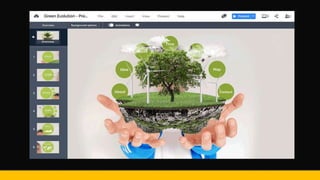
• Allows you to present and
share presentations,
infographics and videos with
other people.
• Use to communicate
information clearly and
efficiently.
Online Platforms as Tools for ICTContent Development
06
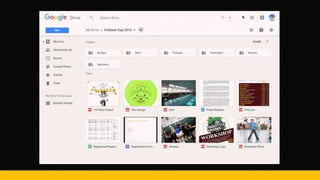
Cloud computing
• Simply called as “The cloud”
• Access anytime, anywhere.
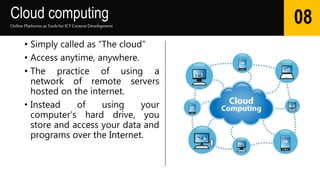
• The practice of using a
network of remote servers
hosted on the internet.
• Instead of using your
computer’s hard drive, you
store and access your data and
programs over the Internet.
Online Platforms as Tools for ICTContent Development
08
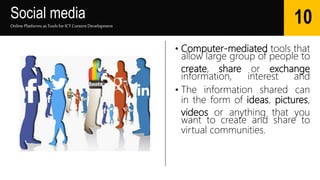
Social media
• Computer-mediated tools that
allow large group of people to
create, share or exchange
information, interest and
• The information shared can
in the form of ideas, pictures,
videos or anything that you
want to create and share to
virtual communities.
Online Platforms as Tools for ICTContent Development
10
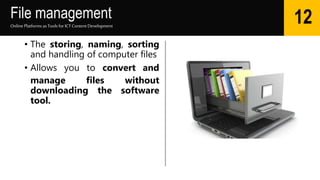
File management
• The storing, naming, sorting
and handling of computer files
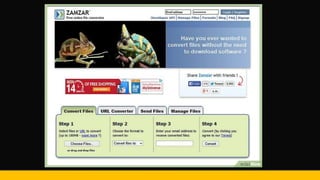
• Allows you to convert and
manage files without
downloading the software
tool.
Online Platforms as Tools for ICTContent Development
12
mapping
• A transformation taking the
points of one space into the
points of the same or another
space.
• Uses GPS to detect location
and used for navigation.
Online Platforms as Tools for ICTContent Development
14
Web Page Creation
• Encompasses a number of
important elements including
color, layout, and overall
graphical appearance.
• The platform does not require
any web programming skill
they provide a drag and drop
interface and free hosting as
well.
Online Platforms as Tools for ICTContent Development
16
WEB TEMPLATESAND
WYSIWYG PLATFORMS
Web Templates and WYSIWYG Platforms
• WYSIWYG = “what you see is what you get”
• In this kind of platform, no coding skills are required. Instead,
you manipulate with design components using an editor
window and get the chance to choose what elements are
on your page.
• Web templates are unique full page layout that contains
generic information which can be replaced by the users with
their own personal information.
Online Platforms as Tools for ICTContent Development
19
BASIC WEBDESIGN
PRINCIPLESAND ELEMENTS
Basic web design principle
• PRINCIPLE #1 VISUAL LANGUAGE
• Color Scheme
• Focus of Content using Contrasting color
• Use of consistent font size and color
• Make important links or menus noticeable
• Use high quality pictures that follows the rule of third
• PRINCIPLE #2 BALANCE
• PRINCIPLE #3 PARADOX OF CHOICE
• “The more choices you provide, the easier for others to choose
nothing.”
• Focus on Users need
• Design Sites for multiplatform and multiscreen
Online Platforms as Tools for ICTContent Development
21
Basic web design principle
• PRINCIPLE #4 FOCUS ON CONTENT
• Know the purpose of your web page so you could match the content
with the purpose.
• Include images on your content not just pure text.
• Content should be spellchecked.
• Content should be organized.
• Content should be updated.
• Principle #5: Simplify
• Keep content simple.
• Use minimal animated graphics.
• Maintain a look and feel across all the web pages.
Online Platforms as Tools for ICTContent Development
22
BASIC WEB DESIGN ELEMENTS
ILLUSTRATIONS & STYLES
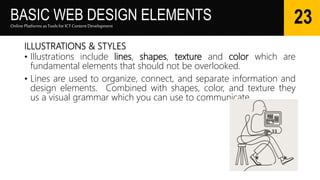
• Illustrations include lines, shapes, texture and color which are
fundamental elements that should not be overlooked.
• Lines are used to organize, connect, and separate information and
design elements. Combined with shapes, color, and texture they
us a visual grammar which you can use to communicate.
Online Platforms as Tools for ICTContent Development
23
BASIC WEB DESIGN ELEMENTS
LINKS
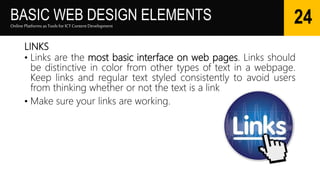
• Links are the most basic interface on web pages. Links should
be distinctive in color from other types of text in a webpage.
Keep links and regular text styled consistently to avoid users
from thinking whether or not the text is a link.
• Make sure your links are working.
Online Platforms as Tools for ICTContent Development
24
BASIC WEB DESIGN ELEMENTS
BUTTON AND MENUS
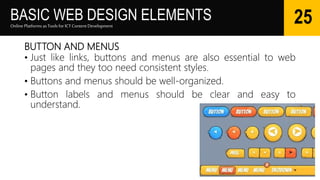
• Just like links, buttons and menus are also essential to web
pages and they too need consistent styles.
• Buttons and menus should be well-organized.
• Button labels and menus should be clear and easy to
understand.
Online Platforms as Tools for ICTContent Development
25
BASIC WEB DESIGN ELEMENTS
IMAGES
• Images also aids in communicating your message to the
viewers. Aside from being used as fillers, images also helps in
leaving a lasting first impression.
• Use specific images that are related to your content so that it
will draw attention not only to the content but to your web
page as a whole.
Online Platforms as Tools for ICTContent Development
26
ONLINE CRATION
TOOLS
Online Creation Tools
Online Platforms as Tools for ICTContent Development
28
• Slideshare – you can use this to
upload and share your
professional videos and slide
presentations.
• Google Drive – you can use
this to backup your files in the
cloud and access them
anywhere. You can also use
other applications of Google
along with Google Drive.
Online Creation Tools
Online Platforms as Tools for ICTContent Development
29
• Tumblr – you can use this to
share text, photos, quotes,
music, and videos from your
browser, phone, desktop, email
or wherever you happen to be.
This is a microblogging service
that has recently become a
popular social media site.
• Wix – you can use this to
create your web site or mobile
site.
Google application
Bundle & useful apps
Google apps
Online Platforms as Tools for ICTContent Development
31
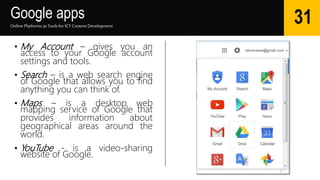
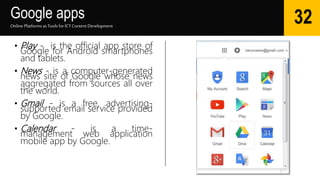
• My Account – gives you an
access to your Google account
settings and tools.
• Search – is a web search engine
of Google that allows you to find
anything you can think of.
• Maps – is a desktop web
mapping service of Google that
provides information about
geographical areas around the
world.
• YouTube - is a video-sharing
website of Google.
Google apps
Online Platforms as Tools for ICTContent Development
32
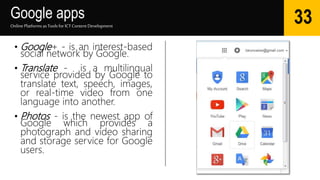
• Play - is the official app store of
Google for Android smartphones
and tablets.
• News - is a computer-generated
news site of Google whose news
aggregated from sources all over
the world.
• Gmail - is a free, advertising-
supported email service provided
by Google.
• Calendar - is a time-
management web application
mobile app by Google.
Google apps
Online Platforms as Tools for ICTContent Development
33
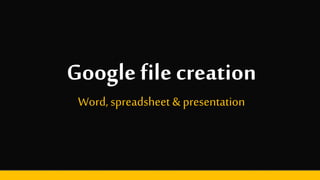
• Google+ - is an interest-based
social network by Google.
• Translate - is a multilingual
service provided by Google to
translate text, speech, images,
or real-time video from one
language into another.
• Photos - is the newest app of
Google which provides a
photograph and video sharing
and storage service for Google
users.
Google file creation
Word, spreadsheet & presentation
Google file creation
Online Platforms as Tools for ICTContent Development
35
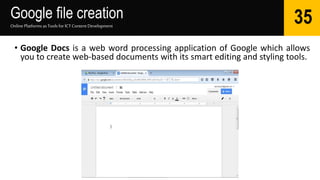
• Google Docs is a web word processing application of Google which allows
you to create web-based documents with its smart editing and styling tools.
Google file creation
Online Platforms as Tools for ICTContent Development
36
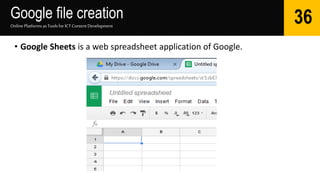
• Google Sheets is a web spreadsheet application of Google.
Google file creation
Online Platforms as Tools for ICTContent Development
37
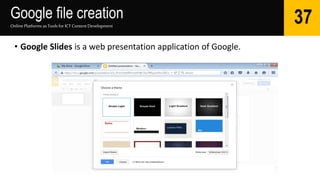
• Google Slides is a web presentation application of Google.
Thank you
For listening

Online platforms for ICT Content Development

  • 1.
    Online Platforms asTools for ICT Content Development Chapter IVof Empowerment Technologies
  • 2.
    Learning competencies • Evaluateexisting online creation tools, platforms and applications in developing ICT content for specific professional tracks. • Apply web design principles and elements using online creation tools, platforms, and applications to communicate a message for a specific purpose in specific professional tracks. Online Platforms as Tools for ICTContent Development 02
  • 3.
    Topic outline • Thenature and purposes of online platforms and applications • Different types of Online Platforms • Presentation/Visualization • Cloud Computing • Social Media • File Management • Mapping • Web Page Creation • Basic web design principles and elements Online Platforms as Tools for ICTContent Development 03
  • 4.
    The nature andpurposeof Online platforms and applications
  • 5.
    What is onlineplatforms • An online platform is a base of technologies designed to run within an online environment and provides interactive online services. • Online platforms currently include, but are not limited to: • Presentation or Visualization • Cloud Computing • Social Media • File Management • Mapping • Web Page Creation Online Platforms as Tools for ICTContent Development 05
  • 6.
    Presentation/visualization • Allows youto present and share presentations, infographics and videos with other people. • Use to communicate information clearly and efficiently. Online Platforms as Tools for ICTContent Development 06
  • 8.
    Cloud computing • Simplycalled as “The cloud” • Access anytime, anywhere. • The practice of using a network of remote servers hosted on the internet. • Instead of using your computer’s hard drive, you store and access your data and programs over the Internet. Online Platforms as Tools for ICTContent Development 08
  • 10.
    Social media • Computer-mediatedtools that allow large group of people to create, share or exchange information, interest and • The information shared can in the form of ideas, pictures, videos or anything that you want to create and share to virtual communities. Online Platforms as Tools for ICTContent Development 10
  • 12.
    File management • Thestoring, naming, sorting and handling of computer files • Allows you to convert and manage files without downloading the software tool. Online Platforms as Tools for ICTContent Development 12
  • 14.
    mapping • A transformationtaking the points of one space into the points of the same or another space. • Uses GPS to detect location and used for navigation. Online Platforms as Tools for ICTContent Development 14
  • 16.
    Web Page Creation •Encompasses a number of important elements including color, layout, and overall graphical appearance. • The platform does not require any web programming skill they provide a drag and drop interface and free hosting as well. Online Platforms as Tools for ICTContent Development 16
  • 18.
  • 19.
    Web Templates andWYSIWYG Platforms • WYSIWYG = “what you see is what you get” • In this kind of platform, no coding skills are required. Instead, you manipulate with design components using an editor window and get the chance to choose what elements are on your page. • Web templates are unique full page layout that contains generic information which can be replaced by the users with their own personal information. Online Platforms as Tools for ICTContent Development 19
  • 20.
  • 21.
    Basic web designprinciple • PRINCIPLE #1 VISUAL LANGUAGE • Color Scheme • Focus of Content using Contrasting color • Use of consistent font size and color • Make important links or menus noticeable • Use high quality pictures that follows the rule of third • PRINCIPLE #2 BALANCE • PRINCIPLE #3 PARADOX OF CHOICE • “The more choices you provide, the easier for others to choose nothing.” • Focus on Users need • Design Sites for multiplatform and multiscreen Online Platforms as Tools for ICTContent Development 21
  • 22.
    Basic web designprinciple • PRINCIPLE #4 FOCUS ON CONTENT • Know the purpose of your web page so you could match the content with the purpose. • Include images on your content not just pure text. • Content should be spellchecked. • Content should be organized. • Content should be updated. • Principle #5: Simplify • Keep content simple. • Use minimal animated graphics. • Maintain a look and feel across all the web pages. Online Platforms as Tools for ICTContent Development 22
  • 23.
    BASIC WEB DESIGNELEMENTS ILLUSTRATIONS & STYLES • Illustrations include lines, shapes, texture and color which are fundamental elements that should not be overlooked. • Lines are used to organize, connect, and separate information and design elements. Combined with shapes, color, and texture they us a visual grammar which you can use to communicate. Online Platforms as Tools for ICTContent Development 23
  • 24.
    BASIC WEB DESIGNELEMENTS LINKS • Links are the most basic interface on web pages. Links should be distinctive in color from other types of text in a webpage. Keep links and regular text styled consistently to avoid users from thinking whether or not the text is a link. • Make sure your links are working. Online Platforms as Tools for ICTContent Development 24
  • 25.
    BASIC WEB DESIGNELEMENTS BUTTON AND MENUS • Just like links, buttons and menus are also essential to web pages and they too need consistent styles. • Buttons and menus should be well-organized. • Button labels and menus should be clear and easy to understand. Online Platforms as Tools for ICTContent Development 25
  • 26.
    BASIC WEB DESIGNELEMENTS IMAGES • Images also aids in communicating your message to the viewers. Aside from being used as fillers, images also helps in leaving a lasting first impression. • Use specific images that are related to your content so that it will draw attention not only to the content but to your web page as a whole. Online Platforms as Tools for ICTContent Development 26
  • 27.
  • 28.
    Online Creation Tools OnlinePlatforms as Tools for ICTContent Development 28 • Slideshare – you can use this to upload and share your professional videos and slide presentations. • Google Drive – you can use this to backup your files in the cloud and access them anywhere. You can also use other applications of Google along with Google Drive.
  • 29.
    Online Creation Tools OnlinePlatforms as Tools for ICTContent Development 29 • Tumblr – you can use this to share text, photos, quotes, music, and videos from your browser, phone, desktop, email or wherever you happen to be. This is a microblogging service that has recently become a popular social media site. • Wix – you can use this to create your web site or mobile site.
  • 30.
  • 31.
    Google apps Online Platformsas Tools for ICTContent Development 31 • My Account – gives you an access to your Google account settings and tools. • Search – is a web search engine of Google that allows you to find anything you can think of. • Maps – is a desktop web mapping service of Google that provides information about geographical areas around the world. • YouTube - is a video-sharing website of Google.
  • 32.
    Google apps Online Platformsas Tools for ICTContent Development 32 • Play - is the official app store of Google for Android smartphones and tablets. • News - is a computer-generated news site of Google whose news aggregated from sources all over the world. • Gmail - is a free, advertising- supported email service provided by Google. • Calendar - is a time- management web application mobile app by Google.
  • 33.
    Google apps Online Platformsas Tools for ICTContent Development 33 • Google+ - is an interest-based social network by Google. • Translate - is a multilingual service provided by Google to translate text, speech, images, or real-time video from one language into another. • Photos - is the newest app of Google which provides a photograph and video sharing and storage service for Google users.
  • 34.
    Google file creation Word,spreadsheet & presentation
  • 35.
    Google file creation OnlinePlatforms as Tools for ICTContent Development 35 • Google Docs is a web word processing application of Google which allows you to create web-based documents with its smart editing and styling tools.
  • 36.
    Google file creation OnlinePlatforms as Tools for ICTContent Development 36 • Google Sheets is a web spreadsheet application of Google.
  • 37.
    Google file creation OnlinePlatforms as Tools for ICTContent Development 37 • Google Slides is a web presentation application of Google.
  • 38.