E-commerce
Kenneth C. Laudon
Carol Guercio Traver
business. technology. society.
Sixth Edition
BY:MADDY.KALEE
M Slide 3-1
Copyright © 2007 Pearson Education, Inc. Slide 1-2
Chapter 3
The Internet and
World Wide Web:
E-BM Infrastructure
BY:MADDY.KALEE
M
The Internet: Technology Background
 Internet
 Interconnected network of thousands of networks and millions of
computers
 Links businesses, educational institutions, government agencies, and
individuals
 World Wide Web (Web)
 One of the Internet’s most popular services
 Provides access to around billions, possibly trillions, of Web pages
Slide 3-3
BY:MADDY.KALEE
M
The Evolution of the Internet
1961—The Present
 Innovation Phase, 1964–1974
 Creation of fundamental building blocks
 Institutionalization Phase, 1975–1994
 Large institutions provide funding and legitimization
 Commercialization Phase,1995–present
 Private corporations take over, expand Internet backbone
and local service
Slide 3-4
BY:MADDY.KALEE
M
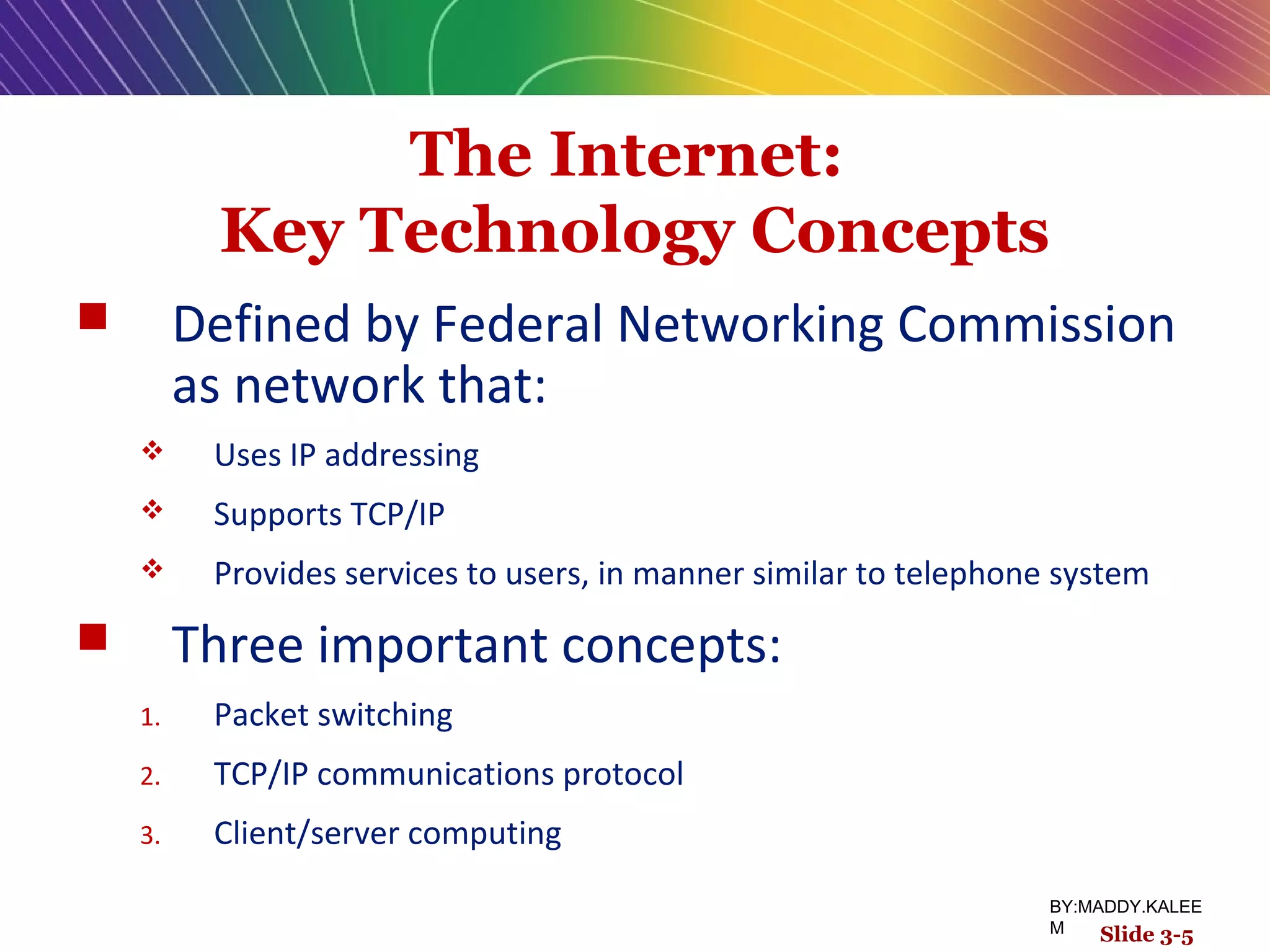
The Internet:
Key Technology Concepts
 Defined by Federal Networking Commission
as network that:
 Uses IP addressing
 Supports TCP/IP
 Provides services to users, in manner similar to telephone system
 Three important concepts:
1. Packet switching
2. TCP/IP communications protocol
3. Client/server computing
Slide 3-5
BY:MADDY.KALEE
M
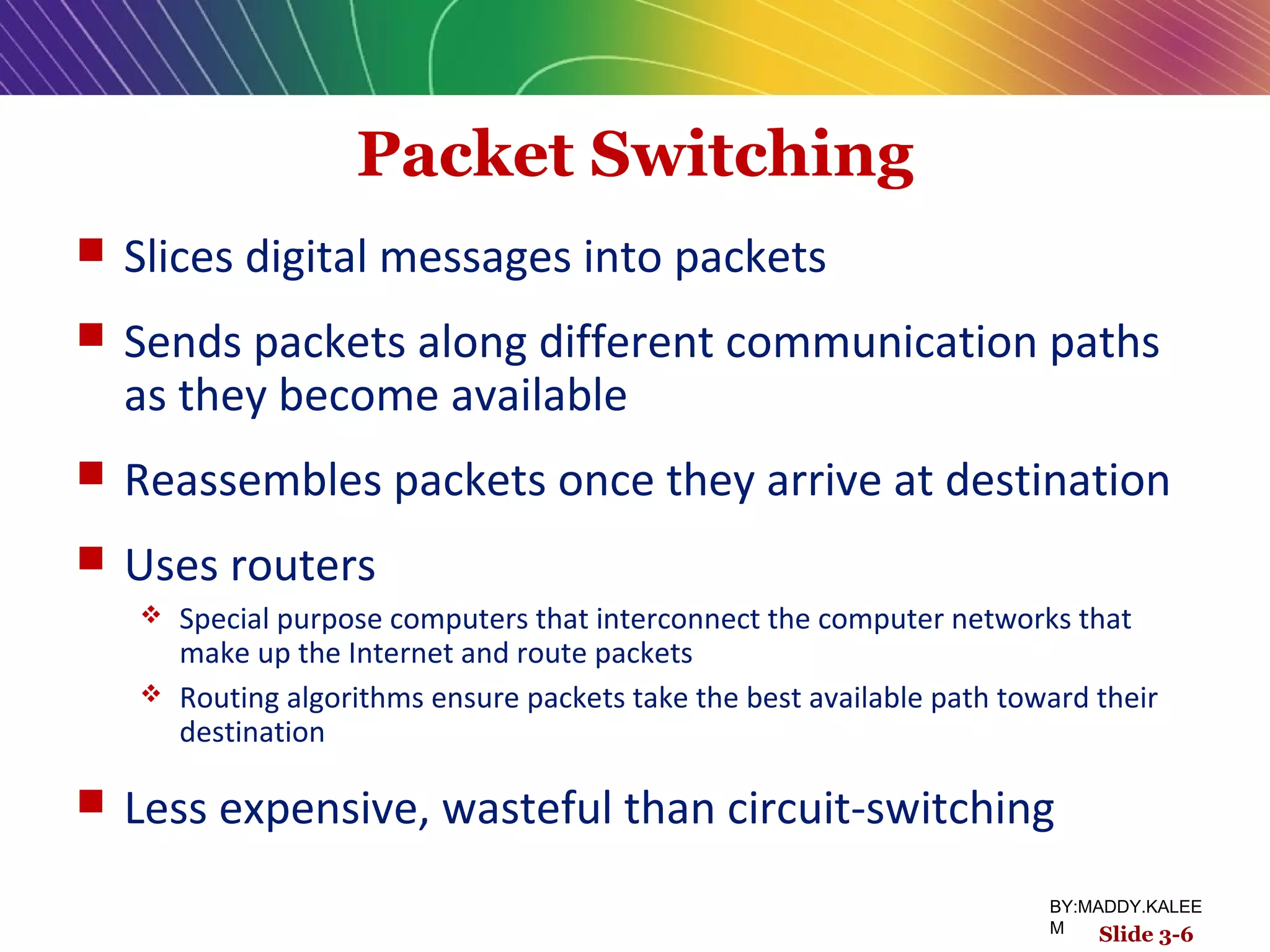
Packet Switching
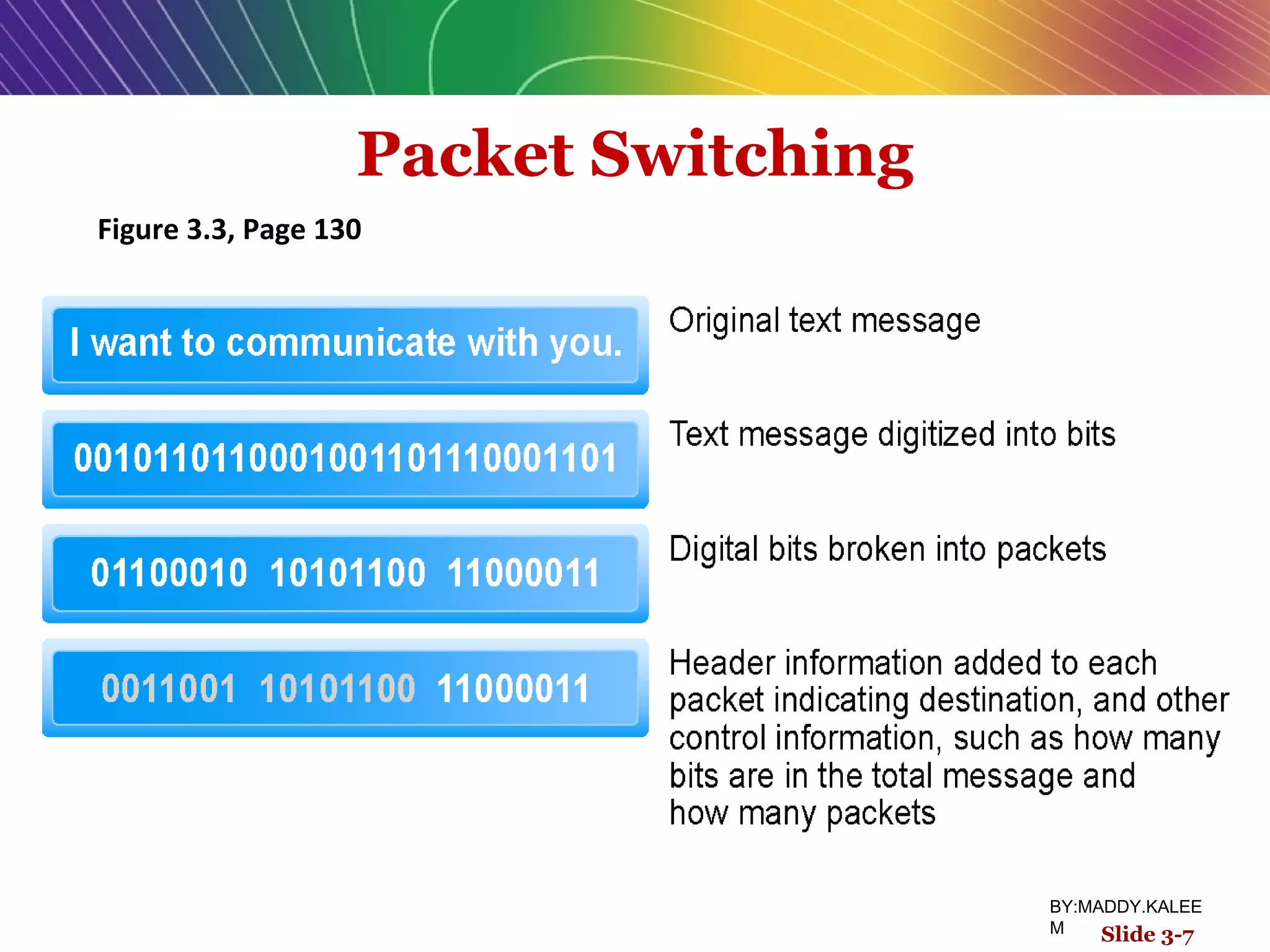
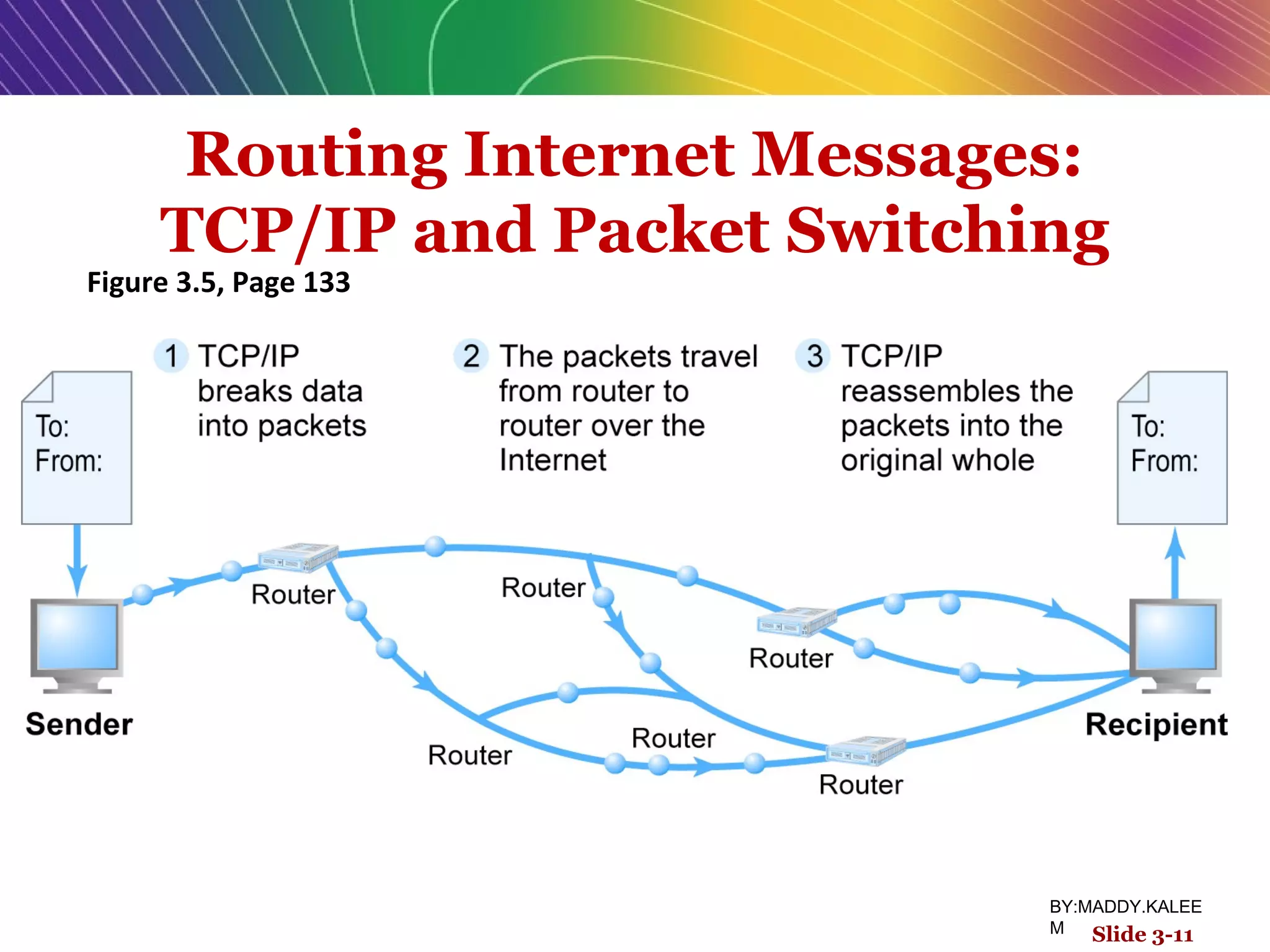
 Slices digital messages into packets
 Sends packets along different communication paths
as they become available
 Reassembles packets once they arrive at destination
 Uses routers
 Special purpose computers that interconnect the computer networks that
make up the Internet and route packets
 Routing algorithms ensure packets take the best available path toward their
destination
 Less expensive, wasteful than circuit-switching
Slide 3-6
BY:MADDY.KALEE
M
Packet Switching
Figure 3.3, Page 130
Slide 3-7
BY:MADDY.KALEE
M
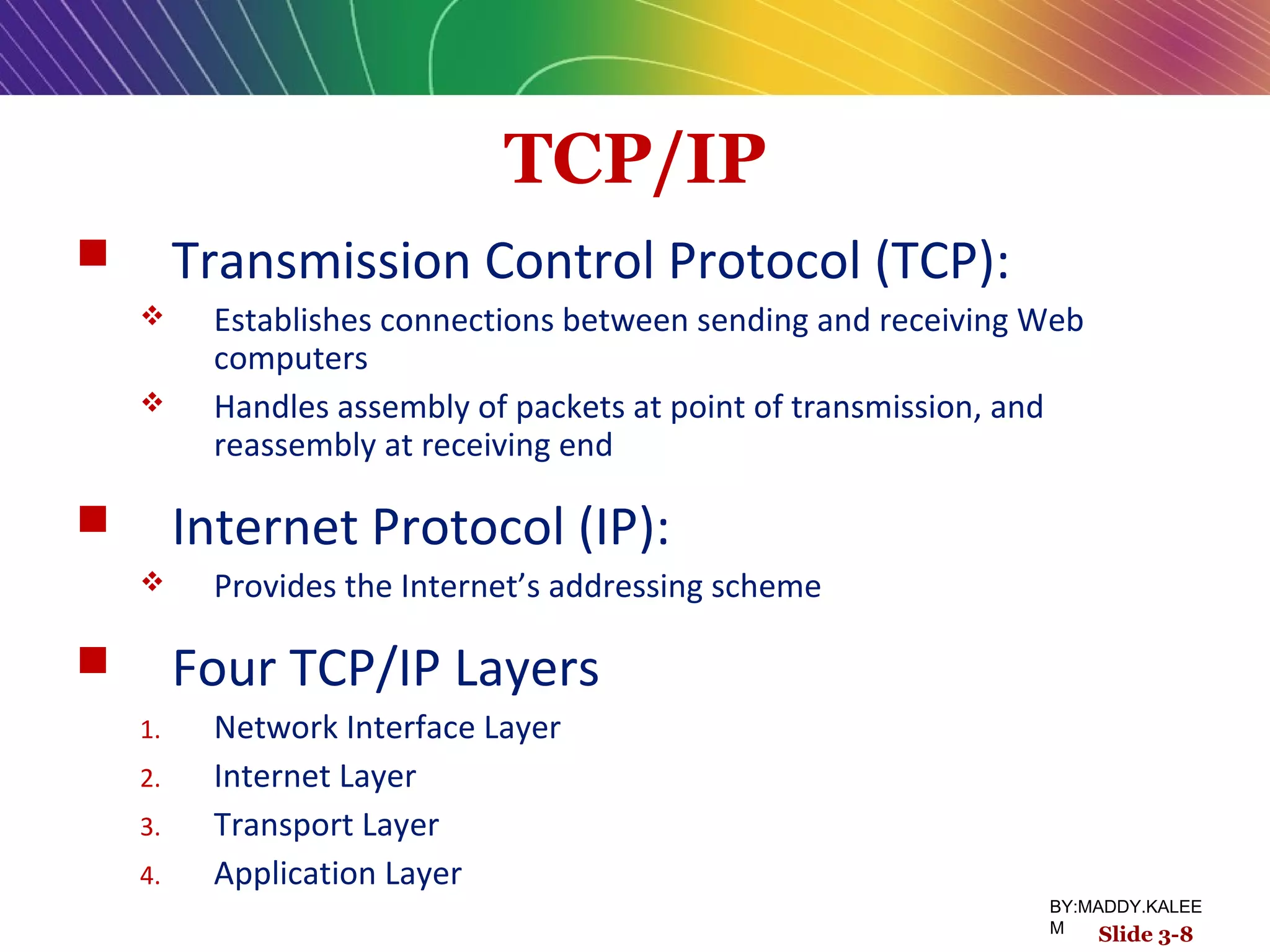
TCP/IP
 Transmission Control Protocol (TCP):
 Establishes connections between sending and receiving Web
computers
 Handles assembly of packets at point of transmission, and
reassembly at receiving end
 Internet Protocol (IP):
 Provides the Internet’s addressing scheme
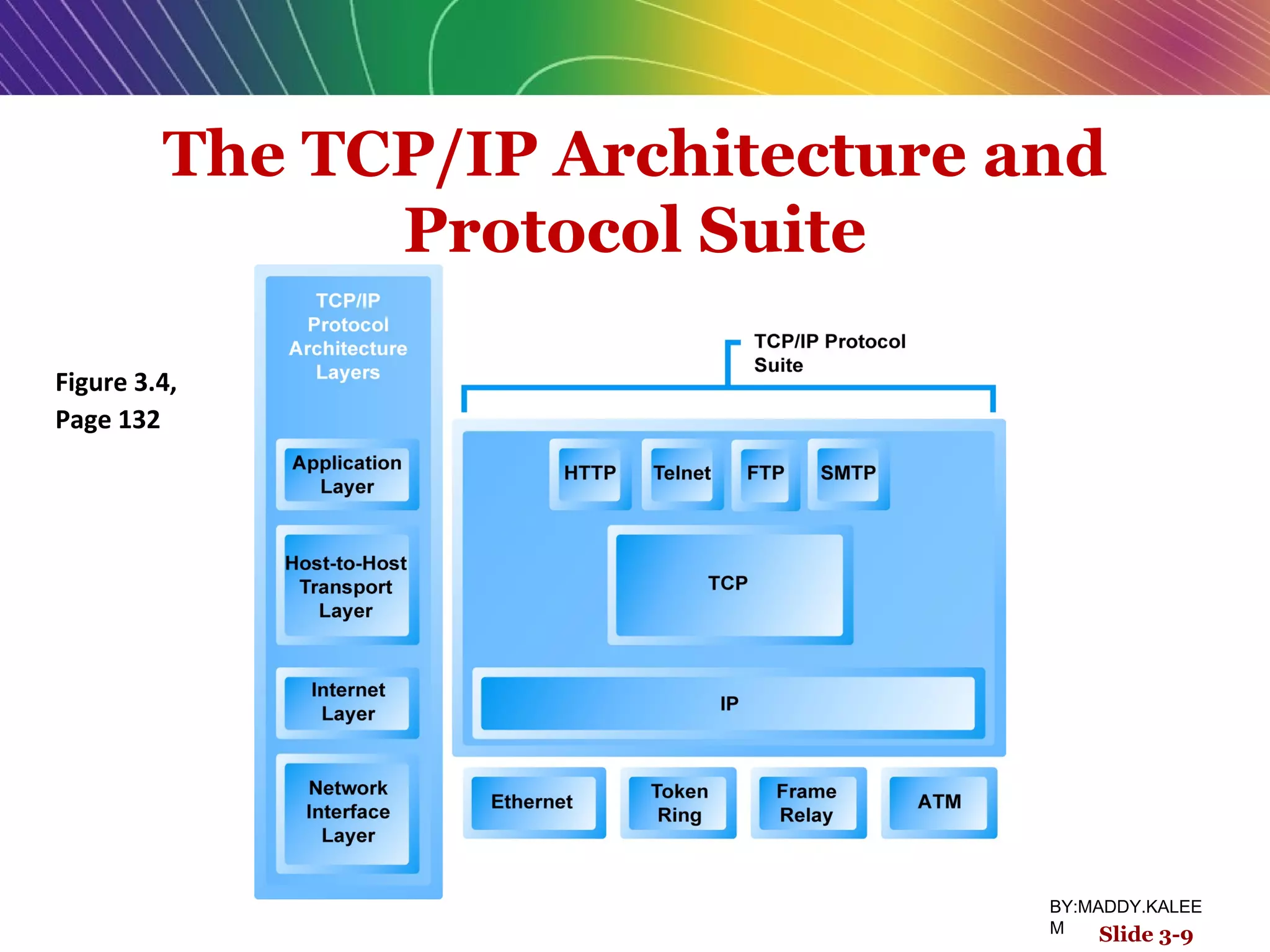
 Four TCP/IP Layers
1. Network Interface Layer
2. Internet Layer
3. Transport Layer
4. Application Layer
Slide 3-8
BY:MADDY.KALEE
M
The TCP/IP Architecture and
Protocol Suite
Figure 3.4,
Page 132
Slide 3-9
BY:MADDY.KALEE
M
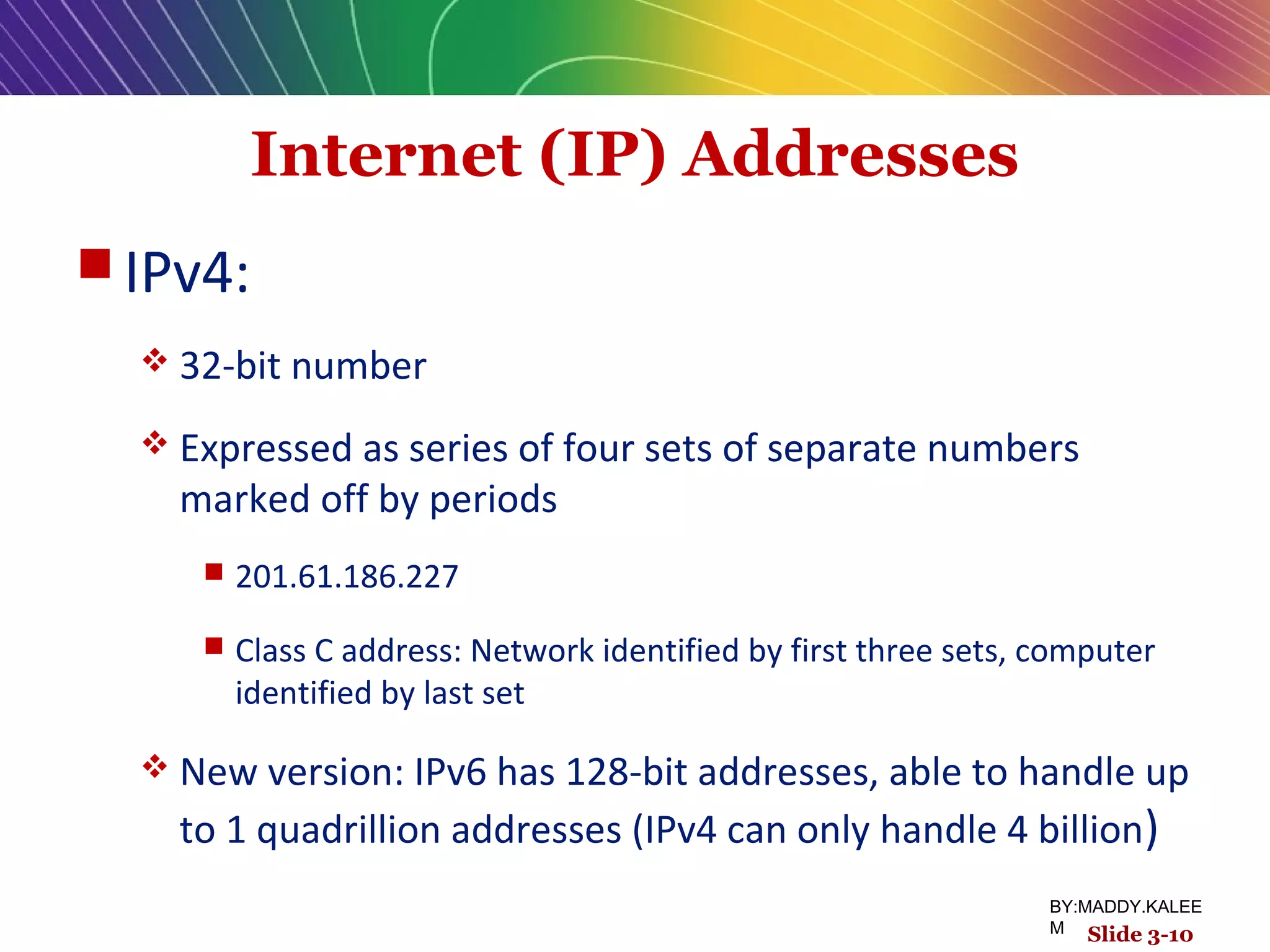
Internet (IP) Addresses
 IPv4:
 32-bit number
 Expressed as series of four sets of separate numbers
marked off by periods
 201.61.186.227
 Class C address: Network identified by first three sets, computer
identified by last set
 New version: IPv6 has 128-bit addresses, able to handle up
to 1 quadrillion addresses (IPv4 can only handle 4 billion)
Slide 3-10
BY:MADDY.KALEE
M
Routing Internet Messages:
TCP/IP and Packet Switching
Figure 3.5, Page 133
Slide 3-11
BY:MADDY.KALEE
M
Domain Names, DNS, and URLs
 Domain Name
 IP address expressed in natural language
 Domain Name System (DNS)
 Allows numeric IP addresses to be expressed in natural
language
 Uniform Resource Locator (URL)
 Address used by Web browser to identify location of
content on the Web
 E.g., http://www.azimuth-interactive.com/flash_test
Slide 3-12
BY:MADDY.KALEE
M
Client/Server Computing
 Powerful personal computers (clients)
connected in network with one or more
servers
 Servers perform common functions for
the clients
 Storing files, software applications, etc.
Slide 3-13
BY:MADDY.KALEE
M
Insight on Business
P2P Dukes It Out with Streaming Video
Class Discussion
 How does P2P networking differ from client/server
networking?
 Why is P2P networking a potential money-saver for
corporations and other organizations?
 What are some illegal uses of P2P networking?
 What are some legal uses of P2P networking?
 What other alternatives are there for streaming large video
files?
Slide 3-14
BY:MADDY.KALEE
M
The New Client: The Emerging
Mobile Platform
 Within a few years, primary Internet
access will be through:
Netbooks
 Designed to connect to wireless Internet
 $200–400
Smartphones
 Troublemaking technology: Processors, operating systems
Slide 3-15
BY:MADDY.KALEE
M
Cloud Computing
 Firms and individuals obtain computing
power and software over Internet
 E.g., Google Apps
 Fastest growing form of computing
 Radically reduces costs of:
 Building and operating Web sites
 Infrastructure, IT support
 Hardware, software
Slide 3-16
BY:MADDY.KALEE
M
Other Internet Protocols and
Utility Programs
 Internet protocols
 HTTP
 E-mail: SMTP, POP3 (Post Office Protocol), IMAP (Internet
Message Access Protocol)
 FTP, SSL (Secure Sockets Layer)
 Utility programs
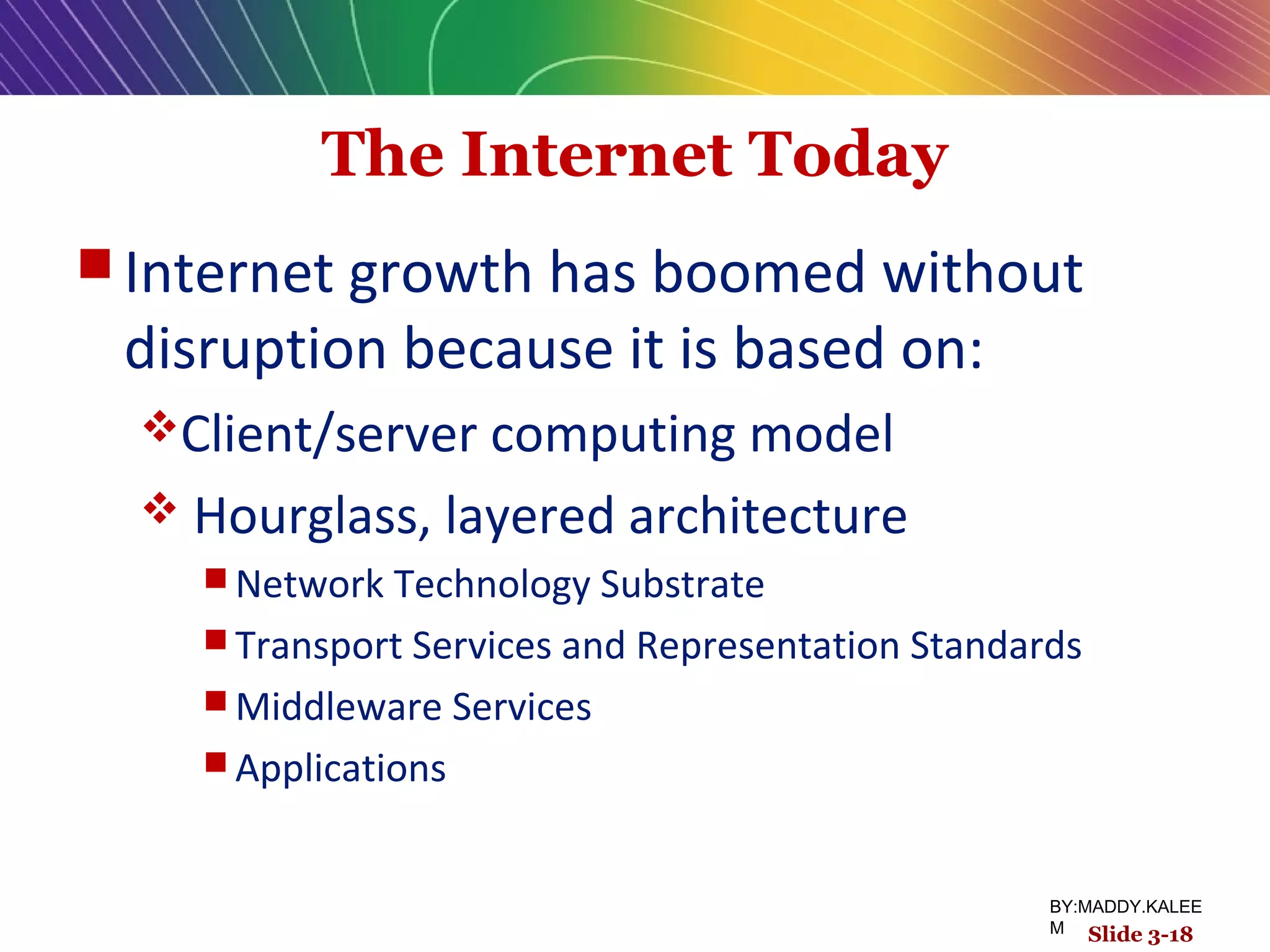
 Ping (a computer network tool used to test whether a
particular host is reachable across an IP network).
 Tracert
Slide 3-17
BY:MADDY.KALEE
M
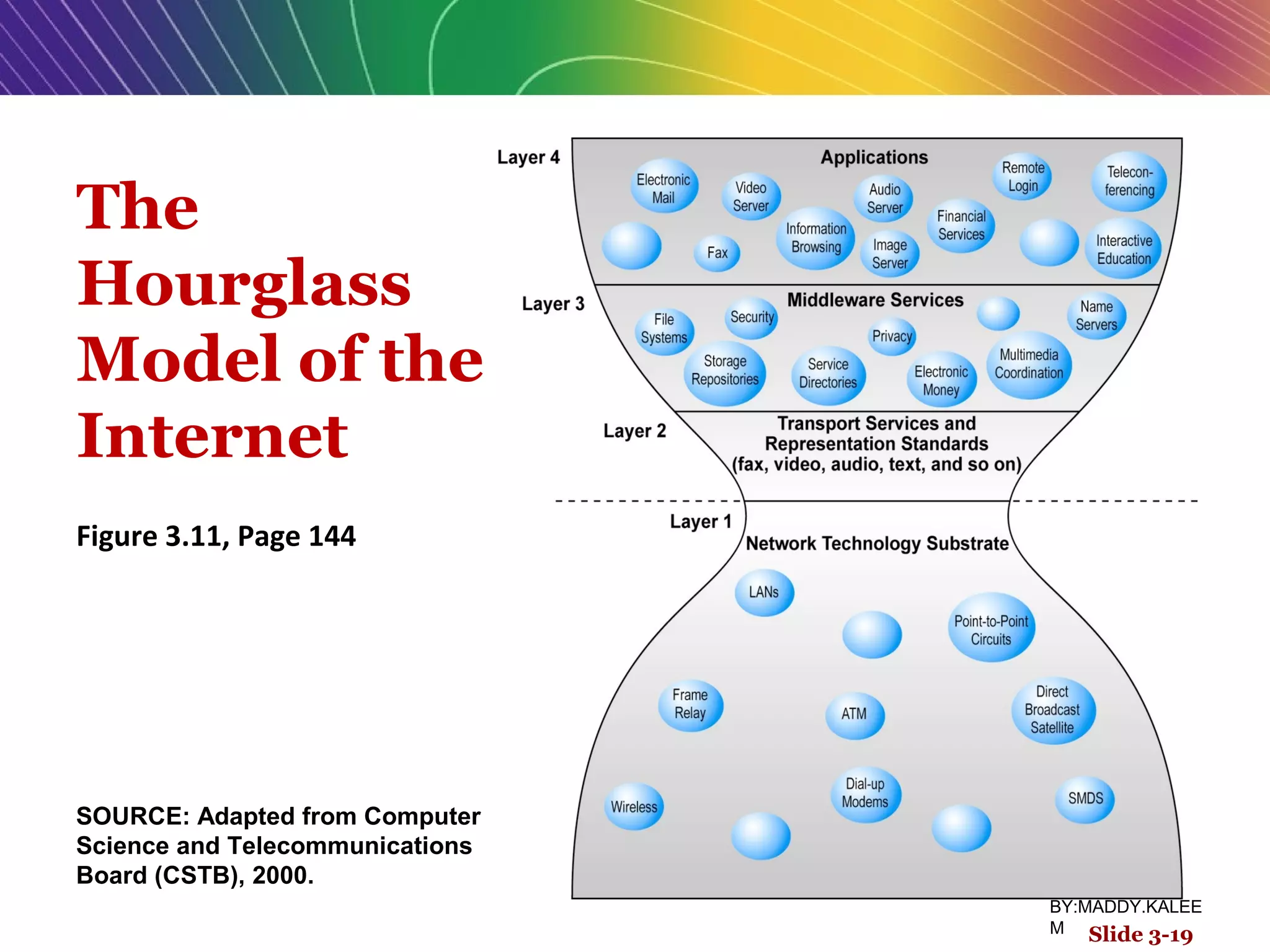
The Internet Today
 Internet growth has boomed without
disruption because it is based on:
Client/server computing model
 Hourglass, layered architecture
 Network Technology Substrate
 Transport Services and Representation Standards
 Middleware Services
 Applications
Slide 3-18
BY:MADDY.KALEE
M
The
Hourglass
Model of the
Internet
Figure 3.11, Page 144
Slide 3-19
SOURCE: Adapted from Computer
Science and Telecommunications
Board (CSTB), 2000.
BY:MADDY.KALEE
M
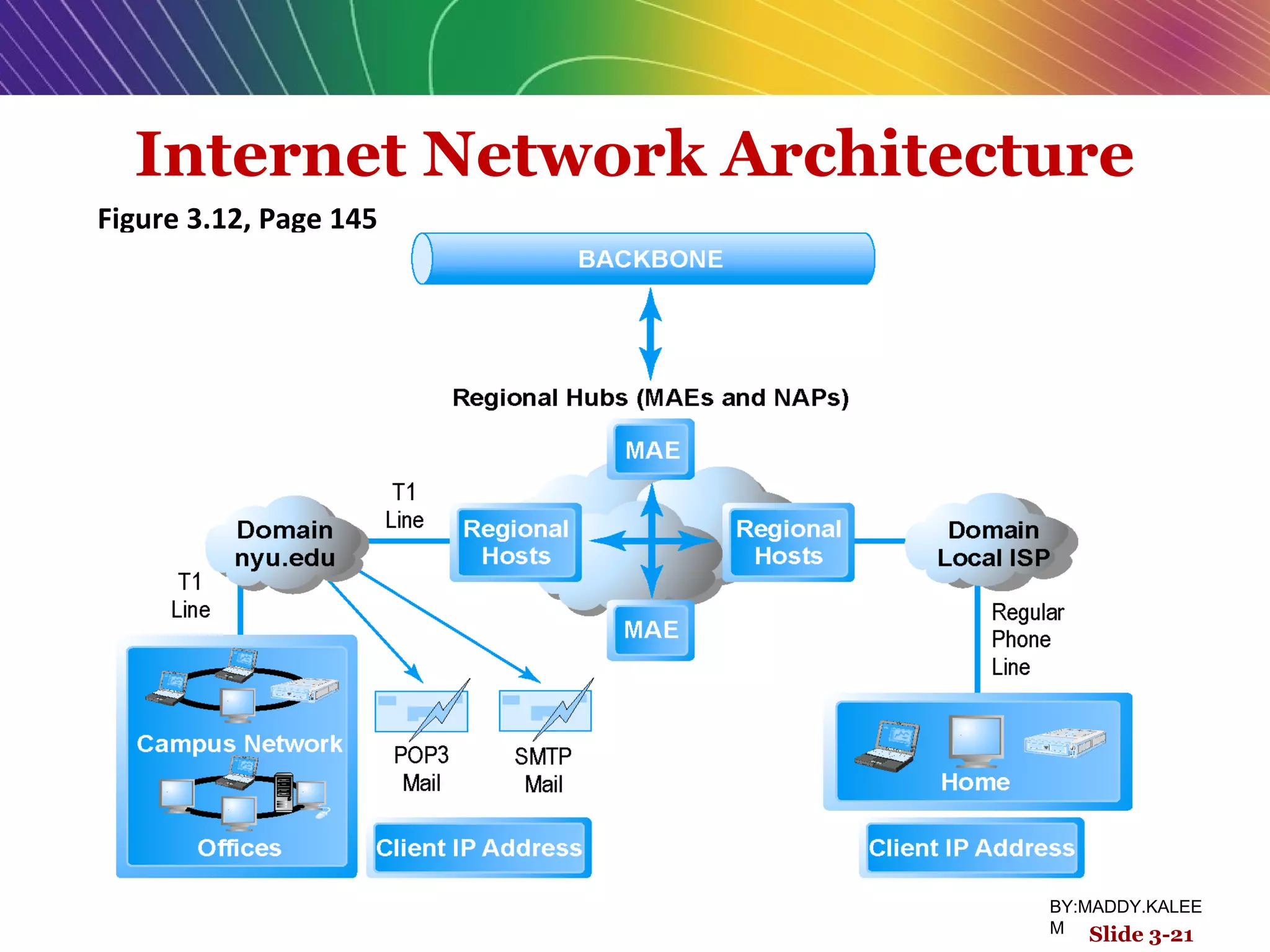
Internet Network Architecture
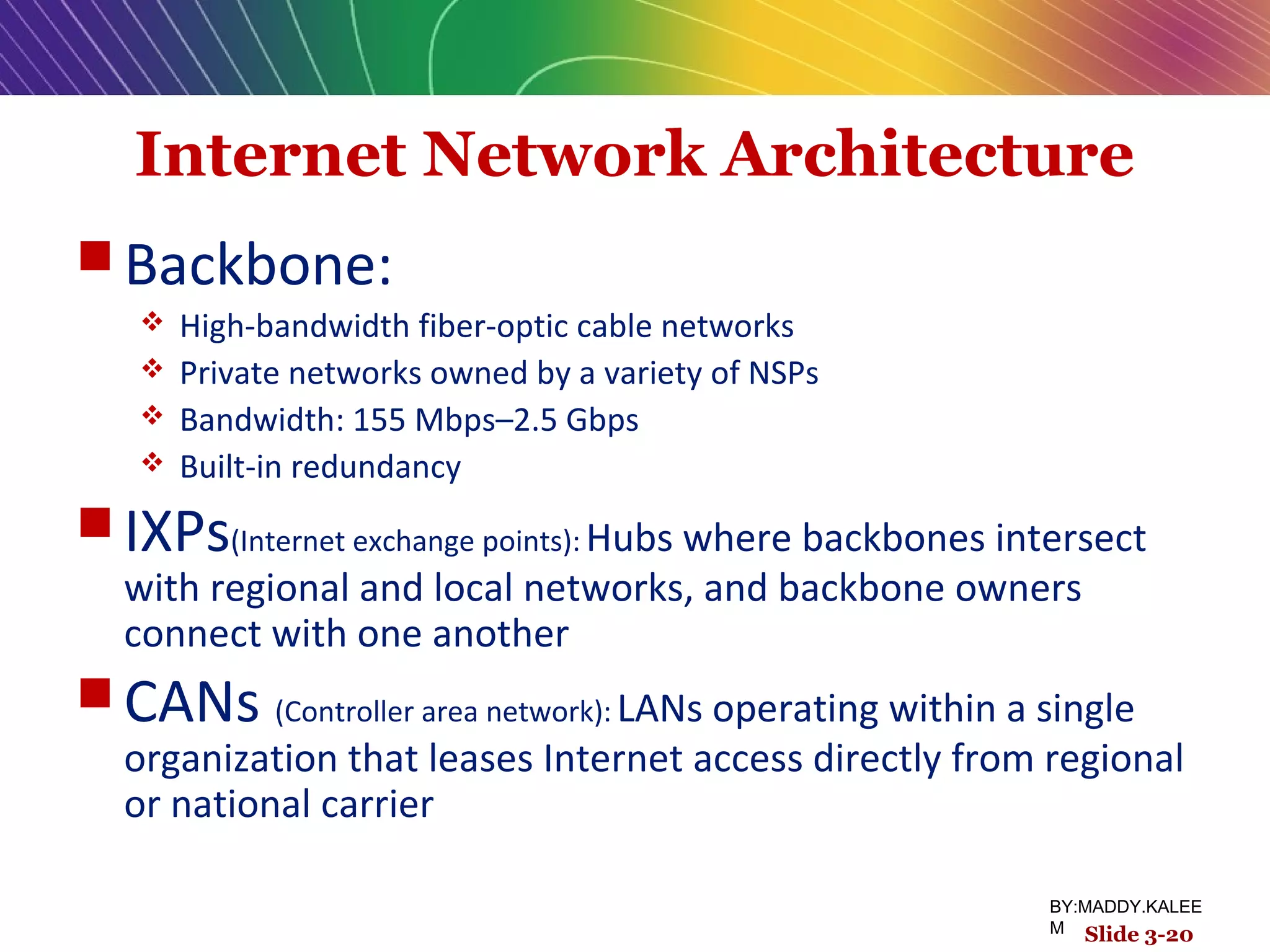
 Backbone:
 High-bandwidth fiber-optic cable networks
 Private networks owned by a variety of NSPs
 Bandwidth: 155 Mbps–2.5 Gbps
 Built-in redundancy
 IXPs(Internet exchange points): Hubs where backbones intersect
with regional and local networks, and backbone owners
connect with one another
 CANs (Controller area network): LANs operating within a single
organization that leases Internet access directly from regional
or national carrier
Slide 3-20
BY:MADDY.KALEE
M
Internet Network Architecture
Figure 3.12, Page 145
Slide 3-21
BY:MADDY.KALEE
M
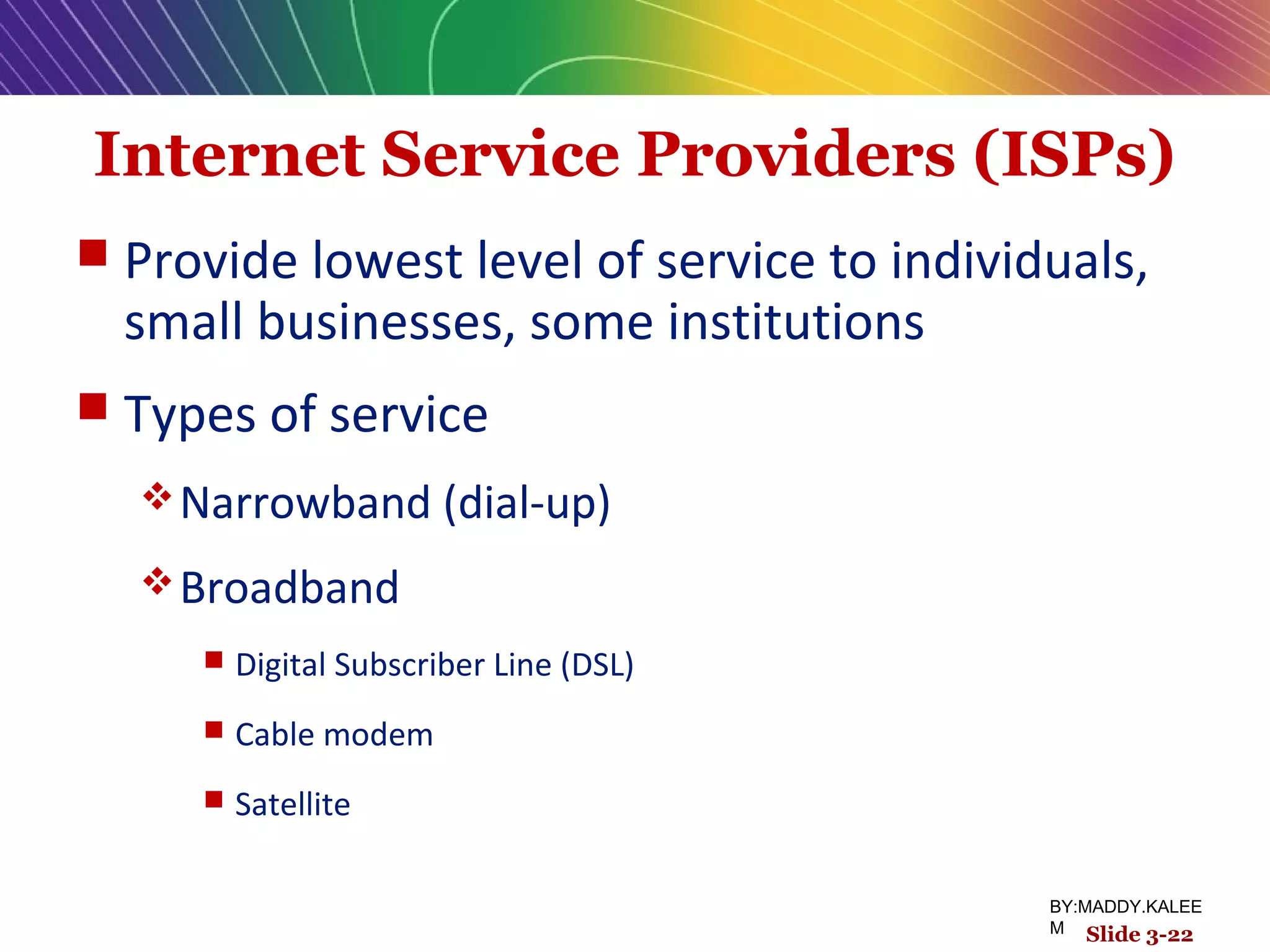
Internet Service Providers (ISPs)
 Provide lowest level of service to individuals,
small businesses, some institutions
 Types of service
Narrowband (dial-up)
Broadband
 Digital Subscriber Line (DSL)
 Cable modem
 Satellite
Slide 3-22
BY:MADDY.KALEE
M
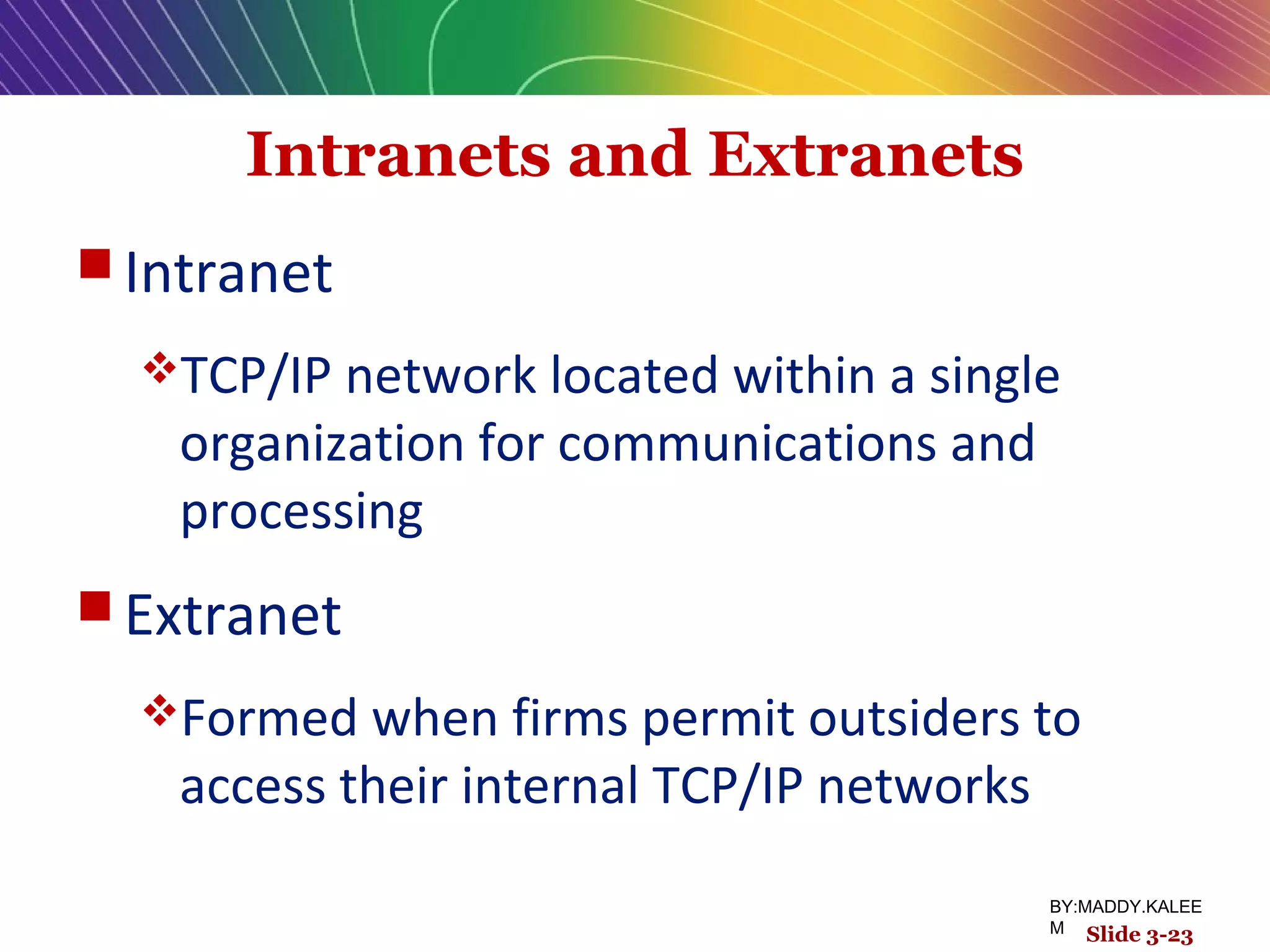
Intranets and Extranets
 Intranet
TCP/IP network located within a single
organization for communications and
processing
 Extranet
Formed when firms permit outsiders to
access their internal TCP/IP networks
Slide 3-23
BY:MADDY.KALEE
M
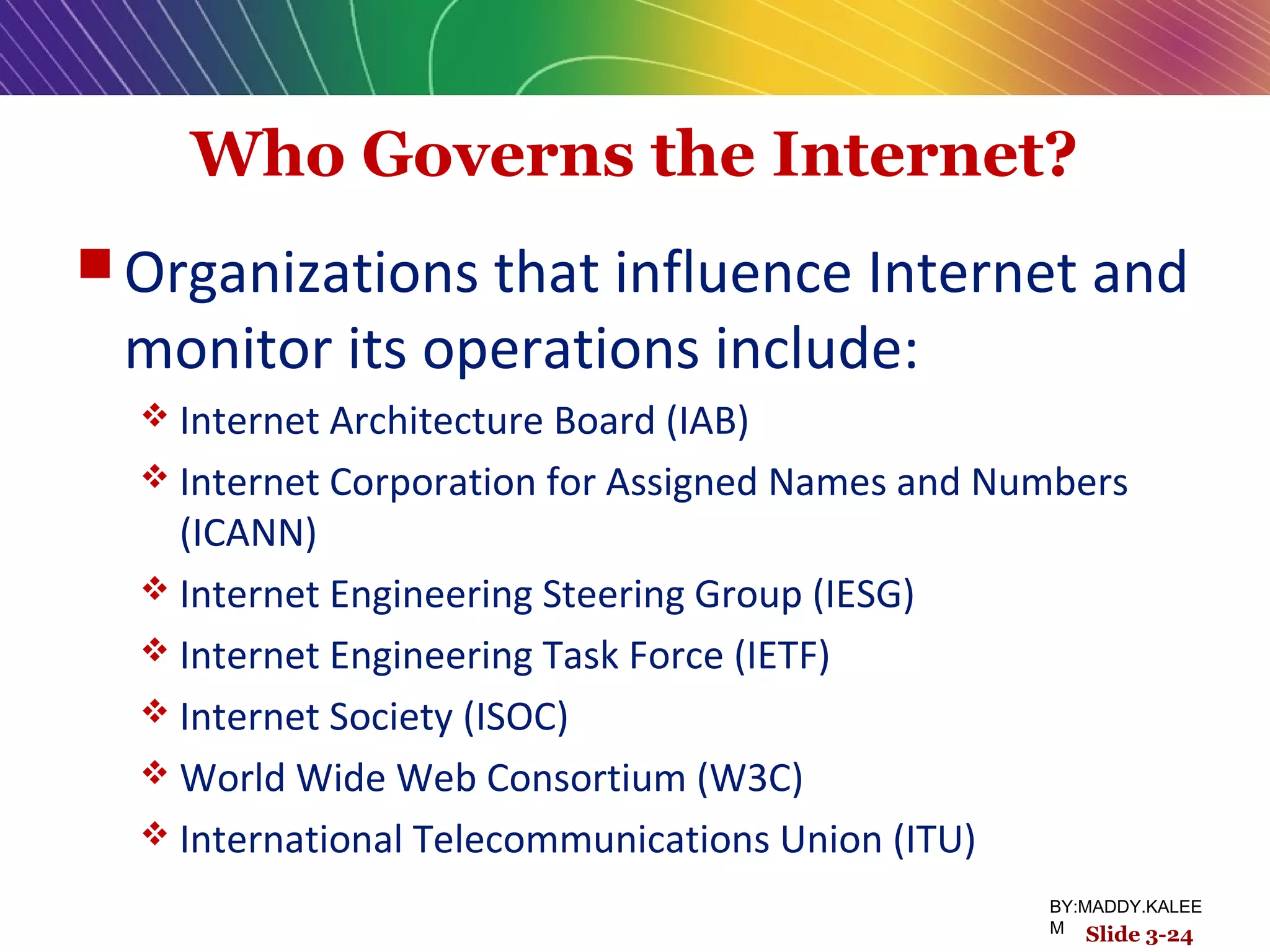
Who Governs the Internet?
 Organizations that influence Internet and
monitor its operations include:
 Internet Architecture Board (IAB)
 Internet Corporation for Assigned Names and Numbers
(ICANN)
 Internet Engineering Steering Group (IESG)
 Internet Engineering Task Force (IETF)
 Internet Society (ISOC)
 World Wide Web Consortium (W3C)
 International Telecommunications Union (ITU)
Slide 3-24
BY:MADDY.KALEE
M
Insight on Society
Government Regulation and
Surveillance of the Internet
Class Discussion
 How is it possible for any government to “control” or censor
the Web?
 Does the Iranian government, or the U.S. government, have
the right to censor content on the Web?
 How should U.S. companies deal with governments that want
to censor content?
 What would happen to e-commerce if the existing Web split
into a different Web for each country?
Slide 3-25
BY:MADDY.KALEE
M
Telephone-based Wireless
Internet Access
 Competing 3G standards
 GSM (Global System for Mobile communications) : Used primarily in
Europe
 Evolution:
 2G cellular networks: relatively slow, circuit-switched
 2.5G cellular networks:
 3G cellular networks:, packet-switched
 3.5G (3G+)
 4G (WiMax)
Slide 3-26
BY:MADDY.KALEE
M
Wireless Local Area Networks
(WLANs)
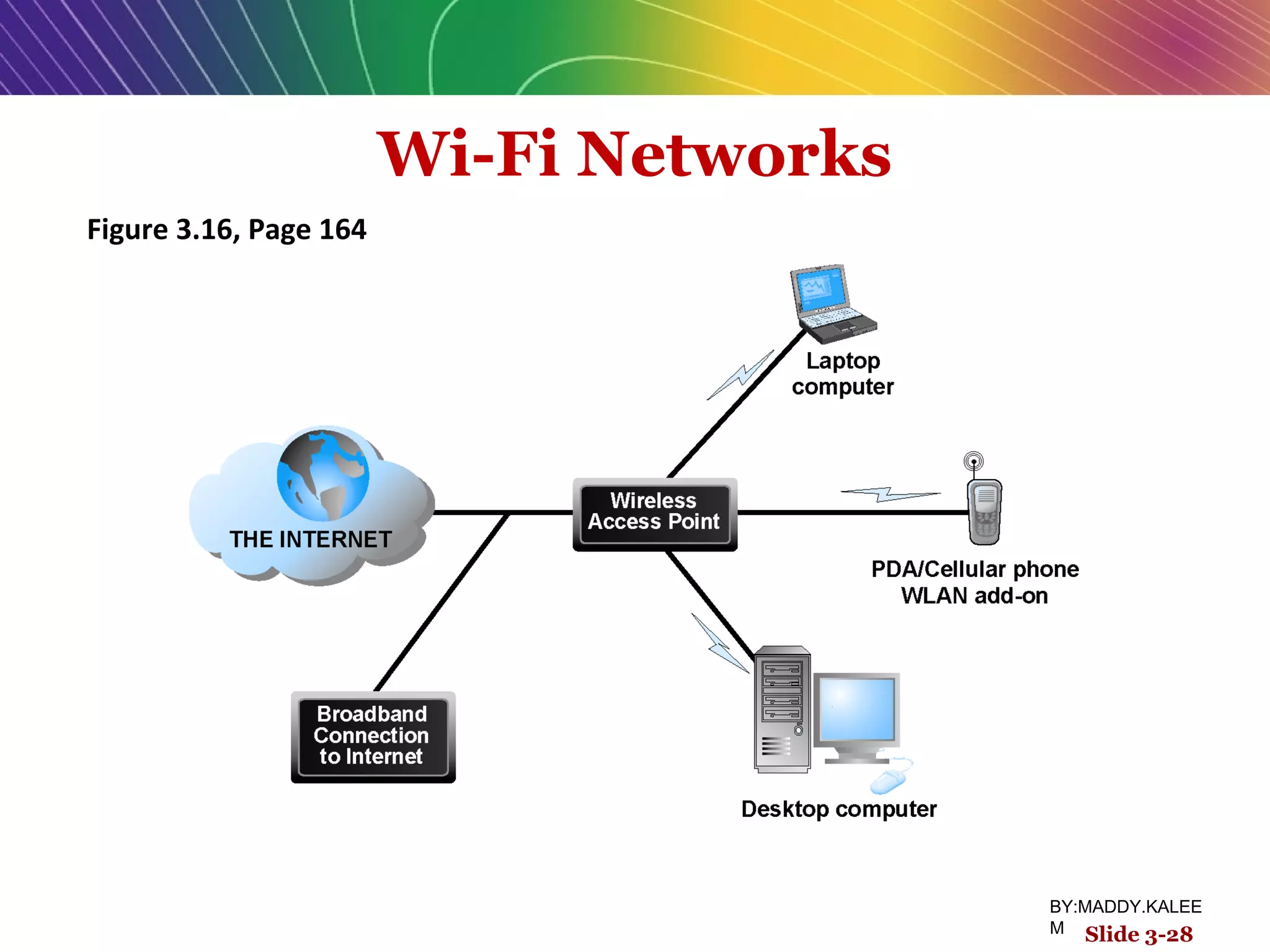
 Wi-Fi
 High-speed, fixed broadband wireless LAN, different versions for
home and business market, limited range
 WiMax
 High-speed, medium range broadband wireless metropolitan area
network
 Bluetooth
 Low-speed, short range connection
 Ultra-Wideband (UWB)
 Low power, short-range high bandwidth network
 Zigbee
 Short-range, low-power wireless network technology for remotely
controlling digital devices
Slide 3-27
BY:MADDY.KALEE
M
Wi-Fi Networks
Figure 3.16, Page 164
Slide 3-28
BY:MADDY.KALEE
M
Benefits of Internet II Technologies
 IP multicasting:
 Enables efficient delivery of data to many locations on a network
 Latency solutions:
 diffserv (differentiated quality of service)
 Assigns different levels of priority to packets depending on type of data being
transmitted
 Guaranteed service levels and lower error
rates
 Ability to purchase right to move data through network at guaranteed
speed in return for higher fee
Slide 3-29
BY:MADDY.KALEE
M
Development of the Web
 1989–1991: Web invented
 Tim Berners-Lee at CERN
 HTML, HTTP, Web server, Web browser
 1993: Mosaic Web browser w/GUI
 Andreesen and others
 Runs on Windows, Macintosh, or Unix
 1994: Netscape Navigator, first commercial
Web browser
 Andreessen, Jim Clark
 1995: Microsoft Internet Explorer
Slide 3-30
BY:MADDY.KALEE
M
Hypertext
 Text formatted with embedded links
Links connect documents to one another,
and to other objects such as sound, video,
or animation files
 Uses Hypertext Transfer Protocol (HTTP)
and URLs to locate resources on the Web
 Example URL
http://megacorp.com/content/features/082602.html
Slide 3-31
BY:MADDY.KALEE
M
Markup Languages
 Generalized Markup Language (GML)—1960s
 Hypertext Markup Language (HTML)
 Fixed set of predefined markup “tags” used to format text
 Controls look and feel of Web pages
 eXtensible Markup Language (XML)
 New markup language specification developed by W3C
 Designed to describe data and information
 Tags used are defined by user
Slide 3-32
BY:MADDY.KALEE
M
Web Servers and Web Clients
 Web server software:
 Enables a computer to deliver Web pages to clients on networks that
request this service by sending an HTTP request
 Apache and Microsoft IIS
 Basic capabilities: security services, FTP, search engine, data capture
 Web server
 Can refer to Web server software or physical server
 Specialized servers: database servers, etc.
 Web client:
 Any computing device attached to the Internet that is capable of
making HTTP requests and displaying HTML pages
Slide 3-33
BY:MADDY.KALEE
M
Web Browsers
 Primary purpose to display Web pages
 Internet Explorer (67%) and Firefox
(23%) dominate the market
 Other browsers include:
 Netscape
 Opera
 Safari
 Google’s Chrome
Slide 3-34
BY:MADDY.KALEE
M
The Internet and Web: Features
 Internet and Web features on which the
foundations of e-commerce are built
include:
 E-mail
 Instant messaging
 Search engines
 Intelligent agents (bots)
 Online forums and chat
 Streaming media
 Cookies
Slide 3-35
BY:MADDY.KALEE
M
E-mail
 Most used application of the Internet
 Uses series of protocols for transferring
messages with text and attachments
(images, sound, video clips, etc.,) from
one Internet user to another
 Can be an effective marketing tool
 Spam a worsening problem
Slide 3-36
BY:MADDY.KALEE
M
Instant Messaging
 Displays words typed on a computer
almost instantly, and recipients can then
respond immediately in the same way
 Different proprietary systems offered by
MSN, Yahoo, and Google
 Meebo, Digsby: allow users to
communicate across platforms
Slide 3-37
BY:MADDY.KALEE
M
Search Engines
 Identify Web pages that match queries based
on one or more techniques
 Keyword indexes, page ranking
 Also serve as:
 Shopping tools
 Advertising vehicles (search engine marketing)
 Tool within e-commerce sites
 Outside of e-mail, most commonly used
Internet activity
Slide 3-38
BY:MADDY.KALEE
M
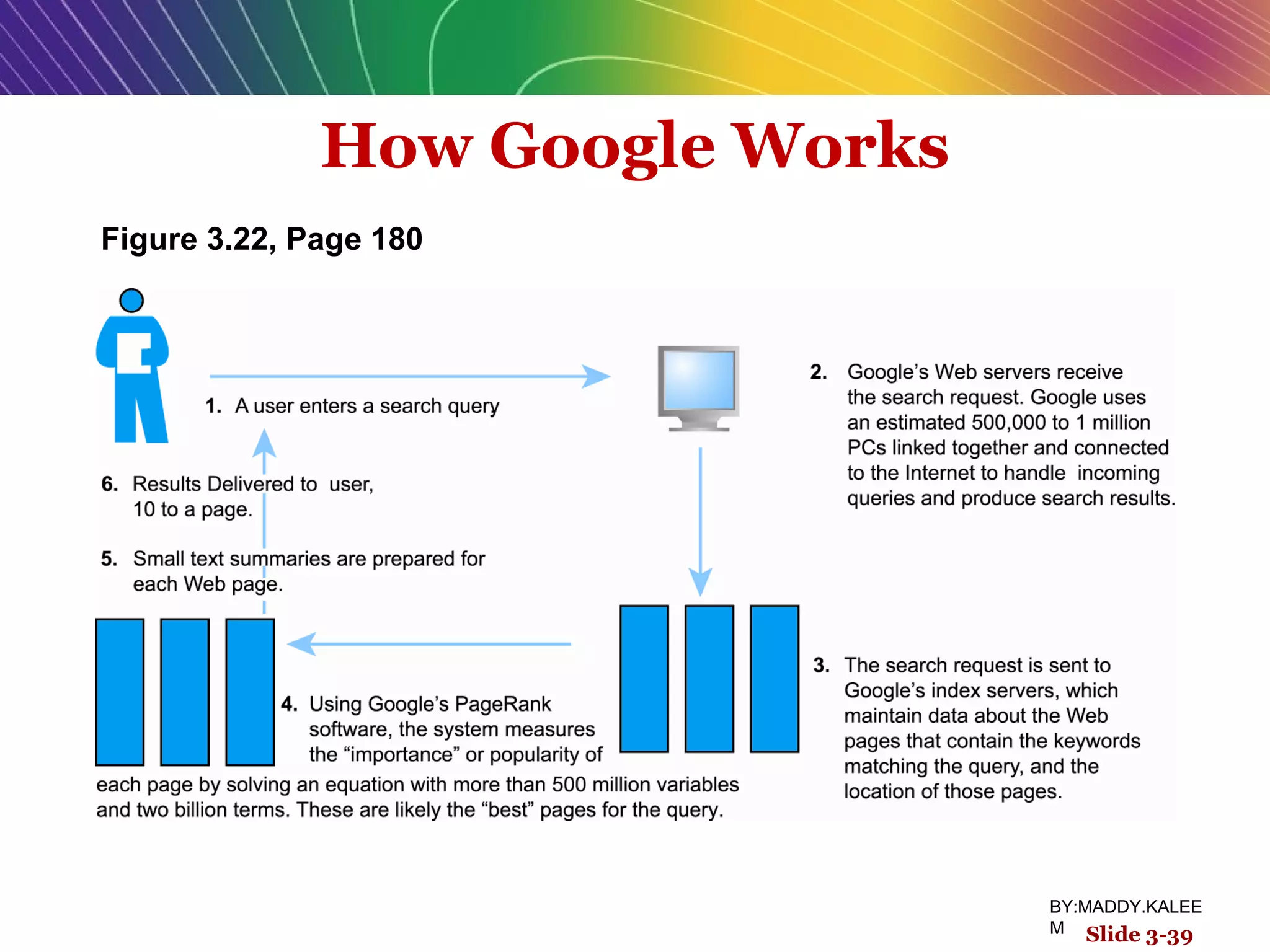
How Google Works
Slide 3-39
Figure 3.22, Page 180
BY:MADDY.KALEE
M
Intelligent Agents (Bots)
 Software programs that gather and/or
filter information on a specific topic and
then provide a list of results
 Search bot
 Shopping bot
 Web monitoring bot
 News bot
 Chatter bot
Slide 3-40
BY:MADDY.KALEE
M
Online Forums and Chat
 Online forum:
 discussion group, board, or forum
 Web application that enables Internet users to
communicate with each other, although not in real time
 Members visit online forum to check for new posts
 Online chat:
 Similar to IM (instant messanger), but for multiple users
 Typically, users log into chat room
Slide 3-41
BY:MADDY.KALEE
M
Streaming Media
 Enables music, video, and other large
files to be sent to users in chunks so that
when received and played, file comes
through uninterrupted
 Allows users to begin playing media files
before file is fully downloaded
Slide 3-42
BY:MADDY.KALEE
M
Cookies
 Small text files deposited by Web site on
user’s computer to store information
about user, accessed when user next
visits Web site
 Can help personalize Web site
experience
 Can pose privacy threat
Slide 3-43
BY:MADDY.KALEE
M Slide 3-43
Web 2.0 Features and Services
 Blogs
Personal Web page that typically contains a series
of chronological entries by its author, and links to
related Web pages
 Really Simple Syndication (RSS)
Program that allows users to have digital content
automatically sent to their computers over the
Internet
Slide 3-44
BY:MADDY.KALEE
M
Web 2.0 Features and Services
 Podcasting
 Audio presentation stored as an audio file and available
for download from Web
 Wikis
 Allows user to easily add and edit content on Web page
 New music and video services
 Digital video on demand
Slide 3-45
BY:MADDY.KALEE
M Slide 3-45
Web 2.0 Features and Services
 Internet telephony (VOIP)
Uses Voice Over Internet Protocol (VOIP) and
Internet’s packet-switched network to transmit
voice and other forms of audio communication
over the Internet
 Internet television (IPTV)
Slide 3-46
BY:MADDY.KALEE
M
Web 2.0 Features and Services
 Online software and Web services
Web apps, widgets, and gadgets
Digital software libraries, distributed storage
 M-commerce applications
Beginning to take off
Slide 3-47
BY:MADDY.KALEE
M Slide 3-47
Slide 3-48
 What are Web mashups and what technology makes
them possible?
 Why would Google and others allow their software to be
combined with other software?
 What is the potential benefit to consumers?
 If mashups ultimately make money, how will the
revenues be divided?
 Why would mashups be supportive of contextual
advertising?
Insight on Technology
All Mashed Up
Class Discussion
BY:MADDY.KALEE
M
Slide 3-49
All rights reserved. No part of this publication may be reproduced, stored in a
retrieval system, or transmitted, in any form or by any means, electronic,
mechanical, photocopying, recording, or otherwise, without the prior written
permission of the publisher. Printed in the United States of America.
Copyright © 2010 Pearson Education, Inc.  Copyright © 2010 Pearson Education, Inc.  
Publishing as Prentice HallPublishing as Prentice Hall
BY:MADDY.KALEE
M

E-BM The Internet and World Wide Web: E-BM Infrastructure

  • 1.
    E-commerce Kenneth C. Laudon CarolGuercio Traver business. technology. society. Sixth Edition BY:MADDY.KALEE M Slide 3-1
  • 2.
    Copyright © 2007Pearson Education, Inc. Slide 1-2 Chapter 3 The Internet and World Wide Web: E-BM Infrastructure BY:MADDY.KALEE M
  • 3.
    The Internet: TechnologyBackground  Internet  Interconnected network of thousands of networks and millions of computers  Links businesses, educational institutions, government agencies, and individuals  World Wide Web (Web)  One of the Internet’s most popular services  Provides access to around billions, possibly trillions, of Web pages Slide 3-3 BY:MADDY.KALEE M
  • 4.
    The Evolution ofthe Internet 1961—The Present  Innovation Phase, 1964–1974  Creation of fundamental building blocks  Institutionalization Phase, 1975–1994  Large institutions provide funding and legitimization  Commercialization Phase,1995–present  Private corporations take over, expand Internet backbone and local service Slide 3-4 BY:MADDY.KALEE M
  • 5.
    The Internet: Key TechnologyConcepts  Defined by Federal Networking Commission as network that:  Uses IP addressing  Supports TCP/IP  Provides services to users, in manner similar to telephone system  Three important concepts: 1. Packet switching 2. TCP/IP communications protocol 3. Client/server computing Slide 3-5 BY:MADDY.KALEE M
  • 6.
    Packet Switching  Slicesdigital messages into packets  Sends packets along different communication paths as they become available  Reassembles packets once they arrive at destination  Uses routers  Special purpose computers that interconnect the computer networks that make up the Internet and route packets  Routing algorithms ensure packets take the best available path toward their destination  Less expensive, wasteful than circuit-switching Slide 3-6 BY:MADDY.KALEE M
  • 7.
    Packet Switching Figure 3.3,Page 130 Slide 3-7 BY:MADDY.KALEE M
  • 8.
    TCP/IP  Transmission ControlProtocol (TCP):  Establishes connections between sending and receiving Web computers  Handles assembly of packets at point of transmission, and reassembly at receiving end  Internet Protocol (IP):  Provides the Internet’s addressing scheme  Four TCP/IP Layers 1. Network Interface Layer 2. Internet Layer 3. Transport Layer 4. Application Layer Slide 3-8 BY:MADDY.KALEE M
  • 9.
    The TCP/IP Architectureand Protocol Suite Figure 3.4, Page 132 Slide 3-9 BY:MADDY.KALEE M
  • 10.
    Internet (IP) Addresses IPv4:  32-bit number  Expressed as series of four sets of separate numbers marked off by periods  201.61.186.227  Class C address: Network identified by first three sets, computer identified by last set  New version: IPv6 has 128-bit addresses, able to handle up to 1 quadrillion addresses (IPv4 can only handle 4 billion) Slide 3-10 BY:MADDY.KALEE M
  • 11.
    Routing Internet Messages: TCP/IPand Packet Switching Figure 3.5, Page 133 Slide 3-11 BY:MADDY.KALEE M
  • 12.
    Domain Names, DNS,and URLs  Domain Name  IP address expressed in natural language  Domain Name System (DNS)  Allows numeric IP addresses to be expressed in natural language  Uniform Resource Locator (URL)  Address used by Web browser to identify location of content on the Web  E.g., http://www.azimuth-interactive.com/flash_test Slide 3-12 BY:MADDY.KALEE M
  • 13.
    Client/Server Computing  Powerfulpersonal computers (clients) connected in network with one or more servers  Servers perform common functions for the clients  Storing files, software applications, etc. Slide 3-13 BY:MADDY.KALEE M
  • 14.
    Insight on Business P2PDukes It Out with Streaming Video Class Discussion  How does P2P networking differ from client/server networking?  Why is P2P networking a potential money-saver for corporations and other organizations?  What are some illegal uses of P2P networking?  What are some legal uses of P2P networking?  What other alternatives are there for streaming large video files? Slide 3-14 BY:MADDY.KALEE M
  • 15.
    The New Client:The Emerging Mobile Platform  Within a few years, primary Internet access will be through: Netbooks  Designed to connect to wireless Internet  $200–400 Smartphones  Troublemaking technology: Processors, operating systems Slide 3-15 BY:MADDY.KALEE M
  • 16.
    Cloud Computing  Firmsand individuals obtain computing power and software over Internet  E.g., Google Apps  Fastest growing form of computing  Radically reduces costs of:  Building and operating Web sites  Infrastructure, IT support  Hardware, software Slide 3-16 BY:MADDY.KALEE M
  • 17.
    Other Internet Protocolsand Utility Programs  Internet protocols  HTTP  E-mail: SMTP, POP3 (Post Office Protocol), IMAP (Internet Message Access Protocol)  FTP, SSL (Secure Sockets Layer)  Utility programs  Ping (a computer network tool used to test whether a particular host is reachable across an IP network).  Tracert Slide 3-17 BY:MADDY.KALEE M
  • 18.
    The Internet Today Internet growth has boomed without disruption because it is based on: Client/server computing model  Hourglass, layered architecture  Network Technology Substrate  Transport Services and Representation Standards  Middleware Services  Applications Slide 3-18 BY:MADDY.KALEE M
  • 19.
    The Hourglass Model of the Internet Figure3.11, Page 144 Slide 3-19 SOURCE: Adapted from Computer Science and Telecommunications Board (CSTB), 2000. BY:MADDY.KALEE M
  • 20.
    Internet Network Architecture Backbone:  High-bandwidth fiber-optic cable networks  Private networks owned by a variety of NSPs  Bandwidth: 155 Mbps–2.5 Gbps  Built-in redundancy  IXPs(Internet exchange points): Hubs where backbones intersect with regional and local networks, and backbone owners connect with one another  CANs (Controller area network): LANs operating within a single organization that leases Internet access directly from regional or national carrier Slide 3-20 BY:MADDY.KALEE M
  • 21.
    Internet Network Architecture Figure3.12, Page 145 Slide 3-21 BY:MADDY.KALEE M
  • 22.
    Internet Service Providers(ISPs)  Provide lowest level of service to individuals, small businesses, some institutions  Types of service Narrowband (dial-up) Broadband  Digital Subscriber Line (DSL)  Cable modem  Satellite Slide 3-22 BY:MADDY.KALEE M
  • 23.
    Intranets and Extranets Intranet TCP/IP network located within a single organization for communications and processing  Extranet Formed when firms permit outsiders to access their internal TCP/IP networks Slide 3-23 BY:MADDY.KALEE M
  • 24.
    Who Governs theInternet?  Organizations that influence Internet and monitor its operations include:  Internet Architecture Board (IAB)  Internet Corporation for Assigned Names and Numbers (ICANN)  Internet Engineering Steering Group (IESG)  Internet Engineering Task Force (IETF)  Internet Society (ISOC)  World Wide Web Consortium (W3C)  International Telecommunications Union (ITU) Slide 3-24 BY:MADDY.KALEE M
  • 25.
    Insight on Society GovernmentRegulation and Surveillance of the Internet Class Discussion  How is it possible for any government to “control” or censor the Web?  Does the Iranian government, or the U.S. government, have the right to censor content on the Web?  How should U.S. companies deal with governments that want to censor content?  What would happen to e-commerce if the existing Web split into a different Web for each country? Slide 3-25 BY:MADDY.KALEE M
  • 26.
    Telephone-based Wireless Internet Access Competing 3G standards  GSM (Global System for Mobile communications) : Used primarily in Europe  Evolution:  2G cellular networks: relatively slow, circuit-switched  2.5G cellular networks:  3G cellular networks:, packet-switched  3.5G (3G+)  4G (WiMax) Slide 3-26 BY:MADDY.KALEE M
  • 27.
    Wireless Local AreaNetworks (WLANs)  Wi-Fi  High-speed, fixed broadband wireless LAN, different versions for home and business market, limited range  WiMax  High-speed, medium range broadband wireless metropolitan area network  Bluetooth  Low-speed, short range connection  Ultra-Wideband (UWB)  Low power, short-range high bandwidth network  Zigbee  Short-range, low-power wireless network technology for remotely controlling digital devices Slide 3-27 BY:MADDY.KALEE M
  • 28.
    Wi-Fi Networks Figure 3.16,Page 164 Slide 3-28 BY:MADDY.KALEE M
  • 29.
    Benefits of InternetII Technologies  IP multicasting:  Enables efficient delivery of data to many locations on a network  Latency solutions:  diffserv (differentiated quality of service)  Assigns different levels of priority to packets depending on type of data being transmitted  Guaranteed service levels and lower error rates  Ability to purchase right to move data through network at guaranteed speed in return for higher fee Slide 3-29 BY:MADDY.KALEE M
  • 30.
    Development of theWeb  1989–1991: Web invented  Tim Berners-Lee at CERN  HTML, HTTP, Web server, Web browser  1993: Mosaic Web browser w/GUI  Andreesen and others  Runs on Windows, Macintosh, or Unix  1994: Netscape Navigator, first commercial Web browser  Andreessen, Jim Clark  1995: Microsoft Internet Explorer Slide 3-30 BY:MADDY.KALEE M
  • 31.
    Hypertext  Text formattedwith embedded links Links connect documents to one another, and to other objects such as sound, video, or animation files  Uses Hypertext Transfer Protocol (HTTP) and URLs to locate resources on the Web  Example URL http://megacorp.com/content/features/082602.html Slide 3-31 BY:MADDY.KALEE M
  • 32.
    Markup Languages  GeneralizedMarkup Language (GML)—1960s  Hypertext Markup Language (HTML)  Fixed set of predefined markup “tags” used to format text  Controls look and feel of Web pages  eXtensible Markup Language (XML)  New markup language specification developed by W3C  Designed to describe data and information  Tags used are defined by user Slide 3-32 BY:MADDY.KALEE M
  • 33.
    Web Servers andWeb Clients  Web server software:  Enables a computer to deliver Web pages to clients on networks that request this service by sending an HTTP request  Apache and Microsoft IIS  Basic capabilities: security services, FTP, search engine, data capture  Web server  Can refer to Web server software or physical server  Specialized servers: database servers, etc.  Web client:  Any computing device attached to the Internet that is capable of making HTTP requests and displaying HTML pages Slide 3-33 BY:MADDY.KALEE M
  • 34.
    Web Browsers  Primarypurpose to display Web pages  Internet Explorer (67%) and Firefox (23%) dominate the market  Other browsers include:  Netscape  Opera  Safari  Google’s Chrome Slide 3-34 BY:MADDY.KALEE M
  • 35.
    The Internet andWeb: Features  Internet and Web features on which the foundations of e-commerce are built include:  E-mail  Instant messaging  Search engines  Intelligent agents (bots)  Online forums and chat  Streaming media  Cookies Slide 3-35 BY:MADDY.KALEE M
  • 36.
    E-mail  Most usedapplication of the Internet  Uses series of protocols for transferring messages with text and attachments (images, sound, video clips, etc.,) from one Internet user to another  Can be an effective marketing tool  Spam a worsening problem Slide 3-36 BY:MADDY.KALEE M
  • 37.
    Instant Messaging  Displayswords typed on a computer almost instantly, and recipients can then respond immediately in the same way  Different proprietary systems offered by MSN, Yahoo, and Google  Meebo, Digsby: allow users to communicate across platforms Slide 3-37 BY:MADDY.KALEE M
  • 38.
    Search Engines  IdentifyWeb pages that match queries based on one or more techniques  Keyword indexes, page ranking  Also serve as:  Shopping tools  Advertising vehicles (search engine marketing)  Tool within e-commerce sites  Outside of e-mail, most commonly used Internet activity Slide 3-38 BY:MADDY.KALEE M
  • 39.
    How Google Works Slide3-39 Figure 3.22, Page 180 BY:MADDY.KALEE M
  • 40.
    Intelligent Agents (Bots) Software programs that gather and/or filter information on a specific topic and then provide a list of results  Search bot  Shopping bot  Web monitoring bot  News bot  Chatter bot Slide 3-40 BY:MADDY.KALEE M
  • 41.
    Online Forums andChat  Online forum:  discussion group, board, or forum  Web application that enables Internet users to communicate with each other, although not in real time  Members visit online forum to check for new posts  Online chat:  Similar to IM (instant messanger), but for multiple users  Typically, users log into chat room Slide 3-41 BY:MADDY.KALEE M
  • 42.
    Streaming Media  Enablesmusic, video, and other large files to be sent to users in chunks so that when received and played, file comes through uninterrupted  Allows users to begin playing media files before file is fully downloaded Slide 3-42 BY:MADDY.KALEE M
  • 43.
    Cookies  Small textfiles deposited by Web site on user’s computer to store information about user, accessed when user next visits Web site  Can help personalize Web site experience  Can pose privacy threat Slide 3-43 BY:MADDY.KALEE M Slide 3-43
  • 44.
    Web 2.0 Featuresand Services  Blogs Personal Web page that typically contains a series of chronological entries by its author, and links to related Web pages  Really Simple Syndication (RSS) Program that allows users to have digital content automatically sent to their computers over the Internet Slide 3-44 BY:MADDY.KALEE M
  • 45.
    Web 2.0 Featuresand Services  Podcasting  Audio presentation stored as an audio file and available for download from Web  Wikis  Allows user to easily add and edit content on Web page  New music and video services  Digital video on demand Slide 3-45 BY:MADDY.KALEE M Slide 3-45
  • 46.
    Web 2.0 Featuresand Services  Internet telephony (VOIP) Uses Voice Over Internet Protocol (VOIP) and Internet’s packet-switched network to transmit voice and other forms of audio communication over the Internet  Internet television (IPTV) Slide 3-46 BY:MADDY.KALEE M
  • 47.
    Web 2.0 Featuresand Services  Online software and Web services Web apps, widgets, and gadgets Digital software libraries, distributed storage  M-commerce applications Beginning to take off Slide 3-47 BY:MADDY.KALEE M Slide 3-47
  • 48.
    Slide 3-48  Whatare Web mashups and what technology makes them possible?  Why would Google and others allow their software to be combined with other software?  What is the potential benefit to consumers?  If mashups ultimately make money, how will the revenues be divided?  Why would mashups be supportive of contextual advertising? Insight on Technology All Mashed Up Class Discussion BY:MADDY.KALEE M
  • 49.
    Slide 3-49 All rightsreserved. No part of this publication may be reproduced, stored in a retrieval system, or transmitted, in any form or by any means, electronic, mechanical, photocopying, recording, or otherwise, without the prior written permission of the publisher. Printed in the United States of America. Copyright © 2010 Pearson Education, Inc.  Copyright © 2010 Pearson Education, Inc.   Publishing as Prentice HallPublishing as Prentice Hall BY:MADDY.KALEE M

Editor's Notes

  • #6 Transmission Control Protocol/Internet Protocol (TCP/IP) is the suite of communications protocols used to connect hosts on the Internet. TCP/IP stands for Transmission Control Protocol / Internet Protocol. It defines how electronic devices (like computers) should be connected over the Internet, and how data should be transmitted between them. TCP - Transmission Control Protocol TCP is responsible for breaking data down into small packets before they can be sent over a network, and for assembling the packets again when they arrive. IP - Internet Protocol IP takes care of the communication between computers. It is responsible for addressing, sending and receiving the data packets over the Internet.
  • #7 Switch is a electrical process which start and stop electricity. Circuit switching is a methodology of implementing a telecommunications network in which two network nodes establish a dedicated communications channel (circuit) through the network before the nodes may communicate.
  • #9 TCP/IP provides end-to-end connectivity specifying how data should be packetized, addressed, transmitted, routed  and received at the destination. From lowest to highest, the layers are the link layer, containing communication technologies for a single network segment (link); the internet layer, connecting hosts across independent networks, thus establishing internetworking; the transport layer handling host-to-host communication; and the application layer, which provides process-to-process application data exchange.
  • #23 Digital subscriber line (DSL; originally digital subscriber loop) is a family of technologies that are used to transmit digital data over telephone lines.
  • #27 GSM (Global System for Mobile communications) is an open, digital cellular technology used for transmitting mobile voice and data services. circuit-switched:A type of communications in which a dedicated channel (or circuit) is established for the duration of a transmission. The most ubiquitous circuit-switching network is the telephone system,
  • #33 XML was designed to describe data, with focus on what data is. HTML was designed to display data, with focus on how data looks.