1-to-1 Series: Staff Development Ideas that Work!BySally GarzaDirector of Technology Lawrence Upper School
Sally Garza
Director of Technology
Lawrence Upper SchoolAbout ME
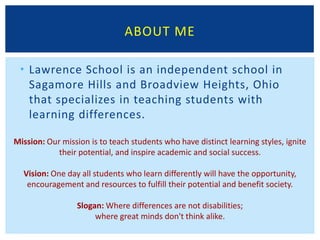
Lawrence School is an independent school in Sagamore Hills and Broadview Heights, Ohio that specializes in teaching students with learning differences. About ME
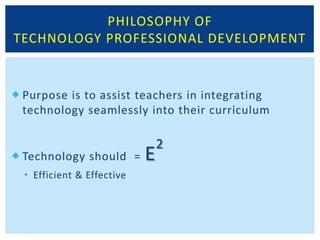
Philosophy of Technology Professional DevelopmentPurpose is to assist teachers in integrating technology seamlessly into their curriculum
Technology should  = E2
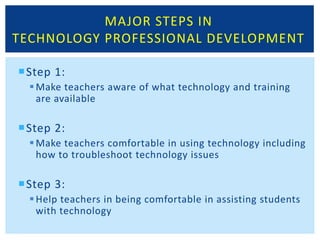
Efficient & EffectiveMajor Steps inTechnology Professional DevelopmentStep 1:Make teachers aware of what technology and training are availableStep 2:Make teachers comfortable in using technology including how to troubleshoot technology issuesStep 3:Help teachers in being comfortable in assisting students with technology
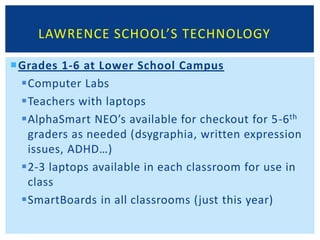
Lawrence School’s TechnologyGrades 1-6 at Lower School CampusComputer Labs Teachers with laptopsAlphaSmart NEO’s available for checkout for 5-6th graders as needed (dsygraphia, written expression issues, ADHD…)2-3 laptops available in each classroom for use in classSmartBoards in all classrooms (just this year)
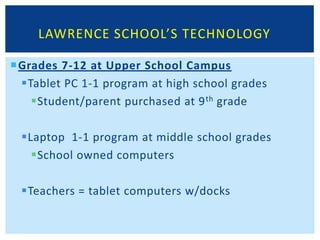
Lawrence School’s TechnologyGrades 7-12 at Upper School CampusTablet PC 1-1 program at high school gradesStudent/parent purchased at 9th gradeLaptop  1-1 program at middle school gradesSchool owned computersTeachers = tablet computers w/docks
Whole Group InstructionTheater/conference type setting gaining information through a lecture-style format
Topics range from:
Overviews of new policy, procedure, software, services, hardware
Not recommended for step-by-step instruction, unless  they are very basic instructions and teachers all have computers with them
Tips:
Keep relatively short (10-30 minutes)
Use lots of pictures or visuals if available
Try to get audience participation if applicableWhole Group InstructionPros:Usually best for introduction to new service, policy, software, hardwareGreat for generating ideas amongst staff members on how to utilize technology Cons:Hard to make sure everyone understands new concepts Not good for step-by-step instruction of tech skillsMay need to do individual review with individuals lacking tech savviness
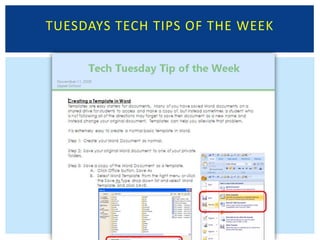
Tuesdays Tech Tips of the WeekWeekly mini-lesson sent to all faculty on a quick technology tip
Topics range from:
Online grade book tips

E tech staff development ideas that work 2011

  • 1.
    1-to-1 Series: StaffDevelopment Ideas that Work!BySally GarzaDirector of Technology Lawrence Upper School
  • 2.
  • 3.
  • 4.
  • 5.
    Lawrence School isan independent school in Sagamore Hills and Broadview Heights, Ohio that specializes in teaching students with learning differences. About ME
  • 6.
    Philosophy of TechnologyProfessional DevelopmentPurpose is to assist teachers in integrating technology seamlessly into their curriculum
  • 7.
  • 8.
    Efficient & EffectiveMajorSteps inTechnology Professional DevelopmentStep 1:Make teachers aware of what technology and training are availableStep 2:Make teachers comfortable in using technology including how to troubleshoot technology issuesStep 3:Help teachers in being comfortable in assisting students with technology
  • 9.
    Lawrence School’s TechnologyGrades1-6 at Lower School CampusComputer Labs Teachers with laptopsAlphaSmart NEO’s available for checkout for 5-6th graders as needed (dsygraphia, written expression issues, ADHD…)2-3 laptops available in each classroom for use in classSmartBoards in all classrooms (just this year)
  • 10.
    Lawrence School’s TechnologyGrades7-12 at Upper School CampusTablet PC 1-1 program at high school gradesStudent/parent purchased at 9th gradeLaptop 1-1 program at middle school gradesSchool owned computersTeachers = tablet computers w/docks
  • 11.
    Whole Group InstructionTheater/conferencetype setting gaining information through a lecture-style format
  • 12.
  • 13.
    Overviews of newpolicy, procedure, software, services, hardware
  • 14.
    Not recommended forstep-by-step instruction, unless they are very basic instructions and teachers all have computers with them
  • 15.
  • 16.
    Keep relatively short(10-30 minutes)
  • 17.
    Use lots ofpictures or visuals if available
  • 18.
    Try to getaudience participation if applicableWhole Group InstructionPros:Usually best for introduction to new service, policy, software, hardwareGreat for generating ideas amongst staff members on how to utilize technology Cons:Hard to make sure everyone understands new concepts Not good for step-by-step instruction of tech skillsMay need to do individual review with individuals lacking tech savviness
  • 19.
    Tuesdays Tech Tipsof the WeekWeekly mini-lesson sent to all faculty on a quick technology tip
  • 20.
  • 21.