Welcome  1:1 Teachers August 18, 2011 Northern Vance HS
Goals for this  Professional Development Session Identify various 1:1 classroom management strategies and develop procedures for YOUR class Learn how to incorporate Moodle within  YOUR course instruction Explore some Web 2.0 tools and plan for their use within YOUR class
 
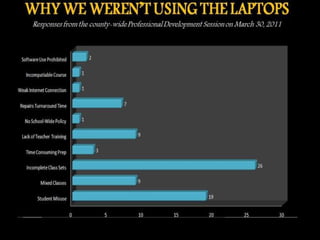
Addressing Last Year’s Concerns Lack of Teacher Training 1:1 Professional Development & Trainings will be on-going throughout the school-year Web-Based Trainings & Content-Specific Resources will be housed on the VCS Moodle site Technology showcases like  Tech Tuesdays   and  Wired Wednesdays   will occur on a weekly basis
Addressing Last Year’s Concerns Software Use Prohibited Downloading software such as Java to run instructional  applets is not  strictly  prohibited.  Seek approval from your Tech Director in advance  Facilitate the students’ download to ensure that it’s done correctly
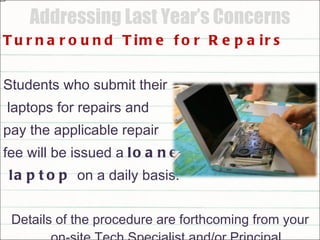
Addressing Last Year’s Concerns Turnaround Time for Repairs Students who submit their laptops for repairs and  pay the applicable repair  fee will be issued a  loaner laptop  on a daily basis. Details of the procedure are forthcoming from your on-site Tech Specialist and/or Principal
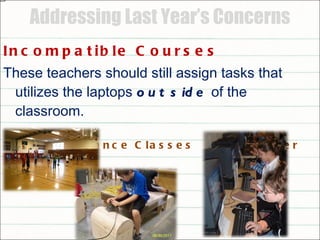
Addressing Last Year’s Concerns Incompatible Courses These teachers should still assign tasks that utilizes the laptops  outside  of the classroom. Performance Classes Computer Classes
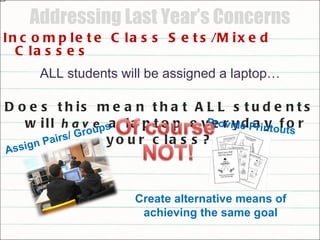
Addressing Last Year’s Concerns Incomplete Class Sets/Mixed Classes ALL students will be assigned a laptop… Does this mean that ALL students will  have  a laptop everyday for your class?? Assign Pairs/ Groups Provide Printouts Create alternative means of achieving the same goal
Addressing Last Year’s Concerns Lack of Classroom Acceptable Use Policy Guidelines for class use of the laptops and consequences for misuse were at the teacher’s discretion.  We need to : Create a CAUP specific to our class or department Suggest an appropriate discipline system to be enforced by all teachers and supported by all administrators
Instructions Login into Moodle  http://moodle.vcs.k12.nc/moodle Select  Instructional Technology  from the Course Categories Select  1:1 Professional Development VCS If prompted to enroll in the course, select  YES Under the CLASSROOM MANAGEMENT topic, click and  Open  the file “ Classroom Acceptable Use Policy ”
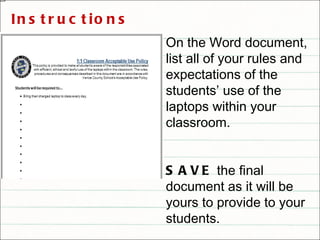
On the Word document, list all of your rules and expectations of the students’ use of the laptops within your classroom.  SAVE  the final document as it will be yours to provide to your students. Instructions
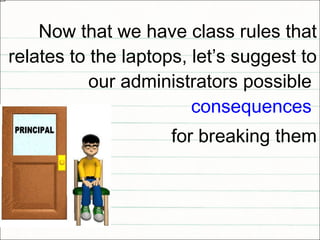
Now that we have class rules that relates to the laptops, let’s suggest to our administrators possible  consequences   for breaking them
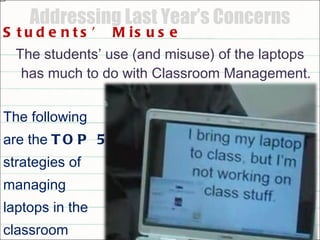
Addressing Last Year’s Concerns Students’ Misuse The students’ use (and misuse) of the laptops has much to do with Classroom Management. The following  are the  TOP 5  strategies of  managing laptops in the  classroom
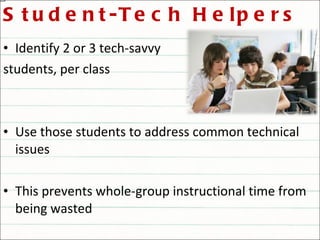
Student-Tech Helpers Identify 2 or 3 tech-savvy  students, per class Use those students to address common technical issues This prevents whole-group instructional time from being wasted
ALWAYS Have a Backup Plan *Have at least a class set of back-up work * Try having a related “placeholder” activity (i.e. posting on a discussion board or practice problems on a website) for minor glitches *Doing so maintains the continuity of you curricular objectives
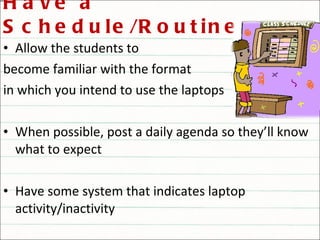
Have a Schedule/Routine Allow the students to  become familiar with the format in which you intend to use the laptops When possible, post a daily agenda so they’ll know what to expect Have some system that indicates laptop activity/inactivity
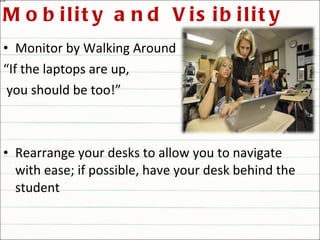
Mobility and Visibility Monitor by Walking Around “ If the laptops are up, you should be too!” Rearrange your desks to allow you to navigate with ease; if possible, have your desk behind the student
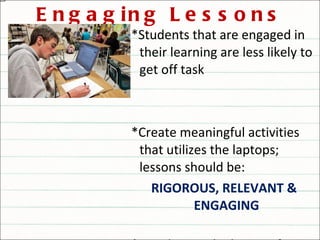
Engaging Lessons *Students that are engaged in their learning are less likely to get off task *Create meaningful activities that utilizes the laptops; lessons should be: RIGOROUS, RELEVANT & ENGAGING  *Avoid using the laptops for rote practices that could be done with the textbook or worksheets
1:1 Classroom Management Video Clip #1 Jot down your observations Carolyn Singley, English Teacher, Irving Independent School District
1:1 Classroom Management Video Clip #2 Jot down your observations Carolyn Singley, English Teacher, Irving Independent School District
1:1 Classroom Management Video Clip #3 Jot down your observations Carolyn Singley, English Teacher, Irving Independent School District
1:1 Classroom Management Video Clip #4 Jot down your observations Carolyn Singley, English Teacher, Irving Independent School District
YOUR 1:1 Managing Strategies Return to the  1:1 Professional Development VCS  Moodle  http://moodle.vcs.k12.nc/moodle Under the CLASSROOM MANAGEMENT topic, select the discussion forum  “ Managing YOUR 1:1 Class ” Describe how you plan to manage your course this upcoming semester by addressing each prompt. Read and reply to at least one other teacher’s post
SANDBOX with MOODLE Get a better feel for Moodle and several of its features
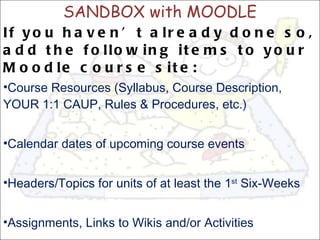
SANDBOX with MOODLE If you haven’t already done so, add the following items to your Moodle course site: Course Resources (Syllabus, Course Description, YOUR 1:1 CAUP, Rules & Procedures, etc.) Calendar dates of upcoming course events Headers/Topics for units of at least the 1 st  Six-Weeks Assignments, Links to Wikis and/or Activities

1to1 aug18

  • 1.
    Welcome 1:1Teachers August 18, 2011 Northern Vance HS
  • 2.
    Goals for this Professional Development Session Identify various 1:1 classroom management strategies and develop procedures for YOUR class Learn how to incorporate Moodle within YOUR course instruction Explore some Web 2.0 tools and plan for their use within YOUR class
  • 3.
  • 4.
    Addressing Last Year’sConcerns Lack of Teacher Training 1:1 Professional Development & Trainings will be on-going throughout the school-year Web-Based Trainings & Content-Specific Resources will be housed on the VCS Moodle site Technology showcases like Tech Tuesdays and Wired Wednesdays will occur on a weekly basis
  • 5.
    Addressing Last Year’sConcerns Software Use Prohibited Downloading software such as Java to run instructional applets is not strictly prohibited. Seek approval from your Tech Director in advance Facilitate the students’ download to ensure that it’s done correctly
  • 6.
    Addressing Last Year’sConcerns Turnaround Time for Repairs Students who submit their laptops for repairs and pay the applicable repair fee will be issued a loaner laptop on a daily basis. Details of the procedure are forthcoming from your on-site Tech Specialist and/or Principal
  • 7.
    Addressing Last Year’sConcerns Incompatible Courses These teachers should still assign tasks that utilizes the laptops outside of the classroom. Performance Classes Computer Classes
  • 8.
    Addressing Last Year’sConcerns Incomplete Class Sets/Mixed Classes ALL students will be assigned a laptop… Does this mean that ALL students will have a laptop everyday for your class?? Assign Pairs/ Groups Provide Printouts Create alternative means of achieving the same goal
  • 9.
    Addressing Last Year’sConcerns Lack of Classroom Acceptable Use Policy Guidelines for class use of the laptops and consequences for misuse were at the teacher’s discretion. We need to : Create a CAUP specific to our class or department Suggest an appropriate discipline system to be enforced by all teachers and supported by all administrators
  • 10.
    Instructions Login intoMoodle http://moodle.vcs.k12.nc/moodle Select Instructional Technology from the Course Categories Select 1:1 Professional Development VCS If prompted to enroll in the course, select YES Under the CLASSROOM MANAGEMENT topic, click and Open the file “ Classroom Acceptable Use Policy ”
  • 11.
    On the Worddocument, list all of your rules and expectations of the students’ use of the laptops within your classroom. SAVE the final document as it will be yours to provide to your students. Instructions
  • 12.
    Now that wehave class rules that relates to the laptops, let’s suggest to our administrators possible consequences for breaking them
  • 13.
    Addressing Last Year’sConcerns Students’ Misuse The students’ use (and misuse) of the laptops has much to do with Classroom Management. The following are the TOP 5 strategies of managing laptops in the classroom
  • 14.
    Student-Tech Helpers Identify2 or 3 tech-savvy students, per class Use those students to address common technical issues This prevents whole-group instructional time from being wasted
  • 15.
    ALWAYS Have aBackup Plan *Have at least a class set of back-up work * Try having a related “placeholder” activity (i.e. posting on a discussion board or practice problems on a website) for minor glitches *Doing so maintains the continuity of you curricular objectives
  • 16.
    Have a Schedule/RoutineAllow the students to become familiar with the format in which you intend to use the laptops When possible, post a daily agenda so they’ll know what to expect Have some system that indicates laptop activity/inactivity
  • 17.
    Mobility and VisibilityMonitor by Walking Around “ If the laptops are up, you should be too!” Rearrange your desks to allow you to navigate with ease; if possible, have your desk behind the student
  • 18.
    Engaging Lessons *Studentsthat are engaged in their learning are less likely to get off task *Create meaningful activities that utilizes the laptops; lessons should be: RIGOROUS, RELEVANT & ENGAGING *Avoid using the laptops for rote practices that could be done with the textbook or worksheets
  • 19.
    1:1 Classroom ManagementVideo Clip #1 Jot down your observations Carolyn Singley, English Teacher, Irving Independent School District
  • 20.
    1:1 Classroom ManagementVideo Clip #2 Jot down your observations Carolyn Singley, English Teacher, Irving Independent School District
  • 21.
    1:1 Classroom ManagementVideo Clip #3 Jot down your observations Carolyn Singley, English Teacher, Irving Independent School District
  • 22.
    1:1 Classroom ManagementVideo Clip #4 Jot down your observations Carolyn Singley, English Teacher, Irving Independent School District
  • 23.
    YOUR 1:1 ManagingStrategies Return to the 1:1 Professional Development VCS Moodle http://moodle.vcs.k12.nc/moodle Under the CLASSROOM MANAGEMENT topic, select the discussion forum “ Managing YOUR 1:1 Class ” Describe how you plan to manage your course this upcoming semester by addressing each prompt. Read and reply to at least one other teacher’s post
  • 24.
    SANDBOX with MOODLEGet a better feel for Moodle and several of its features
  • 25.
    SANDBOX with MOODLEIf you haven’t already done so, add the following items to your Moodle course site: Course Resources (Syllabus, Course Description, YOUR 1:1 CAUP, Rules & Procedures, etc.) Calendar dates of upcoming course events Headers/Topics for units of at least the 1 st Six-Weeks Assignments, Links to Wikis and/or Activities