# dtrace -n 'syscall:::entry { @[exe
                   dtrace: description 'syscall:::entry
                   ^C


                    iscsitgtd                         1
                    nscd                              1
                    operapluginclean                  3
                    screen-4.0.2                      3
                    devfsadm                          4
                    httpd                            10
                    sendmail                         10
                    xload                            10
                    evince                           12
                    operapluginwrapp                 20

DTrace Topics:      xclock
                    xntpd
                                                     20
                                                     25

Introduction        FvwmIconMan
                    fmd
                                                     32
                                                     81
                    FvwmPager                       170
                    dtrace                          432
                    gnome-terminal                  581

Brendan Gregg       fvwm2
                    x64
                                                   1045
                                                   1833

Sun Microsystems    akd
                    opera
                                                   2574
                                                   2923

April 2007          Xorg
                    soffice.bin
                                                   4723
                                                   5037

                                                      1
DTrace Topics: Introduction
• This presentation is an introduction to DTrace, and
  is part of the “DTrace Topics” collection.
  > Difficulty:
  > Audience: Everyone
• These slides cover:
  >   What DTrace is
  >   What DTrace is for
  >   Who uses DTrace
  >   DTrace Essentials
  >   Usage Features

                                                        2
What is DTrace
• DTrace is a dynamic troubleshooting and analysis
  tool first introduced in the Solaris 10 and
  OpenSolaris operating systems.
• DTrace is many things, in particular:
  > A tool
  > A programming language interpreter
  > An instrumentation framework
• DTrace provides observability across the entire
  software stack from one tool. This allows you to
  examine software execution like never before.

                                                     3
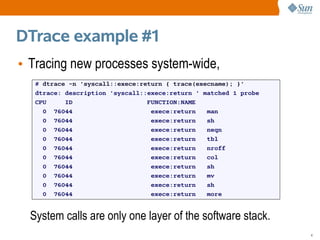
DTrace example #1
• Tracing new processes system-wide,
   # dtrace -n 'syscall::exece:return { trace(execname); }'
   dtrace: description 'syscall::exece:return ' matched 1 probe
   CPU     ID                    FUNCTION:NAME
     0 76044                      exece:return   man
     0 76044                      exece:return   sh
     0 76044                      exece:return   neqn
     0 76044                      exece:return   tbl
     0 76044                      exece:return   nroff
     0 76044                      exece:return   col
     0 76044                      exece:return   sh
     0 76044                      exece:return   mv
     0 76044                      exece:return   sh
     0 76044                      exece:return   more


  System calls are only one layer of the software stack.
                                                                  4
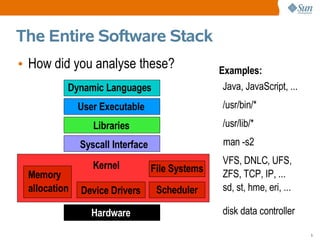
The Entire Software Stack
• How did you analyse these?                     Examples:
          Dynamic Languages                       Java, JavaScript, ...
              User Executable                     /usr/bin/*
                 Libraries                        /usr/lib/*
              Syscall Interface                   man -s2

                 Kernel                           VFS, DNLC, UFS,
                                  File Systems    ZFS, TCP, IP, ...
 Memory
 allocation   Device Drivers       Scheduler      sd, st, hme, eri, ...

                 Hardware                         disk data controller

                                                                          5
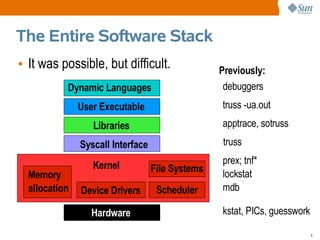
The Entire Software Stack
• It was possible, but difficult.                 Previously:
           Dynamic Languages                       debuggers
               User Executable                    truss -ua.out
                  Libraries                       apptrace, sotruss
               Syscall Interface                  truss

                  Kernel                          prex; tnf*
                                   File Systems   lockstat
  Memory
  allocation   Device Drivers       Scheduler     mdb

                  Hardware                        kstat, PICs, guesswork

                                                                           6
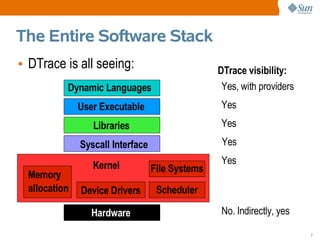
The Entire Software Stack
• DTrace is all seeing:                           DTrace visibility:
           Dynamic Languages                       Yes, with providers
               User Executable                    Yes
                  Libraries                       Yes
               Syscall Interface                   Yes

                  Kernel                          Yes
                                   File Systems
  Memory
  allocation   Device Drivers       Scheduler

                  Hardware                        No. Indirectly, yes

                                                                         7
What DTrace is like
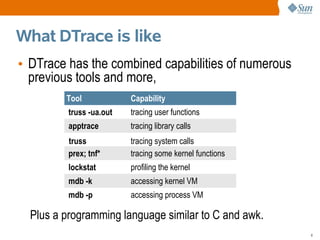
• DTrace has the combined capabilities of numerous
  previous tools and more,
         Tool             Capability
          truss -ua.out   tracing user functions
          apptrace        tracing library calls
          truss           tracing system calls
          prex; tnf*      tracing some kernel functions
          lockstat        profiling the kernel
          mdb -k          accessing kernel VM
          mdb -p          accessing process VM

  Plus a programming language similar to C and awk.
                                                          8
Syscall Example
 • Using truss,
                        Only examine 1 process
$ truss date
execve("/usr/bin/date", 0x08047C9C, 0x08047CA4) argc = 1         Output is
resolvepath("/usr/lib/ld.so.1", "/lib/ld.so.1", 1023) = 12
resolvepath("/usr/bin/date", "/usr/bin/date", 1023) = 13
                                                                 limited to
xstat(2, "/usr/bin/date", 0x08047A58)           = 0              provided
open("/var/ld/ld.config", O_RDONLY)             = 3
fxstat(2, 3, 0x08047988)                        = 0
                                                                 options
mmap(0x00000000, 152, PROT_READ, MAP_SHARED, 3, 0) = 0xFEFB0000
close(3)                                        = 0
mmap(0x00000000, 4096, PROT_READ|PROT_WRITE|PROT_EXEC, MAP_PRIVATE|MAP_ANON, -1
sysconfig(_CONFIG_PAGESIZE)                     = 4096
[...]


     truss slows down the target
                                                                                  9
Syscall Example
 • Using DTrace,
                                   You choose the output
# dtrace -n 'syscall:::entry { printf("%16s %x %x", execname, arg0, arg1); }'
dtrace: description 'syscall:::entry ' matched 233 probes
CPU     ID                    FUNCTION:NAME
  1 75943                        read:entry             Xorg f 8047130
  1 76211                   setitimer:entry             Xorg 0 8047610
  1 76143                      writev:entry             Xorg 22 80477f8
  1 76255                     pollsys:entry             Xorg 8046da0 1a
  1 75943                        read:entry             Xorg 22 85121b0
  1 76035                       ioctl:entry      soffice.bin 6 5301
  1 76035                       ioctl:entry      soffice.bin 6 5301
  1 76255                     pollsys:entry      soffice.bin 8047530 2
[...]


  Minimum performance cost                 Watch every process
                                                                                10
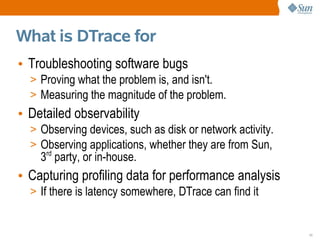
What is DTrace for
• Troubleshooting software bugs
  > Proving what the problem is, and isn't.
  > Measuring the magnitude of the problem.
• Detailed observability
  > Observing devices, such as disk or network activity.
  > Observing applications, whether they are from Sun,
    3rd party, or in-house.
• Capturing profiling data for performance analysis
  > If there is latency somewhere, DTrace can find it


                                                           11
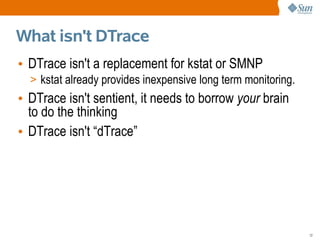
What isn't DTrace
• DTrace isn't a replacement for kstat or SMNP
  > kstat already provides inexpensive long term monitoring.
• DTrace isn't sentient, it needs to borrow your brain
  to do the thinking
• DTrace isn't “dTrace”


                                                               12
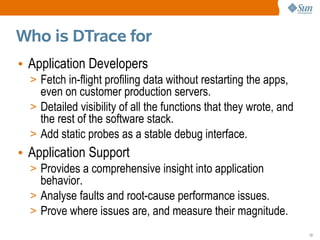
Who is DTrace for
• Application Developers
  > Fetch in-flight profiling data without restarting the apps,
    even on customer production servers.
  > Detailed visibility of all the functions that they wrote, and
    the rest of the software stack.
  > Add static probes as a stable debug interface.
• Application Support
  > Provides a comprehensive insight into application
    behavior.
  > Analyse faults and root-cause performance issues.
  > Prove where issues are, and measure their magnitude.
                                                                    13
Who is DTrace for
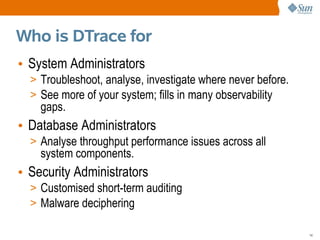
• System Administrators
  > Troubleshoot, analyse, investigate where never before.
  > See more of your system; fills in many observability
    gaps.
• Database Administrators
  > Analyse throughput performance issues across all
    system components.
• Security Administrators
  > Customised short-term auditing
  > Malware deciphering

                                                             14
Who is DTrace for
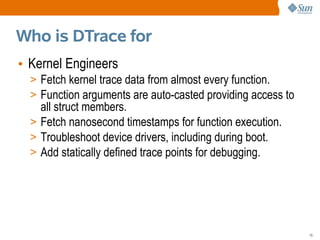
• Kernel Engineers
  > Fetch kernel trace data from almost every function.
  > Function arguments are auto-casted providing access to
    all struct members.
  > Fetch nanosecond timestamps for function execution.
  > Troubleshoot device drivers, including during boot.
  > Add statically defined trace points for debugging.


                                                             15
How to use DTrace
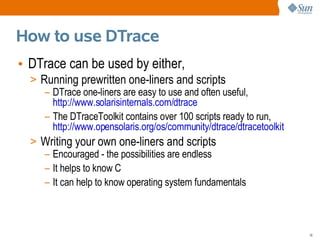
• DTrace can be used by either,
  > Running prewritten one-liners and scripts
     – DTrace one-liners are easy to use and often useful,
       http://www.solarisinternals.com/dtrace
     – The DTraceToolkit contains over 100 scripts ready to run,
       http://www.opensolaris.org/os/community/dtrace/dtracetoolkit
  > Writing your own one-liners and scripts
     – Encouraged - the possibilities are endless
     – It helps to know C
     – It can help to know operating system fundamentals


                                                                      16
DTrace wins
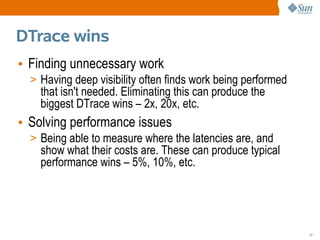
• Finding unnecessary work
  > Having deep visibility often finds work being performed
    that isn't needed. Eliminating this can produce the
    biggest DTrace wins – 2x, 20x, etc.
• Solving performance issues
  > Being able to measure where the latencies are, and
    show what their costs are. These can produce typical
    performance wins – 5%, 10%, etc.


                                                              17
DTrace wins
• Finding bugs
  > Many bugs are found though static debug frameworks;
    DTrace is a dynamic framework that allows custom and
    comprehensive debug info to be fetched when needed.
• Proving performance issues
  > Many valuable DTrace wins have no immediate percent
    improvement, they are about gathering evidence to prove
    the existence and magnitude of issues.


                                                              18
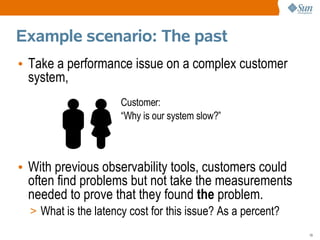
Example scenario: The past
• Take a performance issue on a complex customer
  system,
                      Customer:
                      “Why is our system slow?”


• With previous observability tools, customers could
  often find problems but not take the measurements
  needed to prove that they found the problem.
  > What is the latency cost for this issue? As a percent?
                                                             19
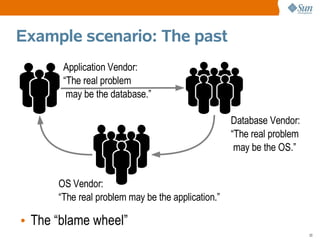
Example scenario: The past
       Application Vendor:
       “The real problem
        may be the database.”

                                                   Database Vendor:
                                                   “The real problem
                                                    may be the OS.”


      OS Vendor:
      “The real problem may be the application.”

• The “blame wheel”
                                                                       20
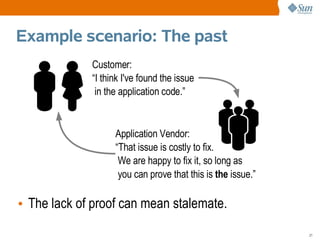
Example scenario: The past
             Customer:
             “I think I've found the issue
              in the application code.”


                   Application Vendor:
                   “That issue is costly to fix.
                    We are happy to fix it, so long as
                    you can prove that this is the issue.”

• The lack of proof can mean stalemate.

                                                             21
Example scenario: The future
A happy ending

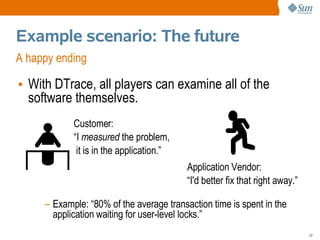
• With DTrace, all players can examine all of the
  software themselves.
            Customer:
            “I measured the problem,
             it is in the application.”
                                          Application Vendor:
                                          “I'd better fix that right away.”

     – Example: “80% of the average transaction time is spent in the
       application waiting for user-level locks.”
                                                                              22
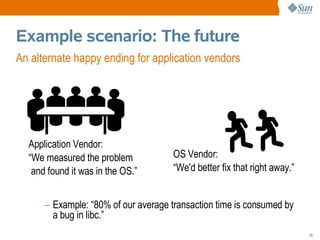
Example scenario: The future
An alternate happy ending for application vendors


  Application Vendor:
  “We measured the problem           OS Vendor:
   and found it was in the OS.”      “We'd better fix that right away.”


      – Example: “80% of our average transaction time is consumed by
        a bug in libc.”
                                                                          23
Answers to initial questions
• DTrace is not available for Solaris 9.
• You need to be root, or have the correct privileges,
  to run /usr/sbin/dtrace.
• There is a GUI called chime.
• DTrace is safe for production use, provided you
  don't deliberately try to cause harm.
• DTrace has low impact when in use, and zero
  impact when not.


                                                         24
What's next:
• We just covered,
  > What DTrace is
  > What DTrace is for
  > Who uses DTrace
• Next up is,
  > DTrace Essentials
  > Usage Features


                         25
Terminology
• Example #1
  consumer           probe                 action

  # dtrace -n 'syscall::exece:return { trace(execname); }'
  dtrace: description 'syscall::exece:return ' matched 1 probe
  CPU     ID                    FUNCTION:NAME
    0 76044                      exece:return   man
    0 76044                      exece:return   sh
    0 76044                      exece:return   neqn
    0 76044                      exece:return   tbl
    0 76044                      exece:return   nroff
  [...]


                                                                 26
Consumer
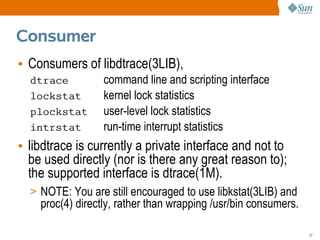
• Consumers of libdtrace(3LIB),
  dtrace          command line and scripting interface
  lockstat        kernel lock statistics
  plockstat       user-level lock statistics
  intrstat        run-time interrupt statistics
• libdtrace is currently a private interface and not to
  be used directly (nor is there any great reason to);
  the supported interface is dtrace(1M).
  > NOTE: You are still encouraged to use libkstat(3LIB) and
    proc(4) directly, rather than wrapping /usr/bin consumers.

                                                                 27
Privileges
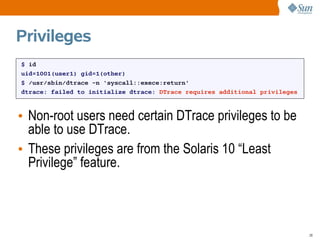
$ id
uid=1001(user1) gid=1(other)
$ /usr/sbin/dtrace -n 'syscall::exece:return'
dtrace: failed to initialize dtrace: DTrace requires additional privileges


• Non-root users need certain DTrace privileges to be
  able to use DTrace.
• These privileges are from the Solaris 10 “Least
  Privilege” feature.


                                                                             28
Probes
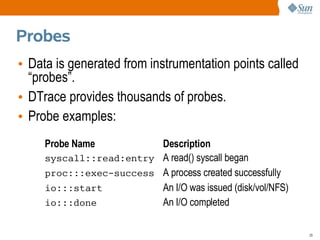
• Data is generated from instrumentation points called
  “probes”.
• DTrace provides thousands of probes.
• Probe examples:
     Probe Name          Description
     syscall::read:entry A read() syscall began
     proc:::exec-success A process created successfully
     io:::start          An I/O was issued (disk/vol/NFS)
     io:::done           An I/O completed

                                                            29
Probe Names
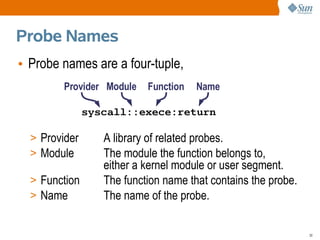
• Probe names are a four-tuple,
        Provider Module    Function   Name

               syscall::exece:return

  > Provider      A library of related probes.
  > Module        The module the function belongs to,
                  either a kernel module or user segment.
  > Function      The function name that contains the probe.
  > Name          The name of the probe.

                                                               30
Listing Probes
 • dtrace -l lists all currently available probes that
    you have privilege to see, with one probe per line,
# dtrace -l
   ID    PROVIDER     MODULE                 FUNCTION NAME
    1      dtrace                                     BEGIN
    2      dtrace                                     END
    3      dtrace                                     ERROR
    4       sched         FX                 fx_yield schedctl-yi
[...]
# dtrace -l | wc -l
   69880


 • Here the root user sees 69,879 available probes.
 • The probe count changes – it is dynamic (DTrace).
                                                                31
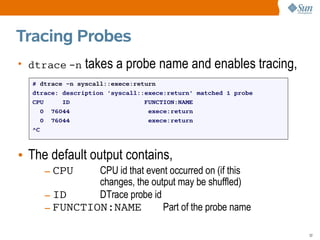
Tracing Probes
• dtrace -n     takes a probe name and enables tracing,
  # dtrace -n syscall::exece:return
  dtrace: description 'syscall::exece:return' matched 1 probe
  CPU     ID                    FUNCTION:NAME
    0 76044                      exece:return
    0 76044                      exece:return
  ^C


• The default output contains,
     – CPU    CPU id that event occurred on (if this
              changes, the output may be shuffled)
     – ID     DTrace probe id
     – FUNCTION:NAME          Part of the probe name

                                                                32
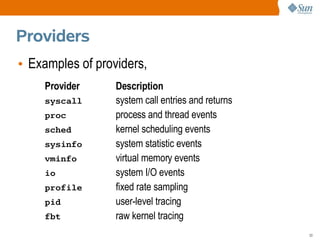
Providers
• Examples of providers,
    Provider      Description
    syscall       system call entries and returns
    proc          process and thread events
    sched         kernel scheduling events
    sysinfo       system statistic events
    vminfo        virtual memory events
    io            system I/O events
    profile       fixed rate sampling
    pid           user-level tracing
    fbt           raw kernel tracing
                                                    33
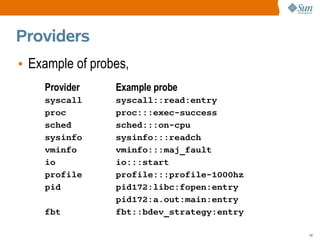
Providers
• Example of probes,
    Provider     Example probe
    syscall      syscall::read:entry
    proc         proc:::exec-success
    sched        sched:::on-cpu
    sysinfo      sysinfo:::readch
    vminfo       vminfo:::maj_fault
    io           io:::start
    profile      profile:::profile-1000hz
    pid          pid172:libc:fopen:entry
                 pid172:a.out:main:entry
    fbt          fbt::bdev_strategy:entry

                                            34
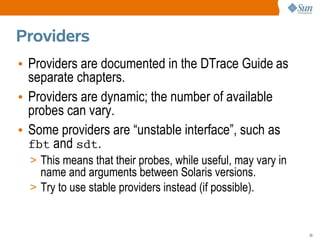
Providers
• Providers are documented in the DTrace Guide as
  separate chapters.
• Providers are dynamic; the number of available
  probes can vary.
• Some providers are “unstable interface”, such as
  fbt and sdt.
  > This means that their probes, while useful, may vary in
    name and arguments between Solaris versions.
  > Try to use stable providers instead (if possible).


                                                              35
Provider Documentation
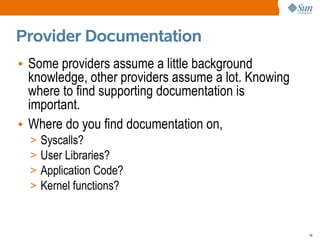
• Some providers assume a little background
  knowledge, other providers assume a lot. Knowing
  where to find supporting documentation is
  important.
• Where do you find documentation on,
  >   Syscalls?
  >   User Libraries?
  >   Application Code?
  >   Kernel functions?


                                                     36
Provider Documentation
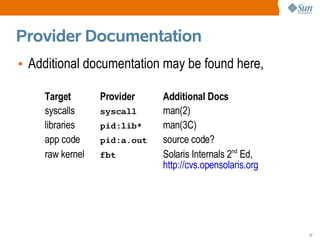
• Additional documentation may be found here,

    Target       Provider    Additional Docs
    syscalls     syscall     man(2)
    libraries    pid:lib*    man(3C)
    app code     pid:a.out   source code?
    raw kernel   fbt         Solaris Internals 2nd Ed,
                             http://cvs.opensolaris.org


                                                          37
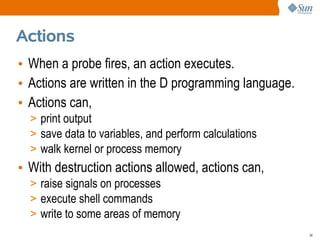
Actions
• When a probe fires, an action executes.
• Actions are written in the D programming language.
• Actions can,
  > print output
  > save data to variables, and perform calculations
  > walk kernel or process memory
• With destruction actions allowed, actions can,
  > raise signals on processes
  > execute shell commands
  > write to some areas of memory
                                                       38
trace() Example
 # dtrace -n 'syscall::exece:return { trace(execname); }'
 dtrace: description 'syscall::exece:return ' matched 1 probe
 CPU     ID                    FUNCTION:NAME
   0 76044                      exece:return   man
   0 76044                      exece:return   sh
   0 76044                      exece:return   neqn
   0 76044                      exece:return   tbl
   0 76044                      exece:return   nroff
   0 76044                      exece:return   col
 [...]


• The trace() action accepts one argument and prints
  it when the probe fired.


                                                                39
printf() Example
 # dtrace -n 'syscall::exece:return { printf("%6d %sn", pid, execname); }'
 dtrace: description 'syscall::exece:return ' matched 1 probe
 CPU     ID                    FUNCTION:NAME
   0 74415                      exece:return   4301 sh
   0 74415                      exece:return   4304 neqn
   0 74415                      exece:return   4305 nroff
   0 74415                      exece:return   4306 sh
   0 74415                      exece:return   4308 sh
 [...]


• DTrace ships with a powerful printf(), to print
  formatted output.


                                                                              40
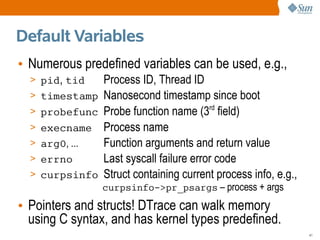
Default Variables
• Numerous predefined variables can be used, e.g.,
  > pid, tid    Process ID, Thread ID
  > timestamp   Nanosecond timestamp since boot
  > probefunc   Probe function name (3rd field)
  > execname    Process name
  > arg0, ...   Function arguments and return value
  > errno       Last syscall failure error code
  > curpsinfo   Struct containing current process info, e.g.,
                curpsinfo->pr_psargs – process + args
• Pointers and structs! DTrace can walk memory
  using C syntax, and has kernel types predefined.
                                                                41
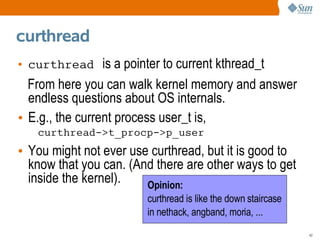
curthread
• curthread is a pointer to current kthread_t
  From here you can walk kernel memory and answer
  endless questions about OS internals.
• E.g., the current process user_t is,
   curthread->t_procp->p_user
• You might not ever use curthread, but it is good to
  know that you can. (And there are other ways to get
  inside the kernel).   Opinion:
                        curthread is like the down staircase
                        in nethack, angband, moria, ...
                                                               42
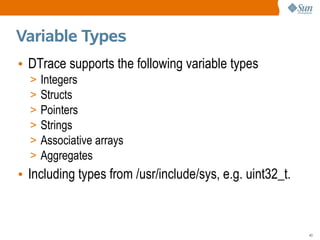
Variable Types
• DTrace supports the following variable types
  >   Integers
  >   Structs
  >   Pointers
  >   Strings
  >   Associative arrays
  >   Aggregates
• Including types from /usr/include/sys, e.g. uint32_t.


                                                          43
Aggregations
• A great feature of DTrace is to process data as it is
  captured, such as using aggregations.
• E.g., frequency counting syscalls,
 # dtrace -n 'syscall:::entry { @num[probefunc] = count(); }'
 dtrace: description 'syscall:::entry ' matched 233 probes
 ^C
 [...]
    writev                                                       170
    write                                                        257
    read                                                         896
    pollsys                                                      959
    ioctl                                                       1253


  @num is the aggregation variable, probefunc is the key,
    and count() is the aggregating function.
                                                                       44
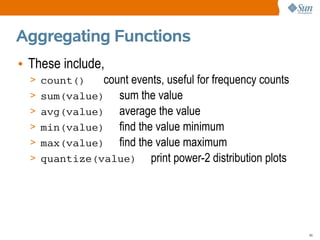
Aggregating Functions
• These include,
  > count()     count events, useful for frequency counts
  >   sum(value) sum the value
  >   avg(value) average the value
  >   min(value) find the value minimum
  >   max(value) find the value maximum
  >   quantize(value) print power-2 distribution plots


                                                            45
Quantize
• Very cool function, here we quantize write sizes:
# dtrace -n 'sysinfo:::writech { @dist[execname] = quantize(arg0); }'
dtrace: description 'sysinfo:::writech ' matched 4 probes
^C
[...]
   ls
           value ------------- Distribution ------------- count
               4 |                                         0
               8 |                                         2
              16 |                                         0
              32 |@@@@@@@@@@@@@@@@@@@                      118
              64 |@@@@@@@@@@@@@@@@@@@@@                    127
             128 |                                         0
[...]

• Here we see that ls processes usually write
  between 32 and 127 bytes. Makes sense?
                                                                        46
ls -l
# ls -l /etc
dttotal 793
lrwxrwxrwx     1   root   root     12   Mar   21   03:28   TIMEZONE -> default/init
drwxr-xr-x     4   root   sys       6   Apr   16   06:59   X11
drwxr-xr-x     2   adm    adm       3   Mar   20   09:25   acct
drwxr-xr-x     3   root   root      3   Apr   16   23:11   ak
lrwxrwxrwx     1   root   root     12   Mar   21   03:28   aliases -> mail/aliases
drwxr-xr-x     5   root   sys       5   Feb   20   23:29   amd64
drwxr-xr-x     7   root   bin      18   Mar   20   09:20   apache
drwxr-xr-x     4   root   bin       7   Feb   20   23:12   apache2
drwxr-xr-x     2   root   sys       5   Feb   20   23:27   apoc
-rw-r--r--     1   root   bin    1012   Mar   20   09:33   auto_home
-rw-r--r--     1   root   bin    1066   Mar   20   09:33   auto_master
lrwxrwxrwx     1   root   root     16   Mar   21   03:28   autopush -> ../sbin/autopu
[...]


     ls writes one line at a time, each around 80 chars long.
                                                                                        47
Predicates
• DTrace predicates are used to filter probes, so that
  the action fires when a conditional is true.
      probename /predicate/ { action }
• E.g., syscalls for processes called “bash”,
# dtrace -n 'syscall:::entry /execname == "bash"/ { @num[probefunc] =
count(); }'
dtrace: description 'syscall:::entry ' matched 233 probes
^C

  exece                                                             2
[...]
  read                                                             29
  write                                                            31
  lwp_sigmask                                                      42
  sigaction                                                        62

                                                                        48
Scripting
• If your one-liners get too long, write scripts. E.g.,
  bash-syscalls.d,
#!/usr/sbin/dtrace -s

syscall:::entry
/execname == "bash"/
{
        @num[probefunc] = count();
}


• Getting it running,
# chmod 755 bash-syscalls.d
# ./bash-syscalls.d
dtrace: script './bash-syscalls.d' matched 233 probes
[...]

                                                          49
What's next:
• We just covered,
  >   What DTrace is
  >   What DTrace is for
  >   Who uses DTrace
  >   DTrace Essentials
• Next up is,
  > Usage Features


                           50
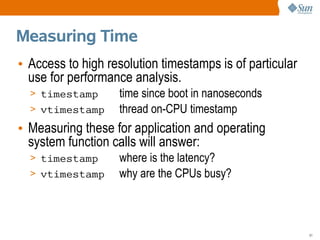
Measuring Time
• Access to high resolution timestamps is of particular
  use for performance analysis.
  > timestamp      time since boot in nanoseconds
  > vtimestamp     thread on-CPU timestamp
• Measuring these for application and operating
  system function calls will answer:
  > timestamp      where is the latency?
  > vtimestamp     why are the CPUs busy?


                                                          51
Printing Stacks
• Printing user and kernel stack traces explains both
  why and the how something happened.
• Why is bash calling read()? Using ustack(),
# dtrace -n 'syscall::read:entry /execname == "bash"/ { ustack(); }'
dtrace: description 'syscall::read:entry ' matched 1 probe
CPU     ID                    FUNCTION:NAME
  0 74314                         read:entry
              libc.so.1`_read+0x7
              bash`rl_getc+0x22
              bash`rl_read_key+0xad
              bash`readline_internal_char+0x5f
              bash`0x80b1171
              bash`0x80b118c
              bash`readline+0x3a
[...]                                Ahh, readline()
                                                                       52
Sampling
• DTrace isn't just about tracing events, DTrace can
  also sample at customised rates.
• E.g., sampling 5-level user stack traces from Xorg,
# dtrace -n 'profile-1001 /execname == "Xorg"/ { @[ustack(5)] = count(); }'
dtrace: description 'profile-1001 ' matched 1 probe
^C
              libfb.so`fbSolid+0x2c6
              libfb.so`fbFill+0xb8
              libfb.so`fbPolyFillRect+0x1d5
              nvidia_drv.so`0xfe09e87b
              Xorg`miColorRects+0x124
               41

              nvidia_drv.so`_nv000592X+0x3d   nvidia was on-CPU
              0x1016c00
               87                             87 times
                                                                              53
End of Intro
• DTrace is a big topic, but you don't need to know it
  all to get value from DTrace.
• To learn more, browse “DTrace Topics”,
  http://www.solarisinternals.com/dtrace.
  Here you will find,
  > A wiki version of this presentation
  > The PDF for this presentation
  > dozens of other DTrace Topics (e.g., one-liners!)
• Also see the “Solaris Performance and Tools” book,
  http://www.sun.com/books/catalog/solaris_perf_tools.xml
                                                            54
See Also
• DTrace home,
  http://www.opensolaris.org/os/community/dtrace
  > Main site of links
  > dtrace-discuss mailing list
• Team DTrace blogs,
  > http://blogs.sun.com/bmc
  > http://blogs.sun.com/mws
  > http://blogs.sun.com/ahl


                                                   55
dtrace:::END
Brendan Gregg
Brendan@sun.com


                  56

DTrace Topics: Introduction

  • 1.
    # dtrace -n'syscall:::entry { @[exe dtrace: description 'syscall:::entry ^C iscsitgtd 1 nscd 1 operapluginclean 3 screen-4.0.2 3 devfsadm 4 httpd 10 sendmail 10 xload 10 evince 12 operapluginwrapp 20 DTrace Topics: xclock xntpd 20 25 Introduction FvwmIconMan fmd 32 81 FvwmPager 170 dtrace 432 gnome-terminal 581 Brendan Gregg fvwm2 x64 1045 1833 Sun Microsystems akd opera 2574 2923 April 2007 Xorg soffice.bin 4723 5037 1
  • 2.
    DTrace Topics: Introduction •This presentation is an introduction to DTrace, and is part of the “DTrace Topics” collection. > Difficulty: > Audience: Everyone • These slides cover: > What DTrace is > What DTrace is for > Who uses DTrace > DTrace Essentials > Usage Features 2
  • 3.
    What is DTrace •DTrace is a dynamic troubleshooting and analysis tool first introduced in the Solaris 10 and OpenSolaris operating systems. • DTrace is many things, in particular: > A tool > A programming language interpreter > An instrumentation framework • DTrace provides observability across the entire software stack from one tool. This allows you to examine software execution like never before. 3
  • 4.
    DTrace example #1 •Tracing new processes system-wide, # dtrace -n 'syscall::exece:return { trace(execname); }' dtrace: description 'syscall::exece:return ' matched 1 probe CPU ID FUNCTION:NAME 0 76044 exece:return man 0 76044 exece:return sh 0 76044 exece:return neqn 0 76044 exece:return tbl 0 76044 exece:return nroff 0 76044 exece:return col 0 76044 exece:return sh 0 76044 exece:return mv 0 76044 exece:return sh 0 76044 exece:return more System calls are only one layer of the software stack. 4
  • 5.
    The Entire SoftwareStack • How did you analyse these? Examples: Dynamic Languages Java, JavaScript, ... User Executable /usr/bin/* Libraries /usr/lib/* Syscall Interface man -s2 Kernel VFS, DNLC, UFS, File Systems ZFS, TCP, IP, ... Memory allocation Device Drivers Scheduler sd, st, hme, eri, ... Hardware disk data controller 5
  • 6.
    The Entire SoftwareStack • It was possible, but difficult. Previously: Dynamic Languages debuggers User Executable truss -ua.out Libraries apptrace, sotruss Syscall Interface truss Kernel prex; tnf* File Systems lockstat Memory allocation Device Drivers Scheduler mdb Hardware kstat, PICs, guesswork 6
  • 7.
    The Entire SoftwareStack • DTrace is all seeing: DTrace visibility: Dynamic Languages Yes, with providers User Executable Yes Libraries Yes Syscall Interface Yes Kernel Yes File Systems Memory allocation Device Drivers Scheduler Hardware No. Indirectly, yes 7
  • 8.
    What DTrace islike • DTrace has the combined capabilities of numerous previous tools and more, Tool Capability truss -ua.out tracing user functions apptrace tracing library calls truss tracing system calls prex; tnf* tracing some kernel functions lockstat profiling the kernel mdb -k accessing kernel VM mdb -p accessing process VM Plus a programming language similar to C and awk. 8
  • 9.
    Syscall Example •Using truss, Only examine 1 process $ truss date execve("/usr/bin/date", 0x08047C9C, 0x08047CA4) argc = 1 Output is resolvepath("/usr/lib/ld.so.1", "/lib/ld.so.1", 1023) = 12 resolvepath("/usr/bin/date", "/usr/bin/date", 1023) = 13 limited to xstat(2, "/usr/bin/date", 0x08047A58) = 0 provided open("/var/ld/ld.config", O_RDONLY) = 3 fxstat(2, 3, 0x08047988) = 0 options mmap(0x00000000, 152, PROT_READ, MAP_SHARED, 3, 0) = 0xFEFB0000 close(3) = 0 mmap(0x00000000, 4096, PROT_READ|PROT_WRITE|PROT_EXEC, MAP_PRIVATE|MAP_ANON, -1 sysconfig(_CONFIG_PAGESIZE) = 4096 [...] truss slows down the target 9
  • 10.
    Syscall Example •Using DTrace, You choose the output # dtrace -n 'syscall:::entry { printf("%16s %x %x", execname, arg0, arg1); }' dtrace: description 'syscall:::entry ' matched 233 probes CPU ID FUNCTION:NAME 1 75943 read:entry Xorg f 8047130 1 76211 setitimer:entry Xorg 0 8047610 1 76143 writev:entry Xorg 22 80477f8 1 76255 pollsys:entry Xorg 8046da0 1a 1 75943 read:entry Xorg 22 85121b0 1 76035 ioctl:entry soffice.bin 6 5301 1 76035 ioctl:entry soffice.bin 6 5301 1 76255 pollsys:entry soffice.bin 8047530 2 [...] Minimum performance cost Watch every process 10
  • 11.
    What is DTracefor • Troubleshooting software bugs > Proving what the problem is, and isn't. > Measuring the magnitude of the problem. • Detailed observability > Observing devices, such as disk or network activity. > Observing applications, whether they are from Sun, 3rd party, or in-house. • Capturing profiling data for performance analysis > If there is latency somewhere, DTrace can find it 11
  • 12.
    What isn't DTrace •DTrace isn't a replacement for kstat or SMNP > kstat already provides inexpensive long term monitoring. • DTrace isn't sentient, it needs to borrow your brain to do the thinking • DTrace isn't “dTrace” 12
  • 13.
    Who is DTracefor • Application Developers > Fetch in-flight profiling data without restarting the apps, even on customer production servers. > Detailed visibility of all the functions that they wrote, and the rest of the software stack. > Add static probes as a stable debug interface. • Application Support > Provides a comprehensive insight into application behavior. > Analyse faults and root-cause performance issues. > Prove where issues are, and measure their magnitude. 13
  • 14.
    Who is DTracefor • System Administrators > Troubleshoot, analyse, investigate where never before. > See more of your system; fills in many observability gaps. • Database Administrators > Analyse throughput performance issues across all system components. • Security Administrators > Customised short-term auditing > Malware deciphering 14
  • 15.
    Who is DTracefor • Kernel Engineers > Fetch kernel trace data from almost every function. > Function arguments are auto-casted providing access to all struct members. > Fetch nanosecond timestamps for function execution. > Troubleshoot device drivers, including during boot. > Add statically defined trace points for debugging. 15
  • 16.
    How to useDTrace • DTrace can be used by either, > Running prewritten one-liners and scripts – DTrace one-liners are easy to use and often useful, http://www.solarisinternals.com/dtrace – The DTraceToolkit contains over 100 scripts ready to run, http://www.opensolaris.org/os/community/dtrace/dtracetoolkit > Writing your own one-liners and scripts – Encouraged - the possibilities are endless – It helps to know C – It can help to know operating system fundamentals 16
  • 17.
    DTrace wins • Findingunnecessary work > Having deep visibility often finds work being performed that isn't needed. Eliminating this can produce the biggest DTrace wins – 2x, 20x, etc. • Solving performance issues > Being able to measure where the latencies are, and show what their costs are. These can produce typical performance wins – 5%, 10%, etc. 17
  • 18.
    DTrace wins • Findingbugs > Many bugs are found though static debug frameworks; DTrace is a dynamic framework that allows custom and comprehensive debug info to be fetched when needed. • Proving performance issues > Many valuable DTrace wins have no immediate percent improvement, they are about gathering evidence to prove the existence and magnitude of issues. 18
  • 19.
    Example scenario: Thepast • Take a performance issue on a complex customer system, Customer: “Why is our system slow?” • With previous observability tools, customers could often find problems but not take the measurements needed to prove that they found the problem. > What is the latency cost for this issue? As a percent? 19
  • 20.
    Example scenario: Thepast Application Vendor: “The real problem may be the database.” Database Vendor: “The real problem may be the OS.” OS Vendor: “The real problem may be the application.” • The “blame wheel” 20
  • 21.
    Example scenario: Thepast Customer: “I think I've found the issue in the application code.” Application Vendor: “That issue is costly to fix. We are happy to fix it, so long as you can prove that this is the issue.” • The lack of proof can mean stalemate. 21
  • 22.
    Example scenario: Thefuture A happy ending • With DTrace, all players can examine all of the software themselves. Customer: “I measured the problem, it is in the application.” Application Vendor: “I'd better fix that right away.” – Example: “80% of the average transaction time is spent in the application waiting for user-level locks.” 22
  • 23.
    Example scenario: Thefuture An alternate happy ending for application vendors Application Vendor: “We measured the problem OS Vendor: and found it was in the OS.” “We'd better fix that right away.” – Example: “80% of our average transaction time is consumed by a bug in libc.” 23
  • 24.
    Answers to initialquestions • DTrace is not available for Solaris 9. • You need to be root, or have the correct privileges, to run /usr/sbin/dtrace. • There is a GUI called chime. • DTrace is safe for production use, provided you don't deliberately try to cause harm. • DTrace has low impact when in use, and zero impact when not. 24
  • 25.
    What's next: • Wejust covered, > What DTrace is > What DTrace is for > Who uses DTrace • Next up is, > DTrace Essentials > Usage Features 25
  • 26.
    Terminology • Example #1 consumer probe action # dtrace -n 'syscall::exece:return { trace(execname); }' dtrace: description 'syscall::exece:return ' matched 1 probe CPU ID FUNCTION:NAME 0 76044 exece:return man 0 76044 exece:return sh 0 76044 exece:return neqn 0 76044 exece:return tbl 0 76044 exece:return nroff [...] 26
  • 27.
    Consumer • Consumers oflibdtrace(3LIB), dtrace command line and scripting interface lockstat kernel lock statistics plockstat user-level lock statistics intrstat run-time interrupt statistics • libdtrace is currently a private interface and not to be used directly (nor is there any great reason to); the supported interface is dtrace(1M). > NOTE: You are still encouraged to use libkstat(3LIB) and proc(4) directly, rather than wrapping /usr/bin consumers. 27
  • 28.
    Privileges $ id uid=1001(user1) gid=1(other) $/usr/sbin/dtrace -n 'syscall::exece:return' dtrace: failed to initialize dtrace: DTrace requires additional privileges • Non-root users need certain DTrace privileges to be able to use DTrace. • These privileges are from the Solaris 10 “Least Privilege” feature. 28
  • 29.
    Probes • Data isgenerated from instrumentation points called “probes”. • DTrace provides thousands of probes. • Probe examples: Probe Name Description syscall::read:entry A read() syscall began proc:::exec-success A process created successfully io:::start An I/O was issued (disk/vol/NFS) io:::done An I/O completed 29
  • 30.
    Probe Names • Probenames are a four-tuple, Provider Module Function Name syscall::exece:return > Provider A library of related probes. > Module The module the function belongs to, either a kernel module or user segment. > Function The function name that contains the probe. > Name The name of the probe. 30
  • 31.
    Listing Probes •dtrace -l lists all currently available probes that you have privilege to see, with one probe per line, # dtrace -l ID PROVIDER MODULE FUNCTION NAME 1 dtrace BEGIN 2 dtrace END 3 dtrace ERROR 4 sched FX fx_yield schedctl-yi [...] # dtrace -l | wc -l 69880 • Here the root user sees 69,879 available probes. • The probe count changes – it is dynamic (DTrace). 31
  • 32.
    Tracing Probes • dtrace-n takes a probe name and enables tracing, # dtrace -n syscall::exece:return dtrace: description 'syscall::exece:return' matched 1 probe CPU ID FUNCTION:NAME 0 76044 exece:return 0 76044 exece:return ^C • The default output contains, – CPU CPU id that event occurred on (if this changes, the output may be shuffled) – ID DTrace probe id – FUNCTION:NAME Part of the probe name 32
  • 33.
    Providers • Examples ofproviders, Provider Description syscall system call entries and returns proc process and thread events sched kernel scheduling events sysinfo system statistic events vminfo virtual memory events io system I/O events profile fixed rate sampling pid user-level tracing fbt raw kernel tracing 33
  • 34.
    Providers • Example ofprobes, Provider Example probe syscall syscall::read:entry proc proc:::exec-success sched sched:::on-cpu sysinfo sysinfo:::readch vminfo vminfo:::maj_fault io io:::start profile profile:::profile-1000hz pid pid172:libc:fopen:entry pid172:a.out:main:entry fbt fbt::bdev_strategy:entry 34
  • 35.
    Providers • Providers aredocumented in the DTrace Guide as separate chapters. • Providers are dynamic; the number of available probes can vary. • Some providers are “unstable interface”, such as fbt and sdt. > This means that their probes, while useful, may vary in name and arguments between Solaris versions. > Try to use stable providers instead (if possible). 35
  • 36.
    Provider Documentation • Someproviders assume a little background knowledge, other providers assume a lot. Knowing where to find supporting documentation is important. • Where do you find documentation on, > Syscalls? > User Libraries? > Application Code? > Kernel functions? 36
  • 37.
    Provider Documentation • Additionaldocumentation may be found here, Target Provider Additional Docs syscalls syscall man(2) libraries pid:lib* man(3C) app code pid:a.out source code? raw kernel fbt Solaris Internals 2nd Ed, http://cvs.opensolaris.org 37
  • 38.
    Actions • When aprobe fires, an action executes. • Actions are written in the D programming language. • Actions can, > print output > save data to variables, and perform calculations > walk kernel or process memory • With destruction actions allowed, actions can, > raise signals on processes > execute shell commands > write to some areas of memory 38
  • 39.
    trace() Example #dtrace -n 'syscall::exece:return { trace(execname); }' dtrace: description 'syscall::exece:return ' matched 1 probe CPU ID FUNCTION:NAME 0 76044 exece:return man 0 76044 exece:return sh 0 76044 exece:return neqn 0 76044 exece:return tbl 0 76044 exece:return nroff 0 76044 exece:return col [...] • The trace() action accepts one argument and prints it when the probe fired. 39
  • 40.
    printf() Example #dtrace -n 'syscall::exece:return { printf("%6d %sn", pid, execname); }' dtrace: description 'syscall::exece:return ' matched 1 probe CPU ID FUNCTION:NAME 0 74415 exece:return 4301 sh 0 74415 exece:return 4304 neqn 0 74415 exece:return 4305 nroff 0 74415 exece:return 4306 sh 0 74415 exece:return 4308 sh [...] • DTrace ships with a powerful printf(), to print formatted output. 40
  • 41.
    Default Variables • Numerouspredefined variables can be used, e.g., > pid, tid Process ID, Thread ID > timestamp Nanosecond timestamp since boot > probefunc Probe function name (3rd field) > execname Process name > arg0, ... Function arguments and return value > errno Last syscall failure error code > curpsinfo Struct containing current process info, e.g., curpsinfo->pr_psargs – process + args • Pointers and structs! DTrace can walk memory using C syntax, and has kernel types predefined. 41
  • 42.
    curthread • curthread isa pointer to current kthread_t From here you can walk kernel memory and answer endless questions about OS internals. • E.g., the current process user_t is, curthread->t_procp->p_user • You might not ever use curthread, but it is good to know that you can. (And there are other ways to get inside the kernel). Opinion: curthread is like the down staircase in nethack, angband, moria, ... 42
  • 43.
    Variable Types • DTracesupports the following variable types > Integers > Structs > Pointers > Strings > Associative arrays > Aggregates • Including types from /usr/include/sys, e.g. uint32_t. 43
  • 44.
    Aggregations • A greatfeature of DTrace is to process data as it is captured, such as using aggregations. • E.g., frequency counting syscalls, # dtrace -n 'syscall:::entry { @num[probefunc] = count(); }' dtrace: description 'syscall:::entry ' matched 233 probes ^C [...] writev 170 write 257 read 896 pollsys 959 ioctl 1253 @num is the aggregation variable, probefunc is the key, and count() is the aggregating function. 44
  • 45.
    Aggregating Functions • Theseinclude, > count() count events, useful for frequency counts > sum(value) sum the value > avg(value) average the value > min(value) find the value minimum > max(value) find the value maximum > quantize(value) print power-2 distribution plots 45
  • 46.
    Quantize • Very coolfunction, here we quantize write sizes: # dtrace -n 'sysinfo:::writech { @dist[execname] = quantize(arg0); }' dtrace: description 'sysinfo:::writech ' matched 4 probes ^C [...] ls value ------------- Distribution ------------- count 4 | 0 8 | 2 16 | 0 32 |@@@@@@@@@@@@@@@@@@@ 118 64 |@@@@@@@@@@@@@@@@@@@@@ 127 128 | 0 [...] • Here we see that ls processes usually write between 32 and 127 bytes. Makes sense? 46
  • 47.
    ls -l # ls-l /etc dttotal 793 lrwxrwxrwx 1 root root 12 Mar 21 03:28 TIMEZONE -> default/init drwxr-xr-x 4 root sys 6 Apr 16 06:59 X11 drwxr-xr-x 2 adm adm 3 Mar 20 09:25 acct drwxr-xr-x 3 root root 3 Apr 16 23:11 ak lrwxrwxrwx 1 root root 12 Mar 21 03:28 aliases -> mail/aliases drwxr-xr-x 5 root sys 5 Feb 20 23:29 amd64 drwxr-xr-x 7 root bin 18 Mar 20 09:20 apache drwxr-xr-x 4 root bin 7 Feb 20 23:12 apache2 drwxr-xr-x 2 root sys 5 Feb 20 23:27 apoc -rw-r--r-- 1 root bin 1012 Mar 20 09:33 auto_home -rw-r--r-- 1 root bin 1066 Mar 20 09:33 auto_master lrwxrwxrwx 1 root root 16 Mar 21 03:28 autopush -> ../sbin/autopu [...] ls writes one line at a time, each around 80 chars long. 47
  • 48.
    Predicates • DTrace predicatesare used to filter probes, so that the action fires when a conditional is true. probename /predicate/ { action } • E.g., syscalls for processes called “bash”, # dtrace -n 'syscall:::entry /execname == "bash"/ { @num[probefunc] = count(); }' dtrace: description 'syscall:::entry ' matched 233 probes ^C exece 2 [...] read 29 write 31 lwp_sigmask 42 sigaction 62 48
  • 49.
    Scripting • If yourone-liners get too long, write scripts. E.g., bash-syscalls.d, #!/usr/sbin/dtrace -s syscall:::entry /execname == "bash"/ { @num[probefunc] = count(); } • Getting it running, # chmod 755 bash-syscalls.d # ./bash-syscalls.d dtrace: script './bash-syscalls.d' matched 233 probes [...] 49
  • 50.
    What's next: • Wejust covered, > What DTrace is > What DTrace is for > Who uses DTrace > DTrace Essentials • Next up is, > Usage Features 50
  • 51.
    Measuring Time • Accessto high resolution timestamps is of particular use for performance analysis. > timestamp time since boot in nanoseconds > vtimestamp thread on-CPU timestamp • Measuring these for application and operating system function calls will answer: > timestamp where is the latency? > vtimestamp why are the CPUs busy? 51
  • 52.
    Printing Stacks • Printinguser and kernel stack traces explains both why and the how something happened. • Why is bash calling read()? Using ustack(), # dtrace -n 'syscall::read:entry /execname == "bash"/ { ustack(); }' dtrace: description 'syscall::read:entry ' matched 1 probe CPU ID FUNCTION:NAME 0 74314 read:entry libc.so.1`_read+0x7 bash`rl_getc+0x22 bash`rl_read_key+0xad bash`readline_internal_char+0x5f bash`0x80b1171 bash`0x80b118c bash`readline+0x3a [...] Ahh, readline() 52
  • 53.
    Sampling • DTrace isn'tjust about tracing events, DTrace can also sample at customised rates. • E.g., sampling 5-level user stack traces from Xorg, # dtrace -n 'profile-1001 /execname == "Xorg"/ { @[ustack(5)] = count(); }' dtrace: description 'profile-1001 ' matched 1 probe ^C libfb.so`fbSolid+0x2c6 libfb.so`fbFill+0xb8 libfb.so`fbPolyFillRect+0x1d5 nvidia_drv.so`0xfe09e87b Xorg`miColorRects+0x124 41 nvidia_drv.so`_nv000592X+0x3d nvidia was on-CPU 0x1016c00 87 87 times 53
  • 54.
    End of Intro •DTrace is a big topic, but you don't need to know it all to get value from DTrace. • To learn more, browse “DTrace Topics”, http://www.solarisinternals.com/dtrace. Here you will find, > A wiki version of this presentation > The PDF for this presentation > dozens of other DTrace Topics (e.g., one-liners!) • Also see the “Solaris Performance and Tools” book, http://www.sun.com/books/catalog/solaris_perf_tools.xml 54
  • 55.
    See Also • DTracehome, http://www.opensolaris.org/os/community/dtrace > Main site of links > dtrace-discuss mailing list • Team DTrace blogs, > http://blogs.sun.com/bmc > http://blogs.sun.com/mws > http://blogs.sun.com/ahl 55
  • 56.