Telnet & SSH
www.netprotocolxpert.in
Telnet
 Telnet is a network protocol that allows a user to
communicate with a remote device.
 It is a virtual terminal protocol used mostly by network
administrators to remotely access and manage devices.
 Administrator can access the device by "telnetting" to the IP
address or hostname of a remote device.
 To use telnet, you must have a software (Telnet client)
installed.
 On a remote device, a Telnet server must be installed and
running. Telnet uses TCP port 23.
 One of the greatest disadvantages of this protocol is that all
data, including usernames and passwords, is sent in clear
text, which is a potential security risk.
 This is the main reason why Telnet is rarely used today and
is being replaced by a much secure protocol called SSH.
 The word "telnet" can also refer to the software that implements
the telnet protocol.
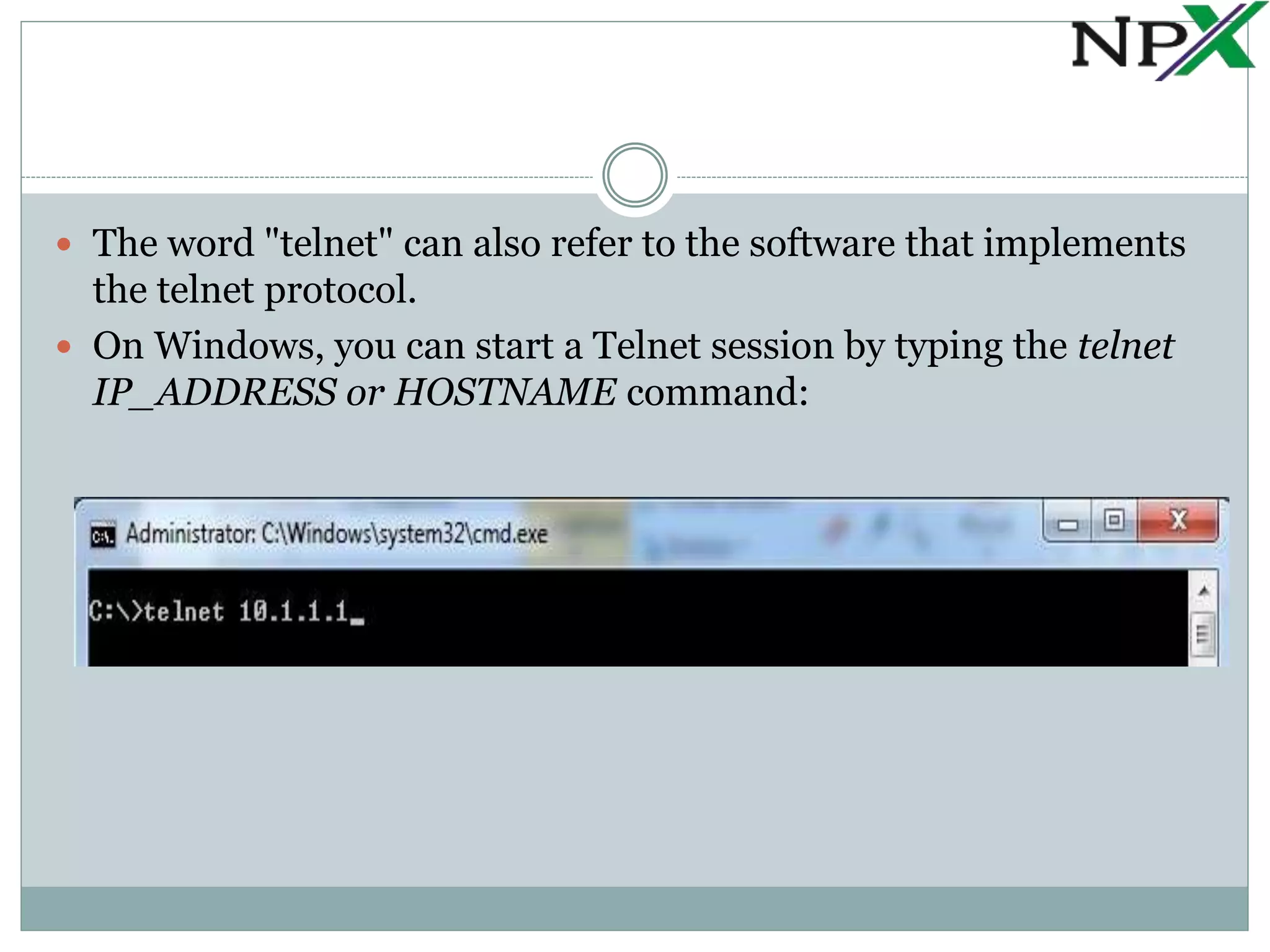
 On Windows, you can start a Telnet session by typing the telnet
IP_ADDRESS or HOSTNAME command:
SSH (Secure Shell)
 SSH is a network protocol used to remotely access and
manage a device.
 The key difference between Telnet and SSH is that SSH
uses encryption, which means that all data transmitted
over a network is secure from eavesdropping.
 Like Telnet, a user accessing a remote device must have
an SSH client installed.
 On a remote device, an SSH server must be installed and
running.
 SSH uses TCP port 22 by default.
 SSH relies on public key cryptography for its encryption.
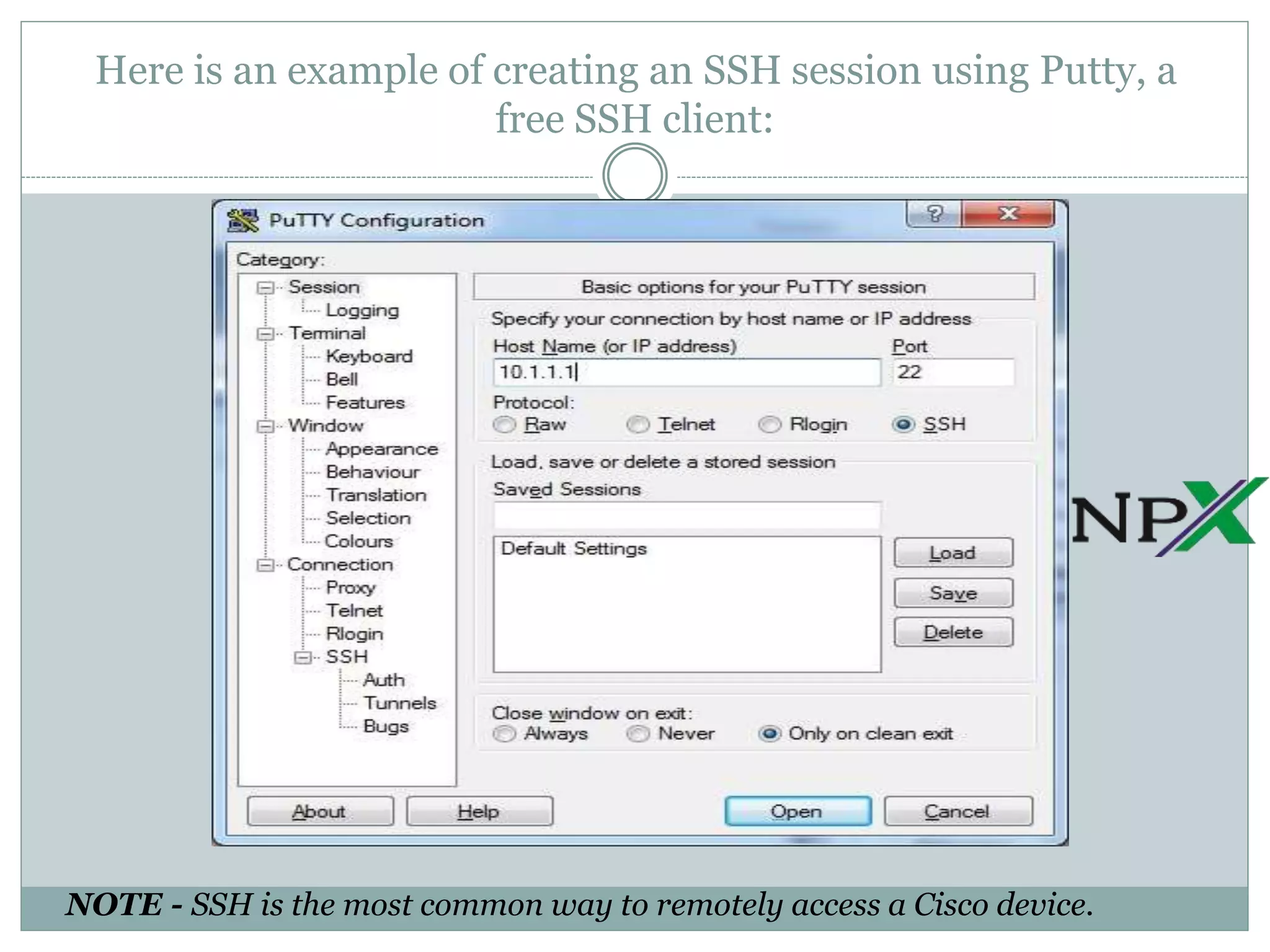
Here is an example of creating an SSH session using Putty, a
free SSH client:
NOTE - SSH is the most common way to remotely access a Cisco device.

Telnet & SSH

  • 1.
  • 2.
    Telnet  Telnet isa network protocol that allows a user to communicate with a remote device.  It is a virtual terminal protocol used mostly by network administrators to remotely access and manage devices.  Administrator can access the device by "telnetting" to the IP address or hostname of a remote device.  To use telnet, you must have a software (Telnet client) installed.  On a remote device, a Telnet server must be installed and running. Telnet uses TCP port 23.  One of the greatest disadvantages of this protocol is that all data, including usernames and passwords, is sent in clear text, which is a potential security risk.  This is the main reason why Telnet is rarely used today and is being replaced by a much secure protocol called SSH.
  • 3.
     The word"telnet" can also refer to the software that implements the telnet protocol.  On Windows, you can start a Telnet session by typing the telnet IP_ADDRESS or HOSTNAME command:
  • 4.
    SSH (Secure Shell) SSH is a network protocol used to remotely access and manage a device.  The key difference between Telnet and SSH is that SSH uses encryption, which means that all data transmitted over a network is secure from eavesdropping.  Like Telnet, a user accessing a remote device must have an SSH client installed.  On a remote device, an SSH server must be installed and running.  SSH uses TCP port 22 by default.  SSH relies on public key cryptography for its encryption.
  • 5.
    Here is anexample of creating an SSH session using Putty, a free SSH client: NOTE - SSH is the most common way to remotely access a Cisco device.