Devil's Hacking
knowledgeinfinteloop.blogspot.com
Termux Basic
Command
These are some basic commands
thar every termux user needs to
know.
What is Termux ?
How to Install temux on
Android ?
Want to above Question
answers :- CLICK HERE
knowledgeinfinteloop.blogspot.com
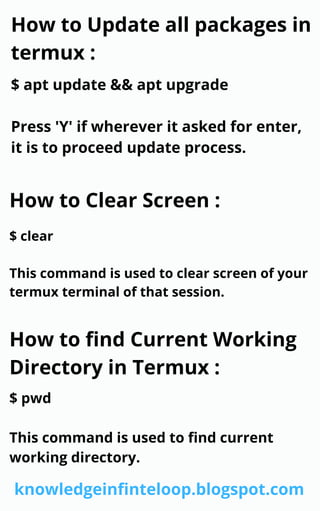
How to Update all packages in
termux :
$ apt update && apt upgrade
Press 'Y' if wherever it asked for enter,
it is to proceed update process.
How to Clear Screen :
$ clear
This command is used to clear screen of your
termux terminal of that session.
How to find Current Working
Directory in Termux :
$ pwd
This command is used to find current
working directory.
knowledgeinfinteloop.blogspot.com
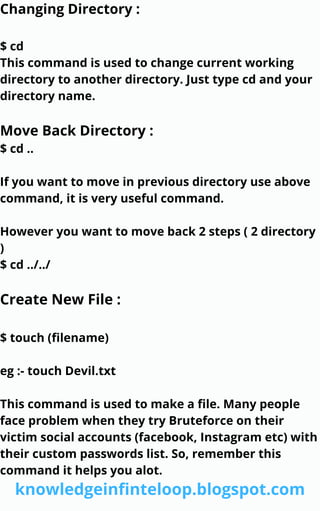
Changing Directory :
$ cd
This command is used to change current working
directory to another directory. Just type cd and your
directory name.
Move Back Directory :
$ cd ..
If you want to move in previous directory use above
command, it is very useful command.
However you want to move back 2 steps ( 2 directory
)
$ cd ../../
Create New File :
$ touch (filename)
eg :- touch Devil.txt
This command is used to make a file. Many people
face problem when they try Bruteforce on their
victim social accounts (facebook, Instagram etc) with
their custom passwords list. So, remember this
command it helps you alot.
knowledgeinfinteloop.blogspot.com
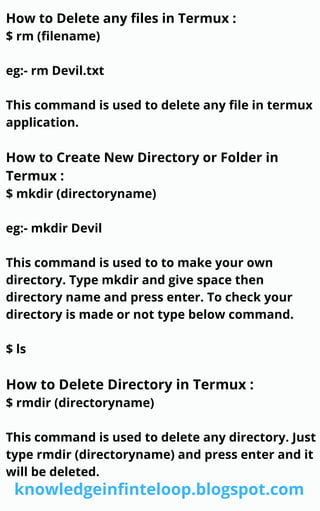
How to Delete any files in Termux :
$ rm (filename)
eg:- rm Devil.txt
This command is used to delete any file in termux
application.
How to Create New Directory or Folder in
Termux :
$ mkdir (directoryname)
eg:- mkdir Devil
This command is used to to make your own
directory. Type mkdir and give space then
directory name and press enter. To check your
directory is made or not type below command.
$ ls
How to Delete Directory in Termux :
$ rmdir (directoryname)
This command is used to delete any directory. Just
type rmdir (directoryname) and press enter and it
will be deleted.
knowledgeinfinteloop.blogspot.com
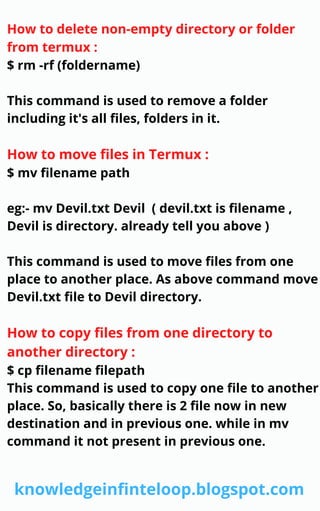
How to delete non-empty directory or folder
from termux :
$ rm -rf (foldername)
This command is used to remove a folder
including it's all files, folders in it.
How to move files in Termux :
$ mv filename path
eg:- mv Devil.txt Devil ( devil.txt is filename ,
Devil is directory. already tell you above )
This command is used to move files from one
place to another place. As above command move
Devil.txt file to Devil directory.
How to copy files from one directory to
another directory :
$ cp filename filepath
This command is used to copy one file to another
place. So, basically there is 2 file now in new
destination and in previous one. while in mv
command it not present in previous one.
knowledgeinfinteloop.blogspot.com
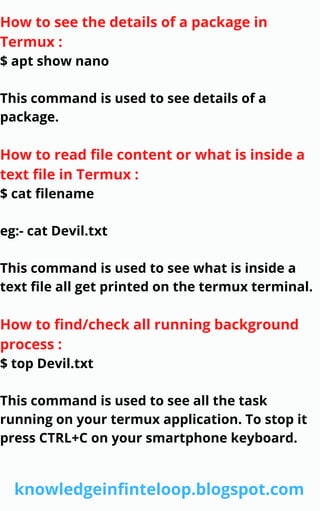
How to see the details of a package in
Termux :
$ apt show nano
This command is used to see details of a
package.
How to read file content or what is inside a
text file in Termux :
$ cat filename
eg:- cat Devil.txt
This command is used to see what is inside a
text file all get printed on the termux terminal.
How to find/check all running background
process :
$ top Devil.txt
This command is used to see all the task
running on your termux application. To stop it
press CTRL+C on your smartphone keyboard.
knowledgeinfinteloop.blogspot.com
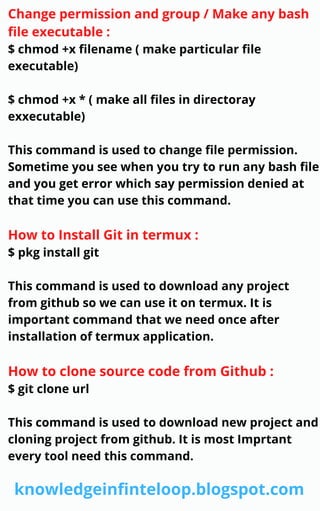
Change permission and group / Make any bash
file executable :
$ chmod +x filename ( make particular file
executable)
$ chmod +x * ( make all files in directoray
exxecutable)
This command is used to change file permission.
Sometime you see when you try to run any bash file
and you get error which say permission denied at
that time you can use this command.
How to Install Git in termux :
$ pkg install git
This command is used to download any project
from github so we can use it on termux. It is
important command that we need once after
installation of termux application.
How to clone source code from Github :
$ git clone url
This command is used to download new project and
cloning project from github. It is most Imprtant
every tool need this command.
knowledgeinfinteloop.blogspot.com
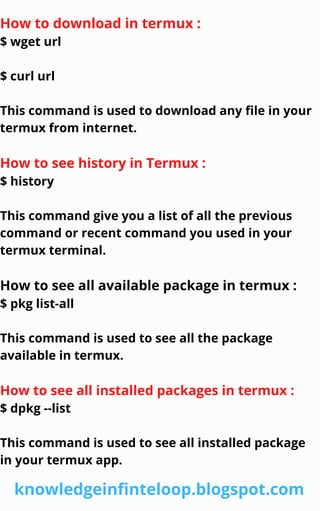
How to download in termux :
$ wget url
$ curl url
This command is used to download any file in your
termux from internet.
How to see history in Termux :
$ history
This command give you a list of all the previous
command or recent command you used in your
termux terminal.
How to see all available package in termux :
$ pkg list-all
This command is used to see all the package
available in termux.
How to see all installed packages in termux :
$ dpkg --list
This command is used to see all installed package
in your termux app.
knowledgeinfinteloop.blogspot.com
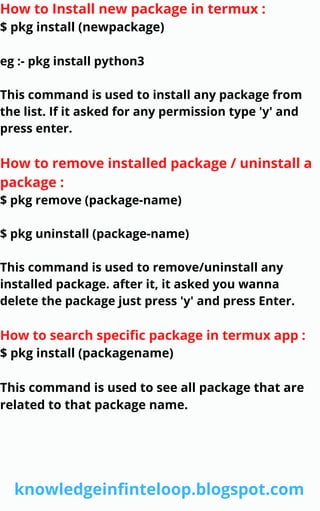
How to Install new package in termux :
$ pkg install (newpackage)
eg :- pkg install python3
This command is used to install any package from
the list. If it asked for any permission type 'y' and
press enter.
How to remove installed package / uninstall a
package :
$ pkg remove (package-name)
$ pkg uninstall (package-name)
This command is used to remove/uninstall any
installed package. after it, it asked you wanna
delete the package just press 'y' and press Enter.
How to search specific package in termux app :
$ pkg install (packagename)
This command is used to see all package that are
related to that package name.
knowledgeinfinteloop.blogspot.com
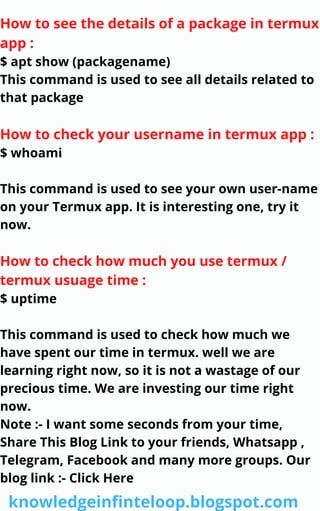
How to see the details of a package in termux
app :
$ apt show (packagename)
This command is used to see all details related to
that package
How to check your username in termux app :
$ whoami
This command is used to see your own user-name
on your Termux app. It is interesting one, try it
now.
How to check how much you use termux /
termux usuage time :
$ uptime
This command is used to check how much we
have spent our time in termux. well we are
learning right now, so it is not a wastage of our
precious time. We are investing our time right
now.
Note :- I want some seconds from your time,
Share This Blog Link to your friends, Whatsapp ,
Telegram, Facebook and many more groups. Our
blog link :- Click Here
knowledgeinfinteloop.blogspot.com
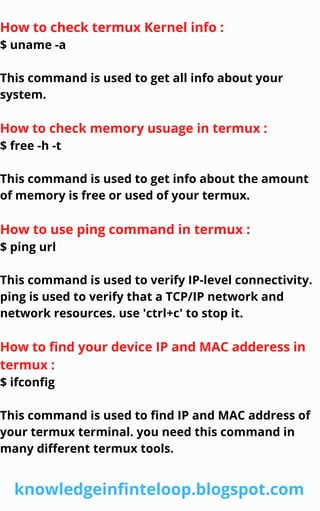
How to check termux Kernel info :
$ uname -a
This command is used to get all info about your
system.
How to check memory usuage in termux :
$ free -h -t
This command is used to get info about the amount
of memory is free or used of your termux.
How to use ping command in termux :
$ ping url
This command is used to verify IP-level connectivity.
ping is used to verify that a TCP/IP network and
network resources. use 'ctrl+c' to stop it.
How to find your device IP and MAC adderess in
termux :
$ ifconfig
This command is used to find IP and MAC address of
your termux terminal. you need this command in
many different termux tools.
knowledgeinfinteloop.blogspot.com
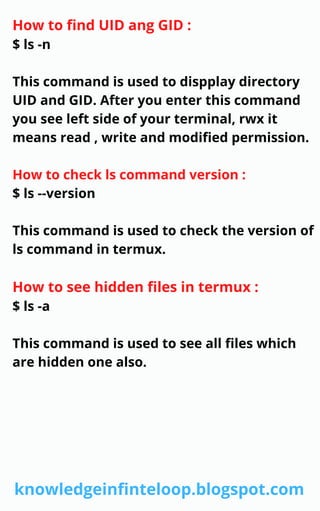
How to find UID ang GID :
$ ls -n
This command is used to dispplay directory
UID and GID. After you enter this command
you see left side of your terminal, rwx it
means read , write and modified permission.
How to check ls command version :
$ ls --version
This command is used to check the version of
ls command in termux.
How to see hidden files in termux :
$ ls -a
This command is used to see all files which
are hidden one also.
knowledgeinfinteloop.blogspot.com
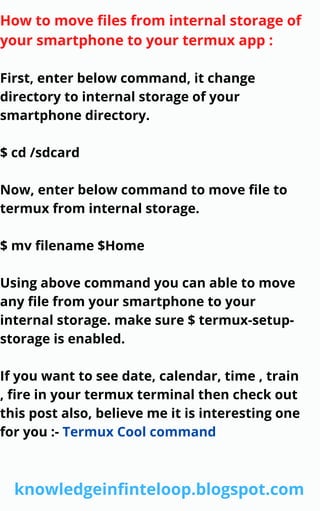
How to move files from internal storage of
your smartphone to your termux app :
First, enter below command, it change
directory to internal storage of your
smartphone directory.
$ cd /sdcard
Now, enter below command to move file to
termux from internal storage.
$ mv filename $Home
Using above command you can able to move
any file from your smartphone to your
internal storage. make sure $ termux-setup-
storage is enabled.
If you want to see date, calendar, time , train
, fire in your termux terminal then check out
this post also, believe me it is interesting one
for you :- Termux Cool command
knowledgeinfinteloop.blogspot.com
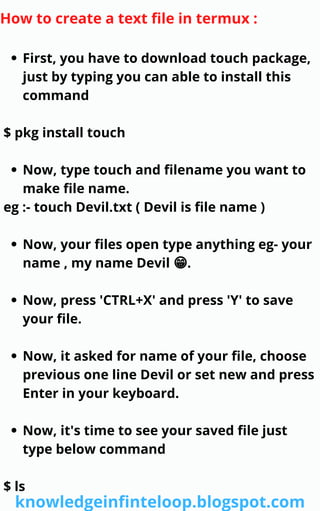
First, you have to download touch package,
just by typing you can able to install this
command
Now, type touch and filename you want to
make file name.
Now, your files open type anything eg- your
name , my name Devil 😁.
Now, press 'CTRL+X' and press 'Y' to save
your file.
Now, it asked for name of your file, choose
previous one line Devil or set new and press
Enter in your keyboard.
Now, it's time to see your saved file just
type below command
How to create a text file in termux :
$ pkg install touch
eg :- touch Devil.txt ( Devil is file name )
$ ls
knowledgeinfinteloop.blogspot.com
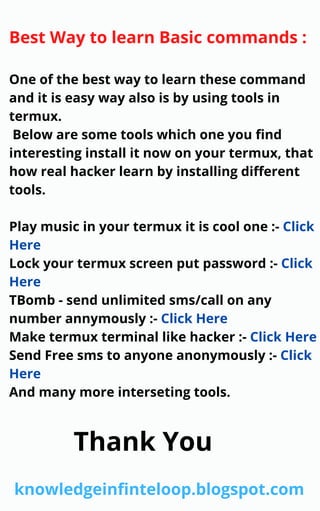
Best Way to learn Basic commands :
One of the best way to learn these command
and it is easy way also is by using tools in
termux.
Below are some tools which one you find
interesting install it now on your termux, that
how real hacker learn by installing different
tools.
Play music in your termux it is cool one :- Click
Here
Lock your termux screen put password :- Click
Here
TBomb - send unlimited sms/call on any
number annymously :- Click Here
Make termux terminal like hacker :- Click Here
Send Free sms to anyone anonymously :- Click
Here
And many more interseting tools.
knowledgeinfinteloop.blogspot.com
Thank You

[PDF] 2021 Termux basic commands list

  • 1.
  • 2.
    Termux Basic Command These aresome basic commands thar every termux user needs to know. What is Termux ? How to Install temux on Android ? Want to above Question answers :- CLICK HERE knowledgeinfinteloop.blogspot.com
  • 3.
    How to Updateall packages in termux : $ apt update && apt upgrade Press 'Y' if wherever it asked for enter, it is to proceed update process. How to Clear Screen : $ clear This command is used to clear screen of your termux terminal of that session. How to find Current Working Directory in Termux : $ pwd This command is used to find current working directory. knowledgeinfinteloop.blogspot.com
  • 4.
    Changing Directory : $cd This command is used to change current working directory to another directory. Just type cd and your directory name. Move Back Directory : $ cd .. If you want to move in previous directory use above command, it is very useful command. However you want to move back 2 steps ( 2 directory ) $ cd ../../ Create New File : $ touch (filename) eg :- touch Devil.txt This command is used to make a file. Many people face problem when they try Bruteforce on their victim social accounts (facebook, Instagram etc) with their custom passwords list. So, remember this command it helps you alot. knowledgeinfinteloop.blogspot.com
  • 5.
    How to Deleteany files in Termux : $ rm (filename) eg:- rm Devil.txt This command is used to delete any file in termux application. How to Create New Directory or Folder in Termux : $ mkdir (directoryname) eg:- mkdir Devil This command is used to to make your own directory. Type mkdir and give space then directory name and press enter. To check your directory is made or not type below command. $ ls How to Delete Directory in Termux : $ rmdir (directoryname) This command is used to delete any directory. Just type rmdir (directoryname) and press enter and it will be deleted. knowledgeinfinteloop.blogspot.com
  • 6.
    How to deletenon-empty directory or folder from termux : $ rm -rf (foldername) This command is used to remove a folder including it's all files, folders in it. How to move files in Termux : $ mv filename path eg:- mv Devil.txt Devil ( devil.txt is filename , Devil is directory. already tell you above ) This command is used to move files from one place to another place. As above command move Devil.txt file to Devil directory. How to copy files from one directory to another directory : $ cp filename filepath This command is used to copy one file to another place. So, basically there is 2 file now in new destination and in previous one. while in mv command it not present in previous one. knowledgeinfinteloop.blogspot.com
  • 7.
    How to seethe details of a package in Termux : $ apt show nano This command is used to see details of a package. How to read file content or what is inside a text file in Termux : $ cat filename eg:- cat Devil.txt This command is used to see what is inside a text file all get printed on the termux terminal. How to find/check all running background process : $ top Devil.txt This command is used to see all the task running on your termux application. To stop it press CTRL+C on your smartphone keyboard. knowledgeinfinteloop.blogspot.com
  • 8.
    Change permission andgroup / Make any bash file executable : $ chmod +x filename ( make particular file executable) $ chmod +x * ( make all files in directoray exxecutable) This command is used to change file permission. Sometime you see when you try to run any bash file and you get error which say permission denied at that time you can use this command. How to Install Git in termux : $ pkg install git This command is used to download any project from github so we can use it on termux. It is important command that we need once after installation of termux application. How to clone source code from Github : $ git clone url This command is used to download new project and cloning project from github. It is most Imprtant every tool need this command. knowledgeinfinteloop.blogspot.com
  • 9.
    How to downloadin termux : $ wget url $ curl url This command is used to download any file in your termux from internet. How to see history in Termux : $ history This command give you a list of all the previous command or recent command you used in your termux terminal. How to see all available package in termux : $ pkg list-all This command is used to see all the package available in termux. How to see all installed packages in termux : $ dpkg --list This command is used to see all installed package in your termux app. knowledgeinfinteloop.blogspot.com
  • 10.
    How to Installnew package in termux : $ pkg install (newpackage) eg :- pkg install python3 This command is used to install any package from the list. If it asked for any permission type 'y' and press enter. How to remove installed package / uninstall a package : $ pkg remove (package-name) $ pkg uninstall (package-name) This command is used to remove/uninstall any installed package. after it, it asked you wanna delete the package just press 'y' and press Enter. How to search specific package in termux app : $ pkg install (packagename) This command is used to see all package that are related to that package name. knowledgeinfinteloop.blogspot.com
  • 11.
    How to seethe details of a package in termux app : $ apt show (packagename) This command is used to see all details related to that package How to check your username in termux app : $ whoami This command is used to see your own user-name on your Termux app. It is interesting one, try it now. How to check how much you use termux / termux usuage time : $ uptime This command is used to check how much we have spent our time in termux. well we are learning right now, so it is not a wastage of our precious time. We are investing our time right now. Note :- I want some seconds from your time, Share This Blog Link to your friends, Whatsapp , Telegram, Facebook and many more groups. Our blog link :- Click Here knowledgeinfinteloop.blogspot.com
  • 12.
    How to checktermux Kernel info : $ uname -a This command is used to get all info about your system. How to check memory usuage in termux : $ free -h -t This command is used to get info about the amount of memory is free or used of your termux. How to use ping command in termux : $ ping url This command is used to verify IP-level connectivity. ping is used to verify that a TCP/IP network and network resources. use 'ctrl+c' to stop it. How to find your device IP and MAC adderess in termux : $ ifconfig This command is used to find IP and MAC address of your termux terminal. you need this command in many different termux tools. knowledgeinfinteloop.blogspot.com
  • 13.
    How to findUID ang GID : $ ls -n This command is used to dispplay directory UID and GID. After you enter this command you see left side of your terminal, rwx it means read , write and modified permission. How to check ls command version : $ ls --version This command is used to check the version of ls command in termux. How to see hidden files in termux : $ ls -a This command is used to see all files which are hidden one also. knowledgeinfinteloop.blogspot.com
  • 14.
    How to movefiles from internal storage of your smartphone to your termux app : First, enter below command, it change directory to internal storage of your smartphone directory. $ cd /sdcard Now, enter below command to move file to termux from internal storage. $ mv filename $Home Using above command you can able to move any file from your smartphone to your internal storage. make sure $ termux-setup- storage is enabled. If you want to see date, calendar, time , train , fire in your termux terminal then check out this post also, believe me it is interesting one for you :- Termux Cool command knowledgeinfinteloop.blogspot.com
  • 15.
    First, you haveto download touch package, just by typing you can able to install this command Now, type touch and filename you want to make file name. Now, your files open type anything eg- your name , my name Devil 😁. Now, press 'CTRL+X' and press 'Y' to save your file. Now, it asked for name of your file, choose previous one line Devil or set new and press Enter in your keyboard. Now, it's time to see your saved file just type below command How to create a text file in termux : $ pkg install touch eg :- touch Devil.txt ( Devil is file name ) $ ls knowledgeinfinteloop.blogspot.com
  • 16.
    Best Way tolearn Basic commands : One of the best way to learn these command and it is easy way also is by using tools in termux. Below are some tools which one you find interesting install it now on your termux, that how real hacker learn by installing different tools. Play music in your termux it is cool one :- Click Here Lock your termux screen put password :- Click Here TBomb - send unlimited sms/call on any number annymously :- Click Here Make termux terminal like hacker :- Click Here Send Free sms to anyone anonymously :- Click Here And many more interseting tools. knowledgeinfinteloop.blogspot.com Thank You