Digital Parent Learning
Series
Setting Limits:
Empowering Parents
Empowering Parents
Empowering Parents
by Carl Hooker
Sign-in
Digital Parent Learning
Series
Setting Limits:
Empowering Parents
Empowering Parents
Empowering Parents
Presenters
Carl Hooker
Director of Instructional
Technology
Greg Garner
Educational Technologist
WRMS
Tim Yenca
Educational Technologist
WHS
Lisa Johnson
Educational Technologist
HCMS
Learning series
• October 17: Setting Limits
• December 5: Digital Lifestyle (Panel
Discussion)
• Early Spring: Cyber-bullying and
Internet Safety
• Late Spring: Student Showcase
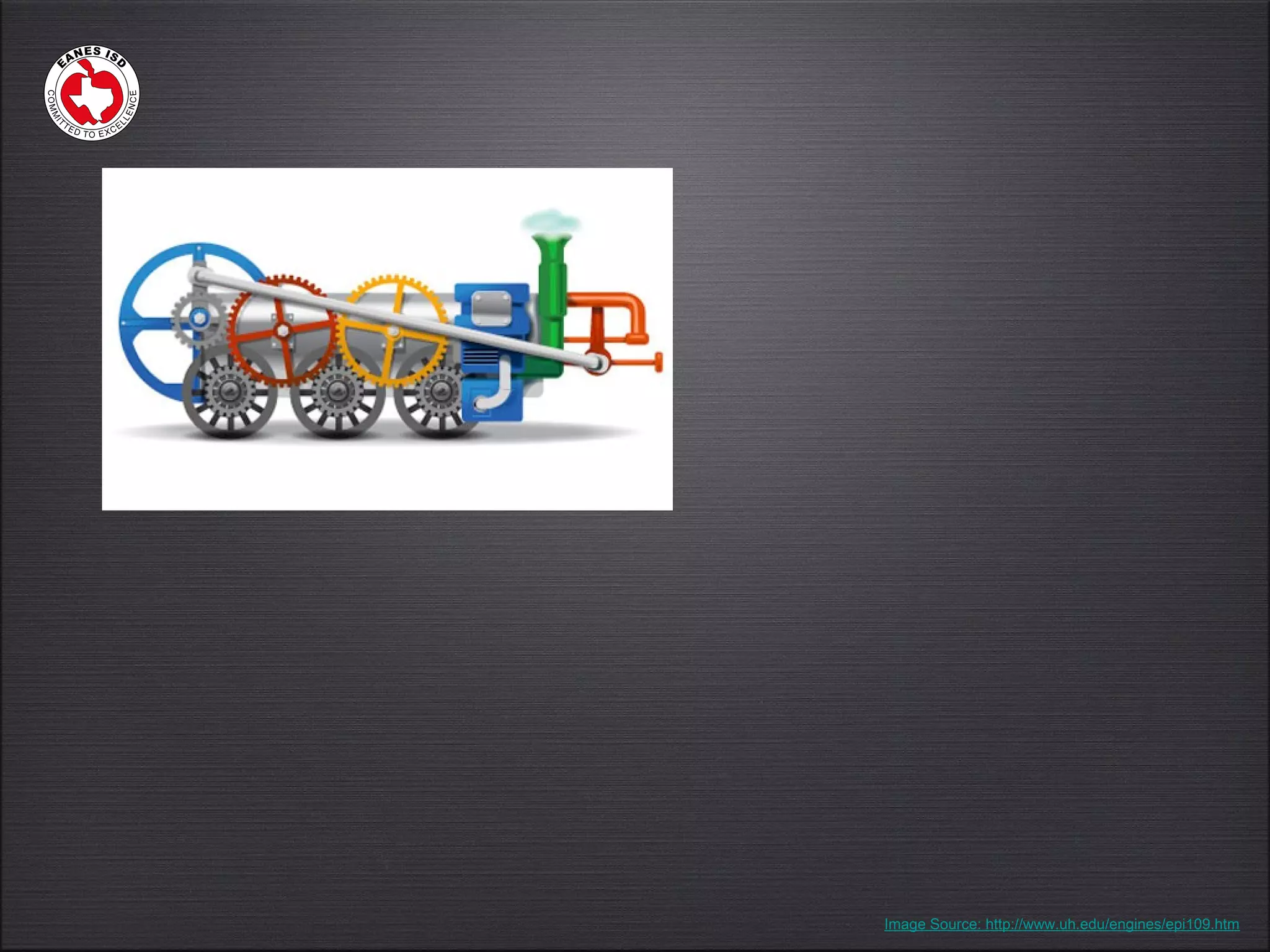
Image Source: http://www.uh.edu/engines/epi109.htm
How
kids
learn
Exploration, engagement,
curiosity, experiences,
personal
Physical shift in the
classroom
Image Source: http://www.sayresd.org/Archives/Litchfield.asp
Won’t the kids have
way too much screen
time?
Is it Active or Passive?
Screen time
Screen time
Active
•Interaction
•Lean-in physically
•Exploring cause and effect
•Creating
•Educational purpose
http://www.scoop.it/t/brain-research-technology-usage-with-kids
Screen time
Screen time
Passive
•Sit-back physically
•Absorb content
•Less brain function
•Can cause developmental
issues at an early age
http://www.scoop.it/t/brain-research-technology-usage-with-kids
Screen time
Screen time
What Research Suggests
•Balance the day
•Set limits
•Examine content being viewed
•Watch & interact along-side your child
•Is it active or passive?
http://www.scoop.it/t/brain-research-technology-usage-with-kids
Isn’t just an expensive
toy?
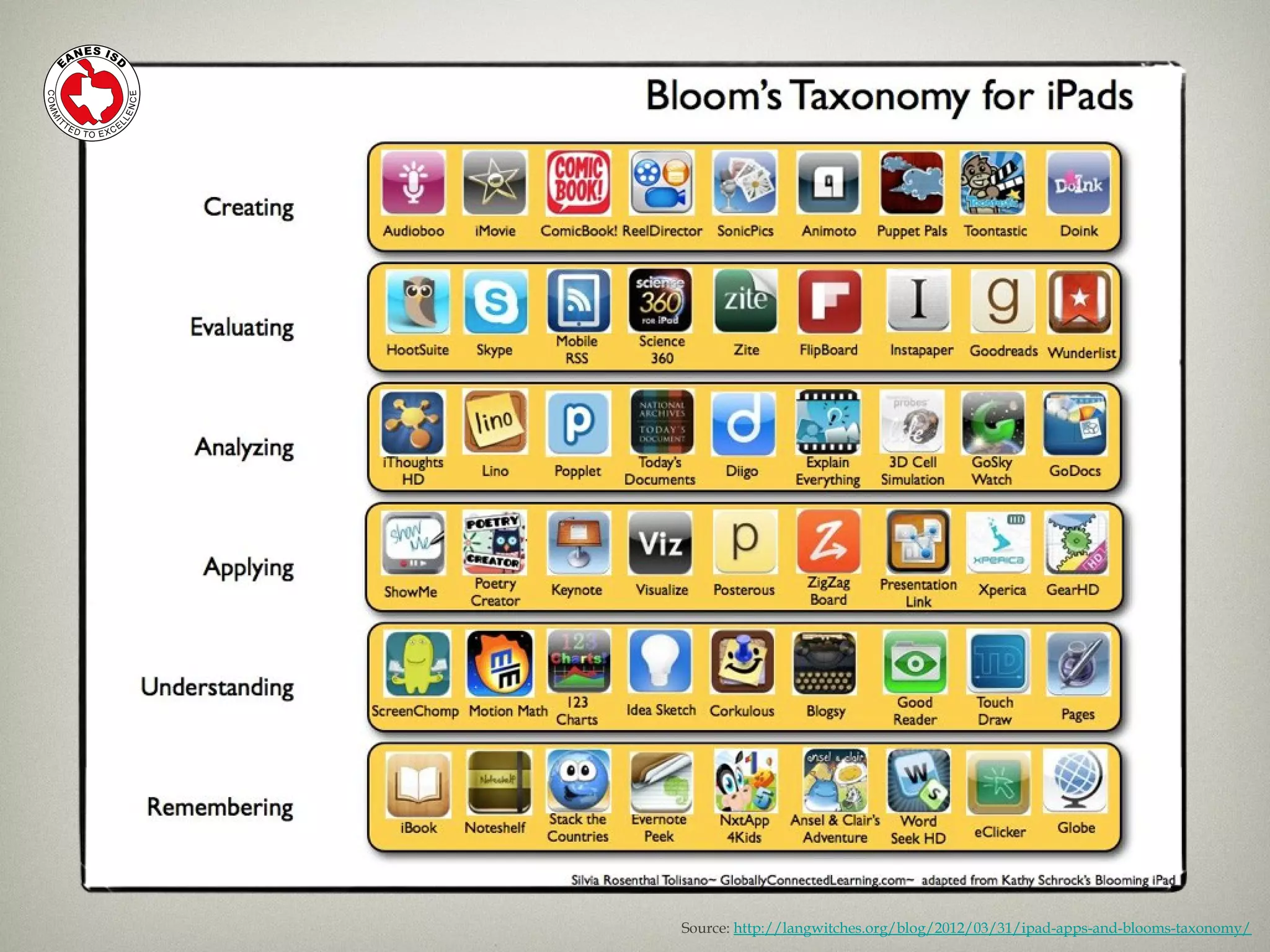
Source: http://langwitches.org/blog/2012/03/31/ipad-apps-and-blooms-taxonomy/
Image Source: http://narrativesofdigitalnative.blogspot.com/2011/02/mobile-communication-global-connections.html
QuickTime™ and a
decompressor
are needed to see this picture.
Original video here:
http://www.youtube.com/watch?v=lawLgYhQXFE
Image Source http://www.democraticunderground.com/10741170
QuickTime™ and a
decompressor
are needed to see this picture.
Original Video posted here:
http://www.youtube.com/watch?v=GZf3pmB_bE4
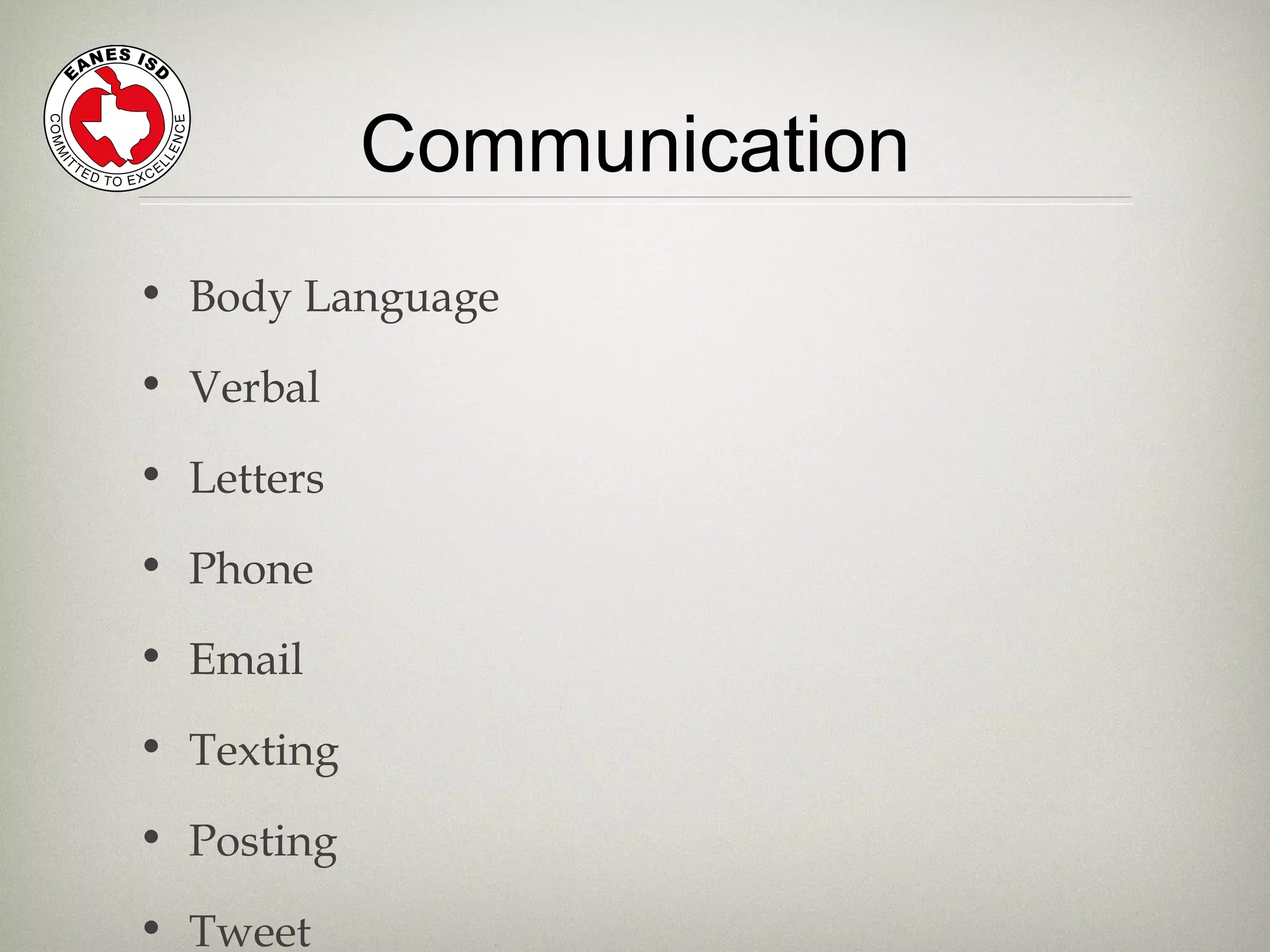
Communication
• Body Language
• Verbal
• Letters
• Phone
• Email
• Texting
• Posting
• Tweet
What can I do as a
parent to help in this
digital age?
Parent Support
• Don’t share names, schools, ages,
phone numbers, addresses
• Never send pictures to strangers
• Keep passwords private (except to
parents)
• Never open up email from strangers
• Immediately tell an adult
Internet Safety
Parent Support
• Be a good digital citizen
• Age-appropriate sites
• Online cheating
• Expectations and limits
• Monitor your own habits
• Be involved and have fun with them!
Responsible Use
Parent Support
•Content
•Context
•Child
3 C’s
Source: http://earlyed.newamerica.net/publications/articles/2012/can_your_preschooler_learn_anything_from_an_ipad_app_67123
How are teachers
prepared for this?
SubstitutionSubstitution
AugmentationAugmentation
ModificationModification
RedefinitionRedefinition
Source: SAMR Model -http://www.hippasus.com/rrpweblog/archives/2012/01/19/SAMR_GuidingDevelopment.pdf
“SAMR”
Model
Staff Training
2011-122011-12
iPad OrientationiPad Orientation
Appy HoursAppy Hours
Lunch n LearnsLunch n Learns
iPad ImmersioniPad Immersion
Instructional Technology
Summer 2012
TEXT
27 COURSES OFFERED
1 ONLINE COURSE
775 ATTENDEES
182 AT IPADPALOOZA
4650 HOURS
Greg Garner
Educational Technologist
WRMS
WRMS
WRMS
The iThing in your
Home
Digital Citizenship
in an always connected world
Technology is about information
Creation, Distribution, Publication
The ability to publish information:
- flattened hierarchies
- eliminated distance barriers
- raised concerns of media literacy
- increased social connectivity
- mass, large-scale collaboration (Wikipedia, anyone?)
Previous responses:
- Blocking- Filtering-
Avoidance- Ignorance
Digital Citizenship Issues:
- Sexting
- Cyberbullying
- Manners are still manners
- Has the message changed? 
                                  Or just the medium
- Online Safety/Digital Citizenship
- Media Literacy education
- Give the freedom to fail
- Engage the culture
- Ask questions
- Be honest
- Create a generative, sharing culture
- Learn the "how," teach the "why"
talk to your kids
Tim Yenca
Educational Technologist
WHS
WHS
WHS
Five Quick-Tips
For Parents
For Parents
The iPad is home... now what?
• iPads in the Bedroom
iPads & “Homework-Time”
iPads may not be needed
✓ Multi-Task Bar
✓ Airplane Mode
✓ Apple ID & iCloud
• Do Not Disturb
Notifications
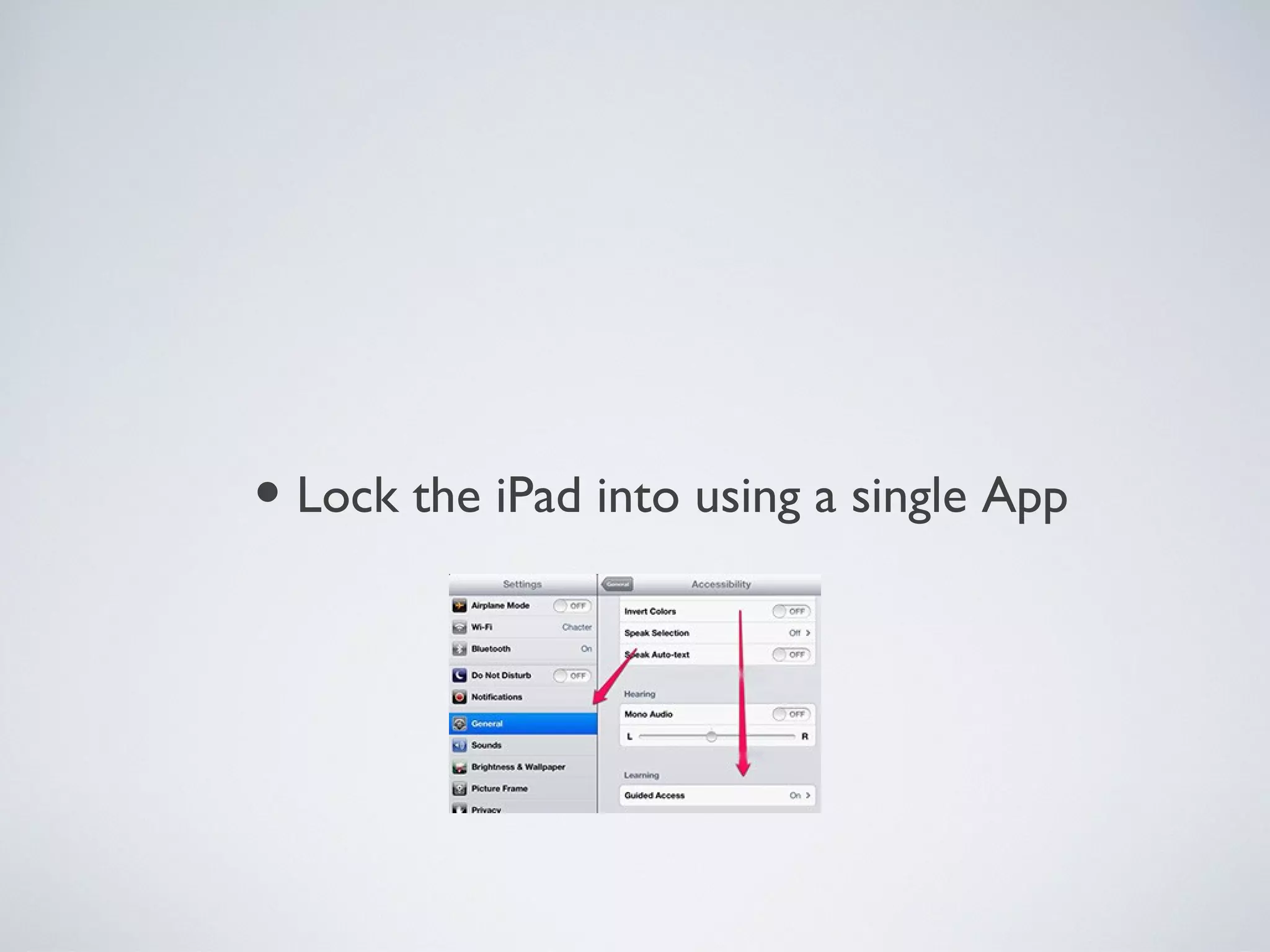
• Lock the iPad into using a single App
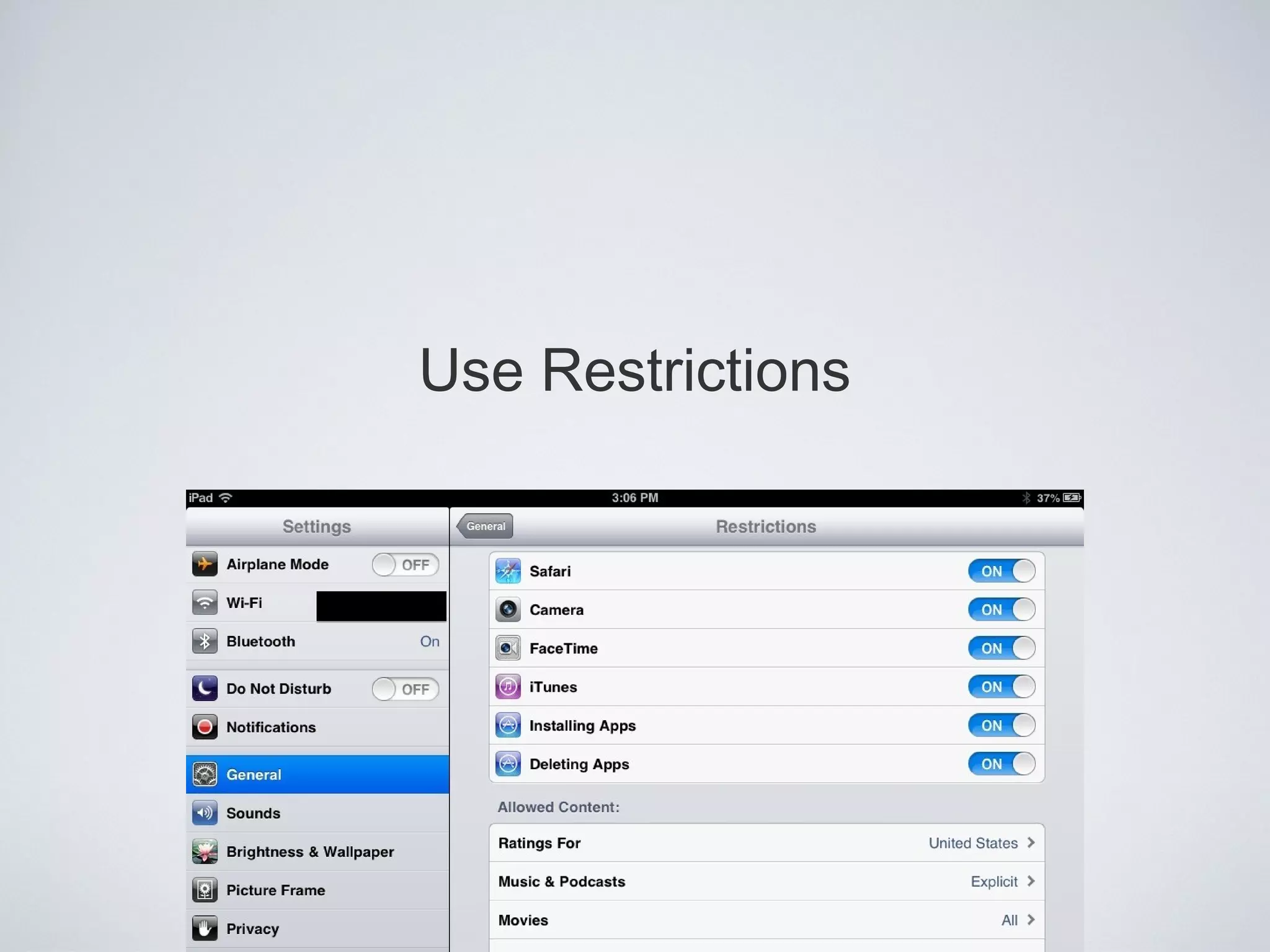
Use Restrictions
Lisa Johnson
Educational Technologist
HCMS
HCMS
HCMS
Secondary iPad Sharecase by Lisa Johnson is licensed under a Creative Commons Attribution-NonCommercial-NoDerivs 3.0 Unported License.
QuickTime™ and a
decompressor
are needed to see this picture.
Secondary iPad Sharecase by Lisa Johnson is licensed under a Creative Commons Attribution-NonCommercial-NoDerivs 3.0 Unported License.
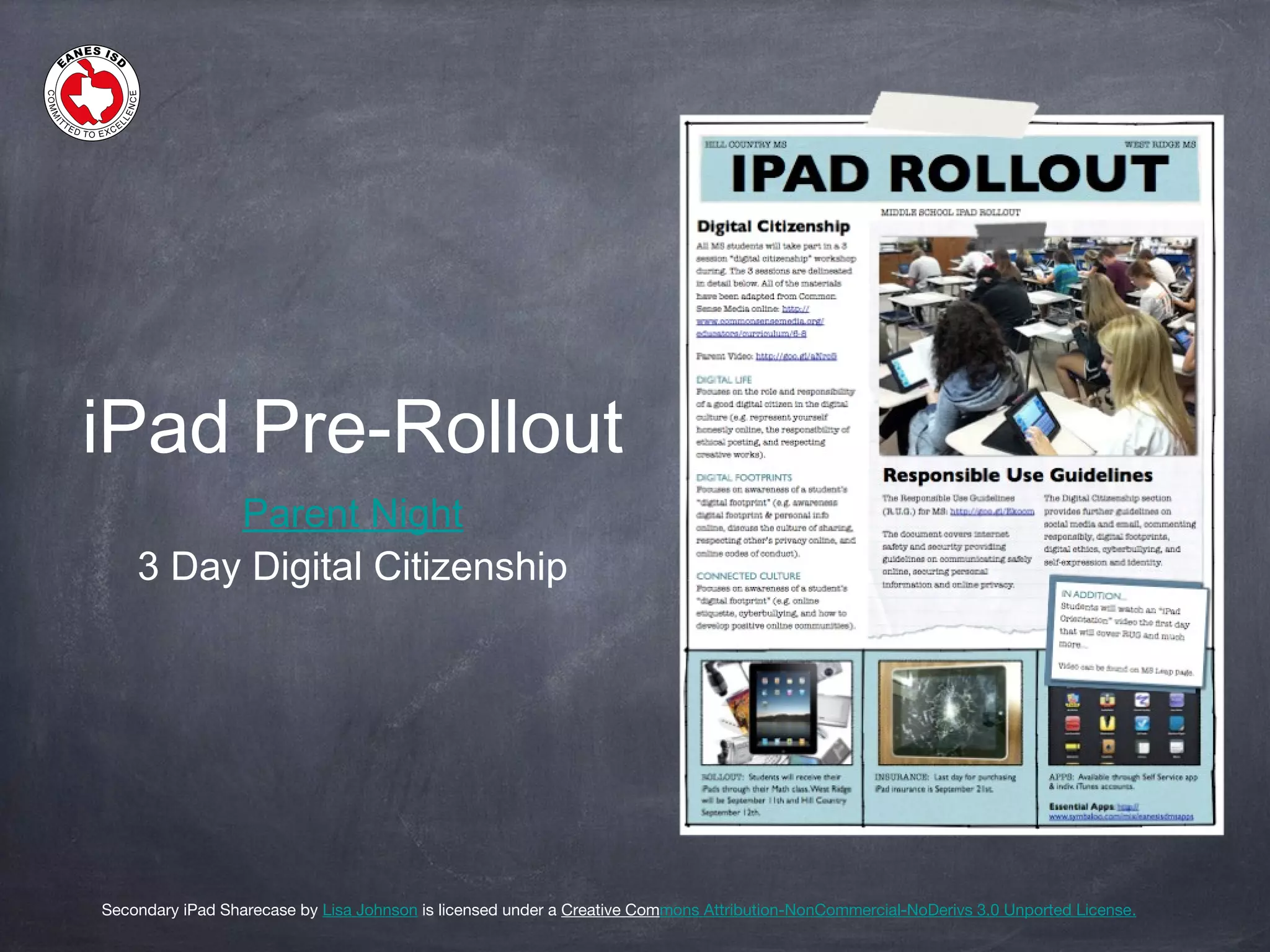
iPad Pre-Rollout
Parent Night
3 Day Digital Citizenship
Secondary iPad Sharecase by Lisa Johnson is licensed under a Creative Commons Attribution-NonCommercial-NoDerivs 3.0 Unported License.
iPad Orientation
Student Orientation Video
Campus Rules Video
Secondary iPad Sharecase by Lisa Johnson is licensed under a Creative Commons Attribution-NonCommercial-NoDerivs 3.0 Unported License.
iDay: Rollout
• Pass Code Lock
• Pic of Self as Lock Screen
• Email
• iPad Name
• App Restrictions
• No recording w/out permission
iDay: Homework
• Set up iTunes
• Charge iPad
Secondary iPad Sharecase by Lisa Johnson is licensed under a Creative Commons Attribution-NonCommercial-NoDerivs 3.0 Unported License.
Digital Days
Google Calendar:
Study Habits
Examples: Month &
Agenda
Google Calendar:
Testing Calendars,
Campus Calendar
Secondary iPad Sharecase by Lisa Johnson is licensed under a Creative Commons Attribution-NonCommercial-NoDerivs 3.0 Unported License.
QuickTime™ and a
H.264 decompressor
are needed to see this picture.
iStudiez Pro
Courses and
Instructors
Assignments and
Due Dates
Sync with Google
Calendar
Image Source: http://marknutting.com/blog/revisiting-who-moved-my-cheese/
Learning series
SAVE THE DATE!
December 5
Digital Lifestyles (Panel Discussion)
Thank You!
Carl Hooker
chooker@eanesisd.net
@mrhooker
Greg Garner
ggarner@eanesisd.net
@classroom_tech
Tim Yenca
tyenca@eanesisd.net
@mryenca
Lisa Johnson
ljohnson3@eanesisd.net
@techchef4u

Digital parent night

Editor's Notes

  • #2 Thank you all for coming Introduction - Talk about WIFI a bit Then LEAP
  • #4 Thank you all for coming Introduction - Talk about WIFI a bit Then LEAP
  • #7 Learning has changed as the world has changed - In 1789 - World was transformed by the invention of the Steam engine by James Watt People could reach others faster, travel increased exponentially and the world got smaller. We went from a generation of the steam engine to the search engine
  • #8 One of my favorite students (Sophie is starting Pre-K at Eanes elementary)
  • #10 How do we facilitate these forms of learning more effectively? The classroom has to shift, but we can’t add more people. There is still just one teacher, and adding technology doesn’t necessarily mean that teaching and learning will be any different
  • #11 This was the classroom at Eanes 8 years ago. and at many school districts, it’s still the norm. The computers in the back of the room were used for 15 minutes a week by each student. They were consumptive devices for the most part doing little skill and drill activities. Not real tech integration. Physically close to each other, but not really working collaboratively. SILOS
  • #12 Physical space has changed. Not bound to the desk or the computers in the back of the room. Kids collaborate more with technology as a tool, not as a device to consume all the time.
  • #18 Talk about the perception of the iPad and the “pass-back generation” that we’ve encountered. How do we utilize that engagement for learning
  • #19 Play is not a word we would use to describe what we are doing. Explore, Evaluate, analyze, create
  • #20 Communication in the 21st century has changed. From rotary phones to cell phones to smart phones to video chats.
  • #22 Not all change happens quickly. This is my parents on Jan 10, 2011. Their first ever text message after 5 years of pestering them about it. Now, my mom can’t stop texting...she’s worse than a teenager. 1500 text messages, now over.
  • #23 Famous video
  • #24 This is in Philadelphia
  • #25 This is in Philadelphia
  • #27 They even have apps to help with this.
  • #28 It’s more than just texting though and kids need to know the balance. Remember in grade school when you learned when to write a letter in personal or business format? Well today, kids need to know which type of communication is appropriate for which message?
  • #32 Content - what are they using technology for and how are they interacting with it Context - What are they doing before, during and after the interaction. Take time to talk with them about it. Child - Tune in and be an active participant in what they are learning and what interests them.
  • #34 SAMR Model - Dr. Ruben Puentadura Substituting - tech improves with no functional change (notes) Augmenting - using the tools to enhance the lesson and there is a functional change. (FaceTime audio note) Modification - tech promotes for redesign of tasks. (band on field recording Peak - tech creates new tasks and integration
  • #37 Thank you all for coming Introduction - Talk about WIFI a bit Then LEAP
  • #39 Web 1.0 - Ubiquitous information distribution - Static - Few publishers Web 2.0 - Ubiquitous information creation - Dynamic - LOLcats But what happens when literally ANYONE can create, distribute, and publish?
  • #42 What is your knee-jerk reaction to this photo?
  • #46 Thank you all for coming Introduction - Talk about WIFI a bit Then LEAP
  • #53 Thank you all for coming Introduction - Talk about WIFI a bit Then LEAP
  • #60 Access via web and create a web clip to stay signed in or sync to Google Calendar or app like CalPad Accessible for students and parents Easy for teachers to edit and maintain