







































Learning in Hand
            Tony Vincent
        learninginha
                     nd.com
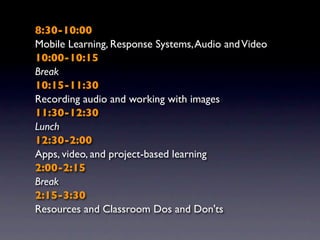
8:30-10:00
Mobile Learning, Response Systems, Audio and Video
10:00-10:15
Break
10:15-11:30
Recording audio and working with images
11:30-12:30
Lunch
12:30-2:00
Apps, video, and project-based learning
2:00-2:15
Break
2:15-3:30
Resources and Classroom Dos and Don'ts
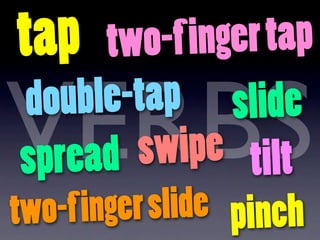
tap two-f i  nger tap

VERBS
 d ouble-tap slide
spread   swipe tilt
two-f i nger slide pinch
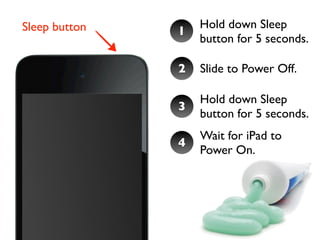
Fresh
S tart
Sleep button       Hold down Sleep
               1
                   button for 5 seconds.

               2   Slide to Power Off.

                   Hold down Sleep
               3
                   button for 5 seconds.
                   Wait for iPad to
               4
                   Power On.
M obile
Learning
A nti-
A cronym
A ssociation of
A merica
MOBI L E
M ore
O pportunities
B elong
In
L earning
E nvironments
More opportunities for

      Personalization
More opportunities for

          Expression
More opportunities for

         Productivity
More opportunities for

             Access
More opportunities for

    Real-World Tools
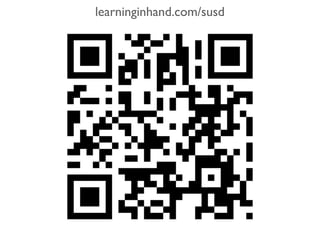
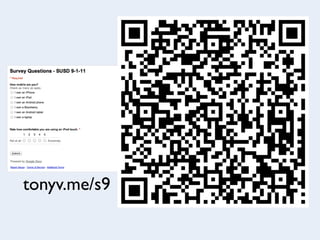
QR Codes
i-nigma
learninginhand.com/susd
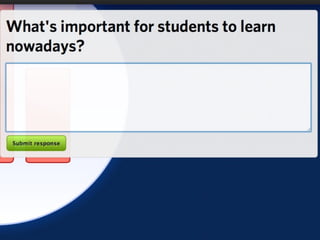
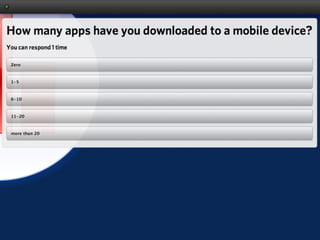
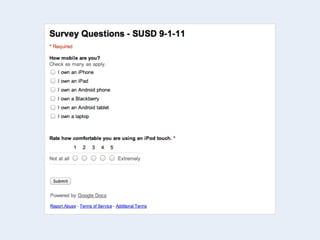
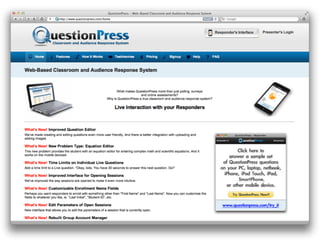
Response
Systems
tonyv.me/s9
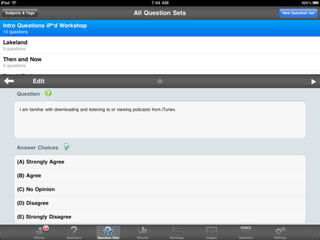
eClicker
eClicker Host
A udio &
 Video
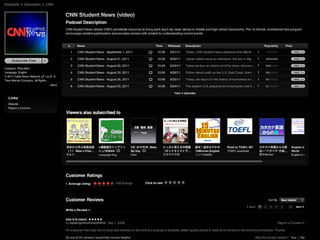
Podcasts and iTunes U screenshots
Words Without Plurals
    Why Grammar Matters
          Mixed Metaphors
           Can versus May
             The Thing is...
    Writing With ... Ellipses
                   I’m Good
        Who Versus Whom
When are double words ok?
Flipping the
 Classroom
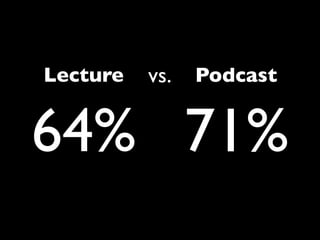
Lecture   vs.   Podcast


64% 71%
ShowMe
B reak
A udio &
Images
Notes
A udio &
Images
Dragon Dictation
Merriam-Webster Dictionary
Read It
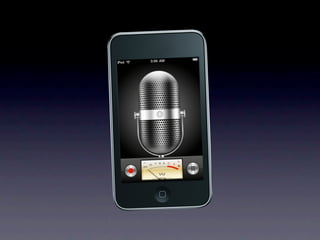
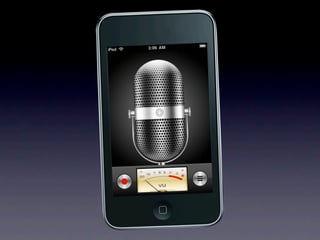
Voice Memos
REFLECTION
GarageBand
Safari
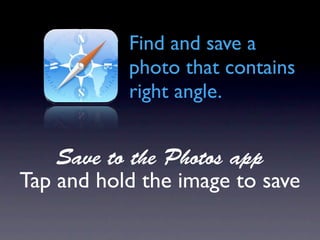
Find and save a
           photo that contains
           right angle.


    Save to the Photos app
Tap and hold the image to save
Doodle Buddy
Draw and label an
object that has a
right angle.
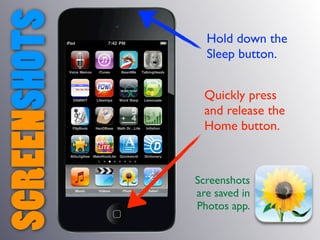
SCREENSHOTS     Hold down the
                Sleep button.


                Quickly press
                and release the
                Home button.


              Screenshots
              are saved in
              Photos app.
Maps
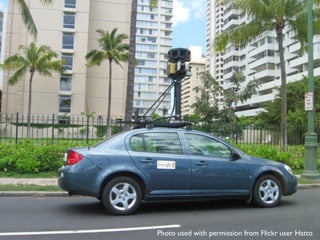
Photo used with permission from Flickr user Hatto
Maps
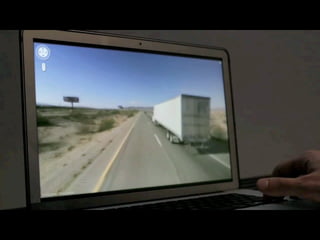
Take a screenshot
of an obtuse
angle in Maps.
Adobe Photoshop Express
Comic Touch Lite
Add a caption to
your obtuse angle
screenshot.
SonicPics
Lunch
Apps & P roject-
Based Learning
How  many
apps are on
Tony’s iPod
  touch?
How would you spend one million
 dollars to help our community?
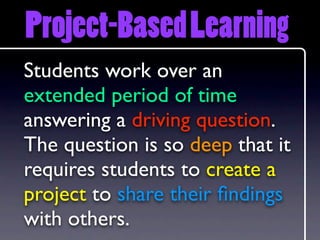
Project-Based Learning
Students work over an
extended period of time
answering a driving question.
The question is so deep that it
requires students to create a
project to share their findings
with others.
Project-Based Learning
Students work over an
extended period of time
answering a driving question.
The question is so deep that it
requires students to create a
project to share their findings
with others.
Project-Based Learning
Students work over an
extended period of time
answering a driving question.
The question is so deep that it
requires students to create a
project to share their findings
with others.
Project-Based Learning
Students work over an
extended period of time
answering a driving question.
The question is so deep that it
requires students to create a
project to share their findings
with others.
Project-Based Learning
Students work over an
extended period of time
answering a driving question.
The question is so deep that it
requires students to create a
project to share their findings
with others.
Project-Based Learning
Students work over an
extended period of time
answering a driving question.
The question is so deep that it
requires students to create a
project to share their findings
with others.
Project-Based Learning
Students work over an
extended period of time
answering a driving question.
The question is so deep that it
requires students to create a
project to share their findings
with others.
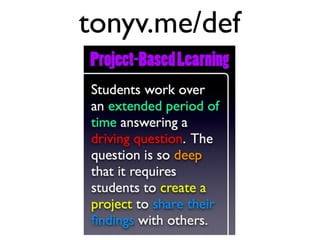
tonyv.me/def
PuzzleGame
ivities
Actersus
  v
Pro  jects
Question
Inve stigate
   Share
Question
Inve stigate
   Share
Dr iving
Que  stion
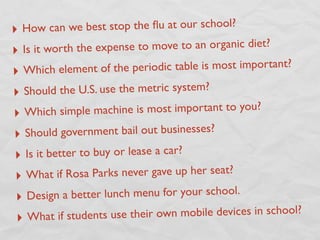
‣ How ca  n we best stop the flu at our school?
‣ Is it worth the expense to move to an organic diet?

‣ Which element of the periodic table is most important?

‣ Should the U.S. use the metric system?
‣ Which simple mac     hine is most important to you?

‣ Shoul   d government bail out businesses?
‣  Is it better to buy or lease a car?
‣ What if R   osa Parks never gave up her seat?

‣ Design    a better lunch menu for your school.
 ‣ What if students use thei   r own mobile devices in school?
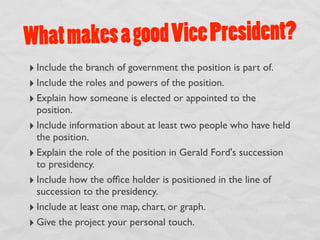
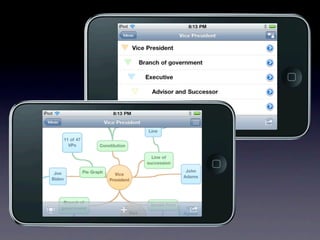
What m akes a good Vice President?
‣ Include the branch of government the position is part of.
‣ Include the roles and powers of the position.
‣ Explain how someone is elected or appointed to the
  position.
‣ Include information about at least two people who have held
  the position.
‣ Explain the role of the position in Gerald Ford's succession
  to presidency.
‣ Include how the office holder is positioned in the line of
  succession to the presidency.
‣ Include at least one map, chart, or graph.
‣ Give the project your personal touch.
Idea Sketch
Question
Inve stigate
   Share
Question
Inve stigate
   Share
Atomic Web Browser Lite
iCell
Question
Inve stigate
   Share
Question
Inve stigate
   Share
Choice
have an
identifiable
 audience
StoryKit
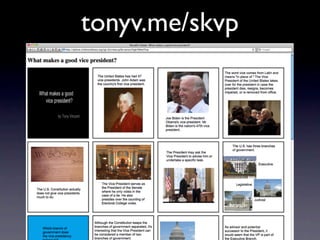
tonyv.me/skvp
iMovie
iMovie   Splice
ShowMe
Puppet Pals
B reak
Resou rces and
 Dos & Don’ts
learninginhand.com/do
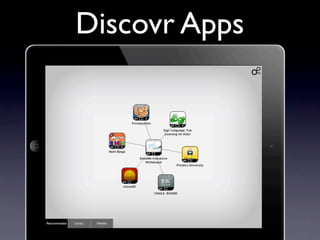
Discovr Apps
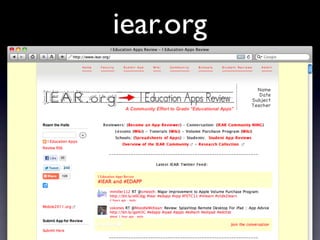
iear.org
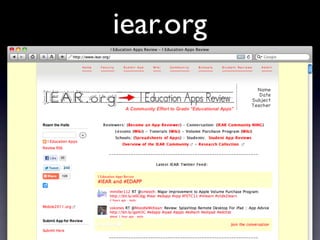
iear.org
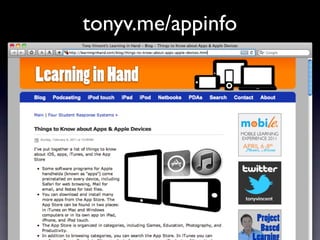
tonyv.me/appinfo
How to link to apps
 in the App Store.
Do understand how
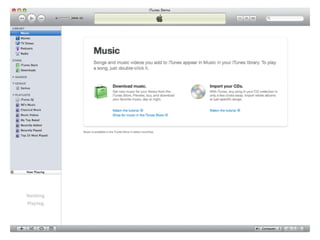
  iTunes works.
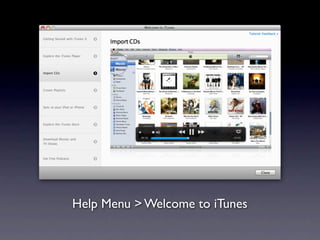
Help Menu > Welcome to iTunes
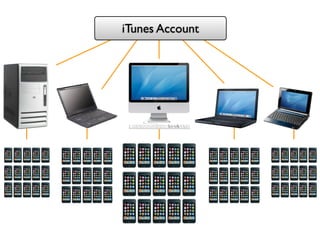
Do create a
classroom iTunes
     account.
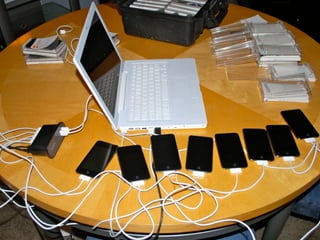
Do sync all iPods to
  one computer.
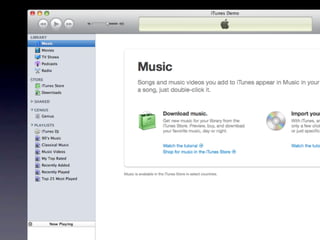
iTunes Account
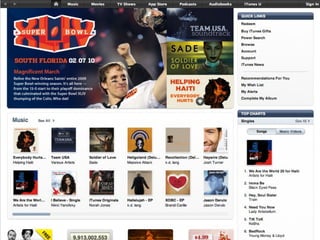
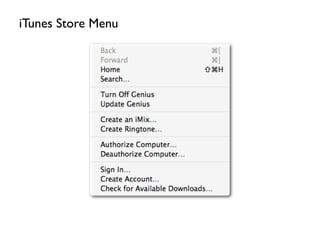
iTunes Store Menu
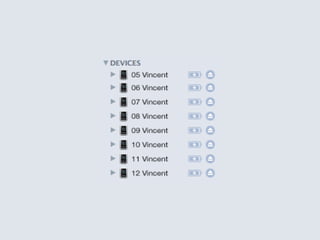
Do name iPods.
Do label iPods.
Do set each iPod for
automatic sync of all
     content.
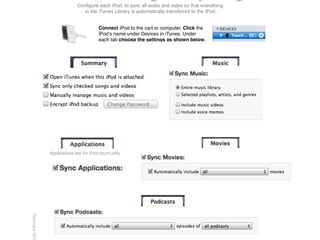
Configure each iPod to sync all audio and video so that everything
                                in the iTunes Library is automatically transferred to the iPod.


                                        Connect iPod to the cart or computer. Click the
                                        iPodʼs name under Devices in iTunes. Under
                                        each tab choose the settings as shown below.


               Applications are for iPod touch only.
February 201
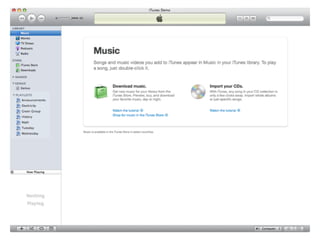
Do make playlists.
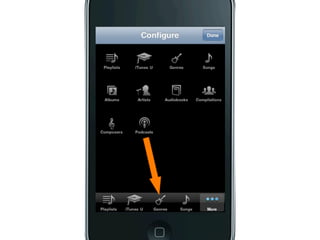
Do configure the
Music app for each
access to playlists
  and podcasts.
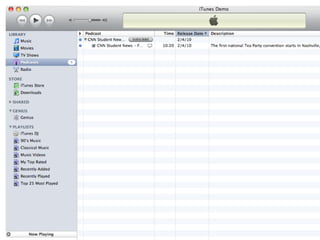
Do delete content.
Do have procedures
  for passing out,
   turning in, and
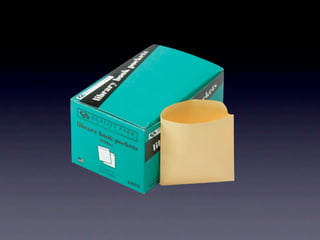
      syncing.
Do secure iPods
when not in use.
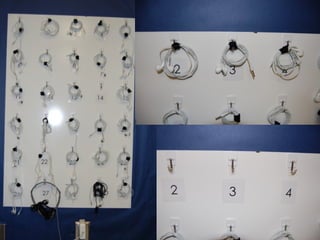
Do have earbuds for
   each student.
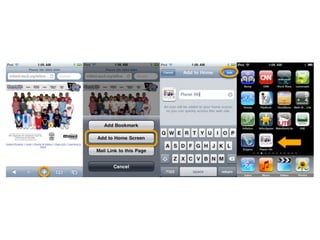
Do create a web clip
 icon for your class
 or school website.
Do use a URL
 shortener.
spreadsheets.google.com/viewform?hl=en&formkey=dC1SZ2FZRUFYT3V2WFVpZGFjdjNfZHc6MA


                                   bit.ly/eval02
Do have
consequences for
    misuse.
Do create a usage
    contract.
iNtouch
   Club

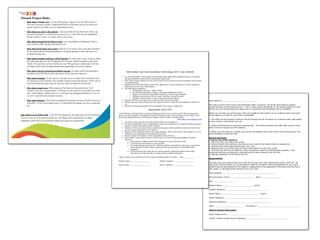
 iNtouch Project Rules
     •    Rule about Primary Use: As part of this project I agree to use the iPod touch as a
          Personal Learning Assistant. I understand that the iPod Touch can be a tool that can
          greatly enhance my ability to be an independent learner.

     •    Rule about use only by the student: I am responsible for my iPod Touch. This is my
          personal learning too, I will be the only one to use it. I will NOT loan my handheld to
          friends, brothers, sisters, or anyone else for any reason.

     •    Rule about bringing iPod Touch to class: I am responsible for bringing my iPod to
          class each day, fully charged and ready for use.

     •    Rule about iPod Touch use in class: iPods are to be used in class only when permitted
          by the teacher and for designated purposes. No game playing or other off-task use is
          permitted during class.

     •    Rule about installing software to iPod Touches: No items (apps, music, podcast, audio,
          etc) other than those on the NPS approved list of items, shall be installed on the iPod
          Touch. If I install items on the iPod that are not NPS approved, I understand I will lose
          privileges and/or delay of stage advancement depending on severity of offense.

     •    Rule about software licensing and illegal copying: No items shall be downloaded or                       Information and Communication Technology (ICT) Use Contract
          installed on the iPod Touch unless the proper license has been obtained.
                                                                                                             1. It is the responsibility of each student to ensure that student-loaded files and applications do not consume
     •    Rule about cheating: Exams, quizzes, and tests are to see what I have learned in class.               disk space needed for instructional or educational requirements.
          No cheating will be permitted. This includes cheating using iPod Touches. iPods will not           2. Only school-issued computers are to be used at school, unless permission has been granted by the Principal
          be permitted during exams, quizzes, and tests unless permitted by the teacher.                        or Campus Director.
                                                                                                             3. Students MAY NOT add, modify or delete files, applications or system preferences on school equipment
                                                                                                                unless directed to do so by a staff member.
     •    Rule about proper care: When using my iPod Touch at home and school, I will                        4. The following are prohibited:
          transport and store it appropriately. I will keep it in the protective case safely away from                   • Pornographic, obscene, or vulgar content.
                                                                                                                         • Downloading, uploading, sending, or importing inappropriate content.
          pets, small children, weather, heat, etc. I will report any damage immediately so we can                       • Illegal use or transfer of copyrighted materials to a school owned computer.
          see if it’s covered by the extended warranty.                                                                  • Sharing of any passwords for any reason, other than with staff members.
                                                                                                                         • Sending of ‘chain emails’ or ‘spam’ using a school email address.
     •    Rule about Damage: If the iPod is damaged the extended warranty will be used to fix it,            5. Breach of the above rules may result in removal of access to ICT privileges.                                    Dear Parent of _______________________________,
                                                                                                             6. Students may only carry one laptop at a time, and must return it to the relevant storage place when not in
          if possible. No loss of privileges unless it is found that the damage was due to neglectful           use.
          use.                                                                                                                                                                                                                  This year, as part of the County Line Elementary ESOL curriculum, we will be using iPods to support
                                                                                                             7. Students who damage equipment will be responsible for its repair or replacement.
                                                                                                                                                                                                                                student learning at school and at home. This is a pilot project specifically for 5th grade students at CLES
                                                                                                                                                  Responsible Use of ICTs                                                       and we are very excited about the opportunity to utilize this new technology with our students.

                                                                                                         Cyber Bullying is bullying which is carried out through an Internet service such as email, chat room, discussion       Before we can begin our pilot project, there are guidelines that parents of our students need to be aware
 Rule about Lost or Stolen iPod: I will NOT be charged for the replacement of the iPod Touch             group or instant messaging; or through mobile phone technologies such as short message services (SMS). It may          of and agree to in order for your child to participate.
 if lost or stolen, but I do understand that my User Stage will be stepped down to Stage 1               also include inappropriate use or distribution of images, videos or audios of another person.
                                                                                                                                                                                            (from http://www.netalert.gov.au)   1. The iPods are the property of Barrow County Schools and will be issued on a checkout basis (like books)
 indefinitely. If the iPod is recovered the student may request to reinstatement.                                                                                                                                               to your child for instructional use only.
                                                                                                             1. Any form of cyber bullying will not be tolerated under any circumstances.
                                                                                                             2. If a student accidentally accesses inappropriate content, they should move on without drawing unnecessary
                                                                                                                attention, or inform the teacher quietly if needed.                                                             2. iPods will be returned to school the following day. The checkout period is for ONE night only at a time.
                                                                                                             3. Students will not access chat-rooms or social networking sites without permission from staff, and will not      iPods will not be issued over the weekend.
                                                                                                                give out any personal details over the Internet.
                                                                                                             4. Students will be respectful of others when using computers, iPods or other audio-visual equipment. Use of       3. When your child returns to school, they should immediately return the iPod to the issuing teacher, who
                                                                                                                headphones is recommended for all audio-based activities.                                                       will immediately inspect the iPod.
                                                                                                             5. Parents, together with students, will be responsible for home iPod use.
                                                                                                             6. Each student is responsible for his/her own iPod Touch. As such, the following guidelines should be             General Use Rules
                                                                                                                observed:                                                                                                       I (parent and child) agree to:
                                                                                                                     a. iPods must be brought to school, fully-charged, every day of the school week.                           1. Keep the iPod in its case at ALL times.
                                                                                                                     b. Lost iPods must be replaced as soon as possible.                                                        2. Ensure that the iPod, earbuds, and case are only used by the student they are assigned to.
                                                                                                                     c. If a student damages someone else’s iPod, they shall be responsible for replacing or repairing the      3. Keep the iPod case zipped closed when not in use.
                                                                                                                         broken hardware/software. Hence, students will not use someone else’s iPod without their
                                                                                                                                                                                                                                4. Keep the iPod in my book bag at all times when taking it to and from school.
                                                                                                                         permission.
                                                                                                                                                                                                                                5. The iPod may NOT be connected to a home computer or used for entertainment purposes. Only
                                                                                                                     d. All iPods must be pin-coded, and, for security purposes, homeroom teachers must be kept
                                                                                                                         informed of what this pin-code is. Changes must be notified immediately.                               authorized teachers are allowed to download and/or delete material from the iPod.
                                                                                                                                                                                                                                6. Maintain possession of the iPod at all time.
                                                                                                         I agree to abide by the conditions of the ICT Contract and Responsible Use Policy: Date: _____________
                                                                                                                                                                                                                                Responsibility
                                                                                                         Student’s name: _____________________                    Student’s signature: _____________________
                                                                                                                                                                                                                                The iPod, case, and earbuds that your child will be using has a total replacement cost of $270.00. By
                                                                                                         Parent’s name: _______________________                   Parent’s signature: ______________________                    signing the contract below, you are agreeing to abide by the above rules and guidelines for use, and to
                                                                                                                                                                                                                                accept financial responsibility for the repair or replacement of the equipment in the event that the iPod is
                                                                                                                                                                                                                                lost, stolen, or damaged while checked out by your child.

                                                                                                                                                                                                                                Home Address: _________________________________________________

                                                                                                                                                                                                                                Phone Numbers: Home: ______________________ Work: __________________

                                                                                                                                                                                                                                Cell: ___________________

                                                                                                                                                                                                                                Student Name: ____________________________ (print)

                                                                                                                                                                                                                                Student Signature: ______________________________________

                                                                                                                                                                                                                                Parent Name: ___________________________________ (print)

                                                                                                                                                                                                                                Parent Signature: __________________________________________

                                                                                                                                                                                                                                Teacher's Signature: ________________________________________

                                                                                                                                                                                                                                Date: ___________________________          iPod Serial # ________________________________________

                                                                                                                                                                                                                                District Contact Information

                                                                                                                                                                                                                                Name (Please print)_______________________________

                                                                                                                                                                                                                                School / District Contact Person Signature: _____________________________________
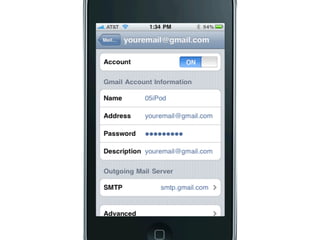
Do set up email.
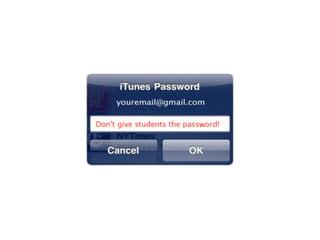
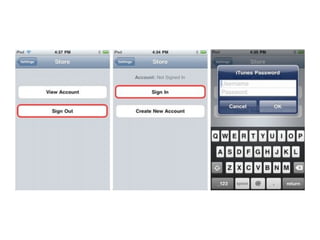
Do not give students
 the iTunes account
      password.
Don’t buy expensive
   accessories.
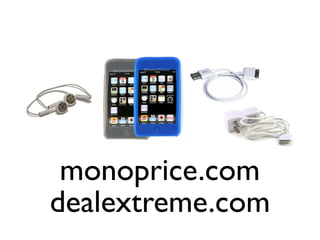
monoprice.com
dealextreme.com
Do not use liquid
chemicals to clean
   the screen.
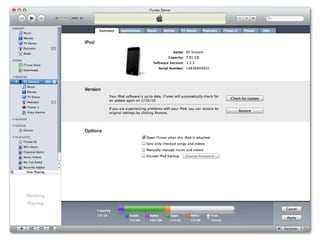
Do not put up with
  a glitchy iPod.
Restricting app
 installation.
Account password
    loophole.
?
mobile2012.org
mobile2012.org
April 11-13 in Phoenix
MOBI L E
M ore
O pportunities
B elong
In
L earning
E nvironments
Songify

SUSD

  • 1.
    Learning in Hand Tony Vincent learninginha nd.com
  • 2.
    8:30-10:00 Mobile Learning, ResponseSystems, Audio and Video 10:00-10:15 Break 10:15-11:30 Recording audio and working with images 11:30-12:30 Lunch 12:30-2:00 Apps, video, and project-based learning 2:00-2:15 Break 2:15-3:30 Resources and Classroom Dos and Don'ts
  • 12.
    tap two-f i nger tap VERBS d ouble-tap slide spread swipe tilt two-f i nger slide pinch
  • 14.
  • 15.
    Sleep button Hold down Sleep 1 button for 5 seconds. 2 Slide to Power Off. Hold down Sleep 3 button for 5 seconds. Wait for iPad to 4 Power On.
  • 16.
  • 17.
    A nti- A cronym Association of A merica
  • 18.
  • 19.
    M ore O pportunities Belong In L earning E nvironments
  • 20.
    More opportunities for Personalization
  • 21.
  • 22.
  • 23.
  • 24.
    More opportunities for Real-World Tools
  • 26.
  • 27.
  • 31.
  • 32.
  • 37.
  • 38.
  • 39.
  • 42.
    A udio & Video
  • 43.
    Podcasts and iTunesU screenshots
  • 45.
    Words Without Plurals Why Grammar Matters Mixed Metaphors Can versus May The Thing is... Writing With ... Ellipses I’m Good Who Versus Whom When are double words ok?
  • 52.
  • 54.
    Lecture vs. Podcast 64% 71%
  • 56.
  • 59.
  • 60.
  • 62.
  • 68.
  • 69.
  • 70.
  • 71.
  • 73.
  • 75.
  • 77.
  • 79.
  • 80.
    Find and savea photo that contains right angle. Save to the Photos app Tap and hold the image to save
  • 81.
  • 82.
    Draw and labelan object that has a right angle.
  • 83.
    SCREENSHOTS Hold down the Sleep button. Quickly press and release the Home button. Screenshots are saved in Photos app.
  • 84.
  • 85.
    Photo used withpermission from Flickr user Hatto
  • 87.
  • 88.
    Take a screenshot ofan obtuse angle in Maps.
  • 89.
  • 90.
  • 92.
    Add a captionto your obtuse angle screenshot.
  • 94.
  • 95.
  • 96.
    Apps & Project- Based Learning
  • 97.
    How many appsare on Tony’s iPod touch?
  • 105.
    How would youspend one million dollars to help our community?
  • 107.
  • 108.
    Project-Based Learning Students workover an extended period of time answering a driving question. The question is so deep that it requires students to create a project to share their findings with others.
  • 109.
    Project-Based Learning Students workover an extended period of time answering a driving question. The question is so deep that it requires students to create a project to share their findings with others.
  • 110.
    Project-Based Learning Students workover an extended period of time answering a driving question. The question is so deep that it requires students to create a project to share their findings with others.
  • 111.
    Project-Based Learning Students workover an extended period of time answering a driving question. The question is so deep that it requires students to create a project to share their findings with others.
  • 112.
    Project-Based Learning Students workover an extended period of time answering a driving question. The question is so deep that it requires students to create a project to share their findings with others.
  • 113.
    Project-Based Learning Students workover an extended period of time answering a driving question. The question is so deep that it requires students to create a project to share their findings with others.
  • 114.
    Project-Based Learning Students workover an extended period of time answering a driving question. The question is so deep that it requires students to create a project to share their findings with others.
  • 115.
  • 116.
  • 117.
  • 118.
  • 119.
  • 120.
  • 121.
    ‣ How ca n we best stop the flu at our school? ‣ Is it worth the expense to move to an organic diet? ‣ Which element of the periodic table is most important? ‣ Should the U.S. use the metric system? ‣ Which simple mac hine is most important to you? ‣ Shoul d government bail out businesses? ‣ Is it better to buy or lease a car? ‣ What if R osa Parks never gave up her seat? ‣ Design a better lunch menu for your school. ‣ What if students use thei r own mobile devices in school?
  • 122.
    What m akesa good Vice President? ‣ Include the branch of government the position is part of. ‣ Include the roles and powers of the position. ‣ Explain how someone is elected or appointed to the position. ‣ Include information about at least two people who have held the position. ‣ Explain the role of the position in Gerald Ford's succession to presidency. ‣ Include how the office holder is positioned in the line of succession to the presidency. ‣ Include at least one map, chart, or graph. ‣ Give the project your personal touch.
  • 125.
  • 127.
  • 128.
  • 129.
  • 130.
  • 132.
  • 133.
  • 134.
  • 135.
  • 137.
  • 138.
  • 139.
  • 140.
    iMovie Splice
  • 141.
  • 142.
  • 143.
  • 144.
    Resou rces and Dos & Don’ts learninginhand.com/do
  • 145.
  • 146.
  • 147.
  • 148.
  • 149.
    How to linkto apps in the App Store.
  • 150.
    Do understand how iTunes works.
  • 151.
    Help Menu >Welcome to iTunes
  • 154.
    Do create a classroomiTunes account.
  • 155.
    Do sync alliPods to one computer.
  • 157.
  • 158.
  • 159.
  • 161.
  • 165.
    Do set eachiPod for automatic sync of all content.
  • 166.
    Configure each iPodto sync all audio and video so that everything in the iTunes Library is automatically transferred to the iPod. Connect iPod to the cart or computer. Click the iPodʼs name under Devices in iTunes. Under each tab choose the settings as shown below. Applications are for iPod touch only. February 201
  • 167.
  • 170.
    Do configure the Musicapp for each access to playlists and podcasts.
  • 172.
  • 174.
    Do have procedures for passing out, turning in, and syncing.
  • 175.
  • 176.
    Do have earbudsfor each student.
  • 180.
    Do create aweb clip icon for your class or school website.
  • 182.
    Do use aURL shortener.
  • 184.
  • 185.
  • 186.
    Do create ausage contract.
  • 187.
    iNtouch Club iNtouch Project Rules • Rule about Primary Use: As part of this project I agree to use the iPod touch as a Personal Learning Assistant. I understand that the iPod Touch can be a tool that can greatly enhance my ability to be an independent learner. • Rule about use only by the student: I am responsible for my iPod Touch. This is my personal learning too, I will be the only one to use it. I will NOT loan my handheld to friends, brothers, sisters, or anyone else for any reason. • Rule about bringing iPod Touch to class: I am responsible for bringing my iPod to class each day, fully charged and ready for use. • Rule about iPod Touch use in class: iPods are to be used in class only when permitted by the teacher and for designated purposes. No game playing or other off-task use is permitted during class. • Rule about installing software to iPod Touches: No items (apps, music, podcast, audio, etc) other than those on the NPS approved list of items, shall be installed on the iPod Touch. If I install items on the iPod that are not NPS approved, I understand I will lose privileges and/or delay of stage advancement depending on severity of offense. • Rule about software licensing and illegal copying: No items shall be downloaded or Information and Communication Technology (ICT) Use Contract installed on the iPod Touch unless the proper license has been obtained. 1. It is the responsibility of each student to ensure that student-loaded files and applications do not consume • Rule about cheating: Exams, quizzes, and tests are to see what I have learned in class. disk space needed for instructional or educational requirements. No cheating will be permitted. This includes cheating using iPod Touches. iPods will not 2. Only school-issued computers are to be used at school, unless permission has been granted by the Principal be permitted during exams, quizzes, and tests unless permitted by the teacher. or Campus Director. 3. Students MAY NOT add, modify or delete files, applications or system preferences on school equipment unless directed to do so by a staff member. • Rule about proper care: When using my iPod Touch at home and school, I will 4. The following are prohibited: transport and store it appropriately. I will keep it in the protective case safely away from • Pornographic, obscene, or vulgar content. • Downloading, uploading, sending, or importing inappropriate content. pets, small children, weather, heat, etc. I will report any damage immediately so we can • Illegal use or transfer of copyrighted materials to a school owned computer. see if it’s covered by the extended warranty. • Sharing of any passwords for any reason, other than with staff members. • Sending of ‘chain emails’ or ‘spam’ using a school email address. • Rule about Damage: If the iPod is damaged the extended warranty will be used to fix it, 5. Breach of the above rules may result in removal of access to ICT privileges. Dear Parent of _______________________________, 6. Students may only carry one laptop at a time, and must return it to the relevant storage place when not in if possible. No loss of privileges unless it is found that the damage was due to neglectful use. use. This year, as part of the County Line Elementary ESOL curriculum, we will be using iPods to support 7. Students who damage equipment will be responsible for its repair or replacement. student learning at school and at home. This is a pilot project specifically for 5th grade students at CLES Responsible Use of ICTs and we are very excited about the opportunity to utilize this new technology with our students. Cyber Bullying is bullying which is carried out through an Internet service such as email, chat room, discussion Before we can begin our pilot project, there are guidelines that parents of our students need to be aware Rule about Lost or Stolen iPod: I will NOT be charged for the replacement of the iPod Touch group or instant messaging; or through mobile phone technologies such as short message services (SMS). It may of and agree to in order for your child to participate. if lost or stolen, but I do understand that my User Stage will be stepped down to Stage 1 also include inappropriate use or distribution of images, videos or audios of another person. (from http://www.netalert.gov.au) 1. The iPods are the property of Barrow County Schools and will be issued on a checkout basis (like books) indefinitely. If the iPod is recovered the student may request to reinstatement. to your child for instructional use only. 1. Any form of cyber bullying will not be tolerated under any circumstances. 2. If a student accidentally accesses inappropriate content, they should move on without drawing unnecessary attention, or inform the teacher quietly if needed. 2. iPods will be returned to school the following day. The checkout period is for ONE night only at a time. 3. Students will not access chat-rooms or social networking sites without permission from staff, and will not iPods will not be issued over the weekend. give out any personal details over the Internet. 4. Students will be respectful of others when using computers, iPods or other audio-visual equipment. Use of 3. When your child returns to school, they should immediately return the iPod to the issuing teacher, who headphones is recommended for all audio-based activities. will immediately inspect the iPod. 5. Parents, together with students, will be responsible for home iPod use. 6. Each student is responsible for his/her own iPod Touch. As such, the following guidelines should be General Use Rules observed: I (parent and child) agree to: a. iPods must be brought to school, fully-charged, every day of the school week. 1. Keep the iPod in its case at ALL times. b. Lost iPods must be replaced as soon as possible. 2. Ensure that the iPod, earbuds, and case are only used by the student they are assigned to. c. If a student damages someone else’s iPod, they shall be responsible for replacing or repairing the 3. Keep the iPod case zipped closed when not in use. broken hardware/software. Hence, students will not use someone else’s iPod without their 4. Keep the iPod in my book bag at all times when taking it to and from school. permission. 5. The iPod may NOT be connected to a home computer or used for entertainment purposes. Only d. All iPods must be pin-coded, and, for security purposes, homeroom teachers must be kept informed of what this pin-code is. Changes must be notified immediately. authorized teachers are allowed to download and/or delete material from the iPod. 6. Maintain possession of the iPod at all time. I agree to abide by the conditions of the ICT Contract and Responsible Use Policy: Date: _____________ Responsibility Student’s name: _____________________ Student’s signature: _____________________ The iPod, case, and earbuds that your child will be using has a total replacement cost of $270.00. By Parent’s name: _______________________ Parent’s signature: ______________________ signing the contract below, you are agreeing to abide by the above rules and guidelines for use, and to accept financial responsibility for the repair or replacement of the equipment in the event that the iPod is lost, stolen, or damaged while checked out by your child. Home Address: _________________________________________________ Phone Numbers: Home: ______________________ Work: __________________ Cell: ___________________ Student Name: ____________________________ (print) Student Signature: ______________________________________ Parent Name: ___________________________________ (print) Parent Signature: __________________________________________ Teacher's Signature: ________________________________________ Date: ___________________________ iPod Serial # ________________________________________ District Contact Information Name (Please print)_______________________________ School / District Contact Person Signature: _____________________________________
  • 188.
    Do set upemail.
  • 190.
    Do not givestudents the iTunes account password.
  • 192.
  • 193.
  • 194.
    Do not useliquid chemicals to clean the screen.
  • 196.
    Do not putup with a glitchy iPod.
  • 198.
  • 199.
  • 201.
  • 202.
  • 203.
  • 206.
  • 207.
    M ore O pportunities Belong In L earning E nvironments
  • 208.