Defending Application against
Injections
Defending – Input & SQLi
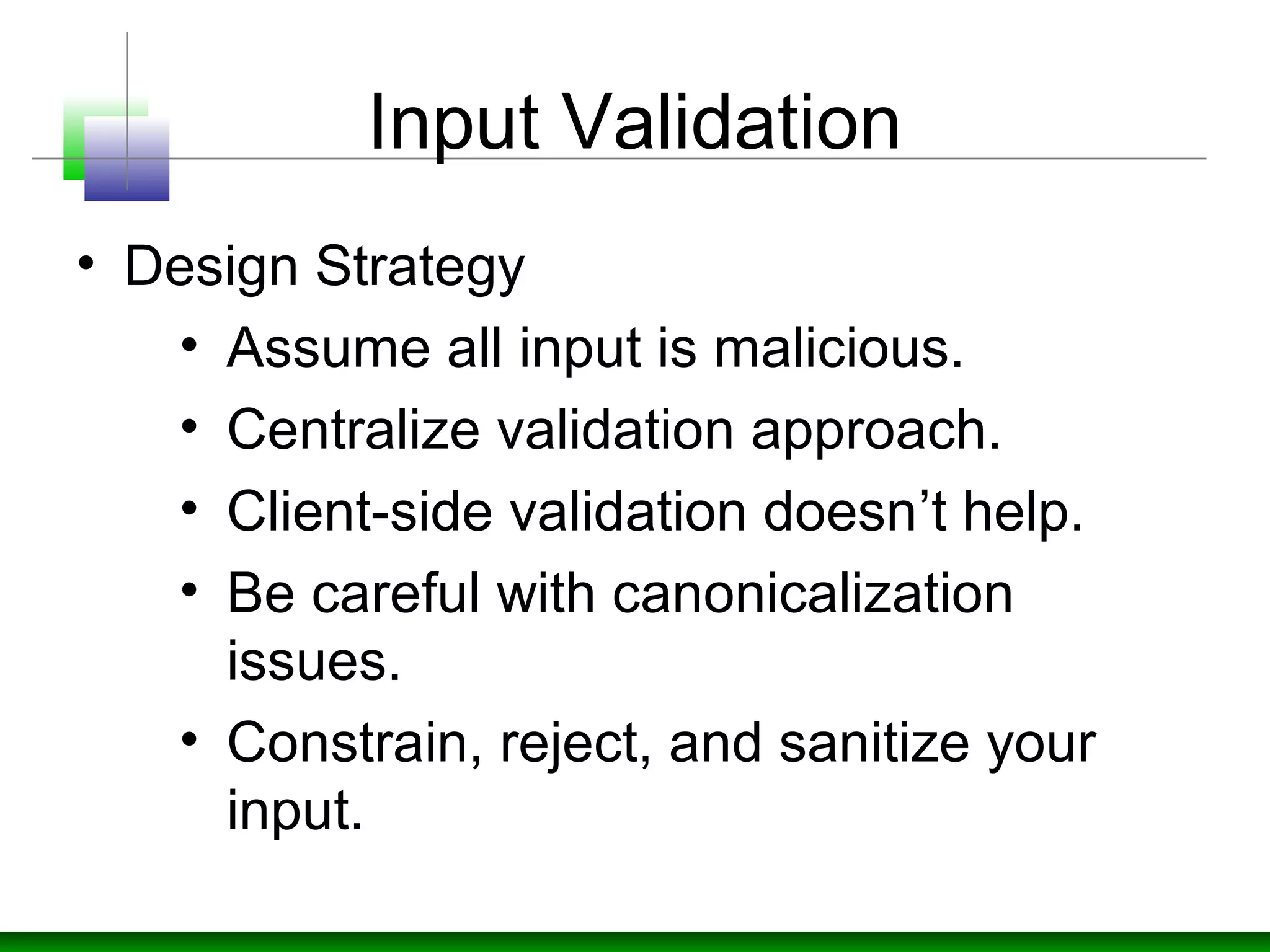
Input Validation
• Design Strategy
• Assume all input is malicious.
• Centralize validation approach.
• Client-side validation doesn’t help.
• Be careful with canonicalization
issues.
• Constrain, reject, and sanitize your
input.
Input Validation
• Design Strategy
• Validate for type, length, format and
range.
• Prepare Whitelist of characters
instead of Blacklist.
Input Validation
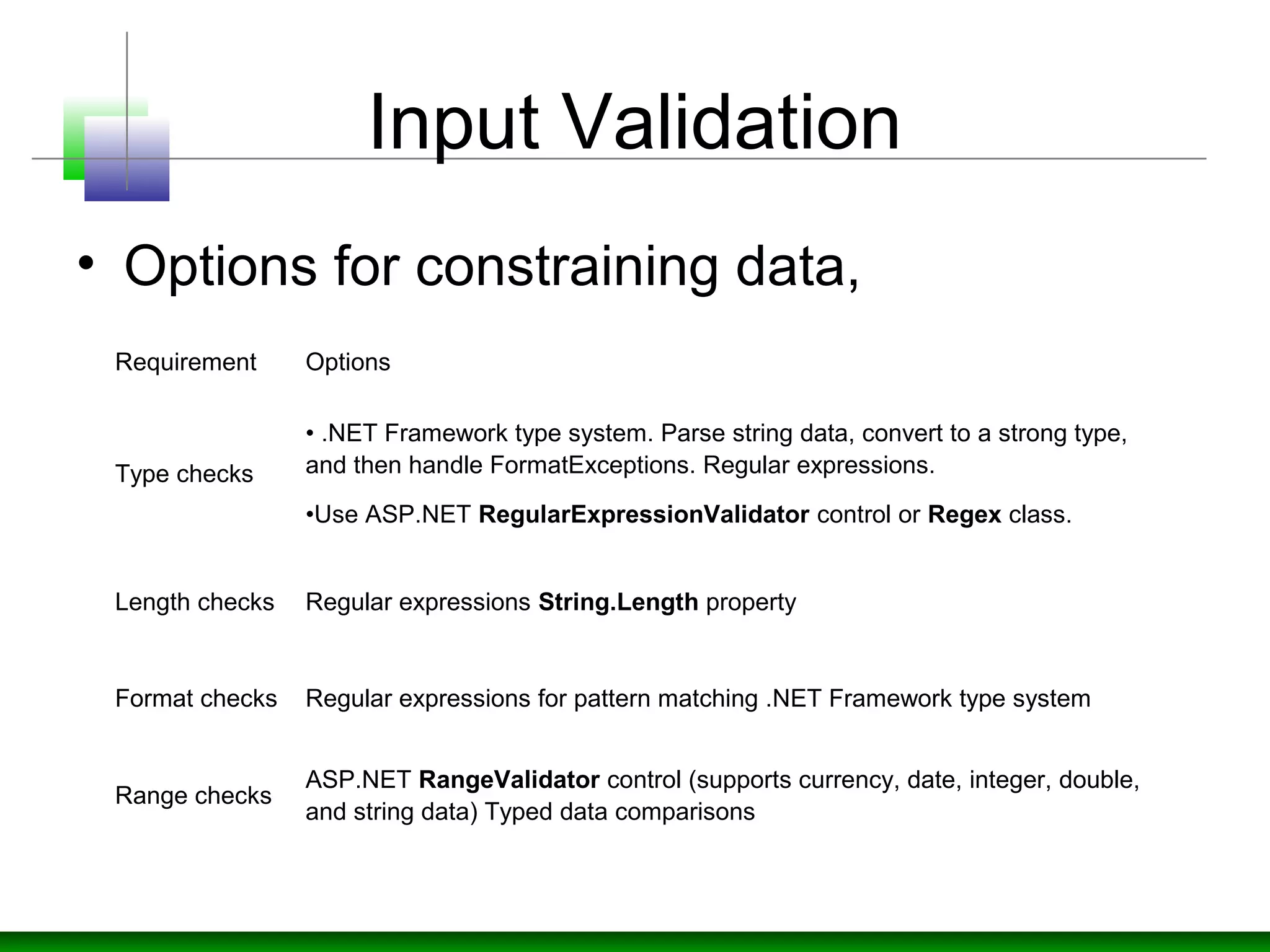
• Options for constraining data,
Requirement Options
Type checks
• .NET Framework type system. Parse string data, convert to a strong type,
and then handle FormatExceptions. Regular expressions.
•Use ASP.NET RegularExpressionValidator control or Regex class.
Length checks Regular expressions String.Length property
Format checks Regular expressions for pattern matching .NET Framework type system
Range checks
ASP.NET RangeValidator control (supports currency, date, integer, double,
and string data) Typed data comparisons
Input Validation
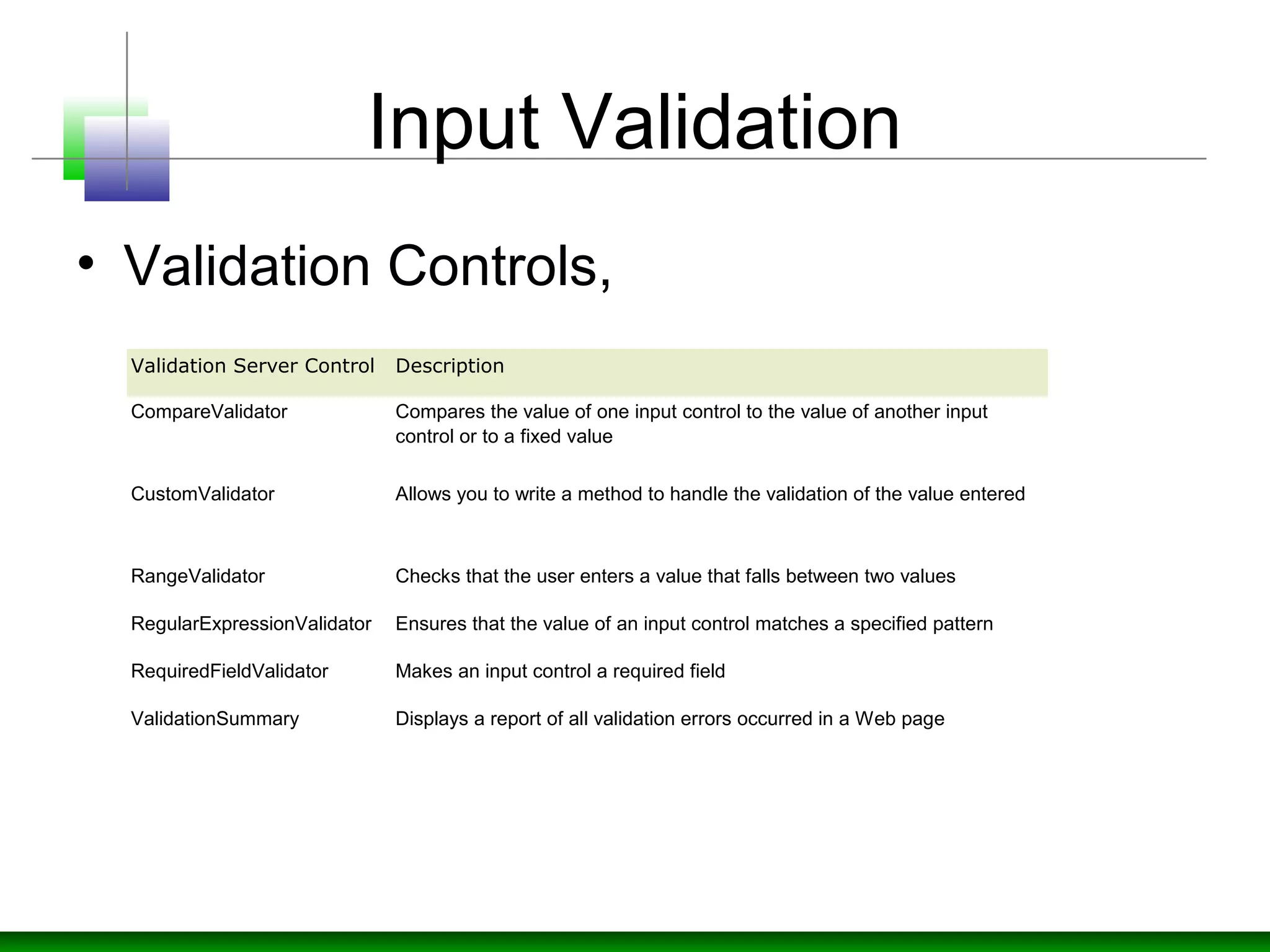
• Validation Controls,
Validation Server Control Description
CompareValidator Compares the value of one input control to the value of another input
control or to a fixed value
CustomValidator Allows you to write a method to handle the validation of the value entered
RangeValidator Checks that the user enters a value that falls between two values
RegularExpressionValidator Ensures that the value of an input control matches a specified pattern
RequiredFieldValidator Makes an input control a required field
ValidationSummary Displays a report of all validation errors occurred in a Web page
Input Validation
• RegulareExpressionValidator
<script  runat="server">
sub submit(sender As Object, e As EventArgs) 
if Page.IsValid then 
   lbl.Text="The page is valid!"
else 
   lbl.Text="The page is not valid!"
end if
end sub
</script> <html> <body>
<form runat="server">
Enter a US zip code:
<asp:TextBox id="txtbox1" runat="server" />
<br /><br />
<asp:Button text="Submit" OnClick="submit" runat="server" />
<br /><br />
<asp:Label id="lbl" runat="server" />
<br />
<asp:RegularExpressionValidator 
ControlToValidate="txtbox1"
ValidationExpression="d{5}"
EnableClientScript="false"
ErrorMessage="The zip code must be 5 numeric digits!"
runat="server" />
</form> </body> </html>
Input Validation
• Regex (System.Text.RegularExpressions)
Regular expressions are much easier to understand if you use the 
following syntax and comment each component of the expression 
using #. To enable comments, you must also specify 
RegexOptions.IgnorePatternWhitespace, which means that non-escaped 
white space is ignored.
Regex regex = new Regex(@"
                        ^          # anchor at the start
                       (?=.*d)    # must contain at least one 
digit
                       (?=.*[a-z])  # must contain one lowercase
                       (?=.*[A-Z])  # must contain one uppercase
                       .{8,10}      # From 8 to 10 characters in 
length
                       $            # anchor at the end", 
                       RegexOptions.IgnorePatternWhitespace);
Input Validation
• String Fields (Name, Address..)
• For Social Security Number the
expression would be "d{3}-d{2}-d{4}"
<form id="WebForm" method="post" runat="server">
  <asp:TextBox id="txtName" runat="server"></asp:TextBox>
  <asp:RegularExpressionValidator id="nameRegex "runat="server" 
        ControlToValidate="txtName" 
        ValidationExpression="[a-zA-Z'.'-'s]{1,40}" 
        ErrorMessage="Invalid name">
  </asp:regularexpressionvalidator>
</form>
Input Validation
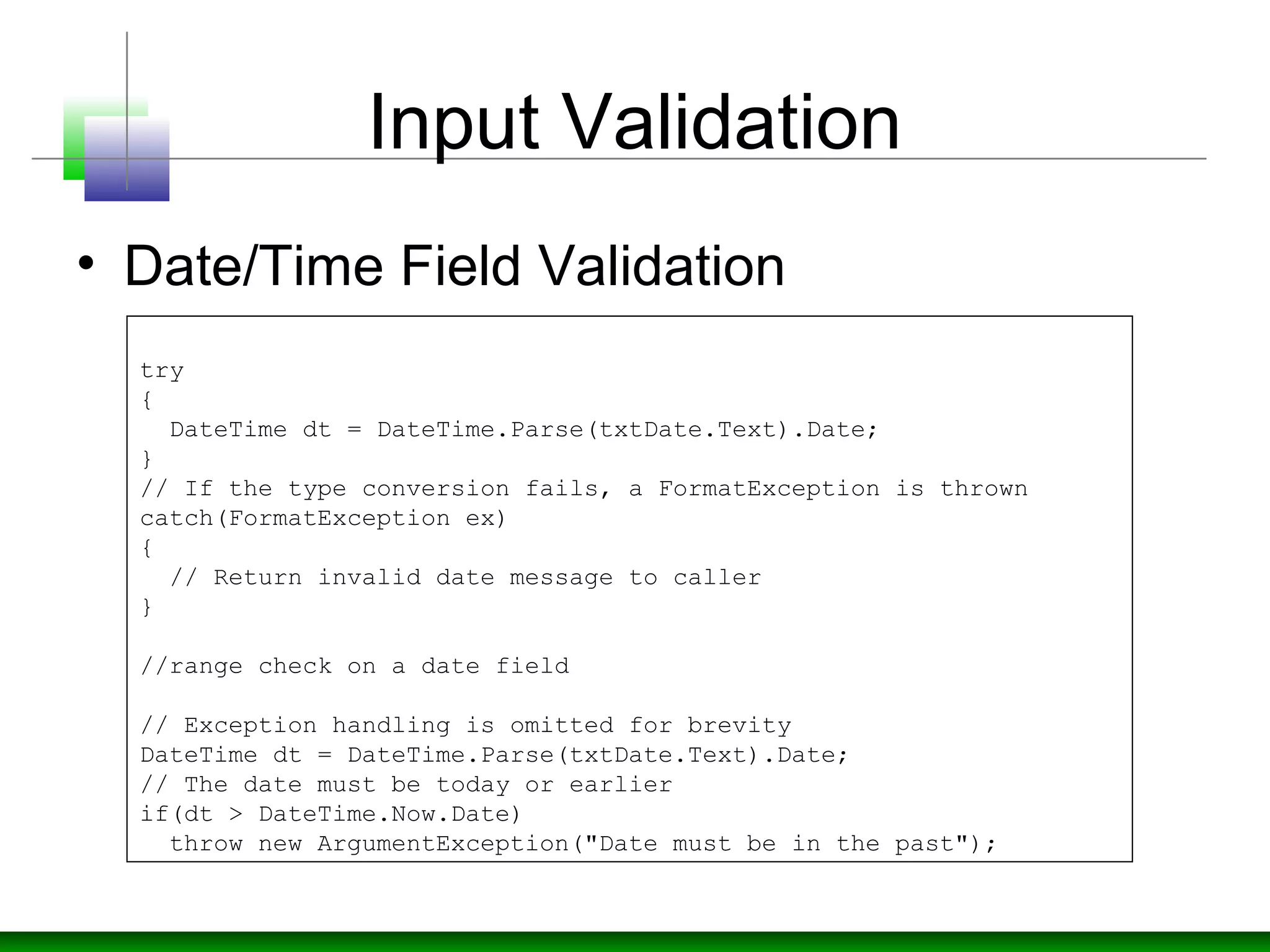
• Date/Time Field Validation
try
{
DateTime dt = DateTime.Parse(txtDate.Text).Date;
}
// If the type conversion fails, a FormatException is thrown
catch(FormatException ex)
{
// Return invalid date message to caller
}
//range check on a date field
// Exception handling is omitted for brevity
DateTime dt = DateTime.Parse(txtDate.Text).Date;
// The date must be today or earlier
if(dt > DateTime.Now.Date)
throw new ArgumentException("Date must be in the past");
Input Validation
• Numeric Field Validation
• Convert input to integer type and
return the error if exception raised.
try
{
int i = Int32.Parse(txtAge.Text);
. . .
}
catch( FormatException)
{
. . .
}
Input Validation
• Range Validation
• Use RangeValidator control with
RequiredFieldValidator control so it
can't accept blank input.
• Convert into Integer with
FormatException handling and check
the integer range.
Input Validation
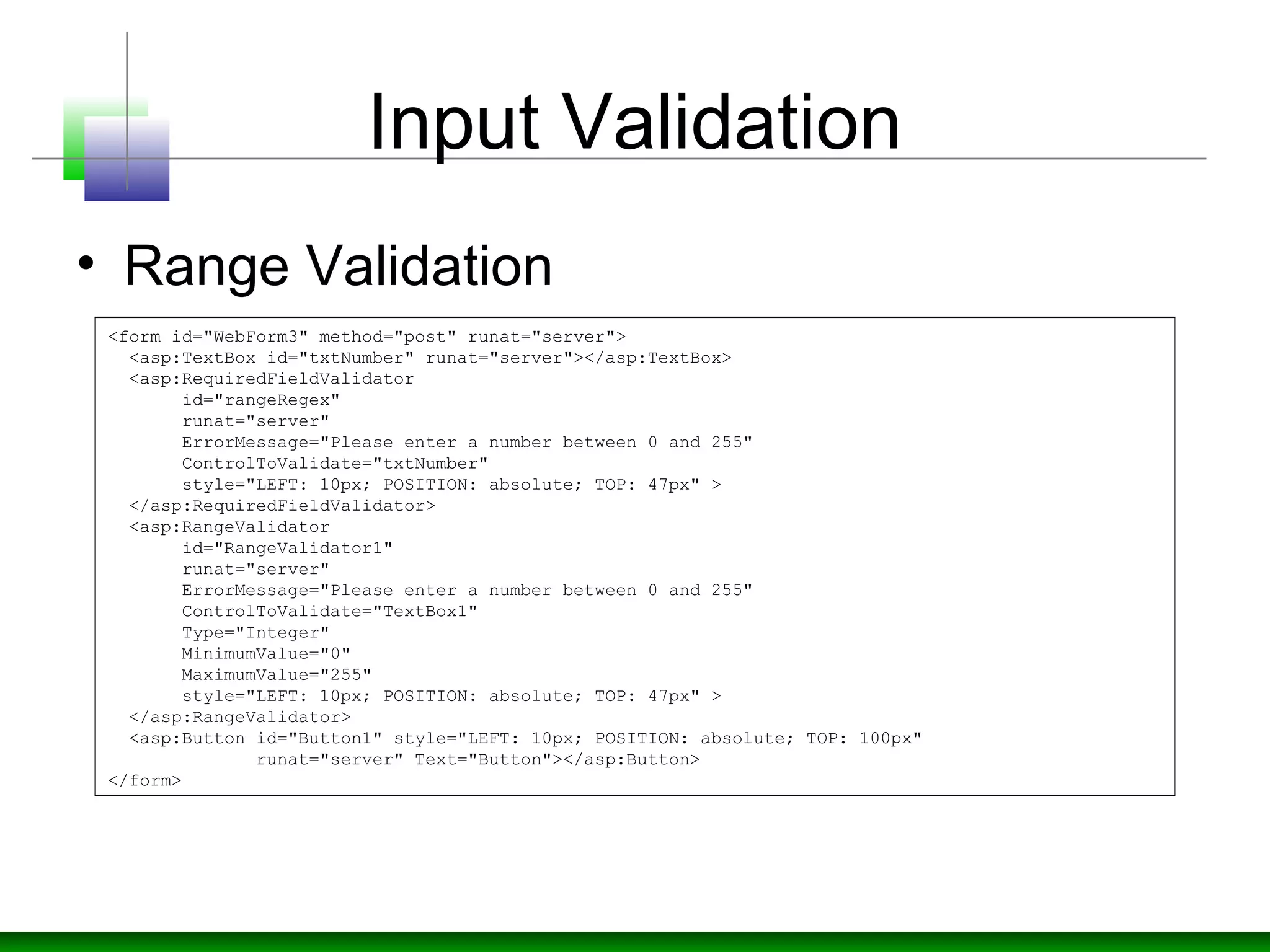
• Range Validation
<form id="WebForm3" method="post" runat="server">
<asp:TextBox id="txtNumber" runat="server"></asp:TextBox>
<asp:RequiredFieldValidator
id="rangeRegex"
runat="server"
ErrorMessage="Please enter a number between 0 and 255"
ControlToValidate="txtNumber"
style="LEFT: 10px; POSITION: absolute; TOP: 47px" >
</asp:RequiredFieldValidator>
<asp:RangeValidator
id="RangeValidator1"
runat="server"
ErrorMessage="Please enter a number between 0 and 255"
ControlToValidate="TextBox1"
Type="Integer"
MinimumValue="0"
MaximumValue="255"
style="LEFT: 10px; POSITION: absolute; TOP: 47px" >
</asp:RangeValidator>
<asp:Button id="Button1" style="LEFT: 10px; POSITION: absolute; TOP: 100px"
runat="server" Text="Button"></asp:Button>
</form>
Input Validation
• Sanitizing Inputs
• Strips out a range of potentially unsafe
characters, including < >  " ' % ; ( ) &.
private string SanitizeInput(string input)
{
Regex badCharReplace = new Regex(@"([<>""'%;()&])");
string goodChars = badCharReplace.Replace(input, "");
return goodChars;
}
Input Validation
• Validating HTML controls
private void Page_Load(object sender, System.EventArgs e)
{
// Note that IsPostBack applies only for
// server forms (with runat="server")
if ( Request.RequestType == "POST" ) // non-server forms
{
// Validate the supplied email address
if( !Regex.Match(Request.Form["email"],
@"w+([-+.]w+)*@w+([-.]w+)*.w+([-.]w+)*",
RegexOptions.None).Success)
{
// Invalid email address
}
// Validate the supplied name
if ( !RegEx.Match(Request.Form["name"],
@"[A-Za-z'- ]",
RegexOptions.None).Success)
{
// Invalid name
}
}
}
Input Validation
• File/Path Input
• Avoid code which accepts file input or path
input from the caller.
• Use fixed file names and locations
• Canonicalize path names before validating
by System.IO.Path.GetFullPath or
Request.MapPath to check that the file path
is valid in the context of your application.
• Use .NET code access security to grant the
precise FileIOPermission to your code
Input Validation
• MapPath API
try
{
string mappedPath = Request.MapPath( inputPath.Text,
Request.ApplicationPath, false);
//Is path is what supposed to be
if(!validateFilepath(mappedPath))
{
return null;
}
if(mappedPath.exist())
{
return abspath;
}
}
catch (HttpException)
{
// Cross-application mapping attempted
}
For XML Input
• Create and use xml schema definition
(XSD) or DTD file for xml validation
• Don’t just check XML for certain tags.
• Pay special attention to XPATH query
inputs.
Input Validation
• ESAPI (The OWASP Enterprise Security
API)
• Open source free library
• Set of security control interfaces.
• Reference implementation for each
security control. The logic is not
organization or application-specific.
An example: string-based input
validation.
OWASP ESAPI
Namespace ESAPI
{ AccessController
Encoder
Encryptor
HttpUtilities
IntrusionDetector
Logger
Randomizer
SecurityConfiguration
Validator
}
Input Validation
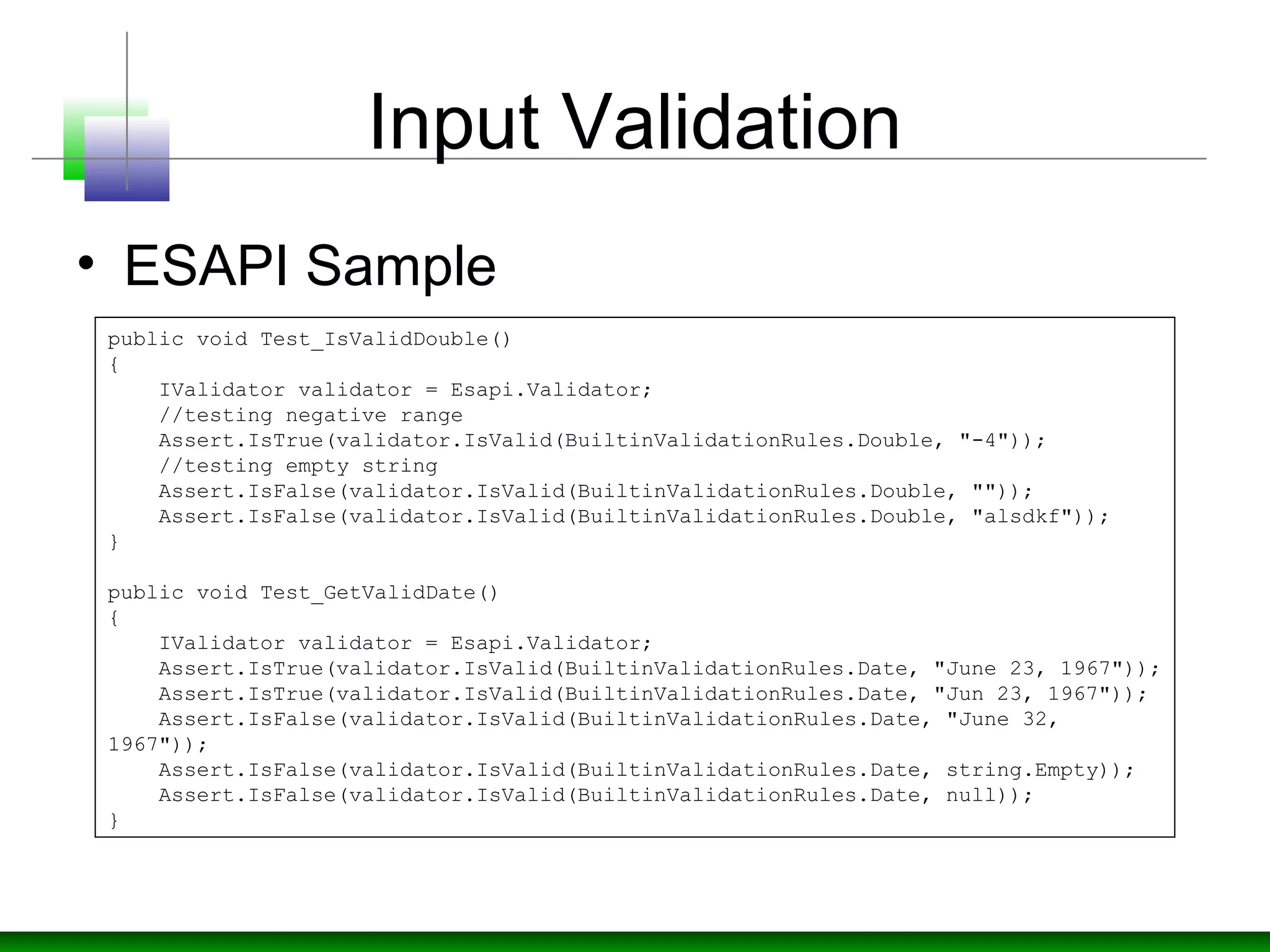
• ESAPI Sample
public void Test_IsValidDouble()
{
IValidator validator = Esapi.Validator;
//testing negative range
Assert.IsTrue(validator.IsValid(BuiltinValidationRules.Double, "-4"));
//testing empty string
Assert.IsFalse(validator.IsValid(BuiltinValidationRules.Double, ""));
Assert.IsFalse(validator.IsValid(BuiltinValidationRules.Double, "alsdkf"));
}
public void Test_GetValidDate()
{
IValidator validator = Esapi.Validator;
Assert.IsTrue(validator.IsValid(BuiltinValidationRules.Date, "June 23, 1967"));
Assert.IsTrue(validator.IsValid(BuiltinValidationRules.Date, "Jun 23, 1967"));
Assert.IsFalse(validator.IsValid(BuiltinValidationRules.Date, "June 32,
1967"));
Assert.IsFalse(validator.IsValid(BuiltinValidationRules.Date, string.Empty));
Assert.IsFalse(validator.IsValid(BuiltinValidationRules.Date, null));
}
Input Validation
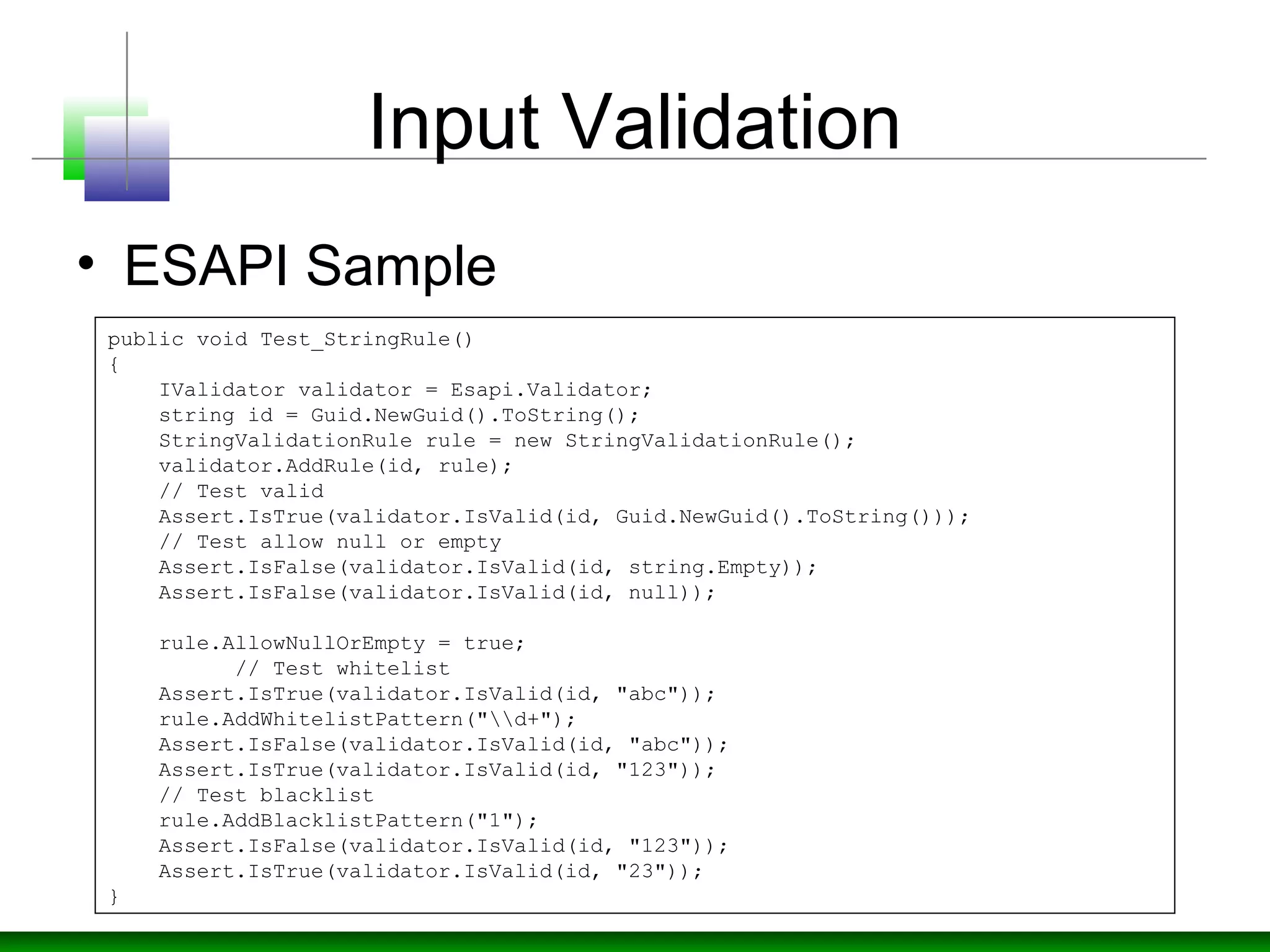
• ESAPI Sample
public void Test_StringRule()
{
IValidator validator = Esapi.Validator;
string id = Guid.NewGuid().ToString();
StringValidationRule rule = new StringValidationRule();
validator.AddRule(id, rule);
// Test valid
Assert.IsTrue(validator.IsValid(id, Guid.NewGuid().ToString()));
// Test allow null or empty
Assert.IsFalse(validator.IsValid(id, string.Empty));
Assert.IsFalse(validator.IsValid(id, null));
rule.AllowNullOrEmpty = true;
// Test whitelist
Assert.IsTrue(validator.IsValid(id, "abc"));
rule.AddWhitelistPattern("d+");
Assert.IsFalse(validator.IsValid(id, "abc"));
Assert.IsTrue(validator.IsValid(id, "123"));
// Test blacklist
rule.AddBlacklistPattern("1");
Assert.IsFalse(validator.IsValid(id, "123"));
Assert.IsTrue(validator.IsValid(id, "23"));
}
Input Validation
• ESAPI Sample
public void Test_StringRuleRange()
{
IValidator validator = Esapi.Validator;
// Test range
string id = Guid.NewGuid().ToString();
StringValidationRule rule = new StringValidationRule() { MinLength = 1,
MaxLength = 10 };
validator.AddRule(id, rule);
Assert.IsTrue(validator.IsValid(id, "a"));
Assert.IsFalse(validator.IsValid(id, ""));
Assert.IsFalse(validator.IsValid(id, "12345678901"));
}
public void Test_IsValidPrintable()
{
IValidator validator = Esapi.Validator;
Assert.IsTrue(validator.IsValid(BuiltinValidationRules.Printable, "abcDEF"));
Assert.IsTrue(validator.IsValid(BuiltinValidationRules.Printable, "!
@#R()*$;><()"));
char[] bytes = new char[] { (char)(0x60), (char)(0xFF), (char)(0x10), (char)
(0x25) };
Assert.IsFalse(validator.IsValid(BuiltinValidationRules.Printable, new
String(bytes)));
}
Prevent SQL Injection
• Design Strategy
• Constrain Input
• Use Type Safe SQL parameters for data
access.
• SQL parameters can be used with stored
procedures or dynamically constructed SQL
command strings. Parameters perform type
and length checks and also ensure that
injected code is treated as literal data, not
executable statements in the database.
Prevent SQL Injection
• Design Strategy
• Use least privilege account that has
restricted permissions in the database.
• Only grant execute permissions to selected
stored procedures in the database and
provide no direct table access.
• Protect sensitive data in storage.
• Use separate data access assemblies.
• Use Windows authentication
Prevent SQL Injection
• Use Separate Data Access Assemblies
Prevent SQL Injection
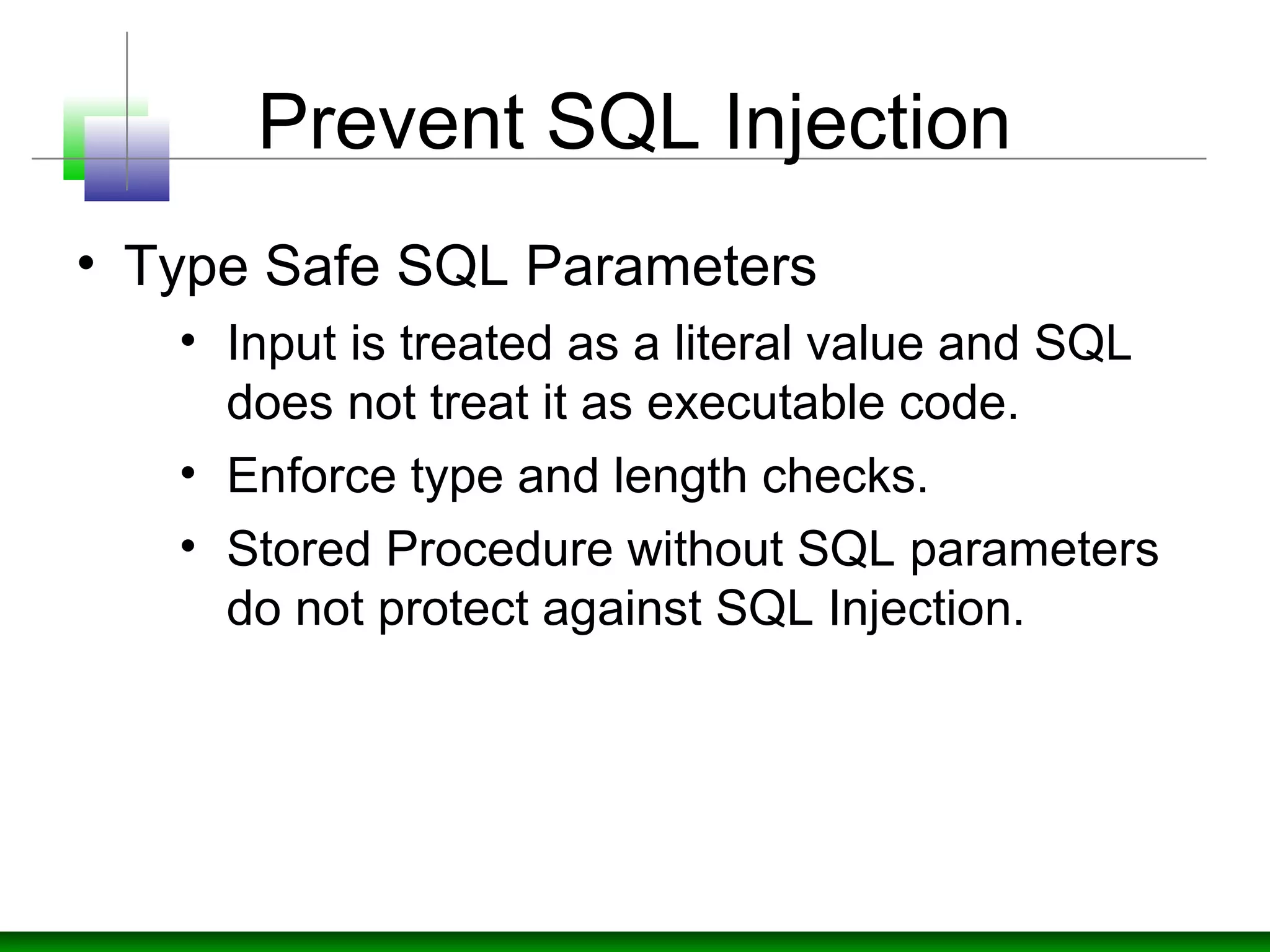
• Type Safe SQL Parameters
• Input is treated as a literal value and SQL
does not treat it as executable code.
• Enforce type and length checks.
• Stored Procedure without SQL parameters
do not protect against SQL Injection.
Prevent SQL Injection
• Stored Procedure Example
//the good example
SqlDataAdapter myCommand = new SqlDataAdapter("AuthorLogin", conn);
myCommand.SelectCommand.CommandType = CommandType.StoredProcedure;
SqlParameter parm = myCommand.SelectCommand.Parameters.Add(
"@au_id", SqlDbType.VarChar, 11);
parm.Value = Login.Text;
//the bad example
SqlDataAdapter myCommand = new SqlDataAdapter("LoginStoredProcedure '"
+
Login.Text + "'", conn);
Prevent SQL Injection
• Dynamic SQL With Parameters
• Escape routine (can’t rely completely)
SqlDataAdapter myCommand = new SqlDataAdapter( "SELECT au_lname,
au_fname FROM Authors WHERE au_id = @au_id", conn);
SqlParameter parm = myCommand.SelectCommand.Parameters.Add("@au_id",
SqlDbType.VarChar, 11);
parm.Value = Login.Text;
private string SafeSqlLiteral(string inputSQL)
{
return inputSQL.Replace("'", "''");
}
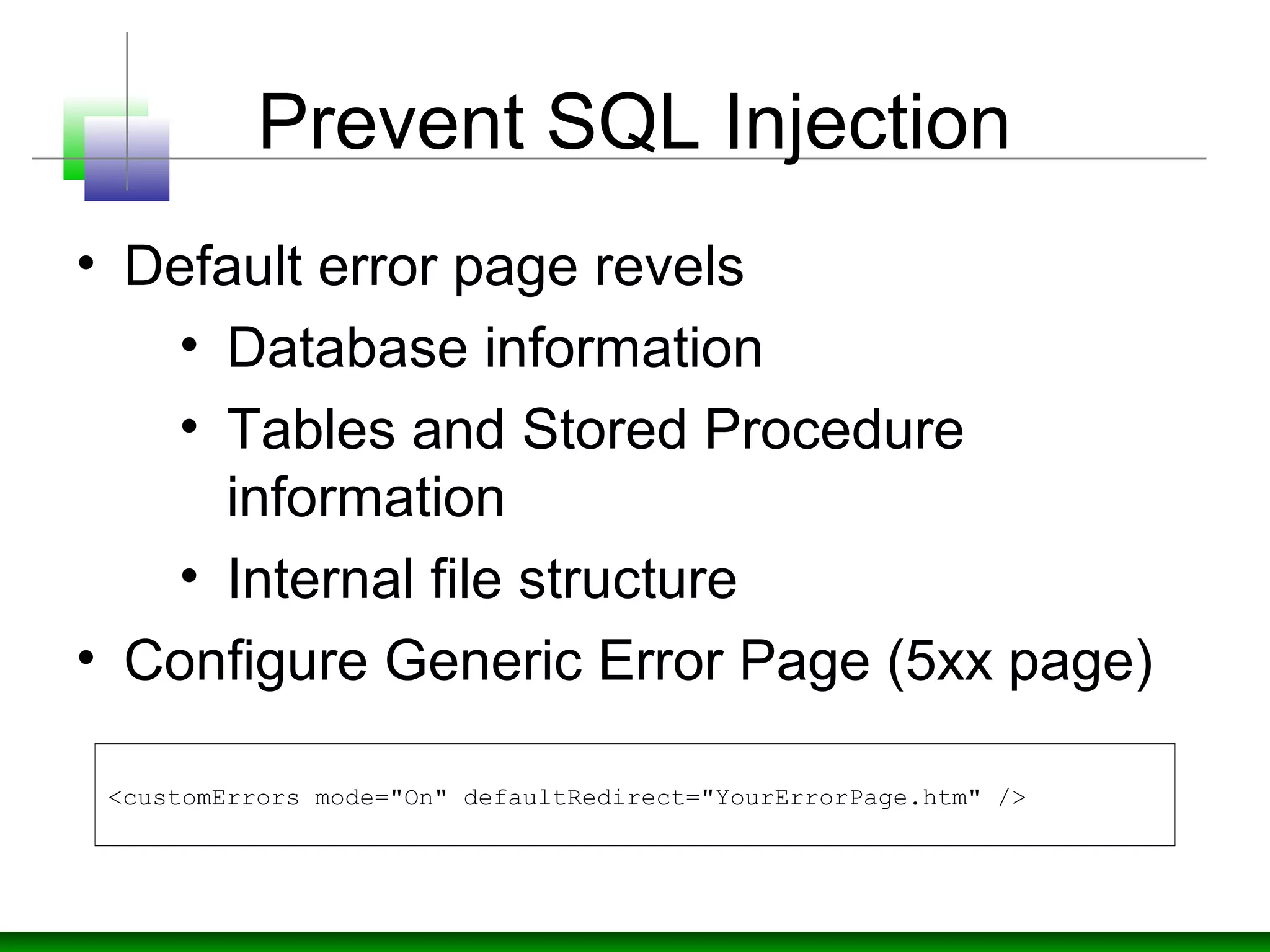
Prevent SQL Injection
• Default error page revels
• Database information
• Tables and Stored Procedure
information
• Internal file structure
• Configure Generic Error Page (5xx page)
<customErrors mode="On" defaultRedirect="YourErrorPage.htm" />
Prevent SQL Injection
• Use Microsoft Enterprise Library
Conclusion

Defending against Injections

  • 1.
  • 2.
  • 3.
    Input Validation • DesignStrategy • Assume all input is malicious. • Centralize validation approach. • Client-side validation doesn’t help. • Be careful with canonicalization issues. • Constrain, reject, and sanitize your input.
  • 4.
    Input Validation • DesignStrategy • Validate for type, length, format and range. • Prepare Whitelist of characters instead of Blacklist.
  • 5.
    Input Validation • Optionsfor constraining data, Requirement Options Type checks • .NET Framework type system. Parse string data, convert to a strong type, and then handle FormatExceptions. Regular expressions. •Use ASP.NET RegularExpressionValidator control or Regex class. Length checks Regular expressions String.Length property Format checks Regular expressions for pattern matching .NET Framework type system Range checks ASP.NET RangeValidator control (supports currency, date, integer, double, and string data) Typed data comparisons
  • 6.
    Input Validation • ValidationControls, Validation Server Control Description CompareValidator Compares the value of one input control to the value of another input control or to a fixed value CustomValidator Allows you to write a method to handle the validation of the value entered RangeValidator Checks that the user enters a value that falls between two values RegularExpressionValidator Ensures that the value of an input control matches a specified pattern RequiredFieldValidator Makes an input control a required field ValidationSummary Displays a report of all validation errors occurred in a Web page
  • 7.
  • 8.
    Input Validation • Regex(System.Text.RegularExpressions) Regular expressions are much easier to understand if you use the  following syntax and comment each component of the expression  using #. To enable comments, you must also specify  RegexOptions.IgnorePatternWhitespace, which means that non-escaped  white space is ignored. Regex regex = new Regex(@"                         ^          # anchor at the start                        (?=.*d)    # must contain at least one  digit                        (?=.*[a-z])  # must contain one lowercase                        (?=.*[A-Z])  # must contain one uppercase                        .{8,10}      # From 8 to 10 characters in  length                        $            # anchor at the end",                         RegexOptions.IgnorePatternWhitespace);
  • 9.
    Input Validation • StringFields (Name, Address..) • For Social Security Number the expression would be "d{3}-d{2}-d{4}" <form id="WebForm" method="post" runat="server">   <asp:TextBox id="txtName" runat="server"></asp:TextBox>   <asp:RegularExpressionValidator id="nameRegex "runat="server"          ControlToValidate="txtName"          ValidationExpression="[a-zA-Z'.'-'s]{1,40}"          ErrorMessage="Invalid name">   </asp:regularexpressionvalidator> </form>
  • 10.
    Input Validation • Date/TimeField Validation try { DateTime dt = DateTime.Parse(txtDate.Text).Date; } // If the type conversion fails, a FormatException is thrown catch(FormatException ex) { // Return invalid date message to caller } //range check on a date field // Exception handling is omitted for brevity DateTime dt = DateTime.Parse(txtDate.Text).Date; // The date must be today or earlier if(dt > DateTime.Now.Date) throw new ArgumentException("Date must be in the past");
  • 11.
    Input Validation • NumericField Validation • Convert input to integer type and return the error if exception raised. try { int i = Int32.Parse(txtAge.Text); . . . } catch( FormatException) { . . . }
  • 12.
    Input Validation • RangeValidation • Use RangeValidator control with RequiredFieldValidator control so it can't accept blank input. • Convert into Integer with FormatException handling and check the integer range.
  • 13.
    Input Validation • RangeValidation <form id="WebForm3" method="post" runat="server"> <asp:TextBox id="txtNumber" runat="server"></asp:TextBox> <asp:RequiredFieldValidator id="rangeRegex" runat="server" ErrorMessage="Please enter a number between 0 and 255" ControlToValidate="txtNumber" style="LEFT: 10px; POSITION: absolute; TOP: 47px" > </asp:RequiredFieldValidator> <asp:RangeValidator id="RangeValidator1" runat="server" ErrorMessage="Please enter a number between 0 and 255" ControlToValidate="TextBox1" Type="Integer" MinimumValue="0" MaximumValue="255" style="LEFT: 10px; POSITION: absolute; TOP: 47px" > </asp:RangeValidator> <asp:Button id="Button1" style="LEFT: 10px; POSITION: absolute; TOP: 100px" runat="server" Text="Button"></asp:Button> </form>
  • 14.
    Input Validation • SanitizingInputs • Strips out a range of potentially unsafe characters, including < > " ' % ; ( ) &. private string SanitizeInput(string input) { Regex badCharReplace = new Regex(@"([<>""'%;()&])"); string goodChars = badCharReplace.Replace(input, ""); return goodChars; }
  • 15.
    Input Validation • ValidatingHTML controls private void Page_Load(object sender, System.EventArgs e) { // Note that IsPostBack applies only for // server forms (with runat="server") if ( Request.RequestType == "POST" ) // non-server forms { // Validate the supplied email address if( !Regex.Match(Request.Form["email"], @"w+([-+.]w+)*@w+([-.]w+)*.w+([-.]w+)*", RegexOptions.None).Success) { // Invalid email address } // Validate the supplied name if ( !RegEx.Match(Request.Form["name"], @"[A-Za-z'- ]", RegexOptions.None).Success) { // Invalid name } } }
  • 16.
    Input Validation • File/PathInput • Avoid code which accepts file input or path input from the caller. • Use fixed file names and locations • Canonicalize path names before validating by System.IO.Path.GetFullPath or Request.MapPath to check that the file path is valid in the context of your application. • Use .NET code access security to grant the precise FileIOPermission to your code
  • 17.
    Input Validation • MapPathAPI try { string mappedPath = Request.MapPath( inputPath.Text, Request.ApplicationPath, false); //Is path is what supposed to be if(!validateFilepath(mappedPath)) { return null; } if(mappedPath.exist()) { return abspath; } } catch (HttpException) { // Cross-application mapping attempted }
  • 18.
    For XML Input •Create and use xml schema definition (XSD) or DTD file for xml validation • Don’t just check XML for certain tags. • Pay special attention to XPATH query inputs.
  • 19.
    Input Validation • ESAPI(The OWASP Enterprise Security API) • Open source free library • Set of security control interfaces. • Reference implementation for each security control. The logic is not organization or application-specific. An example: string-based input validation.
  • 20.
    OWASP ESAPI Namespace ESAPI {AccessController Encoder Encryptor HttpUtilities IntrusionDetector Logger Randomizer SecurityConfiguration Validator }
  • 21.
    Input Validation • ESAPISample public void Test_IsValidDouble() { IValidator validator = Esapi.Validator; //testing negative range Assert.IsTrue(validator.IsValid(BuiltinValidationRules.Double, "-4")); //testing empty string Assert.IsFalse(validator.IsValid(BuiltinValidationRules.Double, "")); Assert.IsFalse(validator.IsValid(BuiltinValidationRules.Double, "alsdkf")); } public void Test_GetValidDate() { IValidator validator = Esapi.Validator; Assert.IsTrue(validator.IsValid(BuiltinValidationRules.Date, "June 23, 1967")); Assert.IsTrue(validator.IsValid(BuiltinValidationRules.Date, "Jun 23, 1967")); Assert.IsFalse(validator.IsValid(BuiltinValidationRules.Date, "June 32, 1967")); Assert.IsFalse(validator.IsValid(BuiltinValidationRules.Date, string.Empty)); Assert.IsFalse(validator.IsValid(BuiltinValidationRules.Date, null)); }
  • 22.
    Input Validation • ESAPISample public void Test_StringRule() { IValidator validator = Esapi.Validator; string id = Guid.NewGuid().ToString(); StringValidationRule rule = new StringValidationRule(); validator.AddRule(id, rule); // Test valid Assert.IsTrue(validator.IsValid(id, Guid.NewGuid().ToString())); // Test allow null or empty Assert.IsFalse(validator.IsValid(id, string.Empty)); Assert.IsFalse(validator.IsValid(id, null)); rule.AllowNullOrEmpty = true; // Test whitelist Assert.IsTrue(validator.IsValid(id, "abc")); rule.AddWhitelistPattern("d+"); Assert.IsFalse(validator.IsValid(id, "abc")); Assert.IsTrue(validator.IsValid(id, "123")); // Test blacklist rule.AddBlacklistPattern("1"); Assert.IsFalse(validator.IsValid(id, "123")); Assert.IsTrue(validator.IsValid(id, "23")); }
  • 23.
    Input Validation • ESAPISample public void Test_StringRuleRange() { IValidator validator = Esapi.Validator; // Test range string id = Guid.NewGuid().ToString(); StringValidationRule rule = new StringValidationRule() { MinLength = 1, MaxLength = 10 }; validator.AddRule(id, rule); Assert.IsTrue(validator.IsValid(id, "a")); Assert.IsFalse(validator.IsValid(id, "")); Assert.IsFalse(validator.IsValid(id, "12345678901")); } public void Test_IsValidPrintable() { IValidator validator = Esapi.Validator; Assert.IsTrue(validator.IsValid(BuiltinValidationRules.Printable, "abcDEF")); Assert.IsTrue(validator.IsValid(BuiltinValidationRules.Printable, "! @#R()*$;><()")); char[] bytes = new char[] { (char)(0x60), (char)(0xFF), (char)(0x10), (char) (0x25) }; Assert.IsFalse(validator.IsValid(BuiltinValidationRules.Printable, new String(bytes))); }
  • 24.
    Prevent SQL Injection •Design Strategy • Constrain Input • Use Type Safe SQL parameters for data access. • SQL parameters can be used with stored procedures or dynamically constructed SQL command strings. Parameters perform type and length checks and also ensure that injected code is treated as literal data, not executable statements in the database.
  • 25.
    Prevent SQL Injection •Design Strategy • Use least privilege account that has restricted permissions in the database. • Only grant execute permissions to selected stored procedures in the database and provide no direct table access. • Protect sensitive data in storage. • Use separate data access assemblies. • Use Windows authentication
  • 26.
    Prevent SQL Injection •Use Separate Data Access Assemblies
  • 27.
    Prevent SQL Injection •Type Safe SQL Parameters • Input is treated as a literal value and SQL does not treat it as executable code. • Enforce type and length checks. • Stored Procedure without SQL parameters do not protect against SQL Injection.
  • 28.
    Prevent SQL Injection •Stored Procedure Example //the good example SqlDataAdapter myCommand = new SqlDataAdapter("AuthorLogin", conn); myCommand.SelectCommand.CommandType = CommandType.StoredProcedure; SqlParameter parm = myCommand.SelectCommand.Parameters.Add( "@au_id", SqlDbType.VarChar, 11); parm.Value = Login.Text; //the bad example SqlDataAdapter myCommand = new SqlDataAdapter("LoginStoredProcedure '" + Login.Text + "'", conn);
  • 29.
    Prevent SQL Injection •Dynamic SQL With Parameters • Escape routine (can’t rely completely) SqlDataAdapter myCommand = new SqlDataAdapter( "SELECT au_lname, au_fname FROM Authors WHERE au_id = @au_id", conn); SqlParameter parm = myCommand.SelectCommand.Parameters.Add("@au_id", SqlDbType.VarChar, 11); parm.Value = Login.Text; private string SafeSqlLiteral(string inputSQL) { return inputSQL.Replace("'", "''"); }
  • 30.
  • 31.
    Prevent SQL Injection •Default error page revels • Database information • Tables and Stored Procedure information • Internal file structure • Configure Generic Error Page (5xx page) <customErrors mode="On" defaultRedirect="YourErrorPage.htm" />
  • 32.
    Prevent SQL Injection •Use Microsoft Enterprise Library
  • 33.