The document provides instructions for installing Solr on Windows by downloading and configuring Tomcat and Solr. It describes downloading Tomcat and Solr, configuring server.xml, extracting Solr to c:\web\solr, copying the Solr WAR file to Tomcat, and accessing the Solr admin page at http://localhost:8080/solr/admin to verify the installation.
Introduction to Solr and its installation process on Windows using Tomcat. Key steps include downloading Tomcat, configuring server.xml, and setting up Solr directories.
Explains Solr's indexing system, including the roles of Documents and Fields. Key attributes of Fields and the necessary directory structure for Solr Home are also discussed.
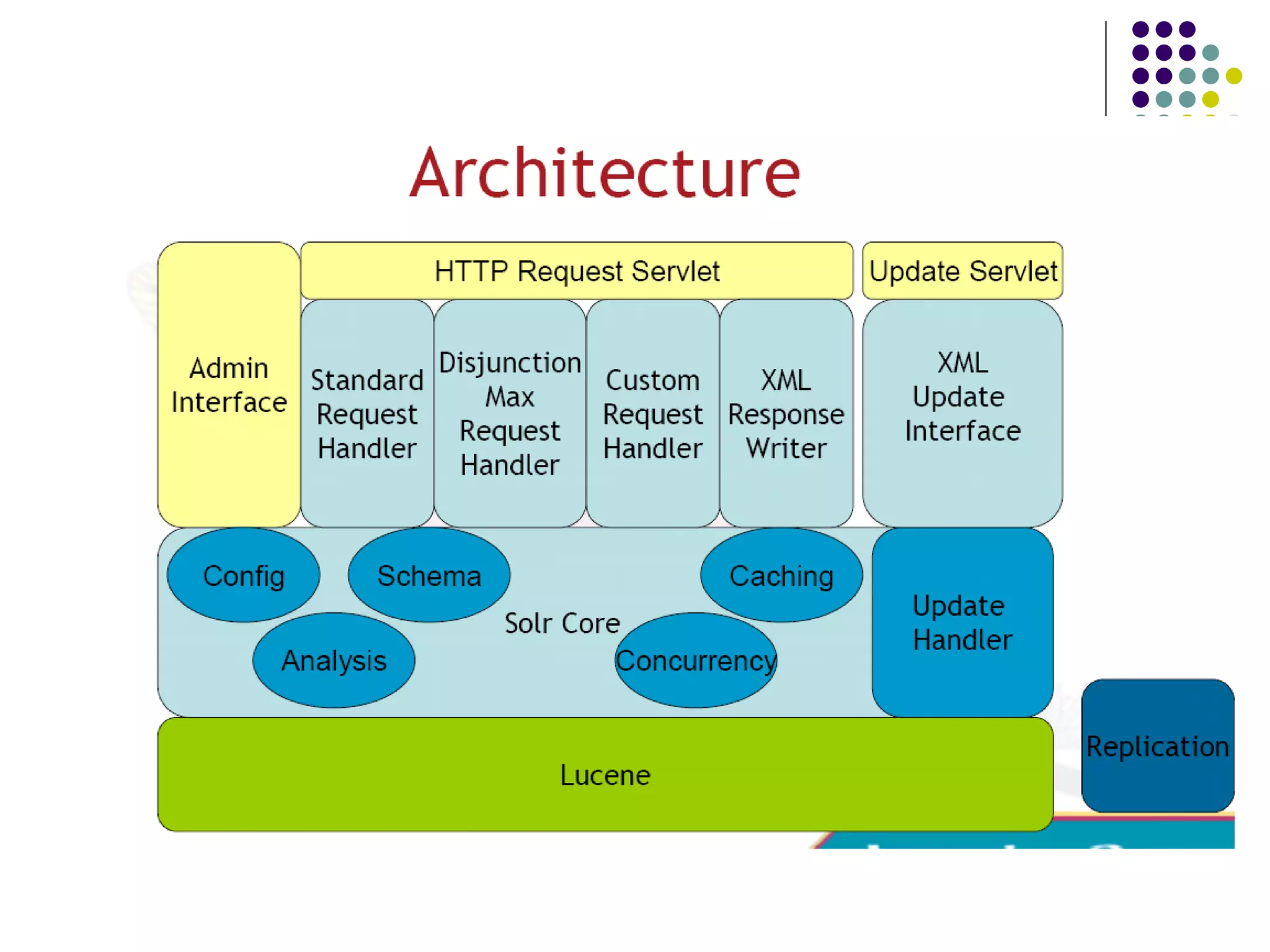
Defines Solr as a REST layer for Lucene, highlighting its robust search features and capabilities such as full-text search, XML/HTTP interfaces, and extensive caching.
Describes methods for adding and deleting documents in Solr, including HTTP POST commands for updating and committing changes to the index.
Covers Lucene query syntax and advanced searching techniques in Solr, including field-specific searching, fuzzy searches, and output configurations.
Details default parameters for queries and caching behavior in Solr, including aggressive caching and the importance of warming mechanisms for speed.
Discussion of Schemas in Solr, including sorting, defining field properties, and managing dynamic fields to tailor search capabilities.
Strategies for enhancing search relevancy in Solr. Discusses copyField functionality and field enhancement through various analyzers.
Overview of the Solr Web Admin interface for managing configurations, statistics, and analyzers. Highlights selling points of Solr and community support.
Envisions future enhancements for Solr including faceted browsing, database indexing, and integration with various APIs for expanded functionality.
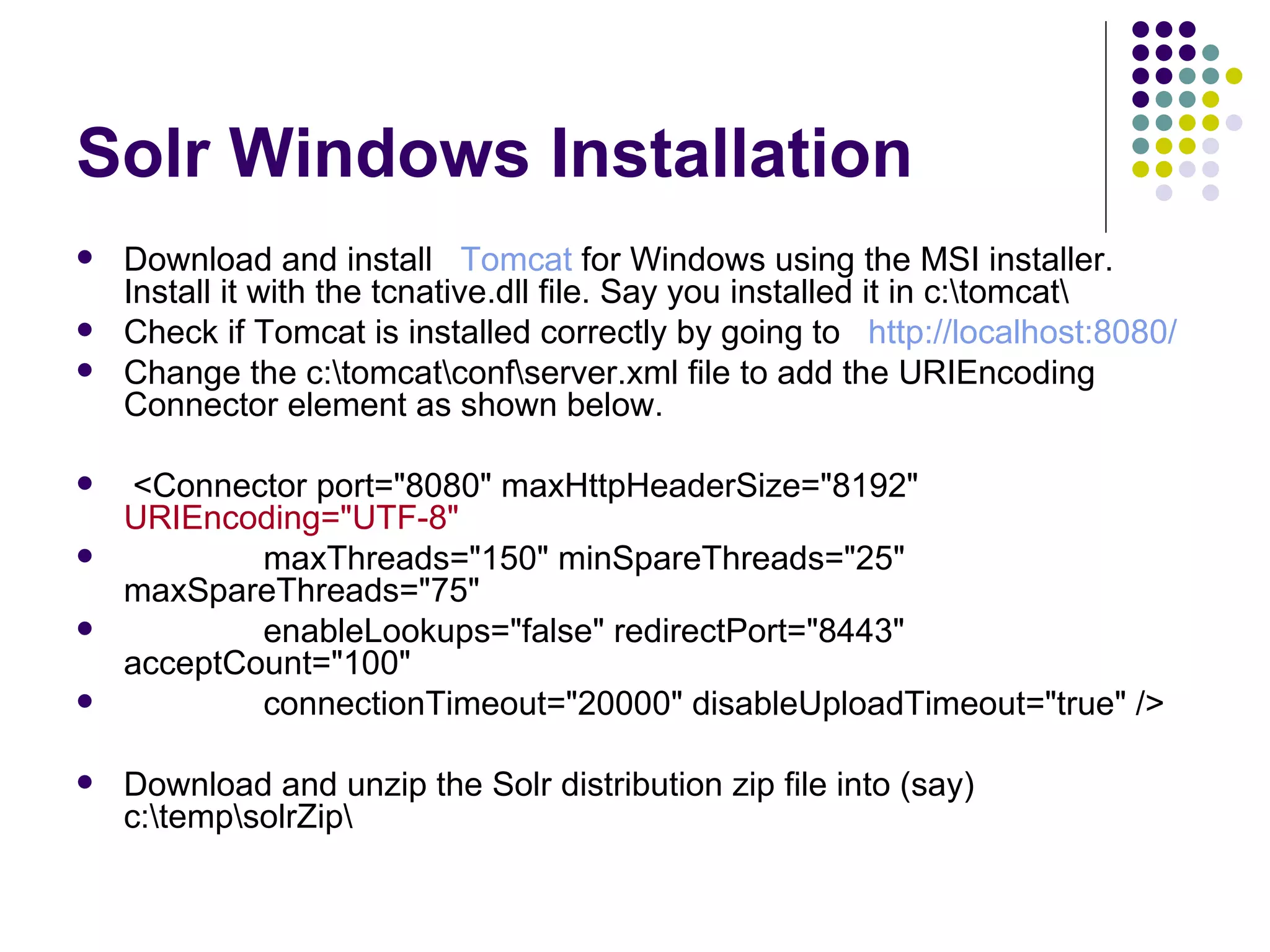
Solr Windows InstallationDownload and install Tomcat for Windows using the MSI installer. Install it with the tcnative.dll file. Say you installed it in c:\tomcat\ Check if Tomcat is installed correctly by going to http://localhost:8080/ Change the c:\tomcat\conf\server.xml file to add the URIEncoding Connector element as shown below. <Connector port="8080" maxHttpHeaderSize="8192" URIEncoding="UTF-8" maxThreads="150" minSpareThreads="25" maxSpareThreads="75" enableLookups="false" redirectPort="8443" acceptCount="100" connectionTimeout="20000" disableUploadTimeout="true" /> Download and unzip the Solr distribution zip file into (say) c:\temp\solrZip\
3.
Solr Windows InstallationMake a directory called solr where you intend the application server to function, say c:\web\solr\ Copy the contents of the example\solr directory c:\temp\solrZip\example\solr\ to c:\web\solr\ Stop the Tomcat service Copy the *solr*.war file from c:\temp\solrZip\dist\ to the Tomcat webapps directory c:\tomcat\webapps\ Rename the *solr*.war file solr.war Use the system tray icon to configure Tomcat to start with the following Java option: -Dsolr.solr.home=c:\web\solr Alternative to the previous step goto C:\tomcat\conf\Catalina\localhost and create a file named ”solr.xml” having this line of code (see below in the notes) . But to run the server this way you will not keep the solr.war in webapps folder of tomcat but rather in some other folder like in this case I have kept it in ${catalina.home}/newsolr/solr.war. Start the Tomcat service Go to the solr admin page to verify that the installation is working. It will be at http://localhost:8080/solr/admin
4.
In Solr andLucene, an index is built of one or more Documents. A Document consists of one or more Fields. A Field consists of a name, content, and metadata telling Solr how to handle the content. For instance, Fields can contain strings, numbers, booleans, or dates, as well as any types you wish to add. A Field can be described using a number of options that tell Solr how to treat the content during indexing and searching.
5.
Field attributes Thecontents of a stored Field are saved in the index. This is useful for retrieving and highlighting the contents for display but is not necessary for the actual search. For example, many applications store pointers to the location of contents rather than the actual contents of a file. stored Indexed Fields are searchable and sortable. You also can run Solr's analysis process on indexed Fields, which can alter the content to improve or change results. The following section provides more information about Solr's analysis process. indexed Description Attribute name
6.
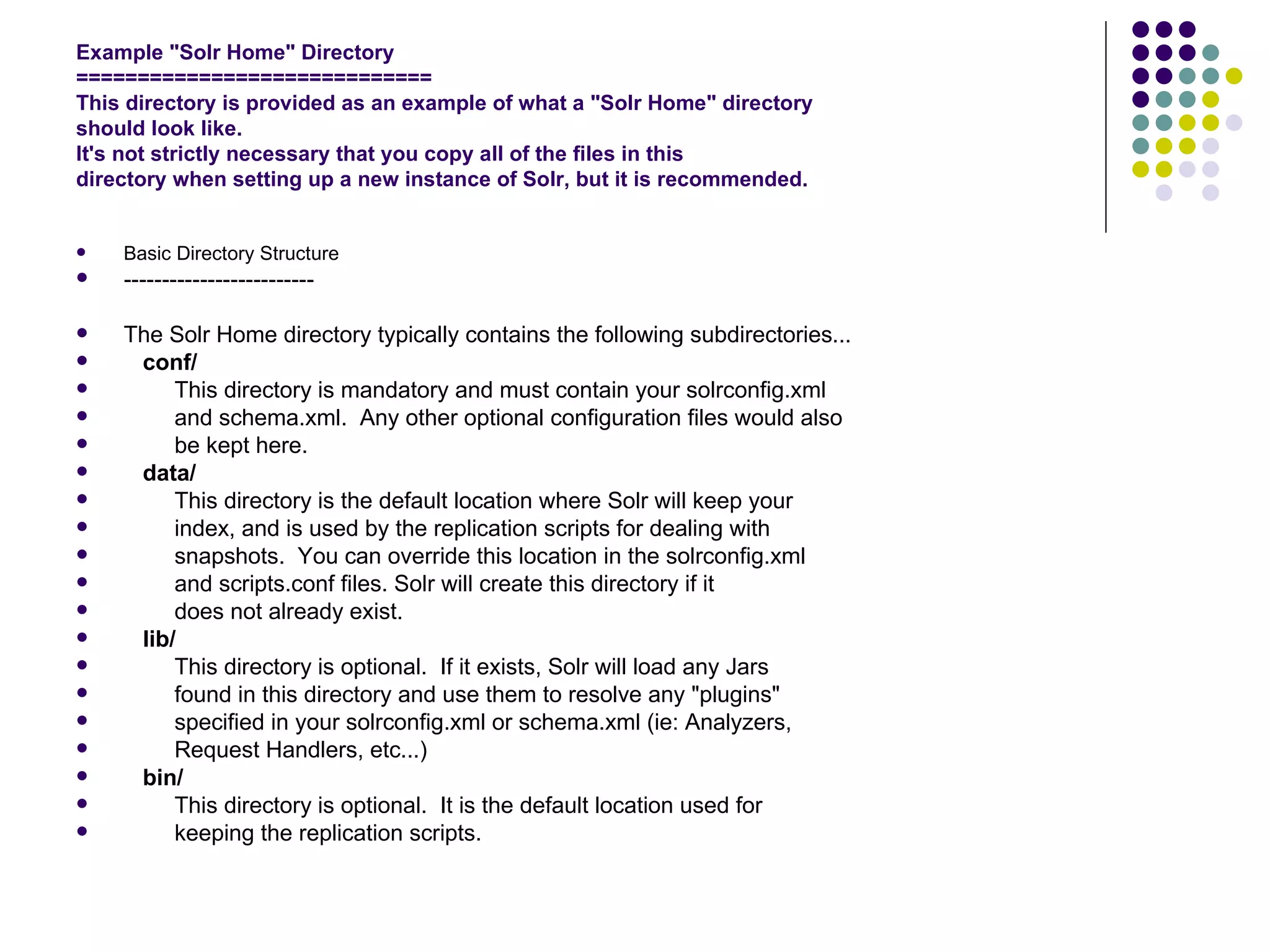
Example "Solr Home"Directory ============================= This directory is provided as an example of what a "Solr Home" directory should look like. It's not strictly necessary that you copy all of the files in this directory when setting up a new instance of Solr, but it is recommended. Basic Directory Structure ------------------------- The Solr Home directory typically contains the following subdirectories... conf/ This directory is mandatory and must contain your solrconfig.xml and schema.xml. Any other optional configuration files would also be kept here. data/ This directory is the default location where Solr will keep your index, and is used by the replication scripts for dealing with snapshots. You can override this location in the solrconfig.xml and scripts.conf files. Solr will create this directory if it does not already exist. lib/ This directory is optional. If it exists, Solr will load any Jars found in this directory and use them to resolve any "plugins" specified in your solrconfig.xml or schema.xml (ie: Analyzers, Request Handlers, etc...) bin/ This directory is optional. It is the default location used for keeping the replication scripts.
7.
What Is SolrSOLR is a REST layer for Lucene Began life at CNET to provide a robust search system Joined Apache Incubator in January 2006 Graduated to Lucene sub-project status in January 2007 A full text search server based on Lucene XML/HTTP Interfaces Loose Schema to define types and fields Web Administration Interface Extensive Caching Index Replication Extensible Open Architecture Written in Java5, deployable as a WAR
8.
Why use SOLR?Easy to set up and get started Powerful full text searching Cross platform - Java and REST Under active development Fast Adds extra functionality on top of Lucene: replication CSV importing JSON results results highlighting synonym support
9.
10.
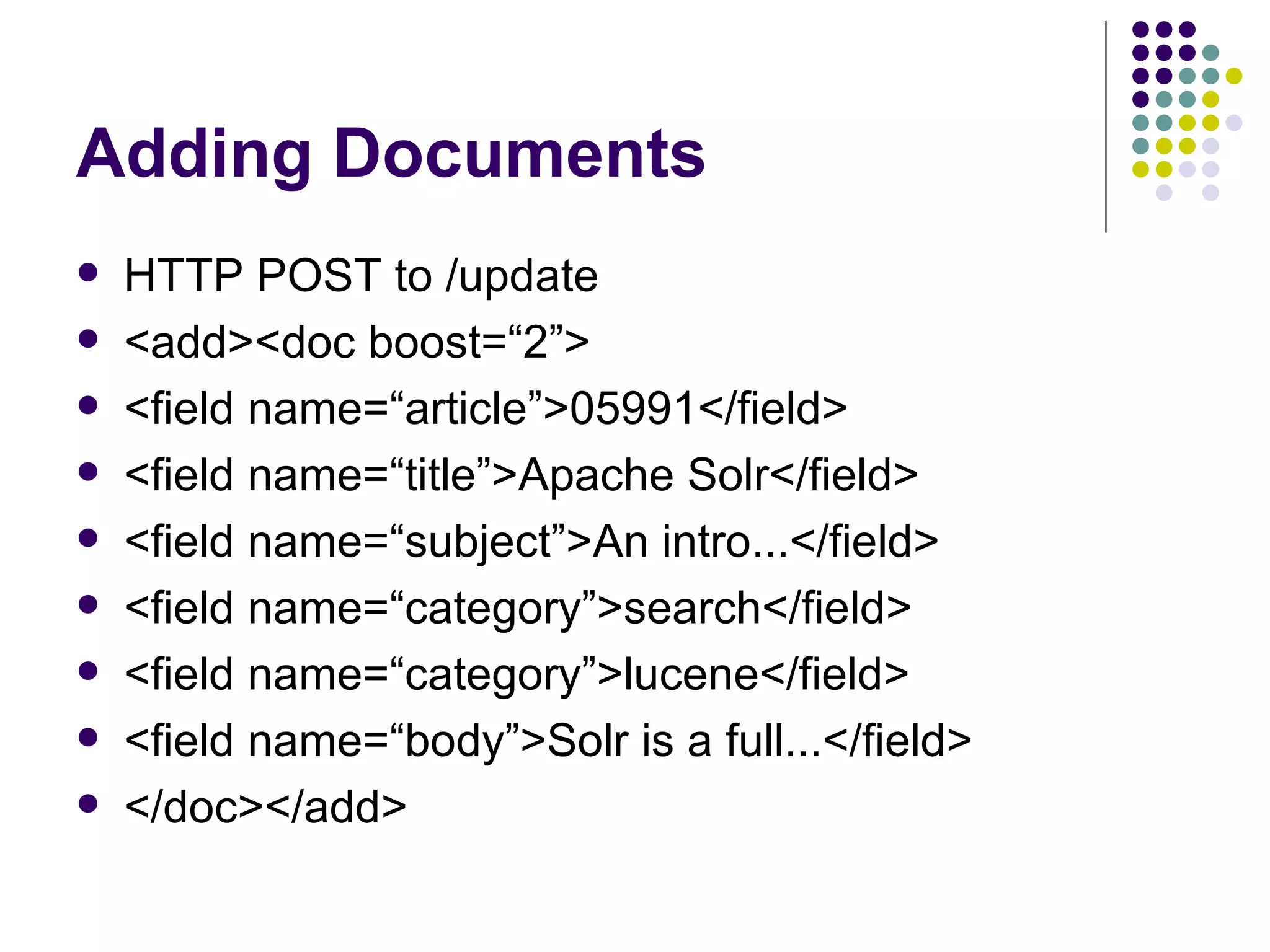
Adding Documents HTTPPOST to /update <add><doc boost=“2”> <field name=“article”>05991</field> <field name=“title”>Apache Solr</field> <field name=“subject”>An intro...</field> <field name=“category”>search</field> <field name=“category”>lucene</field> <field name=“body”>Solr is a full...</field> </doc></add>
11.
Deleting Documents Deleteby Id <delete><id>05591</id></delete> Delete by Query (multiple documents) <delete> <query>manufacturer:microsoft</query> </delete>
12.
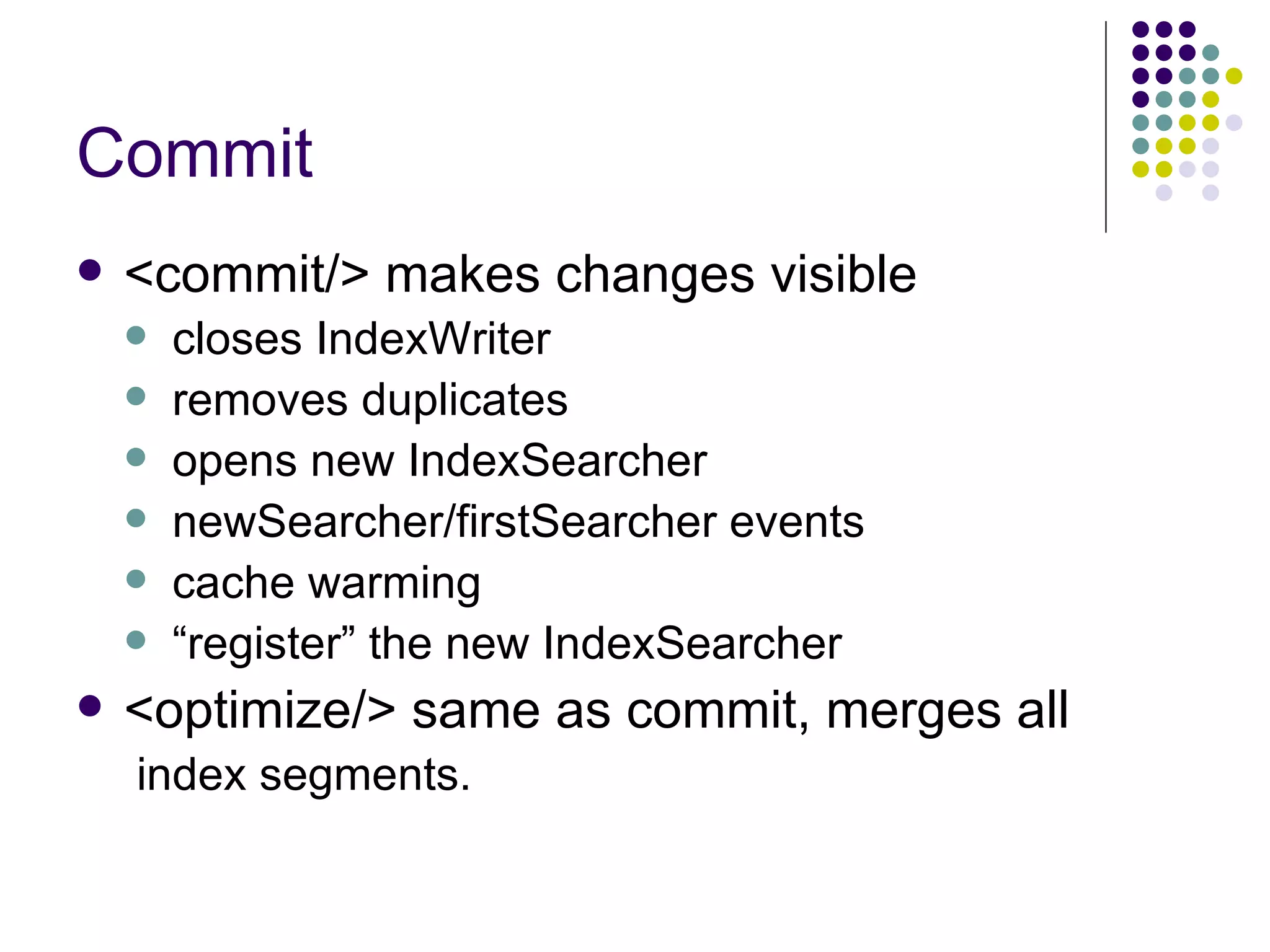
Commit <commit/> makeschanges visible closes IndexWriter removes duplicates opens new IndexSearcher newSearcher/firstSearcher events cache warming “ register” the new IndexSearcher <optimize/> same as commit, merges all index segments.
13.
Lucene syntax Requiredsearch term – use a “+” +ipod +belkin Field-specific searching – use fieldName name:ipod manu:belkin Wildcard searching – use * or ? ip?d belk* *deo (currently requires modifying solr source) Range searching timestamp:[2006-07-16T12:30:00Z to *] Time needs to be full ISO Proximity searching – use a “~” "video ipod"~3 – up to 3 words apart Fuzzy searches – use a “~” ipod~ will find ipod and ipods belkin~0.7 will find words close spellings
Full control panelinterface Start row/max rows – pagination Output type standard (xml), python, json, ruby, xslt Enable highlighting fields to highlight works on wildcard matches
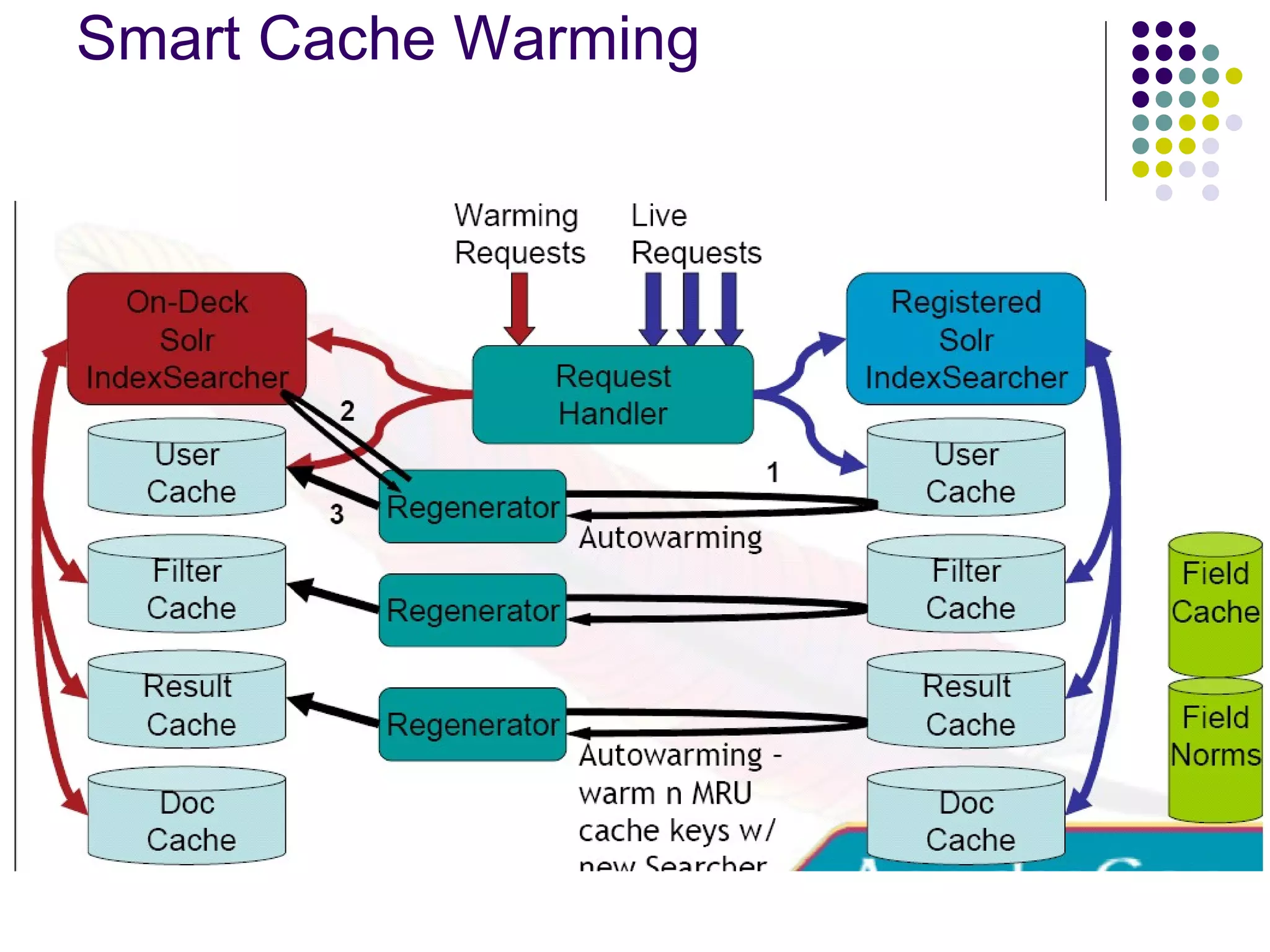
Caching IndexSearcher’s viewof an index is fixed • Aggressive caching possible • Consistency for multi-query requests filterCache – unordered set of document ids matching a query resultCache – ordered subset of document ids matching a query documentCache – the stored fields of documents userCaches – application specific, custom query handlers
19.
Warming for SpeedLucene IndexReader warming field norms, FieldCache, tii – the term index Static Cache warming Configurable static requests to warm new Searchers Smart Cache Warming (autowarming) Using MRU items in the current cache to prepopulate the new cache Warming in parallel with live requests
Schema Lucene hasno notion of a schema Sorting - string vs. numeric Ranges - val:42 included in val:[1 TO 5] ? Lucene QueryParser has date-range support, but must guess. Defines fields, their types, properties Defines unique key field, default search field, Similarity implementation
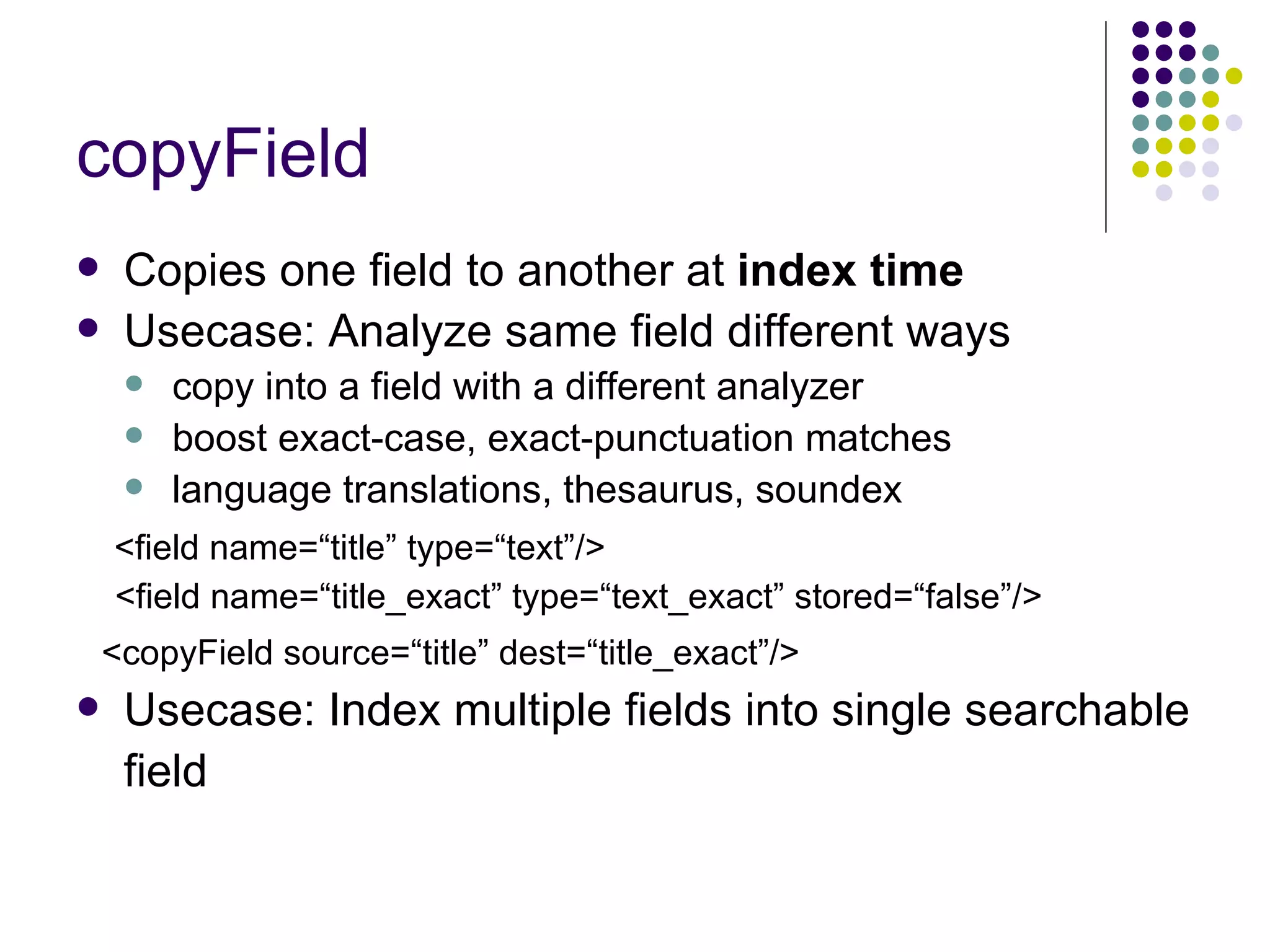
copyField Copies onefield to another at index time Usecase: Analyze same field different ways copy into a field with a different analyzer boost exact-case, exact-punctuation matches language translations, thesaurus, soundex <field name=“title” type=“text”/> <field name=“title_exact” type=“text_exact” stored=“false”/> <copyField source=“title” dest=“title_exact”/> Usecase: Index multiple fields into single searchable field
26.
27.
28.
29.
30.
Web Admin InterfaceShow Config, Schema, Distribution info Query Interface Statistics Caches: lookups, hits, hitratio, inserts, evictions, size RequestHandlers: requests, errors UpdateHandler: adds, deletes, commits, optimizes IndexReader, open-time, index-version, numDocs, maxDocs, Analysis Debugger Shows tokens after each Analyzer stage Shows token matches for query vs index
31.
Selling Points FastPowerful & Configurable High Relevancy Mature Product Same features as software costing $$$ Leverage Community Lucene committers, IR experts Free consulting: shared problems & solutions
32.
Where are wegoing? OOTB Simple Faceted Browsing Automatic Database Indexing Federated Search HA with failover Alternate output formats (JSON, Ruby) Highlighter integration Spellchecker Alternate APIs (Google Data, OpenSearch)