SQL Injections and basics
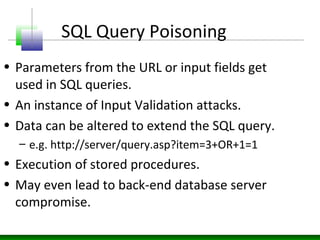
SQL Query Poisoning
• Parameters from the URL or input fields get
used in SQL queries.
• An instance of Input Validation attacks.
• Data can be altered to extend the SQL query.
– e.g. http://server/query.asp?item=3+OR+1=1
• Execution of stored procedures.
• May even lead to back-end database server
compromise.
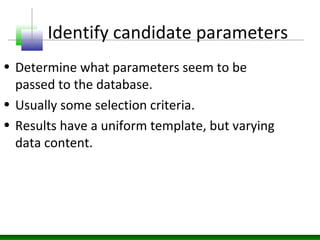
Identify candidate parameters
• Determine what parameters seem to be
passed to the database.
• Usually some selection criteria.
• Results have a uniform template, but varying
data content.
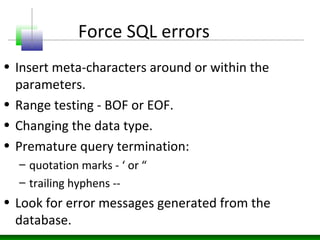
Force SQL errors
• Insert meta-characters around or within the
parameters.
• Range testing - BOF or EOF.
• Changing the data type.
• Premature query termination:
– quotation marks - ‘ or “
– trailing hyphens --
• Look for error messages generated from the
database.
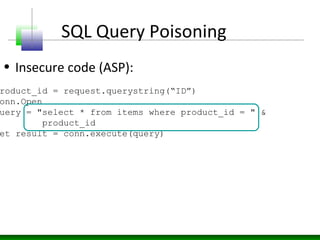
SQL Query Poisoning
• Insecure code (ASP):
roduct_id = request.querystring(“ID”)
onn.Open
uery = "select * from items where product_id = " &
product_id
et result = conn.execute(query)
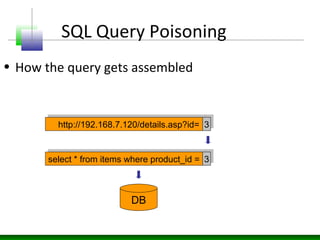
SQL Query Poisoning
• How the query gets assembled
http://192.168.7.120/details.asp?id=http://192.168.7.120/details.asp?id= 33
select * from items where product_id =select * from items where product_id = 33
DB
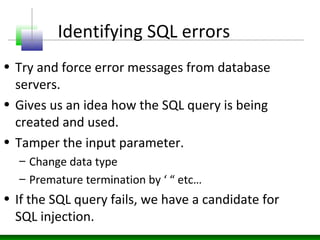
Identifying SQL errors
• Try and force error messages from database
servers.
• Gives us an idea how the SQL query is being
created and used.
• Tamper the input parameter.
– Change data type
– Premature termination by ‘ “ etc…
• If the SQL query fails, we have a candidate for
SQL injection.
Identifying SQL errors
• Identify which resources contain SQL
interfaces.
• Identify the offending parameters which cause
the SQL queries to break.
• Root cause of all SQL query poisoning is lack of
input sanitization.
• Strip off meta-characters.
http://192.168.7.120/details.asp?id=
Identifying SQL errors
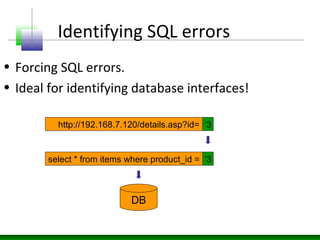
• Forcing SQL errors.
• Ideal for identifying database interfaces!
‘3
select * from items where product_id = ‘3
DB
Identifying SQL errors
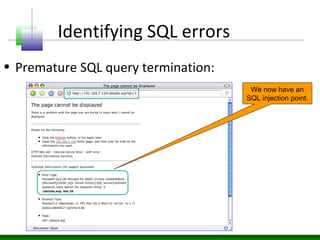
• Premature SQL query termination:
We now have an
SQL injection point.
Identifying SQL errors
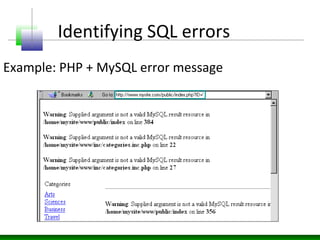
Example: PHP + MySQL error message
Identifying SQL errors
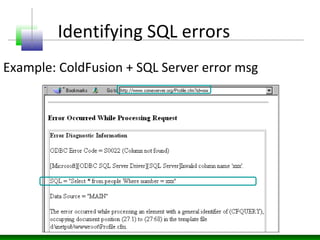
Example: ColdFusion + SQL Server error msg
Extend SQL queries
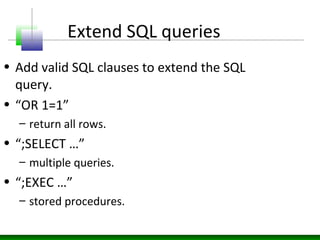
• Add valid SQL clauses to extend the SQL
query.
• “OR 1=1”
– return all rows.
• “;SELECT …”
– multiple queries.
• “;EXEC …”
– stored procedures.
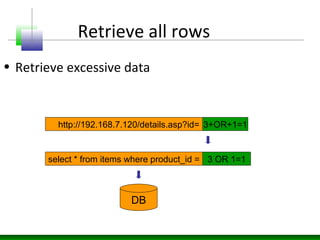
Retrieve all rows
• Retrieve excessive data
http://192.168.7.120/details.asp?id= 3+OR+1=1
select * from items where product_id = 3 OR 1=1
DB
Executing Stored Procedures
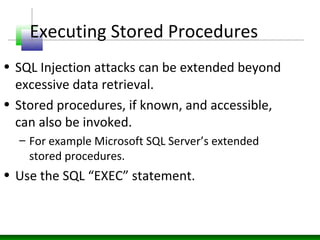
• SQL Injection attacks can be extended beyond
excessive data retrieval.
• Stored procedures, if known, and accessible,
can also be invoked.
– For example Microsoft SQL Server’s extended
stored procedures.
• Use the SQL “EXEC” statement.
EXEC master..xp_cmdshell ‘dir’
Executing Stored Procedures
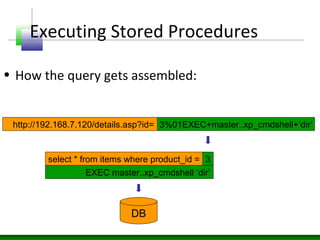
• How the query gets assembled:
http://192.168.7.120/details.asp?id= 3%01EXEC+master..xp_cmdshell+’dir’
select * from items where product_id = 3
DB
Executing Stored Procedures
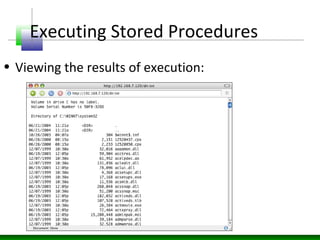
• Viewing the results of execution:
Conclusion

SQL injection basics

  • 1.
  • 2.
    SQL Query Poisoning •Parameters from the URL or input fields get used in SQL queries. • An instance of Input Validation attacks. • Data can be altered to extend the SQL query. – e.g. http://server/query.asp?item=3+OR+1=1 • Execution of stored procedures. • May even lead to back-end database server compromise.
  • 3.
    Identify candidate parameters •Determine what parameters seem to be passed to the database. • Usually some selection criteria. • Results have a uniform template, but varying data content.
  • 4.
    Force SQL errors •Insert meta-characters around or within the parameters. • Range testing - BOF or EOF. • Changing the data type. • Premature query termination: – quotation marks - ‘ or “ – trailing hyphens -- • Look for error messages generated from the database.
  • 5.
    SQL Query Poisoning •Insecure code (ASP): roduct_id = request.querystring(“ID”) onn.Open uery = "select * from items where product_id = " & product_id et result = conn.execute(query)
  • 6.
    SQL Query Poisoning •How the query gets assembled http://192.168.7.120/details.asp?id=http://192.168.7.120/details.asp?id= 33 select * from items where product_id =select * from items where product_id = 33 DB
  • 7.
    Identifying SQL errors •Try and force error messages from database servers. • Gives us an idea how the SQL query is being created and used. • Tamper the input parameter. – Change data type – Premature termination by ‘ “ etc… • If the SQL query fails, we have a candidate for SQL injection.
  • 8.
    Identifying SQL errors •Identify which resources contain SQL interfaces. • Identify the offending parameters which cause the SQL queries to break. • Root cause of all SQL query poisoning is lack of input sanitization. • Strip off meta-characters.
  • 9.
    http://192.168.7.120/details.asp?id= Identifying SQL errors •Forcing SQL errors. • Ideal for identifying database interfaces! ‘3 select * from items where product_id = ‘3 DB
  • 10.
    Identifying SQL errors •Premature SQL query termination: We now have an SQL injection point.
  • 11.
    Identifying SQL errors Example:PHP + MySQL error message
  • 12.
    Identifying SQL errors Example:ColdFusion + SQL Server error msg
  • 13.
    Extend SQL queries •Add valid SQL clauses to extend the SQL query. • “OR 1=1” – return all rows. • “;SELECT …” – multiple queries. • “;EXEC …” – stored procedures.
  • 14.
    Retrieve all rows •Retrieve excessive data http://192.168.7.120/details.asp?id= 3+OR+1=1 select * from items where product_id = 3 OR 1=1 DB
  • 15.
    Executing Stored Procedures •SQL Injection attacks can be extended beyond excessive data retrieval. • Stored procedures, if known, and accessible, can also be invoked. – For example Microsoft SQL Server’s extended stored procedures. • Use the SQL “EXEC” statement.
  • 16.
    EXEC master..xp_cmdshell ‘dir’ ExecutingStored Procedures • How the query gets assembled: http://192.168.7.120/details.asp?id= 3%01EXEC+master..xp_cmdshell+’dir’ select * from items where product_id = 3 DB
  • 17.
    Executing Stored Procedures •Viewing the results of execution:
  • 18.