R Programming
Sakthi Dasan Sekar
http://shakthydoss.com 1
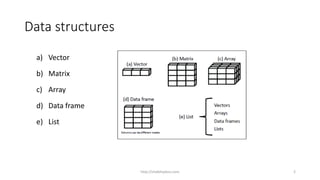
Data structures
a) Vector
b) Matrix
c) Array
d) Data frame
e) List
http://shakthydoss.com 2
Data structure
Vectors are one-dimensional arrays
a <- c(1, 2, 5, 3, 6, -2, 4)
b <- c("one", "two", "three")
c <- c(TRUE, TRUE, TRUE, FALSE, TRUE, FALSE)
a is numeric vector,
b is a character vector, and
c is a logical vector
http://shakthydoss.com 3
Data structure
Scalars are one-element vectors.
f <- 3
g <- "US"
h <- TRUE.
They’re used to hold constants.
http://shakthydoss.com 4
Data structure
The colon operator :
a <- c(1:5)
is equivalent to
a <- c(1,2, 3, 4, 5)
http://shakthydoss.com 5
Data structure
Vector
You can refer to elements of a vector using a numeric vector of positions within
brackets.
Example
vec <- c(“a”, “b”, “c”, “d”, “e”, ”f”)
vec[1] # will return the first element in the vector
vec[c(2,4)] # will return the 2nd and 4th element in the vector.
http://shakthydoss.com 6
Data structure
Matrices
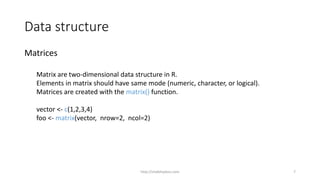
Matrix are two-dimensional data structure in R.
Elements in matrix should have same mode (numeric, character, or logical).
Matrices are created with the matrix() function.
vector <- c(1,2,3,4)
foo <- matrix(vector, nrow=2, ncol=2)
http://shakthydoss.com 7
Data structure
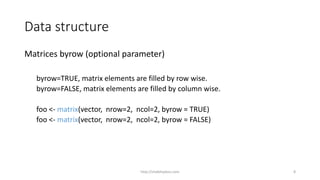
Matrices byrow (optional parameter)
byrow=TRUE, matrix elements are filled by row wise.
byrow=FALSE, matrix elements are filled by column wise.
foo <- matrix(vector, nrow=2, ncol=2, byrow = TRUE)
foo <- matrix(vector, nrow=2, ncol=2, byrow = FALSE)
http://shakthydoss.com 8
Data structure
Matrix element can be accessed by subscript and brackets
Example
mat <- matrix(c(1:4), nrow=2,ncol = 2)
mat[1,] # returns first row in the matrix.
mat[2,] # returns second row in the matrix.
mat[,1] # returns first column in the matrix.
mat[,2] # returns second column in the matrix.
mat[1,2] # return element at first row of second column.
http://shakthydoss.com 9
Data structure
Array
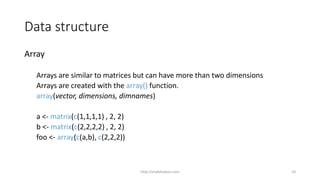
Arrays are similar to matrices but can have more than two dimensions
Arrays are created with the array() function.
array(vector, dimensions, dimnames)
a <- matrix(c(1,1,1,1) , 2, 2)
b <- matrix(c(2,2,2,2) , 2, 2)
foo <- array(c(a,b), c(2,2,2))
http://shakthydoss.com 10
Data structure
Array
array elements can be accessed in the same way a matrices.
foo[1,,] # returns all elements in first dimension
foo[2,,] # returns all element in second dimension
foo[2,1,] # returns only first row element in second dimension
http://shakthydoss.com 11
Data structure
Data frame
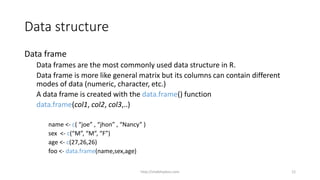
Data frames are the most commonly used data structure in R.
Data frame is more like general matrix but its columns can contain different
modes of data (numeric, character, etc.)
A data frame is created with the data.frame() function
data.frame(col1, col2, col3,..)
name <- c( “joe” , “jhon” , “Nancy” )
sex <- c(“M”, “M”, “F”)
age <- c(27,26,26)
foo <- data.frame(name,sex,age)
http://shakthydoss.com 12
Data structure
Data frame
Accessing data frame elements can be straight forward. Element can be
accessed by column names.
Example
foo$name # retruns name vector in the data frame
foo$age # retuns age vector in the data frame
foo$age[2] # retuns second element of age vector in the data frame
http://shakthydoss.com 13
Data structure
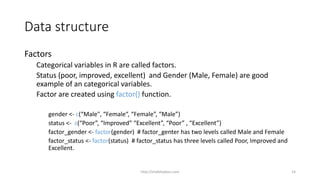
Factors
Categorical variables in R are called factors.
Status (poor, improved, excellent) and Gender (Male, Female) are good
example of an categorical variables.
Factor are created using factor() function.
gender <- c(“Male", “Female“, “Female”, “Male”)
status <- c(“Poor”, “Improved” “Excellent”, “Poor” , “Excellent”)
factor_gender <- factor(gender) # factor_genter has two levels called Male and Female
factor_status <- factor(status) # factor_status has three levels called Poor, Improved and
Excellent.
http://shakthydoss.com 14
Data structure
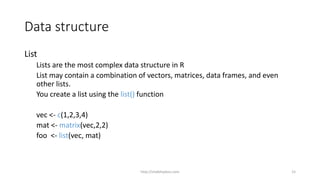
List
Lists are the most complex data structure in R
List may contain a combination of vectors, matrices, data frames, and even
other lists.
You create a list using the list() function
vec <- c(1,2,3,4)
mat <- matrix(vec,2,2)
foo <- list(vec, mat)
http://shakthydoss.com 15
Data Import/Export
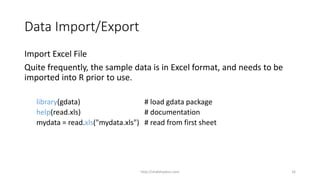
Import Excel File
Quite frequently, the sample data is in Excel format, and needs to be
imported into R prior to use.
library(gdata) # load gdata package
help(read.xls) # documentation
mydata = read.xls("mydata.xls") # read from first sheet
http://shakthydoss.com 16
Data Import/Export
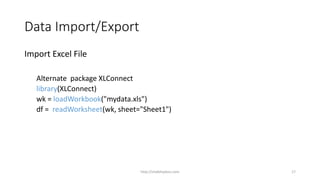
Import Excel File
Alternate package XLConnect
library(XLConnect)
wk = loadWorkbook("mydata.xls")
df = readWorksheet(wk, sheet="Sheet1")
http://shakthydoss.com 17
Data Import/Export
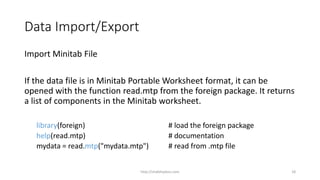
Import Minitab File
If the data file is in Minitab Portable Worksheet format, it can be
opened with the function read.mtp from the foreign package. It returns
a list of components in the Minitab worksheet.
library(foreign) # load the foreign package
help(read.mtp) # documentation
mydata = read.mtp("mydata.mtp") # read from .mtp file
http://shakthydoss.com 18
Data Import/Export
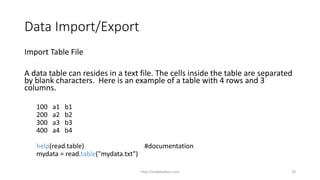
Import Table File
A data table can resides in a text file. The cells inside the table are separated
by blank characters. Here is an example of a table with 4 rows and 3
columns.
100 a1 b1
200 a2 b2
300 a3 b3
400 a4 b4
help(read.table) #documentation
mydata = read.table("mydata.txt")
http://shakthydoss.com 19
Data Import/Export
Import CSV File
The sample data can also be in comma separated values (CSV) format.
Each cell inside such data file is separated by a special character, which
usually is a comma.
help(read.csv) #documentation
mydata = read.csv("mydata.csv", sep=",")
http://shakthydoss.com 20
Data Import/Export
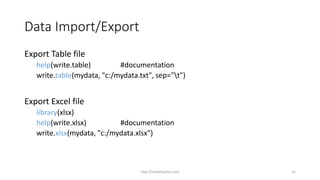
Export Table file
help(write.table) #documentation
write.table(mydata, "c:/mydata.txt", sep="t")
Export Excel file
library(xlsx)
help(write.xlsx) #documentation
write.xlsx(mydata, "c:/mydata.xlsx")
http://shakthydoss.com 21
Data Import/Export
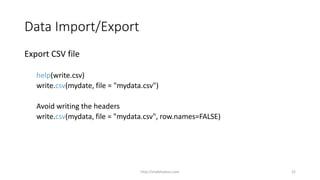
Export CSV file
help(write.csv)
write.csv(mydate, file = "mydata.csv")
Avoid writing the headers
write.csv(mydata, file = "mydata.csv", row.names=FALSE)
http://shakthydoss.com 22
Data Import/Export
Knowledge Check
http://shakthydoss.com 23
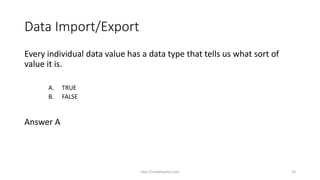
Data Import/Export
Every individual data value has a data type that tells us what sort of
value it is.
A. TRUE
B. FALSE
Answer A
http://shakthydoss.com 24
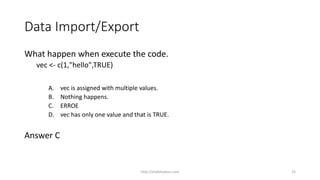
Data Import/Export
What happen when execute the code.
vec <- c(1,"hello",TRUE)
A. vec is assigned with multiple values.
B. Nothing happens.
C. ERROE
D. vec has only one value and that is TRUE.
Answer C
http://shakthydoss.com 25
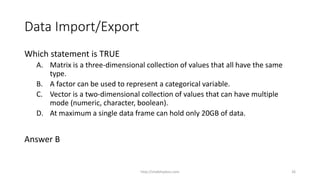
Data Import/Export
Which statement is TRUE
A. Matrix is a three-dimensional collection of values that all have the same
type.
B. A factor can be used to represent a categorical variable.
C. Vector is a two-dimensional collection of values that can have multiple
mode (numeric, character, boolean).
D. At maximum a single data frame can hold only 20GB of data.
Answer B
http://shakthydoss.com 26
Data Import/Export
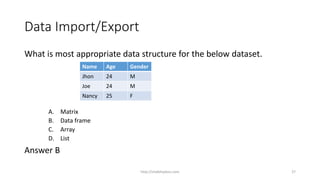
What is most appropriate data structure for the below dataset.
A. Matrix
B. Data frame
C. Array
D. List
Answer B
Name Age Gender
Jhon 24 M
Joe 24 M
Nancy 25 F
http://shakthydoss.com 27
Data Import/Export
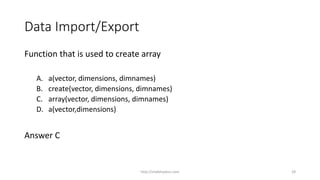
Function that is used to create array
A. a(vector, dimensions, dimnames)
B. create(vector, dimensions, dimnames)
C. array(vector, dimensions, dimnames)
D. a(vector,dimensions)
Answer C
http://shakthydoss.com 28

3 R Tutorial Data Structure

  • 1.
    R Programming Sakthi DasanSekar http://shakthydoss.com 1
  • 2.
    Data structures a) Vector b)Matrix c) Array d) Data frame e) List http://shakthydoss.com 2
  • 3.
    Data structure Vectors areone-dimensional arrays a <- c(1, 2, 5, 3, 6, -2, 4) b <- c("one", "two", "three") c <- c(TRUE, TRUE, TRUE, FALSE, TRUE, FALSE) a is numeric vector, b is a character vector, and c is a logical vector http://shakthydoss.com 3
  • 4.
    Data structure Scalars areone-element vectors. f <- 3 g <- "US" h <- TRUE. They’re used to hold constants. http://shakthydoss.com 4
  • 5.
    Data structure The colonoperator : a <- c(1:5) is equivalent to a <- c(1,2, 3, 4, 5) http://shakthydoss.com 5
  • 6.
    Data structure Vector You canrefer to elements of a vector using a numeric vector of positions within brackets. Example vec <- c(“a”, “b”, “c”, “d”, “e”, ”f”) vec[1] # will return the first element in the vector vec[c(2,4)] # will return the 2nd and 4th element in the vector. http://shakthydoss.com 6
  • 7.
    Data structure Matrices Matrix aretwo-dimensional data structure in R. Elements in matrix should have same mode (numeric, character, or logical). Matrices are created with the matrix() function. vector <- c(1,2,3,4) foo <- matrix(vector, nrow=2, ncol=2) http://shakthydoss.com 7
  • 8.
    Data structure Matrices byrow(optional parameter) byrow=TRUE, matrix elements are filled by row wise. byrow=FALSE, matrix elements are filled by column wise. foo <- matrix(vector, nrow=2, ncol=2, byrow = TRUE) foo <- matrix(vector, nrow=2, ncol=2, byrow = FALSE) http://shakthydoss.com 8
  • 9.
    Data structure Matrix elementcan be accessed by subscript and brackets Example mat <- matrix(c(1:4), nrow=2,ncol = 2) mat[1,] # returns first row in the matrix. mat[2,] # returns second row in the matrix. mat[,1] # returns first column in the matrix. mat[,2] # returns second column in the matrix. mat[1,2] # return element at first row of second column. http://shakthydoss.com 9
  • 10.
    Data structure Array Arrays aresimilar to matrices but can have more than two dimensions Arrays are created with the array() function. array(vector, dimensions, dimnames) a <- matrix(c(1,1,1,1) , 2, 2) b <- matrix(c(2,2,2,2) , 2, 2) foo <- array(c(a,b), c(2,2,2)) http://shakthydoss.com 10
  • 11.
    Data structure Array array elementscan be accessed in the same way a matrices. foo[1,,] # returns all elements in first dimension foo[2,,] # returns all element in second dimension foo[2,1,] # returns only first row element in second dimension http://shakthydoss.com 11
  • 12.
    Data structure Data frame Dataframes are the most commonly used data structure in R. Data frame is more like general matrix but its columns can contain different modes of data (numeric, character, etc.) A data frame is created with the data.frame() function data.frame(col1, col2, col3,..) name <- c( “joe” , “jhon” , “Nancy” ) sex <- c(“M”, “M”, “F”) age <- c(27,26,26) foo <- data.frame(name,sex,age) http://shakthydoss.com 12
  • 13.
    Data structure Data frame Accessingdata frame elements can be straight forward. Element can be accessed by column names. Example foo$name # retruns name vector in the data frame foo$age # retuns age vector in the data frame foo$age[2] # retuns second element of age vector in the data frame http://shakthydoss.com 13
  • 14.
    Data structure Factors Categorical variablesin R are called factors. Status (poor, improved, excellent) and Gender (Male, Female) are good example of an categorical variables. Factor are created using factor() function. gender <- c(“Male", “Female“, “Female”, “Male”) status <- c(“Poor”, “Improved” “Excellent”, “Poor” , “Excellent”) factor_gender <- factor(gender) # factor_genter has two levels called Male and Female factor_status <- factor(status) # factor_status has three levels called Poor, Improved and Excellent. http://shakthydoss.com 14
  • 15.
    Data structure List Lists arethe most complex data structure in R List may contain a combination of vectors, matrices, data frames, and even other lists. You create a list using the list() function vec <- c(1,2,3,4) mat <- matrix(vec,2,2) foo <- list(vec, mat) http://shakthydoss.com 15
  • 16.
    Data Import/Export Import ExcelFile Quite frequently, the sample data is in Excel format, and needs to be imported into R prior to use. library(gdata) # load gdata package help(read.xls) # documentation mydata = read.xls("mydata.xls") # read from first sheet http://shakthydoss.com 16
  • 17.
    Data Import/Export Import ExcelFile Alternate package XLConnect library(XLConnect) wk = loadWorkbook("mydata.xls") df = readWorksheet(wk, sheet="Sheet1") http://shakthydoss.com 17
  • 18.
    Data Import/Export Import MinitabFile If the data file is in Minitab Portable Worksheet format, it can be opened with the function read.mtp from the foreign package. It returns a list of components in the Minitab worksheet. library(foreign) # load the foreign package help(read.mtp) # documentation mydata = read.mtp("mydata.mtp") # read from .mtp file http://shakthydoss.com 18
  • 19.
    Data Import/Export Import TableFile A data table can resides in a text file. The cells inside the table are separated by blank characters. Here is an example of a table with 4 rows and 3 columns. 100 a1 b1 200 a2 b2 300 a3 b3 400 a4 b4 help(read.table) #documentation mydata = read.table("mydata.txt") http://shakthydoss.com 19
  • 20.
    Data Import/Export Import CSVFile The sample data can also be in comma separated values (CSV) format. Each cell inside such data file is separated by a special character, which usually is a comma. help(read.csv) #documentation mydata = read.csv("mydata.csv", sep=",") http://shakthydoss.com 20
  • 21.
    Data Import/Export Export Tablefile help(write.table) #documentation write.table(mydata, "c:/mydata.txt", sep="t") Export Excel file library(xlsx) help(write.xlsx) #documentation write.xlsx(mydata, "c:/mydata.xlsx") http://shakthydoss.com 21
  • 22.
    Data Import/Export Export CSVfile help(write.csv) write.csv(mydate, file = "mydata.csv") Avoid writing the headers write.csv(mydata, file = "mydata.csv", row.names=FALSE) http://shakthydoss.com 22
  • 23.
  • 24.
    Data Import/Export Every individualdata value has a data type that tells us what sort of value it is. A. TRUE B. FALSE Answer A http://shakthydoss.com 24
  • 25.
    Data Import/Export What happenwhen execute the code. vec <- c(1,"hello",TRUE) A. vec is assigned with multiple values. B. Nothing happens. C. ERROE D. vec has only one value and that is TRUE. Answer C http://shakthydoss.com 25
  • 26.
    Data Import/Export Which statementis TRUE A. Matrix is a three-dimensional collection of values that all have the same type. B. A factor can be used to represent a categorical variable. C. Vector is a two-dimensional collection of values that can have multiple mode (numeric, character, boolean). D. At maximum a single data frame can hold only 20GB of data. Answer B http://shakthydoss.com 26
  • 27.
    Data Import/Export What ismost appropriate data structure for the below dataset. A. Matrix B. Data frame C. Array D. List Answer B Name Age Gender Jhon 24 M Joe 24 M Nancy 25 F http://shakthydoss.com 27
  • 28.
    Data Import/Export Function thatis used to create array A. a(vector, dimensions, dimnames) B. create(vector, dimensions, dimnames) C. array(vector, dimensions, dimnames) D. a(vector,dimensions) Answer C http://shakthydoss.com 28