




Creating and Building a 
Legal Aid Dashboard 
November 2014
Laura Quinn 
Idealware, 
Founder and 
Executive Director
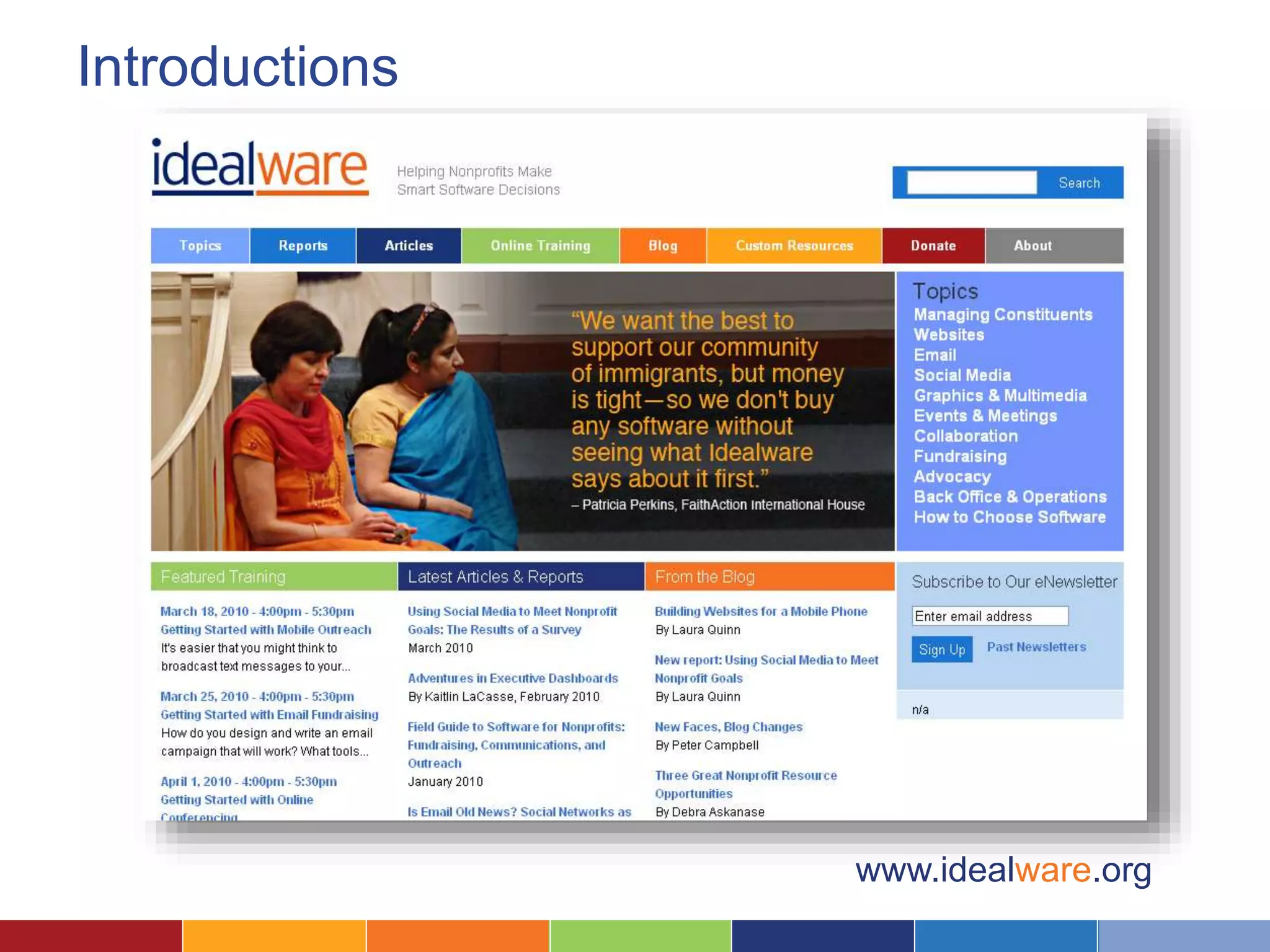
Introductions 
www.idealware.org
What We’ll Cover Today 
–What is a Dashboard? 
–Seven Steps to Your Own Dashboard 
1. Define Who and What It’s For 
2. Understand What Your Users Want 
3. Map Metrics to Your Needs 
4. Choose Your Dashboard Platform 
5. Design Charts and Displays 
6. Implement and Roll Out 
7. Plan to Iterate 
–Some Dashboard Case Studies
Dashboards consolidate 
information to help measure, 
monitor, and manage the 
way you work.
What Data Does A Dashboard Track? 
It depends greatly on the 
organization, but it could include: 
• Operational data 
• Program spend and budget 
• Program impact 
Or all of these things!
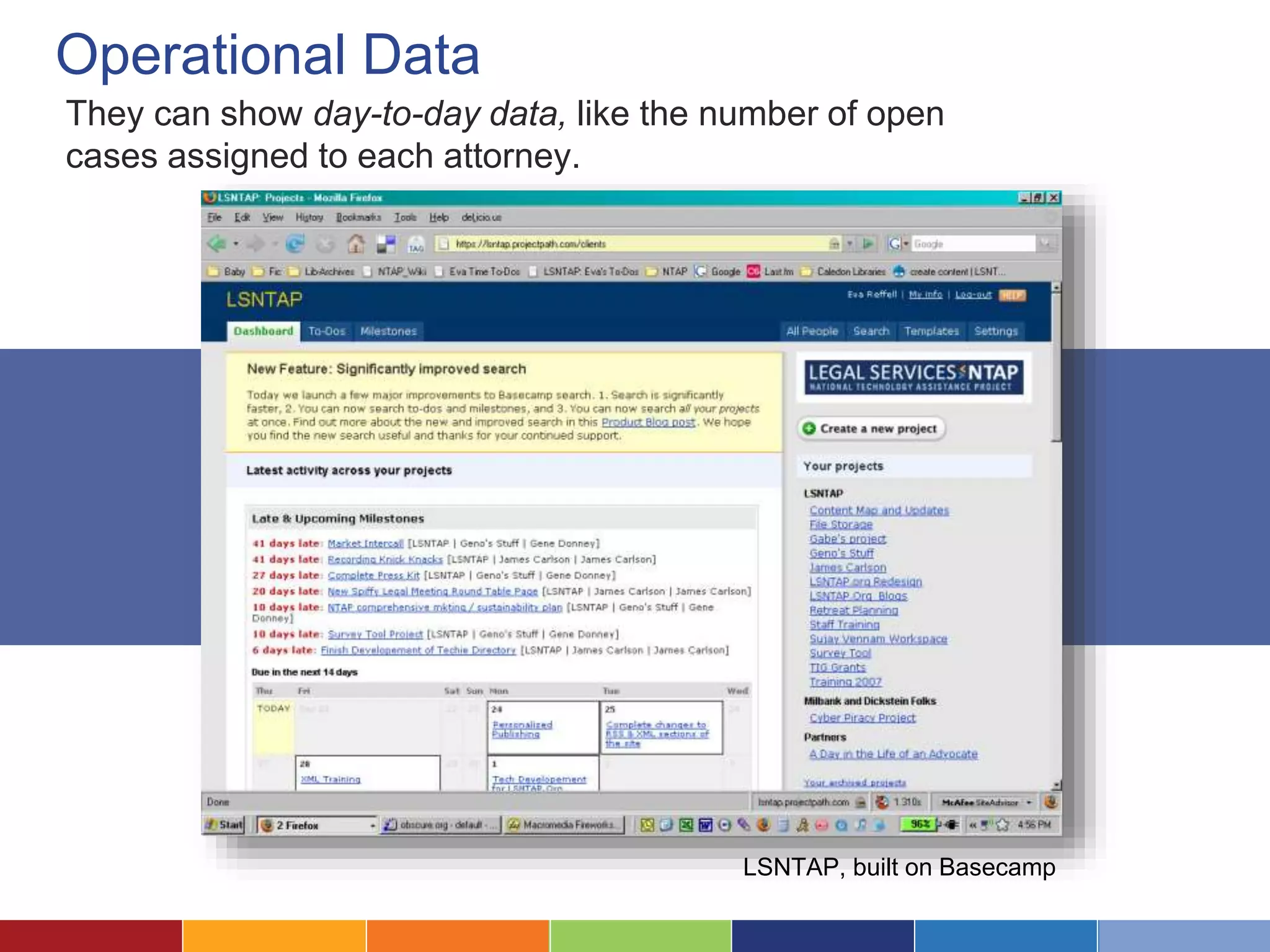
Operational Data 
They can show day-to-day data, like the number of open 
cases assigned to each attorney. 
LSNTAP, built on Basecamp
More Specific Metrics 
Some provide more specific, calculated metrics like the average 
time that a case is open or the time spent per program. 
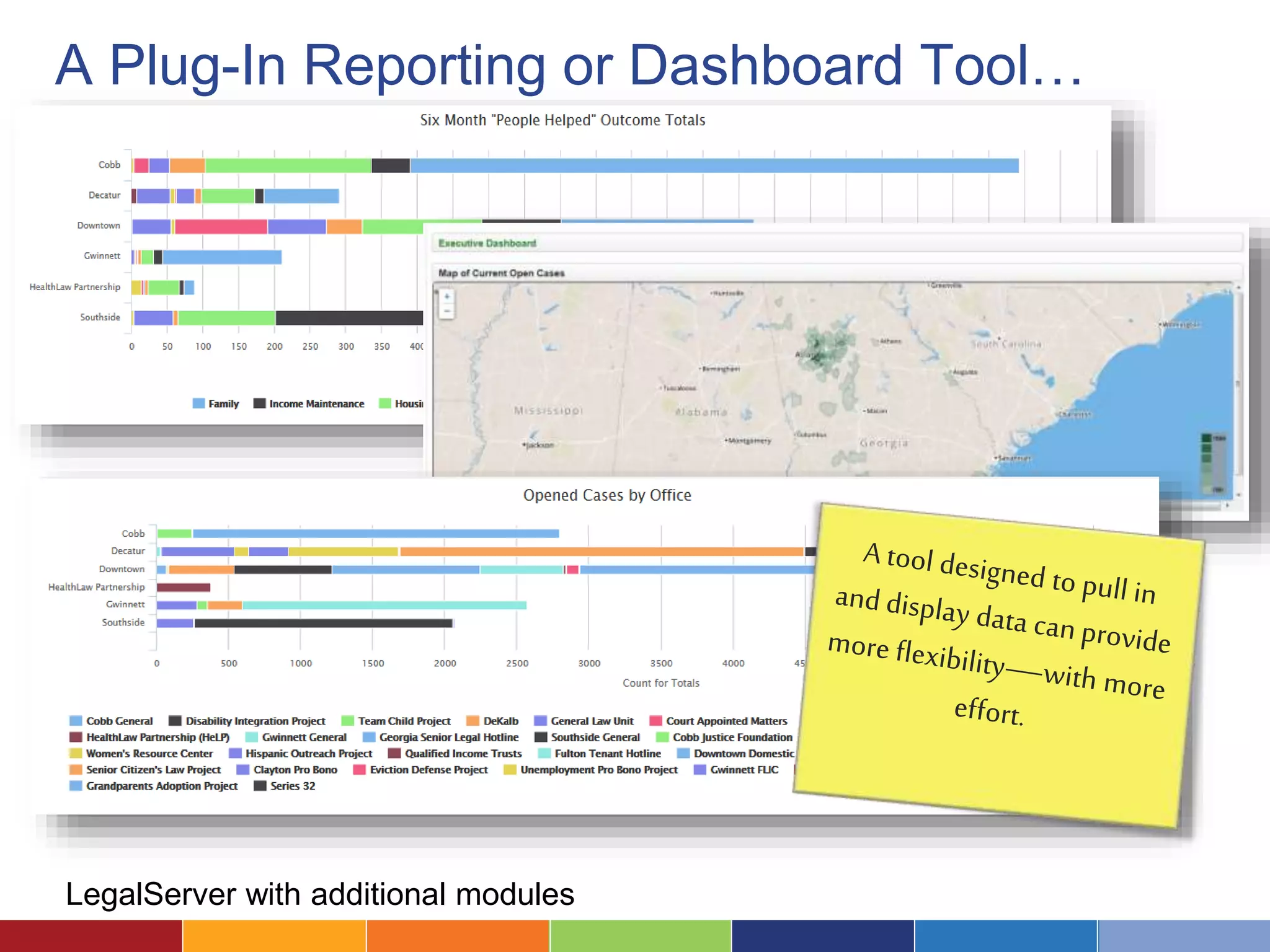
Atlanta Legal Aid Society, built in LegalServer
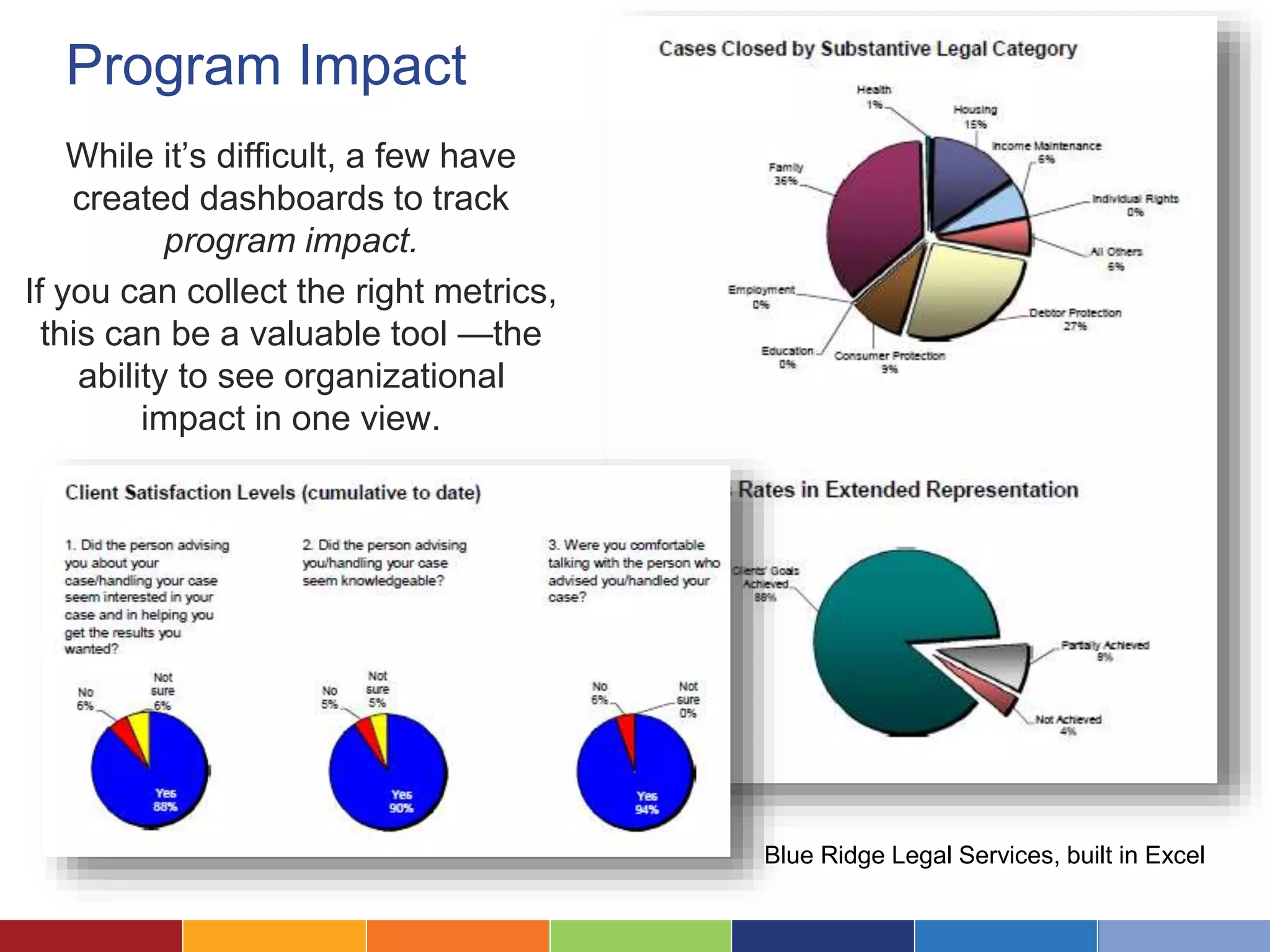
Program Impact 
While it’s difficult, a few have 
created dashboards to track 
program impact. 
If you can collect the right metrics, 
this can be a valuable tool —the 
ability to see organizational 
impact in one view. 
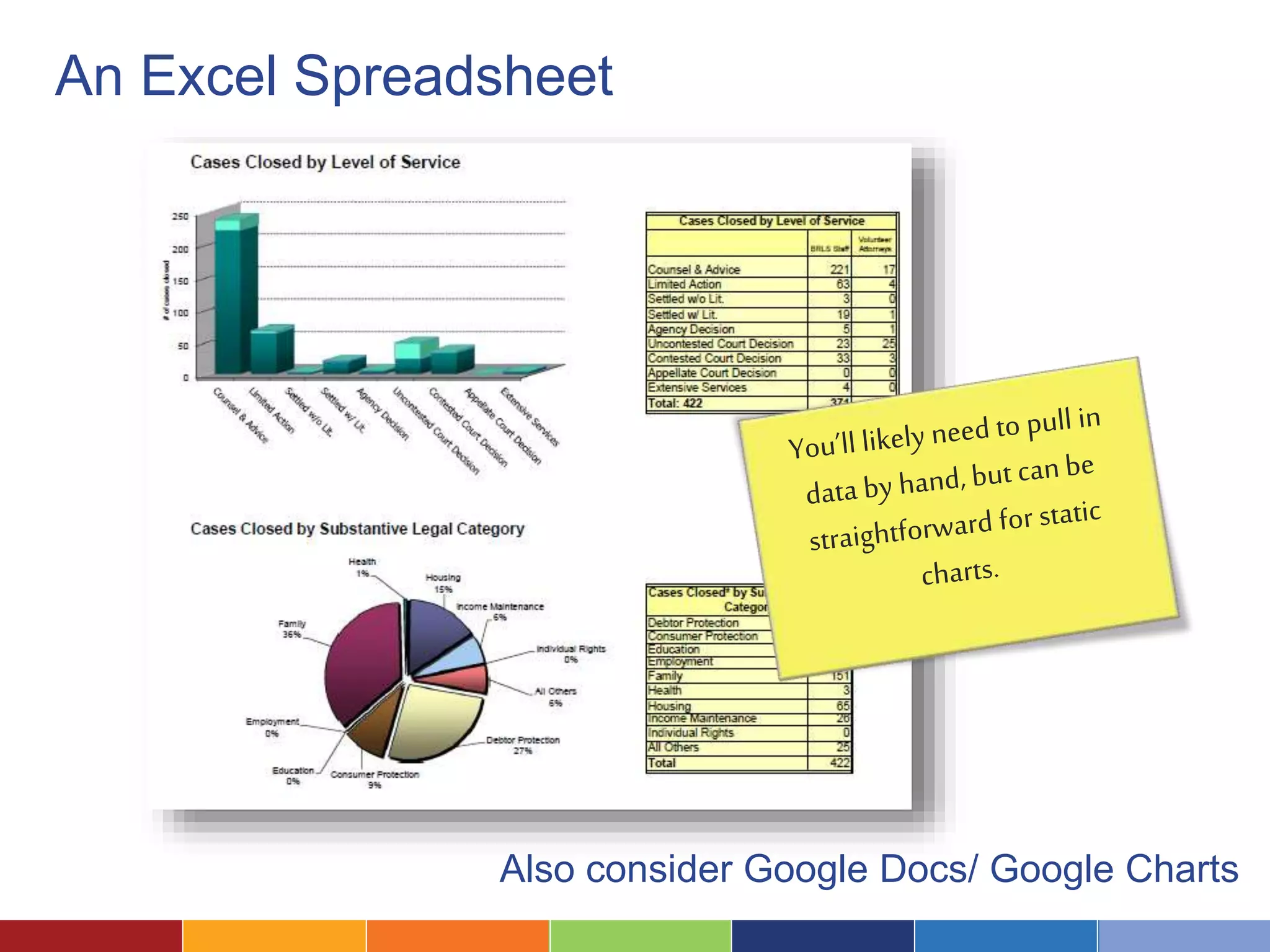
Blue Ridge Legal Services, built in Excel
What Software Should You Use? 
There is, unfortunately, no 
magical “dashboard software.” 
You might use anything from 
Excel to your grants 
management system to more 
complex reporting tools.
Where Do I Start? 
Let’s look at the seven steps to dashboard success!
Define Who and What 
Your Dashboard is For 1.
Who Will Be the Highest Priority Users? 
Who are you designing the dashboard for? 
Will there be additional types of users?
Is Your Goal to Centralize Key Metrics? 
Do you want everyone to be 
able to see the same set of 
metrics, to help keep 
everyone on the same page? 
Maybe the board? 
Or the public?
Or Will Staff Choose Their Metrics? 
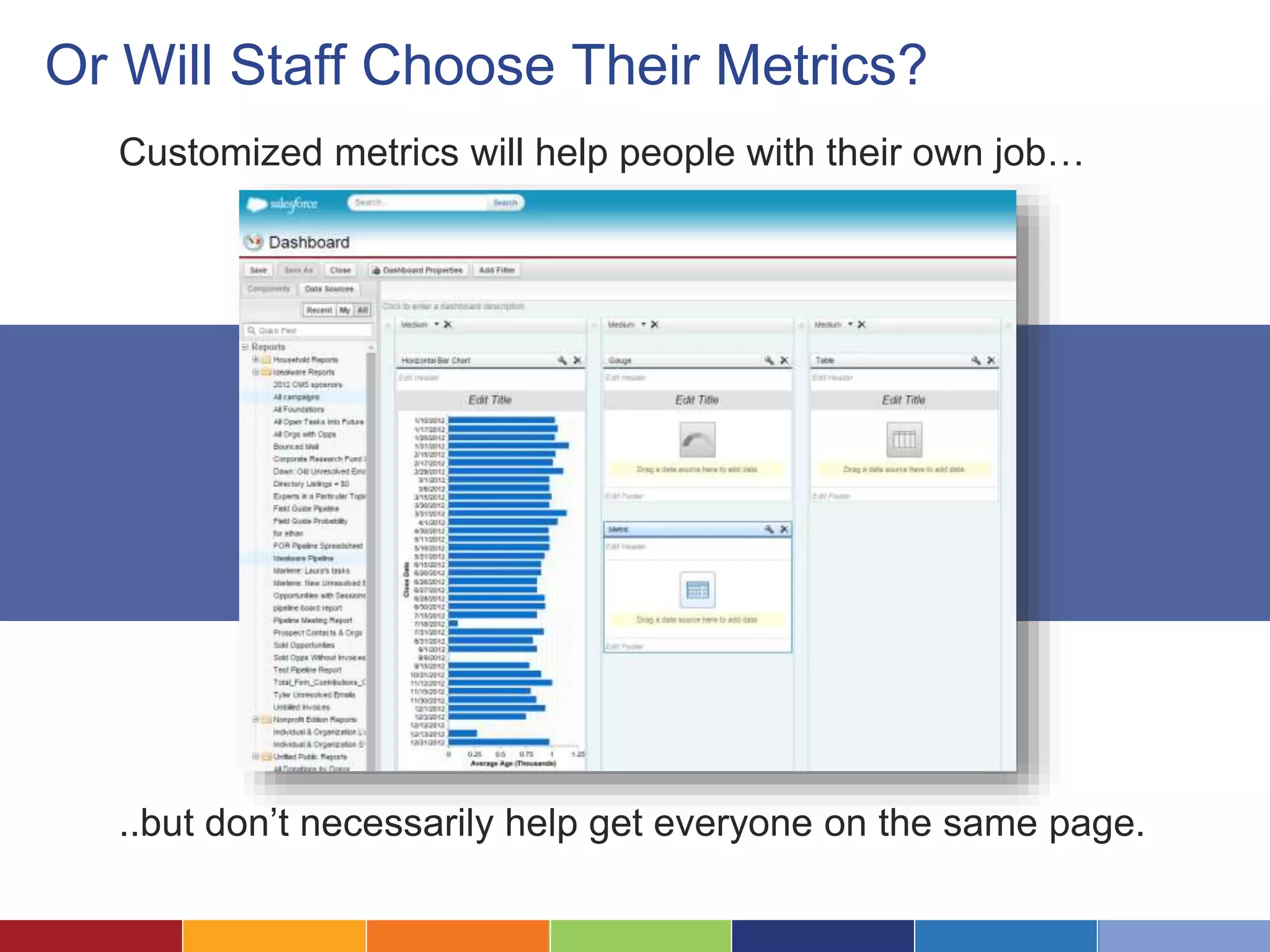
Customized metrics will help people with their own job… 
..but don’t necessarily help get everyone on the same page.
Is Data Self-Service A Goal? 
Do you want to allow staff to 
look up data themselves 
rather than requesting it from 
your grants team?
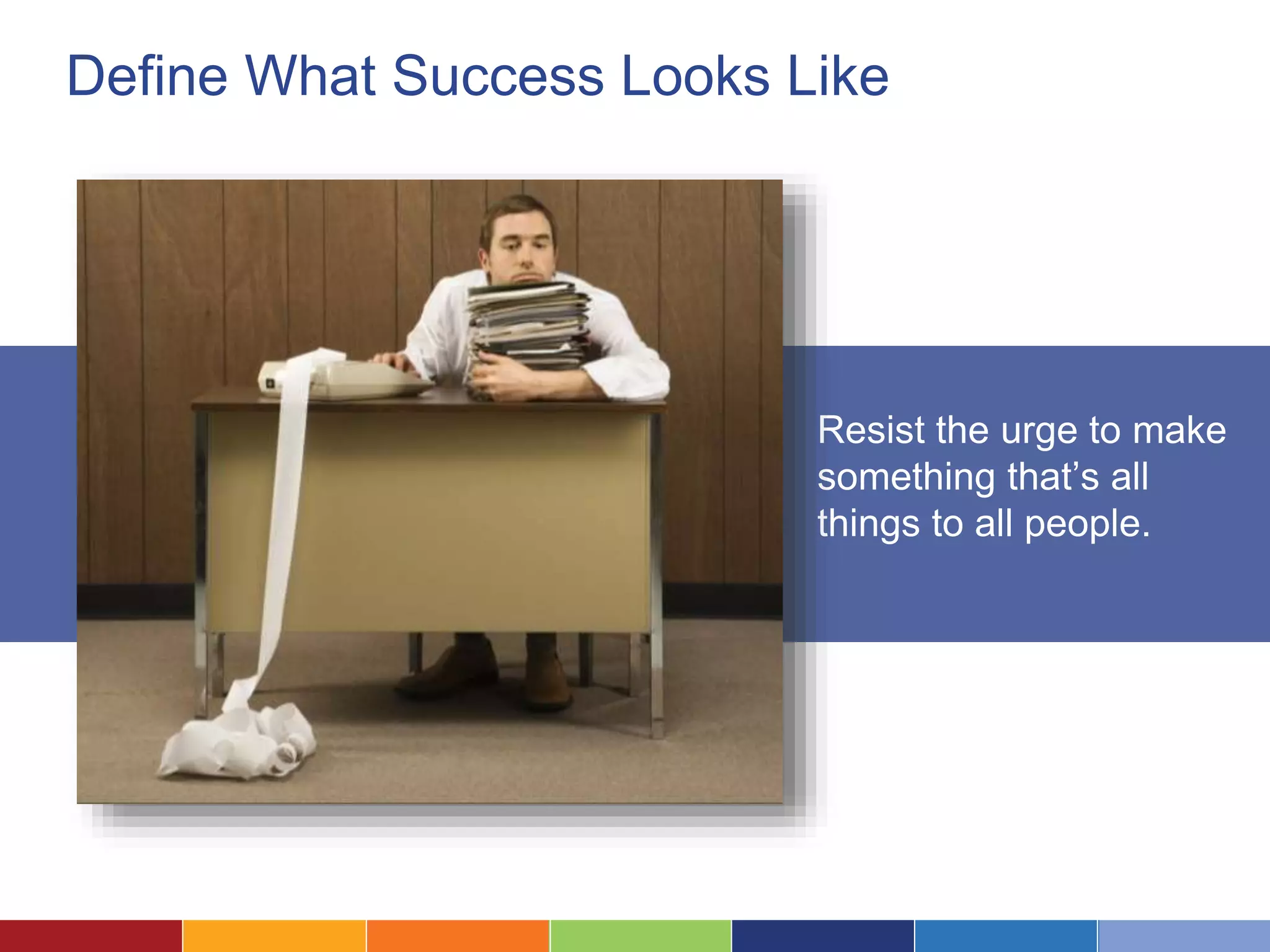
Define What Success Looks Like 
Resist the urge to make 
something that’s all 
things to all people.
Understand What Your Users 
Want From the Dashboard 2 .
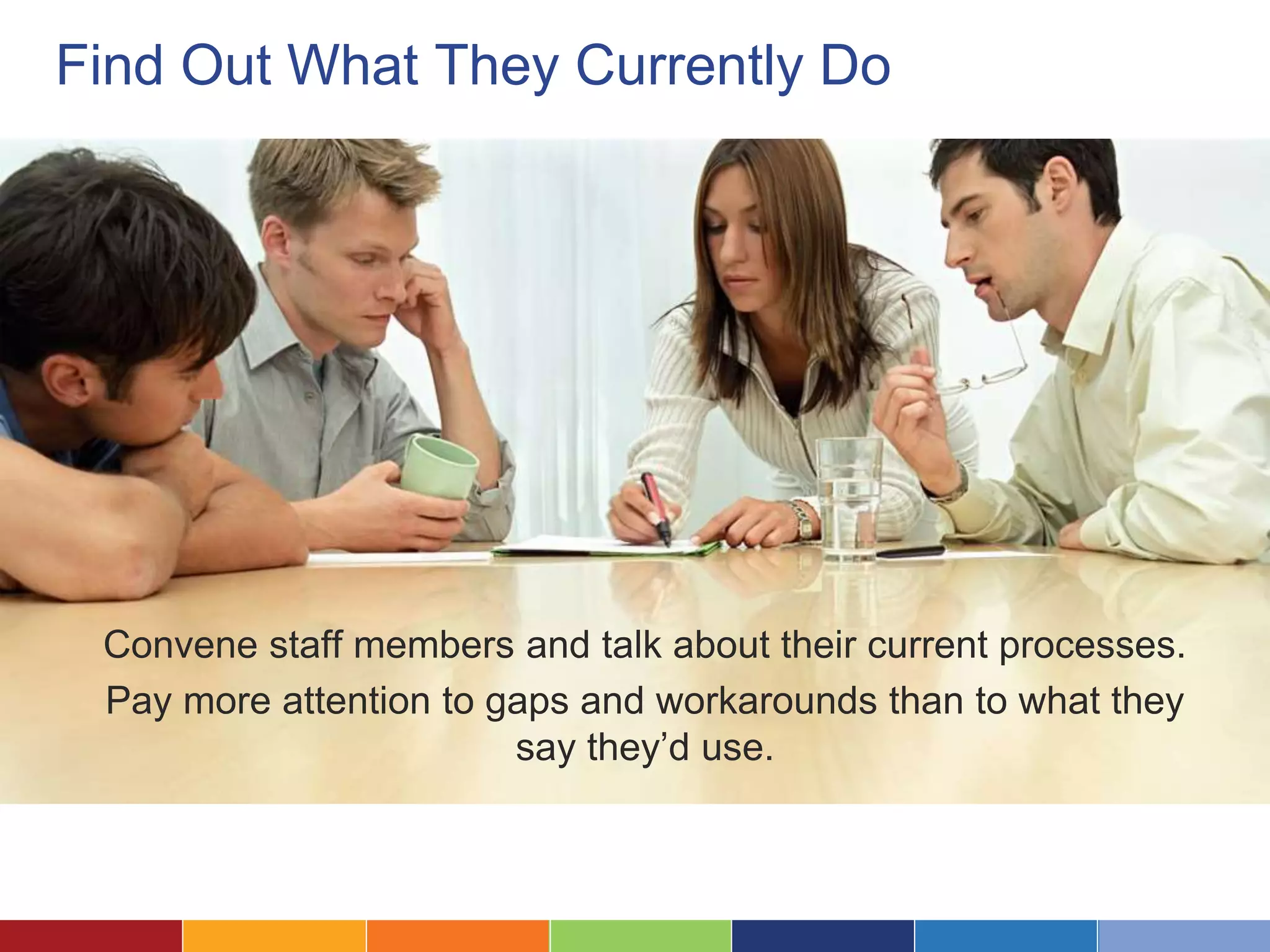
Find Out What They Currently Do 
Convene staff members and talk about their current processes. 
Pay more attention to gaps and workarounds than to what they 
say they’d use.
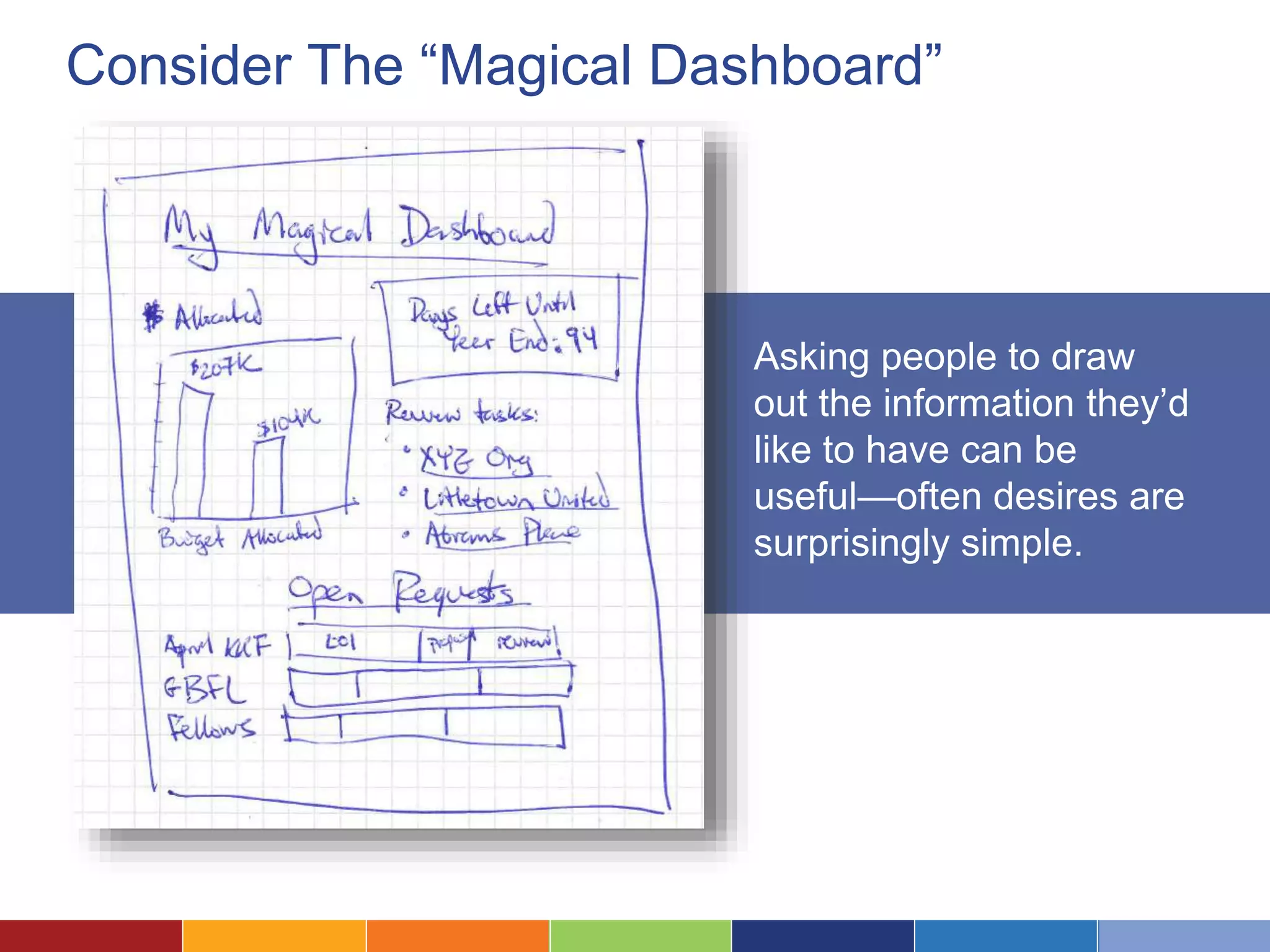
Consider The “Magical Dashboard” 
Asking people to draw 
out the information they’d 
like to have can be 
useful—often desires are 
surprisingly simple.
Define What They Really Need 
• Simple summary of key data? 
• More complex indicators? 
• Ability to tailor to their own needs? 
• To be able to drill into details? 
• To do scenario planning?
3 . Map Metrics to Your Needs
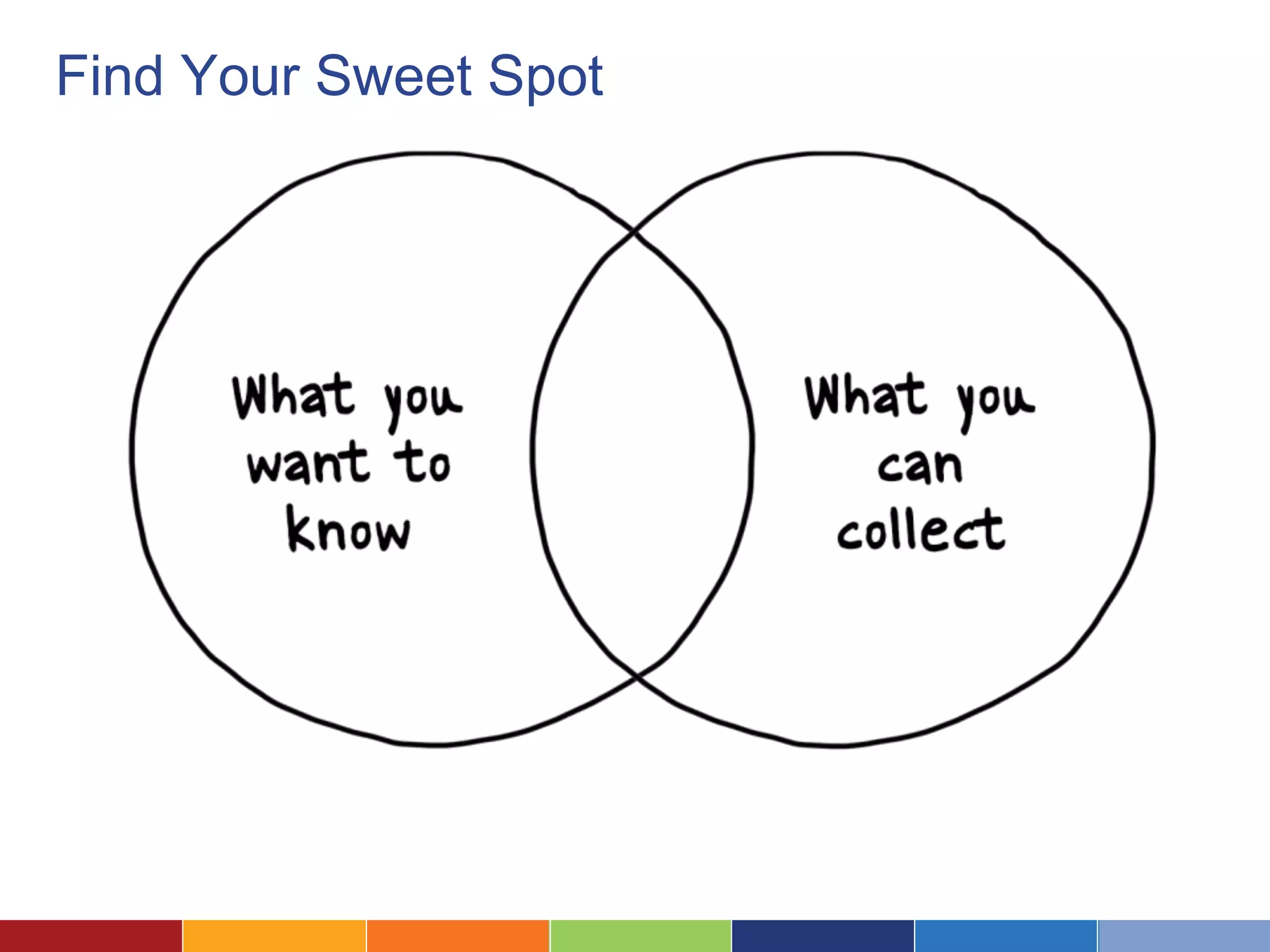
Find Your Sweet Spot
What Data Will Help You Make Decisions? 
Defining the right metrics might 
take a conversation—or a two 
year strategic process.
Where Will The Data Come From? 
• Do you have the data? 
• How easy will it be to pull it for your dashboard? 
• What kind of transformation will it need?
Don’t Underestimate This Process 
For many organizations, 
designing the right metrics— 
those that are both useful 
and practical—is the hardest 
part of a dashboard process.
4 . Choose Your Dashboard Platform
What Platform Will Work Best? 
What can pull together all the 
data you need and support the 
features your users want?
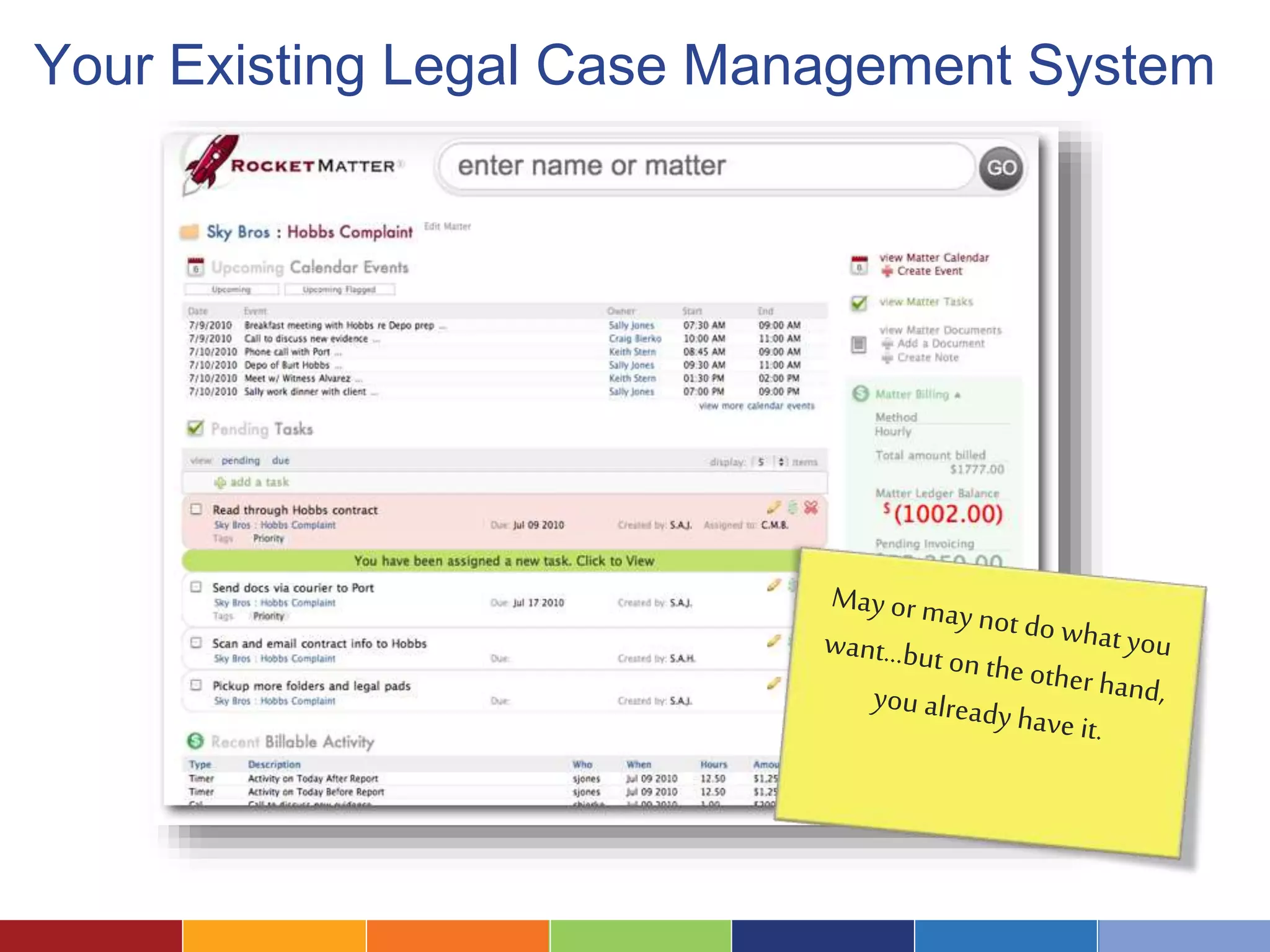
Your Existing Legal Case Management System
An Excel Spreadsheet 
Also consider Google Docs/ Google Charts
A Plug-In Reporting or Dashboard Tool… 
LegalServer with additional modules
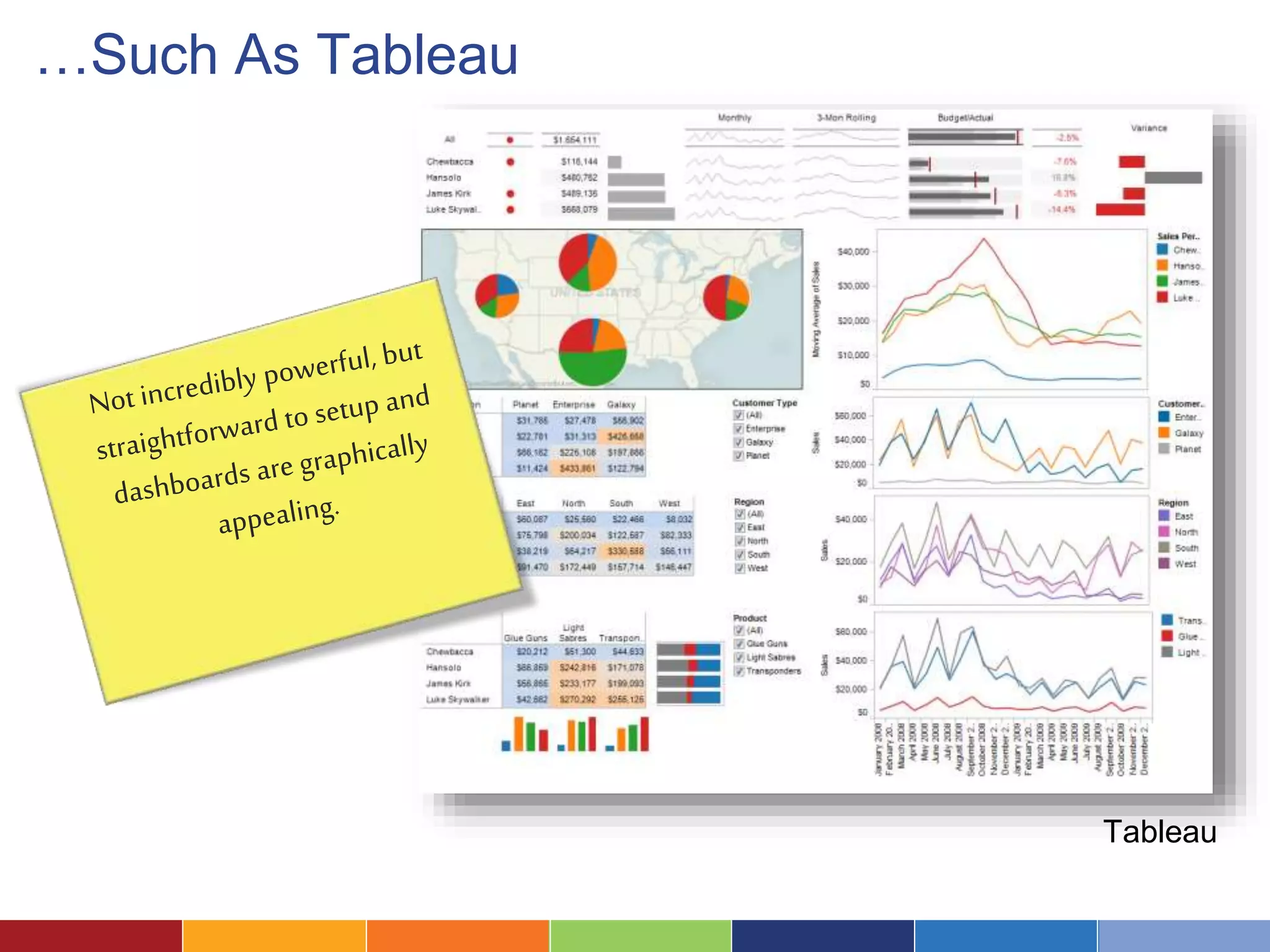
…Such As Tableau 
Tableau
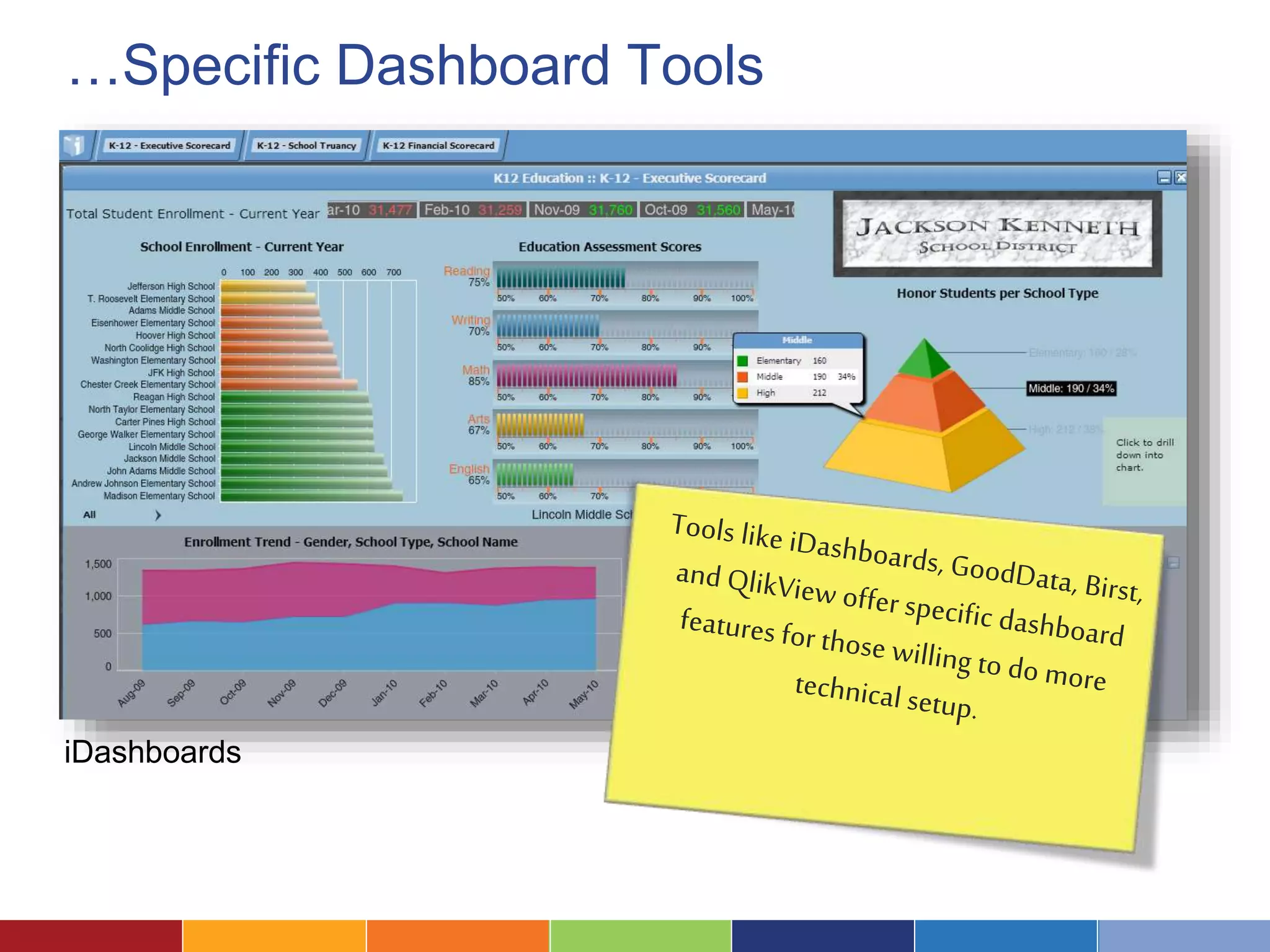
…Specific Dashboard Tools 
iDashboards
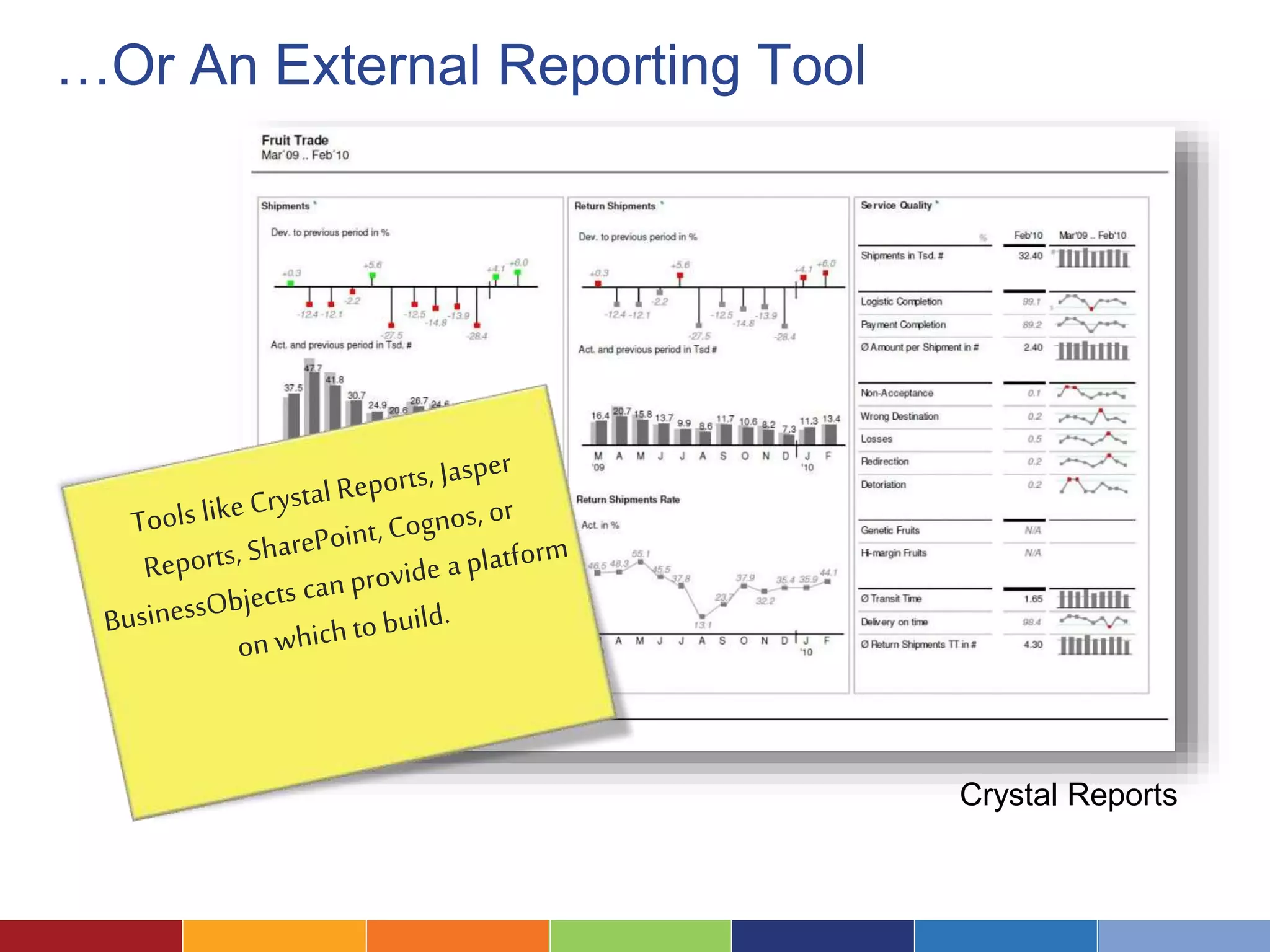
…Or An External Reporting Tool 
Crystal Reports
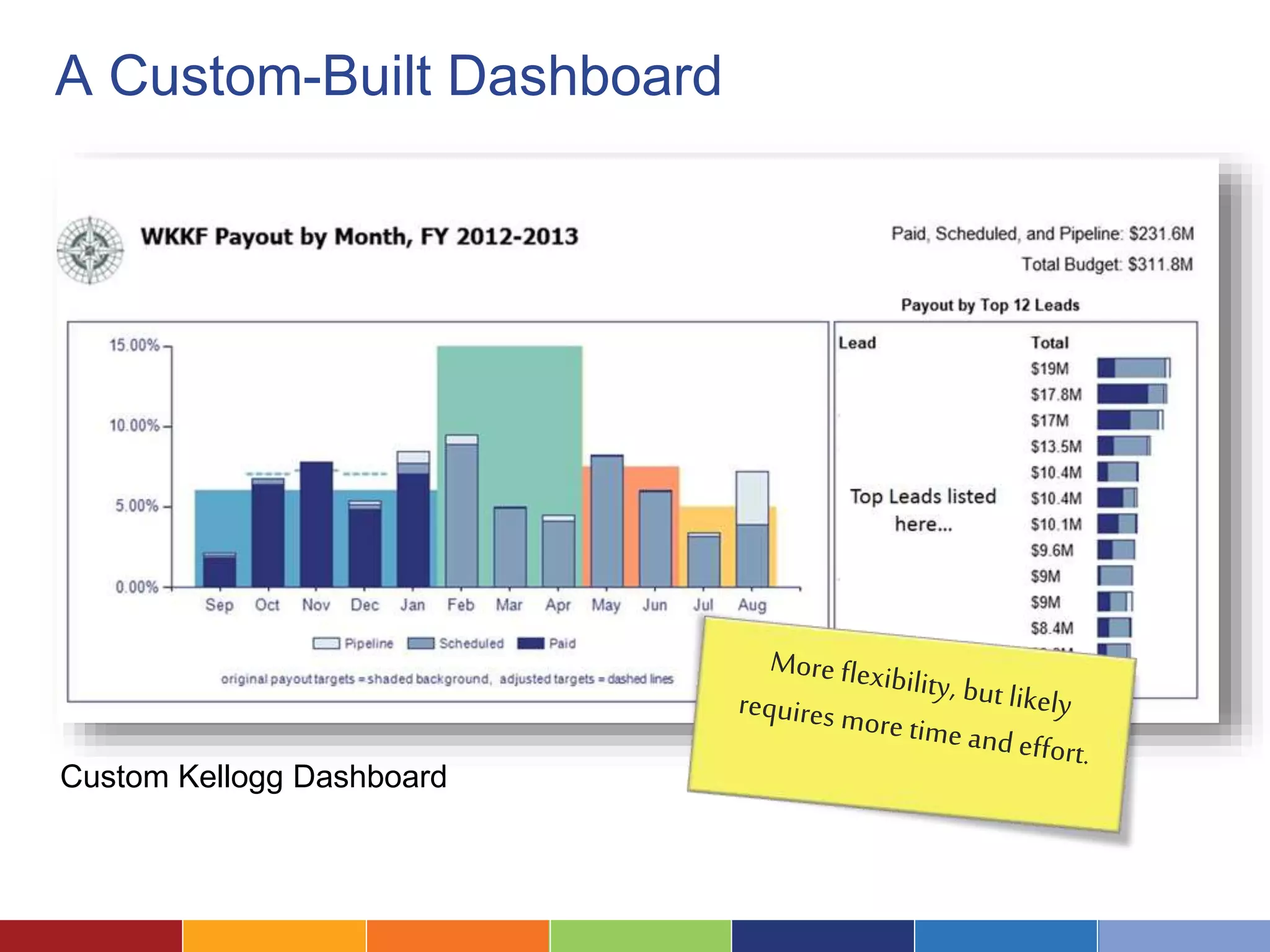
A Custom-Built Dashboard 
Custom Kellogg Dashboard
5 . Design Charts and Displays
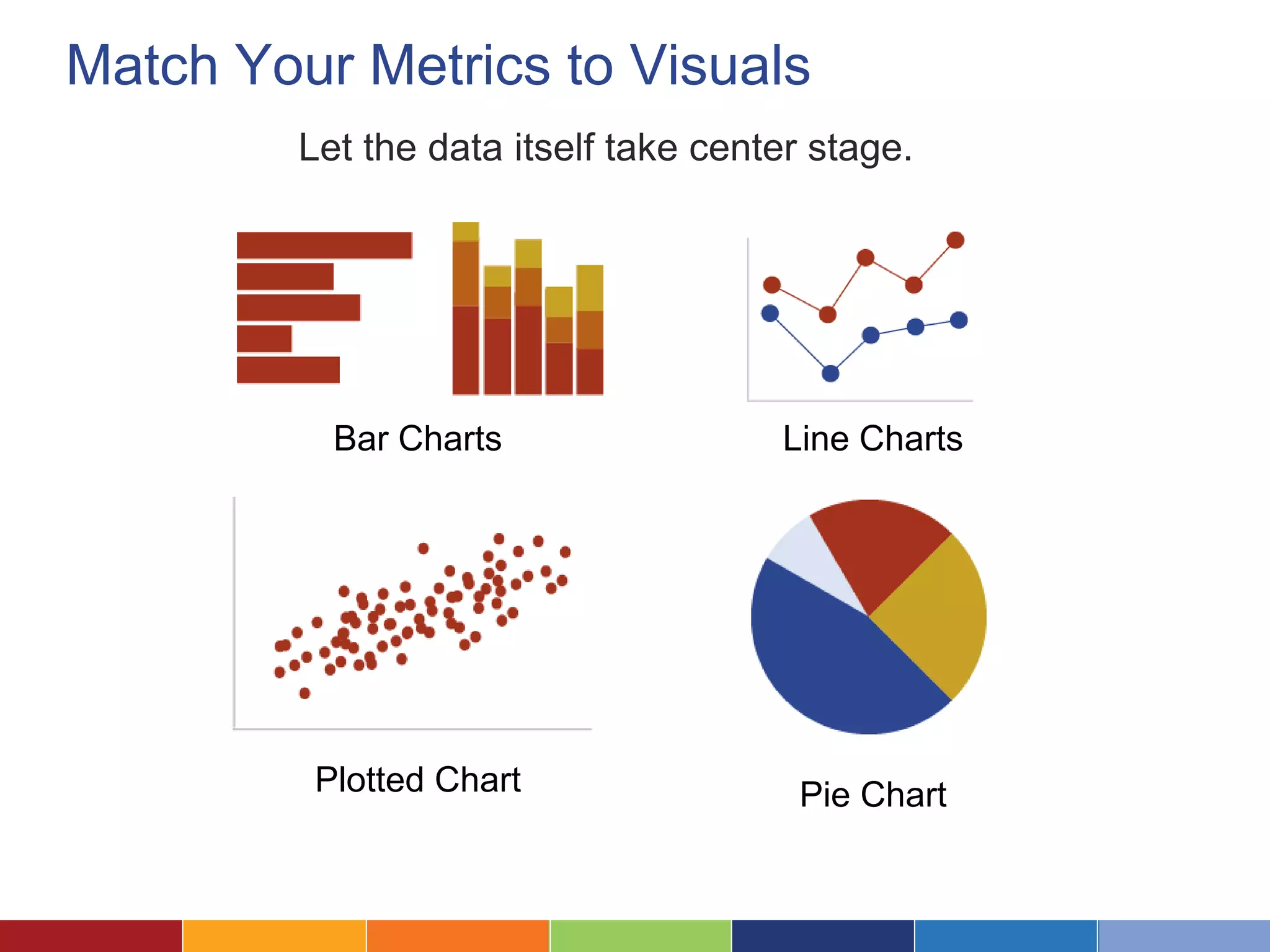
Match Your Metrics to Visuals 
Let the data itself take center stage. 
Bar Charts Line Charts 
Plotted Chart Pie Chart
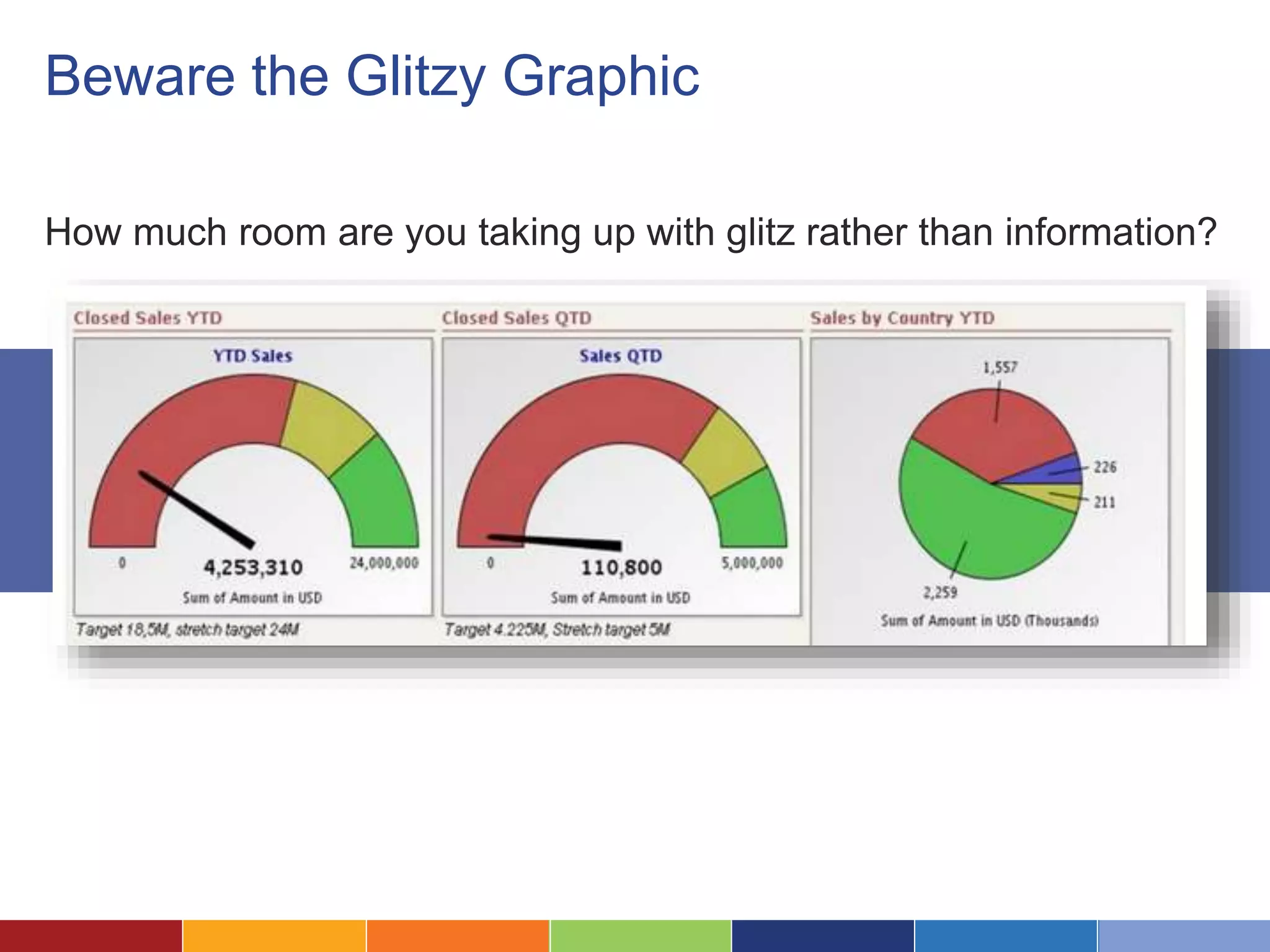
Beware the Glitzy Graphic 
How much room are you taking up with glitz rather than information?
Implement and Roll 
Out Your Dashboard 6 .
Make the Dashboard Magic Happen 
Bring the data together with 
your visuals and platform to 
let the magic happen! 
Obviously, the effort and 
process will depend hugely 
on what you’re doing.
Roll it Out Thoughtfully 
Don’t forget about training 
and the process of getting 
people on board—it 
doesn’t matter how great it 
is if no one uses it.
7. Plan to Iterate
It Makes Sense to Start Small 
Start with baby steps. 
It’s much easier to figure 
out what’s needed by 
iterating than through a 
huge design process.
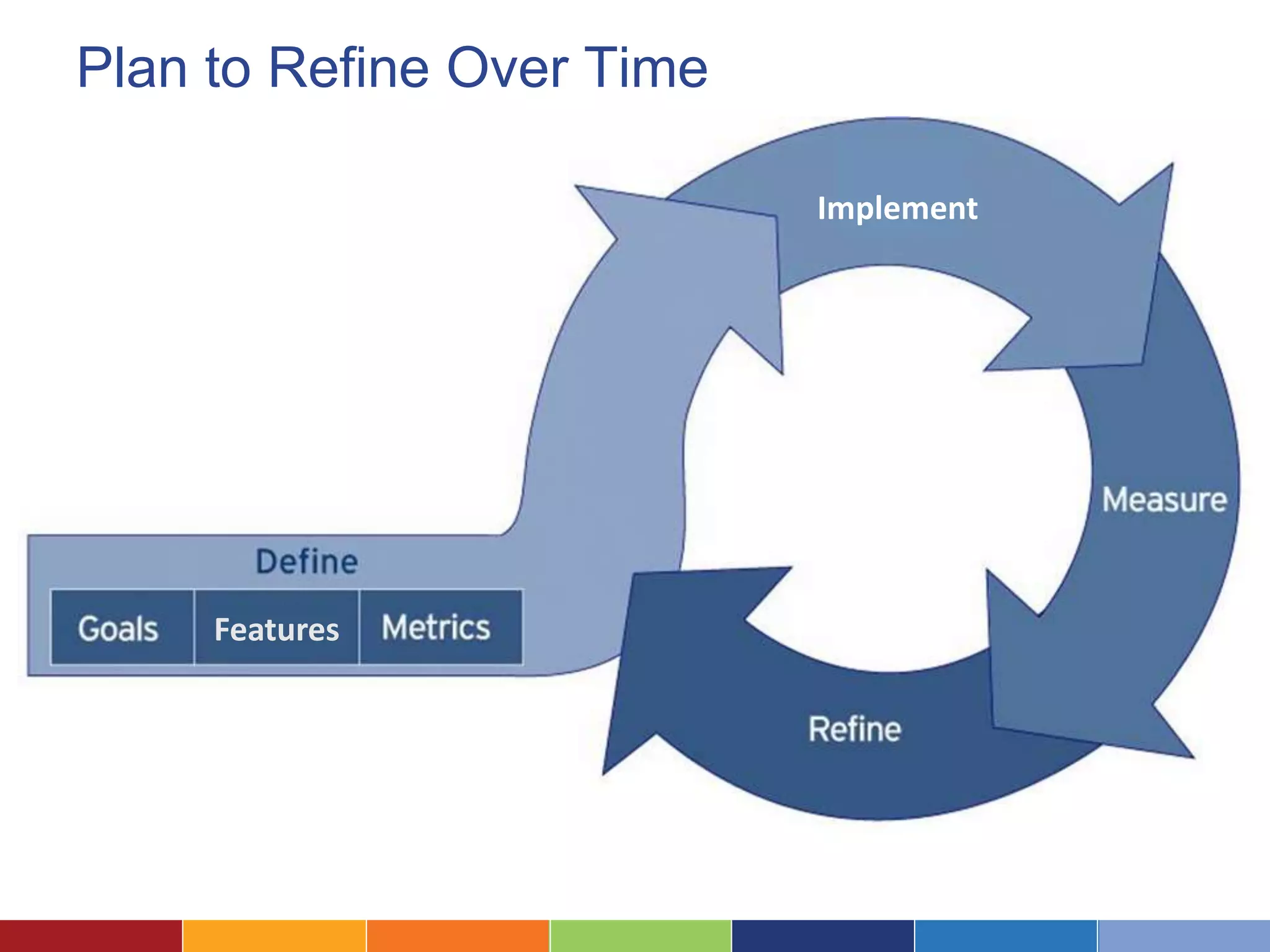
Plan to Refine Over Time 
Features 
Implement
Refine Your Data as Well 
Your dashboard is only as good as 
your data—but making it more 
visible can often inspire 
improvements in data quality.
Some Dashboard Case Studies: 
Atlanta Legal Aid Society
Atlanta Legal Aid Society 
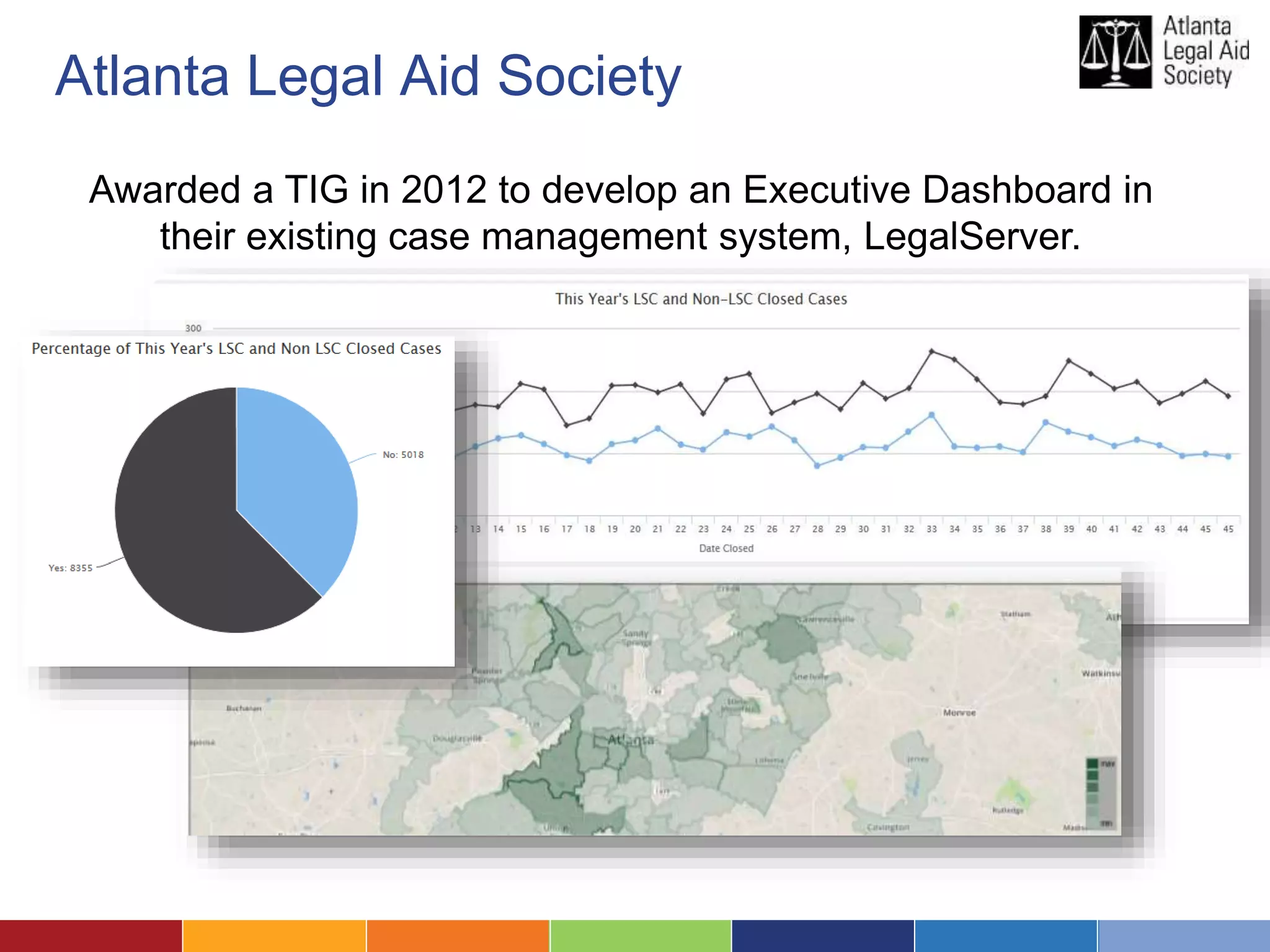
Awarded a TIG in 2012 to develop an Executive Dashboard in 
their existing case management system, LegalServer.
Atlanta Legal Aid Society 
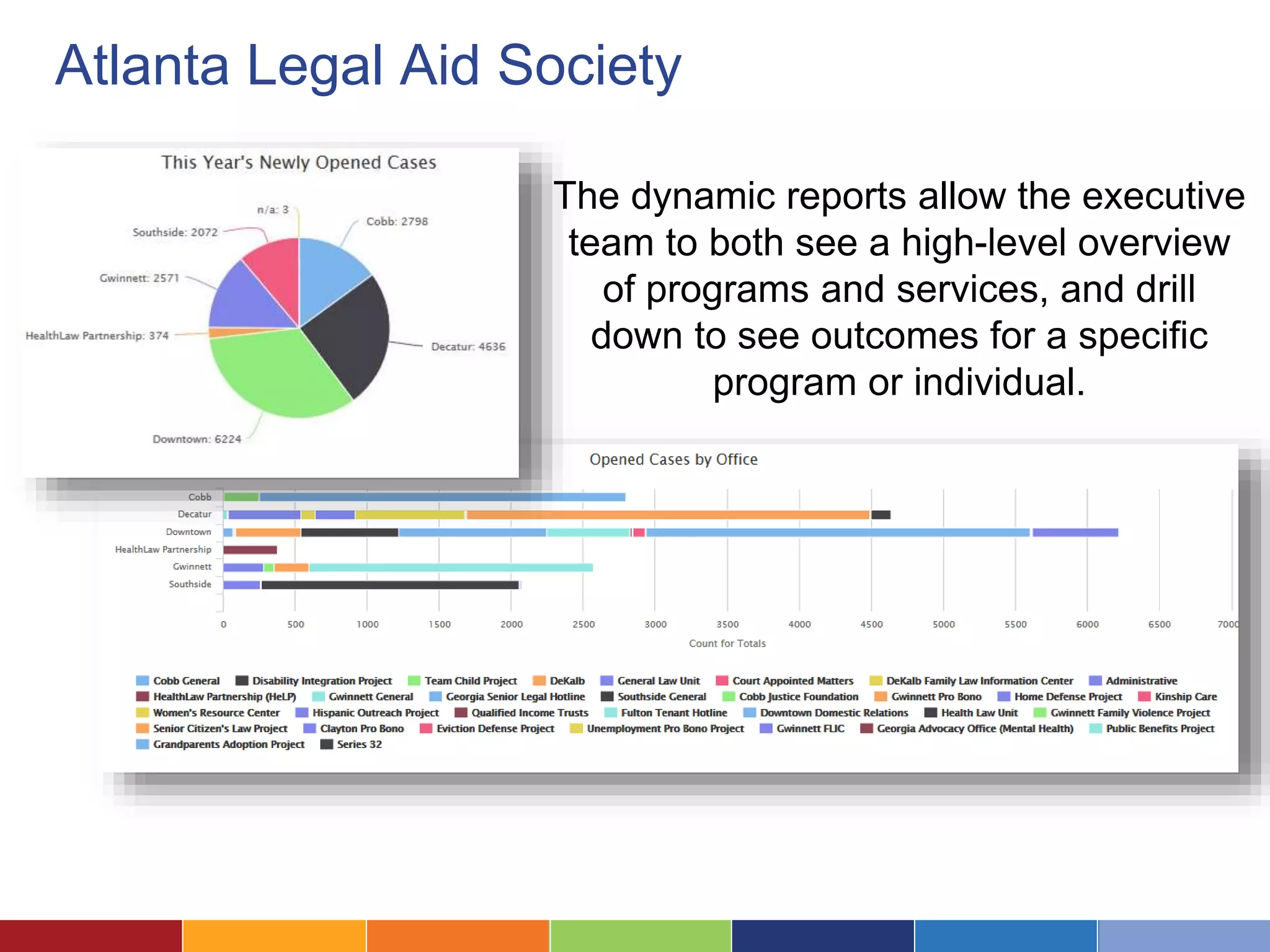
The dynamic reports allow the executive 
team to both see a high-level overview 
of programs and services, and drill 
down to see outcomes for a specific 
program or individual.
Some Dashboard Case Studies: 
Blue Ridge Legal Services
Blue Ridge Legal Services 
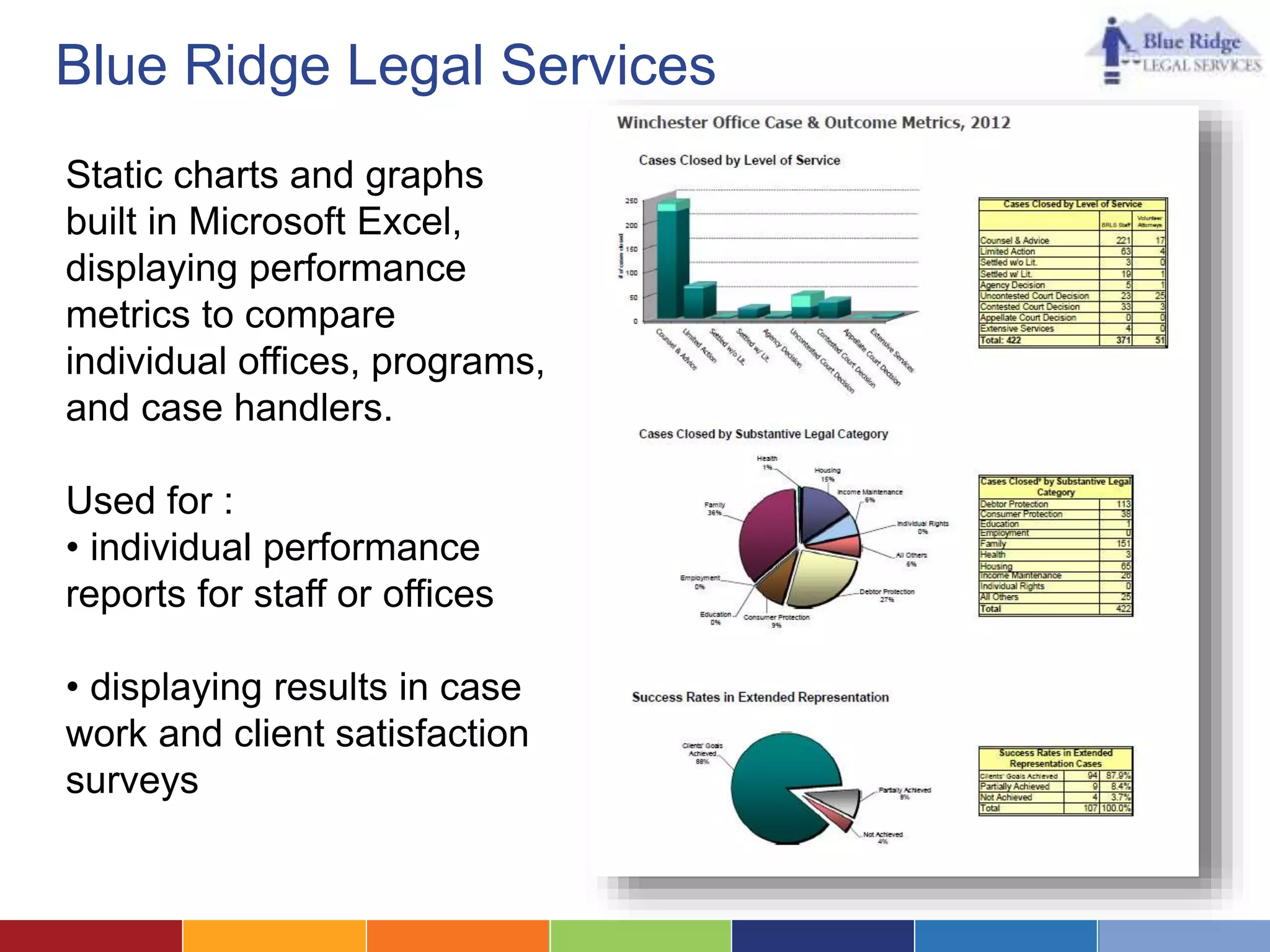
Static charts and graphs 
built in Microsoft Excel, 
displaying performance 
metrics to compare 
individual offices, programs, 
and case handlers. 
Used for : 
• individual performance 
reports for staff or offices 
• displaying results in case 
work and client satisfaction 
surveys
Blue Ridge Legal Services 
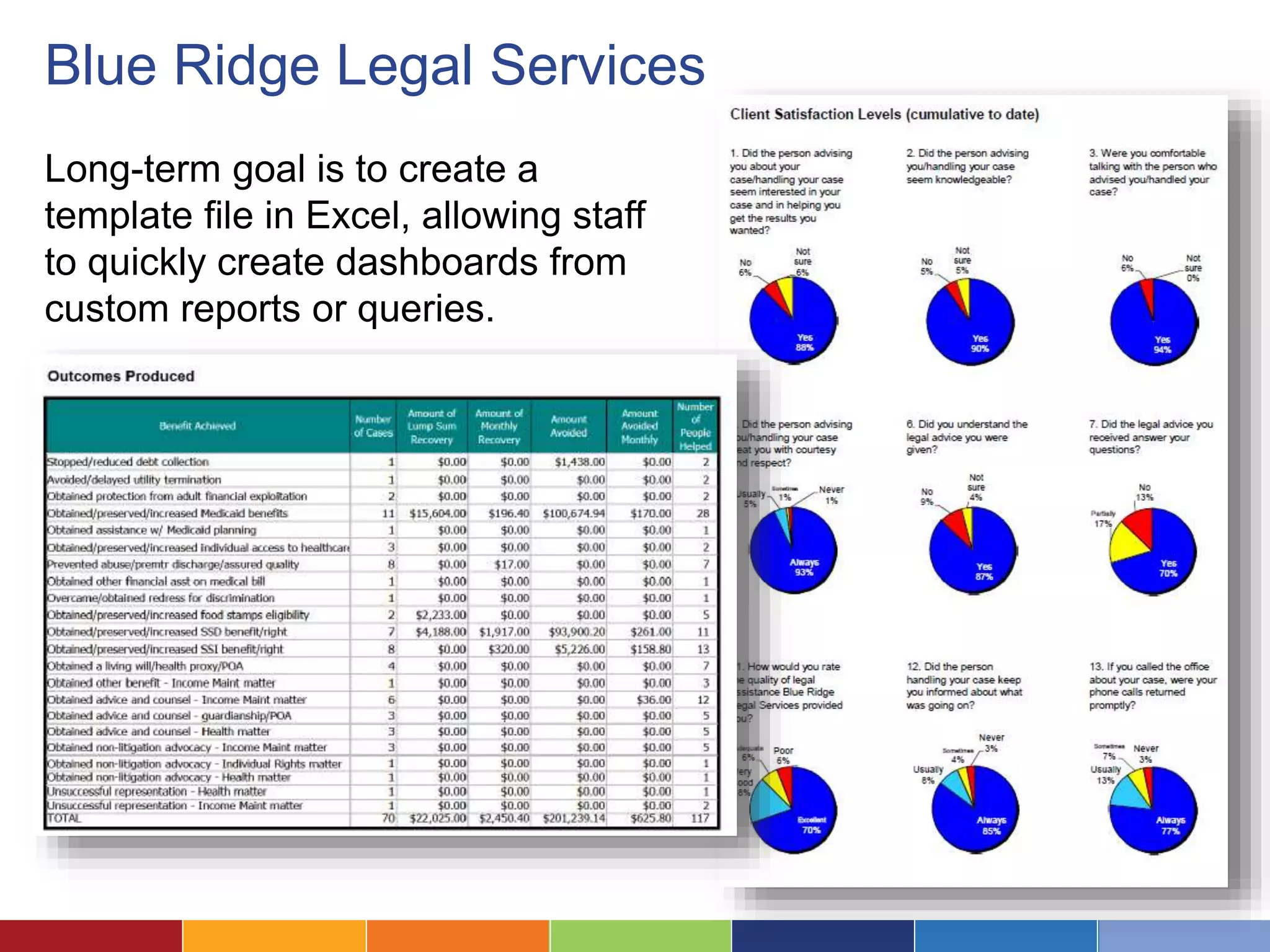
Long-term goal is to create a 
template file in Excel, allowing staff 
to quickly create dashboards from 
custom reports or queries.
Some Dashboard Case Studies: 
Utah Legal Services
Utah Legal Services 
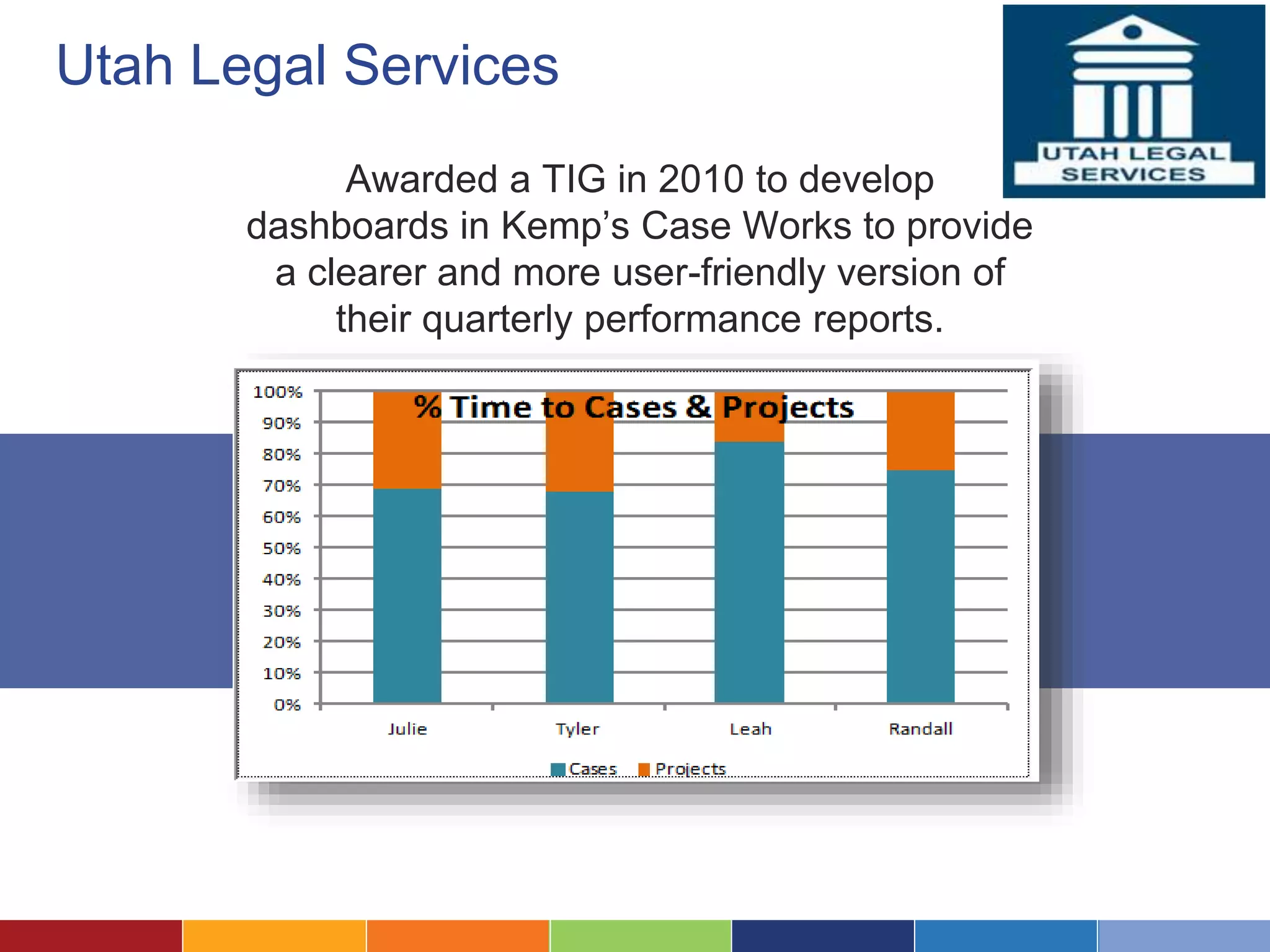
Awarded a TIG in 2010 to develop 
dashboards in Kemp’s Case Works to provide 
a clearer and more user-friendly version of 
their quarterly performance reports.
Utah Legal Services 
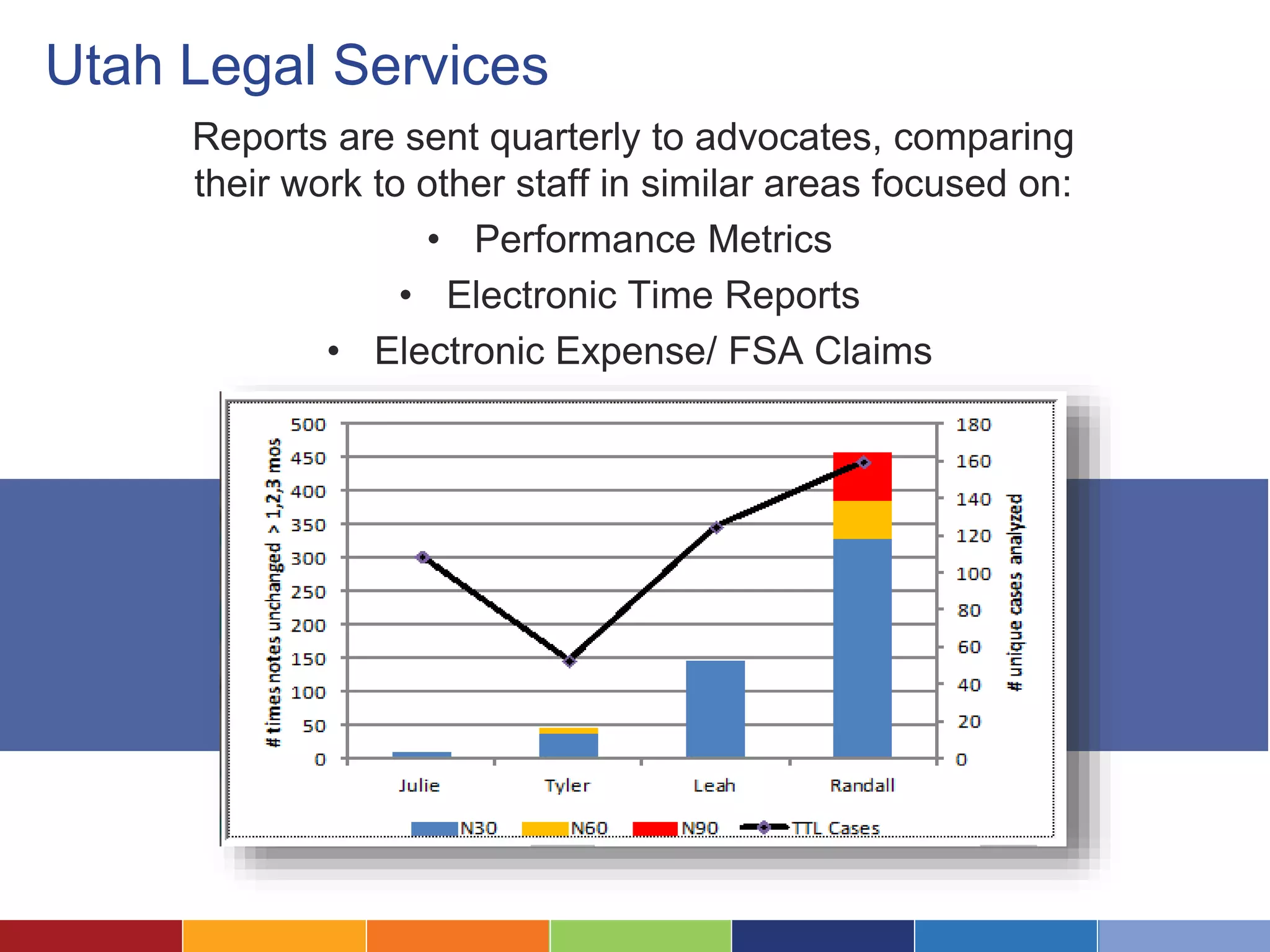
Reports are sent quarterly to advocates, comparing 
their work to other staff in similar areas focused on: 
• Performance Metrics 
• Electronic Time Reports 
• Electronic Expense/ FSA Claims
Questions?

Visualizing Your Data Through Dashboards

  • 1.
    Creating and Buildinga Legal Aid Dashboard November 2014
  • 2.
    Laura Quinn Idealware, Founder and Executive Director
  • 3.
  • 4.
    What We’ll CoverToday –What is a Dashboard? –Seven Steps to Your Own Dashboard 1. Define Who and What It’s For 2. Understand What Your Users Want 3. Map Metrics to Your Needs 4. Choose Your Dashboard Platform 5. Design Charts and Displays 6. Implement and Roll Out 7. Plan to Iterate –Some Dashboard Case Studies
  • 5.
    Dashboards consolidate informationto help measure, monitor, and manage the way you work.
  • 6.
    What Data DoesA Dashboard Track? It depends greatly on the organization, but it could include: • Operational data • Program spend and budget • Program impact Or all of these things!
  • 7.
    Operational Data Theycan show day-to-day data, like the number of open cases assigned to each attorney. LSNTAP, built on Basecamp
  • 8.
    More Specific Metrics Some provide more specific, calculated metrics like the average time that a case is open or the time spent per program. Atlanta Legal Aid Society, built in LegalServer
  • 9.
    Program Impact Whileit’s difficult, a few have created dashboards to track program impact. If you can collect the right metrics, this can be a valuable tool —the ability to see organizational impact in one view. Blue Ridge Legal Services, built in Excel
  • 10.
    What Software ShouldYou Use? There is, unfortunately, no magical “dashboard software.” You might use anything from Excel to your grants management system to more complex reporting tools.
  • 11.
    Where Do IStart? Let’s look at the seven steps to dashboard success!
  • 12.
    Define Who andWhat Your Dashboard is For 1.
  • 13.
    Who Will Bethe Highest Priority Users? Who are you designing the dashboard for? Will there be additional types of users?
  • 14.
    Is Your Goalto Centralize Key Metrics? Do you want everyone to be able to see the same set of metrics, to help keep everyone on the same page? Maybe the board? Or the public?
  • 15.
    Or Will StaffChoose Their Metrics? Customized metrics will help people with their own job… ..but don’t necessarily help get everyone on the same page.
  • 16.
    Is Data Self-ServiceA Goal? Do you want to allow staff to look up data themselves rather than requesting it from your grants team?
  • 17.
    Define What SuccessLooks Like Resist the urge to make something that’s all things to all people.
  • 18.
    Understand What YourUsers Want From the Dashboard 2 .
  • 19.
    Find Out WhatThey Currently Do Convene staff members and talk about their current processes. Pay more attention to gaps and workarounds than to what they say they’d use.
  • 20.
    Consider The “MagicalDashboard” Asking people to draw out the information they’d like to have can be useful—often desires are surprisingly simple.
  • 21.
    Define What TheyReally Need • Simple summary of key data? • More complex indicators? • Ability to tailor to their own needs? • To be able to drill into details? • To do scenario planning?
  • 22.
    3 . MapMetrics to Your Needs
  • 23.
  • 24.
    What Data WillHelp You Make Decisions? Defining the right metrics might take a conversation—or a two year strategic process.
  • 25.
    Where Will TheData Come From? • Do you have the data? • How easy will it be to pull it for your dashboard? • What kind of transformation will it need?
  • 26.
    Don’t Underestimate ThisProcess For many organizations, designing the right metrics— those that are both useful and practical—is the hardest part of a dashboard process.
  • 27.
    4 . ChooseYour Dashboard Platform
  • 28.
    What Platform WillWork Best? What can pull together all the data you need and support the features your users want?
  • 29.
    Your Existing LegalCase Management System
  • 30.
    An Excel Spreadsheet Also consider Google Docs/ Google Charts
  • 31.
    A Plug-In Reportingor Dashboard Tool… LegalServer with additional modules
  • 32.
  • 33.
  • 34.
    …Or An ExternalReporting Tool Crystal Reports
  • 35.
    A Custom-Built Dashboard Custom Kellogg Dashboard
  • 36.
    5 . DesignCharts and Displays
  • 37.
    Match Your Metricsto Visuals Let the data itself take center stage. Bar Charts Line Charts Plotted Chart Pie Chart
  • 38.
    Beware the GlitzyGraphic How much room are you taking up with glitz rather than information?
  • 39.
    Implement and Roll Out Your Dashboard 6 .
  • 40.
    Make the DashboardMagic Happen Bring the data together with your visuals and platform to let the magic happen! Obviously, the effort and process will depend hugely on what you’re doing.
  • 41.
    Roll it OutThoughtfully Don’t forget about training and the process of getting people on board—it doesn’t matter how great it is if no one uses it.
  • 42.
    7. Plan toIterate
  • 43.
    It Makes Senseto Start Small Start with baby steps. It’s much easier to figure out what’s needed by iterating than through a huge design process.
  • 44.
    Plan to RefineOver Time Features Implement
  • 45.
    Refine Your Dataas Well Your dashboard is only as good as your data—but making it more visible can often inspire improvements in data quality.
  • 46.
    Some Dashboard CaseStudies: Atlanta Legal Aid Society
  • 47.
    Atlanta Legal AidSociety Awarded a TIG in 2012 to develop an Executive Dashboard in their existing case management system, LegalServer.
  • 48.
    Atlanta Legal AidSociety The dynamic reports allow the executive team to both see a high-level overview of programs and services, and drill down to see outcomes for a specific program or individual.
  • 49.
    Some Dashboard CaseStudies: Blue Ridge Legal Services
  • 50.
    Blue Ridge LegalServices Static charts and graphs built in Microsoft Excel, displaying performance metrics to compare individual offices, programs, and case handlers. Used for : • individual performance reports for staff or offices • displaying results in case work and client satisfaction surveys
  • 51.
    Blue Ridge LegalServices Long-term goal is to create a template file in Excel, allowing staff to quickly create dashboards from custom reports or queries.
  • 52.
    Some Dashboard CaseStudies: Utah Legal Services
  • 53.
    Utah Legal Services Awarded a TIG in 2010 to develop dashboards in Kemp’s Case Works to provide a clearer and more user-friendly version of their quarterly performance reports.
  • 54.
    Utah Legal Services Reports are sent quarterly to advocates, comparing their work to other staff in similar areas focused on: • Performance Metrics • Electronic Time Reports • Electronic Expense/ FSA Claims
  • 55.