Can I Work Remotely?
LSNTAP - April 26, 2017
Panelists
- Cathleen Dwyer: Senior Consultant, Just-Tech
- Xander Karsten: Project Manager, LegalServer
- Alison Paul: Executive Director, Montana Legal Services Association
- Anna Steele: Senior Consultant, Just-Tech
Agenda
- Technology Considerations
- Executive Director Perspective
- Staff Member Perspective
- Lessons Learned
Can I Work Remotely?
a) Sure!
b) Yes, here are our policies and expectations
c) Maybe, we should form a committee and talk about it
d) Nope, never.
Technology Considerations
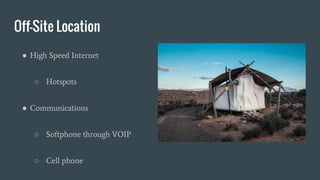
Off-Site Location
● High Speed Internet
○ Hotspots
● Communications
○ Softphone through VOIP
○ Cell phone
Hardware
Access to same hardware that is available in the office
Organization owned vs. BYOD
Difference in policy
Hardware maintenance and upkeep
Devices available for the “occasional” remote worker
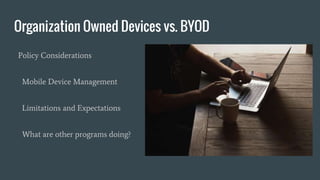
Organization Owned Devices vs. BYOD
Policy Considerations
Mobile Device Management
Limitations and Expectations
What are other programs doing?
Security
Network Access
Client Information
Case Management System
Physical Files
Data Transfer and Backup
Executive Director Perspective
What is Remote Supervision?
Situation where you as the
Supervisor are supervising a
staff member working in
another physical location.
Could be......
Supervision of a staff member who works from home
Senior attorney with expertise in a subject supervising a staff member in
another office
Supervision of a circuit riding attorney
Executive Director supervising Managing Attorneys in field offices
What is program attitude about remote
supervision?
Resigned..............
How do you really know the employee is working?
How do you track productivity without micromanaging?
How do you encourage collaboration and communication between on-site
and off-site employees?
Challenges
Policies
MLSA Remote Work Policy and Request Form
MLSA Computer Use Policy
NTAP Electronic Communication Protocols and How Tos
NTAP Protocol for Getting Started as a virtual employee
Setting Expectations
Sample Hiring letter for off-site worker
Sample Progress Report for off-site worker
Work Plan
Collaboration Software
Hiring Remote Workers
Look for people who:
Take initiative when a task needs doing
Have work that is portable
Are highly organized and able to set own boundaries and priorities
Do not mind working in isolation sometimes
Do not need much immediate supervision and feedback
Are effective communicators in writing and by phone
Staff Perspective
Effective Communication Primary form of transparency
Communicate reliably and often
Don’t be afraid of meetings- or video
conferencing!
Status messages are your friend
Be clear and assume the best
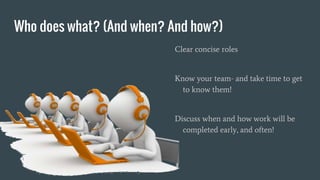
Who does what? (And when? And how?)
Clear concise roles
Know your team- and take time to get
to know them!
Discuss when and how work will be
completed early, and often!
Fostering Community
Meet in person when possible
Hang out when you can- even if it remote
Dedicated ‘water cooler’ space
Identify unique needs of remote staff to
participate
Supervision
Clear expectations and goals- on both sides!
Regular check-ins- however that works
Meetings/Video chats
Consistent … but flexible!
Project/Case Management
Consistency
Ensure access to cloud-based tools
Balance shared management tools with
personal ones
Self Care
Identify what works for you
Clearly communicate with your
team
Do it!
Isolation
Is real, for everyone.
Better hardware can help make coffee shops,
libraries other public places easier to access.
Finding lunch buddies and other ways to connect
Co-working spaces
Overwork
Identify your limits
Set your limits
Communicate your limits
Hold yourself accountable (or ask
someone to help!)
Lessons Learned
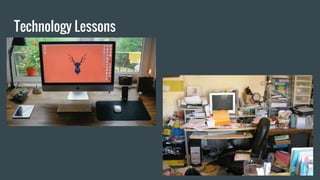
Technology Lessons
Management Lessons
Important to pay attention to on-site vs off-site dynamics to avoid burnout and
isolation of off-site workers
Set expectations of supervisors
Encourage use of video conferencing and face to face meetings
Remote work is an inevitable shift
Expectation of new generation of workers
Helps attract and retain the best staff
Allows opportunities for new partnerships
Staff Lessons
Be transparent
Know your strengths
Set limits and be flexible
Adjust your expectations
Get healthy snacks!
Be Kind
Life Lessons
Self care is important
Don’t forget to move and get outside
Remember to check in with other staff
Remember to check in with clients
Workspace - make it work!
Thanks!
Cathleen Dwyer: cdwyer@just-tech.com
Xander Karsten: xkarsten@legalserver.org
Alison Paul: apaul@mtlsa.org
Anna Steele: asteele@just-tech.com

Can i work remotely

  • 1.
    Can I WorkRemotely? LSNTAP - April 26, 2017
  • 2.
    Panelists - Cathleen Dwyer:Senior Consultant, Just-Tech - Xander Karsten: Project Manager, LegalServer - Alison Paul: Executive Director, Montana Legal Services Association - Anna Steele: Senior Consultant, Just-Tech
  • 3.
    Agenda - Technology Considerations -Executive Director Perspective - Staff Member Perspective - Lessons Learned
  • 4.
    Can I WorkRemotely? a) Sure! b) Yes, here are our policies and expectations c) Maybe, we should form a committee and talk about it d) Nope, never.
  • 5.
  • 6.
    Off-Site Location ● HighSpeed Internet ○ Hotspots ● Communications ○ Softphone through VOIP ○ Cell phone
  • 7.
    Hardware Access to samehardware that is available in the office Organization owned vs. BYOD Difference in policy Hardware maintenance and upkeep Devices available for the “occasional” remote worker
  • 8.
    Organization Owned Devicesvs. BYOD Policy Considerations Mobile Device Management Limitations and Expectations What are other programs doing?
  • 9.
    Security Network Access Client Information CaseManagement System Physical Files Data Transfer and Backup
  • 10.
  • 11.
    What is RemoteSupervision? Situation where you as the Supervisor are supervising a staff member working in another physical location.
  • 12.
    Could be...... Supervision ofa staff member who works from home Senior attorney with expertise in a subject supervising a staff member in another office Supervision of a circuit riding attorney Executive Director supervising Managing Attorneys in field offices
  • 13.
    What is programattitude about remote supervision?
  • 14.
  • 15.
    How do youreally know the employee is working? How do you track productivity without micromanaging? How do you encourage collaboration and communication between on-site and off-site employees? Challenges
  • 16.
    Policies MLSA Remote WorkPolicy and Request Form MLSA Computer Use Policy NTAP Electronic Communication Protocols and How Tos NTAP Protocol for Getting Started as a virtual employee
  • 17.
    Setting Expectations Sample Hiringletter for off-site worker Sample Progress Report for off-site worker Work Plan Collaboration Software
  • 18.
    Hiring Remote Workers Lookfor people who: Take initiative when a task needs doing Have work that is portable Are highly organized and able to set own boundaries and priorities Do not mind working in isolation sometimes Do not need much immediate supervision and feedback Are effective communicators in writing and by phone
  • 19.
  • 20.
    Effective Communication Primaryform of transparency Communicate reliably and often Don’t be afraid of meetings- or video conferencing! Status messages are your friend Be clear and assume the best
  • 21.
    Who does what?(And when? And how?) Clear concise roles Know your team- and take time to get to know them! Discuss when and how work will be completed early, and often!
  • 22.
    Fostering Community Meet inperson when possible Hang out when you can- even if it remote Dedicated ‘water cooler’ space Identify unique needs of remote staff to participate
  • 23.
    Supervision Clear expectations andgoals- on both sides! Regular check-ins- however that works Meetings/Video chats Consistent … but flexible!
  • 24.
    Project/Case Management Consistency Ensure accessto cloud-based tools Balance shared management tools with personal ones
  • 25.
    Self Care Identify whatworks for you Clearly communicate with your team Do it!
  • 26.
    Isolation Is real, foreveryone. Better hardware can help make coffee shops, libraries other public places easier to access. Finding lunch buddies and other ways to connect Co-working spaces
  • 27.
    Overwork Identify your limits Setyour limits Communicate your limits Hold yourself accountable (or ask someone to help!)
  • 28.
  • 29.
  • 30.
    Management Lessons Important topay attention to on-site vs off-site dynamics to avoid burnout and isolation of off-site workers Set expectations of supervisors Encourage use of video conferencing and face to face meetings Remote work is an inevitable shift Expectation of new generation of workers Helps attract and retain the best staff Allows opportunities for new partnerships
  • 31.
    Staff Lessons Be transparent Knowyour strengths Set limits and be flexible Adjust your expectations Get healthy snacks! Be Kind
  • 32.
    Life Lessons Self careis important Don’t forget to move and get outside Remember to check in with other staff Remember to check in with clients Workspace - make it work!
  • 33.
    Thanks! Cathleen Dwyer: cdwyer@just-tech.com XanderKarsten: xkarsten@legalserver.org Alison Paul: apaul@mtlsa.org Anna Steele: asteele@just-tech.com