
In association with: Presented by:
Everything you Always Wanted to Know
About Capture into Process:
handle exceptions and goofs on the fly
Presented July 8, 2015
In association with: Presented by:
About AIIM
AIIM is the Global Community of
Information Professionals
AIIM believes that the information systems
we use at work should be
simple, secure, and available
anywhere, anytime, and on any device.
Our mission is to improve organizational
performance by empowering a community
of leaders committed to information-driven
innovation.
Learn more at www.aiim.org
In association with: Presented by:
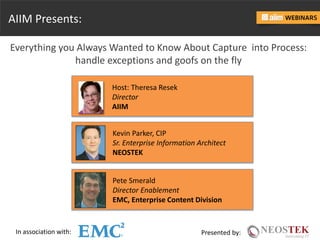
AIIM Presents:
Everything you Always Wanted to Know About Capture into Process:
handle exceptions and goofs on the fly
Host: Theresa Resek
Director
AIIM
Kevin Parker, CIP
Sr. Enterprise Information Architect
NEOSTEK
Pete Smerald
Director Enablement
EMC, Enterprise Content Division
In association with: Presented by:
Introducing our Featured Speaker
Kevin Parker, CIP
Sr. Enterprise Information Architect
NEOSTEK
In association with: Presented by:
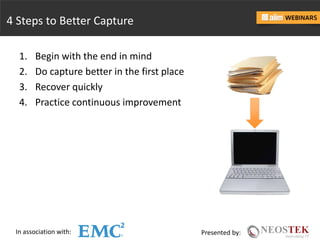
4 Steps to Better Capture
1. Begin with the end in mind
2. Do capture better in the first place
3. Recover quickly
4. Practice continuous improvement
In association with: Presented by:
Information Lifecycle
Created Captured
Indexed
Stored & Managed
Dispositioned
Processed & Routed Published
Transferred Destroyed
In association with: Presented by:
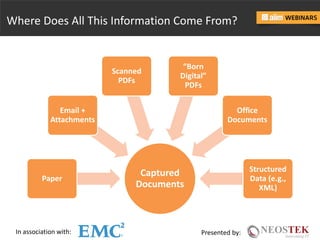
Where Does All This Information Come From?
Captured
Documents
Paper
Email +
Attachments
Scanned
PDFs
“Born
Digital”
PDFs
Office
Documents
Structured
Data (e.g.,
XML)
In association with: Presented by:
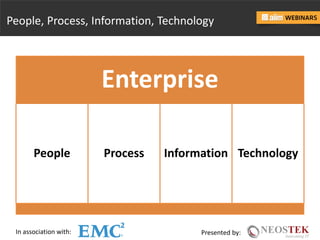
People, Process, Information, Technology
Enterprise
People Process Information Technology
In association with: Presented by:
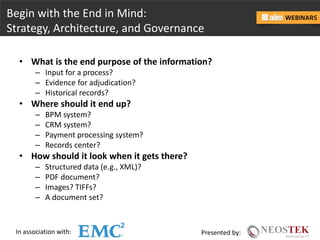
Begin with the End in Mind:
Strategy, Architecture, and Governance
• What is the end purpose of the information?
– Input for a process?
– Evidence for adjudication?
– Historical records?
• Where should it end up?
– BPM system?
– CRM system?
– Payment processing system?
– Records center?
• How should it look when it gets there?
– Structured data (e.g., XML)?
– PDF document?
– Images? TIFFs?
– A document set?
In association with: Presented by:
Begin with the End in Mind:
Strategy, Architecture, and Governance
• How should it get there?
– Automatic routing?
– Manual upload?
– Physical media?
• What metadata does it need for proper indexing, findability,
routing, and processing?
• How should copies be governed?
– Once captured, what should happen to the paper copy?
– During transit, what happens to copies on various media?
In association with: Presented by:
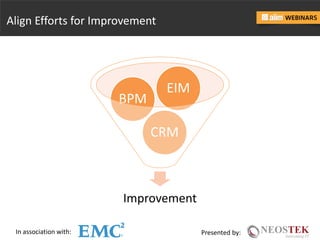
Align Efforts for Improvement
Improvement
CRM
BPM
EIM
In association with: Presented by:
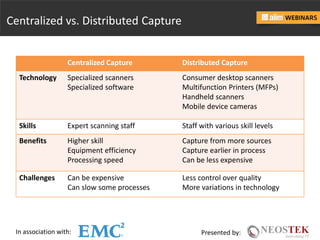
Centralized vs. Distributed Capture
Centralized Capture Distributed Capture
Technology Specialized scanners
Specialized software
Consumer desktop scanners
Multifunction Printers (MFPs)
Handheld scanners
Mobile device cameras
Skills Expert scanning staff Staff with various skill levels
Benefits Higher skill
Equipment efficiency
Processing speed
Capture from more sources
Capture earlier in process
Can be less expensive
Challenges Can be expensive
Can slow some processes
Less control over quality
More variations in technology
In association with: Presented by:
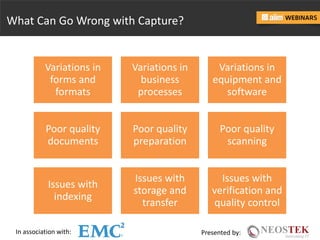
What Can Go Wrong with Capture?
Variations in
forms and
formats
Variations in
business
processes
Variations in
equipment and
software
Poor quality
documents
Poor quality
preparation
Poor quality
scanning
Issues with
indexing
Issues with
storage and
transfer
Issues with
verification and
quality control
In association with: Presented by:
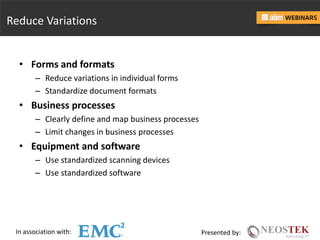
Reduce Variations
• Forms and formats
– Reduce variations in individual forms
– Standardize document formats
• Business processes
– Clearly define and map business processes
– Limit changes in business processes
• Equipment and software
– Use standardized scanning devices
– Use standardized software
In association with: Presented by:
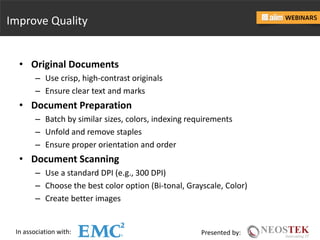
Improve Quality
• Original Documents
– Use crisp, high-contrast originals
– Ensure clear text and marks
• Document Preparation
– Batch by similar sizes, colors, indexing requirements
– Unfold and remove staples
– Ensure proper orientation and order
• Document Scanning
– Use a standard DPI (e.g., 300 DPI)
– Choose the best color option (Bi-tonal, Grayscale, Color)
– Create better images
In association with: Presented by:
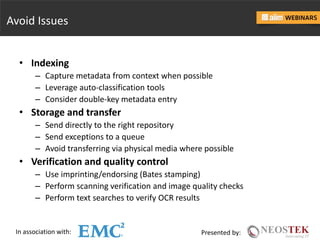
Avoid Issues
• Indexing
– Capture metadata from context when possible
– Leverage auto-classification tools
– Consider double-key metadata entry
• Storage and transfer
– Send directly to the right repository
– Send exceptions to a queue
– Avoid transferring via physical media where possible
• Verification and quality control
– Use imprinting/endorsing (Bates stamping)
– Perform scanning verification and image quality checks
– Perform text searches to verify OCR results
In association with: Presented by:
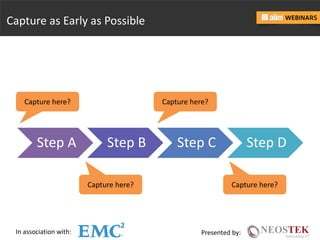
Capture as Early as Possible
Step A Step B Step C Step D
Capture here? Capture here?
In association with: Presented by:
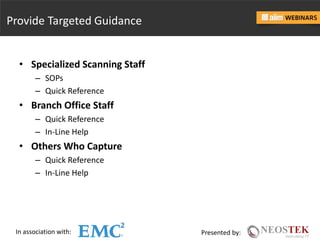
Provide Targeted Guidance
• Specialized Scanning Staff
– SOPs
– Quick Reference
• Branch Office Staff
– Quick Reference
– In-Line Help
• Others Who Capture
– Quick Reference
– In-Line Help
In association with: Presented by:
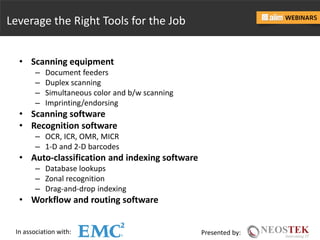
Leverage the Right Tools for the Job
• Scanning equipment
– Document feeders
– Duplex scanning
– Simultaneous color and b/w scanning
– Imprinting/endorsing
• Scanning software
• Recognition software
– OCR, ICR, OMR, MICR
– 1-D and 2-D barcodes
• Auto-classification and indexing software
– Database lookups
– Zonal recognition
– Drag-and-drop indexing
• Workflow and routing software
In association with: Presented by:
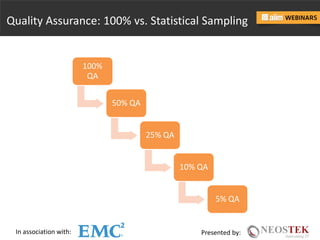
Quality Assurance: 100% vs. Statistical Sampling
100%
QA
50% QA
25% QA
10% QA
5% QA
In association with: Presented by:
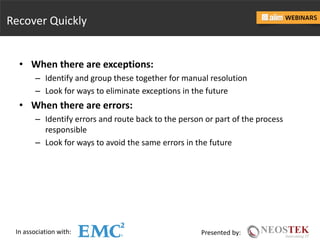
Recover Quickly
• When there are exceptions:
– Identify and group these together for manual resolution
– Look for ways to eliminate exceptions in the future
• When there are errors:
– Identify errors and route back to the person or part of the process
responsible
– Look for ways to avoid the same errors in the future
In association with: Presented by:
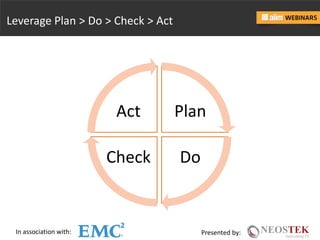
Leverage Plan > Do > Check > Act
Plan
DoCheck
Act
In association with: Presented by:
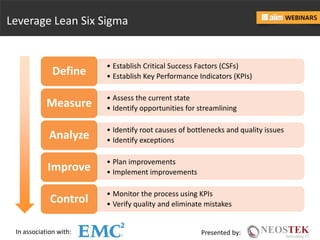
• Establish Critical Success Factors (CSFs)
• Establish Key Performance Indicators (KPIs)Define
• Assess the current state
• Identify opportunities for streamliningMeasure
• Identify root causes of bottlenecks and quality issues
• Identify exceptionsAnalyze
• Plan improvements
• Implement improvementsImprove
• Monitor the process using KPIs
• Verify quality and eliminate mistakesControl
Leverage Lean Six Sigma
In association with: Presented by:
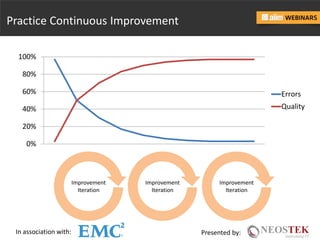
Practice Continuous Improvement
Improvement
Iteration
0%
20%
40%
60%
80%
100%
Errors
Quality
Improvement
Iteration
Improvement
Iteration
In association with: Presented by:
Summary: 4 Steps to Better Capture
1. Begin with the end in mind
– Define strategy
– Design architecture
– Plan governance
2. Do capture better in the first place
– Reduce variations
– Improve quality
– Avoid issues
– Capture as early as possible
– Provide targeted guidance
– Leverage the right tools for the job
3. Recover quickly
– Handle and reduce exceptions
– Recover from and reduce errors
4. Practice continuous improvement
– Plan  Do  Check  Act
– Lean Six Sigma
In association with: Presented by:
Connect with Me
Kevin Parker, CIP
NEOSTEK: www.neostek.com
Twitter: @JKevinParker
LinkedIn: www.linkedin.com/in/jkevinparker
In association with: Presented by:
Introducing our Sponsor Speaker
Pete Smerald
Director Enablement
EMC, Enterprise Content Division
28© Copyright 2014 EMC Corporation. All rights reserved.© Copyright 2014 EMC Corporation. All rights reserved.
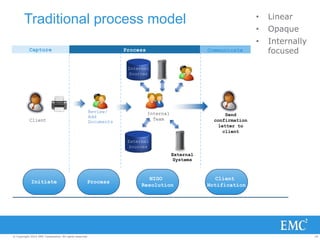
Internal
Sources
External
Sources
Client
Internal
Team
External
Systems
Review/
Add
Documents
Capture Process Communicate
Send
confirmation
letter to
client
Process
NIGO
Resolution
Initiate
Client
Notification
Traditional process model • Linear
• Opaque
• Internally
focused
29© Copyright 2014 EMC Corporation. All rights reserved.© Copyright 2014 EMC Corporation. All rights reserved.
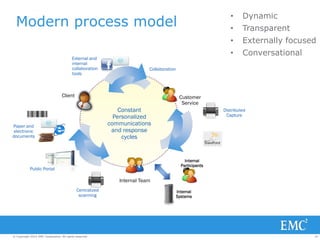
Modern process model
Internal
Systems
Collaboration
Client Customer
Service
Internal Team
Internal
Participants
External and
internal
collaboration
tools
Distributed
Capture
Paper and
electronic
documents
Constant
Personalized
communications
and response
cycles
Public Portal
Centralized
scanning
• Dynamic
• Transparent
• Externally focused
• Conversational
30© Copyright 2014 EMC Corporation. All rights reserved.© Copyright 2014 EMC Corporation. All rights reserved.
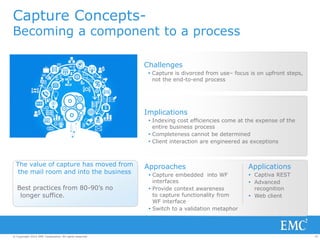
Capture Concepts-
Becoming a component to a process
Challenges
 Capture is divorced from use– focus is on upfront steps,
not the end-to-end process
Approaches
 Capture embedded into WF
interfaces
 Provide context awareness
to capture functionality from
WF interface
 Switch to a validation metaphor
Implications
 Indexing cost efficiencies come at the expense of the
entire business process
 Completeness cannot be determined
 Client interaction are engineered as exceptions
Applications
 Captiva REST
 Advanced
recognition
 Web client
Best practices from 80-90’s no
longer suffice.
The value of capture has moved from
the mail room and into the business
31© Copyright 2014 EMC Corporation. All rights reserved.© Copyright 2014 EMC Corporation. All rights reserved.
Capture Concepts drill-down
Process embedded capture
 Invoice Number
 Vendor Name
 Purchase Date
 Subtotal
 Grand Total
 Payment Terms
 10010
 Acme Products
 30 January 2008
 $ 6,014.81
 $ 6,025.88
 Net 30 Days
Capture Classify Extract Validate Deliver
As a separate front-
end process
‘Discover data’
Embedded in a
process
‘Validate data’
Key EMC Advantages
32© Copyright 2014 EMC Corporation. All rights reserved.© Copyright 2014 EMC Corporation. All rights reserved.
 Invoice Number
 Vendor Name
 Purchase Date
 Subtotal
 Grand Total
 Payment Terms
 10010
 Acme Products
 30 January 2008
 $ 6,014.81
 $ 6,025.88
 Net 30 Days
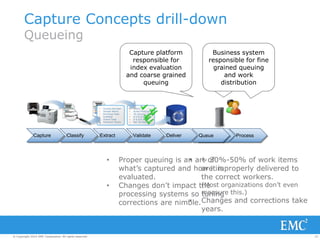
Capture Classify Extract Validate Deliver Queue ProcessQueue
• ~ 30%-50% of work items
are improperly delivered to
the correct workers.
(Most organizations don’t even
measure this.)
• Changes and corrections take
years.
• Proper queuing is an art of
what’s captured and how it is
evaluated.
• Changes don’t impact the
processing systems so tuning
corrections are nimble.
Business system
responsible for all
queuing logic
(index evaluation
and work
distribution)
Business system
responsible for fine
grained queuing
and work
distribution
Capture platform
responsible for
index evaluation
and coarse grained
queuing
Capture Concepts drill-down
Queueing
33© Copyright 2014 EMC Corporation. All rights reserved.© Copyright 2014 EMC Corporation. All rights reserved.
34© Copyright 2014 EMC Corporation. All rights reserved.© Copyright 2014 EMC Corporation. All rights reserved.
Additional Information
 EMC Captiva on emc.com
http://www.emc.com/captiva
 EMC Captiva on EMC Community Network
http://www.emc.com/captiva-ecn
 EMC Captiva on Social Media
– Facebook: https://www.facebook.com/emccaptiva
– Twitter: https://www.twitter.com/emccaptiva
– Linkedin: https://www.linkedin.com/in/emccaptiva
In association with: Presented by:
QUESTIONS?
In association with: Presented by:
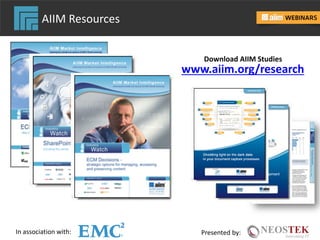
AIIM Resources
www.aiim.org/research
Download AIIM Studies
aiim.org/training
• Enterprise Content Management
Improve customer and staff engagement,
ensure compliance, and automate
business processes.
• Business Process Management
Map, design, and automate operational
processes for your organization using a
combination of strategies, change
management, and technologies.
• Taxonomy & Metadata
Optimize navigation, findability, and
information discovery through content
classification.
• Information Governance
Create an information accountability
framework that reduces costs, manages risk,
and optimizes value.
• Managing Records & eDiscovery
with SharePoint 2013
Manage records, ensure compliance,
and prepare for civil litigation requests.
• Electronic Records Management
Know what to keep and what to discard as
volume, variety, and velocity of digital
information intensifies.
AIIM Training
In association with: Presented by:
Connect with AIIM
As the Global Community for
Information Professionals, join us here
• AIIM’s Resource Centers – www.aiim.org/resource-centers
• AIIM's Blogging Community – http://community.aiim.org
• LinkedIn Group – www.linkedin.com/groups/AIIM-Global-Community-Information-Professionals-3698
• Twitter – www.aiim.org/Connect/Twitter
• Facebook – www.facebook.com/aiimcommunity
• Digital Landfill – http://info.aiim.org/digital-landfill
In association with: Presented by:
 Enterprise Content Management
(ECM)
 Business Process Management
(BPM)
 Capture & Scanning
 Collaboration
 Content Analytics
 Electronic Records Management
(ERM)
 Information Governance
 Search
 SharePoint
 Taxonomy & Metadata
 Web Content Management
Access Industry Tutorials, Research,
Webinars, and Expert Advice Blogs –
all in one place
Visit aiim.org/resource-centers
AIIM Resource Centers
In association with: Presented by:
Survey and Feedback
To take our Survey, click on the link in the
Resources tab at the bottom of your screen.
Tell us how we did today,
and offer suggestions for
topics of future events.
In association with: Presented by:
Upcoming Webinars
July 15th
The Flavors of SharePoint: Which is right for you?
July 22nd
How Global Records Management Practices and Standards Are
Evolving for Business Today
Register Today at
www.aiim.org/webinars
View our library of Webinars On Demand
www.aiim.org/WebinarsOnDemand

Everything you Always Wanted to Know About Capture into Process

  • 1.
    In association with:Presented by: Everything you Always Wanted to Know About Capture into Process: handle exceptions and goofs on the fly Presented July 8, 2015
  • 2.
    In association with:Presented by: About AIIM AIIM is the Global Community of Information Professionals AIIM believes that the information systems we use at work should be simple, secure, and available anywhere, anytime, and on any device. Our mission is to improve organizational performance by empowering a community of leaders committed to information-driven innovation. Learn more at www.aiim.org
  • 3.
    In association with:Presented by: AIIM Presents: Everything you Always Wanted to Know About Capture into Process: handle exceptions and goofs on the fly Host: Theresa Resek Director AIIM Kevin Parker, CIP Sr. Enterprise Information Architect NEOSTEK Pete Smerald Director Enablement EMC, Enterprise Content Division
  • 4.
    In association with:Presented by: Introducing our Featured Speaker Kevin Parker, CIP Sr. Enterprise Information Architect NEOSTEK
  • 5.
    In association with:Presented by: 4 Steps to Better Capture 1. Begin with the end in mind 2. Do capture better in the first place 3. Recover quickly 4. Practice continuous improvement
  • 6.
    In association with:Presented by: Information Lifecycle Created Captured Indexed Stored & Managed Dispositioned Processed & Routed Published Transferred Destroyed
  • 7.
    In association with:Presented by: Where Does All This Information Come From? Captured Documents Paper Email + Attachments Scanned PDFs “Born Digital” PDFs Office Documents Structured Data (e.g., XML)
  • 8.
    In association with:Presented by: People, Process, Information, Technology Enterprise People Process Information Technology
  • 9.
    In association with:Presented by: Begin with the End in Mind: Strategy, Architecture, and Governance • What is the end purpose of the information? – Input for a process? – Evidence for adjudication? – Historical records? • Where should it end up? – BPM system? – CRM system? – Payment processing system? – Records center? • How should it look when it gets there? – Structured data (e.g., XML)? – PDF document? – Images? TIFFs? – A document set?
  • 10.
    In association with:Presented by: Begin with the End in Mind: Strategy, Architecture, and Governance • How should it get there? – Automatic routing? – Manual upload? – Physical media? • What metadata does it need for proper indexing, findability, routing, and processing? • How should copies be governed? – Once captured, what should happen to the paper copy? – During transit, what happens to copies on various media?
  • 11.
    In association with:Presented by: Align Efforts for Improvement Improvement CRM BPM EIM
  • 12.
    In association with:Presented by: Centralized vs. Distributed Capture Centralized Capture Distributed Capture Technology Specialized scanners Specialized software Consumer desktop scanners Multifunction Printers (MFPs) Handheld scanners Mobile device cameras Skills Expert scanning staff Staff with various skill levels Benefits Higher skill Equipment efficiency Processing speed Capture from more sources Capture earlier in process Can be less expensive Challenges Can be expensive Can slow some processes Less control over quality More variations in technology
  • 13.
    In association with:Presented by: What Can Go Wrong with Capture? Variations in forms and formats Variations in business processes Variations in equipment and software Poor quality documents Poor quality preparation Poor quality scanning Issues with indexing Issues with storage and transfer Issues with verification and quality control
  • 14.
    In association with:Presented by: Reduce Variations • Forms and formats – Reduce variations in individual forms – Standardize document formats • Business processes – Clearly define and map business processes – Limit changes in business processes • Equipment and software – Use standardized scanning devices – Use standardized software
  • 15.
    In association with:Presented by: Improve Quality • Original Documents – Use crisp, high-contrast originals – Ensure clear text and marks • Document Preparation – Batch by similar sizes, colors, indexing requirements – Unfold and remove staples – Ensure proper orientation and order • Document Scanning – Use a standard DPI (e.g., 300 DPI) – Choose the best color option (Bi-tonal, Grayscale, Color) – Create better images
  • 16.
    In association with:Presented by: Avoid Issues • Indexing – Capture metadata from context when possible – Leverage auto-classification tools – Consider double-key metadata entry • Storage and transfer – Send directly to the right repository – Send exceptions to a queue – Avoid transferring via physical media where possible • Verification and quality control – Use imprinting/endorsing (Bates stamping) – Perform scanning verification and image quality checks – Perform text searches to verify OCR results
  • 17.
    In association with:Presented by: Capture as Early as Possible Step A Step B Step C Step D Capture here? Capture here? Capture here? Capture here?
  • 18.
    In association with:Presented by: Provide Targeted Guidance • Specialized Scanning Staff – SOPs – Quick Reference • Branch Office Staff – Quick Reference – In-Line Help • Others Who Capture – Quick Reference – In-Line Help
  • 19.
    In association with:Presented by: Leverage the Right Tools for the Job • Scanning equipment – Document feeders – Duplex scanning – Simultaneous color and b/w scanning – Imprinting/endorsing • Scanning software • Recognition software – OCR, ICR, OMR, MICR – 1-D and 2-D barcodes • Auto-classification and indexing software – Database lookups – Zonal recognition – Drag-and-drop indexing • Workflow and routing software
  • 20.
    In association with:Presented by: Quality Assurance: 100% vs. Statistical Sampling 100% QA 50% QA 25% QA 10% QA 5% QA
  • 21.
    In association with:Presented by: Recover Quickly • When there are exceptions: – Identify and group these together for manual resolution – Look for ways to eliminate exceptions in the future • When there are errors: – Identify errors and route back to the person or part of the process responsible – Look for ways to avoid the same errors in the future
  • 22.
    In association with:Presented by: Leverage Plan > Do > Check > Act Plan DoCheck Act
  • 23.
    In association with:Presented by: • Establish Critical Success Factors (CSFs) • Establish Key Performance Indicators (KPIs)Define • Assess the current state • Identify opportunities for streamliningMeasure • Identify root causes of bottlenecks and quality issues • Identify exceptionsAnalyze • Plan improvements • Implement improvementsImprove • Monitor the process using KPIs • Verify quality and eliminate mistakesControl Leverage Lean Six Sigma
  • 24.
    In association with:Presented by: Practice Continuous Improvement Improvement Iteration 0% 20% 40% 60% 80% 100% Errors Quality Improvement Iteration Improvement Iteration
  • 25.
    In association with:Presented by: Summary: 4 Steps to Better Capture 1. Begin with the end in mind – Define strategy – Design architecture – Plan governance 2. Do capture better in the first place – Reduce variations – Improve quality – Avoid issues – Capture as early as possible – Provide targeted guidance – Leverage the right tools for the job 3. Recover quickly – Handle and reduce exceptions – Recover from and reduce errors 4. Practice continuous improvement – Plan  Do  Check  Act – Lean Six Sigma
  • 26.
    In association with:Presented by: Connect with Me Kevin Parker, CIP NEOSTEK: www.neostek.com Twitter: @JKevinParker LinkedIn: www.linkedin.com/in/jkevinparker
  • 27.
    In association with:Presented by: Introducing our Sponsor Speaker Pete Smerald Director Enablement EMC, Enterprise Content Division
  • 28.
    28© Copyright 2014EMC Corporation. All rights reserved.© Copyright 2014 EMC Corporation. All rights reserved. Internal Sources External Sources Client Internal Team External Systems Review/ Add Documents Capture Process Communicate Send confirmation letter to client Process NIGO Resolution Initiate Client Notification Traditional process model • Linear • Opaque • Internally focused
  • 29.
    29© Copyright 2014EMC Corporation. All rights reserved.© Copyright 2014 EMC Corporation. All rights reserved. Modern process model Internal Systems Collaboration Client Customer Service Internal Team Internal Participants External and internal collaboration tools Distributed Capture Paper and electronic documents Constant Personalized communications and response cycles Public Portal Centralized scanning • Dynamic • Transparent • Externally focused • Conversational
  • 30.
    30© Copyright 2014EMC Corporation. All rights reserved.© Copyright 2014 EMC Corporation. All rights reserved. Capture Concepts- Becoming a component to a process Challenges  Capture is divorced from use– focus is on upfront steps, not the end-to-end process Approaches  Capture embedded into WF interfaces  Provide context awareness to capture functionality from WF interface  Switch to a validation metaphor Implications  Indexing cost efficiencies come at the expense of the entire business process  Completeness cannot be determined  Client interaction are engineered as exceptions Applications  Captiva REST  Advanced recognition  Web client Best practices from 80-90’s no longer suffice. The value of capture has moved from the mail room and into the business
  • 31.
    31© Copyright 2014EMC Corporation. All rights reserved.© Copyright 2014 EMC Corporation. All rights reserved. Capture Concepts drill-down Process embedded capture  Invoice Number  Vendor Name  Purchase Date  Subtotal  Grand Total  Payment Terms  10010  Acme Products  30 January 2008  $ 6,014.81  $ 6,025.88  Net 30 Days Capture Classify Extract Validate Deliver As a separate front- end process ‘Discover data’ Embedded in a process ‘Validate data’ Key EMC Advantages
  • 32.
    32© Copyright 2014EMC Corporation. All rights reserved.© Copyright 2014 EMC Corporation. All rights reserved.  Invoice Number  Vendor Name  Purchase Date  Subtotal  Grand Total  Payment Terms  10010  Acme Products  30 January 2008  $ 6,014.81  $ 6,025.88  Net 30 Days Capture Classify Extract Validate Deliver Queue ProcessQueue • ~ 30%-50% of work items are improperly delivered to the correct workers. (Most organizations don’t even measure this.) • Changes and corrections take years. • Proper queuing is an art of what’s captured and how it is evaluated. • Changes don’t impact the processing systems so tuning corrections are nimble. Business system responsible for all queuing logic (index evaluation and work distribution) Business system responsible for fine grained queuing and work distribution Capture platform responsible for index evaluation and coarse grained queuing Capture Concepts drill-down Queueing
  • 33.
    33© Copyright 2014EMC Corporation. All rights reserved.© Copyright 2014 EMC Corporation. All rights reserved.
  • 34.
    34© Copyright 2014EMC Corporation. All rights reserved.© Copyright 2014 EMC Corporation. All rights reserved. Additional Information  EMC Captiva on emc.com http://www.emc.com/captiva  EMC Captiva on EMC Community Network http://www.emc.com/captiva-ecn  EMC Captiva on Social Media – Facebook: https://www.facebook.com/emccaptiva – Twitter: https://www.twitter.com/emccaptiva – Linkedin: https://www.linkedin.com/in/emccaptiva
  • 36.
    In association with:Presented by: QUESTIONS?
  • 37.
    In association with:Presented by: AIIM Resources www.aiim.org/research Download AIIM Studies
  • 38.
    aiim.org/training • Enterprise ContentManagement Improve customer and staff engagement, ensure compliance, and automate business processes. • Business Process Management Map, design, and automate operational processes for your organization using a combination of strategies, change management, and technologies. • Taxonomy & Metadata Optimize navigation, findability, and information discovery through content classification. • Information Governance Create an information accountability framework that reduces costs, manages risk, and optimizes value. • Managing Records & eDiscovery with SharePoint 2013 Manage records, ensure compliance, and prepare for civil litigation requests. • Electronic Records Management Know what to keep and what to discard as volume, variety, and velocity of digital information intensifies. AIIM Training
  • 39.
    In association with:Presented by: Connect with AIIM As the Global Community for Information Professionals, join us here • AIIM’s Resource Centers – www.aiim.org/resource-centers • AIIM's Blogging Community – http://community.aiim.org • LinkedIn Group – www.linkedin.com/groups/AIIM-Global-Community-Information-Professionals-3698 • Twitter – www.aiim.org/Connect/Twitter • Facebook – www.facebook.com/aiimcommunity • Digital Landfill – http://info.aiim.org/digital-landfill
  • 40.
    In association with:Presented by:  Enterprise Content Management (ECM)  Business Process Management (BPM)  Capture & Scanning  Collaboration  Content Analytics  Electronic Records Management (ERM)  Information Governance  Search  SharePoint  Taxonomy & Metadata  Web Content Management Access Industry Tutorials, Research, Webinars, and Expert Advice Blogs – all in one place Visit aiim.org/resource-centers AIIM Resource Centers
  • 41.
    In association with:Presented by: Survey and Feedback To take our Survey, click on the link in the Resources tab at the bottom of your screen. Tell us how we did today, and offer suggestions for topics of future events.
  • 42.
    In association with:Presented by: Upcoming Webinars July 15th The Flavors of SharePoint: Which is right for you? July 22nd How Global Records Management Practices and Standards Are Evolving for Business Today Register Today at www.aiim.org/webinars View our library of Webinars On Demand www.aiim.org/WebinarsOnDemand