



Strategic Software
Selection
May 24, 2017
Introductions
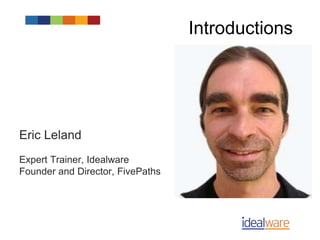
Eric Leland
Expert Trainer, Idealware
Founder and Director, FivePaths
www.idealware.org
INTRODUCTION
Can be found on the
course page!What We’ll Cover Today
Introduction
Defining Your Needs and
Processes
Exploring and Choosing Software
Successfully Rolling Out
Wrap Up
INTRODUCTION
Do You Need A New
System?1
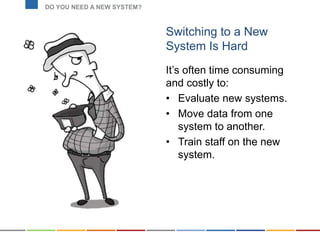
Switching to a New
System Is Hard
It’s often time consuming
and costly to:
• Evaluate new systems.
• Move data from one
system to another.
• Train staff on the new
system.
DO YOU NEED A NEW SYSTEM?
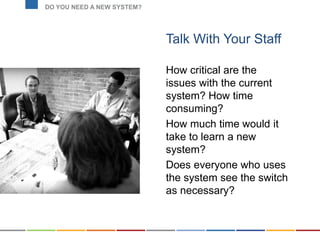
Talk With Your Staff
How critical are the
issues with the current
system? How time
consuming?
How much time would it
take to learn a new
system?
Does everyone who uses
the system see the switch
as necessary?
DO YOU NEED A NEW SYSTEM?
D
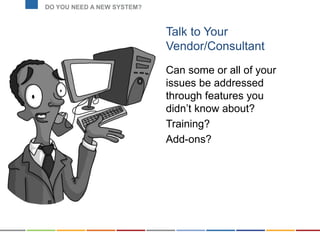
Talk to Your
Vendor/Consultant
Can some or all of your
issues be addressed
through features you
didn’t know about?
Training?
Add-ons?
DO YOU NEED A NEW SYSTEM?
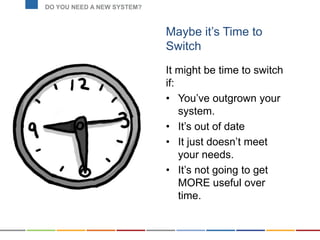
Maybe it’s Time to
Switch
It might be time to switch
if:
• You’ve outgrown your
system.
• It’s out of date
• It just doesn’t meet
your needs.
• It’s not going to get
MORE useful over
time.
DO YOU NEED A NEW SYSTEM?
Is it Worth the Investment?
THINKING ABOUT THE ROI
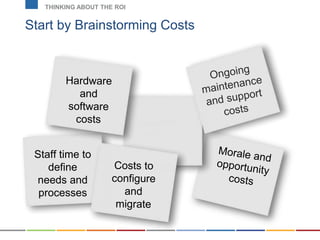
Start by Brainstorming Costs
THINKING ABOUT THE ROI
Staff time to
define
needs and
processes
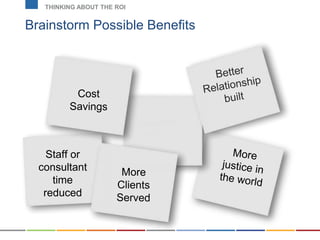
Brainstorm Possible Benefits
THINKING ABOUT THE ROI
Staff or
consultant
time
reduced
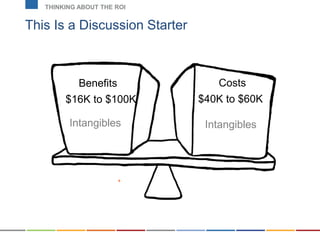
This Is a Discussion Starter
THINKING ABOUT THE ROI
Benefits
$16K to $100K
Intangibles
+
Costs
$40K to $60K
Intangibles
Looking at the
Planning Process2
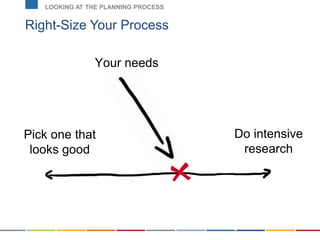
Right-Size Your Process
LOOKING AT THE PLANNING PROCESS
+
Pick one that
looks good
Do intensive
research
Your needs
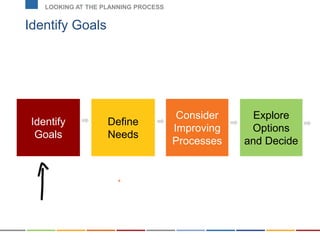
Identify Goals
LOOKING AT THE PLANNING PROCESS
+
Identify
Goals
Define
Needs
Consider
Improving
Processes
Explore
Options
and Decide
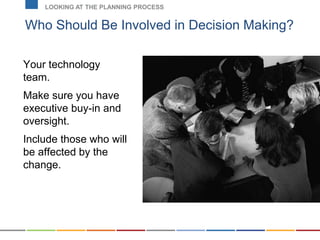
Who Should Be Involved in Decision Making?
LOOKING AT THE PLANNING PROCESS
Your technology
team.
Make sure you have
executive buy-in and
oversight.
Include those who will
be affected by the
change.
Define Project Goals
LOOKING AT THE PLANNING PROCESS
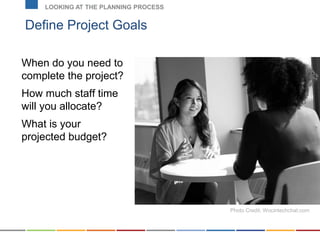
When do you need to
complete the project?
How much staff time
will you allocate?
What is your
projected budget?
Photo Credit: Wocintechchat.com
Identify Your Software Goals
LOOKING AT THE PLANNING PROCESS
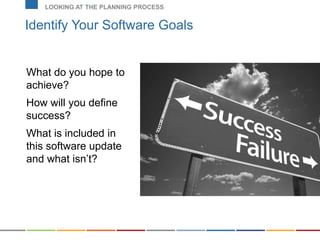
What do you hope to
achieve?
How will you define
success?
What is included in
this software update
and what isn’t?
Define Needs
LOOKING AT THE PLANNING PROCESS
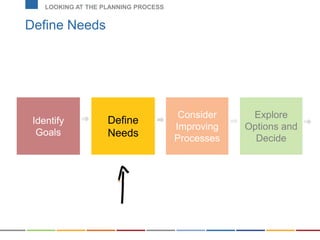
+
Identify
Goals
Define
Needs
Consider
Improving
Processes
Explore
Options and
Decide
What Do You Really Need?
LOOKING AT THE PLANNING PROCESS
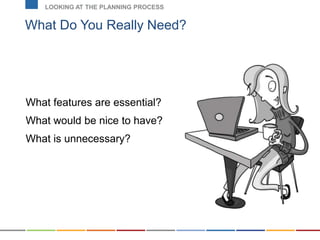
What features are essential?
What would be nice to have?
What is unnecessary?
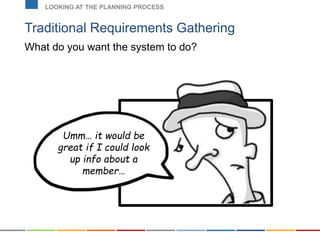
Traditional Requirements Gathering
What do you want the system to do?
LOOKING AT THE PLANNING PROCESS
Umm… it would be
great if I could look
up info about a
member…
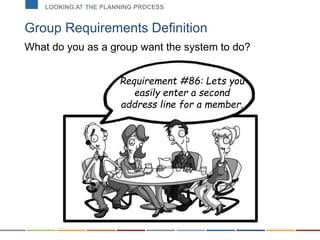
Group Requirements Definition
What do you as a group want the system to do?
LOOKING AT THE PLANNING PROCESS
Requirement #86: Lets you
easily enter a second
address line for a member.
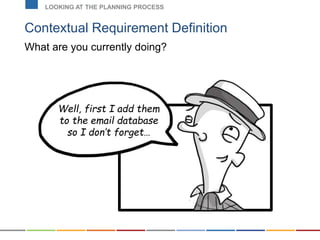
Contextual Requirement Definition
What are you currently doing?
LOOKING AT THE PLANNING PROCESS
Well, first I add them
to the email database
so I don’t forget…
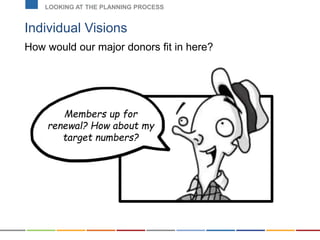
Individual Visions
How would our major donors fit in here?
LOOKING AT THE PLANNING PROCESS
Members up for
renewal? How about my
target numbers?
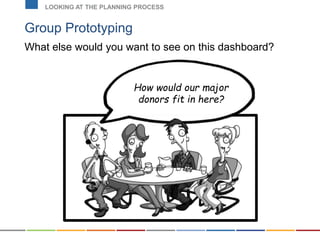
Group Prototyping
What else would you want to see on this dashboard?
LOOKING AT THE PLANNING PROCESS
How would our major
donors fit in here?
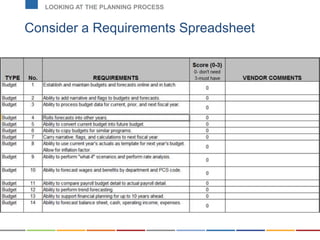
Consider a Requirements Spreadsheet
LOOKING AT THE PLANNING PROCESS
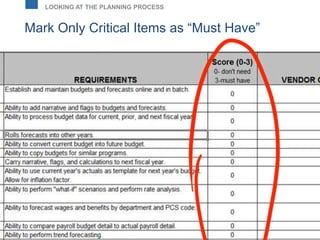
Mark Only Critical Items as “Must Have”
LOOKING AT THE PLANNING PROCESS
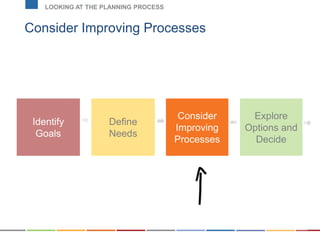
Consider Improving Processes
LOOKING AT THE PLANNING PROCESS
Identify
Goals
Define
Needs
Consider
Improving
Processes
Explore
Options and
Decide
Don’t Get Stuck With Outdated Processes
LOOKING AT THE PLANNING PROCESS
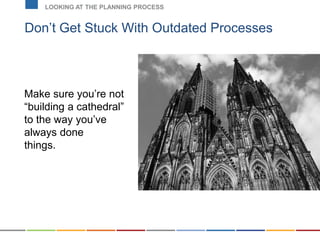
Make sure you’re not
“building a cathedral”
to the way you’ve
always done
things.
Consider Best Practices
LOOKING AT THE PLANNING PROCESS
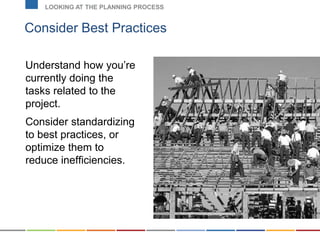
Understand how you’re
currently doing the
tasks related to the
project.
Consider standardizing
to best practices, or
optimize them to
reduce inefficiencies.
Map Processes
LOOKING AT THE PLANNING PROCESS
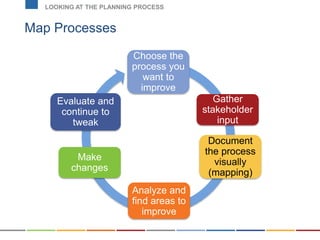
Choose the
process you
want to
improve
Gather
stakeholder
input
Document
the process
visually
(mapping)
Analyze and
find areas to
improve
Make
changes
Evaluate and
continue to
tweak
Start With Stakeholder
Input
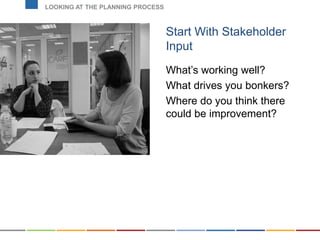
What’s working well?
What drives you bonkers?
Where do you think there
could be improvement?
LOOKING AT THE PLANNING PROCESS
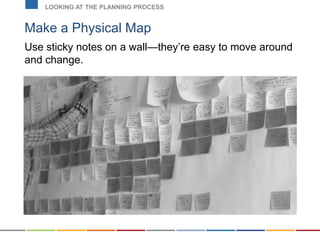
Make a Physical Map
Use sticky notes on a wall—they’re easy to move around
and change.
LOOKING AT THE PLANNING PROCESS
Take Advantage of New Capabilities
New software might offer possibilities that didn’t exist
before.
LOOKING AT THE PLANNING PROCESS
Ask Yourself These Questions
 Do you need a new system?
 What will the future look like with your new
technology?
 How much return will we get from new software?
 What’s the right size process for us?
 How might we improve our processes?
 Does our organization need to change to make this
software work?
 How do we prioritize our requirements?
LOOKING AT THE PLANNING PROCESS
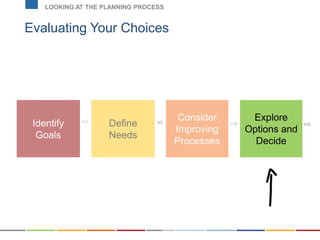
Evaluating Your Choices
LOOKING AT THE PLANNING PROCESS
Identify
Goals
Define
Needs
Consider
Improving
Processes
Explore
Options and
Decide
Research a Shortlist
Based on your needs,
winnow down to a list of 2
– 5 systems that seem
plausible for your needs.
How do you do this?
LOOKING AT THE PLANNING PROCESS
Check for Research
LOOKING AT THE PLANNING PROCESS
Idealware, NTEN,
TechSoup and
membership
associations frequently
publish articles and
reports on software.
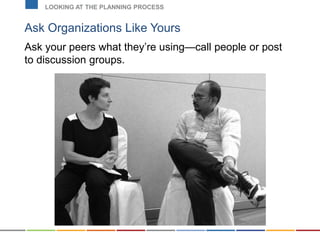
Ask Organizations Like Yours
Ask your peers what they’re using—call people or post
to discussion groups.
LOOKING AT THE PLANNING PROCESS
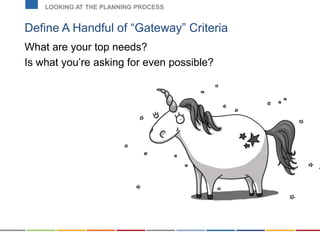
Define A Handful of “Gateway” Criteria
What are your top needs?
Is what you’re asking for even possible?
LOOKING AT THE PLANNING PROCESS
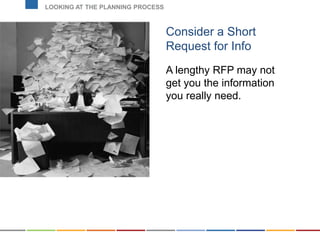
Consider a Short
Request for Info
A lengthy RFP may not
get you the information
you really need.
LOOKING AT THE PLANNING PROCESS
Pick Systems to Demo
Choose your top 2 – 4 contenders.
DEMO THE OPTIONS
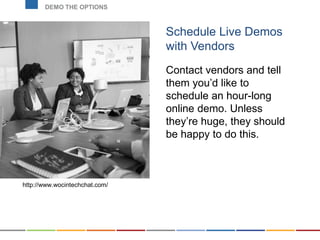
Schedule Live Demos
with Vendors
Contact vendors and tell
them you’d like to
schedule an hour-long
online demo. Unless
they’re huge, they should
be happy to do this.
DEMO THE OPTIONS
http://www.wocintechchat.com/
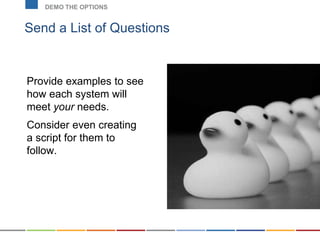
Send a List of Questions
DEMO THE OPTIONS
Provide examples to see
how each system will
meet your needs.
Consider even creating
a script for them to
follow.
Ask About the Most Important Functions
DEMO THE OPTIONS
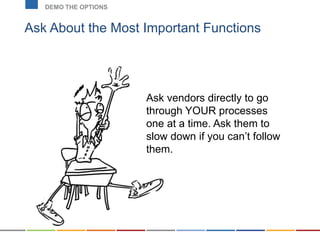
Ask vendors directly to go
through YOUR processes
one at a time. Ask them to
slow down if you can’t follow
them.
Don’t Get Distracted
DEMO THE OPTIONS
A vendor may want to
highlight all the most
exciting things the system
can do, but if you won’t
use them, the bells and
whistles don’t matter.
Consider the Interaction
DEMO THE OPTIONS
Do they understand
your sector and your
organization’s needs?
Are they responsive to
your questions? Do you
feel as though you can
trust the people?
Take Notes
DEMO THE OPTIONS
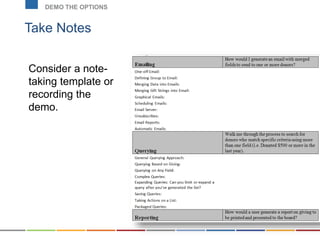
Consider a note-
taking template or
recording the
demo.
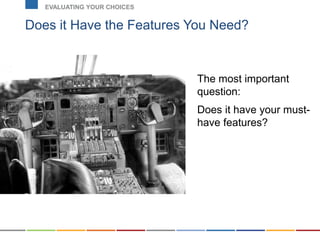
Does it Have the Features You Need?
EVALUATING YOUR CHOICES
The most important
question:
Does it have your must-
have features?
But…How Much Power Do You Really Need?
EVALUATING YOUR CHOICES
How would you prioritize
ease vs. power?
Will tons of people use
the system? Or just a
few power users?
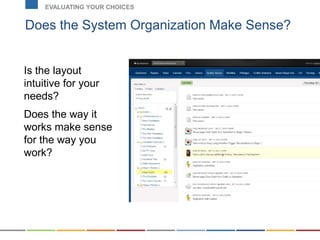
Does the System Organization Make Sense?
EVALUATING YOUR CHOICES
Is the layout
intuitive for your
needs?
Does the way it
works make sense
for the way you
work?
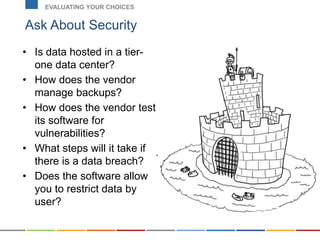
Ask About Security
EVALUATING YOUR CHOICES
• Is data hosted in a tier-
one data center?
• How does the vendor
manage backups?
• How does the vendor test
its software for
vulnerabilities?
• What steps will it take if
there is a data breach?
• Does the software allow
you to restrict data by
user?
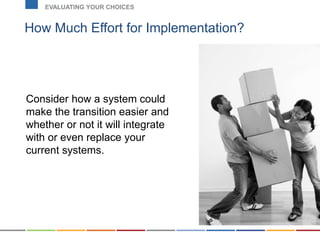
How Much Effort for Implementation?
EVALUATING YOUR CHOICES
Consider how a system could
make the transition easier and
whether or not it will integrate
with or even replace your
current systems.
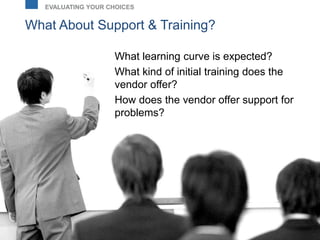
What About Support & Training?
EVALUATING YOUR CHOICES
What learning curve is expected?
What kind of initial training does the
vendor offer?
How does the vendor offer support for
problems?
How Much Will it Cost?
Defining what a piece of software costs is not trivial—
you need to take into account a number of different
factors.
THINKING ABOUT COST
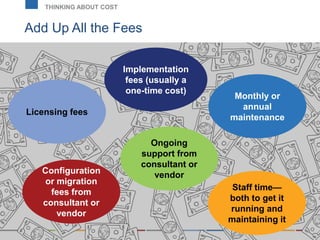
Add Up All the Fees
THINKING ABOUT COST
Licensing fees
Implementation
fees (usually a
one-time cost)
Ongoing
support from
consultant or
vendorConfiguration
or migration
fees from
consultant or
vendor
Monthly or
annual
maintenance
Staff time—
both to get it
running and
maintaining it
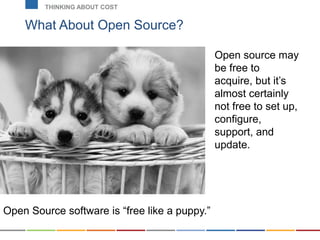
What About Open Source?
THINKING ABOUT COST
Open source may
be free to
acquire, but it’s
almost certainly
not free to set up,
configure,
support, and
update.
Open Source software is “free like a puppy.”
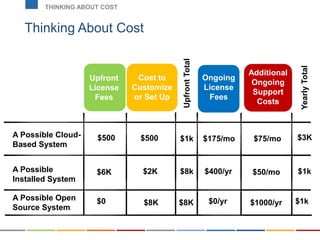
Thinking About Cost
THINKING ABOUT COST
Upfront
License
Fees
Cost to
Customize
or Set Up
Ongoing
License
Fees
Additional
Ongoing
Support
Costs
A Possible Cloud-
Based System
A Possible
Installed System
$500 $500
$6K $2K
$1k
$8k
$175/mo $75/mo $3K
$1k$400/yr
UpfrontTotal
YearlyTotal
$50/mo
A Possible Open
Source System
$0 $8K $8K $0/yr $1000/yr $1k
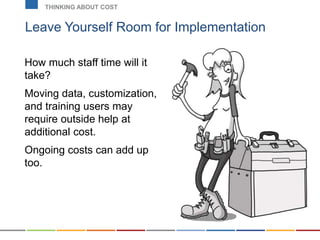
Leave Yourself Room for Implementation
THINKING ABOUT COST
How much staff time will it
take?
Moving data, customization,
and training users may
require outside help at
additional cost.
Ongoing costs can add up
too.
Making Your Choice3
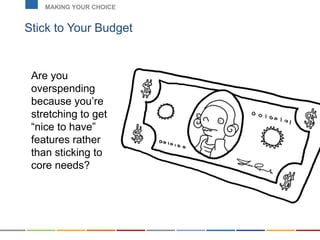
Stick to Your Budget
MAKING YOUR CHOICE
Are you
overspending
because you’re
stretching to get
“nice to have”
features rather
than sticking to
core needs?
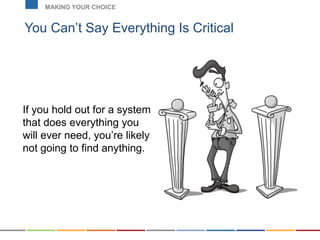
You Can’t Say Everything Is Critical
MAKING YOUR CHOICE
If you hold out for a system
that does everything you
will ever need, you’re likely
not going to find anything.
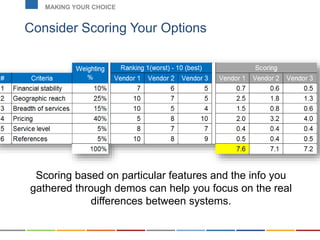
Consider Scoring Your Options
MAKING YOUR CHOICE
Scoring based on particular features and the info you
gathered through demos can help you focus on the real
differences between systems.
Evaluate the Vendors Themselves
MAKING YOUR CHOICE
Things to consider:
 Support capabilities
 Experience and
references
 Track record
 Stability
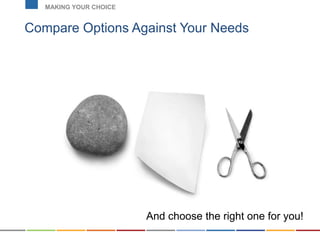
Compare Options Against Your Needs
MAKING YOUR CHOICE
And choose the right one for you!
Call References
CLOSING THE DEAL
Talk to people you
know and trust—
not just the
contacts your
vendor supplies.
Review Contacts Thoroughly
CLOSING THE DEAL
Make sure the right
people are reviewing
and signing off.
Double check
procedures for
signing contracts.
Who Owns Your Data?
Look at your contract
closely to make sure you
can get your data back if
you decide to switch.
CLOSING THE DEAL
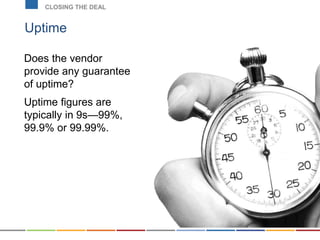
Uptime
CLOSING THE DEAL
Does the vendor
provide any guarantee
of uptime?
Uptime figures are
typically in 9s—99%,
99.9% or 99.99%.
It’s About Finding the
Right Fit
Don’t get caught up in
latest trends or try to
imitate other
organizations—get what
you really need.
CLOSING THE DEAL
Make a Thoughtful Choice
CLOSING THE DEAL
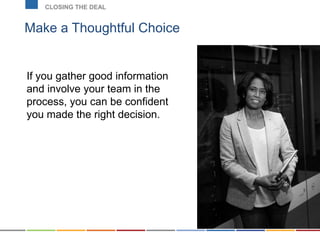
If you gather good information
and involve your team in the
process, you can be confident
you made the right decision.
Ready to Get
Started?5
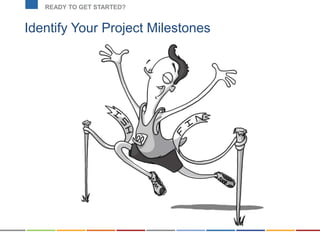
Identify Your Project Milestones
READY TO GET STARTED?
It’s a Big Job
READY TO GET STARTED?
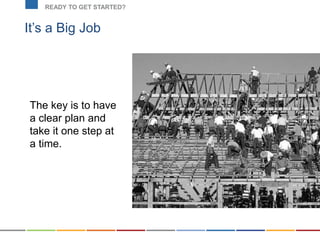
The key is to have
a clear plan and
take it one step at
a time.
You Can Do It!!
READY TO GET STARTED?
 Think through your
needs.
 Define your goals.
 Do your research.
 Plan ahead before
you implement.
In the Chat
What will be the most challenging step for you? Is there
any part of the process that you’re still uncertain about?
CLOSING THE DEAL
http://www.wocintechchat.com/
Idealware Resources: Consumers Guides,
Reports, Articles
Consumers Guide to Open Source Content Management Systems
Consumers Guide to Low Cost Donor Management Systems
Consumers Guides to Grant Management Systems – Vendor Product Update
Field Guide to Software for Non Profits Reports and Articles
Moving Your IT Infrastructure Into the Cloud: Lessons From the Field
Selecting Software on a Shoestring
Understanding Software for Program Evaluation
Tip of the Day: Successful Software Demos
ROI Free Recording
Measuring Return on Investment for Technology
READY TO GET STARTED?

Factors in Software Selection

  • 1.
  • 2.
    Introductions Eric Leland Expert Trainer,Idealware Founder and Director, FivePaths
  • 3.
  • 4.
    Can be foundon the course page!What We’ll Cover Today Introduction Defining Your Needs and Processes Exploring and Choosing Software Successfully Rolling Out Wrap Up INTRODUCTION
  • 5.
    Do You NeedA New System?1
  • 6.
    Switching to aNew System Is Hard It’s often time consuming and costly to: • Evaluate new systems. • Move data from one system to another. • Train staff on the new system. DO YOU NEED A NEW SYSTEM?
  • 7.
    Talk With YourStaff How critical are the issues with the current system? How time consuming? How much time would it take to learn a new system? Does everyone who uses the system see the switch as necessary? DO YOU NEED A NEW SYSTEM? D
  • 8.
    Talk to Your Vendor/Consultant Cansome or all of your issues be addressed through features you didn’t know about? Training? Add-ons? DO YOU NEED A NEW SYSTEM?
  • 9.
    Maybe it’s Timeto Switch It might be time to switch if: • You’ve outgrown your system. • It’s out of date • It just doesn’t meet your needs. • It’s not going to get MORE useful over time. DO YOU NEED A NEW SYSTEM?
  • 10.
    Is it Worththe Investment? THINKING ABOUT THE ROI
  • 11.
    Start by BrainstormingCosts THINKING ABOUT THE ROI Staff time to define needs and processes
  • 12.
    Brainstorm Possible Benefits THINKINGABOUT THE ROI Staff or consultant time reduced
  • 13.
    This Is aDiscussion Starter THINKING ABOUT THE ROI Benefits $16K to $100K Intangibles + Costs $40K to $60K Intangibles
  • 14.
  • 15.
    Right-Size Your Process LOOKINGAT THE PLANNING PROCESS + Pick one that looks good Do intensive research Your needs
  • 16.
    Identify Goals LOOKING ATTHE PLANNING PROCESS + Identify Goals Define Needs Consider Improving Processes Explore Options and Decide
  • 17.
    Who Should BeInvolved in Decision Making? LOOKING AT THE PLANNING PROCESS Your technology team. Make sure you have executive buy-in and oversight. Include those who will be affected by the change.
  • 18.
    Define Project Goals LOOKINGAT THE PLANNING PROCESS When do you need to complete the project? How much staff time will you allocate? What is your projected budget? Photo Credit: Wocintechchat.com
  • 19.
    Identify Your SoftwareGoals LOOKING AT THE PLANNING PROCESS What do you hope to achieve? How will you define success? What is included in this software update and what isn’t?
  • 20.
    Define Needs LOOKING ATTHE PLANNING PROCESS + Identify Goals Define Needs Consider Improving Processes Explore Options and Decide
  • 21.
    What Do YouReally Need? LOOKING AT THE PLANNING PROCESS What features are essential? What would be nice to have? What is unnecessary?
  • 22.
    Traditional Requirements Gathering Whatdo you want the system to do? LOOKING AT THE PLANNING PROCESS Umm… it would be great if I could look up info about a member…
  • 23.
    Group Requirements Definition Whatdo you as a group want the system to do? LOOKING AT THE PLANNING PROCESS Requirement #86: Lets you easily enter a second address line for a member.
  • 24.
    Contextual Requirement Definition Whatare you currently doing? LOOKING AT THE PLANNING PROCESS Well, first I add them to the email database so I don’t forget…
  • 25.
    Individual Visions How wouldour major donors fit in here? LOOKING AT THE PLANNING PROCESS Members up for renewal? How about my target numbers?
  • 26.
    Group Prototyping What elsewould you want to see on this dashboard? LOOKING AT THE PLANNING PROCESS How would our major donors fit in here?
  • 27.
    Consider a RequirementsSpreadsheet LOOKING AT THE PLANNING PROCESS
  • 28.
    Mark Only CriticalItems as “Must Have” LOOKING AT THE PLANNING PROCESS
  • 29.
    Consider Improving Processes LOOKINGAT THE PLANNING PROCESS Identify Goals Define Needs Consider Improving Processes Explore Options and Decide
  • 30.
    Don’t Get StuckWith Outdated Processes LOOKING AT THE PLANNING PROCESS Make sure you’re not “building a cathedral” to the way you’ve always done things.
  • 31.
    Consider Best Practices LOOKINGAT THE PLANNING PROCESS Understand how you’re currently doing the tasks related to the project. Consider standardizing to best practices, or optimize them to reduce inefficiencies.
  • 32.
    Map Processes LOOKING ATTHE PLANNING PROCESS Choose the process you want to improve Gather stakeholder input Document the process visually (mapping) Analyze and find areas to improve Make changes Evaluate and continue to tweak
  • 33.
    Start With Stakeholder Input What’sworking well? What drives you bonkers? Where do you think there could be improvement? LOOKING AT THE PLANNING PROCESS
  • 34.
    Make a PhysicalMap Use sticky notes on a wall—they’re easy to move around and change. LOOKING AT THE PLANNING PROCESS
  • 35.
    Take Advantage ofNew Capabilities New software might offer possibilities that didn’t exist before. LOOKING AT THE PLANNING PROCESS
  • 36.
    Ask Yourself TheseQuestions  Do you need a new system?  What will the future look like with your new technology?  How much return will we get from new software?  What’s the right size process for us?  How might we improve our processes?  Does our organization need to change to make this software work?  How do we prioritize our requirements? LOOKING AT THE PLANNING PROCESS
  • 37.
    Evaluating Your Choices LOOKINGAT THE PLANNING PROCESS Identify Goals Define Needs Consider Improving Processes Explore Options and Decide
  • 38.
    Research a Shortlist Basedon your needs, winnow down to a list of 2 – 5 systems that seem plausible for your needs. How do you do this? LOOKING AT THE PLANNING PROCESS
  • 39.
    Check for Research LOOKINGAT THE PLANNING PROCESS Idealware, NTEN, TechSoup and membership associations frequently publish articles and reports on software.
  • 40.
    Ask Organizations LikeYours Ask your peers what they’re using—call people or post to discussion groups. LOOKING AT THE PLANNING PROCESS
  • 41.
    Define A Handfulof “Gateway” Criteria What are your top needs? Is what you’re asking for even possible? LOOKING AT THE PLANNING PROCESS
  • 42.
    Consider a Short Requestfor Info A lengthy RFP may not get you the information you really need. LOOKING AT THE PLANNING PROCESS
  • 43.
    Pick Systems toDemo Choose your top 2 – 4 contenders. DEMO THE OPTIONS
  • 44.
    Schedule Live Demos withVendors Contact vendors and tell them you’d like to schedule an hour-long online demo. Unless they’re huge, they should be happy to do this. DEMO THE OPTIONS http://www.wocintechchat.com/
  • 45.
    Send a Listof Questions DEMO THE OPTIONS Provide examples to see how each system will meet your needs. Consider even creating a script for them to follow.
  • 46.
    Ask About theMost Important Functions DEMO THE OPTIONS Ask vendors directly to go through YOUR processes one at a time. Ask them to slow down if you can’t follow them.
  • 47.
    Don’t Get Distracted DEMOTHE OPTIONS A vendor may want to highlight all the most exciting things the system can do, but if you won’t use them, the bells and whistles don’t matter.
  • 48.
    Consider the Interaction DEMOTHE OPTIONS Do they understand your sector and your organization’s needs? Are they responsive to your questions? Do you feel as though you can trust the people?
  • 49.
    Take Notes DEMO THEOPTIONS Consider a note- taking template or recording the demo.
  • 50.
    Does it Havethe Features You Need? EVALUATING YOUR CHOICES The most important question: Does it have your must- have features?
  • 51.
    But…How Much PowerDo You Really Need? EVALUATING YOUR CHOICES How would you prioritize ease vs. power? Will tons of people use the system? Or just a few power users?
  • 52.
    Does the SystemOrganization Make Sense? EVALUATING YOUR CHOICES Is the layout intuitive for your needs? Does the way it works make sense for the way you work?
  • 53.
    Ask About Security EVALUATINGYOUR CHOICES • Is data hosted in a tier- one data center? • How does the vendor manage backups? • How does the vendor test its software for vulnerabilities? • What steps will it take if there is a data breach? • Does the software allow you to restrict data by user?
  • 54.
    How Much Effortfor Implementation? EVALUATING YOUR CHOICES Consider how a system could make the transition easier and whether or not it will integrate with or even replace your current systems.
  • 55.
    What About Support& Training? EVALUATING YOUR CHOICES What learning curve is expected? What kind of initial training does the vendor offer? How does the vendor offer support for problems?
  • 56.
    How Much Willit Cost? Defining what a piece of software costs is not trivial— you need to take into account a number of different factors. THINKING ABOUT COST
  • 57.
    Add Up Allthe Fees THINKING ABOUT COST Licensing fees Implementation fees (usually a one-time cost) Ongoing support from consultant or vendorConfiguration or migration fees from consultant or vendor Monthly or annual maintenance Staff time— both to get it running and maintaining it
  • 58.
    What About OpenSource? THINKING ABOUT COST Open source may be free to acquire, but it’s almost certainly not free to set up, configure, support, and update. Open Source software is “free like a puppy.”
  • 59.
    Thinking About Cost THINKINGABOUT COST Upfront License Fees Cost to Customize or Set Up Ongoing License Fees Additional Ongoing Support Costs A Possible Cloud- Based System A Possible Installed System $500 $500 $6K $2K $1k $8k $175/mo $75/mo $3K $1k$400/yr UpfrontTotal YearlyTotal $50/mo A Possible Open Source System $0 $8K $8K $0/yr $1000/yr $1k
  • 60.
    Leave Yourself Roomfor Implementation THINKING ABOUT COST How much staff time will it take? Moving data, customization, and training users may require outside help at additional cost. Ongoing costs can add up too.
  • 61.
  • 62.
    Stick to YourBudget MAKING YOUR CHOICE Are you overspending because you’re stretching to get “nice to have” features rather than sticking to core needs?
  • 63.
    You Can’t SayEverything Is Critical MAKING YOUR CHOICE If you hold out for a system that does everything you will ever need, you’re likely not going to find anything.
  • 64.
    Consider Scoring YourOptions MAKING YOUR CHOICE Scoring based on particular features and the info you gathered through demos can help you focus on the real differences between systems.
  • 65.
    Evaluate the VendorsThemselves MAKING YOUR CHOICE Things to consider:  Support capabilities  Experience and references  Track record  Stability
  • 66.
    Compare Options AgainstYour Needs MAKING YOUR CHOICE And choose the right one for you!
  • 67.
    Call References CLOSING THEDEAL Talk to people you know and trust— not just the contacts your vendor supplies.
  • 68.
    Review Contacts Thoroughly CLOSINGTHE DEAL Make sure the right people are reviewing and signing off. Double check procedures for signing contracts.
  • 69.
    Who Owns YourData? Look at your contract closely to make sure you can get your data back if you decide to switch. CLOSING THE DEAL
  • 70.
    Uptime CLOSING THE DEAL Doesthe vendor provide any guarantee of uptime? Uptime figures are typically in 9s—99%, 99.9% or 99.99%.
  • 71.
    It’s About Findingthe Right Fit Don’t get caught up in latest trends or try to imitate other organizations—get what you really need. CLOSING THE DEAL
  • 72.
    Make a ThoughtfulChoice CLOSING THE DEAL If you gather good information and involve your team in the process, you can be confident you made the right decision.
  • 73.
  • 74.
    Identify Your ProjectMilestones READY TO GET STARTED?
  • 75.
    It’s a BigJob READY TO GET STARTED? The key is to have a clear plan and take it one step at a time.
  • 76.
    You Can DoIt!! READY TO GET STARTED?  Think through your needs.  Define your goals.  Do your research.  Plan ahead before you implement.
  • 77.
    In the Chat Whatwill be the most challenging step for you? Is there any part of the process that you’re still uncertain about? CLOSING THE DEAL http://www.wocintechchat.com/
  • 78.
    Idealware Resources: ConsumersGuides, Reports, Articles Consumers Guide to Open Source Content Management Systems Consumers Guide to Low Cost Donor Management Systems Consumers Guides to Grant Management Systems – Vendor Product Update Field Guide to Software for Non Profits Reports and Articles Moving Your IT Infrastructure Into the Cloud: Lessons From the Field Selecting Software on a Shoestring Understanding Software for Program Evaluation Tip of the Day: Successful Software Demos ROI Free Recording Measuring Return on Investment for Technology READY TO GET STARTED?

Editor's Notes

  • #2 15 minute intro 3 45-minute chunks 2 breaks 15 minute wrap up Add Exercises – 2 End of deck 2 – needs worksheet and case study Create Resources page – includes Consumer Guides to CMS, Donor Management, Cloud Infrastructure
  • #4 Audience Intros Human spectogram: How soon are you planning to purchase? 3 Corners: What kind of software? 1)donor management, 2)communications/digital fundraising, 3)anything else Finger poll: Your level of confidence with software selection
  • #7 Switching isn’t something to do on a whim or in an effort to find a mythical “perfect system.”
  • #9 Switching isn’t something to do on a whim or in an effort to find a mythical “perfect system.”
  • #10 If your system has no community behind it that’s committed to updating it or providing support, it’s time to move on. If your system doesn’t support your CURRENT processes, what about the processes you’ll develop as you grow and add new strategies? If you have Excel – definitely look into other options.
  • #11 How do you know? Benefit/cost = ROI In other words if you spend $100 but you save or earn $150 then your ROI is 150%.
  • #12 Some can be measured directly: software license cost. Others are harder to measure: toll on morale during a change. *Take a moment to write this down
  • #13 Again, some are easier to measure than others. Increase dollars raised, save money on paper and toner. Better quality services? Better org culture? Ask: how might you plausibly calculate time saved? *Take a moment to write this down
  • #14 It’s often not going to make the decision obvious– sometimes it can just highlight that you don’t have any idea what the likely return is– but it’s a useful conversation starter. The values are estimates and are being derived as units of comparison. In the example we just looked at, the organization did not save $2,133 real dollars. What we can learn is that another project that costs twice as much, but could save four times more attorney hours, plausibly offers a better return on investment.
  • #16 For a small purchase—like a software to store photos or a way to share a few documents across a team—it likely makes sense to pick one or two options, see if they meet your needs, and if so call it done. Large purchase? Do substantial research. Seriously consider several systems. Define your needs carefully.
  • #23 Just asking people what they want can be a pretty limited way to understand needs, as people frequently don’t understand them themselves
  • #24 This is really hard to do well without a lot of experience
  • #25 Understanding what people actually do– so what they rely on the current system for on a day-to-day basis, how they use shadow/ ad-hoc systems, where there are gaps– is probably the ideal way to define needs, though it’s time consuming
  • #26 Asking people one on one for their vision of a tactical thing– like a paper dashboard slipped under their door– can be useful and quicker than contextual requirement
  • #27 Showing people things is a great way to focus them. It’s really hard for people to identify things that aren’t on a list of things– easier to identify issues or gaps when there’s something to imagine as a system or report
  • #35 (Your first process probably won’t be this complex.) Go from left to right. Use colors if you want, to indicate who is responsible including when it’s a system doing that step, like your payment gateway processing a credit card and sending back confirmation. Posting all of your forms or reports on a wall can show you gaps and redundancies. Walk through the actual processes
  • #36 Example: analyzing correlations between volunteering and donating—now that you have all that data integrated or in the same system. Example: sharing reports via automated (scheduled) email delivery.
  • #37 Discussion: What’s the first step you need to take when you get back home?
  • #42 If you still have too long a list, think through what’s critical to your organization that’s straightforward to check? For instance, if it’s critical that it’s available through an online interface, you can eliminate systems that don’t have that. What do you critically need that may also be fairly unusual? Perhaps robust volunteer matching functionality is critical to you, or you need to support an unusual mentor/ mentee pairing process. Then ask the vendor (as per next slide)
  • #43 Unless you have a huge project and budget, sending a bunch of vendors a long RFP to winnow down the list is likely to backfire– the vendors that are busy won’t respond, and you’ll only get responses from vendors who are really hungry for business. Instead, define a handful of questions with straightforward answers (How do they support volunteer matching? How would you track the inventory of food available?) and send them to vendors (or call vendors) One benefit of this doc is you can use it internally to evaluate how well the vendor is delivering on promises. What you want from the RFP is information you can track with checkboxes. For example, “It can/can’t do this,” “It can/can’t export to these formats: XML, SQL, CSV, PDF,” or “They can program in PHP and Ruby, but not Java or Cold Fusion.” Questions that encourage vendors to answer unambiguously, with answers that can be compared in a simple matrix, will be useful for assessing and documenting the system capabilities.
  • #44 If you really can’t narrow it down, consider a short demo of a number of systems, and then longer demos of your 2-4 top contenders. *Study of people in grocery stores showed when given more than 5 choices they were less likely to make any purchase. Beware analysis paralysis and decision fatigue.
  • #45 Ask: Have you been through any software demos already? If you could do it over, what would you change? Consider asking consultants or nonprofit friends to show you a demo, especially for open source products (Google, Drupal) or product donations (Salesforce).
  • #46 Eric, if you can speak to examples of good and bad demo questions that would be helpful
  • #50 If you don’t, you’ll remember the fancy features, but not all the nuts-and-bolts of what you need.
  • #51 Your very-useful features?
  • #54 Proves information security is on the “front burner.”
  • #55 Proves information security is on the “front burner.”
  • #57 Ask: how much are you planning to spend in the first year? What are the different components? Start by thinking through the aspects of your project for which you’ll actually need to pay. Are you planning to hire a consultant? For what? Planning, implementation, training? Will you need to buy a piece of software or hardware? Make sure you think about all the costs for the entire project, not just the immediately obvious costs for pieces of technology.
  • #58 License fees?– fees upfront to use it Implementation feeds– on time fees from the vendor to “turn the system on” for you Ongoing monthly or yearly fees (including “maintenance fees”) Consultant or vendor fees to configure and migrate data – get multiple estimates Staff time to help get it up and running Consultant to support the system ongoing Staff time to support it *Who funds this?*
  • #60 SaaS/Cloud costs are regular and predictable, but you may end up paying more over time.
  • #61 We’re trying to get to time and cost, right? Let’s start with time. Even if you hire someone to do most of the work, there will still be staff time required – to talk about goals, define requirements, make decisions, define processes, to be trained, and more. List out the steps for your project and take a crack at estimating the people who will be involved and the number of hours for each. If you feel like you have no idea how much time it might take, consider asking a consultant to help – many technology consultants would be happy to work with you for an hour or two, potentially at an hourly rate, to define the steps and work for a project. You might even be able to get someone to help for free, especially if you’re planning to hire them later (potentially if you’re able to get funding) to help with the project itself. It’s a frequently underestimated step. Data migration is a big deal– it takes knowledge of how to get the data out of the old system, how to manipulate and work with it, and then, particularly, it takes a detailed understanding of how the data should go into the new system. In practice, it’s rare that the fields and data from the old system will map easily to the exact same fields in the new system – so there’s a lot of thought, design, transformation of big sets of data, cleaning up of data that won’t map right, and more. Unless you have someone on staff that has a lot of experience with databases and data migration, it probably makes a lot of sense to hire someone to handle this for you. It’s more important to have someone who understands the new system than the old, so often the new vendor can help or recommend someone to help.
  • #66 Discuss what you should look for when making a software purchase. Review and understand service level and security agreement Re: Stability… do they have a lot of clients? Have they been around a long time? Do you have a sense of their financial situation?
  • #68 Ask people with hands-on experience. Possible questions: -What surprised you once your system was up and running? -What did you wish you had known? -Why was the system a good fit for your org? -What orgs would it not be a good fit for? -What were the challenges during implementation and adoption?
  • #71 Any historic uptime figures? Is there compensation for major downtime incidents?
  • #75 Create a master plan for your entire implementation spelling out as much as possible and then stick to it!
  • #77 This is a quick recap of the course
  • #78 What questions do you want to make sure to ask? Who will be involved? Will you do it over a long period or back-to-back?
  • #79 What questions do you want to make sure to ask? Who will be involved? Will you do it over a long period or back-to-back?