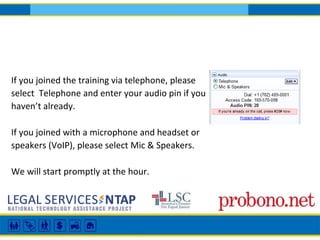
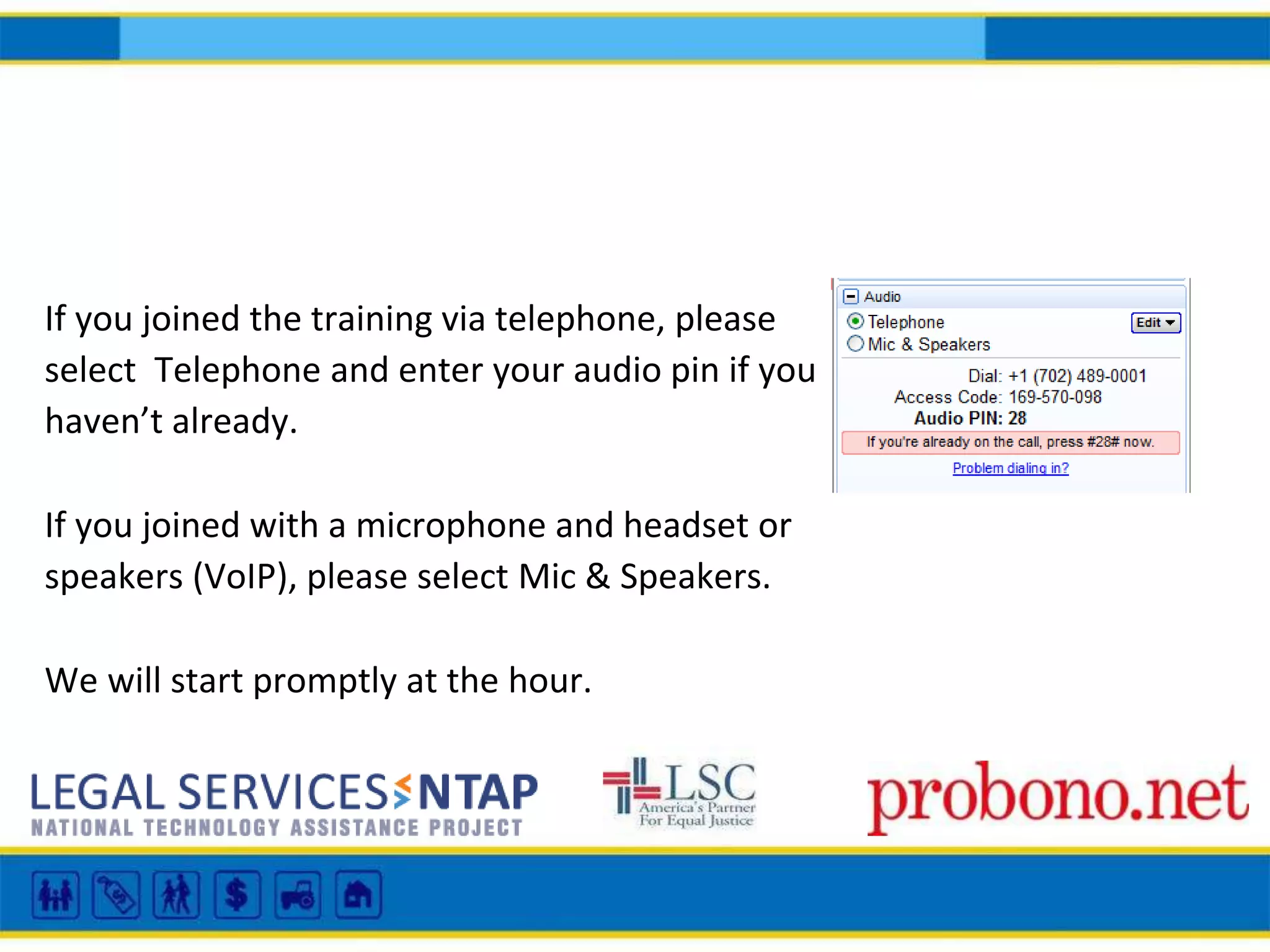
If you joined the training via telephone, please
select Telephone and enter your audio pin if you
haven’t already.
If you joined with a microphone and headset or
speakers (VoIP), please select Mic & Speakers.
We will start promptly at the hour.
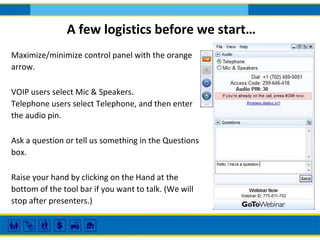
Maximize/minimize control panel with the orange
arrow.
VOIP users select Mic & Speakers.
Telephone users select Telephone, and then enter
the audio pin.
Ask a question or tell us something in the Questions
box.
Raise your hand by clicking on the Hand at the
bottom of the tool bar if you want to talk. (We will
stop after presenters.)
A few logistics before we start…
LSNTAP is recording this training and will post it to their
SlideShare account for the LSNTAP and SWEB websites.
Registered attendees will receive an email with a link to this
information once it has been posted.
Getting to Parity: Language Access
in Legal Aid Technology
MT and TM
What are these tools?
And how do we use them responsibly to create
materials in other languages?
Panelists
Diana Glick, Center for Families and Children, CA
Leland Sampson, Maryland’s Public Law Library
Maria Mindlin and Nicole Newman, Transcend
Claudia C. Johnson, Pro Bono Net
Introduction
Claudia Johnson
Program Manager LawHelp Interactive
Pro Bono Net
The standard is Meaningful access
Meaningful is the KEY WORD here!
Translation=written
interpretation=oral
Two different skill sets
Not interchangeable
You could do one well and still be poor at the
other
Both require training and practice to be proficient
Machine Translation (MT)
Google Translate
iTranslate
Microsoft Translate
TripLingo
Diana Glick
Center for Families, Children & the Courts | Operations and Programs Division
Judicial Council of California
Diana is an attorney with the Center for Families, Children and the Courts, at the Judicial Council of
California. She is a former professional translator and Spanish teacher. At the Judicial Council, Diana
focuses on policy and technology initiatives for self-represented litigants and limited English proficient
court users.
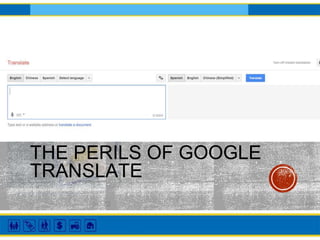
THE PERILS OF GOOGLE
TRANSLATE
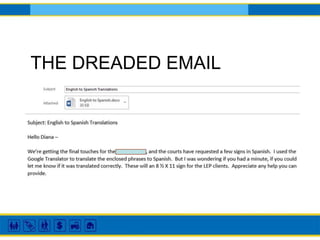
THE DREADED EMAIL
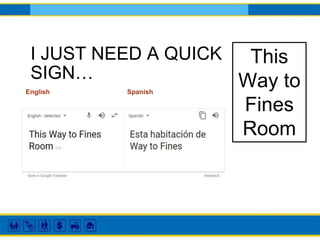
I JUST NEED A QUICK
SIGN…
English Spanish
This
Way to
Fines
Room
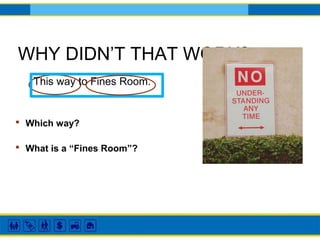
WHY DIDN’T THAT WORK?
This way to Fines Room.
• What is a “Fines Room”?
• Which way?
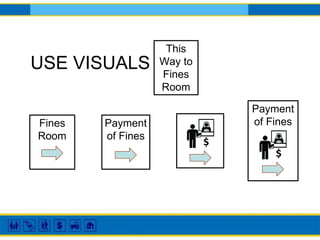
Payment
of Fines
USE VISUALS
This
Way to
Fines
Room
Fines
Room
Payment
of Fines
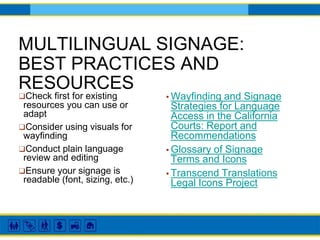
MULTILINGUAL SIGNAGE:
BEST PRACTICES AND
RESOURCES
▪ Wayfinding and Signage
Strategies for Language
Access in the California
Courts: Report and
Recommendations
▪ Glossary of Signage
Terms and Icons
▪ Transcend Translations
Legal Icons Project
❑Check first for existing
resources you can use or
adapt
❑Consider using visuals for
wayfinding
❑Conduct plain language
review and editing
❑Ensure your signage is
readable (font, sizing, etc.)
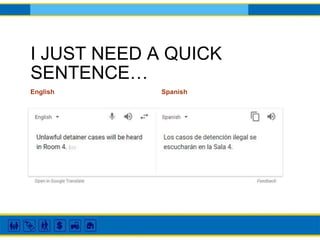
I JUST NEED A QUICK
SENTENCE…
English Spanish
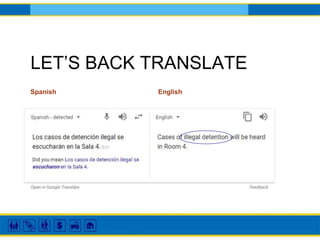
LET’S BACK TRANSLATE
Spanish English
WHY DIDN’T THAT WORK?
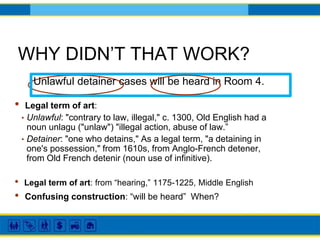
Unlawful detainer cases will be heard in Room 4.
• Legal term of art:
• Unlawful: "contrary to law, illegal," c. 1300, Old English had a
noun unlagu ("unlaw") "illegal action, abuse of law.”
• Detainer: "one who detains," As a legal term, "a detaining in
one's possession," from 1610s, from Anglo-French detener,
from Old French detenir (noun use of infinitive).
• Confusing construction: “will be heard” When?
• Legal term of art: from “hearing,” 1175-1225, Middle English
PLAIN LANGUAGE
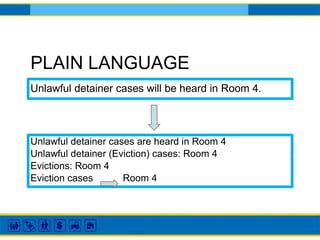
Unlawful detainer cases will be heard in Room 4.
Unlawful detainer cases are heard in Room 4
Unlawful detainer (Eviction) cases: Room 4
Evictions: Room 4
Eviction cases Room 4
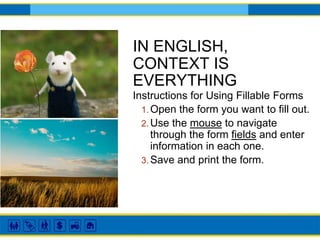
IN ENGLISH,
CONTEXT IS
EVERYTHING
Instructions for Using Fillable Forms
1. Open the form you want to fill out.
2. Use the mouse to navigate
through the form fields and enter
information in each one.
3. Save and print the form.
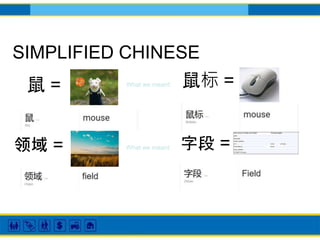
SIMPLIFIED CHINESE
鼠标 =鼠 =
领域 = 字段 =
What we meant:
What we meant:
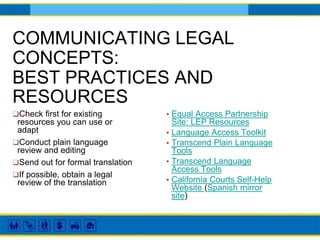
COMMUNICATING LEGAL
CONCEPTS:
BEST PRACTICES AND
RESOURCES
▪ Equal Access Partnership
Site: LEP Resources
▪ Language Access Toolkit
▪ Transcend Plain Language
Tools
▪ Transcend Language
Access Tools
▪ California Courts Self-Help
Website (Spanish mirror
site)
❑Check first for existing
resources you can use or
adapt
❑Conduct plain language
review and editing
❑Send out for formal translation
❑If possible, obtain a legal
review of the translation
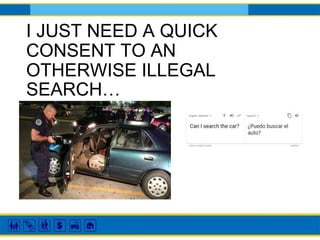
I JUST NEED A QUICK
CONSENT TO AN
OTHERWISE ILLEGAL
SEARCH…
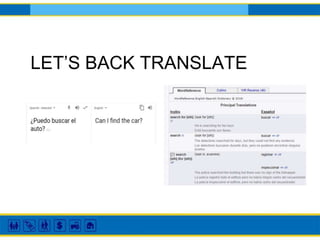
LET’S BACK TRANSLATE
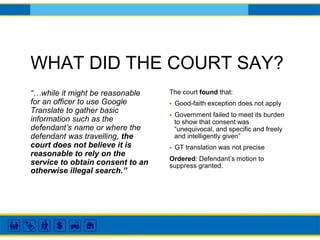
WHAT DID THE COURT SAY?
“…while it might be reasonable
for an officer to use Google
Translate to gather basic
information such as the
defendant’s name or where the
defendant was travelling, the
court does not believe it is
reasonable to rely on the
service to obtain consent to an
otherwise illegal search.”
The court found that:
▪ Good-faith exception does not apply
▪ Government failed to meet its burden
to show that consent was
“unequivocal, and specific and freely
and intelligently given”
▪ GT translation was not precise
Ordered: Defendant’s motion to
suppress granted.
IS IT EVER OKAY TO USE
GOOGLE TRANSLATE?
→Informal communications
→For general understanding
→When you are in a complete bind
TAKEAWAYS
→There are lots of resources out there; it pays to look first
before creating your own.
→If you must create from scratch, there are things you can do
to facilitate translation down the road:
❑Conduct a plain language review
❑Simplify structures
❑Use visuals
→It’s hard to go wrong with a professional translation; a best
practice is to have a legal review of the translation.
People’s Law Library and
Translation Memory Project
Leland Sampson
People’s Law Library
Maryland
What is the People’s Law Library?
• The central mission of the People’s Law Library is to educate
Marylanders about the civil legal issues that self-represented
litigants most frequently face in Maryland state courts.
• Legal information and self-help website
• Legal research in plain English
• Part of the Maryland State Law Library
Products and Services
• Instructional articles
• “How do I…?”
• 150+
• Topical articles
• Encyclopedia of substantive law
• 350+
• Legal Services Directory and Clinic Calendar
• Live Chat with a lawyer, and Ask a Law Librarian
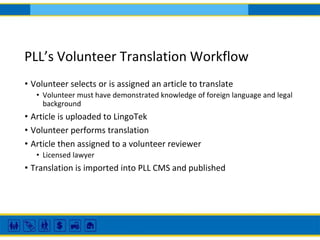
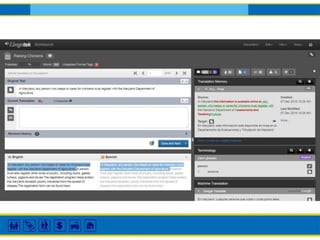
PLL’s Volunteer Translation Workflow
• Volunteer selects or is assigned an article to translate
• Volunteer must have demonstrated knowledge of foreign language and legal
background
• Article is uploaded to LingoTek
• Volunteer performs translation
• Article then assigned to a volunteer reviewer
• Licensed lawyer
• Translation is imported into PLL CMS and published
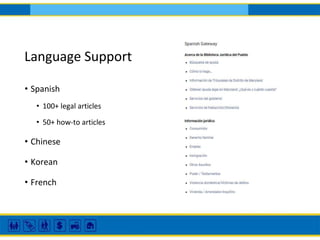
Language Support
• Spanish
• 100+ legal articles
• 50+ how-to articles
• Chinese
• Korean
• French
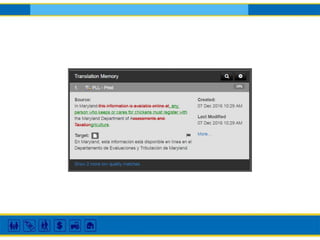
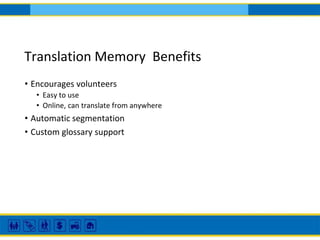
Translation Memory Benefits
• Encourages volunteers
• Easy to use
• Online, can translate from anywhere
• Automatic segmentation
• Custom glossary support
Translation Memory Drawbacks
• Could be expensive
• Quality of translation can vary based on the pool of interpreters
• Translators are not certified court interpreters
Nicole Newman is a software specialist, graphic designer, and senior project manager at Transcend Translations.
She has extensive knowledge of translation memory, translation memory management, and how CAT tools can
and should be used to create better translations and better integrated with other software.
Maria Mindlin is a language specialist at Transcend, a certified Spanish and French interpreter, translator, and
editor. Her work and research include appropriate uses of machine translation and translation memory in
producing high-quality translation products. She works with Machine Translation and Translation Memory tools
every day.
Translation Memory (TM)
© 2018 Transcend, All rights reserved.
Nicole Newman
nnewman@transcend.net
Maria Mindlin
me@transcend.net
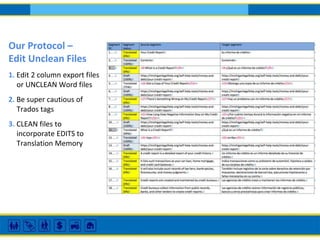
Our Protocol –
Edit Unclean Files
1. Edit 2 column export files
or UNCLEAN Word files
2. Be super cautious of
Trados tags
3. CLEAN files to
incorporate EDITS to
Translation Memory
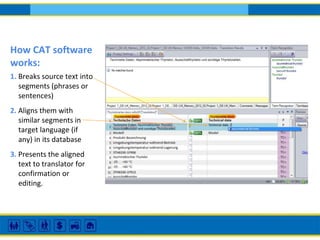
How CAT software
works:
1. Breaks source text into
segments (phrases or
sentences)
2. Aligns them with
similar segments in
target language (if
any) in its database
3. Presents the aligned
text to translator for
confirmation or
editing.
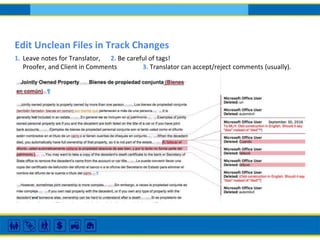
Edit Unclean Files in Track Changes
1. Leave notes for Translator, 2. Be careful of tags!
Proofer, and Client in Comments 3. Translator can accept/reject comments (usually).
Who should use CAT tools?
• Translators: helps you be more consistent, faster
• Clients with high volume of almost exactly repeated text across
documents: makes translation faster, more uniform, saves money.
• Especially good for forms producers, such as health plans, that have high
repetition of content.
• If content is varied, you won’t see much gain.
• But you can benefit from Term Base tools (glossaries).
Most Commonly Used TM software
• SDL Trados
• Déjà Vu
• memoQ
• Wordfast Pro
Free TM software (not commonly used in our industry):
• OmegaT
• Pootle
Resources
How Effective is Machine Translation of Legal Information, Michael Mule and Claudia Johnson
Clearinghouse Review, May-June 2010
http://povertylaw.org/files/docs/article/chr_2010_may_june_mule.pdf
Standards for Language Access in Courts, ABA February 2012
https://www.americanbar.org/content/dam/aba/administrative/legal_aid_indigent_defendants/ls_sclaid_standards_for_language_acces
s_proposal.authcheckdam.pdf
THANK YOU FOR ATTENDING
TODAY!
Next up:
More information at www.lsntap.org
Contact Information
Sart Rowe (sart.rowe@nwjustice.org) or via chat on
www.lsntap.org
Don’t forget to take our feedback survey!

Language Access Webinar

  • 1.
    If you joinedthe training via telephone, please select Telephone and enter your audio pin if you haven’t already. If you joined with a microphone and headset or speakers (VoIP), please select Mic & Speakers. We will start promptly at the hour.
  • 2.
    Maximize/minimize control panelwith the orange arrow. VOIP users select Mic & Speakers. Telephone users select Telephone, and then enter the audio pin. Ask a question or tell us something in the Questions box. Raise your hand by clicking on the Hand at the bottom of the tool bar if you want to talk. (We will stop after presenters.) A few logistics before we start…
  • 3.
    LSNTAP is recordingthis training and will post it to their SlideShare account for the LSNTAP and SWEB websites. Registered attendees will receive an email with a link to this information once it has been posted.
  • 4.
    Getting to Parity:Language Access in Legal Aid Technology MT and TM What are these tools? And how do we use them responsibly to create materials in other languages?
  • 5.
    Panelists Diana Glick, Centerfor Families and Children, CA Leland Sampson, Maryland’s Public Law Library Maria Mindlin and Nicole Newman, Transcend Claudia C. Johnson, Pro Bono Net
  • 6.
    Introduction Claudia Johnson Program ManagerLawHelp Interactive Pro Bono Net
  • 8.
    The standard isMeaningful access Meaningful is the KEY WORD here!
  • 9.
    Translation=written interpretation=oral Two different skillsets Not interchangeable You could do one well and still be poor at the other Both require training and practice to be proficient
  • 10.
    Machine Translation (MT) GoogleTranslate iTranslate Microsoft Translate TripLingo
  • 11.
    Diana Glick Center forFamilies, Children & the Courts | Operations and Programs Division Judicial Council of California Diana is an attorney with the Center for Families, Children and the Courts, at the Judicial Council of California. She is a former professional translator and Spanish teacher. At the Judicial Council, Diana focuses on policy and technology initiatives for self-represented litigants and limited English proficient court users.
  • 12.
    THE PERILS OFGOOGLE TRANSLATE
  • 13.
  • 14.
    I JUST NEEDA QUICK SIGN… English Spanish This Way to Fines Room
  • 15.
    WHY DIDN’T THATWORK? This way to Fines Room. • What is a “Fines Room”? • Which way?
  • 16.
    Payment of Fines USE VISUALS This Wayto Fines Room Fines Room Payment of Fines
  • 17.
    MULTILINGUAL SIGNAGE: BEST PRACTICESAND RESOURCES ▪ Wayfinding and Signage Strategies for Language Access in the California Courts: Report and Recommendations ▪ Glossary of Signage Terms and Icons ▪ Transcend Translations Legal Icons Project ❑Check first for existing resources you can use or adapt ❑Consider using visuals for wayfinding ❑Conduct plain language review and editing ❑Ensure your signage is readable (font, sizing, etc.)
  • 18.
    I JUST NEEDA QUICK SENTENCE… English Spanish
  • 19.
  • 20.
    WHY DIDN’T THATWORK? Unlawful detainer cases will be heard in Room 4. • Legal term of art: • Unlawful: "contrary to law, illegal," c. 1300, Old English had a noun unlagu ("unlaw") "illegal action, abuse of law.” • Detainer: "one who detains," As a legal term, "a detaining in one's possession," from 1610s, from Anglo-French detener, from Old French detenir (noun use of infinitive). • Confusing construction: “will be heard” When? • Legal term of art: from “hearing,” 1175-1225, Middle English
  • 21.
    PLAIN LANGUAGE Unlawful detainercases will be heard in Room 4. Unlawful detainer cases are heard in Room 4 Unlawful detainer (Eviction) cases: Room 4 Evictions: Room 4 Eviction cases Room 4
  • 22.
    IN ENGLISH, CONTEXT IS EVERYTHING Instructionsfor Using Fillable Forms 1. Open the form you want to fill out. 2. Use the mouse to navigate through the form fields and enter information in each one. 3. Save and print the form.
  • 23.
    SIMPLIFIED CHINESE 鼠标 =鼠= 领域 = 字段 = What we meant: What we meant:
  • 24.
    COMMUNICATING LEGAL CONCEPTS: BEST PRACTICESAND RESOURCES ▪ Equal Access Partnership Site: LEP Resources ▪ Language Access Toolkit ▪ Transcend Plain Language Tools ▪ Transcend Language Access Tools ▪ California Courts Self-Help Website (Spanish mirror site) ❑Check first for existing resources you can use or adapt ❑Conduct plain language review and editing ❑Send out for formal translation ❑If possible, obtain a legal review of the translation
  • 25.
    I JUST NEEDA QUICK CONSENT TO AN OTHERWISE ILLEGAL SEARCH…
  • 26.
  • 27.
    WHAT DID THECOURT SAY? “…while it might be reasonable for an officer to use Google Translate to gather basic information such as the defendant’s name or where the defendant was travelling, the court does not believe it is reasonable to rely on the service to obtain consent to an otherwise illegal search.” The court found that: ▪ Good-faith exception does not apply ▪ Government failed to meet its burden to show that consent was “unequivocal, and specific and freely and intelligently given” ▪ GT translation was not precise Ordered: Defendant’s motion to suppress granted.
  • 28.
    IS IT EVEROKAY TO USE GOOGLE TRANSLATE? →Informal communications →For general understanding →When you are in a complete bind
  • 29.
    TAKEAWAYS →There are lotsof resources out there; it pays to look first before creating your own. →If you must create from scratch, there are things you can do to facilitate translation down the road: ❑Conduct a plain language review ❑Simplify structures ❑Use visuals →It’s hard to go wrong with a professional translation; a best practice is to have a legal review of the translation.
  • 30.
    People’s Law Libraryand Translation Memory Project Leland Sampson People’s Law Library Maryland
  • 31.
    What is thePeople’s Law Library? • The central mission of the People’s Law Library is to educate Marylanders about the civil legal issues that self-represented litigants most frequently face in Maryland state courts. • Legal information and self-help website • Legal research in plain English • Part of the Maryland State Law Library
  • 32.
    Products and Services •Instructional articles • “How do I…?” • 150+ • Topical articles • Encyclopedia of substantive law • 350+ • Legal Services Directory and Clinic Calendar • Live Chat with a lawyer, and Ask a Law Librarian
  • 33.
    PLL’s Volunteer TranslationWorkflow • Volunteer selects or is assigned an article to translate • Volunteer must have demonstrated knowledge of foreign language and legal background • Article is uploaded to LingoTek • Volunteer performs translation • Article then assigned to a volunteer reviewer • Licensed lawyer • Translation is imported into PLL CMS and published
  • 34.
    Language Support • Spanish •100+ legal articles • 50+ how-to articles • Chinese • Korean • French
  • 37.
    Translation Memory Benefits •Encourages volunteers • Easy to use • Online, can translate from anywhere • Automatic segmentation • Custom glossary support
  • 38.
    Translation Memory Drawbacks •Could be expensive • Quality of translation can vary based on the pool of interpreters • Translators are not certified court interpreters
  • 39.
    Nicole Newman isa software specialist, graphic designer, and senior project manager at Transcend Translations. She has extensive knowledge of translation memory, translation memory management, and how CAT tools can and should be used to create better translations and better integrated with other software. Maria Mindlin is a language specialist at Transcend, a certified Spanish and French interpreter, translator, and editor. Her work and research include appropriate uses of machine translation and translation memory in producing high-quality translation products. She works with Machine Translation and Translation Memory tools every day.
  • 40.
    Translation Memory (TM) ©2018 Transcend, All rights reserved. Nicole Newman nnewman@transcend.net Maria Mindlin me@transcend.net
  • 41.
    Our Protocol – EditUnclean Files 1. Edit 2 column export files or UNCLEAN Word files 2. Be super cautious of Trados tags 3. CLEAN files to incorporate EDITS to Translation Memory
  • 42.
    How CAT software works: 1.Breaks source text into segments (phrases or sentences) 2. Aligns them with similar segments in target language (if any) in its database 3. Presents the aligned text to translator for confirmation or editing.
  • 43.
    Edit Unclean Filesin Track Changes 1. Leave notes for Translator, 2. Be careful of tags! Proofer, and Client in Comments 3. Translator can accept/reject comments (usually).
  • 44.
    Who should useCAT tools? • Translators: helps you be more consistent, faster • Clients with high volume of almost exactly repeated text across documents: makes translation faster, more uniform, saves money. • Especially good for forms producers, such as health plans, that have high repetition of content. • If content is varied, you won’t see much gain. • But you can benefit from Term Base tools (glossaries).
  • 45.
    Most Commonly UsedTM software • SDL Trados • Déjà Vu • memoQ • Wordfast Pro Free TM software (not commonly used in our industry): • OmegaT • Pootle
  • 46.
    Resources How Effective isMachine Translation of Legal Information, Michael Mule and Claudia Johnson Clearinghouse Review, May-June 2010 http://povertylaw.org/files/docs/article/chr_2010_may_june_mule.pdf Standards for Language Access in Courts, ABA February 2012 https://www.americanbar.org/content/dam/aba/administrative/legal_aid_indigent_defendants/ls_sclaid_standards_for_language_acces s_proposal.authcheckdam.pdf
  • 47.
    THANK YOU FORATTENDING TODAY! Next up: More information at www.lsntap.org
  • 48.
    Contact Information Sart Rowe(sart.rowe@nwjustice.org) or via chat on www.lsntap.org Don’t forget to take our feedback survey!