Submitted by
Name-Pranjal Dutta
Roll-Gau-C-11/L-192
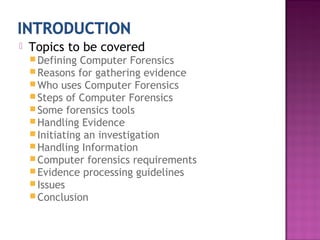
 Topics to be covered
Defining Computer Forensics
Reasons for gathering evidence
Who uses Computer Forensics
Steps of Computer Forensics
Some forensics tools
Handling Evidence
Initiating an investigation
Handling Information
Computer forensics requirements
Evidence processing guidelines
Issues
Conclusion
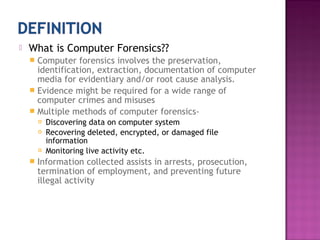
 What is Computer Forensics??
 Computer forensics involves the preservation,
identification, extraction, documentation of computer
media for evidentiary and/or root cause analysis.
 Evidence might be required for a wide range of
computer crimes and misuses
 Multiple methods of computer forensics-
 Discovering data on computer system
 Recovering deleted, encrypted, or damaged file
information
 Monitoring live activity etc.
 Information collected assists in arrests, prosecution,
termination of employment, and preventing future
illegal activity
 Wide range of computer crimes and misuses
 Fraud(criminal deception intended to result in financial or
personal gain)
 Extortion(illegal use of ones official position or powers to
obtain property, funds etc)
 Industrial espionage(theft of trade secrets in a company for
use by a competitor)
 Sexual harassments
 SPAM investigations
 Virus/Trojan distribution
 Unauthorized use of personal information
 Forgery(imitating objects or documents with the intent to
make usually large amount of money)
 Software Piracy
 Criminal Prosecutors
 Rely on evidence obtained from a computer to
prosecute suspects and use as evidence
 Civil Litigations (a legal proceeding in a court)
 Personal and business data discovered on a computer
can be used in fraud, divorce, harassment
 Private Corporations
 Obtained evidence from employee computers can
be used as evidence in harassment, fraud, and
embezzlement cases
 Law Enforcement Officials
 Rely on computer forensics to backup search warrants
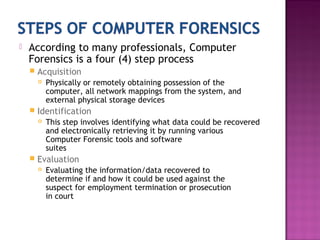
 According to many professionals, Computer
Forensics is a four (4) step process
 Acquisition
 Physically or remotely obtaining possession of the
computer, all network mappings from the system, and
external physical storage devices
 Identification
 This step involves identifying what data could be recovered
and electronically retrieving it by running various
Computer Forensic tools and software
suites
 Evaluation
 Evaluating the information/data recovered to
determine if and how it could be used against the
suspect for employment termination or prosecution
in court
 Presentation
 This step involves the presentation of evidence discovered
in a manner which is understood by lawyers, non-
technically staff/management.
 EnCase- software package which enables an investigator to
image and examine data from hard disks, removable
media.
 SafeBack- SafeBack is used primarily for imaging the hard
disks of Intel-based computer systems and restoring these
images to other hard disks.
 Data dumper- It is a command line tool, freely available
utility for UNIX systems which can make exact copies of
disks suitable for forensic analysis.
 Md5sum- tool to check whether data is copied to another
storage successfully or not.
 Grep- allows files to be searched for a particular sequence
of characters
 The Coroner's Toolkit- free tools designed to be used in
the forensic analysis of a UNIX machine.
1. When dealing with digital evidence, all of the general
forensic and procedural principles must be applied.
2. Upon seizing digital evidence, actions taken should not
change that evidence.
3. When it is necessary for a person to access original
digital evidence, that person should be trained for the
purpose.
4. All activity relating to the seizure, access, storage or
transfer of digital evidence must be fully documented,
preserved and available for review.
5. An Individual is responsible for all actions taken with
respect to digital evidence while the digital evidence is
in their possession.
6. Any agency, which is responsible for seizing, accessing,
storing or transferring digital evidence is responsible for
compliance with these principles.
 DO NOT begin by exploring files on system
randomly
 Properly maintain the chain of custody
 Collect email, DNS, and other network
service logs
 Capture exhaustive external TCP and UDP port
scans of the host
 Contact security personnel ,management,
Federal and local enforcement, as well as
affected sites or persons
Information and data being collected in the
investigation must be properly handled.
Volatile Information
 Network Information
 Communication between system and the network
 Active Processes
 Programs and daemons currently active on the system
 Logged-on Users
 Users/employees currently using system
 Open Files
 Libraries in use; hidden files; Trojans loaded in system
 Non-Volatile Information
 This includes information, configuration settings,
system files and registry settings that are available
after reboot
 Accessed through drive mappings from system
 This information should be investigated and reviewed
from a backup copy
 Hardware
 Familiarity with all internal and external
devices/components of a computer
 Thorough understanding of hard drives and settings
 Understanding motherboards and the various chipsets
used
 Power connections
 Memory
 BIOS(Basic Input Output system)
 Understanding how the BIOS works
 Familiarity with the various settings and limitations of
the BIOS
 Operation Systems
 Windows 3.1/95/98/NT/2000/2003/XP etc.
 DOS
 UNIX
 LINUX
 VAX/VMS
VAX(Virtual Address eXtension- server computers from the Digital
Equipment Corporation (DEC) and also introduced a new operating
system, VMS(Virtual Memory System).
 Software
 Familiarity with most popular software packages
such as Office
 Forensic Tools
 Familiarity with computer forensic techniques and the
software packages that could be used
 There are basically 16 steps in processing
evidence.
 They offer training on properly handling each
step
 Step 1: Shut down the computer
 Considerations must be given to volatile information
 Prevents remote access to machine and destruction of
evidence (manual or anti-forensic software)
 Step 2: Document the Hardware Configuration
of The System
 Note everything about the computer configuration
prior to re-locating
 Step 3: Transport the Computer System to A Secure
Location
 Do not leave the computer unattended unless it is locked in
a secure location
 Step 4: Make Bit Stream Backups of Hard Disks and
Floppy Disks
 Step 5: Mathematically Authenticate Data on All
Storage Devices
 Must be able to prove that you did not alter
any of the evidence after the computer
came into your possession
 Step 6: Document the System Date and Time
 Step 7: Make a List of Key Search Words
 Step 8: Evaluate the Windows Swap File
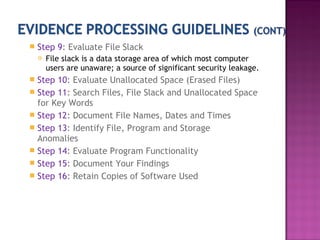
 Step 9: Evaluate File Slack
 File slack is a data storage area of which most computer
users are unaware; a source of significant security leakage.
 Step 10: Evaluate Unallocated Space (Erased Files)
 Step 11: Search Files, File Slack and Unallocated Space
for Key Words
 Step 12: Document File Names, Dates and Times
 Step 13: Identify File, Program and Storage
Anomalies
 Step 14: Evaluate Program Functionality
 Step 15: Document Your Findings
 Step 16: Retain Copies of Software Used
lack of certification for tools
Lack of standards
lack of certification for professionals
lack of understanding by Judiciary
lack of curriculum accreditation
Rapid changes in technology!
Immature Scientific Discipline
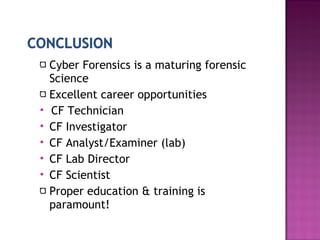
Cyber Forensics is a maturing forensic
Science
Excellent career opportunities
 CF Technician
 CF Investigator
 CF Analyst/Examiner (lab)
 CF Lab Director
 CF Scientist
Proper education & training is
paramount!
Cyber forensics

Cyber forensics

  • 1.
  • 2.
     Topics tobe covered Defining Computer Forensics Reasons for gathering evidence Who uses Computer Forensics Steps of Computer Forensics Some forensics tools Handling Evidence Initiating an investigation Handling Information Computer forensics requirements Evidence processing guidelines Issues Conclusion
  • 3.
     What isComputer Forensics??  Computer forensics involves the preservation, identification, extraction, documentation of computer media for evidentiary and/or root cause analysis.  Evidence might be required for a wide range of computer crimes and misuses  Multiple methods of computer forensics-  Discovering data on computer system  Recovering deleted, encrypted, or damaged file information  Monitoring live activity etc.  Information collected assists in arrests, prosecution, termination of employment, and preventing future illegal activity
  • 5.
     Wide rangeof computer crimes and misuses  Fraud(criminal deception intended to result in financial or personal gain)  Extortion(illegal use of ones official position or powers to obtain property, funds etc)  Industrial espionage(theft of trade secrets in a company for use by a competitor)  Sexual harassments  SPAM investigations  Virus/Trojan distribution  Unauthorized use of personal information  Forgery(imitating objects or documents with the intent to make usually large amount of money)  Software Piracy
  • 6.
     Criminal Prosecutors Rely on evidence obtained from a computer to prosecute suspects and use as evidence  Civil Litigations (a legal proceeding in a court)  Personal and business data discovered on a computer can be used in fraud, divorce, harassment  Private Corporations  Obtained evidence from employee computers can be used as evidence in harassment, fraud, and embezzlement cases  Law Enforcement Officials  Rely on computer forensics to backup search warrants
  • 7.
     According tomany professionals, Computer Forensics is a four (4) step process  Acquisition  Physically or remotely obtaining possession of the computer, all network mappings from the system, and external physical storage devices  Identification  This step involves identifying what data could be recovered and electronically retrieving it by running various Computer Forensic tools and software suites  Evaluation  Evaluating the information/data recovered to determine if and how it could be used against the suspect for employment termination or prosecution in court
  • 8.
     Presentation  Thisstep involves the presentation of evidence discovered in a manner which is understood by lawyers, non- technically staff/management.
  • 9.
     EnCase- softwarepackage which enables an investigator to image and examine data from hard disks, removable media.  SafeBack- SafeBack is used primarily for imaging the hard disks of Intel-based computer systems and restoring these images to other hard disks.  Data dumper- It is a command line tool, freely available utility for UNIX systems which can make exact copies of disks suitable for forensic analysis.  Md5sum- tool to check whether data is copied to another storage successfully or not.  Grep- allows files to be searched for a particular sequence of characters  The Coroner's Toolkit- free tools designed to be used in the forensic analysis of a UNIX machine.
  • 10.
    1. When dealingwith digital evidence, all of the general forensic and procedural principles must be applied. 2. Upon seizing digital evidence, actions taken should not change that evidence. 3. When it is necessary for a person to access original digital evidence, that person should be trained for the purpose. 4. All activity relating to the seizure, access, storage or transfer of digital evidence must be fully documented, preserved and available for review. 5. An Individual is responsible for all actions taken with respect to digital evidence while the digital evidence is in their possession. 6. Any agency, which is responsible for seizing, accessing, storing or transferring digital evidence is responsible for compliance with these principles.
  • 11.
     DO NOTbegin by exploring files on system randomly  Properly maintain the chain of custody  Collect email, DNS, and other network service logs  Capture exhaustive external TCP and UDP port scans of the host  Contact security personnel ,management, Federal and local enforcement, as well as affected sites or persons
  • 12.
    Information and databeing collected in the investigation must be properly handled. Volatile Information  Network Information  Communication between system and the network  Active Processes  Programs and daemons currently active on the system  Logged-on Users  Users/employees currently using system  Open Files  Libraries in use; hidden files; Trojans loaded in system
  • 13.
     Non-Volatile Information This includes information, configuration settings, system files and registry settings that are available after reboot  Accessed through drive mappings from system  This information should be investigated and reviewed from a backup copy
  • 14.
     Hardware  Familiaritywith all internal and external devices/components of a computer  Thorough understanding of hard drives and settings  Understanding motherboards and the various chipsets used  Power connections  Memory  BIOS(Basic Input Output system)  Understanding how the BIOS works  Familiarity with the various settings and limitations of the BIOS
  • 15.
     Operation Systems Windows 3.1/95/98/NT/2000/2003/XP etc.  DOS  UNIX  LINUX  VAX/VMS VAX(Virtual Address eXtension- server computers from the Digital Equipment Corporation (DEC) and also introduced a new operating system, VMS(Virtual Memory System).  Software  Familiarity with most popular software packages such as Office  Forensic Tools  Familiarity with computer forensic techniques and the software packages that could be used
  • 16.
     There arebasically 16 steps in processing evidence.  They offer training on properly handling each step  Step 1: Shut down the computer  Considerations must be given to volatile information  Prevents remote access to machine and destruction of evidence (manual or anti-forensic software)  Step 2: Document the Hardware Configuration of The System  Note everything about the computer configuration prior to re-locating
  • 17.
     Step 3:Transport the Computer System to A Secure Location  Do not leave the computer unattended unless it is locked in a secure location  Step 4: Make Bit Stream Backups of Hard Disks and Floppy Disks  Step 5: Mathematically Authenticate Data on All Storage Devices  Must be able to prove that you did not alter any of the evidence after the computer came into your possession  Step 6: Document the System Date and Time  Step 7: Make a List of Key Search Words  Step 8: Evaluate the Windows Swap File
  • 18.
     Step 9:Evaluate File Slack  File slack is a data storage area of which most computer users are unaware; a source of significant security leakage.  Step 10: Evaluate Unallocated Space (Erased Files)  Step 11: Search Files, File Slack and Unallocated Space for Key Words  Step 12: Document File Names, Dates and Times  Step 13: Identify File, Program and Storage Anomalies  Step 14: Evaluate Program Functionality  Step 15: Document Your Findings  Step 16: Retain Copies of Software Used
  • 19.
    lack of certificationfor tools Lack of standards lack of certification for professionals lack of understanding by Judiciary lack of curriculum accreditation Rapid changes in technology! Immature Scientific Discipline
  • 20.
    Cyber Forensics isa maturing forensic Science Excellent career opportunities  CF Technician  CF Investigator  CF Analyst/Examiner (lab)  CF Lab Director  CF Scientist Proper education & training is paramount!