Computer Forensics
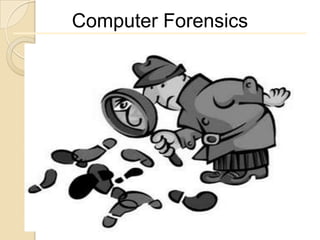
Computer Forensics
Computer Forensics


A process of applying scientific and analytical
techniques to computer Operating Systems
and File Structures to determining the
potential Legal Evidence.
Computer Forensics

 It is the practice of lawfully establishing evidence
and facts.
This  is science involving legal evidence that is found
in digital storage mediums and in computers.
   Subdivisions: -
     Disk forensics

     Network forensics

     Mobile forensics
Role of Computer forensic investigator

    Evidence Collection and Chain of Custody

           Who Who handled the evidence?
           What  What procedures were performed on the
            evidence?
           When  When was the evidence collected and/or
            transferred to another party?
           Where  Where was the evidence collected and
            stored?
           How  How was the evidence collected and
            stored?
           Why  For what purpose was the evidence
            collected?
Forensics process

   Acquire data to be examined
   Photographs
   Make an image
   Review of logical file structure
   Review of unallocated space and file slack
   Recover deleted data (If any)
   Report
   Expert testimony
Importance of Evidence

"Evidence" is anything the judge allows a jury to
consider in reaching a verdict.


This can include the testimony of
witnesses, photographs of the scene and "demonstrative
evidence" such as charts or sample equipment.
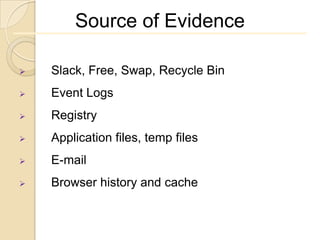
Source of Evidence

   Slack, Free, Swap, Recycle Bin
   Event Logs
   Registry
   Application files, temp files
   E-mail
   Browser history and cache
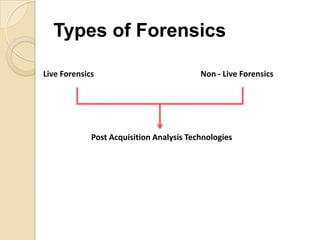
Types of Forensics

Live Forensics                            Non - Live Forensics


             Post Acquisition Analysis Technologies
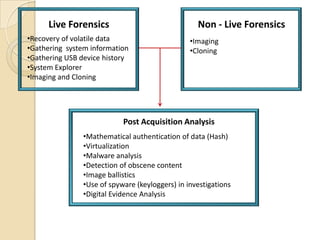
Live Forensics                               Non - Live Forensics
•Recovery of volatile data                       •Imaging
•Gathering system information                    •Cloning
•Gathering USB device history
•System Explorer
•Imaging and Cloning


                            Post Acquisition Analysis
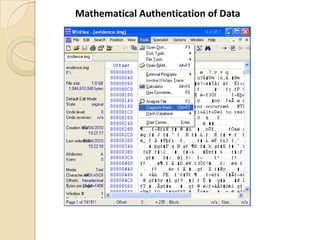
                •Mathematical authentication of data (Hash)
                •Virtualization
                •Malware analysis
                •Detection of obscene content
                •Image ballistics
                •Use of spyware (keyloggers) in investigations
                •Digital Evidence Analysis
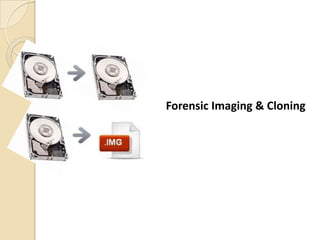
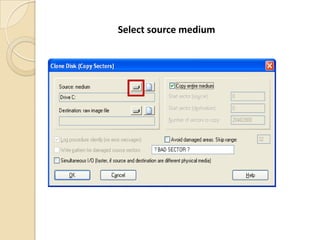
Forensic Imaging & Cloning
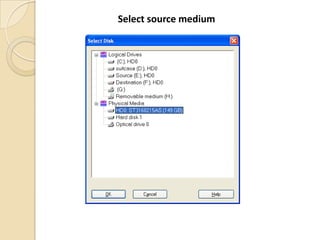
Select source medium
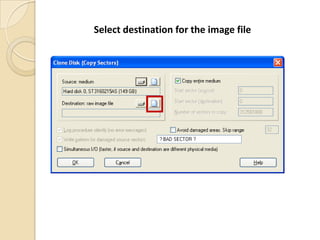
Select destination for the image file
Post Acquisition Analysis
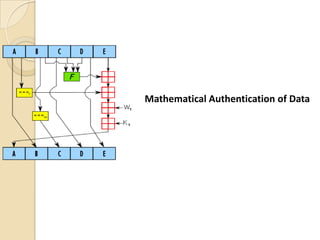
Mathematical Authentication of Data
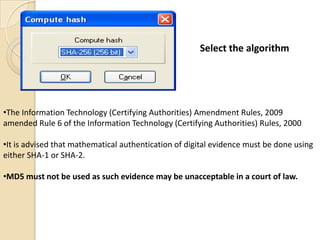
Select the algorithm


•The Information Technology (Certifying Authorities) Amendment Rules, 2009
amended Rule 6 of the Information Technology (Certifying Authorities) Rules, 2000

•It is advised that mathematical authentication of digital evidence must be done using
either SHA-1 or SHA-2.

•MD5 must not be used as such evidence may be unacceptable in a court of law.
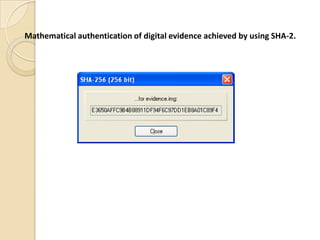
Mathematical authentication of digital evidence achieved by using SHA-2.
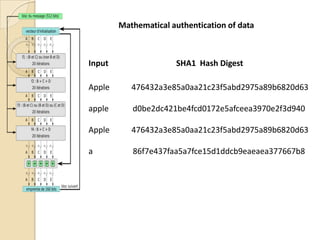
Mathematical authentication of data


Input                 SHA1 Hash Digest

Apple      476432a3e85a0aa21c23f5abd2975a89b6820d63

apple      d0be2dc421be4fcd0172e5afceea3970e2f3d940

Apple      476432a3e85a0aa21c23f5abd2975a89b6820d63

a          86f7e437faa5a7fce15d1ddcb9eaeaea377667b8
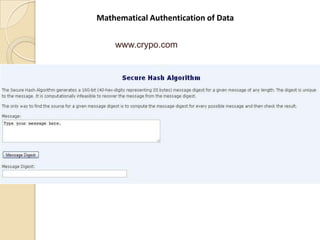
Mathematical Authentication of Data


    www.crypo.com
Virtualization
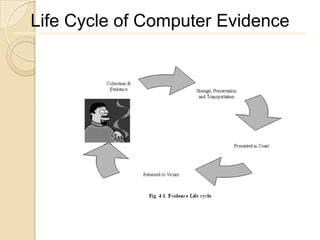
Life Cycle of Computer Evidence
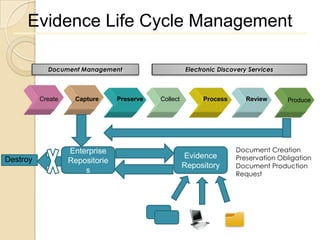
Evidence Life Cycle Management

            Document Management                        Electronic Discovery Services


          Create    Capture      Preserve   Collect         Process       Review       Produce


                   Enterprise                                          Document Creation
Destroy                                               Evidence         Preservation Obligation
                   Repositorie
                                                      Repository       Document Production
                       s                                               Request
Evidence Rule


   Admissible

   Reliable

   Authentic

   Complete (no tunnel vision)

   Believable
Types of Evidence

   Direct Evidence


   Real Evidence


   Documentary Evidence


   Demonstrative Evidence
Computer Evidence Processing
             Guidelines
     Pull the Plug
     Document the Hardware Configuration of the
System
     Transport the Computer System to a Secure
      Location (Forensics lab)
     Make Bit Stream Backups of Hard Disks and
      Floppy Disks
Computer Evidence Processing
         Guidelines
         Mathematically Authenticate Data on
       all storage devices (Hash)
         Document the System Date and Time
         Make a List of Key Search Words
         Evaluate the Windows Swap File
         Evaluate File Slack
Computer Evidence Processing
         Guidelines
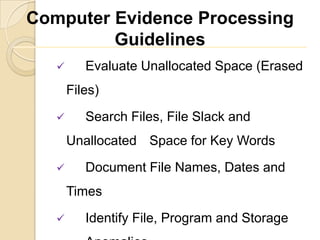
         Evaluate Unallocated Space (Erased
       Files)
         Search Files, File Slack and
       Unallocated Space for Key Words
         Document File Names, Dates and
       Times

         Identify File, Program and Storage
Computer Evidence Processing
         Guidelines
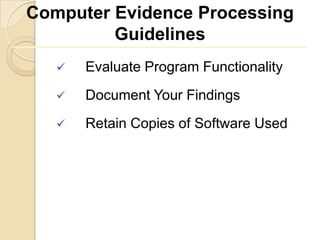
      Evaluate Program Functionality
      Document Your Findings
      Retain Copies of Software Used
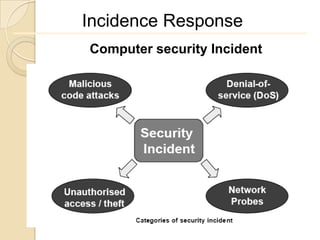
Incidence Response
Computer security Incident
Why forensics?

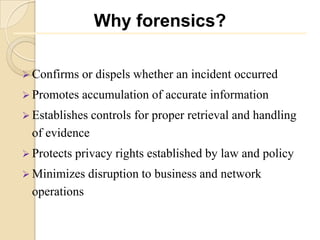
 Confirms    or dispels whether an incident occurred
 Promotes    accumulation of accurate information
 Establishes controls   for proper retrieval and handling
  of evidence
 Protects   privacy rights established by law and policy
 Minimizes    disruption to business and network
  operations
Why forensics?

 Allows for criminal or civil action against
 perpetrators

 Provides
        accurate reports and useful
 recommendations

 Provides   rapid detection and containment

 Minimizes exposure and compromise of
 proprietary data
Why forensics?

 Protects   your organization’s reputation and assets

 Educates   senior management

 Promotes rapid detection and/or prevention of
 such incidents in the future (via lessons learned,
 policy changes, and so on)
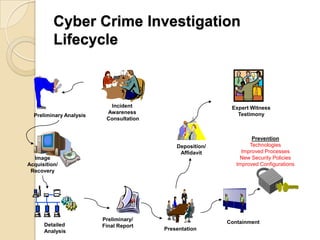
Cyber Crime Investigation
          Lifecycle


                           Incident                         Expert Witness
                          Awareness                           Testimony
  Preliminary Analysis
                          Consultation


                                                                    Prevention
                                             Deposition/           Technologies
                                              Affidavit         Improved Processes
  Image                                                        New Security Policies
Acquisition/                                                  Improved Configurations
 Recovery


                         Preliminary/
                                                           Containment
      Detailed           Final Report
      Analysis                           Presentation

Chapter 3 cmp forensic

  • 1.
  • 2.
  • 3.
    Computer Forensics A processof applying scientific and analytical techniques to computer Operating Systems and File Structures to determining the potential Legal Evidence.
  • 4.
    Computer Forensics  Itis the practice of lawfully establishing evidence and facts. This is science involving legal evidence that is found in digital storage mediums and in computers.  Subdivisions: - Disk forensics Network forensics Mobile forensics
  • 5.
    Role of Computerforensic investigator  Evidence Collection and Chain of Custody  Who Who handled the evidence?  What  What procedures were performed on the evidence?  When  When was the evidence collected and/or transferred to another party?  Where  Where was the evidence collected and stored?  How  How was the evidence collected and stored?  Why  For what purpose was the evidence collected?
  • 6.
    Forensics process  Acquire data to be examined  Photographs  Make an image  Review of logical file structure  Review of unallocated space and file slack  Recover deleted data (If any)  Report  Expert testimony
  • 7.
    Importance of Evidence "Evidence"is anything the judge allows a jury to consider in reaching a verdict. This can include the testimony of witnesses, photographs of the scene and "demonstrative evidence" such as charts or sample equipment.
  • 8.
    Source of Evidence  Slack, Free, Swap, Recycle Bin  Event Logs  Registry  Application files, temp files  E-mail  Browser history and cache
  • 9.
    Types of Forensics LiveForensics Non - Live Forensics Post Acquisition Analysis Technologies
  • 10.
    Live Forensics Non - Live Forensics •Recovery of volatile data •Imaging •Gathering system information •Cloning •Gathering USB device history •System Explorer •Imaging and Cloning Post Acquisition Analysis •Mathematical authentication of data (Hash) •Virtualization •Malware analysis •Detection of obscene content •Image ballistics •Use of spyware (keyloggers) in investigations •Digital Evidence Analysis
  • 11.
  • 12.
  • 13.
  • 14.
    Select destination forthe image file
  • 15.
  • 16.
  • 17.
  • 18.
    Select the algorithm •TheInformation Technology (Certifying Authorities) Amendment Rules, 2009 amended Rule 6 of the Information Technology (Certifying Authorities) Rules, 2000 •It is advised that mathematical authentication of digital evidence must be done using either SHA-1 or SHA-2. •MD5 must not be used as such evidence may be unacceptable in a court of law.
  • 19.
    Mathematical authentication ofdigital evidence achieved by using SHA-2.
  • 20.
    Mathematical authentication ofdata Input SHA1 Hash Digest Apple 476432a3e85a0aa21c23f5abd2975a89b6820d63 apple d0be2dc421be4fcd0172e5afceea3970e2f3d940 Apple 476432a3e85a0aa21c23f5abd2975a89b6820d63 a 86f7e437faa5a7fce15d1ddcb9eaeaea377667b8
  • 21.
  • 22.
  • 26.
    Life Cycle ofComputer Evidence
  • 27.
    Evidence Life CycleManagement Document Management Electronic Discovery Services Create Capture Preserve Collect Process Review Produce Enterprise Document Creation Destroy Evidence Preservation Obligation Repositorie Repository Document Production s Request
  • 28.
    Evidence Rule  Admissible  Reliable  Authentic  Complete (no tunnel vision)  Believable
  • 29.
    Types of Evidence  Direct Evidence  Real Evidence  Documentary Evidence  Demonstrative Evidence
  • 30.
    Computer Evidence Processing Guidelines  Pull the Plug  Document the Hardware Configuration of the System  Transport the Computer System to a Secure Location (Forensics lab)  Make Bit Stream Backups of Hard Disks and Floppy Disks
  • 31.
    Computer Evidence Processing Guidelines  Mathematically Authenticate Data on all storage devices (Hash)  Document the System Date and Time  Make a List of Key Search Words  Evaluate the Windows Swap File  Evaluate File Slack
  • 32.
    Computer Evidence Processing Guidelines  Evaluate Unallocated Space (Erased Files)  Search Files, File Slack and Unallocated Space for Key Words  Document File Names, Dates and Times  Identify File, Program and Storage
  • 33.
    Computer Evidence Processing Guidelines  Evaluate Program Functionality  Document Your Findings  Retain Copies of Software Used
  • 34.
  • 35.
    Why forensics?  Confirms or dispels whether an incident occurred  Promotes accumulation of accurate information  Establishes controls for proper retrieval and handling of evidence  Protects privacy rights established by law and policy  Minimizes disruption to business and network operations
  • 36.
    Why forensics?  Allowsfor criminal or civil action against perpetrators  Provides accurate reports and useful recommendations  Provides rapid detection and containment  Minimizes exposure and compromise of proprietary data
  • 37.
    Why forensics?  Protects your organization’s reputation and assets  Educates senior management  Promotes rapid detection and/or prevention of such incidents in the future (via lessons learned, policy changes, and so on)
  • 38.
    Cyber Crime Investigation Lifecycle Incident Expert Witness Awareness Testimony Preliminary Analysis Consultation Prevention Deposition/ Technologies Affidavit Improved Processes Image New Security Policies Acquisition/ Improved Configurations Recovery Preliminary/ Containment Detailed Final Report Analysis Presentation

Editor's Notes

  • #19 Mathematical authentication of digital evidence is achieved by using suitable hash functions. The MD5 hash algorithm that at one time was considered suitable. MD5 was prescribed as suitable by Rule 6 of the Information Technology (Certifying Authorities) Rules, 2000.MD5 was subsequently proven weak by mathematicians. In fact, Asian School of Cyber Laws had filed a public interest litigation in the Bombay High Court on the same issue.Subsequently, the Information Technology (Certifying Authorities) Amendment Rules, 20091 amendedthe Rule 6 mentioned above and MD5 was replaced by SHA-2.It is advised that in Digital Forensics and Investigations, mathematical authentication of digital evidence must be done using either SHA-1 or SHA-2. MD5 must not be used as such evidence may be unacceptable in a court of law.