CYBER/COMPUTER FORENSICS
PRESENTED BY
V.ROSHINI
V.DHANALAKSHMI
II-B.SC (CS)
ABSTRACT
 Computer forensics is a branch of science, dealing with investigation, evidence
collection and reverse engineering so as to determine how the computer was
compromised.
 It involves carefully collecting and examining electronic evidence that not only
assesses the damage to a computer as a result of electronic attack, but also to recover
lost information from such a system to prosecute a criminal.
 This paper is going to explain some reasons about CYBER/COMPUTER
FORENSICS and who uses this cyber forensics.
 It will also have some steps for computer forensics and some softwares.
 This paper will also include how to initiate an investigation and some requirements
for computer forensics.
AGENDA
 Definition
 Reasons for gathering evidence
 Users of Computer Forensics
 Steps of Computer Forensics
 Some forensics software
 Initiating an investigation
 Handling information
 Requirements for Computer Forensic
 Conclusion
DEFINITION
 Computer forensics involves the Preservation, Identification, Extraction,
Documentation of computer media for evidentiary and / or root cause analysis.
 Evidence might be required for a wide range of computer crimes and misuses.
 Multiple methods of computer forensics:
*Discovering data on computer processing.
*Recovering deleted , encrypted , or damage file information
*Monitoring live activity etc.
 Information collected assists in arrests , prosecution , termination of employment
, and preventing future illegal activity.
REASONS FOR GATHERING EVIDENCE
Wide range of computer crimes and misuses
Fraud ( criminal deception intended to result in financial or personal
gain ).
Extortion ( illegal use of ones official position or powers to obtain
property , funds ).
Industrial espionage ( theft of trade secrets in a company for use by a
competitor ).
Unauthorized use of personal information.
Forgery ( imitating objects or documents with the internet to make
usually large amount of money ).
Software privacy.
USErS OF COMPUTER FORENSICS
 CRIMINAL PROSECUTORS
Relay on evidence obtained from a computer to prosecute suspects and
use as evidence.
 CIVIL LITIGATIONS ( A LEGAL PROCEEDING IN A COURT)
Personal and business data discovered on a computer can be used in
fraud , harassment.
 PRIVATE CORPORATIONS
Obtained evidence from employee computers can embezzlement cases.
 LAW ENFORCEMENT OFFICIALS
Relay on computer forensics to backup search warrants.
STEPS OF COMPUTER FORENSICS
Computer Forensics have a four step process:
ACQUISTION
Digital media seized from investigation is usually referred to as an
acquisition in legal terminology.
IDENTIFICATION
This step involves identifying what data could be recovered and
electronically retrieving it by running various COMPUTER FORENSICS tools
and software suites.
STEPS OF COMPUTER FORENSICS (CONT)
EVALUATION
Evaluating the information /data recovered to determine if and how it
could be use against the suspect for employment termination or prosecution in
court.
PRESENTATION
This step involves the presentation of evidence discovered in the manner
which is understood by lawyer , non-technically staff/management.
SOME FORENSICS SOFTWARE
EnCase
Software package which enables an investigator to image and examine
data from hard disks , removable media .
SafeBack
SafeBack is used primarily for imaging the hard disks of INTEL –based
computer systems and restoring these images to other hard disks.
Data Dumper
It is a command line tool , freely available utility for UNIX systems
which can make exact copies of disks suitable for forensics analysis.
SOME FORENSICS SOFTWARE(CONT)
Md5sum
Tool to check whether data is copied to another storage successfully or
not .
Grep
Allows files to be searched for a particular sequence of character.
The Coroner’s Toolkit
Free tools designed to be used in the forensics analysis of a UNIX
machine.
INITIATING AN INVESTIGATION
 Policy and procedure development.
 Evidence assessment
 Evidence acquisition
 Evidence examination
 Documenting and reporting
HANDLING INFORMATION
Information and data being collected in the investigation must be properly
handled.
VOLATILE INFORMATION
 Network Information
Communication between system and the network
 Active Processes
Programs and daemons currently active on the system
 Logged-on Users
Users /employees currently using system
 Open Files
Libraries in use ; hidden files ; Trojans loaded in system
HANDLING INFORMATION(CONT)
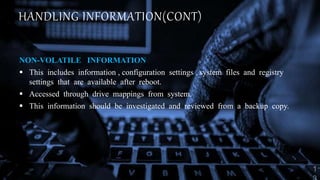
NON-VOLATILE INFORMATION
 This includes information , configuration settings , system files and registry
settings that are available after reboot.
 Accessed through drive mappings from system.
 This information should be investigated and reviewed from a backup copy.
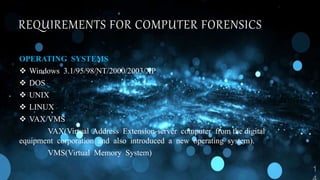
REQUIREMENTS FOR COMPUTER FORENSICS
OPERATING SYSTEMS
 Windows 3.1/95/98/NT/2000/2003/XP
 DOS
 UNIX
 LINUX
 VAX/VMS
VAX(Virtual Address Extension-server computer from the digital
equipment corporation and also introduced a new operating system).
VMS(Virtual Memory System)
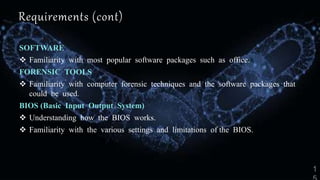
Requirements (cont)
SOFTWARE
 Familiarity with most popular software packages such as office.
FORENSIC TOOLS
 Familiarity with computer forensic techniques and the software packages that
could be used.
BIOS (Basic Input Output System)
 Understanding how the BIOS works.
 Familiarity with the various settings and limitations of the BIOS.
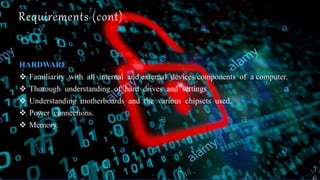
Requirements (cont)
HARDWARE
 Familiarity with all internal and external devices/components of a computer.
 Thorough understanding of hard drives and settings.
 Understanding motherboards and the various chipsets used.
 Power connections.
 Memory.
CONCLUSION
 Cyber Forensics is a maturing forensic science.
 Excellent career opportunities
 CF Technician
 CF Investigator
 CF Analyst/Examiner (Lab)
 CF Lab Director
 CF Scientist
 Proper education and training is paramount !
THANK
YOU

Cyber forensics ppt

  • 1.
  • 2.
    ABSTRACT  Computer forensicsis a branch of science, dealing with investigation, evidence collection and reverse engineering so as to determine how the computer was compromised.  It involves carefully collecting and examining electronic evidence that not only assesses the damage to a computer as a result of electronic attack, but also to recover lost information from such a system to prosecute a criminal.  This paper is going to explain some reasons about CYBER/COMPUTER FORENSICS and who uses this cyber forensics.  It will also have some steps for computer forensics and some softwares.  This paper will also include how to initiate an investigation and some requirements for computer forensics.
  • 3.
    AGENDA  Definition  Reasonsfor gathering evidence  Users of Computer Forensics  Steps of Computer Forensics  Some forensics software  Initiating an investigation  Handling information  Requirements for Computer Forensic  Conclusion
  • 4.
    DEFINITION  Computer forensicsinvolves the Preservation, Identification, Extraction, Documentation of computer media for evidentiary and / or root cause analysis.  Evidence might be required for a wide range of computer crimes and misuses.  Multiple methods of computer forensics: *Discovering data on computer processing. *Recovering deleted , encrypted , or damage file information *Monitoring live activity etc.  Information collected assists in arrests , prosecution , termination of employment , and preventing future illegal activity.
  • 5.
    REASONS FOR GATHERINGEVIDENCE Wide range of computer crimes and misuses Fraud ( criminal deception intended to result in financial or personal gain ). Extortion ( illegal use of ones official position or powers to obtain property , funds ). Industrial espionage ( theft of trade secrets in a company for use by a competitor ). Unauthorized use of personal information. Forgery ( imitating objects or documents with the internet to make usually large amount of money ). Software privacy.
  • 6.
    USErS OF COMPUTERFORENSICS  CRIMINAL PROSECUTORS Relay on evidence obtained from a computer to prosecute suspects and use as evidence.  CIVIL LITIGATIONS ( A LEGAL PROCEEDING IN A COURT) Personal and business data discovered on a computer can be used in fraud , harassment.  PRIVATE CORPORATIONS Obtained evidence from employee computers can embezzlement cases.  LAW ENFORCEMENT OFFICIALS Relay on computer forensics to backup search warrants.
  • 7.
    STEPS OF COMPUTERFORENSICS Computer Forensics have a four step process: ACQUISTION Digital media seized from investigation is usually referred to as an acquisition in legal terminology. IDENTIFICATION This step involves identifying what data could be recovered and electronically retrieving it by running various COMPUTER FORENSICS tools and software suites.
  • 8.
    STEPS OF COMPUTERFORENSICS (CONT) EVALUATION Evaluating the information /data recovered to determine if and how it could be use against the suspect for employment termination or prosecution in court. PRESENTATION This step involves the presentation of evidence discovered in the manner which is understood by lawyer , non-technically staff/management.
  • 9.
    SOME FORENSICS SOFTWARE EnCase Softwarepackage which enables an investigator to image and examine data from hard disks , removable media . SafeBack SafeBack is used primarily for imaging the hard disks of INTEL –based computer systems and restoring these images to other hard disks. Data Dumper It is a command line tool , freely available utility for UNIX systems which can make exact copies of disks suitable for forensics analysis.
  • 10.
    SOME FORENSICS SOFTWARE(CONT) Md5sum Toolto check whether data is copied to another storage successfully or not . Grep Allows files to be searched for a particular sequence of character. The Coroner’s Toolkit Free tools designed to be used in the forensics analysis of a UNIX machine.
  • 11.
    INITIATING AN INVESTIGATION Policy and procedure development.  Evidence assessment  Evidence acquisition  Evidence examination  Documenting and reporting
  • 12.
    HANDLING INFORMATION Information anddata being collected in the investigation must be properly handled. VOLATILE INFORMATION  Network Information Communication between system and the network  Active Processes Programs and daemons currently active on the system  Logged-on Users Users /employees currently using system  Open Files Libraries in use ; hidden files ; Trojans loaded in system
  • 13.
    HANDLING INFORMATION(CONT) NON-VOLATILE INFORMATION This includes information , configuration settings , system files and registry settings that are available after reboot.  Accessed through drive mappings from system.  This information should be investigated and reviewed from a backup copy.
  • 14.
    REQUIREMENTS FOR COMPUTERFORENSICS OPERATING SYSTEMS  Windows 3.1/95/98/NT/2000/2003/XP  DOS  UNIX  LINUX  VAX/VMS VAX(Virtual Address Extension-server computer from the digital equipment corporation and also introduced a new operating system). VMS(Virtual Memory System)
  • 15.
    Requirements (cont) SOFTWARE  Familiaritywith most popular software packages such as office. FORENSIC TOOLS  Familiarity with computer forensic techniques and the software packages that could be used. BIOS (Basic Input Output System)  Understanding how the BIOS works.  Familiarity with the various settings and limitations of the BIOS.
  • 16.
    Requirements (cont) HARDWARE  Familiaritywith all internal and external devices/components of a computer.  Thorough understanding of hard drives and settings.  Understanding motherboards and the various chipsets used.  Power connections.  Memory.
  • 17.
    CONCLUSION  Cyber Forensicsis a maturing forensic science.  Excellent career opportunities  CF Technician  CF Investigator  CF Analyst/Examiner (Lab)  CF Lab Director  CF Scientist  Proper education and training is paramount !
  • 18.