Rachel Andrew: ConFoo 2015
CSS
Selectors
what do we mean by CSS3?
CSS3 is Modular
CSS3 doesn’t really exist …
• Editor’s Draft
• Working Draft
• Candidate Recommendation
• Proposed Recommendation
• W3C Recommendation
W3C Maturity Levels
• W3C Recommendation
• http://www.w3.org/TR/selectors/
Selectors module Level 3
Selectors Module Level 4
• Latest Editor’s Draft 4 February 2015
• http://dev.w3.org/csswg/selectors-4/
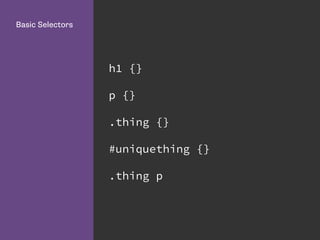
h1 {}
p {}
.thing {}
#uniquething {}
.thing p
Basic Selectors
The problem with CSS2 selectors
<h1>My heading</h1>
<p class="first"> ... </p>
<p> ... </p>
Adding classes
Level 3 Selectors
“Common sense” new selectors
target elements more precisely without adding
classes
Select elements based on attributes
Attribute Selectors
form input[type="text"] {
}
form input[type="submit"] {
}
Attribute
Selectors
Attribute Selectors
label[for="fContact"] {
float: none;
width: auto;
}
Attribute
Selectors
a[href ^="mailto:"] {
padding-right: 20px;
background-
image:url(email.png);
background-repeat: no-repeat;
background-position: right
center;
}
Attribute
Selectors
Selecting of elements depending on their position
Structural pseudo-
class selectors
What is a pseudo-class?
A pseudo-class selector acts as if you have added
a class to an element in the HTML mark-up.
a:link {}
a:visited {}
Pseudo-Class
Selectors
a:hover {}
a:active {}
Dynamic Pseudo-
Class
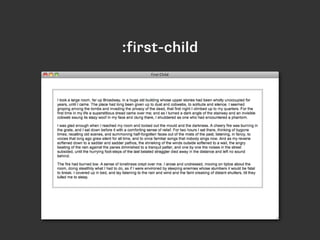
target an element when it is the first child of a
parent element
:first-child
<div class="wrapper">
<p> ... </p>
<p> ... </p>
<p> ... </p>
</div>
:first-child
:first-child
.wrapper p {
font-size: 1.5em;
}
:first-child
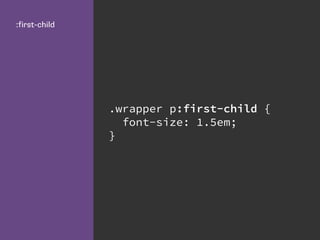
.wrapper p:first-child {
font-size: 1.5em;
}
:first-child
:first-child
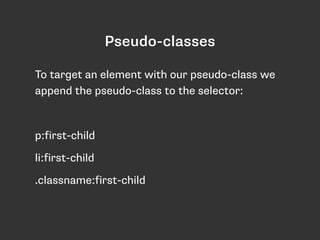
Pseudo-classes
To target an element with our pseudo-class we
append the pseudo-class to the selector:
p:first-child
li:first-child
.classname:first-child
target an element when it is the last child of a
parent element
:last-child
:last-child
.navigation li:last-child {
border-bottom: none;
}
:last-child
:last-child
select multiple elements according to their
position in the document tree
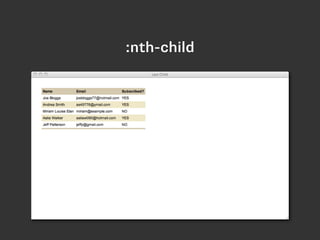
:nth-child
:nth-child
tr:nth-child(odd) td {
background-color: #f0e9c5;
}
:nth-child
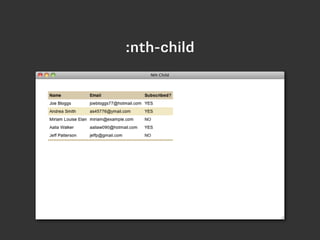
:nth-child
tr:nth-child(3) td {
background-color: #f0e9c5;
}
:nth-child
:nth-child
http://css-tricks.com/how-nth-child-works/
tr:nth-child(2n+1) td {
background-color: #f0e9c5;
}
:nth-child
2n+1 is the same
as odd.
select multiple elements according to their
position in the document tree BUT only those
elements that are the same as the type the rule
is applied to.
:nth-of-type
p:nth-of-type(odd) {
background-color: #f0e9c5;
}
:nth-of-type
:nth-of-type
matches an element if it is the only child
element of it’s parent.
:only-child
li {
list-style-type: disc;
}
li:only-child {
list-style-type: none;
}
:only-child
:only-child
matches an element if it is empty
:empty
p {
padding: 0 0 1em 0;
margin: 0;
}
p:empty {
padding: 0;
}
:empty
pseudo-classes for use with forms.
UI Element States
the checked state of a checkbox or radio button
:checked
.agreeterms:checked {
border:2px solid blue;
}
:checked
detecting input element states
enabled and disabled
input:enabled {
color: #000;
}
:enabled
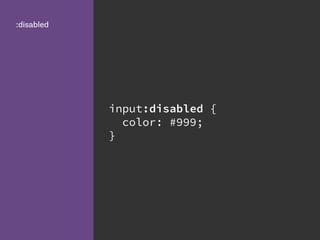
input:disabled {
color: #999;
}
:disabled
http://dev.w3.org/csswg/css-ui-3/

(latest editor’s draft)
The CSS3 Basic User
Interface Module
:default

:valid
:invalid
:in-range
:out-of-range
:required
:optional
:read-only
:read-write
CSS3 User
Interface Module
<input type="text"
name="fName" id="fName"
required="required" />
<input type="email"
name="fEmail" id="fEmail"
required="required"
placeholder="name@example.co
m" />
HTML5 attributes
input:focus:required:invalid
{
background-image:
url(error.png);
background-position: 98%
center;
background-repeat: no-
repeat;
}
Adding an icon to
required fields
Adding an icon to required fields
input:required:valid {
background-image:
url(accept.png);
background-position: 98%
center;
background-repeat: no-
repeat;
}
Adding an icon to
valid fields
Adding an icon to valid fields
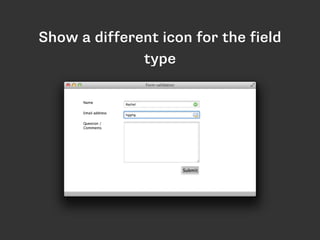
input[type="email"]:focus:required:invalid
{
background-image: url(email_error.png);
}
Show a different
icon for the field
type
Show a different icon for the field
type
:not(selector)
the Negation pseudo-class
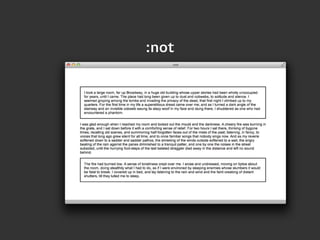
<p> ... </p>
<p class="box"> ... </p>
<p> ... </p>
:not
p:not(.box) {
padding: 1em;
border:2px solid #000;
}
:not
:not
matching virtual elements that don’t explicitly
exist in the document tree
Pseudo-elements
What is a pseudo-element?
Pseudo-element selectors act as if a new
element, such as a span, was added to your
document and then the style applied to that.
the first character of the first line of text
:first-letter
.wrapper:first-letter {
font-size: 200%;
font-weight: bold;
color: red;
}
:first-letter
:first-letter
the first formatted line of text
:first-line
.wrapper:first-line {
font-size: 200%;
font-weight: bold;
color: red;
}
:first-line
:first-line
Render content before the element when using
generated content
:before
<div class="content"> ... </
div>
:before
.content:before {
content: "Start here:";
}
:before
:before
Render content after the element when using
generated content
:after
.content:after {
content: "End here:";
}
:after
Generated content can be very
useful...
CSS Arrow Please
.clr:after {
content: "";
display: table;
clear: both;
}
Clear Fix
Generated
Content is used in
ebook creation.
@page:right{
@bottom-left {
margin: 10pt 0 30pt 0;
content: "My Book Title";
font-size: 8pt;
color: #000;
}
}
Combining selectors to target elements
Combinators
Select all elements that are descendants of a
specified parent
Descendant Selector
.wrapper p {
font-size: 1.5em;
}
Descendant
Selector
Select all elements that are immediate children
of a specified parent
Child Selector
<ul>
<li>Item 1
<ol>
<li>Sub list item 1</li>
<li>Sub list item 2</li>
</ol>
</li>
<li>Item 2</li>
</ul>
Child Selector
li {
color: #000;
}
ul > li {
color: red;
}
Child Selector
Child Selector
Select elements that are the adjacent siblings of
an element
Adjacent Sibling
.wrapper h1 + p {
font-size: 1.5em;
}
Adjacent Sibling
Adjacent Sibling
Select elements that are the siblings of an
element
General Sibling
.wrapper h2~p {
color: red;
}
General Sibling
General Sibling
Browser Support
Browser Support
or serve a simpler layout to older browsers
Do Nothing.
plugging the holes in support
CSS “PolyFills”
A polyfill, or polyfiller, is a piece of code (or
plugin) that provides the technology that you,
the developer, expect the browser to provide
natively.
http://remysharp.com/2010/10/08/what-is-a-polyfill/
What is a polyfill?
http://selectivizr.com/
selectivizr
Check your stats.
Selectors Level 4
a look to the near future with “CSS4 Selectors”
the Negation Pseudo-class
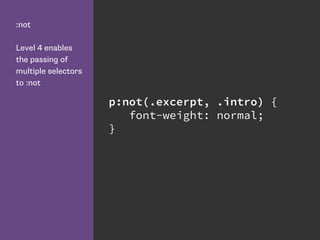
:not gets an upgrade in Level 4
:not
Level 4 enables
the passing of
multiple selectors
to :not
p:not(.excerpt, .intro) {
font-weight: normal;
}
The Matches pseudo-class
Applying rules to groups of selectors.
:matches
p:matches(.alert,.error,.war
n) {
color: red;
}
Time Dimensional Pseudo-classes
Defines :current :past and :future - useful to
show progress through a document, for example
when displaying subtitles.
:current
:past
p:current {
color: blue;
}
p:past {
color: #999;
}
Grid Structural Selectors
Column Combinator
Pseudo-classes:
:nth-column, :nth-last-column
Column Combinator
The column combinator, which consists of two
pipes (||) represents the relationship of a column
element to a cell element belonging to the
column it represents.
Column
Combinator col.totals || td {
background: #333;
color: #fff;
font-weight: bold;
}
<table>
<col span="2">
<col class="totals">
<tr>
<td>1</td>
<td>2</td>
<td>3</td>
</tr>
<tr>
<td>3</td>
<td>3</td>
<td>6</td>
</tr>
</table>
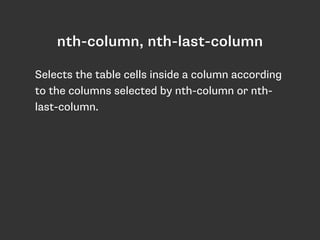
nth-column, nth-last-column
Selects the table cells inside a column according
to the columns selected by nth-column or nth-
last-column.
Grid Structural
Pseudo-Classes
:nth-column(even) {
background: blue;
}
Selector Profiles
• CSS Selectors Level 4 introduces selector
profiles
• The fast profile is suitable for all contexts,
including in browser processing
• The complete profile is for things that can be
used when performance isn’t an issue
• http://dev.w3.org/csswg/selectors-4/#profiles
The has() selector
• Currently the only selector not available in the
fast profile.
• This may change as the specification develops.
• Takes a selector list as an argument and will
match if any of those selectors would match
one element.
Any a elements
that contain an
image will get a
black border.
a:has( > img ) {
border: 1px solid #000;
}
If an li does not
contain a
paragraph.
li:not(:has(p)) {
padding-bottom: 1em;
}
CSS Level 4 selectors
Browsers are beginning to implement these
selectors.
See what your browser supports:

http://css4-selectors.com/browser-selector-test/
http://www.rachelandrew.co.uk/presentations/css3-selectors
@rachelandrew
Thank You!

CSS Selectors