S
System Software:
The Operating System,
Utility Programs & File Management
CSC 103
System Software
 helps run the computer and coordinates
instructions between application
software and hardware devices.
 consists of the operating system (OS)
and utility programs.
The Operating System
 Utilizes a user interface consisting of
menus, icons, windows
 Manages processing, memory, storage,
and peripheral devices as well as all
tasks of the computer
 Allows users to multi-task
Operating Systems
 All computers have Operating Systems
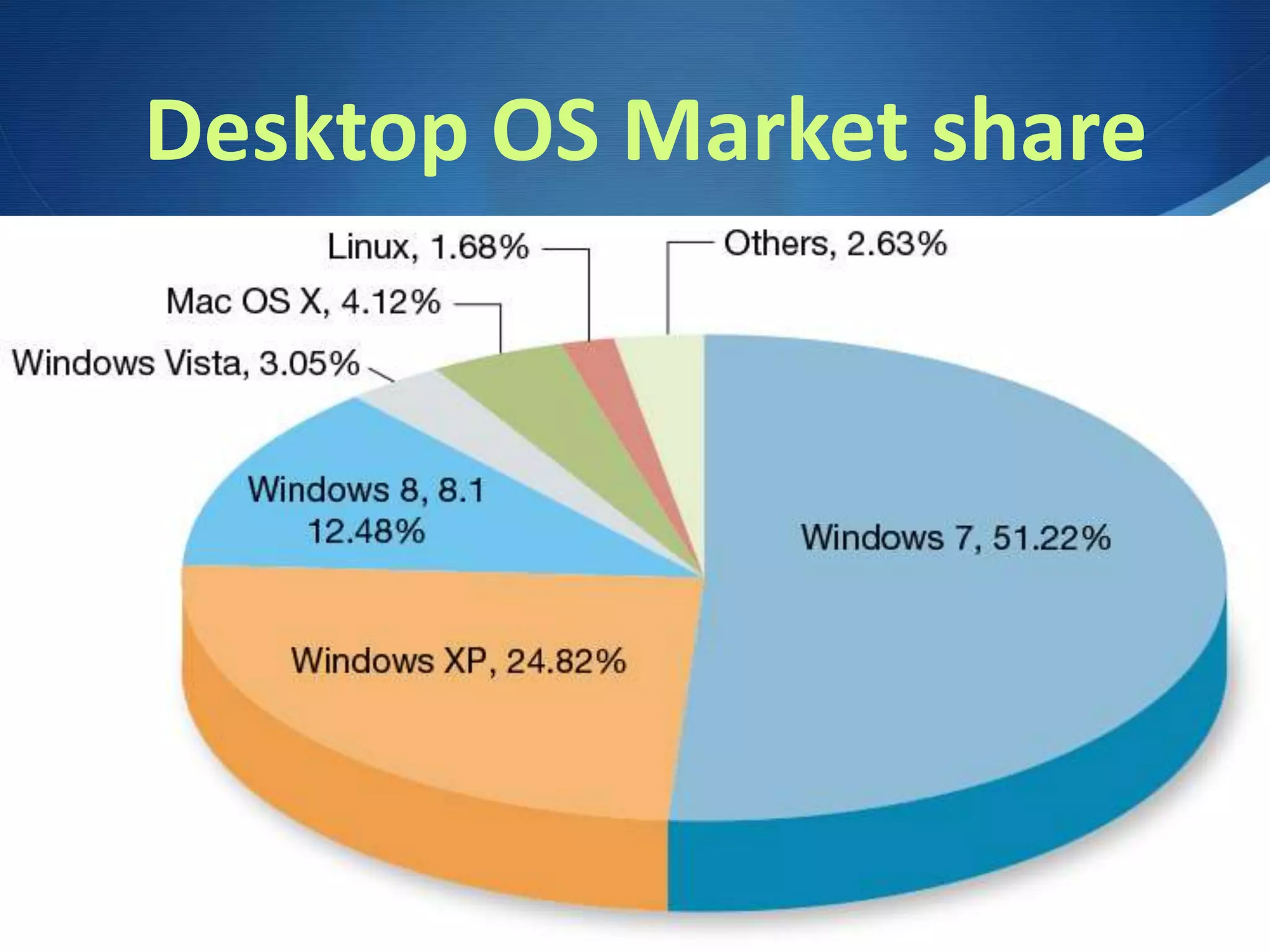
 Windows (10, 8, 7, Vista, XP)
 Mac OSX (Sierra, El Capitan, Mavericks)
 Linux, UNIX
 iOS, Android
Real Time Operating Systems
RTOS
 Embedded Systems –
require little interaction
 Used in appliances, cars,
robotic cameras (football games)
Multi-User
Operating Systems
 Allow multiple users to log-in to protected
areas of system and also access networks
 Network Operating Systems allow
computers to work on a network – file
sharing, access to servers and networked
printers
 Linux, UNIX, Windows Server, OSX Server
are more robust network OS’s
Linux & UNIX
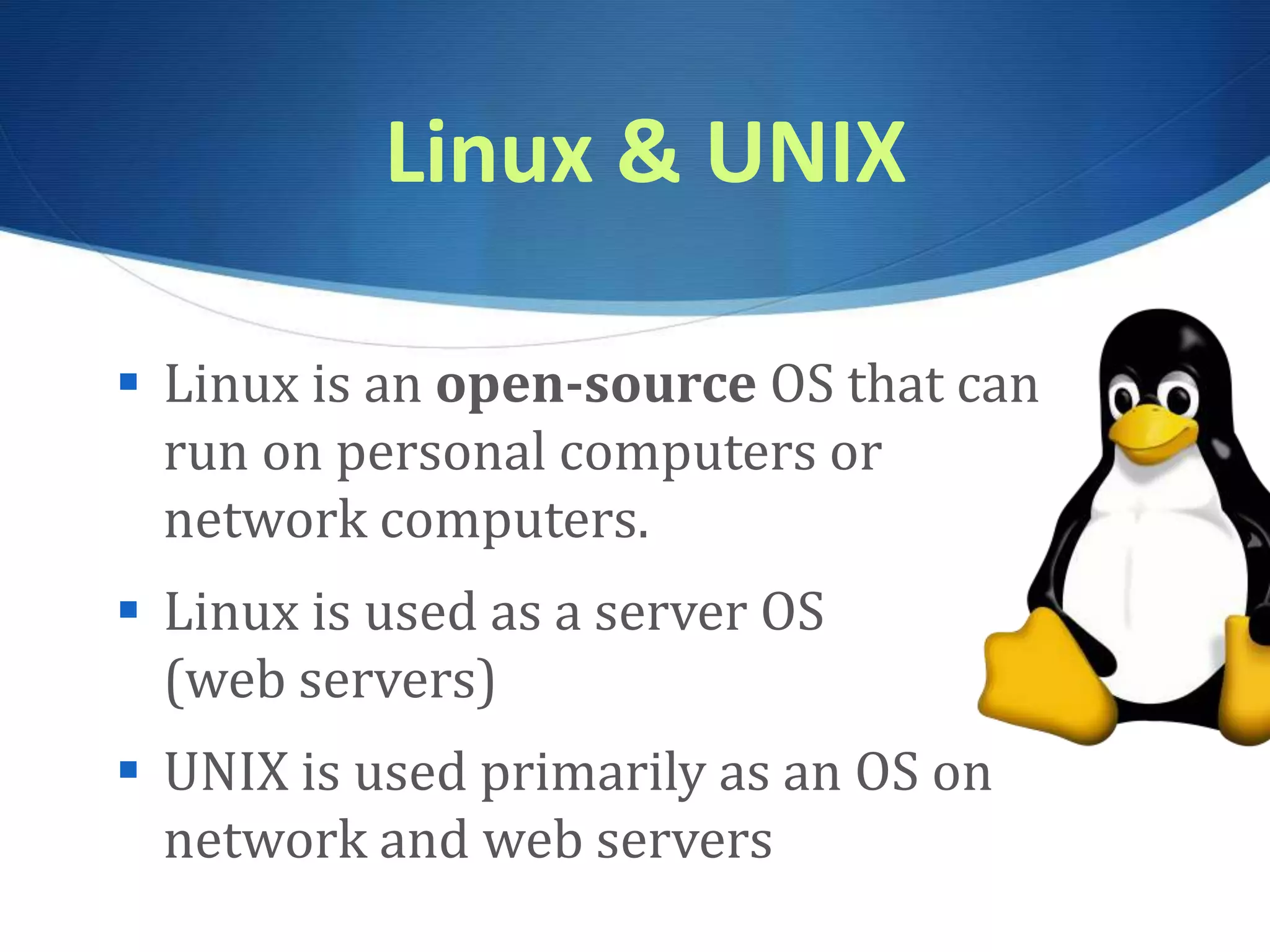
 Linux is an open-source OS that can
run on personal computers or
network computers.
 Linux is used as a server OS
(web servers)
 UNIX is used primarily as an OS on
network and web servers
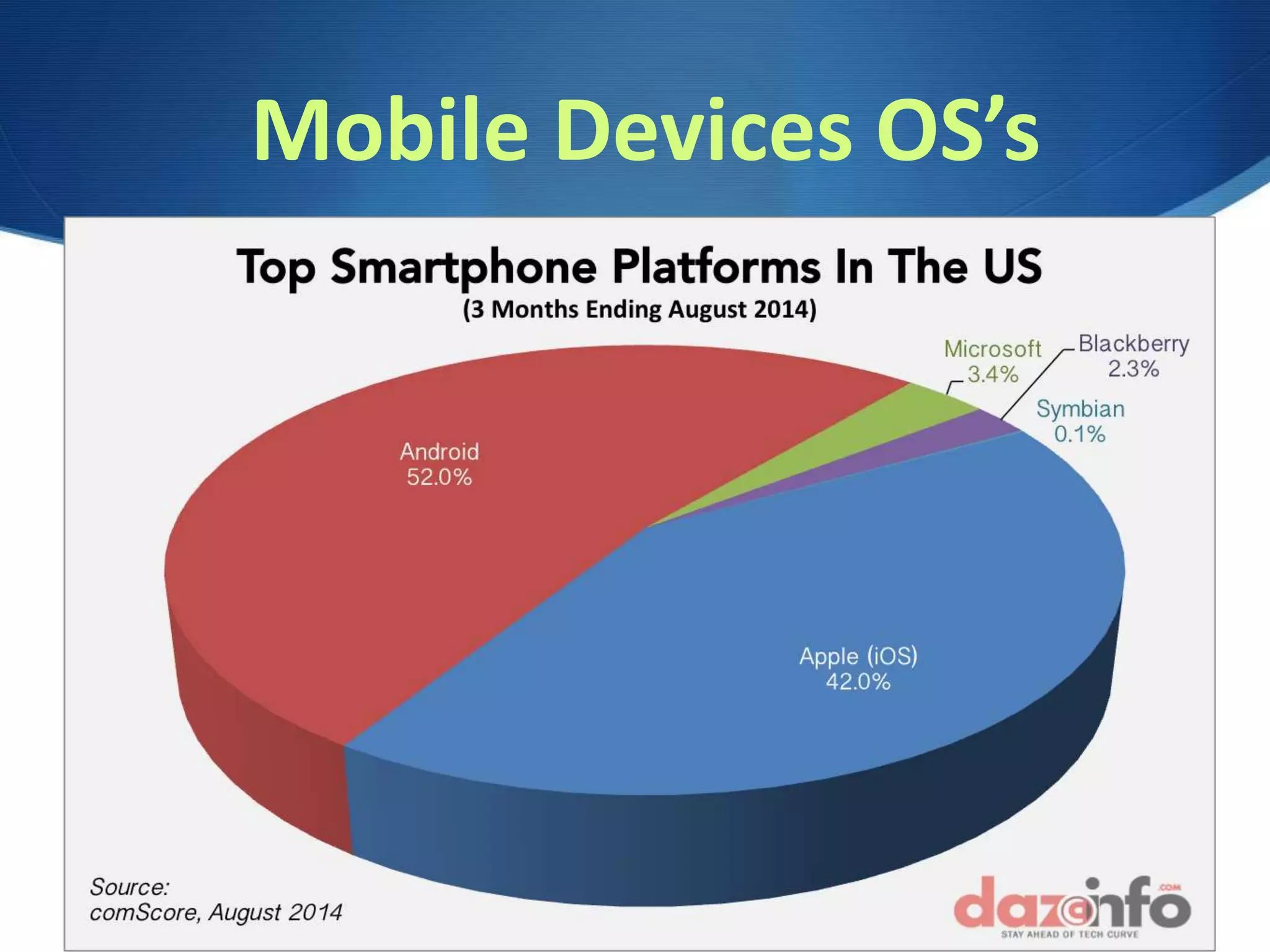
Mobile Devices OS’s
Desktop OS Market share
What the OS Does?
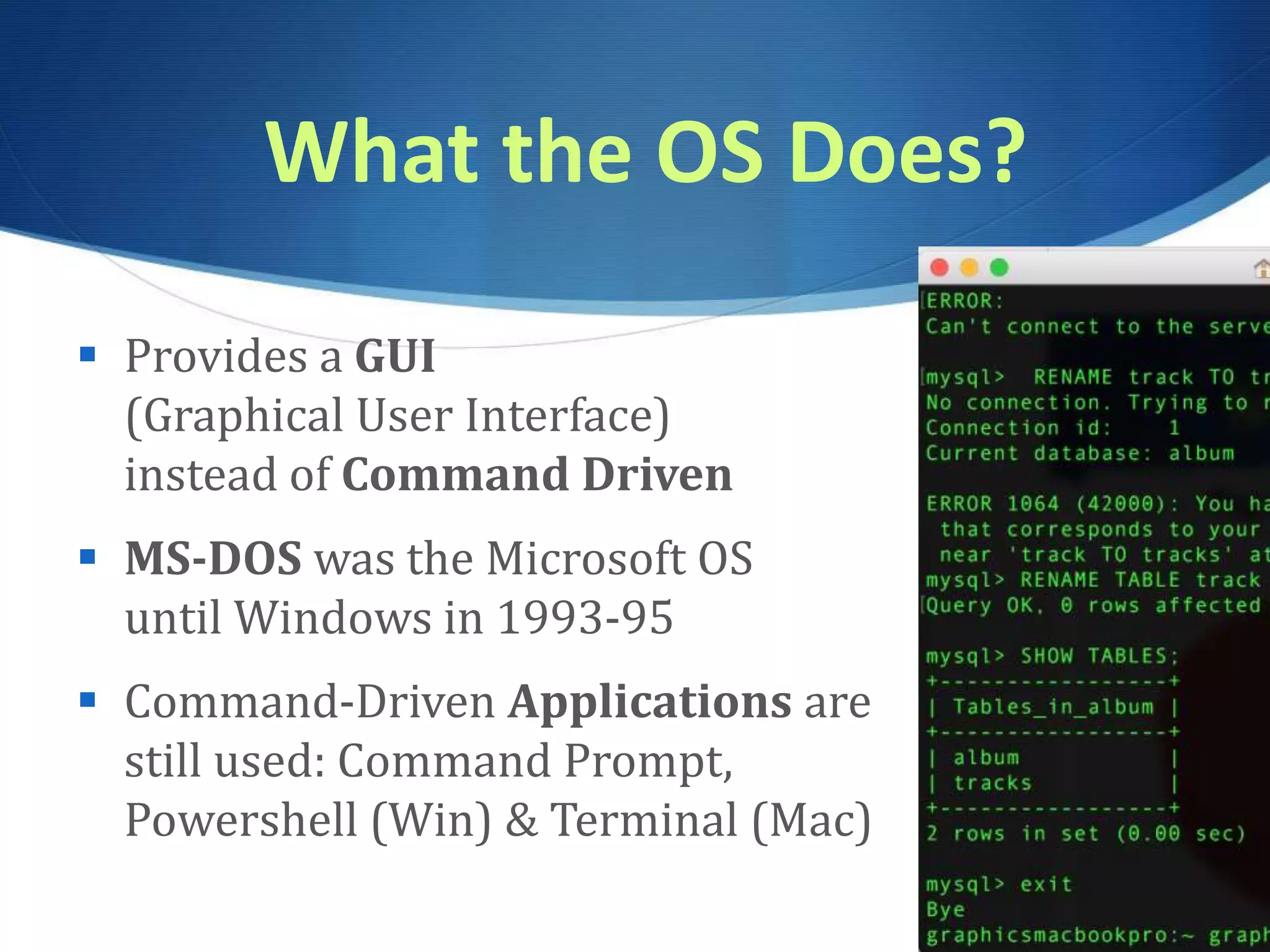
 Provides a GUI
(Graphical User Interface)
instead of Command Driven
 MS-DOS was the Microsoft OS
until Windows in 1993-95
 Command-Driven Applications are
still used: Command Prompt,
Powershell (Win) & Terminal (Mac)
Windows Powershell
Command Line Interface
 Launch Windows Powershell
 ls list directory contents
 cd change directory
 cd ~ go back to root directory
 mkdir make new directory/folder; rmdir remove
 echo text > myfile.txt - create an empty file
 exit exit out of Powershell
What the OS Does?
 Manages CPU instructions & input events
 Manages the interrupt handler
 Prioritizes with pre-emptive multitasking
 Manages the print spooler
 Uses RAM as temporary storage area for
instructions and processor needs
 Uses Virtual Memory (Hard Drive Space)
when RAM runs out
What the OS Does?
 Manages peripheral devices
 Devices can be Plug n Play
or require installed device drivers
 Helps applications use API’s Application
Programming Interfaces – special blocks
of code to help applications interact
with the CPU
The Boot Process
1. Activate BIOS
Basic Input/Output System
2. Power On Self Test POST – ensures
peripherals and hardware is working
3. Loads the OS – system files and kernel,
stays in RAM and manages processor
4. Checks Configurations – registry
which contains all customized settings

CSC103 Operating Systems, System Software, Powershell

  • 1.
    S System Software: The OperatingSystem, Utility Programs & File Management CSC 103
  • 2.
    System Software  helpsrun the computer and coordinates instructions between application software and hardware devices.  consists of the operating system (OS) and utility programs.
  • 3.
    The Operating System Utilizes a user interface consisting of menus, icons, windows  Manages processing, memory, storage, and peripheral devices as well as all tasks of the computer  Allows users to multi-task
  • 4.
    Operating Systems  Allcomputers have Operating Systems  Windows (10, 8, 7, Vista, XP)  Mac OSX (Sierra, El Capitan, Mavericks)  Linux, UNIX  iOS, Android
  • 5.
    Real Time OperatingSystems RTOS  Embedded Systems – require little interaction  Used in appliances, cars, robotic cameras (football games)
  • 6.
    Multi-User Operating Systems  Allowmultiple users to log-in to protected areas of system and also access networks  Network Operating Systems allow computers to work on a network – file sharing, access to servers and networked printers  Linux, UNIX, Windows Server, OSX Server are more robust network OS’s
  • 7.
    Linux & UNIX Linux is an open-source OS that can run on personal computers or network computers.  Linux is used as a server OS (web servers)  UNIX is used primarily as an OS on network and web servers
  • 8.
  • 9.
  • 10.
    What the OSDoes?  Provides a GUI (Graphical User Interface) instead of Command Driven  MS-DOS was the Microsoft OS until Windows in 1993-95  Command-Driven Applications are still used: Command Prompt, Powershell (Win) & Terminal (Mac)
  • 11.
    Windows Powershell Command LineInterface  Launch Windows Powershell  ls list directory contents  cd change directory  cd ~ go back to root directory  mkdir make new directory/folder; rmdir remove  echo text > myfile.txt - create an empty file  exit exit out of Powershell
  • 12.
    What the OSDoes?  Manages CPU instructions & input events  Manages the interrupt handler  Prioritizes with pre-emptive multitasking  Manages the print spooler  Uses RAM as temporary storage area for instructions and processor needs  Uses Virtual Memory (Hard Drive Space) when RAM runs out
  • 13.
    What the OSDoes?  Manages peripheral devices  Devices can be Plug n Play or require installed device drivers  Helps applications use API’s Application Programming Interfaces – special blocks of code to help applications interact with the CPU
  • 14.
    The Boot Process 1.Activate BIOS Basic Input/Output System 2. Power On Self Test POST – ensures peripherals and hardware is working 3. Loads the OS – system files and kernel, stays in RAM and manages processor 4. Checks Configurations – registry which contains all customized settings