I. History
II. Pros and Cons
III. File System
A. What is File System
B. Types of File System
C. Structure of File System
D. Mounting File System
E. Creating File System
F. Some useful commands and tool
I. To Look at History
II. To Look at Pros and Cons
III. To Explore How Ubuntu implement File
System
4
 Ubuntu is one of the flavors of Linux
Operating System
 Developed by Canonical Ltd.,Ubuntu
Community
 Free and Open Source Software
 Released in Oct 20th,2004
 Latest Release Ubuntu 14.04.1 (Trusty tahr)
on July 24th,2014
5
 Disadvantages compared with Windows
 Isn't as popular as Windows
 Ubuntu is relatively hard to install, learn and use
 As It’s Open Source, Ubuntu is mainly used in
commercial applications, server implementation
 More than 75% current network servers are
developed based on Ubuntu, Linux or Unix
systems
 Due to the relatively high reliability
A. It is responsible for storing
information on disk and retrieving
and updating this information.
B. Example :
1. FAT16, FAT32, NTFS
2. ext2, ext3 …
C. In Linux everything is file
A. Network File System
1. NFS
2. SMB
B. Disk File System
1. ext2
2. ext3
3. FAT32
4. NTFS
A. Network File System are physically
somewhere else, but appear as if
they are mounted on one computer.
B. NFS
It was developed by Sun.
C. SMB
It was developed by Microsoft.
 Disk File System are what you will
find on a physical device, such as
hard drive in a computer.
A. It has been the standard File System for
Linux.
B. The original Extended File System was
named ext.
C. The ext2 File System can accommodate:
1. Files as large as 2GB
2. Directories as large as 2TB
3. Max. file name length of 255
characters.
A. It is as same as ext2.
B. It is a journaling File System for
Linux.
C. In a journaling system, metadata is
written to a journal on the disk
before it is actually used to modify
the file.
 Hold the most commonly used essential user
programs
i. Login
ii. Shells (bash, ksh, csh)
iii. File manipulation utilities (cp, mv, rm, ln, tar)
iv. Editors (ed, vi)
v. File system utilities (dd, df, mount, umount,
sync)
vi. System utilities (uname, hostname)
vii. GNU utilities like gzip and gunzip
 Hold essential maintenance or system programs
such as the following:
i. Fsck
ii. mkfs
iii. shutdown
iv. lilo
v. init
 The main difference between the programs stored
in /bin and /sbin is that the programs in /sbin are
executable only by root.
 Store the systemwide configuration files
required by many programs.
i. Passwd
ii. fstab
iii. hosts
iv. lilo.conf
 The /home directory is where all the home
directories for all the users on a system are
stored.
 The /root directory is where all the home
directories for root user on a system are
stored.
 The special files representing hardware are
kept in it.
i. /dev/hda1
ii. /dev/ttyS0
iii. /dev/mouse
iv. /dev/fd0
v. /dev/fifo1
vi. /dev/loop2
 The /tmp and /var directories are used to hold
temporary files or files with constantly varying
content.
 The /tmp directory is usually a dumping ground for
files that only need to be used briefly and can
afford to be deleted at any time.
 The /var directory is a bit more structured than
/tmp and usually looks something like the
following:
i. /var/log
ii. /var/spool
iii. /var/named
 Most programs and files directly relating to
users of the system are stored.
 It is in some ways a mini version of the
/directory.
i. /usr/bin
ii. /usr/sbin
iii. /usr/spool
A. The Linux File System makes it appear as if
all the File System are local and mounted
somewhere on the root File System.
B. File System are mounted with the mount
command.
mount –t type source mount_point
C. To unmount a File System, the unmount
command is used.
umount /dev/<device name> or
mount_point
A. Once a disk has been partitioned for a
specific File System, it is necessary to
create a File System on it.
B. The first process in the DOS world is
known as formatting.
C. In the UNIX world is known as creating a
File System.
A. mkfs or mke2fs
Make a new ext2 File System.
B. mk3fs
Make a new ext3 File System.
C. mkdosfs
Make DOS File System without
owning any Microsoft software.
A. pwd
Where am I?
B. cd
Changes working directory.
C. ls
Shows the contents of current directory
D. cat
Takes all input and outputs it to a file or other
source
A. mkdir
Creates a new directory
B. rmdir
Removes empty directore
C. mv
Moves files
D. cp
Copies files
E. rm
Removes directory
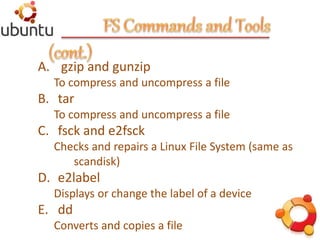
A. gzip and gunzip
To compress and uncompress a file
B. tar
To compress and uncompress a file
C. fsck and e2fsck
Checks and repairs a Linux File System (same as
scandisk)
D. e2label
Displays or change the label of a device
E. dd
Converts and copies a file
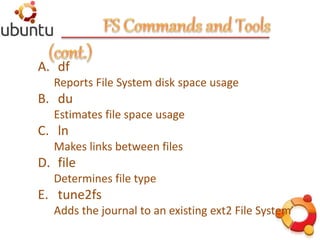
A. df
Reports File System disk space usage
B. du
Estimates file space usage
C. ln
Makes links between files
D. file
Determines file type
E. tune2fs
Adds the journal to an existing ext2 File System
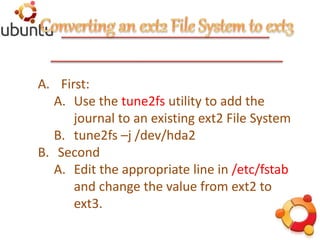
A. First:
A. Use the tune2fs utility to add the
journal to an existing ext2 File System
B. tune2fs –j /dev/hda2
B. Second
A. Edit the appropriate line in /etc/fstab
and change the value from ext2 to
ext3.
Ubuntu File System
Ubuntu File System

Ubuntu File System

  • 2.
    I. History II. Prosand Cons III. File System A. What is File System B. Types of File System C. Structure of File System D. Mounting File System E. Creating File System F. Some useful commands and tool
  • 3.
    I. To Lookat History II. To Look at Pros and Cons III. To Explore How Ubuntu implement File System
  • 4.
    4  Ubuntu isone of the flavors of Linux Operating System  Developed by Canonical Ltd.,Ubuntu Community  Free and Open Source Software  Released in Oct 20th,2004  Latest Release Ubuntu 14.04.1 (Trusty tahr) on July 24th,2014
  • 5.
    5  Disadvantages comparedwith Windows  Isn't as popular as Windows  Ubuntu is relatively hard to install, learn and use  As It’s Open Source, Ubuntu is mainly used in commercial applications, server implementation  More than 75% current network servers are developed based on Ubuntu, Linux or Unix systems  Due to the relatively high reliability
  • 6.
    A. It isresponsible for storing information on disk and retrieving and updating this information. B. Example : 1. FAT16, FAT32, NTFS 2. ext2, ext3 … C. In Linux everything is file
  • 7.
    A. Network FileSystem 1. NFS 2. SMB B. Disk File System 1. ext2 2. ext3 3. FAT32 4. NTFS
  • 8.
    A. Network FileSystem are physically somewhere else, but appear as if they are mounted on one computer. B. NFS It was developed by Sun. C. SMB It was developed by Microsoft.
  • 9.
     Disk FileSystem are what you will find on a physical device, such as hard drive in a computer.
  • 10.
    A. It hasbeen the standard File System for Linux. B. The original Extended File System was named ext. C. The ext2 File System can accommodate: 1. Files as large as 2GB 2. Directories as large as 2TB 3. Max. file name length of 255 characters.
  • 11.
    A. It isas same as ext2. B. It is a journaling File System for Linux. C. In a journaling system, metadata is written to a journal on the disk before it is actually used to modify the file.
  • 13.
     Hold themost commonly used essential user programs i. Login ii. Shells (bash, ksh, csh) iii. File manipulation utilities (cp, mv, rm, ln, tar) iv. Editors (ed, vi) v. File system utilities (dd, df, mount, umount, sync) vi. System utilities (uname, hostname) vii. GNU utilities like gzip and gunzip
  • 14.
     Hold essentialmaintenance or system programs such as the following: i. Fsck ii. mkfs iii. shutdown iv. lilo v. init  The main difference between the programs stored in /bin and /sbin is that the programs in /sbin are executable only by root.
  • 15.
     Store thesystemwide configuration files required by many programs. i. Passwd ii. fstab iii. hosts iv. lilo.conf
  • 16.
     The /homedirectory is where all the home directories for all the users on a system are stored.  The /root directory is where all the home directories for root user on a system are stored.
  • 17.
     The specialfiles representing hardware are kept in it. i. /dev/hda1 ii. /dev/ttyS0 iii. /dev/mouse iv. /dev/fd0 v. /dev/fifo1 vi. /dev/loop2
  • 18.
     The /tmpand /var directories are used to hold temporary files or files with constantly varying content.  The /tmp directory is usually a dumping ground for files that only need to be used briefly and can afford to be deleted at any time.  The /var directory is a bit more structured than /tmp and usually looks something like the following: i. /var/log ii. /var/spool iii. /var/named
  • 19.
     Most programsand files directly relating to users of the system are stored.  It is in some ways a mini version of the /directory. i. /usr/bin ii. /usr/sbin iii. /usr/spool
  • 20.
    A. The LinuxFile System makes it appear as if all the File System are local and mounted somewhere on the root File System. B. File System are mounted with the mount command. mount –t type source mount_point C. To unmount a File System, the unmount command is used. umount /dev/<device name> or mount_point
  • 21.
    A. Once adisk has been partitioned for a specific File System, it is necessary to create a File System on it. B. The first process in the DOS world is known as formatting. C. In the UNIX world is known as creating a File System.
  • 22.
    A. mkfs ormke2fs Make a new ext2 File System. B. mk3fs Make a new ext3 File System. C. mkdosfs Make DOS File System without owning any Microsoft software.
  • 23.
    A. pwd Where amI? B. cd Changes working directory. C. ls Shows the contents of current directory D. cat Takes all input and outputs it to a file or other source
  • 24.
    A. mkdir Creates anew directory B. rmdir Removes empty directore C. mv Moves files D. cp Copies files E. rm Removes directory
  • 25.
    A. gzip andgunzip To compress and uncompress a file B. tar To compress and uncompress a file C. fsck and e2fsck Checks and repairs a Linux File System (same as scandisk) D. e2label Displays or change the label of a device E. dd Converts and copies a file
  • 26.
    A. df Reports FileSystem disk space usage B. du Estimates file space usage C. ln Makes links between files D. file Determines file type E. tune2fs Adds the journal to an existing ext2 File System
  • 27.
    A. First: A. Usethe tune2fs utility to add the journal to an existing ext2 File System B. tune2fs –j /dev/hda2 B. Second A. Edit the appropriate line in /etc/fstab and change the value from ext2 to ext3.